Image

The Deep Magic Of 3D Graphics Perspective

Many of us of a certain age will have had their first true, good 3D video game experience with Super Mario 64. Unlike previous 3D games, the camera was an object controllable by the player, rather than a first-person-ony mode or one where the game tries to guess the best placement for the camera. We might take this mechanic for granted today, but 3D was a new technology at the time that took experimentation before settling on the norms we have today. From a programming perspective, 3D graphics can be a bit of a head-scratcher but [Gabriel] shows that perspective and the camera can be as simple as a few lines of math.

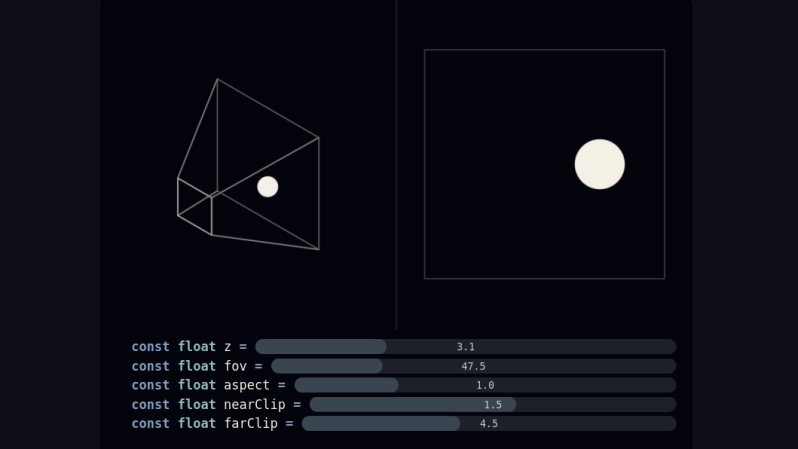
When starting out as a programmer, [Gabriel] used various tools that provided a camera somewhat automatically. But after reaching the limits of these types of frameworks, the next step is to learn how that works from scratch. It turns out that it’s a bit of matrix math, with values for foreground and background clipping planes as well as aspect, field of view, and position. This basically replicates a trapezoidal prism which can be thought of as a viewer looking at a scene from the perspective of a camera. To provide the depth effect, the X and Y coordinates are divided by the Z coordinate within this matrix system, making far-away objects smaller and generating the 3D effect.

On [Gabriel]’s site which explains this method, there are a few sliders in several examples that demonstrate how changing values of each of these variables changes the perspective and the object being displayed. For a math lesson it is very interactive and helps intuit these concepts. Cameras aside, the generation of 3D objects has its own unique set of math equations to learn about that are “equally” interesting.
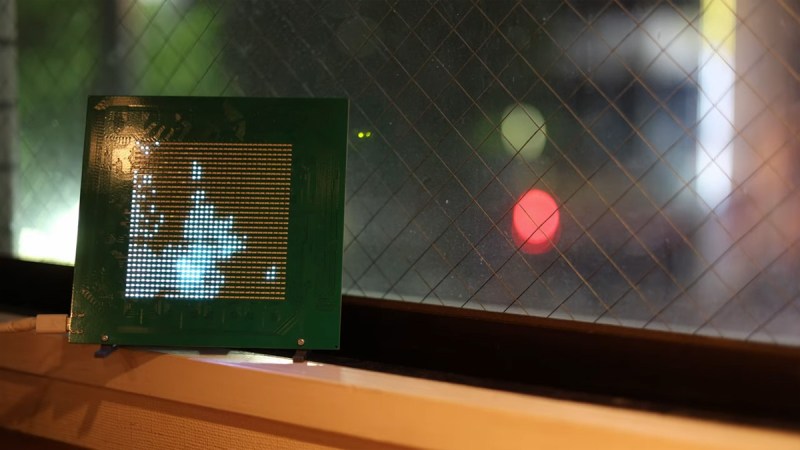
Raspberry Pi Pico LED display sitting in window sill

An Ode To The Aesthetic Of Light In 1024 Pixels

Sometimes, brilliant perspectives need a bit of an introduction first, and this is clearly one. This video essay by [Cleggy] delivers what it promises: an ode to the aesthetic of light. But he goes further, materializing his way of viewing things into a beautiful physical build — and the full explanation of how to do it at home.

What’s outstanding here is not just the visual result, but the path to it. We’ve covered tons of different LED matrices, and while they’re all functional, their eventual purpose is left up to the builder, like coasters or earknobs. [Cleggy] provides both. He captured a vision in the streets and then built an LED matrix from scratch.

The matrix consists of 1024 hand-soldered diodes. They’re driven by a Raspberry Pi Pico and a symphony of square waves. It’s not exactly a WS2812 plug-and-play job. It’s engineered from the silicon up, with D-latches and demultiplexers orchestrating a mesmerizing grayscale visual.

Pulse-width modulation (PWM) is the secret ingredient of this hack. [Cleggy] dims each white pixel separately, by varying the duty cycle of its light signal. The grayscale video data, compressed into CSV files, is parsed line-by-line by the Pico, translating intensity values into shimmering time slices.

It transforms the way you see and perceive things. All that, with a 1000 LED monochrome display. Light shows are all highly personal, and each one is a little different. Some of them are really kid stuff.

Continue reading “An Ode To The Aesthetic Of Light In 1024 Pixels” →

Image

Dozens Of Solenoids Turn Vintage Typewriter Into A Printer

An electric typewriter is a rare and wonderful thrift store find, and even better if it still works. Unfortunately, there’s not as much use for these electromechanical beauties, so if you find one, why not follow [Konstantin Schauwecker]’s lead and turn it into a printer?

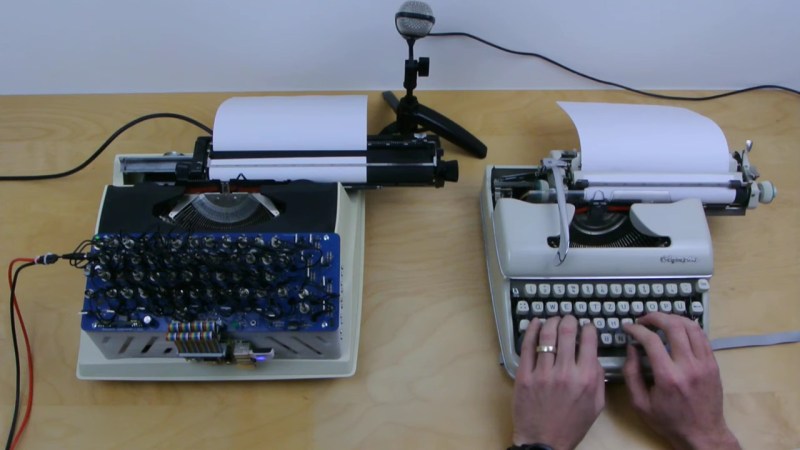
The portable typewriter [Konstantin] found, a Silver Reed 2200 CR, looks like a model from the early 1980s, just before PCs and word processing software would sound the death knell for typewriters. This machine has short-throw mechanical keys, meaning that a physical press of each key would be needed rather than electrically shorting contacts. Cue the order for 50 low-voltage solenoids, which are arranged in rows using 3D printed holders and aluminum brackets, which serve as heat sinks to keep the coils cool. The solenoids are organized into a matrix with MOSFET drivers for the rows and columns, with snubber diodes to prevent voltage spikes across the coils, of course. A Raspberry Pi takes care of translating an input PDF file into text and sending the right combination of GPIO signals to press each key.

The action of the space bar is a little unreliable, so page formatting can be a bit off, but other than that, the results are pretty good. [Konstantin] even managed to hook the printer up to his typewriter keyboard, which is pretty cool, too.

Continue reading “Dozens Of Solenoids Turn Vintage Typewriter Into A Printer” →

Image

A Modern Take On The Etch A Sketch

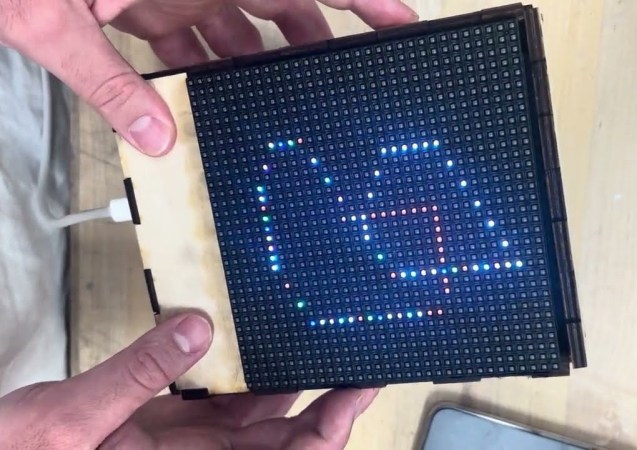
The Etch A Sketch is a classic children’s toy resembling a picture frame where artwork can be made by turning two knobs attached to a stylus inside the frame. The stylus scrapes off an aluminum powder, creating the image which can then be erased by turning the frame upside down and shaking it, adding the powder back to the display. It’s completely offline and requires no batteries, but in our modern world those two things seem to be more requirements than when the Etch A Sketch was first produced in the 1960s. Enter the Tilt-A-Sketch, a modern version of the classic toy.

Rather than use aluminum powder for the display, the Tilt A Sketch replaces it with an LED matrix and removes the stylus completely. There are no knobs on this device to control the path of the LED either; a inertial measurement unit is able to sense the direction that the toy is tilted while a microcontroller uses that input to light up a series of LEDs corresponding to the direction of tilt. There are a few buttons on the side of the device as well which allow the colors displayed by the LEDs to change, and similar to the original toy the display can be reset by shaking.

The Tilt-A-Sketch was built by [devitoal] as part of an art display which allows the visitors to create their own art. Housed in a laser-cut wooden enclosure the toy does a faithful job of recreating the original. Perhaps unsurprisingly, the Etch A Sketch is a popular platform for various projects that we’ve seen before including original toys modified with robotics to create the artwork and electronic recreations that use LED displays instead in a way similar to this project.

Continue reading “A Modern Take On The Etch A Sketch” →

Image

Programming Tiny Blinkenlight Projects With Light

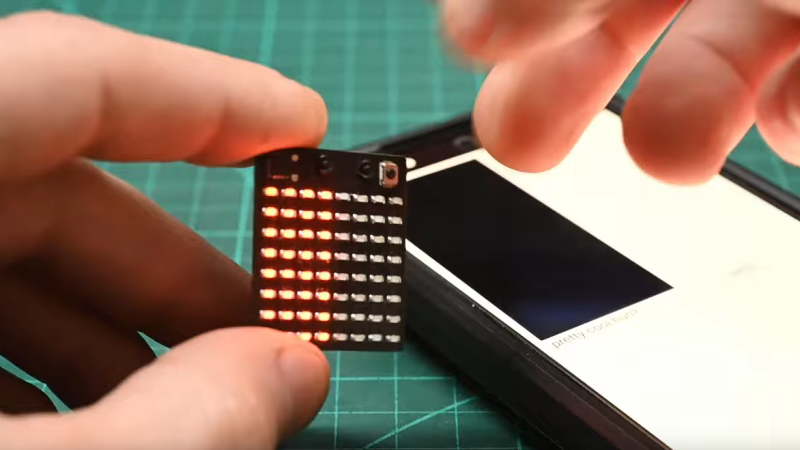
[mitxela] has a tiny problem, literally: some of his projects are so small as to defy easy programming. While most of us would probably solve the problem of having no physical space on a board to mount a connector with WiFi or Bluetooth, he took a different path and gave this clever light-based programming interface a go.

Part of the impetus for this approach comes from some of the LED-centric projects [mitxela] has tackled lately, particularly wearables such as his LED matrix earrings or these blinky industrial piercings. Since LEDs can serve as light sensors, albeit imperfect ones, he explored exactly how to make the scheme work.

For initial experiments he wisely chose his larger but still diminutive LED matrix badge, which sports a CH32V003 microcontroller, an 8×8 array of SMD LEDs, and not much else. The video below is a brief summary of the effort, while the link above provides a much more detailed account of the proceedings, which involved a couple of false starts and a lot of prototyping that eventually led to dividing the matrix in two and ganging all the LEDs in each half into separate sensors. This allows [mitxela] to connect each side of the array to the two inputs of an op-amp built into the CH32V003, making a differential sensor that’s less prone to interference from room light. A smartphone app alternately flashes two rectangles on and off with the matrix lying directly on the screen to send data to the badge — at a low bitrate, to be sure, but it’s more than enough to program the badge in a reasonable amount of time.

We find this to be an extremely clever way to leverage what’s already available and make a project even better than it was. Here’s hoping it spurs new and even smaller LED projects in the future.

Continue reading “Programming Tiny Blinkenlight Projects With Light” →

Image

Electronic Etch-A-Sketch, No Microcontroller Required

In a lot of ways, Etch-A-Sketch is the perfect toy; simple, easy to use, creative, endlessly engaging, and as a bonus, it’s completely mechanical. We find that last attribute to be a big part of its charm, but that’s not to say an electronic version of the classic toy can’t be pretty cool, especially when it’s done without the aid of a microcontroller.

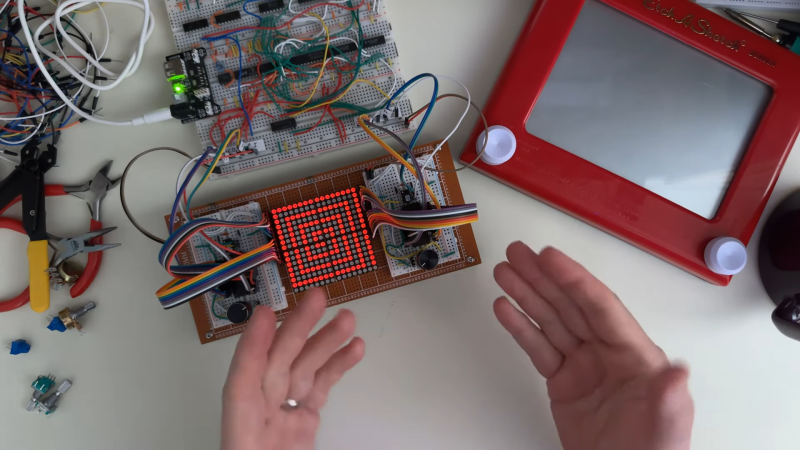
This is one of those “because I can” projects that we always find so interesting, and more so because it wasn’t entirely clear to [BigZaphod] that he had the skills to pull it off. While his initial design centered around a bunch of 8×8 LED matrix displays and a 256×4-bit RAM chip, the rest of it was a lot of hand-waving. After a few experiments with addressing the LEDs, [Zaphod] started filling in the blanks with a refresh circuit using a 555 — naturally — and a pair of counters. Properly debounced encoders for the horizontal and vertical controls came next, along with more counters to track the cursor and a host of other circuits that ended up looking like a “one of each” selection from the 7400-series catalog.

While we do wish for a schematic on this one, it’s still a pretty enjoyable video, and the end product seems to work really well. The electronic version has a few features the original lacks, such as wrapping the cursor to the other side of the screen. We’d imagine that the buttons on the encoders could be put to work, too; perhaps a click could make it so you can move the cursor without leaving a trail behind. That might be a challenge to execute in logic, but then again, that was the point of the whole thing.

Still jonesing for that mechanical Etch-A-Sketch experience? Not a problem.

Continue reading “Electronic Etch-A-Sketch, No Microcontroller Required” →

Image

FLOSS Weekly Episode 788: Matrix, It’s Git, For Communications

This week Jonathan Bennett and Simon Phipps chat with Matthew Hodgson and Josh Simmons about Matrix, the open source decentralized communications platform. How is Matrix a Git for Communications? Are the new EU and UK laws going to be a problem? And how is the Matrix project connected with the Element company?

Continue reading “FLOSS Weekly Episode 788: Matrix, It’s Git, For Communications” →