Search the Community
Showing results for tags 'error'.
Found 5 results
-
Version 0.0.3
53 downloads
APErrorNotify is a Rust server plugin that monitors the loading status of other plugins and sends notifications to Discord if any plugins fail to load. With support for multiple languages (English, Russian, Ukrainian, and Polish), this plugin lets users select their preferred notification language. APErrorNotify automatically scans all server plugins on startup or reload, identifies those that failed to load, and sends detailed messages, including error descriptions if enabled, as an embedded Discord message via Webhook. Key Features: Multi-language notification support (English, Russian, Ukrainian, Polish). Automatic notifications of plugin load failures on server startup and plugin reload. Configurable embed color for Discord notifications. Option to enable/disable error description in messages. Console command: aperro.scan — manual plugin scan and Discord report. Permission: aperro.notify.scan (also available to admins and server console). Configuration: { "EmbedColor": 16711680, "IncludeErrorDescription": true, "Language": "en", "NotifyOnPluginLoadFail": true, "Translations": { "en": { "DefaultMessage": "APErrorNotify detected plugin load errors", "PluginReloadTitle": "Plugin Reload: Plugins Failed to Load", "ServerStartTitle": "Server Started: Plugins Failed to Load" }, "pl": { "DefaultMessage": "APErrorNotify wykrył błędy ładowania pluginów", "PluginReloadTitle": "Przeładowanie pluginu: Błąd ładowania pluginów", "ServerStartTitle": "Serwer uruchomiony: Błąd ładowania pluginów" }, "ru": { "DefaultMessage": "APErrorNotify обнаружил ошибки загрузки плагинов", "PluginReloadTitle": "Перезагрузка плагина: Ошибка загрузки плагинов", "ServerStartTitle": "Сервер запущен: Ошибка загрузки плагинов" }, "uk": { "DefaultMessage": "APErrorNotify виявив помилки завантаження плагінів", "PluginReloadTitle": "Перезавантаження плагіна: Помилка завантаження плагінів", "ServerStartTitle": "Сервер запущено: Помилка завантаження плагінів" } }, "WebhookUrl": "" }$3.00 -
Version 1.0.0
135 downloads
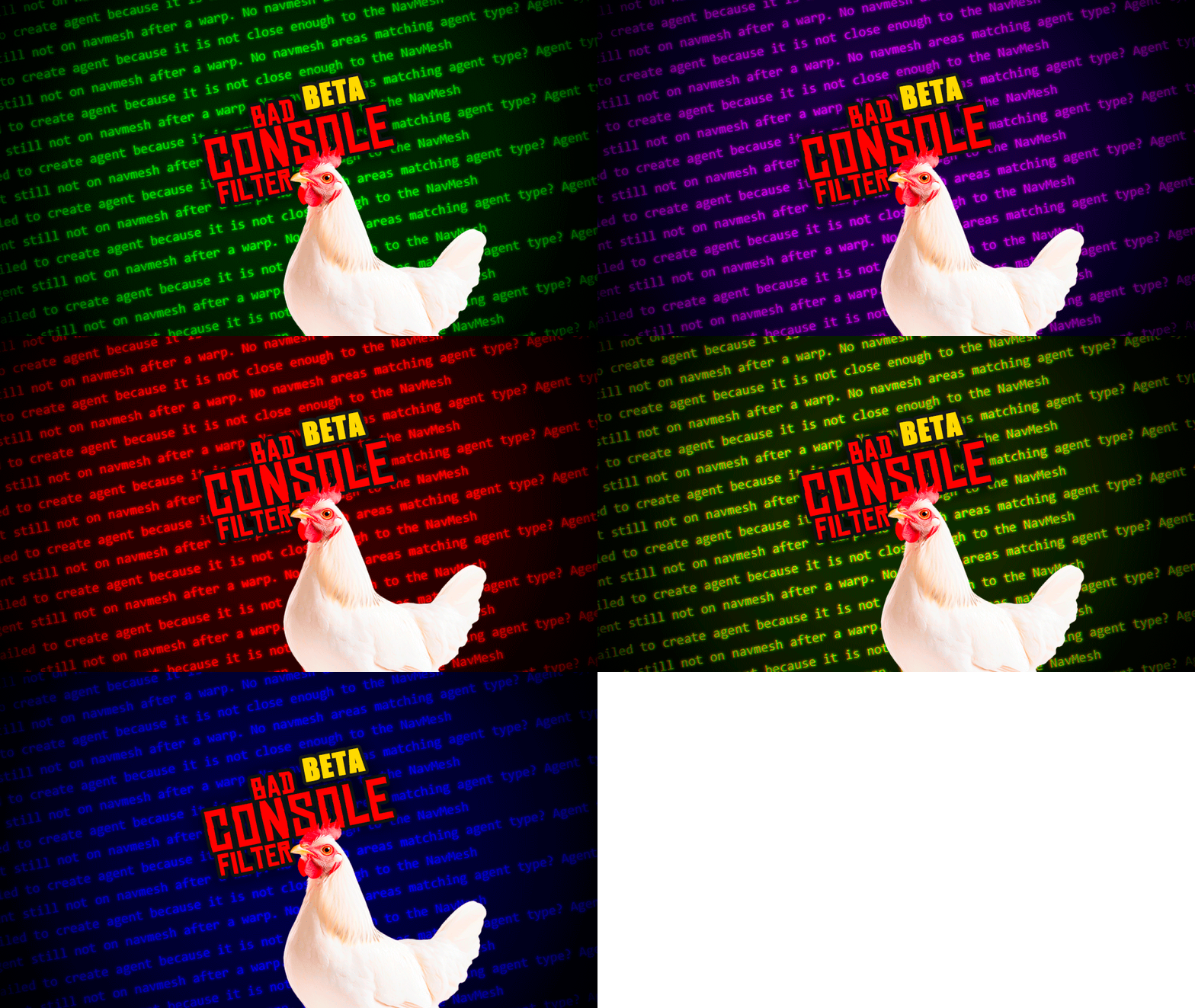
"BadConsoleFilter" is the ultimate server utility plugin for Rust designed to keep your server console completely clean and free of useless spam, annoying engine warnings, and common Unity errors that clog up your logs. But it doesn't stop there! Unlike other simple console hiders, "BadConsoleFilter" features an active extermination system. If the plugin detects that a specific physical entity (like a bugged animal, scientist, or NPC) is causing severe NavMesh errors or rotation loops, the plugin will intelligently track down the stuck entity and eliminate it ("Kill") to protect your server's performance. Key Features Clean Console & Logs: Completely hides any phrase, word, or sentence you define from your server logs. Smart Entity Killer: Automatically destroys bugged NPCs or animals that throw endless Unity NavMesh errors. Lightweight: Extremely optimized for high-population servers. Intercepts logs directly at the Unity engine level. Fully Customizable: Add, edit, or remove filtered messages easily. How to Use 1. Download "BadConsoleFilter.cs" and place it inside your "oxide/plugins" folder. 2. The plugin will automatically generate a configuration file located at "oxide/config/BadConsoleFilter.json". 3. By default, the plugin already comes with a massive list of pre-configured useless Unity messages to hide (such as NavMesh warnings, Steam definition checks, and rendering messages). How to Add New Messages to Filter If a new error or warning appears in your console and you want to make it disappear forever, it's incredibly easy to add it! - Step 1: Open the Configuration Navigate to your server files and open: "oxide/config/BadConsoleFilter.json" - Step 2: Add the Text Inside the JSON file, look for the "IgnoredLogStrings" list. Simply add the new error phrase to the list. You don't even need to type the whole sentence; a partial phrase is enough! Example: If your console is spamming: "[Warning] Some random annoying error message from a broken prefab" You can just add "Some random annoying error" to your list. Make sure each line ends with a comma (","), except for the very last one! .json { "InterceptUnityLogs": true, "InterceptOxideLogs": true, "KillEntityOnNavMeshError": true, "IgnoredLogStrings": [ "Failed to create agent because it is not close enough to the NavMesh", "Agent still not on navmesh after a warp", "Look rotation viewing vector is zero", "Some random annoying error" ] } Step 3: Reload the Plugin Once you save the file, simply type the following command in your server console (or RCON): "o.reload BadConsoleFilter" Et voilà!The message will instantly vanish from your console and will never bother you again WARNING: - When installing the plugin while the server is running For the plugin to take effect, you must wait for it to load correctly; this may take several minutes depending on your server’s stability and performance. - When installing the plugin with the server turned off For the plugin to take effect, you must wait for the server to fully boot up and for the plugin to finish loading correctly; this may take several minutes depending on your server’s stability and performance.Free -

Version 1.0.0
31 downloads
Discord Error Logger automatically sends plugin errors to Discord with clickable links to create support tickets, including all the necessary details for developers. Say goodbye to digging through log files or watching the console for issues—everything is delivered clearly and conveniently. NOTES: This plugin will auto generate the configuration file for you & auto update it whenever a new plugin is added. Simply configure the plugins data in the config file to complete the setup! This plugin will also auto-unload plugins that spam errors 10 times or more. Set Plugin Title Name to the URL name, example url for stack modifier: WARNING: This plugin currently only supports click-able links from Codefling & uMod plugins only. Error reporting will still function like normal. Config { "DiscordWebhook": "", "EmbedHexColour": "#2C2F33", "TimeFormat": "o", "Configure Plugin Data": { "stackmodifier": { "Codefling or uMod: False = uMod": true, "Plugin Title Name from Website URL": "stack-modifier" }, "guishop": { "Codefling or uMod: False = uMod": false, "Plugin Title Name from Website URL": "gui-shop" }, "noescape": { "Codefling or uMod: False = uMod": true, "Plugin Title Name from Website URL": "noescape" } } }$9.99 -
Version 1.3
672 downloads
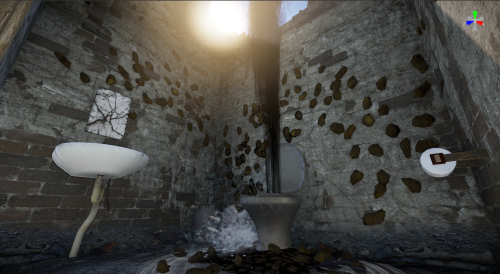
This is a stand alone prefab! An outdoor bathroom, with a very broken toilet creating a sewage geyser! Shit covered walls and ceiling with a hole blasted through! Complete with shit covered roof, and toilet paper dispenser!Free -
Version 1.0.1
1,919 downloads
Automatically kills the npc who causes this console spam. ""SetDestination" can only be called on an active agent that has been placed on a NavMesh" No permissions, commands, or instructions. Just install.Free