Search the Community
Showing results for tags 'virtual'.
Found 7 results
-
Version 1.1.3
87 downloads
Control the power grid stages and recycler settings on your server. By default, the Rust power grid has stages that dictate how many fuses placed in powerplant monument are required to activate different levels of available power on the powerlines. With this plugin, you can easily add, edit, or delete these stages directly from the config file. You can also configure how each recycler type (Green, Yellow, Red) behaves based on the current powergrid stage. How it works Open the config file. Under "Powergrid Stages", you can add new stage blocks or edit existing ones. Under "Recyclers", you can configure powergrid-based settings for each recycler type (Green, Yellow, Red). Under "Virtual Fuse Box", you can enable/disable the virtual fuse box feature and customize its commands. Reload the plugin for the changes to take effect. The plugin will automatically sort your configured stages based on the required fuses and apply them directly to the server's power grid . You can set power to whatever you want, here I set "Powerline Available Power": 500 as an example. Recycler Powergrid Settings Configure how each recycler type behaves based on the current powergrid stage. For each recycler type (Green, Yellow, Red), you can control: Required Powergrid Stage To Operate - The minimum powergrid stage required for this recycler to function. Set to 0 to allow the recycler to work regardless of powergrid state. Required Powergrid Stage For Efficiency Override - The powergrid stage at which the custom recycling efficiency kicks in. Set to 0 to disable the efficiency override. Recycling Efficiency Override - The recycling efficiency when the efficiency stage is reached. Value from 0.0 to 1.0 where 1.0 = 100% resource return. Required Powergrid Stage For Duration Override - The powergrid stage at which the custom recycling duration kicks in. Set to 0 to disable the duration override. Recycling Duration Override - The recycling speed in seconds per cycle when the duration stage is reached. Default behavior (matching vanilla Rust): Green recyclers — Always usable. At stage 2, efficiency is overridden to 60%. At stage 4, duration is overridden to 4.5s. Yellow recyclers — Always usable. No powergrid-based overrides. Red recyclers — Requires powergrid stage 4 to operate. No efficiency/duration overrides. Chat Commands /recyclerinfo - Look at a recycler and use this command to see its type (Green/Yellow/Red), current powergrid stage, and all powergrid-related config values applied to it. Useful for verifying your configuration is working correctly. Requires permission: powergridstages.recyclerinfo /fusebox or /fb (or your custom alias) - Opens the virtual powergrid fusebox UI. Requires permission: powergridstages.fusebox /fusebox reset [1/2] - Admin command to instantly clear and reset the virtual fuseboxes. Requires Admin privileges. Useful Rust ConVars & Commands (Note: These are existing Rust convars and commands, not part of this plugin) powergrid.enabled - If disabled power grid functionality will be disabled. powergrid.status - A console command provides information about the current state of the server's power grid, including the active progression stage, the number of inserted fuses, and the total available electrical power. (This is a good place to go to verify the plugin applied changes properly) powergrid.simulatepowerplantfuses - Pretend there are this many additional heavy fuses currently plugged into the power plant. Can input negative numbers to negate the effect of any currently plugged in fuses. Default Config { "Virtual Fuse Box": { "Enabled": false, "Command": "fusebox, fb" }, "Enable Powerline Stage Mode": true, "Powergrid Stages": [ { "Required Fuses": 1, "Powerline Available Power (Only used if Powerline Stage Mode is enabled)": 15 }, { "Required Fuses": 4, "Powerline Available Power (Only used if Powerline Stage Mode is enabled)": 18 }, { "Required Fuses": 10, "Powerline Available Power (Only used if Powerline Stage Mode is enabled)": 24 }, { "Required Fuses": 18, "Powerline Available Power (Only used if Powerline Stage Mode is enabled)": 30 } ], "Recyclers": { "Green Recycler": { "Required Powergrid Stage To Operate (0 = No Powergrid Required)": 0, "Required Powergrid Stage For Efficiency Override (0 = No Override)": 2, "Recycling Efficiency Override (0.0 to 1.0, 1.0 = 100% Resource Return)": 0.6, "Required Powergrid Stage For Duration Override (0 = No Override)": 4, "Recycling Duration Override in Seconds": 4.5 }, "Yellow Recycler": { "Required Powergrid Stage To Operate (0 = No Powergrid Required)": 0, "Required Powergrid Stage For Efficiency Override (0 = No Override)": 0, "Recycling Efficiency Override (0.0 to 1.0, 1.0 = 100% Resource Return)": 0.0, "Required Powergrid Stage For Duration Override (0 = No Override)": 0, "Recycling Duration Override in Seconds": 0.0 }, "Red Recycler": { "Required Powergrid Stage To Operate (0 = No Powergrid Required)": 4, "Required Powergrid Stage For Efficiency Override (0 = No Override)": 0, "Recycling Efficiency Override (0.0 to 1.0, 1.0 = 100% Resource Return)": 0.0, "Required Powergrid Stage For Duration Override (0 = No Override)": 0, "Recycling Duration Override in Seconds": 0.0 } }, "Version": { "Major": 1, "Minor": 1, "Patch": 1 } }$9.99- 13 comments
- 2 reviews
-
- 2
-

-
- #powergrid
- #power
- (and 15 more)
-
(1).thumb.png.d56d18605bed9090caa8ebd3d3539349.png)
Version 1.0.10
732 downloads
VirtualRecycler Plugin The VirtualRecycler Plugin, developed by M&B-Studios, is a powerful tool designed for Rust server administrators and VIP players. This plugin allows players to use virtual recycling machines to quickly and efficiently recycle their surplus items. Features: Commands: The plugin offers a set of chat commands that enable players to open and use their virtual recycling machine. Permissions: Various permissions are supported, including: virtualrecycler.use: Grants players permission to use the virtual recycling machine. virtualrecycler.admin: Provides admins with instant recycling capabilities. virtualrecycler.vip: Offers VIP players a customized recycling speed. virtualrecycler.raidablebases: Allows players to open the VirtualRecycler only in the raidable bases Automatic Recycling: When a player opens their virtual recycling machine, the recycling process starts automatically. The recycling speed may vary depending on permissions. Ease of Use: Operating the virtual recycling machine is straightforward and user-friendly. Players can quickly and conveniently recycle their surplus items. Efficient Management: The plugin offers efficient management of recycling machines, ensuring that each player can only use their own machine. With the VirtualRecycler Plugin, you can enhance the recycling experience on your Rust server while simplifying the management and control of recycling machines. If you have any questions or problems, join my discord https://discord.gg/D2zTWCEnrN { "Commands": [ "vrec", "vr", "virtualrec", "vrecycler", "virtualrecycler" ], "DefaultPermission": "virtualrecycler.use", "DefaultSpeed": 1.0, "AutoStart": false, "PermissionSpeeds": { "virtualrecycler.admin": 0.1, "virtualrecycler.raidablebases": 0.5, "virtualrecycler.vip": 0.5 }, "StaticRecyclerSpeeds": { "virtualrecycler.static1": 1.0, "virtualrecycler.static2": 0.5, "virtualrecycler.vipstatic": 0.1 } }$11.95 -

Version 1.0.14
45 downloads
PocketRecycler — a Full Recycler in Your Pocket One command opens a recycling panel right next to your inventory — anywhere on the map. Per-permission efficiency and speed, custom recycle outputs, blueprint chance, sounds and a complete in-game admin editor. What is it? PocketRecycler gives every player a personal recycler that travels with them. Type /rec and a recycling container docks beside your inventory: drop items into the input half, watch them recycle tick by tick and collect the output. No monument run, no base recycler — recycling wherever you stand. The plugin does not spawn a physical recycler entity at the map's zero point (0 0 0) or anywhere else in the world: the container is fully virtual. Everything the vanilla Safe Zone recycler does is here and configurable: yield efficiency scales with the item's condition, output is capped by a per-tick stack multiplier, and leftover items are safely dropped at your feet when the panel closes. Pocket recycler panel — opens next to the inventory with /rec, toggles open / closed, and refuses to open while you are building blocked. Configurable slot count. Per-permission efficiency & speed — map any permission to its own recycle efficiency (1.0 = 100%) and think duration; defaults apply to everyone else. Damaged items yield proportionally less, exactly like vanilla. Blueprint drops — optional chance (0–100%) to get the item's blueprint out of recycling, limited to researchable items. Custom recycle outputs — override what any item recycles into: match by shortname, skin and (optionally) custom name, define your own ingredient list with amounts, skins and display names. Vanilla ingredients can be added on top, and efficiency can apply to custom outputs too. Extra scrap & stack control — bonus scrap rate on top of vanilla recycling, with fractional scrap carried over between ticks, plus a stack multiplier that caps how fast big stacks melt. Sounds — separate prefabs for opening, the work tick and the recycle result, behind one master toggle. In-game admin panel — /pr.admin opens a full visual editor: General settings, per-permission Efficiency and Duration tables, and the Items override list with a searchable picker over every item in the game. Add, edit and remove everything without touching a config file. Access control — optional use permission (name configurable, pocketrecycler.use by default); efficiency and duration permissions are registered automatically from the config. Commands /rec — open pocket recycler (chat command). /pr.admin — open the in-game admin panel (admin). Permission pocketrecycler.admin — access to the admin panel. Use permission — optional, name set in the config (pocketrecycler.use by default). When the gate is disabled, everyone can use the recycler. Any permissions used as keys in the Efficiency / Duration tables are registered automatically. DEFAULT CONFIGURATION { "Permission to use the plugin (default: pocketrecycler.use)": "pocketrecycler.use", "Recycler Container Size": 6, "Works only for those who have permission ?": true, "Use Sound Effects?": true, "Recycle Sound Effects": "assets/prefabs/misc/xmas/presents/effects/unwrap.prefab", "Recycler Open Sound Effects?": "assets/prefabs/npc/autoturret/effects/autoturret-deploy.prefab", "Allow blueprints to be obtained from recycled items.(default: false)": false, "Chance of obtaining blueprints from recycled items. 0 - 100 (default: 0)": 0, "Stack Multiplier Per Recycle Tick(default: 0.1)": 0.1, "Extra Scrap rate(default: 0)": 0.0, "Default recycling efficiency (pocketrecycler.use: 0.4)": 0.4, "Default recycling time duration (pocketrecycler.use: 8)": 8, "Recycler Permissions Settings": { "Recycling efficiency [permission] = efficiency (1.0 = 100%)": { "pocketrecycler.deluxe": 1.0, "pocketrecycler.premium": 0.8, "pocketrecycler.vip": 0.6 }, "Recycling time duration [permission] = time (sec)": { "pocketrecycler.deluxe": 0, "pocketrecycler.premium": 4, "pocketrecycler.vip": 6 } }, "Items recycle list": { "Enable item replacement after recycling": false, "Consider the efficiency value ?": true, "Get default item ingredients ?": false, "List of recyclable items": [ { "SkinID": 0, "Shortname": "wood", "Displayed item name": null, "Ingredients": [ { "SkinID": 2420097877, "Shortname": "paper", "Amount per 1 recycled item": 1, "Displayed item name": null } ] }, { "SkinID": 2420097877, "Shortname": "paper", "Displayed item name": null, "Ingredients": [ { "SkinID": 0, "Shortname": "wood", "Amount per 1 recycled item": 1, "Displayed item name": null } ] } ] } }$3.99 -
Version 2.5.7
6,005 downloads
RUST Plugin Test Server TEST MY PLUGINS THERE! connect play.thepitereq.ovh:28050 Virtual Quarries plugin is a major upgrade to quarries. You can create and place quarries that extract any type of resource and access them from anywhere on the map. Set up an infinite number of quarry types, apply custom quarry limits with a permission system, grant friends access to resource storage, upgrade your quarry to get more resources, customize survey items and fuel, and much more! You can even customize the static quarries on the map to be instanced, allowing each player to have their own quarry. Extensive customization and enhancements for quarries. Place an infinite number of quarries of various types and give access to friends and teammates, including offline players. Customize the output for each quarry type, allowing them to dig anything from stone and ores to rockets and C4, with full support for skins and display names. The permission system lets you limit the number of quarries per player, and you can upgrade your quarries for better output, capacity, and fuel efficiency. The items required to place quarries can be customized based on the quarry's resource output. M ultiple types of survey charges, each corresponding to different quarry types. Full data merge through wipes. Responsive RUST-themed UI. Customizable fuel types for each quarry. Custom digging method ensures quarries dig once every 60 seconds by default to improve performance, but this frequency is configurable. Supports static quarries, pumpjacks, and the giant excavator pit, with instanced inventories for each player and customizable outputs. virtualquarries.use - Allows you to open /qr menu. (Needs to be enabled in config) virtualquarries.share - Allows players to give other teammates access to their quarries. (Needs to be enabled in config) virtualquarries.static.quarry - Gives access to static quarries. (Needs to be enabled in config) virtualquarries.static.pumpjack - Gives access to static pump jacks. (Needs to be enabled in config) virtualquarries.static.excavator - Gives access to giant excavator. (Needs to be enabled in config) /qr - Opens Virtual Quarry Menu. (Configurable) Economy Plugin Config 0 - None 1 - Economics 2 - ServerRewards 3 - IQEconomic 4 - BankSystem 5 - ShoppyStock Quarry Limit Extra You can limit sum of quarries by adding "*" into your permission list, so players can mix quarry profiles until they reach overall limit. Example: "virtualquarries.default": { "*": 3, "pumpjack": 1 }, Based on regular configuration this setup will limit player to have 3 of any type of quarrym but only 1 pumpjack, so he can have 2 quarries and 1 pumpjack or 3 quarries and no pumpjack. OnQuarryUpgraded(BasePlayer player, int quarryLevel, string quarryProfile) - Called when quarry is successfully upgraded. OnQuarryRemoved(BasePlayer player, string quarryProfile) - Called when quarry is successfully removed. OnCustomSurveyThrow(BasePlayer player, string quarryProfile) - Called when custom survey is successfully throwed. OnQuarryPlaced(BasePlayer player, string quarryProfile) - Called when quarry is succesfully placed. Example Config With additional quarry types, more upgrade levels etc. (my private configuration) VirtualQuarries.json { "Command List": [ "qr", "quarry", "quarries", "vq", "virtualquarry", "virtualquarries" ], "UI Action Cooldown (in seconds, 0 to disable)": 0.0, "Enable Console Logs": true, "PopUpAPI - Preset Name": "Legacy", "Override Custom Skinned Items With Steam Icons (no URLs needed)": false, "Additional Steam Image Download": false, "Require Permission For Use": false, "Lock Access To Quarry Profiles If Lost Permission": false, "Mining Quarry/Pump Jack Limit Permissions": { "virtualquarries.default": { "pumpjack": 1, "quarry": 2 }, "virtualquarries.vip": { "pumpjack": 2, "quarry": 3 } }, "Sharing - Require Permission": false, "Sharing - Remove Members If Owner Offline More Than X Days (0, to disable)": 0, "Sharing - Share Only To Teammates": false, "Data - Enable Data Wipe On Server Wipe": false, "Data - Store Container Data In File And Restore On Server Wipe": false, "Data - Store Container Interval (in seconds)": 1800, "Quarry Tick (how often quarries dig resources, in seconds)": 60, "Static Quarry Tick (how often quarries dig resources, in seconds)": 60, "Excavator Quarry Tick (how often quarries dig resources, in seconds)": 60, "Storage Prefab": "assets/prefabs/deployable/large wood storage/box.wooden.large.prefab", "Sound - Start Sound": "assets/prefabs/npc/autoturret/effects/online.prefab", "Sound - Stop Sound": "assets/prefabs/npc/autoturret/effects/offline.prefab", "Survey Charge - Allow Throwing Survey Charges": false, "Survey Charget Types": { "survey": { "Effect Path": "assets/bundled/prefabs/fx/survey_explosion.prefab", "Required Permission (empty, if not required)": "", "Chance For Resources (0-100)": 75, "Displayed Survey Title Translation Key": "SurveyCharge", "Required Item": { "Shortname": "surveycharge", "Skin": 0, "Amount": 1, "Display Name": null, "Icon URL": "" } } }, "Upgrades - Used Economy Plugin (0 - None, See Website For More Info)": 0, "Upgrades - Economy Currency (If Economy Plugin Is 5 - ShoppyStock)": "rp", "Removing Quarries - Refund Items": true, "Removing Quarries - Refund Upgrades": false, "Go Back Button - Position (1-2)": 1, "Upgrade UI - Responsive Position": true, "Static Quarries - Enable": false, "Static Quarries - Disable Running Effect": false, "Excavator Quarry - Enable": false, "Excavator Quarry - Lock Air Drops": false, "Excavator Quarry - Resource Container Size": 18, "Excavator Quarry - Fuel Container Size": 6, "Static Quarries - Quarry Requires Permission": false, "Static Quarries - Pump Jack Requires Permission": false, "Static Quarries - Excavator Requires Permission": false, "Static Quarries - Resource Container Size": 18, "Static Quarries - Fuel Container Size": 6, "Static Quarries - Fuel Item": { "Shortname": "lowgradefuel", "Skin": 0, "Amount": 1.0, "Display Name": null, "Icon URL": null }, "Excavator Quarry - Fuel Item": { "Shortname": "diesel_barrel", "Skin": 0, "Amount": 1.0, "Display Name": null, "Icon URL": null }, "Static Quarries - Metal Quarry Output": [ { "Shortname": "stones", "Skin": 0, "Amount Per Tick": 150.0, "Display Name": "" }, { "Shortname": "metal.ore", "Skin": 0, "Amount Per Tick": 22.5, "Display Name": "" } ], "Static Quarries - Sulfur Quarry Output": [ { "Shortname": "sulfur.ore", "Skin": 0, "Amount Per Tick": 22.5, "Display Name": "" } ], "Static Quarries - HQM Quarry Output": [ { "Shortname": "hq.metal.ore", "Skin": 0, "Amount Per Tick": 1.5, "Display Name": "" } ], "Static Quarries - Pump Jack Output": [ { "Shortname": "crude.oil", "Skin": 0, "Amount Per Tick": 6.0, "Display Name": "" } ], "Static Quarries - Excavator Outputs": { "HQM": [ { "Shortname": "hq.metal.ore", "Skin": 0, "Amount Per Tick": 50.0, "Display Name": "" } ], "Metal": [ { "Shortname": "metal.fragments", "Skin": 0, "Amount Per Tick": 2500.0, "Display Name": "" } ], "Stone": [ { "Shortname": "stones", "Skin": 0, "Amount Per Tick": 5000.0, "Display Name": "" } ], "Sulfur": [ { "Shortname": "sulfur.ore", "Skin": 0, "Amount Per Tick": 1000.0, "Display Name": "" } ] }, "Quarry Profiles": { "pumpjack": { "Required Permission (empty, if not required)": "virtualquarries.pumpjack", "Displayed Icon": { "Shortname": "mining.pumpjack", "Skin": 0, "Amount": 1, "Display Name": null, "Icon URL": "" }, "Survey Type": "survey", "Displayed Quarry Title Translation Key": "PumpjackTitle", "Chance": 5, "Minimal Resources Per Node": 1, "Maximal Resources Per Node": 2, "Fuel Required Per Tick": { "Shortname": "lowgradefuel", "Skin": 0, "Amount": 1.0, "Display Name": null, "Icon URL": null }, "Enable Upgrades": true, "Items Required To Place": [ { "Shortname": "mining.pumpjack", "Skin": 0, "Amount": 1, "Display Name": null, "Icon URL": "" } ], "Resources": { "crude": { "Output Item - Shortname": "crude.oil", "Output Item - Skin": 0, "Output Item - Display Name": "", "Output Item - Icon URL (Required if Skin not 0)": "", "Include Always": true, "Required Permission (empty if not required)": "", "Chance": 0, "Minimal Output Per Tick": 0.8, "Maximal Output Per Tick": 3.0, "Additional Items Required To Place": [] } }, "Upgrades": [ { "Required Items": [], "Required Currency (0 to disable)": 0, "Fuel Storage Capacity": 6, "Capacity": 6, "Gather Multiplier": 1.0, "Fuel Usage Multiplier": 1.0, "Additional Resources (Resources keys)": [] }, { "Required Items": [ { "Shortname": "wood", "Skin": 0, "Amount": 14000, "Display Name": null, "Icon URL": "" }, { "Shortname": "stones", "Skin": 0, "Amount": 10000, "Display Name": null, "Icon URL": "" } ], "Required Currency (0 to disable)": 12000, "Fuel Storage Capacity": 6, "Capacity": 9, "Gather Multiplier": 1.2, "Fuel Usage Multiplier": 1.0, "Additional Resources (Resources keys)": [] } ] }, "quarry": { "Required Permission (empty, if not required)": "", "Displayed Icon": { "Shortname": "mining.quarry", "Skin": 0, "Amount": 1, "Display Name": null, "Icon URL": "" }, "Survey Type": "survey", "Displayed Quarry Title Translation Key": "QuarryTitle", "Chance": 25, "Minimal Resources Per Node": 1, "Maximal Resources Per Node": 2, "Fuel Required Per Tick": { "Shortname": "lowgradefuel", "Skin": 0, "Amount": 1.0, "Display Name": null, "Icon URL": null }, "Enable Upgrades": true, "Items Required To Place": [ { "Shortname": "mining.quarry", "Skin": 0, "Amount": 1, "Display Name": null, "Icon URL": "" } ], "Resources": { "hq": { "Output Item - Shortname": "hq.metal.ore", "Output Item - Skin": 0, "Output Item - Display Name": "", "Output Item - Icon URL (Required if Skin not 0)": "", "Include Always": false, "Required Permission (empty if not required)": "", "Chance": 10, "Minimal Output Per Tick": 0.3, "Maximal Output Per Tick": 2.0, "Additional Items Required To Place": [] }, "metal": { "Output Item - Shortname": "metal.ore", "Output Item - Skin": 0, "Output Item - Display Name": "", "Output Item - Icon URL (Required if Skin not 0)": "", "Include Always": false, "Required Permission (empty if not required)": "virtualquarries.metal", "Chance": 50, "Minimal Output Per Tick": 22.5, "Maximal Output Per Tick": 45.0, "Additional Items Required To Place": [] }, "scrap": { "Output Item - Shortname": "scrap", "Output Item - Skin": 0, "Output Item - Display Name": "", "Output Item - Icon URL (Required if Skin not 0)": "", "Include Always": false, "Required Permission (empty if not required)": "virtualquarries.scrap", "Chance": 5, "Minimal Output Per Tick": 0.1, "Maximal Output Per Tick": 1.0, "Additional Items Required To Place": [ { "Shortname": "wood", "Skin": 0, "Amount": 7000, "Display Name": null, "Icon URL": "" } ] }, "stone": { "Output Item - Shortname": "stones", "Output Item - Skin": 0, "Output Item - Display Name": "", "Output Item - Icon URL (Required if Skin not 0)": "", "Include Always": true, "Required Permission (empty if not required)": "", "Chance": 0, "Minimal Output Per Tick": 150.0, "Maximal Output Per Tick": 300.0, "Additional Items Required To Place": [] }, "sulfur": { "Output Item - Shortname": "sulfur.ore", "Output Item - Skin": 0, "Output Item - Display Name": "", "Output Item - Icon URL (Required if Skin not 0)": "", "Include Always": false, "Required Permission (empty if not required)": "", "Chance": 50, "Minimal Output Per Tick": 15.0, "Maximal Output Per Tick": 30.5, "Additional Items Required To Place": [] } }, "Upgrades": [ { "Required Items": [], "Required Currency (0 to disable)": 0, "Fuel Storage Capacity": 6, "Capacity": 6, "Gather Multiplier": 1.0, "Fuel Usage Multiplier": 1.0, "Additional Resources (Resources keys)": [] }, { "Required Items": [ { "Shortname": "wood", "Skin": 0, "Amount": 7000, "Display Name": null, "Icon URL": "" }, { "Shortname": "stones", "Skin": 0, "Amount": 5000, "Display Name": null, "Icon URL": "" } ], "Required Currency (0 to disable)": 6000, "Fuel Storage Capacity": 6, "Capacity": 9, "Gather Multiplier": 1.2, "Fuel Usage Multiplier": 1.0, "Additional Resources (Resources keys)": [ "scrap" ] } ] } } }$35.00 -

Version 1.0.3
18 downloads
xScrapBag xScrapBag adds a virtual scrap storage system to your Rust server, allowing players to automatically store, manage, and transfer scrap without clogging their inventory. Features Automatic Scrap Storage Scrap picked up by players is automatically stored in their Scrap Bag Optional player chat notification when scrap is stored Prevents scrap from filling inventory slots Manual Deposit & Withdraw Deposit scrap from inventory into the Scrap Bag Withdraw stored scrap back into inventory Player-to-Player Scrap Transfer Transfer stored scrap to other online players via UI Persistent Data Storage Scrap balances are saved automatically Death Handling Option to reset stored scrap on death Or keep scrap safe after death - your choice. Plugin Preview Chat Commands /scrapbag /xsb /* Both chat commands will open the scrapbag UI */ Permission xscrapbag.use Config { "PermissionUse": "xscrapbag.use", "ResetStoredScrapOnDeath": false, "StoreScrapAutomatically": true, "StoreScrapAutomaticallyPlayerMessage": true }$9.99 -

Version 1.0.7
124 downloads
Virtual Furnace is a new look at the use of stoves. Allow players to install a virtual oven and access it from anywhere on your server. The plugin allows players to install a virtual furnace and improve it to obtain a more efficient melting method. You can connect your economy plugin so that players can get improvements. Video Plugin Features The possibility of creating/improving furnaces with the help of items/economy balance Setting limits for each of the players by privilege The ability to adjust the number of available slots for each player individually Support for popular economy plugins(Economics, Server Rewards,IQEconomic,Bank System) You can customize each level individually to suit your ideas Using a standard storage system, which eliminates the possibility of losing resources or duplicating them Plugin Config Example of plugin configuration in English Example of plugin configuration in Russian Check out more of my work here CASHR's library. Come see our whole teams work Mad Mapper Library. Come by the Mad Mapper Discord for support, feedback, or suggestions!$25.00 -
Version 2.4.94
558 downloads
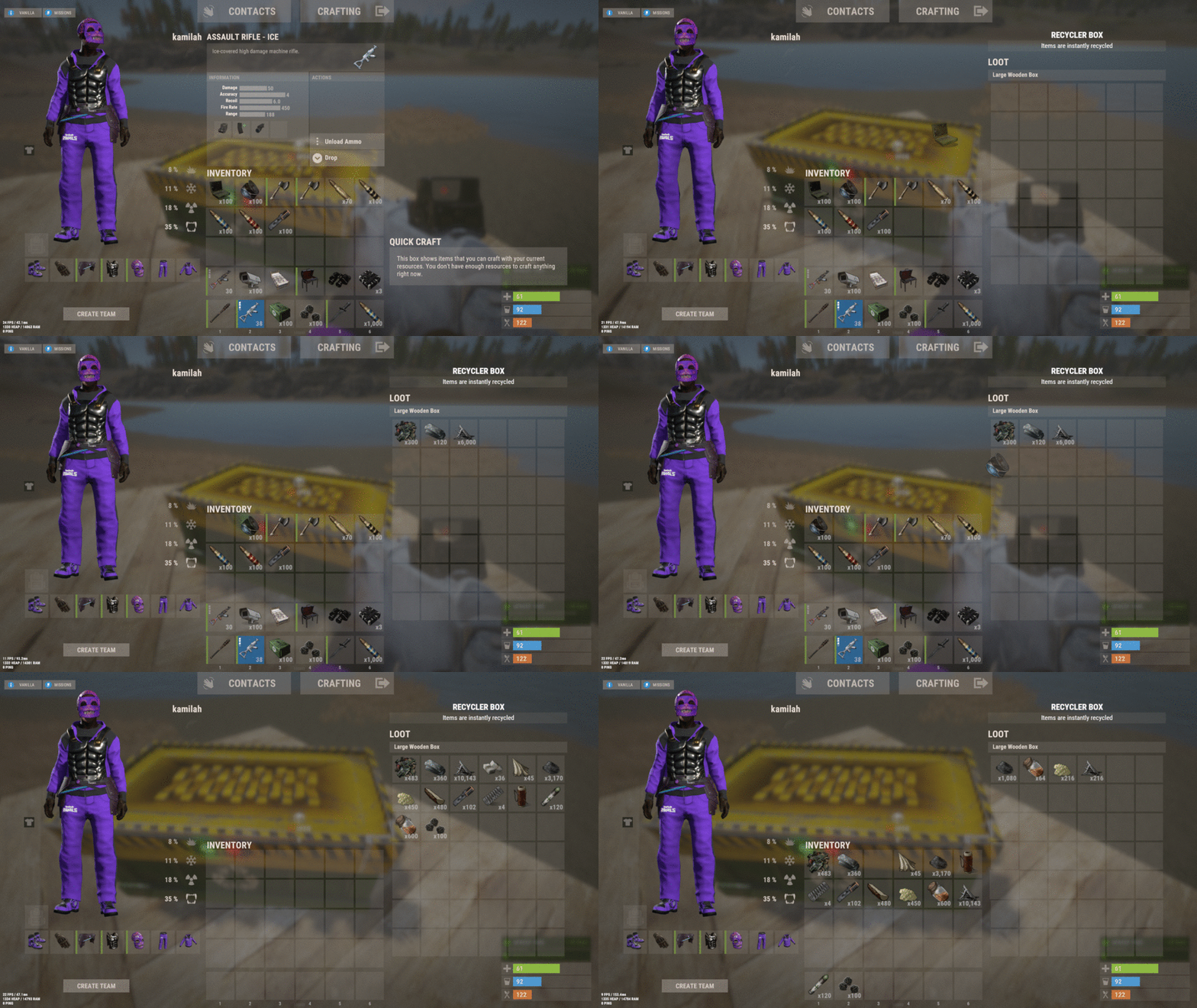
Recyclerbox allows players to convert large or small wooden boxes into recyclers through customizable commands. Simply select your desired box type, execute the command, and watch as items are automatically recycled with configurable efficiency. Customize your setup with blacklisted items, adjustable scrap ratios, and optional visual effects. Features Transform wooden boxes into recyclers instantly Virtual recycler for convenient on-the-go use Customizable commands and permissions Adjustable recycling efficiency and scrap yield Optional audio effects Permissions: Here is a description of how to use the specified permissions: Permission Get Recycler ("recyclerbox.get"): This permission allows the user to obtain the recycler box. Permission Transform Recycler ("recyclerbox.transform"): This permission enables users to transform a regular box into a recycler box. Permission Use Virtual Recycler ("recyclerbox.virtual"): With this permission, users can utilize a virtual recycler. Embrace efficient resource management and strategic gameplay with the Recyclerbox plugin. Perfect for players looking to optimize their Rust experience! Config File: { "Get Recyclerbox Command": [ "getrec", "getrecycler", "recyclerbox" ], "Transform Recyclerbox Command": [ "trarec", "boxtorecycler", "transformrecycler", "transforbox" ], "Virtual Recyclerbox Command": [ "rec", "vrec", "virtualrecycler" ], "Large Box SkinId Recycler": 2994391115, "Small Box SkinId Recycler": 2988594458, "RecyclerLimit": 1, "Recycler Efficiency": 0.6, "Ratio Scrap": 1.2, "Enable Prefab Fx": true, "Lock Recycler While In Use": false, "Disable During Raid Block (Requires No Escape plugin)": true, "Prefab Fx Open Recycler": "assets/bundled/prefabs/fx/build/promote_toptier.prefab", "Prefab Fx Close Recycler": "assets/bundled/prefabs/fx/build/promote_toptier.prefab", "Transfer Virtual Recycled Items to Inventory": false, "Blacklisted Items": [ "lmg.m249", "gunpowder" ], "Blacklisted Skins": [ 2994391115, 2988594458 ], "Check Player Alive": true, "Check Player Wounded": true, "Check Building Privilege": true, "Check Swimming": true, "Check Falling": true, "Check Mounted": true, "Check Cargo Ship": true, "Check Balloon": true, "Check Elevator": true, "Check Safe Zone": true, } Happy recycling!$9.00