Search the Community
Showing results for tags 'wire'.
Found 3 results
-
Version 1.0.5
53 downloads
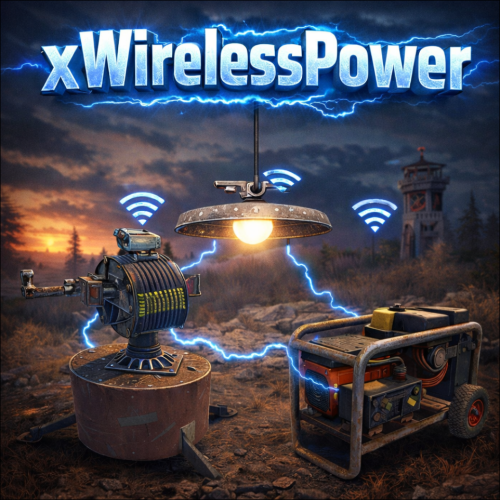
xWirelessPower xWirelessPower transforms how players interact with electrical devices (IO Entities). Instead of running back to switches, rewiring circuits, or building complex control rooms, players can directly toggle supported powered entities simply by looking at them and using a command or even with doing a clap gesture - Creating a smoother, more responsive way to manage base systems. In short: You can simply use electrical item (IO Entities) like ceiling light, sprinkler, auto turret etc. without requireing any wire or power. Features Instant Wireless Control Turn configured devices (IO Entities) ON or OFF just by looking at them with using a command or even using the clap gesture - No switches or wiring changes needed. Optional Team Access Let teammates manage shared systems for easier group gameplay. Perfect for Base Management Quickly control turrets, lights, signs, sprinklers, and more without running around your base. Faster Reaction During Raids Activate defenses or adjust systems instantly when every second counts. Fully Customizable Server owners can choose which devices are controllable and how the system behaves through config or even with chatcommadn "whoami". ShortPrefabName gets printed and saves it automatically to the confing with default value "false". Permission Support Grant access to specific groups like VIPs, admins, or trusted players. Optional Auto Power On Devices can automatically turn on when placed for smoother setup. Performance Friendly Runs efficiently with minimal impact on server performance. Plugin Preview Chat Commands /power - Toggle the IOEntity you’re looking at. /powerall - Toggles all IO entities you’re looking at. For example, when powerall is turned on and you look at an auto turret, all auto turrets will be turned off. /whoami - Prints the looked-at entity’s ShortPrefabName and adds it to your IOEntities list in config (default value = true). Permission xwirelesspower.toggle - If 'UsePermission' is true, permission is needed. Config { "ToggleCommand": "power", "PowerAllCommand": "powerall", "GetItemNameCommand": "whoami", "UsePermission": false, "PermissionName": "xwirelesspower.toggle", "AllowTeamToggle": false, "RequireToolCupboard": false, "MaxDistanceToggle": 5.0, "AutoTurnOn": true, "TurnOnOffWithClappingGesture": true, "IOEntities": { "autoturret_deployed": true, "ceilinglight.deployed": true, "neonsigntr.deployed": true, "electric.sprinkler.deployed": true }, "PermissionBasedIOEntities": { "xwirelesspower.vip": [ "fridge.deployed" ], "xwirelesspower.vip2": [ "electricfurnace.deployed", "electricfurnace.io" ] } } - You can add as many IOEntities as you want, to get the correct name of it, just spawn/place it -> Look at it -> Use ChatCommand '/whoami' and add that shortname to your IOEntities list. ToggleCommand - Chat command players use to turn IO Entity on/off. PowerAllCommand - Chat command players can toggle to turn all IO Entities from same name on/off. GetItemNameCommand - Admin command to see the IO Entity internal name (ShortPrefabName), also saves that viewed at IOEntity automatically to config with default value "false". UsePermission - If ON, only players with permission has access to this wireless power system. PermissionName - The permission name. AllowTeamToggle - Lets teammates toggle each other’s IO Entities. RequireToolCupboard - Wirless Power does only work if within a tool cupboard. MaxDistanceToggle - How close you must be to toggle (in meters). AutoTurnOn - Devices turn on automatically when placed. TurnOnOffWithClappingGesture - As the config says, use any gesture to toggle IO Entity. IOEntities - List of devices that wireless power works with (true = enabled). Localization (If you want to disable a message just use empty value "") { "NotAllowed": "You are not allowed to use this command.", "LookAtEntity": "You're not looking at an entity.", "AddedConfigEntries": "Added to config with default value true: {0}", "DetectedShortnames": "Detected shortnames: {0}", "PowerAllNoEntity": "You're not looking at a valid wireless entity, or you lack the required permission.", "PowerAllNoMatches": "No matching IOEntities could be toggled.", "PowerAllResult": "{0}: {1} entities are now {2}.", "NoEnabledEntity": "No enabled wireless IO entity was found for that deployable, or you lack the required permission.", "NotOwner": "You can only toggle your own IOEntity.", "NoEntitiesToggled": "No IOEntities could be toggled.", "ToggleAllResult": "{0}: {1} entities are now {2}.", "ToggleSingleResult": "{0} is now {1}.", "DisabledInConfig": "{0} is disabled in config.", "CupboardRequired": "A nearby tool cupboard is required to use wireless power." }$11.99 -
Version 1.2.8
206 downloads
Wireless Power Automatic wireless power distribution - no wires needed! Tired of running wires everywhere? Wireless Power automatically distributes electricity from your power sources to all electrical devices within your Tool Cupboard's range. Just place your solar panels, wind turbines, and batteries - everything powers up automatically! --- Features Automatic Power Distribution - All electrical devices within TC range are automatically powered - No wires, no root combiners, no hassle - Power sources (solar, wind, generators, batteries) feed into a shared grid - Supports ALL vanilla electrical devices In-Game UI Panel - Type /power to open the power management interface - View total power capacity, current usage, and available power - See all power sources with their current output - Browse devices by category (Turrets, Lights, Doors, Storage, etc.) - Toggle individual devices or entire categories on/off - Paginated lists for bases with many devices Turret Control - Optional physical switches on turrets (configurable) - Toggle turrets via UI without needing switches - Turret offline notifications when power is lost - Turrets respect power priority settings - **Remove switches** by right-clicking with a hammer Wireless Sprinklers - Sprinklers work wirelessly with nearby water sources - Automatically drains water from barrels, water catchers, and tanks - Configurable drain rate and interval - No pumps or fluid switches needed Smart Power Management - Consumer priority system - choose which devices get power first when supply is limited - Power reserve percentage - keep a buffer for critical devices - Low power warnings when capacity drops below threshold - Power loss notifications when grid goes offline Notification System - Integrates with Notify plugin for clean on-screen alerts - Configurable cooldowns to prevent spam - Notifications for: - Low power warnings - Complete power loss - Turrets going offline Integration & Compatibility - RaidableBases support - plugin ignores raidable base areas - Permission-based access control - Blacklist specific prefabs from being managed - Works alongside vanilla wiring if needed --- Permissions - wirelesspower.use- Required to use wireless power features. Only Tool Cupboards owned by players with this permission will have wireless power. Players without permission must use vanilla wiring. --- Commands /power Toggles the power management UI --- Configuration { "Default Turret State (true = on when placed)": true, "Enable Turret Switches (physical switch on turrets)": true, "Update Interval (seconds)": 1.0, "Require TC Authorization for Switches": true, "Enable Wireless Sprinklers": true, "Sprinkler Drain Amount (ml per tick)": 2, "Sprinkler Drain Interval (seconds)": 5.0, "Max TC Range (meters)": 60.0, "Power Reserve Percentage (0-100, keep this % in reserve)": 0, "Use Notify Plugin (if installed)": true, "Notify Type (from Notify plugin config)": 0, "Notification Cooldown (seconds, prevents spam)": 60.0, "Low Power Warning Threshold (percentage)": 20, "Enable Low Power Warning": true, "Enable Power Loss Notification": true, "Enable Turret Offline Notification": true, "Blacklisted Prefabs (will not be managed)": [], "Consumer Priority (lower = higher priority)": {} } Configuration Options Explained - Default Turret State: Whether turrets start ON or OFF when placed - Enable Turret Switches: Spawn physical switches on turrets for manual control - Update Interval: How often power is recalculated (lower = more responsive but more CPU) - Require TC Authorization for Switches: Players must be authed on TC to use switches - Enable Wireless Sprinklers: Allow sprinklers to work without fluid connections - Sprinkler Drain Amount/Interval: How much and how often sprinklers consume water - Max TC Range: Maximum distance from TC for devices to be included in grid - Power Reserve Percentage: Keep this percentage of power in reserve - Notification Settings: Control alerts for low power, power loss, and turret status - Blacklisted Prefabs: List of prefab paths that won't be wirelessly powered - Consumer Priority: Set priority for device types (lower number = higher priority) --- Supported Power Sources - Solar Panels (small and large) - Wind Turbines - Fuel Generators (small) - Electric Batteries (small, medium, large) - Test Generators - And more! Supported Consumers - Auto Turrets - SAM Sites - Search Lights - Ceiling Lights - Siren Lights - Flasher Lights - Powered Water Purifiers - Electric Furnaces - Electric Heaters - Door Controllers - Storage Adaptors - Sprinklers - Igniters - Snow Machines - Foggers - Laser Detectors - HBHF Sensors - Smart Switches & Alarms - Conveyor Systems - Elevator Systems - And ALL other electrical devices! --- How It Works 1. Grant players the `wirelesspower.use` permission 2. Place a Tool Cupboard (must be owned by a player with permission) 3. Place power sources (solar panels, wind turbines, batteries, etc.) 4. Place electrical devices anywhere within TC range 5. Everything powers up automatically! The plugin scans for all power sources and consumers within each TC's building privilege range. Power is distributed based on priority settings, with the UI showing real-time power status. Note: Players without permission will need to use vanilla wiring - their TCs are not affected by this plugin. ---$19.99 -
Version 1.0.2
34 downloads
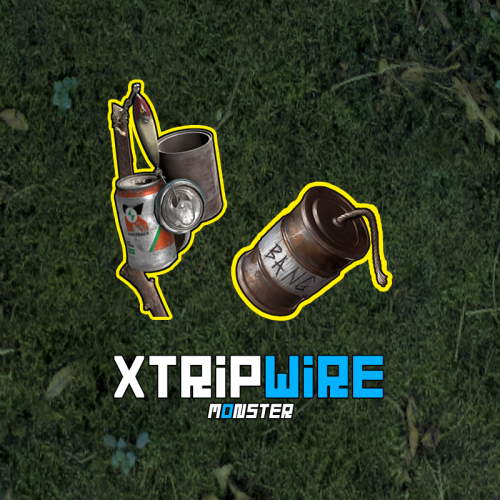
Boost your server's defenses with XTripwire! Easily set up tripwires that trigger explosive traps, adding strategy and security to your gameplay. Enjoy cool sound effects and customize explosive settings like radius, damage, snip chance, and more. Explosives save after restarts and can be picked up, but beware of detonation risks. Snip wires with configurable settings, and set up tripwires using a Beancan grenade or Satchel. Key Features: Multi-Language Support: Easily switch plugin language with LanguageEnglish = true. Sound Effects: Interactive sound effects for chat commands. Customizable Explosives: Configure explosion radius, damage scale, snip chance, and creator. Persistent Data: Explosives are saved after server restarts. Pickup and Detonation: Pick up explosives with a chance of detonation. Wire Snipping: Ability to snip wires with configurable settings. Beancan Grenade Requirement: Players must hold a Beancan grenade or Satchel to set up a tripwire. Permissions xtripwire.use - allow setting up a tripwire. Commands /tripwire - set up a tripwire. [ You need to look at the alarm and hold a Beancan grenade or Satchel in your hand. ] Config { "General settings": { "SteamID profile for custom avatar": 0, "Chat prefix": "<size=12><color=#FFFFFF50>[</color> <color=#00FF0050>XTripwire</color> <color=#FFFFFF50>]</color></size>\n", "Chance of a wire snip. [ Default: 0.4 ]": 0.4, "Tin can alarm is destroyed - [ True - unhook explosives | False - detonate explosives ]": true }, "Beancan settings": { "Explosion radius. [ Default: 4.5 ]": 4.5, "Damage scale. [ Default: 1.0 - (Beancan 115 / Satchel 475) HP ]": 1.0, "The creator of the explosives is the player who planted them. [ Useful for killing players on your own behalf. Blocks damage in a safe zone. Supports many plugins - TruePVE, RaidProtection, etc. ]": true }, "Satchel settings": { "Explosion radius. [ Default: 4.5 ]": 4.0, "Damage scale. [ Default: 1.0 - (Beancan 115 / Satchel 475) HP ]": 1.0, "The creator of the explosives is the player who planted them. [ Useful for killing players on your own behalf. Blocks damage in a safe zone. Supports many plugins - TruePVE, RaidProtection, etc. ]": true } }$7.99