Search the Community
Showing results for tags 'server'.
-

Version 1.0.0
2 downloads
yNkes's Ultimate 3X Full Server Setup Carbon-only, BetterLoot v4 I built this pack as a clean starting point for an English 3X server: the rates work together, the everyday player features are already configured, and the files are ready to copy into a fresh Carbon installation. Install the required plugins, copy the pack to your server root, add your own branding and credentials, grant the included permissions, then woila! Please note: This is a configuration pack, not a copy of a running server; RustDedicated, Carbon, SteamCMD, plugin source files, maps, and third-party licenses are not included. What's Already Set Up - 3X gathering: Carbon GatherManager applies 3X rates to nodes, ground pickups, quarries, and Excavator output. - Practical stack sizes: Carbon StackManager uses 3X ammunition, components, and electrical stacks, 5X medical stacks, and 10X resource stacks while keeping sensitive consumable containers protected. - Custom BetterLoot: BetterLoot v4 data covers supported barrels, roadside loot, monuments, underwater labs, supply drops, Bradley, Patrol Helicopter, and other containers with 3X scrap, duplicate protection, blueprint conversion, balanced probabilities, and a cleaned item blacklist. - 3X smelting: CarbonAuto handles both normal and blacklist-classified ovens at 3X speed, so the pack does not need QuickSmelt. - Instant crafting: Crafting Controller removes normal craft times without enabling random skins, full-inventory crafting, shutdown completion, or extra crafting notices. - Early blueprints: Blueprint Manager gives default players Tier 0 and Tier 1 blueprint access through the supplied permissions. - Team blueprint sharing: Blueprint Share passes researched and Tech Tree blueprints to current and newly joined native Rust teammates without requiring Friends or Clans. - Team AutoAuth: Automatic Authorization shares cupboards, turrets, key locks, code locks, doors, boxes, and other supported locked entities with native teammates. - Barrel pickup: Auto Pickup Barrel collects barrel loot automatically for permitted players within three meters. - Cleaner furnace use: Furnace Splitter handles standard and large furnaces with vanilla fuel use and does not include anyone's saved preferences. - Short building correction time: Hammer Time gives the building owner 60 seconds to rotate or demolish placed pieces without restart or relationship bypasses. - Useful starter kit: Kits provides a free English Starter Kit every 12 hours with two sleeping bags, a large box, sheet-metal door, hammer, building plan, code lock, cupboard, furnace, bandage, resources, food, and cloth. - Clean kit setup: There are no autokits, NPC examples, player claim records, purchase costs, hidden VIP tiers, or external skin-plugin requirements. - Branded loading screen: Loading Messages cycles editable English connection text every five seconds and introduces the server rates, team limit, and rules. - Raid and Combat block: No Escape applies a three-minute combat block and five-minute raid block to teleporting, trading, kits, recycling, crafting, building, repairing, upgrading, and other configured escape actions. - Homes and teleporting: NTeleportation includes two homes, team-only TPR, TPB, and automatically detected Outpost and Bandit destinations with 15-second countdowns, 10-minute cooldowns, five daily uses, building checks, unsafe-state interruption, and No Escape support. - Faster recyclers: Recycle Manager speeds up recyclers without increasing output or changing vanilla efficiency. - Real population monitor: Server Pop reports actual online, sleeping, joining, and queued players through a private game tip with a 60-second cooldown. - Short Nights: Time Of Day runs approximately 55 minutes of daylight and five minutes of night without freezing or skipping the night. - Trade System: uMod Trade provides 30-slot remote exchanges through /trade and /trade accept with a five-minute cooldown, a 25-second request window, building, movement, radiation, vehicle, and No Escape checks. - Ready server profile: The supplied server.cfg uses a four-player team limit, a recommended 3500 Procedural Map, a Thursday 18:00 UTC weekly wipe template, and clearly marked fields for your own name, description, website, Discord, and header image. - Neutral starting point: Teleport costs, Economics, Server Rewards, VIP profiles, webhooks, fake players, fake wipe dates, player impersonation, and custom-map or monument claims are deliberately left out. What You Get The archive contains 16 cleaned plugin configs, the Carbon GatherManager, StackManager, and CarbonAuto settings, BetterLoot v4 data, a clean Starter Kit, English language files, and the complete ynkes_3x server identity template. Also includes: - A step-by-step README. - The required plugin names, baseline notes, and exact player permissions. - Safe example startup arguments with placeholders for the seed, ports, player limit, and RCON password. Requirements and Setup You need a current RustDedicated server, the production version of Carbon, access to the server files and console, and the plugins listed in PLUGIN-LIST.txt. The package targets uMod Trade 1.2.48 with the small Carbon compatibility fix used by the original server; the current official download still contains the unsupported OnlinePlayers attribute, so the unmodified file will not compile on Carbon. 1. Install or update RustDedicated through SteamCMD. 2. Install production Carbon and start the server once. 3. Download the plugins named in PLUGIN-LIST.txt from their official pages and place them in carbon/plugins. 4. Copy this package into the Rust server root and use ynkes_3x as the server identity. 5. Replace every CHANGE_ME value and enter your own branding, seed, ports, player limit, and unique RCON password. 6. Check the PERMISSIONS.txt and complete the README.txt test checklist before opening the server publicly. With Rust, Carbon, and the plugins ready, the initial setup should take around 15–30 minutes. Before You Buy Version 1.0.0 Server startup complete on RustDedicated build 2633.288.1 and Carbon 2.0.259.0 test on 12 September 2026. If you want a tidy 3X base with sensible rates, curated loot, the common quality-of-life features players expect, and clear documentation for everything the owner needs to do, this pack is ready for your server.$20.00 -
Version 1.0.0
7 downloads
This is a web card-plugin that helps players quickly access the server's social networks Functions: - Going to the main page of the server's website - Going to the discord server - Going to the telegram channel - Going to the server store - Function name visibility when hover over Advantages from the regular version: - Added a VKontakte social network button - The button icons changed - Added (php) configuration file - Added a footer - Added a favicon The standard config file: // WEB $siteTitle = "Server-Card - Social Networks for your Server"; $siteFavicon = "/img/favicon.png"; $FaviconWidth = 32; $FaviconHeight = 32; // SERVER $servername = ""; $serverlink = "https://"; // DISCORD BUTTON $showDiscord = true; $discordlink = "https://"; // TELEGRAM BUTTON $showTelegram = true; $telegramlink = "https://"; // VK BUTTON $showVK = true; $vklink = "https://"; // STORE BUTTON $showStore = true; $storelink = "https://"; // FOOTER $footertext = "© 2025 Web-Card. All Rights Reserved"; Requirements: - Any hosting service Deploy: - Move all the contents of the zip folder to the PUBLIC_HTML folder on your hosting (this is how it works in 99% of hosting)$2.99 -
Version 2.1.4
1,112 downloads
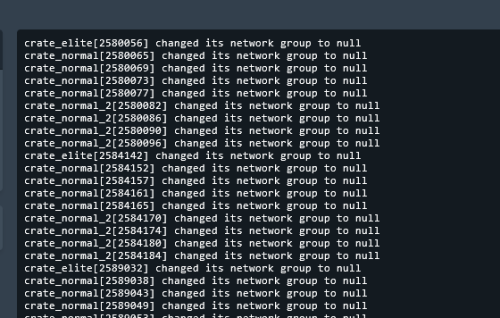
Removes 99% of Face Punches Debug Code/Spam & Removes Borked NPC/Animals From NavMesh Custom Built Log Manager Patch that Ties Into FacePunche's Log-Handler to fix Oxides system breaking it resulting in more spam then normal. Note Remove the: 'NavMeshErrorFix' plugin from umod if you use it! 'NoSunGlare' plugin from umod if you use it! 'PersonalNPC' <causes duplication msg's> disable this in config "Clear console of ‘ownerPlayer is not player’ spam" To stop the double output of logs in console for 'PersonalNPC' Patched the Following Methods 1. Base Navigator Place On Nav Mesh ( Fixed Default logic not killing the npcs/animals resulting in repeated spam ) 2. Base Navigator Validate Next Position ( Logic works fine by default but now no longer spams console each time they Delete an NPC/Animal.. ) 3. Base Entity On Invalid Position ( Logic works fine by default but now no longer spams console ) 4. Base Networkable Send Network Group Change ( Fixed it's Spam ) 6. ServerMgr Update Item Definitions ( steam Checking for new Steam Item Definitions.. spam ) HOW TO UPDATE: 1. in console type': o.unload ConsoleSpamCleaner 2. Delete cs file 3. Add New cs file 4. in console type': o.load ConsoleSpamCleaner Config Options To Filter Out Spam: Add or Remove whatever you want to filter or allow in console spam. { "Contains:": [], "Starts With:": [ "[UnityNavmesh] ", "AsyncResourceUpload", "Shader" ], "Ends With:": [] } Server Console Command to remove NULL entities in your save list spam savefix The following spam should no longer be an issue: ( Some Additional Ones Not On List Have Also Been Patched Out ) "Invalid NavAgent Position: prefab entity pos destroying", "failed to sample navmesh at position ", "changed its network group to null", "Bone error in SkeletonProperties.BuildDictionary for ", "HandleD3DDeviceLost", "ResetD3DDevice", "dev->Reset", "D3Dwindow device not lost anymore", "D3D device reset", "group < 0xfff", "Mesh can not have more than 65000 vert", "Trying to add (Layout Rebuilder for)", "Coroutine continue failure", "No texture data available to upload", "Trying to reload asset from disk that is not", "Unable to find shaders used for the terrain engine.", "Canvas element contains more than 65535 vertices", "RectTransform.set_anchorMin", "FMOD failed to initialize the output device", "Cannot create FMOD::Sound", "invalid utf-16 sequence", "missing surrogate tail", "Failed to create agent because it is not close enough to the Nav", "user-provided triangle mesh descriptor is invalid", "Releasing render texture that is set as", "AngryAnt Behave version", "alphamapResolution is clamped to the range of", "api.facepunch.com/api/public/manifest/", "Checking for new Steam Item Definitions..", "Floating point textures aren't supported on this device", "HDR Render Texture not supported, disabling HDR on reflection probe", "Image Effects are not supported on this platform", "Loading Prefab Bundle", "Missing shader in", "Missing projectileID", "Motion vectors not supported on a platform that does not support", "SwitchParent Missed", "saddletest", "The image effect Main Camera", "The image effect effect -", "The referenced script", "Unsupported encoding: 'utf8'", "Warning, null renderer for ScaleRenderer!", "[AmplifyColor]", "[AmplifyOcclusion]", "[CoverageQueries] Disabled due to unsupported", "[CustomProbe]", "[Manifest] URI IS", "[SpawnHandler] populationCounts", ", disk("$15.00- 22 comments
- 4 reviews
-
- 2
-

-

-
- #console
- #spam cleaner
- (and 15 more)
-

Version 1.0.0
1 download
Rust 2X Server Configuration – Fully Configured & Plug & Play Get your Rust server ready to launch with a complete 2X server configuration. Everything is already configured and optimized for a smooth, balanced and easy-to-manage server.$10.00-
- 1
-

-
- #server
- #config 2x
- (and 5 more)
-

Version 2.0.29
14,850 downloads
ServerPanel adds a player information menu to your server, where you can both share important and useful information with your players and integrate your plugins into it! Features User-Friendly Interface: Intuitive GUI for easy navigation and interaction. Economy Integration: Supports various economy plugins for seamless financial management. Dynamic Menu Categories: Organize functionalities into customizable categories for better user experience. Extensive Configuration Options: Almost every aspect of the plugin can be customized, including messages, colors, sizes, fonts, tion. Auto-Open Menu: Automatically displays the menu upon player connection, configurable per server settings. Block Settings: Control access to the menu during building, raiding, or combat situations to enhance gameplay balance. Multiple Economy Head Fields: Display various economic metrics such as balance, server rewards, and bank information. Permission Management: Fine-tune permissions for different user roles to control access to features. Localization Support: Easily translate and customize all messages for different languages. Performance Optimized: Designed to minimize server lag while providing rich functionality. Customizable Hooks: Integrate with existing economy systems using customizable hooks for adding, removing, and displaying balances. Editor Position Change: Admins can now change editor positions with a simple click, choosing between left, center, or right alignments. Command Enhancements: Commands are now processed with multiple arguments separated by "|", enabling bulk command processing. Commands /info – open menu /sp.install (or) /welcome.install – open installer menu sp.migrations – console command for updating plugin data structure when upgrading to new versions. Automatically creates backups before making changes. sp.migrations list – shows available migrations and whether they need to run sp.migrations run <version> – runs specific migration (e.g., "1.3.0") sp.migrations run <version> force – forces migration even if not detected as needed Permissions serverpanel.edit – allows players to edit the plugin settings and open the edit menu serverpanelinstaller.admin - required to access the plugin installation functions Video Showcase Templates Template V1 Template V2 Template V3 Template V5 Editor Installer TEST SERVER Join our test server to view and experience all our unique features yourself! Copy the IP Address below to start playing! connect 194.147.90.239:28015 Update Fields ServerPanel supports dynamic update fields that can be used in your templates to display real-time information. These fields are automatically updated and can be used in text components, headers, and other interface elements. Player Information {online_players} – Number of currently online players {sleeping_players} – Number of sleeping players {all_players} – Total number of players (online + sleeping) {max_players} – Maximum server capacity {player_kills} – Player's kill count (requires KillRecords, Statistics, or UltimateLeaderboard) {player_deaths} – Player's death count (requires KillRecords, Statistics, or UltimateLeaderboard) {player_username} – Player's display name {player_avatar} – Player's Steam ID for avatar display Economy {economy_economics} – Economics plugin balance {economy_server_rewards} – ServerRewards points {economy_bank_system} – BankSystem balance Note: Economy fields are fully customizable in "oxide/config/ServerPanel.json" under "Economy Header Fields". You can add support for any economy plugin by configuring the appropriate hooks (Add, Balance, Remove). Custom keys can be created and used in templates just like the default ones. Server Information {server_name} – Server hostname {server_description} – Server description {server_url} – Server website URL {server_headerimage} – Server header image URL {server_fps} – Current server FPS {server_entities} – Number of entities on server {seed} – World seed {worldsize} – World size {ip} – Server IP address {port} – Server port {server_time} – Current server time (YYYY-MM-DD HH:MM:SS) {tod_time} – Time of day (24-hour format) {realtime} – Server uptime in seconds {map_size} – Map size in meters {map_url} – Custom map URL {save_interval} – Auto-save interval {pve} – PvE mode status (true/false) Player Stats {player_health} – Current health {player_maxhealth} – Maximum health {player_calories} – Calorie level {player_hydration} – Hydration level {player_radiation} – Radiation poisoning level {player_comfort} – Comfort level {player_bleeding} – Bleeding amount {player_temperature} – Body temperature {player_wetness} – Wetness level {player_oxygen} – Oxygen level {player_poison} – Poison level {player_heartrate} – Heart rate Player Position {player_position_x} – X coordinate {player_position_y} – Y coordinate (height) {player_position_z} – Z coordinate {player_rotation} – Player rotation (degrees) Player Connection {player_ping} – Connection time in seconds {player_ip} – Player's IP address {player_auth_level} – Authorization level (0=Player, 1=Moderator, 2=Admin) {player_steam_id} – Steam ID {player_connected_time} – Connection start time {player_idle_time} – Idle time (HH:MM:SS) Player States {player_sleeping} – Is sleeping (true/false) {player_wounded} – Is wounded (true/false) {player_dead} – Is dead (true/false) {player_building_blocked} – Is building blocked (true/false) {player_safe_zone} – Is in safe zone (true/false) {player_swimming} – Is swimming (true/false) {player_on_ground} – Is on ground (true/false) {player_flying} – Is flying (true/false) {player_admin} – Is admin (true/false) {player_developer} – Is developer (true/false) Network & Performance {network_in} – Network input (currently shows 0) {network_out} – Network output (currently shows 0) {fps} – Server FPS {memory} – Memory allocations {collections} – Garbage collections count Usage Example: You can use these fields in any text component like: "Welcome {player_username}! Server has {online_players}/{max_players} players online." API Documentation for Developers ServerPanel provides an API for plugin developers to integrate their plugins into the menu system. Required Methods API_OpenPlugin(BasePlayer player) - Main integration method that returns CuiElementContainer OnServerPanelClosed(BasePlayer player) - Called when panel closes (cleanup) OnServerPanelCategoryPage(BasePlayer player, int category, int page) - Called when category changes (cleanup) OnReceiveCategoryInfo(int categoryID) - Receives your category ID Integration Example [PluginReference] private Plugin ServerPanel; private int _serverPanelCategoryID = -1; private void OnServerInitialized() { ServerPanel?.Call("API_OnServerPanelProcessCategory", Name); } private void OnReceiveCategoryInfo(int categoryID) { _serverPanelCategoryID = categoryID; } private void OnServerPanelCategoryPage(BasePlayer player, int category, int page) { // Cleanup when player switches categories } private CuiElementContainer API_OpenPlugin(BasePlayer player) { var container = new CuiElementContainer(); // Create base panels (required structure) container.Add(new CuiPanel() { RectTransform = {AnchorMin = "0 0", AnchorMax = "1 1"}, Image = {Color = "0 0 0 0"} }, "UI.Server.Panel.Content", "UI.Server.Panel.Content.Plugin", "UI.Server.Panel.Content.Plugin"); container.Add(new CuiPanel() { RectTransform = {AnchorMin = "0 0", AnchorMax = "1 1"}, Image = {Color = "0 0 0 0"} }, "UI.Server.Panel.Content.Plugin", "YourPlugin.Background", "YourPlugin.Background"); // Add your plugin's UI elements here container.Add(new CuiLabel { RectTransform = {AnchorMin = "0.1 0.8", AnchorMax = "0.9 0.9"}, Text = {Text = "Your Plugin Interface", FontSize = 16, Align = TextAnchor.MiddleCenter, Color = "1 1 1 1"} }, "YourPlugin.Background", "YourPlugin.Title"); // Add buttons, panels, etc. using "YourPlugin.Background" as parent return container; } private void OnServerPanelClosed(BasePlayer player) { // Cleanup when panel closes } Header Update Fields API_OnServerPanelAddHeaderUpdateField(Plugin plugin, string updateKey, Func<BasePlayer, string> updateFunction) - Registers a per-player string provider for a header placeholder. Returns true on success. API_OnServerPanelRemoveHeaderUpdateField(Plugin plugin, string updateKey = null) - Unregisters a specific updateKey for your plugin, or all keys for your plugin when updateKey is null. Returns true on success. Usage Example [PluginReference] private Plugin ServerPanel; private void OnServerInitialized() { // Register a dynamic header field for each player ServerPanel?.Call("API_OnServerPanelAddHeaderUpdateField", this, "{player_kdr}", (Func<BasePlayer, string>)(player => GetKdr(player))); } private string GetKdr(BasePlayer player) { // Compute and return the value to display in the header for this player return "1.23"; } Using in UI: Place your key (e.g., {player_kdr}) directly in Header Field texts. The value will be updated per player using your function. FAQ Q: Why can't I open the menu? A: Make sure that the plugin is installed and activated on your server. If the problem persists, contact the server administrator. Q: How do I enable Expert Mode? (disables automatic template updates) A: In the data file "Template.json", turn on the "Use an expert mod?" option: "Use an expert mod?": true, P.S. "Template.json” is located in the "oxide/data/ServerPanel" directory (if you use Oxide) or in the "carbon/data/ServerPanel" directory (if you use Carbon) Q: I see black images with Rust logo or get error 429 when loading images. What should I do? A: These issues occur when there are problems downloading images from the internet. To fix this, enable Offline Image Mode which will use local images instead: Enable the mode in config: Open "oxide/config/ServerPanel.json" (or "carbon/config/ServerPanel.json" for Carbon) Set "Enable Offline Image Mode": true Set up the images: Create folder "TheMevent" in "oxide/data" (or "carbon/data" for Carbon) Download PluginsStorage (click "CODE" → "Download ZIP") Extract the ZIP and copy all contents to the "TheMevent" folder Reload the plugin: Type o.reload ServerPanel (Oxide) or c.reload ServerPanel (Carbon) Note: If using a hosting service, you may need to use their file manager or FTP to upload the files. Q: Does ServerPanel work only with Mevent's plugins? A: Currently, ServerPanel integrates seamlessly with Mevent's plugins (Shop, Kits, Daily Rewards, etc.). However, other developers can use the provided API to integrate their plugins into the menu system. The plugin system is designed to be extensible for third-party integrations. Q: Why do integrated plugins (Shop, Kits) have different window sizes? A: Different plugins may use different templates for integration. Make sure all your integrated plugins use the same template version (V1, V2, etc.) that matches your ServerPanel template. Update the template in each plugin to ensure consistent sizing. Q: The panel displays differently for different players. How can I make it show the same on everyone's screen? A: This issue occurs when players have different UI scale settings. To fix this and ensure consistent display for all players: Open the "Template.json" file located in "oxide/data/ServerPanel" (or "carbon/data/ServerPanel" for Carbon) Find the "Parent (Overlay/Hud)" setting in the "Background" section Change the value from "Overlay" to "OverlayNonScaled" Save the file and restart your server or reload the plugin Q: How can I change the video displayed in the ServerPanel interface to my own custom video? A: Yes, you can replace the default video with your own! You need to find and modify the command: serverpanel_broadcastvideo [your_video_url] Replace [your_video_url] with the direct link to your video. For best compatibility, we recommend hosting your video on imgur.com. Q: My custom images are not loading or show as blank/question marks. What image hosting should I use? A: For custom images, we recommend using imgbb.com for image hosting. Avoid Imgur and services without direct access to the image. For the most reliable experience, use Offline Image Mode with local images instead. Q: How can I make plugin UIs open outside of the ServerPanel menu instead of inside categories? A: You can configure buttons to execute chat commands that open plugin UIs independently. To do this: In your button configuration, set "Chat Button": true Set the "Commands" field to "chat.say /command" (replace "command" with the actual plugin command) Example: To open the Cases plugin outside the menu: "Chat Button": true "Commands": "chat.say /cases" This will execute the command as if the player typed it in chat, opening the plugin's interface independently rather than within the ServerPanel menu. Q: Text in V4 template is shifting or sliding out of place. How can I fix this? A: This issue occurs when text width isn't properly configured. ServerPanel provides "TITLE LOCALIZATION" settings to control text width for categories and pages: Open the ServerPanel editor (click the "ADMIN MODE" button to open the edit menu) Select the category or page you want to edit (click to "EDIT CATEGORY" or "EDIT PAGE" button) In the editor, find the "TITLE LOCALIZATION" section For each language (en, ru, etc.), you'll see three columns: LANGUAGE - The language code TEXT - The localized text content WIDTH (px) - The width setting in pixels Adjust the "WIDTH (px)" value to match your text length. Longer text requires larger width values Save your changes and test in-game Tip: Start with a width value around 100-150 pixels for short text, and increase it for longer titles. You can adjust this value until the text displays correctly without shifting.$40.00- 165 comments
- 67 reviews
-
- 18
-
-
-

-
- #serverpanel
- #info
- (and 32 more)
-

Version 1.0.5
4,290 downloads
MultiEvents Expansion Pack 3 adds 5 additional events with rare item mechanics, helicopter combat, underwater lab battles, and resource gathering. Requires the base MultiEvents plugin. Included Events This expansion pack includes 5 diverse events with unique mechanics and seasonal appeal: Corn Collector - Gather as much corn as you can. Peaceful farming alternative to combat events. Gold Rush - Gather ores and trees with a chance to get rare items. Combines resource gathering with rare item discovery mechanics. Mushroom Madness - Collect as many mushrooms as you can before time runs out. Race across the map to find mushroom spawns. NPC Underwater Lab - Kill scientists in the dangerous underwater lab monument. Navigate flooded areas and eliminate NPCs. Patrol Helicopter Hit - Deal damage to the Patrol Helicopter. Points awarded based on damage dealt to the helicopter. Requirements Requires the base MultiEvents plugin Copy files to MultiEvents directory and reload the plugin Pre-configured with rare item tables and ready to use FAQ Q: Do I need the base MultiEvents plugin? A: Yes, this expansion pack requires the base MultiEvents plugin. Q: How do rare items work? A: Players have a configurable chance to receive rare items when gathering ores and wood in Gold Rush event. Q: Can I customize rare item drop rates? A: Yes, all rare item chances and types are fully configurable through the visual editor. TEST SERVER Join our test server to try these events! connect 194.147.90.239:28015$7.95- 1 comment
-
- 2
-
-

-
- #multievents
- #expansion
- (and 10 more)
-

Version 1.0.4
4,312 downloads
MultiEvents Expansion Pack 2 adds 5 additional events focused on skill-based challenges, precision combat, and treasure hunting. Requires the base MultiEvents plugin. Included Events This expansion pack includes 5 skill-focused events that challenge different aspects of player expertise: Bow Master - Kill players or animals using bows before time runs out. Points awarded for bow eliminations only. Bot Purge - Kill as many scientists as you can before the timer ends. Different scientist types provide varying point values. NPC Excavator - Kill the most Excavator scientists. Specialized combat at the dangerous Excavator monument. Hemp Gather - Harvest as many hemp plants as you can. Peaceful resource gathering alternative. Scavenger Hunt - Find the hidden crate faster than anyone else. First player to reach the crate wins. Requirements Requires the base MultiEvents plugin Copy files to MultiEvents directory and reload the plugin Pre-configured and ready to use immediately FAQ Q: Do I need the base MultiEvents plugin? A: Yes, this expansion pack requires the base MultiEvents plugin. Q: How does Scavenger Hunt work? A: A crate is randomly placed on the map. First player to find and reach it wins. Q: Can I customize scoring and rewards? A: Yes, all events support customization through the visual editor. TEST SERVER Join our test server to try these events! connect 194.147.90.239:28015$7.95- 1 review
-
- 1
-
-
- #multievents
- #expansion
- (and 10 more)
-

Version 1.0.4
4,401 downloads
MultiEvents Expansion Pack 1 adds 5 additional events for barrel destruction, PvP combat, NPC battles, and resource gathering. Requires the base MultiEvents plugin. Included Events This expansion pack includes 5 carefully designed events that add new dimensions to your server: Barrel Event - Destroy as many barrels as you can before time runs out. Points awarded for each barrel destroyed. NPC Missile Silo - Kill as many scientists as you can inside the missile silo monument. High-stakes combat with radiation and automated defenses. Player Battle - Rack up the most PvP kills before time runs out. Points awarded for each player elimination. Pumpkin Picker - Pick as many wild pumpkins as you can before time is up. Peaceful alternative to combat events. Vehicle Hunter - Destroy cars, boats, submarines, helicopters, and Bradley APC. Each vehicle type offers different point values. Requirements Requires the base MultiEvents plugin Copy files to MultiEvents directory and reload the plugin Pre-configured and ready to use immediately FAQ Q: Do I need the base MultiEvents plugin? A: Yes, this expansion pack requires the base MultiEvents plugin. Q: Can I enable/disable individual events? A: Yes, each event can be individually configured through the visual editor. Q: Can I customize rewards? A: Yes, all events support customizable rewards through the MultiEvents system. TEST SERVER Join our test server to try these events! connect 194.147.90.239:28015$7.95-
- 2
-
-
-
- #multievents
- #expansion
- (and 10 more)
-
Version 3.0.6
307 downloads
Extra Fishing V3 Transform vanilla fishing into a rich, progression-based gameplay pillar with 300+ custom fish species, drifting school-of-fish encounters, aquaculture breeding, fish finders, economy integration, a beautiful animated fish encyclopedia, and fully fish traps. ExtraFishing turns one of Rust's most ignored activities into a deep, rewarding system your players will actually want to engage with. Every catch matters: size, weight, rarity, biome, time of day, water depth, rod tier, school proximity, and aquaculture breeding all influence what ends up on the line. DEPENDENCIES Required: ImageLibrary — For all custom fish icons and UI background images. ExtraFishing will not display images without it. Optional: Economics — Enables Economics as a currency backend in the sell UI. ServerRewards — Enables ServerRewards as a currency backend. Zone Manager — This is required when using a floating UI. Extra Music Player — This is necessary if you want to play custom music when announcing the tournament. If you use only Scrap or a Custom item as currency, no optional plugins are needed. Added 300+ Fish • You'll be able to catch 300 different types of fish. The types of fish you can catch will vary depending on the biome. • Fully configurable fish catalog with custom names, skin IDs, growth formulas, min/max sizes, rarities (Star 1 to Star 5), biome restrictions, descriptions, and processed-item yields. • Each species uses a real weight formula: Weight (kg) = Growth_A * Size^Growth_B / 1000 so bigger fish really do weigh proportionally more. This is what drives the per-species weight rankings. • Fish are linked to vanilla bait items (anchovy, sardine, catfish, herring, salmon, orangeroughy, smallshark, troutsmall, yellowperch) for seamless compatibility with vanilla fishing mechanics. School of Fish System • Dynamic, drifting schools spawn and migrate across the ocean in real time. • Schools provide massive bonuses while players fish inside them: - Fish size multiplier (default 2.0x) - Rarity bonus (default +100) - Hook speed bonus (default 70% faster catch time) • Visual burst effects trigger in bursts when players hook a fish inside a school — great immersive feedback. • Peak time schools spawn in shallower water (1–5m) to reward morning/evening fishing. Off-peak schools stay in deeper water (30–50m). • Per-school catch limit forces the school to migrate elsewhere after X catches, keeping players exploring and preventing AFK camping. • Fully configurable: max schools, radius range, drift speed, direction change intervals, catch limit, update rate, effect tick settings. Fish Finder Device • Custom Geiger-counter-based handheld detector with a live radar-style UI showing distance and bearing to the nearest active school. • Configurable: - Max detection range (default 100m) - Beep interval, UI update interval, UI size - Durability drain per interval - Background image and overlay image stack - Require specific skinned item vs. allow any Geiger counter Tiered Fishing Rods • Define any number of rod tiers keyed by SkinId. Each rod tier configures: - ChanceBonus: adds to catch chance for rarer fish - FishSizeMultiplier: multiplier applied to caught fish size • Default tiers included: Low / Mid / High Quality Rod. • Players progress by upgrading their rod — directly tied to bigger, rarer fish and higher-value catches. Tiered Fish Traps • Define any number of fish trap tiers keyed by SkinId, each with: - ChanceBonus for rarer fish - FishSizeMultiplier - CatchMinnowEnabled toggle + Min/Max minnow per catch - StorageSlots (override vanilla slot count) - MaxHealth (override trap durability) • Default tiers included: Low / Mid / High Quality Fish Trap. Aquaculture / Fish Breeding • Deployable custom fish cages (Large Fish Cage, Small Fish Cage) that breed fish over time when fed bait. • Each cage type configures: - Breeding interval min/max (in minutes) - Box slot count (storage size) - Fish size multiplier for bred fish • Built-in breeding progress UI with feed reminders, empty state, box-full warning, and an in-game guide overlay. • Custom raft-based platforms for building floating fish farms: - Square Raft 3x3 / 5x5 / 10x10 - Hexagonal Raft 1 / 3 / 5 • Configurable aquaculture settings: replacement/box health, effect duration, effect tick interval, rarity multiplier for bred fish. Depth-Based Fishing • Fish size scales with water depth across 4 configurable tiers. Default: - Tier 1 (0.0 – 4.9m): 1.0x - Tier 2 (5.0 – 39.9m): 1.1x - Tier 3 (40.0 – 49.8m): 1.2x - Tier 4 (49.9 – 999.9m):1.3x • Encourages boat exploration and offshore deep-sea fishing. • Fully toggleable via config. Peak Time System • Morning (default 4:00 – 7:00) and Evening (default 18:00 – 21:00) peak windows apply a global chance bonus (default +50) for rarer fish. • During peak time, additional fish schools spawn in shallow water so players can easily reach them. • All four values are configurable: MorningStart, MorningEnd, EveningStart, EveningEnd, PeakTimeChanceBonus. Fishing Tournaments Run server-wide fishing tournaments from the in-game UI. How it works • Start a tournament from the fish encyclopedia. Open /fish, choose a fish, and press Open Tournament on its details page. That fish becomes the tournament target. Fish with custom skins count as their own species. • Choose how players compete: - Size: the longest fish wins - Weight: the heaviest fish wins • Set the end time with a date and time, for example 2026-06-14 18:30, 06/14 18:30 or just 18:30. Times use the server's local clock. • Each player's best catch counts. Only catches of the target fish made while the tournament is running are recorded. For players • Start announcement: a banner appears at the top of the screen with a live countdown and animated fish icons, and a chat message is broadcast. Players who join or wake up during a tournament also see the banner. • Live leaderboard: press the Tournament button in /fish to see: - the target fish and how the tournament is scored - the reward - a countdown timer - the top 3, which update in real time • Results: when the tournament ends, the top 3 are announced in chat, and each player sees a banner with their own rank. • Reward: the 1st-place winner gets the reward set in the config. They collect it with the Reward button in /fish, so it is never lost if they are offline or their inventory is full. If the inventory is full when they collect it, the items drop at their feet. For admins • While a tournament is running, the leaderboard shows three extra buttons: - End Now: ends the tournament immediately and gives out results and the reward. - Change Time: changes the end time or the scoring type. - Cancel: stops the tournament with no results and no reward. • Restarts are safe. Tournament progress and unclaimed rewards are saved. If the end time passes while the server is offline, the tournament ends as soon as the plugin loads. Integration with Extra Music Player If the Extra Music Player plugin is installed, you can play the tournament notification custom sound in the player. Please place the tournament.rustbgm file included with this product into the data / ExtraMusicPlayer directory. Fish Records & Server Rankings • Every player's personal best Size and Weight per fish species is tracked automatically and persisted across wipes (unless you wipe the data file). • Comprehensive in-game fish encyclopedia UI (/fish command): - Search bar with live filtering - Rarity filter (All / Star 1 – Star 5) - Biome filter (All / Arid / Temperate / Tundra / Arctic / Jungle) - "Caught" mark displayed on species the player has already landed - Per-fish detail page with description, your personal record, and **Server Top 3 by Size** + **Server Top 3 by Weight** leaderboards • Optional Hide-Uncaught-Fish mode (HideUncaughtFish config toggle): - Uncaught species are shown as "?????" with blacked-out icons - Detail page is blocked both client-side (no clickable button) and server-side (command rejected) — no way to sneak past the lock - Search bar is spoiler-safe: real fish names do NOT match uncaught species when the search filter is used, so players cannot reveal hidden fish by typing guesses Fish Sell UI & Economy Integration • Built-in fish selling interface with live balance display. • Supports four currency backends: - Scrap (vanilla item, no dependencies) - Economics (optional plugin) - ServerRewards (optional plugin) - Custom: any shortname + skin + display name as your server's currency item • Per-rarity price multipliers (Star 1 through Star 5) + global base price multiplier for easy tuning. • Sell individual fish stacks or use Sell All for bulk liquidation. • Fish exchange via vending machines can be blocked to prevent trivial economy exploits. • Prices scale with fish rarity, base stack value, and base price multiplier — everything is in the config. Processed Fish Items (Custom Food / Resources / Buffs) • When cooked or processed, fish yield custom items with configurable skin IDs and display names. Example default items: Sulfur Fish yields sulfur, Wood Fish yields wood, Metal Fish yields metal fragments, Stones Fish yields stones, Bone Fish yields bone fragments, Crude Oil Fish yields crude oil, and many more. • Per-processed-item effects when consumed: - Instant Health - Health over Time - Calories - Hydration - Poison reduction - Bleeding reduction - Radiation reduction • **Full tea-buff system** — every vanilla tea modifier can be applied per processed fish with custom value and duration: Wood Yield, Ore Yield, Scrap Yield, Max Health, Move Speed, Harvesting, Fishing Boost, Farming (Better Genes), Comfort, Clotting, Warming, Cooling, Hunter Vision, Metabolism, Crafting Quality, Radiation Resistance, Horse Gallop Speed. • Turn fishing into a viable alternative to vanilla farming and gathering. Other QOL Features • Floating UI — Implemented a floating UI that displays status without accessing fish cages or fish traps as a new technology feature test. ZoneManager is required to use this feature. It may also cause performance degradation. • Tension-break calorie penalty — failed casts cost extra calories (configurable via CaloriesPerTensionBreak). • Normal fishing calorie cost per cast (CaloriesPerFishing). • Added a setting to obtain (pickup) worms and grubs when gathering resources. • Fish stack limit toggle: - Enabled: each unique fish (size+weight) is its own item with the full name tag - Disabled: fish stack vanilla-style with a base-value table per vanilla shortname • Biome check toggle — restrict fish species to specific biomes or open them up everywhere. extrafishing.records Required to use the /fish encyclopedia and records UI. Grant to all players who should be able to see the fish catalog, filters, personal records, and server rankings. extrafishing.sell Required to use the in-game fish selling UI. Grant to players who should be able to sell fish for your chosen currency (Scrap / Economics / ServerRewards / Custom item). extrafishing.tournament.admin Allows starting, editing, ending and cancelling tournaments. Server admins (ownerid) always have access. All admin-only commands (/extrafishing, /givefish, /efgive, /chkbiome, /chkdepth, /chktpo, /chkschool, /fishbuff, clearfishdata) require the vanilla Admin or Developer flag — no permission needed. ◆ Player Command /fish Opens the main fish encyclopedia and records UI. Shows all fish species with filters (search, rarity, biome), caught marks, and per-species detail pages including personal and server records. Requires the extrafishing.records permission. ◆ ADMIN ONLY COMMAND /extrafishing Gives you one of every configured item in a single command: - Every fishing rod tier (by SkinId from config) - Every fish trap tier (by SkinId from config) - Both fish cages (Large + Small) - Every raft platform (Square 3x3/5x5/10x10, Hex 1/3/5) - Fish Finder - 10 of every processed fish item with effects configured Perfect for quick testing or outfitting admin accounts. /givefish "Fish Name" Spawns one fish of the specified species by its display Name (case insensitive, quoted if it contains spaces). The item is tagged with a random size/weight from the fish's config range. Example: /givefish "Sulfur Fish" /efgive <SteamID|Name> <Item> Gives a specific named item to any player. See the full item list below. /fishbuff <player> <percent> <minutes> Grants a fishing luck buff to the specified player for the specified duration. Increases chance of rarer fish. ◆ Console Commands (Server Console / RCON) clearfishdata Wipes all player fishing records from memory and disk. Admin only. Use with caution — this cannot be undone. fishbuff <steamid> <percent> <minutes> RCON-friendly version of the chat fishbuff command. efgive <SteamID|Name> <Item> RCON-friendly version of the /efgive chat command. See item list below. ◆ Command : efgive ITEM LIST — ALL PATTERNS Usage: /efgive <SteamID or Name> <Item> efgive <SteamID or Name> <Item> (console / RCON) The <Item> argument is matched case-insensitively. Names with spaces do NOT need quotes — the command joins all remaining arguments as the item name. These items can also be added to the shop. Please see below.(Please set a custom name, item abbreviation, and skin ID.) All 15 patterns: FISHING RODS (3 tiers) Low Quality Rod Item Short Name: fishingrod.handmade SkinId: 3683450483 The entry-level tier. Small ChanceBonus and a modest FishSizeMultiplier (defaults 0.5x). Players start with this. Mid Quality Rod Item Short Name: fishingrod.handmade SkinId: 3683450683 Mid-tier rod. Better ChanceBonus and FishSizeMultiplier than Low Quality. Default multiplier 0.6x. High Quality Rod Item Short Name: fishingrod.handmade SkinId: 3683450793 Top-tier rod. Highest ChanceBonus and FishSizeMultiplier (default 0.8x). Meant as an endgame / shop reward. FISH TRAPS (3 tiers) Low Quality Fish Trap Item Short Name: fishtrap.small SkinId: 3683441661 Basic automated fish trap. Unlike vanilla traps, ExtraFishing traps work offline and without a nearby player. Low ChanceBonus, small storage, low MaxHealth. Mid Quality Fish Trap Item Short Name: fishtrap.small SkinId: 3683441772 Upgraded trap. Better chance bonus, larger storage, more durability. High Quality Fish Trap Item Short Name: fishtrap.small SkinId: 3683441864 Top-tier trap with the highest ChanceBonus, largest storage slot count, and highest MaxHealth. SQUARE RAFT PLATFORMS (3 sizes) Square Raft 3x3 Item Short Name: boatbuildingstation SkinId: 3691488275 The smallest square raft platform. Used as a base for building small floating fish farms and bases on water. Square Raft 5x5 Item Short Name: boatbuildingstation SkinId: 3691488429 Medium square raft. Plenty of room for fish cages plus storage / crafting. Square Raft 10x10 Item Short Name: boatbuildingstation SkinId: 3691488598 Large square raft. Flagship fishing base platform — fit multiple cages, workbenches, sleeping area, and defenses. HEXAGONAL RAFT PLATFORMS (3 sizes) Hexagonal Raft 1 Item Short Name: boatbuildingstation SkinId: 3691577294 Small single-hex raft platform. Compact, efficient footprint. Hexagonal Raft 3 Item Short Name: boatbuildingstation SkinId: 3691577405 Medium hex raft built from 3 hexagonal cells. Aesthetic alternative to square rafts. Hexagonal Raft 5 Item Short Name: boatbuildingstation SkinId: 3691577502 Large hex raft built from 5 hexagonal cells. Comparable in area to a Square Raft 5x5 but with honeycomb geometry. FISH CAGES (2 tiers) Large Fish Cage Item Short Name: boatbuildingstation SkinId: 3691368539 The large aquaculture cage. Default 30 box slots, 2.0x fish size multiplier for bred fish, faster breeding interval (3–5 min). Deploy on a raft platform and feed it bait to breed rare fish. Small Fish Cage Item Short Name: boatbuildingstation SkinId: 3691368364 Compact cage. Default 18 box slots, 1.5x fish size multiplier, slightly slower breeding interval (4–6 min). Cheaper, earlier-tier option. FISH FINDER Fish Finder Item Short Name: geiger.counter SkinId: 3696334992 Handheld radar-style fish finder. Shows distance and direction to the nearest active fish school on a live UI overlay. Drains durability over time and beeps periodically. Configurable max detection range (default 100m), durability drain rate, UI size, and visual assets. Quick Copy/Paste Reference (all 15 valid <Item> strings) Low Quality Rod Mid Quality Rod High Quality Rod Low Quality Fish Trap Mid Quality Fish Trap High Quality Fish Trap Square Raft 3x3 Square Raft 5x5 Square Raft 10x10 Hexagonal Raft 1 Hexagonal Raft 3 Hexagonal Raft 5 Large Fish Cage Small Fish Cage Fish Finder Examples /efgive 76561198000000000 High Quality Rod /efgive PlayerName Large Fish Cage /efgive 76561198000000000 Square Raft 10x10 efgive PlayerName Fish Finder (from RCON / server console) If the player isn't found, you'll get "Player not found: <input>". If the item name isn't recognized, you'll get "Unknown item: <name>" followed by the full list of available items. { "EnableUIDisplay": true, /// Show the popup Result UI every time a player catches a fish. "EnableSoundEffects": true, /// Play a catch sound effect (vanilla mission accept prefab) when a fish is landed. "ShowMessages": false, /// Send chat messages on fish catch and tension break events. "ShowMessagesGlobal": false, /// Send chat messages on fish catch and tension break events.(Global) "ShowMessagesOnlyRanked": false, /// Fishing results chat will only appear when you rank in the server rankings or tournaments. "HideUncaughtFish": false, /// Hide uncaught fish in the /fish encyclopedia as "?????" with blacked-out icons. Also blocks detail pages AND spoiler-proofs the search bar (real fish names do not match uncaught species). Default: false. "EnableBiomeCheck": true, /// Enforce biome restrictions from the Fish list (Biome field). Disable to allow all fish in every biome. "EnableUIAnimation": true, /// Enable slide-in/fade-out animations for the Result, Record, and Sell UIs. "CaloriesPerFishing": 1, /// Calories consumed per cast. "CaloriesPerTensionBreak": 3, /// Extra calories lost when the fishing line tension-breaks. "SizeInterval": 20.0, /// Grouping interval in cm used for size display/rounding. "EnableFishStackLimit": true, /// true = each fish is a unique item with [Size/Weight] tag (no stacking). false = vanilla-style stacking using FishBaseValuesForDisableFishStackLimit. Corrected the specifications of EnableFishStackLimit. When set to False, the amount of items obtained when processing fish will be "Rarity x ProcessedItemAmount". "MinnowStackSize": 1000, /// Max stack size for minnow bait items. "UI": { "DisplayDuration": 8.0, /// How long the catch-result popup stays visible (seconds). "Result": { /// Settings for the popup shown when a fish is caught. "AnchorMin": "0.35 0.75", /// UI bottom-left anchor on screen (x y, 0.0–1.0 range). "AnchorMax": "0.65 0.9", /// UI top-right anchor on screen. "BackgroundColor": "0.1 0.1 0.1 0.9", /// Background color in "R G B A" format (0.0–1.0 range, last value is alpha). "TitleColor": "0.678 0.643 0.616 1.0",/// Title text color. "TitleFontSize": 18, /// Title font size. "FishNameColor": "0.678 0.643 0.616 1.0", /// Fish name text color. "FishNameFontSize": 16, /// Fish name font size. "DetailsColor": "0.447 0.427 0.404 1.0", /// Details text color (size/weight info). "DetailsFontSize": 14, /// Details font size. "BackgroundImage": "https://i.imgur.com/C30zzZ5.png", /// Background image URL loaded via ImageLibrary. "UseBackgroundImage": true /// true = use the image above, false = solid color only. }, "Record": { /// Settings for the /fish encyclopedia UI. "AnchorMin": "0.15 0.15", /// Encyclopedia bottom-left anchor. "AnchorMax": "0.85 0.85", /// Encyclopedia top-right anchor. "BackgroundColor": "0.086 0.086 0.086 1.0", /// Background color. "TitleColor": "0.678 0.643 0.616 1.0",/// Title text color. "TitleFontSize": 20, /// Title font size. "FishButtonColor": "0.086 0.086 0.086 1.0", /// Background color for each fish entry button in the grid. "FishNameColor": "0.678 0.643 0.616 1.0", /// Fish name color in the list. "FishNameFontSize": 14, /// Fish name font size in the list. "FishDetailColor": "0.678 0.643 0.616 1.0", /// Body text color on the per-fish detail page. "FishDetailFontSize": 16, /// Body text size on the detail page. "SectionTitleColor": "0.678 0.643 0.616 1.0", /// Section heading color (e.g. "Your Record", "Server Top 3"). "SectionTitleFontSize": 18, /// Section heading font size. "DetailsColor": "0.447 0.427 0.404 1.0", /// Generic detail text color. "DetailsFontSize": 14, /// Generic detail text size. "HighlightColor": "0.447 0.427 0.404 1.0", /// Highlight accent color. "NavButtonColor": "0.090 0.263 0.400 1.0", /// Pagination button background color. "NavTextColor": "0.259 0.620 0.875 1.0", /// Pagination button text color. "NavFontSize": 14, /// Pagination button font size. "CloseButtonColor": "0.722 0.227 0.149 1.0", /// Close-button background color. "CloseTextColor": "0.792 0.643 0.608 1.0", /// Close-button text color. "CloseFontSize": 18, /// Close-button font size. "DescriptionColor": "0.447 0.427 0.404 1.0", /// Fish description text color. "DescriptionFontSize": 14, /// Fish description font size. "BackgroundImage": "https://i.imgur.com/IhEjX5Q.png", /// Encyclopedia background image URL. "UseBackgroundImage": true, /// Toggle for the background image above. "SearchBarAnchorMin": "0.02 0.92", /// Search bar bottom-left anchor. "SearchBarAnchorMax": "0.26 0.98", /// Search bar top-right anchor. "SearchBarBackgroundImage": "https://i.imgur.com/RaLTTp7.png", /// Search bar background image URL. "SearchBarTextColor": "0.678 0.643 0.616 1.0", /// Search bar text color. "SearchBarFontSize": 14, /// Search bar font size. "CaughtMarkImage": "https://i.imgur.com/0lfBSNR.png" /// Image shown in the top-right of fish the player has already caught. }, "Sell": { /// Settings for the fish sell UI. "AnchorMin": "0.15 0.15", /// Sell UI bottom-left anchor. "AnchorMax": "0.85 0.85", /// Sell UI top-right anchor. "BackgroundColor": "0.086 0.086 0.086 1.0", /// Background color. "TitleColor": "0.678 0.643 0.616 1.0",/// Title text color. "TitleFontSize": 20, /// Title font size. "FishButtonColor": "0.086 0.086 0.086 1.0", /// Background color for each fish row in the sell list. "FishNameColor": "0.678 0.643 0.616 1.0", /// Fish name color. "FishNameFontSize": 14, /// Fish name font size. "DetailColor": "0.447 0.427 0.404 1.0", /// Detail info text color (size/weight). "DetailFontSize": 12, /// Detail info font size. "PriceColor": "0.259 0.620 0.875 1.0",/// Price display color. "PriceFontSize": 13, /// Price display font size. "BalanceTextColor": "0.678 0.643 0.616 1.0", /// Currency balance text color. "BalanceFontSize": 14, /// Currency balance font size. "SellButtonColor": "0.3 0.6 0.3 1", /// Individual "Sell" button background color. "NavButtonColor": "0.090 0.263 0.400 1.0", /// Pagination button background color. "NavTextColor": "0.259 0.620 0.875 1.0", /// Pagination button text color. "NavFontSize": 14, /// Pagination font size. "CloseButtonColor": "0.722 0.227 0.149 1.0", /// Close-button background color. "CloseTextColor": "0.792 0.643 0.608 1.0", /// Close-button text color. "CloseFontSize": 18, /// Close-button font size. "SellAllButtonColor": "0.314 0.380 0.200 1.0", /// "Sell All" button background color. "SellAllTextColor": "0.569 0.765 0.231 1.0", /// "Sell All" text color. "SellAllFontSize": 14, /// "Sell All" font size. "BackgroundImage": "https://i.imgur.com/IhEjX5Q.png", /// Sell UI background image URL. "UseBackgroundImage": true /// Toggle for the background image above. }, "FloatingStatusUI": { "Enabled": false, // Master toggle for the entire floating UI system (requires ZoneManager plugin when true). "UpdateRate": 0.03, // UI refresh interval in seconds; lower = smoother but heavier CPU/bandwidth. "MaxDistance": 12.0, // Maximum distance (meters) at which the panel is shown; also defines the ZoneManager zone radius. "MinDistance": 0.0, // Minimum distance (meters); panels closer than this are hidden. "FadeStart": 11.0, // Distance (meters) where alpha fade-out begins. "FadeEnd": 12.0, // Distance (meters) where alpha reaches 0. "TrapHeightOffset": 2.3, // Vertical offset (meters) above the trap where the panel anchors. "CageHeightOffset": 12.5, // Vertical offset (meters) above the cage where the panel anchors. "TrapMaxScale": 1.0, // Trap panel scale when the player is close (at MinDistance). "TrapMinScale": 0.4, // Trap panel scale when the player is far (at MaxDistance). "CageMaxScale": 1.5, // Cage panel scale when the player is close (at MinDistance). "CageMinScale": 0.5, // Cage panel scale when the player is far (at MaxDistance). "BackgroundURL": "https://i.imgur.com/WMefGKk.jpeg", // URL of the panel background image (loaded once via ImageLibrary). "BackgroundOpacity": 0.97 // Background opacity multiplier (0.0–1.0) applied on top of the distance fade. } }, "RarityChances": { /// Base weights for rarity rolls. Final weight[R] = base × (1 + totalBonus × (R-1) / 100). Weights do not need to sum to 100. "1": 80, /// Base weight for ★1 (common) fish. "2": 15, /// Base weight for ★2 fish. "3": 5, /// Base weight for ★3 fish. "4": 2, /// Base weight for ★4 fish. "5": 1 /// Base weight for ★5 (legendary) fish. ~1% at base, ~5% at max bonus. }, "Economy": { /// Currency backend and price multiplier settings for the fish sell UI. "PreferredEconomy (Scrap / Custom / Economics / ServerRewards)": "Scrap", /// Currency backend: "Scrap", "Custom" (uses CustomItem below), "Economics" (plugin required), or "ServerRewards" (plugin required). "RarityMultipliers": { /// Per-rarity price multipliers (applied on top of the base price). "1": 1.0, /// ★1 fish price multiplier. "2": 1.1, /// ★2 fish price multiplier. "3": 1.2, /// ★3 fish price multiplier. "4": 1.3, /// ★4 fish price multiplier. "5": 1.5 /// ★5 fish price multiplier. }, "BasePriceMultiplier": 1.0, /// Global price multiplier applied to every fish sale. "CustomItem": { /// Settings used when PreferredEconomy is set to "Custom". "ItemShortName": "sulfur", /// Shortname of the item used as currency. "ItemSkinId": 0, /// Skin ID of the custom currency item (0 = vanilla, no skin). "DisplayName": null /// Display name for the currency item (null = use the item's default name). } }, "FishBaseValuesForDisableFishStackLimit": { /// Fallback per-fish base prices used ONLY when EnableFishStackLimit = false (since size/weight data is lost under vanilla stacking). "fish.anchovy": 2, /// Base value per anchovy. "fish.catfish": 32, /// Base value per catfish. "fish.herring": 4, /// Base value per herring. "fish.orangeroughy": 37, /// Base value per orange roughy. "fish.salmon": 27, /// Base value per salmon. "fish.sardine": 2, /// Base value per sardine. "fish.smallshark": 45, /// Base value per small shark. "fish.troutsmall": 6, /// Base value per small trout. "fish.yellowperch": 10 /// Base value per yellow perch. }, "ChanceTime": { /// Peak-time window settings. During these hours, rarity chance bonus is added and fish schools spawn in shallow water. "MorningStart": 4.0, /// Morning peak-time start (24h in-game clock). "MorningEnd": 7.0, /// Morning peak-time end. "EveningStart": 18.0, /// Evening peak-time start. "EveningEnd": 21.0, /// Evening peak-time end. "PeakTimeChanceBonus": 50 /// Rarity bonus value added to totalBonus during peak-time windows. }, "DepthMultiplier": { /// Water-depth size multiplier tiers. Evaluated top-down; the first tier whose MaxDepth is >= current depth is used. "Enabled": true, /// Enable the depth multiplier system. "Tier1": { /// Shallowest tier. "MaxDepth": 4.9, /// Max depth for Tier1 (meters). "SizeMultiplier": 1.0 /// Fish size multiplier for this tier. Additive formula: (value - 1.0) is added as bonus. }, "Tier2": { "MaxDepth": 39.9, /// Max depth for Tier2 (meters). "SizeMultiplier": 1.1 /// +10% size bonus in this depth range. }, "Tier3": { "MaxDepth": 49.8, /// Max depth for Tier3 (meters). "SizeMultiplier": 1.2 /// +20% size bonus in this depth range. }, "Tier4": { "MaxDepth": 999.9, /// Max depth for Tier4 (effectively unlimited). "SizeMultiplier": 1.3 /// +30% size bonus in the deepest waters. } }, "FishingRods": { /// Fishing rod tier definitions. Keyed by internal name; SkinIds are mapped in code. "Default Rod": { /// Vanilla rod (no skin). Baseline performance. "ChanceBonus": 0, /// Rarity bonus value added to totalBonus when using this rod. "FishSizeMultiplier": 1.0 /// Size multiplier. Additive formula: (value - 1.0) is added as bonus. }, "Low Quality Rod": { /// Entry-tier custom rod. "ChanceBonus": 10, /// +10 rarity bonus. "FishSizeMultiplier": 1.05 /// +5% size bonus. }, "Mid Quality Rod": { /// Mid-tier custom rod. "ChanceBonus": 20, /// +20 rarity bonus. "FishSizeMultiplier": 1.1 /// +10% size bonus. }, "High Quality Rod": { /// Top-tier custom rod. "ChanceBonus": 30, /// +30 rarity bonus. "FishSizeMultiplier": 1.2 /// +20% size bonus. } }, "FishTraps": { /// Fish trap tier definitions. Trap-caught fish are NOT affected by depth multiplier or school bonus. "Default Fish Trap": { /// Vanilla trap (no skin). Baseline performance. "ChanceBonus": 0, /// Rarity bonus added to totalBonus for trap catches. "FishSizeMultiplier": 0.5, /// Size multiplier for fish caught by this trap. "CatchFishEnabled": true, /// Is it possible to catch fish other than minnows? "CatchMinnowEnabled": true, /// Whether this trap automatically catches minnow bait items. "MinnowMinAmount": 1, /// Minimum minnows caught per cycle. "MinnowMaxAmount": 3, /// Maximum minnows caught per cycle. "StorageSlots": 6, /// Inventory slot count of the trap (overrides vanilla). "MaxHealth": 100.0 /// Max HP/durability of the trap entity. }, "Low Quality Fish Trap": { /* ChanceBonus 5, FishSizeMultiplier 0.6, StorageSlots 12, MaxHealth 300, rest same structure, omitted */ }, "Mid Quality Fish Trap": { /* ChanceBonus 10, FishSizeMultiplier 0.8, StorageSlots 18, MaxHealth 500, rest same structure, omitted */ }, "High Quality Fish Trap": { /* ChanceBonus 15, FishSizeMultiplier 1.0, StorageSlots 24, MaxHealth 750, rest same structure, omitted */ } }, "GetBaitFromPickupResource": { /// This setting determines whether you obtain worms and grubs by picking up resources and plants. "Enabled": true, /// Enable setting "MinAmount": 1, /// MinAmount "MaxAmount": 3 /// MaxAmount }, "SchoolOfFish": { /// Drifting fish school system settings. "Enabled": true, /// Enable the school-of-fish system. "MaxSchoolOfFish": 30, /// Maximum number of schools that can exist simultaneously on the map. "MaxCatchesPerSchool": 5, /// Number of catches before a school is forced to migrate (respawn elsewhere). "MinSchoolOfFishRadius": 10.0, /// Minimum school radius in meters. Players inside this area get bonuses. "MaxSchoolOfFishRadius": 50.0, /// Maximum school radius in meters. "SchoolOfFishRadiusChangeMinMinutes": 0.1, /// Min time until a school's radius randomly changes (minutes). "SchoolOfFishRadiusChangeMaxMinutes": 1.0, /// Max time until a school's radius randomly changes (minutes). "MinDriftSpeed": 0.0, /// Minimum drift speed of a school (m/s). "MaxDriftSpeed": 3.0, /// Maximum drift speed of a school (m/s). "DirectionChangeMinMinutes": 0.5, /// Min time until a school changes direction (minutes). "DirectionChangeMaxMinutes": 3.0, /// Max time until a school changes direction (minutes). "SizeMultiplierBonus": 1.5, /// Fish size multiplier when fishing inside a school. Additive: (value - 1.0) is added as bonus (+50% by default). "HookSpeedBonus": 0.7, /// Catch-time reduction ratio inside a school (0.7 = 70% faster catch). "RarityBonus": 100, /// Rarity bonus added to totalBonus when fishing inside a school. "MinOceanDepth": 30.0, /// Minimum water depth (m) where schools spawn during normal time. "MaxOceanDepth": 50.0, /// Maximum water depth (m) where schools spawn during normal time. "PeakTimeMinOceanDepth": 1.0, /// Minimum depth for schools that spawn during peak time (shallow water). "PeakTimeMaxOceanDepth": 5.0, /// Maximum depth for schools that spawn during peak time. "DriftUpdateInterval": 1.0, /// School position update interval (seconds). "Effect": { /// Visual burst effect settings for schools. "Enabled": true, /// Enable burst effects. "TickInterval": 0.01, /// Internal tick interval while an effect plays (seconds). "DelayMin": 0.0, /// Minimum startup delay before an effect fires (seconds). "DelayMax": 1.5, /// Maximum startup delay before an effect fires (seconds). "BurstDurationMin": 2.0, /// Minimum duration of one burst (seconds). "BurstDurationMax": 10.0, /// Maximum duration of one burst (seconds). "BurstIntervalMinMinutes": 0.1, /// Minimum wait between bursts (minutes). "BurstIntervalMaxMinutes": 3.0 /// Maximum wait between bursts (minutes). }, "FishFinder": { /// Fish finder device settings. "Enabled": true, /// Enable the fish finder feature. "UIUpdateInterval": 0.1, /// Radar UI update interval (seconds). "BeepInterval": 0.5, /// Beep sound interval while pointing toward a school (seconds). "BackgroundImage": "https://i.imgur.com/5K50I7S.png", /// Radar background image URL. "OverlayImages": [ /// List of decorative overlay images layered on top of the radar. "https://i.imgur.com/6L4TG7R.png", /// First overlay image URL. (Additional overlays use the same format.) "https://i.imgur.com/UilagDt.png", /// Subsequent overlays omitted explanation — same format as above. "https://i.imgur.com/Dh5uXPs.png", "https://i.imgur.com/6rSarf6.png", "https://i.imgur.com/yyBuEB9.png" ], "UISize": 0.12, /// Radar UI size as a fraction of screen size. "MaxDetectRange": 100.0, /// Maximum detection range in meters. "DurabilityDrainInterval": 30.0, /// Interval between durability drains (seconds). "DurabilityDrainAmount": 1.0, /// Durability removed per drain tick. "RequireItem": true /// true = only a geiger counter with the configured skin works. false = any geiger counter works. } }, "Aquaculture": { /// Aquaculture / fish breeding system settings. "Enabled": true, /// Enable the aquaculture system. "ReplacementMaxHealth": 5000.0, /// Max HP of the fish cage replacement entity. "BoxMaxHealth": 5000.0, /// Max HP of the aquaculture storage box entity. "EffectDuration": 5.0, /// Duration of aquaculture-related effects (seconds). "EffectTickInterval": 0.03, /// Aquaculture effect tick interval (seconds). "RarityMultiplier": 3, /// Rarity bonus multiplier applied to bred fish. "LargeFishCage": { /// Large fish cage configuration. "DisplayName": "Large Fish Cage", /// Display name of the large cage item. "BreedingIntervalMinutesMin": 3.0, /// Minimum breeding interval (minutes). "BreedingIntervalMinutesMax": 5.0, /// Maximum breeding interval (minutes). "BoxSlots": 30, /// Inventory slot count inside the cage. "FishSizeMultiplier": 2.0, /// Size multiplier for fish bred in this cage. "EnableMaxPerPlayer": false, /// A setting that limits the number of fish cages that can be placed. "MaxPerPlayer": 2 /// Fish cage place limit }, "SmallFishCage": { /* ... same structure as LargeFishCage, omitted ... */ } }, "Fish": [ /// Master fish catalog. 300+ species defined by default. { "ItemShortName": "fish.sardine", /// Base vanilla fish shortname this custom fish is built on. Valid values: fish.anchovy, fish.catfish, fish.herring, fish.orangeroughy, fish.salmon, fish.sardine, fish.smallshark, fish.troutsmall, fish.yellowperch. "SkinId": 3683947483, /// Workshop skin ID that uniquely identifies this custom fish. Same shortname + different skin = different species. "Name": "Sulfur Fish", /// Display name shown in UIs and chat. "MaxSize": 100.0, /// Maximum size of this fish in cm. "MinSize": 20.0, /// Minimum size of this fish in cm. "Growth_A": 0.0188, /// Growth formula coefficient A. Weight(kg) = A × Size^B / 1000. "Growth_B": 3.04, /// Growth formula exponent B. Weight(kg) = A × Size^B / 1000. "Biome": "All", /// Biome restriction: "All", "Arid", "Temperate", "Tundra", "Arctic", or "Jungle". Ignored if EnableBiomeCheck = false. "Rarity": 2, /// Rarity tier 1–5 (★1 to ★5). Used for rarity weight calculation. "ProcessedItemShortName": "sulfur", /// Shortname of the item produced when this fish is cooked/processed. "ProcessedItemSkinId": 0, /// Skin ID of the processed item. Links to the corresponding ProcessedItemEffects entry. "DisplayName": null, /// Display name of the processed item (null = use default name). "ProcessedItemAmount": 50, /// Base amount of processed item given. Scales with the caught fish size. "Description": "A mysterious fish that can be found anywhere and can explode when provoked." /// Description text shown in the fish encyclopedia. } /* ... 300+ additional fish entries follow with the same structure, omitted ... */ ], "ProcessedItemEffects": { /// Per-processed-item effects applied when a player consumes the item. Key = Skin ID matching Fish.ProcessedItemSkinId. "3687258712": { /// Example entry. Each key is a unique skin ID linking to a processed fish item. "DisplayName": "Raw white fish", /// Display name of this processed item. "InstantHealth": 5.0, /// Instant health restored on consumption. "HealthOverTime": 5.0, /// Health restored over time (HoT). "Calories": 80.0, /// Calories restored. "Hydration": 15.0, /// Hydration restored. "PoisonReduce": 50.0, /// Poison meter reduction. "BleedingReduce": 0.0, /// Bleeding meter reduction. "RadiationReduce": 0.0, /// Radiation meter reduction. "Buff": { /// Tea-style buffs applied on consumption. Any buff with Value = 0 or DurationMinutes = 0 is skipped. "Wood": { /// Wood yield tea buff. "Value": 0.0, /// Buff strength in percent (e.g. 100 = +100% wood yield). "DurationMinutes": 0.0 /// Buff duration in minutes. 0 disables this buff. }, "Ore": { "Value": 100.0, "DurationMinutes": 15.0 }, /// Ore yield tea buff (+100% for 15min). "Scrap": { /* ... same {Value, DurationMinutes} structure ... */ }, /// Scrap yield tea buff. "MaxHealth": { /* ... */ }, /// Max health tea buff. "MoveSpeed": { /* ... */ }, /// Move speed tea buff. "Harvesting": { /* ... */ }, /// Harvesting tea buff. "Fishing": { /* Value 100, Duration 30 */ }, /// Fishing boost (increases rare-fish chance). Default Value 100 across all processed fish. "Farming": { /* ... */ }, /// Farming (better genes) tea buff. "ComfortBuff": { /* ... */ }, /// Comfort tea buff. "Clotting": { /* ... */ }, /// Clotting (bleed resistance) tea buff. "Warming": { /* ... */ }, /// Warming tea buff. "Cooling": { /* ... */ }, /// Cooling tea buff. "HunterVision":{ /* ... */ }, /// Hunter vision tea buff. "Metabolism": { /* ... */ }, /// Metabolism booster tea buff. "Crafting": { /* ... */ }, /// Crafting quality tea buff. "RadResist": { /* ... */ }, /// Radiation resistance tea buff. "HorseSpeed": { /* ... */ } /// Horse gallop speed tea buff. } } /* ... additional ProcessedItemEffects entries follow with the same structure, omitted ... */ }, "Tournament": { /// Tournament Settings "RewardShortName": "scrap", /// Tournament Reward Setting "RewardSkinId": 0, /// Tournament Reward Setting "RewardAmount": 500, /// Tournament Reward Setting "RewardDisplayName": "", /// Tournament Reward Setting "StartNotificationDisplaySeconds": 15.0, /// Display time of tournament announcement UI "EndNotificationDisplaySeconds": 10.0, /// Display time of the tournament end notification UI "RankUILeftImageUrl": "https://i.imgur.com/Pou4GZ7.jpg", /// Image to display on the left of the tournament UI "TimerColonImageUrl": "https://i.imgur.com/P4jltnk.png", /// Digital asset images "TimerDigitImageUrls": [ "https://i.imgur.com/QplNyBV.png", /// Digital asset images "https://i.imgur.com/HJn5Aay.png", /// Digital asset images "https://i.imgur.com/QZGPTbt.png", /// Digital asset images "https://i.imgur.com/8uOLLbq.png", /// Digital asset images "https://i.imgur.com/le3f21s.png", /// Digital asset images "https://i.imgur.com/Lk3T2rI.png", /// Digital asset images "https://i.imgur.com/kMhIynf.png", /// Digital asset images "https://i.imgur.com/M1wYCcB.png", /// Digital asset images "https://i.imgur.com/jWuE2UN.png", /// Digital asset images "https://i.imgur.com/O3xN02c.png" /// Digital asset images ], "StartNotificationBgmTrack": "tournament", /// The name of the custom sound data to be played in the tournament announcement. (Only valid if the Extra Music Player plugin is installed.) "StartNotificationBgmVolume": 0 /// Volume (default volume when set to 0) } } Q. Can you translate information about fish species? A. Yes. This product includes translation data. This data includes Chinese, Russian, Ukrainian, and Japanese. You will need to select one and manually replace the existing text. VOID / NINJA WORKS DISCORD : https://discord.gg/U8uxePjSyA MADE IN JAPAN$40.00 -
Version 1.0.5
50 downloads
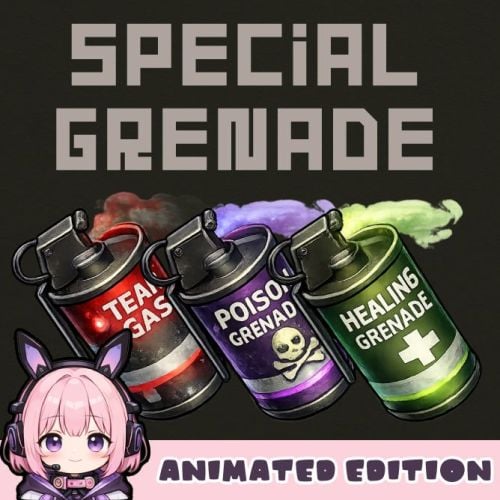
Special Grenade -Animated Edition- SpecialGrenade adds three unique smoke grenade variants to your Rust server, each with distinct visual effects and gameplay mechanics. Transform standard smoke grenades into powerful tactical tools with poison damage, healing, or tear gas effects. Each grenade type features stunning visual effects including animated screen overlays, colored sphere indicators, and immersive sound effects that enhance gameplay without compromising performance. Features Poison Grenade (Toxic) - Deals continuous damage to players and NPCs within the smoke radius - Purple-colored visual sphere indicator - Animated poison screen overlay effect - Hazmat suit protection option - Configurable damage per second for players and NPCs separately Healing Grenade - Heals players within the smoke radius over time - Green-colored visual sphere indicator - Animated healing screen overlay effect - Configurable heal amount per second - Hazmat suit protection option Tear Gas Grenade - Causes blindness and visual impairment - Red-colored visual sphere indicator - Animated tear/blink effect with eye-watering visuals - Dynamic smoke overlay animation - Hazmat suit protection option Configuration { "Toxic Grenade Settings": { "Skin ID": 3650606945, "Display Name": "Poison Grenade", "Damage Per Second": 10.0, "NPC Damage Per Second": 10.0, "Effect Duration (seconds)": 45.0, "Show Sphere": true, "Hazmat Protects From Effect": true, "Enable Sound": true }, "Healing Grenade Settings": { "Skin ID": 3650606786, "Display Name": "Healing Grenade", "Heal Amount Per Second": 1.5, "Effect Duration (seconds)": 20.0, "Show Sphere": true, "Hazmat Protects From Effect": false }, "Tear Gas Grenade Settings": { "Skin ID": 3650607092, "Display Name": "Tear Gas Grenade", "Blindness Duration (seconds)": 60.0, "Smoke Duration (seconds)": 45.0, "Show Sphere": true, "Hazmat Protects From Effect": true, "Enable Sound": true }, "Enable Image Preload On Connect": true } Command Console Command : givegrenade <SteamID> <SkinID> <amount> Give grenades to a specific player Example (Gives 10 Poison Grenades to the specified player.) givegrenade 76561198012345678 3650606945 10 Chat Command : /grenade Give all grenade types to yourself (Admin Only) Important Notes - Requires ImageLibrary plugin for visual effects - If the NpcSpawn plugin is installed, NPC smoke grenades will randomly choose between tear gas or poison. - Hazmat suit protection can be toggled per grenade type - Image preloading recommended for best performance - The smoke duration cannot be set to more than 45 seconds. - It seems that certain server services do not allow you to download imgur images. In that case, please download all imgur images manually, upload them to another image upload site, and specify the URL. (Data folder) Contact VOID / NINJA WORKS DISCORD : https://discord.gg/U8uxePjSyA MADE IN JAPAN$20.00 -

Version 3.0.7
258 downloads
This customization allows you to change out the icons for Server Hud to these amazing customized ones. Make your server feel refreshed and different from many other servers running Server Hud! I've designed these icons for my server, and they are intended for use with the plugin I've linked above, which is essential for their functionality. Notes before buying: These are just the png images, you must upload them and replace the link for the icons found in the Server Hud config. Icons Available: Space Event (X-Wing or Saturn) Harbor Airfield Gas Station Event Junkyard Event Power Plant Event Shipwreck Arctic Research Event (x3 because I couldn't decide) Satellite Dish Event WaterEvent (x3 Different versions) DefendableBases (x2 Different versions) WaterPatrol Event HeavyCargo Event PlaneCrash Event (x2 Different versions) Dangerous Treasures Air Event (x2 Different versions) Meteor Event FishingHotspot ArmoredTrain PookEvent Triangulation Supermarket Event Caravan Military Airfield Event Watertreatment Event(x2 Different versions) Flying Cargo Ship Event Ferry Terminal Event Paintball Event Survival Event TrainYard Event MissleSilo Event (x2 Different versions)$4.99 -

Version 1.0.10
867 downloads
This plugin allows your players to list and sell custom items through their vending machines. By creating a store via the back of the vending machine, players can list any item (custom or vanilla) for sale through their machines. Players can then interact with the players vending machine to purchase their wares, just like vanilla rust. This is ideal for any server, but especially for servers with heavy role play elements, or servers that use a lot of custom items. Custom Item Vending can receive data from other plugins for both a currency and an item properties. Custom items can be added manually through the config, or sent via an API directly from another plugin. Allows players to sell items for vanilla items, custom items, economics and server rewards. Customizable limit on how many listings each vending machine can have. A map marker that will display what is currently being sold (and is in stock) in the machine. Floating text at the front of each custom item machine indicating what is being sold and its stock level. Supports almost every custom item, identifying them uniquely based on skin, name, text field, slot count and condition. Economics and Server rewards are withdrawn from the back of the machine. The only requirement to use this plugin is the permission: customitemvending.create. This is require to turn a regular vending machine into a Custom Item Vending machine. Please note that due to the nature of the plugin and the way the map's vending listings are handled via client side, it is not possible to use market drones to obtain items using this plugin.$19.99 -

Version 1.2.1
90 downloads
xNpcFreeze xNpcFreeze is a Rust plugin that completely disables AI for NPCs by stripping their brain components as they spawn. Scientists, Tunnel Dwellers and animals still exist and can be interacted with, but they will no longer roam, think, or attack - Perfect for PvE building servers, cinematic setups, or performance-focused environments. > CH47 at oil rig etc. will work and fly/land normally Features Freeze NPCs (Animals, Scientists, Tunnel Dwellers) Option to disable radiochatter (sound) from scientists Commands (Admin required) /xnf - Opens the ingame config editor Config { "FreezeAnimals": false, "FreezeScientists": false, "FreezeTunnelDwellers": false, "MuteScientistRadioChatterSound": false }$8.99 -
Version 1.0.1
43 downloads
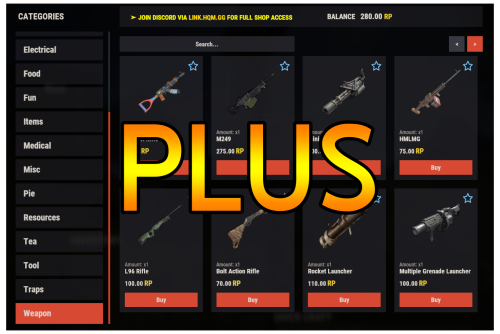
Warning: To use this config file, you need to purchase the Shop plugin developed by Mevent: https://codefling.com/plugins/shop Shop Plus is perfectly suited for modded servers with rich and plentiful loot. Here’s what’s new: - Added a Teas category featuring different types of teas. - Added a Pies category where various pies are listed. - Overpowered items such as Rocket, C4, Explosive 5.56 Bullet, and 40mm HE Grenade have been added with a high RP price. - Categories are now cleaner and more organized, with important items displayed at the top of each page. - Added items such as Turret and Test Generator, featuring bulk purchase options. - Armored doors and garage doors now include 10-piece purchase options with better prices compared to single-item purchases. - Highly used tools such as Jackhammer and Chainsaw now support 10-piece purchases with better prices compared to single-item costs. - Players can now exchange RP for scrap, for example 1,000 scrap for 50 RP or 10,000 scrap for 400 RP. - Added bulk purchase options that allow players to buy multiple quantities at a better total value. (In the Attire category, players can now choose between single or 10x quantities for items such as Facemask, Chest Plate, Kilt, Gloves, Jackets, and Boots, with reduced prices for larger purchases.) INSTALLATION RECOMMENDATION: 1- Extract the ZIP file you downloaded using WinRAR. You will find two folders: data and config. 2- Drag and drop these folders into one of the following directories, depending on which mod you use: For Oxide: /home/rustserver/serverfiles/oxide For Carbon: /home/rustserver/serverfiles/carbon 3- After that, upload the latest version of the Shop plugin to the plugins folder. If the Shop plugin is already installed, restart the server or use one of the following commands to reload it: For Oxide: o.reload Shop For Carbon: c.reload Shop This will ensure the plugin is properly restarted.$11.99- 3 comments
- 1 review
-
- 2
-
-
-
- #shop
- #shop plus
- (and 7 more)
-
Version 3.3.3
176 downloads
Warning: To use this config, you need to purchase the paid Alphaloot plugin if you do not already own it: https://chaoscode.io/resources/alphaloot.13/ Thank you for choosing this professionally crafted config by fullwiped (xrust.co). Designed to minimize junk items while maintaining a balanced loot experience for 10x modded servers, it includes a substantial balance of loot, including nearly all NPC drops. Our latest configuration overhaul features extensive updates across more than 40 loot crate types. Each crate, from Roadsign and ammo crates to food crates and variants like elite, basic, and normal, has undergone meticulous fine-tuning. We've significantly cleaned up redundant items while maintaining a balance between vanilla and 10x gameplay dynamics. To enhance variety, we've customized certain items to introduce medium-tier loot and expand diversity according to player preferences. WARNING: Some items that we believe should be in the loot table might seem unnecessary to you. Please understand that we cannot build a separate loot table for each individual. Due to the core dynamics of the game, our loot tables may include many essential items that players need—such as basic clothing, weapons, and similar items. Please make your purchase with this understanding. In addition, we've introduced exclusive chances, such as a 1% or 2% drop rate for high-quality vehicle parts in crates and premium food items in food crates. Special event loot crates, like those for Halloween, Easter, or Christmas, have also been aligned to complement the 10x experience. Moreover, we've revamped and optimized NPC drops, ensuring that even the most detailed configurations are now tailored to fit seamlessly with the 10x server settings. From Gingerbread NPCs to Scarecrows, Scientist NPCs to Scientist NPC Cargos, and critical NPCs like Scientist NPC Heavies, each has been meticulously restructured. If you're seeking a professionally crafted loot table that ensures a seamless and enriched gaming experience, look no further. Installation Guide: Inside the downloaded zip file, locate the 'config' folder. Copy the 'AlphaLoot.json' file from this folder to the following directory: /home/rustserver/serverfiles/oxide/config If Rust is installed in a different directory, adjust accordingly. Next, within the downloaded zip file, find the 'data' folder. Inside, you'll find three files: 'fullwipedbradley', 'fullwipedheli', and 'fullwipedmain'. Copy these three files to the following directory: /home/rustserver/serverfiles/oxide/data/AlphaLoot/LootProfiles Adjust the path if your Rust installation differs. Final Steps: Once all files are successfully uploaded, restart your previously purchased AlphaLoot plugin. If needed, you can acquire the plugin or updates from the official vendor: https://chaoscode.io/resources/alphaloot.13/ If you've already made the purchase, proceed with file uploads and restart the plugin by typing o.reload AlphaLoot into RCON. Congratulations! Your 10x server now boasts a highly customized and well-prepared loot table. Customizing Your Config: If you need to modify the current config or adjust any settings, you can download the AlphaLoot Profile Editor from the following link: https://chaoscode.io/resources/alphaloot-profile-editor.183/ Editing the config may require some experience, but you can easily make simple adjustments. Feel free to use this tool to tailor your config to your preferences. Thank you for choosing us. Support: FULLWIPED DISCORD$12.99-
- 1
-
-
- #alphaloot
- #alpha
- (and 30 more)
-

Version 1.0.2
18 downloads
Stop wasting weeks on configs and loot tables – get a pro server in minutes. This is a complete "Server-in-a-Box" designed for 3x Gather servers. It includes my Premium Loottable and a perfectly balanced suite of around 30 plugin configurations. Everything can be easily adjusted to fit your specific needs. If you ever run into issues or want to tweak a setting, I am here to help! TOP FEATURES: Merged Outpost & Bandit: Optimized for performance and convenience. All Bandit Camp shops and airwolf are integrated into the Outpost. Perfect Balance: 3x Wood/Stone/Sulfur. No junk in loot crates. Monument Upgrades: Recyclers & Drones added to Fishing Village, Ranch, and Barns. Optimized Speed: Faster smelting, crafting, and recycling. Time Control: 55m Days / 5m Nights and much more (Add the files that you want to use). Possible to get helispawn on road, rhib boats at coast and 50% upkeep by request. BetterLoot V.4: Optimized for 3x: This setup is perfectly balanced for a 3x experience with 5 star reviews. Need a different rate? Check out my 2x and 5x Server setup! WHAT YOU GET: Config & Data Folders: 30+ tuned files (Loot, Files for plugins, Monuments, etc.). Language Files: Clean chat messages and prefixes. Plugin explanation: BetterLoot: Custom 3x loot tables (August 2026 update). GatherManager: Optimized 3x gather rates. QuickSmelt: Faster furnace smelting. StackSizeController: Increased stack limits. CraftingController: Adjusted crafting speeds. AutoAuth: Shared TC, Turret & Lock access. BuildingWorkbench: Extended workbench radius. RecyclerSpeed: Faster recycling. BetterChat/Mute: Chat formatting & muting. PermissionsManager: GUI for permissions. AdminRadar: Admin tracking tool. CopyPaste: Building copy/paste tool. TimeOfDay: Custom day/night cycles. SignArtist: Custom images on signs. ImageLibrary: UI icon support. UnburnableMeat: Prevents burnt meat. LootBouncer: Refreshes containers by spawning new loot if not fully emptied. Godmode: Admin invincibility & protection. InventoryViewer: Remote player inventory inspection. MonumentAddons: Adds custom features to monuments. MonumentFinder: Required for locating monuments. And more! No extra costs for plugins! Easy Setup:Very little Knowledge Required: Designed to be as easy as it gets—perfect for both new and experienced server owners. Step-by-step README included. Also plugin explanation, links to all the plugins to make it as easy as it gets to get the server up n runing. NOTE: This is a Configuration-only pack. Plugin files (.cs) are not included to ensure you always use the latest versions from uMod/Codefling.Simply download the plugins and drop them in!$19.98 -
Version 1.0.2
73 downloads
Stop wasting weeks on configs and loot tables – get a pro server in minutes. This is a complete "Server-in-a-Box" designed for 2x Gather servers. It includes my Premium Loottable and a perfectly balanced suite of around 30 plugin configurations. Everything can be easily adjusted to fit your specific needs. If you ever run into issues or want to tweak a setting, I am here to help! TOP FEATURES: Merged Outpost & Bandit: Optimized for performance and convenience. All Bandit Camp shops and airwolf are integrated into the Outpost. Perfect Balance: 2x Wood/Stone, 1.5x Sulfur. No junk in loot crates. Monument Upgrades: Recyclers & Drones added to Fishing Village, Ranch, and Barns. Optimized Speed: Faster smelting, crafting, and recycling. Time Control: 55m Days / 5m Nights and much more (Add the files that you want to use). Possible to get helispawn on road, rhib boats at coast and 50% upkeep by request. BetterLoot V.4: Optimized for 2x: This setup is perfectly balanced for a 2x experience with 5 star reviews. Need a different rate? Check out my 3x and 5x Server setup! WHAT YOU GET: Config & Data Folders: 30+ tuned files (Loot, Files for plugins, Monuments, etc.). Language Files: Clean chat messages and prefixes. Plugin explanation: BetterLoot: Custom 2x loot tables (August 2026 update). GatherManager: Optimized 2x gather rates. QuickSmelt: Faster furnace smelting. StackSizeController: Increased stack limits. CraftingController: Adjusted crafting speeds. AutoAuth: Shared TC, Turret & Lock access. BuildingWorkbench: Extended workbench radius. RecyclerSpeed: Faster recycling. BetterChat/Mute: Chat formatting & muting. PermissionsManager: GUI for permissions. AdminRadar: Admin tracking tool. CopyPaste: Building copy/paste tool. TimeOfDay: Custom day/night cycles. SignArtist: Custom images on signs. ImageLibrary: UI icon support. UnburnableMeat: Prevents burnt meat. LootBouncer: Refreshes containers by spawning new loot if not fully emptied. Godmode: Admin invincibility & protection. InventoryViewer: Remote player inventory inspection. MonumentAddons: Adds custom features to monuments. MonumentFinder: Required for locating monuments. And more! No extra costs for plugins! Easy Setup: Very little Knowledge Required: Designed to be as easy as it gets—perfect for both new and experienced server owners. Step-by-step README included. Also plugin explanation, links to all the plugins to make it as easy as it gets to get the server up n runing. NOTE: This is a Configuration-only pack. Plugin files (.cs) are not included to ensure you always use the latest versions from uMod/Codefling.Simply download the plugins and drop them in!$19.99 -
Version 1.0.2
15 downloads
This is a complete pack with loot table, stacksizes, gathering, crafting time, smelt configs and data files. choose your own plugins and don’t bother setting up the basics! Save yourself the headache of manual balancing! Setting up a high-quality 2x server takes hours of fine-tuning. If the loot is too good, the wipe ends in a day. If the stacks are too small, players get frustrated. This bundle provides the perfect "Vanilla+" core for your Rust server, with everything synced to work together perfectly. This is a Plug & Play solution. No need to spend days editing JSON files – I’ve done the hard work for you. What’s included in this bundle? Custom BetterLoot v4 Config & Data: A completely overhauled loot table. No junk, balanced progression, and optimized for a 2x environment. Perfected Gather Rates: 2x resources for wood, stone, metal, and sulfur, including pickups (hemp, berries, etc.) and quarries. Synced Stack Sizes: Stack sizes are increased to match the 2x gather rate, ensuring a smooth inventory experience for your players. Optimized QuickSmelt: Smelting speeds are adjusted to keep up with the faster resource gain (including electric furnance which alot of servers have problem with). Half-Craft Configuration: 50% faster crafting times to maintain a great server tempo. Why choose this bundle? Time Saver: Skip days of configuration and testing. Balanced Progression: Not too fast, not too slow—just the right 2x feel. Performance Friendly: Clean configs that won't lag your server. Tried & Tested: This setup is currently running on live servers with great player feedback. This configuration is backed by consistent positive feedback and has been refined to ensure a stable, bug-free experience. Quality and reliability are my top priorities. Loot table video :$12.98 -

Version 1.1.2
170 downloads
xPermissionManager A modern, intuitive, and powerful permission management tool for Rust servers. xPermissionManager provides a complete visual interface for managing user and group permissions directly ingame. No more console commands, guesswork, or digging through permission lists. Everything is organized, accessible, and easy to control through an straight forward UI. Whether you're adjusting a single permission, overseeing full group structures, or assigning temporary access, xPermissionManager gives server owners a fast and efficient possibility to do so. Plugin Preview (Video) Full Permission Control Grant or revoke any permission from groups or individual players. Timed Permission System Assign temporary permissions that automatically expire (e.g., 30m, 1h, 1d, 1w, custom durations). Timed Group Memberships Add players to groups for a limited time - Perfect for kits, VIP, special events or whatever. Comprehensive UI A clean and intuitive interface for browsing permissions, switching groups, managing users, and applying timed access. User & Group Browsing View all available groups, check individual player permissions, and toggle them instantly. Clear Feedback Every change is acknowledged with clear messages to help admins avoid mistakes. Permission xpermissionmanager.use // Allows a player to open and use the xPermissionManager UI Chat Commands /xpm /xpmuser <name or steamID> /xpmtimed /xpmgroups /xpm [Opens the Permission Manager UI] PERMISSION OR ADMIN REQUIRED /xpmuser <name or steamID> [Opens the UI for managing a specific player’s permissions/groups] PERMISSION OR ADMIN REQUIRED /xpmtimed [Shows all active timed permissions for a player. Includes remaining duration and whether they came from a group] /xpmgroups [Shows all active timed group memberships for a player] Console Commands </> API$11.99- 2 comments
- 1 review
-
- 3
-
-
-
- #permission
- #manager
- (and 20 more)
-
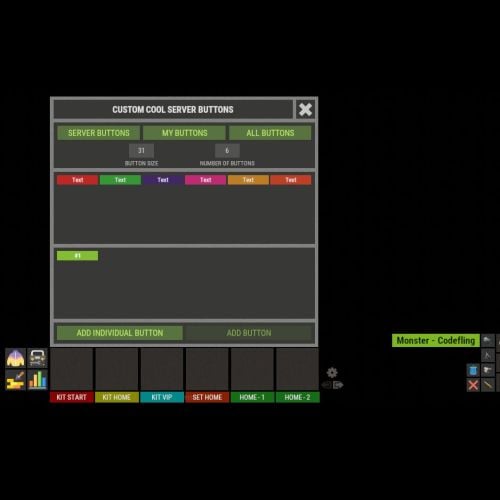
Version 1.1.0
446 downloads
XFastButtons - custom buttons for your server. - Optimization of the interface for different monitor resolutions. - Storing player data in - oxide/data/XDataSystem/XFastButtons - There is a lang ru/en/uk/es. - Sound effects when interacting with the menu. - Various settings for buttons. [ Font, Text, Command, Image, Color, Size, Coordinates, Parent Layer ] - A handy list of buttons under the slots. - Easy and fast selection of coordinates. [ AnchorMin, AnchorMax, OffsetMin, OffsetMax ] - Customize the list of server images. [ For server logo, etc. ]. - Customize the image list. [ For button creation by the player. ]. - Customize the list of button colors. [ For button creation by the player. ]. - The player can hide server/my buttons using the settings menu. - The player can create his own buttons and place them on the screen as he wishes. - Ability to limit the number of buttons created by a player. - Ability to create buttons with commands (chat and console) that have multiple arguments. [ /kit vip, /home 1, /sethome 1 - etc. ] - Ability to edit already created buttons. - Ability to delete created buttons. - Ability to undo changes. [ Convenient preview while editing/creating a button. ]. - Ability to create any number of server(admin) buttons by permissions. - Ability to hide/show buttons when the player interacts with containers or mounted prefabs(chair, transport, etc.) [ Configure in config. ]. - A button can execute multiple commands in sequence. Use the "|" separator. [ chat.say /kit|chat.say /report ] - Placeholders for commands: %ID% --> Player SteamID. %POS% --> Player coordinates. - By default, the plugin has a few customized buttons, a list of images, and a list of colors. Permissions xfastbuttons.settings - access to basic settings. xfastbuttons.use - access to create/edit/delete buttons. [ Regular players cannot create/edit/delete server(admin) buttons in any way! ] Config { "General setting": { "Maximum number of buttons a player can create": 6, "Maximum number of individual buttons a player can create": 5, "List of containers - buttons will react to open/close container. [ Leave the list empty to extend this to all containers. Or set null to disable this feature. ]": null, "List of mountable prefabs (chair, transport, etc) - buttons will react to interaction with the prefab. [ Leave the list empty to apply this to all prefabs. Or set null to disable this feature. ]": [ ......... ], "List of server buttons - [ You can only configure parameters - Text, Command, Color, Font ]": [ ......... ], "List of server buttons by permissions - [ You can only configure parameters - Text, Command, Color, Font ]": { ......... }, "List of individual server buttons - [ You can configure all parameters ]": [ ......... ], "List of individual server buttons by permissions - [ You can configure all parameters ]": { ......... } }, "GUI setting": { "Color_background_1": "0.517 0.521 0.509 1", "Color_background_2": "0.217 0.221 0.209 1", "Close button (icon) color": "1 1 1 0.75", "Server image list - [ These images are not available to players ]": { ......... }, "Image list - [ These images are available for players to select ]": { ......... }, "List of button colors": [ ......... ] } }$18.99 -
Version 2.0.8
808 downloads
EarlyQ allows players to join prematurely the server while it is still starting. By default the server needs to fully start (which takes ~5 min, depends on map/specs) and after all that time its finally time for players to join, but they still have to wait warming prefabs & download the world. EarlyQ optimizes the process of players joining & startup of the server and minimizes wait times because its splitting the work in parallel. Features Allows players to load faster by initiating Asset Warmup as they are waiting for the server to start up! The world data is sent to the player as soon as its ready, so when the server is ready they can join right away without waiting! The steam server is started only after ~10 seconds when you launch the rust server! This means players can see it in the global server list even while it is loading! Increases your server uptime metrics! Custom messages that show the current loading progress of the server! You can customize said messages Demo (the demo is older & does not start loading the world after its ready, so im waiting a bit longer in the video. This is already implemented in EarlyQ) Custom message If you need to customize the message your players get when waiting for the server, you have to specify the message as a launch option on the server +earlyq.loading_msg - The loading message shown when the server is loading and the client is waiting for the server to load the world +earlyq.loading_icon - The icon shown +earlyq.ready_msg - The loading message shown when the client finishes loading fully and is waiting for the server +earlyq.ready_icon - The icon shown Default messages (Example): +earlyq.loading_msg "<color=#c47070>PLEASE WAIT (alot of spaces here) SERVER IS STILL STARTING: {progress}" +earlyq.loading_icon "Server" +earlyq.ready_msg "<color=#59a358>YOU ARE READY (alot of spaces here) WAITING FOR THE SERVER: {progress}" +earlyq.ready_icon "CheckCircle" You can see all the icons you can use here You can use some unity rich text components in the message: "color", "u", "b" and "i". If you want to add a new line currently the only way I found out is to spam a bunch of spaces since it will wrap to the next line, max is 3 lines At the time of writing this, these are all the limitations, they might change in the future. You can also use a config file if you prefer The config file needs to be created in a folder of the root of the server called "EarlyQ" and in the folder a file needs to be created called "config.json", it should look like "EarlyQ/config.json" The content of the config.json file need to be: { "loading_msg": "your custom msg", "loading_icon": "your custom icon", "ready_msg": "your custom msg", "ready_icon": "your custom icon" } Installation As this is a Harmony mod you need to place the EarlyQ.dll file in HarmonyMods folder, after that restart the server. (do not use harmony.load command with EarlyQ!) EarlyQ works for Linux & Windows EarlyQ works with the newest networking update EarlyQ works with RakNet and SteamNetworking EarlyQ works with Vanilla, Oxide and Carbon Note Facepunch confirmed this Harmony mod is not allowed on official servers, if you want to use it on official, do it at your own risk. Contact You can contact me on discord: turner1337$69.69- 46 comments
- 10 reviews
-
- 9
-
-
-
- #optimize
- #optimization
- (and 19 more)
-

Version 1.0.5
53 downloads
xWirelessPower xWirelessPower transforms how players interact with electrical devices (IO Entities). Instead of running back to switches, rewiring circuits, or building complex control rooms, players can directly toggle supported powered entities simply by looking at them and using a command or even with doing a clap gesture - Creating a smoother, more responsive way to manage base systems. In short: You can simply use electrical item (IO Entities) like ceiling light, sprinkler, auto turret etc. without requireing any wire or power. Features Instant Wireless Control Turn configured devices (IO Entities) ON or OFF just by looking at them with using a command or even using the clap gesture - No switches or wiring changes needed. Optional Team Access Let teammates manage shared systems for easier group gameplay. Perfect for Base Management Quickly control turrets, lights, signs, sprinklers, and more without running around your base. Faster Reaction During Raids Activate defenses or adjust systems instantly when every second counts. Fully Customizable Server owners can choose which devices are controllable and how the system behaves through config or even with chatcommadn "whoami". ShortPrefabName gets printed and saves it automatically to the confing with default value "false". Permission Support Grant access to specific groups like VIPs, admins, or trusted players. Optional Auto Power On Devices can automatically turn on when placed for smoother setup. Performance Friendly Runs efficiently with minimal impact on server performance. Plugin Preview Chat Commands /power - Toggle the IOEntity you’re looking at. /powerall - Toggles all IO entities you’re looking at. For example, when powerall is turned on and you look at an auto turret, all auto turrets will be turned off. /whoami - Prints the looked-at entity’s ShortPrefabName and adds it to your IOEntities list in config (default value = true). Permission xwirelesspower.toggle - If 'UsePermission' is true, permission is needed. Config { "ToggleCommand": "power", "PowerAllCommand": "powerall", "GetItemNameCommand": "whoami", "UsePermission": false, "PermissionName": "xwirelesspower.toggle", "AllowTeamToggle": false, "RequireToolCupboard": false, "MaxDistanceToggle": 5.0, "AutoTurnOn": true, "TurnOnOffWithClappingGesture": true, "IOEntities": { "autoturret_deployed": true, "ceilinglight.deployed": true, "neonsigntr.deployed": true, "electric.sprinkler.deployed": true }, "PermissionBasedIOEntities": { "xwirelesspower.vip": [ "fridge.deployed" ], "xwirelesspower.vip2": [ "electricfurnace.deployed", "electricfurnace.io" ] } } - You can add as many IOEntities as you want, to get the correct name of it, just spawn/place it -> Look at it -> Use ChatCommand '/whoami' and add that shortname to your IOEntities list. ToggleCommand - Chat command players use to turn IO Entity on/off. PowerAllCommand - Chat command players can toggle to turn all IO Entities from same name on/off. GetItemNameCommand - Admin command to see the IO Entity internal name (ShortPrefabName), also saves that viewed at IOEntity automatically to config with default value "false". UsePermission - If ON, only players with permission has access to this wireless power system. PermissionName - The permission name. AllowTeamToggle - Lets teammates toggle each other’s IO Entities. RequireToolCupboard - Wirless Power does only work if within a tool cupboard. MaxDistanceToggle - How close you must be to toggle (in meters). AutoTurnOn - Devices turn on automatically when placed. TurnOnOffWithClappingGesture - As the config says, use any gesture to toggle IO Entity. IOEntities - List of devices that wireless power works with (true = enabled). Localization (If you want to disable a message just use empty value "") { "NotAllowed": "You are not allowed to use this command.", "LookAtEntity": "You're not looking at an entity.", "AddedConfigEntries": "Added to config with default value true: {0}", "DetectedShortnames": "Detected shortnames: {0}", "PowerAllNoEntity": "You're not looking at a valid wireless entity, or you lack the required permission.", "PowerAllNoMatches": "No matching IOEntities could be toggled.", "PowerAllResult": "{0}: {1} entities are now {2}.", "NoEnabledEntity": "No enabled wireless IO entity was found for that deployable, or you lack the required permission.", "NotOwner": "You can only toggle your own IOEntity.", "NoEntitiesToggled": "No IOEntities could be toggled.", "ToggleAllResult": "{0}: {1} entities are now {2}.", "ToggleSingleResult": "{0} is now {1}.", "DisabledInConfig": "{0} is disabled in config.", "CupboardRequired": "A nearby tool cupboard is required to use wireless power." }$11.99 -

Version 1.0.0
22 downloads
WelcomeMessage.cs Description : - This plugin allows you to display a welcome message on players' screens when they arrive on the server. They can also click a button to execute a command, such as opening a menu. Settings : - HUD colors - Display time (20s) - Welcome text (Welcome <player> !) - Button text (INFO) -Button command (say.chat /info) F1 Commands : - wm.test (to test the UI. Only admin) Permissions : - oxide.grant user <steamID/user> welcomemessage.use WuyZar's Discord : https://discord.gg/NVwRcQwGwh Game interface :$4.50 -
Version 1.0.1
46 downloads
AdminRadar.cs Description : - This plugin provides a real-time radar system allowing instant tracking of Players, Cupboards, Patrol helicopters and Bradleys, with customizable display options. Display for the player : Player name - Health - Distance - Team Display for the cupboard : TC tag - Distance - List of authorized players Display for the patrol : Patrol tag - Health - Distance Display for the bradley : Bradley tag - Health - Distance Settings : - HUD colors (for the radar switch button) - Radar distance - Radar refresh - Player name color - Cupboard tag color - Patrol tag color - Bradley tag color - Distance color - Health >50hp color (for player/patrol/bradley) - Health <50hp color (for player/patrol/bradley) F1 Commands : - radar <all/player/tc/patrol/bradley> (on/off) Chat Commands : - /radar <all/player/tc/patrol/bradley> (on/off) Permissions : - oxide.grant user <steamID/user> adminradar.use WuyZar's Discord : https://discord.gg/NVwRcQwGwh Game interface :$7.50 -
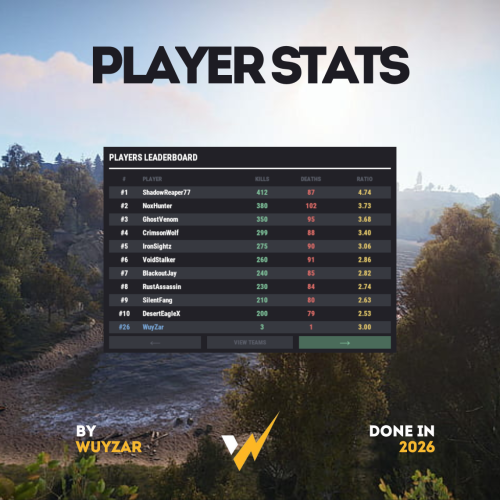
Version 2.0.1
80 downloads
PlayerStats.cs Description : - This plugin offers a complete PvP stat tracking system for your Rust server, with real-time display of kills, deaths, and K/D ratio for each player. It includes a persistent interface displaying personal stats, a floating 3D leaderboard visible in the world showcasing the top 10 players, and a detailed interactive menu for this leaderboard. All player stats are automatically tracked and updated in real time. Settings : - Count suicide (true/false) - Show small KDR (next to the equipment bar) - Show floating leaderboard (true/false) - Floating leaderboard position (x, y, z) - Floating leaderboard view distance Chat Commands : - /stats (to open the leaderboard) WuyZar's Discord : https://discord.gg/NVwRcQwGwh Game interface :$11.50-
- 1
-
-
- #stats
- #leaderboard
- (and 16 more)









.thumb.png.fd415e6a279abcb86097c1d6ea9f77b2.png)