Image

3 KB Solitaire Fits In QR-Code, Runs In DOS

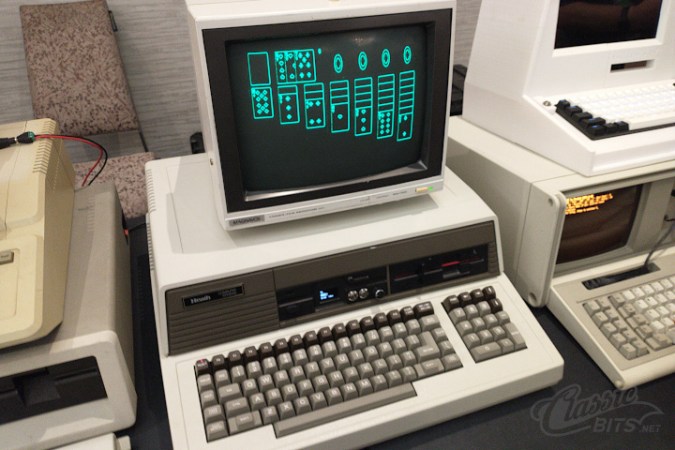
In these days of hundred-gigabyte-and-more monster games, it can be nice to stop and remember what a human can do with assembly language and very, very little storage space. In this case, only 3 KB — yes, three kilobytes — to play TinySol, a tiny solitaire game for DOS that’s compatible with the common CGA/EGA/VGA graphics modes. [ClassicBits] even fits the 640×400 AT&T 6300 mode that was used for some GRiD computers in that 3 KB.

The “full” version is actually 3.5 KB. That extra half kilobyte gets you the ability to load and save games, plus mouse support. The 3 KB version you must play through to the end using only the keyboard, but if you’re hitting this on the minimal-supported-hardware target of the IBM 5150, you probably don’t have a mouse. The smaller build can still score the game, auto-finish, congratulate you on a win, and even automatically detect the correct graphics mode for you. It can also be launched from a QR code, which [LGR] demonstrates in a video embedded below. Check it out for a play demo, but it’s Klondike Solitaire. If you don’t know what to expect by this point, you must not have used a PC in the last 30 years.

Even smaller versions of TinySol are available if you know you’re only going to need, say CGA, but even with 360 KB floppies we’re not sure we’d feel the need to save a kilobyte. If it doesn’t fit on the floppy, just print it onto the sleeve as a QR code, like [ClassicBits] did with the floppies he was giving away at Vintage Computer Festival Southwest 2026. Well, technically that’s the “Tiny” version on the QR code, but we have faith there’s some visual code that could hold the 3 KB “medium” game.

[ClassicBits] takes care to point out that his game is 100% human-written, which is something you cannot guarantee even for retro assembly-language products. We’ve already seen that Claude can code for the Z80, which means the 8088 won’t escape it either. Of course these old machines have a lot to recommend them if you want to escape modernity and learn to code without the help.

Continue reading “3 KB Solitaire Fits In QR-Code, Runs In DOS”

Image

Pi Pico Demos, Therefore It Is

A good demo, like [Linus Akesson]’s Sum Ergo Demonstrato, looks like magic to the average hacker. To normies who don’t know the limitations of the RP2350, they don’t see the big deal. To anyone who has spent any time with the chip, though, it’s a series of tricks you cannot help but be amazed by. Fortuanately for us, [Linus] isn’t actually a magician, because while a magician never reveals his tricks, [Linus] has an hour-long video explaining exactly how his demo was accomplished. We’ve embedded both the demo and the explanation below.

Even if you aren’t into YouTube, you should check out the demo video, and again– remember this is all on a Pi Pico with only the extra passives required for video-out. Then you can watch [Linus] explain how he did it, which is really best heard in his own words. There are a couple of bleeding-edge tricks on the RISC V core and peripherals that we would hate to misrepresent– especially the clever hack with the interpolator that he uses for 3D acceleration.

If this sounds a bit familiar, it’s because we were equally impressed by his Kaleidoscopico demo last year. From demos like this to 3D engines on the ESP32, its amazing what you can do on modern micros if you’re willing to hit the limits of the hardware.

Thanks to [Stephen Walters] for the tip!

Continue reading “Pi Pico Demos, Therefore It Is”

Image

TV Remote Uses Floppy Disks

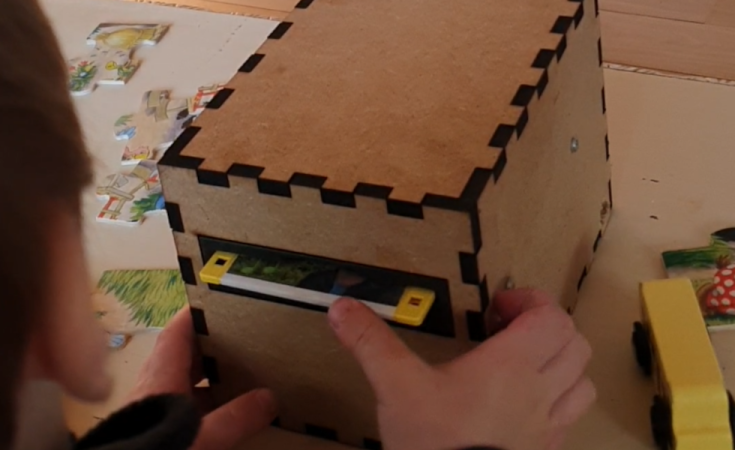
Famously, the save icon on most computer user interfaces references a fairly obsolete piece of technology: the venerable floppy disk. It’s likely that most people below the age of about 30 have never interacted with one of these once-ubiquitous storage devices, so much so that many don’t recognize the object within the save icon itself anymore. [Mads Chr. Olesen]’s kids might be an exception here, though, as he’s built a remote control for them that uses real floppy disks to select the programming on the TV.

This project partially began as a way to keep the children from turning into zombies as a result of the modern auto-play brainrot-based economies common in modern media. He wanted his kids to be able to make meaningful choices and then not get sucked into these types of systems. The floppy disk presents a perfect solution here. They’re tangible media and can actually store data, so he got to work interfacing a real floppy disk drive with a microcontroller. When a disk is inserted the microcontroller wakes up, reads the data, and then sends out a command to stream the relevant media to the Chromecast on the TV. When the disk is removed, the microcontroller stops play.

Like any remote, this one is battery powered as well, but running a microcontroller and floppy disk drive came with a few challenges. This one is powered by 18650 lithium cells to help with current peaks from the drive, and after working out a few kinks it works perfectly for [Mads] children. We’ve seen a few other floppy disk-based remote controls like this one which replaces the data stored on the magnetic disc with an RFID tag instead.

Image

C Project Turns Into Full-Fledged OS

While some of us may have learned C in order to interact with embedded electronics or deep with computing hardware of some sort, others learn C for the challenge alone. Compared to newer languages like Python there’s a lot that C leaves up to the programmer that can be incredibly daunting. At the beginning of the year [Ethan] set out with a goal of learning C for its own sake and ended up with a working operating system from scratch programmed in not only C but Assembly as well.

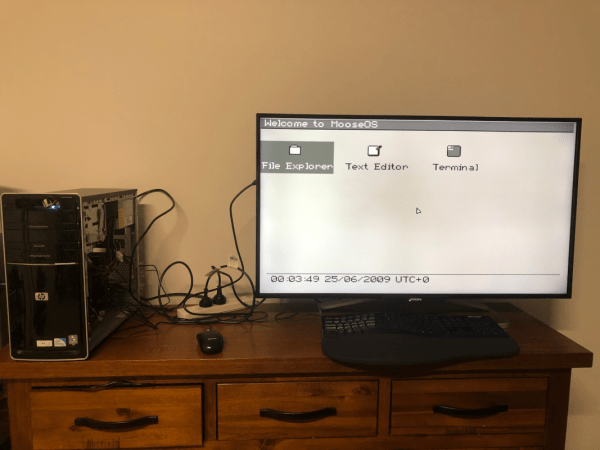
[Ethan] calls his project Moderate Overdose of System Eccentricity, or MooseOS. Original programming and testing was done in QEMU on a Mac where he was able to build all of the core components of the operating system one-by-one including a kernel, a basic filesystem, and drivers for PS/2 peripherals as well as 320×200 VGA video. It also includes a dock-based GUI with design cues from operating systems like Macintosh System 1. From that GUI users can launch a few applications, from a text editor, a file explorer, or a terminal. There’s plenty of additional information about this OS on his GitHub page as well as a separate blog post.

The project didn’t stay confined to the QEMU virtual machine either. A friend of his was throwing away a 2009-era desktop which [Ethan] quickly grabbed to test his operating system on bare metal. There was just one fault that the real hardware threw that QEMU never did, but with a bit of troubleshooting it was able to run. He also notes that this was inspired by a wiki called OSDev which, although a bit dated now, is a great place to go to learn about the fundamentals of operating systems. We’d also recommend checking out this project that performs a similar task but on the RISC-V instruction set instead.

Image

A New Cartridge For An Old Computer

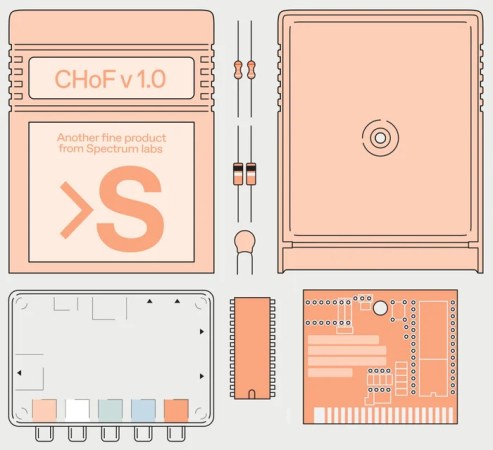
Although largely recognizable to anyone who had a video game console in the 80s or 90s, cartridges have long since disappeared from the computing world. These squares of plastic with a few ROM modules were a major route to get software for a time, not only for consoles but for PCs as well. Perhaps most famously, the Commodore VIC-20 and Commodore 64 had cartridge slots for both gaming and other software packages. As part of the Chip Hall of Fame created by IEEE Spectrum, [James] found himself building a Commodore cartridge more than three decades after last working in front of one of these computers.

[James] points out that even by the standards of the early 80s the Commodore cartridges were pretty low on specs. They’re limited to 16 kB, which means programming in assembly and doing things like interacting with video hardware directly. Luckily there’s a treasure trove of documentation about the C64 nowadays as well as a number of modern programming tools for them, in contrast to the 80s when tools and documentation were scarce or nonexistent. Hardware these days is cheap as well; the cartridge PCB and other hardware cost only a few dollars, and the case for it can easily be 3D printed.

Burning the software to the $3 ROM chip was straightforward as well with a TL866 programmer, although [James] left a piece of memory management code in the first pass which caused the C64 to lock up. Removing this code and flashing the chip again got the demo up and running though, and it’ll be on display at their travelling “Chips that Changed the World” exhibit. If you find yourself in the opposite situation, though, we’ve also seen projects that cleverly pull the data off of ancient C64 ROM chips for preservation.

Image

Kaleidoscopico Shows Off Pi Pico’s Capabilities

In the early days of computing, and well into the era where home computers were common but not particularly powerful, programming these machines was a delicate balance of managing hardware with getting the most out of the software. Memory had to be monitored closely, clock cycles taken into account, and even video outputs had to be careful not to overwhelm the processor. This can seem foreign in the modern world where double-digit gigabytes of memory is not only common, it’s expected, but if you want to hone your programming skills there’s no better way to do it than with the limitations imposed by something like a retro computer or a Raspberry Pi Pico.

This project is called Kaleidoscopio, built by [Linus Åkesson] aka [lft] and goes deep into the hardware of the Pi Pico in order to squeeze as much out of the small, inexpensive platform as possible. The demo is written with 17,000 lines of assembly using the RISC-V instruction set. The microcontroller has two cores on it, with one core acting as the computer’s chipset and the other acts as the CPU, rendering the effects. The platform has no dedicated audio or video components, so everything here is done in software using this setup to act as a PC from the 80s might. In this case, [lft] is taking inspiration from the Amiga platform, his favorite of that era.

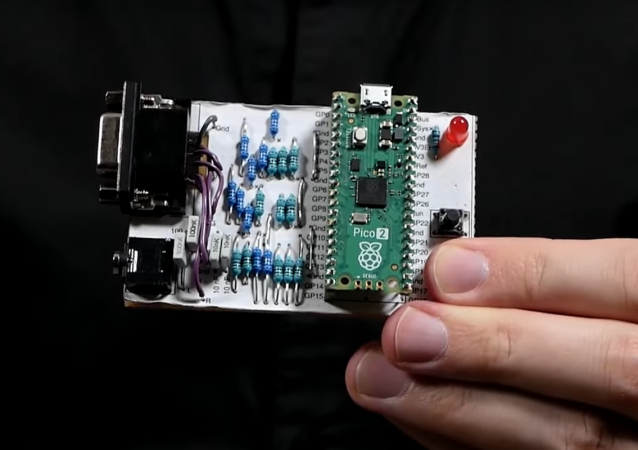
The only hardware involved in this project apart from the Pi Pico itself are a few resistors, an audio jack, and a VGA port, further demonstrating that the software is the workhorse in this build. It’s impressive not only for wringing out as much as possible from the platform but for using the arguably weaker RISC-V cores instead of the ARM cores, as the Pi Pico includes both. [lft] goes into every detail on the project’s page as well, for those who are still captivated by the era of computer programming where every bit mattered. For more computing demos like this, take a look at this one which is based on [lft]’s retrocomputer of choice, the Amiga.

Continue reading “Kaleidoscopico Shows Off Pi Pico’s Capabilities”

Image

“Some Assembly Required” Makes Us Love Things More

For the maker looking to turn their project into a business, trying to price your widget can be a bit of a conundrum. You want to share your widget with the world without going broke in the process. What if you could achieve both, letting the end user finish assembly? [PDF]

While over a decade has passed since Harvard Business School released this study on what they dub “The IKEA Effect,” we suspect that most of it will still be relevant given the slow pace of human behavior change. In short, when you make someone become part of the process of manufacturing or assembling their stuff, it makes them value it more highly than if it was already all put together in the box.

Interestingly, the researchers found “that consumers believe that their self-made products rival those of experts,” and that this is true regardless of whether these people consider themselves to be DIY enthusiasts or not. This only holds if the person is successful though, so it’s critical to have good instructions. If you have a mass market item in the works, you probably don’t want to require someone with no experience to solder something, but as IKEA has shown, nearly anybody can handle some hex screws and Allen wrenches.

If you’re looking for more advice on how to get your invention in people’s hands, how about this Supercon talk by Carrie Sundra about manufacturing on a shoestring budget or this video from Simone Giertz on her experiences with manufacturing from idea to finished product. You might want to steer clear of people promising patents for pennies on commercials, though.