Image

3 KB Solitaire Fits In QR-Code, Runs In DOS

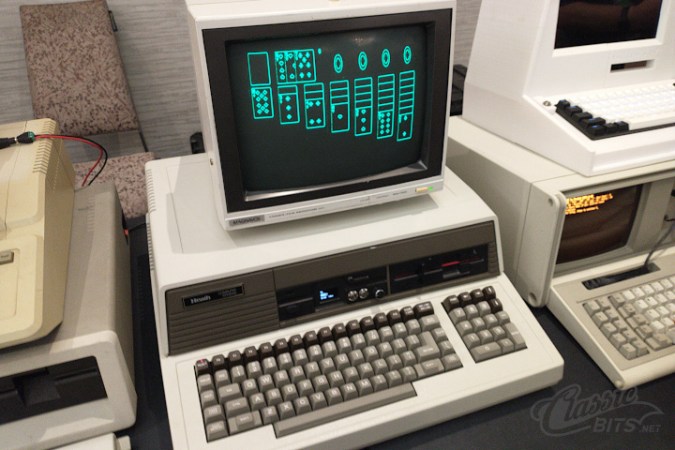
In these days of hundred-gigabyte-and-more monster games, it can be nice to stop and remember what a human can do with assembly language and very, very little storage space. In this case, only 3 KB — yes, three kilobytes — to play TinySol, a tiny solitaire game for DOS that’s compatible with the common CGA/EGA/VGA graphics modes. [ClassicBits] even fits the 640×400 AT&T 6300 mode that was used for some GRiD computers in that 3 KB.

The “full” version is actually 3.5 KB. That extra half kilobyte gets you the ability to load and save games, plus mouse support. The 3 KB version you must play through to the end using only the keyboard, but if you’re hitting this on the minimal-supported-hardware target of the IBM 5150, you probably don’t have a mouse. The smaller build can still score the game, auto-finish, congratulate you on a win, and even automatically detect the correct graphics mode for you. It can also be launched from a QR code, which [LGR] demonstrates in a video embedded below. Check it out for a play demo, but it’s Klondike Solitaire. If you don’t know what to expect by this point, you must not have used a PC in the last 30 years.

Even smaller versions of TinySol are available if you know you’re only going to need, say CGA, but even with 360 KB floppies we’re not sure we’d feel the need to save a kilobyte. If it doesn’t fit on the floppy, just print it onto the sleeve as a QR code, like [ClassicBits] did with the floppies he was giving away at Vintage Computer Festival Southwest 2026. Well, technically that’s the “Tiny” version on the QR code, but we have faith there’s some visual code that could hold the 3 KB “medium” game.

[ClassicBits] takes care to point out that his game is 100% human-written, which is something you cannot guarantee even for retro assembly-language products. We’ve already seen that Claude can code for the Z80, which means the 8088 won’t escape it either. Of course these old machines have a lot to recommend them if you want to escape modernity and learn to code without the help.

Continue reading “3 KB Solitaire Fits In QR-Code, Runs In DOS”
Image

Teaching An AI To Play A Racing Game Via Screen Input

If you’re a fleshy human, you probably learn to play video games by looking at the screen and pressing the buttons, and maybe copying the way you’ve seen others play the game before. [tryfonaskam] has recently been trying to teach an AI to play games in much the same way.

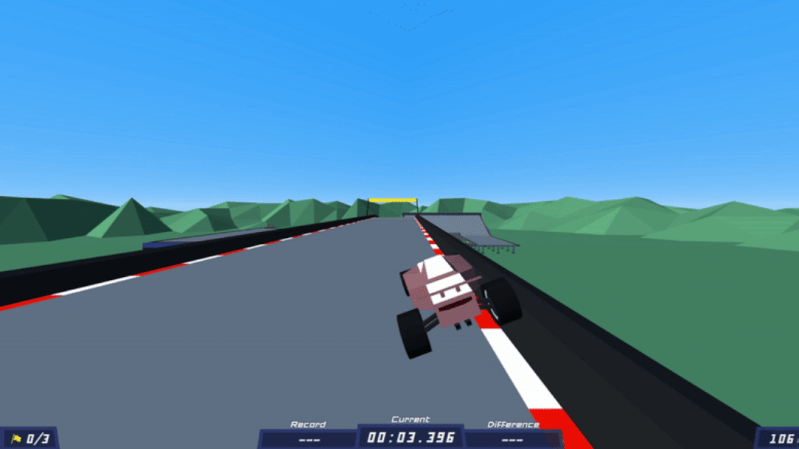
[tryfonaskam] built PILA—short for Polytrack Imitation Learning Agent. As you might have guest from the name, it’s an AI agent designed to play a simple racing game called PolyTrack. Rather than manually programming the agent’s behavior, PILA instead trains itself through supervised learning, where it observes the gameplay state via screen capture and monitoring the keyboard inputs made by human players as they drive the tracks. It then uses this to guide its own behavior, and learns to play the game by itself. The model receives live frames from the graphics engine while playing, and then predicts the appropriate actions and makes the right keyboard inputs in turn to steer the car through the track.

This project reminds us of similar efforts to teach a raw AI how to play Trackmania, or the Drivatar technology in the Forza series of racing games.

Image

Deltarune’s Tenna Brought To Life

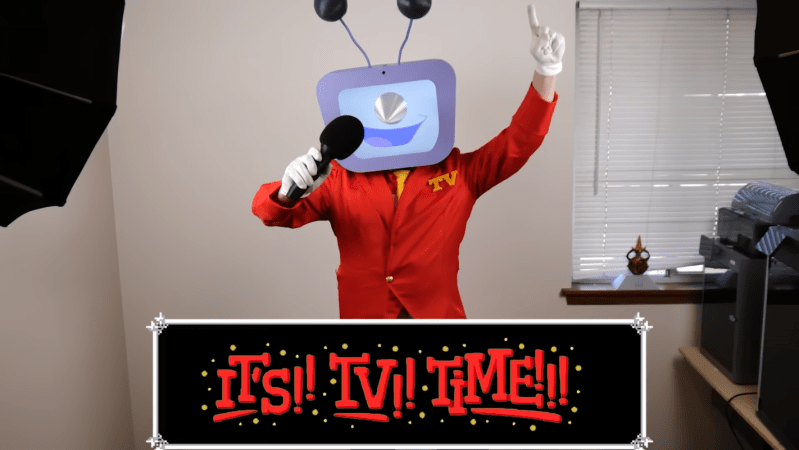
For those who have never played the hit video games Undertale and Deltarune, the games are partially known for their interesting characters, many of which have eerie, surreal, and expressive designs. One of the more memorable characters from Deltarune is Tenna, a game show host of sorts whose distinguishing feature is an old television as a head, as well as a colorful suit. As a result he’s been the subject of a number of recreations by various cosplayers and makers like [BigRig Creates].

This version of the character was actually inspired by a previous build by [BunnyBii] which used an iPad as the interactive screen/face. Inside the television, though, the actual human found this to be front heavy and limiting in the ways that it could be used interactively, especially since the only way to see the outside world in this version was with a small endoscope and screen. [BigRig Creates]’s version builds on this idea but swaps out the iPad for a Raspberry Pi, allowing for much more customization, and uses a pair of Xreal glasses instead of a screen for the view of the outside world from in the television.

To get the whole costume together, the head is 3D printed with all of the electronics inside, and a game controller integrated into a handheld microphone controls the animations shown on the screen. A vibrant, custom-tailored suit with white gloves rounds out the ensemble, along with a pair of 3D-printed shoe covers since actual yellow shoes were a bit pricy. There were some interesting problems to solve along the way, specifically with regards to power management for all the electronics, but in the end it all seems to have come together quite well. [BigRig Creates] is no stranger to builds with unusual displays, though; one of our favorites was the world’s largest Nintendo 3DS.

Continue reading “Deltarune’s Tenna Brought To Life”

Image

Real Robot Makes Debut In Programming Game

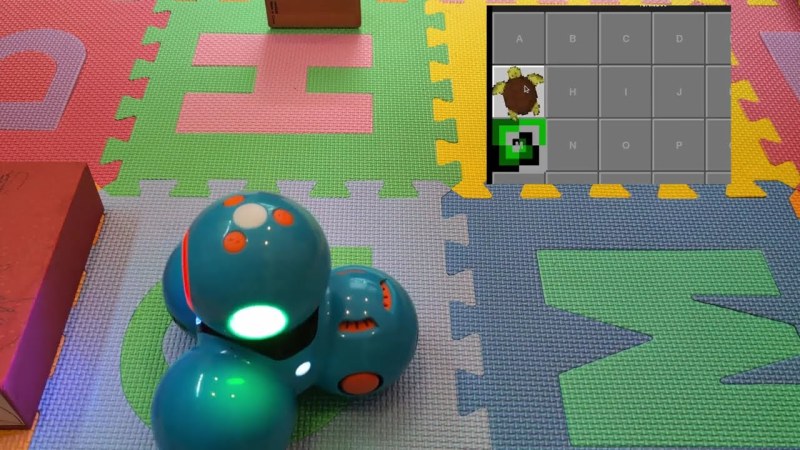
Sometimes the right tool for the right job appears almost out of nowhere. That was certainly the case for [Jonathan] who came across an unusual but well-designed robot at a secondhand shop. The robot needed a bit of work to get back into a usable condition, but after that it was ready for use. For such a unique machine, it needed a unique place to work as well, so in this build [Jonathan] uses it as a real robot to recreate a popular board game meant to teach programming to children.

In the original board game, called Robot Turtles, there are no actual robots. Instead, players use cards to control turtles to reach objectives in much the same way that a programmer would solve a similar problem with a computer. A board game with such a name almost demands a robot, so [Jonathan] found a larger playing surface in the form of soft matting blocks, each with a number or letter, that can be assembled into a grid. To make the game, he built a Python application on top of the interface he reverse-engineered in a previous build. It handles the robot interface, control, input, and a PyGame GUI. The game can either be played in real-time, or the robot’s moves can be queued.

In addition to keyboard input, the bot can also be controlled by putting cards from the actual board game itself on an NFC reader he made. [Jonathan] has a four-year-old at home, so he hopes that all of these projects will have an impression and encourage experimentation and discovery of computers and programming.

Continue reading “Real Robot Makes Debut In Programming Game”

Image

Internet-Connected Consoles Are Retro Now, And That Means Problems

A long time ago, there was a big difference between PC and console gaming. The former often came with headaches. You’d fight with drivers, struggle with crashes, and grow ever more frustrated dealing with CD piracy checks and endless patches and updates. Meanwhile, consoles offered the exact opposite experience—just slam in a cartridge, and go!

That beautiful feature fell away when consoles joined the Internet. Suddenly there were servers to sign in to and updates to download and a whole bunch of hoops to jump through before you even got to play a game. Now, those early generations of Internet-connected consoles are becoming retro, and that’s introduced a whole new set of problems now the infrastructure is dying or dead. Boot up and play? You must be joking!

Continue reading “Internet-Connected Consoles Are Retro Now, And That Means Problems”

Image

DIY Pinball Machine Uses Every Skill

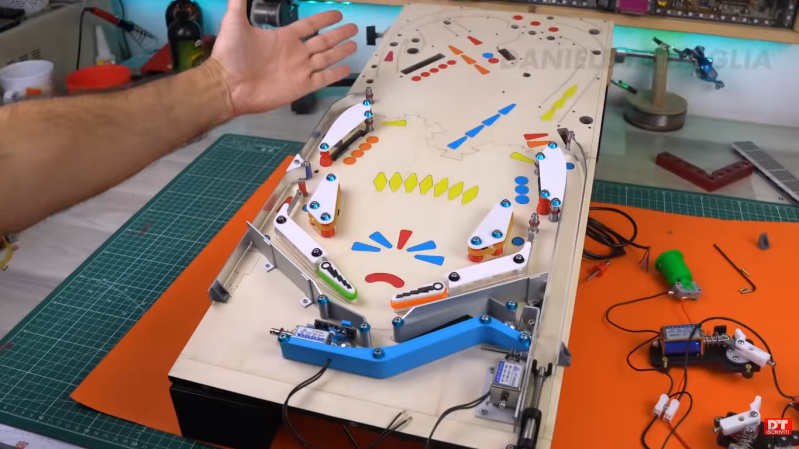
Pinball machines have something for everyone. They’re engaging, fast-paced games available in a variety of sizes and difficulties, and legend has it that they can be played even while deaf and blind. Wizardry aside, pinball machines have a lot to offer those of us around here as well, as they’re a complex mix of analog and digital components, games, computers, and artistry. [Daniele Tartaglia] is showing off every one of his skills to build a tabletop pinball machine completely from the ground up.

Continue reading “DIY Pinball Machine Uses Every Skill”

Image

Whack-A-Disk

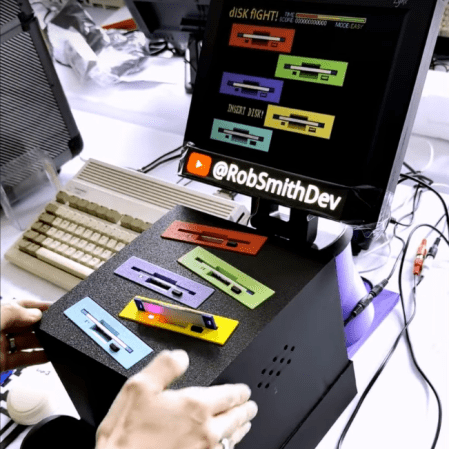
By now most floppy disks have been relegated to the dustbin of history, with a few exceptions for obscure industrial applications using legacy hardware and, of course, much of the world’s nuclear weapons arsenals. In fact, they’re so rare to see in the world anymore that many below a certain age don’t recognize the “save” symbol commonly used in application user interfaces. Without a use case, and with plenty of old floppies still laying around, [Rob] took a pile of them and built this Whack-a-Mole-style game.

The game has a number of floppy-disk-specific features compared to the arcade classic, though. First, there’s no mallet, so the player must push the floppy disks into the drive manually. Second, [Rob] went to somewhat exceptional lengths to customize the drives to that sometimes the disks jump out of the drive, forcing the player to grab them and put them back in to score points in the game. He did this without needing to install high-powered solenoids in the drives too. As for the game software itself, it all runs on an Amiga 600 and even includes a custom-made soundtrack for the 30-second game.

Getting the drives just right did take a number of prototypes, but after a few versions [Rob] has a working game that looks fun to play and is a clever use of aging hardware, not to mention the fact that it runs on a retro computer as well. Of course, for the true retro feel, you’ll want to make sure you find a CRT for the display somewhere, even though they’re getting harder to find now than old floppy disk drives.

Continue reading “Whack-A-Disk”