Search the Community
Showing results for tags 'rocket'.
-
.thumb.gif.764e17d6599544d1b7528faba10cd1dd.gif)
Version 1.0.5
108 downloads
This monument is a mini, space-saving replacement for Launch Site. The old, long rocket range has been removed and replaced with a smaller custom range featuring its own new puzzle. You still get all the familiar puzzles inside the factory building, along with the usual loot. It also works with the Power Grid and Satellite Crash Event. Perfect for one-grid or smaller maps, with a much smaller footprint and no protruding edges. Quick Start Extract the zip file into your RustEdit install folder. Start Rust Edit. Click on Prefabs at the top & open up your Prefab List. Under the Custom category you will now find RobJs Premium Prefabs. Double click on the prefab file and it will spawn it into the map for you. Drag it to the general area you want to place it and click on Snap To Terrain Apply the Height Mask, Topology Mask, and Splat Mask. Contact And Help If you need to contact me discord is best: RobJ2210#2553 For help/support my discord group is best: Join RustMaps Discord$21.99- 7 comments
-
- 2
-

-
- #launch site
- #mini
- (and 8 more)
-
Version 1.0.3
74 downloads
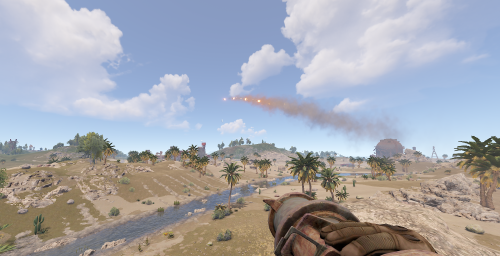
Gives the ability to shoot rockets in burst mode. With customizable permissions to limit how many rockets you can burst. Will remove rockets from inventory or hotbar to allow multiple rockets to fire. If you don't have enough rockets, then the spawned rockets will be limited (matching how many rockets you have) Commands: /delay - Admin only command to edit the burst delay from chat. /burst {number} - Set the burst to {number} rockets. Amount of rockets is limited by permission Permissions: burstrocket.inf - Can set burst to any number of rockets, only limited by the "max possible burst" config setting burstrocket.free - Using burst do not cost any rockets, except the rocket in the launcher (amount of rockets used is set to 1) burstrocket.admin - Allows the use of the Delay command Default config: { "Rockets allowed to use burst mode": [ "rocket_basic", "rocket_fire", "rocket_hv", "rocket_smoke" ], "Burst permissions": [ "burstrocket.3", "burstrocket.6", "burstrocket.9" ], "Delay between rockets": 0.1, "Max possible burst (limits infinite permission)": 20, "Config Version": "1" } Rockets allowed to use burst mode: Array of rocket prefab shortname for rockets that can be used in burst mode Burst permissions: List of permissions with number of max amount of rockets per burst. Important: Permissions has to have this structure: "burstrocket.x" where you can change x for any positive whole number Delay between rockets: Amount of seconds between rockets, making this too low can have some funky physics result. 0.1 works great. Max possible burst: The max amount the burst can be set to, this overrides any permission (including the infinite permission)$7.00 -
Version 1.6.0
10,914 downloads
Sputnik is a server event that allows players to contest fallen sputnik satellite fragments that fall around the map. Players will need to battle their way past patrol helicopters, NPCs, turrets, and mines to gain access to loot locked behind keycards that require 'Space Cards,' which can be added to loot tables or sold in a shop! Alternatively, you can use standard keycards. Overview By default, there are five types of debris that can fall in any quantity and combination. The fragment can be guarded by a helicopter, NPCs, turrets, and mines. For each preset, you can configure the location and number of crates. A radiation zone can be created around the fragment. By default, there is a card reader in one of the locations that open a locked crate. It is activated using the "Space card.” For more information, see the "Space card” section. Space Card A card reader can be placed on any type of sputnik debris. By default, it is activated using a purple "Space Card." This card reader opens the crates specified in a special section of the config. A custom card can be added to the loot tables of standard crates and crates of this event. It can also be given with the help of a command or sold in the server store. If necessary, the card reader can be removed, and the card can be replaced with any type of standard card. Location presets The location preset is specified for each wreckage preset separately. By default, a data file with five types of prefabs is included: sputnik_1 debris_1 debris_2 debris_3 debris_4 They are shown in pictures 6 - 10. The first location includes a locked crate that opens with the help of a "Space Map." Chat commands (only for administrators) /sputnikstart– launches the event in a random configuration /sputnikstart <eventPresetName> – launches the event in the <eventPresetName> configuration /sputnikstop – stops the event /givespacecard – give yourself a "Space Card". Console commands (RCON only) sputnikstart– launches the event in a random configuration sputnikstart <eventPresetName> – launches the event in the <eventPresetName> configuration givespacecard <userID> – give a "Space Card" to player Config en – example of plugin configuration in English ru – example of plugin configuration in Russian Dependencies (optional, not required) True PVE PveMode GUI Announcements Notify DiscordMessages AlphaLoot CustomLoot Economics Server Rewards IQEconomic Hooks OnSputnikEventStart () OnSputnikEventStop () OnSputnikEventWin (ulong userID) OnPlayerEnterSputnik{BasePlayer player} OnPlayerExitSputnik{BasePlayer player} My Discord: Adem#9554 Join the Mad Mappers Discord here! Check out more of my work here!$29.99 -
Version 1.0.1
2 downloads
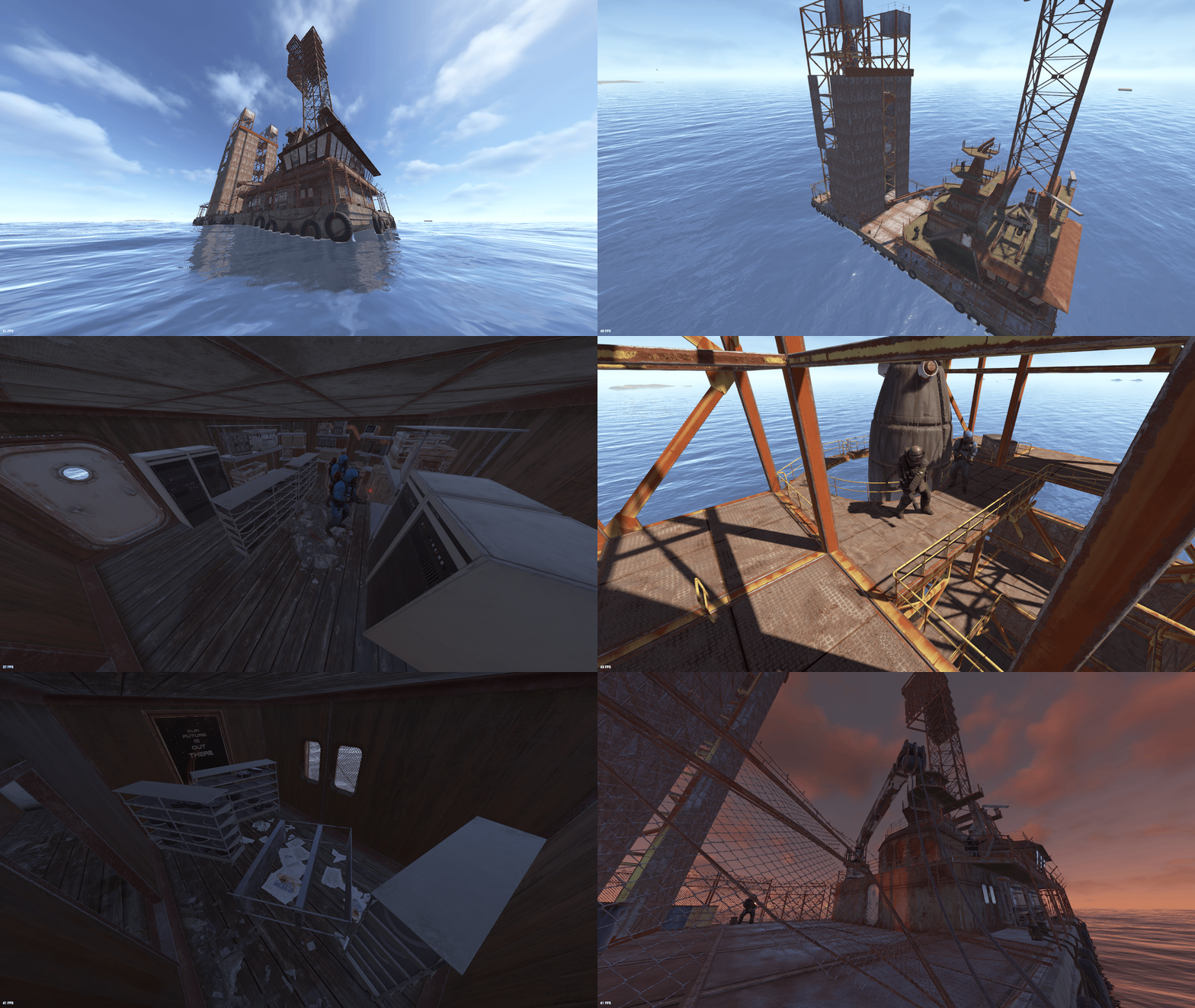
SeaLaunchPad — a large ocean monument for Rust featuring a massive offshore launch platform designed for exploration, PvP encounters, and custom map environments. The prefab combines industrial architecture, elevated structures, and detailed technical areas to create a unique location in the middle of the ocean. 🏗 Massive offshore launch platform Scientist NPCs guarding the territory Elite loot areas and valuable rewards ↕ Multi-level vertical gameplay 🛠 Detailed interior technical rooms Multiple combat and exploration zones Perfectly fits ocean biome custom maps 🛳 Industrial offshore atmosphere Technical Details: - RustEdit compatible - Optimized for stable performance - Easy to integrate into custom maps - Convenient to customize and expand - Suitable for Ocean Monument / Custom Map / PvP Zone Add a large-scale offshore launch platform to your Rust server and create a unique ocean experience. NPC Spawn and Volumes prefabs are used. For correct operation, install the RustEditExt library before starting the server.$4.99 -

Version 1.2.2
998 downloads
Adds homing missiles to the server. Just load the rocket launcher with a smoke rocket and aim. Require a smoke rocket to be used as the ammo type! Great damage system, you can set damage for all types of objects (buildings, animals, NPCs, players, trains, boats, helicopters and others) Great crafting system, you can customize the amount of resources needed to craft homing missiles, set the level of the workbench required for crafting You can customize crosshair size and color, aiming time, aiming sound You can set the type of rocket explosion, set rocket speed, self-detonation time and more You can set zones where you cannot use homing missiles, (you need the ZoneManager plugin) This plugin utilizes the smoke rocket. As it is not a item that players can usually get through loot it makes the perfect placeholder for this purpose. Simply use a plugin such as BetterLoot to insert the smoke rocket into your loot tables, then any smoke rocket that is picked up by a player can be used as a Homing Missile. Or you can just use the crafting system. Commands: /hmcraft - use to craft homing missiles (if enabled in the config) /hmcraft X - use to craft multiple homing missiles, where X is the amount of homing missiles This plugin uses the permission system. Permissions: homingmissiles.use - required to use homing missiles homingmissiles.craft - required to use the craft command To assign a permission, use: oxide.grant <user or group> <name or steam id> homingmissiles.use To remove a permission, use: oxide.revoke <user or group> <name or steam id> homingmissiles.use To assign a permission, use: oxide.grant <user or group> <name or steam id> homingmissiles.craft To remove a permission, use: oxide.revoke <user or group> <name or steam id> homingmissiles.craft Developer API: (void) LaunchHomingMissile(Vector3 launchPosition, Vector3 targetPosition, Vector3 startVelocity, BaseEntity target) Launches a homing missile from a point with coordinates "launchPosition" with velocity "startVelocity" (startVelocity can just be a Vector3.zero). You can set any "targetPosition" value if you have specified a "target". If you set the "target" to null, then the target will be the point with coordinates "targetPosition". Config file: { "Rocket display name": "Homing missile", "Rocket icon skinID": 3018993457, "Allow homing missiles crafting": true, "Workbench level required to craft(0-3)": 3, "Crafting costs": [ { "shortname": "ammo.rocket.basic", "amount": 1 }, { "shortname": "techparts", "amount": 2 } ], "List of zones where homing missiles cannot be used (requires ZoneManager plugin)": [ "111111111", "222222222", "333333333" ], "Make it so that only in these zones you can use homing missiles": false, "A message when you are in an area where homing missiles cannot be used": "You can't use homing missiles here", "Rocket speed": 50, "Rocket acceleration(1 - 10)": 1.0, "Amount of time before the rocket self detonates": 20.0, "Amount of time to acquire target lock(in seconds)": 1.0, "How quickly the target lock is lost if you lose the target(0-1)": 1.0, "First crosshair size": 24.0, "First crosshair color Red (0-1)": 1.0, "First crosshair color Green (0-1)": 0.0, "First crosshair color Blue (0-1)": 0.0, "Left side of the first crosshair": "<", "Right side of the first crosshair": ">", "Middle of the first crosshair": "+", "Second crosshair size": 24.0, "Second crosshair color Red (0-1)": 0.0, "Second crosshair color Green (0-1)": 1.0, "Second crosshair color Blue (0-1)": 0.0, "Second crosshair": "[ + ]", "Enable sound effects when aiming": true, "Base damage of the rocket(affect everything, including buildings)": 100.0, "Damage to players": 100.0, "Damage to animals": 500.0, "Damage to patrol helicopter": 3500.0, "Damage to chinook": 2000.0, "Damage to bradleyAPC": 500.0, "Damage to submarine": 400.0, "Damage to NPCs": 300.0, "Damage to snowmobile": 300.0, "Damage to boat": 400.0, "Damage to modular cars": 400.0, "Damage to hot air baloon": 1000.0, "Damage to scrap transport helicopter": 500.0, "Damage to minicopter": 750.0, "Damage to train": 500.0, "Explosion type: 1 - basic; 2 - fire; 3 - smoke; 4 - heli; 5 - heli napalm; 6 - heli airburst; 7 - sam; 8 - 40mm_grenade_he; 9 - c4; 10 - f1; 11 - beancan grenade; 12 - satchelcharge; 13 - mlrs": 13, "Use homing missiles for building blocks": false, "Use homing missiles for constructions": false, "Use homing missiles for items": false, "Use homing missiles for traps and turrets": false }$5.99 -
Version 1.0.5
171 downloads
CatapultSeat — a plugin that adds a full-fledged ejection system. It makes the Pilot Seat functional (by default it’s only a decorative object) and introduces a Custom Seat, which can be given to players or added to loot tables. Both seats are placed on the ground and serve as stationary ejection points. Additionally, the plugin allows players to eject directly from minicopters, attack helicopters, and transport helicopters, making aerial combat and movement far more dynamic and spectacular. CatapultSeat supports several ways to provide the ejection seat to players: Console command — administrators can manually give the item via console. Other plugins — use the shortname and skin from the config for integration. Loot tables — add the seat directly into loot through the plugin configuration. Chat commands (admin only) /givecatapult - give a catapult to yourself Console commands (RCON only) givecatapult userID amount - give a catapult to player Plugin Config en – example of plugin configuration in English ru – example of plugin configuration in Russian Check out the rest of my work: Adem's Codefling Library You can reach out to me in Discord: Adem's Discord Profile Join the Mad Mappers Discord!$9.99 -
Version 1.3.9
5,848 downloads
Take your players to new heights in the game of Rust, and get a few laughs watching people try to fly one for the first time! Introducing Jetpack! A plugin that allows your players to soar around like never before in the game of Rust. Grab this plugin and give your players something to talk about! Many functions have already been implemented like the ability to shoot while piloting a jetpack, and the plugin will continue to expand and grow with the community. You'll find the configuration covers almost anything you can think of, and you'll see a breakdown of the configuration file in the description below. By default you can simply press the middle mouse wheel to equip and remove the jetpack quickly, you can't run around once you've equipped it. You can customize loot crates the jetpack might appear in, and all of the stats from thrust to rotation and all of the other controls. Be sure to check the permission section and feel free to use the command creatively to give jetpacks as an award for completing other tasks on your server using the commands provided. Make sure you have some lowgrade handy, let's take to the skies! Сontrols Space bar - thrust W/S keys - pitch axis A/D keys - yaw axis Chat commands (check config for permissions) /jet - toggle jetpack on & off /givejetpack - give a jetpack to yourself Console commands (admin only) givejetpack - give a jetpack to yourself givejetpack SteamID - give a jetpack to player using their SteamID Plugin config en – example of plugin configuration in English ru – example of plugin configuration in Russian Check out the rest of my work: Adem's Codefling Library You can reach out to me in Discord: Adem's Discord Profile Thanks to Jbird for writing, translation, & support: Jbird's Discord Profile Join the Mad Mappers Discord!$19.99 -
Version 1.0.2
65 downloads
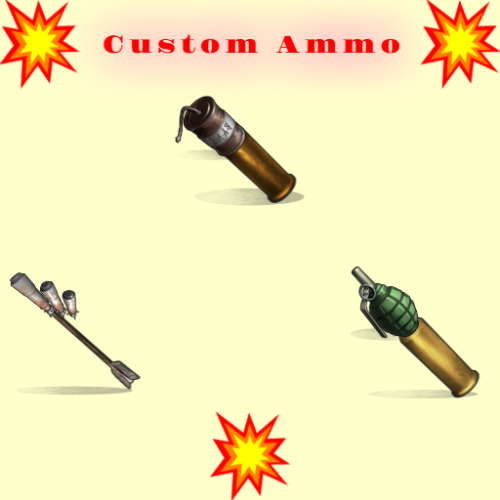
Shooting is fun , but even more fun is when with your bullet/arrow fly some grenade or maybe rocket or what ever ! SHORT INFO : When you shot regular bullet/arrow if you have customm ammo,and if is activated you will fire that custom ammo also on spot where your bullet/arrow hit ! Make custom ammo , chose what will be that custom ammo (what ever you like) , what weapons can use it , extra boom damage , amount of boom, spread radius of boom . That custom ammo will explode on impact ! HOW AND WHAT : To use custom ammo , when holding weapon in hands , you need to have custom ammo in inventory and activate it with middle mouse button . UI will open with useful info , how much custom ammo you have ,how much you need to fire it , and if there is cooldown between shots you see timer . If you have custom ammo when you fire that custom ammo will fire also . If you have more types of ammo for that weapon , UI will open where you can chose what ammo you will use ! MAKING NEW CUSTOM AMMO : You can make infinitive ammo item types . "Prefab Type": "assets/prefabs/npc/sam_site_turret/rocket_sam.prefab", ///// HERE YOU CHOSE WHAT IS THAT AMMO , WHAT WILL BE FIRED "ItemShortname": "sticks", ///// YOU CAN CHANGE SHORTNAME TO WHAT EVER. "SkinID": 3474702139, ///// SKIN WHAT EVER YOU LIKE . "ItemDisplayName": "Explosive Arrow", ///// NAME OF THAT CUSTOM ITEM . "Bonus Damage Amount": 0.0, ///// SO EVERY PREFAB/ITEM HAVE HIS DMG , SO THIS IS EXTRA DMG , REGULAR DAMAGE + BONUS DAMAGE "Cooldown Seconds": 0.0, ///// WILL THERE BE COOLDOWN BETWEEN SHOOTING CUSTOM AMMO "Amount To Spawn": 1, ///// HOW MUCH BOOM IT WILL TRIGGER ON SHOT , EXAMPLE 5 , SO 5 ROCKETS WILL FLY ON HIT POINT "Radius Spread": 0.0, ///// IF YOU USE AMOUNT MORE THAN 1 , WHAT SPREAD WILL BE BETWEEN FIRED AMMO "Weapon List": [ { "Shortname": "bow.hunting", "SkinID": 0 }, { "Shortname": "bow.compound", "SkinID": 0 }, ///// YOU CAN ADD WHAT EVER WEAPON HERE ,WITH SKIN OR WITHOUT SKIN { "Shortname": "crossbow", "SkinID": 0 }, { "Shortname": "minicrossbow", "SkinID": 0 } PERMISSION : customammo.give - need to have to use give command CHAT/CONSOLE COMMAND : Chat : /giveammo [player] <Ammo Display Name> [amount] Optional player name and amount ! Console: giveammo <player ID/name> <Ammo Display Name> [quantity] Optional amount !$8.00 -
Version 1.1.0
170 downloads
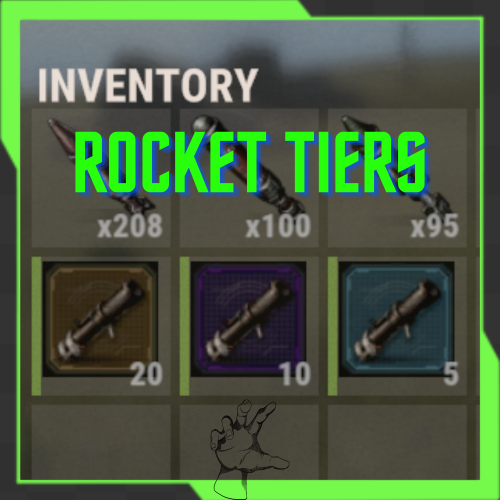
RocketTiers is a Rust Oxide plugin that adds 3 tiers of custom rocket launchers with different magazine capacities and unique skin IDs. Each tier is fully configurable and comes with its own chat commands, permissions, and shop integration support. Features 3 Rocket Launcher Tiers with different capacities Unique Skin IDs for each tier Fully Configurable via JSON config file Permission-based access control Chat Commands for players Shop Integration ready Auto-reload on equip (configurable) Starts with full magazine (configurable) Installation Download the plugin file Place RocketTiers.cs in your oxide/plugins/ folder Reload the plugin or restart your server A config file will be generated at oxide/config/RocketTiers.json Commands Player Chat Commands CommandDescriptionRequired Permission /rocket1 Gives you Rocket Tier 1 (5 rockets) rocket.tier1 /rocket2 Gives you Rocket Tier 2 (10 rockets) rocket.tier2 /rocket3 Gives you Rocket Tier 3 (20 rockets) rocket.tier3 /rocketlist Lists all available rocket tiers None Config File Example { "Launcher Shortname": "rocket.launcher", "Tier 1 - Skin ID": 3717048444, "Tier 1 - Capacity": 5, "Tier 2 - Skin ID": 3717048386, "Tier 2 - Capacity": 10, "Tier 3 - Skin ID": 3717048331, "Tier 3 - Capacity": 20, "Auto Reload On Equip": true, "Give Rockets With Launcher": true, "Rocket Ammo Type": "ammo.rocket.basic", "Command Cooldown (Seconds)": 5 } Permissions oxide.grant user <playername> rocket.tier1 oxide.grant user <playername> rocket.tier2 oxide.grant user <playername> rocket.tier3 Plugin Information Author: MaxSilverhand [Support me on PayPal]Free -
Version 1.6.3
81 downloads
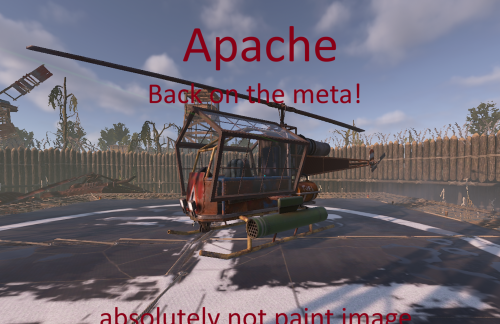
Apache (Attack Heli Rocket Selector + Armored Windows + Player Cooldown) The Apache plugin turns the Rust attack helicopter into a fully customizable, player-controlled combat platform with advanced weapon systems, smart rocket handling, and experimental features you won’t find anywhere else. Apache is a lightweight, server-friendly Rust plugin that upgrades the Attack Helicopter rocket pod into a configurable multi-ammo system with clean in-game controls and full balancing options. Players can cycle rocket types with the USE key (E) while piloting, and the helicopter will fire the selected rocket type as long as ammo is available. When a type runs out, Apache will announce “out of ammo” and automatically switch to the next available enabled type. Features Rocket type selector (Pilot only) Press E to cycle through enabled rocket types Shows chat feedback: selected type, remaining ammo, and cooldown Gunner support The gunner can also fire the rockets The gunner can aim the rockets using the built-in helicopter monitor Supported ammo types HV Basic Incendiary MLRS SAM Out-of-ammo intelligence Warns at 0 ammo Announces what rocket type will be used next Automatically switches to the next available enabled type Per-rocket balancing Separate cooldown, launch speed, and up-bias (trajectory lift) for each rocket type Configurable Helicopter HP Server owners can control how durable the Apache is by adjusting the helicopter's max health in the configuration. Alternating launch positions Uses Left/Right local offsets (configurable) so you can align firing to your pod locations Optional armored windows Toggle armored window on/off from config Permission system apache.admin → unlimited spawns + admin tools apache.player → cooldown-limited spawns Player spawn cooldown Configurable X hours per spawn for players with apache.player Stores cooldown data in a data file Admin reset /apache reset wipes cooldown data and starts fresh Works with /shop plugin You can use spawn.apache %steamid% Default Configuration Behavior (Important) On first run, Apache auto-generates the config with most rocket types disabled by default. Enabled by default: HV Disabled by default (must be enabled manually in the JSON if you want them): Basic MLRS SAM Incendiary This is intentional for safety/balance: the server owner enables only the rocket types they want by editing the .json configuration file. Commands F1 Console: spawn.apache Spawns an Apache for yourself (with admin permission without cooldown). spawn.apache <steamid|name> Spawns an Apache for a target player (admin only without cooldown). Chat commands: /apache Same behavior as spawn.apache (for players with cooldown configured in .json). /apache reset (admin only) Wipes stored cooldown data and resets all player spawn timers. Permissions apache.admin Admin usage: unlimited spawning, spawning for others, and reset command. apache.player Player usage: allows self-spawn with configurable cooldown. Configuration Apache generates a JSON config with: Enable/disable each rocket type (also blocks inserting disabled ammo into the pod) Armored windows on/offLeft & Right launch offsets (local heli space) Local offset axis reminder: X = left(-) / right(+) Y = up(+) Z = forward(+) Per-rocket: Cooldown (seconds) Launch speed Up bias (adds a small upward lift to trajectory) Notes / Compatibility Designed to be server-friendly: only affects plugin-spawned helicopters Works without requiring players to bind keys (uses E / USE) Your first configs: { "EnableArmoredWindows": true, "HelicopterMaxHealth (min: 850, max: 9999)": 850.0, "PlayerSpawnCooldownHours": 6.0, "HV": { "Enabled": true, "CooldownSeconds": 1.0, "LaunchSpeed": 65.0, "UpBias": 0.02 }, "Incendiary": { "Enabled": false, "CooldownSeconds": 1.0, "LaunchSpeed": 40.0, "UpBias": 0.02 }, "Basic": { "Enabled": false, "CooldownSeconds": 1.0, "LaunchSpeed": 40.0, "UpBias": 0.02 }, "MLRS": { "Enabled": false, "CooldownSeconds": 1.0, "LaunchSpeed": 70.0, "UpBias": 0.03 }, "SAM": { "Enabled": false, "CooldownSeconds": 0.8, "LaunchSpeed": 85.0, "UpBias": 0.02 }, "LeftOffsetLocal": { "x": -2.0, "y": -0.5, "z": 3.0 }, "RightOffsetLocal": { "x": 2.0, "y": -0.5, "z": 3.0 } }$24.00 -

Version 1.0.1
40,287 downloads
Turns the currently useless smoke rockets into fun javelin rockets! Requires permission `javelin.use` to function Very basic and barebones. To do: Customization of settings Acceptable skin ID's of the smoke rocket for compatibility of other plugins More accurateFree -
Version 1.0.5
64 downloads
## RocketWeapons Transform weapons into rocket-firing weapon. Supports all ranged and melee weapons — including custom shortnames and skins. Fine-tune rockets per shot, spread, speed, and cost per weapon. Throwables and water guns are not supported. ### Key Features - Toggle with /rocketweapons or enable Always-On for all players - Permission controlled via "rocketweapons.use" - Define rocket type per shortname - Fallback mapping for non-ammo weapons (e.g. water pistol, snowball gun) - HUD icon shows which rocket type is active - Override weapon display name via config ### Blacklist SkinID - Blacklist specific SkinIDs via config - Blacklisted skins will not trigger RocketWeapons - Requires CustomName (display name override) to function - Prevents abuse from owned/purchased skins - Fully compatible with custom loot systems Spawn Weapons via RocketWeapons Chat: /giverw player givecommand Console: giverw player givecommand ### Rocket Types 0 = None • 1 = Basic • 2 = HV • 3 = Fire ### Configuration Example { "Toggle command": "rocketweapons", "Enable rocketweapons command for players": false, "Rocketweapons always on": true, "HUD Icon Size (percent)": 5.0, "HUD Offset From Right (px)": 435.0, "HUD Offset From Bottom (px)": 25.0, "Blacklist SkinID": [ 2056471683, 3693688702 ], "Weapons": [ { "shortname": "rifle.ak", "customname": "", "skinid": 0, "GiveCommand": "ak", "rocketspershot": 4, "consumedrocketspershot": 0, "rockettype(0=basic 1=hv 2=inced)": 0, "spreaddegrees": 10.0, "speedmultiplier": 1.0, "attachment blacklist": [ "weapon.mod.extendedmags" ] }, { "shortname": "hammer.salvaged", "customname": "", "skinid": 0, "GiveCommand": "salvagedhammer", "rocketspershot": 4, "consumedrocketspershot": 0, "rockettype(0=basic 1=hv 2=inced)": 0, "spreaddegrees": 10.0, "speedmultiplier": 1.0, "attachment blacklist": [] }, { "shortname": "snowballgun", "customname": "", "skinid": 0, "GiveCommand": "snowballgun", "rocketspershot": 4, "consumedrocketspershot": 0, "rockettype(0=basic 1=hv 2=inced)": 0, "spreaddegrees": 10.0, "speedmultiplier": 1.0, "attachment blacklist": [] } ] } Installation 1. Upload RocketWeapons.cs → oxide/plugins 3. Configure oxide/config/RocketWeapons.json 4. Grant Permission oxide.grant user STEAMID rocketweapons.use oxide.grant user STEAMID rocketweapons.give$22.00 -
Version 1.0.4
41 downloads
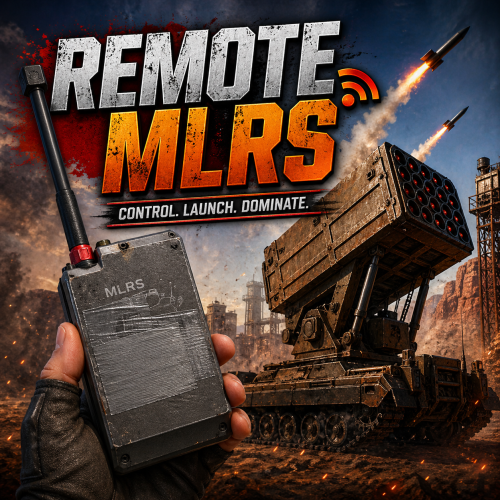
The Remote MLRS plugin allows your players to remotely launch MLRS rockets without having to go to an RT with the MLRS station. An RF remote is used to fire the rockets. The plugin uses a permission system where you can configure the number of rockets per launch and the cooldown for reuse. You can also set a skin ID for the remote and configure loot crate drops. The plugin supports IQWipeBlock and WipeBlock. Additionally, it can be configured to allow rocket launches even if there’s no MLRS station on the server map. Three language files are included by default (ENG, RU, UK). I also recommend checking the demo: DEMO CONFIGURATION { "Allow Launch Without MLRS In Map": true, "Detonator Durability Loss per Use (%) (0 to disable)": 25.0, "Ignore Wipe Block": false, "Rf Transmitter Skin ID": 0, "Enable Rf Transmitter Drops": false, "Enable Custom Frequency": false, "Required Frequency": 5555, "Enable Plugin Prefix": true, "Plugin Prefix": "[Remote MLRS]", "Plugin Prefix Color": "#ff0000", "Log To Console": true, "Log To Discord": false, "Discord Webhook URL": "https://support.discord.com/hc/en-us/articles/228383668-Intro-to-Webhooks", "Container Drop Settings": { "crate_elite": { "Drop Chance (%)": 5.0, "Enable Drops For This Container": true }, "crate_normal": { "Drop Chance (%)": 1.0, "Enable Drops For This Container": true } }, "Permission Groups": { "remotemlrs.launcher.basic": { "Cooldown Between Uses (seconds)": 600.0, "Maximum Rockets Per Launch": 6 }, "remotemlrs.launcher.advanced": { "Cooldown Between Uses (seconds)": 300.0, "Maximum Rockets Per Launch": 12 }, "remotemlrs.launcher.elite": { "Cooldown Between Uses (seconds)": 0.0, "Maximum Rockets Per Launch": 24 } } }$10.00 -
Version 3.1.1
27 downloads
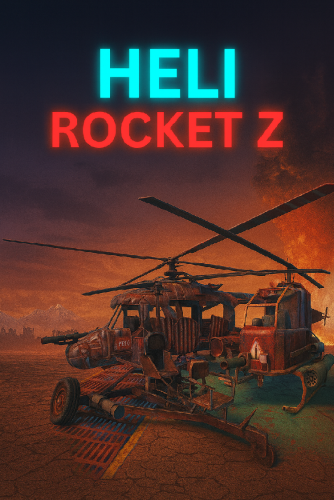
Transform your aerial and ground combat in Rust with the HeliRocket plugin! Fire HV and Basic rockets from your Mini Cooper or Scrap Transport Helicopter with ease. Use the primary attack button to unleash HV rockets from the driver's seat, and the secondary attack button to rain down basic rockets. Upgrade your vehicle's firepower and dominate the battlefield! Detailed Properties: Works only with HV and Basic rockets if you have them in your inventory or have the no-ammo permission. Permission for no ammo needed Configure the time between shots Notification message when mounted on a modular car, configurable in settings Enable options for Minicopter and Scrap Transport Helicopter in the config Crosshair Config: { "Cooldown time in sec": 2, "Enable minicopter rockets": true, "Enable scraptransportcopter rockets": true, "Enable mount message": true } Permissions: HeliRocketZ.NoNeedAmmo HeliRocketZ.Tier1: ▵ 5.56 HeliRocketZ.Tier2: ▵ 5.56 + rockets HeliRocketZ.Tier3: ▵ 2X 3X 5.56 + 2X 3X rockets 31 Language Files I guarantee the functionality of the plugin as described. However, I cannot take responsibility for conflicts or issues arising from incompatibility with third-party plugins or themes. Please take this into account before purchasing. I will list all known compatibility details in the product description.$25.00 -

Version 1.1.3
210 downloads
Allows players with permission to shoot rockets from any weapon of their choice! List of rocket prefabs: assets/prefabs/ammo/rocket/rocket_basic.prefab (this is the default) assets/prefabs/ammo/rocket/rocket_fire.prefab assets/prefabs/ammo/rocket/rocket_hv.prefab assets/prefabs/ammo/rocket/rocket_smoke.prefab A list of Rust item shortnames can be found here. Permissions ubergun.use Configuration { "Uber weapon (shortname)": "snowballgun", "Uber weapon (skin id): 0, "Unlimited ammo": true, "Unlimited durability": true, "Rocket speed (higher = faster)": 250, "Rocket damage": 100.0, "Rocket type (prefab)": "assets/prefabs/ammo/rocket/rocket_basic.prefab" }$5.00 -
Version 1.0.5
70 downloads
Cluster rockets - this plugin allows you to give unique cluster rockets to players. After rocket explosion it will create configured number of 40mm explosive grenades around it. WARNING! Plugin will work correctly only with rockets loaded into rocket launcher. Sam missiles or any other interaction with external plugins won't work. Plugin config variables { "SkinId": 3241394422, "AmmoShortName": "ammo.rocket.basic", "DisplayName": "Cluster Rocket", "GrenadesToDrop": 12, "Rocket explosion time after launch seconds Minimal": 5, "Rocket explosion time after launch seconds Maximum": 10 } Commands: clusterrockets.give <name or steamID> <amount> - give rockets to player How it works? Contacts: Need help or custom plugin for your server? Contact me using Discord: metangerine ----------------------------------------------------------------------$9.99 -
Version 0.0.5
238 downloads
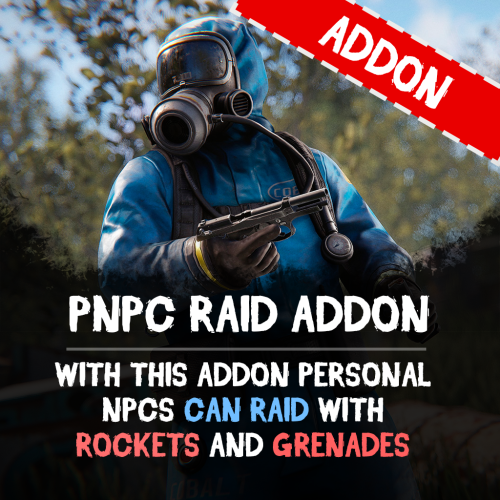
This addon for the PersonalNPC plugin allows bots to use rocket and grenade launchers to attack buildings, players and NPCs, making raids more intense and dynamic. Features: AI Raiding • Bots use rocket launchers and grenade launchers to destroy buildings and eliminate enemies. • Uses ammo from inventory or infinite ammo mode (configurable in settings). • Compatible with Multiple Grenade Launcher, Rocket Launcher, and even the Snowball Gun! Customizable Attack Settings • Adjust attack cooldowns for each weapon type. • Choose default projectiles for bots with infinite ammo mode enabled. • Setup bot behavior and efficiency in raids. How to Use: Spawn a bot from the PersonalNPC plugin. Equip it with a rocket or grenade launcher. The bot will attack buildings, players, or other NPCs! Requirements: • PersonalNPC Plugin See it in Action! Watch the Video Configuration: { "Permission to use this addon on all bots of player (not required)": "pnpcaddonraid.override-setup", "Multiple Grenade Launcher Setup": { "Attack Cooldown (leave 0 to use default cooldown for current weapon)": 0.0, "Default projectile prefab (used if infinite ammo is enabled)": "assets/prefabs/ammo/40mmgrenade/40mm_grenade_he.prefab" }, "Rocket Launcher Setup": { "Attack Cooldown (leave 0 to use default cooldown for current weapon)": 0.0, "Default projectile prefab (used if infinite ammo is enabled)": "assets/prefabs/ammo/rocket/rocket_basic.prefab" }, "Snowball Gun Setup": { "Attack Cooldown (leave 0 to use default cooldown for current weapon)": 0.0, "Default projectile prefab (used if infinite ammo is enabled)": "assets/prefabs/misc/xmas/snowball/snowball.projectile.prefab" } }$9.90 -
Version 1.0.0
17 downloads
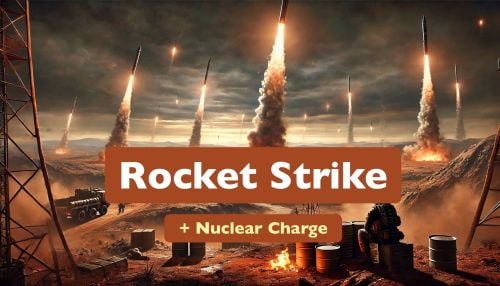
Rocket Strike - the ultimate event that allows you to create missile strikes anywhere on the map, in any quantity, any radius and with all possible settings. A unique feature is the creation of nuclear charges that create radiation zones after the explosion. The following types of rockets are supported: regular, fire, high-speed, MLRS. The configuration file allows you to manage all aspects of the event: - projectile type for a missile strike - random projectiles - explosion radius - number of missiles in launch - nuclear charge - nuclear charge strength - radius and duration of the radiation zone - event frequency - markers on map - marker on map after explosion (different color) - sound siren - notifications in chat (for all or for nearby players) - damage multipliers - loot after explosion Permissions Requires: rocketstrike.rs Chat commands /rs call (/rs - alias) - takes your position as the center point for launching rockets and using the "Default" preset /rs onme takes your position as the center point for launching rockets and using the "OnMe" preset /rs start - event start (the rocket strike will not start immediately, it will be scheduled according to the configuration settings) /rs stop - stops the event if it was started and scheduled Configuration Event settings "EventSettings": { "autoStart": false, // automatically schedule an event to run after the plugin is installed "startAtRandomTime": true, "randomTimeRangeFrom": 120, // minutes "randomTimeRangeUpTo": 180, // minutes "repeatTimeInterval": 45, // minutes "rocketsLaunchPreset": "Default", // selected launch preset "randomRocketsLaunchPresets": false } Presets 1 preset in the example below: "LaunchPresets": { "Default": { "soundAlarm": true, // play sound alarm on launch start "soundAlarmDuration": 11, // seconds "chatNotifications": true, // notify players "chatNotificationsForNeardbyPlayersOnly": false, // notify only nearby players "showMapMarker": true, // show markers on the map (both: red and orange) "mapMarkerLootingStageDuration": 10, // duration in minutes for the orange marker "noDamage": false, // turns damage off "dropLoot": true, // allows to control loot drop "dropLootMultiplier": 1.0, // multiplier for the loot amount dropped by each projectile "maxRadius": 350, // rocket launch zone max radius "minRadius": 250, // rocket launch zone min radius "maxRocketsAmount": 12, // max 12 rockets in one launch "minRocketsAmount": 7, // min 7 rockets in one launch "maxDuration": 120, // seconds "minDuration": 60, // seconds "damageMultiplier": 1.0, // global damage multiplier that affects each projectile "projectiles": [ "NuclearMLRSRocket" // projectile type ] } } Projectiles configuration 1 projectile in the example below: "Projectiles": { "NuclearMLRSRocket": { // name used in a launch presset "damageMultiplier": 3.0, // projectile damage multiplier for each damage type "explosionRadius": 45, // meters "minExplosionRadius": 25, // meters, minimum radius "gravityModifier": 0, // affects projectile velocity "velocity": 35, // projectile velocity "nuclearCharge": true, // if "true” a nuclear charge will be added to the projectile "nuclearZoneRadius": 50, // meters, radiation zone radius after the explosion "nuclearZoneRadiationAmount": 55, // radiation damage in the zone per second "nuclearZoneDuration": 5, // minutes "prefab": "ammo.rocket.mlrs", // game object used for this projectile "additionalDamageTypes": [ // additional damage type { "type": "Radiation", // types list is available in the plugin file "damage": 1000 } ], "itemOnLootDropSpot": "assets/content/structures/excavator/prefabs/diesel_collectable.prefab", // spawns this item on each explosion spot "dropLootList": [ // list of loot to spawn { "item": "metal.fragments", "min": 500, "max": 1000 }, { "item": "sulfur", "min": 300, "max": 1000 }, { "item": "lowgradefuel", "min": 250, "max": 500 }, { "item": "charcoal", "min": 500, "max": 1000 }, { "item": "explosives", "min": 3, "max": 12 } ] }}$22.00 -
Version 0.0.3
281 downloads
This is a harmony plugin that prevents the new Attack Helicopters from being able to use Incendiary Rockets. The rockets will not be able to be put into the helicopters rocket storage, and thus will not be able to be used. This is perfect for battlefield servers, or high multiplier servers that don't want incendiary rockets spammed everywhere. Just place this plugin in your plugins folder like any other plugin. This plugin does use harmony, but does so while still remaining a .cs file. As such, it needs to be placed in the plugins folder. DO NOT put it into the harmonymods folder, as it will not work.Free -
Version 1.1.0
38 downloads
Rocket Event This plugin will add a new event to your server, which will diversify your server. Product Features Automatic generation of positions for any map. Detailed loot setup Possibility of manual start-up(/rocket || /rocketoff – only for admin Maximum optimization of the plugin in order to reduce the load on your server! PLUGIN CONFIG I also make unique custom plugins, you can contact me at discord - CASHR#6906 VIDEO REVIEW$20.00 -
Version 1.5.2
2,661 downloads
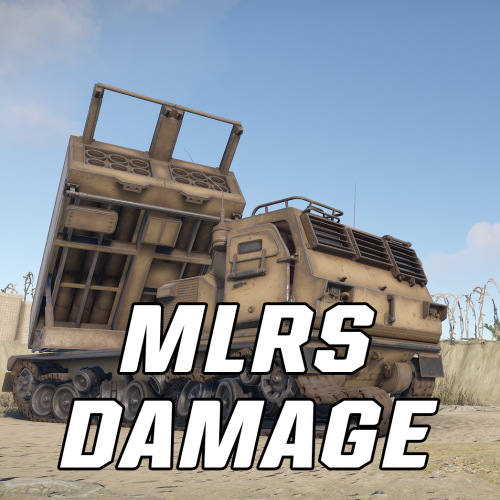
A must have for PVE servers! Allows you to modify the damage rate of the MLRS for Player bases, raidable/abandonded bases, and NPCs. Also allows you to adjust the cooldown timer of the MLRS. Console Commands mlrsdamage.damage <amount> - Changes damage multiplier amount. mlrsdamage.cooldown <amount> - Changes server cooldown timer for MLRS mlrsdamage.pvp <true/false> - Enable/Disable player pvp damage done by MLRS mlrsdamage.pvpbase <true/false> - Enable/Disable player base damage done by MLRS mlrsdamage.raidable <true/false> - Enable/Disable raidable/abandoned base damage done by MLRS mlrsdamage.npc <true/false> - Enable/Disable NPC damage done by MLRS mlrsdamage.rockets <amount> - Change total capacity of rockets able to be fired by MLRS mlrsdamage.module {true/false} - Enable/Disable the need for an Aiming Module mlrsdamage.interval {amount} - Change the interval between rocket launches Configuration "MLRS Settings": { "MLRS Damage Multiplier": 1.0, // scale at which the MLRS does damage "Allow Damage to Player entities": true, // allow damage to player owned entities "Allow Damage to Players": true, // allow damage to players "Allow Damage to Raidable and Abandoned Bases": true, // allow damage to Raidable or Abandoned Bases "Allow Damage to NPCs": true, // allow damage to NPCs on the map "MLRS Cooldown time (in minutes)": 10.0 // cooldown timer for MLRS, default is 10 "Total Rockets for MLRS to fire": 12 // total number of rockets to shoot in a single barrage, default is 12 "Rocket Launch Interval (in seconds)": 0.5, // time inbetween rocket launches. Must be positive, but can cause issues if set lower than 0.1 "Requires Aiming Module": false // When set to true, an aiming module is always put in the MLRS and is locked from being looted by players }Free -

Version 1.0.2
45 downloads
English: Add a spectacular display to your Rust server with the RocketDeath plugin! This unique plugin brings an explosive touch to your server by triggering an impressive firework rockets show when a player dies. Features: Automatic Rocket Show: When a player with the "rocketdeath.use" permission dies, the plugin automatically triggers a firework rocket show starting at the location of the death. Customizable Number of Rockets: The number of rockets fired upon a death can be easily changed through the configuration file. By default, it's set to 3 rockets per death. Simple Permission Management: Use the "rocketdeath.use" permission to control which players can trigger the rocket show upon their death. Flares for Visual Effects: In addition to rockets, flares are also deployed at the location of the death, creating a more vibrant and captivating light show. Give your server a unique touch with the RocketDeath plugin and provide your players with an unforgettable gaming experience! Get the RocketDeath plugin today and light up the sky! -------------------------- Deutsch: Verleihen Sie Ihrem Rust-Server mit dem RocketDeath-Plugin eine spektakuläre Darstellung! Dieses einzigartige Plugin verleiht Ihrem Server eine explosive Note, indem es beim Tod eines Spielers eine beeindruckende Feuerwerk-Raketen-Show auslöst. Funktionen: Automatische Raketen-Show: Wenn ein Spieler mit der Berechtigung "rocketdeath.use" stirbt, löst das Plugin automatisch eine Feuerwerk-Raketen-Show an der Stelle des Todes aus. Anpassbare Anzahl von Raketen: Die Anzahl der beim Tod abgefeuerten Raketen kann leicht über die Konfigurationsdatei geändert werden. Standardmäbig sind es 3 Raketen pro Tod. Einfaches Berechtigungsmanagement: Verwenden Sie die Berechtigung "rocketdeath.use", um zu kontrollieren, welche Spieler die Raketen-Show bei ihrem Tod auslösen können. Leuchtkörper für visuelle Effekte: Zusätzlich zu Raketen werden auch Leuchtkörper an der Stelle des Todes eingesetzt, um eine lebendigere und fesselnde Lichtshow zu erzeugen. Verleihen Sie Ihrem Server mit dem RocketDeath-Plugin eine einzigartige Note und bieten Sie Ihren Spielern ein unvergessliches Spielerlebnis! Holen Sie sich noch heute das RocketDeath-Plugin und lassen Sie den Himmel erleuchten!$6.50 -
Version 1.0.0
466 downloads
Explosion Damage Reducer change damage value of Rockets, High Velocity Rockets and HE Grenades to players. Just anti noob pvp # Configuration Values are in % { "Apply reduced damage to the attacker": false, "Rocket": 100, "High Velocity Rocket": 100, "HE Grenade": 100, "version": { "Major": 1, "Minor": 0, "Patch": 0 } }Free -
Version 2.1
39 downloads
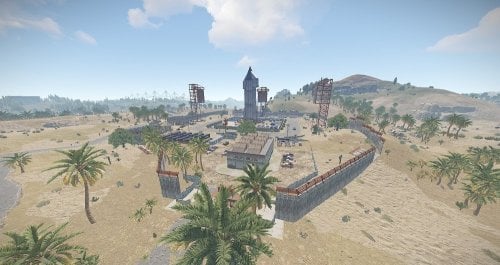
Welcome to the SpaceX Launch site, this is a smaller/cooler replacement to the launch site. You can explore the inside of the Starship, it has 7 accessible floors, 2 elevators, and 1 main loot room. You will need a green and red key card and 1 fuse to enter all areas of the launch site. Bradley is patrolling the outside of the Starship. +Radiation zones good replacement for the current launch site. Prefab Count 904 Please make yourself aware of the TOS-Restrictions for use. If you have any problems you can contact me on discord DocNorris#5423$9.99 -
Version 2.1.0
5 downloads
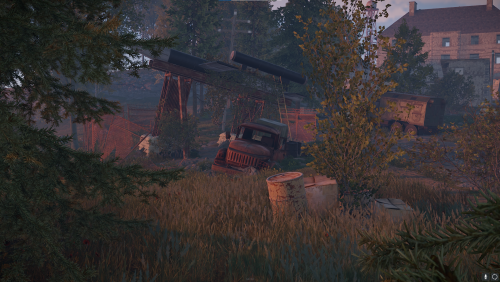
Several custom prefabs for Rust by KBEdits, WWII themed add on custom Prefabs that can make any server more fun. These standalone prefabs have a military theme to them, they can fit in with any existing map. These add on prefabs are featured on KBEdits WWII 2k Map These prefabs are standalone, this means they do not have any prefab modifiers. They are designed to be placed and blended with ease. Contains Submarine (u-boat) 207 prefabs WWII V1 (Doodle-Bug) 91 prefabs WWII V2 Rocket 276 prefabs WWII Landing Craft 241 prefabs The images show the possible use/placement of the prefabs, there is no prefab modifiers and images only depict the uses of these prefabs. live server to view the terrain and monument. steam://connect/138.201.225.182:28015 KBEdits WWII Duo/Trio Server For Support and help if needed Join KBEdits main RustEdit Discord https://discord.gg/3DYPGMxG5s For the prefabs to function correctly, you will need the Oxide.Ext.RustEdit.dll extension installed on your server. As always, credit has to go to Bran and Cobalt for work on these prefabs. Thanks guys$24.95-
- 3
-

-
-
- #kbedits
- #knockcree
- (and 11 more)
.thumb.gif.b68fcc45abe70ab7d7235dffc8a0c770.gif)