Search the Community
Showing results for tags 'rustplugin'.
Found 23 results
-
Version 8.8.11
3,039 downloads
XDQuest: A comprehensive and customizable quest system for your RUST server! XDQuest is a powerful and flexible plugin that introduces a comprehensive and dynamic quest system into your game world. With 31 different types of missions available for players, the possibilities are almost limitless. Players receive various rewards for completing missions, adding even more incentive to accomplish tasks. At the moment, this is the largest and only quest system available! XDQuest is your key to creating endless adventures in the world of RUST. List of features: (The description briefly outlines the functionality and includes screenshots.) Interactive website for creating quests: XDQuest-Creater - On my website, you can easily and quickly create quests. Forget about manually editing JSON files — my user-friendly interface will make the quest creation process simple and enjoyable! The plugin offers four types of rewards: Items Blueprints Custom items Commands It integrates perfectly with various economic systems, and also supports Skill Tree and ZLevels. List of missions Mission setup Reward setup Detailed instructions and settings on the website: XDQuest-Creater - My website features clear and informative instructions that will help you configure the plugin and master all types of missions. You will gain access to it immediately after purchasing the plugin. Discover the simplest and most effective way to configure using my guide! Beautiful and modern UI: The stylish and intuitive interface makes using XDQuest simple and enjoyable. There is a mini-quest list that allows your players to remotely track the progress of their missions. UI UI Mini quest list Example of UI customization (Rusty Wasteland PvE) Capabilities and NPC settings: NPCs have their own voice-overs; currently, they can respond to the user on 4 triggers: 1.Greetings 2.Farewells 3.Task acceptance 4.Task completion You can also upload and use your own sounds for any of these 4 triggers, and the website will assist you with this as well. Dress your NPC however you like and create a unique appearance for them. There is an option to change the location of the NPC. Your NPC resides in a unique dwelling created in accordance with their character and backstory. Available types of missions: Currently, there are 24 different types of tasks available: (The types of missions are constantly being updated) (16 pre-set quests included) Command: Chat commands: /quest.saveposition - saves a custom position (available only to administrators). /quest.saveposition.outpost - saves a custom position within the bounds of a peaceful town (available only to administrators). /quest.tphouse - teleport to a building (available only to administrators). Console commands: xdquest.stat - publishes statistics. xdquest.player.reset [steamid64] - Clears all of a player's missions and everything associated with them. Configuration: Discord - DezLife Website editor - xdquest.skyplugins.ru$37.99- 209 comments
- 24 reviews
-
- 13
-

-

-
- #customizablequests
- #dezlife
- (and 5 more)
-
Version 3.9.3
2,040 downloads
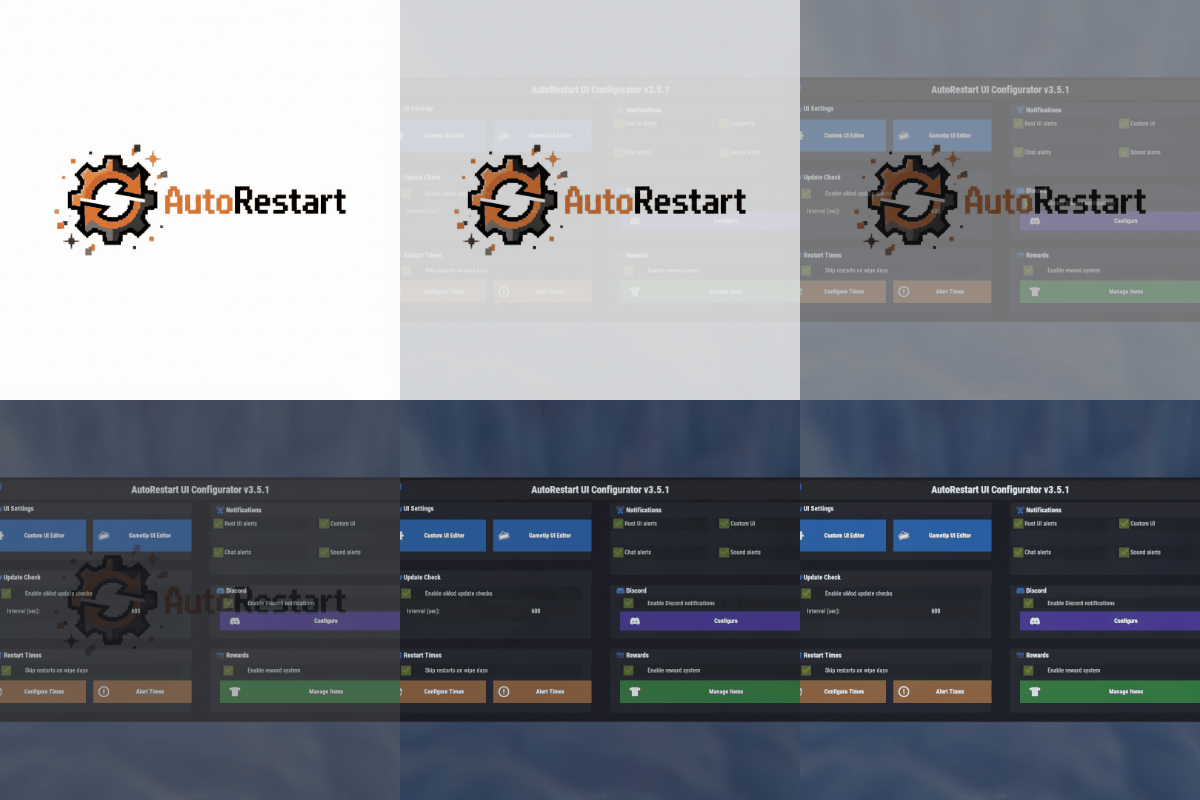
AutoRestart is an advanced and fully configurable plugin to facilitate automatic restarts of Rust servers, ensuring consistent performance and minimizing downtime through effective scheduling and notifications. The plugin has been tested in Pterodactyl and Wisp without problems. Windows could have problems due to how each administrator has configured their bat file and that may cause the plugin to not be able to start the server again.$15.99- 115 comments
- 9 reviews
-
- 5
-
-
-
- #restart
- #rustplugin
- (and 5 more)
-
Version 1.0.4
125 downloads
UltimateQuests is a quest plugin where the quest is the event. Most quest plugins watch your inventory and tick a counter. Here a step picks a spot on the map, marks it for you, and builds something on it: a patrol helicopter over a cargo drop, six shooters dug in behind a treeline, a shark circling a crate on the seabed. You clear it, take what is inside, and carry it back to the man who sent you. The zone belongs to the player who took the quest and gets placed the moment they take it, so two people running the same quest are not standing in the same field, and the next player who takes it goes somewhere else. Of the 45 quests in the box, 17 stage a zone like that, two put you on a butchering point you have to hold out in the open, and one hands you loot that anyone who kills you can take off your corpse. The rest is the gathering, crafting and hunting work that feeds them. All 45 ship with the plugin in English and Russian, laid out in a tree that opens up as players work through it. How they reach a player is your call: quest givers standing at monuments that you walk up to and talk to, or a menu that hands out the same work without a single NPC on the map. Both tracks sit inside ServerPanel as their own category if you run it. Everything after that is yours too: objectives, dialog, rewards, zones, and where the NPCs stand. Features of UltimateQuests Any step can stage its own event: the plugin places a zone, marks it on the map, spawns whatever lives in it and clears the whole thing away when the step ends What goes in a zone: NPC waves built from your own presets, animals, a patrol helicopter, loot containers you fill yourself, and loot that stays locked until the area is cleared or a survival timer runs out Zones place themselves per player and per run. Pick Sea, Land, Beach, Monument or the player's own base, and the plugin searches for a spot that fits near the giver. PlayerBase mode turns the step into a defense, with the crew coming out of the treeline at the player's own walls Two ways to put other players in the way: bounty loot that rides in the carrier's inventory until somebody kills them for it, and butchering points that have to be held for a couple of minutes out in the open 45 quests across three givers, a trader, a farmer and a hunter, written out in English and Russian, laid out in a tree with prerequisites and difficulty where every node reads as available, active, completed, locked or VIP 21 objective types, among them gathering, hunting, fishing, crafting, recycling, card swipes, crate hacks and cargo delivery Two tracks, set by one config field. In Npc mode the givers stand at monuments, the card tells you which grid square to walk to, and a job is offered in a branching conversation and handed in face to face. In Menu mode nobody spawns and the whole thing runs from the panel, quest tree included Either track docks into ServerPanel as its own category, or stands alone on the plugin's fullscreen layout. Four skins in all, fullscreen plus ServerPanel V1, V2 and V4, picked automatically from the template you run A HUD tracker for the current step, plus map markers and in-world waypoints pointing at zones, loot containers and butchering points Rewards as items or console commands, with drop chances, hidden rewards, blueprints, weapon attachments and plant genes Step credit from more than 30 event plugins, so winning Convoy, Caravan, ArmoredTrain or a Raidable Base can finish a quest step Completion logging to console, file, chat and a Discord webhook Commands /quest, /quests – open the quest list /questlist – open the quests the player has already taken /questhud – turn the HUD tracker on or off /uq – admin commands. Run /uq help for the full list: create, quest create, start, move, rotate, save, cancel, teleport, spawn, kill, list, reloadnpcs, complete Permissions ultimatequests.admin – admin commands and NPC edit mode A quest can also name a permission of its own. Give it any name you like in the profile, and the plugin registers it on load and marks the quest as VIP in the tree for everyone who lacks it. Included Quests Hal Brannigan, Trader – 15 quests. Recovering a sunken shipment, intercepting a rival's cargo, stocking a room and arming the people who guard it. Roy Hatcher, Farmer – 15 quests. Greenhouses, water, chickens and eggs, and the raiders a good harvest brings to the barn door. Wade Kestrel, Hunter – 15 quests. Tracking and butchering game, taking trophies, and running a rival outfit off the delta. Five of them, to show what a quest looks like here: On the Bottom – Hal marks a dive site within 300 m of where he stands: real seabed, at least eight metres of water. A sealed crate goes on the bottom and a shark circles it. Open it down there, then carry the container back and put it in his hands. Under the Sights – a cargo drop on open ground. Nothing happens until you open the container: that arms the zone, starts a sixty-second clock and calls in a patrol helicopter. The loot stays locked for the whole minute, so you have to live through it before you can take anything. They Found the House – two auto turrets on the safehouse first. Then the zone is placed on your own building, and fifteen seconds later six men come out of the treeline in two waves, three rifles and three shotguns. They spawn no closer than twenty-five metres, so you get to see them coming. The Outfit – a rival crew dug into a twenty-eight-metre patch where the treeline breaks. Six shooters in two waves, spawning around you rather than at the middle of the zone. Their elite crate stays sealed until the last one is down, and crates outside the zone do not count. Rendered Down – three bears off the treeline, twenty animal fat off the carcasses, and then Roy's butchering block: an eight-metre circle you have to hold for two to three minutes out in the open. What comes off it rides home in your inventory, and anyone who kills you takes it. The quests live in data/UltimateQuests/Profiles/*.json, one file per NPC. Edit them, add your own, or delete the lot and start over. Showcase Npc mode – the givers stand at monuments and hand out work in person Talking to a quest giver Fullscreen ServerPanel V1 ServerPanel V2 ServerPanel V4 Menu mode – nobody spawns and the whole thing runs from the panel Fullscreen ServerPanel V1 ServerPanel V2 ServerPanel V4 In both modes – the HUD tracker for the current step HUD tracker – pages through the quests you have taken Video Visual Editor NPCs are placed in the game, not in a config file. Stand where you want one and run /uq create <name>, then /uq start <id> to enter edit mode and nudge it with /uq move and /uq rotate until it sits right. /uq save writes the spot down as an offset from the nearest monument, so the NPC lands in the same corner of that monument on every map you wipe to. In-game NPC Editor Web Config Editor Easily manage your UltimateQuests settings with our web-based configuration editor. This tool allows you to adjust plugin configurations through a user-friendly interface, eliminating the need to manually edit files on your server. It loads all three UltimateQuests file types: the main config, an NPC profile with its quests, and the stats file. Quests, steps, rewards, dialog trees, event zones, NPC spawns, tree filters, the HUD, markers, restrictions, sounds, logging and the translations each get their own form, so a quest chain can be built without opening a single JSON file. Web Config Editor P.S. Join our Discord at https://discord.gg/mevent and request the "UltimateQuests" group for access to the web configuration editor. TEST SERVER Join our test server to view and experience all our unique features yourself! Copy the IP Address below to start playing! connect 194.147.90.239:28015 FAQ Q: Do I have to use the NPCs? A: No. Quest Mode in the config takes Npc or Menu, and it ships on Menu. On Npc the givers spawn at their monuments, each card in the list shows the grid square to find them in, and taking a job, handing it in, claiming a reward or dropping a quest all have to happen in person. Try it from the menu and the plugin answers "You can only do that in person. Go find the quest giver." On Menu no NPC is spawned at all, the same 45 quests are taken and handed in from the panel, and every giver gets a quest tree button on their card. Q: Does that change how it sits in ServerPanel? A: No, both tracks render as a ServerPanel category, and the plugin reads your template to pick the matching layout. The difference is what the cards show: on Npc a location to walk to, on Menu a progress bar and the tree. Without ServerPanel either track opens on the plugin's own fullscreen layout from the chat command. Q: What happens when ten players take the same zone quest at once? A: Each of them gets a zone of their own, placed separately, with its own NPCs and its own loot. A zone comes down when its step is finished, when the player abandons the quest, when they disconnect, and when the plugin unloads, so nothing is left standing on the map after the fact. Q: My NPCs are standing there with no quests. What went wrong? A: The data folder from the archive did not make it onto the server. The plugin never writes quest content on its own, so copy the whole folder over and the profiles will end up at oxide/data/UltimateQuests/Profiles/*.json (or carbon/data/). A profile file name has to match the NPC name in the config exactly, so if you rename an NPC, rename its file too. Q: Which other plugins do I need? A: ImageLibrary for the avatars and quest icons. NpcSpawn if you want hostile waves inside event zones. Without it a zone still triggers, still runs its timer and still locks its loot, there are just no NPCs in it. MonumentFinder for zones and NPCs placed by monument. Q: How do I add UltimateQuests to the ServerPanel menu? A: In ServerPanel, create a category with Type: Plugin, Plugin Name: UltimateQuests, Plugin Hook: API_OpenPlugin. The layout is picked from your ServerPanel template on its own (t1 and t1_1 give V1, t2 gives V2, t4 gives V4), and anything else falls back to the fullscreen layout. While that category exists, the chat commands open it instead of the standalone interface. Q: Players get "The plugin does not work correctly, contact the administrator!" A: ImageLibrary is not running. Install it, check that it loads with o.plugins, restart the server and read the console for ImageLibrary errors. Q: I see black images, or error 429 while images load. What do I do? A: Turn on Enable Offline Image Mode in the config, drop the contents of PluginsStorage into the TheMevent data folder and reload. Your own images go in TheMevent/ as well and are referenced with the TheMevent/ prefix. Q: Where do I edit the text, or add my own language? A: oxide/lang/en/UltimateQuests.json (or carbon/lang/en/). The English file maps every key to itself, so it doubles as the translation template: copy it to lang/<code>/UltimateQuests.json and translate the values only. Never touch the keys, that is how the plugin finds your translation. Russian is included. Players on any other client language see the English text. Q: What can I put in a command reward? A: Any console command, with %steamid% substituted for the player. That is also how you hand out a rank for finishing a chain, with something like o.grant user %steamid% yourplugin.vip. API / Hooks void OnQuestStarted(BasePlayer player, int npcId, int questId) void OnQuestCompleted(BasePlayer player, int npcId, int questId) Questions, ideas and bug reports go to our Discord.$45.00 -

Version 1.0.14
229 downloads
A player puts all his blueprints in a book and then he can gift that book to another one who can unlock all of the blueprints the player had So it allows players to put all their blueprints in a book that can be unrwaped Features Beautiful user interface Performance Interface customization Access by permission (optional) Auto wipe (optional) Sound effect (optional) Commands necronomicon.give [name/userId] [all/itemIDs...] - give a book with a specific set of blueprints Config Examples { "Book Item Settings": { "Display Name": "Necromonicon", "ShortName": "xmas.present.small", "Skin": 2537078809 }, "Work with Notify?": true, "Cost": 100, "Permission": "", "Economy": { "Type (Plugin/Item)": "Plugin", "Plugin name": "Economics", "Balance add hook": "Deposit", "Balance remove hook": "Withdraw", "Balance show hook": "Balance", "ShortName": "scrap", "Display Name (empty - default)": "", "Skin": 0 }, "Active Color": { "HEX": "#74884A", "Opacity (0 - 100)": 95.0 }, "Disactive Color": { "HEX": "#595651", "Opacity (0 - 100)": 75.0 }, "Effect (empty - disable)": "assets/prefabs/deployable/research table/effects/research-success.prefab" } VIDEO$11.95- 34 comments
- 3 reviews
-
- 6
-
-
-
- #bps
- #blueprints
- (and 12 more)
-
Version 2.10.28
1,923 downloads
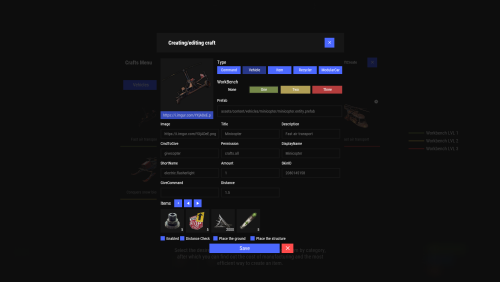
Crafting system that allows you to create items, cars, vehicles, recyclers, etc! Commands craft open interface crafts.setwb [categories: cat1 cat2 ...] set new custom workbench Permissions You can set permission in config, for example: "Permission (ex: crafts.use)": "crafts.use", crafts.setworkbench - allows you to use the "crafts.setwb" command (set custom workbenches) Craft Types Command Vehicle Item Recycler ModularCar How to install a custom workbench 1. Spawn the workbench (for example, in RustEdit or a plugin) 2. In the game, go to him and use the command "crafts.setwb" and specify the necessary categories. Example: /crafts.setwb Misc 3. Go to config (oxide/config/Crafts.json) and configure this workbench (use SafeZone, workbench level, etc.) VIDEO FAQ Q: Where can I see an example of a config? A: Config$19.95 -
Version 1.1.9
94 downloads
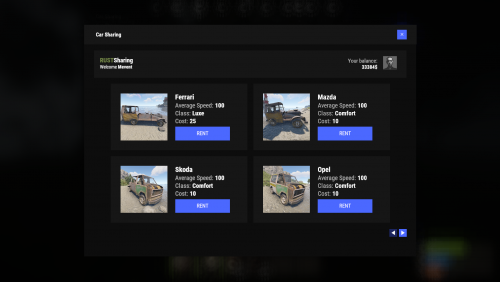
Adds to your server the ability to rent a car and ride it all over the map. You can also install bots in which you can rent a car. Commands share.ferrari [targetId] (give a Ferrari) share.mazda [targetId] (give a Mazda) share.skoda [targetId] (give a Skoda) share.opel [targetId] (give an Opel) Permissions You can set permission in config, for example: "Permission (example: carsharing.use)": "carsharing.use", Config { "Commands": [ "rent", "carsharing" ], "Permission (example: carsharing.use)": "", "Work with Notify?": true, "Economy": { "Type (Plugin/Item)": "Plugin", "Plugin name": "Economics", "Balance add hook": "Deposit", "Balance remove hook": "Withdraw", "Balance show hook": "Balance", "ShortName": "scrap", "Display Name (empty - default)": "", "Skin": 0 }, "Vehicle call item settings": { "Display Name": "RUSTSharing {carname}", "ShortName": "box.wooden.large", "Skin": 2591806406 }, "Cars": [ { "Permission (example: carsharing.vip)": "", "Command to give": "share.ferrari", "Image": "https://i.imgur.com/0GvWGOv.png", "Name": "Ferrari", "Cost per minute": 25.0, "Car class": "Luxe", "Average Speed": "100", "Modular Car Settings": { "CodeLock": true, "KeyLock": false, "Engine Parts Tier": 2, "Fresh Water Amount": 0, "Fuel Amount": 140, "Modules": [ "vehicle.1mod.engine", "vehicle.1mod.cockpit.armored", "vehicle.1mod.cockpit.armored" ] } }, { "Permission (example: carsharing.vip)": "", "Command to give": "share.mazda", "Image": "https://i.imgur.com/fAuuZIS.png", "Name": "Mazda", "Cost per minute": 10.0, "Car class": "Comfort", "Average Speed": "100", "Modular Car Settings": { "CodeLock": true, "KeyLock": false, "Engine Parts Tier": 2, "Fresh Water Amount": 0, "Fuel Amount": 140, "Modules": [ "vehicle.1mod.engine", "vehicle.1mod.cockpit.armored", "vehicle.1mod.cockpit.armored" ] } }, { "Permission (example: carsharing.vip)": "", "Command to give": "share.skoda", "Image": "https://i.imgur.com/u07yAdY.png", "Name": "Skoda", "Cost per minute": 10.0, "Car class": "Comfort", "Average Speed": "100", "Modular Car Settings": { "CodeLock": true, "KeyLock": false, "Engine Parts Tier": 2, "Fresh Water Amount": 0, "Fuel Amount": 140, "Modules": [ "vehicle.1mod.engine", "vehicle.1mod.cockpit.armored", "vehicle.1mod.cockpit.armored" ] } }, { "Permission (example: carsharing.vip)": "", "Command to give": "share.opel", "Image": "https://i.imgur.com/fEzJjIm.png", "Name": "Opel", "Cost per minute": 10.0, "Car class": "Comfort", "Average Speed": "100", "Modular Car Settings": { "CodeLock": true, "KeyLock": false, "Engine Parts Tier": 2, "Fresh Water Amount": 0, "Fuel Amount": 140, "Modules": [ "vehicle.1mod.engine", "vehicle.1mod.cockpit.armored", "vehicle.1mod.cockpit.armored" ] } } ], "Bots": { "8833355776": { "Car Classes (* - all)": [ "Comfort" ] }, "1317845641": { "Car Classes (* - all)": [ "Luxe", "Comfort" ] } } } VIDEO$19.95 -
Version 1.37.7
1,183 downloads
Creates quests/missions for users to complete in order to get rewards (currency, items, etc.). Players can spend the currency they receive to open cases. This can become a major plugin for your server. Your players will not get bored! And a nice and user-friendly interface will surprise them even more Features: Beautiful user interface Logging purchases / replenishment of the balance (both to the console and to a file) Versatility (can work with various economy plugins) Performance (plugin is faster than existing competitors) Interesting idea The ability to customize absolutely any inscription Preview Commands addfirstcurrency {userid} {amount} (give the player the first currency) addsecondcurrency {userid} {amount} (give the player a second currency) battlepass.wipedata (clear player progress) pass (open interface) battlepass.migrate (migrate to PlayerDatabase) battlepass.convert.128 (convert from 1.28.0) Item Types Item Command Plugin Mission Types Gather Kill Craft Look Build Upgrade Fishing LootCrate Swipe RaidableBases RecycleItem HackCrate PurchaseFromNpc ArcticBaseEvent GasStationEvent SputnikEvent ShipwreckEvent HarborEvent JunkyardEvent SatDishEvent WaterEvent AirEvent PowerPlantEvent ArmoredTrainEvent ConvoyEvent SurvivalArena KillBoss FAQ How to use multiple NPCs in one mission Loot Hackable Crates (config example) Default Config$21.95 -

Version 1.6.4
118 downloads
FEATURES Automated trivia games Admin called trivia game More than 24 categories Easy. Medium and Hard difficulty Multiple & True/False choice answers Reward system, including ServerRewards Punish system Announce actions to console Wins, Losses and Typos are stored SUPPORT If you have questions, requests or you're stuck you can get support via my Discord Server or the Support Tab. Invite link to Discord Server DOCUMENTATION You can find the documentation here. COMMANDS trivia_help Displays and explains trivia commands trivia_version Displays the loaded plugin's version trivia_admin [open] [rounds] [frequency] 1) With the permission trivia.admin a user can start a trivia game with X>0 rounds Y>0 minutes between them. 2) Only one game can be called at once. 3) If Automated Games are enabled in the config file, even with permission, trivia games can't be called! rounds = X frequency = Y trivia_admin [close] Using trivia_admin close will stop the current game. trivia [number] When a trivia game starts, players can choose a number between 1-4 or 1-2, depending on the game type PERMISSIONS trivia.admin With this permission, users can call in trivia games. trivia.dontkick With this automated permission, players won't be kicked for flyhack-violation when punished. (currently unused)$4.99 -
Version 1.1.0
411 downloads
Administrative information about teleport How do I use it? /tp username ---- Just write the name of the player you want to go to.---- /tptomeall ---- Teleport all players to you ---- Right click on the map of the place you want to go update has been broughtFree -
Version 1.0.0
4 downloads
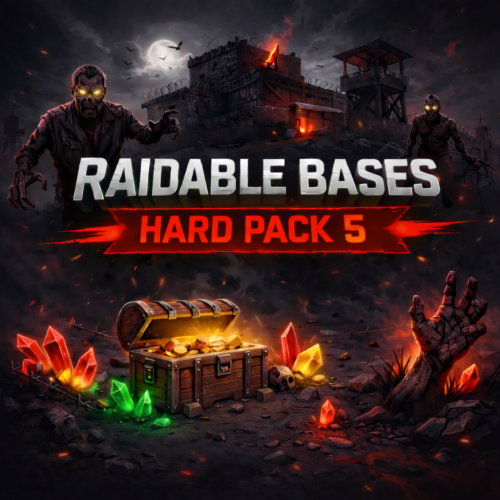
Hard Raid Pack Heavy fire. Tight defenses. No easy wins. Greetings, raider. Hard Raid Pack is a collection of high-difficulty raid bases designed for experienced Rust players who are ready for serious resistance. These bases deliver strong defensive pressure and require planning, coordination, and solid resource investment to complete successfully. This pack is built for players who want demanding but fair raid encounters. What’s Included • 5 completely unique Hard-difficulty raid bases • Structured layouts with calculated defensive positioning • Strong defensive setups: turrets, traps, and controlled combat areas • Reinforced core sections with increased internal pressure • Clean and optimized schematic files (no unnecessary assets or bloat) • Fully compatible with the Raidable Bases plugin Designed For ✔ Experienced players seeking a demanding raid experience ✔ Servers that want challenging and competitive content ✔ PvE servers running high-pressure raid events ✔ PvP servers looking for valuable and contested raid locations Quality & Optimization All files are compact, clean, and optimized. No unnecessary images, duplicated data, or unused assets are included. File sizes reflect only actual base content and structural complexity. Support & Future Updates If you encounter any issues, need help with installation, or have ideas for future raid bases, feel free to contact me. Feedback is always welcome and helps improve future content. Discord: _real_krw_ Thank you for supporting independent Rust content creation. More packs and updates are planned.$7.00 -

Version 1.0.0
872 downloads
This plugin allows you to change your nickname to the administrator. -------------------------------------------------------------------------------------------------------------------------- Commands: /rename <nickname> - Change your nickname /renameold - Get back your old nickname -------------------------------------------------------------------------------------------------------------------------- Permission: renamename.use - use command rename and renameoldFree -

Version 1.0.15
392 downloads
A trading platform is a place where players can display their items for currency on your server. -------------------------------------------------------------------------------------------------------------------------- Features: Beautiful and convenient plugin menu. Setting up for each economy plugin The choice of using the site is via a computer or a command. Personal discounts for privileges Setting up a commission when selling an item Optimization of the plugin. Setting up Item dropout Setting up items that cannot be put up for sale. -------------------------------------------------------------------------------------------------------------------------- Video Review: (The video showed the main functionality of the plugin.) -------------------------------------------------------------------------------------------------------------------------- Configuration:$19.99 -
I have a request, its a really cool one. Basically, a player can create a mining tunnel by placing a custom ladder hatch, then it puts you in a 1x1 room when you enter the hatch which you can expand out to 3x3 or 4x4 using a pickaxe. When you hit a wall so many times, the pickaxe breaks the wall. When players expand the rooms, the walls are treated as different ores. Stone, sulfur, and metal. Then you must exit the tunnel when all walls are destroyed and it destroys that tunnel entrance (ladder hatch) when you exit. It was either a 4x4 room that had walls honeycombed all the way and it would force players to break the walls to get the ores, or I wanted it to spawn a 1x10 room that also spawns ores inside of it somehow (This would be a very difficult thing to do). I think the other method is easier and manageable. Then in the config, you can set a delay on how many times they can place the custom entrance to make a mining tunnel anywhere. I will have a few more configs I'd like to add as well. Do you think you can do this? If so, send discord name or comment below or message me!
-
Version 1.5.1
118 downloads
ServerBridge makes it quick and easy for players to join other Rust servers using an intuitive in-game UI. Players can use a server list that is customizable by the admin. Due to Rust's own Nexus system, players can be connected smoothly to the server they want without having to disconnect and connect manually. Player Command: /servers — opens the server list Admin Command: /serverbridge — opens the admin panel • ServerBridge.use – access the server list • ServerBridge.admin – manage servers via admin panel All edits of this file can be done with the /serverbridge Admin Panel { "Server with Domain & no Port": { "Name": "Server with Domain & no Port", "IP": "mycool-rustserver.com", "Port": null, "Description": "I disabled the Port with -1 in the Port field!", "ImageUrl": "" }, "Server with IP Address & Port": { "Name": "Server with IP Address & Port", "IP": "192.168.2.1", "Port": 28015, "Description": "This is my cool Rust Server!", "ImageUrl": "" } } { "ui.serverlist.title": "SERVER LIST", "ui.admin.title": "SERVER MANAGEMENT", "ui.addserver.title": "ADD NEW SERVER", "ui.editserver.title": "EDIT SERVER", "ui.button.connect": "CONNECT", "ui.button.add": "ADD", "ui.button.save": "SAVE", "ui.button.addserver": "ADD NEW SERVER", "ui.form.servername": "SERVER NAME", "ui.form.ipaddress": "IP ADDRESS OR DOMAIN", "ui.form.port": "PORT", "ui.form.description": "DESCRIPTION", "ui.table.server": "SERVER", "ui.table.address": "ADDRESS", "ui.table.actions": "ACTIONS", "msg.noperm.serverlist": "You don't have permission to open the server list.", "msg.noperm.admin": "You don't have permission for this command.", "msg.server.notfound": "Server '{0}' not found.", "msg.server.redirect": "You are being redirected to server '{0}'...", "msg.server.noname": "No server name specified.", "msg.server.deleted": "Server '{0}' has been deleted.", "msg.server.fillfields": "Please fill in all required fields.", "msg.server.exists": "A server with the name '{0}' already exists.", "msg.server.invalidport": "Invalid port. Please enter a number between 1 and 65535.", "msg.server.added": "Server '{0}' has been added.", "msg.server.updated": "Server '{0}' has been updated.", "msg.connection.redirect": "Connecting to {0} - Have fun!", "ui.button.nextpage": "NEXT →", "ui.button.prevpage": "← PREV", "ui.pagination.info": "PAGE {0} OF {1}" }$7.99- 1 comment
- 1 review
-
- 4
-
-
- #serverswitch
- #serverportal
- (and 11 more)
-
Version 1.0.5
162 downloads
Adds various tasks to the game, for which you can get a reward. -------------------------------------------------------------------------------------------------------------------------- Features: Complete and convenient configuration of each task and each prize A beautiful and convenient design that will sink into the soul of everyone The ability to expose not only an item from the game, but also the issuance of a team, and the creation of custom items. -------------------------------------------------------------------------------------------------------------------------- Commands: /quest - Open Quest menu -------------------------------------------------------------------------------------------------------------------------- Settings Configuration: Type quest: 1 - Gather, 2 - Kill, 3 - Craft, 4 - BluePrint, 5 - Loot, 6 - CardUse (Swipe cards ), 7 - EBuilt ( Put a certain object ) Type Prize: 1 - Item, 2 - CustomItem, 3 - BluePrint, 4 - Command -------------------------------------------------------------------------------------------------------------------------- Configuration$15.00 -
Version 1.0.13
7 downloads
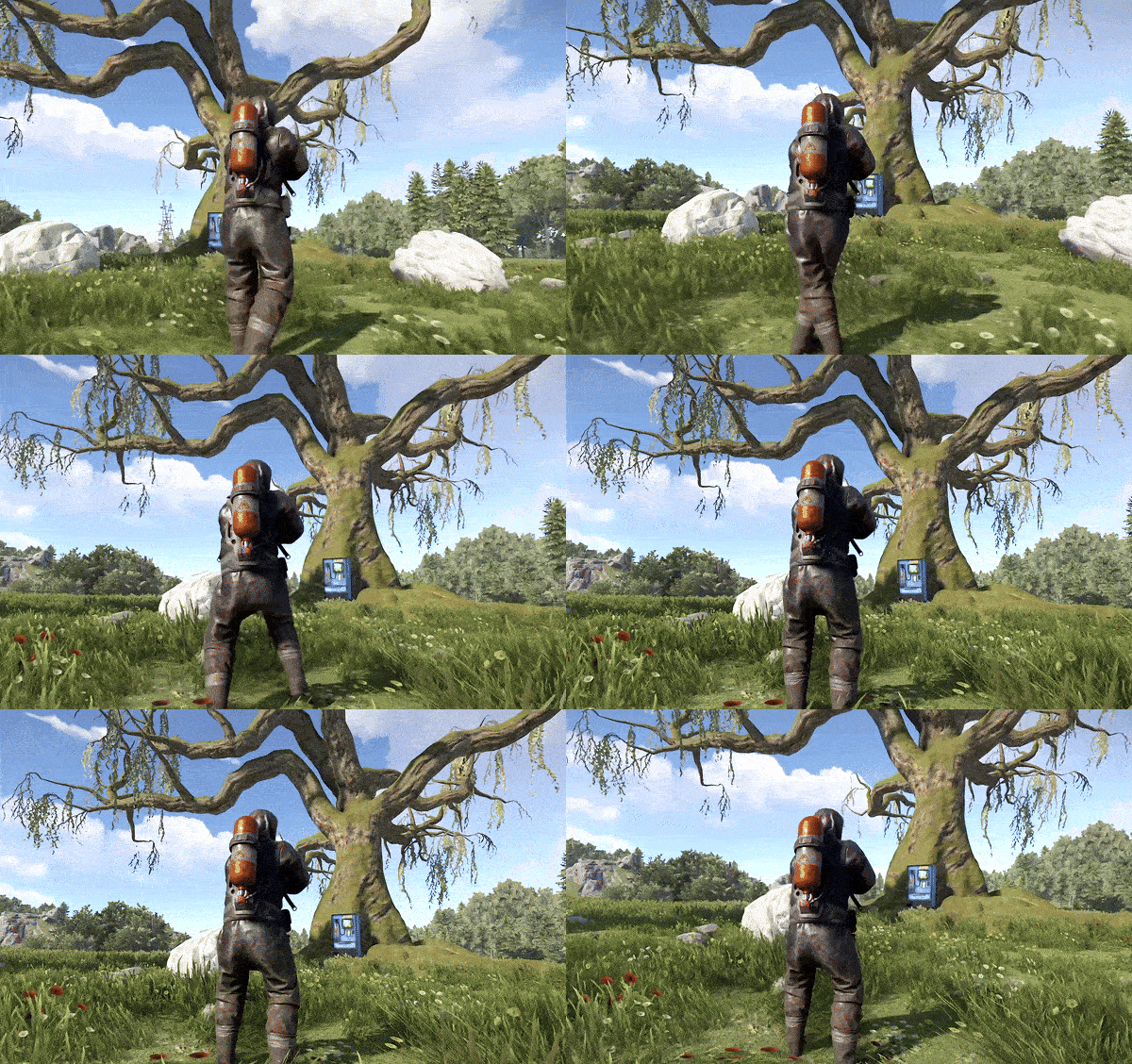
The Offer System plugin is a versatile tool designed to enhance player engagement by allowing players to exchange in-game currency for special permissions or group memberships. Whether it's granting VIP status or enabling specific abilities, this plugin provides a seamless and interactive way for server administrators to monetize and reward their community. With built-in support for the Economics plugin, as well as physical currencies like scrap or custom Rust Cash, players can make offerings at designated ATM machines and receive their rewards after a timed countdown. Key Features: Multi-Currency Support: Accepts multiple forms of currency, including Economics balance, scrap, and custom Rust Cash with skin ID support. Customizable Offer Commands: Configure multiple offer commands with specific costs, durations, and rewards, allowing for tailored player experiences. Countdown Timer: Initiate a timed offering process where players must stay near an ATM machine to complete their transaction, adding a strategic element to offerings. Player Death Mechanics: If a player is killed during the offering countdown, the offered amount is transferred to the killer, creating high-stakes PvP opportunities. Discord Integration: Automatically broadcasts successful offers to a Discord channel via webhook, keeping your community informed of in-game activities. Visual and Audio Effects: Enhances the offering experience with lightning effects and sound cues, making each successful transaction feel rewarding and immersive. Benefits: Engage Players with Interactive Offerings: The Offer System plugin adds depth to your server by allowing players to actively participate in earning special permissions or group memberships through a fun and engaging process. Monetize Your Server: By offering exclusive in-game perks in exchange for currency, server administrators can create additional revenue streams while enhancing the player experience. Promote Player Interaction: The countdown and player death mechanics introduce opportunities for players to engage with each other, whether through strategic protection or high-stakes PvP encounters. Customizable and Flexible: The plugin is highly customizable, allowing you to tailor the offer commands and currency settings to fit your server's specific needs. Unique Features: High-Stakes PvP Integration: Unique to the Offer System plugin is the feature where a player's offering can be stolen by their killer if they are killed during the countdown. This mechanic encourages players to strategically protect their offerings or take risks for potential rewards. Multi-Currency Versatility: The plugin’s ability to handle various types of in-game currency, including custom items like Rust Cash, gives server administrators flexibility in how they reward their players. Real-Time Discord Notifications: Keep your community engaged with real-time updates on successful offers through integrated Discord notifications, enhancing both player recognition and community interaction. Currency: Economics: If set as main currency, the player needs to be close to ATM Machine or Vending Machine (if no skin applied) to start the offering via bank transfer. If the player dies during the process of offering and during countdown, his balance of economics will automatically transferred to the killer. Scrap: If set as main currency, the player needs to be close to ATM MAchine of Vending Machine to offer the scrap equal to the amount of you set per offers. Once the player dies during the offer process, the scrap can be looted and can be used by the killer. Rust Cash: (economics and paper item) combined with skin to make Cash Item. The player needs to be close to ATM MAchine of Vending Machine to offer the Rust Cash equal to the amount of you set per offers. Once the player dies during the offer process, the Rust Cash can be looted and can be used by the killer.r Proximity: Configurable proximity between player and ATM Machine or Vending Machine. You can also configure the range before they can start the offer. Example: Config set to 3m. Player can use the offer command with 3meter distance to the machine. Proximity Config set to 15m. During the offer process, player can run, hide, and roam within 15meters range while the system is on countdown to finish the offering. This is the range where he can defend and protect himself from griefers. Once the player goes beyond the set proximity, then the offer process will be cancelled and he needs to start over again. By default, there is 5 minutes countdown until offer is finish. Can be configured in the settings. Sample Config { "Commands": { "vip": { "Cost": 1200000.0, "Duration": "3d", "Type": "Group", "Permission": "vip" }, "lootprotection": { "Cost": 300000.0, "Duration": "3d", "Type": "Permission", "Permission": "adminlootprotection.use" }, "raidprotection2": { "Cost": 300000.0, "Duration": "1d", "Type": "Permission", "Permission": "raidprotection.level.2" }, "personalslave": { "Cost": 500000.0, "Duration": "3d", "Type": "Permission", "Permission": "personalnpc.slave" }, "slavebuilder2": { "Cost": 500000.0, "Duration": "1d", "Type": "Permission", "Permission": "personalbuilder.slave2" }, "slavebuilder7": { "Cost": 1000000.0, "Duration": "1d", "Type": "Permission", "Permission": "personalbuilder.slave7" }, "slavebuilder9": { "Cost": 2000000.0, "Duration": "1d", "Type": "Permission", "Permission": "personalbuilder.slave9" }, "slavebuilder1": { "Cost": 800000.0, "Duration": "1d", "Type": "Permission", "Permission": "personalbuilder.slave1" } }, "CurrencySettings": { "Economics": { "IsEnabled": false, "Shortname": null, "SkinID": null }, "Scrap": { "IsEnabled": false, "Shortname": "scrap", "SkinID": null }, "PaperCash": { "IsEnabled": true, "Shortname": "paper", "SkinID": 2570661100 //Skin of Cash, you may use different skins } }, "VendingMachineSettings": { "VendingMachineSkinID": 3042408530 //Default ATM Machine skin, set to 0 if you want a normal vending machine, or set to other skin ID }, "CountdownSettings": { "CountdownDuration": 300, //5 minutes countdown until offer is finish (5 minutes griefing and raiding in the area) "ATMDistance": 3.0, //Distance between player and the machine to use /offer command "PlayerMaxDistanceToCancel": 15.0 //Distance between player and machine to roam and allow countdown, beyong this value will cancel the offering process }, "DiscordSettings": { "BroadcastToDiscord": true, "DiscordWebhook": "webhook url" } } Enhance your Rust server with the Offer System plugin—bringing strategic offerings, high-stakes PvP, and customizable rewards to your players.$20.99 -
Version 2.0.0
29 downloads
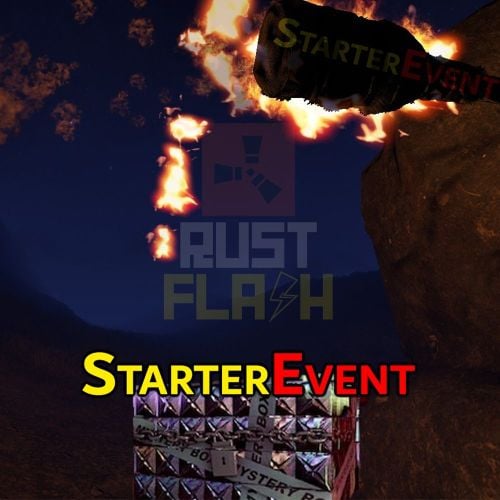
Features This plugin creates a secret crate after a restart, mapwipe, fullwipe or forcewipe. The coordinates are displayed in the chat and the players have to find the crate on the map. As soon as it has been located, the crate is removed from the map. I have set it up with Event Manager and other plugins so that it is only executed after a fullwipe. It's very popular, especially when they reward players with building materials, it doesn't hurt anyone and the winner is happy that he can build something small straight away. Functions You can also trigger it as an admin and owner without authorization. /flashstarterevent When others use this comand, they give the authorization starterevent.use Config: { "Event Start Delay (Minutes)": 10, "Box Skin ID": 2753036242, "Box Contents": [ { "ShortName": "wood", "Amount": 6000 }, { "ShortName": "stones", "Amount": 4000 }, { "ShortName": "cloth", "Amount": 200 }, { "ShortName": "lowgradefuel", "Amount": 100 } ], "Announcement time before event (Seconds)": 300, "Mystery Box Lifetime (Minutes)": 180 } load, run, enjoy Support Discord$12.99 -
Version 2.0.0
100 downloads
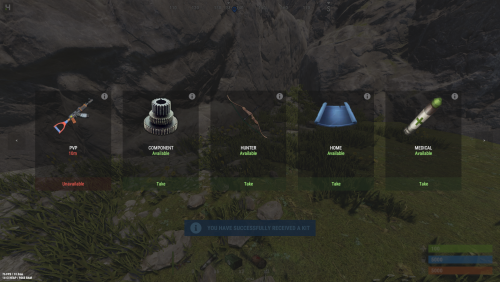
A system of sets that will allow you to create different kits for privileges and not only Features Nice user interface Ability to create, delete, change a kit on command Multilingualism ( RU, EN ) Plugin Optimization Autowipe with wipe ( optionally ) Using kits when the player respawn ( auto-kit ) Selective configuration language ( RU, EN ) Commands: /kit - open menu kit /kit add <nameKit> - create kit /kit remove <nameKit> - remove kit /kit edit <nameKit> - Change the content kit Config EN { "Default Permission": "kitsmenu.default", "Should I turn on an audio alert when taking a whale?": true, "Sound Notification": "assets/bundled/prefabs/fx/notice/item.select.fx.prefab", "Should I clear the players' data when I vape the server? ": true } RU { "Стандартная привилегия": "kitsmenu.default", "Включить ли звуковое оповещение при взятии кита?": true, "Звуковое оповещение": "assets/bundled/prefabs/fx/notice/item.select.fx.prefab", "Очищать ли данные игроков при вайпе сервера?": true } FAQ Question: How can I translate the configuration into Russian, or back into English? Answer: In the plugin code on the 20th line of the plugin, you need to change the - TranslationRU parameter If you set: TranslationRU = true; Then the configuration language you will have is Russian If you set: TranslationRU = false; Then the configuration language you will have is English$9.99 -
Version 1.0.1
1,133 downloads
This plugin allows you to give players tools that will immediately extract a recycled resource. -------------------------------------------------------------------------------------------------------------------------- Features: The ability to prohibit the repair of the tool The ability to customize each recyclable item for each tool -------------------------------------------------------------------------------------------------------------------------- Console Commands: give.fire Example: give.fire hatchet Sparkless -------------------------------------------------------------------------------------------------------------------------- Configuration:Free -
Version 1.0.2
510 downloads
(Addon for Restore Upon Death) Prevents the Restore Upon Death plugin from restoring player inventory in certain zones. An expansion everyone will love! Features : Simple Config Notification after death Toggle Notification Modify Chat Icon Modify Chat Prefix Permissions (bypass & nonotify) Language support (EN & DE) #Installation: Download the NoRestore.cs plugin and move it to the plugins folder, to be found under oxide\plugins directory. Dependencies Required NoRestore only works if ZoneManager & RestoreUponDeath are installed. Permissions: NoRestore.bypass - players/admins with this perm get their stuff restored NoRestore.nonotify - nonotify so players/admins with this permission no longer get a message. Example Configuration: The settings and options can be configured in the NoRestore.json file under the oxide/config directory. The use of an "JSON-Editors" is recommended to avoid formatting issues and syntax errors. { "Chat Settings": { "Chat Prefix": "<size=12><color=#AE3624>YOURSERVERNAME</color> <size=16>|</size> <color=#738D45>NoRestore</color>\n", "Notification In Chat": true, "ChatIcon (SteamID)": 76561198978132862 }, "Zone Settings": { "List ZoneIDs": [ "16846395", "25788248" ] } } Plugin Configuration: Chat Settings Chat Prefix - You can set the chat prefix (YOURSERVERNAME can be replaced with your server name) Notification In Chat - Enables or disables notification after death in general (By default, notification is enabled for the player) ChatIcon (SteamID) - Here you can add a chat icon, all you need to do is add a SteamID (By default, no SteamID is stored, so it is set to 0, i.e. deactivated!) Zone Settings List ZoneIDs - here you simply add the ZoneIDs from the ZoneManager plugin where the "NoRestore" plugin should not restore the inventory. (The ZoneIDs can be found in zone_data.json under oxide\data\ZoneManager directory.) Localization The default messages are in the NoRestore.json file under the lang/en directory. To add support for another language, create a new language folder (e.g. ru for Russian) if not already created, copy the default language file to the new folder and then customize the messages. Default Messages for en { "NoRestorCM": "Inventory was not restored!" } Credits @Krungh Crow for helpingFree -
Version 1.0.7
196 downloads
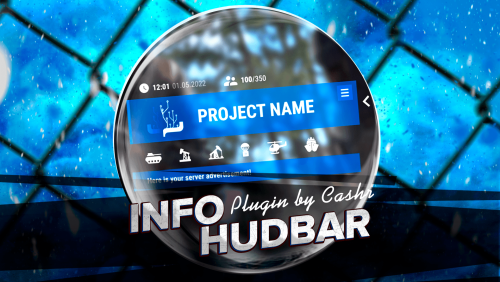
InfoHudBar A beautiful and informative HUD bar for your server. Product Features Optimization of the interface for different monitor resolutions. Updating information in the menu Custom setting of menu buttons. The optimized plug-in operation will not load your server and the player's client. Display of events [ Airplane, Helicopter, Ship, Oil Rigs, Tank ]. Display balance of plugin Economics Plugin Config PLUGIN CONFIG I also make unique custom plugins, you can contact me at discord - CASHR#6906$12.00- 7 comments
- 1 review
-
- 5
-
-
-
- #infopanel
- #oxide
- (and 5 more)
-
Version 1.0.3
29 downloads
This plugin will immerse the player in the dark market, where you can buy various goods for various coins! -------------------------------------------------------------------------------------------------------------------------- Features: A unique, minimalistic, one-of-a-kind plugin design! A good idea of the store! The plugin is made with musical accompaniments when downloading and purchasing the product! When buying a product, the player will still need to find it! Convenient and easy configuration setup Optimized plugin operation! Discounts on products! -------------------------------------------------------------------------------------------------------------------------- Video Review: ( The video shows the main functionality of the plugin! ) -------------------------------------------------------------------------------------------------------------------------- Configuration: Main Settings: "Permission to use the command": "dkmarket.use", "Save logs ?": true, "Spawn radius of the box": 150, "SkinID Box": 1545613264, "Use Notify ? ( https://codefling.com/plugins/notify )": false, "Commands": [ "market", "darknet" ], Setting up a discount ( discounts) for privileges: "Personal discount for privileges": { "dkmarket.vip": 10, "dkmarket.premium": 20 }, Setting up text loading stages: "Stages of text loading": [ "ASUS P5KPL ACPI BIOS Revision 0603", "CPU: Intel (R) Core(TM) i5-3470 @ 3.20GHz", "Speed: 3.20 GHz", "Initializing USB Controllers", "Checking RAM storage", "Validating HDD", "Detecting IDE drivers", "Memory Frequency 8024MHz", "Validating complete", "Immortal (C) 2022 Codefling, Inc" ], Setting up your economy plugin: "Settings Economy": { "Plugin name": "Economics", "Balance add hook": "Deposit", "Balance remove hook": "Withdraw", "Balance show hook": "Balance" }, Basic setup of categories and items that will be in the category: "Settings Category and Items": [ { "Category name": "Weapon", "Items that will be sold in this category": [ { "ShortName": "rifle.ak", "SkinID": 0, "DisplayName": "", "Image ( Leave an empty field if you don't need to upload a picture for this item )": "", "Amount": 1, "Price": 50 }, { "ShortName": "rifle.bolt", "SkinID": 0, "DisplayName": "", "Image ( Leave an empty field if you don't need to upload a picture for this item )": "", "Amount": 1, "Price": 50 }, { "ShortName": "rifle.l96", "SkinID": 0, "DisplayName": "", "Image ( Leave an empty field if you don't need to upload a picture for this item )": "", "Amount": 1, "Price": 50 }, { "ShortName": "rifle.m39", "SkinID": 0, "DisplayName": "", "Image ( Leave an empty field if you don't need to upload a picture for this item )": "", "Amount": 1, "Price": 50 }, { "ShortName": "rifle.semiauto", "SkinID": 0, "DisplayName": "", "Image ( Leave an empty field if you don't need to upload a picture for this item )": "", "Amount": 1, "Price": 50 }, { "ShortName": "smg.2", "SkinID": 0, "DisplayName": "", "Image ( Leave an empty field if you don't need to upload a picture for this item )": "", "Amount": 1, "Price": 50 }, { "ShortName": "smg.mp5", "SkinID": 0, "DisplayName": "", "Image ( Leave an empty field if you don't need to upload a picture for this item )": "", "Amount": 1, "Price": 50 }, { "ShortName": "smg.thompson", "SkinID": 0, "DisplayName": "", "Image ( Leave an empty field if you don't need to upload a picture for this item )": "", "Amount": 1, "Price": 50 }, { "ShortName": "pistol.eoka", "SkinID": 0, "DisplayName": "", "Image ( Leave an empty field if you don't need to upload a picture for this item )": "", "Amount": 1, "Price": 50 }, { "ShortName": "pistol.m92", "SkinID": 0, "DisplayName": "", "Image ( Leave an empty field if you don't need to upload a picture for this item )": "", "Amount": 1, "Price": 50 }, { "ShortName": "pistol.nailgun", "SkinID": 0, "DisplayName": "", "Image ( Leave an empty field if you don't need to upload a picture for this item )": "", "Amount": 1, "Price": 50 } ] }, { "Category name": "Ammunition", "Items that will be sold in this category": [ { "ShortName": "ammo.shotgun", "SkinID": 0, "DisplayName": "", "Image ( Leave an empty field if you don't need to upload a picture for this item )": "", "Amount": 10, "Price": 50 }, { "ShortName": "ammo.shotgun.slug", "SkinID": 0, "DisplayName": "", "Image ( Leave an empty field if you don't need to upload a picture for this item )": "", "Amount": 20, "Price": 35 } ] }, { "Category name": "Medical", "Items that will be sold in this category": [ { "ShortName": "pistol.m92", "SkinID": 0, "DisplayName": "", "Image ( Leave an empty field if you don't need to upload a picture for this item )": "", "Amount": 1, "Price": 50 }, { "ShortName": "pistol.nailgun", "SkinID": 0, "DisplayName": "", "Image ( Leave an empty field if you don't need to upload a picture for this item )": "", "Amount": 1, "Price": 50 } ] }, { "Category name": "Food", "Items that will be sold in this category": [ { "ShortName": "pistol.m92", "SkinID": 0, "DisplayName": "", "Image ( Leave an empty field if you don't need to upload a picture for this item )": "", "Amount": 1, "Price": 50 }, { "ShortName": "pistol.nailgun", "SkinID": 0, "DisplayName": "", "Image ( Leave an empty field if you don't need to upload a picture for this item )": "", "Amount": 1, "Price": 50 } ] }, { "Category name": "Resources", "Items that will be sold in this category": [ { "ShortName": "pistol.m92", "SkinID": 0, "DisplayName": "", "Image ( Leave an empty field if you don't need to upload a picture for this item )": "", "Amount": 1, "Price": 50 }, { "ShortName": "pistol.nailgun", "SkinID": 0, "DisplayName": "", "Image ( Leave an empty field if you don't need to upload a picture for this item )": "", "Amount": 1, "Price": 50 } ] }, { "Category name": "Other", "Items that will be sold in this category": [ { "ShortName": "pistol.m92", "SkinID": 0, "DisplayName": "", "Image ( Leave an empty field if you don't need to upload a picture for this item )": "", "Amount": 1, "Price": 50 }, { "ShortName": "pistol.nailgun", "SkinID": 0, "DisplayName": "", "Image ( Leave an empty field if you don't need to upload a picture for this item )": "", "Amount": 1, "Price": 50 } ] }, { "Category name": "Rockets", "Items that will be sold in this category": [ { "ShortName": "pistol.m92", "SkinID": 0, "DisplayName": "", "Image ( Leave an empty field if you don't need to upload a picture for this item )": "", "Amount": 1, "Price": 50 }, { "ShortName": "pistol.nailgun", "SkinID": 0, "DisplayName": "", "Image ( Leave an empty field if you don't need to upload a picture for this item )": "", "Amount": 1, "Price": 50 } ] } ], Configuration version: "Verison Configuration": { "Major": 1, "Minor": 0, "Patch": 0 }$15.00




.thumb.jpg.53c36e52e849d11c183d9961aada4799.jpg)