If you are using Elementor WordPress for the first time, it might feel a bit hard to find the options. Also, you might not know how to using the features of Elementor WordPress features.
This doc will let you learn how to explore the folded features in the Elementor page builder.
Content #
Step->1:
- Add or Edit Title
- Add or Edit Description

Step->2:
Enable Template
- Enable the toggle
- Click on the selected Icon

Step->3:
- Now drag Text Editor
- Drop on the selected area

Step->4:
- Now provide your text here and click update and close

You can see the content added apparently

Step->5:
- Edit the Expand Button
- Edit the Collapse Button

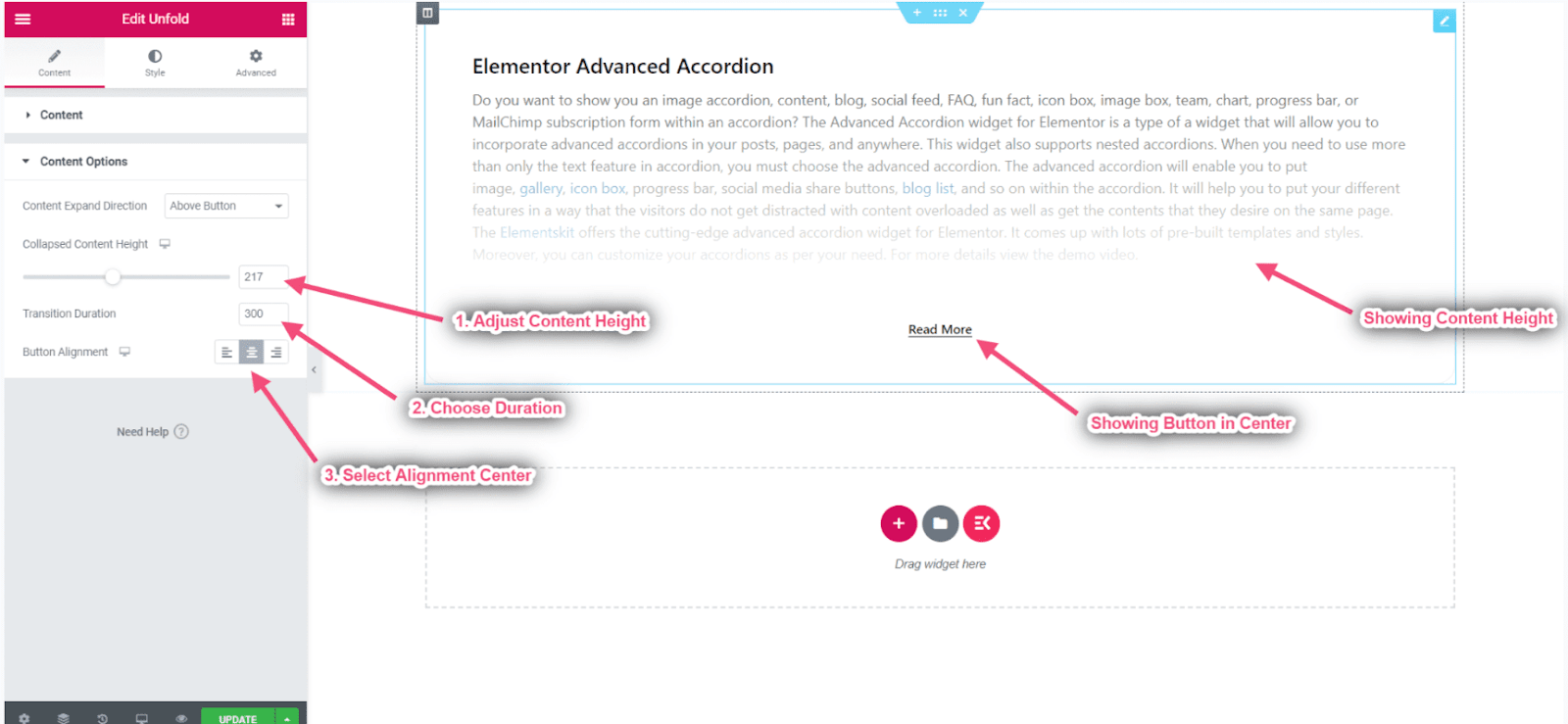
Content Options #
Step->1:
- Choose the content expand button direction: Above Button/Below Button

Step->2:
- Adjust the Content Height
- Choose Duration
- Select Alignment: Left, Center, or Right