

A PostgreSQL schema is a logical container that organizes database objects such as tables, views, indexes, functions and sequences within a database. It helps group related objects and manage them efficiently.
- Stores related database objects in a single namespace.
- Improves database organization and maintenance.
- Enables better control over user access and permissions.
Syntax
Create a Schema
CREATE SCHEMA schema_name;Create a Table in a Schema
CREATE TABLE schema_name.table_name (
    column_name data_type,
    ...
);
Delete a Schema
DROP SCHEMA schema_name;Delete a Schema with All Objects
DROP SCHEMA schema_name CASCADE;Where:
- schema_name: The name of the schema.
- table_name: The table to be created inside the schema.
- CASCADE: Removes the schema along with all the objects it contains.
Working
Example 1: Create a Schema
The following query creates a schema named sales.
Query:
CREATE SCHEMA sales;
Output:
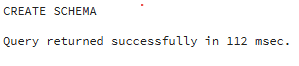
- The schema can now store tables, views, functions and other database objects.
Example 2: Create a Table in a Schema
The following query creates an Orders table inside the sales schema.
Query:
CREATE TABLE sales.Orders (
    OrderID INT PRIMARY KEY,
    CustomerName VARCHAR(50),
    Amount NUMERIC
);

INSERT INTO sales.Orders VALUES
(101, 'James Carter', 2500),
(102, 'Emily Johnson', 1800),
(103, 'Michael Brown', 3200);- The table can be accessed using its qualified name sales.Orders.
Example 3: Retrieve Data from a Schema Table
The following query retrieves all records from the Orders table.
Query:
SELECT *
FROM sales.Orders;
Output:
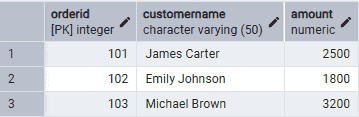
- The schema name (sales) is specified before the table name.
- PostgreSQL locates the table within the sales schema and returns its records.
Example 4: Drop a Schema
The following query removes the sales schema and all objects stored within it.
Query:
DROP SCHEMA sales CASCADE;Output:
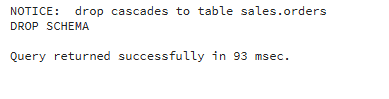
- The CASCADE option removes the schema along with all dependent objects.
- Without CASCADE, PostgreSQL returns an error if the schema contains database objects.
