Search the Community
Showing results for tags 'link'.
Found 10 results
-

Version 1.2.7
2,530 downloads
Linking System is a Discord integration plugin for your Rust server. It links your players' Rust accounts to their Discord profiles, assigns roles automatically and rewards linked players with exclusive perks. Linking System comes with a beautiful UI, a complete Discord bot and automation features, and helps keep your Discord server active. ️ Features of Linking System Discord integration with automatic role assignment for linked players. Beautiful, customizable UI with ServerPanel V1 and V2 templates, so it fits into your existing server interface. Secure code generation with a configurable cooldown to prevent abuse. Linked players are added to a permission group automatically. Customizable UI elements show the benefits and server perks they can get. A complete Python Discord bot is included, with installation guides for Windows, Linux and Pterodactyl. Multi-server support: one Discord bot handles linking for several Rust servers at once. Automatic group management with a configurable group for linked players, useful for permission and role-based systems. Discord and the Rust server stay in sync over RCON, so updates and status changes apply right away. Linking data is saved and loaded automatically, so player links survive server restarts. Works with the ImageLibrary, ServerPanel and Notify plugins. An API for custom integrations: other plugins can check linking status and trigger their own actions. Players get notifications about their linking status, with support for several notification plugins. Configurable UI settings: set "Use UI ?" to false to run in command-only mode without a graphical interface. Complete Discord bot solution LinkingSystem includes a complete Python Discord bot with everything needed for the integration. Setup is simple: follow our step-by-step guides. Important: Python 3.12 is required. Python 3.13 is not compatible due to library issues. Windows Installation Complete guide for Windows servers with automatic startup configuration and service management. Linux Installation Full Linux support with systemd service configuration for Ubuntu, Debian, CentOS, and RHEL systems. Pterodactyl Support Optimized for Pterodactyl game panel with dedicated setup instructions and panel integration. Multi-Server One bot can manage multiple Rust servers simultaneously with individual RCON configurations. Video Overview Commands /link - Opens the linking interface for players to connect their Discord account /link status - Shows your current linking status with Discord /link code - Generates a new linking code for Discord connection /link remove - Removes the existing link between Discord and Rust accounts Permissions linkingsystem.use - Permission to access the linking system and connect Discord account How It Works Linking Discord and Rust accounts takes three steps, through the UI or with commands only: Generate Code: players use the /link command to open the UI, or /link code to generate a code by command only, with a built-in cooldown. Discord Verification: players post their code in the designated Discord channel, and the bot links the accounts automatically. Instant Benefits: once linked, players get their Discord role right away, along with exclusive in-game perks and rewards. Discord and your Rust server stay in sync in real time, so role changes and new links are processed instantly. FAQ Q: Do I need to create my own Discord bot? A: Yes, but we provide complete step-by-step instructions for creating and configuring your Discord bot, including all necessary permissions and settings. Q: Can LinkingSystem work with multiple Rust servers? A: Yes. The Discord bot supports multiple servers at once. Add your server configurations to the bot's config file. Q: How do I add LinkingSystem to the ServerPanel menu? A: Follow these steps: 1. Open ServerPanel menu in-game and click "+ADD CATEGORY" button 2. Set these exact parameters: Type: Plugin Plugin Name: LinkingSystem Plugin Hook: API_OpenPlugin 3. Click "SAVE" button to create the category Q: How do linked players receive their rewards? A: Rewards are granted automatically when a player links their Discord account: the system assigns the configured permission group to linked players. Q: Are the rewards shown in the UI actually given to players? A: The reward items in the UI are for display only. What players actually get is automatic membership in a permission group (default: "discord"), which you can set up to give server perks through your permission system. Q: Can I customize the rewards for linked players? A: Yes. You choose which permission group linked players receive and what benefits that group gives through your server's permission system. The reward elements shown in the UI are customizable too. Q: What happens if a player leaves the Discord server? A: The bot automatically detects when linked players leave the Discord server and can remove their in-game benefits accordingly. Q: Is the linking data saved if the server restarts? A: Yes. All linking data is saved automatically and survives server restarts, so player links are not lost. Q: Can I use LinkingSystem without the UI interface? A: Yes. Set "Use UI ?" to false in the configuration to switch to command-only mode. Players then use /link code to generate linking codes, /link status to check their connection and /link remove to unlink their accounts, all through chat commands. Migrations LinkingSystem includes migration tools for moving from other linking plugins. Currently supported: DiscordLink Migration keeps all existing player links and Discord information, so no data is lost when you switch to LinkingSystem. Developer API Linking System has an API for integration with other plugins: CuiElementContainer API_OpenPlugin(BasePlayer player) - Opens the linking interface for ServerPanel integration TEST SERVER Join our test server to try Linking System and all our features yourself. Copy the IP address below to start playing. connect 155.103.86.38:28015$25.95 -
Version 1.3.3
11,952 downloads
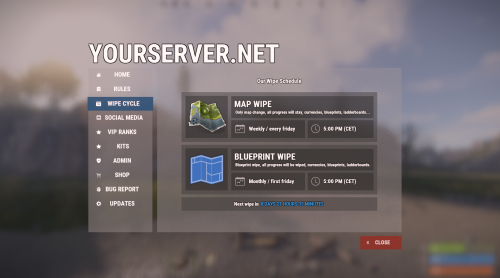
Bundle of four addons made for Welcome Panel UI. All four addons including preset default config files as you see them on screenshots.$14.99 -

Version 1.0.2
12 downloads
What is DiscordLink? DiscordLink is a Discord bot designed for Rust gaming communities. It securely links Discord users to their Steam accounts, automates in-game reward distribution, and manages special perks for linked players and server boosters. The bot integrates with Rust servers via RCON and supports multiple servers. Key Features - Steam Account Linking: Users can link their Discord and Steam accounts for in-game rewards. - Booster Perks: Automatically grants and removes special in-game perks for Discord server boosters. - Role Management: Assigns a custom Discord role to users who link their Steam account. - Multi-Server Support: Works with multiple Rust servers at once. - Automated Reminders: Notifies boosters who haven't linked their Steam account. - Admin Tools: Commands for checking, resetting, and auditing links and perks. - Secure & Auditable: All actions are logged for transparency and troubleshooting. How It Works 1. User Links Account: - Users type /link <steam_id> in the designated Discord channel. - The bot validates the Steam ID and links it to the user's Discord account. - The user receives in-game rewards on all connected Rust servers. 2. Booster Perks: - If a user is a Discord server booster, the bot automatically grants them special in-game perks (e.g., Nitro group) on all servers. - If a booster stops boosting, perks are removed automatically. 3. Reminders: - Boosters who haven't linked their Steam account receive periodic reminders (can be disabled). 4. Admin Controls: - Admins can check, reset, or audit user links and booster perks with slash commands. Main Commands - /link <steam_id> – Link your Discord and Steam accounts for rewards. - /checklink – See your current link and booster status. - /reminders <on|off> – Enable or disable booster reminders. - /status – (Admin) Show server and user stats. - /reset <user> – (Admin) Reset a user's links, perks and cooldowns for changing the SteamID associated with the discord user. - /checklinks <user> – (Admin) Check a user's linked Steam IDs and booster status. Configuration For Server Admins - Set up the bot using the .env file and follow the install guide. - Make sure the bot has the right permissions and intents in your Discord server. - Use admin commands to manage and audit user links and perks. Environment Variables The bot uses a .env file for configuration. This file contains sensitive information like API keys and server credentials, so it should never be committed to version control. Why .env files? - Security: Keeps sensitive data separate from code - Flexibility: Easy to configure different settings for development and production - Standard Practice: Widely used in Python applications and deployment platforms Configuration Options: - RCON Timeouts: Configure WebSocket timeouts via `RCON_CONNECTION_TIMEOUT`, `RCON_OPERATION_TIMEOUT`, and `RCON_USERGROUP_TIMEOUT` - Server Settings: Add multiple Rust servers with `SERVER1_NAME`, `SERVER1_HOST`, etc. - Discord Settings: Configure roles, channels, and permissions - Steam Integration: Steam API key for SteamID validation For Users - Use /link <steam_id> in the correct channel to get in-game rewards. - If you boost the server, your perks are managed automatically. - Use /checklink to see your status or /reminders off to stop reminders. Support - For help, check `bot.log` or contact me.$4.99 -
Version 2.1.8
3,304 downloads
Discord Link is a very simple, performant, and feature-rich Discord and Rust linking system. 2 Simple steps and a player can link to Discord! NO DISCORD.DLL!! FEATURES - NO DISCORD.DLL REQUIRED!!! - Link Rust and Discord accounts - Grant a role in discord and group in game for linked players - Soft unlinking (All past data on a user's account links will be forever stored) - 2 Way role syncing between rust to discord and discord to rust - Supports multi server linking - Booster perks for linked players boosting your discord - Steam to discord name syncing (Auto renames users in discord to their steam name) - Admin perms to unlink players - Search link commands in discord and in game to get who a player is linked to - Logs to discord when players link and unlink - Auto remove players from being linked when they leave the Discord - Syncing your old database files from steamcord, discord auth, or discord core PERMISSIONS discordlinkbot.search - ability to search players and use the UI The Plugin and Discord Bot both have very simple installations. We have included a readme.md file to make it even easier to setup! Need support or want updates about what is coming to the bot? Join the support discord here https://discord.gg/ZsRgCUNv2x This will require bot hosting to run the bot 24/7 since we do not use the Discord DLL therefore the server cannot host the bot. Thanks to @shady14u for co-developing!!$19.99 -
Version 1.0.2
36 downloads
Sync your currency system across multiple servers. Question & Answer: Config: { "General Settings": { "Debug": false }, "Sync Settings": { "Economics": true, "ServerRewards": true, "UploadTimer": 10.0 }, "Mysql Settings": { "MySqlIp": "127.0.0.1", "MySqlPort": 3899, "MySqlUsername": "", "MySqlPasword": "", "MySqlDatabase": "" }, "Version": { "Major": 1, "Minor": 0, "Patch": 0 } }$9.99 -
Version 1.0.1
86 downloads
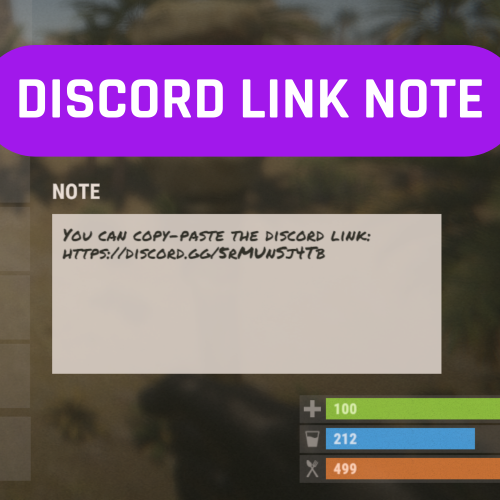
This is a simple plugin. When players type the "/discordlink" chat command, they receive a note item in their inventory with a pre-configured message written in the config file. Players can easily copy the link from there using the Ctrl+C command. Any text or link can be entered, such as a Discord link, Rust Servers vote link, or VIP webstore link. Additionally, the config file allows for setting whether players joining for the first time should receive such a note item upon connecting. No permission. Chat command: /discordlink Contact: Discord: https://discord.gg/C5CehdJMdK Test Rust server: 213.181.206.21:27194 Config file: { "Note message": "Welcome to My server", "Gui link": "https://discord.com/invite/J2qmwCM73V", "Give item message": "Check your inventory!", "Players spawning for the first time should also receive": true }$5.00 -

Version 1.1.0
17 downloads
Features: Automatically add players to the Oxide permission group when the specified link(s) or string(s) is detected in their name. Automatically remove players from the permission group if they remove the specified link(s) or string(s) from their name. Automatically remove website-like strings (e.g., "test.com") from player names if they are not in the configured list of allowed strings. Configurable option ("Remove Other URLs") to enable or disable the removal of unallowed website strings from player names. Configuration: Note, caps don't matter { "Checked URLs": [ "example.com", "codefling.com" ], "Oxide Group": "urlname", "Remove Other URLs": true }$3.89 -

Version 1.1.2
99 downloads
What Is OutpostLink? OutpostLink is a Steam and Discord integration system that automates role and group assignments across both your Discord and Rust servers. Designed to work seamlessly with the required Outpost Website Template, it provides a streamlined way to manage player roles and permissions. Easy Setup A guided installation file walks you through the entire process, generating all the necessary configuration files for both the plugin and bot. Role and group settings are handled directly through the included web dashboard—eliminating the need for manual config edits. Any changes made via the dashboard can be instantly applied by reloading the bot or plugin on your server. Automated Role and Group Assignments By linking their Steam and Discord accounts, players are automatically assigned the roles and Rust permission groups you define in the web dashboard. You can also enable optional features like assigning roles based on Steam group membership or Discord Server Boosting. If these extras aren’t needed, they can simply be turned off. The system can also send discord webhooks to notify you of linked and unlinked players. Key Features - Seamless Integration Built to work directly with the Outpost Website Template. - Simple Setup The installation wizard generates all required config files. - Dashboard Management Easily view linked users, remove accounts, and modify settings in a user-friendly web panel. - Automated Role Assignments Assign Discord roles and Rust permission groups according to your server’s configured rules. - Multi-Server Support Configure distinct group setups for each game server in your network, ideal for larger communities. How It Works OutpostLink is composed of three key components: 1. Discord Bot Manages account linking and role assignments on Discord. 2. Link Page / Web API Serves as the connection between Discord and the game server, handling all settings and data storage. 3. Server Plugin Ensures that linked players receive their correct roles and permissions in-game. The Linking Process 1. Direct players to your Link page This page, included with the addon, can display custom heading and info text instructing players on how to link and what benefits they can receive. 2. Players sign in with Steam and Discord If a player isn’t already in your Discord, they’ll be added. After logging in to both services, they click "Link Accounts” to get their Discord roles. 3. Player Joins the Game Server - On joining the server, OutpostLink checks the Web API to confirm if they’re linked. - If verified, the plugin updates their permission groups based on linked status, Steam group membership, or Discord boosting. - If a player links while in-game, they can use `/link` to check their status, followed by a quick verification. - Once recognized, they’ll receive a confirmation. Otherwise, instructions will be provided on completing the linking process. - Each time a player reconnects, OutpostLink verifies that their link status hasn’t changed. If a player has unlinked or lost eligibility (e.g., stopped boosting or left the Steam group), OutpostLink immediately removes any roles they no longer qualify for. OutpostLink is a powerful, community-driven addition to the Outpost Website Template, designed to simplify admin tasks and enhance the player experience. With its centralized role and groups management for Discord and Rust, as well as a intuitive web dashboard, it significantly reduces admin workload while offering players an effortless way to bonus perks all while growing your community! Note: The Outpost Website Template is required for this addon! Standalone installation options are coming soon. - Use the Bundle option to the right to receive a discount when buying both!$24.99 -
Version 1.0.2
28 downloads
This plugin synchronizes groups, group permissions, player groups, and player permissions across multiple servers. Questions & Answer: Config: { "General Settings": { "Prefix": "[PG-Sync]", "SteamID": "0", "Debug": false }, "Sync Settings": { "Main Server (This should be true only on the main server among servers.)": false, "Main Server Redirect IP": "127.0.0.1", "Main Server Redirect Port": "28015", "Sync Groups?": true, "Sync Players Permissions?": true, "Sync Groups in Permissions?": true, "Sync Save Time (secs)": 60, "Exception for Auto Group Sync": [], "Exception for Auto Permissons Sync": [] }, "Mysql Settings (Recommended v5.7.37)": { "MySqlIp": "", "MySqlPort": 3389, "MySqlUsername": "", "MySqlPasword": "", "MySqlDatabase": "" }, "Version": { "Major": 1, "Minor": 0, "Patch": 0 } } This plugin was created at the request of the client.$30.00 -
Version 1.0.0
11 downloads
Sync blueprints across multiple servers. Config: { "General Settings": { "Prefix": "[Sync-Blueprints]", "Debug": false }, "Sync Settings": { "Ignore Blueprints shortname": [] }, "Mysql Settings": { "MySqlIp": "", "MySqlPort": 3389, "MySqlUsername": "", "MySqlPasword": "", "MySqlDatabase": "" }, "Version": { "Major": 1, "Minor": 0, "Patch": 0 } }$9.99