Search the Community
Showing results for tags 'rust'.
-
Version 1.4.7
6,086 downloads
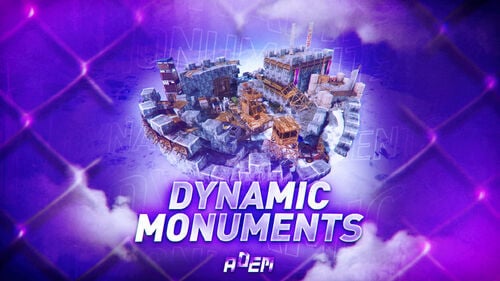
DynamicMonuments is a groundbreaking plugin for Rust servers that breathes new life into your maps! Say goodbye to tedious manual map editing or relying on RustEdit. With just a few clicks, your server will be transformed, featuring 18 unique monuments that blend seamlessly into any environment. Key Features: Dynamic Spawning: - Monuments can spawn randomly during wipes or with each server restart (optional) - Customize spawn frequency and zones through the plugin's configuration - A variety of monument complexities, ranging from cozy hideouts to sprawling fortresses 18 Unique Monuments: - Water Monuments - Coastal Monuments - River Monuments - Roadside Monuments - Modifications for Standard Monuments: (Metro entrances, power line towers, substations, quarries, and more). Personalization: - Give players personal monuments Versatility: - Compatible with both custom and procedural maps. - Automatically adapts to terrain, water, and roads. - No RustEdit required! Everything is managed through the plugin's configuration. Giving a monument to a player 9 out of 18 monuments can be given to players for personal placement. The dynamic monument is represented as a flare with a unique skin, which can be given to players in any way, such as through an in-game store. To spawn the monument, the player must hold the flare and find a suitable location, receiving instructions in the chat and notifications. Once placed, the monument is locked to the player, and only they can loot it. Chat commands (admin only) /killmonument - destroys the DynamicMonument you're looking at /replacecrate NewCratePresetName - replaces the crate you're looking at on the location with NewCratePresetName /spawnmonument PresetName - spawns a monument in a random position /spawnmonumentmypos PresetName - spawns the monument in your position /killallmonuments - destroys all DynamicMonuments on the server /respawnmonuments - forcibly launches automatic respawn of DynamicMonuments /givemonument PresetName - give the monument to yourself /addprefabspawnpoint PresetName — adds a crate or static NPC spawn point to a monument at your current position (only for Static Npc and crates) /removemonumententity command — removes entity spawn point you're looking at. (only for StaticNpc/crates/Entities for respawn) Console commands (RCON only) spawnmonument PresetName - spawns a monument in a random position killallmonuments - destroys all DynamicMonuments on the server respawnmonuments - forcibly launches automatic respawn of DynamicMonuments givemonument PresetName userID - give the DynamicMonument to the player Plugin Config en – example of plugin configuration in English ru – example of plugin configuration in Russian Check out the rest of my work: Adem's Codefling Library You can reach out to me in Discord: Adem's Discord Profile Join the Mad Mappers Discord!$49.99 -
Version 0.1.29
2,832 downloads
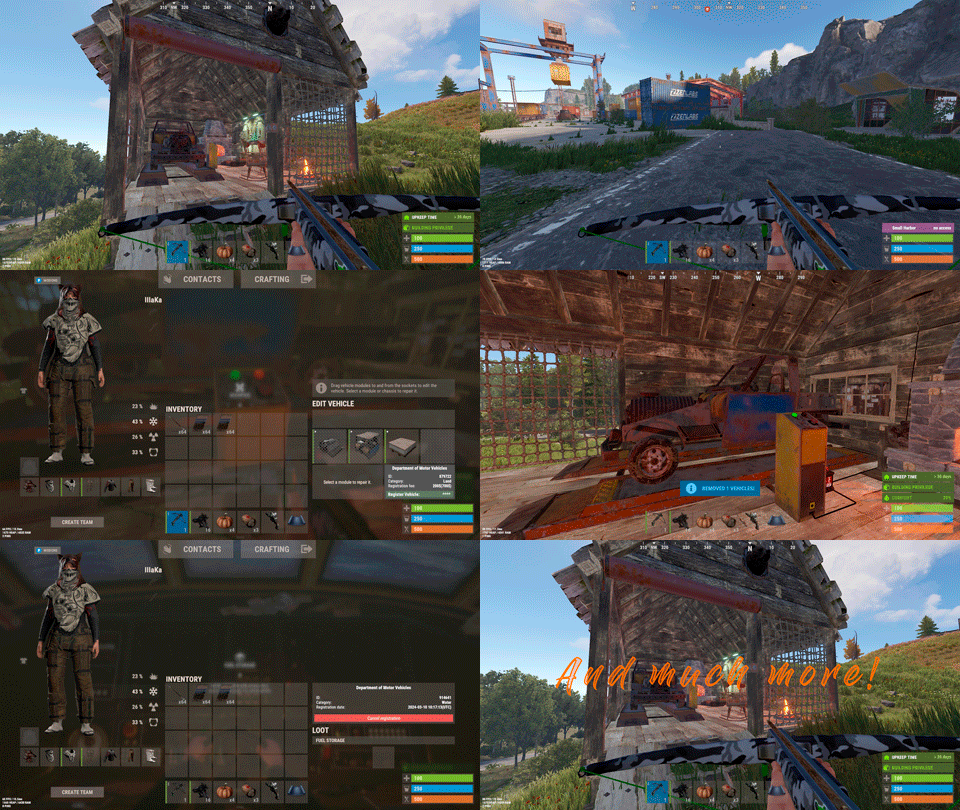
Plugin for Real PvE servers, featuring damage prevention, anti-griefing measures, customizable PvP zones, an automatic loot queue in radtowns and raid zones, and much more. The ability to set "server.pve" to "true", which allows the server to have a "PvE" flag; Damage from NPC's are enabled when server.pve is true; The ability to inflict damage to one's own structures with "server.pve true"; The ability to ignore Hostile depending on the zone(PvE/PvP) ; The ability to destroy(including external walls) or rotate one's structures without any time constraints; The ability to toggle the gather resource restriction in someone else's Building Privileges; No one, except the owner or their friends, will be able to open their loot containers (chests, storages, bodies, etc.); Administrators can bypass loot restrictions; The ability to schedule the killing of players if they disconnect within someone else's Building Privilege; Disabling backpack and active item drop upon death, even if backpack is full; The ability to modify the items given at spawn on the beach; The ability to create an unlimited number of custom permissions; The ability to allow players to bypass the queue; The ability to set limits on sleeping bags, shelters and auto turrets for each permission; The ability to set a multiplier for the prices of monuments and events for each permission; The ability to customize the price and amount of vehicles for each of your custom permissions; The ability to assign vehicles to each player; The ability to customize the assigned price and available amount of vehicles for each of your custom permissions; An assigned vehicle can't be damaged, looted or pushed by other players, but it can be pushed if it is within someone else's Building Privilege; The ability to loot monuments through a queue system; The ability to configure monuments, setting their looting price and time, and adjusting status bars for each monument; The ability to acquire the privilege to loot events (helicopters, bradleys, and raidable bases) through a purchase; The ability to customize the price of each event types and loot attempts (lives); NPCs only aggress against players who are looting monuments, events or raidable bases; Only players who are looting monuments, events or raidable bases can inflict damage to NPCs; RaidableBases are protected from griefing(no damage, no loot and etc). Only the owner can interact with the raid; Neutral RaidableBases can be purchased; Prices for purchasing neutral raids are configurable for each difficulty level; Configurable raid limits (currently available) along with discount multipliers for purchases, for each permission. File location: *SERVER*\oxide\data\RealPVE\PermissionConfig.json Default: https://pastebin.com/5VtWZZVr All permissions are created and configured in the config file under the "List of permissions" section. You can create as many permissions as needed and customize them flexibly. It is recommended to use the prefix "realpve" in the permission's name, for example: "realpve.vip". NOTE: The first permission will serve as the default permission for those who do not have any permissions. { "List of permissions. NOTE: The first permission will be used by default for those who do not have any permissions.": [ { "Permission Name": "realpve.default", "Bypass Queue": false, "Limit of beds": 15, "Limit of shelters": 1, "Limit of auto turrets": 12, "Seconds that will be skipped when opening HackableLockedCrate": 0.0, "Monuments price multiplier": 1.0, "Events price multiplier": 1.0, "Limit of RaidableBases(at the time)": 1, "RaidableBases price multiplier": 1.0, "Vehicles settings": { "Horse": { "Limit": 1, "Price": 10.0 }, "Bike": { "Limit": 1, "Price": 5.0 }, "MotorBike": { "Limit": 1, "Price": 20.0 }, "Car": { "Limit": 1, "Price": 25.0 }, ... } }, { "Permission Name": "realpve.vip", "Bypass Queue": true, "Limit of beds": 20, "Limit of shelters": 2, "Limit of auto turrets": 15, "Seconds that will be skipped when opening HackableLockedCrate": 450.0, "Monuments price multiplier": 0.9, "Events price multiplier": 0.9, "Limit of RaidableBases(at the time)": 2, "RaidableBases price multiplier": 0.9, "Vehicles settings": { "Horse": { "Limit": 5, "Price": 9.0 }, "Bike": { "Limit": 5, "Price": 4.5 }, "MotorBike": { "Limit": 5, "Price": 18.0 }, "Car": { "Limit": 5, "Price": 22.5 }, ... } } ], "Version": { "Major": 0, "Minor": 1, "Patch": 1 } } An example of a monument/event/rb multipliers using default permissions. For example, if you set the price for the Harbor at $1000, a player with the default permission(1.0) will pay $1000 * 1 = $1000. Meanwhile, a player with a VIP permission(0.9) will pay $1000 * 0.9 = $900. However, if a player possesses a misbehaving permission with a value of 1.1, they will need to pay $1000 * 1.1 = $1100. { "Chat command": "realpve", "Chat admin command": "adminpve", "Is it worth enabling GameTips for messages?": true, "Is it worth using Notify plugins for messages instead of the vanilla UI?": false, "Is it worth forcibly implementing PvE for a server?": true, "Is it worth forcing the tutorial mode support?": true, "Is it worth rechecking the limits when removing permissions?": true, "Is it worth preventing death on logout in safe zones?": true, "Entities spawned by the server allowed to be looted in someone else's building privilege zone(None, Wood, Ore, Flesh, Collectible, All)": "All", "Is it worth forcibly blocking damage from the patrol helicopter to building blocks and deployables?": false, "Is it worth preventing players from handcuffing others?": true, "Is it worth assigning portals(Halloween and Christmas) to the first player?": true, "Is it worth preventing a backpack from dropping upon player death?": true, "Is it worth preventing damage to the laptop of the Hackable Crate?": true, "Is it worth removing the penalties for recyclers in safe zones?": true, "Is it worth allowing all players to pick up items dropped by others? If enabled, personal settings will be ignored": false, "Is it worth protecting sleeping players from animals?": true, "Is it worth allowing players to loot banned players items?": false, "Specify the regular message type for notify": 0, "Specify the warning message type for notify": 1, "The format that will be used for prices": "${0}", "Vehicles - Time in seconds to display the marker when searching for a vehicle. A value of 0 disables the marker": 15.0, "Anti-Sleeper - Time in seconds after which a player will be killed if they disconnect while inside someone else's Building Privilege. Set to 0 to disable": 1200.0, "Is it worth enabling support for the 'Npc Random Raids' plugin?": true, "List of language keys for creating language files(excluding ru)": [ "en" ], "Settings id for the admin loot status bar": "admin_loot", "Is friendly fire enabled by default when creating a new team?": false, "PvP - Is it worth adding map markers for PvP zones?": true, "PvP - Name of the map maker": "PvP Zone!", "PvP - Settings id for the status bar": "pvp", "PvP - Settings id for the progress status bar": "pvp", "Wipe ID": null, "Version": { "Major": 0, "Minor": 1, "Patch": 24 } } ENG: https://pastebin.com/ZMUL6pYL RUS: https://pastebin.com/Mx8cbMts Main commands(/realpve) : autobuy - Toggle autobuy for monuments, vanilla events and raid bases with a total price greater than 0; pickup - Toggle access to pick up your items from the ground for all players; share - Manage access to looting your entities by other players(outside of the team): status *entityID*(optional) - Display information about the settings of the entity you are looking at or the one you specified; add *nameOrID* *entityID*(optional) - Add the specified player to the entity list you are looking at or the one you specified; remove *nameOrID* *entityID*(optional) - Remove the specified player from the entity list you are looking at or the one you specified; toggle *entityID*(optional) - Toggle the entity list you are looking at or the one you specified; delete *entityID*(optional) - Delete the settings for the entity you are looking at or the one you specified; clear - Delete the settings for all your entities. team - Manage your team: ff - Toggle the ability to damage your teammates. vehicle - Manage your vehicles: list - List of IDs for all your vehicles; find *vehicleID*(optional) - Help finding the vehicle you are looking at or the one you specified; unlink *vehicleID*(optional) - Unlink the vehicle you are looking at or the one you specified; clear - Unlink all your vehicles. Admin commands(/adminpve). Permission "realpve.admin" required: autobuy - Manage autobuy for monuments, vanilla events and raid bases: *nameOrId* - Toggle autobuy for the specified player; force monument/event/rb - Toggle forced autobuy. If enabled, player settings will be ignored; clear - Disable autobuy for everyone. config - Manage settings for values in the configuration file: forcepve *boolValue*(optional) - Is it worth forcibly implementing PvE for a server? forcetutorial *boolValue*(optional) - Is it worth forcing the tutorial mode support? gametips *boolValue*(optional) - Is it worth enabling GameTips for messages? perm_limits *boolValue*(optional) - Is it worth rechecking the limits when removing permissions? safe_death *boolValue*(optional) - Is it worth preventing death on logout in safe zones? hostile_zones *stringValues* - Zones where Hostile will be ignored(Disabled, PvE, PvP, All) ; loot_privilege *stringValues* - Entities spawned by the server allowed to be looted in someone else's building privilege zone(None, Wood, Ore, Flesh, Collectible, All) ; heli_damage *boolValue*(optional) - Is it worth forcibly blocking damage from the patrol helicopter to building blocks and deployables? breakin_apt *boolValue*(optional) - Is it worth preventing players from breaking into apartments? breakin_shop *boolValue*(optional) - Is it worth preventing players from breaking into rented shops? rerent_shop *boolValue*(optional) - Is it worth preventing players from re-renting occupied shops? handcuffs *boolValue*(optional) - Is it worth preventing players from handcuffing others? portals *boolValue*(optional) - Is it worth assigning portals(Halloween and Christmas) to the first player? backpack_drop *boolValue*(optional) - Is it worth preventing a backpack from dropping upon player death? laptop_damage *boolValue*(optional) - Is it worth preventing damage to the laptop of the Hackable Crate? recycler_safezone *boolValue*(optional) - Is it worth removing the penalties for recyclers in safe zones? item_pickup *boolValue*(optional) - Is it worth allowing all players to pick up items dropped by others? If enabled, personal settings will be ignored; safe_sleep *boolValue*(optional) - Is it worth protecting sleeping players from animals? priceformat *stringValue* - The format that will be used for prices; vehicle_marker_time *floatValue* - Vehicles - Time in seconds to display the marker when searching for a vehicle. A value of 0 disables the marker; antisleeper *floatValue* - Anti-Sleeper - Time in seconds after which a player will be killed if they disconnect while inside someone else's Building Privilege. Set to 0 to disable; randomraids *boolValue*(optional) - Is it worth enabling support for the 'Npc Random Raids' plugin? teamff *boolValue*(optional) - Is friendly fire enabled by default when creating a new team? pvpmarkers *boolValue*(optional) - PvP - Is it worth adding map markers for PvP zones? pvpmarkersname *stringValue* - PvP - Name of the map maker. loot - Manage player access to entities without restrictions: *nameOrId* - Toggle unrestricted access for the specified player; self - Toggle unrestricted access for yourself; clear - Revoke unrestricted access for all players. monument - Manage monuments: list - List of available monuments; ignore *nameOrID* *boolValue* - Add or remove a player from the monument entry ignore list; *monumentID*/this - Instead of the monumentID, you can use the word "this", but you must be inside the monument: suffix *boolValue*(optional) - Toggle the suffix display in the monument's name; broadcast *boolValue*(optional) - Toggle notifications about monument occupancy/release; time *intValue* - Set the looting time limit for the monument in seconds; price *floatValue* - Set the cost for looting rights. A value of 0 makes the monument free; offer *floatValue* - Set the offer duration for purchasing the monument in seconds; map_mode *intValue* - Set the marker display mode on the map. 0 - disabled, 1 - enabled, 2 - enabled during PvP mode; map_circle *boolValue*(optional) - Toggle the display of the monument's circle marker on the map; pvp *boolValue*(optional) - Toggle PvP mode for the monument; pvp_delay *floatValue* - Set the PvP mode duration in seconds for players after leaving the PvP monument; bar_progress *boolValue*(optional) - Toggle between TimeProgressCounter and TimeCounter bars for the monument. perm - Manage permissions: add *permName* - Adds a new permission to the list by copying values from the first(default) permission in the list. If the permission name starts with 'realpve', it will also register a new permission; add *permName* *sourcePermName* - Adds a new permission to the list by copying values from an existing permission in the list; remove *permName* - Removes an existing permission from the list; edit *permName* - Edits a permission: queue - Toggle the permission to bypass the server queue; unlockRespawn - Toggle the availability of the Outpost respawn point; beds *intValue* - Restriction on the number of available beds; shelters *intValue* - Restriction on the number of available shelters; turrets *intValue* - Restriction on the number of available turrets; hackable *floatValue* - Number of seconds(0-900) to skip when opening a hackable crate; monuments *floatValue* - Price multiplier for monuments; events *floatValue* - Price multiplier for vanilla events; rb_limit *intValue* - Restriction on the number of raid bases available simultaneously; rb_mult *floatValue* - Price multiplier for raid bases; vehicles *vehType* - Vehicles settings: limit *intValue* - Limit on the number of available vehicles by type; price *floatValue* - Price for registering a vehicle by type. clear - Removes all permissions from the list except the first one. pickup - Manage access to picking up another player's items from the ground: *nameOrId* - Toggle access to picking up a specific player's items from the ground; clear - Revoke access for all players to pick up items from the ground. share - Manage access to looting entities by other players(outside of the team): status *entityID*(optional) - Display information about the settings of the entity you are looking at or the one you specified; add *nameOrID* *entityID*(optional) - Add the specified player to the entity list you are looking at or the one you specified; remove *nameOrID* *entityID*(optional) - Remove the specified player from the entity list you are looking at or the one you specified; toggle *entityID*(optional) - Toggle the entity list you are looking at or the one you specified; delete *entityID*(optional) - Delete the settings for the entity you are looking at or the one you specified; clear *nameOrID*(optional) - Delete the settings for all entities or all entities of the specified player. tc - Manage building privilege: add self/*entityID* *nameOrID*(optional) - Add yourself or a specified player to the building privilege of the area you or the specified entity are in; remove self/*entityID* *nameOrID*(optional) - Remove yourself or a specified player from the building privilege of the area you or the specified entity are in; clear self/*entityID* - Clear the list of authorized players in the building privilege of the area you or the specified entity are in; info self/*entityID* - Get information about the building privilege of the area you or the specified entity are in. rshop - Rentable shop management: admin self/*nameOrID* *entityID*(optional) - Open the admin panel for the rentable shop you are looking at or the specified shop for yourself or the specified player; loot self/*nameOrID* *entityID*(optional) - Add yourself or the specified player to the loot access list of the rentable shop you are looking at or the specified shop; close *entityID*(optional) - End the rental of the rentable shop you are looking at or the specified shop. vehicle - List of all available vehicle types: types - List of available vehicle types. Example: /realpve pickup /realpve vehicle find *netID* /realpve team ff /adminpve config loot_privilege wood, ore /adminpve perm add realpve.vip2 /adminpve perm add realpve.vip2 realpve.vip /adminpve perm edit realpve.vip2 queue true /adminpve perm edit realpve.vip2 vehicles horse limit 5 /adminpve monument list /adminpve monument *monumentID* pvp /adminpve monument *monumentID* price 7.5 /adminpve loot iiiaka /adminpve pickup iiiaka /adminpve tc info self /adminpve tc info 6959689 /adminpve vehicle types This plugin provides the ability to claim vehicles, thereby preventing theft and griefing from other players. In permissions, you can set the price and quantity restrictions for each type of vehicle, ensuring flexible customization according to your preferences. An assigned vehicle can't be damaged, looted or pushed by other players, but it can be pushed if it is within someone else's Building Privilege. File location: *SERVER*\oxide\data\RealPVE\MonumentConfig.json Default: https://pastebin.com/XY1d9YaM This plugin introduces queue system and loot purchases for monuments. You can customize the price and time for looting for each monument. Within monuments, only the "Looter" and his friends have the ability to loot, pick up items or damage entities. Additionally and NPCs within monuments do not aggress against other players and do not receive damage from them. If a player dies within the monument, they will have a grace period to return. This allows players to safely loot monuments without fear of griefing. Example of monument configuration: "ferry_terminal_1": { "Type(This parameter is just a hint. Changes won’t have any effect)": "RadTown", "Is it worth displaying the suffix(if any) in the monument's name?": true, "Is it worth notifying all players about the occupation/release of the monument?": true, "The cost for the right to loot the monument. A value of 0 makes the monument free": 15.0, "The time in seconds(1-3600) given for looting the monument": 900, "The time in seconds(1-15) given to make a decision to purchase the monument": 5.0, "Map marker display mode: 0 - disabled, 1 - enabled, 2 - enabled during PvP mode": 1, "Is it worth creating a circle in the map marker?": true, "PvP - Is PvP enabled at this monument? If so, players will be able to kill each other and loot will be publicly accessible": false, "PvP - The time in seconds(0-60) during which the player retains PvP mode after leaving the PvP monument": 10.0, "Is it worth using a progress bar for bars with a counter?": true, "Settings for the status bar": { "Order": 10, "Height": 26, "Main_Color(Hex or RGBA)": "#FFBF99", "Main_Transparency": 0.8, "Main_Material": "", "Image_Url": "https://i.imgur.com/awUrIwA.png", "Image_Local(Leave empty to use Image_Url)": "RealPVE_ferry_terminal_1", "Image_Sprite(Leave empty to use Image_Local or Image_Url)": "", "Image_IsRawImage": false, "Image_Color(Hex or RGBA)": "#FFDCB6", "Image_Transparency": 1.0, "Is it worth enabling an outline for the image?": false, "Image_Outline_Color(Hex or RGBA)": "0.1 0.3 0.8 0.9", "Image_Outline_Transparency": 0.0, "Image_Outline_Distance": "0.75 0.75", "Text_Size": 12, "Text_Color(Hex or RGBA)": "1 1 1 1", "Text_Font(https://umod.org/guides/rust/basic-concepts-of-gui#fonts)": "RobotoCondensed-Bold.ttf", "Is it worth enabling an outline for the text?": false, "Text_Outline_Color(Hex or RGBA)": "#000000", "Text_Outline_Transparency": 1.0, "Text_Outline_Distance": "0.75 0.75", "SubText_Size": 12, "SubText_Color(Hex or RGBA)": "1 1 1 1", "SubText_Font": "RobotoCondensed-Bold.ttf", "Is it worth enabling an outline for the sub text?": false, "SubText_Outline_Color(Hex or RGBA)": "0.5 0.6 0.7 0.5", "SubText_Outline_Transparency": 0.0, "SubText_Outline_Distance": "0.75 0.75" }, "Settings for the progress status bar": { "Main_Color(Hex or RGBA)": "1 1 1 0.15", "Main_Transparency": 0.15, "Progress_Reverse": true, "Progress_Color": "#FFBF99", "Progress_Transparency": 0.7, "Progress_OffsetMin": "0 0", "Progress_OffsetMax": "0 0" } } Type - This field serves only as an indicator for you. The changes won't have any impact; ShowSuffix - Suffix display. Some monuments (for example Warehouses) have suffixes in the name, like "Warehouse #12"; Broadcast - Enabling or disabling broadcasts when a monument is occupied or vacated; LootingTime - Time allocated for looting the monument; Price - The price for which you can start looting the monument. 0 means looting is free; BarSettings - Settings for the Advanced Status Bar. You can also choose the types of monuments by specifying them under the "List of tracked types of monuments" section. A list of all available types can be viewed on the MonumentsWatcher's page in the "Developer API" section. "List of tracked types of monuments": [ "RadTown", "RadTownWater", "RadTownSmall", "TunnelStation", "Custom" ] Events, similar to monuments, offer the opportunity to claim events. All events are configured in the config file under the "Settings for the events" section. You can customize the price of looting and looting attempts(deaths, including friends). Just like in monuments, only the "Looter" and his friends have the ability to loot and damage entities. Additionally, in events, NPCs do not aggress against other players. If a player(including friends) exceeds the death limit, the event became free, thereby providing other players with the opportunity to claim the event. Example of event configuration: { "Is it worth enabling forced auto-buy for vanilla events where the final price is greater than 0?": false, "Settings for the PatrolHelicopter events": { "IsEnabled": true, "Time in seconds (1-15) given to respond for purchasing this event. Note: This is shown to everyone who deals damage, and the first person to buy it will claim it": 5.0, "Is it worth removing fire from crates?": true, "The price to claim the event. A value of 0 means it's free": 50.0, "The number of deaths after which the event becomes public. A value of 0 disables the limit": 5, "The time in seconds for which the event is locked to the player. A value of 0 disables the time limit": 1800.0 }, "Settings for the BradleyAPC events": { "IsEnabled": true, "Time in seconds (1-15) given to respond for purchasing this event. Note: This is shown to everyone who deals damage, and the first person to buy it will claim it": 5.0, "Is it worth removing fire from crates?": true, "The price to claim the event. A value of 0 means it's free": 50.0, "The number of deaths after which the event becomes public. A value of 0 disables the limit": 5, "The time in seconds for which the event is locked to the player. A value of 0 disables the time limit": 1800.0 }, "Version": { "Major": 0, "Minor": 1, "Patch": 0 } } Price - The price to claim the event. 0 means looting is free; DeathLimit - Limit of deaths after which the event becomes free. File location: *SERVER*\oxide\data\RealPVE\NewbieConfig.json Default: https://pastebin.com/QHZCqpji An example of an item list given for the main inventory: "List of items for the main inventory": [ { "ShortName": "note", "Slot": 0, "Amount": 1, "SkinID": 0, "Text": "MsgNoteText" } ] P.S. In the Text field, you need to specify the language key. Or, you can just write any text, but there won't be a translation of the text. File location: *SERVER*\oxide\data\RealPVE\RaidableBasesConfig.json Default: https://pastebin.com/rpDng7Fd Integration with the RaidableBases plugin does not restrict its functionality in any way. On the contrary, it adds an anti-grief system that protects bases from malicious players. In raid bases, NPCs and other entities can only receive damage from the raid owner or their friends; Turrets and traps do not aggress against outsiders; You can customize the price of claiming to each difficulty and set individual discounts for each permission. You can still purchase raid bases using the /buyraid command. Raid bases without owners(buyable, maintained, manual and scheduled) can be bought for a price set in the configuration file or assigned to the first player who enters its radius, if the final price(price * discount) less or equals to 0. Additionally, as a bonus, upon buying this plugin, you receive 5 free bases for 3 difficulty levels, along with configured loot for them. [PluginReference] private Plugin RealPVE; There are 6 universal hooks that the plugin is subscribed to, the use of which allows interaction with PVP in various PVE plugins: OnPlayerEnterPVP OnPlayerExitPVP OnEntityEnterPVP OnEntityExitPVP CreatePVPMapMarker DeletePVPMapMarker OnPlayerEnterPVP: Used to add a player to PVP mode/zone. To call the OnPlayerEnterPVP hook, you need to pass 2 parameters: <BasePlayer>player - The player to add to PVP; <string>zoneID - A unique identifier for your PVP zone. This parameter is very important because a player can be in multiple PVP zones at the same time and passing the zoneID in this case allows for correct processing of the player's location within them. Interface.CallHook("OnPlayerEnterPVP", player, "*Your unique zone identifier*");//Calling the OnPlayerEnterPVP hook to tell PVE plugins that the player needs to be added to the specified PVP zone. OnPlayerExitPVP: Used to remove a player from PVP mode/zone. Calling this hook guarantees the player’s removal from the specified PVP zone, but does not guarantee the removal from PVP mode, as there may be other zones in addition to yours. Also, when a player dies, they are automatically removed from all PVP zones. To call the OnPlayerExitPVP hook, you need to pass 3 parameters, 1 of which is optional: <BasePlayer>player - The player to remove from PVP; <string>zoneID - A unique identifier for your PVP zone; <float>pvpDelay - Optional. When the player exits your PVP zone, you can also pass the PVP delay time. However, if the player still has other active PVP zones, your PVP delay will not take effect. Interface.CallHook("OnPlayerExitPVP", player, "*Your unique zone identifier*", 10f);//Calling the OnPlayerExitPVP hook to tell PVE plugins that the player needs to be removed from the specified PVP zone, with the pvpDelay(10 seconds) specified if the player no longer has any active PVP zones. OnEntityEnterPVP: Used to add an entity to PVP mode/zone. In the case of RealPVE, this hook is only necessary to add entities with an owner(player) to a PVP, allowing other players to interact with them, such as a player's corpse after death(PlayerCorpse) or a backpack after the corpse disappears(DroppedItemContainer). To call the OnEntityEnterPVP hook, you need to pass 2 parameters: <BaseEntity>entity - The entity to add to PVP; <string>zoneID - A unique identifier for your PVP zone. Interface.CallHook("OnEntityEnterPVP", entity, "*Your unique zone identifier*");//Calling the OnEntityEnterPVP hook to tell PVE plugins that the entity needs to be added to the specified PVP zone. OnEntityExitPVP: Used to remove an entity from PVP mode/zone. When an entity dies, it is automatically removed from all PVP zones. To call the OnEntityExitPVP hook, you need to pass 3 parameters, 1 of which is optional: <BaseEntity>entity - The entity to remove from PVP; <string>zoneID - A unique identifier for your PVP zone; <float>pvpDelay - Optional. When the entity exits your PVP zone, you can also pass the PVP delay time. However, if the entity still has other active PVP zones, your PVP delay will not take effect. Interface.CallHook("OnEntityExitPVP", entity, "*Your unique zone identifier*", 10f);//Calling the OnEntityExitPVP hook to tell PVE plugins that the entity needs to be removed from the specified PVP zone, with the pvpDelay(10 seconds) specified if the entity no longer has any active PVP zones. CreatePVPMapMarker: Used to create a map marker for the PVP zone. To call the CreatePVPMapMarker hook, you need to pass 5 parameters, 2 of which is optional: <string>zoneID - A unique identifier for your PVP zone; <Vector3>pos - The position of your PVP zone; <float>radius - The radius of the circle for your PVP zone; <string>displayName - Optional. The display name for the map marker; <BaseEntity>entity - Optional. The entity to which the map marker should be attached. Interface.CallHook("CreatePVPMapMarker", "*Your unique zone identifier*", pos, 25f, "ATTENTION! This is a PVP zone!");//Calling the CreatePVPMapMarker hook to tell PVE plugins to create a map marker for the specified zone, at the specified position with the given radius, but without specifying a parent entity. DeletePVPMapMarker: Used to delete a map marker for the PVP zone. To call the DeletePVPMapMarker hook, you need to pass only 1 parameter: <string>zoneID - A unique identifier for your PVP zone. Interface.CallHook("DeletePVPMapMarker", "*Your unique zone identifier*");//Calling the DeletePVPMapMarker hook to tell PVE plugins to delete a map marker for the specified zone. There are 5 hooks that the plugin calls: OnPlayerPVPDelay OnPlayerPVPDelayed OnPlayerPVPDelayRemoved OnZoneStatusText CanRedeemKit OnPlayerPVPDelay: Called when a player exits the last active PVP zone, allowing other plugins to overwrite the value for pvpDelay. Returning a float value allows changing the pvpDelay for the player. A value less than zero disables the pvpDelay. When calling the OnPlayerPVPDelay hook, 3 parameters are passed: <BasePlayer>player - The player to whom the pvpDelay is applied; <float>pvpDelay - The initial value of pvpDelay; <string>zoneID - A unique identifier of PVP zone. object OnPlayerPVPDelay(BasePlayer player, float pvpDelay, string zoneID) { Puts($"Attempting to set a PvP delay of {pvpDelay} seconds for player {player.displayName} in zone {zoneID}!"); if (zoneID == "*Your unique zone identifier*") { return 15f;//Overriding the values for pvpDelay } return null;//Leave unchanged } OnPlayerPVPDelayed: Called after the PVP delay has been set for the player. When calling the OnPlayerPVPDelayed hook, 3 parameters are passed: <BasePlayer>player - The player to whom the pvpDelay is applied; <float>pvpDelay - The value of pvpDelay; <string>zoneID - A unique identifier of PVP zone. void OnPlayerPVPDelayed(BasePlayer player, float pvpDelay, string zoneID) { Puts($"A PvP delay of {pvpDelay} seconds has been set for player {player.displayName} in zone {zoneID}!"); } OnPlayerPVPDelayRemoved: Called when the PVP delay is removed from the player after they enter a PVP zone with an active PVP delay. When calling the OnPlayerPVPDelayRemoved hook, only 1 parameter is passed: <BasePlayer>player - The player from whom the PVP delay has been removed. void OnPlayerPVPDelayRemoved(BasePlayer player) { Puts($"PVP delay has been removed for player {player.displayName} as they entered a PVP zone!"); } OnZoneStatusText: Called when the text with the nice name for the specified zone is needed, to be displayed in the status bar. When calling the OnZoneStatusText hook, 2 parameters are passed: <BasePlayer>player - The player for whom the nice name for the zone is being requested; <string>zoneID - A unique identifier of PVP zone. object OnZoneStatusText(BasePlayer player, string zoneID) { Puts($"Text for the status bar is required for zone {zoneID}"); if (zoneID == "*Your unique zone identifier*") { return lang.GetMessage("*langKey*", this, player.UserIDString);//<string>Overriding the value for the status bar text } return null;//Leave unchanged } CanRedeemKit: Called before giving the starter kit, in the OnDefaultItemsReceive hook. A non-zero value cancels this action. When calling the CanRedeemKit hook, only 1 parameter is passed: <BasePlayer>player - The player to whom the kit is being attempted to be given. object CanRedeemKit(BasePlayer player) { Puts($"Attempting to give the kit to player {player.displayName}!"); if (player.IsAdmin) { return false;//Cancel the action } return null;//Leave unchanged }$24.99 -
Version 3.13.3
7,356 downloads
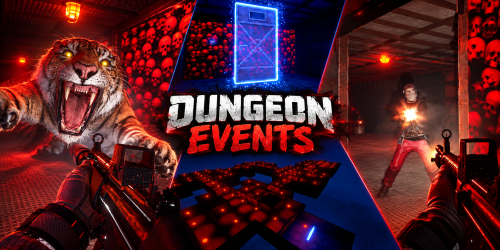
Procedural Dungeons for Rust Give your players somewhere new to take their best gear. When a portal opens, players step through into a newly generated dungeon. Inside they fight NPCs, bosses, animals and auto turrets, then collect whatever loot you’ve set up. Dungeon Events adds repeatable PvE to your Rust server. The plugin generates every layout, and a dungeon can start automatically or when a player buys one. Six difficulty presets come included for building your server’s dungeon progression, and you can customize the encounters and rewards. Players can take a dungeon on alone or bring their allies. 6 difficulty presets · 14 construction options · Classic stone dungeons · Private purchases · Custom loot · Optional economy and XP rewards Watch Dungeon Events in action Fresh layouts. Familiar controls. Every newly spawned dungeon gets a procedurally generated layout. Rooms and corridors are built by the plugin, giving players new spaces to explore while you control the difficulty, size and rewards. You do not need to build dungeon layouts or supply CopyPaste files. Choose your settings and let Dungeon Events generate the environment. Choose from 14 construction options: Wood, Legacy, Gingerbread, Stone, Adobe, Brick, Brutalist, Metal, Container, Armored, Jungle, Crypt, Space and Classic. Customize supported container colors, garage door skins, lighting and dungeon time of day to give different tiers their own identity. Classic dungeons included Turn a run into a torchlit expedition through stone chambers and branching corridors. Classic mode uses a separate layout generator, with stone floors, walls and roofs, and open passages without garage doors. Let players choose their next challenge Players can open /buydungeon, choose an available tier and pay with your configured currency. Enable ownership locking to reserve the dungeon for its owner and permitted allies. Play solo or bring a team. Allow Rust teammates and, with the optional Friends plugin, friends to join. Give currency a purpose. Charge Scrap, another item, an item with a specific skin, Economics balance or ServerRewards points. Set the pace. Configure prices, purchase cooldowns and active dungeon limits for each tier. Control access. Use tier permissions and delays after a wipe to decide when harder content becomes available. Prices and availability are configurable. The screenshot shows an example setup. From Easy to Impossible, you set the difficulty Start with Easy, Normal, Medium, Hard, Nightmare and Impossible, then adjust each tier for your community. Encounter What you control NPCs Count, names, health, damage, clothing, weapons and weapon attachments Boss NPCs Separate combat settings, equipment and loot tables Animals Species, spawn weights, health, damage, movement and sensing settings Auto turrets Count, health and weapon Dungeon layout Construction style, room settings and lighting Mix armed defenders with threats such as wolves, bears, tigers, panthers and crocodiles. Enable the species you want and build an encounter that fits each tier. An in-game event HUD shows the timer and remaining enemies, containers and turrets. Defeat the enemies and destroy the remaining loot containers and turrets to complete the dungeon. Make the rewards fit your server Give each difficulty its own reason to be played. Configure separate loot tables for regular NPCs, bosses and loot containers, with item chances, amount ranges, skins, custom names and item text. Use the included default loot table to get started, then tune the rewards around your server's economy. Optional integrations add more ways to reward a successful run: Economics and ServerRewards: configurable currency or point rewards for defeating enemies, destroying turrets and loot boxes, and completing the dungeon. SkillTree: dungeon completion XP, with options to split the reward between eligible players or give each eligible player the full amount. Keep events running on your terms Enable automatic spawning for recurring content, let players purchase their own runs, or create events through admin commands. Choose portal placement: automatic location searches or separate custom portal locations for automatic events and purchases. Manage the map: configurable marker names, colors, visibility and spawn announcements. Protect access: optional first-player ownership, ally access and portal protection rules for combat, building, deployables and vehicles. Control the event lifecycle: unentered and active lifetimes, cleanup conditions and removal delays. Shape the experience: dungeon height settings for terrain, elevated or underground placement; command restrictions; and an option to reset NPCs and animals when the last player leaves or dies. Tune server workload: adjustable batches for building, entity spawning, cleanup and location searches, plus global and per-tier event limits. Before you buy Does the basic dungeon system require other plugins? No. Dungeon generation, NPCs, the purchase menu and item-based payments are built in. CopyPaste and NpcSpawn are not required. Install optional integrations only for the features you want to use. Can I use it for solo players and groups? Yes. Configure encounter difficulty for your players and enable the teammate or friend access options you want. Friend access requires Friends; Rust team access is built in. Can I offer automatic events and private purchases together? Yes. They have separate enable settings and limits. Keep ownership locking enabled when you want access reserved to owners and permitted allies. Does returning through a portal generate another layout? No. Layouts are generated when a new dungeon spawns. Returning to an existing active dungeon takes players back to that dungeon. Are translations included? Default messages are included in English, Brazilian Portuguese, German, Spanish and Russian. Setup and reference Getting started on Oxide Player commands and permissions Admin commands Loot files and optional integrations Developer hooks Add a dungeon adventure to your server's routine. Let players choose their challenge, put their gear to work and earn rewards worth preparing for.$24.99 -
Version 0.1.27
9,897 downloads
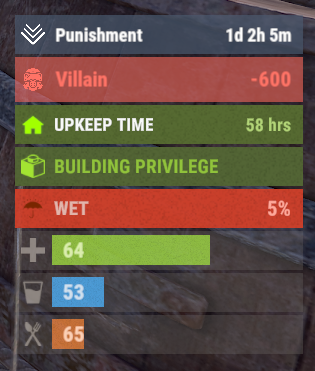
A useful API plugin that mimics in-game status bars and allows the addition of custom ones. Note: AdvancedStatus does not display any bars on its own. This is done by other plugins that work with it. An example plugin demonstrating interaction with AdvancedStatus. The ability to specify the frequency of calculating the number of bars; The ability to specify the order of the bar; The ability to change the height of the bar; The abillity to customize the color and transparency of the background; The ability to set a material for the background; The ability to switch between CuiRawImageComponent and CuiImageComponent for the image; The ability to get images from the local folder(*SERVER*\oxide\data\AdvancedStatus\Images); The abillity to set own image and customize the color and transparency of the image; The abillity to set sprite instead of the image; The ability to specify custom text; The ability to customize the color, size and font of the text; No need to pass all parameters; No need to manually delete your bar when unloading your plugin. advancedstatus.admin - Grants access to the chat command(by default /bar). { "Chat command": "bar", "Is it worth enabling console notifications for the successful loading of local images?": false, "Interval(in seconds) for counting in-game status bars": 0.5, "Interval(in seconds) for counting Building Privileges status bars. Note: Calculating Building Privileges is resource-intensive": 1.0, "Is it worth counting Vehicle Privilege? Useful if you don't have a Tugboat or PlayerBoat": true, "Is it worth counting Entity Privilege? Useful if you don't have a Legacy Shelter": true, "Ui layer for displaying bars. For button bars, it is recommended to use the 'Hud' layer(https://docs.oxidemod.com/guides/developers/basic-cui/basic-cui#layers)": "Under", "Is it worth displaying bar components left to right?": true, "Vertical spacing between bars": 2, "The height of the bar by default": 26, "The background color of the bar by default": "#505F75", "The background transparency of the bar by default": 0.7, "The background material of the bar by default, leave empty to disable": "", "The image of the bar by default": "AdvancedStatus_Default", "The color of the bar image by default": "#6B7E95", "The transparency of the bar image by default": 1.0, "The outline color of the bar image by default": "#000000", "The outline transparency of the bar image by default": 1.0, "The outline distance of the bar image by default. Example '0.75 0.75'": "", "The size of the bar text by default": 12, "The color of the bar text by default": "#FFFFFF", "The transparency of the bar text by default": 1.0, "The font of the bar text by default(https://docs.oxidemod.com/guides/developers/basic-cui/basic-cui#fonts)": "RobotoCondensed-Bold.ttf", "The horizontal offset of the bar text by default": 0, "The outline color of the bar text by default": "#000000", "The outline transparency of the bar text by default": 1.0, "The outline distance of the bar text by default": "", "The size of the bar subtext by default": 12, "The color of the bar subtext by default": "#FFFFFF", "The transparency of the bar subtext by default": 1.0, "The font of the bar subtext by default": "RobotoCondensed-Bold.ttf", "The outline color of the bar subtext by default": "#000000", "The outline transparency of the bar subtext by default": 1.0, "The outline distance of the bar subtext by default": "", "The color of the bar progress by default": "#89B840", "The transparency of the bar progress by default": 0.7, "The OffsetMin of the bar progress by default": "25 2.5", "The OffsetMax of the bar progress by default": "-3.5 -3.5", "Version": { "Major": 0, "Minor": 1, "Patch": 27 } } EN: { "MsgDays": "d", "MsgHours": "h", "MsgMinutes": "m", "MsgSeconds": "s" } RU: { "MsgDays": "д", "MsgHours": "ч", "MsgMinutes": "м", "MsgSeconds": "я" } images reload *ImageName* - Reloads the specified image from the image folder; all - Reloads all local images from the image folder. Example: /bar images reload all Note: To access the commands, the player must be an admin(console or owner) or have the advancedstatus.admin permission. OnAdvancedStatusLoaded: Called after the AdvancedStatus plugin is fully loaded and ready. OnPlayerGainedBuildingPrivilege: Called after the player enters their building privilege. OnPlayerLostBuildingPrivilege: Called after the player exits their building privilege. void OnAdvancedStatusLoaded() { Puts("The AdvancedStatus plugin is loaded and ready to go!"); } void OnPlayerGainedBuildingPrivilege(BasePlayer player) { Puts($"{player.displayName} entered the authorized building privilege zone."); } void OnPlayerLostBuildingPrivilege(BasePlayer player) { Puts($"{player.displayName} exited the authorized building privilege zone."); } [PluginReference] private Plugin AdvancedStatus; There are 15 methods: IsReady CreateBar UpdateContent DeleteBar DeleteCategory DeleteAllBars GetTotalClientBars GetTotalPlayerBars LoadImages LoadImage CopyImage DeleteImages DeleteImage BarExists InBuildingPrivilege There are 5 types of bar: Default - A simple bar that displays the provided information. Does not update the value of SubText by itself; Timed - Similar to the default bar, but it automatically disappears after the specified time in the TimeStamp parameter; TimeCounter - The SubText shows the remaining time until TimeStamp. Also automatically removed upon expiration of the TimeStamp; TimeProgress - Similar to the Timed bar, but additionally features an automatically filling progress bar; TimeProgressCounter - Similar to the TimeCounter bar, but additionally features an automatically filling progress bar. IsReady: Used to check if the AdvancedStatus plugin is loaded and ready to work. The IsReady method returns true if it is ready, or null if it is not. (bool)AdvancedStatus?.Call("IsReady");//Calling the IsReady method. If the result is not null(bool true), the plugin is ready. CreateBar: Used to create a bar or update bar values for a player. To call the CreateBar method, you need to pass 2 parameters. The first one is BasePlayer or <ulong>playerID. The second one is a dictionary with the parameters you need. In the CreateBar method, all parameters are optional, except for two: Id; Plugin. Parameters not specified when creating a new bar will use the values set in the AdvancedStatus plugin's configuration file. Parameters not specified during bar update will retain the values they had before the update. Note: The plugin does not update values automatically, you need to manually send new values. Dictionary<string, object> parameters = new Dictionary<string, object> { { "Id", "AdvancedStatusDemo_1" }, //<string>Unique identifier for the bar in your plugin. ***This is a required field. { "BarType", "Default" }, //<string>Type of the bar. There are 4 types: Default, Timed, TimeCounter and TimeProgress. { "Plugin", "AdvancedStatusDemo" }, //<string>Name of your plugin. ***This is a required field. { "Category", "Default" }, //<string>Internal plugin category of the bar. { "Order", 10 }, //<int>The position of your bar relative to others. Order is determined by increasing values(ASC). { "Height", 26 }, //<int>The height of your bar. A standard bar is 26 pixels. { "Main_Color", "#505F75" }, //<string>HTML Hex color of the bar background. { "Main_Transparency", 0.7f }, //<float>Transparency of the bar background. { "Main_Material", "assets/content/ui/uibackgroundblur.mat" }, //<string>Material of the bar background(empty to disable). { "Image", "scrap" }, //<string>Name of the image saved in the ImageLibrary or a direct link to the image if ImageLibrary is not used. { "Image_Local", "AdvancedStatusDemo_Scrap" }, //<string>The name of the image file(without its extension) located in *SERVER*\data\AdvancedStatus\Images. Leave empty to use Image. { "Image_Sprite", "" }, //<string>Sprite image of the bar. Leave empty to use Image_Local or Image. { "Is_RawImage", true }, //<bool>Which type of image will be used? True - CuiRawImageComponent. False - CuiImageComponent. { "Image_Color", "#6B7E95" }, //<string>HTML Hex color of the bar image. { "Image_Transparency", 1.0f }, //<float>Transparency of the image. { "Text", "Scrap" }, //<string>Main text. { "Text_Size", 12 }, //<int>Size of the main text. { "Text_Color", "#FFFFFF" }, //<string>HTML Hex color of the main text. { "Text_Font", "RobotoCondensed-Bold.ttf" }, //<string>Font of the main text. { "Text_Offset_Horizontal", 0 }, //<int>Horizontal offset for the main text. { "SubText", "35" }, //<string>Sub text. { "SubText_Size", 12 }, //<int>Size of the sub text. { "SubText_Color", "#FFFFFF" }, //<string>HTML Hex color of the sub text. { "SubText_Font", "RobotoCondensed-Bold.ttf" }, //<string>Font of the sub text. { "TimeStampStart", Network.TimeEx.currentTimestamp }, //<double>Responsible for specifying the start point of the time reference and 0% for TimeProgress and TimeProgressCounter bars. Used if the bar type is Timed, TimeCounter, TimeProgress or TimeProgressCounter. { "TimeStamp", Network.TimeEx.currentTimestamp + 6 }, //<double>Specifies the end time point after which the bar will be destroyed and 100% for TimeProgress and TimeProgressCounter bars. Used if the bar type is Timed, TimeCounter, TimeProgress or TimeProgressCounter. { "TimeStampDestroy", Network.TimeEx.currentTimestamp + 3 }, //<double>If TimeStampDestroy is specified and it is less than TimeStamp, the bar will be destroyed by TimeStampDestroy. Used if the bar type is Timed, TimeCounter, TimeProgress or TimeProgressCounter. { "Progress", (float)35 / 100f }, //<float>Progress. From 0.0 to 1.0. { "Progress_Reverse", false }, //<bool>Progress reverse. A value of false means that the progress will increase. Used if the bar type is TimeProgress or TimeProgressCounter. { "Progress_Color", "#89B840" }, //<string>Progress color. { "Progress_Transparency", 1f }, //<float>Progress transparency. { "Progress_OffsetMin", "25 2.5" }, //<string>Progress OffsetMin: "*left* *bottom*". { "Progress_OffsetMax", "-3.5 -3.5" }, //<string>Progress OffsetMax: "*right* *top*". { "Command", "kit" } //<string>If the field is not empty, the bar becomes clickable, and the specified command is executed upon clicking. Note: the command must be covalence. }; AdvancedStatus?.Call("CreateBar", player.userID.Get(), parameters); //Calling the CreateBar method with the passing of BasePlayer/playerID and a dictionary containing the required parameters. UpdateContent: Used to update only the content of an existing status bar. To call the UpdateContent method, you need to pass 2 parameters. The first one is BasePlayer or <ulong>playerID. The second one is a dictionary with the parameters you need. In the UpdateBar method, all parameters are optional, except for two: Id; Plugin. var parameters = new Dictionary<string, object> { { "Id", "MyID" }, //<string>Unique identifier for the bar in your plugin. ***This is a required field. { "Plugin", Name }, //<string>Name of your plugin. ***This is a required field. { "Text", "MyText" }, //<string>Main text. { "SubText", "MyText" }, //<string>Sub text. { "Progress", (float)amount / 100f }, //<float>Progress. From 0.0 to 1.0. }; AdvancedStatus?.Call("UpdateContent", player.userID.Get(), parameters); //Calling the UpdateContent method with the passing of BasePlayer/playerID and a dictionary containing the required parameters. DeleteBar: Used to remove the bar for a player. There are two methods for removing a bar by ID: with specifying a particular player; To call this method, you need to pass 3 parameters. The first one is BasePlayer or <ulong>playerID. The second one is Id of your bar and the third one is name of your plugin. without specifying a particular player (which removes it for all players) To call this method, you need to pass 2 parameters. The first one is Id of your bar and the second one is name of your plugin. AdvancedStatus?.Call("DeleteBar", player.userID.Get(), barID, Name); //Calling the DeleteBar method with the passing of BasePlayer/playerID, ID of the bar and the name of your plugin. AdvancedStatus?.Call("DeleteBar", barID, Name); //Calling the DeleteBar method with the passing of ID of the bar and the name of your plugin. If you try to delete a bar that doesn't exist, nothing bad will happen. So feel free to delete the bar without checking its existence. P.S. When unloading your plugin, there is no need to manually delete bars for players, AdvancedStatus will handle it automatically. DeleteCategory: Used to remove all bars associated with the plugin's category. To call the DeleteCategory method, you need to pass 2 parameters. The first one is category and the second one is name of your plugin. AdvancedStatus?.Call("DeleteCategory", "Default", Name);//Calling the DeleteCategory method by passing the category and name of your plugin DeleteAllBars: Used to remove all bars associated with the plugin. To call the DeleteAllBars method, you need to pass only 1 parameter. It is name of your plugin. AdvancedStatus?.Call("DeleteAllBars", Name);//Calling the DeleteAllBars method, passing the name of your plugin GetTotalClientBars: Used to get the number of client bars for the player. To call the GetTotalClientBars method, you need to pass only 1 parameter. It is BasePlayer or <ulong>playerID. (int)AdvancedStatus?.Call("GetTotalClientBars", player.userID.Get());//Calling the GetTotalClientBars method, passing the name of BasePlayer/playerID GetTotalPlayerBars: Used to get the number of active custom bars for the player. To call the GetTotalPlayerBars method, you need to pass only 1 parameter. It is BasePlayer or <ulong>playerID. (int)AdvancedStatus?.Call("GetTotalPlayerBars", player.userID.Get());//Calling the GetTotalPlayerBars method, passing the name of BasePlayer/playerID LoadImages: Used to check if the local images specified in the list are loaded. If any of the images are not loaded but their files exist in the images folder, the plugin will load them. To call the LoadImages method, you need to pass only 2 parameters. The first one is the <List<string>>list of image's name and the second one(optional) is <bool>force, which, if set to true, will force reload the image even if it already exists. AdvancedStatus?.Call("LoadImages", list, false);//Calling the LoadImages method, passing a list of image names LoadImage: Used to check if the local image is loaded. If the file is not loaded and exists in the images folder, the plugin will load it. To call the LoadImage method, you need to pass 2 parameters. The first one is the <string>image's name and the second one(optional) is <bool>force, which, if set to true, will force reload the image even if it already exists. AdvancedStatus?.Call("LoadImage", imgName, false);//Calling the LoadImage method, passing an image's name CopyImage: Used to create and load a copy of an existing image. To call the CopyImage method, you need to pass 3 parameters. The first parameter is the <string>source image's name, the second parameter is the <string>new image's name and the third one(optional) is <bool>force, which, if set to true, will force copy and reload the image even if it already exists. AdvancedStatus?.Call("CopyImage", "ZoneStatus_Default", "ZoneStatus_NewZone", false);//Calling CopyImage, passing the source image name and the new image name. DeleteImages: Used to delete a list of images and their files. To call the DeleteImages method, you need to pass 2 parameters. The first one is the <List<string>>list of image's name and the second one(optional) parameter is <bool>deleteFile, which, if set to true, will delete image's file too. AdvancedStatus?.Call("DeleteImages", list, true);//Calling DeleteImages, passing a list of image names. DeleteImage: Used for removing the image and the image file. To call the DeleteImage method, you need to pass 2 parameters. The first parameter is the <string>image's name and the second one(optional) parameter is <bool>deleteFile, which, if set to true, will delete image's file too. AdvancedStatus?.Call("DeleteImage", "ZoneStatus_NewZone", true);//Calling DeleteImage, passing the image name. BarExists: Used to check if the specified bar exists. To call the BarExists method, you need to pass 3 parameters. The first one is BasePlayer or <ulong>playerID. The second one is Id of your bar. And the third one is name of your plugin. (bool)AdvancedStatus?.Call("BarExists", player.userID.Get(), barID, Name);//Calling the BarExists method with the passing of BasePlayer/playerID, ID of the bar and name of your plugin. InBuildingPrivilege: Used to check if the player has authorized building privileges. To call the InBuildingPrivilege method, you need to pass BasePlayer or <ulong>playerID. (bool)AdvancedStatus?.Call("InBuildingPrivilege", player.userID.Get());//Checking if the player has Building Privilege.$1.99 -
Version 2.2.1
3,384 downloads
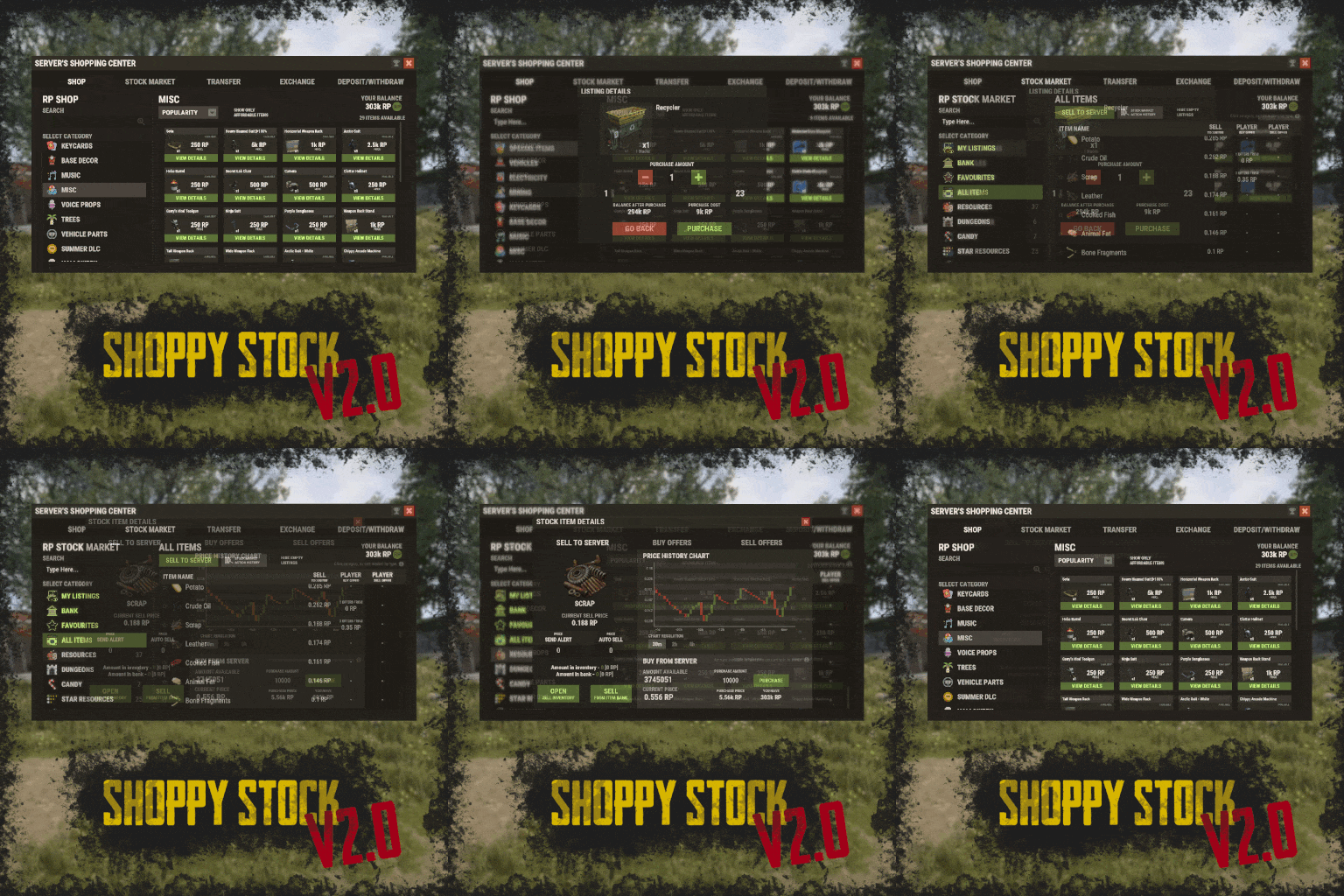
RUST Plugin Test Server TEST MY PLUGINS THERE! connect play.thepitereq.ovh:28050 Shoppy Stock is a powerful and versatile economy system designed to enrich your Rust server with shops, stock markets, transfers, exchanges, and deposit features. This plugin makes it easy to create multiple shops with unique currencies, set up dynamic stock markets with item listings, and manage a fully customizable server selling center—plus many more advanced options. Plugin package (zip) contains: ShoppyStock plugin ShoppyConverter plugin (Converts 1.x config to 2.0 config) Global Includes over 17 detailed Rust-themed GUI windows. Optimized for performance—actions are lightweight and won’t burden your server. Highly expandable, limited only by your imagination. Fully customizable popup messages through the PopUp API. Comprehensive command and API support for currency management. Full language support for all messages and items. Supports NoEscape integration. Complete UI color customization. NPC interaction support for shops and stock markets. Page memory feature remembers your position in the shop when reopened. Deposit and withdraw currencies to and from items. Currency exchange between different types. Built-in currency leaderboard. Shops Create multiple shops, each using different currencies. Easily import your old currency from other economy plugins. Organize items into categories with custom icons for seamless browsing. Unified search bar across all categories. Buy exactly the amount of items you need. Full custom item support. If currency is item-based, allow deposits into the shop as virtual currency and withdrawals back to items. Granular permission system configurable for each action. Daily or wipe purchase limits. Purchase cooldowns. Configurable discount system. Random offer rotations with customizable listings. Progressive pricing — prices can increase by set values or multipliers on each purchase. Stock Market Create multiple markets with different currencies. Favorite items tab for quick access. Automatic listing of all vanilla Rust items with blacklist support. Multiple sorting options for better market management. Buy and sell request creation. Configurable server sell price history. Permission-based limits on how many listings each player can create. Listings can be canceled, refunded, or returned to the market at no cost. Customizable taxes on market actions. Support for extra item info like durability and plant genes. Timed price rolls to adjust prices at set hours. Demand-based pricing that adjusts based on item popularity (DiscordCore required for messages). Advanced selling center with a price calculator using over 15 variables (e.g., amount sold, online player count). Stock Market Broker system—players can store or refund items, set alert prices, and even auto-sell resources while offline. Custom categories and full custom item support. Web API support for price checks or integration into server tools (requires web server). Statistics module for fine-tuning your economy. Timed listings with configurable availability durations. Ability to buy back resources sold to the market. Listing taxes based on listing time. Dynamic price history graphs. Individual configuration for server buy/sell offers per item. Generation of historical price data. Transfer Send currencies to other players, whether they’re online or offline. Configurable transfer limits and taxes. The following core permission is static and cannot be changed. However, the configuration files include hundreds of customizable permissions covering nearly every action. shoppystock.admin - Grants full access to admin commands and management tools. All commands can be fully customized in the configuration. Below are the default commands included with the plugin: /shop or /s — Opens the main Shoppy Stock interface. /adminshop — Opens the admin shop management panel. (Available in version 2.1) /deposit — Opens the currency deposit inventory. /mshop or /goldshop — Opens a specific shop. /market — Opens the stock market interface for a specific currency (defaults to “money”). /sell — Opens the sell inventory to sell items directly to the server (defaults to “money”). /list — Opens the interface to list a new item on the stock market (defaults to “money”). /bank — Opens the bank interface for a specific stock market (defaults to “money”). /stockcode <code> — Displays a private listing using a code shared by the listing owner. updateprices — Console command showing details on rolling or updating item prices in the stock market. Shoppy Stock is packed with powerful features, and configuring everything the first time can feel overwhelming. This guide provides a quick walkthrough to help you get started and understand key parts of the plugin. Optional Supported Currency Plugins Economics ServerRewards BankSystem IQEconomic Moving from V1 to V2. Shoppy Stock V2 has been almost completely rewritten from scratch, reusing less than 10% of the old code. The new configuration is redesigned to be more intuitive and feature-rich. To help you migrate, use the provided ShoppyConverter, which can convert about 95% of your old configs and data files to the new format. After converting, always review your new configs carefully — V2 includes dozens of new options that won’t automatically adjust to your preferred settings. How to convert: Place ShoppyConverter.cs in your plugins folder. Follow console instructions to move files to the required location. Run the conversion command as instructed. Once converted, place the new files in the correct folders as indicated. Configuration Files The plugin’s extensive features are divided across several files and folders: /config/ShoppyStock.json Main config containing default settings for currencies, shops, stock markets, and global options. /data/ShoppyStock/playersData.json Stores global plugin data and player currencies. /data/ShoppyStock/Shops/Configs/<shopName>.json Shop configs, including available categories and items. /data/ShoppyStock/Shops/Statistics/ Data on daily limits, unique purchases, and more. /data/ShoppyStock/StockMarkets/Configs/<stockName>.json Stock market configs. /data/ShoppyStock/StockMarkets/Listings/ Player buy and sell offers. /data/ShoppyStock/StockMarkets/PlayerData/ Alert data, favorites, banked items, etc. /data/ShoppyStock/StockMarkets/PriceCache/ Historical price data and current server sell prices. /data/ShoppyStock/StockMarkets/Statistics/ Data on items sold to the server and total currency earned. Main Config Highlights Web API You can use the Web API to show market prices on your website. Requires web hosting with PHP support. Download apiupdate.php by CLICKING HERE. Place it in the directory set by your “Web Price API - Link” config. Make sure it has permission to create api.html. The generated file will be accessible at <Web Price API - Link>/api.html. Server-Selling Items → Default Sell Amount Calculation (DSAC) DSAC helps define the average number of items sold in a period, based on your server’s player activity. The period is an one price roll time. Example: a PvE x10 server with ~20–30 players might set wood’s DSAC to 1,800,000 — based on my some calculations, but adjust based on your own stats and server needs. Always Run Timer on Hour Minute Controls when the plugin rolls stock prices. For example: Values: 0, 30, 60 → rolls at x:00 or x:30. Values: 0, 20, 40, 60 → rolls at x:00, x:20, or x:40. Stock Market - Default Categories By default, the stock market includes these categories: Favourites MyListings Bank AllItems Use these codenames in your configs to customize display order. Stock Market Item Text Info Display Method If your server supports item.text, you can toggle this option to show listed item text info. Currently plugin supports two ways of displaying data. You can enable them based on the config number: 0 - Disabled 1 - Reads raw item.text field and shows on screen 2- Reads item.text as Dictionary<string, string> and supports key translation, currently experimental. If your plugin works on item.text info and any of the solutions above doesn't fit you, feel free to message me to create another implementation! Items - Custom Detail Info (skinId: languageKey) You can add custom info tags in listings (similar to showing tool condition or clone genes). For example, tag certain items as “Upgrade Ingredients.” Redeem Inventory Name Make sure to create a storage with this name in RedeemStorageAPI — otherwise, items from certain actions could disappear, and errors may occur. Generating Shop Config With All Vanilla Items To automatically add all vanilla RUST items to a shop: In /config/ShoppyStock.json, set Generate Config With All Default RUST Items to true in the desired shop section. Delete the existing shop config file in /data/ShoppyStock/Shops/Configs/. Reload the plugin—this will generate a new config containing all default items. Shop Data Config Highlights Shop Items - Commands Supports few types of dynamic variables in commands: {userId} → buyer’s Steam ID {userName} → buyer’s nickname {userPosX}, {userPosY}, {userPosZ} → buyer’s coordinates A collection of answers to common questions about demand systems, price multipliers, stock market trends, and developer API. Multiplier Events & Demand System Q: How does the demand system work? What is “weight”? A: The demand system uses “Multiplier Events” defined in the main config. Each event has a weight that determines its chance to be chosen during a price roll. How often demands appear is configured in your stock market file at: /data/ShoppyStock/StockMarket/Configs/<shopName>.json. Make sure names in the main config and stock market config match exactly. Q: How do “minimal” and “maximal” work? A: These define a range for random price multipliers. Example: if minimal is 1.4 and maximal is 1.8, and the original price is 1.4, the final rolled multiplier might be ~1.685 → final price becomes ≈ 2.359. If the random roll goes above max or below min, it’s clamped to min/max. Stock Market - Timestamps & Trends Q: What are timestamps used for? A: The plugin stores historical price data which appears in charts for players with the correct permission. Tip: set a reasonable timestamp retention value even if you don't plan to show players now—this lets you start collecting useful data early. Data Folder, Stock Market Config Q: Blocked Multiplier Listing Keys A: Certain items you want excluded from permission price multipliers. Price Calculator Q: Price Change - Price Fluctuation Percentage A: Adds random small price changes to keep the market realistic when no other events run. Q: Price Change - Same Price Actions Min/Max A: Controls how many rolls prices must go up or down in sequence, making trends look more natural. Q: Price Change - Chances To Increment Based On Current Price Percentage A: It's the chance to run the action listed above. It's made in "<price percentage>": <price increase chance (percentage)> format. It's made to make prices go higher more easily when they are low and harder when they are high. Q: Price Drop - Amount Sell Values Penalty Multiplier A: When many items are sold fast, price roll becomes negative × penalty multiplier, making it drop quicker. Q: Price Drop - Amount Sold Max Price Penalty A: If a huge amount of an item (e.g., 10000% of DSAC) is sold, price is locked to e.g., 25% of original value for a period (e.g., 24 price rolls). Q: Price Increase - DSAC Not Achieved A: When item demand is too low (<100% DSAC sold), price increases faster to encourage farming, e.g., by x1.5. Q: Default Sell Amount Calculation - Players Online Multiplier A: Automatically scales DSAC based on current player count (checked each price roll). Useful if online population varies greatly. Q: Price Multipliers - Minimal Time Distance Between Events A: Sets a cooldown between multiplier events to avoid price spikes. Q: Price Multipliers - Chance To Appear Based On Sold Amount A: Lets multipliers trigger more often when few or many items are sold. Q: Price Multiplier Events A: Defines how many price rolls the price-increase/decrease event should last. Server Sell Items Q: What is the price parent system? A: Lets you set base items (e.g., Metal Ore) and refined items (e.g., Metal Fragments) so that fragments always stay more valuable than ore by a set difference, encouraging refining. int GetCurrencyAmount(string shopName, BasePlayer player) - Returns player's balance rounded down to integeer. If not found returns 0. int GetCurrencyAmount(string shopName, ulong userId) - Returns player's balance rounded down to integeer. If not found returns 0. float GetCurrencyAmountFloat(string shopName, BasePlayer player) - Returns player's balance. If not found returns 0. float GetCurrencyAmountFloat(string shopName, ulong userId) - Returns player's balance. If not found returns 0. bool TakeCurrency(string shopName, BasePlayer player, int amount) - Takes player currency. Returns true if taken and false if not. bool TakeCurrency(string shopName, BasePlayer player, float amount) - Takes player currency. Returns true if taken and false if not. bool TakeCurrency(string shopName, ulong userId, int amount) - Takes player currency. Returns true if taken and false if not. bool TakeCurrency(string shopName, ulong userId, float amount) - Takes player currency. Returns true if taken and false if not. void GiveCurrency(string shopName, ulong sellerId, int amount) - Gives player currency. void GiveCurrency(string shopName, ulong sellerId, float amount) - Gives player currency. string FormatCurrency(string shopName, BasePlayer player) - Returns player's formatted balance. Video Configuration Contains all configuration files shown on video. My private configuration created for my purposes. Note: many custom item features won’t work directly on your server—they're specific to the author’s private setup. Example Configuration.zip Default Main Config CLICK HERE! Default Shop Data Config CLICK HERE! Default Stock Market Data Config CLICK HERE!$49.99 -
Version 2.4.1
4,431 downloads
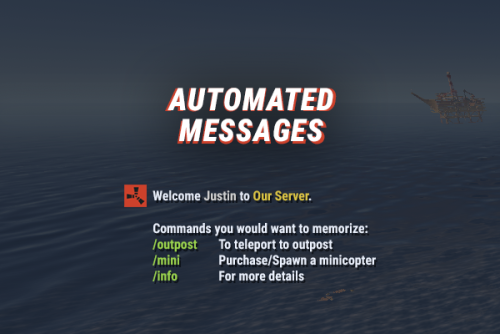
Automated chat messages based on chat keywords, advanced scheduling modes, or various other triggers. In addition to sending messages, the plugin can also automatically run server console commands when an action triggers. Admin UI — easy-to-use editor for complete setup Scheduling — Interval, Server Time, Game Time and Countdown modes Localization — localized replies for every language the game supports Targeting — send messages only to specific Groups or Permissions Player toggle — players can turn messages on/off if they don't find them useful Video Supported Triggers Scheduling & Chat — Timed · ChatCommand · AutoReply Connection — NewPlayerJoined · PlayerConnected · PlayerDisconnected Permissions & Groups — PermissionGranted · PermissionRevoked · AddedToGroup · RemovedFromGroup Gameplay — PlayerDead · CrateHacked Deep Sea — EnteredDeepSea · LeftDeepSea Zones — EnteredZone · LeftZone Monuments — EnteredMonument · LeftMonument Tip If what you need isn't listed here but still falls within the scope of the plugin, reach out to me. Commands Command Description Permission /am.edit Opens the Admin UI for complete setup automatedmessages.admin /tips Lets players toggle messages on/off (command name configurable) — Message Localization You can switch between languages in the Admin UI to set up localized replies for every language the game supports. See Config Settings below for how to add languages. Game Tips You can use Rust's native game tip UI to show specific messages instead of, or alongside, sending them to chat. Variables Variables can be included in message text to show additional info based on the trigger or player. The plugin also supports Placeholder API and its extensive list of variables. Variable Description {playername} Player name {playerid} Player Steam ID {playercountry} Player country {online} Number of players online {sleeping} Number of players sleeping {joining} Number of players joining {target} The target string associated with the triggered action {hacklocation} Location of the hacked crate (CrateHacked only) {wipetimeremaining} Time until wipe, like 2d 5h {wipetimeremaining:d} Days until wipe {wipetimeremaining:h} Hours until wipe (0–23) {wipetimeremaining:th} Total hours until wipe {countdown} Live time remaining (Countdown scheduling mode) {countdown:m} Minutes remaining (0–59) {countdown:s} Seconds remaining (0–59) {countdown:tm} Total minutes remaining {countdown:ts} Total seconds remaining Wipe time is based on Rust convar settings if a Missile Silo monument is present. Config Settings Note Only settings not available in the Admin UI are listed below. It's highly recommended to edit triggers and actions using /am.edit. Setting Description Replies Server Languages Languages your server will support (see list below) Default Server Language Fallback language if the player's client language has no available replies Warning You must have at least one reply in the Default Server Language for an action to work. Available Languages af Afrikaans · ar Arabic · ca Catalan · cs Czech · da Danish · de German · el Greek · en English · en-PT Pirate English · es-ES Spanish · fi Finnish · fr French · hu Hungarian · it Italian · ja Japanese · ko Korean · nl Dutch · no Norwegian · pl Polish · pt-PT Portuguese · pt-BR Portuguese (Brazil) · ro Romanian · ru Russian · sr Serbian · sv Swedish · tr Turkish · uk Ukrainian · vi Vietnamese · zh-CN Chinese (Simplified) · zh-TW Chinese (Traditional)$9.99 -
Version 1.3.1
133 downloads
IQTravellingVendor - an excellent addition to your server! Allows complete customization of sales with a wandering vendor! It's suitable for all types of servers! Configure the wandering vendor as you wish and set pricing policies tailored to your server! List of features: Presets: Create an unlimited number of different presets for the vendor and specify their random appearance! This allows you to configure vendors such as weapons or clothing vendors with specific chances using the configuration! Dynamic Pricing: You can create and specify pricing for each item separately in each preset, controlling both low and high prices, including the chance and price range! Item Restocking: Control when and how much the vendor restocks items, in case they are all purchased! The plugin controls all trading parameters of the wandering vendor! It applies only to the wandering vendor and does not affect other shops. The memo* - Alas, at the moment the merchant does not support the sale/purchase of custom items with SkinID If the developers add this functionality, it will also appear in the plugin! Configuration : { "Random presets configuration for spawning [PresetKey] = Chance (0-100)": { "RESOURCE_VENDOR": 70, "ATTIRE_VENDOR": 30, "TOOLS_VENDOR": 20, "WEAPON_VENDOR": 10 }, "Presets for the travelling vendor [UniquePresetKey] = Configuration": { "WEAPON_VENDOR": { "Configuration of items for sale and their prices": [ { "Item for sale": { "Item for sale": { "ShortName": "minigun", "Amount": 1 }, "Stock replenishment settings": { "Amount to replenish per N time": 1, "Time (seconds) for replenishing N amount of goods": 1200 } }, "Item price": { "Item price": { "ShortName": "scrap", "Amount": 999 }, "Additional pricing configuration": { "Use random price range (true - yes/false - no)": false, "Very low price chance for item (higher values increase the chance of item being at a very low price) (0-100)": 50, "Range of inflated prices for item": { "Minimum price for inflated price": 20, "Maximum price for inflated price": 30 }, "Range of discounted prices for item": { "Minimum price for discounted price": 5, "Maximum price for discounted price": 10 } } } }, { "Item for sale": { "Item for sale": { "ShortName": "military flamethrower", "Amount": 1 }, "Stock replenishment settings": { "Amount to replenish per N time": 1, "Time (seconds) for replenishing N amount of goods": 1200 } }, "Item price": { "Item price": { "ShortName": "scrap", "Amount": 799 }, "Additional pricing configuration": { "Use random price range (true - yes/false - no)": false, "Very low price chance for item (higher values increase the chance of item being at a very low price) (0-100)": 50, "Range of inflated prices for item": { "Minimum price for inflated price": 20, "Maximum price for inflated price": 30 }, "Range of discounted prices for item": { "Minimum price for discounted price": 5, "Maximum price for discounted price": 10 } } } }, { "Item for sale": { "Item for sale": { "ShortName": "rocket.launcher", "Amount": 1 }, "Stock replenishment settings": { "Amount to replenish per N time": 1, "Time (seconds) for replenishing N amount of goods": 1200 } }, "Item price": { "Item price": { "ShortName": "scrap", "Amount": 599 }, "Additional pricing configuration": { "Use random price range (true - yes/false - no)": false, "Very low price chance for item (higher values increase the chance of item being at a very low price) (0-100)": 50, "Range of inflated prices for item": { "Minimum price for inflated price": 20, "Maximum price for inflated price": 30 }, "Range of discounted prices for item": { "Minimum price for discounted price": 5, "Maximum price for discounted price": 10 } } } }, { "Item for sale": { "Item for sale": { "ShortName": "lmg.m249", "Amount": 1 }, "Stock replenishment settings": { "Amount to replenish per N time": 1, "Time (seconds) for replenishing N amount of goods": 1200 } }, "Item price": { "Item price": { "ShortName": "scrap", "Amount": 499 }, "Additional pricing configuration": { "Use random price range (true - yes/false - no)": false, "Very low price chance for item (higher values increase the chance of item being at a very low price) (0-100)": 50, "Range of inflated prices for item": { "Minimum price for inflated price": 20, "Maximum price for inflated price": 30 }, "Range of discounted prices for item": { "Minimum price for discounted price": 5, "Maximum price for discounted price": 10 } } } }, { "Item for sale": { "Item for sale": { "ShortName": "rifle.lr300", "Amount": 1 }, "Stock replenishment settings": { "Amount to replenish per N time": 1, "Time (seconds) for replenishing N amount of goods": 1200 } }, "Item price": { "Item price": { "ShortName": "scrap", "Amount": 399 }, "Additional pricing configuration": { "Use random price range (true - yes/false - no)": false, "Very low price chance for item (higher values increase the chance of item being at a very low price) (0-100)": 50, "Range of inflated prices for item": { "Minimum price for inflated price": 20, "Maximum price for inflated price": 30 }, "Range of discounted prices for item": { "Minimum price for discounted price": 5, "Maximum price for discounted price": 10 } } } }, { "Item for sale": { "Item for sale": { "ShortName": "rifle.m39", "Amount": 1 }, "Stock replenishment settings": { "Amount to replenish per N time": 1, "Time (seconds) for replenishing N amount of goods": 1200 } }, "Item price": { "Item price": { "ShortName": "scrap", "Amount": 299 }, "Additional pricing configuration": { "Use random price range (true - yes/false - no)": false, "Very low price chance for item (higher values increase the chance of item being at a very low price) (0-100)": 50, "Range of inflated prices for item": { "Minimum price for inflated price": 20, "Maximum price for inflated price": 30 }, "Range of discounted prices for item": { "Minimum price for discounted price": 5, "Maximum price for discounted price": 10 } } } } ] }, } }$9.49- 30 comments
- 1 review
-
- 5
-

-
- #travelvendor
- #travels
- (and 7 more)
-

Version 2.6.12
563 downloads
IQWipeBlock – a reliable, time-tested plugin! Many servers choose this plugin for temporary item blocking! A large number of reviews, discussions, and updates throughout the plugin's existence! I present to you the new version of the plugin! Features List: UI Interface: Scrollable UI with support for pagination – add unlimited categories and items, everything is scrollable! New notifications with animations – yes, animations in RUST! It's more than possible – try it yourself! Configuration: Simplified configuration – even a beginner admin can handle it. Everything is clear and easy to use! Item Block Notification: Simplified and familiar to players – GameTip style. This is the built-in notification from Rust. Welcome Notification: When a player joins the server, they are greeted with an animated notification informing them about the current temporary item block. Block End Notification: As soon as the item block ends, all players receive a chat message. Meanwhile, the plugin disables 90% of its functions to reduce server load, keeping only the essential ones! Permissions: iqwipeblock.ignore – ignore all item blocks$24.99- 28 comments
-
- 1
-
-
- #wipeblock
- #rust
- (and 8 more)
-

Version 1.0.2
7 downloads
nanoCombatLog - a convenient UI-based combat history system for your players! The plugin saves the history of recent battles and provides players with detailed information about each fight directly in a convenient interface. Players can see who dealt damage and how many times, where the hits landed, how much damage was received and dealt, and analyze the course of each battle in detail. History is saved for: players, NPCs, and animals Configurable in the configuration and additionally in *nanoSettingModule *if installed Works both with nanoModalMenu and WITHOUT it! Plugin and image installation instructions: When downloading the plugin - you will receive an archive with the following structure: oxide ├── plugins │ └── nanoCraftSystem.cs // main plugin file │ └── data └── nanoSystemModule └── nanoCombatLog └── Images └── *.png // plugin images You need to install the icons using the same path structure as shown in the archive. Please note - first extract the archive to your computer and only then upload the images to your server! Feature list: Color theme support: *Color theme selection is available only when nanoModalMenu and nanoSettingModule are installed. Otherwise, only the Light theme will be available by default. White Included with Plugin Dark View Theme Blue View Theme Purple View Theme Configuration JSON { "Header menu settings": { "Multilingual translation for the menu title": { "ru": "ИСТОРИЯ БОЁВ", "en": "COMBAT LOG" }, "Multilingual translation for the menu description": { "ru": "Изучите историю ваших последних сражений\nПроанализируйте и выявите свои слабые зоны", "en": "Review your recent combat history\nAnalyze your performance and identify your weak points" }, "List of items for menu decoration [Shortname] (no more than 9 items)": [ "rifle.ak.glass.green", "rifle.ak.glass.blue", "rifle.ak.glass.pink", "rifle.ak.glass.red", "rifle.ak.glass", "pistol.semiauto.a.m15", "m16a2", "rifle.lr300.space", "shotgun.m4" ] }, "Default settings parameters": { "Display NPC interactions in history": true, "Display animal interactions in history": true } } Chat Commands /combat - opens the combat history menu$11.99 -

Version 1.1.2
5 downloads
nanoInfoModule - an information module for your server! Required - the nanoModalMenu plugin must be installed Feature list: Unlimited page support: All page categories support scrolling, allowing you to create as many pages as you need for each information category! Multilingual text support: Specify text in any language, and each player will be able to see information that matches their language! Minimalist information design: You can keep all text in a consistent style or use HTML tags to change the text size, highlight text, or set custom text colors. Color theme support: Examples of color themes with nanoInfoModule open and links to them: White Included with Plugin Dark View Theme Purple View Theme Blue View Theme Simple and easy-to-use module that allows you to provide your players with all the information they need! Module demonstration in the White theme: Configuration JSON { "Header menu settings": { "Multilingual translation for the menu title": { "ru": "ИНФОРМАЦИЯ", "en": "INFORMATION" }, "Multilingual translation for the menu description": { "ru": "Тут ты узнаешь насколько интересный наш сервер и каким правилам придерживаться", "en": "Here you will learn what makes our server interesting and which rules you should follow" }, "List of items for menu decoration [Shortname] (no more than 9 items)": [ "spraycan", "documents", "tool.binoculars", "building.planner", "advancedblueprintfragment", "campfire", "map", "note", "wallpaper.tool" ] }, "Menu content settings": { "Category settings [UniqueKey] = Settings": { "rules": { "Image file name from `/data/nanoSystem/nanoInfoModule/Images` [Do not include the extension]": "RULES_ICON", "Multilingual category translation [LanguageKey] = Translation": { "ru": "ПРАВИЛА", "en": "RULES" }, "List of category content": [ { "Multilingual translation of the text block title [LanguageKey] = Translation": { "ru": "БУДЬ ВЕЖЛИВЫМ", "en": "BE RESPECTFUL" }, "Multilingual translation of the text block [LanguageKey] = Translation": [ { "ru": "1. Уважайте других игроков и общайтесь без оскорблений, унижений и провокаций\n2. Запрещены токсичное поведение, травля, угрозы и дискриминация в любом виде\n3. Не засоряйте чат флудом, спамом, капсом или бессмысленными сообщениями\n4. Используйте голосовой и текстовый чат адекватно, без шума, криков и намеренного раздражения других игроков\n5. Если возник конфликт, решайте его спокойно или обращайтесь к администрации сервера", "en": "1. Respect other players and communicate without insults, humiliation, or provocation\n2. Toxic behavior, harassment, threats, and discrimination in any form are prohibited\n3. Do not flood the chat with spam, caps, or meaningless messages\n4. Use voice and text chat appropriately, without noise, screaming, or intentionally annoying other players\n5. If a conflict arises, resolve it calmly or contact the server administration" } ] }, { "Multilingual translation of the text block title [LanguageKey] = Translation": { "ru": "ЧЕСТНАЯ ИГРА", "en": "FAIR PLAY" }, "Multilingual translation of the text block [LanguageKey] = Translation": [ { "ru": "1. Запрещено использовать читы, макросы, скрипты или стороннее ПО, дающее игровое преимущество\n2. Использование багов, дюпов и уязвимостей сервера для личной выгоды запрещено\n3. Не пытайтесь обходить правила сервера через альтернативные аккаунты, VPN или иные способы сокрытия нарушений\n4. Запрещено выдавать себя за администрацию, модераторов или других игроков\n5. Любая нечестная игра, нарушающая баланс сервера, может привести к наказанию", "en": "1. Cheats, macros, scripts, or third-party software that provide an in-game advantage are prohibited\n2. Exploiting bugs, dupes, or server vulnerabilities for personal gain is forbidden\n3. Do not attempt to bypass server rules using alternate accounts, VPNs, or other methods to hide violations\n4. Impersonating administrators, moderators, or other players is prohibited\n5. Any unfair gameplay that disrupts the server balance may result in punishment" } ] }, { "Multilingual translation of the text block title [LanguageKey] = Translation": { "ru": "СТРОЙКА И РЕЙДЫ", "en": "BUILDING AND RAIDS" }, "Multilingual translation of the text block [LanguageKey] = Translation": [ { "ru": "1. Не стройте объекты, которые намеренно мешают спавну, проходу или нормальной игре других игроков\n2. Запрещено злоупотреблять постройками, шкафами, турелями и ловушками для нечестной блокировки территории вне правил сервера\n3. Уважайте лимиты сервера на количество построек, турелей, членов клана и других игровых объектов\n4. Если на сервере действуют ограничения на рейды новичков или специальные PvP/PvE зоны, их необходимо соблюдать\n5. Постройки и рейды, создающие чрезмерную нагрузку на сервер или нарушающие его правила, могут быть удалены администрацией", "en": "1. Do not build structures that intentionally block spawns, movement, or normal gameplay for other players\n2. Abusing buildings, tool cupboards, turrets, or traps to unfairly block territory outside server rules is prohibited\n3. Respect the server limits on buildings, turrets, clan members, and other in-game objects\n4. If the server has raid restrictions for beginners or special PvP/PvE zones, those rules must be followed\n5. Buildings and raids that create excessive server load or violate server rules may be removed by the administration" } ] } ] }, "nanoSettingModule": { "Image file name from `/data/nanoSystem/nanoInfoModule/Images` [Do not include the extension]": "SETTINGS_MODULE_ICON", "Multilingual category translation [LanguageKey] = Translation": { "ru": "НАСТРОЙКИ", "en": "SETTINGS" }, "List of category content": [ { "Multilingual translation of the text block title [LanguageKey] = Translation": { "ru": "О ПЛАГИНЕ", "en": "PLUGIN" }, "Multilingual translation of the text block [LanguageKey] = Translation": [ { "ru": "Плагин nanoSettingModule предназначен для управления и настройки других модулей системы nanoModalMenu\nС его помощью игроки могут изменять доступные параметры, взаимодействовать с подключёнными модулями и подстраивать отдельные функции под свои предпочтения\nЭтот модуль выступает как единая точка доступа к пользовательским настройкам и делает работу с интерфейсом более удобной и понятной", "en": "The nanoSettingModule plugin is designed to manage and configure other modules in the nanoModalMenu system\nWith it, players can change available settings, interact with connected modules, and adjust certain features to match their preferences\nThis module acts as a central access point for user settings and makes the interface more convenient and easier to use" } ] } ] }, "nanoWelcomeModule": { "Image file name from `/data/nanoSystem/nanoInfoModule/Images` [Do not include the extension]": "WELCOME_MODULE_ICON", "Multilingual category translation [LanguageKey] = Translation": { "ru": "ПРИВЕТСТВИЕ", "en": "WELCOME" }, "List of category content": [ { "Multilingual translation of the text block title [LanguageKey] = Translation": { "ru": "ПРИВЕТСТВЕННЫЙ МОДУЛЬ", "en": "WELCOME MODULE" }, "Multilingual translation of the text block [LanguageKey] = Translation": [ { "ru": "nanoWelcomeModule - это модуль, который помогает игрокам быстро получить важную информацию о сервере сразу в одном месте\nВ нём можно разместить краткую информацию, преимущества сервера, ссылки на социальные сети, полезные сведения, а также любой дополнительный текст по желанию\nПомимо этого, модуль поддерживает быстрый доступ через кнопки и может отображать информацию, полученную из других подключённых плагинов", "en": "nanoWelcomeModule is a module that helps players quickly access important server information all in one place\nIt can be used to display a server description, its advantages, social media links, useful details, and any additional custom text if desired\nIn addition, the module supports quick access buttons and can display information received from other connected plugins" } ] } ] }, "nanoKitsModule": { "Image file name from `/data/nanoSystem/nanoInfoModule/Images` [Do not include the extension]": "KITS_MODULE_ICON", "Multilingual category translation [LanguageKey] = Translation": { "ru": "НАБОРЫ", "en": "KITS" }, "List of category content": [ { "Multilingual translation of the text block title [LanguageKey] = Translation": { "ru": "НАБОРЫ СЕРВЕРА", "en": "SERVER KITS" }, "Multilingual translation of the text block [LanguageKey] = Translation": [ { "ru": "nanoKitsModule - это модуль, это простой и удобный плагин на наборы для вашего сервера.\nНичего лишнего, отличная оптимизация и только нужный функционал!\nПродавайте привилегии с наборами и наслаждайтесь интегрированным интерфейсом в меню nanoModalMenu", "en": "nanoKitsModule is a simple and convenient kits plugin for your server.\nNothing unnecessary, excellent optimization, and only the features you need!\nSell privileges with kits and enjoy the integrated interface in the nanoModalMenu" } ] } ] }, "nanoChat": { "Image file name from `/data/nanoSystem/nanoInfoModule/Images` [Do not include the extension]": "CHAT_MODULE_ICON", "Multilingual category translation [LanguageKey] = Translation": { "ru": "ЧАТ", "en": "CHAT" }, "List of category content": [ { "Multilingual translation of the text block title [LanguageKey] = Translation": { "ru": "ЧАТ СЕРВЕРА", "en": "SERVER CHAT" }, "Multilingual translation of the text block [LanguageKey] = Translation": [ { "ru": "nanoChat - даннный плагин сделан для простого контроля и настройки чата для ваших игроков\nИспользуйте цвет ника и отдельные префиксы по разрешениям\nРазделяйте их на привилегии и зарабатывайте с помощью этого\nВместе с nanoSettingsModule - ваши игроки получат еще больший контроль над системой чата, данный модуль будет дополнять возможности nanoChat", "en": "nanoChat is a plugin designed for simple chat control and configuration for your players.\nUse nickname colors and separate prefixes based on permissions.\nDivide them into privileges and monetize them.\nTogether with nanoSettingsModule, your players will get even more control over the chat system, and this module will expand nanoChat's capabilities" } ] }, { "Multilingual translation of the text block title [LanguageKey] = Translation": { "ru": "ЦВЕТА НИКА", "en": "NICKNAME COLORS" }, "Multilingual translation of the text block [LanguageKey] = Translation": [ { "ru": "А ещё вы можете создавать различные <color=#33232FF>цвета</color> для ников игроков и даже задавать градиент, используя несколько цветов", "en": "You can also create different <color=#33232FF>colors</color> for players' nicknames and even set a gradient by using multiple colors.\n" } ] } ] } } } }$15.99 -

Version 1.0.1
213 downloads
nanoMarker - customizable hit markers for your players. Includes 3 customizable hit marker types, with options to adjust their size, color, and additional features. Works with nanoModalMenu, but can also be used WITHOUT it! Plugin and image installation guide: When you download the plugin, you will receive an archive with the following structure: oxide ├── plugins │ └── nanoMarker.cs // Main plugin file │ └── data └── nanoSystemModule └── nanoMarker └── Images ├── Markers │ └── *.png // Marker images for the "Icon" type └── *.png // Menu images and icons Make sure to upload the icons to the corresponding paths shown in the archive Important: Extract the archive on your computer first, and only then upload the images to your server! Features: Color theme support: *choosing a color theme is only available when both nanoModalMenu and nanoSettingModule are installed. Otherwise, only the Light theme will be available by default. White Included with Plugin Dark View Theme Purple View Theme Blue View Theme Three marker types: Icon Marker - displays an icon selected by the player from the available options. Health Indicator - displays a progress bar showing the target's health. Damage Text Indicator - displays the damage dealt to the target as text. Marker sizes: Players can choose the marker size from three available options: Small, Medium, and Large. Target filtering: Players can choose which targets trigger their markers: Players, NPCs, Animals, and Vehicles. Each target type can be enabled or disabled separately. Color: Players can choose the color of their marker from the available color options. Additional settings: Each marker type supports extra settings to enhance its functionality: - Icon Marker - can also display damage text and a player knockdown indicator. - Health Indicator - can also display damage text and a player knockdown indicator. - Damage Text Indicator - supports a player knockdown indicator. UI Demonstration in the Light Theme : Configuration : { "Header menu settings": { "Multilingual translation for the menu title": { "ru": "ХИТ-МАРКЕР", "en": "HIT-MARKER" }, "Multilingual translation for the menu description": { "ru": "Настрой хит-маркер под себя\nДетальная настройка для индикации", "en": "Customize your hit marker\nFine-tune the indicator settings" }, "List of items for menu decoration [Shortname] (no more than 9 items)": [ "weapon.mod.small.scope", "rifle.ak", "weapon.mod.holosight", "lmg.m249", "weapon.mod.lasersight", "smg.thompson", "weapon.mod.8x.scope", "compass", "flare" ] }, "Marker settings": { "Marker color list [UniqueKey] = Color": { "coral": "0.914 0.525 0.455 1", "red": "1 0.349 0.361 1", "fuchsia": "0.886 0.271 0.733 1", "mustard": "0.792 0.737 0.314 1", "mint_green": "0.4 0.729 0.525 1", "muted_red": "0.729 0.4 0.4 1", "white": "1 1 1 0.5" }, "List of marker icons available for selection from data/nanoMarker/Images/Markers [Without .png]": [ "HIT_VERTICAL", "HIT_TRIAD", "HIT_RING", "HIT_HORIZONTAL", "HIT_FRAME", "HIT_CROSS", "HIT_MULTI", "HIT_MULTI_LINE" ] }, "Default settings for all players": { "Color key": "white", "Marker size: 0 - Small, 1 - Medium, 2 - Large": 1, "Marker type: 0 - Health indicator, 1 - Text indicator, 2 - Icon indicator": 1, "Marker icon image name from data/nanoMarker/Images/Markers [Without .png]": "HIT_HORIZONTAL", "Display dealt damage [true - enabled/false - disabled]": false, "Display when a player is downed (wounded) [true - enabled/false - disabled]": false } }$14.99 -

Version 1.0.2
5 downloads
nanoWelcomeBack - a plugin that allows you to reward players for returning to your server! Works both with nanoModalMenu and WITHOUT it! What is the purpose of the plugin? Bringing a player back to the server is only half the job. The much harder part is getting them interested again and giving them a reason to keep playing instead of losing them after another login and their first setback. The plugin helps retain returning players by providing a welcome-back bonus, giving them a chance for an easier restart with a useful reward. Configure rewards for 7, 14, 21, or more days of absence - a welcome gift can attract attention, increase loyalty to your server, and give returning players an additional chance for a successful restart. Don't lose players who have already decided to return - give them another reason to stay Plugin and image installation instructions: When downloading the plugin - you will receive an archive with the following structure: oxide ├── plugins │ └── nanoWelcomeBack.cs // main plugin file │ └── data └── nanoSystem └── nanoWelcomeBack └── Images └── *.png // menu images and icons You need to install the icons using the same path structure as shown in the archive. Please note - first extract the archive to your computer and only then upload the images to your server! Feature list: Flexibility: You can configure the number of absence days and the reward for each period yourself. Set up different bonuses to provide different reward values. Reward claiming: The player decides when to claim the reward. They can claim it immediately or save it for later, allowing them to start progressing first and safely collect the bonus when they are ready. Color theme support: Color theme selection is available only when nanoModalMenu and nanoSettingModule are installed. Otherwise, only the Light theme will be available by default. White Included with Plugin Dark View Theme Blue View Theme Purple View Theme Command support: You can use commands or items from other plugins as rewards in addition to regular in-game items. Simple and clear configuration: Easy-to-understand configuration and simple item setup. Configuration JSON { "Header menu settings": { "Multilingual translation for the menu title": { "ru": "С ВОЗВРАЩЕНИЕМ, %NICKNAME%", "en": "WELCOME BACK, %NICKNAME%" }, "Multilingual translation for the menu description": { "ru": "Давно тебя не было - целых %DAYS_ABSENCE%\nМы подготовили для тебя бонусы за возвращение!", "en": "You haven't visited the server for %DAYS_ABSENCE%\nWe've prepared some welcome-back bonuses for you!" }, "List of items for menu decoration [Shortname] (no more than 9 items)": [ "fun.boomboxportable", "cassette.medium", "fun.guitar", "fun.cowbell", "pinata", "xylophone", "connected.speaker", "beachtowel", "megaphone" ] }, "Comeback rewards by absence days [Days] = Reward list | Specify from highest to lowest": { "30": [ { "Item type: 0 - Physical item, 1 - Command": 1, "Physical item settings": null, "Command settings": { "Icon name from the folder [data/nanoSystem/nanoDailyRewards/Images]. Without file extension": "ICON_PRIVILAGE", "Console command [%USERID% - will be replaced with player's Steam64ID]": "addgroup %STEAMID% vip 7d", "Multilingual translation of the command for display in the UI": { "ru": "VIP", "en": "VIP" }, "Multilingual translation of the command amount description for display in the UI": { "ru": "7 дней", "en": "7 days" }, "Required free inventory slots for this command [If this command adds something to the inventory]": 0 } }, { "Item type: 0 - Physical item, 1 - Command": 1, "Physical item settings": null, "Command settings": { "Icon name from the folder [data/nanoSystem/nanoDailyRewards/Images]. Without file extension": "ICON_RECYCLER", "Console command [%USERID% - will be replaced with player's Steam64ID]": "give.recycler %STEAMID%", "Multilingual translation of the command for display in the UI": { "ru": "Переработчик", "en": "Recycler" }, "Multilingual translation of the command amount description for display in the UI": { "ru": "x1", "en": "x1" }, "Required free inventory slots for this command [If this command adds something to the inventory]": 1 } } ], "7": [ { "Item type: 0 - Physical item, 1 - Command": 0, "Physical item settings": { "Shortname": "rifle.ak", "Quantity": 1, "SkinID": 0, "Displayed name [Leave empty for in-game name]": null, "List of item contents": [ { "Ammunition [true], other content [false]": true, "Shortname": "ammo.rifle", "Quantity": 30 }, { "Ammunition [true], other content [false]": false, "Shortname": "weapon.mod.lasersight", "Quantity": 1 }, { "Ammunition [true], other content [false]": false, "Shortname": "weapon.mod.holosight", "Quantity": 1 } ] }, "Command settings": null }, { "Item type: 0 - Physical item, 1 - Command": 0, "Physical item settings": { "Shortname": "wood", "Quantity": 15000, "SkinID": 0, "Displayed name [Leave empty for in-game name]": null, "List of item contents": null }, "Command settings": null }, { "Item type: 0 - Physical item, 1 - Command": 0, "Physical item settings": { "Shortname": "stones", "Quantity": 15000, "SkinID": 0, "Displayed name [Leave empty for in-game name]": null, "List of item contents": null }, "Command settings": null }, { "Item type: 0 - Physical item, 1 - Command": 0, "Physical item settings": { "Shortname": "metal.fragments", "Quantity": 5000, "SkinID": 0, "Displayed name [Leave empty for in-game name]": null, "List of item contents": null }, "Command settings": null }, { "Item type: 0 - Physical item, 1 - Command": 0, "Physical item settings": { "Shortname": "metal.refined", "Quantity": 200, "SkinID": 0, "Displayed name [Leave empty for in-game name]": null, "List of item contents": null }, "Command settings": null }, { "Item type: 0 - Physical item, 1 - Command": 0, "Physical item settings": { "Shortname": "jackhammer", "Quantity": 1, "SkinID": 0, "Displayed name [Leave empty for in-game name]": null, "List of item contents": null }, "Command settings": null }, { "Item type: 0 - Physical item, 1 - Command": 0, "Physical item settings": { "Shortname": "chainsaw", "Quantity": 1, "SkinID": 0, "Displayed name [Leave empty for in-game name]": null, "List of item contents": null }, "Command settings": null }, { "Item type: 0 - Physical item, 1 - Command": 0, "Physical item settings": { "Shortname": "largebackpack", "Quantity": 1, "SkinID": 0, "Displayed name [Leave empty for in-game name]": null, "List of item contents": null }, "Command settings": null } ] }, "Supported plugins settings": { "IQChat/nanoChat settings": { "Custom chat prefix": "", "Custom chat avatar (If required)": "0" } } } Commands Chat Commands /comeback - opens the menu if the player decided to claim the reward later Console Commands comeback - opens the menu if the player decided to claim the reward later$10.99 -

Version 1.2.2
6 downloads
nanoWelcomeModule - a welcome module for your server! Required - the nanoModalMenu plugin must be installed Plugin and image installation instructions: When downloading the plugin - you receive an archive with the following structure: oxide ├── plugins │ └── nanoWelcomeModule.cs // main plugin file │ └── data └── nanoSystemModule └── nanoWelcomeModule └── Images └── *.png // menu images and icons You need to install the icons using the same path as in the archive. Be careful - first extract the archive to your computer and only then upload the images to your server! Feature list: Display your social media links: You can add any QR codes for your server's social media pages or store, all of this is configured through the configuration and images. Our Plugins information section: A fully customizable section, you can specify the advantages of your server, its important aspects, or any other information about your server by adding an icon of an in-game item! *All sections support scrolling and have no item limit! Information section: A quick access section with the ability to display the server online count, the player's privileges using IQPermissions, text information with an icon about your server mechanics, and quick access buttons *All sections support scrolling and have no item limit! Multilingual text support: Specify text in any language, and each player will be able to see information that matches their language! Color theme support: Examples of color themes with the nanoWelcomeModule open and links to them: White Included with Plugin Dark View Theme Purple View Theme Blue View Theme Configuration JSON { "Header menu settings": { "Multilingual translation for the menu title": { "ru": "ИНФОРМАЦИЯ", "en": "INFORMATION" }, "Multilingual translation for the menu description": { "ru": "Тут ты узнаешь насколько интересный наш сервер и каким правилам придерживаться", "en": "Here you will learn what makes our server interesting and which rules you should follow" }, "List of items for menu decoration [Shortname] (no more than 9 items)": [ "spraycan", "documents", "tool.binoculars", "building.planner", "advancedblueprintfragment", "campfire", "map", "note", "wallpaper.tool" ] }, "Menu content settings": { "Category settings [UniqueKey] = Settings": { "rules": { "Image file name from `/data/nanoSystem/nanoInfoModule/Images` [Do not include the extension]": "RULES_ICON", "Multilingual category translation [LanguageKey] = Translation": { "ru": "ПРАВИЛА", "en": "RULES" }, "List of category content": [ { "Multilingual translation of the text block title [LanguageKey] = Translation": { "ru": "БУДЬ ВЕЖЛИВЫМ", "en": "BE RESPECTFUL" }, "Multilingual translation of the text block [LanguageKey] = Translation": [ { "ru": "1. Уважайте других игроков и общайтесь без оскорблений, унижений и провокаций\n2. Запрещены токсичное поведение, травля, угрозы и дискриминация в любом виде\n3. Не засоряйте чат флудом, спамом, капсом или бессмысленными сообщениями\n4. Используйте голосовой и текстовый чат адекватно, без шума, криков и намеренного раздражения других игроков\n5. Если возник конфликт, решайте его спокойно или обращайтесь к администрации сервера", "en": "1. Respect other players and communicate without insults, humiliation, or provocation\n2. Toxic behavior, harassment, threats, and discrimination in any form are prohibited\n3. Do not flood the chat with spam, caps, or meaningless messages\n4. Use voice and text chat appropriately, without noise, screaming, or intentionally annoying other players\n5. If a conflict arises, resolve it calmly or contact the server administration" } ] }, { "Multilingual translation of the text block title [LanguageKey] = Translation": { "ru": "ЧЕСТНАЯ ИГРА", "en": "FAIR PLAY" }, "Multilingual translation of the text block [LanguageKey] = Translation": [ { "ru": "1. Запрещено использовать читы, макросы, скрипты или стороннее ПО, дающее игровое преимущество\n2. Использование багов, дюпов и уязвимостей сервера для личной выгоды запрещено\n3. Не пытайтесь обходить правила сервера через альтернативные аккаунты, VPN или иные способы сокрытия нарушений\n4. Запрещено выдавать себя за администрацию, модераторов или других игроков\n5. Любая нечестная игра, нарушающая баланс сервера, может привести к наказанию", "en": "1. Cheats, macros, scripts, or third-party software that provide an in-game advantage are prohibited\n2. Exploiting bugs, dupes, or server vulnerabilities for personal gain is forbidden\n3. Do not attempt to bypass server rules using alternate accounts, VPNs, or other methods to hide violations\n4. Impersonating administrators, moderators, or other players is prohibited\n5. Any unfair gameplay that disrupts the server balance may result in punishment" } ] }, { "Multilingual translation of the text block title [LanguageKey] = Translation": { "ru": "СТРОЙКА И РЕЙДЫ", "en": "BUILDING AND RAIDS" }, "Multilingual translation of the text block [LanguageKey] = Translation": [ { "ru": "1. Не стройте объекты, которые намеренно мешают спавну, проходу или нормальной игре других игроков\n2. Запрещено злоупотреблять постройками, шкафами, турелями и ловушками для нечестной блокировки территории вне правил сервера\n3. Уважайте лимиты сервера на количество построек, турелей, членов клана и других игровых объектов\n4. Если на сервере действуют ограничения на рейды новичков или специальные PvP/PvE зоны, их необходимо соблюдать\n5. Постройки и рейды, создающие чрезмерную нагрузку на сервер или нарушающие его правила, могут быть удалены администрацией", "en": "1. Do not build structures that intentionally block spawns, movement, or normal gameplay for other players\n2. Abusing buildings, tool cupboards, turrets, or traps to unfairly block territory outside server rules is prohibited\n3. Respect the server limits on buildings, turrets, clan members, and other in-game objects\n4. If the server has raid restrictions for beginners or special PvP/PvE zones, those rules must be followed\n5. Buildings and raids that create excessive server load or violate server rules may be removed by the administration" } ] } ] }, "nanoSettingModule": { "Image file name from `/data/nanoSystem/nanoInfoModule/Images` [Do not include the extension]": "SETTINGS_MODULE_ICON", "Multilingual category translation [LanguageKey] = Translation": { "ru": "НАСТРОЙКИ", "en": "SETTINGS" }, "List of category content": [ { "Multilingual translation of the text block title [LanguageKey] = Translation": { "ru": "О ПЛАГИНЕ", "en": "PLUGIN" }, "Multilingual translation of the text block [LanguageKey] = Translation": [ { "ru": "Плагин nanoSettingModule предназначен для управления и настройки других модулей системы nanoModalMenu\nС его помощью игроки могут изменять доступные параметры, взаимодействовать с подключёнными модулями и подстраивать отдельные функции под свои предпочтения\nЭтот модуль выступает как единая точка доступа к пользовательским настройкам и делает работу с интерфейсом более удобной и понятной", "en": "The nanoSettingModule plugin is designed to manage and configure other modules in the nanoModalMenu system\nWith it, players can change available settings, interact with connected modules, and adjust certain features to match their preferences\nThis module acts as a central access point for user settings and makes the interface more convenient and easier to use" } ] } ] }, "nanoWelcomeModule": { "Image file name from `/data/nanoSystem/nanoInfoModule/Images` [Do not include the extension]": "WELCOME_MODULE_ICON", "Multilingual category translation [LanguageKey] = Translation": { "ru": "ПРИВЕТСТВИЕ", "en": "WELCOME" }, "List of category content": [ { "Multilingual translation of the text block title [LanguageKey] = Translation": { "ru": "ПРИВЕТСТВЕННЫЙ МОДУЛЬ", "en": "WELCOME MODULE" }, "Multilingual translation of the text block [LanguageKey] = Translation": [ { "ru": "nanoWelcomeModule - это модуль, который помогает игрокам быстро получить важную информацию о сервере сразу в одном месте\nВ нём можно разместить краткую информацию, преимущества сервера, ссылки на социальные сети, полезные сведения, а также любой дополнительный текст по желанию\nПомимо этого, модуль поддерживает быстрый доступ через кнопки и может отображать информацию, полученную из других подключённых плагинов", "en": "nanoWelcomeModule is a module that helps players quickly access important server information all in one place\nIt can be used to display a server description, its advantages, social media links, useful details, and any additional custom text if desired\nIn addition, the module supports quick access buttons and can display information received from other connected plugins" } ] } ] }, "nanoKitsModule": { "Image file name from `/data/nanoSystem/nanoInfoModule/Images` [Do not include the extension]": "KITS_MODULE_ICON", "Multilingual category translation [LanguageKey] = Translation": { "ru": "НАБОРЫ", "en": "KITS" }, "List of category content": [ { "Multilingual translation of the text block title [LanguageKey] = Translation": { "ru": "НАБОРЫ СЕРВЕРА", "en": "SERVER KITS" }, "Multilingual translation of the text block [LanguageKey] = Translation": [ { "ru": "nanoKitsModule - это модуль, это простой и удобный плагин на наборы для вашего сервера.\nНичего лишнего, отличная оптимизация и только нужный функционал!\nПродавайте привилегии с наборами и наслаждайтесь интегрированным интерфейсом в меню nanoModalMenu", "en": "nanoKitsModule is a simple and convenient kits plugin for your server.\nNothing unnecessary, excellent optimization, and only the features you need!\nSell privileges with kits and enjoy the integrated interface in the nanoModalMenu" } ] } ] }, "nanoChat": { "Image file name from `/data/nanoSystem/nanoInfoModule/Images` [Do not include the extension]": "CHAT_MODULE_ICON", "Multilingual category translation [LanguageKey] = Translation": { "ru": "ЧАТ", "en": "CHAT" }, "List of category content": [ { "Multilingual translation of the text block title [LanguageKey] = Translation": { "ru": "ЧАТ СЕРВЕРА", "en": "SERVER CHAT" }, "Multilingual translation of the text block [LanguageKey] = Translation": [ { "ru": "nanoChat - даннный плагин сделан для простого контроля и настройки чата для ваших игроков\nИспользуйте цвет ника и отдельные префиксы по разрешениям\nРазделяйте их на привилегии и зарабатывайте с помощью этого\nВместе с nanoSettingsModule - ваши игроки получат еще больший контроль над системой чата, данный модуль будет дополнять возможности nanoChat", "en": "nanoChat is a plugin designed for simple chat control and configuration for your players.\nUse nickname colors and separate prefixes based on permissions.\nDivide them into privileges and monetize them.\nTogether with nanoSettingsModule, your players will get even more control over the chat system, and this module will expand nanoChat's capabilities" } ] }, { "Multilingual translation of the text block title [LanguageKey] = Translation": { "ru": "ЦВЕТА НИКА", "en": "NICKNAME COLORS" }, "Multilingual translation of the text block [LanguageKey] = Translation": [ { "ru": "А ещё вы можете создавать различные <color=#33232FF>цвета</color> для ников игроков и даже задавать градиент, используя несколько цветов", "en": "You can also create different <color=#33232FF>colors</color> for players' nicknames and even set a gradient by using multiple colors.\n" } ] } ] } } } }$19.99 -

Version 1.1.6
5 downloads
nanoSettingModule - a settings module for your players! Expands and enhances other modules, allowing you to unlock additional core features! Required - the nanoModalMenu plugin must be installed Feature list: Integration: Allow your players to customize their interaction with the menu, configure their prefixes, chat colors, and your other plugins - all within the unified nano ecosystem! At the moment, only a limited list of plugins is supported for customization The list will be expanded in the future Supported: IQTeleportation nanoChat nanoCombatLog Internal core settings (nanoModalMenu) Multilingual text support: Specify text in any language, and each player will be able to see information that matches their language! Color theme support: Examples of color themes with the open module and links to them: White Included with Plugin Dark View Theme Blue View Theme Purple View Theme Module demonstration in the White theme: Configuration JSON { "Menu header settings": { "Multilingual translation for the menu title": { "ru": "НАСТРОЙКИ", "en": "SETTINGS" }, "Multilingual translation for the menu description": { "ru": "Настраивай взаимодействие с другими плагинами под себя", "en": "Customize how you interact with other plugins" }, "List of items for menu decoration [Shortname] (no more than 9 items)": [ "glue", "techparts", "roadsigns", "gears", "wiretool", "rf_pager", "hosetool", "compass", "flashlight.held" ] }, "Supported theme settings": { "Theme translations for different languages [LanguageKey] = [ThemeKey] = Translation": { "ru": { "white": "Светлая", "dark": "Тёмная", "purple": "Фиолетовая", "blue": "Синяя" }, "en": { "white": "White", "dark": "Dark", "purple": "Purple", "blue": "Blue" } } }, "Default settings parameters": { "Sound effects in the menu [true - enabled/false - disabled]": true, "Automatically open the menu when joining the server for the first time [true - enabled/false - disabled]": true } }$17.99 -
Version 1.2.1
8 downloads
IQDeadBox is an event where finding a black box marks the beginning of a hunt and a battle for the chance to locate and claim the scientists' dropped cargo and seize a valuable reward! More About the Plugin: Everything begins with the destruction of the patrol helicopter. Among the wreckage, there is a chance to find a "Black Box", a device containing encrypted data about the location of a secret cargo drop. From this moment on, the hunt begins! Players will be fighting both for the loot and against each other. To uncover the secrets of the Black Box, players must find a special decoder, insert the device, and start the decryption process. But the information won't come for free: the process takes time, and the event will attract the attention of other players. Once decryption begins, a notification revealing the device's location will appear in chat, and a marker will appear on the map, indicating the event location. Other players can now track down those who reached the encrypted data first. Once decryption is complete, players will receive a COBALT CARD access card and a note containing coordinates that indicate the map grid where the cargo is located. All that's left is to reach the destination and claim the reward. However, this is not so easy for the access card holder. As long as the card remains in their possession, the entire server can see their movements and location on the map, and other players may try to take the card from them! Even after reaching the cargo, the challenge isn't over. It will be guarded by armed NPCs ready to defend it from anyone attempting to claim its contents. Players will have to fight their way through the guards and battle other players for the right to claim the loot! The container can hold everything needed for survival and progression: resources, weapons, ammunition, gear, explosives, and any other items. The container's contents are fully configurable, allowing you to customize the rewards yourself. The plugin features a simple configuration and is ready to use right out of the box. The only thing you may want to customize is the reward loot! Plugin Installation Guide: When you download the plugin, you will receive an archive containing the following file structure: oxide ├── plugins │ └── IQDeadBox.cs // Main plugin file │ └── data └── IQSystem └── IQDeadBox └── DecoderPositions.json // Computer coordinates file Please note: Extract the archive on your computer first, then upload the files to your server! Configuration { "How many seconds it takes to decrypt the Black Box": 300, "How long players have to collect the dropped cargo after the `Black Box` is decrypted [Seconds]": 1800, "`BlackBox` SkinID": 3785361977, "SkinID of the `COBALT CARD` crate keycard": 3793687557, "Chance for the `BlackBox` to drop when a patrol helicopter is destroyed": 10, "Note text after decrypting the `BlackBox` [{0} - grid square, do not remove it from the text]": "Scien... car... grid square {0} ..ad", "Chat plugin compatibility settings": { "SteamID used for the avatar": "0", "Chat prefix": "<color=#85D2FC>[SCIENTISTS]</color>\n" }, "Reward crate settings": { "Reward crate loot settings": { "Use custom loot list (true - yes/false - no)": true, "Maximum loot drops": 8, "List of loot drops": [ { "Drop chance": 30, "DisplayName (for custom items)": "", "Shortname": "keycard_green", "SkinID": 0, "Drop quantity setting": { "Minimum quantity": 1, "Maximum quantity": 1 } }, { "Drop chance": 86, "DisplayName (for custom items)": "", "Shortname": "ammo.pistol", "SkinID": 0, "Drop quantity setting": { "Minimum quantity": 25, "Maximum quantity": 93 } }, { "Drop chance": 63, "DisplayName (for custom items)": "", "Shortname": "ammo.shotgun", "SkinID": 0, "Drop quantity setting": { "Minimum quantity": 12, "Maximum quantity": 42 } }, { "Drop chance": 53, "DisplayName (for custom items)": "", "Shortname": "ammo.rifle", "SkinID": 0, "Drop quantity setting": { "Minimum quantity": 25, "Maximum quantity": 128 } }, { "Drop chance": 33, "DisplayName (for custom items)": "", "Shortname": "metal.refined", "SkinID": 0, "Drop quantity setting": { "Minimum quantity": 42, "Maximum quantity": 100 } }, { "Drop chance": 73, "DisplayName (for custom items)": "", "Shortname": "metal.fragments", "SkinID": 0, "Drop quantity setting": { "Minimum quantity": 700, "Maximum quantity": 3000 } }, { "Drop chance": 33, "DisplayName (for custom items)": "", "Shortname": "scrap", "SkinID": 0, "Drop quantity setting": { "Minimum quantity": 169, "Maximum quantity": 320 } }, { "Drop chance": 25, "DisplayName (for custom items)": "", "Shortname": "hoodie", "SkinID": 0, "Drop quantity setting": { "Minimum quantity": 1, "Maximum quantity": 1 } }, { "Drop chance": 20, "DisplayName (for custom items)": "", "Shortname": "roadsign.kilt", "SkinID": 0, "Drop quantity setting": { "Minimum quantity": 1, "Maximum quantity": 1 } }, { "Drop chance": 5, "DisplayName (for custom items)": "", "Shortname": "metal.facemask", "SkinID": 0, "Drop quantity setting": { "Minimum quantity": 1, "Maximum quantity": 1 } }, { "Drop chance": 20, "DisplayName (for custom items)": "", "Shortname": "pants", "SkinID": 0, "Drop quantity setting": { "Minimum quantity": 1, "Maximum quantity": 1 } }, { "Drop chance": 3, "DisplayName (for custom items)": "", "Shortname": "metal.plate.torso", "SkinID": 0, "Drop quantity setting": { "Minimum quantity": 1, "Maximum quantity": 1 } }, { "Drop chance": 20, "DisplayName (for custom items)": "", "Shortname": "coffeecan.helmet", "SkinID": 0, "Drop quantity setting": { "Minimum quantity": 1, "Maximum quantity": 1 } }, { "Drop chance": 21, "DisplayName (for custom items)": "", "Shortname": "roadsign.jacket", "SkinID": 0, "Drop quantity setting": { "Minimum quantity": 1, "Maximum quantity": 1 } }, { "Drop chance": 20, "DisplayName (for custom items)": "", "Shortname": "bucket.helmet", "SkinID": 0, "Drop quantity setting": { "Minimum quantity": 1, "Maximum quantity": 1 } }, { "Drop chance": 20, "DisplayName (for custom items)": "", "Shortname": "jackhammer", "SkinID": 0, "Drop quantity setting": { "Minimum quantity": 1, "Maximum quantity": 1 } }, { "Drop chance": 10, "DisplayName (for custom items)": "", "Shortname": "explosive.timed", "SkinID": 0, "Drop quantity setting": { "Minimum quantity": 1, "Maximum quantity": 1 } }, { "Drop chance": 8, "DisplayName (for custom items)": "", "Shortname": "supply.signal", "SkinID": 0, "Drop quantity setting": { "Minimum quantity": 1, "Maximum quantity": 1 } }, { "Drop chance": 4, "DisplayName (for custom items)": "", "Shortname": "military flamethrower", "SkinID": 0, "Drop quantity setting": { "Minimum quantity": 1, "Maximum quantity": 1 } }, { "Drop chance": 13, "DisplayName (for custom items)": "", "Shortname": "smg.mp5", "SkinID": 0, "Drop quantity setting": { "Minimum quantity": 1, "Maximum quantity": 1 } }, { "Drop chance": 12, "DisplayName (for custom items)": "", "Shortname": "pistol.m92", "SkinID": 0, "Drop quantity setting": { "Minimum quantity": 1, "Maximum quantity": 1 } }, { "Drop chance": 2, "DisplayName (for custom items)": "", "Shortname": "rifle.ak", "SkinID": 0, "Drop quantity setting": { "Minimum quantity": 1, "Maximum quantity": 1 } }, { "Drop chance": 11, "DisplayName (for custom items)": "", "Shortname": "rifle.m39", "SkinID": 0, "Drop quantity setting": { "Minimum quantity": 1, "Maximum quantity": 1 } }, { "Drop chance": 15, "DisplayName (for custom items)": "", "Shortname": "pistol.prototype17", "SkinID": 0, "Drop quantity setting": { "Minimum quantity": 1, "Maximum quantity": 1 } }, { "Drop chance": 29, "DisplayName (for custom items)": "", "Shortname": "grenade.f1", "SkinID": 0, "Drop quantity setting": { "Minimum quantity": 1, "Maximum quantity": 3 } }, { "Drop chance": 35, "DisplayName (for custom items)": "", "Shortname": "explosive.satchel", "SkinID": 0, "Drop quantity setting": { "Minimum quantity": 2, "Maximum quantity": 2 } }, { "Drop chance": 25, "DisplayName (for custom items)": "", "Shortname": "smg.thompson", "SkinID": 0, "Drop quantity setting": { "Minimum quantity": 1, "Maximum quantity": 1 } }, { "Drop chance": 25, "DisplayName (for custom items)": "", "Shortname": "smg.2", "SkinID": 0, "Drop quantity setting": { "Minimum quantity": 1, "Maximum quantity": 1 } }, { "Drop chance": 25, "DisplayName (for custom items)": "", "Shortname": "rifle.semiauto", "SkinID": 0, "Drop quantity setting": { "Minimum quantity": 1, "Maximum quantity": 1 } }, { "Drop chance": 12, "DisplayName (for custom items)": "", "Shortname": "shotgun.spas12", "SkinID": 0, "Drop quantity setting": { "Minimum quantity": 1, "Maximum quantity": 1 } } ] }, "Crate guard bots settings [requires the NpcSpawn plugin]": { "Spawn bots to guard the reward crate [true - yes/false - no]": false, "Number of guard bots": { "Minimum quantity": 3, "Maximum quantity": 6 }, "NPC settings": { "NPC health": 175.0, "Damage multiplier": 1.2, "Aim cone multiplier": 1.0, "Running speed": 7.5, "NPC clothing": [ { "Shortname": "roadsign.jacket", "SkinID": 2991830202, "Mods weapon": [] }, { "Shortname": "coffeecan.helmet", "SkinID": 2991835101, "Mods weapon": [] }, { "Shortname": "roadsign.kilt", "SkinID": 2991832819, "Mods weapon": [] }, { "Shortname": "hoodie", "SkinID": 2936196960, "Mods weapon": [] }, { "Shortname": "pants", "SkinID": 2936196259, "Mods weapon": [] }, { "Shortname": "shoes.boots", "SkinID": 2980941295, "Mods weapon": [] } ], "NPC weapon variation": [ { "Shortname": "smg.mp5", "SkinID": 2873774818, "Mods weapon": [ "weapon.mod.flashlight" ] } ], "Drop loot settings from NPC": { "Use custom loot list (true - yes/false - no)": false, "Maximum loot drops": 3, "List of loot drops": [ { "Drop chance": 1, "DisplayName (for custom items)": "", "Shortname": "smg.mp5", "SkinID": 2873774818, "Drop quantity setting": { "Minimum quantity": 1, "Maximum quantity": 1 } }, { "Drop chance": 52, "DisplayName (for custom items)": "", "Shortname": "ammo.pistol", "SkinID": 0, "Drop quantity setting": { "Minimum quantity": 15, "Maximum quantity": 60 } }, { "Drop chance": 12, "DisplayName (for custom items)": "", "Shortname": "metalpipe", "SkinID": 0, "Drop quantity setting": { "Minimum quantity": 3, "Maximum quantity": 5 } }, { "Drop chance": 10, "DisplayName (for custom items)": "", "Shortname": "sheetmetal", "SkinID": 0, "Drop quantity setting": { "Minimum quantity": 1, "Maximum quantity": 3 } }, { "Drop chance": 10, "DisplayName (for custom items)": "", "Shortname": "metalspring", "SkinID": 0, "Drop quantity setting": { "Minimum quantity": 1, "Maximum quantity": 5 } }, { "Drop chance": 10, "DisplayName (for custom items)": "", "Shortname": "sparkplug3", "SkinID": 0, "Drop quantity setting": { "Minimum quantity": 1, "Maximum quantity": 1 } }, { "Drop chance": 20, "DisplayName (for custom items)": "", "Shortname": "smgbody", "SkinID": 0, "Drop quantity setting": { "Minimum quantity": 1, "Maximum quantity": 1 } }, { "Drop chance": 35, "DisplayName (for custom items)": "", "Shortname": "syringe.medical", "SkinID": 0, "Drop quantity setting": { "Minimum quantity": 1, "Maximum quantity": 3 } }, { "Drop chance": 15, "DisplayName (for custom items)": "", "Shortname": "largemedkit", "SkinID": 0, "Drop quantity setting": { "Minimum quantity": 1, "Maximum quantity": 1 } }, { "Drop chance": 50, "DisplayName (for custom items)": "", "Shortname": "bandage", "SkinID": 0, "Drop quantity setting": { "Minimum quantity": 1, "Maximum quantity": 3 } }, { "Drop chance": 8, "DisplayName (for custom items)": "", "Shortname": "pickaxe", "SkinID": 0, "Drop quantity setting": { "Minimum quantity": 1, "Maximum quantity": 1 } }, { "Drop chance": 5, "DisplayName (for custom items)": "", "Shortname": "knife.combat", "SkinID": 0, "Drop quantity setting": { "Minimum quantity": 1, "Maximum quantity": 1 } }, { "Drop chance": 20, "DisplayName (for custom items)": "", "Shortname": "weapon.mod.simplesight", "SkinID": 0, "Drop quantity setting": { "Minimum quantity": 1, "Maximum quantity": 1 } }, { "Drop chance": 15, "DisplayName (for custom items)": "", "Shortname": "weapon.mod.silencer", "SkinID": 0, "Drop quantity setting": { "Minimum quantity": 1, "Maximum quantity": 1 } }, { "Drop chance": 15, "DisplayName (for custom items)": "", "Shortname": "roadsign.gloves", "SkinID": 0, "Drop quantity setting": { "Minimum quantity": 1, "Maximum quantity": 1 } }, { "Drop chance": 10, "DisplayName (for custom items)": "", "Shortname": "roadsign.kilt", "SkinID": 2991832819, "Drop quantity setting": { "Minimum quantity": 1, "Maximum quantity": 1 } }, { "Drop chance": 20, "DisplayName (for custom items)": "", "Shortname": "grenade.beancan", "SkinID": 0, "Drop quantity setting": { "Minimum quantity": 1, "Maximum quantity": 1 } }, { "Drop chance": 25, "DisplayName (for custom items)": "", "Shortname": "grenade.flashbang", "SkinID": 0, "Drop quantity setting": { "Minimum quantity": 1, "Maximum quantity": 1 } }, { "Drop chance": 25, "DisplayName (for custom items)": "", "Shortname": "grenade.f1", "SkinID": 0, "Drop quantity setting": { "Minimum quantity": 1, "Maximum quantity": 1 } }, { "Drop chance": 30, "DisplayName (for custom items)": "", "Shortname": "grenade.molotov", "SkinID": 0, "Drop quantity setting": { "Minimum quantity": 1, "Maximum quantity": 1 } } ] } } } }, "PVEMode plugin settings": { "Use the PVE mode of the plugin? [true/false] (PVEMode)": false, "Radius zone": 30.0, "The amount of damage that the player has to do to become the Event Owner": 500.0, "Damage coefficients for calculate to become the Event Owner": [ { "Type of target": "Npc", "Damage Multiplier": 1.0 }, { "Type of target": "Helicopter", "Damage Multiplier": 2.0 } ], "Can the non-owner of the event loot the crates? [true/false]": false, "Can the non-owner of the event loot NPC corpses? [true/false]": false, "Can the non-owner of the event deal damage to the NPC? [true/false]": false, "Can an Npc attack a non-owner of the event? [true/false]": false, "Allow the non-owner of the event to enter the event zone? [true/false]": false, "Allow a player who has an active cooldown of the Event Owner to enter the event zone? [true/false]": true, "The time that the Event Owner may not be inside the event zone [sec.]": 300, "The time until the end of Event Owner status when it is necessary to warn the player [sec.]": 60, "Prevent the actions of the RestoreUponDeath plugin in the event zone? [true/false]": true, "The time that the player can`t become the Event Owner, after the end of the event and the player was its owner [sec.]": 86400.0, "Darkening the dome (0 - disables the dome)": 1 } }$19.99 -

Version 2.6.82
3,219 downloads
IQCases - are the best cases for your server with great features, settings and a nice design! Setting up cases : Setting up the dropout of items from the case : Support for two types of awards : Command and Items Set the displayed chance of getting a reward for the player Set the actual chance of getting a reward for the player Set the number of items from the minimum to the maximum number Set a static amount of dropout items Support for the time format, if there is a privilege or a reward for time in the award Support in drawing award Support for items with SkinID or items from other plugins Setting up the dropout of cases from items : The plugin supports the possibility of mining cases for the destruction of barrels or other items (specified in the configuration) The plugin supports the possibility of mining cases for looping boxes (specified in the configuration) The chance of the case falling out is indicated The amount of case loss is indicated Restrictions for the player : Set the rights with which the opening of the case will be available Set the rank by which the case opening will be available (IQRankSystem) Addition : Set the price for the purchase of cases (IQEconomic/Economics) Set the price for the sale of cases (IQEconomic/Economics) Set the prefix of chat messages (IQChat) Set the starting number of cases for players Set the starting number of cases for players with privileges Interface : The ability to change the design of the plugin, you can edit absolutely the entire interface, all sizes and links are provided in the configuration Commands : ChatCommands : /case - open case menu ConsoleCommands : case give [userID] [CaseKey] [Amount] - give player N amount case case remove [userID] [CaseKey] [Amount] - remove player N amount case case.give.all [CaseKey] [Amount] - give all players on the server a case with N amount API : void OnOpenedCase (BasePlayer player, String CaseKey); - the hook is called after the case is fully opened by the player void OnBuyCase (BasePlayer player, String CaseKey); - the hook is called after the purchase of the case void OnSellCase (BasePlayer player, String CaseKey); - the hook is called after the sale of the case void API_GIVE_CASE(UInt64 userID, String CaseKey, Int32 Amount) - give N amount of key cases to the player void API_REMOVE_CASE(UInt64 userID, String CaseKey, Int32 Amount) - removes N amount of key cases from the player Boolean API_IS_CASE_EXIST(String CaseKey) - checks the existence of the case by the key Int32 API_GET_AMOUNT_CASE(BasePlayer player, String CaseKey) - returns the number of key cases the player has Boolean API_IS_CASE_PLAYER(BasePlayer player, String CaseKey) - checks if the player has a case with the specified key Configuration : { "Plugin interface customization": { "Use sound effects in conjunction with the interface": true, "PNG: Toggle switch turned left (35х20)": "https://i.imgur.com/6moqO9u.png", "PNG: Toggle switch turned right (35х20)": "https://i.imgur.com/hB3jlO3.png", "PNG: Back panel of information about the number of cases (277x46)": "https://i.imgur.com/CVwUO8y.png", "PNG: Back panel of inventory button (178x46)": "https://i.imgur.com/MmB7paC.png", "PNG: Back panel of balance information (122x46)": "https://i.imgur.com/61im43h.png", "PNG: Glow effect for cases (909x377)": "https://i.imgur.com/ZURvF4x.png", "PNG: End cap (if there is no item in the case) (143x155)": "https://i.imgur.com/uHTdwjY.png", "PNG: Back page (60x60)": "https://i.imgur.com/5iHnDXC.png", "PNG: Next page (60x60)": "https://i.imgur.com/LR2j88f.png", "PNG: Button 'Open Case ' (350x46)": "https://i.imgur.com/zvtUYCS.png", "PNG: 'Buy' button (172x46)": "https://i.imgur.com/hV4Xksf.png", "PNG: 'Sell' button (172x46)": "https://i.imgur.com/OFjBLhn.png", "PNG: Button Lock Picture (172x46)": "https://i.imgur.com/8KOy2pU.png", "PNG: The picture next to the displayed chance (13x13)": "https://i.imgur.com/wBWiYSE.png", "PNG: Images that will be displayed at the reward depending on the DISPLAYED CHANCE of falling out [Chance(0-100)] - PNG (143x155) (The order of filling: From greater to lesser chance)": { "50": "https://i.imgur.com/CR545Ie.png", "25": "https://i.imgur.com/VIM8jSa.png", "10": "https://i.imgur.com/fz3Foqr.png", "0": "https://i.imgur.com/fz3Foqr.png" } }, "Settings cases": { "free_case": { "Link to case picture (350x350)": "https://i.imgur.com/lHmpqOk.png", "Setting up the sale and purchase of cases (IQEconomic/Economics)": { "Case purchase price (If set to 0 - the case cannot be bought)": 0, "Case sale price (If set to 0 - the case cannot be sold)": 0 }, "Setting Restrictions": { "Permission that give the opportunity to open a case (leave the field empty - it will be available to everyone)": "", "IQRankSystem : Rank giving the opportunity to open a case (leave the field blank - it will be available to everyone)": "" }, "Setting rewards from a case": [ { "Select reward type: 0 - Item, 1 - Command": 0, "Chance of dropping this reward": 79, "The displayed chance of getting this reward": 70, "PNG for reward (85x85) (if not required - leave blank) (not required for regular items)": "", "Item setting (if item type is selected)": { "Is this a blueprint? true - yes/false - no": false, "Shortname item": "wood", "SkinID item": 0, "Quantity setting (if you need a static value - set both fields to the same value)": { "Min amount": 3000, "Max amount": 5000 } }, "Command setting (if Command type is selected)": { "Console command (%STEAMID% - will be replaced by the player's Steam64ID)": "", "Seconds. Time for which the reward will be issued - leave 0 if this award is not issued for a while and fill in the field below (only affects the visual display)": 0, "Amount. If it is a custom item or a reward that is issued in N quantity (affects visual display only)": 0 } }, { "Select reward type: 0 - Item, 1 - Command": 0, "Chance of dropping this reward": 60, "The displayed chance of getting this reward": 60, "PNG for reward (85x85) (if not required - leave blank) (not required for regular items)": "", "Item setting (if item type is selected)": { "Is this a blueprint? true - yes/false - no": false, "Shortname item": "stones", "SkinID item": 0, "Quantity setting (if you need a static value - set both fields to the same value)": { "Min amount": 1000, "Max amount": 3000 } }, "Command setting (if Command type is selected)": { "Console command (%STEAMID% - will be replaced by the player's Steam64ID)": "", "Seconds. Time for which the reward will be issued - leave 0 if this award is not issued for a while and fill in the field below (only affects the visual display)": 0, "Amount. If it is a custom item or a reward that is issued in N quantity (affects visual display only)": 0 } }, { "Select reward type: 0 - Item, 1 - Command": 0, "Chance of dropping this reward": 30, "The displayed chance of getting this reward": 30, "PNG for reward (85x85) (if not required - leave blank) (not required for regular items)": "", "Item setting (if item type is selected)": { "Is this a blueprint? true - yes/false - no": false, "Shortname item": "metal.fragments", "SkinID item": 0, "Quantity setting (if you need a static value - set both fields to the same value)": { "Min amount": 500, "Max amount": 2000 } }, "Command setting (if Command type is selected)": { "Console command (%STEAMID% - will be replaced by the player's Steam64ID)": "", "Seconds. Time for which the reward will be issued - leave 0 if this award is not issued for a while and fill in the field below (only affects the visual display)": 0, "Amount. If it is a custom item or a reward that is issued in N quantity (affects visual display only)": 0 } }, { "Select reward type: 0 - Item, 1 - Command": 0, "Chance of dropping this reward": 15, "The displayed chance of getting this reward": 30, "PNG for reward (85x85) (if not required - leave blank) (not required for regular items)": "", "Item setting (if item type is selected)": { "Is this a blueprint? true - yes/false - no": false, "Shortname item": "icepick.salvaged", "SkinID item": 0, "Quantity setting (if you need a static value - set both fields to the same value)": { "Min amount": 1, "Max amount": 1 } }, "Command setting (if Command type is selected)": { "Console command (%STEAMID% - will be replaced by the player's Steam64ID)": "", "Seconds. Time for which the reward will be issued - leave 0 if this award is not issued for a while and fill in the field below (only affects the visual display)": 0, "Amount. If it is a custom item or a reward that is issued in N quantity (affects visual display only)": 0 } }, { "Select reward type: 0 - Item, 1 - Command": 0, "Chance of dropping this reward": 50, "The displayed chance of getting this reward": 30, "PNG for reward (85x85) (if not required - leave blank) (not required for regular items)": "", "Item setting (if item type is selected)": { "Is this a blueprint? true - yes/false - no": false, "Shortname item": "grenade.f1", "SkinID item": 0, "Quantity setting (if you need a static value - set both fields to the same value)": { "Min amount": 1, "Max amount": 3 } }, "Command setting (if Command type is selected)": { "Console command (%STEAMID% - will be replaced by the player's Steam64ID)": "", "Seconds. Time for which the reward will be issued - leave 0 if this award is not issued for a while and fill in the field below (only affects the visual display)": 0, "Amount. If it is a custom item or a reward that is issued in N quantity (affects visual display only)": 0 } }, { "Select reward type: 0 - Item, 1 - Command": 0, "Chance of dropping this reward": 30, "The displayed chance of getting this reward": 35, "PNG for reward (85x85) (if not required - leave blank) (not required for regular items)": "", "Item setting (if item type is selected)": { "Is this a blueprint? true - yes/false - no": false, "Shortname item": "flamethrower", "SkinID item": 0, "Quantity setting (if you need a static value - set both fields to the same value)": { "Min amount": 1, "Max amount": 1 } }, "Command setting (if Command type is selected)": { "Console command (%STEAMID% - will be replaced by the player's Steam64ID)": "", "Seconds. Time for which the reward will be issued - leave 0 if this award is not issued for a while and fill in the field below (only affects the visual display)": 0, "Amount. If it is a custom item or a reward that is issued in N quantity (affects visual display only)": 0 } }, { "Select reward type: 0 - Item, 1 - Command": 0, "Chance of dropping this reward": 60, "The displayed chance of getting this reward": 45, "PNG for reward (85x85) (if not required - leave blank) (not required for regular items)": "", "Item setting (if item type is selected)": { "Is this a blueprint? true - yes/false - no": false, "Shortname item": "pistol.revolver", "SkinID item": 0, "Quantity setting (if you need a static value - set both fields to the same value)": { "Min amount": 1, "Max amount": 1 } }, "Command setting (if Command type is selected)": { "Console command (%STEAMID% - will be replaced by the player's Steam64ID)": "", "Seconds. Time for which the reward will be issued - leave 0 if this award is not issued for a while and fill in the field below (only affects the visual display)": 0, "Amount. If it is a custom item or a reward that is issued in N quantity (affects visual display only)": 0 } }, { "Select reward type: 0 - Item, 1 - Command": 0, "Chance of dropping this reward": 40, "The displayed chance of getting this reward": 45, "PNG for reward (85x85) (if not required - leave blank) (not required for regular items)": "", "Item setting (if item type is selected)": { "Is this a blueprint? true - yes/false - no": false, "Shortname item": "pistol.python", "SkinID item": 0, "Quantity setting (if you need a static value - set both fields to the same value)": { "Min amount": 1, "Max amount": 1 } }, "Command setting (if Command type is selected)": { "Console command (%STEAMID% - will be replaced by the player's Steam64ID)": "", "Seconds. Time for which the reward will be issued - leave 0 if this award is not issued for a while and fill in the field below (only affects the visual display)": 0, "Amount. If it is a custom item or a reward that is issued in N quantity (affects visual display only)": 0 } }, { "Select reward type: 0 - Item, 1 - Command": 0, "Chance of dropping this reward": 4, "The displayed chance of getting this reward": 8, "PNG for reward (85x85) (if not required - leave blank) (not required for regular items)": "", "Item setting (if item type is selected)": { "Is this a blueprint? true - yes/false - no": false, "Shortname item": "rifle.ak", "SkinID item": 0, "Quantity setting (if you need a static value - set both fields to the same value)": { "Min amount": 1, "Max amount": 1 } }, "Command setting (if Command type is selected)": { "Console command (%STEAMID% - will be replaced by the player's Steam64ID)": "", "Seconds. Time for which the reward will be issued - leave 0 if this award is not issued for a while and fill in the field below (only affects the visual display)": 0, "Amount. If it is a custom item or a reward that is issued in N quantity (affects visual display only)": 0 } }, { "Select reward type: 0 - Item, 1 - Command": 0, "Chance of dropping this reward": 3, "The displayed chance of getting this reward": 6, "PNG for reward (85x85) (if not required - leave blank) (not required for regular items)": "", "Item setting (if item type is selected)": { "Is this a blueprint? true - yes/false - no": false, "Shortname item": "rifle.lr300", "SkinID item": 0, "Quantity setting (if you need a static value - set both fields to the same value)": { "Min amount": 1, "Max amount": 1 } }, "Command setting (if Command type is selected)": { "Console command (%STEAMID% - will be replaced by the player's Steam64ID)": "", "Seconds. Time for which the reward will be issued - leave 0 if this award is not issued for a while and fill in the field below (only affects the visual display)": 0, "Amount. If it is a custom item or a reward that is issued in N quantity (affects visual display only)": 0 } }, { "Select reward type: 0 - Item, 1 - Command": 0, "Chance of dropping this reward": 1, "The displayed chance of getting this reward": 3, "PNG for reward (85x85) (if not required - leave blank) (not required for regular items)": "", "Item setting (if item type is selected)": { "Is this a blueprint? true - yes/false - no": false, "Shortname item": "supply.signal", "SkinID item": 0, "Quantity setting (if you need a static value - set both fields to the same value)": { "Min amount": 1, "Max amount": 1 } }, "Command setting (if Command type is selected)": { "Console command (%STEAMID% - will be replaced by the player's Steam64ID)": "", "Seconds. Time for which the reward will be issued - leave 0 if this award is not issued for a while and fill in the field below (only affects the visual display)": 0, "Amount. If it is a custom item or a reward that is issued in N quantity (affects visual display only)": 0 } }, { "Select reward type: 0 - Item, 1 - Command": 0, "Chance of dropping this reward": 10, "The displayed chance of getting this reward": 20, "PNG for reward (85x85) (if not required - leave blank) (not required for regular items)": "", "Item setting (if item type is selected)": { "Is this a blueprint? true - yes/false - no": false, "Shortname item": "scrap", "SkinID item": 0, "Quantity setting (if you need a static value - set both fields to the same value)": { "Min amount": 50, "Max amount": 200 } }, "Command setting (if Command type is selected)": { "Console command (%STEAMID% - will be replaced by the player's Steam64ID)": "", "Seconds. Time for which the reward will be issued - leave 0 if this award is not issued for a while and fill in the field below (only affects the visual display)": 0, "Amount. If it is a custom item or a reward that is issued in N quantity (affects visual display only)": 0 } }, { "Select reward type: 0 - Item, 1 - Command": 0, "Chance of dropping this reward": 5, "The displayed chance of getting this reward": 20, "PNG for reward (85x85) (if not required - leave blank) (not required for regular items)": "", "Item setting (if item type is selected)": { "Is this a blueprint? true - yes/false - no": false, "Shortname item": "door.hinged.toptier", "SkinID item": 0, "Quantity setting (if you need a static value - set both fields to the same value)": { "Min amount": 1, "Max amount": 1 } }, "Command setting (if Command type is selected)": { "Console command (%STEAMID% - will be replaced by the player's Steam64ID)": "", "Seconds. Time for which the reward will be issued - leave 0 if this award is not issued for a while and fill in the field below (only affects the visual display)": 0, "Amount. If it is a custom item or a reward that is issued in N quantity (affects visual display only)": 0 } }, { "Select reward type: 0 - Item, 1 - Command": 1, "Chance of dropping this reward": 10, "The displayed chance of getting this reward": 15, "PNG for reward (85x85) (if not required - leave blank) (not required for regular items)": "https://i.imgur.com/hGXoUms.png", "Item setting (if item type is selected)": { "Is this a blueprint? true - yes/false - no": false, "Shortname item": "", "SkinID item": 0, "Quantity setting (if you need a static value - set both fields to the same value)": { "Min amount": 1, "Max amount": 1 } }, "Command setting (if Command type is selected)": { "Console command (%STEAMID% - will be replaced by the player's Steam64ID)": "command your plugin %STEAMID%", "Seconds. Time for which the reward will be issued - leave 0 if this award is not issued for a while and fill in the field below (only affects the visual display)": 0, "Amount. If it is a custom item or a reward that is issued in N quantity (affects visual display only)": 1 } }, { "Select reward type: 0 - Item, 1 - Command": 1, "Chance of dropping this reward": 10, "The displayed chance of getting this reward": 15, "PNG for reward (85x85) (if not required - leave blank) (not required for regular items)": "https://i.imgur.com/zzsL6qZ.png", "Item setting (if item type is selected)": { "Is this a blueprint? true - yes/false - no": false, "Shortname item": "", "SkinID item": 0, "Quantity setting (if you need a static value - set both fields to the same value)": { "Min amount": 1, "Max amount": 1 } }, "Command setting (if Command type is selected)": { "Console command (%STEAMID% - will be replaced by the player's Steam64ID)": "command your plugin %STEAMID%", "Seconds. Time for which the reward will be issued - leave 0 if this award is not issued for a while and fill in the field below (only affects the visual display)": 0, "Amount. If it is a custom item or a reward that is issued in N quantity (affects visual display only)": 1 } }, { "Select reward type: 0 - Item, 1 - Command": 1, "Chance of dropping this reward": 5, "The displayed chance of getting this reward": 10, "PNG for reward (85x85) (if not required - leave blank) (not required for regular items)": "https://i.imgur.com/X0VAteL.png", "Item setting (if item type is selected)": { "Is this a blueprint? true - yes/false - no": false, "Shortname item": "", "SkinID item": 0, "Quantity setting (if you need a static value - set both fields to the same value)": { "Min amount": 1, "Max amount": 1 } }, "Command setting (if Command type is selected)": { "Console command (%STEAMID% - will be replaced by the player's Steam64ID)": "addgroup %STEAMID% vip 3d", "Seconds. Time for which the reward will be issued - leave 0 if this award is not issued for a while and fill in the field below (only affects the visual display)": 259200, "Amount. If it is a custom item or a reward that is issued in N quantity (affects visual display only)": 0 } } ] }, "components_case": { "Link to case picture (350x350)": "https://i.imgur.com/j7pA2qD.png", "Setting up the sale and purchase of cases (IQEconomic/Economics)": { "Case purchase price (If set to 0 - the case cannot be bought)": 20, "Case sale price (If set to 0 - the case cannot be sold)": 10 }, "Setting Restrictions": { "Permission that give the opportunity to open a case (leave the field empty - it will be available to everyone)": "", "IQRankSystem : Rank giving the opportunity to open a case (leave the field blank - it will be available to everyone)": "" }, "Setting rewards from a case": [ { "Select reward type: 0 - Item, 1 - Command": 0, "Chance of dropping this reward": 10, "The displayed chance of getting this reward": 15, "PNG for reward (85x85) (if not required - leave blank) (not required for regular items)": "", "Item setting (if item type is selected)": { "Is this a blueprint? true - yes/false - no": false, "Shortname item": "riflebody", "SkinID item": 0, "Quantity setting (if you need a static value - set both fields to the same value)": { "Min amount": 1, "Max amount": 3 } }, "Command setting (if Command type is selected)": { "Console command (%STEAMID% - will be replaced by the player's Steam64ID)": "", "Seconds. Time for which the reward will be issued - leave 0 if this award is not issued for a while and fill in the field below (only affects the visual display)": 0, "Amount. If it is a custom item or a reward that is issued in N quantity (affects visual display only)": 0 } }, { "Select reward type: 0 - Item, 1 - Command": 0, "Chance of dropping this reward": 15, "The displayed chance of getting this reward": 20, "PNG for reward (85x85) (if not required - leave blank) (not required for regular items)": "", "Item setting (if item type is selected)": { "Is this a blueprint? true - yes/false - no": false, "Shortname item": "smgbody", "SkinID item": 0, "Quantity setting (if you need a static value - set both fields to the same value)": { "Min amount": 1, "Max amount": 5 } }, "Command setting (if Command type is selected)": { "Console command (%STEAMID% - will be replaced by the player's Steam64ID)": "", "Seconds. Time for which the reward will be issued - leave 0 if this award is not issued for a while and fill in the field below (only affects the visual display)": 0, "Amount. If it is a custom item or a reward that is issued in N quantity (affects visual display only)": 0 } }, { "Select reward type: 0 - Item, 1 - Command": 0, "Chance of dropping this reward": 15, "The displayed chance of getting this reward": 20, "PNG for reward (85x85) (if not required - leave blank) (not required for regular items)": "", "Item setting (if item type is selected)": { "Is this a blueprint? true - yes/false - no": false, "Shortname item": "semibody", "SkinID item": 0, "Quantity setting (if you need a static value - set both fields to the same value)": { "Min amount": 1, "Max amount": 3 } }, "Command setting (if Command type is selected)": { "Console command (%STEAMID% - will be replaced by the player's Steam64ID)": "", "Seconds. Time for which the reward will be issued - leave 0 if this award is not issued for a while and fill in the field below (only affects the visual display)": 0, "Amount. If it is a custom item or a reward that is issued in N quantity (affects visual display only)": 0 } }, { "Select reward type: 0 - Item, 1 - Command": 0, "Chance of dropping this reward": 20, "The displayed chance of getting this reward": 30, "PNG for reward (85x85) (if not required - leave blank) (not required for regular items)": "", "Item setting (if item type is selected)": { "Is this a blueprint? true - yes/false - no": false, "Shortname item": "metalpipe", "SkinID item": 0, "Quantity setting (if you need a static value - set both fields to the same value)": { "Min amount": 3, "Max amount": 10 } }, "Command setting (if Command type is selected)": { "Console command (%STEAMID% - will be replaced by the player's Steam64ID)": "", "Seconds. Time for which the reward will be issued - leave 0 if this award is not issued for a while and fill in the field below (only affects the visual display)": 0, "Amount. If it is a custom item or a reward that is issued in N quantity (affects visual display only)": 0 } }, { "Select reward type: 0 - Item, 1 - Command": 0, "Chance of dropping this reward": 15, "The displayed chance of getting this reward": 25, "PNG for reward (85x85) (if not required - leave blank) (not required for regular items)": "", "Item setting (if item type is selected)": { "Is this a blueprint? true - yes/false - no": false, "Shortname item": "techparts", "SkinID item": 0, "Quantity setting (if you need a static value - set both fields to the same value)": { "Min amount": 1, "Max amount": 3 } }, "Command setting (if Command type is selected)": { "Console command (%STEAMID% - will be replaced by the player's Steam64ID)": "", "Seconds. Time for which the reward will be issued - leave 0 if this award is not issued for a while and fill in the field below (only affects the visual display)": 0, "Amount. If it is a custom item or a reward that is issued in N quantity (affects visual display only)": 0 } }, { "Select reward type: 0 - Item, 1 - Command": 0, "Chance of dropping this reward": 40, "The displayed chance of getting this reward": 50, "PNG for reward (85x85) (if not required - leave blank) (not required for regular items)": "", "Item setting (if item type is selected)": { "Is this a blueprint? true - yes/false - no": false, "Shortname item": "roadsigns", "SkinID item": 0, "Quantity setting (if you need a static value - set both fields to the same value)": { "Min amount": 5, "Max amount": 30 } }, "Command setting (if Command type is selected)": { "Console command (%STEAMID% - will be replaced by the player's Steam64ID)": "", "Seconds. Time for which the reward will be issued - leave 0 if this award is not issued for a while and fill in the field below (only affects the visual display)": 0, "Amount. If it is a custom item or a reward that is issued in N quantity (affects visual display only)": 0 } }, { "Select reward type: 0 - Item, 1 - Command": 0, "Chance of dropping this reward": 25, "The displayed chance of getting this reward": 40, "PNG for reward (85x85) (if not required - leave blank) (not required for regular items)": "", "Item setting (if item type is selected)": { "Is this a blueprint? true - yes/false - no": false, "Shortname item": "metalspring", "SkinID item": 0, "Quantity setting (if you need a static value - set both fields to the same value)": { "Min amount": 3, "Max amount": 15 } }, "Command setting (if Command type is selected)": { "Console command (%STEAMID% - will be replaced by the player's Steam64ID)": "", "Seconds. Time for which the reward will be issued - leave 0 if this award is not issued for a while and fill in the field below (only affects the visual display)": 0, "Amount. If it is a custom item or a reward that is issued in N quantity (affects visual display only)": 0 } }, { "Select reward type: 0 - Item, 1 - Command": 0, "Chance of dropping this reward": 40, "The displayed chance of getting this reward": 45, "PNG for reward (85x85) (if not required - leave blank) (not required for regular items)": "", "Item setting (if item type is selected)": { "Is this a blueprint? true - yes/false - no": false, "Shortname item": "sewingkit", "SkinID item": 0, "Quantity setting (if you need a static value - set both fields to the same value)": { "Min amount": 10, "Max amount": 25 } }, "Command setting (if Command type is selected)": { "Console command (%STEAMID% - will be replaced by the player's Steam64ID)": "", "Seconds. Time for which the reward will be issued - leave 0 if this award is not issued for a while and fill in the field below (only affects the visual display)": 0, "Amount. If it is a custom item or a reward that is issued in N quantity (affects visual display only)": 0 } }, { "Select reward type: 0 - Item, 1 - Command": 0, "Chance of dropping this reward": 50, "The displayed chance of getting this reward": 75, "PNG for reward (85x85) (if not required - leave blank) (not required for regular items)": "", "Item setting (if item type is selected)": { "Is this a blueprint? true - yes/false - no": false, "Shortname item": "sheetmetal", "SkinID item": 0, "Quantity setting (if you need a static value - set both fields to the same value)": { "Min amount": 3, "Max amount": 5 } }, "Command setting (if Command type is selected)": { "Console command (%STEAMID% - will be replaced by the player's Steam64ID)": "", "Seconds. Time for which the reward will be issued - leave 0 if this award is not issued for a while and fill in the field below (only affects the visual display)": 0, "Amount. If it is a custom item or a reward that is issued in N quantity (affects visual display only)": 0 } }, { "Select reward type: 0 - Item, 1 - Command": 0, "Chance of dropping this reward": 70, "The displayed chance of getting this reward": 80, "PNG for reward (85x85) (if not required - leave blank) (not required for regular items)": "", "Item setting (if item type is selected)": { "Is this a blueprint? true - yes/false - no": false, "Shortname item": "tarp", "SkinID item": 0, "Quantity setting (if you need a static value - set both fields to the same value)": { "Min amount": 3, "Max amount": 5 } }, "Command setting (if Command type is selected)": { "Console command (%STEAMID% - will be replaced by the player's Steam64ID)": "", "Seconds. Time for which the reward will be issued - leave 0 if this award is not issued for a while and fill in the field below (only affects the visual display)": 0, "Amount. If it is a custom item or a reward that is issued in N quantity (affects visual display only)": 0 } }, { "Select reward type: 0 - Item, 1 - Command": 0, "Chance of dropping this reward": 25, "The displayed chance of getting this reward": 35, "PNG for reward (85x85) (if not required - leave blank) (not required for regular items)": "", "Item setting (if item type is selected)": { "Is this a blueprint? true - yes/false - no": false, "Shortname item": "gears", "SkinID item": 0, "Quantity setting (if you need a static value - set both fields to the same value)": { "Min amount": 3, "Max amount": 8 } }, "Command setting (if Command type is selected)": { "Console command (%STEAMID% - will be replaced by the player's Steam64ID)": "", "Seconds. Time for which the reward will be issued - leave 0 if this award is not issued for a while and fill in the field below (only affects the visual display)": 0, "Amount. If it is a custom item or a reward that is issued in N quantity (affects visual display only)": 0 } }, { "Select reward type: 0 - Item, 1 - Command": 0, "Chance of dropping this reward": 40, "The displayed chance of getting this reward": 50, "PNG for reward (85x85) (if not required - leave blank) (not required for regular items)": "", "Item setting (if item type is selected)": { "Is this a blueprint? true - yes/false - no": false, "Shortname item": "propanetank", "SkinID item": 0, "Quantity setting (if you need a static value - set both fields to the same value)": { "Min amount": 3, "Max amount": 10 } }, "Command setting (if Command type is selected)": { "Console command (%STEAMID% - will be replaced by the player's Steam64ID)": "", "Seconds. Time for which the reward will be issued - leave 0 if this award is not issued for a while and fill in the field below (only affects the visual display)": 0, "Amount. If it is a custom item or a reward that is issued in N quantity (affects visual display only)": 0 } } ] }, "blueprints_case": { "Link to case picture (350x350)": "https://i.imgur.com/2jTQUla.png", "Setting up the sale and purchase of cases (IQEconomic/Economics)": { "Case purchase price (If set to 0 - the case cannot be bought)": 70, "Case sale price (If set to 0 - the case cannot be sold)": 25 }, "Setting Restrictions": { "Permission that give the opportunity to open a case (leave the field empty - it will be available to everyone)": "", "IQRankSystem : Rank giving the opportunity to open a case (leave the field blank - it will be available to everyone)": "" }, "Setting rewards from a case": [ { "Select reward type: 0 - Item, 1 - Command": 0, "Chance of dropping this reward": 1, "The displayed chance of getting this reward": 3, "PNG for reward (85x85) (if not required - leave blank) (not required for regular items)": "", "Item setting (if item type is selected)": { "Is this a blueprint? true - yes/false - no": true, "Shortname item": "rocket.launcher", "SkinID item": 0, "Quantity setting (if you need a static value - set both fields to the same value)": { "Min amount": 1, "Max amount": 1 } }, "Command setting (if Command type is selected)": { "Console command (%STEAMID% - will be replaced by the player's Steam64ID)": "", "Seconds. Time for which the reward will be issued - leave 0 if this award is not issued for a while and fill in the field below (only affects the visual display)": 0, "Amount. If it is a custom item or a reward that is issued in N quantity (affects visual display only)": 0 } }, { "Select reward type: 0 - Item, 1 - Command": 0, "Chance of dropping this reward": 3, "The displayed chance of getting this reward": 5, "PNG for reward (85x85) (if not required - leave blank) (not required for regular items)": "", "Item setting (if item type is selected)": { "Is this a blueprint? true - yes/false - no": true, "Shortname item": "rifle.ak", "SkinID item": 0, "Quantity setting (if you need a static value - set both fields to the same value)": { "Min amount": 1, "Max amount": 1 } }, "Command setting (if Command type is selected)": { "Console command (%STEAMID% - will be replaced by the player's Steam64ID)": "", "Seconds. Time for which the reward will be issued - leave 0 if this award is not issued for a while and fill in the field below (only affects the visual display)": 0, "Amount. If it is a custom item or a reward that is issued in N quantity (affects visual display only)": 0 } }, { "Select reward type: 0 - Item, 1 - Command": 0, "Chance of dropping this reward": 3, "The displayed chance of getting this reward": 6, "PNG for reward (85x85) (if not required - leave blank) (not required for regular items)": "", "Item setting (if item type is selected)": { "Is this a blueprint? true - yes/false - no": true, "Shortname item": "rifle.bolt", "SkinID item": 0, "Quantity setting (if you need a static value - set both fields to the same value)": { "Min amount": 1, "Max amount": 1 } }, "Command setting (if Command type is selected)": { "Console command (%STEAMID% - will be replaced by the player's Steam64ID)": "", "Seconds. Time for which the reward will be issued - leave 0 if this award is not issued for a while and fill in the field below (only affects the visual display)": 0, "Amount. If it is a custom item or a reward that is issued in N quantity (affects visual display only)": 0 } }, { "Select reward type: 0 - Item, 1 - Command": 0, "Chance of dropping this reward": 5, "The displayed chance of getting this reward": 10, "PNG for reward (85x85) (if not required - leave blank) (not required for regular items)": "", "Item setting (if item type is selected)": { "Is this a blueprint? true - yes/false - no": true, "Shortname item": "smg.thompson", "SkinID item": 0, "Quantity setting (if you need a static value - set both fields to the same value)": { "Min amount": 1, "Max amount": 1 } }, "Command setting (if Command type is selected)": { "Console command (%STEAMID% - will be replaced by the player's Steam64ID)": "", "Seconds. Time for which the reward will be issued - leave 0 if this award is not issued for a while and fill in the field below (only affects the visual display)": 0, "Amount. If it is a custom item or a reward that is issued in N quantity (affects visual display only)": 0 } }, { "Select reward type: 0 - Item, 1 - Command": 0, "Chance of dropping this reward": 8, "The displayed chance of getting this reward": 15, "PNG for reward (85x85) (if not required - leave blank) (not required for regular items)": "", "Item setting (if item type is selected)": { "Is this a blueprint? true - yes/false - no": true, "Shortname item": "shotgun.pump", "SkinID item": 0, "Quantity setting (if you need a static value - set both fields to the same value)": { "Min amount": 1, "Max amount": 1 } }, "Command setting (if Command type is selected)": { "Console command (%STEAMID% - will be replaced by the player's Steam64ID)": "", "Seconds. Time for which the reward will be issued - leave 0 if this award is not issued for a while and fill in the field below (only affects the visual display)": 0, "Amount. If it is a custom item or a reward that is issued in N quantity (affects visual display only)": 0 } }, { "Select reward type: 0 - Item, 1 - Command": 0, "Chance of dropping this reward": 14, "The displayed chance of getting this reward": 20, "PNG for reward (85x85) (if not required - leave blank) (not required for regular items)": "", "Item setting (if item type is selected)": { "Is this a blueprint? true - yes/false - no": true, "Shortname item": "pistol.python", "SkinID item": 0, "Quantity setting (if you need a static value - set both fields to the same value)": { "Min amount": 1, "Max amount": 1 } }, "Command setting (if Command type is selected)": { "Console command (%STEAMID% - will be replaced by the player's Steam64ID)": "", "Seconds. Time for which the reward will be issued - leave 0 if this award is not issued for a while and fill in the field below (only affects the visual display)": 0, "Amount. If it is a custom item or a reward that is issued in N quantity (affects visual display only)": 0 } }, { "Select reward type: 0 - Item, 1 - Command": 0, "Chance of dropping this reward": 40, "The displayed chance of getting this reward": 40, "PNG for reward (85x85) (if not required - leave blank) (not required for regular items)": "", "Item setting (if item type is selected)": { "Is this a blueprint? true - yes/false - no": true, "Shortname item": "pistol.revolver", "SkinID item": 0, "Quantity setting (if you need a static value - set both fields to the same value)": { "Min amount": 1, "Max amount": 1 } }, "Command setting (if Command type is selected)": { "Console command (%STEAMID% - will be replaced by the player's Steam64ID)": "", "Seconds. Time for which the reward will be issued - leave 0 if this award is not issued for a while and fill in the field below (only affects the visual display)": 0, "Amount. If it is a custom item or a reward that is issued in N quantity (affects visual display only)": 0 } }, { "Select reward type: 0 - Item, 1 - Command": 0, "Chance of dropping this reward": 40, "The displayed chance of getting this reward": 45, "PNG for reward (85x85) (if not required - leave blank) (not required for regular items)": "", "Item setting (if item type is selected)": { "Is this a blueprint? true - yes/false - no": true, "Shortname item": "weapon.mod.lasersight", "SkinID item": 0, "Quantity setting (if you need a static value - set both fields to the same value)": { "Min amount": 1, "Max amount": 1 } }, "Command setting (if Command type is selected)": { "Console command (%STEAMID% - will be replaced by the player's Steam64ID)": "", "Seconds. Time for which the reward will be issued - leave 0 if this award is not issued for a while and fill in the field below (only affects the visual display)": 0, "Amount. If it is a custom item or a reward that is issued in N quantity (affects visual display only)": 0 } }, { "Select reward type: 0 - Item, 1 - Command": 0, "Chance of dropping this reward": 40, "The displayed chance of getting this reward": 45, "PNG for reward (85x85) (if not required - leave blank) (not required for regular items)": "", "Item setting (if item type is selected)": { "Is this a blueprint? true - yes/false - no": true, "Shortname item": "weapon.mod.silencer", "SkinID item": 0, "Quantity setting (if you need a static value - set both fields to the same value)": { "Min amount": 1, "Max amount": 1 } }, "Command setting (if Command type is selected)": { "Console command (%STEAMID% - will be replaced by the player's Steam64ID)": "", "Seconds. Time for which the reward will be issued - leave 0 if this award is not issued for a while and fill in the field below (only affects the visual display)": 0, "Amount. If it is a custom item or a reward that is issued in N quantity (affects visual display only)": 0 } }, { "Select reward type: 0 - Item, 1 - Command": 0, "Chance of dropping this reward": 40, "The displayed chance of getting this reward": 45, "PNG for reward (85x85) (if not required - leave blank) (not required for regular items)": "", "Item setting (if item type is selected)": { "Is this a blueprint? true - yes/false - no": true, "Shortname item": "weapon.mod.flashlight", "SkinID item": 0, "Quantity setting (if you need a static value - set both fields to the same value)": { "Min amount": 1, "Max amount": 1 } }, "Command setting (if Command type is selected)": { "Console command (%STEAMID% - will be replaced by the player's Steam64ID)": "", "Seconds. Time for which the reward will be issued - leave 0 if this award is not issued for a while and fill in the field below (only affects the visual display)": 0, "Amount. If it is a custom item or a reward that is issued in N quantity (affects visual display only)": 0 } }, { "Select reward type: 0 - Item, 1 - Command": 0, "Chance of dropping this reward": 3, "The displayed chance of getting this reward": 10, "PNG for reward (85x85) (if not required - leave blank) (not required for regular items)": "", "Item setting (if item type is selected)": { "Is this a blueprint? true - yes/false - no": true, "Shortname item": "door.double.hinged.toptier", "SkinID item": 0, "Quantity setting (if you need a static value - set both fields to the same value)": { "Min amount": 1, "Max amount": 1 } }, "Command setting (if Command type is selected)": { "Console command (%STEAMID% - will be replaced by the player's Steam64ID)": "", "Seconds. Time for which the reward will be issued - leave 0 if this award is not issued for a while and fill in the field below (only affects the visual display)": 0, "Amount. If it is a custom item or a reward that is issued in N quantity (affects visual display only)": 0 } }, { "Select reward type: 0 - Item, 1 - Command": 0, "Chance of dropping this reward": 4, "The displayed chance of getting this reward": 15, "PNG for reward (85x85) (if not required - leave blank) (not required for regular items)": "", "Item setting (if item type is selected)": { "Is this a blueprint? true - yes/false - no": true, "Shortname item": "door.hinged.toptier", "SkinID item": 0, "Quantity setting (if you need a static value - set both fields to the same value)": { "Min amount": 1, "Max amount": 1 } }, "Command setting (if Command type is selected)": { "Console command (%STEAMID% - will be replaced by the player's Steam64ID)": "", "Seconds. Time for which the reward will be issued - leave 0 if this award is not issued for a while and fill in the field below (only affects the visual display)": 0, "Amount. If it is a custom item or a reward that is issued in N quantity (affects visual display only)": 0 } }, { "Select reward type: 0 - Item, 1 - Command": 0, "Chance of dropping this reward": 70, "The displayed chance of getting this reward": 60, "PNG for reward (85x85) (if not required - leave blank) (not required for regular items)": "", "Item setting (if item type is selected)": { "Is this a blueprint? true - yes/false - no": true, "Shortname item": "ladder.wooden.wall", "SkinID item": 0, "Quantity setting (if you need a static value - set both fields to the same value)": { "Min amount": 1, "Max amount": 1 } }, "Command setting (if Command type is selected)": { "Console command (%STEAMID% - will be replaced by the player's Steam64ID)": "", "Seconds. Time for which the reward will be issued - leave 0 if this award is not issued for a while and fill in the field below (only affects the visual display)": 0, "Amount. If it is a custom item or a reward that is issued in N quantity (affects visual display only)": 0 } }, { "Select reward type: 0 - Item, 1 - Command": 0, "Chance of dropping this reward": 35, "The displayed chance of getting this reward": 45, "PNG for reward (85x85) (if not required - leave blank) (not required for regular items)": "", "Item setting (if item type is selected)": { "Is this a blueprint? true - yes/false - no": true, "Shortname item": "wall.external.high.stone", "SkinID item": 0, "Quantity setting (if you need a static value - set both fields to the same value)": { "Min amount": 1, "Max amount": 1 } }, "Command setting (if Command type is selected)": { "Console command (%STEAMID% - will be replaced by the player's Steam64ID)": "", "Seconds. Time for which the reward will be issued - leave 0 if this award is not issued for a while and fill in the field below (only affects the visual display)": 0, "Amount. If it is a custom item or a reward that is issued in N quantity (affects visual display only)": 0 } }, { "Select reward type: 0 - Item, 1 - Command": 0, "Chance of dropping this reward": 30, "The displayed chance of getting this reward": 45, "PNG for reward (85x85) (if not required - leave blank) (not required for regular items)": "", "Item setting (if item type is selected)": { "Is this a blueprint? true - yes/false - no": true, "Shortname item": "gates.external.high.stone", "SkinID item": 0, "Quantity setting (if you need a static value - set both fields to the same value)": { "Min amount": 1, "Max amount": 1 } }, "Command setting (if Command type is selected)": { "Console command (%STEAMID% - will be replaced by the player's Steam64ID)": "", "Seconds. Time for which the reward will be issued - leave 0 if this award is not issued for a while and fill in the field below (only affects the visual display)": 0, "Amount. If it is a custom item or a reward that is issued in N quantity (affects visual display only)": 0 } } ] }, "raiders_case": { "Link to case picture (350x350)": "https://i.imgur.com/COSxi3t.png", "Setting up the sale and purchase of cases (IQEconomic/Economics)": { "Case purchase price (If set to 0 - the case cannot be bought)": 70, "Case sale price (If set to 0 - the case cannot be sold)": 0 }, "Setting Restrictions": { "Permission that give the opportunity to open a case (leave the field empty - it will be available to everyone)": "", "IQRankSystem : Rank giving the opportunity to open a case (leave the field blank - it will be available to everyone)": "" }, "Setting rewards from a case": [ { "Select reward type: 0 - Item, 1 - Command": 0, "Chance of dropping this reward": 7, "The displayed chance of getting this reward": 13, "PNG for reward (85x85) (if not required - leave blank) (not required for regular items)": "", "Item setting (if item type is selected)": { "Is this a blueprint? true - yes/false - no": false, "Shortname item": "multiplegrenadelauncher", "SkinID item": 0, "Quantity setting (if you need a static value - set both fields to the same value)": { "Min amount": 1, "Max amount": 1 } }, "Command setting (if Command type is selected)": { "Console command (%STEAMID% - will be replaced by the player's Steam64ID)": "", "Seconds. Time for which the reward will be issued - leave 0 if this award is not issued for a while and fill in the field below (only affects the visual display)": 0, "Amount. If it is a custom item or a reward that is issued in N quantity (affects visual display only)": 0 } }, { "Select reward type: 0 - Item, 1 - Command": 0, "Chance of dropping this reward": 3, "The displayed chance of getting this reward": 5, "PNG for reward (85x85) (if not required - leave blank) (not required for regular items)": "", "Item setting (if item type is selected)": { "Is this a blueprint? true - yes/false - no": false, "Shortname item": "rocket.launcher", "SkinID item": 0, "Quantity setting (if you need a static value - set both fields to the same value)": { "Min amount": 1, "Max amount": 1 } }, "Command setting (if Command type is selected)": { "Console command (%STEAMID% - will be replaced by the player's Steam64ID)": "", "Seconds. Time for which the reward will be issued - leave 0 if this award is not issued for a while and fill in the field below (only affects the visual display)": 0, "Amount. If it is a custom item or a reward that is issued in N quantity (affects visual display only)": 0 } }, { "Select reward type: 0 - Item, 1 - Command": 0, "Chance of dropping this reward": 3, "The displayed chance of getting this reward": 6, "PNG for reward (85x85) (if not required - leave blank) (not required for regular items)": "", "Item setting (if item type is selected)": { "Is this a blueprint? true - yes/false - no": false, "Shortname item": "rifle.ak", "SkinID item": 0, "Quantity setting (if you need a static value - set both fields to the same value)": { "Min amount": 1, "Max amount": 1 } }, "Command setting (if Command type is selected)": { "Console command (%STEAMID% - will be replaced by the player's Steam64ID)": "", "Seconds. Time for which the reward will be issued - leave 0 if this award is not issued for a while and fill in the field below (only affects the visual display)": 0, "Amount. If it is a custom item or a reward that is issued in N quantity (affects visual display only)": 0 } }, { "Select reward type: 0 - Item, 1 - Command": 0, "Chance of dropping this reward": 25, "The displayed chance of getting this reward": 40, "PNG for reward (85x85) (if not required - leave blank) (not required for regular items)": "", "Item setting (if item type is selected)": { "Is this a blueprint? true - yes/false - no": false, "Shortname item": "grenade.beancan", "SkinID item": 0, "Quantity setting (if you need a static value - set both fields to the same value)": { "Min amount": 5, "Max amount": 15 } }, "Command setting (if Command type is selected)": { "Console command (%STEAMID% - will be replaced by the player's Steam64ID)": "", "Seconds. Time for which the reward will be issued - leave 0 if this award is not issued for a while and fill in the field below (only affects the visual display)": 0, "Amount. If it is a custom item or a reward that is issued in N quantity (affects visual display only)": 0 } }, { "Select reward type: 0 - Item, 1 - Command": 0, "Chance of dropping this reward": 1, "The displayed chance of getting this reward": 2, "PNG for reward (85x85) (if not required - leave blank) (not required for regular items)": "", "Item setting (if item type is selected)": { "Is this a blueprint? true - yes/false - no": false, "Shortname item": "lmg.m249", "SkinID item": 0, "Quantity setting (if you need a static value - set both fields to the same value)": { "Min amount": 1, "Max amount": 1 } }, "Command setting (if Command type is selected)": { "Console command (%STEAMID% - will be replaced by the player's Steam64ID)": "", "Seconds. Time for which the reward will be issued - leave 0 if this award is not issued for a while and fill in the field below (only affects the visual display)": 0, "Amount. If it is a custom item or a reward that is issued in N quantity (affects visual display only)": 0 } }, { "Select reward type: 0 - Item, 1 - Command": 0, "Chance of dropping this reward": 3, "The displayed chance of getting this reward": 8, "PNG for reward (85x85) (if not required - leave blank) (not required for regular items)": "", "Item setting (if item type is selected)": { "Is this a blueprint? true - yes/false - no": false, "Shortname item": "explosive.timed", "SkinID item": 0, "Quantity setting (if you need a static value - set both fields to the same value)": { "Min amount": 1, "Max amount": 3 } }, "Command setting (if Command type is selected)": { "Console command (%STEAMID% - will be replaced by the player's Steam64ID)": "", "Seconds. Time for which the reward will be issued - leave 0 if this award is not issued for a while and fill in the field below (only affects the visual display)": 0, "Amount. If it is a custom item or a reward that is issued in N quantity (affects visual display only)": 0 } }, { "Select reward type: 0 - Item, 1 - Command": 0, "Chance of dropping this reward": 13, "The displayed chance of getting this reward": 30, "PNG for reward (85x85) (if not required - leave blank) (not required for regular items)": "", "Item setting (if item type is selected)": { "Is this a blueprint? true - yes/false - no": false, "Shortname item": "explosive.satchel", "SkinID item": 0, "Quantity setting (if you need a static value - set both fields to the same value)": { "Min amount": 3, "Max amount": 8 } }, "Command setting (if Command type is selected)": { "Console command (%STEAMID% - will be replaced by the player's Steam64ID)": "", "Seconds. Time for which the reward will be issued - leave 0 if this award is not issued for a while and fill in the field below (only affects the visual display)": 0, "Amount. If it is a custom item or a reward that is issued in N quantity (affects visual display only)": 0 } }, { "Select reward type: 0 - Item, 1 - Command": 0, "Chance of dropping this reward": 35, "The displayed chance of getting this reward": 45, "PNG for reward (85x85) (if not required - leave blank) (not required for regular items)": "", "Item setting (if item type is selected)": { "Is this a blueprint? true - yes/false - no": false, "Shortname item": "sulfur", "SkinID item": 0, "Quantity setting (if you need a static value - set both fields to the same value)": { "Min amount": 1500, "Max amount": 3500 } }, "Command setting (if Command type is selected)": { "Console command (%STEAMID% - will be replaced by the player's Steam64ID)": "", "Seconds. Time for which the reward will be issued - leave 0 if this award is not issued for a while and fill in the field below (only affects the visual display)": 0, "Amount. If it is a custom item or a reward that is issued in N quantity (affects visual display only)": 0 } }, { "Select reward type: 0 - Item, 1 - Command": 0, "Chance of dropping this reward": 15, "The displayed chance of getting this reward": 25, "PNG for reward (85x85) (if not required - leave blank) (not required for regular items)": "", "Item setting (if item type is selected)": { "Is this a blueprint? true - yes/false - no": false, "Shortname item": "gunpowder", "SkinID item": 0, "Quantity setting (if you need a static value - set both fields to the same value)": { "Min amount": 1000, "Max amount": 2500 } }, "Command setting (if Command type is selected)": { "Console command (%STEAMID% - will be replaced by the player's Steam64ID)": "", "Seconds. Time for which the reward will be issued - leave 0 if this award is not issued for a while and fill in the field below (only affects the visual display)": 0, "Amount. If it is a custom item or a reward that is issued in N quantity (affects visual display only)": 0 } }, { "Select reward type: 0 - Item, 1 - Command": 0, "Chance of dropping this reward": 25, "The displayed chance of getting this reward": 45, "PNG for reward (85x85) (if not required - leave blank) (not required for regular items)": "", "Item setting (if item type is selected)": { "Is this a blueprint? true - yes/false - no": false, "Shortname item": "ammo.rifle.explosive", "SkinID item": 0, "Quantity setting (if you need a static value - set both fields to the same value)": { "Min amount": 128, "Max amount": 128 } }, "Command setting (if Command type is selected)": { "Console command (%STEAMID% - will be replaced by the player's Steam64ID)": "", "Seconds. Time for which the reward will be issued - leave 0 if this award is not issued for a while and fill in the field below (only affects the visual display)": 0, "Amount. If it is a custom item or a reward that is issued in N quantity (affects visual display only)": 0 } }, { "Select reward type: 0 - Item, 1 - Command": 0, "Chance of dropping this reward": 3, "The displayed chance of getting this reward": 10, "PNG for reward (85x85) (if not required - leave blank) (not required for regular items)": "", "Item setting (if item type is selected)": { "Is this a blueprint? true - yes/false - no": false, "Shortname item": "ammo.rocket.basic", "SkinID item": 0, "Quantity setting (if you need a static value - set both fields to the same value)": { "Min amount": 1, "Max amount": 3 } }, "Command setting (if Command type is selected)": { "Console command (%STEAMID% - will be replaced by the player's Steam64ID)": "", "Seconds. Time for which the reward will be issued - leave 0 if this award is not issued for a while and fill in the field below (only affects the visual display)": 0, "Amount. If it is a custom item or a reward that is issued in N quantity (affects visual display only)": 0 } }, { "Select reward type: 0 - Item, 1 - Command": 1, "Chance of dropping this reward": 10, "The displayed chance of getting this reward": 15, "PNG for reward (85x85) (if not required - leave blank) (not required for regular items)": "https://i.imgur.com/hGXoUms.png", "Item setting (if item type is selected)": { "Is this a blueprint? true - yes/false - no": false, "Shortname item": "", "SkinID item": 0, "Quantity setting (if you need a static value - set both fields to the same value)": { "Min amount": 1, "Max amount": 1 } }, "Command setting (if Command type is selected)": { "Console command (%STEAMID% - will be replaced by the player's Steam64ID)": "command your plugin %STEAMID%", "Seconds. Time for which the reward will be issued - leave 0 if this award is not issued for a while and fill in the field below (only affects the visual display)": 0, "Amount. If it is a custom item or a reward that is issued in N quantity (affects visual display only)": 1 } } ] } }, "Setting up compatible plugins": { "Setting up IQChat": { "IQChat : Custom chat prefix": "<color=#F6C0DC>[IQCases]</color>\n", "IQChat : Custom chat avatar (If required)": "0", "IQChat : Use UI Notifications": false } }, "Setting the starting number of cases for the player": [ { "Case key to issue (from the list of your cases)": "free_case", "Permissions for obtaining cases (it will work if the player receives these rights or enters the server with them) (leave blank - will be available to everyone)": "", "Number of cases to issue": 3 }, { "Case key to issue (from the list of your cases)": "raiders_case", "Permissions for obtaining cases (it will work if the player receives these rights or enters the server with them) (leave blank - will be available to everyone)": "iqcases.raider", "Number of cases to issue": 1 } ], "Case drop setting (supports looting and destroying objects) : [ShortPrefabName] = Setting": { "crate_elite": [ { "Case drop chance": 10, "Number of cases to issue": 1, "Permission to receive a case (environment empty - will be available to everyone)": "", "Case key to issue (from the list of your cases)": "components_case" }, { "Case drop chance": 5, "Number of cases to issue": 1, "Permission to receive a case (environment empty - will be available to everyone)": "", "Case key to issue (from the list of your cases)": "blueprints_case" }, { "Case drop chance": 5, "Number of cases to issue": 1, "Permission to receive a case (environment empty - will be available to everyone)": "iqcases.vip", "Case key to issue (from the list of your cases)": "raiders_case" } ], "loot-barrel-1": [ { "Case drop chance": 10, "Number of cases to issue": 1, "Permission to receive a case (environment empty - will be available to everyone)": "", "Case key to issue (from the list of your cases)": "components_case" } ] } } Lang : { "UI_TITLE_CASE_INFO_ITEMS": "<b>Possible items and their chances in this case</b>", "UI_TUBLER_INVENTORY_PLUGIN": "To plugin inventory", "UI_TUBLER_INVENTORY_PLAYER": "Your inventory", "UI_PROFILE_TITLE_YOUR_AMOUNT_CASE": "Quantity cases", "UI_PROFILE_DESCRIPTION_YOUR_AMOUNT_CASE": "{0} piece", "UI_PROFILE_TITLE_YOUR_INVENTORY": "Your inventory", "UI_PROFILE_DESCRIPTION_YOUR_INVENTORY": "clickable", "UI_PROFILE_TITLE_IQECONOMIC_BALANCE": "Balance:", "UI_PROFILE_DESCRIPTION_AMOUNT_IQECONOMIC_BALANCE": "{0}", "UI_ITEM_LIST_ITEM_NAME": "<b>Item</b>", "UI_ITEM_LIST_COMMAND_NAME": "<b>Reward</b>", "UI_CASE_BUTTON_OPEN_CASE": "<b>OPEN CASE</b>", "UI_CASE_BUTTON_NO_OPEN_AMOUNT_CASE": "<b><size=17>NOT ENOUGH CASES</size></b>", "UI_CASE_BUTTON_SELL_BUTTON": "<b>SELL</b>", "UI_CASE_BUTTON_BUY_BUTTON": "<b>BUY</b>", "UI_CASE_TITLE_INVENTORY": "<b>INVENTORY</b>", "UI_CASE_DESCRIPTION_INVENTORY": "This is where all your belongings knocked out of cases go.\nYou can pick them up at any time!", "UI_CASE_BUTTON_BACK_CASE": "Back", "UI_CASE_INITIALIZE": "Cases are currently being initialized, possibly later", "UI_CASE_IQRANK_BLOCKED": "Rank required {0}", "UI_CASE_PERMISSION_BLOCKED": "Not permissions", "UI_ITEM_TIME_DAYS": "D", "UI_ITEM_TIME_HOURSE": "H", "UI_ITEM_TIME_MINUTES": "M", "UI_ITEM_TIME_SECONDS": "S", "CASE_MESSAGE_FIND_CASE": "You have successfully found a case, check your cases!", "CASE_MESSAGE_NO_DUEL": "You cannot use cases during a duel", "CASE_MESSAGE_FULL_INVENTORY": "Your inventory is full!\nItem has been dropped on the ground!" }$15.00 -

Version 1.3.5
6 downloads
nanoKitsModule - a kits module for your players! Expands and complements other modules and provides access to additional core features! Required - the nanoModalMenu plugin must be installed Feature list: Multilingual text support: Specify text in any language, and each player will be able to see information that matches their language! Color theme support: Examples of color themes with the module open and links to them: White Included with Plugin Dark View Theme Blue View Theme Purple View Theme Important, you need to know this: - Only kits with time-based cooldowns are supported - Automatic kits on player spawn are not supported Convenient and simple kits that are easy for players to understand and use! Nothing unnecessary, maximum minimalism! Module demonstration in the White theme: Configuration JSON { "Header menu settings": { "Multilingual translation for the menu title": { "ru": "НАБОРЫ", "en": "KITS" }, "Multilingual translation for the menu description": { "ru": "Поживись готовыми наборами, начни свой пусть с стартовым снаряжением", "en": "Grab ready-made kits and start your journey with starter gear" }, "List of items for menu decoration [Shortname] (no more than 9 items)": [ "xmas.present.large", "easterbasket", "xmas.present.small", "halloween.lootbag.medium", "pumpkinbasket", "halloween.lootbag.small", "head.bag", "halloween.candy", "halloween.lootbag.large" ] }, "Kit list [UniqueKey = Settings]": { "START": { "Multilingual translation for the kit title": { "ru": "Новичок", "en": "Beginner" }, "Kit cooldown [Seconds]": 60, "Kit icon [Shortname or icon name from ..data/nanoSystem/nanoKitsModule/Images]": "spear.wooden", "Kit permission [Leave empty to make it available to everyone]": "", "List of items in this kit": [ { "Item type: 0 - Physical item, 1 - Command": 0, "Physical item settings": { "Container where the item will be placed [0 - Clothing, 1 - Belt, 2 - Main]": 1, "Container slot where the item will be placed": 4, "Item settings": { "Shortname": "bandage", "Quantity": 2, "SkinID": 0, "Displayed name [Leave empty for in-game name]": "", "List of item contents": [] }, "Settings for clothing that supports armor plates": { "Number of slots for armor plates": 0 }, "Note settings": { "The text of the subject [Used for notes]": null } }, "Command settings": { "Icon name from the folder [data/nanoSystem/nanoKitsModule/Images]. Without file extension": "", "Console command [%USERID% - will be replaced with player's Steam64ID]": "" } }, { "Item type: 0 - Physical item, 1 - Command": 0, "Physical item settings": { "Container where the item will be placed [0 - Clothing, 1 - Belt, 2 - Main]": 1, "Container slot where the item will be placed": 0, "Item settings": { "Shortname": "spear.wooden", "Quantity": 1, "SkinID": 0, "Displayed name [Leave empty for in-game name]": "", "List of item contents": [] }, "Settings for clothing that supports armor plates": { "Number of slots for armor plates": 0 }, "Note settings": { "The text of the subject [Used for notes]": null } }, "Command settings": { "Icon name from the folder [data/nanoSystem/nanoKitsModule/Images]. Without file extension": "", "Console command [%USERID% - will be replaced with player's Steam64ID]": "" } }, { "Item type: 0 - Physical item, 1 - Command": 0, "Physical item settings": { "Container where the item will be placed [0 - Clothing, 1 - Belt, 2 - Main]": 1, "Container slot where the item will be placed": 1, "Item settings": { "Shortname": "torch", "Quantity": 1, "SkinID": 0, "Displayed name [Leave empty for in-game name]": "", "List of item contents": [] }, "Settings for clothing that supports armor plates": { "Number of slots for armor plates": 0 }, "Note settings": { "The text of the subject [Used for notes]": null } }, "Command settings": { "Icon name from the folder [data/nanoSystem/nanoKitsModule/Images]. Without file extension": "", "Console command [%USERID% - will be replaced with player's Steam64ID]": "" } }, { "Item type: 0 - Physical item, 1 - Command": 0, "Physical item settings": { "Container where the item will be placed [0 - Clothing, 1 - Belt, 2 - Main]": 1, "Container slot where the item will be placed": 3, "Item settings": { "Shortname": "stonehatchet", "Quantity": 1, "SkinID": 0, "Displayed name [Leave empty for in-game name]": "", "List of item contents": [] }, "Settings for clothing that supports armor plates": { "Number of slots for armor plates": 0 }, "Note settings": { "The text of the subject [Used for notes]": null } }, "Command settings": { "Icon name from the folder [data/nanoSystem/nanoKitsModule/Images]. Without file extension": "", "Console command [%USERID% - will be replaced with player's Steam64ID]": "" } }, { "Item type: 0 - Physical item, 1 - Command": 0, "Physical item settings": { "Container where the item will be placed [0 - Clothing, 1 - Belt, 2 - Main]": 1, "Container slot where the item will be placed": 2, "Item settings": { "Shortname": "stone.pickaxe", "Quantity": 1, "SkinID": 0, "Displayed name [Leave empty for in-game name]": "", "List of item contents": [] }, "Settings for clothing that supports armor plates": { "Number of slots for armor plates": 0 }, "Note settings": { "The text of the subject [Used for notes]": null } }, "Command settings": { "Icon name from the folder [data/nanoSystem/nanoKitsModule/Images]. Without file extension": "", "Console command [%USERID% - will be replaced with player's Steam64ID]": "" } }, { "Item type: 0 - Physical item, 1 - Command": 0, "Physical item settings": { "Container where the item will be placed [0 - Clothing, 1 - Belt, 2 - Main]": 1, "Container slot where the item will be placed": 5, "Item settings": { "Shortname": "chicken.cooked", "Quantity": 2, "SkinID": 0, "Displayed name [Leave empty for in-game name]": "", "List of item contents": [] }, "Settings for clothing that supports armor plates": { "Number of slots for armor plates": 0 }, "Note settings": { "The text of the subject [Used for notes]": null } }, "Command settings": { "Icon name from the folder [data/nanoSystem/nanoKitsModule/Images]. Without file extension": "", "Console command [%USERID% - will be replaced with player's Steam64ID]": "" } }, { "Item type: 0 - Physical item, 1 - Command": 0, "Physical item settings": { "Container where the item will be placed [0 - Clothing, 1 - Belt, 2 - Main]": 0, "Container slot where the item will be placed": 0, "Item settings": { "Shortname": "burlap.gloves.new", "Quantity": 1, "SkinID": 0, "Displayed name [Leave empty for in-game name]": "", "List of item contents": [] }, "Settings for clothing that supports armor plates": { "Number of slots for armor plates": 0 }, "Note settings": { "The text of the subject [Used for notes]": null } }, "Command settings": { "Icon name from the folder [data/nanoSystem/nanoKitsModule/Images]. Without file extension": "", "Console command [%USERID% - will be replaced with player's Steam64ID]": "" } }, { "Item type: 0 - Physical item, 1 - Command": 0, "Physical item settings": { "Container where the item will be placed [0 - Clothing, 1 - Belt, 2 - Main]": 0, "Container slot where the item will be placed": 1, "Item settings": { "Shortname": "hat.cap", "Quantity": 1, "SkinID": 0, "Displayed name [Leave empty for in-game name]": "", "List of item contents": [] }, "Settings for clothing that supports armor plates": { "Number of slots for armor plates": 0 }, "Note settings": { "The text of the subject [Used for notes]": null } }, "Command settings": { "Icon name from the folder [data/nanoSystem/nanoKitsModule/Images]. Without file extension": "", "Console command [%USERID% - will be replaced with player's Steam64ID]": "" } }, { "Item type: 0 - Physical item, 1 - Command": 0, "Physical item settings": { "Container where the item will be placed [0 - Clothing, 1 - Belt, 2 - Main]": 0, "Container slot where the item will be placed": 2, "Item settings": { "Shortname": "pants.shorts", "Quantity": 1, "SkinID": 0, "Displayed name [Leave empty for in-game name]": "", "List of item contents": [] }, "Settings for clothing that supports armor plates": { "Number of slots for armor plates": 0 }, "Note settings": { "The text of the subject [Used for notes]": null } }, "Command settings": { "Icon name from the folder [data/nanoSystem/nanoKitsModule/Images]. Without file extension": "", "Console command [%USERID% - will be replaced with player's Steam64ID]": "" } }, { "Item type: 0 - Physical item, 1 - Command": 0, "Physical item settings": { "Container where the item will be placed [0 - Clothing, 1 - Belt, 2 - Main]": 0, "Container slot where the item will be placed": 3, "Item settings": { "Shortname": "shirt.collared", "Quantity": 1, "SkinID": 0, "Displayed name [Leave empty for in-game name]": "", "List of item contents": [] }, "Settings for clothing that supports armor plates": { "Number of slots for armor plates": 0 }, "Note settings": { "The text of the subject [Used for notes]": null } }, "Command settings": { "Icon name from the folder [data/nanoSystem/nanoKitsModule/Images]. Without file extension": "", "Console command [%USERID% - will be replaced with player's Steam64ID]": "" } }, { "Item type: 0 - Physical item, 1 - Command": 0, "Physical item settings": { "Container where the item will be placed [0 - Clothing, 1 - Belt, 2 - Main]": 2, "Container slot where the item will be placed": 5, "Item settings": { "Shortname": "bandage", "Quantity": 2, "SkinID": 0, "Displayed name [Leave empty for in-game name]": "", "List of item contents": [] }, "Settings for clothing that supports armor plates": { "Number of slots for armor plates": 0 }, "Note settings": { "The text of the subject [Used for notes]": null } }, "Command settings": { "Icon name from the folder [data/nanoSystem/nanoKitsModule/Images]. Without file extension": "", "Console command [%USERID% - will be replaced with player's Steam64ID]": "" } } ] }, "HUNTER": { "Multilingual translation for the kit title": { "ru": "Охотник", "en": "Hunter" }, "Kit cooldown [Seconds]": 60, "Kit icon [Shortname or icon name from ..data/nanoSystem/nanoKitsModule/Images]": "bow.hunting", "Kit permission [Leave empty to make it available to everyone]": "", "List of items in this kit": [ { "Item type: 0 - Physical item, 1 - Command": 0, "Physical item settings": { "Container where the item will be placed [0 - Clothing, 1 - Belt, 2 - Main]": 1, "Container slot where the item will be placed": 0, "Item settings": { "Shortname": "bow.hunting", "Quantity": 1, "SkinID": 0, "Displayed name [Leave empty for in-game name]": "", "List of item contents": [ { "Ammunition [true], other content [false]": true, "Shortname": "arrow.wooden", "Quantity": 1 } ] }, "Settings for clothing that supports armor plates": { "Number of slots for armor plates": 0 }, "Note settings": { "The text of the subject [Used for notes]": null } }, "Command settings": { "Icon name from the folder [data/nanoSystem/nanoKitsModule/Images]. Without file extension": "", "Console command [%USERID% - will be replaced with player's Steam64ID]": "" } }, { "Item type: 0 - Physical item, 1 - Command": 0, "Physical item settings": { "Container where the item will be placed [0 - Clothing, 1 - Belt, 2 - Main]": 1, "Container slot where the item will be placed": 1, "Item settings": { "Shortname": "chicken.cooked", "Quantity": 3, "SkinID": 0, "Displayed name [Leave empty for in-game name]": "", "List of item contents": [] }, "Settings for clothing that supports armor plates": { "Number of slots for armor plates": 0 }, "Note settings": { "The text of the subject [Used for notes]": null } }, "Command settings": { "Icon name from the folder [data/nanoSystem/nanoKitsModule/Images]. Without file extension": "", "Console command [%USERID% - will be replaced with player's Steam64ID]": "" } }, { "Item type: 0 - Physical item, 1 - Command": 0, "Physical item settings": { "Container where the item will be placed [0 - Clothing, 1 - Belt, 2 - Main]": 1, "Container slot where the item will be placed": 2, "Item settings": { "Shortname": "bandage", "Quantity": 3, "SkinID": 0, "Displayed name [Leave empty for in-game name]": "", "List of item contents": [] }, "Settings for clothing that supports armor plates": { "Number of slots for armor plates": 0 }, "Note settings": { "The text of the subject [Used for notes]": null } }, "Command settings": { "Icon name from the folder [data/nanoSystem/nanoKitsModule/Images]. Without file extension": "", "Console command [%USERID% - will be replaced with player's Steam64ID]": "" } }, { "Item type: 0 - Physical item, 1 - Command": 0, "Physical item settings": { "Container where the item will be placed [0 - Clothing, 1 - Belt, 2 - Main]": 1, "Container slot where the item will be placed": 3, "Item settings": { "Shortname": "bandage", "Quantity": 3, "SkinID": 0, "Displayed name [Leave empty for in-game name]": "", "List of item contents": [] }, "Settings for clothing that supports armor plates": { "Number of slots for armor plates": 0 }, "Note settings": { "The text of the subject [Used for notes]": null } }, "Command settings": { "Icon name from the folder [data/nanoSystem/nanoKitsModule/Images]. Without file extension": "", "Console command [%USERID% - will be replaced with player's Steam64ID]": "" } }, { "Item type: 0 - Physical item, 1 - Command": 0, "Physical item settings": { "Container where the item will be placed [0 - Clothing, 1 - Belt, 2 - Main]": 0, "Container slot where the item will be placed": 0, "Item settings": { "Shortname": "deer.skull.mask", "Quantity": 1, "SkinID": 0, "Displayed name [Leave empty for in-game name]": "", "List of item contents": [] }, "Settings for clothing that supports armor plates": { "Number of slots for armor plates": 0 }, "Note settings": { "The text of the subject [Used for notes]": null } }, "Command settings": { "Icon name from the folder [data/nanoSystem/nanoKitsModule/Images]. Without file extension": "", "Console command [%USERID% - will be replaced with player's Steam64ID]": "" } }, { "Item type: 0 - Physical item, 1 - Command": 0, "Physical item settings": { "Container where the item will be placed [0 - Clothing, 1 - Belt, 2 - Main]": 0, "Container slot where the item will be placed": 1, "Item settings": { "Shortname": "bone.armor.suit", "Quantity": 1, "SkinID": 0, "Displayed name [Leave empty for in-game name]": "", "List of item contents": [] }, "Settings for clothing that supports armor plates": { "Number of slots for armor plates": 0 }, "Note settings": { "The text of the subject [Used for notes]": null } }, "Command settings": { "Icon name from the folder [data/nanoSystem/nanoKitsModule/Images]. Without file extension": "", "Console command [%USERID% - will be replaced with player's Steam64ID]": "" } }, { "Item type: 0 - Physical item, 1 - Command": 0, "Physical item settings": { "Container where the item will be placed [0 - Clothing, 1 - Belt, 2 - Main]": 2, "Container slot where the item will be placed": 5, "Item settings": { "Shortname": "arrow.wooden", "Quantity": 25, "SkinID": 0, "Displayed name [Leave empty for in-game name]": "", "List of item contents": [] }, "Settings for clothing that supports armor plates": { "Number of slots for armor plates": 0 }, "Note settings": { "The text of the subject [Used for notes]": null } }, "Command settings": { "Icon name from the folder [data/nanoSystem/nanoKitsModule/Images]. Without file extension": "", "Console command [%USERID% - will be replaced with player's Steam64ID]": "" } } ] }, "FOOD": { "Multilingual translation for the kit title": { "ru": "Еда", "en": "Food" }, "Kit cooldown [Seconds]": 60, "Kit icon [Shortname or icon name from ..data/nanoSystem/nanoKitsModule/Images]": "granolabar", "Kit permission [Leave empty to make it available to everyone]": "", "List of items in this kit": [ { "Item type: 0 - Physical item, 1 - Command": 0, "Physical item settings": { "Container where the item will be placed [0 - Clothing, 1 - Belt, 2 - Main]": 1, "Container slot where the item will be placed": 0, "Item settings": { "Shortname": "can.tuna", "Quantity": 2, "SkinID": 0, "Displayed name [Leave empty for in-game name]": "", "List of item contents": [] }, "Settings for clothing that supports armor plates": { "Number of slots for armor plates": 0 }, "Note settings": { "The text of the subject [Used for notes]": null } }, "Command settings": { "Icon name from the folder [data/nanoSystem/nanoKitsModule/Images]. Without file extension": "", "Console command [%USERID% - will be replaced with player's Steam64ID]": "" } }, { "Item type: 0 - Physical item, 1 - Command": 0, "Physical item settings": { "Container where the item will be placed [0 - Clothing, 1 - Belt, 2 - Main]": 1, "Container slot where the item will be placed": 1, "Item settings": { "Shortname": "can.beans", "Quantity": 2, "SkinID": 0, "Displayed name [Leave empty for in-game name]": "", "List of item contents": [] }, "Settings for clothing that supports armor plates": { "Number of slots for armor plates": 0 }, "Note settings": { "The text of the subject [Used for notes]": null } }, "Command settings": { "Icon name from the folder [data/nanoSystem/nanoKitsModule/Images]. Without file extension": "", "Console command [%USERID% - will be replaced with player's Steam64ID]": "" } }, { "Item type: 0 - Physical item, 1 - Command": 0, "Physical item settings": { "Container where the item will be placed [0 - Clothing, 1 - Belt, 2 - Main]": 1, "Container slot where the item will be placed": 2, "Item settings": { "Shortname": "granolabar", "Quantity": 1, "SkinID": 0, "Displayed name [Leave empty for in-game name]": "", "List of item contents": [] }, "Settings for clothing that supports armor plates": { "Number of slots for armor plates": 0 }, "Note settings": { "The text of the subject [Used for notes]": null } }, "Command settings": { "Icon name from the folder [data/nanoSystem/nanoKitsModule/Images]. Without file extension": "", "Console command [%USERID% - will be replaced with player's Steam64ID]": "" } }, { "Item type: 0 - Physical item, 1 - Command": 0, "Physical item settings": { "Container where the item will be placed [0 - Clothing, 1 - Belt, 2 - Main]": 1, "Container slot where the item will be placed": 3, "Item settings": { "Shortname": "smallwaterbottle", "Quantity": 1, "SkinID": 0, "Displayed name [Leave empty for in-game name]": "", "List of item contents": [ { "Ammunition [true], other content [false]": false, "Shortname": "water", "Quantity": 120 } ] }, "Settings for clothing that supports armor plates": { "Number of slots for armor plates": 1 }, "Note settings": { "The text of the subject [Used for notes]": null } }, "Command settings": { "Icon name from the folder [data/nanoSystem/nanoKitsModule/Images]. Without file extension": "", "Console command [%USERID% - will be replaced with player's Steam64ID]": "" } } ] }, "HOME": { "Multilingual translation for the kit title": { "ru": "Домик", "en": "Home" }, "Kit cooldown [Seconds]": 60, "Kit icon [Shortname or icon name from ..data/nanoSystem/nanoKitsModule/Images]": "campfire", "Kit permission [Leave empty to make it available to everyone]": "", "List of items in this kit": [ { "Item type: 0 - Physical item, 1 - Command": 0, "Physical item settings": { "Container where the item will be placed [0 - Clothing, 1 - Belt, 2 - Main]": 1, "Container slot where the item will be placed": 0, "Item settings": { "Shortname": "building.planner", "Quantity": 1, "SkinID": 0, "Displayed name [Leave empty for in-game name]": "", "List of item contents": [] }, "Settings for clothing that supports armor plates": { "Number of slots for armor plates": 0 }, "Note settings": { "The text of the subject [Used for notes]": null } }, "Command settings": { "Icon name from the folder [data/nanoSystem/nanoKitsModule/Images]. Without file extension": "", "Console command [%USERID% - will be replaced with player's Steam64ID]": "" } }, { "Item type: 0 - Physical item, 1 - Command": 0, "Physical item settings": { "Container where the item will be placed [0 - Clothing, 1 - Belt, 2 - Main]": 1, "Container slot where the item will be placed": 1, "Item settings": { "Shortname": "hammer", "Quantity": 1, "SkinID": 0, "Displayed name [Leave empty for in-game name]": "", "List of item contents": [] }, "Settings for clothing that supports armor plates": { "Number of slots for armor plates": 0 }, "Note settings": { "The text of the subject [Used for notes]": null } }, "Command settings": { "Icon name from the folder [data/nanoSystem/nanoKitsModule/Images]. Without file extension": "", "Console command [%USERID% - will be replaced with player's Steam64ID]": "" } }, { "Item type: 0 - Physical item, 1 - Command": 0, "Physical item settings": { "Container where the item will be placed [0 - Clothing, 1 - Belt, 2 - Main]": 1, "Container slot where the item will be placed": 2, "Item settings": { "Shortname": "door.hinged.metal", "Quantity": 1, "SkinID": 0, "Displayed name [Leave empty for in-game name]": "", "List of item contents": [] }, "Settings for clothing that supports armor plates": { "Number of slots for armor plates": 0 }, "Note settings": { "The text of the subject [Used for notes]": null } }, "Command settings": { "Icon name from the folder [data/nanoSystem/nanoKitsModule/Images]. Without file extension": "", "Console command [%USERID% - will be replaced with player's Steam64ID]": "" } }, { "Item type: 0 - Physical item, 1 - Command": 0, "Physical item settings": { "Container where the item will be placed [0 - Clothing, 1 - Belt, 2 - Main]": 1, "Container slot where the item will be placed": 3, "Item settings": { "Shortname": "lock.key", "Quantity": 1, "SkinID": 0, "Displayed name [Leave empty for in-game name]": "", "List of item contents": [] }, "Settings for clothing that supports armor plates": { "Number of slots for armor plates": 0 }, "Note settings": { "The text of the subject [Used for notes]": null } }, "Command settings": { "Icon name from the folder [data/nanoSystem/nanoKitsModule/Images]. Without file extension": "", "Console command [%USERID% - will be replaced with player's Steam64ID]": "" } }, { "Item type: 0 - Physical item, 1 - Command": 0, "Physical item settings": { "Container where the item will be placed [0 - Clothing, 1 - Belt, 2 - Main]": 1, "Container slot where the item will be placed": 4, "Item settings": { "Shortname": "box.wooden", "Quantity": 1, "SkinID": 0, "Displayed name [Leave empty for in-game name]": "", "List of item contents": [] }, "Settings for clothing that supports armor plates": { "Number of slots for armor plates": 0 }, "Note settings": { "The text of the subject [Used for notes]": null } }, "Command settings": { "Icon name from the folder [data/nanoSystem/nanoKitsModule/Images]. Without file extension": "", "Console command [%USERID% - will be replaced with player's Steam64ID]": "" } }, { "Item type: 0 - Physical item, 1 - Command": 0, "Physical item settings": { "Container where the item will be placed [0 - Clothing, 1 - Belt, 2 - Main]": 1, "Container slot where the item will be placed": 5, "Item settings": { "Shortname": "box.wooden", "Quantity": 1, "SkinID": 0, "Displayed name [Leave empty for in-game name]": "", "List of item contents": [] }, "Settings for clothing that supports armor plates": { "Number of slots for armor plates": 0 }, "Note settings": { "The text of the subject [Used for notes]": null } }, "Command settings": { "Icon name from the folder [data/nanoSystem/nanoKitsModule/Images]. Without file extension": "", "Console command [%USERID% - will be replaced with player's Steam64ID]": "" } }, { "Item type: 0 - Physical item, 1 - Command": 0, "Physical item settings": { "Container where the item will be placed [0 - Clothing, 1 - Belt, 2 - Main]": 2, "Container slot where the item will be placed": 0, "Item settings": { "Shortname": "stones", "Quantity": 3000, "SkinID": 0, "Displayed name [Leave empty for in-game name]": "", "List of item contents": [] }, "Settings for clothing that supports armor plates": { "Number of slots for armor plates": 0 }, "Note settings": { "The text of the subject [Used for notes]": null } }, "Command settings": { "Icon name from the folder [data/nanoSystem/nanoKitsModule/Images]. Without file extension": "", "Console command [%USERID% - will be replaced with player's Steam64ID]": "" } }, { "Item type: 0 - Physical item, 1 - Command": 0, "Physical item settings": { "Container where the item will be placed [0 - Clothing, 1 - Belt, 2 - Main]": 2, "Container slot where the item will be placed": 1, "Item settings": { "Shortname": "wood", "Quantity": 5000, "SkinID": 0, "Displayed name [Leave empty for in-game name]": "", "List of item contents": [] }, "Settings for clothing that supports armor plates": { "Number of slots for armor plates": 0 }, "Note settings": { "The text of the subject [Used for notes]": null } }, "Command settings": { "Icon name from the folder [data/nanoSystem/nanoKitsModule/Images]. Without file extension": "", "Console command [%USERID% - will be replaced with player's Steam64ID]": "" } }, { "Item type: 0 - Physical item, 1 - Command": 0, "Physical item settings": { "Container where the item will be placed [0 - Clothing, 1 - Belt, 2 - Main]": 2, "Container slot where the item will be placed": 2, "Item settings": { "Shortname": "metal.fragments", "Quantity": 500, "SkinID": 0, "Displayed name [Leave empty for in-game name]": "", "List of item contents": [] }, "Settings for clothing that supports armor plates": { "Number of slots for armor plates": 0 }, "Note settings": { "The text of the subject [Used for notes]": null } }, "Command settings": { "Icon name from the folder [data/nanoSystem/nanoKitsModule/Images]. Without file extension": "", "Console command [%USERID% - will be replaced with player's Steam64ID]": "" } }, { "Item type: 0 - Physical item, 1 - Command": 0, "Physical item settings": { "Container where the item will be placed [0 - Clothing, 1 - Belt, 2 - Main]": 2, "Container slot where the item will be placed": 3, "Item settings": { "Shortname": "cloth", "Quantity": 100, "SkinID": 0, "Displayed name [Leave empty for in-game name]": "", "List of item contents": [] }, "Settings for clothing that supports armor plates": { "Number of slots for armor plates": 0 }, "Note settings": { "The text of the subject [Used for notes]": null } }, "Command settings": { "Icon name from the folder [data/nanoSystem/nanoKitsModule/Images]. Without file extension": "", "Console command [%USERID% - will be replaced with player's Steam64ID]": "" } }, { "Item type: 0 - Physical item, 1 - Command": 0, "Physical item settings": { "Container where the item will be placed [0 - Clothing, 1 - Belt, 2 - Main]": 2, "Container slot where the item will be placed": 4, "Item settings": { "Shortname": "lowgradefuel", "Quantity": 20, "SkinID": 0, "Displayed name [Leave empty for in-game name]": "", "List of item contents": [] }, "Settings for clothing that supports armor plates": { "Number of slots for armor plates": 0 }, "Note settings": { "The text of the subject [Used for notes]": null } }, "Command settings": { "Icon name from the folder [data/nanoSystem/nanoKitsModule/Images]. Without file extension": "", "Console command [%USERID% - will be replaced with player's Steam64ID]": "" } }, { "Item type: 0 - Physical item, 1 - Command": 0, "Physical item settings": { "Container where the item will be placed [0 - Clothing, 1 - Belt, 2 - Main]": 2, "Container slot where the item will be placed": 7, "Item settings": { "Shortname": "campfire", "Quantity": 1, "SkinID": 0, "Displayed name [Leave empty for in-game name]": "", "List of item contents": [] }, "Settings for clothing that supports armor plates": { "Number of slots for armor plates": 0 }, "Note settings": { "The text of the subject [Used for notes]": null } }, "Command settings": { "Icon name from the folder [data/nanoSystem/nanoKitsModule/Images]. Without file extension": "", "Console command [%USERID% - will be replaced with player's Steam64ID]": "" } }, { "Item type: 0 - Physical item, 1 - Command": 0, "Physical item settings": { "Container where the item will be placed [0 - Clothing, 1 - Belt, 2 - Main]": 2, "Container slot where the item will be placed": 6, "Item settings": { "Shortname": "furnace", "Quantity": 1, "SkinID": 0, "Displayed name [Leave empty for in-game name]": "", "List of item contents": [] }, "Settings for clothing that supports armor plates": { "Number of slots for armor plates": 0 }, "Note settings": { "The text of the subject [Used for notes]": null } }, "Command settings": { "Icon name from the folder [data/nanoSystem/nanoKitsModule/Images]. Without file extension": "", "Console command [%USERID% - will be replaced with player's Steam64ID]": "" } }, { "Item type: 0 - Physical item, 1 - Command": 0, "Physical item settings": { "Container where the item will be placed [0 - Clothing, 1 - Belt, 2 - Main]": 2, "Container slot where the item will be placed": 8, "Item settings": { "Shortname": "sleepingbag", "Quantity": 1, "SkinID": 0, "Displayed name [Leave empty for in-game name]": "", "List of item contents": [] }, "Settings for clothing that supports armor plates": { "Number of slots for armor plates": 0 }, "Note settings": { "The text of the subject [Used for notes]": null } }, "Command settings": { "Icon name from the folder [data/nanoSystem/nanoKitsModule/Images]. Without file extension": "", "Console command [%USERID% - will be replaced with player's Steam64ID]": "" } } ] } }, "Supported plugins settings": { "IQChat/nanoChat settings": { "Custom chat prefix": "", "Custom chat avatar (If required)": "0" } } } Chat Commands /a.kit add Unique_Key - creates a new kit and transfers the items from your inventory to the configuration /a.kit remove Config_Key - removes an existing kit from the configuration$19.99 -

Version 1.4.9
7 downloads
nanoModalMenu - this plugin is the main core for all plugins in the `nano` branch When installing any other plugins with the `nano` prefix - this core is required. Other plugins can also be integrated into this menu - to do this, contact their developers and provide them with the following page - API Concept: nanoSystem - is an ecosystem of minimalist modules for Rust servers, focused on stability, performance, and easy integration. The main goal of the project is to provide players and administrators with essential, well-optimized functionality without overloading the system with unnecessary features. Each module is responsible for a specific server mechanic and maintains a simple internal structure, which reduces the risk of errors, conflicts, and unnecessary load. If you need a huge set of additional features - other solutions may suit you better, such as the IQ branch and others. nanoSystem is created for those who value clean architecture, stable operation, and predictable performance. Important information about this core: This plugin (core) - is provided only as the core, other plugins that work with it and the modules demonstrated below - must be purchased and installed separately! Plugin and image installation instructions: When downloading the plugin - you will receive an archive with the following structure: oxide ├── plugins │ └── nanoModalMenu.cs // main plugin file │ └── data └── nanoSystemModule └── nanoModalMenu └── Themes └── *.json // plugin color themes └── Images └── *.png // menu images and icons You need to install the icons using the same path structure as in the archive. Please note - first extract the archive to your computer and only then upload the images to your server! Core features of this plugin:; Core color themes: Support for an unlimited number of color themes that can interact with other modules and integrated plugins! This feature allows you to stand out by creating different color themes for your server, while players can switch between them and choose the color scheme they prefer for the entire menu and the plugins integrated into it! By default, the plugin includes the Light theme. Additional ready-made themes can be purchased separately: Dark, Blue and Purple Examples of color themes with the (nanoWelcomeModule) module open, along with links to them: White Included with Plugin Dark View Theme Purple View Theme Blue View Theme Multilingual text support: Specify text in any language, and each player will be able to see information that matches their language! Active integrations: This core already has active integrations with plugins from the nano and IQ branches. The IQ and nano branches will continue to evolve, adding more integrations over time! If you want to integrate something yourself or with the help of other developers - refer to the public API and explore the available methods for connecting to and interacting with the core. For the current integration demonstration, the "White" theme will be used. All demonstrated integrations already support the other available themes. 1. nanoWelcomeModule - welcome module / "Home" page. Display your social media links, server advantages in the "Our Plugins" section, and a useful "Information" tab, which is integrated with IQPermission and will receive additional integrations in the future. The "Information" section also allows you to add links to additional tabs in other modules, helping you engage your players even more! *All sections support scrolling and have no item limit! See the module page for more details. 2. nanoInfoModule - information module A convenient panel that allows you to provide detailed information about your server rules, plugins, and mechanics! Divide text into categories and descriptions, and customize text size and colors using HTML tags. *All categories support scrolling and have no item limit! 3. nanoWelcomeBack - bonus for returning players Don't lose players who have already decided to return - give them an additional reason to stay by rewarding them for coming back to your server. 4. nanoKitsModule - module for your in-game kits, with or without privilege requirements. Minimalist design, clear functionality, and great usability during gameplay! 5. nanoSettingModule - settings and menu interaction module Supports and expands the capabilities of this core. Already provides configuration options for nanoChat and other supported plugins! 6. IQWipeBlock - temporary item restrictions after a wipe A plugin familiar to many users, now integrated directly into this menu! 7. IQEconomic / Economics / ServerRewards This menu includes built-in support for economy systems, and the player's balance will be displayed below their nickname. If no supported economy system is available - a "NICK NAME" placeholder will be displayed instead. 8. nanoMarker A familiar hit marker customization system, formerly known as IQMarker, now redesigned and fully compatible with nanoModalMenu. 9. nanoCraftSystem An advanced item crafting system for your players with a clean and intuitive interface! The familiar functionality of the former IQCraftSystem plugin 10. nanoCombatLog A convenient UI-based combat history system for your players! The plugin stores the history of recent battles and provides players with detailed information about each encounter directly through a convenient interface. Configuration JSON { "Commands to open the menu": [ "nano", "menu" ], "Default theme key for everyone [Key is the file name without .json in the themes folder]": "white", "List of buttons in the menu [Plugin command - settings]": { "info": { "Plugin name [That supports this menu]": "nanoWelcomeModule", "Icon name from ..data/nanoSystem/nanoModalMenu/Images": "WELCOME_ICON_BUTTON", "Multilingual button title": { "ru": "Главная", "en": "Home" }, "Multilingual button description": { "ru": "Начни отсюда", "en": "Start here" }, "Whether this button is active": true }, "help": { "Plugin name [That supports this menu]": "nanoInfoModule", "Icon name from ..data/nanoSystem/nanoModalMenu/Images": "INFO_ICON_BUTTON", "Multilingual button title": { "ru": "Информация", "en": "Information" }, "Multilingual button description": { "ru": "Всё важное тут", "en": "Everything important" }, "Whether this button is active": true }, "kit": { "Plugin name [That supports this menu]": "nanoKitsModule", "Icon name from ..data/nanoSystem/nanoModalMenu/Images": "KIT_ICON_BUTTON", "Multilingual button title": { "ru": "Наборы", "en": "Kits" }, "Multilingual button description": { "ru": "Приоденься", "en": "Gear up" }, "Whether this button is active": true }, "combat": { "Plugin name [That supports this menu]": "nanoCombatLog", "Icon name from ..data/nanoSystem/nanoModalMenu/Images": "COMBATLOG_ICON_BUTTON", "Multilingual button title": { "ru": "История боёв", "en": "Combat Log" }, "Multilingual button description": { "ru": "Твои сражения", "en": "Your battles" }, "Whether this button is active": true }, "craft": { "Plugin name [That supports this menu]": "nanoCraftSystem", "Icon name from ..data/nanoSystem/nanoModalMenu/Images": "CRAFT_ICON_BUTTON", "Multilingual button title": { "ru": "Система крафта", "en": "Crafting system" }, "Multilingual button description": { "ru": "Создавай всё", "en": "Craft everything" }, "Whether this button is active": true }, "hit": { "Plugin name [That supports this menu]": "nanoMarker", "Icon name from ..data/nanoSystem/nanoModalMenu/Images": "HIT_MARKER_ICON_BUTTON", "Multilingual button title": { "ru": "Хит-маркеры", "en": "Hit-Markers" }, "Multilingual button description": { "ru": "Твой хит-маркер", "en": "Your hit marker" }, "Whether this button is active": true }, "block": { "Plugin name [That supports this menu]": "IQWipeBlock", "Icon name from ..data/nanoSystem/nanoModalMenu/Images": "WIPEBLOCK_ICON_BUTTON", "Multilingual button title": { "ru": "Вайп-блок", "en": "Wipe-Block" }, "Multilingual button description": { "ru": "Следи за темпом", "en": "Keep up with the pace" }, "Whether this button is active": true }, "setting": { "Plugin name [That supports this menu]": "nanoSettingModule", "Icon name from ..data/nanoSystem/nanoModalMenu/Images": "SETTING_ICON_BUTTON", "Multilingual button title": { "ru": "Настройка", "en": "Settings" }, "Multilingual button description": { "ru": "Настрой под себя", "en": "Customize it your way" }, "Whether this button is active": true } }, "Setting up random messages under the player's nickname [if balance is not used]": { "ru": [ "Встречайте - новое меню!", "Тут вы найдете всё необходимое", "Рады видеть тебя" ], "en": [ "Welcome to the new menu!", "You'll find everything you need here", "Glad to see you" ] } } Commands Commands can be configured in the configuration file. By default, the plugin includes the following command: /menu$21.49 -
Version 3.0.7
37,514 downloads
Set your server apart with a roaming mobile event that has nearly endless configuration options! Configure the loot truck as well as the Convoy of protection vehicles ranging from sedans, module cars, Bradley tanks, motorbikes, vendor trucks, to a patrol helicopter! The plugin runs on custom and procedural generated maps, can use custom routes or let the plugin find a random route based on your configuration. You can make yours an aggressive or a peaceful Convoy, who shoots first? You can set all kinds of parameters regarding the many pieces of the event, how to beat it, whether destroying the loot truck destroys the loot or not for example. There are many compatible plugins like TruePVE, GUIAnnouncements, Notify, DiscordMessages, and RustCord to name a few. The plugin has a built in UI that will give you important information about the event as you are inside it's zone. Check the map to see the location of the event as a marker and even see the timer on the event! All of the ground vehicles are driven and filled with NPCs. Every vehicle, the NPCs, and the loot as well as all timers can be configured to suit your server. A PvP zone can be created within the event area for those of you who use TruePVE to control damage on your servers. The limits are nearly endless! If you have some players on your server that you want to really send everything you have at, this is the plugin for you. Watch players crap their pants when they first encounter a full Convoy with multiple tanks and a Patrol Heli all attacking at once. Sit back and delight in their fear as all of the vehicles empty their occupants and NPCs swarm them mercilessly! Required Dependency (must install this free plugin) NpcSpawn – link is included and can be found in the ReadMe file included with download Chat commands (admin only) /convoystart - launches the event using a random preset based on your configuration /convoystart PresetName - add the name of a preset from the configuration to launch a specific preset /convoystop - stops the event /convoyroadblock - the event will not be held on the road where you are standing (clear the Blocked roads section of config when you change maps) /convoypathstart - stand at starting point and enter command to start recording a custom route /convoypathsave RoutePresetName - to save a custom route (enter anything you'd like in place of RoutePresetName) multiple routes can be added to one route preset, one will be selected at random in this case /convoypathcancel - to reset the route Console commands (RCON only) convoystart - launches the event using a random preset based on your configuration convoystart PresetName - add the name of a preset from the configuration to launch a specific preset convoystop - stops the event Plugin Config en – example of plugin configuration in English ru – example of plugin configuration in Russian API bool IsConvoyVehicle(BaseEntity entity) bool IsConvoyCrate(BaseEntity crate) bool IsConvoyHeli(BaseHelicopter baseHelicopter) bool IsConvoyNpc(ScientistNPC scientistNPC) Hooks void OnConvoyStart() - яalled when a convoy appears void OnConvoyStop() - яalled when a convoy disappears void OnPlayerEnterConvoy(BasePlayer player) - яalled when a player enters the event area void OnPlayerExitConvoy(BasePlayer player) - яalled when the player leaves the event area void OnConvoyEventWin(ulong userId) - called at the end of the event and informs about its winner void OnConvoyStartMoving(Vector3 convoyPosition) void OnConvoyStopMoving(Vector3 convoyPosition) void OnConvoyAttacked(BasePlayer player, Vector3 convoyPosition) Check out the rest of my work: Adem's Codefling Library You can reach out to me in Discord: Adem's Discord Profile Thanks to Jbird for writing, translation, & support: Jbird's Discord Profile Join the Mad Mappers Discord!$39.99 -
Version R1438
435 downloads
MAJOR RUSTEDIT 2 UPDATE ! Many new features, and NPC Paths. Read changelog for more details MAP NOW INCLUDE BOTS AGAIN AND DO NOT REQUIRE PAID PLUGIN This is The Earth Apocalypse, the most known custom map in Rust history, now available on Codefling ! This map has been showcased and played by Facepunch themselves, along with many youtubers such as Frost, hJune and more who made movies/livestreams and videos on it ! The map constantly receive new updates to keep in line with new rust contents. NEW UPDATE, Version R1365 : MAJOR MAP OVERHAUL : CLIFF, ROCKS, LAKES, JUNGLE ! The Earth – Apocalypse by Keirox. The craziest rust custom map ever made. Years of hardwork. This map features a post-apocalyptic city, many unique monuments, crazy electricity puzzles, custom caves, and much more… So many places to explore and great things to experience. When this map released it was an huge earthquake to the custom map world thanks to it’s endless amount of content and awesome builts, and it inspirated a lot of people. This map has also been showcased by Facepunch and multiple youtubers. https://youtu.be/ZHHAceDvsGk – Map Size : 5800 (Ocean) Terrain equal to 3500km – Monuments : Launch Site, Harbor, The Dome, Super Market, Compound, Giant Excavator, Large Oil Rig, Submarine Labs, Fishing Villages, Farm, Missile Outpost, Nuclear Silo, Ferry, Oil Rig, Radtown, Apartements – Custom : Installation 07, AC-130 Hangar, The Golden Gate Bridge, AC-130 Crash Site, Apocalyptic City, Infected Scientist Bunker, Mariana Trench, Abandonned Outpost, Custom Caves, Sea Safezone, and more. Performance is on point and everything is setup for vanila gameplay. BotRespawn and Kits data included for optimal experience. Prefabs count : 68000 Keirox Custom Maps Discord : https://discord.gg/GXz2v7K3FJ Keirox Custom Maps Website : https://rust-keiroxcustommaps.com/$54.90 -

Version V1.2
59 downloads
Spain is a rust custom map shaped after the country of Spain and it features procedural monuments with unique building spots and tactical placement for fast paced action on your server. A PVE island where players can build inside premade houses has been placed offshore connected with an underwater tunnel for ease of access. Railway system is functional and present both above and underground connected. Map has been optimized with low entity count and suitable terrain formation to reduce rendering distance even for low-end computers. Size: 4000 land / 1000 ocean Entity Count : 34382 Map can be edited: Yes. Monuments: 1 Large Oil Rig 2 Small Oil Rigs 5 Underwater labs 2 Harbors 2 Large Fishing Villages 2 Fishing Villages 1 Launch Site 1 Satellite Dish 1 The Dome 1 HQM Quarry 1 Stone Quarry 1 Sulfur Quarry 1 Arctic Research Base 1 Sewer Branch 1 Train Yard 1 Junk Yard 1 Abandoned Military Base 1 Military Tunnel 3 Caves 2 Large Barns 1 Ranch 1 Bandit Camp 1 Power Plant 1 Swamp 1 Airfield 1 Giant Excavator Pit 1 Outpost 1 Lighthouse 1 Missile silo 1 Jungle Ziggurat 1 Radtown Custom prefabs and monuments: Hotel compatible with Hotel plugin, for more info you can search for it in monuments here on this website. Has lobby floor with 10 NPC vending machines, poker tables, slot machines, arcade machines, tables/chairs, phone and radio. Has 3 floors with 8 rooms in each floor. Recycler on each floor. Can interact with everything in the rooms. Roof with helipad. Also has working CCTV on each floor. Town has 18 houses. Each house comes with a nice yard where you can build on, you can build inside the house as well. Also all the houses come with several prefabs like lights, bed, tables, etc. All the houses have a helipad on top. You can only build inside the house and in the yard, everything else is blocked, makes it perfect for roleplay, pve or even pvp. Shop with 3 NPC vending machines and a second floor for admins where they can place beds, crates etc. Underwater Bases with elevator Mainland and glacier buildable bases. Underwater bridge connecting mainland with Mallorca island.$12.00 -
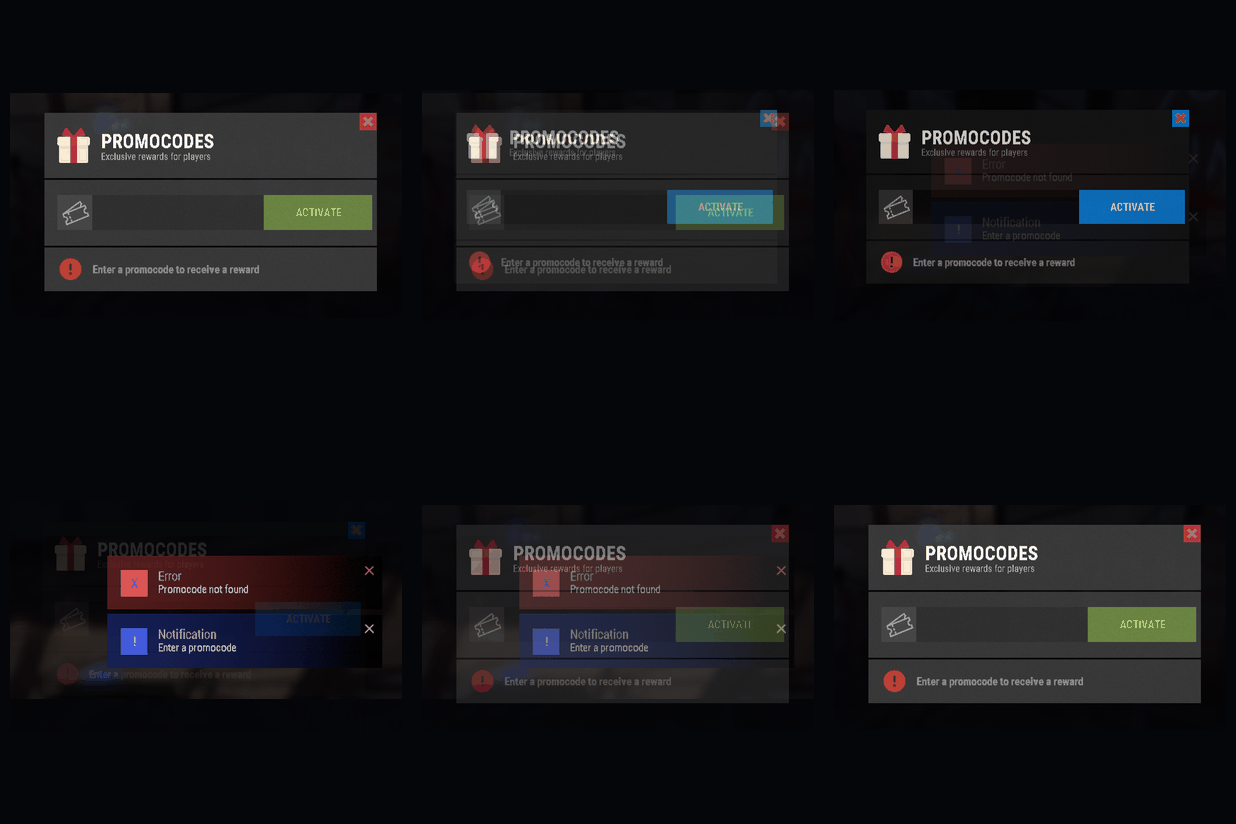
Version 1.0.3
9 downloads
PromoCode - a promocode system that allows players to redeem codes and receive item rewards or funds directly to their GameStores balance. Features Give players in-game items or add funds to their GameStores balance Each promocode can be redeemed once per player Customizable promocode expiration dates Simple and user-friendly in-game UI All promocode data is stored in Promocode/promo_data.json Supports English, Russian, and German Permissions promocode.use - allow players to open the promocode menu and redeem codes promocode.admin - allow access to administrative promocode commands Commands /menu - open the promocode menu /promo create <code> <date> - create a new promocode. The date must be specified in yyyy-MM-dd format /promo delete <code> - delete an existing promocode /itempromo <code> <shortname> <amount> - create a permanent promocode with an item reward /moneypromo <code> <date> <amount> - create a promocode that adds funds to the player's GameStores balance Interface Types Configured in the config GameStores Required only if you want to use balance rewards. The GameStores integration can be enabled and configured in the plugin configuration file Configuration config/Promocode.json { "Main Settings": { "Use UI notify?": true, "Permission for use": "promocode.use", "Permission for admin": "promocode.admin", "UI Type (Default/Mevent)": "Default" }, "GameStores Settings": { "Enabled": false, "Api URL (DO NOT EDIT!)": "https://gamestores.app/api/", "Shop ID": "", "Server ID": "", "Secret Key": "" }, "Image List (DO NOT EDIT!)": [ "MainIcon", "SecondaryIcon", "CloseIcon" ] }$6.50 -
Version 3.3.6
588 downloads
Overview Easy Vote Extended is an upgraded version of Easy Vote, the most advanced and versatile voting plugin available, designed to enhance player engagement and community interaction effortlessly. The plugin includes automatic vote claiming, configurable rewards, per-player language support, Discord announcements, multiple-server support, persistent pending rewards, claim recovery with administrator review, protected data writes, eight built-in voting sites, and support for compatible custom vote trackers. A player does not need to run /claim after voting. Votes are checked and claimed automatically when the player connects, when the configured sleep-ended check runs, during periodic checks for online players, or shortly after /vote is used. The /claim command remains available as an optional manual check. Supported Voting Sites The default configuration includes: Rust-Servers.net Rustservers.gg BestServers.com GamesFinder.net Top-Games.net TrackyServer.com RustServerList.com GameSentry.gg Compatible custom voting sites can also be added through the configuration. Chat Commands /vote - Display the configured vote link or links and schedule automatic follow-up checks when enabled. /claim - Manually check all configured voting sites. Claiming is otherwise automatic. /rewardlist - Display the currently configured vote rewards. Server Commands eve.clearvote <steamid|username> - Reset a player's vote count to 0 and clear their pending claims and rewards. eve.checkvote <steamid|username> - Display a player's current vote count. eve.setvote <steamid|username> <amount> - Set a player's vote count to a specific number. eve.resetvotedata - Reset all stored vote counts and clear all pending claims and rewards. eve.pending [steamid|username] - Display pending claim transactions, optionally filtered by player, with their IDs, states and review reasons. Up to 50 entries are shown. eve.resolve <transactionid> <retry|grant|discard> - Resolve a claim transaction awaiting manual review. These commands are available only from the server console or RCON. Use the transaction ID shown by eve.pending with eve.resolve: retry - Reset retry counters and resume processing, checking the tracker status first if the previous result was uncertain. grant - Confirm the vote locally and process its vote count and configured rewards without contacting the tracker. discard - Close the transaction without awarding it. This does not change the vote status on the tracker. Only transactions in ManualReview with no active request can be resolved. Use grant only after verifying the external result: it does not mark the vote as claimed on the tracker, so an unclaimed external vote could be rewarded again later. eve.setvote changes only the stored counter and refuses changes while an unfinished transaction has an assigned target vote count. Configuration { "Configuration Version": 2, "Debug Settings": { "Debug Enabled?": "false", "Enable Verbose Debugging?": "false", "Set Check API Response Code (0 = Not found, 1 = Has voted and not claimed, 2 = Has voted and claimed)": "0", "Set Claim API Response Code (0 = Not found, 1 = Has voted and not claimed. The vote will now be set as claimed., 2 = Has voted and claimed": "0" }, "Plugin Settings": { "Enable logging => logs/EasyVoteExtended (true / false)": "true", "Wipe Rewards Count on Map Wipe?": "false", "Vote rewards cumulative (true / false)": "false", "Chat Prefix": "<color=#e67e22>[EasyVote]</color> " }, "Notification Settings": { "Globally announcment in chat when player voted (true / false)": "true", "Enable the 'Please Wait' message when checking voting status?": "true", "Notify player of rewards when they stop sleeping?": "false", "Notify player of rewards when they connect to the server?": "true", "Automatic vote check interval for online players (seconds, 0 to disable)": "300", "Vote follow-up check delay after using /vote (seconds, 0 to disable)": "60" }, "Discord": { "Discord webhook (URL)": "https://support.discord.com/hc/en-us/articles/228383668-Intro-to-Webhooks", "DiscordMessage Enabled (true / false)": "false", "Discord Title": "A player has just voted for us!" }, "Rewards": { "@": [ "inventory.giveto {playerid} supply.signal 1" ], "first": [ "inventory.giveto {playerid} stones 10000", "sr add {playerid} 10000" ], "3": [ "addgroup {playerid} vip 7d" ], "6": [ "grantperm {playerid} plugin.test 1d" ], "10": [ "zl.lvl {playerid} * 2" ] }, "Reward Descriptions": { "@": "1 Supply Signal", "first": "10000 Stones, 10000 RP", "3": "7 days of VIP rank", "6": "1 day of plugin.test permission", "10": "2 zLevels in Every Category" }, "Server Voting IDs and Keys": { "ServerName1": { "Rust-Servers.net": "ID:KEY", "Rustservers.gg": "ID:KEY", "BestServers.com": "ID:KEY", "GamesFinder.net": "ID:KEY", "Top-Games.net": "ID:KEY", "TrackyServer.com": "ID:KEY", "RustServerList.com": "ID:KEY", "GameSentry.gg": "ID:KEY" }, "ServerName2": { "Rust-Servers.net": "ID:KEY", "Rustservers.gg": "ID:KEY", "BestServers.com": "ID:KEY", "GamesFinder.net": "ID:KEY", "Top-Games.net": "ID:KEY", "TrackyServer.com": "ID:KEY", "RustServerList.com": "ID:KEY", "GameSentry.gg": "ID:KEY" } }, "Server Vote Custom link": { "ServerName1": "https://vote.servername1.com" }, "Voting Sites API Information": { "Rust-Servers.net": { "API Claim Reward (GET URL)": "https://rust-servers.net/api/?action=custom&object=plugin&element=reward&key={0}&steamid={1}", "API Vote status (GET URL)": "https://rust-servers.net/api/?object=votes&element=claim&key={0}&steamid={1}", "Vote link (URL)": "https://rust-servers.net/server/{0}", "Site Uses Username Instead of Player Steam ID?": "false" }, "Rustservers.gg": { "API Claim Reward (GET URL)": "https://rustservers.gg/vote-api.php?action=claim&key={0}&server={2}&steamid={1}", "API Vote status (GET URL)": "https://rustservers.gg/vote-api.php?action=status&key={0}&server={2}&steamid={1}", "Vote link (URL)": "https://rustservers.gg/server/{0}", "Site Uses Username Instead of Player Steam ID?": "false" }, "BestServers.com": { "API Claim Reward (GET URL)": "https://bestservers.com/api/vote.php?action=claim&key={0}&steamid={1}", "API Vote status (GET URL)": "https://bestservers.com/api/vote.php?action=status&key={0}&steamid={1}", "Vote link (URL)": "https://bestservers.com/server/{0}", "Site Uses Username Instead of Player Steam ID?": "false" }, "GamesFinder.net": { "API Claim Reward (GET URL)": "https://www.gamesfinder.net/api/vote?mode=claim&key={0}&steamid={1}", "API Vote status (GET URL)": "https://www.gamesfinder.net/api/vote?key={0}&steamid={1}", "Vote link (URL)": "https://www.gamesfinder.net/server/{0}", "Site Uses Username Instead of Player Steam ID?": "false" }, "Top-Games.net": { "API Claim Reward (GET URL)": "https://api.top-games.net/v1/votes/claim-username?server_token={0}&playername={1}", "API Vote status (GET URL)": "https://api.top-games.net/v1/votes/check?server_token={0}&playername={1}", "Vote link (URL)": "https://top-games.net/rust/{0}", "Site Uses Username Instead of Player Steam ID?": "true" }, "TrackyServer.com": { "API Claim Reward (GET URL)": "https://api.trackyserver.com/vote/?action=claim&key={0}&steamid={1}", "API Vote status (GET URL)": "https://api.trackyserver.com/vote/?action=status&key={0}&steamid={1}", "Vote link (URL)": "https://trackyserver.com/server/{0}", "Site Uses Username Instead of Player Steam ID?": "false" }, "RustServerList.com": { "API Claim Reward (GET URL)": "https://rustserverlist.com/api/vote?action=claim&key={0}&steamid={1}", "API Vote status (GET URL)": "https://rustserverlist.com/api/vote?action=status&key={0}&steamid={1}", "Vote link (URL)": "https://rustserverlist.com/server/{0}", "Site Uses Username Instead of Player Steam ID?": "false" }, "GameSentry.gg": { "API Claim Reward (GET URL)": "https://api.gamesentry.gg/v1/vote/claim?key={0}&steamid={1}&server={2}", "API Vote status (GET URL)": "https://api.gamesentry.gg/v1/vote/status?key={0}&steamid={1}&server={2}", "Vote link (URL)": "https://gamesentry.gg/v/{0}", "Site Uses Username Instead of Player Steam ID?": "false" } } } Unconfigured entries such as ID:KEY, empty IDs, or empty API keys are ignored and do not generate web requests. Keep Enable Verbose Debugging? disabled on production servers. It overrides voting API response values rather than just enabling extra logging. Rewards Reward keys are optional and can be combined in any configuration: @ - Commands executed after every successfully claimed vote. first - Commands executed only for the player's first successfully claimed vote. Positive numeric keys such as 2, 3, or 10 - Commands associated with that vote count. Available command placeholders: {playerid} - The player's Steam ID. {playername} - The player's display name when the reward commands are prepared. When Vote rewards cumulative is false, only the numeric reward matching the current vote count is executed. When Vote rewards cumulative is true, every numeric reward whose number is less than or equal to the player's current vote count is executed. The @ reward still runs once per vote, and first still runs only on the first vote. The @, first, and numeric entries may be removed entirely. Empty reward lists and empty commands are ignored safely. Rewards execute the server commands configured by the administrator. Any valid reward command can be used. Messages report reward processing; the plugin does not validate whether another plugin or command actually applied the item, currency or permission. Reward commands are saved as a snapshot when a claim is confirmed. Later configuration changes do not alter those saved commands during recovery. The player must be connected and awake for delivery; their state is checked again before each command. Automatic Vote Claiming The plugin automatically checks and claims votes: When a player connects, unless the sleep-ended check is selected instead. When a player stops sleeping, if enabled. At the configured interval for online players. Shortly after the player uses /vote. When the player manually uses /claim. By default, online players are checked every 300 seconds. After /vote, checks repeat every 60 seconds for five minutes. These timings use the existing settings; repeating /vote does not create overlapping checks. Set either interval to 0 to disable that check. When both are disabled, /vote instructs the player to use /claim. Otherwise, claiming is automatic and /claim remains available for a manual check. Reconnecting is not required. Automatic checks are silent when no new vote is found. Chat messages distinguish between confirmed votes, pending rewards, already claimed votes, and problems requiring attention. Status and claim requests are queued and spaced apart. Duplicate checks and claims for the same player, server, and voting site are prevented while a request is pending. Vote API requests use a 15-second timeout; manual checks do not bypass an active request or a scheduled retry delay. If a vote is claimed while the player disconnects or sleeps, the generated reward commands are stored in EasyVoteExtended_PendingRewards.json in the framework's data directory and delivered once the player is connected and awake. Pending local work is checked every 5 seconds independently of periodic website checks, while scheduled retry delays are still respected. Claim Recovery and Data Protection Uncertain claim results are preserved and checked against the tracker status before another claim is attempted. Transactions that cannot be resolved automatically remain in ManualReview for eve.pending and eve.resolve; further claims for the same player, server and site wait for resolution. Recovery assumes that only one plugin instance claims a particular external vote. Do not run multiple instances that compete to claim the same vote with the same tracker credentials. The plugin uses these files in the framework's data directory: EasyVoteExtended.json - Player vote counts. EasyVoteExtended_PendingRewards.json - Saved reward commands waiting for delivery. EasyVoteExtended_PendingClaims.json - Claim transactions, retry information and confirmed reward snapshots. EasyVoteExtended_ResetJournal.json - Saved player or full-reset operations that need to finish after an interruption. Configuration and data writes use temporary files and backups when replacing existing files. Unreadable files are preserved instead of being replaced with empty data or defaults. Voting pauses when safe loading is not possible; repair the files and reload the plugin. A saved reset journal allows an interrupted reset to resume after a reload or restart. Reward commands are removed from the saved queue before execution to avoid replaying uncertain commands. A crash between saving that removal and executing a command can lose that command. Commands that throw during dispatch are logged and are not replayed automatically. Back up the configuration, language files and all EasyVoteExtended data files together before updating. Do not delete the pending files or reset journal to force recovery. Discord Announcements Discord announcements use a separate in-memory queue with timeouts, limited retries and rate-limit handling. Automatic mentions are disabled and message length is limited. Discord failures do not rerun reward commands. Queued announcements are not retained after a plugin reload or server restart. Adding a Custom Voting Site A custom tracker must be added to both Voting Sites API Information and the desired server inside Server Voting IDs and Keys. Example: "MyVoteTracker.com": { "API Claim Reward (GET URL)": "https://example.com/api/claim?key={0}&player={1}&server={2}", "API Vote status (GET URL)": "https://example.com/api/status?key={0}&player={1}&server={2}", "Vote link (URL)": "https://example.com/server/{0}", "Site Uses Username Instead of Player Steam ID?": "false" } Then add the same tracker name to the server: "ServerName1": { "MyVoteTracker.com": "SERVER_ID:API_KEY" } The tracker name is matched case-insensitively between the two configuration sections. API URL placeholders: {0} - API key or token. {1} - Player Steam ID, or the URL-encoded player name when Site Uses Username Instead of Player Steam ID? is true. {2} - Server ID. Vote-link placeholder: {0} - Server ID. The custom API must return the following plain response values: 0 - The player has not voted. 1 - The player has voted and the vote has not yet been claimed. 2 - The player has already claimed the vote. The claim endpoint must return 1 when the vote is successfully claimed. Custom Vote Links A value inside Server Vote Custom link replaces the individual tracker links displayed by /vote for that server. The key must exactly match the server key in Server Voting IDs and Keys, including capitalization. For example, use ServerName1 in both sections. This only changes the displayed link; keep the tracker IDs and API keys configured for checking and claiming votes. Remove the custom-link entry when you want /vote to display each configured tracker separately. Languages Easy Vote Extended have two languages by default (English and Romanian), but you can add more in Oxide lang folder API Hooks int getPlayerVotes(string steamID)Free- 8 comments
-
- 1
-
-
- #easyvote
- #rust servers
- (and 10 more)
-

Version 2.2.7
3,509 downloads
Makes animals spawn with random HP and Strength with optional config to show each spawn in console and integrated chat listing on current server setup. Features : Animals can spawn as Alpha animal with increased stats and spawnrates (new in v2.0.0) Spawns any animal (vanilla or playerspawned) with altered stats Set Min/Max Health Set Min/Max Strength This will give each animal a random value in hp and strength !!! Option to change any animal type true/false Option to set populations through plugin or use the servers variables. Can print to console each animal stating hp and strength lvls true/false on spawning. Chatcommand printing current populations/health/and Total animal count per animal type to the chat (with permission) Animal list : Bear PolarBear Wolf Wolf2 Boar Stag Horse Chicken Tiger Crocodile Panther Permissions : backtothewild.Admin Commands : /bttw animals : for a full listing of cfg setup and total animal count Rust native API : Using Rusts native commands and checks like the example below in console del assets/rust.ai/agents/wolf/wolf.prefab you now can use a simpler method like below in console del bear del alpha bear del polarbear del alpha polarbear del boar del chicken del horse del stag del wolf del alpha wolf Example API to determin of a animal is a Normal or a Alpha animal void OnEntityDeath(BaseAnimalNPC animal, HitInfo info) { if (animal == null) return; BasePlayer attacker = info.InitiatorPlayer; if (attacker != null && animal.name.Contains("Alpha")) { Puts($"The animal was a {animal.name}"); } return; } Configuration Normal animals : Change animal stats on spawns : true/false Minimum Health Maximum Health Minimum Strength Maximum Strength Running Speed Configuration Alpha animals : Can spawn as Alpha : True/False Spawnrate (0-100) : based on % with 100% as always spawn as Alpha Health Multiplier : ea 1.5 multiplies the base randomisation value with 1.5x value Strength Multiplier (Att dmg) : ea 3.0 multiplies the base randomisation value with 3x value Speed Multiplier : ea 1.2 multiplies the base speed value with 1.2x value Animals will have any stat between minimum and maximum, giving a random stat. { "Skip Huntsman when using ChickenBow Plugin": true, "Console Logging settings": { "Show Bear spawns in Console": false, "Show PolarBear spawns in Console": false, "Show Wolf spawns in Console": false, "Show Boar spawns in Console": false, "Show Stag spawns in Console": false, "Show Horse spawns in Console": false, "Show Chicken spawns in Console": false }, "Population settings": { "Set population variables ?": true, "Bear population": 5.0, "PolarBear population": 3.0, "Wolf population": 5.0, "Boar population": 5.0, "Stag population": 6.0, "Horse population": 6.0, "Ridable Horse population": 4.0, "Chicken population": 6.0 }, "Bear settings": { "Change Bear stats on spawns": true, "Minimum Health": 400, "Maximum Health": 600, "Minimum Strength (Att dmg)": 30, "Maximum Strength (Att dmg": 40, "Running Speed": 0.1, "Alpha": { "Can spawn as alpha": true, "Spawnrate (0-100)": 100, "Health Multiplier": 3.0, "Strength Multiplier(Att dmg)": 1.5, "Speed Multiplier": 1.0 } }, "PolarBear settings": { "Change PolarBear stats on spawns": true, "Minimum Health": 400, "Maximum Health": 600, "Minimum Strength (Att dmg)": 32, "Maximum Strength (Att dmg": 44, "Running Speed": 6.0, "Alpha": { "Can spawn as alpha": true, "Spawnrate (0-100)": 10, "Health Multiplier": 3.0, "Strength Multiplier(Att dmg)": 1.5, "Speed Multiplier": 1.0 } }, "Wolf settings": { "Change Wolf stats on spawns": true, "Minimum Health": 150, "Maximum Health": 300, "Minimum Strength (Att dmg)": 20, "Maximum Strength (Att dmg)": 30, "Running Speed": 0.1, "Alpha": { "Can spawn as alpha": true, "Spawnrate (0-100)": 10, "Health Multiplier": 3.0, "Strength Multiplier(Att dmg)": 1.5, "Speed Multiplier": 1.0 } }, "Boar settings": { "Change Boar stats on spawns": true, "Minimum Health": 150, "Maximum Health": 450, "Minimum Strength (Att dmg)": 15, "Maximum Strength (Att dmg)": 25, "Running Speed": 0.1 }, "Stag settings": { "Change Stag stats on spawns": true, "Minimum Health": 150, "Maximum Health": 425, "Minimum Strength (Att dmg)": 15, "Maximum Strength (Att dmg)": 25, "Running Speed": 1.0 }, "Horse settings": { "Change Horse stats on spawns": true, "Minimum Health": 150, "Maximum Health": 600, "Minimum Strength (Att dmg)": 15, "Maximum Strength (Att dmg)": 25, "Running Speed": 1.0 }, "Chicken settings": { "Change Chicken stats on spawns": true, "Minimum Health": 25, "Maximum Health": 100, "Minimum Strength (Att dmg)": 1, "Maximum Strength (Att dmg)": 5, "Running Speed": 1.0 } } Localisation : English language file included to use a diffrent language just make a new file in the language folder. { "InvalidInput": "<color=red>Please enter a valid command!</color>", "Version": "\nVersion : V", "Info": "\n<color=green>List of current Population(KM2)/Health min/max settings\nAnd counts how many are on the map</color>", "NoPermission": "<color=red>You do not have permission to use that command!</color>" } Credits : Thx @Horus for making a awsome iconFree -
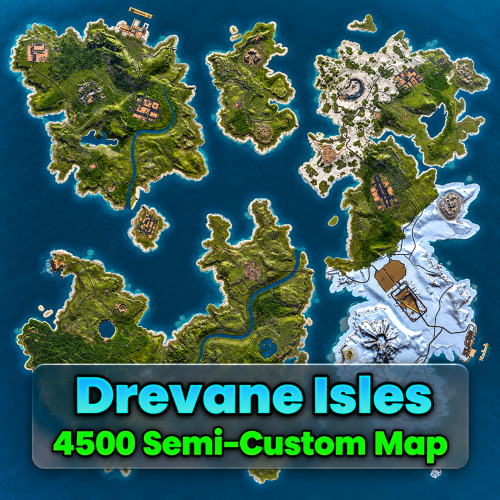
Version 1.0.3
14 downloads
What is Drevane Isles a Semi-Custom 4500 Size Map: This is Drevane Isles, a custom Rust map featuring a varied landscape of large landmasses, winding rivers, and scattered offshore islands. I've fully created the landscape, but manually placed Facepunch made monuments. The map includes a train and road network that runs around the map using custom bridges (credit below). The coastline and river network create natural routes across the map, with plenty of potential for exploration, base locations, and encounters. Drevane Isles is designed to offer a distinctive setting for Rust with an island based layout with access via ziplines. This map has a size of 4500 and uses around 25,500~ prefabs. Features: Map Size: 4500 Prefabs Count: 25,500~ Custom Island Environment Underground Railway System Underground Railway System with NO connection to surface Railway network, yet. Above Ground Train Network Custom Ocean Monument Custom Bridge Connections (See below for Credits) Tested Compatiable Custom Plugins: Airfield Event By Fruster Facepunch Made Monuments: Abandoned Military Base Abandoned Supermarket ×2 Airfield Apartment Complex Arctic Research Base Bandit Camp Caves ×9 Ferry Terminal Fishing Village A, B, C Giant Excavator Pit Harbor Large Harbor Small HQM Quarry Jungle ruins ×4 Jungle Ziggurat Junkyard Large Barn Large Oil Rig Launch Site Lighthouse ×3 Military Tunnel Mining Outpost ×2 Missile Silo Oil Rig Outpost Oxum's Gas Station ×2 Power Plant Radtown Ranch Satellite Dish Sewer Branch Stone Quarry Sulfur Quarry The Dome Train Yard Underwater Lab Water Treatment Plant Water Well ×7 Watertreatment Pipe Access Point ×31 Custom Made Monuments: Lost Cargo Volcano Credit to this Bridge Pack: Bridge Pack (Community Made)$17.99