Search the Community
Showing results for tags 'marker'.
Found 20 results
-

Version 1.0.1
213 downloads
nanoMarker - customizable hit markers for your players. Includes 3 customizable hit marker types, with options to adjust their size, color, and additional features. Works with nanoModalMenu, but can also be used WITHOUT it! Plugin and image installation guide: When you download the plugin, you will receive an archive with the following structure: oxide ├── plugins │ └── nanoMarker.cs // Main plugin file │ └── data └── nanoSystemModule └── nanoMarker └── Images ├── Markers │ └── *.png // Marker images for the "Icon" type └── *.png // Menu images and icons Make sure to upload the icons to the corresponding paths shown in the archive Important: Extract the archive on your computer first, and only then upload the images to your server! Features: Color theme support: *choosing a color theme is only available when both nanoModalMenu and nanoSettingModule are installed. Otherwise, only the Light theme will be available by default. White Included with Plugin Dark View Theme Purple View Theme Blue View Theme Three marker types: Icon Marker - displays an icon selected by the player from the available options. Health Indicator - displays a progress bar showing the target's health. Damage Text Indicator - displays the damage dealt to the target as text. Marker sizes: Players can choose the marker size from three available options: Small, Medium, and Large. Target filtering: Players can choose which targets trigger their markers: Players, NPCs, Animals, and Vehicles. Each target type can be enabled or disabled separately. Color: Players can choose the color of their marker from the available color options. Additional settings: Each marker type supports extra settings to enhance its functionality: - Icon Marker - can also display damage text and a player knockdown indicator. - Health Indicator - can also display damage text and a player knockdown indicator. - Damage Text Indicator - supports a player knockdown indicator. UI Demonstration in the Light Theme : Configuration : { "Header menu settings": { "Multilingual translation for the menu title": { "ru": "ХИТ-МАРКЕР", "en": "HIT-MARKER" }, "Multilingual translation for the menu description": { "ru": "Настрой хит-маркер под себя\nДетальная настройка для индикации", "en": "Customize your hit marker\nFine-tune the indicator settings" }, "List of items for menu decoration [Shortname] (no more than 9 items)": [ "weapon.mod.small.scope", "rifle.ak", "weapon.mod.holosight", "lmg.m249", "weapon.mod.lasersight", "smg.thompson", "weapon.mod.8x.scope", "compass", "flare" ] }, "Marker settings": { "Marker color list [UniqueKey] = Color": { "coral": "0.914 0.525 0.455 1", "red": "1 0.349 0.361 1", "fuchsia": "0.886 0.271 0.733 1", "mustard": "0.792 0.737 0.314 1", "mint_green": "0.4 0.729 0.525 1", "muted_red": "0.729 0.4 0.4 1", "white": "1 1 1 0.5" }, "List of marker icons available for selection from data/nanoMarker/Images/Markers [Without .png]": [ "HIT_VERTICAL", "HIT_TRIAD", "HIT_RING", "HIT_HORIZONTAL", "HIT_FRAME", "HIT_CROSS", "HIT_MULTI", "HIT_MULTI_LINE" ] }, "Default settings for all players": { "Color key": "white", "Marker size: 0 - Small, 1 - Medium, 2 - Large": 1, "Marker type: 0 - Health indicator, 1 - Text indicator, 2 - Icon indicator": 1, "Marker icon image name from data/nanoMarker/Images/Markers [Without .png]": "HIT_HORIZONTAL", "Display dealt damage [true - enabled/false - disabled]": false, "Display when a player is downed (wounded) [true - enabled/false - disabled]": false } }$14.99 -
Version 1.2.11
792 downloads
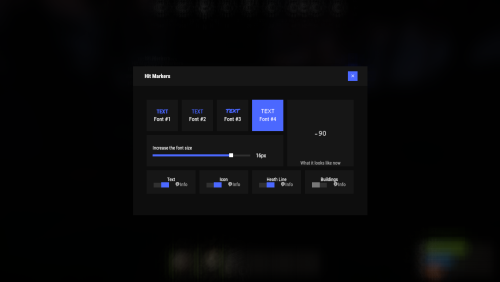
Each player picks the hit marker that suits them. Commands marker - open the UI Permissions You can set permission in config, for example: "Permission (ex: hitmarkers.use)": "hitmarkers.use", You can also set your own permission for each font and button. Config { "Commands": [ "marker", "hits" ], "Permission (ex: hitmarkers.use)": "", "Work with Notify?": true, "Fonts": { "0": { "Font": "robotocondensed-bold.ttf", "Permission (ex: hitmarkers.font)": "" }, "1": { "Font": "robotocondensed-regular.ttf", "Permission (ex: hitmarkers.font)": "" }, "2": { "Font": "permanentmarker.ttf", "Permission (ex: hitmarkers.font)": "" }, "3": { "Font": "droidsansmono.ttf", "Permission (ex: hitmarkers.font)": "" } }, "Min Font Size": 8, "Max Font Size": 18, "Buttons": [ { "Enabled": true, "Title": "Text", "Type": "Text", "Description": "<b>Damage numbers</b> will pop up in the center of the screen!", "Permission (ex: hitmarkers.text)": "hitmarkers.text" }, { "Enabled": true, "Title": "Icon", "Type": "Icon", "Description": "The familiar hit icon changes color after a <b>headshot!</b>", "Permission (ex: hitmarkers.text)": "hitmarkers.icon" }, { "Enabled": true, "Title": "Heath Line", "Type": "HealthLine", "Description": "A bar appears above the slots, showing the <b>remaining</b> health of the enemy", "Permission (ex: hitmarkers.text)": "hitmarkers.line" }, { "Enabled": true, "Title": "Buildings", "Type": "Buildings", "Description": "Displaying damage by buildings", "Permission (ex: hitmarkers.text)": "hitmarkers.buildings" } ], "Info Icon": "https://i.imgur.com/YIRjnIT.png", "Show damage to NPC": true, "Show damage to animals": false, "Marker removal time": 0.25, "Default Values": { "Font ID": 0, "Font Size": 14, "Text": true, "Icon": false, "Health Line": false, "Buildings": false } } Web Config Editor Manage the HitMarkers settings in our web config editor. You change the config in a browser form instead of editing files on the server by hand. P.S. The web config editor is open to members of the "HitMarkers" group in our Discord server. Join at https://discord.gg/mevent and ask for the group.$19.95 -

Version 1.1.0
359 downloads
Place a map marker. Teleport straight to it. Teleport Marker is a free Rust plugin for Oxide and Carbon that lets players with permission teleport to newly placed map markers. Handy for server administration, exploring the map, and setting up events. Features Map-based teleporting — open your map and place a marker to travel to that location. Continuous or one-time use — toggle teleporting with /tpm, or use /tpm once for a single jump. Permission-based access — choose which players or staff members can use it. Automatic marker cleanup — the marker is removed after teleporting. Customisable messages — translate or personalise all chat responses through the language files. No configuration required — grant permission and you're ready to go. How to Use Grant the player or group the teleportmarker.use permission. Type /tpm for continuous use, or /tpm once for one teleport. Open the map and place a new marker to teleport to its location. One-time mode automatically disables after teleporting. Use /tpm to disable continuous mode or cancel a pending one-time teleport. Commands Command Description /tpm Toggles marker teleporting. Also cancels a pending one-time teleport. /tpm once Enables teleporting for your next map marker, then automatically disables it. Permissions Permission Description teleportmarker.use Allows the player to toggle and use marker teleporting. Language Support All chat messages can be customised or translated through the plugin's language files. Keep placeholders such as {0} and {1} intact when editing messages. Good to Know Teleporting starts disabled for each player. Reloading the plugin or restarting the server resets all toggles. Destinations use terrain height; the plugin does not check for buildings or other obstacles. Dead or spectating players cannot teleport. These attempts do not remove the marker or consume a pending one-time teleport. Looking for more server tools? Browse more plugins by BubbafettFree -

Version 1.0.2
13 downloads
Description MonumentMarkers adds custom, configurable map markers to all monument on your Rust server. Each monument can display a vending machine icon marker and/or a colored radius circle directly on the map. Perfect for servers that use zones, events, or themed monuments, this plugin keeps your players oriented and enhances your world visually. Features Automatic monument discovery – Detects Vanilla and Custom monuments on map load. Per monument configuration – Enable/disable each monument individually, rename, adjust radius, and customize colors. Map markers – Choose between: - Vending machine icon marker (name displayed under icon) - Colored radius circle with custom size and transparency Persistent visibility – Radius circles remain visible after reconnects (no more missing zones on relog). Custom colors – Hex color support for inner and outer ring gradients. Lightweight – Optimized refresh loop ensures markers stay in sync without performance impact. Commands /monmarkers.reload - Reloads the configuration and respawns all markers - Admin only /monmarkers.toggle <key> <on/off> - Enables or disables a specific monument marker - Admin only /monmarkers.name <key> <display name> - Renames a monument’s displayed map name - Admin only (All commands require admin permissions.) Configuration Example How It Works On server start, the plugin scans for all Monuments. If a monument isn’t in the config, it’s automatically added (disabled by default). Enabled monuments spawn a vendor icon marker, a radius circle, or both. A background sync timer ensures that radius markers always appear correctly for all players even after reconnects. Perfect For PVE/PVP hybrid servers with event zones Custom monument zones or safe areas Themed roleplay servers (rename monuments easily) Admin tools for quick visual feedback$12.00 -
Version 1.0.6
47 downloads
UMapMarkers is a powerful and versatile server map marker system designed for Rust, utilizing the game's built-in map markers. Create and manage custom map markers with ease, enhancing your server's gameplay experience. Plugin Configuration Configure your custom map markers using the following structure: { "MapMarkers": [ { "WorldPosition": { "x": 0.0, "y": 0.0, "z": 0.0 }, "Icon": 0, "ColourIndex": 0, "Label": "My cool custom marker", "Radius": 0.0, "RadiusColor": null }, { "WorldPosition": { "x": 150.0, "y": 0.0, "z": 150.0 }, "Icon": 2, "ColourIndex": 3, "Label": "Custom marker number two 234?", "Radius": 1.0, "RadiusColor": "#ff0000aa" } ] } Permissions umapmarkers.use - Grants access to the /marker command. Commands /marker add <key name> <icon id> <color id> <radius> <radius color> <display name> - Adds a marker at the player's position. /marker remove <key name> - Removes a marker by its key name. /marker addconfig <icon id> <color id> <radius> <radius color> <display name> - Adds new marker into config at player position. Marker Icons and Colors Choose from a variety of icons and colors to personalize your map markers: Icon IDs: Point: 0 Dollar: 1 Home: 2 AirDrop: 3 Target: 4 Defence: 5 Death: 6 SleepingBag: 7 Sleep: 8 Gun: 9 Ore: 10 Crate: 11 Color IDs: Yellow: 0 Blue: 1 Green: 2 Red: 3 Pink: 4 Cyan: 5 API Functions private string API_CreateMapMarker([CanBeNull]BasePlayer player, Vector3 position, int type, int color, string text, float radius, string radiusColor, bool custom) // Creates a map marker. If you set player arg to null, then marker will be shown to every player on the map. Returns created marker id. private void API_RemoveMapMarker([CanBeNull]BasePlayer player, string markerId, bool custom) // Removes a map marker. Contacts: Need help or custom plugin for your server? Contact me using Discord: metangerine ----------------------------------------------------------------------$14.99 -
Version 1.0.1
37 downloads
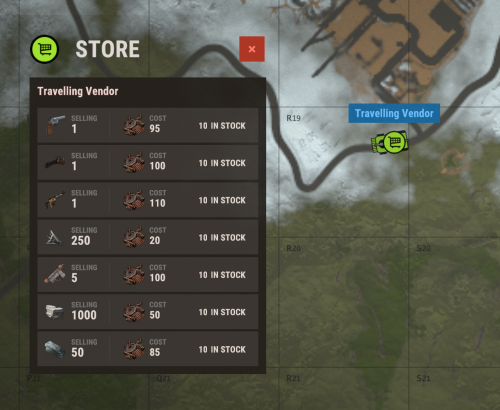
Ever wanted to see what the travelling vendor has for sale, without walking up to it? Now you can! This plugin adds a small vending machine icon on the travelling vendor for you to see it's stock from anywhere. Config: Refreshtime for marker - How often the marker should update, lower value makes it move smoother with the travelling vendor icon Default config: { "Refreshtime for marker": 10.0 }$5.00- 3 comments
-
- 1
-

-
- #vendor
- #travelvendor
- (and 3 more)
-
Version 1.0.0
76 downloads
This plugin allows you to view the Tool Cupboards of the entire server on the map, and to see the list of players authorized, if you have permission. Settings : - Radius F1 Commands : - cm.reload (to reload markers) Permissions : - oxide.grant user <steamID/user> cupboardmarker.use WuyZar's Discord : https://discord.gg/NVwRcQwGwhFree -
Version 1.0.4
68 downloads
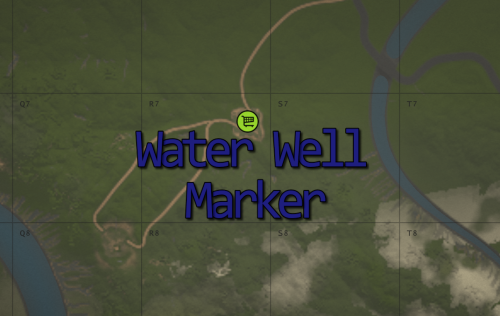
Want to see Water Well trader's stock, without visiting him first? With this plugin you can! Simply adds a vending machine marker on the map showing the current stock. Features: Automatically creates markers when plugin loads, and removes them when plugin unloads Marker is automatically updated when the trader stock changes Admin command to enable/disable markers without plugin reload Commands: (Require admin/moderator) /wwenable - Enables markers /wwdisable - Disables markers$3.00- 1 review
-
- 1
-
-
- #water well
- #marker
- (and 3 more)
-
Version 1.0.4
21 downloads
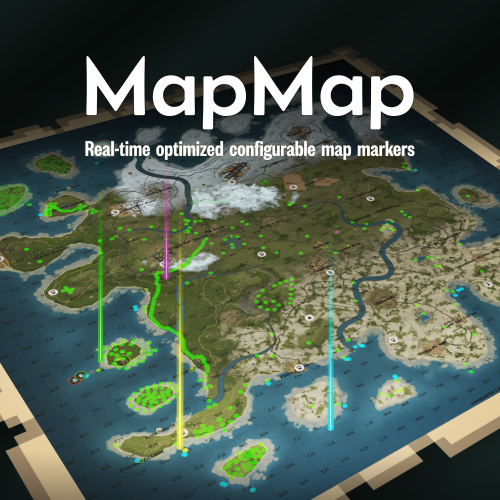
Ever loaded into a server and wondered... where is everyone? Those first few moments can make or break a new player's experience. MapMap turns that empty map into a vibrant, growing civilization MapMap adds beautiful, configurable map markers for 22 entity types, encouraging organic social interaction- all with minimal performance impact • New players see activity and stay longer • Organic towns and communities form • You control every aspect Supports Tool Cupboard Legacy Shelter Boat Building Station Player Boat Tugboat PT Boat RHIB Rowboat Kayak Submarine Hot Air Balloon (New!) Minicopter Attack Helicopter Scrap Transport Helicopter Car Bike Snowmobile (New!) Horse Train Engine Train Car Supply Drop (New!) Locked Crate (New!) Performance You Can Trust • Dynamic entities (boats, tugboats, vehicles) update in real-time with an incredibly efficient system, no unnecessary processing • Static entities (cupboards, shelters, stations) are updated only when created or destroyed, zero ongoing overhead • Adjustable update interval lets you fine-tune performance vs real-time accuracy Simple, Clean Configuration Match your server's theme or make each entity type instantly recognizable with 12 vibrant colors, alongside adjustable size and transparency- each individually configurable. Example: "UpdateInterval": 1.0, "ToolCupboard": { "Enabled": true, "Radius": 0.1, "Alpha": 0.3, "Color": "green" }, "LegacyShelter": { "Enabled": true, ... Colors • Red • Orange • Yellow • Lime • Green • Blue • Indigo • Purple • Magenta • Pink • White • Gray Ready to watch your server come alive? Get MapMap today and turn your next wipe into a story your players will talk about. Drop the file in your carbon/plugins folder, load the plugin c.load MapMap), and configure carbon/configs/MapMap.json to your liking if you adjust the config, save it, then run c.reload MapMap in the console I provide long-term support and am always open to bug reports and constructive feedback$19.99 -

Version 1.2.1
182 downloads
PlayerPings is a convenient plugin that enhances communication and tactical gameplay for your players in Rust. It features a user-friendly interface and dynamic object type detection—whether it's ore, a building, or loot objects, each will have a unique marker. Players can choose their own marker color and toggle automatic object type detection on/off. The plugin has an adaptive interface and supports localization in multiple languages. Markers can be set through several options: Binding via console command - playerping.set Aiming + key use (E) Clicking mouse wheel To open the settings menu, use: /pingmenu To access usage, the playerpings.use permission needs to be granted. You can grant it via console command: oxide.grant <user or group> <name or steam id> playerpings.use Config Example { "Basic setup": { "Color(0-yellow,1-blue,2-green,3-red,4-purple,5-blue)": 3, "Maximum number of pings per player": 5, "Maximum distance": 300.0, "Ping display time": 3.0, "Enable ping metod Aiming + key use (E)": true, "Enable ping metod Center mouse wheel": true, "Delay between pings (seconds): 0.2 seconds as standard": 0.2, "Command to set ping": "playerping.set", "Menu Open Command": "pingmenu" }, }$9.99 -

Version 1.4.3
303 downloads
Pvp/Raid Markers Plugin This plugin creates temporary map markers at player versus player (PvP) death locations and locations where raiding activity is detected (building block or door destruction by explosions). These markers help players visualize recent PvP encounters and potential raid locations. Features: PvP Death Markers: Marks the location where a player was killed by another player. Raid Markers: Marks the location where a building block was destroyed by an explosion, indicating a potential raid. Customizable Duration: Configure how long each type of marker remains visible. Customizable Colors and Radius: Set the color and radius of both PvP and raid markers. Admin Command to Clear Markers: Allows admins to remove all existing markers. Support For Raidable Bases Configuration: Enable PvP Death Markers: (Boolean) Enables or disables PvP death markers. Default: true. Ignore Team Kills: (Boolean) Ignores Pvp markers if both players are in the same team. Default: false Enable Raid Markers: (Boolean) Enables or disables raid markers. Default: true. Ignore Raidable Bases: (Boolean) Ignores Raid Markers in Raidable Bases. Default true Raid Markers Duration: (Float) Time in seconds that raid markers remain visible. Default: 180 (3 minutes). PvP Markers Duration: (Float) Time in seconds that PvP markers remain visible. Default: 60 (1 minute). PvP Marker Color 1: (Color) Inner color of the PvP marker. Default: black. PvP Marker Color 2: (Color) Outer color of the PvP marker. Default: red. PvP Marker Radius: (Float) Radius of the PvP marker. Default: 0.65. PvP Marker Random Radius: (Float) The maximum random radius for the marker's spawn offset. Default: 40. PvP Marker Random Offset: (Boolean) Whether to apply a random offset to the PvP marker's spawn position. Default: true. PvP Marker Scale With Map Size: (Boolean) Whether the PvP marker's radius should scale with the map size. Default: true. PvP Marker Opacity: (Float) Opacityof the PvP marker. Default: 0.50. Raid Marker Color 1: (Color) Inner color of the raid marker. Default: red. Raid Marker Color 2: (Color) Outer color of the raid marker. Default: blue. Raid Marker Radius: (Float) Radius of the raid marker. Default: 1.25. Raid Marker Scale With Map Size: (Boolean) Whether the raid marker's radius should scale with the map size. Default: true. Raid Marker Opacity: (Float) Opacity of the raid marker. Default: 0.60. Send Message On Pvp Marker Spawn (Boolean) Whether to send PvP marker in chat. Default: false Send Message On Raid Marker Spawn (Boolean) Whether to send raid marker message In chat. Default: true Chat Icon (SteamID): (uong) The SteamID of the user whose avatar will be used as the chat icon. Default: 0. How it works: PvP Death Markers: Created automatically when a player is killed by another player (excluding NPCs and animals). Raid Markers: Created automatically when an explosion damages and destroys a building block or door (excluding twig structures). The plugin tries to extend the duration of an existing marker if a nearby block is destroyed within a certain timeframe and radius instead of making multiple overlapping markers. Note: Raid markers are based on building block destruction by explosions. It's important to understand that this doesn't definitively indicate a raid; explosions can occur for other reasons. The marker simply highlights areas where potential raiding activity might be happening.Free -

Version 1.1.2
5,264 downloads
The plugin notifies players of an AirDrop by telling them the spawn square on the map, as well as displaying a marker on the map. Config: { "Show notify in chat": true, "Create MapMarker on map": true, "Select the type of marker (shopmarker | cratemarker)": "cratemarker", } Lang: { "CM_DROPSPAWNED": "AirDrop has been dropped in square {0} (You can see the marker when you open the map)" }Free -

Version 1.1.0
338 downloads
This plugin automatically displays active PVP zones on your server map in real-time. Perfect for enhancing your players' gaming experience during airdrops and special events. Key Features Automatic PVP zone display Markers appear instantly during events Perfect synchronization with airdrops and events Automatic marker removal when events end Performance and simplicity Lightweight plugin that doesn't impact server performance No configuration needed - works immediately Compatible with your existing plugins Benefits for your players Clear visibility of active combat zones Better strategic planning for PVP actions Reduced frustration from invisible zones More professional and modern interface Requirements This plugin requires the following dependencies to work: Marker Manager Modified : https://codefling.com/plugins/marker-manager-modified Zone Manager : https://umod.org/plugins/zone-manager Dynamic PVP : https://umod.org/plugins/dynamic-pvp Console Commands The plugin provides two console commands for administrators: ampz.reload Reloads the plugin configuration without restarting the server. Description: Allows you to apply configuration changes in real-time ampz.status Displays current plugin statistics. Information displayed: Active zone markers count Cached zones count Timer interval OnlyDynamicPvp mode status Installation Installation is simple: download the plugin and place it in your plugins folder. It works automatically without additional configuration. Important: Don't forget to properly configure Dynamic PVP so that zones are detected and displayed on the map.$11.99 -

Version 1.2.0
159 downloads
This plugin can help top showing all pvp activities (player vs player, player vs bot). if players kill each other or kill bots their coordinate marked on map and giving chat notification message. You can change the marker settings from the config file. You can change chat messages from the language folder. All Config Settings { "Pvp Map Marker Enabled": true, "Pvp Chat Message Enabled": true, "Npc Fight All Notification Enabled": true, "Npc Pvp Map Marker Enabled": true, "Npc Pvp Chat Message Enabled": true, "Show Message If player in pvp area": false, "Marker Color": "00FF00", "Marker Outline Color": "00FFFFFF", "Marker Duration (Second)": 60, "Marker Radius (float)": 0.3, "Show Special Bot Name for TrafficDrivers Plugin": false "Iconid": 76561198283261741, "Color Opacity Percent example (%25 =0.25, %50 = 0.5 ...": 0.5, "Use Map Marker Plugin (true or false)": false } Language Settings: You can modify the notification messages in different languages under the 'Language' folder. Discord: If you find any bugs, need assistance, or have suggestions related to the plugin, you can reach out on Discord. Discord pisagor0104 https://discord.gg/JnQftZeSXD$9.99 -

Version 1.0.2
52 downloads
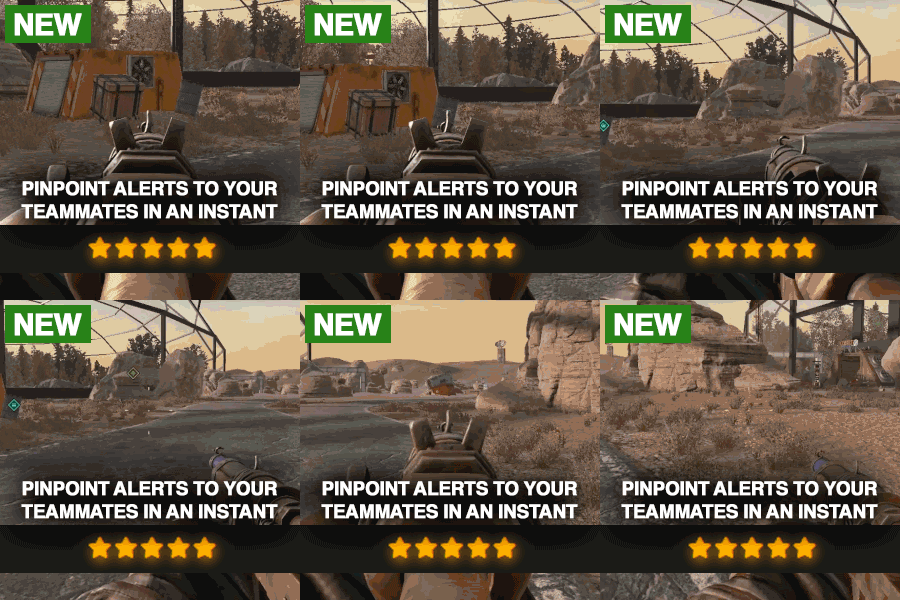
Description Elevate your Rust server with PVP Ping, the ultimate plugin for strategic combat and advanced map tracking between teams! This plugin empowers players to mark key locations on the map, allowing for enhanced coordination and tactical planning. Whether you're organizing an ambush or tracking enemy movements, PVP Ping ensures your players stay one step ahead. With customizable ping types, you can tailor the plugin to fit your server's needs. Players can set markers with unique icons, colors, and areas of effect, making it easy to strategize in real time. Use the native UI to view and manage active pings. Add a dynamic layer of strategy to your server and let players experience the thrill of precision combat. Watch as they adapt to new tactics and utilize pings during raids. Instead of yelling at which box the meds are in, they can now just ping it. PVP Ping is designed to integrate seamlessly with a players Rust experience. All you have to do is aim and press the use key to send the ping. It feels so good it should be native to Rust. Config Options You can change the icon colors and icons within the config. Also you can change the min/max distance, ping cooldowns, durations, and sound effect of ping. The available colors are: Green, Teal, Red, Purple, Blue, Yellow The available icons are: Default, Dollar, House, AirDrop, Hostile, Shield, Death, Bed, Sleep, Gun, Node, Loot, Tool Here is an example: "prefab-shortname": { "Icon": "Loot", "Color": "Teal" } Watch Video$9.99 -

Version 1.0.1
44 downloads
This plugin can help show all Raid activities (all entitys destroyed that are owned by a player) . When players destroy any entity that is owned, a marker will show on the map and can be adjusted to give you a chat notifiction. This can help players who are online by notifiying them if they are being raided or can help other players know that a base is being raided so they could counter. You can change the marker settings from the config file. You can change chat messages from the language folder. All Config Settings { "Raid Map Marker Enabled": true, "Raid Chat Message Enabled": true, "Show Message If player in Raid area": true, "Webhook Message Enabled": true, "Webhook Url": "https://discord.com/api/webhooks/YOUR_URL", "Webhook Raid Message": "Raid Start At {0}",// {0} => coordinate "Marker Color": "00FF00", "Marker Outline Color": "00FFFFFF", "Marker Duration (Second)": 10, "Marker Radius (float)": 0.4, "Show Entity Owner Name": false, "Iconid": 0, "Color Opacity Percent example (%25 =0.25, %50 = 0.5 ...": 0.5, "Use Map Marker Plugin (true or false)": true, "If Player Own Entity Dont Show Marker": true, "Showing Damage Type": [ "Bullet", "Stab", "Explosion", "Arrow", "Heat" ] } Language Settings: You can modify the notification messages in different languages under the 'Language' folder. Discord: If you find any bugs, need assistance, or have suggestions related to the plugin, you can reach out on Discord. Discord pisagor0104 https://discord.gg/JnQftZeSXD$9.99 -

Version 1.0.0
245 downloads
Very simple marker teleport tool. You can use MTeleport as an admin or as a player with permission (mteleport.use). Here is the /mt command to turn MarkerTeleport on and off. command /mt on and off If you have any questions or problems, join my discord https://discord.gg/2ftdtaTQ6S The plugin was created by ☆☆☆ M&B Studios ☆☆☆Free -
Version 1.0.14
97 downloads
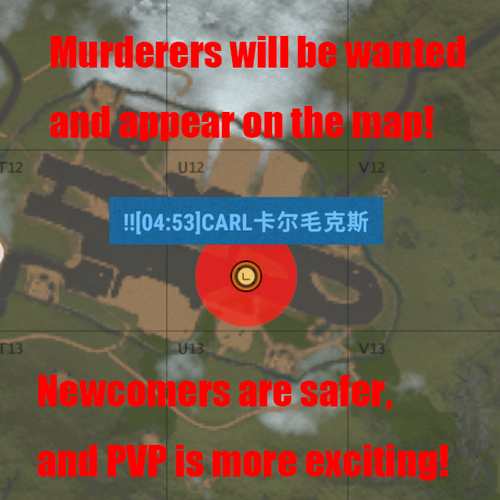
Wanted Trilogy 1. Wanted Trilogy Chapter One 'Pay for Murder': Wanted Plugin 2. Wanted Trilogy Chapter Two "Base Raider": RaidMarker Plugin 3. Wanted Trilogy Chapter Three "Bounty" (In Development, Stay Tuned) Wanted Plugin Rules: Players are divided into three levels: Innocent Civilians, Yellow Card Wanted, and Red Card Wanted. Players with a wanted time of 0 are Innocent Civilians. Those with a wanted time of up to 3 minutes are Yellow Card Wanted, and those with a wanted time greater than 3 minutes are Red Card Wanted. Harming an Innocent Civilian will add 10 seconds to your wanted time. Killing an Innocent Civilian will add 6 minutes to your wanted time. Players who are Red Card Wanted (with a wanted time greater than 3 minutes) will appear on the map, and all players can see them. Players are encouraged to go and execute these wanted players on sight. Harming or killing a wanted player will not result in any penalties or increase in wanted time; on the contrary, it is encouraged. Inflicting damage on anyone within your own territory will not result in becoming wanted. Acting as a rooftop sniper and targeting distant enemies from within your own territory will not result in becoming wanted. ChatCommand And ConsoleCommand(without /) /ResetWanted SteamID/partial-nickname Reset the wanted time of the specified player (requires administrator privileges) /ResetAllWanted Reset the wanted time of all players in the server (requires administrator privileges) /SetWanted SteamID/partial-nickname WantedSeconds Set the wanted time of the specified player (requires administrator privileges) /AddWanted SteamID/partial-nickname WantedSeconds Add the wanted time of the specified player (requires administrator privileges) /WantedList Show all wanted players (requires administrator privileges) Config File { "Red Wanted Time (Seconds)": 180, "Kill Penalty Time (Seconds)": 360, "Harm Penalty Time (Seconds)": 30, "Allow Broadcast Become A Red Wanted (true/false)": true, "Allow Broadcast Kill A Red Wanted (true/false)": true, "Allow Broadcast Kill A Yellow Wanted (true/false)": false, "The wanted time be reduced after the player is killed, 0 means no reduction (Seconds)": 180, "Wanted time resets after player dies (true/false)": false, "Chat Prefix": "[Wanted]:", "Chat Prefix color": "#00FFFF", "Chat steamID icon": 0 } Language File { "KillGoodMan": "You have been given an additional <color=red>{0}</color> seconds of wanted time for killing an innocent civilian!", "YellowCardPunishment": "<color=green>{0}</color> has executed a yellow-carded criminal <color=green>{1}</color> on the spot, setting an example for all players!", "RedCardPunishment": "<color=green>{0}</color> has executed a red-carded criminal <color=green>{1}</color> on the spot, setting an example for all players!", "HarmPenalty": "You have been given an additional <color=red>{0}</color> seconds of wanted time for harming an innocent civilian!", "AdminOnlyCommand": "Only administrators can execute this command!", "WantedTimeReset": "The wanted time for player: {0} has been reset!", "WantedTimeSet": "Player: {0}'s wanted time has been set to {1} seconds!", "WantedTimeNotFound": "You need to specify the wanted duration for the player, format as /SetWanted SteamID WantedSeconds", "PlayerNotFound": "Player: {0} not found!", "MustSpecifySteamID": "You must specify the SteamID of the player whose wanted time you want to reset!", "AllPlayersTimeReset": "The wanted time for all players has been reset!", "RedCardAppeared": "<color=green>{0}</color> is now a red-carded criminal and has appeared on the map, watch out for their location!", "WantedNotFound": "There are no players currently wanted!", "WantedLevel": "WANTED", "RedCard": "RED-WANTED", "YellowCard": "YELLOW-WANTED", "GoodMan": "innocent civilians", "WantedResetAfterDies": "Your bounty has been cleared upon death!", "WantedReducedAfterKilled": "Due to being killed, your wanted duration has been reduced by {0} seconds!" }$9.99 -
Version 1.0.1
25 downloads
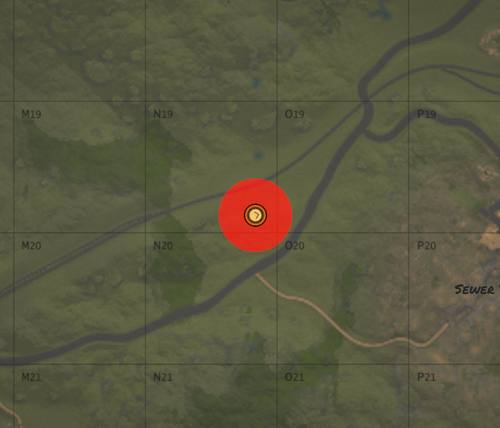
Wanted Trilogy 1. Wanted Trilogy Chapter One 'Pay for Murder': Wanted Plugin 2. Wanted Trilogy Chapter Two "Base Raider": RaidMarker Plugin 3. Wanted Trilogy Chapter Three "Bounty" (In Development, Stay Tuned) RaidMarker Plugin Rules: 1. Destroying buildings not built by oneself will add a certain wanted duration (configurable). 2. Destroying tool cupboards not built by oneself will also add a certain wanted duration (configurable). 3. When destroying a tool cupboard, broadcast the event to all players (configurable). ConfigFile { "Allow Broadcast TC Broken Event (true/false)": true, "Add Wanted Time On Destroy Building (Seconds)": 180, "Add Wanted Time On Destroy Tool-Cupboard (Seconds)": 360, "Chat Prefix": "[RaidMarker]:", "Chat Prefix color": "#00FFFF", "Chat steamID icon": 0 } LanguageFile { "DestroyBuilding": "You've been given an additional <color=red>{0}</color> seconds of wanted time for destroying a building!", "DestroyTC": "You've been given an additional <color=red>{0}</color> seconds of wanted time for destroying a Tool Cupboard!", "TCBrokenBroadcast": "{0} has destroyed a Tool Cupboard! Be on the lookout for wanted notices!" }$4.99 -
Version 1.0.5
1,287 downloads
A lightweight API that allows other plugins to place markers on the map. On its own it serves no purpose. Developer API: position: world position of the marker entity: the entity the marker is attached to uname: unique name of the marker, used when removing it ownerid: marker is only visible to player with that id duration: time before the marker will be removed automatically refreshRate: time between marker refesh, useful for markers attached to entities radius: radius of the circle on the map displayName: name of the marker on the map colorMarker: color of the marker, in hex format colorOutline: color of the marker outline, in hex format with transparency Create a map marker visible for everyone at a given position. Returns false when a marker with the given name already exists. (bool) API_CreateMarkerPublic (Vector3 position, string uname, int duration = 0, float refreshRate = 3f, float radius = 0.4f, string displayName = "Marker", string colorMarker = "00FFFF", string colorOutline = "00FFFFFF") Create a map marker visible for everyone attached to an entity. Returns false when a marker with the given name already exists. (bool) API_CreateMarkerPublic (BaseEntity entity, string uname, int duration = 0, float refreshRate = 3f, float radius = 0.4f, string displayName = "Marker", string colorMarker = "00FFFF", string colorOutline = "00FFFFFF") Create a map marker only visible for a certain player at a given position. Returns false when a marker with the given name already exists. (bool) API_CreateMarkerPrivate (Vector3 position, string uname, ulong ownerid, int duration = 0, float refreshRate = 3f, float radius = 0.4f, string displayName = "Marker", string colorMarker = "00FFFF", string colorOutline = "00FFFFFF") Create a map marker only visible for a certain player attached to an entity. Returns false when a marker with the given name already exists. (bool) API_CreateMarkerPrivate (BaseEntity entity, string uname, ulong ownerid, int duration = 0, float refreshRate = 3f, float radius = 0.4f, string displayName = "Marker", string colorMarker = "00FFFF", string colorOutline = "00FFFFFF") Remove map marker (fast) (bool) API_RemoveCachedMarker (string uname) Remove map marker (slow, use only if marker is not cached) (void) API_RemoveMarker (string uname) Credit: Credit to https://umod.org/user/DezLife for the original plugin. This plugin is a fork of https://umod.org/plugins/marker-managerFree