Search the Community
Showing results for tags 'rust plugin'.
-

Version 1.1.2
5 downloads
nanoInfoModule - an information module for your server! Required - the nanoModalMenu plugin must be installed Feature list: Unlimited page support: All page categories support scrolling, allowing you to create as many pages as you need for each information category! Multilingual text support: Specify text in any language, and each player will be able to see information that matches their language! Minimalist information design: You can keep all text in a consistent style or use HTML tags to change the text size, highlight text, or set custom text colors. Color theme support: Examples of color themes with nanoInfoModule open and links to them: White Included with Plugin Dark View Theme Purple View Theme Blue View Theme Simple and easy-to-use module that allows you to provide your players with all the information they need! Module demonstration in the White theme: Configuration JSON { "Header menu settings": { "Multilingual translation for the menu title": { "ru": "ИНФОРМАЦИЯ", "en": "INFORMATION" }, "Multilingual translation for the menu description": { "ru": "Тут ты узнаешь насколько интересный наш сервер и каким правилам придерживаться", "en": "Here you will learn what makes our server interesting and which rules you should follow" }, "List of items for menu decoration [Shortname] (no more than 9 items)": [ "spraycan", "documents", "tool.binoculars", "building.planner", "advancedblueprintfragment", "campfire", "map", "note", "wallpaper.tool" ] }, "Menu content settings": { "Category settings [UniqueKey] = Settings": { "rules": { "Image file name from `/data/nanoSystem/nanoInfoModule/Images` [Do not include the extension]": "RULES_ICON", "Multilingual category translation [LanguageKey] = Translation": { "ru": "ПРАВИЛА", "en": "RULES" }, "List of category content": [ { "Multilingual translation of the text block title [LanguageKey] = Translation": { "ru": "БУДЬ ВЕЖЛИВЫМ", "en": "BE RESPECTFUL" }, "Multilingual translation of the text block [LanguageKey] = Translation": [ { "ru": "1. Уважайте других игроков и общайтесь без оскорблений, унижений и провокаций\n2. Запрещены токсичное поведение, травля, угрозы и дискриминация в любом виде\n3. Не засоряйте чат флудом, спамом, капсом или бессмысленными сообщениями\n4. Используйте голосовой и текстовый чат адекватно, без шума, криков и намеренного раздражения других игроков\n5. Если возник конфликт, решайте его спокойно или обращайтесь к администрации сервера", "en": "1. Respect other players and communicate without insults, humiliation, or provocation\n2. Toxic behavior, harassment, threats, and discrimination in any form are prohibited\n3. Do not flood the chat with spam, caps, or meaningless messages\n4. Use voice and text chat appropriately, without noise, screaming, or intentionally annoying other players\n5. If a conflict arises, resolve it calmly or contact the server administration" } ] }, { "Multilingual translation of the text block title [LanguageKey] = Translation": { "ru": "ЧЕСТНАЯ ИГРА", "en": "FAIR PLAY" }, "Multilingual translation of the text block [LanguageKey] = Translation": [ { "ru": "1. Запрещено использовать читы, макросы, скрипты или стороннее ПО, дающее игровое преимущество\n2. Использование багов, дюпов и уязвимостей сервера для личной выгоды запрещено\n3. Не пытайтесь обходить правила сервера через альтернативные аккаунты, VPN или иные способы сокрытия нарушений\n4. Запрещено выдавать себя за администрацию, модераторов или других игроков\n5. Любая нечестная игра, нарушающая баланс сервера, может привести к наказанию", "en": "1. Cheats, macros, scripts, or third-party software that provide an in-game advantage are prohibited\n2. Exploiting bugs, dupes, or server vulnerabilities for personal gain is forbidden\n3. Do not attempt to bypass server rules using alternate accounts, VPNs, or other methods to hide violations\n4. Impersonating administrators, moderators, or other players is prohibited\n5. Any unfair gameplay that disrupts the server balance may result in punishment" } ] }, { "Multilingual translation of the text block title [LanguageKey] = Translation": { "ru": "СТРОЙКА И РЕЙДЫ", "en": "BUILDING AND RAIDS" }, "Multilingual translation of the text block [LanguageKey] = Translation": [ { "ru": "1. Не стройте объекты, которые намеренно мешают спавну, проходу или нормальной игре других игроков\n2. Запрещено злоупотреблять постройками, шкафами, турелями и ловушками для нечестной блокировки территории вне правил сервера\n3. Уважайте лимиты сервера на количество построек, турелей, членов клана и других игровых объектов\n4. Если на сервере действуют ограничения на рейды новичков или специальные PvP/PvE зоны, их необходимо соблюдать\n5. Постройки и рейды, создающие чрезмерную нагрузку на сервер или нарушающие его правила, могут быть удалены администрацией", "en": "1. Do not build structures that intentionally block spawns, movement, or normal gameplay for other players\n2. Abusing buildings, tool cupboards, turrets, or traps to unfairly block territory outside server rules is prohibited\n3. Respect the server limits on buildings, turrets, clan members, and other in-game objects\n4. If the server has raid restrictions for beginners or special PvP/PvE zones, those rules must be followed\n5. Buildings and raids that create excessive server load or violate server rules may be removed by the administration" } ] } ] }, "nanoSettingModule": { "Image file name from `/data/nanoSystem/nanoInfoModule/Images` [Do not include the extension]": "SETTINGS_MODULE_ICON", "Multilingual category translation [LanguageKey] = Translation": { "ru": "НАСТРОЙКИ", "en": "SETTINGS" }, "List of category content": [ { "Multilingual translation of the text block title [LanguageKey] = Translation": { "ru": "О ПЛАГИНЕ", "en": "PLUGIN" }, "Multilingual translation of the text block [LanguageKey] = Translation": [ { "ru": "Плагин nanoSettingModule предназначен для управления и настройки других модулей системы nanoModalMenu\nС его помощью игроки могут изменять доступные параметры, взаимодействовать с подключёнными модулями и подстраивать отдельные функции под свои предпочтения\nЭтот модуль выступает как единая точка доступа к пользовательским настройкам и делает работу с интерфейсом более удобной и понятной", "en": "The nanoSettingModule plugin is designed to manage and configure other modules in the nanoModalMenu system\nWith it, players can change available settings, interact with connected modules, and adjust certain features to match their preferences\nThis module acts as a central access point for user settings and makes the interface more convenient and easier to use" } ] } ] }, "nanoWelcomeModule": { "Image file name from `/data/nanoSystem/nanoInfoModule/Images` [Do not include the extension]": "WELCOME_MODULE_ICON", "Multilingual category translation [LanguageKey] = Translation": { "ru": "ПРИВЕТСТВИЕ", "en": "WELCOME" }, "List of category content": [ { "Multilingual translation of the text block title [LanguageKey] = Translation": { "ru": "ПРИВЕТСТВЕННЫЙ МОДУЛЬ", "en": "WELCOME MODULE" }, "Multilingual translation of the text block [LanguageKey] = Translation": [ { "ru": "nanoWelcomeModule - это модуль, который помогает игрокам быстро получить важную информацию о сервере сразу в одном месте\nВ нём можно разместить краткую информацию, преимущества сервера, ссылки на социальные сети, полезные сведения, а также любой дополнительный текст по желанию\nПомимо этого, модуль поддерживает быстрый доступ через кнопки и может отображать информацию, полученную из других подключённых плагинов", "en": "nanoWelcomeModule is a module that helps players quickly access important server information all in one place\nIt can be used to display a server description, its advantages, social media links, useful details, and any additional custom text if desired\nIn addition, the module supports quick access buttons and can display information received from other connected plugins" } ] } ] }, "nanoKitsModule": { "Image file name from `/data/nanoSystem/nanoInfoModule/Images` [Do not include the extension]": "KITS_MODULE_ICON", "Multilingual category translation [LanguageKey] = Translation": { "ru": "НАБОРЫ", "en": "KITS" }, "List of category content": [ { "Multilingual translation of the text block title [LanguageKey] = Translation": { "ru": "НАБОРЫ СЕРВЕРА", "en": "SERVER KITS" }, "Multilingual translation of the text block [LanguageKey] = Translation": [ { "ru": "nanoKitsModule - это модуль, это простой и удобный плагин на наборы для вашего сервера.\nНичего лишнего, отличная оптимизация и только нужный функционал!\nПродавайте привилегии с наборами и наслаждайтесь интегрированным интерфейсом в меню nanoModalMenu", "en": "nanoKitsModule is a simple and convenient kits plugin for your server.\nNothing unnecessary, excellent optimization, and only the features you need!\nSell privileges with kits and enjoy the integrated interface in the nanoModalMenu" } ] } ] }, "nanoChat": { "Image file name from `/data/nanoSystem/nanoInfoModule/Images` [Do not include the extension]": "CHAT_MODULE_ICON", "Multilingual category translation [LanguageKey] = Translation": { "ru": "ЧАТ", "en": "CHAT" }, "List of category content": [ { "Multilingual translation of the text block title [LanguageKey] = Translation": { "ru": "ЧАТ СЕРВЕРА", "en": "SERVER CHAT" }, "Multilingual translation of the text block [LanguageKey] = Translation": [ { "ru": "nanoChat - даннный плагин сделан для простого контроля и настройки чата для ваших игроков\nИспользуйте цвет ника и отдельные префиксы по разрешениям\nРазделяйте их на привилегии и зарабатывайте с помощью этого\nВместе с nanoSettingsModule - ваши игроки получат еще больший контроль над системой чата, данный модуль будет дополнять возможности nanoChat", "en": "nanoChat is a plugin designed for simple chat control and configuration for your players.\nUse nickname colors and separate prefixes based on permissions.\nDivide them into privileges and monetize them.\nTogether with nanoSettingsModule, your players will get even more control over the chat system, and this module will expand nanoChat's capabilities" } ] }, { "Multilingual translation of the text block title [LanguageKey] = Translation": { "ru": "ЦВЕТА НИКА", "en": "NICKNAME COLORS" }, "Multilingual translation of the text block [LanguageKey] = Translation": [ { "ru": "А ещё вы можете создавать различные <color=#33232FF>цвета</color> для ников игроков и даже задавать градиент, используя несколько цветов", "en": "You can also create different <color=#33232FF>colors</color> for players' nicknames and even set a gradient by using multiple colors.\n" } ] } ] } } } }$15.99 -

Version 2.6.82
3,217 downloads
IQCases - are the best cases for your server with great features, settings and a nice design! Setting up cases : Setting up the dropout of items from the case : Support for two types of awards : Command and Items Set the displayed chance of getting a reward for the player Set the actual chance of getting a reward for the player Set the number of items from the minimum to the maximum number Set a static amount of dropout items Support for the time format, if there is a privilege or a reward for time in the award Support in drawing award Support for items with SkinID or items from other plugins Setting up the dropout of cases from items : The plugin supports the possibility of mining cases for the destruction of barrels or other items (specified in the configuration) The plugin supports the possibility of mining cases for looping boxes (specified in the configuration) The chance of the case falling out is indicated The amount of case loss is indicated Restrictions for the player : Set the rights with which the opening of the case will be available Set the rank by which the case opening will be available (IQRankSystem) Addition : Set the price for the purchase of cases (IQEconomic/Economics) Set the price for the sale of cases (IQEconomic/Economics) Set the prefix of chat messages (IQChat) Set the starting number of cases for players Set the starting number of cases for players with privileges Interface : The ability to change the design of the plugin, you can edit absolutely the entire interface, all sizes and links are provided in the configuration Commands : ChatCommands : /case - open case menu ConsoleCommands : case give [userID] [CaseKey] [Amount] - give player N amount case case remove [userID] [CaseKey] [Amount] - remove player N amount case case.give.all [CaseKey] [Amount] - give all players on the server a case with N amount API : void OnOpenedCase (BasePlayer player, String CaseKey); - the hook is called after the case is fully opened by the player void OnBuyCase (BasePlayer player, String CaseKey); - the hook is called after the purchase of the case void OnSellCase (BasePlayer player, String CaseKey); - the hook is called after the sale of the case void API_GIVE_CASE(UInt64 userID, String CaseKey, Int32 Amount) - give N amount of key cases to the player void API_REMOVE_CASE(UInt64 userID, String CaseKey, Int32 Amount) - removes N amount of key cases from the player Boolean API_IS_CASE_EXIST(String CaseKey) - checks the existence of the case by the key Int32 API_GET_AMOUNT_CASE(BasePlayer player, String CaseKey) - returns the number of key cases the player has Boolean API_IS_CASE_PLAYER(BasePlayer player, String CaseKey) - checks if the player has a case with the specified key Configuration : { "Plugin interface customization": { "Use sound effects in conjunction with the interface": true, "PNG: Toggle switch turned left (35х20)": "https://i.imgur.com/6moqO9u.png", "PNG: Toggle switch turned right (35х20)": "https://i.imgur.com/hB3jlO3.png", "PNG: Back panel of information about the number of cases (277x46)": "https://i.imgur.com/CVwUO8y.png", "PNG: Back panel of inventory button (178x46)": "https://i.imgur.com/MmB7paC.png", "PNG: Back panel of balance information (122x46)": "https://i.imgur.com/61im43h.png", "PNG: Glow effect for cases (909x377)": "https://i.imgur.com/ZURvF4x.png", "PNG: End cap (if there is no item in the case) (143x155)": "https://i.imgur.com/uHTdwjY.png", "PNG: Back page (60x60)": "https://i.imgur.com/5iHnDXC.png", "PNG: Next page (60x60)": "https://i.imgur.com/LR2j88f.png", "PNG: Button 'Open Case ' (350x46)": "https://i.imgur.com/zvtUYCS.png", "PNG: 'Buy' button (172x46)": "https://i.imgur.com/hV4Xksf.png", "PNG: 'Sell' button (172x46)": "https://i.imgur.com/OFjBLhn.png", "PNG: Button Lock Picture (172x46)": "https://i.imgur.com/8KOy2pU.png", "PNG: The picture next to the displayed chance (13x13)": "https://i.imgur.com/wBWiYSE.png", "PNG: Images that will be displayed at the reward depending on the DISPLAYED CHANCE of falling out [Chance(0-100)] - PNG (143x155) (The order of filling: From greater to lesser chance)": { "50": "https://i.imgur.com/CR545Ie.png", "25": "https://i.imgur.com/VIM8jSa.png", "10": "https://i.imgur.com/fz3Foqr.png", "0": "https://i.imgur.com/fz3Foqr.png" } }, "Settings cases": { "free_case": { "Link to case picture (350x350)": "https://i.imgur.com/lHmpqOk.png", "Setting up the sale and purchase of cases (IQEconomic/Economics)": { "Case purchase price (If set to 0 - the case cannot be bought)": 0, "Case sale price (If set to 0 - the case cannot be sold)": 0 }, "Setting Restrictions": { "Permission that give the opportunity to open a case (leave the field empty - it will be available to everyone)": "", "IQRankSystem : Rank giving the opportunity to open a case (leave the field blank - it will be available to everyone)": "" }, "Setting rewards from a case": [ { "Select reward type: 0 - Item, 1 - Command": 0, "Chance of dropping this reward": 79, "The displayed chance of getting this reward": 70, "PNG for reward (85x85) (if not required - leave blank) (not required for regular items)": "", "Item setting (if item type is selected)": { "Is this a blueprint? true - yes/false - no": false, "Shortname item": "wood", "SkinID item": 0, "Quantity setting (if you need a static value - set both fields to the same value)": { "Min amount": 3000, "Max amount": 5000 } }, "Command setting (if Command type is selected)": { "Console command (%STEAMID% - will be replaced by the player's Steam64ID)": "", "Seconds. Time for which the reward will be issued - leave 0 if this award is not issued for a while and fill in the field below (only affects the visual display)": 0, "Amount. If it is a custom item or a reward that is issued in N quantity (affects visual display only)": 0 } }, { "Select reward type: 0 - Item, 1 - Command": 0, "Chance of dropping this reward": 60, "The displayed chance of getting this reward": 60, "PNG for reward (85x85) (if not required - leave blank) (not required for regular items)": "", "Item setting (if item type is selected)": { "Is this a blueprint? true - yes/false - no": false, "Shortname item": "stones", "SkinID item": 0, "Quantity setting (if you need a static value - set both fields to the same value)": { "Min amount": 1000, "Max amount": 3000 } }, "Command setting (if Command type is selected)": { "Console command (%STEAMID% - will be replaced by the player's Steam64ID)": "", "Seconds. Time for which the reward will be issued - leave 0 if this award is not issued for a while and fill in the field below (only affects the visual display)": 0, "Amount. If it is a custom item or a reward that is issued in N quantity (affects visual display only)": 0 } }, { "Select reward type: 0 - Item, 1 - Command": 0, "Chance of dropping this reward": 30, "The displayed chance of getting this reward": 30, "PNG for reward (85x85) (if not required - leave blank) (not required for regular items)": "", "Item setting (if item type is selected)": { "Is this a blueprint? true - yes/false - no": false, "Shortname item": "metal.fragments", "SkinID item": 0, "Quantity setting (if you need a static value - set both fields to the same value)": { "Min amount": 500, "Max amount": 2000 } }, "Command setting (if Command type is selected)": { "Console command (%STEAMID% - will be replaced by the player's Steam64ID)": "", "Seconds. Time for which the reward will be issued - leave 0 if this award is not issued for a while and fill in the field below (only affects the visual display)": 0, "Amount. If it is a custom item or a reward that is issued in N quantity (affects visual display only)": 0 } }, { "Select reward type: 0 - Item, 1 - Command": 0, "Chance of dropping this reward": 15, "The displayed chance of getting this reward": 30, "PNG for reward (85x85) (if not required - leave blank) (not required for regular items)": "", "Item setting (if item type is selected)": { "Is this a blueprint? true - yes/false - no": false, "Shortname item": "icepick.salvaged", "SkinID item": 0, "Quantity setting (if you need a static value - set both fields to the same value)": { "Min amount": 1, "Max amount": 1 } }, "Command setting (if Command type is selected)": { "Console command (%STEAMID% - will be replaced by the player's Steam64ID)": "", "Seconds. Time for which the reward will be issued - leave 0 if this award is not issued for a while and fill in the field below (only affects the visual display)": 0, "Amount. If it is a custom item or a reward that is issued in N quantity (affects visual display only)": 0 } }, { "Select reward type: 0 - Item, 1 - Command": 0, "Chance of dropping this reward": 50, "The displayed chance of getting this reward": 30, "PNG for reward (85x85) (if not required - leave blank) (not required for regular items)": "", "Item setting (if item type is selected)": { "Is this a blueprint? true - yes/false - no": false, "Shortname item": "grenade.f1", "SkinID item": 0, "Quantity setting (if you need a static value - set both fields to the same value)": { "Min amount": 1, "Max amount": 3 } }, "Command setting (if Command type is selected)": { "Console command (%STEAMID% - will be replaced by the player's Steam64ID)": "", "Seconds. Time for which the reward will be issued - leave 0 if this award is not issued for a while and fill in the field below (only affects the visual display)": 0, "Amount. If it is a custom item or a reward that is issued in N quantity (affects visual display only)": 0 } }, { "Select reward type: 0 - Item, 1 - Command": 0, "Chance of dropping this reward": 30, "The displayed chance of getting this reward": 35, "PNG for reward (85x85) (if not required - leave blank) (not required for regular items)": "", "Item setting (if item type is selected)": { "Is this a blueprint? true - yes/false - no": false, "Shortname item": "flamethrower", "SkinID item": 0, "Quantity setting (if you need a static value - set both fields to the same value)": { "Min amount": 1, "Max amount": 1 } }, "Command setting (if Command type is selected)": { "Console command (%STEAMID% - will be replaced by the player's Steam64ID)": "", "Seconds. Time for which the reward will be issued - leave 0 if this award is not issued for a while and fill in the field below (only affects the visual display)": 0, "Amount. If it is a custom item or a reward that is issued in N quantity (affects visual display only)": 0 } }, { "Select reward type: 0 - Item, 1 - Command": 0, "Chance of dropping this reward": 60, "The displayed chance of getting this reward": 45, "PNG for reward (85x85) (if not required - leave blank) (not required for regular items)": "", "Item setting (if item type is selected)": { "Is this a blueprint? true - yes/false - no": false, "Shortname item": "pistol.revolver", "SkinID item": 0, "Quantity setting (if you need a static value - set both fields to the same value)": { "Min amount": 1, "Max amount": 1 } }, "Command setting (if Command type is selected)": { "Console command (%STEAMID% - will be replaced by the player's Steam64ID)": "", "Seconds. Time for which the reward will be issued - leave 0 if this award is not issued for a while and fill in the field below (only affects the visual display)": 0, "Amount. If it is a custom item or a reward that is issued in N quantity (affects visual display only)": 0 } }, { "Select reward type: 0 - Item, 1 - Command": 0, "Chance of dropping this reward": 40, "The displayed chance of getting this reward": 45, "PNG for reward (85x85) (if not required - leave blank) (not required for regular items)": "", "Item setting (if item type is selected)": { "Is this a blueprint? true - yes/false - no": false, "Shortname item": "pistol.python", "SkinID item": 0, "Quantity setting (if you need a static value - set both fields to the same value)": { "Min amount": 1, "Max amount": 1 } }, "Command setting (if Command type is selected)": { "Console command (%STEAMID% - will be replaced by the player's Steam64ID)": "", "Seconds. Time for which the reward will be issued - leave 0 if this award is not issued for a while and fill in the field below (only affects the visual display)": 0, "Amount. If it is a custom item or a reward that is issued in N quantity (affects visual display only)": 0 } }, { "Select reward type: 0 - Item, 1 - Command": 0, "Chance of dropping this reward": 4, "The displayed chance of getting this reward": 8, "PNG for reward (85x85) (if not required - leave blank) (not required for regular items)": "", "Item setting (if item type is selected)": { "Is this a blueprint? true - yes/false - no": false, "Shortname item": "rifle.ak", "SkinID item": 0, "Quantity setting (if you need a static value - set both fields to the same value)": { "Min amount": 1, "Max amount": 1 } }, "Command setting (if Command type is selected)": { "Console command (%STEAMID% - will be replaced by the player's Steam64ID)": "", "Seconds. Time for which the reward will be issued - leave 0 if this award is not issued for a while and fill in the field below (only affects the visual display)": 0, "Amount. If it is a custom item or a reward that is issued in N quantity (affects visual display only)": 0 } }, { "Select reward type: 0 - Item, 1 - Command": 0, "Chance of dropping this reward": 3, "The displayed chance of getting this reward": 6, "PNG for reward (85x85) (if not required - leave blank) (not required for regular items)": "", "Item setting (if item type is selected)": { "Is this a blueprint? true - yes/false - no": false, "Shortname item": "rifle.lr300", "SkinID item": 0, "Quantity setting (if you need a static value - set both fields to the same value)": { "Min amount": 1, "Max amount": 1 } }, "Command setting (if Command type is selected)": { "Console command (%STEAMID% - will be replaced by the player's Steam64ID)": "", "Seconds. Time for which the reward will be issued - leave 0 if this award is not issued for a while and fill in the field below (only affects the visual display)": 0, "Amount. If it is a custom item or a reward that is issued in N quantity (affects visual display only)": 0 } }, { "Select reward type: 0 - Item, 1 - Command": 0, "Chance of dropping this reward": 1, "The displayed chance of getting this reward": 3, "PNG for reward (85x85) (if not required - leave blank) (not required for regular items)": "", "Item setting (if item type is selected)": { "Is this a blueprint? true - yes/false - no": false, "Shortname item": "supply.signal", "SkinID item": 0, "Quantity setting (if you need a static value - set both fields to the same value)": { "Min amount": 1, "Max amount": 1 } }, "Command setting (if Command type is selected)": { "Console command (%STEAMID% - will be replaced by the player's Steam64ID)": "", "Seconds. Time for which the reward will be issued - leave 0 if this award is not issued for a while and fill in the field below (only affects the visual display)": 0, "Amount. If it is a custom item or a reward that is issued in N quantity (affects visual display only)": 0 } }, { "Select reward type: 0 - Item, 1 - Command": 0, "Chance of dropping this reward": 10, "The displayed chance of getting this reward": 20, "PNG for reward (85x85) (if not required - leave blank) (not required for regular items)": "", "Item setting (if item type is selected)": { "Is this a blueprint? true - yes/false - no": false, "Shortname item": "scrap", "SkinID item": 0, "Quantity setting (if you need a static value - set both fields to the same value)": { "Min amount": 50, "Max amount": 200 } }, "Command setting (if Command type is selected)": { "Console command (%STEAMID% - will be replaced by the player's Steam64ID)": "", "Seconds. Time for which the reward will be issued - leave 0 if this award is not issued for a while and fill in the field below (only affects the visual display)": 0, "Amount. If it is a custom item or a reward that is issued in N quantity (affects visual display only)": 0 } }, { "Select reward type: 0 - Item, 1 - Command": 0, "Chance of dropping this reward": 5, "The displayed chance of getting this reward": 20, "PNG for reward (85x85) (if not required - leave blank) (not required for regular items)": "", "Item setting (if item type is selected)": { "Is this a blueprint? true - yes/false - no": false, "Shortname item": "door.hinged.toptier", "SkinID item": 0, "Quantity setting (if you need a static value - set both fields to the same value)": { "Min amount": 1, "Max amount": 1 } }, "Command setting (if Command type is selected)": { "Console command (%STEAMID% - will be replaced by the player's Steam64ID)": "", "Seconds. Time for which the reward will be issued - leave 0 if this award is not issued for a while and fill in the field below (only affects the visual display)": 0, "Amount. If it is a custom item or a reward that is issued in N quantity (affects visual display only)": 0 } }, { "Select reward type: 0 - Item, 1 - Command": 1, "Chance of dropping this reward": 10, "The displayed chance of getting this reward": 15, "PNG for reward (85x85) (if not required - leave blank) (not required for regular items)": "https://i.imgur.com/hGXoUms.png", "Item setting (if item type is selected)": { "Is this a blueprint? true - yes/false - no": false, "Shortname item": "", "SkinID item": 0, "Quantity setting (if you need a static value - set both fields to the same value)": { "Min amount": 1, "Max amount": 1 } }, "Command setting (if Command type is selected)": { "Console command (%STEAMID% - will be replaced by the player's Steam64ID)": "command your plugin %STEAMID%", "Seconds. Time for which the reward will be issued - leave 0 if this award is not issued for a while and fill in the field below (only affects the visual display)": 0, "Amount. If it is a custom item or a reward that is issued in N quantity (affects visual display only)": 1 } }, { "Select reward type: 0 - Item, 1 - Command": 1, "Chance of dropping this reward": 10, "The displayed chance of getting this reward": 15, "PNG for reward (85x85) (if not required - leave blank) (not required for regular items)": "https://i.imgur.com/zzsL6qZ.png", "Item setting (if item type is selected)": { "Is this a blueprint? true - yes/false - no": false, "Shortname item": "", "SkinID item": 0, "Quantity setting (if you need a static value - set both fields to the same value)": { "Min amount": 1, "Max amount": 1 } }, "Command setting (if Command type is selected)": { "Console command (%STEAMID% - will be replaced by the player's Steam64ID)": "command your plugin %STEAMID%", "Seconds. Time for which the reward will be issued - leave 0 if this award is not issued for a while and fill in the field below (only affects the visual display)": 0, "Amount. If it is a custom item or a reward that is issued in N quantity (affects visual display only)": 1 } }, { "Select reward type: 0 - Item, 1 - Command": 1, "Chance of dropping this reward": 5, "The displayed chance of getting this reward": 10, "PNG for reward (85x85) (if not required - leave blank) (not required for regular items)": "https://i.imgur.com/X0VAteL.png", "Item setting (if item type is selected)": { "Is this a blueprint? true - yes/false - no": false, "Shortname item": "", "SkinID item": 0, "Quantity setting (if you need a static value - set both fields to the same value)": { "Min amount": 1, "Max amount": 1 } }, "Command setting (if Command type is selected)": { "Console command (%STEAMID% - will be replaced by the player's Steam64ID)": "addgroup %STEAMID% vip 3d", "Seconds. Time for which the reward will be issued - leave 0 if this award is not issued for a while and fill in the field below (only affects the visual display)": 259200, "Amount. If it is a custom item or a reward that is issued in N quantity (affects visual display only)": 0 } } ] }, "components_case": { "Link to case picture (350x350)": "https://i.imgur.com/j7pA2qD.png", "Setting up the sale and purchase of cases (IQEconomic/Economics)": { "Case purchase price (If set to 0 - the case cannot be bought)": 20, "Case sale price (If set to 0 - the case cannot be sold)": 10 }, "Setting Restrictions": { "Permission that give the opportunity to open a case (leave the field empty - it will be available to everyone)": "", "IQRankSystem : Rank giving the opportunity to open a case (leave the field blank - it will be available to everyone)": "" }, "Setting rewards from a case": [ { "Select reward type: 0 - Item, 1 - Command": 0, "Chance of dropping this reward": 10, "The displayed chance of getting this reward": 15, "PNG for reward (85x85) (if not required - leave blank) (not required for regular items)": "", "Item setting (if item type is selected)": { "Is this a blueprint? true - yes/false - no": false, "Shortname item": "riflebody", "SkinID item": 0, "Quantity setting (if you need a static value - set both fields to the same value)": { "Min amount": 1, "Max amount": 3 } }, "Command setting (if Command type is selected)": { "Console command (%STEAMID% - will be replaced by the player's Steam64ID)": "", "Seconds. Time for which the reward will be issued - leave 0 if this award is not issued for a while and fill in the field below (only affects the visual display)": 0, "Amount. If it is a custom item or a reward that is issued in N quantity (affects visual display only)": 0 } }, { "Select reward type: 0 - Item, 1 - Command": 0, "Chance of dropping this reward": 15, "The displayed chance of getting this reward": 20, "PNG for reward (85x85) (if not required - leave blank) (not required for regular items)": "", "Item setting (if item type is selected)": { "Is this a blueprint? true - yes/false - no": false, "Shortname item": "smgbody", "SkinID item": 0, "Quantity setting (if you need a static value - set both fields to the same value)": { "Min amount": 1, "Max amount": 5 } }, "Command setting (if Command type is selected)": { "Console command (%STEAMID% - will be replaced by the player's Steam64ID)": "", "Seconds. Time for which the reward will be issued - leave 0 if this award is not issued for a while and fill in the field below (only affects the visual display)": 0, "Amount. If it is a custom item or a reward that is issued in N quantity (affects visual display only)": 0 } }, { "Select reward type: 0 - Item, 1 - Command": 0, "Chance of dropping this reward": 15, "The displayed chance of getting this reward": 20, "PNG for reward (85x85) (if not required - leave blank) (not required for regular items)": "", "Item setting (if item type is selected)": { "Is this a blueprint? true - yes/false - no": false, "Shortname item": "semibody", "SkinID item": 0, "Quantity setting (if you need a static value - set both fields to the same value)": { "Min amount": 1, "Max amount": 3 } }, "Command setting (if Command type is selected)": { "Console command (%STEAMID% - will be replaced by the player's Steam64ID)": "", "Seconds. Time for which the reward will be issued - leave 0 if this award is not issued for a while and fill in the field below (only affects the visual display)": 0, "Amount. If it is a custom item or a reward that is issued in N quantity (affects visual display only)": 0 } }, { "Select reward type: 0 - Item, 1 - Command": 0, "Chance of dropping this reward": 20, "The displayed chance of getting this reward": 30, "PNG for reward (85x85) (if not required - leave blank) (not required for regular items)": "", "Item setting (if item type is selected)": { "Is this a blueprint? true - yes/false - no": false, "Shortname item": "metalpipe", "SkinID item": 0, "Quantity setting (if you need a static value - set both fields to the same value)": { "Min amount": 3, "Max amount": 10 } }, "Command setting (if Command type is selected)": { "Console command (%STEAMID% - will be replaced by the player's Steam64ID)": "", "Seconds. Time for which the reward will be issued - leave 0 if this award is not issued for a while and fill in the field below (only affects the visual display)": 0, "Amount. If it is a custom item or a reward that is issued in N quantity (affects visual display only)": 0 } }, { "Select reward type: 0 - Item, 1 - Command": 0, "Chance of dropping this reward": 15, "The displayed chance of getting this reward": 25, "PNG for reward (85x85) (if not required - leave blank) (not required for regular items)": "", "Item setting (if item type is selected)": { "Is this a blueprint? true - yes/false - no": false, "Shortname item": "techparts", "SkinID item": 0, "Quantity setting (if you need a static value - set both fields to the same value)": { "Min amount": 1, "Max amount": 3 } }, "Command setting (if Command type is selected)": { "Console command (%STEAMID% - will be replaced by the player's Steam64ID)": "", "Seconds. Time for which the reward will be issued - leave 0 if this award is not issued for a while and fill in the field below (only affects the visual display)": 0, "Amount. If it is a custom item or a reward that is issued in N quantity (affects visual display only)": 0 } }, { "Select reward type: 0 - Item, 1 - Command": 0, "Chance of dropping this reward": 40, "The displayed chance of getting this reward": 50, "PNG for reward (85x85) (if not required - leave blank) (not required for regular items)": "", "Item setting (if item type is selected)": { "Is this a blueprint? true - yes/false - no": false, "Shortname item": "roadsigns", "SkinID item": 0, "Quantity setting (if you need a static value - set both fields to the same value)": { "Min amount": 5, "Max amount": 30 } }, "Command setting (if Command type is selected)": { "Console command (%STEAMID% - will be replaced by the player's Steam64ID)": "", "Seconds. Time for which the reward will be issued - leave 0 if this award is not issued for a while and fill in the field below (only affects the visual display)": 0, "Amount. If it is a custom item or a reward that is issued in N quantity (affects visual display only)": 0 } }, { "Select reward type: 0 - Item, 1 - Command": 0, "Chance of dropping this reward": 25, "The displayed chance of getting this reward": 40, "PNG for reward (85x85) (if not required - leave blank) (not required for regular items)": "", "Item setting (if item type is selected)": { "Is this a blueprint? true - yes/false - no": false, "Shortname item": "metalspring", "SkinID item": 0, "Quantity setting (if you need a static value - set both fields to the same value)": { "Min amount": 3, "Max amount": 15 } }, "Command setting (if Command type is selected)": { "Console command (%STEAMID% - will be replaced by the player's Steam64ID)": "", "Seconds. Time for which the reward will be issued - leave 0 if this award is not issued for a while and fill in the field below (only affects the visual display)": 0, "Amount. If it is a custom item or a reward that is issued in N quantity (affects visual display only)": 0 } }, { "Select reward type: 0 - Item, 1 - Command": 0, "Chance of dropping this reward": 40, "The displayed chance of getting this reward": 45, "PNG for reward (85x85) (if not required - leave blank) (not required for regular items)": "", "Item setting (if item type is selected)": { "Is this a blueprint? true - yes/false - no": false, "Shortname item": "sewingkit", "SkinID item": 0, "Quantity setting (if you need a static value - set both fields to the same value)": { "Min amount": 10, "Max amount": 25 } }, "Command setting (if Command type is selected)": { "Console command (%STEAMID% - will be replaced by the player's Steam64ID)": "", "Seconds. Time for which the reward will be issued - leave 0 if this award is not issued for a while and fill in the field below (only affects the visual display)": 0, "Amount. If it is a custom item or a reward that is issued in N quantity (affects visual display only)": 0 } }, { "Select reward type: 0 - Item, 1 - Command": 0, "Chance of dropping this reward": 50, "The displayed chance of getting this reward": 75, "PNG for reward (85x85) (if not required - leave blank) (not required for regular items)": "", "Item setting (if item type is selected)": { "Is this a blueprint? true - yes/false - no": false, "Shortname item": "sheetmetal", "SkinID item": 0, "Quantity setting (if you need a static value - set both fields to the same value)": { "Min amount": 3, "Max amount": 5 } }, "Command setting (if Command type is selected)": { "Console command (%STEAMID% - will be replaced by the player's Steam64ID)": "", "Seconds. Time for which the reward will be issued - leave 0 if this award is not issued for a while and fill in the field below (only affects the visual display)": 0, "Amount. If it is a custom item or a reward that is issued in N quantity (affects visual display only)": 0 } }, { "Select reward type: 0 - Item, 1 - Command": 0, "Chance of dropping this reward": 70, "The displayed chance of getting this reward": 80, "PNG for reward (85x85) (if not required - leave blank) (not required for regular items)": "", "Item setting (if item type is selected)": { "Is this a blueprint? true - yes/false - no": false, "Shortname item": "tarp", "SkinID item": 0, "Quantity setting (if you need a static value - set both fields to the same value)": { "Min amount": 3, "Max amount": 5 } }, "Command setting (if Command type is selected)": { "Console command (%STEAMID% - will be replaced by the player's Steam64ID)": "", "Seconds. Time for which the reward will be issued - leave 0 if this award is not issued for a while and fill in the field below (only affects the visual display)": 0, "Amount. If it is a custom item or a reward that is issued in N quantity (affects visual display only)": 0 } }, { "Select reward type: 0 - Item, 1 - Command": 0, "Chance of dropping this reward": 25, "The displayed chance of getting this reward": 35, "PNG for reward (85x85) (if not required - leave blank) (not required for regular items)": "", "Item setting (if item type is selected)": { "Is this a blueprint? true - yes/false - no": false, "Shortname item": "gears", "SkinID item": 0, "Quantity setting (if you need a static value - set both fields to the same value)": { "Min amount": 3, "Max amount": 8 } }, "Command setting (if Command type is selected)": { "Console command (%STEAMID% - will be replaced by the player's Steam64ID)": "", "Seconds. Time for which the reward will be issued - leave 0 if this award is not issued for a while and fill in the field below (only affects the visual display)": 0, "Amount. If it is a custom item or a reward that is issued in N quantity (affects visual display only)": 0 } }, { "Select reward type: 0 - Item, 1 - Command": 0, "Chance of dropping this reward": 40, "The displayed chance of getting this reward": 50, "PNG for reward (85x85) (if not required - leave blank) (not required for regular items)": "", "Item setting (if item type is selected)": { "Is this a blueprint? true - yes/false - no": false, "Shortname item": "propanetank", "SkinID item": 0, "Quantity setting (if you need a static value - set both fields to the same value)": { "Min amount": 3, "Max amount": 10 } }, "Command setting (if Command type is selected)": { "Console command (%STEAMID% - will be replaced by the player's Steam64ID)": "", "Seconds. Time for which the reward will be issued - leave 0 if this award is not issued for a while and fill in the field below (only affects the visual display)": 0, "Amount. If it is a custom item or a reward that is issued in N quantity (affects visual display only)": 0 } } ] }, "blueprints_case": { "Link to case picture (350x350)": "https://i.imgur.com/2jTQUla.png", "Setting up the sale and purchase of cases (IQEconomic/Economics)": { "Case purchase price (If set to 0 - the case cannot be bought)": 70, "Case sale price (If set to 0 - the case cannot be sold)": 25 }, "Setting Restrictions": { "Permission that give the opportunity to open a case (leave the field empty - it will be available to everyone)": "", "IQRankSystem : Rank giving the opportunity to open a case (leave the field blank - it will be available to everyone)": "" }, "Setting rewards from a case": [ { "Select reward type: 0 - Item, 1 - Command": 0, "Chance of dropping this reward": 1, "The displayed chance of getting this reward": 3, "PNG for reward (85x85) (if not required - leave blank) (not required for regular items)": "", "Item setting (if item type is selected)": { "Is this a blueprint? true - yes/false - no": true, "Shortname item": "rocket.launcher", "SkinID item": 0, "Quantity setting (if you need a static value - set both fields to the same value)": { "Min amount": 1, "Max amount": 1 } }, "Command setting (if Command type is selected)": { "Console command (%STEAMID% - will be replaced by the player's Steam64ID)": "", "Seconds. Time for which the reward will be issued - leave 0 if this award is not issued for a while and fill in the field below (only affects the visual display)": 0, "Amount. If it is a custom item or a reward that is issued in N quantity (affects visual display only)": 0 } }, { "Select reward type: 0 - Item, 1 - Command": 0, "Chance of dropping this reward": 3, "The displayed chance of getting this reward": 5, "PNG for reward (85x85) (if not required - leave blank) (not required for regular items)": "", "Item setting (if item type is selected)": { "Is this a blueprint? true - yes/false - no": true, "Shortname item": "rifle.ak", "SkinID item": 0, "Quantity setting (if you need a static value - set both fields to the same value)": { "Min amount": 1, "Max amount": 1 } }, "Command setting (if Command type is selected)": { "Console command (%STEAMID% - will be replaced by the player's Steam64ID)": "", "Seconds. Time for which the reward will be issued - leave 0 if this award is not issued for a while and fill in the field below (only affects the visual display)": 0, "Amount. If it is a custom item or a reward that is issued in N quantity (affects visual display only)": 0 } }, { "Select reward type: 0 - Item, 1 - Command": 0, "Chance of dropping this reward": 3, "The displayed chance of getting this reward": 6, "PNG for reward (85x85) (if not required - leave blank) (not required for regular items)": "", "Item setting (if item type is selected)": { "Is this a blueprint? true - yes/false - no": true, "Shortname item": "rifle.bolt", "SkinID item": 0, "Quantity setting (if you need a static value - set both fields to the same value)": { "Min amount": 1, "Max amount": 1 } }, "Command setting (if Command type is selected)": { "Console command (%STEAMID% - will be replaced by the player's Steam64ID)": "", "Seconds. Time for which the reward will be issued - leave 0 if this award is not issued for a while and fill in the field below (only affects the visual display)": 0, "Amount. If it is a custom item or a reward that is issued in N quantity (affects visual display only)": 0 } }, { "Select reward type: 0 - Item, 1 - Command": 0, "Chance of dropping this reward": 5, "The displayed chance of getting this reward": 10, "PNG for reward (85x85) (if not required - leave blank) (not required for regular items)": "", "Item setting (if item type is selected)": { "Is this a blueprint? true - yes/false - no": true, "Shortname item": "smg.thompson", "SkinID item": 0, "Quantity setting (if you need a static value - set both fields to the same value)": { "Min amount": 1, "Max amount": 1 } }, "Command setting (if Command type is selected)": { "Console command (%STEAMID% - will be replaced by the player's Steam64ID)": "", "Seconds. Time for which the reward will be issued - leave 0 if this award is not issued for a while and fill in the field below (only affects the visual display)": 0, "Amount. If it is a custom item or a reward that is issued in N quantity (affects visual display only)": 0 } }, { "Select reward type: 0 - Item, 1 - Command": 0, "Chance of dropping this reward": 8, "The displayed chance of getting this reward": 15, "PNG for reward (85x85) (if not required - leave blank) (not required for regular items)": "", "Item setting (if item type is selected)": { "Is this a blueprint? true - yes/false - no": true, "Shortname item": "shotgun.pump", "SkinID item": 0, "Quantity setting (if you need a static value - set both fields to the same value)": { "Min amount": 1, "Max amount": 1 } }, "Command setting (if Command type is selected)": { "Console command (%STEAMID% - will be replaced by the player's Steam64ID)": "", "Seconds. Time for which the reward will be issued - leave 0 if this award is not issued for a while and fill in the field below (only affects the visual display)": 0, "Amount. If it is a custom item or a reward that is issued in N quantity (affects visual display only)": 0 } }, { "Select reward type: 0 - Item, 1 - Command": 0, "Chance of dropping this reward": 14, "The displayed chance of getting this reward": 20, "PNG for reward (85x85) (if not required - leave blank) (not required for regular items)": "", "Item setting (if item type is selected)": { "Is this a blueprint? true - yes/false - no": true, "Shortname item": "pistol.python", "SkinID item": 0, "Quantity setting (if you need a static value - set both fields to the same value)": { "Min amount": 1, "Max amount": 1 } }, "Command setting (if Command type is selected)": { "Console command (%STEAMID% - will be replaced by the player's Steam64ID)": "", "Seconds. Time for which the reward will be issued - leave 0 if this award is not issued for a while and fill in the field below (only affects the visual display)": 0, "Amount. If it is a custom item or a reward that is issued in N quantity (affects visual display only)": 0 } }, { "Select reward type: 0 - Item, 1 - Command": 0, "Chance of dropping this reward": 40, "The displayed chance of getting this reward": 40, "PNG for reward (85x85) (if not required - leave blank) (not required for regular items)": "", "Item setting (if item type is selected)": { "Is this a blueprint? true - yes/false - no": true, "Shortname item": "pistol.revolver", "SkinID item": 0, "Quantity setting (if you need a static value - set both fields to the same value)": { "Min amount": 1, "Max amount": 1 } }, "Command setting (if Command type is selected)": { "Console command (%STEAMID% - will be replaced by the player's Steam64ID)": "", "Seconds. Time for which the reward will be issued - leave 0 if this award is not issued for a while and fill in the field below (only affects the visual display)": 0, "Amount. If it is a custom item or a reward that is issued in N quantity (affects visual display only)": 0 } }, { "Select reward type: 0 - Item, 1 - Command": 0, "Chance of dropping this reward": 40, "The displayed chance of getting this reward": 45, "PNG for reward (85x85) (if not required - leave blank) (not required for regular items)": "", "Item setting (if item type is selected)": { "Is this a blueprint? true - yes/false - no": true, "Shortname item": "weapon.mod.lasersight", "SkinID item": 0, "Quantity setting (if you need a static value - set both fields to the same value)": { "Min amount": 1, "Max amount": 1 } }, "Command setting (if Command type is selected)": { "Console command (%STEAMID% - will be replaced by the player's Steam64ID)": "", "Seconds. Time for which the reward will be issued - leave 0 if this award is not issued for a while and fill in the field below (only affects the visual display)": 0, "Amount. If it is a custom item or a reward that is issued in N quantity (affects visual display only)": 0 } }, { "Select reward type: 0 - Item, 1 - Command": 0, "Chance of dropping this reward": 40, "The displayed chance of getting this reward": 45, "PNG for reward (85x85) (if not required - leave blank) (not required for regular items)": "", "Item setting (if item type is selected)": { "Is this a blueprint? true - yes/false - no": true, "Shortname item": "weapon.mod.silencer", "SkinID item": 0, "Quantity setting (if you need a static value - set both fields to the same value)": { "Min amount": 1, "Max amount": 1 } }, "Command setting (if Command type is selected)": { "Console command (%STEAMID% - will be replaced by the player's Steam64ID)": "", "Seconds. Time for which the reward will be issued - leave 0 if this award is not issued for a while and fill in the field below (only affects the visual display)": 0, "Amount. If it is a custom item or a reward that is issued in N quantity (affects visual display only)": 0 } }, { "Select reward type: 0 - Item, 1 - Command": 0, "Chance of dropping this reward": 40, "The displayed chance of getting this reward": 45, "PNG for reward (85x85) (if not required - leave blank) (not required for regular items)": "", "Item setting (if item type is selected)": { "Is this a blueprint? true - yes/false - no": true, "Shortname item": "weapon.mod.flashlight", "SkinID item": 0, "Quantity setting (if you need a static value - set both fields to the same value)": { "Min amount": 1, "Max amount": 1 } }, "Command setting (if Command type is selected)": { "Console command (%STEAMID% - will be replaced by the player's Steam64ID)": "", "Seconds. Time for which the reward will be issued - leave 0 if this award is not issued for a while and fill in the field below (only affects the visual display)": 0, "Amount. If it is a custom item or a reward that is issued in N quantity (affects visual display only)": 0 } }, { "Select reward type: 0 - Item, 1 - Command": 0, "Chance of dropping this reward": 3, "The displayed chance of getting this reward": 10, "PNG for reward (85x85) (if not required - leave blank) (not required for regular items)": "", "Item setting (if item type is selected)": { "Is this a blueprint? true - yes/false - no": true, "Shortname item": "door.double.hinged.toptier", "SkinID item": 0, "Quantity setting (if you need a static value - set both fields to the same value)": { "Min amount": 1, "Max amount": 1 } }, "Command setting (if Command type is selected)": { "Console command (%STEAMID% - will be replaced by the player's Steam64ID)": "", "Seconds. Time for which the reward will be issued - leave 0 if this award is not issued for a while and fill in the field below (only affects the visual display)": 0, "Amount. If it is a custom item or a reward that is issued in N quantity (affects visual display only)": 0 } }, { "Select reward type: 0 - Item, 1 - Command": 0, "Chance of dropping this reward": 4, "The displayed chance of getting this reward": 15, "PNG for reward (85x85) (if not required - leave blank) (not required for regular items)": "", "Item setting (if item type is selected)": { "Is this a blueprint? true - yes/false - no": true, "Shortname item": "door.hinged.toptier", "SkinID item": 0, "Quantity setting (if you need a static value - set both fields to the same value)": { "Min amount": 1, "Max amount": 1 } }, "Command setting (if Command type is selected)": { "Console command (%STEAMID% - will be replaced by the player's Steam64ID)": "", "Seconds. Time for which the reward will be issued - leave 0 if this award is not issued for a while and fill in the field below (only affects the visual display)": 0, "Amount. If it is a custom item or a reward that is issued in N quantity (affects visual display only)": 0 } }, { "Select reward type: 0 - Item, 1 - Command": 0, "Chance of dropping this reward": 70, "The displayed chance of getting this reward": 60, "PNG for reward (85x85) (if not required - leave blank) (not required for regular items)": "", "Item setting (if item type is selected)": { "Is this a blueprint? true - yes/false - no": true, "Shortname item": "ladder.wooden.wall", "SkinID item": 0, "Quantity setting (if you need a static value - set both fields to the same value)": { "Min amount": 1, "Max amount": 1 } }, "Command setting (if Command type is selected)": { "Console command (%STEAMID% - will be replaced by the player's Steam64ID)": "", "Seconds. Time for which the reward will be issued - leave 0 if this award is not issued for a while and fill in the field below (only affects the visual display)": 0, "Amount. If it is a custom item or a reward that is issued in N quantity (affects visual display only)": 0 } }, { "Select reward type: 0 - Item, 1 - Command": 0, "Chance of dropping this reward": 35, "The displayed chance of getting this reward": 45, "PNG for reward (85x85) (if not required - leave blank) (not required for regular items)": "", "Item setting (if item type is selected)": { "Is this a blueprint? true - yes/false - no": true, "Shortname item": "wall.external.high.stone", "SkinID item": 0, "Quantity setting (if you need a static value - set both fields to the same value)": { "Min amount": 1, "Max amount": 1 } }, "Command setting (if Command type is selected)": { "Console command (%STEAMID% - will be replaced by the player's Steam64ID)": "", "Seconds. Time for which the reward will be issued - leave 0 if this award is not issued for a while and fill in the field below (only affects the visual display)": 0, "Amount. If it is a custom item or a reward that is issued in N quantity (affects visual display only)": 0 } }, { "Select reward type: 0 - Item, 1 - Command": 0, "Chance of dropping this reward": 30, "The displayed chance of getting this reward": 45, "PNG for reward (85x85) (if not required - leave blank) (not required for regular items)": "", "Item setting (if item type is selected)": { "Is this a blueprint? true - yes/false - no": true, "Shortname item": "gates.external.high.stone", "SkinID item": 0, "Quantity setting (if you need a static value - set both fields to the same value)": { "Min amount": 1, "Max amount": 1 } }, "Command setting (if Command type is selected)": { "Console command (%STEAMID% - will be replaced by the player's Steam64ID)": "", "Seconds. Time for which the reward will be issued - leave 0 if this award is not issued for a while and fill in the field below (only affects the visual display)": 0, "Amount. If it is a custom item or a reward that is issued in N quantity (affects visual display only)": 0 } } ] }, "raiders_case": { "Link to case picture (350x350)": "https://i.imgur.com/COSxi3t.png", "Setting up the sale and purchase of cases (IQEconomic/Economics)": { "Case purchase price (If set to 0 - the case cannot be bought)": 70, "Case sale price (If set to 0 - the case cannot be sold)": 0 }, "Setting Restrictions": { "Permission that give the opportunity to open a case (leave the field empty - it will be available to everyone)": "", "IQRankSystem : Rank giving the opportunity to open a case (leave the field blank - it will be available to everyone)": "" }, "Setting rewards from a case": [ { "Select reward type: 0 - Item, 1 - Command": 0, "Chance of dropping this reward": 7, "The displayed chance of getting this reward": 13, "PNG for reward (85x85) (if not required - leave blank) (not required for regular items)": "", "Item setting (if item type is selected)": { "Is this a blueprint? true - yes/false - no": false, "Shortname item": "multiplegrenadelauncher", "SkinID item": 0, "Quantity setting (if you need a static value - set both fields to the same value)": { "Min amount": 1, "Max amount": 1 } }, "Command setting (if Command type is selected)": { "Console command (%STEAMID% - will be replaced by the player's Steam64ID)": "", "Seconds. Time for which the reward will be issued - leave 0 if this award is not issued for a while and fill in the field below (only affects the visual display)": 0, "Amount. If it is a custom item or a reward that is issued in N quantity (affects visual display only)": 0 } }, { "Select reward type: 0 - Item, 1 - Command": 0, "Chance of dropping this reward": 3, "The displayed chance of getting this reward": 5, "PNG for reward (85x85) (if not required - leave blank) (not required for regular items)": "", "Item setting (if item type is selected)": { "Is this a blueprint? true - yes/false - no": false, "Shortname item": "rocket.launcher", "SkinID item": 0, "Quantity setting (if you need a static value - set both fields to the same value)": { "Min amount": 1, "Max amount": 1 } }, "Command setting (if Command type is selected)": { "Console command (%STEAMID% - will be replaced by the player's Steam64ID)": "", "Seconds. Time for which the reward will be issued - leave 0 if this award is not issued for a while and fill in the field below (only affects the visual display)": 0, "Amount. If it is a custom item or a reward that is issued in N quantity (affects visual display only)": 0 } }, { "Select reward type: 0 - Item, 1 - Command": 0, "Chance of dropping this reward": 3, "The displayed chance of getting this reward": 6, "PNG for reward (85x85) (if not required - leave blank) (not required for regular items)": "", "Item setting (if item type is selected)": { "Is this a blueprint? true - yes/false - no": false, "Shortname item": "rifle.ak", "SkinID item": 0, "Quantity setting (if you need a static value - set both fields to the same value)": { "Min amount": 1, "Max amount": 1 } }, "Command setting (if Command type is selected)": { "Console command (%STEAMID% - will be replaced by the player's Steam64ID)": "", "Seconds. Time for which the reward will be issued - leave 0 if this award is not issued for a while and fill in the field below (only affects the visual display)": 0, "Amount. If it is a custom item or a reward that is issued in N quantity (affects visual display only)": 0 } }, { "Select reward type: 0 - Item, 1 - Command": 0, "Chance of dropping this reward": 25, "The displayed chance of getting this reward": 40, "PNG for reward (85x85) (if not required - leave blank) (not required for regular items)": "", "Item setting (if item type is selected)": { "Is this a blueprint? true - yes/false - no": false, "Shortname item": "grenade.beancan", "SkinID item": 0, "Quantity setting (if you need a static value - set both fields to the same value)": { "Min amount": 5, "Max amount": 15 } }, "Command setting (if Command type is selected)": { "Console command (%STEAMID% - will be replaced by the player's Steam64ID)": "", "Seconds. Time for which the reward will be issued - leave 0 if this award is not issued for a while and fill in the field below (only affects the visual display)": 0, "Amount. If it is a custom item or a reward that is issued in N quantity (affects visual display only)": 0 } }, { "Select reward type: 0 - Item, 1 - Command": 0, "Chance of dropping this reward": 1, "The displayed chance of getting this reward": 2, "PNG for reward (85x85) (if not required - leave blank) (not required for regular items)": "", "Item setting (if item type is selected)": { "Is this a blueprint? true - yes/false - no": false, "Shortname item": "lmg.m249", "SkinID item": 0, "Quantity setting (if you need a static value - set both fields to the same value)": { "Min amount": 1, "Max amount": 1 } }, "Command setting (if Command type is selected)": { "Console command (%STEAMID% - will be replaced by the player's Steam64ID)": "", "Seconds. Time for which the reward will be issued - leave 0 if this award is not issued for a while and fill in the field below (only affects the visual display)": 0, "Amount. If it is a custom item or a reward that is issued in N quantity (affects visual display only)": 0 } }, { "Select reward type: 0 - Item, 1 - Command": 0, "Chance of dropping this reward": 3, "The displayed chance of getting this reward": 8, "PNG for reward (85x85) (if not required - leave blank) (not required for regular items)": "", "Item setting (if item type is selected)": { "Is this a blueprint? true - yes/false - no": false, "Shortname item": "explosive.timed", "SkinID item": 0, "Quantity setting (if you need a static value - set both fields to the same value)": { "Min amount": 1, "Max amount": 3 } }, "Command setting (if Command type is selected)": { "Console command (%STEAMID% - will be replaced by the player's Steam64ID)": "", "Seconds. Time for which the reward will be issued - leave 0 if this award is not issued for a while and fill in the field below (only affects the visual display)": 0, "Amount. If it is a custom item or a reward that is issued in N quantity (affects visual display only)": 0 } }, { "Select reward type: 0 - Item, 1 - Command": 0, "Chance of dropping this reward": 13, "The displayed chance of getting this reward": 30, "PNG for reward (85x85) (if not required - leave blank) (not required for regular items)": "", "Item setting (if item type is selected)": { "Is this a blueprint? true - yes/false - no": false, "Shortname item": "explosive.satchel", "SkinID item": 0, "Quantity setting (if you need a static value - set both fields to the same value)": { "Min amount": 3, "Max amount": 8 } }, "Command setting (if Command type is selected)": { "Console command (%STEAMID% - will be replaced by the player's Steam64ID)": "", "Seconds. Time for which the reward will be issued - leave 0 if this award is not issued for a while and fill in the field below (only affects the visual display)": 0, "Amount. If it is a custom item or a reward that is issued in N quantity (affects visual display only)": 0 } }, { "Select reward type: 0 - Item, 1 - Command": 0, "Chance of dropping this reward": 35, "The displayed chance of getting this reward": 45, "PNG for reward (85x85) (if not required - leave blank) (not required for regular items)": "", "Item setting (if item type is selected)": { "Is this a blueprint? true - yes/false - no": false, "Shortname item": "sulfur", "SkinID item": 0, "Quantity setting (if you need a static value - set both fields to the same value)": { "Min amount": 1500, "Max amount": 3500 } }, "Command setting (if Command type is selected)": { "Console command (%STEAMID% - will be replaced by the player's Steam64ID)": "", "Seconds. Time for which the reward will be issued - leave 0 if this award is not issued for a while and fill in the field below (only affects the visual display)": 0, "Amount. If it is a custom item or a reward that is issued in N quantity (affects visual display only)": 0 } }, { "Select reward type: 0 - Item, 1 - Command": 0, "Chance of dropping this reward": 15, "The displayed chance of getting this reward": 25, "PNG for reward (85x85) (if not required - leave blank) (not required for regular items)": "", "Item setting (if item type is selected)": { "Is this a blueprint? true - yes/false - no": false, "Shortname item": "gunpowder", "SkinID item": 0, "Quantity setting (if you need a static value - set both fields to the same value)": { "Min amount": 1000, "Max amount": 2500 } }, "Command setting (if Command type is selected)": { "Console command (%STEAMID% - will be replaced by the player's Steam64ID)": "", "Seconds. Time for which the reward will be issued - leave 0 if this award is not issued for a while and fill in the field below (only affects the visual display)": 0, "Amount. If it is a custom item or a reward that is issued in N quantity (affects visual display only)": 0 } }, { "Select reward type: 0 - Item, 1 - Command": 0, "Chance of dropping this reward": 25, "The displayed chance of getting this reward": 45, "PNG for reward (85x85) (if not required - leave blank) (not required for regular items)": "", "Item setting (if item type is selected)": { "Is this a blueprint? true - yes/false - no": false, "Shortname item": "ammo.rifle.explosive", "SkinID item": 0, "Quantity setting (if you need a static value - set both fields to the same value)": { "Min amount": 128, "Max amount": 128 } }, "Command setting (if Command type is selected)": { "Console command (%STEAMID% - will be replaced by the player's Steam64ID)": "", "Seconds. Time for which the reward will be issued - leave 0 if this award is not issued for a while and fill in the field below (only affects the visual display)": 0, "Amount. If it is a custom item or a reward that is issued in N quantity (affects visual display only)": 0 } }, { "Select reward type: 0 - Item, 1 - Command": 0, "Chance of dropping this reward": 3, "The displayed chance of getting this reward": 10, "PNG for reward (85x85) (if not required - leave blank) (not required for regular items)": "", "Item setting (if item type is selected)": { "Is this a blueprint? true - yes/false - no": false, "Shortname item": "ammo.rocket.basic", "SkinID item": 0, "Quantity setting (if you need a static value - set both fields to the same value)": { "Min amount": 1, "Max amount": 3 } }, "Command setting (if Command type is selected)": { "Console command (%STEAMID% - will be replaced by the player's Steam64ID)": "", "Seconds. Time for which the reward will be issued - leave 0 if this award is not issued for a while and fill in the field below (only affects the visual display)": 0, "Amount. If it is a custom item or a reward that is issued in N quantity (affects visual display only)": 0 } }, { "Select reward type: 0 - Item, 1 - Command": 1, "Chance of dropping this reward": 10, "The displayed chance of getting this reward": 15, "PNG for reward (85x85) (if not required - leave blank) (not required for regular items)": "https://i.imgur.com/hGXoUms.png", "Item setting (if item type is selected)": { "Is this a blueprint? true - yes/false - no": false, "Shortname item": "", "SkinID item": 0, "Quantity setting (if you need a static value - set both fields to the same value)": { "Min amount": 1, "Max amount": 1 } }, "Command setting (if Command type is selected)": { "Console command (%STEAMID% - will be replaced by the player's Steam64ID)": "command your plugin %STEAMID%", "Seconds. Time for which the reward will be issued - leave 0 if this award is not issued for a while and fill in the field below (only affects the visual display)": 0, "Amount. If it is a custom item or a reward that is issued in N quantity (affects visual display only)": 1 } } ] } }, "Setting up compatible plugins": { "Setting up IQChat": { "IQChat : Custom chat prefix": "<color=#F6C0DC>[IQCases]</color>\n", "IQChat : Custom chat avatar (If required)": "0", "IQChat : Use UI Notifications": false } }, "Setting the starting number of cases for the player": [ { "Case key to issue (from the list of your cases)": "free_case", "Permissions for obtaining cases (it will work if the player receives these rights or enters the server with them) (leave blank - will be available to everyone)": "", "Number of cases to issue": 3 }, { "Case key to issue (from the list of your cases)": "raiders_case", "Permissions for obtaining cases (it will work if the player receives these rights or enters the server with them) (leave blank - will be available to everyone)": "iqcases.raider", "Number of cases to issue": 1 } ], "Case drop setting (supports looting and destroying objects) : [ShortPrefabName] = Setting": { "crate_elite": [ { "Case drop chance": 10, "Number of cases to issue": 1, "Permission to receive a case (environment empty - will be available to everyone)": "", "Case key to issue (from the list of your cases)": "components_case" }, { "Case drop chance": 5, "Number of cases to issue": 1, "Permission to receive a case (environment empty - will be available to everyone)": "", "Case key to issue (from the list of your cases)": "blueprints_case" }, { "Case drop chance": 5, "Number of cases to issue": 1, "Permission to receive a case (environment empty - will be available to everyone)": "iqcases.vip", "Case key to issue (from the list of your cases)": "raiders_case" } ], "loot-barrel-1": [ { "Case drop chance": 10, "Number of cases to issue": 1, "Permission to receive a case (environment empty - will be available to everyone)": "", "Case key to issue (from the list of your cases)": "components_case" } ] } } Lang : { "UI_TITLE_CASE_INFO_ITEMS": "<b>Possible items and their chances in this case</b>", "UI_TUBLER_INVENTORY_PLUGIN": "To plugin inventory", "UI_TUBLER_INVENTORY_PLAYER": "Your inventory", "UI_PROFILE_TITLE_YOUR_AMOUNT_CASE": "Quantity cases", "UI_PROFILE_DESCRIPTION_YOUR_AMOUNT_CASE": "{0} piece", "UI_PROFILE_TITLE_YOUR_INVENTORY": "Your inventory", "UI_PROFILE_DESCRIPTION_YOUR_INVENTORY": "clickable", "UI_PROFILE_TITLE_IQECONOMIC_BALANCE": "Balance:", "UI_PROFILE_DESCRIPTION_AMOUNT_IQECONOMIC_BALANCE": "{0}", "UI_ITEM_LIST_ITEM_NAME": "<b>Item</b>", "UI_ITEM_LIST_COMMAND_NAME": "<b>Reward</b>", "UI_CASE_BUTTON_OPEN_CASE": "<b>OPEN CASE</b>", "UI_CASE_BUTTON_NO_OPEN_AMOUNT_CASE": "<b><size=17>NOT ENOUGH CASES</size></b>", "UI_CASE_BUTTON_SELL_BUTTON": "<b>SELL</b>", "UI_CASE_BUTTON_BUY_BUTTON": "<b>BUY</b>", "UI_CASE_TITLE_INVENTORY": "<b>INVENTORY</b>", "UI_CASE_DESCRIPTION_INVENTORY": "This is where all your belongings knocked out of cases go.\nYou can pick them up at any time!", "UI_CASE_BUTTON_BACK_CASE": "Back", "UI_CASE_INITIALIZE": "Cases are currently being initialized, possibly later", "UI_CASE_IQRANK_BLOCKED": "Rank required {0}", "UI_CASE_PERMISSION_BLOCKED": "Not permissions", "UI_ITEM_TIME_DAYS": "D", "UI_ITEM_TIME_HOURSE": "H", "UI_ITEM_TIME_MINUTES": "M", "UI_ITEM_TIME_SECONDS": "S", "CASE_MESSAGE_FIND_CASE": "You have successfully found a case, check your cases!", "CASE_MESSAGE_NO_DUEL": "You cannot use cases during a duel", "CASE_MESSAGE_FULL_INVENTORY": "Your inventory is full!\nItem has been dropped on the ground!" }$15.00 -
Version 1.0.1
9 downloads
$12.99- 2 reviews
-
- 1
-

-
- #firetools
- #fire
- (and 7 more)
-
Version 2.0.15
11,703 downloads
Clans gives your players one menu for everything a clan does: create it, invite people, hand out roles, make alliances, set gather quotas and clan skins, and check where the clan sits in the top. If you run ServerPanel, the menu opens inside it as its own category and matches your template, V1, V2 or V4. Without ServerPanel it opens fullscreen, in the Old Style or the New Rust look. Clans also takes over Rust's own clan system. The F1 clan menu, the clan chat tab, clan names on the map and Rust+ all show Clans data, and in-game clan score events count toward your clan rating. Players get one clan, not two that disagree with each other. Clan leaders build their own ranks. A role has a name, a color and twelve rights, from inviting and kicking to changing the avatar or toggling ally friendly fire, so a big clan can run itself without handing everyone leader rights. Data lives in JSON, Protobuf or MySQL, and one console command moves it between them. Updating from 1.x keeps your settings: old moderators become roles and the page settings move into the new menu. Features of Clans Five menu layouts: ServerPanel V1, V2 and V4, picked from your ServerPanel template on its own, plus two fullscreen styles, Old Style and New Rust. Every layout is a template file in data/Clans/Templates, where positions, colors and sizes can be changed Clan roles: leaders create roles with their own name and color and pick the rights: invite, kick, promote, demote, alliances, avatar, description, tag color, gather rates, skins, friendly fire and ally friendly fire Rust's clan system runs on Clans: the F1 clan menu, the clan chat tab, clan names on the map and Rust+, with in-game clan score events counting toward the rating Alliances: send, accept, cancel and revoke alliances, with a separate friendly fire switch for allies Friendly fire: per clan, with turret protection for clan mates as an option Gather rates: the clan sets how much of each resource every member has to bring in, and the menu shows how far each member got Clan skins: one set of skins for the whole clan, so you can tell your own people from the enemy at a glance Clan identity: avatar, tag color and a description, each behind its own role right Clan and player tops: pages with a page number field; the columns and the stat tiles on the About Clan page and in profiles are set in the config, each can be turned off or put behind a permission Player and clan profiles: open them from the member lists and the top tables Your menu, your pages: reorder, rename, hide or lock menu categories and pages behind permissions Paid actions: charge for creating, joining, leaving, kicking, disbanding, setting skins or the avatar, and for invites, through any economy plugin or with items Tag rules: minimum and maximum length, a blocked words list and an allowed characters filter. Errors show right in the Create a clan window Clan and alliance chat, with BetterChat support Clans Discord companion plugin: clan events and clan chat go to Discord through webhooks, and clan leaders can set their own webhook Storage: JSON, Protobuf or MySQL, and clans.convertstorage moves everything to another type Cleanup: purge inactive clans, and wipe clans, players or invites on a new map, each on its own switch Built for big servers: the top is rebuilt in small steps, data is written only when something changed, and the menu template is prepared in the background at startup Performance Clans is built for big servers. Statistics, friendly fire checks and turret targeting run without allocating memory on every call, the clan and player top is rebuilt in small steps instead of one long freeze, and data is written to storage only when something changed. Showcase Fullscreen: Old Style Fullscreen: New Rust ServerPanel V1 ServerPanel V2 ServerPanel V4 What makes it different Clan roles: a name, a color and twelve rights per role Rust's own clan menu shows the same clan Clan events and chat in Discord Commands Players (the /clan and /clans names can be changed in the config): /clan: open the clan menu /clan create <tag>: create a clan /clan disband: disband your clan /clan leave: leave your clan /clan join: open your invites /clan invite <name/steamid>, /clan withdraw <name/steamid>: invite a player, cancel an invite /clan kick <name/steamid>: kick a member /clan promote <name/steamid>, /clan demote <name/steamid>: move a member up or down a role /clan allyinvite <tag>, allywithdraw, allyaccept, allycancel, allyrevoke <tag>: manage alliances /clan ff, /clan allyff (also /cff, /aff toggle friendly fire for the clan and for allies /clan description <text>, /clan tagcolor <hex>: set the description and the tag color /clan discord: set the clan's Discord webhook (Clans Discord) /cinfo <tag>: information about a clan /c, /cchat: clan chat; /a, /achat: alliance chat Admins: clans.manage (needs clans.admin) list, listex: all clans, with members and online status in listex show [name/userId]: one clan and its members msg [clanTag] [message]: send a message to a clan create [name/userId] [clanTag], rename [oldTag] [newTag], disband [clanTag] invite, join, kick, owner, promote, demote [clanTag] [name/userId] Console: clans.convertstorage <JSON|Protobuf|MySQL>: move all player and clan data to another storage type clans.refreshtop: rebuild the clan and player top now clans.refreshskins: reload the skins players can pick for clan skins clans.reborn.convert (Clans Converter) reads the data file of Clans Reborn (data/Clans.json) and makes clans from it clans.umod.convert (Clans Converter) does the same for the uMod Clans plugin (data/clan_data.json) clans.convert.olddata (Clans Converter) moves player settings from the data of Clans 1.x, such as friendly fire and clan skins clans.import.playerdatabase [field] (Clans Converter) brings player data over from the PlayerDatabase plugin. The field name defaults to Clans, and PlayerDatabase has to be loaded Permissions clans.admin: the clans.manage command clans.cancreate, clans.canjoin, clans.canleave, clans.candisband, clans.cankick, clans.canskins: each is checked only when its switch is on in the "Permission Settings" section of the config Menu categories, pages, top columns, stat tiles, clan skins and the avatar change can each take a permission name of your own. The plugin registers it on load. Web Config Editor Manage the Clans settings in our web config editor. Every section of the config has its own form, so you set up roles, pages, top columns, paid actions and storage in the browser instead of editing the JSON file by hand. P.S. The web config editor is open to members of the "Clans" group in our Discord server. Join at https://discord.gg/mevent and ask for the group. Video TEST SERVER Join our test server and try all the features yourself! Copy the IP address below to start playing. connect 155.103.86.38:28015 FAQ Q: What are the files in the download, and which ones do I need? A: The archive has three plugin files, and only Clans.cs is required. It is the plugin itself, with the menu, roles, alliances, gather rates, skins, tops and storage, and it runs fine without the other two. ClansDiscord.cs is optional: it posts clan events and clan chat to Discord webhooks, so skip it if you do not use Discord. To use it, put your server webhook into "Admin webhook URL". Every event has its own switch and color, and team chat is off by default. Clan leaders can add their own webhook with the DISCORD button or /clan discord, and you can limit that to a permission and to the hosts you allow. ClansConverter.cs is optional and needed once, only when you move clan data from another plugin: install it, run the matching command from the server console or RCON (they do not work from the in-game F1 console), check that your clans came over, then delete the file. The commands are listed under Console above. If you start from scratch, you do not need it. Q: How do I add Clans to ServerPanel? A: In ServerPanel, create a category with Type: Plugin, Plugin Name: Clans, Plugin Hook: API_OpenPlugin. Clans reads your ServerPanel template and picks the matching layout: t1 and t1_1 give V1, t2 and t3 give V2, t4 gives V4. While that category exists, /clan opens it. To force a layout, set "UI Pattern" in the config to V1, V2, V4 or Fullscreen instead of Auto. Q: Which storage type should I pick? A: JSON is the default and works out of the box. Protobuf is faster and smaller on disk for big servers. MySQL lets several servers share clan data. You can switch any time with clans.convertstorage. Q: I am updating from Clans 1.x. What happens to my data? A: Clans and settings carry over. Old moderator settings and member colors become clan roles, and the page settings move into the new menu categories. The interface settings moved from the config to the template files in data/Clans/Templates. If you used PlayerDatabase, run clans.import.playerdatabase from Clans Converter once. Q: Does Clans work with my other plugins? A: Clans has the same API as other popular clans plugins, so plugins that support clans work with it too. Q: How do I show the clan top on the screen? A: Install Clans Top. Q: Which other plugins do I need? A: ImageLibrary on Oxide, for avatars and icons. Carbon has the image module built in. Q: Where do I edit the text, or add my own language? A: oxide/lang/en/Clans.json (or carbon/lang/en/). Copy it to lang/<code>/Clans.json and translate the values. English and Russian are included. Q: Where can I see an example of the config? A: Config Hooks void OnClanCreate(string tag) void OnClanCreated(IClan clan, ulong leaderId) void OnClanUpdate(string tag) void OnClanDestroy(string tag) void OnClanDisbanded(string tag, List<ulong> memberUserIDs) void OnClanRenamed(string oldTag, string newTag) void OnClanLeaderChanged(ulong newLeader, ulong oldLeader, string tag) void OnClanMemberJoined(ulong userId, string tag) void OnClanMemberLeft(ulong userId, string tag) void OnClanMemberGone(ulong userId, string tag) void OnClanMemberKicked(ulong userId, ulong actorId, string tag) void OnClanMemberPromoted(ulong userId, ulong actorId, string tag, string role) void OnClanMemberDemoted(ulong userId, ulong actorId, string tag, string role) void OnClanInvite(ulong inviterId, ulong targetId, string tag) void OnClanInviteRejected(ulong userId, string tag) void OnClanInviteWithdrawn(ulong inviterId, ulong targetId, string tag) void OnClanAllianceInvite(string tag, string targetTag, ulong actorId) void OnClanAllianceAccepted(string tag, string targetTag, ulong actorId) void OnClanAllianceInviteRejected(string tag, string targetTag, ulong actorId) void OnClanAllianceInviteWithdrawn(string tag, string targetTag, ulong actorId) void OnClanAllianceRevoked(string tag, string targetTag, ulong actorId) void OnClanChat(BasePlayer player, string message, string tag) void OnClanTopUpdated() Questions, ideas and bug reports go to our Discord.$45.95 -
Version 1.4.7
5,665 downloads
Chest Stacks is a Rust plugin that allows players to stack chests on top of each other! Configuration: { "Building privilege required": true, "Blacklisted Skins": [ 2618923347 ], "Permissions & their amount of stacked chests lmits": { "cheststacks.use": { "Chest type limits": { "SmallBox": 10, "LargeBox": 10 } }, "cheststacks.vip": { "Chest type limits": { "SmallBox": 5, "LargeBox": 10 } } }, "Supported box prefab offsets": { "assets/prefabs/deployable/woodenbox/woodbox_deployed.prefab": { "x": 0.0, "y": 0.57, "z": 0.0 }, "assets/prefabs/deployable/large wood storage/box.wooden.large.prefab": { "x": 0.0, "y": 0.75, "z": 0.0 }, "assets/prefabs/deployable/large wood storage/skins/medieval_large_wood_box/medieval.box.wooden.large.prefab": { "x": 0.0, "y": 0.76, "z": 0.0 }, "assets/prefabs/deployable/large wood storage/skins/abyss_dlc_large_wood_box/abyss_dlc_storage_vertical/abyss_barrel_vertical.prefab": { "x": 0.0, "y": 1.2, "z": 0.0 }, "assets/prefabs/deployable/large wood storage/skins/abyss_dlc_large_wood_box/abyss_dlc_storage_horizontal/abyss_barrel_horizontal.prefab": { "x": 0.0, "y": 0.9, "z": 0.0 }, "assets/prefabs/deployable/large wood storage/skins/jungle_dlc_large_wood_box/jungle_dlc_storage_horizontal/wicker_barrel.prefab": { "x": 0.0, "y": 0.8, "z": 0.0 }, "assets/prefabs/deployable/large wood storage/skins/warhammer_dlc_large_wood_box/krieg_storage_vertical/krieg_storage_vertical.prefab": { "x": 0.0, "y": 1.25, "z": 0.0 }, "assets/prefabs/misc/decor_dlc/storagebarrel/storage_barrel_b.prefab": { "x": 0.0, "y": 1.3, "z": 0.0 }, "assets/prefabs/misc/decor_dlc/storagebarrel/storage_barrel_c.prefab": { "x": 0.0, "y": 0.9, "z": 0.0 } }, "Supported prefab path offsets": { "assets/prefabs/deployable/large wood storage/skins/component_storage_boxes_dlc": { "x": 0.0, "y": 0.76, "z": 0.0 } } } Language: { "MaxStackAmount": "You are trying to stack more than {0} boxes!", "OnlyStackSameType": "You can only stack the same type of chests!", "CeilingBlock": "A ceiling is blocking you from stacking this chest!", "BuildingBlock": "You need to be Building Privileged in order to stack chests!" } Permissions: cheststacks.use (Always grant this permission for usage, grant additional permissions for different maximum stack amounts) In order to stack the chests you have to press RIGHT CLICK while looking at the placed chest and being near it!$14.99- 95 comments
- 11 reviews
-
- 10
-

-
-
- #rust
- #rust plugin
- (and 9 more)
-
Version 3.2.4
59,956 downloads
Create fully automated raidable bases with NPCs in Rust. Raidable Bases supports maintained, scheduled, buyable and manually spawned events, with separate options for each difficulty. Compatibility notes server.pve true is not supported; please use TruePVE or another compatible PVE plugin that calls the necessary hooks required by Raidable Bases. Raidable Bases does not currently use Harmony patches. I could implement such patches, but it's often better to use a supported hook when it exists instead. Raidable Bases is not compatible with Raid Windows in Softcore mode after the Tool Cupboard is destroyed or after raidwindow_fresh_tc_seconds elapses. This will be supported when the appropriate hooks exist for this behavior. Raidable Bases & Boats Loot Editor by @beee This is the easiest way to create and manage Raidable Bases loot tables. It provides a visual editor for item selection, amounts, probability, skins and other loot fields, making it the best starting point for most server owners. https://codefling.com/tools/raidable-bases-boats-loot-editor/ Built with performance in mind Raidable Bases manages a lot of work behind the scenes, so performance is treated as a core part of development. Pasting and cleanup are batched, recurring work is shared through central schedulers, temporary collections are pooled, and spawn searches are spread across frames to reduce noticeable spikes. These systems help provide a smoother experience across a wide range of server sizes. Performance will continue to be reviewed and improved anywhere measurable gains can be made. There are just a few steps Get bases spawning within minutes An experienced administrator may finish in a few minutes. A novice should allow roughly 30 minutes, while a complete beginner may need 60 to 120 minutes. Fine-tuning depends on how large you want the project to become. Once the initial setup is complete, maintaining the plugin is fairly simple, and growing your base catalog becomes an art form of its own. Server owners regularly report that players love the variety, which makes building that collection rewarding for everyone involved. Step 1 - Add your bases You can obtain bases by: Downloading them from Fortify. Purchasing a Raidable Bases package. Purchasing compatible CopyPaste files from another creator. Creating your own bases. Place the CopyPaste JSON files in: Oxide — oxide/data/copypaste/ Carbon — carbon/data/copypaste/ Step 2 - Set up profiles Profiles serve a specific purpose: they extend the main configuration file. For clarity, they should always be referred to as profiles. Profiles are located in: Oxide — oxide/data/RaidableBases/Profiles/ Carbon — carbon/data/RaidableBases/Profiles/ Bases can be added manually or with the command: rb.config add "Easy Bases" raideasy1 raideasy2 raideasy3 rb.config add "Medium Bases" raidmed1 raidmed2 raidmed3 The named profile can contain any number of CopyPaste bases that share its options. Quotes around the profile name are required, and it is best practice to use them even when the name has no spaces. Use straight double quotes only; curly quotes will not work correctly. Step 3 - Enable automatic events For public automated events, enable Maintained Events or Scheduled Events in the main configuration and choose how many events you would like active. The main configuration file is located in: Oxide — oxide/config/RaidableBases.json Carbon — carbon/configs/RaidableBases.json Edit the configuration file. Maintained Events: keeps the configured number of raids available. Max Maintained Events: Set this to the amount of events that you want to always have spawned. Max Amount Allowed To Automatically Spawn Per Difficulty: Set this to the amount of events that you want to spawn per difficulty. Scheduled Events: spawns raids according to a timer. Max Scheduled Events: Set this to the amount of events that you want spawned on a timed basis. Max To Spawn At Once: Set this to the amount of events that can spawn at once from Max Scheduled Events. Set to 0 to use the full amount from Max Scheduled Events. Step 4 - Save your files then use the commands: Oxide: o.reload RaidableBases Carbon: c.reload RaidableBases Shortcuts: rb.reloadconfig rb.reloadprofiles Once grid initialization completes, automatic events can begin spawning. The included Default_Loot table is enough to get started and can be replaced whenever you are ready. Ultimately, the Default_Loot table should be discarded once your other loot tables are configured. File locations Main configuration Oxide: oxide/config/RaidableBases.json Carbon: carbon/configs/RaidableBases.json Profiles Oxide: oxide/data/RaidableBases/Profiles/ Carbon: carbon/data/RaidableBases/Profiles/ CopyPaste bases Oxide: oxide/data/copypaste/ Carbon: carbon/data/copypaste/ Loot and data Oxide: oxide/data/RaidableBases/ Carbon: carbon/data/RaidableBases/ The main configuration controls server-wide behavior. Profiles contain options for specific difficulties, while loot tables and CopyPaste files provide the content used by each event. Map terrain and spawn locations Raidable Bases depends on the map having enough flat, unobstructed terrain for automated events. Most procedural maps provide plenty of locations, while custom or heavily modified maps may need additional flat terrain, islands, or custom spawn points. The grid scans the map when the plugin initializes and reports the number of potential spawn locations. A low location count usually means the map offers fewer suitable areas or the current settings narrow the available terrain. Spawns Database files are useful for sky bases, underwater bases, custom maps and any setup that needs exact locations. You can disable using the grid by providing a valid spawn file for each raid type (buyable, maintained, scheduled and manual). You may view the grid by typing /rb grid in-game to view detailed drawings of all locations on the grid. X - Green - Potential spawn point, generally in clusters X - Red - Currently in use C - Cyan - Construction detected nearby TC - Yellow - TC detected nearby W - Blue - Water depth is too high - Refreshes on ocean level change Green clusters have the highest chance of being picked as a spawn point, constantly changing depending on player activity and remaining a safe distance away. Profiles and difficulties A profile is where options can be found that pertain to specific difficulties. Any number of CopyPaste bases can share the same profile, so a large base rotation can be managed while the difficulty is adjusted in one place. Profiles can control loot, NPCs, PVP or PVE behavior, protection radius, damage, doors, locks, water placement, height, rewards, building options and much more. Dynamic difficulties rb.difficulty add "Sky" rb.difficulty remove "Sky" Adding a difficulty creates the matching configuration and language entries. Profiles and loot tables can then be assigned to it. Removing a difficulty removes its active configuration entries without deleting the related files. Event types Maintained — Keeps up to the configured number of public raids available. Another can spawn after one despawns. Scheduled — Spawns public raids between the configured minimum and maximum interval. Buyable — Lets players purchase a raid through the configured buy command, subject to availability, costs and cooldowns. Manual — Lets an administrator spawn a selected raid at a chosen location. Each event type can use the automatic grid or its own Spawns Database file. Loot tables Loot can come from a base-specific table, difficulty table, weekday table and the default table. The plugin combines the available sources according to the profile and loot settings until it has enough usable entries. Default loot Default_Loot.json contains a small demonstration loot list. It is enough to show how the plugin works, but most servers should replace it with loot tables in the Base_Loot and/or Difficulty_Loot folders. Loot table editor For most servers, the Loot Table Editor by @beee is the quickest way to build and manage these files. Thanks, beee! https://codefling.com/tools/raidable-bases-boats-loot-editor/ Important loot fields shortname — Rust item shortname. amount — Maximum amount created for the entry. amountMin — Minimum amount created for the entry. probability — Spawn chance from 0.0 to 1.0, where 1.0 is 100%. stacksize — Optional stack-size override. Use -1 to use the item's normal Rust stack size. skin — Optional skin ID. Editable item lists The rb.populate all command creates a file for each difficulty inside the Editable_Lists folder. Each file contains every available Rust item, allowing you to remove unwanted entries and configure the amounts for items you would like to spawn. Any items with an amount set to 0 will be inactive, so you do not have to remove any entry. A list containing hundreds of items may look intimidating at first, but deleting unwanted entries or configuring from a preset list is usually much faster than adding every item manually. The command also includes items already present in your Difficulty_Loot files. This makes it useful when you want to rebuild a list and reevaluate which items should be available later. Files inside Editable_Lists are for editing only. Their contents need to be copied into an active loot file before the plugin will use them. To use Editable_Lists/Easy.json for Easy raids, copy its contents into Difficulty_Loot/Easy.json. To use Editable_Lists/Expert.json for a profile named Expert Bases, copy its contents into Base_Loot/Expert Bases.json. Item amounts and probability An item will not spawn when both amount and amountMin are set to 0. You may remove these entries or leave them in the file for later use. When amountMin is 0, probability determines whether the item spawns. If the item fails its probability check, another item will not automatically replace it unless additional eligible entries are available. Tool Cupboard loot Items moved into the Tool Cupboard may combine into larger stacks. The visible stack count can therefore be lower than the amount that was originally generated. Loot priority Loot is loaded from the data files inside: Oxide: oxide/data/RaidableBases/ Carbon: carbon/data/RaidableBases/ The Profiles folder is not a loot source. It contains the options used by each profile and difficulty. Please do not place any file in the Profiles folder that is not a profile, the hamsters will cry. Base Loot If a file inside Base_Loot has the same name as a profile, the bases assigned to that profile can use that loot table. For example: Base_Loot/Expert Bases.json applies to the profile named: Expert Bases Enable Always Spawn Base Loot Table in the profile when items from that table should always be included. Difficulty Loot Files inside Difficulty_Loot are selected according to the difficulty assigned to the profile. For example: Difficulty_Loot/Hard.json is used by profiles assigned to the Hard difficulty. Day of Week Loot When Use Day Of Week Loot is enabled, the plugin selects the loot table matching the current day. Default Loot Default_Loot.json acts as the fallback table. It is used when the other available loot tables do not provide enough eligible items to satisfy Amount Of Items To Spawn. Generally, this file should be discarded once Base Loot and Difficulty Loot tables have been created. NPCs Profiles include NPC options for scientists, murderers and sleepers. You can keep the defaults or tailor their amount, health, accuracy, kits, movement and loot to suit each difficulty. Valid Kits entries take priority over the matching manual loadout lists. NPCs spawned inside bases remain stationary, while outdoor NPCs can roam and engage players around the event. More NPCs naturally create more work, so busy servers may prefer to increase counts gradually. PVP, PVE, ownership and raid options Raid behavior is controlled by a combination of profile options and server-wide configuration. Together, these determine whether a raid is PVP or PVE and can control ownership, team or clan access, building, teleporting, cupboard access, damage across the dome, PVP delay, completion requirements and rewards. Ownership and participation Public raids can lock to the first attacker, while purchased raids can remain associated with their buyer. Players may become participants by damaging the base, killing NPCs, looting or using other supported raiding methods. PVP delay PVP delay can keep a player temporarily vulnerable after leaving a PVP raid. This discourages zone hopping across the event boundary to gain an unfair advantage on a PVE server, where normal protection would otherwise resume immediately after leaving. Buyable raids and shop plugins Buyable raids use the configured buy command, commonly /buyraid. A purchase can still be declined by cooldowns, ownership options, event limits, permissions, availability or the inability to find a suitable location. Using a shop plugin (support is not guaranteed) The shop should provide the buyraid command for free or at zero cost, while Raidable Bases handles the actual payment and any refund. This allows the plugin to safely return the payment when the raid cannot be created. Shop plugins that cannot sell the command at zero cost are not supported. buyraid 0 <steamid> The player placeholder depends on the shop plugin. Prices are configured in Raidable Bases and should remain zero in the external shop. If using a Tier Package of mine, the only requirement to use Buyable Events with the /buyraid command is to enable a cost per difficulty in the config file. These are not configured for obvious reasons; I don't know your servers economy. Config snippet: https://i.ibb.co/x8XW9Lbs/image.png Options that benefit from an explanation (the majority have names that are meant to be self-explanatory to save time) The complete configuration already lists every available option. This section only covers settings that are easier to understand with a little context. Advanced Protection Radius — Controls the event area used by domes, markers, damage checks, ejection, NPC ranges and nearby spawn checks. Configurable per event type: Buyable Events, Maintained Events, Manual Events, and Scheduled Events. Amount Of Items To Spawn — Sets the target amount of generated loot, limited by available entries from your loot tables and container space in each base. Divide Loot Into All Containers — Spreads generated loot across the raid's available containers. This does not serve much purpose when disabled, it is advised to keep it set to true. Create Dome Around Event Using Spheres — Creates the visible event boundary. Set to 0 to disable it. Spawn Silently — Hides the normal announcement, dome and map marker for the profile. Height Adjustment Applied To This Paste — Adds the same vertical offset whenever a base using this profile is pasted. Forced Height — Uses a fixed world height for controlled sky or special-event setups. Allow Players To Raid With Items Up To What Workbench Level? — Limits raiding items according to their workbench level. Water Settings — Controls floating, surface, underwater and seabed placement. Workbench-level option -1 — No workbench-level limit, future-proof where level 3 may be increased to 4 in a later Rust update. 0 — Allows raiding items that require no workbench. 1 — Allows items up to Workbench Level 1. 2 — Allows items up to Workbench Level 2. 3 — Allows items up to Workbench Level 3. The plugin checks the available workbench information for weapons, ammunition, attack entities and projectiles. A player is notified when the item being used exceeds the profile's allowed level. Commands and permissions Many command names are configurable. The examples below use their common defaults. /buyraid — Open or use the buyable raid system. /rb — View player-facing raid information and available subcommands. rbe [base] [difficulty] — Spawn a manual event using the configured event command. rb.config add "<profile>" <bases...> — Add CopyPaste bases that share the selected profile options. Straight quotes around the profile name are required. rb.config list — List configured bases. rb.config remove <base> — Remove a configured base from any profiles containing it. rb.config maintained — Toggle Maintained Events in the config on or off. rb.config scheduled — Toggle Scheduled Events in the config on or off. rb.toggle - Temporarily toggles events on or off, refreshing when toggled back on or when the plugin is reloaded again. rb.reloadconfig — Reload the main configuration. rb.reloadprofiles — Reload profiles. rb.reloadtables — Reload loot tables. rb.populate all — Create editable item reference lists. rb.difficulty add "name" — Create a new difficulty and its matching configuration entries. rb.difficulty remove "name" — Remove a difficulty from the active configuration without deleting its files. rbe despawn - Despawns the base you are nearest to. Use noclip or vanish to ensure other options do not block the despawn. Cannot be used while a base is pasting or being setup by the plugin, wait to use until after the event has started. Players do not require permissions by default. Administrative permissions are best limited to trusted administrators, moderators and staff only. raidablebases.allow — Allows player to use the available ADMIN commands. This is NOT recommended as players can use the commands 'buyraid' and 'rb' already. raidablebases.canbypass — Bypass dome restrictions. Noclip or vanish will bypass many features too, so you can assist players without interfering. raidablebases.blockbypass — Bypass Owning More Than One Raid settings for Clans/Friends/Teams raidablebases.mapteleport — Teleporting to map marker now simply requires this permission and to be enabled in config raidablebases.ddraw — Allows support for direct draw to players. raidablebases.config — Allows access to rb.config command in-game (server console does not require this permission) raidablebases.banned — Bans the user from entering any raids - accidentally banned yourself? Use /rb unban raidablebases.durabilitybypass — Bypass `Block Plugins Which Prevent Item Durability Loss` raidablebases.notitle — Exclude users from ranked title rewards raidablebases.buyraid — Optionally require this permission with `Use Permission (raidablebases.buyraid)` (not required by default) See other permissions using Permissions Manager (click the link to visit the page on Codefling) RBE DEBUG The RBE DEBUG command displays information related to the configuration, profiles, map and spawn checks. Using it before requesting support usually makes the cause much easier to identify. Too much information displayed at once? Not a problem, it is constantly recording data but the solution is very simple. Run RBE DEBUG once to enable it, then run it again to disable it and clear the previously recorded data. Next, attempt to spawn the raid using /buyraid or /rbevent Run RBE DEBUG again to view any newly recorded information. Do this promptly, as it will immediately continue to record. When you are finished, toggle it off by typing the command again. It will continue to output debug until it is turned off. Helpful information to include Raidable Bases and CopyPaste versions. The base filename, profile, difficulty and event type. The command used and relevant console output. Whether the same file works when pasted directly with CopyPaste. Map seed, size and whether the map is procedural or custom when the issue involves placement. Debug contains all relevant information to events, good or bad. Use this information to determine what is happening and how to resolve the issue on your own. Facepunch Terms of Service Raidable Bases includes safeguards designed to help servers remain compliant with Facepunch policies for paid DLC items and restricted cosmetic content. These safeguards may remove restricted deployables or loot and prevent unauthorized pickup. Server-owner responsibility Changes that disable or bypass these safeguards can place a server outside Facepunch policy. Custom loot tables, imported workshop skins, CopyPaste files and third-party content should be reviewed before use. Tools and further reference Community-made Facepunch content checker by ninco90: https://app.rustspain.com/facepunch/checkitems Loot Table Editor: https://codefling.com/tools/raidable-bases-boats-loot-editor/ Developer API Signatures reflect Raidable Bases 3.1.5 The following hooks receive this argument set: OnRaidableBaseStarted, OnRaidableBaseEnded, OnRaidableBasePrivilegeDestroyed, OnRaidableBaseDespawn, OnRaidableBaseDespawned and one overload of OnRaidableBaseCompleted and OnRaidableAwardOwner. Please note that unused args will be removed in a future update. object[] raidData = { Vector3 location, int level, bool allowPVP, string id, float unused1, float unused2, float loadTime, ulong ownerId, BasePlayer owner, List<BasePlayer> raiders, List<BasePlayer> intruders, List<BaseEntity> entities, string baseName, DateTime spawnDateTime, DateTime despawnDateTime, float protectionRadius, int lootRemaining }; OnPlayerPvpDelayStart, OnPlayerPvpDelayReset and OnPlayerPvpDelayExpired receive this argument set. object[] delayData = { BasePlayer player, ulong userid, int level, Vector3 location, bool allowPVP, string id, ulong ownerId, string baseName, DateTime spawnDateTime, DateTime despawnDateTime, int lootRemaining }; Event hooks void OnRaidableBaseStarted(Vector3 location, int level, bool allowPVP, string id, float unused1, float unused2, float loadTime, ulong ownerId, BasePlayer owner, List<BasePlayer> raiders, List<BasePlayer> intruders, List<BaseEntity> entities, string baseName, DateTime spawnDateTime, DateTime despawnDateTime, float protectionRadius, int lootRemaining) — Called when setup finishes. void OnRaidableBaseStarted(RandomBase rb) — Also called with the active spawn request. void OnRaidableBaseEnded(Vector3 location, int level, bool allowPVP, string id, float unused1, float unused2, float loadTime, ulong ownerId, BasePlayer owner, List<BasePlayer> raiders, List<BasePlayer> intruders, List<BaseEntity> entities, string baseName, DateTime spawnDateTime, DateTime despawnDateTime, float protectionRadius, int lootRemaining) — Called when the raid object is being released. void OnRaidableBaseDespawn(Vector3 location, int level, bool allowPVP, string id, float unused1, float unused2, float loadTime, ulong ownerId, BasePlayer owner, List<BasePlayer> raiders, List<BasePlayer> intruders, List<BaseEntity> entities, string baseName, DateTime spawnDateTime, DateTime despawnDateTime, float protectionRadius, int lootRemaining) — Called when despawn begins. void OnRaidableBaseDespawned(Vector3 location, int level, bool allowPVP, string id, float unused1, float unused2, float loadTime, ulong ownerId, BasePlayer owner, List<BasePlayer> raiders, List<BasePlayer> intruders, List<BaseEntity> entities, string baseName, DateTime spawnDateTime, DateTime despawnDateTime, float protectionRadius, int lootRemaining) — Called after entity cleanup completes. void OnRaidableBasePrivilegeDestroyed(Vector3 location, int level, bool allowPVP, string id, float unused1, float unused2, float loadTime, ulong ownerId, BasePlayer owner, List<BasePlayer> raiders, List<BasePlayer> intruders, List<BaseEntity> entities, string baseName, DateTime spawnDateTime, DateTime despawnDateTime, float protectionRadius, int lootRemaining) — Called when the primary Tool Cupboard is destroyed. void OnRaidableBaseCompleted(Vector3 location, int level, bool allowPVP, string id, float unused1, float unused2, float loadTime, ulong ownerId, BasePlayer owner, List<BasePlayer> raiders, List<BasePlayer> intruders, List<BaseEntity> entities, string baseName, DateTime spawnDateTime, DateTime despawnDateTime, float protectionRadius, int lootRemaining) — Called when the raid is completed. void OnRaidableBaseCompleted(Vector3 location, int level, bool allowPVP, ulong ownerId, List<ulong> raiders) — Completion overload containing eligible raider IDs. void OnRaidableAwardOwner(Vector3 location, int level, bool allowPVP, string id, float unused1, float unused2, float loadTime, ulong ownerId, BasePlayer owner, List<BasePlayer> raiders, List<BasePlayer> intruders, List<BaseEntity> entities, string baseName, DateTime spawnDateTime, DateTime despawnDateTime, float protectionRadius, int lootRemaining) — Called when the owner qualifies for awards. void OnRaidableAwardOwner(Vector3 location, int level, bool allowPVP, ulong ownerId, List<ulong> raiders) — Compact overload containing eligible raider IDs. void OnRaidableAwardGiven(string username, string userid, string serializedPlayerInfo) — Called after ranked-ladder data is updated. void OnRaidableDespawnUpdate(Vector3 location, int level, bool allowPVP, ulong ownerId, string baseName, float protectionRadius, int lootRemaining, DateTime despawnDateTime) — Called when the despawn time changes. void OnRaidableTurretsInitialized(List<AutoTurret> turrets, Vector3 location, float radius, int level, bool allowPVP, ulong ownerId) — Called after event turrets finish initialization. void OnPlayerEnteredRaidableBase(BasePlayer player, Vector3 location, bool allowPVP, int level, string id, float unused1, float unused2, float loadTime, ulong ownerId, string baseName, DateTime spawnDateTime, DateTime despawnDateTime, float protectionRadius, int lootRemaining) — Called when a player enters the event. void OnPlayerExitedRaidableBase(BasePlayer player, Vector3 location, bool allowPVP, int level, string id, float unused1, float unused2, float loadTime, ulong ownerId, string baseName, DateTime spawnDateTime, DateTime despawnDateTime, float protectionRadius, int lootRemaining) — Called when a player exits the event. void OnPlayerPvpDelayStart(BasePlayer player, ulong userid, string pluginName, int level, Vector3 location, bool allowPVP, string id, ulong ownerId, string baseName, DateTime spawnDateTime, DateTime despawnDateTime, int lootRemaining) — Called when PVP delay begins. void OnPlayerPvpDelayReset(BasePlayer player, ulong userid, string pluginName, int level, Vector3 location, bool allowPVP, string id, ulong ownerId, string baseName, DateTime spawnDateTime, DateTime despawnDateTime, int lootRemaining) — Called when an active PVP delay is refreshed. void OnPlayerPvpDelayExpired(BasePlayer player, ulong userid, string pluginName, int level, Vector3 location, bool allowPVP, string id, ulong ownerId, string baseName, DateTime spawnDateTime, DateTime despawnDateTime, int lootRemaining) — Called when PVP delay expires. Purchase, ownership, backpack, and other special hooks void OnRaidableBasePurchased(string userid, Vector3 location, string grid, int level, bool allowPVP, string baseName, DateTime spawnDateTime, DateTime despawnDateTime) — Called when a purchased raid is created. void OnRaidableBaseLocked(string userid, Vector3 location, string grid, int level, bool allowPVP, float loadTime, string baseName, DateTime spawnDateTime, DateTime despawnDateTime) — Called when a public raid becomes locked. void OnRaidableBaseUnlocked(string userid, Vector3 location, string grid, int level, bool allowPVP, string baseName, DateTime spawnDateTime, DateTime despawnDateTime) — Called when a raid unlocks. object OnRaidableResetPublicOwner(ulong ownerId, Vector3 location, float radius, List<BasePlayer> raiders, List<BaseEntity> entities, int level) — Return a non-null value to prevent the public owner reset. object OnRaidableResetPayLock(ulong ownerId, Vector3 location, float radius, List<BasePlayer> raiders, List<BaseEntity> entities, int level) — Return a non-null value to prevent the purchased lock reset. object OnRaidableBaseBackpackEject(DroppedItemContainer container, ulong playerSteamID, Vector3 location, bool allowPVP, int level, BasePlayer owner, List<BasePlayer> raiders, string baseName, bool playersLootable) — Return a non-null value to prevent Raidable Bases from ejecting the backpack. void OnRaidableBaseBackpackEjected(BasePlayer player, ulong playerSteamID, BaseEntity container, Vector3 location, bool allowPVP, int level, BasePlayer owner, List<BasePlayer> raiders, string baseName) — Called after a backpack or corpse container is ejected. object OnRaidablePlayerCorpseCreate(PlayerCorpse corpse, Vector3 location, bool allowPVP, int level, BasePlayer owner, List<BasePlayer> raiders, string baseName, bool playersLootable) — Return a non-null value to prevent Raidable Bases corpse handling. void OnRaidableLootDestroyed(Vector3 location, float radius, int lootRemaining, StorageContainer container, int level) — Called when a tracked loot container is destroyed. void OnRaidableBaseHint(BasePlayer player, Vector3 location, float radius, int level, int lootRemaining, BasePlayer owner, List<BasePlayer> raiders) — Called after loot hints are drawn. void OnRaidableTableLoaded(string filename, int count, string serializedLoot) — Called after a loot table is loaded. object OnRaidableNpcStrip(BasePlayer npc, int reason) — Return a non-null value to prevent inventory stripping. object OnBlockRaidableBasesTeleport(BasePlayer player, Vector3 location) — Return a non-null value to allow another plugin to override RB's teleport block. object CanRaidableBasesRemoveClutter(BaseEntity entity, Vector3 location, float radius, bool kill) — Return a non-null value to prevent clutter removal or ejection. object OnPurchaseBase(BasePlayer buyer, BasePlayer recipient) — Return a non-null value to stop the no-argument purchase flow. object OnPurchaseTakePayments(BasePlayer buyer, BasePlayer recipient, string value, string mode) — Return a non-null value to replace or stop the normal payment flow. float GetGridWaitTime() — Return a float to override the grid coroutine wait time. int GetGridWaitThreshold() — Return an int to override how many grid checks occur before yielding. Callable API methods bool AddLootToDifficultyProfile(string mode, List<object[]> lootObjects) — Adds loot entries to a difficulty profile. float GetSpawnHeight(Vector3 position, bool max = true, bool shouldSkipSmallRock = false, int mask = 8454145, BasePlayer player = null) — Returns the spawn height calculated by Raidable Bases. List<string> GetRaidableModes() — Returns the configured difficulty names. List<(string mode, int level)> GetAllDifficulties() — Returns difficulty names and numeric levels. bool HasPVPDelay(ulong userid) — Returns true while the player has an active PVP delay. int GetAllEventsCount() — Returns the total number of active raid objects. int GetActiveEventCount() — Returns the number of raids with progress. List<(Vector3 location, string mode, int level, bool allowPVP, string id, float unused1, float unused2, float unused3, ulong ownerId, BasePlayer owner, List<BasePlayer> raiders, List<BasePlayer> intruders, HashSet<BaseEntity> entities, string baseName, DateTime spawnDateTime, DateTime despawnDateTime, float protectionRadius, int lootRemaining)> GetAllEvents() — Returns information for all current raids. void GetAllEventsNonAlloc(List<(Vector3 location, string mode, int level, bool allowPVP, string id, float unused1, float unused2, float unused3, ulong ownerId, BasePlayer owner, List<BasePlayer> raiders, List<BasePlayer> intruders, HashSet<BaseEntity> entities, string baseName, DateTime spawnDateTime, DateTime despawnDateTime, float protectionRadius, int lootRemaining)> results) — Fills a supplied list with current raid information. bool EventTerritory(Vector3 position, float extra = 0f) — Returns true when the position is inside an event. bool EventTerritoryAny(Vector3[] positions, float extra = 0f) — Returns true when any supplied position is inside an event. bool EventTerritoryAll(Vector3[] positions, float extra = 0f) — Returns true when all supplied positions are inside events. List<BasePlayer> GetPlayersFrom(Vector3 position, float extra = 0f, bool intruders = false) — Returns raiders or intruders from the event at the position. BasePlayer GetOwnerFrom(Vector3 position, float extra = 0f) — Returns the owner of the event at the position.$40.00 -
Version 2.9.9993
19,545 downloads
Stack Modifier is a performance-focused plugin that enhances and refines item stacking behavior in Rust. Includes a built in GUI Editor for quick and easy setup of stack sizes! This plugin uses harmony for the best performance! Features Includes GUI Editor - Blocks Player movements while using GUI Editor Including Keybinds! Adds NEW Stacking Support for the following. STACKING TAG support, crafted, spawned, picked-up, etc. Repair Bench, broken item stacks, spam repair! Melee Weapon throwing! Item Condition Merging! Stacks of Items not breaking one 1 in the stack breaks. liquids ( like bota bags etc ) Stacking of Fuel Containers (hats, tools, etc.) Stacking of Guns Weapon Attachments Stacking of Skins Works with SkinBox plugins Supports stacking armor slot armors Supports Genetic Stacking Supports Food Spoil stacking Stacking of Custom Items Stacking of Custom Items with Custom Display Names Stacking of Key Cards without losing the stack when swiping Stacking Candy Cane Club without losing the stack while lick Support for modified presents for unwrapping Limits wearable clothing items to stack sizes of 1! ( on the player wear container only ) Limits weapon attachments to stack sizes of 1! ( On the weapon its self! so you can have bigger stacks! ) The largest possible value in C# is 2,147,483,647 Which means anything over this stack-size will break the plugin Patches All Industrial Conveyor stack issues! ( Yes custom items no problems! ) -- THIS IS NOW IT"S OWN PLUGIN AS AN ADDON. 4-2-2025 Patches Stacks being lost when stacked items break! Like mining! Etc Patches Stacks being lost when Melee weapons are thrown! Like spear! Etc STACK MODIFIER INDUSTRIAL ADDON: Known Conflicts RoadBradley & HeliSignals Are doing item creations wrong and setting the item.name field as vanilla item display names thus breaking stack support. ( don't set a vanilla display name only set them if its custom names as the fix ) Conveyor Stacks Not needed & conflicts, stack-modifier already does this & has config settings for it. Davids Shop UI ( recently changed how his default data files are createdfor items ) ( you need to generate a new Items.json file and re-do custom items / pricing inside it to fix stack bugs with old data files ) Magic Coin uses some of the same hooks set up config in it correctly to not conflict Custom Skin Stack Fix not needed this handles it properly Stack Size Controller cannot have 2 of the same plugins basically Extra Loot causes a stacking bug when a reboot occurs with skinned items preventing old skinned items from stacking with new skinned items IndustrialCustomSkinsFix not needed stack-modifier has the same patch in it. IQAlcoholFarm by BadMandarin/Mercury is not supported & will cause stack bugs / problems ( could be supported with an author update, but current version is not supported ) ItemPerks by imthenewguy Causes stack bugs/problems just by having this plugin on your server due to harmony patching done inside it + repair logic is bugged. Item creation is also not handled properly resulting in duplication issues with Conveyor movements nothing can be done about that. ( plugin requires a full rewrite for proper support & repairs. ) Custom Item Definitions causes stack bugs/problems and I am not going to support a plugin that heavily modifies vanilla game items in that way its simply far too much work to try and support. I'd have to import almost half of that plugins code just for mine to accurately handle stack logic for it & for plugins that use that plugin. Plugins that do not handle Item Creation Correctly: ( Which break stacks ) Custom Item Drops by Machine ( Always sets the vanilla display name when its supposed to be null for vanilla items ) XP System by fastburst ( Always sets the vanilla display name when its supposed to be null for vanilla items ) Copy Paste ( Items created by copy paste its self will not stack since item creation is not handled properly ) This list will be constantly updated as devs fix their code accordingly & new ones are discovered to be flawed. Getting Started - Click Either Link to play video Video One Video Two Permissions stackmodifier.admin - Allows players access to the UI Editor. Chat Commands /stackmodifier -- Opens Editor UI, Must enable config option "Enable UI Editor": true /stackmodifier.reset ( is also console cmd ) -- Requires stackmodifier.admin perm ( resets stack-sizes ) /resetvenders -- Requires being an admin, only resets facepunches messed-up vendors, not all /stackmodifiercolor <inputpanel|inputtext|text|transparent> <color> <alpha|ex, 0.98> Example /stackmodifiercolor inputpanel #207086 0.25 UI Editor Commands set 8 -- Inside a categories Search Bar, type set and a value and it will apply it to the whole category, reset -- Inside a categories Search Bar type reset hit the enter key or click out of the field and it resets it. multiply -- Inside a categorie use the Search Bar & type multiply and a value and it will apply it to the whole category. if you reset or set, re-click the Category Tab to refresh it before making more changes! Otherwise you will have to do your first edit twice for it to start working again UI Editor Without Images? * At the top of the config you will see the following setting set to true save and reload. "Disable Images for UI Editor": false, < Disables images and allows full use Having Problems? * Warning this plugin is not compatible with custom-skins-stacks-fix plugin since this already handles everything. * If you already have a plugin that modifies the rust stack sizes you will first need to remove that plugin. * Then you simply load Stack Modifier onto your server open the config and start editing the Modified values to your new stack-size amounts! * When you are done simply save and reload the plugin! ( oxide. reload StackModifier ) * Alternatively you can utilize the built-in UI Editor and not ever need to touch the config! * Admins - Auth level 2 will always be ignored. * This plugin is not compatible with BetterVanish, I only support Vanish from umod. How to revert to vanilla? * Run the reset command while having the stackmodifier.admin perm or Unload Stack Modifier, delete the config, and restart your server. * It will reset the config back to vanilla settings allowing you to start over. API Hooks Interface.CallHook("OnStackSizeUpdated"); //called after the plugin updates the stack sizes on server reboots & when reloading the plugin. //It's also still called right after the UI editor is closed from modifying. //Inside the oxide hook I use called OnItemAddedToContainer theirs a hook of mine, if called mine will not touch it or fix the stacks. //if (Interface.CallHook("OnIgnoreStackSize", player, item) != null) return; OnIgnoreStackSize has been retiered it is now replaced with an ignore permission called: stackmodifier.ignore.wearable.stack-size ## Configuration { "Custom Made Stack-Modifier Feature Additions": { "Maximum difference in seconds that two items with Spoil Timers can have and still be stackable: 3600f < Default = 1-Hour difference": 3600.0, "Disable Auto Item Condition Merges When Stacked (Feature Toggle)": false }, "Vanilla Rust Bug/Exploit Stack Patches": { "Disable Weapon Attachment stack fix (Recommended false)": false, "Disable Wearable Clothes fix (Recommended false)": false, "Disable Ammo/Fuel duplication fix (Recommended false)": false, "Disable VendingMachine Ammo Fix (Recommended false)": false }, "GUI Settings": { "Enable UI Editor": true, "Sets editor command": "stackmodifier", "Sets reset command for both console & chat": "stackmodifier.reset", "Disable Images / Toggles off Images for UI Editor": false, "Sets Default Category to open": "All", "Colors": { "InputPanel": { "Color": "#0E0E10FA" }, "TextColor": { "Color": "#FFFFFF" }, "Transparency": { "Color": "#0E0E10F2" }, "DescriptionText": { "Color": "#FFFFFF80" }, "NewInputColor": { "Color": "#FFA805FF" }, "ButtonGreen": { "Color": "#A0FF70CC" }, "ButtonGreenText": { "Color": "#9AB36D6E" }, "ButtonGrey": { "Color": "#BFBFBF4D" }, "ButtonGreyText": { "Color": "#BFBFBFFF" }, "Enable": { "Color": "#738D45" }, "Disable": { "Color": "#CD412B" } } }, "Category Stack Multipliers": { "Attire": 1, "Misc": 1, "Items": 1, "Ammunition": 1, "Construction": 1, "Component": 1, "Traps": 1, "Electrical": 1, "Fun": 1, "Food": 1, "Resources": 1, "Tool": 1, "Weapon": 1, "Medical": 1 }, "Stack Categories": { "Attire": { "hat.wolf": { "DisplayName": "Wolf Headdress", "Modified": 10 }, "horse.shoes.basic": { "DisplayName": "Basic Horse Shoes", "Modified": 10 } }, "Misc": { "fogmachine": { "DisplayName": "Fogger-3000", "Modified": 10 }, "sickle": { "DisplayName": "Sickle", "Modified": 10 } }, "Items": { "kayak": { "DisplayName": "Kayak", "Modified": 10 }, "map": { "DisplayName": "Paper Map", "Modified": 10 } }, "Ammunition": { "ammo.grenadelauncher.buckshot": { "DisplayName": "40mm Shotgun Round", "Modified": 20 }, "ammo.rocket.sam": { "DisplayName": "SAM Ammo", "Modified": 10 } }, "Construction": { "door.double.hinged.metal": { "DisplayName": "Sheet Metal Double Door", "Modified": 10 }, "building.planner": { "DisplayName": "Building Plan", "Modified": 10 } }, "Component": { "bleach": { "DisplayName": "Bleach", "Modified": 2 }, "vehicle.module": { "DisplayName": "Generic vehicle module", "Modified": 10 } }, "Traps": { "trap.bear": { "DisplayName": "Snap Trap", "Modified": 30 }, "samsite": { "DisplayName": "SAM Site", "Modified": 10 } }, "Electrical": { "ceilinglight": { "DisplayName": "Ceiling Light", "Modified": 10 }, "wiretool": { "DisplayName": "Wire Tool", "Modified": 100 } }, "Fun": { "firework.boomer.blue": { "DisplayName": "Blue Boomer", "Modified": 200 }, "telephone": { "DisplayName": "Telephone", "Modified": 10 } }, "Food": { "apple": { "DisplayName": "Apple", "Modified": 100 }, "woodtea.pure": { "DisplayName": "Pure Wood Tea", "Modified": 100 } }, "Resources": { "skull.human": { "DisplayName": "Human Skull", "Modified": 10 }, "wood": { "DisplayName": "Wood", "Modified": 10 } }, "Tool": { "tool.instant_camera": { "DisplayName": "Instant Camera", "Modified": 10 }, "bucket.water": { "DisplayName": "Water Bucket", "Modified": 10 } }, "Weapon": { "gun.water": { "DisplayName": "Water Gun", "Modified": 10 }, "spear.wooden": { "DisplayName": "Wooden Spear", "Modified": 10 } }, "Medical": { "blood": { "DisplayName": "Blood", "Modified": 100 }, "bandage": { "DisplayName": "Bandage", "Modified": 30 } } } }$24.99- 208 comments
- 23 reviews
-
- 25
-
-

-
-

-
- #stacks
- #rust stacks
- (and 21 more)
-
Version 2.3.0
6,641 downloads
Allows bases to become raidable when all players in a base become inactive. Compatible with TruePVE and NextGenPVE servers. This plugin is not compatible with servers that have server.pve set true. It is possible to implement this, but I see no reason to do so as TruePVE provides the same protection and more. Abandoned Bases checks each building on the server in order to determine which bases are inactive. Bases become inactive when all players authorized on the tool cupboard have been offline for the configured amount of days. When a base becomes inactive there are one of two outcomes. 1.) It will be immediately destroyed if it does not meet the configured minimum requirements. 2) It will become raidable for a configurable period of time, and when the time expires the base will be destroyed. Each zone has a map marker, allows PVP and is surrounded by a dome that protects it from being attacked from the outside. Players who zone hop will be flagged with a PVP delay where they can still be attacked for a configurable amount of time. Command /sar - requires abandonedbases.convert permission and converts a base into an abandoned base - this can be used on any base that you are authorized to and will cause the base to be destroyed when the timer expires Command /sab - starts a manual check for each building on the server in order to determine which bases are inactive (requires abandonedbases.admin permission) Command /sar radius - requires abandonedbases.convert permission and converts a base into an abandoned base and uses the specified radius for the dome / zone radius. Min and max radius are configurable. Command /sar cancel - requires abandonedbases.convert and abandonedbases.convert.cancel permissions - completely cancels an event (destroys map marker and dome, disables PVP and prevents base from being despawned) effectively allowing the base to be taken over Command /sar claim - requires abandonedbases.convert and abandonedbases.convert.claim permissions and converts a finished abandoned base into a claimed base that can be taken over by players "Loot Required (SAR)" "Foundations Required (SAR)" "Walls Required (SAR)" These options should be set realistically so that players cannot exploit the /sar command. I recommend Loot Required 100, Foundations Required 10, Walls Required 10 at minimum Command /sar purge - converts all bases on the server into abandoned bases for purge day (requires abandonedbases.convert, abandonedbases.admin and abandonedbases.purgeday permissions) This is a two part command that requires you type /sab afterwards to begin. Requires abandonedbases.purgeday, abandonedbases.convert, and abandonedbases.admin permissions. Announcements are muted during purge to prevent spam. Time To Wait Between Spawns (15) will delay how quickly every base is converted Permissions (ADMINS REQUIRE PERMISSIONS TOO) abandonedbases.convert - required to use /sar command abandonedbases.convert.free - converting is free for users that have this permission abandonedbases.convert.claim - required to use /sar claim command abandonedbases.purgeday - required to use /sar purge command abandonedbases.admin - required to use /sab and purge commands abandonedbases.notices - users with this command can see event-opened notices from the plugin abandonedbases.attack - lets players hunt bases and convert them by attacking if they're abandoned abandonedbases.attack.time - shows players how much time is left before a base becomes abandoned when they attack it abandonedbases.attack.lastseen - required to see the last time the player was online when attacking a base Auto-add abandonedbases.immune to configuration if one does not exist already (lifetime set to "none") - abandonedbases.immune will not be automatically added if the configuration contains a different immunity permission already - abandonedbases.immune will give the user immunity to any base they've built at or are authed at from becoming abandoned - abandonedbases.exclude does not provide immunity and is explicitly intended for the plugin to ignore the player only - abandonedbases.exclude is intended for admins, mods, staff or helpers to be able to freely make repairs or auth at bases without interfering with the abandoned timer abandonedbases.exclude: excludes the user from being checked as an authorized user to a TC this permission should not be used to exempt users - exempt users with immunity by assigning them a permission from a role that has the lifetime set to "none" example roles that includes permission abandonedbases.immune and lifetime set to "none" to properly exempt a user or group by granting abandonedbases.immune to a user or group: "Purge Settings": [ { "Permission": "abandonedbases.immune", "Lifetime (Days)": "none" }, { "Permission": "abandonedbases.vip", "Lifetime (Days)": "7" }, { "Permission": "abandonedbases.veteran", "Lifetime (Days)": "5" }, { "Permission": "abandonedbases.basic", "Lifetime (Days)": "3" } ], Purge Settings Permission - The permission to use with this setting Lifetime (Days) - The amount of time in days before a base is considered abandoned. Set to none to not consider players with this permission as inactive. Conversions Before Destroying Base (1) - The amount of times a base can become abandoned before it is finally destroyed when the Despawn Timer expires. Comes with 3 configured permissions and lifetime days by default Abandoned Settings Blacklisted Commands (command1, command2, command3) - Commands players are not allowed using at a raid or marked with PVP delay Marker Name (Minutes) (Abandoned Player Base [{time}m]) - Text shown on map marker for minutes Marker Name (Seconds) (Abandoned Player Base [{time}s]) - Text shown on map marker for seconds Foundations Required (4) - Minimum amount of foundations required to become raidable Walls Required (3) - Minimum amount of walls required to become raidable Sphere Amount (10) - Increase to darken the dome, or decrease to brighten it Sphere Radius (50) - How big the dome is in meters Use Dynamic Sphere Radius (false) - Allow the dome to detect the best dome size Max Dynamic Radius (75.0) - How maximum size of the dynamic radius Min Custom Sphere Radius - The minimum radius allowed when using /sar <radius> Max Custom Sphere Radius - The maximum radius allowed when using /sar <radius> PVP Delay (15.0) - The amount of time in seconds that players can take damage after leaving the dome Despawn Timer (1800.0) - The amount of time in seconds that players have to finish the raid Reset Despawn Timer When Base Is Attacked (true) - When enabled this will reset the above despawn timer back to 1800 seconds by default Do Not Destroy Base When Despawn Timer Expires (false) - Use this to override and prevent a base from being destroyed when Despawn Timer expires Backpacks Can Be Opened (true) - When enabled players will be allowed to open their backpacks while inside of the dome Backpacks Can Be Looted By Anyone (false) - Bypass PreventLooting plugin and allow backpacks to be lootable if enabled Corpses Can Be Looted By Anyone (true) - Bypass PreventLooting plugin and allow backpacks to be lootable if enabled Allow PVP (true) - Allows PVP while inside of the dome, and when flagged with a PVP delay Seconds Until Despawn After Looting (600) Seconds Until Despawn After Looting Resets When Damaged (true) Cancel Automated Events If Abandoned Owner Comes Online (false) Message Raiders When Event Ends During Automated Cancellation (true) Change Marker Color On First Entity Destroyed (true) Cooldown Between Conversions (3600) - Time required between each manual conversion of a base using /sar Cooldown Between Events (3600) - Time between each event - prevents looting, damage and using /sar claim Cooldown Between Cancel (3600) - Time the player must wait to use /sar cancel Cooldown Between Conversions Ignored During Purge (true) Cooldown Between Cancel Ignored During Purge (true) Cooldown Between Events Ignored During Purge (true) Prevent Hogging Ignored During Purge (false) Run Once On Server Startup (false) - Check for abandoned bases immediately after server startup is complete Run Every X Seconds (0.0) - The time in seconds to check for each building on the server in order to determine which bases are inactive Kill Inactive Sleepers (false) - When enabled players with a permission from purge settings will be executed when they are offline for the configured amount of lifetime days Let Players Kill Abandoned Sleepers (false) - Allows players to kill anyone sleeping inside of an abandoned base rather than the server killing them automatically Economics/ServerRewards Cost To Manually Convert (0 = disabled) - Used with /sar command to convert any base into an abandoned base Use Map Marker (true) Require Event Be Finished Before It Can Be Canceled (true) Various auto turret settings Hooks void OnAbandonedBaseSkipped(Vector3 v, ulong userid, HashSet<ulong> owners, string reason, BuildingManager.Building building) { } void OnAbandonedTugboatSkipped(Vector3 v, ulong userid, HashSet<ulong> owners, string reason, BaseEntity entity) { } void OnAbandonedShelterSkipped(Vector3 v, ulong userid, HashSet<ulong> owners, string reason, BaseEntity entity) { } void OnAbandonedPlayerBoatSkipped(Vector3 v, ulong userid, HashSet<ulong> owners, string reason, BaseEntity entity) { } void OnAbandonedBaseStarted(Vector3 center, float radius, bool AllowPVP, List<BasePlayer> intruders, List<ulong> intruderIds, List<BaseEntity> entities, List<BuildingPrivlidge> privs, bool canDropBackpack, bool automatedEvent, bool attackEvent, Guid guid) { } void OnAbandonedBaseEnded(Vector3 center, float radius, bool AllowPVP, List<BasePlayer> participants, List<ulong> participantIds, List<BaseEntity> entities, List<BuildingPrivlidge> privs, bool canDropBackpack, bool automatedEvent, bool attackEvent, Guid guid) { } void OnAbandonedBaseTurretsInitialized(System.Collections.IList turrets, Vector3 center, float radius, bool AllowPVP, ulong raiderId, bool canDropBackpack, bool automatedEvent, bool attackEvent, Guid guid) { } void OnRaidableDespawnUpdate(Vector3 center, float radius, bool AllowPVP, ulong raiderId, DateTime DespawnDateTime, List<BasePlayer> intruders, List<ulong> intruderIds, bool canDropBackpack, bool automatedEvent, bool attackEvent, Guid guid) { } void OnPlayerEnteredAbandonedBase(BasePlayer player, Vector3 center, float radius, bool AllowPVP, List<BasePlayer> intruders, List<ulong> intruderIds, bool canDropBackpack, bool automatedEvent, bool attackEvent, Guid guid) { } void OnPlayerExitAbandonedBase(BasePlayer player, Vector3 center, float radius, bool AllowPVP, List<BasePlayer> intruders, List<ulong> intruderIds, bool canDropBackpack, bool automatedEvent, bool attackEvent, Guid guid) { } void OnAbandonedBaseCompleted(Vector3 center, float radius, bool AllowPVP, List<BasePlayer> intruders, List<ulong> intruderIds, List<BaseEntity> entities, List<BuildingPrivlidge> privs, bool canDropBackpack, bool automatedEvent, bool attackEvent, Guid guid) { } void OnAbandonedBaseClaimed(BasePlayer player, Vector3 center, float radius, bool AllowPVP, List<BasePlayer> participants, List<ulong> participantIds, bool canDropBackpack, bool automatedEvent, bool attackEvent, Guid guid) { } void OnAbandonedBaseClaimFailed(BasePlayer player, Vector3 center, float radius, bool AllowPVP, List<BasePlayer> participants, List<ulong> participantIds, bool canDropBackpack, bool automatedEvent, bool attackEvent, Guid guid) { } object OnBlockRaidableBasesTeleport(BasePlayer player, Vector3 to) => null; // return true to allow the blocked teleport, return a string to block with your message instead void OnAbandonedBasePrivilegeDestroyed(BuildingPrivlidge priv, List<BuildingPrivlidge> privs, bool areCupboardsTaken, Vector3 center, float radius, bool AllowPVP, List<BasePlayer> intruders, List<ulong> intruderIds, bool canDropBackpack, bool automatedEvent, bool attackEvent, Guid guid) { } void OnPlayerPvpDelayStart(BasePlayer player, ulong userid, string pluginName, Vector3 eventPos, float radius, List<BasePlayer> intruders, List<ulong> intruderIds, bool canDropBackpack, bool automatedEvent, bool attackEvent, Guid guid) { } void OnPlayerPvpDelayExpired(BasePlayer player, ulong userid, string pluginName, Vector3 eventPos, float radius, List<BasePlayer> intruders, List<ulong> intruderIds, bool canDropBackpack, bool automatedEvent, bool attackEvent, Guid guid) { } void OnPlayerPvpDelayReset(BasePlayer player, ulong userid, string pluginName, Vector3 eventPos, float radius, List<BasePlayer> intruders, List<ulong> intruderIds, bool canDropBackpack, bool automatedEvent, bool attackEvent, Guid guid) { } object OnProcessPlayerEntity(BaseEntity entity, HitInfo info) => null; // return any non-null value to skip ProcessPlayerEntity; existing event damage is handled separately void OnAbandonedBaseDespawn(List<BaseEntity> entities) { } // called by UndoLoop when no event hook data is supplied (failed building requirements) void OnAbandonedBaseDespawn(Vector3 center, float radius, bool AllowPVP, List<BasePlayer> intruders, List<ulong> intruderIds, List<BaseEntity> entities, List<BuildingPrivlidge> privs, bool canDropBackpack, bool automatedEvent, bool attackEvent, Guid guid) { } void OnAbandonedBaseStart(Vector3 center, float radius, bool allowPVP, List<BasePlayer> intruders, List<ulong> intruderIds, List<BaseEntity> entities, bool canDropBackpack, bool automatedEvent, bool attackEvent, Guid guid) { } void OnEntityEnteredAbandonedBase(BaseEntity entity, Vector3 center, float radius, bool allowPVP, List<BasePlayer> intruders, List<ulong> intruderIds, bool canDropBackpack, bool automatedEvent, bool attackEvent, Guid guid) { } participants - anyone that has actively participated (excludes admin if configured, and those in noclip or vanish) - this should not contain null elements participantIds - contains the userid of all participants - this list is better as anyone offline and dead will be included in this but not in the participants list because they would be null! intruders - anyone currently inside of the event (does not exclude anyone) - this should not contain null elements intruderIds - contains the userid of everyone inside of the event (does not exclude anyone) - this list is better as anyone offline and dead will be included in the list but not in the intruders list because they would be null!Convert Bases and/or Claim Bases Credits: misticos for giving permission to use some of his code$30.00- 647 comments
- 13 reviews
-
- 24
-
-
-
- #rust
- #rust plugin
- (and 6 more)
-

Version 1.0.3
9 downloads
APMenuButtons - is a lightweight HUD host for server menus. Instead of every plugin drawing its own floating button, you collect them in one clean expandable panel. Players tap the open button → see a grid of icons → each button runs a command (`chat.say /shop`, console, etc.). Admins set up everything in game: move the panel, resize buttons, edit the list, lock buttons behind permissions, and save layouts for later. Permissions apmenubuttons.use — use the HUD menu apmenubuttons.admin — open the admin editor apmenubuttons.btn.<name> — optional per-button access Commands /apmenu.open — toggle expanded menu (use) /apmenu.close — close menu (use) /apmenu — open admin editor (admin) /apmenu.settings — same as /apmenu (admin) /apmenu.reloadimages — reload PNG icons (admin) API (for developers) bool API_AddButton(string id, string text, string command, string imageName = "", string color = "", int order = 0, string permission = ""); bool API_RemoveButton(string id); void API_Refresh(BasePlayer player);$8.00 -
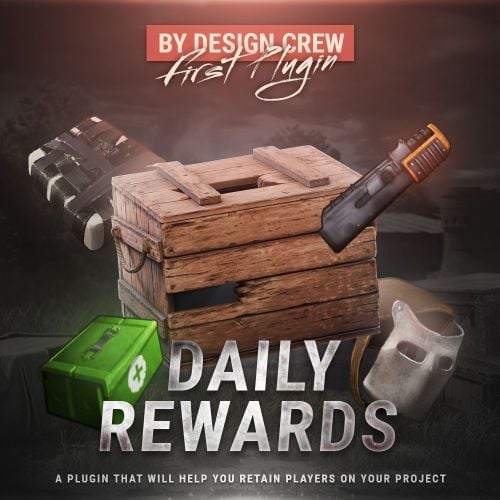
Version 1.0.2
62 downloads
$8.00- 6 comments
- 1 review
-
- 5
-
-
-
- #daily
- #daily rewards
- (and 4 more)
-
Version 2.1.11
2,187 downloads
Stacks gives you control over how items pile up on your server. Set a custom stack size for any item, multiply stacks inside specific containers, and give your VIPs bigger stacks through permissions. You edit all of it from an in-game panel, so you never open a JSON file. Most stack plugins hand every player the same limits. Stacks was one of the first to make stacks permission-based, and it is still one of the very few that does it. Set a multiplier or an exact stack size per permission, so a default player and a VIP carry different amounts of the same item. You can take it all the way down to a single item for a single rank. It patches the game's stack limit directly. Overstacked items keep their amount when moved, split, or dropped, with no dupes and no lost loot. The same file runs on both Oxide and Carbon. Features of Stacks Set a custom stack size for any item across the whole server Multiply stack sizes inside specific containers (boxes, furnaces, fridges, and more) Per-permission stack multipliers for VIP ranks, like stacks.vip at x2 and stacks.vip2 at x5 Per-permission stack sizes when you want an exact number instead of a multiplier Per-item, per-permission sizes, so one rank gets 50000 sulfur and another gets 25000 Per-container, per-permission multipliers, like a bigger wooden box for top donors Edit items, containers, and settings from an in-game panel instead of editing JSON Category tabs and a search box to find any item fast Overstack control to stop or allow overstacked items moving into the player inventory Splits oversized stacks when they hit the ground instead of dropping one giant floating pile Block list for items and skins you never want re-stacked Edit a container's multiplier by hitting it with a hammer FurnaceSplitter compatibility Five built-in languages: English, Russian, Chinese, German, and French Commands /stacks: open the in-game editor (requires stacks.admin) /stacks setstack [shortname] [size]: set a custom stack size for an item /stacks sethandstack [size]: set a custom stack size for the item in your hand stacks.manage stack set [shortname] [size]: set a stack size from the server console stacks.manage stack get [shortname]: read a stack size from the server console (use get all for every item) Permissions stacks.admin: open the editor and use the stack commands stacks.vip: example VIP tier (x2 stacks by default; rename or add your own in the config) stacks.vip2: example VIP tier (x5 stacks by default) Any permission you put in the config (multipliers, stack sizes, per-item and per-container overrides) is registered automatically on load. Visual editor Type /stacks in-game and you get a panel with three tabs: ITEMS for per-item stack sizes, CONTAINERS for per-container multipliers, and SETTINGS for everything else. Pick an item or container, change a value, save. You never edit a config or data file by hand. TEST SERVER Join our test server and try the features yourself. Copy the IP address below to connect. connect 155.103.86.38:28015 Web Config Editor Manage the Stacks settings in our web config editor. You change the config in a browser form instead of editing files on the server by hand. P.S. The web config editor is open to members of the "Stacks" group in our Discord server. Join at https://discord.gg/mevent and ask for the group. FAQ Q: Menus open without images and the console shows "IMAGE LIBRARY IS NOT INSTALLED." How to fix? A: On Oxide the icons are downloaded through ImageLibrary (Carbon has its own image database and does not need it). Install it, confirm it loads with o.plugins, restart the server, and check the console for ImageLibrary errors. Q: Where can I edit item names or add my language? A: Open the lang file at oxide/lang/en/Stacks.json (or carbon/lang/en/Stacks.json) and edit the text there. Drop in a new language file the same way.$19.95- 80 comments
- 14 reviews
-
- 6
-
-
-

-
- #stacks
- #chest stacks
- (and 10 more)
-
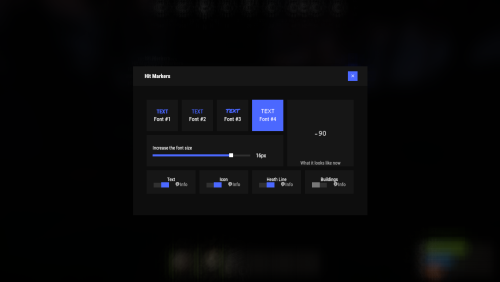
Version 1.2.11
792 downloads
Each player picks the hit marker that suits them. Commands marker - open the UI Permissions You can set permission in config, for example: "Permission (ex: hitmarkers.use)": "hitmarkers.use", You can also set your own permission for each font and button. Config { "Commands": [ "marker", "hits" ], "Permission (ex: hitmarkers.use)": "", "Work with Notify?": true, "Fonts": { "0": { "Font": "robotocondensed-bold.ttf", "Permission (ex: hitmarkers.font)": "" }, "1": { "Font": "robotocondensed-regular.ttf", "Permission (ex: hitmarkers.font)": "" }, "2": { "Font": "permanentmarker.ttf", "Permission (ex: hitmarkers.font)": "" }, "3": { "Font": "droidsansmono.ttf", "Permission (ex: hitmarkers.font)": "" } }, "Min Font Size": 8, "Max Font Size": 18, "Buttons": [ { "Enabled": true, "Title": "Text", "Type": "Text", "Description": "<b>Damage numbers</b> will pop up in the center of the screen!", "Permission (ex: hitmarkers.text)": "hitmarkers.text" }, { "Enabled": true, "Title": "Icon", "Type": "Icon", "Description": "The familiar hit icon changes color after a <b>headshot!</b>", "Permission (ex: hitmarkers.text)": "hitmarkers.icon" }, { "Enabled": true, "Title": "Heath Line", "Type": "HealthLine", "Description": "A bar appears above the slots, showing the <b>remaining</b> health of the enemy", "Permission (ex: hitmarkers.text)": "hitmarkers.line" }, { "Enabled": true, "Title": "Buildings", "Type": "Buildings", "Description": "Displaying damage by buildings", "Permission (ex: hitmarkers.text)": "hitmarkers.buildings" } ], "Info Icon": "https://i.imgur.com/YIRjnIT.png", "Show damage to NPC": true, "Show damage to animals": false, "Marker removal time": 0.25, "Default Values": { "Font ID": 0, "Font Size": 14, "Text": true, "Icon": false, "Health Line": false, "Buildings": false } } Web Config Editor Manage the HitMarkers settings in our web config editor. You change the config in a browser form instead of editing files on the server by hand. P.S. The web config editor is open to members of the "HitMarkers" group in our Discord server. Join at https://discord.gg/mevent and ask for the group.$19.95 -
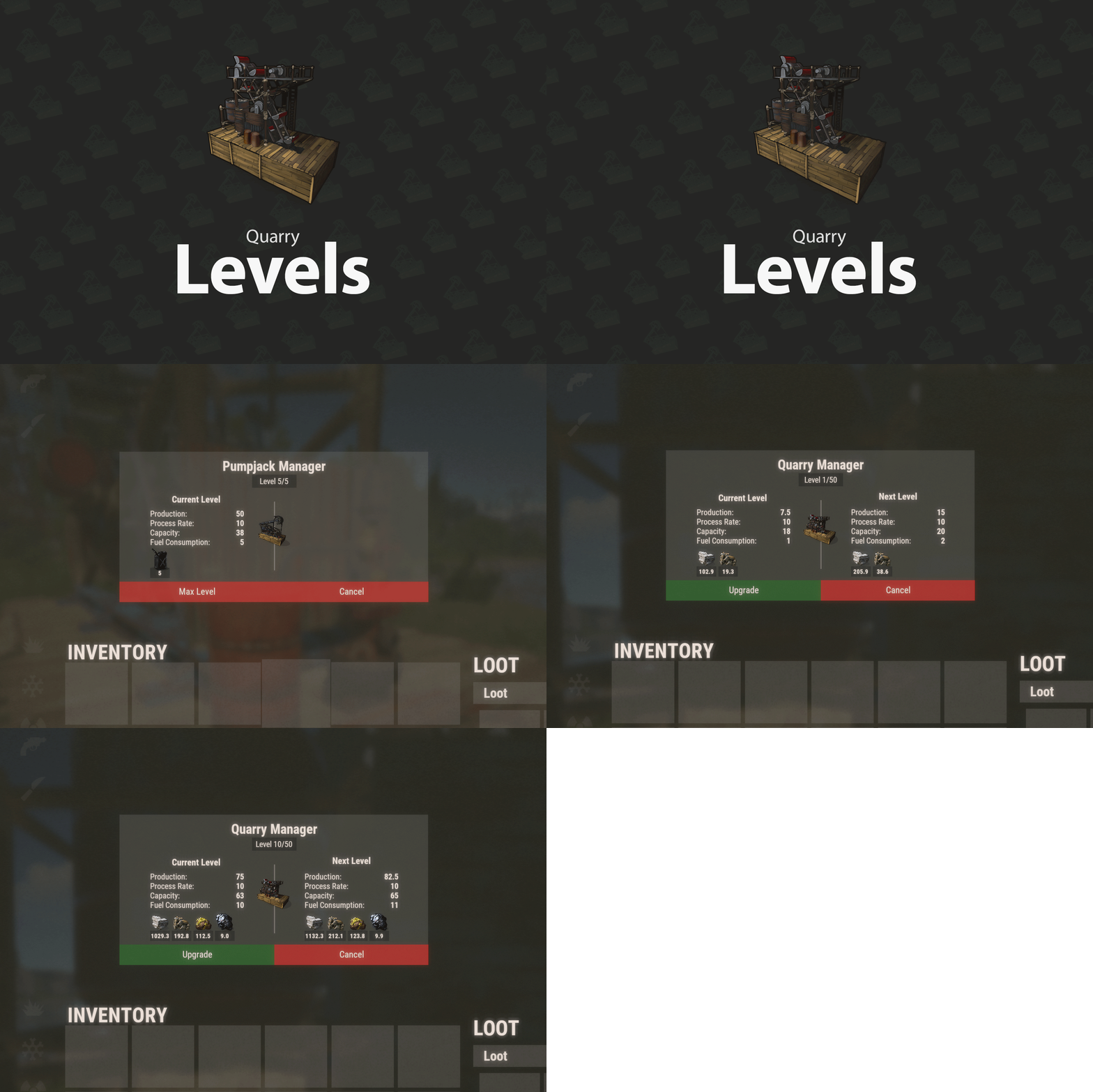
Version 2.2.5
1,421 downloads
Players upgrade a quarry or pumpjack with another quarry or pumpjack, so up to x of them stack into one instead of being placed one by one and cluttering the base. The plugin is light on performance and was designed for very high-pop servers. A level 2 quarry will produce the same amount as 2 level 1 quarries. Same for pumpjacks. Each quarry level also unlocks the next tier of production: level 3 unlocks metal, level 4 sulfur and level 5 HQM. Every output has default production rates, and you can change them in the config. The GUI displays the production amount, process rate, capacity and fuel consumption for each level. Each time fuel is consumed, the amount produced of each type is shown under its icon. The time it takes to complete 1 cycle is based on process rate. Permissions quarrylevels.use - Required to use the quarry levels system. Web Config Editor Manage the QuarryLevels settings in our web config editor. You change the config in a browser form instead of editing files on the server by hand. P.S. The web config editor is open to members of the "QuarryLevels" group in our Discord server. Join at https://discord.gg/mevent and ask for the group. Config ChatIconId - Set the Steam ID to the account with your server's icon. UnlockMetalAtLevel - Set what level metal unlocks at while upgrading. UnlockSulfurAtLevel - Set what level sulfur unlocks at while upgrading. UnlockHQMAtLevel - Set what level HQM unlocks at while upgrading. PreventUnauthorizedToggling - When enabled, only authorized players can toggle quarries/pumpjacks PreventUnauthorizedLooting - When enabled, only authorized players can access the quarry/pumpjack. EnableOilCraters - When enabled, oil craters will have a chance to spawn while surveying. OilCraterChance - The chance an oil crater will spawn while surveying. QuarryMaxLevel - Sets the maximum level a player can upgrade their quarry to. PumpjackMaxLevel - Sets the maximum level a player can upgrade their pumpjack to. QuarryCapacityPerLevel - Sets the number of slots unlocked per level. PumpjackCapacityPerLevel - Sets the number of slots unlocked per level. EnableEconomics - Enables the Economics plugin for upgrades. Leaving disable will use the old upgrade method. EconomicsCost - Sets the price per upgrade for both quarries and pumpjacks. EconomicsCurrency - Sets the vanity name of the currency to be displayed in the GUI and info text. EnableServerRewards - Enables the ServerRewards plugin for upgrades. Leaving disable will use the old upgrade method. ServerRewardsCost - Sets the price per upgrade for both quarries and pumpjacks. ServerRewardsCurrency - Sets the vanity name of the currency to be displayed in the GUI and info text. Metal_Production - Increases the amount produced each process rate. Lower = higher. Sulfur_Production - Increases the amount produced each process rate. Lower = higher. HQM_Production - Increases the amount produced each process rate. Lower = higher. ButtonBounds - Change the position of the "upgrade" button. ButtonColor - Change the container color of the "upgrade" button. ButtonOpacity - Change the background opacity of the "upgrade" button. ButtonFontColor - Change the font color of the "upgrade" button. PanelBounds - Change the position of the upgrade panel. PanelColor - Change the container color of the upgrade panel. PanelOpacity - Change the background opacity of the upgrade panel. PanelFontColor - Change the font color of the upgrade panel. Commands QL reload - Hot loads the config to apply config changes without having to reload the plugin. (Console command)$15.00- 198 comments
- 15 reviews
-
- 15
-
-
-
-
-
- #rust plugin
- #custom rust plugin
- (and 2 more)
-

Version 2.0.12
442 downloads
Adds a list of players to your server with convenient options for interacting with them Commands players (open interface) Permissions Permission to use: you can set permission in config, for example: "Permission (ex: playerlist.use)": "playerlist.use", playerlist.hide (hides a player from the player list) Web Config Editor Manage the PlayerList settings in our web config editor. You change the config in a browser form instead of editing files on the server by hand. P.S. The web config editor is open to members of the "PlayerList" group in our Discord server. Join at https://discord.gg/mevent and ask for the group. FAQ Q: Where can I see an example of a config? A: Config$19.95 -
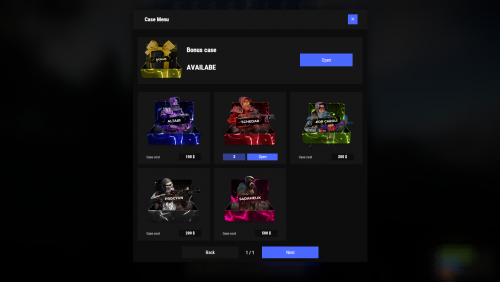
Version 2.0.15
1,745 downloads
Cases with a juicy interface and a scroll animation when a case opens. Features Beautiful user interface Opening animation Performance Each case is configured separately Commands cases (open cases interface) givecase <steamid> <caseid> <amount> (give a case to the player) givecase * <caseid> <amount> (give a case to all online players) Web Config Editor Manage the Cases settings in our web config editor. You change the config in a browser form instead of editing files on the server by hand. P.S. The web config editor is open to members of the "Cases" group in our Discord server. Join at https://discord.gg/mevent and ask for the group. FAQ Q: Where can I see an example of a config? A: Config Q: How do I use Economics to pay for cases? A: "Economy": { "Show Balance": true, "Type (Plugin/Item)": "Plugin", "Plugin name": "Economics", "Balance add hook": "Deposit", "Balance remove hook": "Withdraw", "Balance show hook": "Balance", "ShortName": "scrap", "Display Name (empty - default)": "", "Skin": 0 }, Q: How do I use ServerRewards to pay for cases? A: "Economy": { "Show Balance": true, "Type (Plugin/Item)": "Plugin", "Plugin name": "ServerRewards", "Balance add hook": "AddPoints", "Balance remove hook": "TakePoints", "Balance show hook": "CheckPoints", "ShortName": "scrap", "Display Name (empty - default)": "", "Skin": 0 }, Q: I have a question/problem. What should I do? A: Send me a PM on the site, open a ticket, or write to me in Discord: mevent Q: How does a player give out Skill Tree XP? A: { "Type": "Command", "ID": 7, "Image": "", "Title": "Give 1K XP from SkillTree", "Command (%steamid%)": "givexp %username% 1000", "Plugin": { "Hook": null, "Plugin name": null, "Amount": 0 }, "Display Name (empty - default)": "", "ShortName": "", "Skin": 0, "Amount": 1, "Chance": 65.0 }, Q: How can I add cases not for purchase, but just to have them? A: Give them out with the "givecase" command: givecase <steamid> <caseid> <amount> give a case to the player givecase * <caseid> <amount> give a case to all online players$25.95 -
Version 2.0.1
639 downloads
Random events with rarity A crate that owes you nothing Looting is the most predictable part of a wipe: you know what a barrel holds before you break it. Lucky Blocks fix that. Any container on the map can quietly turn into one, wrapped on all six faces in the texture of its rarity, and opening it doesn't give loot — it rolls. A Common block pays a few scrap; a Legendary one drops an airdrop on your head. A Cursed one has nothing good inside it at all, and the player can see that before deciding to touch it. 31 Event types built in 5 Tiers, Common to Cursed 35 Events preconfigured 0 Dependencies ✓Rarity you can read across the field — every tier carries its own workshop decal, colour and name ✓The Cursed tier only hurts — a visible risk your players choose to take, and no competitor has one ✓Hand blocks out as an item — a shop reward the player places where they want and opens when they want ✓Any event is a list of server commands — whatever your other plugins can do belongs on the wheel too ✓Rare blocks announce themselves — chat with a grid reference, a marker on the map, an embed in Discord 01 — Tiers Five rarities, five different wheels A block belongs to a tier from the moment it spawns until somebody opens it. The tier decides how the block looks, how often it appears, who is allowed to open it and which events can come out of it. Common, Rare, Epic, Legendary and Cursed ship configured, with the events already spread across them by weight. The block tells you what it is Each tier has its own Steam Workshop decal, published with the plugin and set in the config, plus a name in its own colour. A player crossing a field sees a gold block and a black one and knows the difference without opening either. Cursed: the whole point of looking first Ten events, all of them bad: the concrete box with C4 counting down, a patrol helicopter aimed at the opener, meteors, bears, radiation, a wound, an inventory dropped on the ground. Walk past it or gamble that the roll lands on the least painful one. Weights, not percentages Spawn weight per tier, event weight inside a tier. Raise one number and everything else rebalances itself; set it to zero and that tier or event stops appearing. Adding a sixth tier is a copy of a block in the config. A tier can belong to a group Give a tier a permission and only that group can open its blocks. Legendary for VIPs, Cursed for everyone, the rest open to the server — blocks still spawn for all players, they just don't open for the wrong hands. 02 — Events Thirty-one ways it can end An event is a list of server commands with a weight and a description, so the built-in ones and yours sit in the same table and roll against each other. %steamid% in a command is replaced with the player who opened the block. Reward Money through Economics, ServerRewards, BankSystem or IQEconomic. A kit by name. An item with a skin, a rain of items landing around the player, an airdrop, a blueprint unlocked, every piece of gear repaired, full health with the boosters running, or any vehicle and entity spawned by its prefab name. Chaos A patrol helicopter sent straight at the opener. Meteors falling over the area. Lightning. Bears or scientists in a ring around the player, a wall of fireballs, radiation, a teleport to a random point or to a monument, a swap of positions with the closest player, everything stripped off, or the sealed concrete cube with nine C4 counting down inside it. Trolling The camera spinning for half a minute. An explosion with no damage behind it. Heavy armour that cannot be taken off. Night vision goggles for a while, an inventory dropped at the player's feet. Server wide An airdrop called in for every player online, and Lucky Rain: a ring of fresh blocks around the one just opened, which turns a single find into a crowd within a minute. 03 — Blocks as an item Sell one, let the player open it where they like Fill the item skin id on a tier and that tier becomes a box in the inventory. One console command hands it out, so your shop, your cases and your event plugin can all give lucky blocks as a reward without knowing anything about this plugin. Placed like any deployable The player deploys the box the usual way, so the game itself checks building privilege, the surface and the slope. The plugin only replaces what was placed with a block of that tier. It waits as long as it has to A block a player placed ignores the despawn timer and comes back after a restart, in the same spot. It is never announced and never appears on the map either, so buying one doesn't paint a target on the buyer's base. One way in A placed block cannot be picked back up. Once it is on the ground the only thing left to do with it is open it. 04 — What the server sees A rare block is an event, not a private find Announcements are set per tier, so Common blocks stay quiet and a Legendary one starts a race. Spawn and opening are separate switches — announce the find without telling everyone what came out of it, or the other way round. Chat with a grid reference The message names the tier in its own colour and the grid square it landed in, which is enough to send half the server running and not enough to lead them to the exact rock. A marker for as long as it lives A circle in the colour of the tier sits on the map while the block is there and disappears with it, whether it was opened or despawned. The same news in Discord One webhook url in the config and every announcement is mirrored as an embed coloured like the tier, so the players who are not online still see the server is alive. Who opens the most The plugin counts openings per player and per tier and shows the top ten in chat. Statistics reset themselves on a wipe. Reliability Nothing left in the map save ✓Blocks are never written into the save, so a restart leaves no leftovers — only blocks placed by players come back, from the plugin's own data file ✓A block costs seven network entities, and a limit in the config keeps that budget where you put it ✓Configs from 1.x upgrade themselves: the old event list becomes the Common tier and keeps its skin ✓Hooks the setup does not need stay unsubscribed, so a server that gives out no blocks as items never listens for deployables ✓Spawns can be blocked underwater, above the ocean and inside any monument — the monument list fills itself from your map ✓Runs on Oxide and Carbon, needs no other plugin, and every message lives in the language files, English and Russian included Commands and permissions Three commands, and one of them is for players /lbtop Top ten openers on the server. Open to everyone. /lbtest [tier] Puts a block of that tier where you are looking, or a random one. Needs luckyblock.admin. luckyblock.give Console or RCON: luckyblock.give <steamID|name> <tier> [amount], the line your shop calls. luckyblock.admin Spawning blocks and handing them out. luckyblock.<tier> Whatever you write in a tier's permission field, registered on load. Leave it empty and the tier is open to everyone. For developers Four methods, three hooks A tier is always named by its key in the config, Common, Rare, Legendary and so on: that is what the hooks hand you and what every method takes. Everything goes through a plain plugin reference, LuckyBlock?.Call<bool>("GiveLuckyBlock", player, "Legendary", 1), nothing to add as a dependency. Methods IsLuckyBlock (BaseEntity entity) → bool True for a live lucky block of this plugin, so your loot or damage rules can step around it. GetLuckyBlockTier (BaseEntity entity) → string Tier name of that block, null when the entity is not one. SpawnLuckyBlock (Vector3 position, string tier) → bool Puts a block of that tier at the position, an empty tier rolls a random one by weight. It behaves like a natural spawn: despawns by the timer, gets announced and marked on the map when the tier says so. False when the tier is not in the config, or nothing can roll because every weight is zero. GiveLuckyBlock (BasePlayer player, string tier, int amount) → bool Hands the block over as an item, amount clamped to 1..100. False when the tier does not exist or has no item skin id, such a tier can only spawn on the map. Hooks OnLuckyBlockSpawned (LootContainer block, string tier) A block appeared: spawned on the map, placed by a player, or restored after a restart. CanOpenLuckyBlock (BasePlayer player, LootContainer block, string tier) → object A player is trying to open one. Return anything but null to veto. It runs after the tier permission and before the cooldown and the daily limit, so your refusal shows before the built-in ones. OnLuckyBlockOpened (BasePlayer player, LootContainer block, string tier) The tier event has already fired, the block is about to vanish. Questions Before you buy I am on 1.x. What happens to my config? It migrates on the first load. Your event list becomes the Common tier with the skin you were using, and the other four tiers arrive next to it, ready to be tuned or deleted. Can I add my own events? That is the main way to use it. An event is a list of server commands with a weight, and %steamid% stands for the player who opened the block. Anything with a console command belongs on the wheel. Can I use my own artwork? Yes. Five decals come with the plugin and are set in the config out of the box; a skin id is just a config value, so your own decal from the Spray Decal Creator takes its place in one line. What does it cost the server? Seven network entities per block, and the block limit in the config caps the total. Blocks replace loot containers that already exist, so nothing is added to the map that wasn't going to be there. Will the deadly events wreck bases? No. The C4 in the concrete cube is a visual: it kills the player who opened the block and leaves the neighbourhood standing. What happens on a restart or a wipe? Spawned blocks are gone and new ones appear as loot respawns. Blocks players placed themselves come back where they were. Statistics start over on a new save.$9.99- 66 comments
- 2 reviews
-
- 3
-
-
-
- #luckyblock
- #lucky block
- (and 27 more)
-
Version 1.0.1
1,073 downloads
QuickSmelt is a simple and performance-friendly Rust plugin that allows server owners to control furnace smelting speed, resource output, and charcoal production using configurable multipliers. The plugin uses Harmony patches for efficient furnace handling, making it a clean solution for servers that want faster smelting without relying on heavy timers or constant plugin-side processing. Features: Increase furnace smelting speed Increase cooked resource output Increase charcoal production Supports global multipliers using * Supports per-furnace prefab multipliers Lightweight Harmony-based system Simple and easy-to-edit configuration Configuration FAQ: Question: Does this plugin works with any other smelting plugin? No. QuickSmelt does not work together with other smelting plugins. Using multiple smelting plugins at the same time may cause conflicts, incorrect output, or unexpected furnace behavior. Question: Difference between this QuickSmelt plugin and the Umod QuickSmelt plugin? This QuickSmelt plugin uses Harmony patches to directly modify furnace cooking and fuel logic. This makes it lightweight, efficient, and avoids unnecessary repeating timers. Support Found this useful? Leave a review and help others find it too!Free -
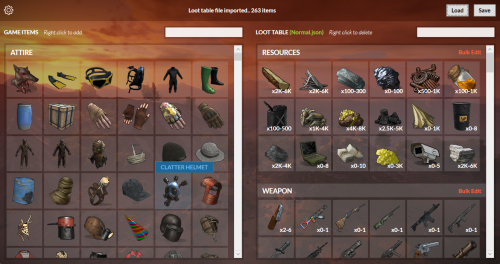
Version 1.8.4
15,542 downloads
UI Loot Tables Editor for Raidable Bases plugin by Nivex and Raidable Boats plugin by VisEntities. Features Import/Export loot table json file Complete database of game items (Categorized, friendly names and pics) Add/Delete loot table items Edit loot table items spawn details Bulk edit/delete items Bulk multiply items values (min amount, max amount, stack size) How to Download and extract RustRBLootEditor-v***.zip Run RustRBLootEditor.exe (having trouble running?, make sure you download and install .NET 9.0) Click Load, and locate your desired loot table file to be modified in "oxide\data\RaidableBases\.." or "oxide\data\RaidableBoats\LootTables\.." Now you can move game items into your loot table or remove them using mouse right click (you can use search box for filtering) Edit loot table item Amount Min/Max and Skin id using mouse left click, change amounts, then click anywhere outside the modal to collapse Click Save and replace your file, and you're done (or save as draft with a new name) Important Disclaimer – Facepunch TOS Update (Effective August 7, 2025) Facepunch has updated its Terms of Service for Servers, effective August 7th, to explicitly prohibit granting any DLC items or paid workshop skins to players who do not own them. As a result: Server owners are fully responsible for ensuring that no DLC items or market-purchased skins are distributed via loot tables to unauthorized players. Violating this policy may result in your server being delisted or banned from the server list. How This Editor Helps This Editor includes features to make compliance easier: DLC and Paid Workshop Skin Identification: The editor highlights items that are DLC or use paid skins, so you can easily spot them. Quick Cleanup Tools: Delete All Prohibited Items Delete All Prohibited Skins Reset Paid Skins to Default You can use these features to quickly clean up your loot files and stay compliant.Free -

Version 1.0.0
50 downloads
A server performance plugin that reduces unnecessary Auto Turret processing without changing normal targeting or combat behavior. The benefit scales with the number of Auto Turrets on your server. On build-heavy servers, the plugin can skip tens of thousands of unnecessary turret updates every second. Server FPS optimization Oxide & Carbon No configuration required two independent optimizations same single file works right after loading Goals Before developing any plugin, we define the goals it should achieve when running on your game server. ☑ Improve and stabilize server FPS ☑ Reduce unnecessary idle processing Problem Auto Turrets continue to run recurring update logic even when they are unpowered or far away from players. On servers with hundreds or thousands of turrets, this can add measurable main-thread load. Turret Optimizer reduces this unnecessary idle processing while allowing active turrets to continue using normal targeting and combat behavior. Features and Capabilities Two independent optimizations start automatically after the plugin is loaded. No configuration or player commands are required. Feature Details Unpowered turrets stop unnecessary updates An unpowered turret cannot automatically engage targets, so the plugin disables unnecessary recurring updates until its power state changes. Distant powered turrets reduce idle processing When no players are nearby, the plugin reduces unnecessary background updates while keeping the turret ready to resume normal processing. Immediate return to normal Normal processing resumes immediately when a player or target enters range, the turret takes damage, its power state changes, or someone connects through a Computer Station. Built-in live statistics One console command shows the total number of Auto Turrets, how many are currently optimized, and how many unnecessary turret updates are being skipped each second. Measured Results Test bench: 2,000 turrets spread across a procedural map, half powered and half unpowered. Same server, same map — the only difference is the plugin. Server FPS before and after enabling the plugin One continuous server FPS recording with the optimization enabled mid-test. Before it was enabled, FPS occasionally dropped to approximately 160 FPS. Afterward, it remained close to the configured 240 FPS. Turret processing time, highlighted in green The highlighted section shows the server time spent processing Auto Turret methods. After the plugin was enabled, the measured processing time dropped significantly. Turret background load, CPU time per second Measured with Rust ServerProfiler. Lower is better. Measurement Before After Total turret load 87 ms/s 15 ms/s Aiming updates 70 ms/s 8 ms/s Aim network sync 13 ms/s 1 ms/s Turret housekeeping 4 ms/s 6 ms/s Housekeeping rises slightly by design, because the plugin monitors optimized turrets and restores normal processing when needed. In this test it added approximately 2 ms/s, while total turret processing dropped from 87 to 15 ms/s — a net reduction of approximately 72 ms/s. ~80,000 160 → 230+ 0 ms unnecessary turret updates skipped every second minimum observed server frame rate in this test additional combat overhead measured in this test Note Recorded on July 29, 2026, using the current Rust server build on an empty test server capped at 240 FPS. Actual results depend on server hardware, player activity, entity count, other plugins, and the number of Auto Turrets. Run turretopt.stats to measure the effect on your own server. Commands Command What it does turretopt.stats Live statistics in the server console: turret count, how many are optimized, updates skipped per second turretopt.stats Frequently Asked Questions We have anticipated your questions and answered the most common ones below. You can ask any additional questions in the plugin's discussion section. Can the plugin delay turret targeting during a raid? No. When a player or valid target enters range, the turret immediately resumes normal processing. Taking damage, acquiring a target, changing power state, or connecting through a Computer Station also returns it to its active state. Does it still help after Rust's built-in Auto Turret optimizations? Yes. Rust's built-in update budgets limit how much turret processing can run in a single frame. Turret Optimizer targets a different layer by reducing unnecessary processing for unpowered and distant turrets. The benchmark above was recorded on July 29, 2026, using the current Rust server build. Is it compatible with plugins like "turrets without electricity"? Yes. The plugin checks turret power state through multiple paths, including non-standard power changes used by compatible turret plugins. If your server uses a heavily modified custom turret system, contact us before purchase so we can confirm compatibility. How much FPS will my server gain? The benefit scales with the number of Auto Turrets on the map. A fresh wipe with few turrets may show little difference, while servers with large bases and hundreds of turrets benefit the most. What should I do if the plugin is not working? Create a support ticket on our Discord server and we will help you resolve the issue. Tip Join our Discord server for support, updates and announcements. Developed in Hustle Industries · Code by @DezLife · Design by @Illumination$18.99- 5 comments
-
- 1
-
-
- #low fps
- #fps counter
- (and 12 more)
-
Version 1.4.2
494 downloads
This plugin allow to the NPCs to hit and decrease the equipped armors durability. Currently the plugin choose randomly from the available equipped armors, what still has durability and not broken item, and extract the (total, maximum durability) * configured percentage value. Ideal plugin for PVE servers to avoid stacked up gears by the players. 3 different permission related value can be set, to support other plugins or vip/rank systems. It also has the feature to exclude weapons or tools from the function, up to the need. The plugin can work 3 different mode. 1 - no permission used at all -> normal percentages configured will be used. 2 - The player can have more then one permission, in this case always the HIGHER permission percentage value used combined with the class values. 3 - The player shall only have 1 permission, in this case i recommend to activate the "Permission check against multiple permission group" and optionally the "Warning agains multiple permission group (can flood the server console)" configuration, to set to True, and if a player by mistake got 2 different permission, the plugin feature will be skipped and a warning will be shown on the server console. Example: Bone Helmet - 100 Maximum durability/Condition point. LongDurabilityPercent configured to 1.0 percent. It will take 100 Hit, if only the Bone Helmet equipped, to make the item broken. Grouped up weapons for the Configurable categories: Meleeweapon : Anything, what is unhandled from Hit information point of view, and "grenade.beancan.entity.prefab", "bone_club.entity.prefab", "knife_bone.entity.prefab", "chainsaw.entity.prefab", "salvaged_cleaver.entity.prefab", "grenade.f1.entity.prefab", "flamethrower.entity.prefab", "flamethrower_fireball.prefab", "hacksaw.weapon.prefab", "butcherknife.entity.prefab", "pitchfork.entity.prefab", "sickle.entity.prefab", "hammer.entity.prefab", "hatchet.entity.prefab", "knife.combat.entity.prefab", "mace.entity.prefab", "machete.weapon.prefab", "militaryflamethrower.entity.prefab", "paddle.entity.prefab", "pickaxe.entity.prefab", "rock.entity.prefab", "axe_salvaged.entity.prefab", "hammer_salvaged.entity.prefab", "icepick_salvaged.entity.prefab", "explosive.satchel.entity.prefab", "stonehatchet.entity.prefab", "stone_pickaxe.entity.prefab", "spear_stone.entity.prefab", "longsword.entity.prefab", "salvaged_sword.entity.prefab", "torch.entity.prefab", "spear_wooden.entity.prefab" Closeweapon: Following weapons are considered as Close combat weapons: "double_shotgun.entity.prefab", "pistol_eoka.entity.prefab", "m92.entity.prefab", "nailgun.entity.prefab", "shotgun_waterpipe.entity.prefab", "python.entity.prefab", "pistol_revolver.entity.prefab", "shotgun_pump.entity.prefab", "pistol_semiauto.entity.prefab", "smg.entity.prefab", "spas12.entity.prefab" Longweapon : "mgl.entity.prefab", "semi_auto_rifle.entity.prefab", "thompson.entity.prefab", "rocket_launcher.entity.prefab", "mp5.entity.prefab", "l96.entity.prefab", "lr300.entity.prefab", "m249.entity.prefab", "m39.entity.prefab", "compound_bow.entity.prefab", "crossbow.entity.prefab", "ak47u.entity.prefab", "bow_hunting.entity.prefab" Additionally, BaseHelicopter, BradlyAPC, AutoTurret, Guntraps and Beartrap also considered as damage source to decreas armor, they are under Meleeweapon category at the moment, they use the same value as configured for MeleeDurabilityPercent Explosive: Not handled yet, only available for future usage. Permissions itemslostdurabilityonnpchit.protectplayer - Prevent armor damage. Basically disable the plugin for the players with this permission. itemslostdurabilityonnpchit.profile1 - permission percentage rank itemslostdurabilityonnpchit.profile2 - permission percentage rank itemslostdurabilityonnpchit.profile3 - permission percentage rank Configuration The settings and options for this plugin can be configured in the ItemsLostDurabilityonNPCHit.json file under the oxide/config directory. The use of a JSON editor or validation site such as jsonlint.com is recommended to avoid formatting issues and syntax errors. Suggested percentages see below. Anything that is higher than 1.5% seems feels too fast on client side. Experience example: 2 Metal item, 1 Sign skirt From 100% to all 3 item broken with 2 melee Attacker take 3 minute constant hit, with 0.5%. { "CloseDurabilityPercent": 0.75, "ExplosionDurabilityPercent": 0.0, "LongDurabilityPercent": 1.0, "MeleeDurabilityPercent": 0.5, "itemslostdurabilityonnpchit.profile1 permission percentage scale range: 0-X, 0.1f mean 10% of the original durability": 1.0, "itemslostdurabilityonnpchit.profile2 permission percentage scale range: 0-X, 0.1f mean 10% of the original durability": 1.0, "itemslostdurabilityonnpchit.profile3 permission percentage scale range: 0-X, 0.1f mean 10% of the original durability": 1.0, "Permission check agains multiple permission group": false, "Warning against multiple permission group (can flood the server console)": false, "CleanPermission on Wipe": true, "Pop off the armor from the player, if broken": false, "The popped of armor will be placed into the player inventory (if false, it will be dropped on the floor) [Only relevant, if \"Pop off the armor from the player, if broken\" configuration set to true]": false, } Localization No. Develop API No. Hooks No.$7.00- 30 comments
- 6 reviews
-
- 4
-
-
- #durability
- #rust
- (and 7 more)
-
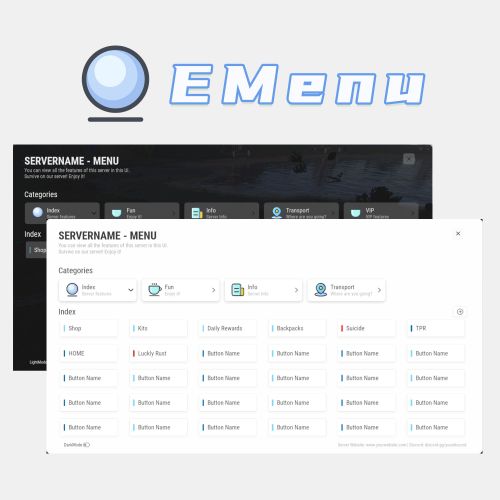
Version 1.0.8
175 downloads
A Beautiful Server Menu UI, allows for unlimited categories and buttons customization. Features Supports Light and Dark Mode. Allows players to input custom parameters. Allows players to input command arguments manually. Supports adding an unlimited of categories and buttons. Categories and buttons can be configured with permissions, ensuring that only players with the permissions can access them. Support console or chat commands. Support for command running on the server. Commands ChatCommands /menu - Open EMenu ConsoleCommands emenu.open - Open EMenu Config { "Title": "SERVERNAME - MENU", "Description": "You can view all the features of this server in this UI.\nSurvive on our server! Enjoy it!", "Bottom Description": "Server Website: www.yourwebsite.com | Discord: discord.gg/yourdisocrd", "Open Commands": [ "/menu", "emenuopen" ], "Quickly open the UI(0=None|1=MiddleMouse|2=CtrlAndMiddle|3=ShiftAndMiddle)": false, "Default UI Mode (true = dark, false = light)": false, "Button Category List": [ { "Category Title": "Index", "Category Description": "Server features", "Category Icon": "https://i.imgur.com/sAeRp8j.png", "Category Permission": "", "Button List": [ { "Button Name": "Shop", "Button Lable Color": "#7AD9FF", "Button Command": "/shop", "Button Permission": "", "Button Description (For Input UI)": "", "Players Input Args": false, "Server Run Command": false, "Default Input Args": "" }, { "Button Name": "Kits", "Button Lable Color": "#7AD9FF", "Button Command": "/kit", "Button Permission": "", "Button Description (For Input UI)": "", "Players Input Args": false, "Server Run Command": false, "Default Input Args": "" }, { "Button Name": "Daily Rewards", "Button Lable Color": "#7AD9FF", "Button Command": "/daily", "Button Permission": "", "Button Description (For Input UI)": "", "Players Input Args": false, "Server Run Command": false, "Default Input Args": "" }, { "Button Name": "Backpacks", "Button Lable Color": "#7AD9FF", "Button Command": "/backpacks", "Button Permission": "", "Button Description (For Input UI)": "", "Players Input Args": false, "Server Run Command": false, "Default Input Args": "" }, { "Button Name": "Suicide", "Button Lable Color": "#ff0000", "Button Command": "kill", "Button Permission": "", "Button Description (For Input UI)": "", "Players Input Args": false, "Server Run Command": false, "Default Input Args": "" } ] }, { "Category Title": "Fun", "Category Description": "Enjoy it!", "Category Icon": "https://i.imgur.com/qmw5cNL.png", "Category Permission": "", "Button List": [ { "Button Name": "Luckly Rust", "Button Lable Color": "#0B72B2", "Button Command": "/lr", "Button Permission": "", "Button Description (For Input UI)": "", "Players Input Args": false, "Server Run Command": false, "Default Input Args": "" } ] }, { "Category Title": "Info", "Category Description": "Server Info", "Category Icon": "https://i.imgur.com/uQKMAT2.png", "Category Permission": "", "Button List": [ { "Button Name": "Info", "Button Lable Color": "#0B72B2", "Button Command": "/info", "Button Permission": "", "Button Description (For Input UI)": "", "Players Input Args": false, "Server Run Command": false, "Default Input Args": "" }, { "Button Name": "WelcomePanel", "Button Lable Color": "#0B72B2", "Button Command": "/welcome", "Button Permission": "", "Button Description (For Input UI)": "", "Players Input Args": false, "Server Run Command": false, "Default Input Args": "" } ] }, { "Category Title": "Transport", "Category Description": "Where are you going?", "Category Icon": "https://i.imgur.com/Wsqh9J6.png", "Category Permission": "", "Button List": [ { "Button Name": "TPR", "Button Lable Color": "#0B72B2", "Button Command": "/tpr %ARGS%", "Button Permission": "", "Button Description (For Input UI)": "Please enter the name of the player", "Players Input Args": true, "Server Run Command": false, "Default Input Args": "" }, { "Button Name": "HOME", "Button Lable Color": "#0B72B2", "Button Command": "/home %ARGS%", "Button Permission": "", "Button Description (For Input UI)": "Please enter the name of the home", "Players Input Args": true, "Server Run Command": false, "Default Input Args": "" } ] }, { "Category Title": "VIP", "Category Description": "VIP features", "Category Icon": "https://i.imgur.com/qmw5cNL.png", "Category Permission": "EMenu.vip", "Button List": [ { "Button Name": "Vip Shop", "Button Lable Color": "#7AD9FF", "Button Command": "/vipshop", "Button Permission": "", "Players Input Args": false, "Server Run Command": false, "Default Input Args": "" }, { "Button Name": "Bank", "Button Lable Color": "#7AD9FF", "Button Command": "/bank", "Button Permission": "", "Players Input Args": false, "Server Run Command": false, "Default Input Args": "" } ] } ] } Title - The title displayed in UI. Description - The description displayed in UI. Bottom Description - The description displayed at the bottom of UI. Open Commands - Command to open UI. Start with / for chat commands Quick Open (Press the middle mouse) - If enabled, players can use the middle mouse button to quickly open the Menu UI. When enabled, a toggle button is displayed in the UI for players to switch on and off this feature. Button Category List: Category Title - Category Title Category Description - Category Description Category Icon - Category icon, Png Url Category Permission - Permissions required to access this category If leave blank, no permission is required. Button List: Button Name - Button Name Button Lable Color - Button Lable Color (HEX) Button Command - Command run by button Start with / to run a chat command, otherwise it is a console command If "Players Input Args" is set to true, you should use "%ARGS%" to represent the arguments input by the players. If "Server Run Command" is set to true, you can use "%STEAMID%", "%PLAYERNAME%", "%PLAYER.POS.X%", "%PLAYER.POS.Y%", and "%PLAYER.POS.Z%" as variables. Button Permission - Permissions required to access this button If leave blank, no permission is required. Players Input Args - set to "true," it allows players to input arguments manually. It will open a UI for players to input arguments. Server Run Command - true = Server, false = Client If the command still starts with /, it will still run as a chat command Default Input Args - Default input arguments.$32.99 -

Version 1.0.0
16 downloads
Note After purchase, please send me a private message (PM) on Codefling. I will reply with your one-time invite code for the AP Burden cabinet. AP Burden — find which Oxide / Carbon plugins eat your server frame time. In-game metrics plus a Windows desktop app (AP Burden Monitor) over WebRCON. Optional BurdenProfiler extension for deeper per-hook analysis of the collected data. Features Measures plugin / hook load in readable metrics (ms/sec, %, top plugins) In-game UI & chat + console reports Configurable sample interval, exclusions, alerts, snapshots BurdenProfiler extension (Oxide / Carbon) — dig into hooks and deep-profile a specific plugin hook when you need more detail than overview metrics AP Burden Monitor (Windows) — live plugin table, FPS / players / entities, search, detail charts Auto-updates for Monitor from the license server Oxide & Carbon packages included Requirements - Rust server with Oxide or Carbon - WebRCON enabled (IP, RCON port, password) - Windows 10/11 for the Monitor app - Google Authenticator (or any TOTP app) for the customer cabinet (2FA) - Full server restart after installing the BurdenProfiler extension After purchase 1. You will receive a private message with a one-time invite code and a link to the customer cabinet. 2. Open the link → enter the invite code → create nickname + password → set up 2FA. 3. In the cabinet: download Monitor and copy your license key. 4. Install Monitor → paste the key → activate → connect via WebRCON. Important: download the installer only from the cabinet. Keep the invite code message until registration is finished (the invite code works once). Optional Link Discord in the cabinet to recover your password later via bot DM. 2FA is never bypassed. Permissions appluginburden.use Open the in-game `/burden` UI appluginburden.admin Admin actions in the plugin UI / admin features Server owners (IsAdmin) can use the tools without these permissions. Console commands require auth (RCON / server console). Commands / Chat /burden Open the burden UI (requires appluginburden.use or admin) |$15.00-
- 1
-
-
- #rust plugin
- #admin
- (and 9 more)
-

Version 1.1.9
115 downloads
A stylishly designed plugin that boosts player FPS and includes a wide range of performance optimizations. Each player opens one menu and turns on exactly what they need. The server then stops sending them the data behind those effects — flames, debris, distant objects, trees and more.[1] 15+ settings Oxide & Carbon English · Russian Community servers toggled one by one same single file per-player language works without UI Note Depending on the hardware, client FPS either goes up or becomes noticeably more stable. Every choice is saved per player and restored on the next connect. Goals Before developing any plugin, we define the goals it should achieve when running on your game server. ☑ Improve players FPS ☑ Make your project stand out ☑ Improve the overall quality What you get Feature Details Polished interface One menu with every option, a draw distance slider and a live FPS counter. Extensive customization You decide which options players may enable, which are on for new players, and the cooldown of each one. Low FPS notification Shown once, exactly when it matters: the player is offered the menu right after a drop is detected. 15+ settings Each toggled on its own, saved automatically and restored after relog. Optimization settings Players enable exactly what they need — every option is toggled individually. World around you Setting What it does Draw distance The server stops sending buildings, boxes and other objects that are far away. Distant trees Trees load only around you instead of the whole map — as you move, they stream in on their own. Saves memory and speeds up joining the server. Images and drawings Drawings on signs, photos, paintings and spray art stop loading. Saves memory and bandwidth. Unapproved skins Disables skins that have not been accepted into the game but may still be used by other players. Fire, light and animations Setting What it does Flames Furnaces, campfires and torches no longer display flames. The difference is especially noticeable in large, heavily built-up bases. Lights Lamps and searchlights no longer emit light. The difference is especially noticeable in large, heavily built-up bases. Destruction debris No debris flies around when walls and structures collapse. The difference is most noticeable during raids. Falling trees A chopped tree simply disappears — no falling animation, no cracking sounds. Construction smoke Smoke and effects from placing, upgrading and repairing structures are no longer shown. Wind turbine rotation Wind turbines stop spinning. They generate power just like before. Turret lasers Laser sights on turrets and SAM sites are turned off. Electricity and industrial Setting What it does Items in industrial pipes Item animation inside industrial conveyors and pipes is turned off. The conveyors themselves keep working as usual. Recyclers and quarries Recyclers, quarries and pumpjacks stop shaking and animating. They keep on working. Water flow Water inside hoses and pipes is no longer rendered. Sprinklers and water supply work as usual. Effects and sounds Setting What it does Distant effects Explosions, muzzle flashes and smoke from other players' distant fights are hidden. Everything happening near you stays visible as usual. Voice chat You won't hear other players' voice chat, or will hear it only at a reduced range. Community servers Tip Some community servers are not allowed to use custom interfaces. Switch the plugin to chat only mode and players get the same optimizations through commands, with no UI at all. Command What it does /fps Opens the menu, or prints the current status in chat only mode /fps list Lists every option with its state /fps <option> Turns one option on or off /fps radius 1-4 Sets the draw distance preset Permissions and commands Type Name Description Permission optimize.use Grants players access to the plugin Chat command /fps Opens the plugin menu Console command optimize.wipe Clears the player settings database[2] Frequently Asked Questions We have anticipated your questions and answered the most common ones below. You can ask any additional questions in the plugin's discussion section. Does the plugin require a powerful game server? No. The plugin is well optimized and will not place a significant load on your server, even on low-end hardware or with a high player count. Does hiding an effect change how the game works? No. Hiding is purely visual and per player. A furnace a player hid the flames of still smelts, a wind turbine that stopped spinning still generates power, and a conveyor without item animation still moves items. Can I keep some options disabled for everyone? Yes. Every option has its own switch in the config, so you choose which ones appear in the menu. You can also set which options are enabled for new players by default. Do you accept suggestions for improving the plugin? Sure! To submit an idea, join our Discord server, obtain the required role, and post your suggestion in the #suggestions channel. What should I do if the plugin is not working? Create a support ticket on our Discord server and we will help you resolve the issue. Tip Join our Discord server for support, updates and announcements. Developed in Hustle Industries · Code by @DezLife · Design by @Illumination Everything a player hides keeps working on the server — only the picture is hidden for that player. Other players see the world as usual. ↩︎ Available from the server console, RCON or as an admin in game. The first call opens a 30 second confirmation window. ↩︎$24.99- 12 comments
- 2 reviews
-
- 2
-
-
- #rust
- #rust plugin
- (and 14 more)
-
Version 3.3.6
4,425 downloads
Auto plant and pick crops in planter. Also auto water or require a water hookup to water. When crops become ripe it will auto pick them if they have seeds in the box it will replant them in the open space. The plant and the checks are on timers it can take anywhere from 1 to 10 min before it gets picked / planted. There are 2 small stashes mounted to the box one will not accept items and that is where the picked items will go.. the other is to place your seeds in. Hooks void OnAutoFarmCutting (GrowableEntity, Item, StorageContainer) void OnAutoFarmGathered (GrowableEntity, Item, StorageContainer) Videos Below Config { "Settings": { "Disable autofarm placement by default /autofarm": false, "How far can sprinkler water": 1.0, "Large Box Sprinkler On Soil Saturation Level": 5100, "Large Box Sprinkler OFF Soil Saturation Level": 6000, "Small Box Sprinkler On Soil Saturation Level": 1650, "Small Box Sprinkler OFF Soil Saturation Level": 1750, "Enable for use in plugins that require CallHookOnCollectiblePickup": false, "Enable weed pick from Ganja plugin": false }, "Permission needed and options": { "autofarm.allow": { "How many auto farms they allowed to have": 5, "How many slots in seed container": 6, "How many slots in output container": 6, "Add sprinkler to planter": false, "Sprinkler needs water hookup to work": true, "Add storage adapters": false, "Always Light Exposure 100%": false, "Always Temperature Exposure 100%": false, "Allowed seed itemID's and multiplier amount to get on auto gather": { "803954639": 1, "998894949": 1, "1911552868": 1, "-1776128552": 1, "-237809779": 1, "-2084071424": 1, "-1511285251": 1, "830839496": 1, "-992286106": 1, "-520133715": 1, "838831151": 1, "-778875547": 1, "-1305326964": 1, "-886280491": 1, "1512054436": 1, "1898094925": 1, "2133269020": 1, "1533551194": 1, "390728933": 1, "-798662404": 1, "1004843240": 1, "912235912": 1, "1412103380": 1, "924598634": 1, "-1790885730": 1, "1414245519": 1, "-19360132": 1 }, "Enable cloning with knife": false, "Allowed To Clone And Stage ": { "orchid": "Sapling", "sunflower": "Sapling", "wheat": "Sapling", "rose": "Sapling", "blue_berry": "Sapling", "white_berry": "Sapling", "red_berry": "Sapling", "green_berry": "Sapling", "black_berry": "Sapling", "yellow_berry": "Sapling", "pumpkin": "Sapling", "potato": "Sapling", "hemp": "Sapling", "corn": "Sapling" }, "Available tools And Clone Multiplier": { "1814288539": 0, "-194509282": 0, "2040726127": 0, "-2073432256": 0 } }, "autofarm.vip": { "How many auto farms they allowed to have": 5, "How many slots in seed container": 6, "How many slots in output container": 6, "Add sprinkler to planter": false, "Sprinkler needs water hookup to work": true, "Add storage adapters": false, "Always Light Exposure 100%": false, "Always Temperature Exposure 100%": false, "Allowed seed itemID's and multiplier amount to get on auto gather": { "803954639": 1, "998894949": 1, "1911552868": 1, "-1776128552": 1, "-237809779": 1, "-2084071424": 1, "-1511285251": 1, "830839496": 1, "-992286106": 1, "-520133715": 1, "838831151": 1, "-778875547": 1, "-1305326964": 1, "-886280491": 1, "1512054436": 1, "1898094925": 1, "2133269020": 1, "1533551194": 1, "390728933": 1, "-798662404": 1, "1004843240": 1, "912235912": 1, "1412103380": 1, "924598634": 1, "-1790885730": 1, "1414245519": 1, "-19360132": 1 }, "Enable cloning with knife": false, "Allowed To Clone And Stage ": { "orchid": "Sapling", "sunflower": "Sapling", "wheat": "Sapling", "rose": "Sapling", "blue_berry": "Sapling", "white_berry": "Sapling", "red_berry": "Sapling", "green_berry": "Sapling", "black_berry": "Sapling", "yellow_berry": "Sapling", "pumpkin": "Sapling", "potato": "Sapling", "hemp": "Sapling", "corn": "Sapling" }, "Available tools And Clone Multiplier": { "1814288539": 0, "-194509282": 0, "2040726127": 0, "-2073432256": 0 } }, "autofarm.advanced": { "How many auto farms they allowed to have": 10, "How many slots in seed container": 12, "How many slots in output container": 12, "Add sprinkler to planter": true, "Sprinkler needs water hookup to work": false, "Add storage adapters": true, "Always Light Exposure 100%": false, "Always Temperature Exposure 100%": false, "Allowed seed itemID's and multiplier amount to get on auto gather": { "803954639": 1, "998894949": 1, "1911552868": 1, "-1776128552": 1, "-237809779": 1, "-2084071424": 1, "-1511285251": 1, "830839496": 1, "-992286106": 1, "-520133715": 1, "838831151": 1, "-778875547": 1, "-1305326964": 1, "-886280491": 1, "1512054436": 1, "1898094925": 1, "2133269020": 1, "1533551194": 1, "390728933": 1, "-798662404": 1, "1004843240": 1, "912235912": 1, "1412103380": 1, "924598634": 1, "-1790885730": 1, "1414245519": 1, "-19360132": 1 }, "Enable cloning with knife": false, "Allowed To Clone And Stage ": { "orchid": "Sapling", "sunflower": "Sapling", "wheat": "Sapling", "rose": "Sapling", "blue_berry": "Sapling", "white_berry": "Sapling", "red_berry": "Sapling", "green_berry": "Sapling", "black_berry": "Sapling", "yellow_berry": "Sapling", "pumpkin": "Sapling", "potato": "Sapling", "hemp": "Sapling", "corn": "Sapling" }, "Available tools And Clone Multiplier": { "1814288539": 0, "-194509282": 0, "2040726127": 0, "-2073432256": 0 } } }, "Version": { "Major": 3, "Minor": 1, "Patch": 4 } }$22.50- 268 comments
- 5 reviews
-
- 9
-
-
-
- #auto plant
- #auto farm
- (and 5 more)
-

Version 1.0.6
543 downloads
Bright Nights is the plugin every player has been waiting for. Make your nights brighter and actually playable! Enhanced gameplay with brighter nights Customizable night time brightness Smooth transitions between night and day cycles Lightweight high performance plugin Inverted Night (Option) - make nights as bright as day Saves your players from having to eat too many carrots Bright Nights brings exciting new visuals to the game allowing your players to make the most of night time game play. Inverted nights brings a whole new meaning to bright nights. Inverted nights adds a sun to the night cycle to create a daylight like play style, while maintaining a dark skybox. This option can be enabled via the config. /Settime - allows you to set the ingame time (good for testing settings) Args - Hours (24h) example: 7.5 will be 7:30 am or 0 will be midnight - Sunset - goes to sunset time - Sunrise - goes to sunrise time brightnights.admin - Allows use of the /settime command Does bright nights effect rust events ? Bright Nights does not change any of the date time settings for rust so timed events will run as per normal. Can I adjust the brightness? Yes! Brightnights has a config file which allows for the adjustment of brightness and transition settings. Is the plugin hard to set up? Bright nights is a drag and drop plugin, with no additional set up required.$14.99- 20 comments
- 4 reviews
-
- 5
-
-
- #brightnights
- #bright nights
- (and 28 more)