Search the Community
Showing results for tags 'damage'.
Found 25 results
-
Version 1.0.0
8 downloads
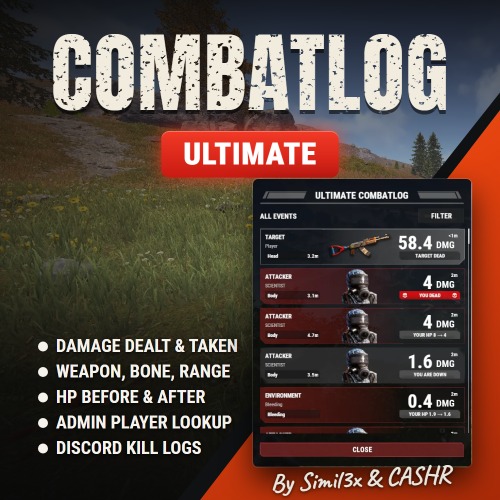
UltimateCombatlog shows players what happened in a fight. Type /combatlog and a window opens with recent damage dealt and taken: the weapon, body part, distance, HP before and after. History is kept for up to 24 hours, 100 entries per player by default. Other players' names stay hidden unless you allow them. It has filters and works in English and Russian with no additional plugins. HOW THE LIST WORKS Rows already in the list update by themselves. New events wait behind the UPDATE LIST button, so the row you are reading does not jump away. Sources: players, NPCs, turrets, traps, falls, cold, radiation and bleeding. Wounded players, deaths and destroyed objects are marked. Incendiary and HV ammo get a mark on the row. Hover over the time for the exact date and time in UTC. Repeated events are combined: shotgun pellets become one hit, a burst at one object becomes one row, and bleeding becomes one line with the tick count and the total damage. Category and events accept several values at once. A player's filters stay until their history is cleared. Type this in the F1 console to read a player's history in the same window: combatlog.get <steamid> ultimatecombatlog.admin - use combatlog.get ultimatecombatlog.viewnick - see the names of other players (grant it to the group "default" to show names to everyone) Combat history is kept in memory and is not saved to disk: a plugin reload or a server restart clears it. LONG-RANGE KILLS IN DISCORD Off by default. Paste a webhook URL, turn it on, and kills from 150 metres or more are posted with both names, SteamIDs, weapon, damage, body part and distance. Change the distance and exclude weapons or players in the config. No additional plugins required. Name hiding applies to the in-game window. Enabled Discord reports include player names and SteamIDs. INSTALLATION 1. Copy the data folder from the archive into oxide/ (carbon/ on Carbon). 2. Copy UltimateCombatlog.cs into oxide/plugins/ (carbon/plugins/ on Carbon). 3. Players open the window with /combatlog. 4. Grant permissions if you need them: oxide.grant user <steamid> ultimatecombatlog.admin oxide.grant group admin ultimatecombatlog.viewnick On Carbon use c.grant. Message us on Discord (Simil3x or _cashr_) or Telegram (@Simil3x_dm). Updates and support are included. Support is available through Discord and Codefling private messages.$19.99-
- 1
-

-
- #combat
- #combatlog
- (and 14 more)
-
Version 2.0.12
482 downloads
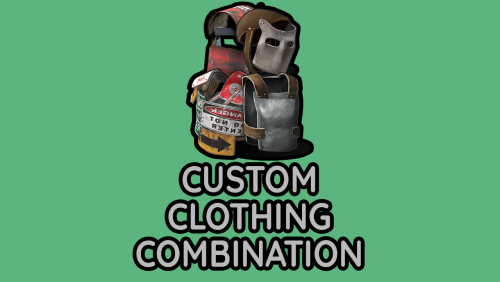
Features: This plugin will allow players to wear any combination of clothes. The administrator has the ability to open a convenient menu to configure the plugin. You can limit the maximum protection for a player/NPC even if the player wears all the best helmets and gets 150% protection, but you set the limit to 80%, then the players will only block 80% of the damage. Permission for use : customclothingcombinations.use (Only if config parameter true) Commands: /ccc - open the menu Config: { "Allow for NPC": true, "Does the player need permission for the plugin to work?": false, "HEAD limit": 0.8, "BODY limit": 0.8, "LEGS limit": 0.8, "Blocked combination": [] }$8.00 -

Version 1.0.1
16 downloads
Title Perks - Automatic Buff System for Title Selector by romzar.games - Requires Title Selector Overview TitlePerks is a companion plugin for Title Selector that brings your title system to life. Instead of titles being purely cosmetic, each title can grant configurable gameplay perks that activate instantly when equipped and deactivate when removed. Players earn titles through gameplay achievements (raids, heli kills, boss kills, etc.) and those titles now carry real mechanical weight — creating a meaningful progression loop where effort translates into tangible power. Key Features Automatic Activation & Deactivation Perks activate instantly when a title is selected in Title Selector Perks deactivate instantly when a title is removed, hidden, or cleared Full integration with Title Selector's Hide All, Show All, Clear, and Preset systems Perks auto-restore on player reconnect and server restart 15+ Perk Types Category Perk Type Description Damage damage_structure Bonus damage to building blocks (walls, floors, etc.) Damage damage_deployable Bonus damage to deployables (doors, turrets, boxes, etc.) Damage damage_heli Bonus damage to Patrol Helicopter Damage damage_bradley Bonus damage to Bradley APC Damage damage_boss Bonus damage to bosses (CH47, custom bosses) Damage damage_npc Bonus damage to all human NPCs (scientists, murderers, etc.) Damage damage_animal Bonus damage to animals Damage damage_pvp Bonus damage in PvP (against real players) Damage damage_pve Bonus damage in PvE (against everything except players) Damage damage_global Bonus damage to everything (stacks with specific types) Gather gather_ore Bonus ore yield when mining Gather gather_wood Bonus wood yield when chopping Gather gather_animal Bonus yield when harvesting animals Gather gather_plant Bonus yield when harvesting plants and growables Fishing fishing_rate Bonus fish quantity when catching fish Fishing xp_fishing Bonus fishing XP (permission group-based) Cooldown cooldown_event Reduces event cooldowns (PveMode integration) Cooldown buyable_cooldown_event Buyable event cooldown reduction (PveMode integration) Special legendary_bonus_xp Grants access to bonus XP group (permission-based) Perk Stacking Players can equip multiple titles simultaneously, and their perks stack additively. For example: Title "RaidHard" grants +15% structure damage Title "RaidExpert" grants +20% structure damage Combined: +35% structure damage Smart Entity Detection The damage system correctly identifies and categorizes all entity types: Structures: BuildingBlock (walls, foundations, floors, etc.) Deployables: Doors, storage containers, turrets, barricades, traps, sleeping bags, SAM sites, search lights, ovens NPCs: Scientists, murderers, scarecrows, tunnel dwellers, underwater dwellers, zombies, HumanNPC Vehicles: Patrol Helicopter, Bradley APC, CH47 Chinook Animals: All BaseAnimalNPC entities Players: Real Steam-authenticated players (for PvP perk) External Integrations PveMode: Automatically sets/removes player cooldown modifiers via API_SetPlayerCooldownModifier / API_RemovePlayerCooldownModifier Permission Groups: Configurable perk-to-group mapping — when a player activates a perk, they're added to a permission group; when deactivated, they're removed How It Works Player selects title in Title Selector | v TitlePerks checks config for matching perks | v Perks activated | v Game apply bonuses in real-time Lifecycle Events Event Action Player selects a title Perks activate, player notified Player removes a title Perks deactivate, player notified Player uses "Hide All" All perks deactivate Player uses "Clear" All perks deactivate Player switches preset Old perks deactivate, new perks activate Player disconnects External perks cleaned up, cache freed Player reconnects Perks restored from Title Selector's current selection Server restarts All online players' perks restored (staggered) Plugin reloads All perks recalculated from scratch Default Configuration { "TitlePerks": { "raideasy": [{ "Type": "damage_structure", "Value": 0.05 }, { "Type": "damage_deployable", "Value": 0.05 }], "raidmedium": [{ "Type": "damage_structure", "Value": 0.10 }, { "Type": "damage_deployable", "Value": 0.10 }], "raidhard": [{ "Type": "damage_structure", "Value": 0.15 }, { "Type": "damage_deployable", "Value": 0.15 }], "raidexpert": [{ "Type": "damage_structure", "Value": 0.20 }, { "Type": "damage_deployable", "Value": 0.20 }], "raidnightmare": [{ "Type": "damage_structure", "Value": 0.25 }, { "Type": "damage_deployable", "Value": 0.25 }], "helieasy": [{ "Type": "damage_heli", "Value": 0.05 }], "helimedium": [{ "Type": "damage_heli", "Value": 0.10 }], "helihard": [{ "Type": "damage_heli", "Value": 0.15 }], "heliexpert": [{ "Type": "damage_heli", "Value": 0.20 }], "helielite": [{ "Type": "damage_heli", "Value": 0.25 }], "helinightmare": [{ "Type": "damage_heli", "Value": 0.30 }], "bradleyeasy": [{ "Type": "damage_bradley", "Value": 0.05 }], "bradleymedium": [{ "Type": "damage_bradley", "Value": 0.10 }], "bradleyhard": [{ "Type": "damage_bradley", "Value": 0.15 }], "bradleyexpert": [{ "Type": "damage_bradley", "Value": 0.20 }], "bradleynightmare": [{ "Type": "damage_bradley", "Value": 0.25 }], "bosskiller": [{ "Type": "damage_boss", "Value": 0.15 }], "npcslayer": [{ "Type": "damage_npc", "Value": 0.15 }], "wildhunter": [{ "Type": "damage_animal", "Value": 0.15 }, { "Type": "gather_animal", "Value": 0.20 }], "rareminer": [{ "Type": "gather_ore", "Value": 0.20 }], "fisherman": [{ "Type": "xp_fishing", "Value": 0.25 }, { "Type": "fishing_rate", "Value": 0.15 }], "farmer": [{ "Type": "gather_plant", "Value": 0.25 }], "explorer": [{ "Type": "cooldown_event", "Value": -0.20 }, { "Type": "legendary_bonus_xp", "Value": 0.25 }], "tryhard": [{ "Type": "damage_pve", "Value": 0.10 }, { "Type": "damage_pvp", "Value": 0.05 }] }, "Show perk activation messages": true, "Show perk deactivation messages": true, "Group Perks (perk type -> permission group)": { "legendary_bonus_xp": "legendarybonus" }, "Debug mode": false } Configuration Options Setting Type Default Description TitlePerks Dictionary (see above) Maps title names (lowercase) to lists of perk definitions Show perk activation messages bool true Notify players when perks activate Show perk deactivation messages bool true Notify players when perks deactivate Group Perks Dictionary legendary_bonus_xp -> legendarybonus Maps perk types to permission groups. When a perk is active, the player is added to the group; when removed, they're taken out Debug mode bool false Verbose logging for troubleshooting Adding Custom Perks Simply add new entries to the TitlePerks dictionary. Title names must be lowercase and match the title names configured in Title Selector. "pvpchampion": [ { "Type": "damage_pvp", "Value": 0.15 }, { "Type": "damage_global", "Value": 0.05 } ], "lumberjack": [ { "Type": "gather_wood", "Value": 0.30 } ] Each title supports multiple perks — combine damage, gather, and special bonuses in a single title. Commands Command Type Permission Description /perks Chat None Shows the player's currently active perks and titles titleperks.reload Console titleperks.admin Reloads config and restores all player perks titleperks.debug Console titleperks.admin Toggles debug mode on/off /perks Output Example ======== Your Active Perks ======== Damage Bonuses: - Structure Damage: +15% - Deployable Damage: +15% - Helicopter Damage: +10% Gather Bonuses: - Ore Gather: +20% Active Titles: - raidhard - helimedium - rareminer Permissions Permission Description titleperks.admin Required for titleperks.reload and titleperks.debug console commands Title Selector Integration TitlePerks is designed as a seamless extension of Title Selector. The integration is fully automatic through Oxide/Carbon hooks: Hooks Listened Hook Fired By Action OnTitleSelected(BasePlayer, string) Title Selector Activates perks for the selected title OnTitleDeselected(BasePlayer, string) Title Selector Deactivates perks for the deselected title OnTitlesCleared(BasePlayer, List<string>) Title Selector Deactivates all perks from cleared titles Developer API TitlePerks exposes a complete API for other plugins to query perk data: // Get all active perks for a player (type -> total value) Dictionary<string, float> perks = TitlePerks.Call<Dictionary<string, float>>("API_GetActivePerks", (ulong)player.userID); // Get a specific perk value (returns 0f if not active) float heliDmg = TitlePerks.Call<float>("API_GetPerkValue", (ulong)player.userID, "damage_heli"); // Check if player has a specific perk active bool hasPerk = TitlePerks.Call<bool>("API_HasPerk", (ulong)player.userID, "damage_bradley"); // Get list of active title names for a player List<string> titles = TitlePerks.Call<List<string>>("API_GetActiveTitles", (ulong)player.userID); // Get perk definitions for a title (config lookup) var perks = TitlePerks.Call<List<Dictionary<string, object>>>("API_GetTitlePerks", "raidhard"); // Get formatted perk display string for a title (for UI integration) string display = TitlePerks.Call<string>("API_GetTitlePerksDisplay", "raidhard"); // Returns: "Struct+15% Deploy+15%" Use Cases 1. Raid Progression Rewards Players who complete raid milestones (easy through nightmare) receive scaling damage bonuses to structures and deployables, making them more effective raiders. 2. PvE Combat Specialization Titles like "BossKiller", "NPCSlayer", and "WildHunter" reward players who focus on PvE content with relevant damage bonuses, encouraging engagement with PvE systems. 3. Resource Gathering Bonuses "RareMiner", "Farmer", and "WildHunter" titles provide gathering multipliers, creating an alternative progression path for players who prefer resource-focused gameplay. 4. Event Cooldown Reduction The "Explorer" title reduces event cooldowns by 20% via PveMode integration, rewarding active event participants with faster re-entry. 5. Permission-Based Rewards Through the Group Perks system, titles can grant access to permission groups — enabling integration with any permission-based plugin. Example: "Explorer" title adds players to the "legendarybonus" group for bonus XP. 6. PvP vs PvE Balancing The "Tryhard" title demonstrates dual-category bonuses: +10% PvE damage and +5% PvP damage, allowing fine-tuned balance between gameplay modes. 7. Multi-Title Stacking Strategy Since perks stack, players must strategize which titles to equip based on their planned activities — raiding, farming, fishing, or mixed gameplay. Localization Built-in support for 3 languages out of the box: Language Code English en (default) Portuguese (Brazil) pt-br Spanish es-ES All perk names, categories, activation/deactivation messages, and UI labels are fully translatable through the standard lang system. Requirements Dependency Required Description Title Selector Yes Core dependency — provides the title selection UI and hooks PveMode No (optional) Enables cooldown_event perk type for event cooldown reduction Installation Place TitlePerks.cs in your carbon/plugins/ folder Ensure Title Selector is installed and running Restart or load the plugin Edit carbon/configs/TitlePerks.json to match your title names Run titleperks.reload in console to apply changes Data Storage Player perk data is stored in carbon/data/TitlePerks.json: { "Players": { "76561198000000000": { "active_titles": ["raidhard", "helimedium", "rareminer"], "last_update": "2026-03-03T12:00:00.0000000Z" } } } Data is used for restoration on reconnect and cleaned automatically after 30 days of inactivity.$14.99 -

Version 1.4.2
494 downloads
This plugin allow to the NPCs to hit and decrease the equipped armors durability. Currently the plugin choose randomly from the available equipped armors, what still has durability and not broken item, and extract the (total, maximum durability) * configured percentage value. Ideal plugin for PVE servers to avoid stacked up gears by the players. 3 different permission related value can be set, to support other plugins or vip/rank systems. It also has the feature to exclude weapons or tools from the function, up to the need. The plugin can work 3 different mode. 1 - no permission used at all -> normal percentages configured will be used. 2 - The player can have more then one permission, in this case always the HIGHER permission percentage value used combined with the class values. 3 - The player shall only have 1 permission, in this case i recommend to activate the "Permission check against multiple permission group" and optionally the "Warning agains multiple permission group (can flood the server console)" configuration, to set to True, and if a player by mistake got 2 different permission, the plugin feature will be skipped and a warning will be shown on the server console. Example: Bone Helmet - 100 Maximum durability/Condition point. LongDurabilityPercent configured to 1.0 percent. It will take 100 Hit, if only the Bone Helmet equipped, to make the item broken. Grouped up weapons for the Configurable categories: Meleeweapon : Anything, what is unhandled from Hit information point of view, and "grenade.beancan.entity.prefab", "bone_club.entity.prefab", "knife_bone.entity.prefab", "chainsaw.entity.prefab", "salvaged_cleaver.entity.prefab", "grenade.f1.entity.prefab", "flamethrower.entity.prefab", "flamethrower_fireball.prefab", "hacksaw.weapon.prefab", "butcherknife.entity.prefab", "pitchfork.entity.prefab", "sickle.entity.prefab", "hammer.entity.prefab", "hatchet.entity.prefab", "knife.combat.entity.prefab", "mace.entity.prefab", "machete.weapon.prefab", "militaryflamethrower.entity.prefab", "paddle.entity.prefab", "pickaxe.entity.prefab", "rock.entity.prefab", "axe_salvaged.entity.prefab", "hammer_salvaged.entity.prefab", "icepick_salvaged.entity.prefab", "explosive.satchel.entity.prefab", "stonehatchet.entity.prefab", "stone_pickaxe.entity.prefab", "spear_stone.entity.prefab", "longsword.entity.prefab", "salvaged_sword.entity.prefab", "torch.entity.prefab", "spear_wooden.entity.prefab" Closeweapon: Following weapons are considered as Close combat weapons: "double_shotgun.entity.prefab", "pistol_eoka.entity.prefab", "m92.entity.prefab", "nailgun.entity.prefab", "shotgun_waterpipe.entity.prefab", "python.entity.prefab", "pistol_revolver.entity.prefab", "shotgun_pump.entity.prefab", "pistol_semiauto.entity.prefab", "smg.entity.prefab", "spas12.entity.prefab" Longweapon : "mgl.entity.prefab", "semi_auto_rifle.entity.prefab", "thompson.entity.prefab", "rocket_launcher.entity.prefab", "mp5.entity.prefab", "l96.entity.prefab", "lr300.entity.prefab", "m249.entity.prefab", "m39.entity.prefab", "compound_bow.entity.prefab", "crossbow.entity.prefab", "ak47u.entity.prefab", "bow_hunting.entity.prefab" Additionally, BaseHelicopter, BradlyAPC, AutoTurret, Guntraps and Beartrap also considered as damage source to decreas armor, they are under Meleeweapon category at the moment, they use the same value as configured for MeleeDurabilityPercent Explosive: Not handled yet, only available for future usage. Permissions itemslostdurabilityonnpchit.protectplayer - Prevent armor damage. Basically disable the plugin for the players with this permission. itemslostdurabilityonnpchit.profile1 - permission percentage rank itemslostdurabilityonnpchit.profile2 - permission percentage rank itemslostdurabilityonnpchit.profile3 - permission percentage rank Configuration The settings and options for this plugin can be configured in the ItemsLostDurabilityonNPCHit.json file under the oxide/config directory. The use of a JSON editor or validation site such as jsonlint.com is recommended to avoid formatting issues and syntax errors. Suggested percentages see below. Anything that is higher than 1.5% seems feels too fast on client side. Experience example: 2 Metal item, 1 Sign skirt From 100% to all 3 item broken with 2 melee Attacker take 3 minute constant hit, with 0.5%. { "CloseDurabilityPercent": 0.75, "ExplosionDurabilityPercent": 0.0, "LongDurabilityPercent": 1.0, "MeleeDurabilityPercent": 0.5, "itemslostdurabilityonnpchit.profile1 permission percentage scale range: 0-X, 0.1f mean 10% of the original durability": 1.0, "itemslostdurabilityonnpchit.profile2 permission percentage scale range: 0-X, 0.1f mean 10% of the original durability": 1.0, "itemslostdurabilityonnpchit.profile3 permission percentage scale range: 0-X, 0.1f mean 10% of the original durability": 1.0, "Permission check agains multiple permission group": false, "Warning against multiple permission group (can flood the server console)": false, "CleanPermission on Wipe": true, "Pop off the armor from the player, if broken": false, "The popped of armor will be placed into the player inventory (if false, it will be dropped on the floor) [Only relevant, if \"Pop off the armor from the player, if broken\" configuration set to true]": false, } Localization No. Develop API No. Hooks No.$7.00- 30 comments
- 6 reviews
-
- 4
-
-
- #durability
- #rust
- (and 7 more)
-
Version 2.1.15
1,022 downloads
This is a powerful tool that allows you to customize the protection of wearable items in the game. With this plugin, admins can create their own items with their own protection values and customize the protection of existing items. This means that players can adjust the protection to their playing style, which gives them an advantage in combat. One of the distinguishing features of the plugin is its ability to allow players to take damage from NPCs on PVE servers depending on the equipment worn. This adds a new level of realism to the game, as players must carefully consider their defense when interacting with NPCs. It also encourages players to invest time and resources into building better gear, as better gear means better protection. The ability to customize protection values, create custom items, and enable NPC damage on PVE servers makes it an indispensable tool for any Rust server. Features Appearance of item protection for players on PVE servers from NPC damage Detailed adjustment of protection for any wearable item Item setup files are all separately in their own file and folder, making it easy to customize items Setting up a defense for a player without everything The ability to create your own items, with their own protection, name and skinid Permissions customizableprotection.give for give command customizableprotection.icon.show customizableprotection.icon.hide Console Commands cp.give <custom item name> - Give yourself a custom item cp.give <steamid> <custom item name> - Give the player a custom item cp.create - Add a custom item based on the image of another item cp.reload - Quick reloading of items File hierarhy: • CustomizableProtection ↳ • Custom ↳ example1.json ↳ example1.json ↳ • Default ↳ attire.banditguard.json ↳ attire.bunny.onesie.json ↳ attire.bunnyears.json ↳ attire.egg.suit.json ↳ attire.hide.boots.json ↳ attire.hide.helterneck.json ↳ attire.hide.pants.json ↳ attire.hide.poncho.json ↳ attire.hide.skirt.json ↳ ... etc. Custom item settings: { "Shortname": "partyhat", "Unique SkinId": 111, "Name": "Cap of Fortune", "Description": "Even though it looks silly, it can save!", "UI Settings": { "Name Color (or use <color></color> in name)": "1 1 1 1", "Frame Color": "0.94 0.75 0.15 1" }, "Protection": { "Hunger": 0.0, "Thirst": 0.0, "Cold": 0.0, "Drowned": 100.0, "Heat": 0.0, "Bleeding": 0.0, "Poison": 0.0, "Suicide": 0.0, "Bullet": 0.0, "Slash": 0.0, "Blunt": 0.0, "Fall": 100.0, "Radiation": 0.0, "Bite": 0.0, "Stab": 0.0, "Explosion": 0.0, "RadiationExposure": 100.0, "ColdExposure": 100.0, "ElectricShock": 0.0, "Arrow": 0.0, "OxygenExposure": 100.0 } } Default item settings: { "Hunger": 0.0, "Thirst": 0.0, "Cold": 0.0, "Drowned": 0.0, "Heat": 0.0, "Bleeding": 0.0, "Poison": 0.0, "Suicide": 0.0, "Bullet": 10.0, "Slash": 15.0, "Blunt": 15.0, "Fall": 0.0, "Radiation": 0.0, "Bite": 45.0, "Stab": 10.0, "Explosion": 0.0, "RadiationExposure": 2.0, "ColdExposure": 25.0, "ElectricShock": 0.0, "Arrow": 10.0, "OxygenExposure": 0.0 } Default Config: { "Icon Position (0 - Off | -1 - left by 1 slot, 1 - right by 1 slot | ..)": -1, "Lock values at normal values": true, "Protection Multipliers": { "Common": 1.0, "Types": { "Hunger": 1.0, "Thirst": 1.0, "Cold": 1.0, "Drowned": 1.0, "Heat": 1.0, "Bleeding": 1.0, "Poison": 1.0, "Suicide": 1.0, "Bullet": 1.0, "Slash": 1.0, "Blunt": 1.0, "Fall": 1.0, "Radiation": 1.0, "Bite": 1.0, "Stab": 1.0, "Explosion": 1.0, "RadiationExposure": 1.0, "ColdExposure": 1.0, "ElectricShock": 1.0, "Arrow": 1.0, "OxygenExposure": 1.0 } }, "Default Protection": { "Hunger": 0.0, "Thirst": 0.0, "Cold": 0.0, "Drowned": 0.0, "Heat": 0.0, "Bleeding": 0.0, "Poison": 0.0, "Suicide": 0.0, "Bullet": 0.0, "Slash": 0.0, "Blunt": 0.0, "Fall": 0.0, "Radiation": 0.0, "Bite": 0.0, "Stab": 0.0, "Explosion": 0.0, "RadiationExposure": 0.0, "ColdExposure": 0.0, "ElectricShock": 0.0, "Arrow": 0.0, "OxygenExposure": 0.0 } }$20.00- 38 comments
- 3 reviews
-
- 6
-
-

-
- #custom
- #protection
- (and 6 more)
-
Version 2.2.0
104 downloads
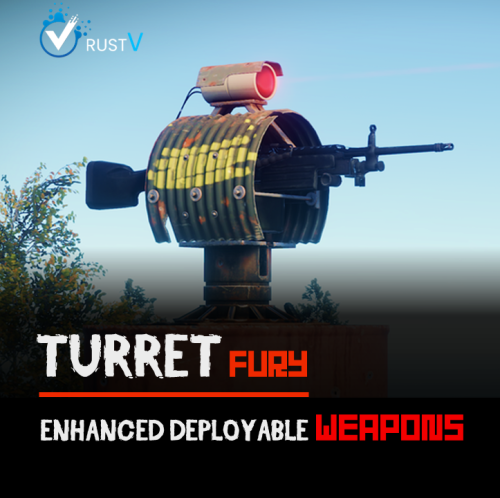
FEATURES Turret Fury is a configurable plugin that allows total customization of Auto Turrets, Flame Turrets, Landmines, SAM Sites, Shotgun Traps & Tesla Coils through allowing configuration of; • Damage • Range • Accuracy • Bullet Speed • Trigger Duration • Arc • Explosion Radius • Scan/Sensing Radius • Amount of Pellets (Shotgun Traps) & More!* *See the config below for full list of configurables INSTALL To install, simply copy & paste the plugin (TurretFury.cs) as-is into your server plugins folder: ..\oxide\plugins\ CONFIG To configure; 1. Ensure you have loaded the plugin successfully in your server (this will automatically create a respective config file) 2. Open the plugin config file (TurretFury.json) in your config folder: ..\oxide\config\ 3. Adjust to the desired values 4. Save the config file & reload the plugin ("oxide.reload TurretFury”) (config preview below) { "Auto Turret": { "Enabled": true, "Infinite Ammo": false, "Health (Default 1000)": 1000.0, "Range (Default 30)": 30.0, "Bullet Speed (Default 200)": 200.0, "Aim Cone (Default 4)": 4.0, "Damage Scale (Default 1.0)": 1.0, "Ignored Shortnames": [ "sentry.scientist.static", "sentry.bandit.static" ] }, "Flame Turret": { "Enabled": true, "Fuel Per Sec (Default 0.5)": 0.5, "Health (Default 300)": 300.0, "Range (Default 4)": 4.0, "Arc (Default 45)": 45.0, "Trigger Duration (Default 4)": 4.0, "Damage Scale (Default 1.0)": 1.0, "Ignored Shortnames": [] }, "Landmine": { "Enabled": true, "Health (Default 100)": 100.0, "Min Explosion Radius (Default 2)": 2.0, "Max Explosion Radius (Default 3)": 3.0, "Damage Scale (Default 1.0)": 1.0, "Ignored Shortnames": [] }, "SAM Site": { "Enabled": true, "Requires Power": true, "Health (Default 1000)": 1000.0, "Damage Scale (Default 1.0)": 1.0, "Missile Scan Radius (Default 225)": 225.0, "Vehicle Scan Radius (Default 150)": 150.0, "Ignored Shortnames": [] }, "Shotgun Trap": { "Enabled": true, "Infinite Ammo": false, "Health (Default 300)": 300.0, "Sensor Radius (Default 1.25)": 1.25, "Aim Cone (Default 40)": 40.0, "Pellets (Default 20)": 20.0, "Damage Scale (Default 1.0)": 1.0, "Ignored Shortnames": [] }, "Tesla Coil": { "Enabled": true, "Requires Power": true, "Health (Default 250)": 250.0, "Range (Default 3)": 3.0, "Max Damage Output (Default 35)": 35.0, "Max Discharge Self Damage Seconds (Default 120)": 120.0, "Damage Scale (Default 1.0)": 1.0, "Ignored Shortnames": [] } } PERMISSIONS turretfury.use -- Required for TurretFury configuration to apply to player’s auto turrets FAQ Q: Does the Turret Fury plugin work with any Turret weapon? A: Yes, this plugin works with all Turret deployable weapons, from the revolver to the AK and everything in between. Q: How do I know what range to configure? A: This is completely up to you. A typical range configuration that our community of server admins have been using is 70.0, with some PVE servers increasing to around 100.0 Q: Will increasing Turret range and damage affect the static turrets at monuments? A: By default, this plugin does not affect/apply to any monument turrets (Bandit Camp / Compound / Fishing Village) to avoid nuisance deaths. Note the "Ignore Turret Shortnames" section of the config file addresses this. It is strongly recommended not to adjust this. Q: Does/can the plugin use permissions? A: Yes, we have implemented a number of additional features on the back of community feedback, one of these is a basic permissions system wherein users require the below permission in order to have their autoturrets use TurretFury's configuration; turretfury.use For more information, see https://umod.org/documentation/plugins/permissions/ or (https://codefling.com/plugins/permissions-manager/) Q: Will there be more features added in future? A: Yes, we have more functional improvements and additions coming soon, as well as a roadmap of ideas for future updates. If you have ideas or anything you would like to see included: please share them in the Discussion tab - they will be considered and, with enough upvotes, added to the dev roadmap. Happy turreting, and stay frosty. Discord: Dooogs#2145$19.95 -

Version 1.0.3
32 downloads
Description : - This plugin allows you to assign personalized advantages to players via a permissions system, each of which can be individually enabled or disabled from a CUI menu. Regeneration : Automatically restores a small amount of health every few seconds when out of combat. Strength : Instantly kills any NPC with a single hit. Resistance : Reduces all incoming damage from players by a configurable percentage. Fire Resistance : Grants complete immunity to fire. Fall Resistance : Grants complete immunity to fall damage. Cold Resistance : Grants complete immunity to cold damage. Breathing : Grants complete immunity to drowning damage. Ammo Refund : Gives a chance to refund one ammo round each time the player fires. Durability : Prevents all item condition loss, making gear last forever. Metabolism : Passively restores food and water over time. Settings : - HUD colors - Footer Text - Regeneration - Resistance - Metabolism - Ammo Refund Chat Commands : - /perks - /perk Permissions : - oxide.grant user <steamID/user> <perm> playerperks.regeneration playerperks.strength playerperks.resistance playerperks.fireresistance playerperks.fallresistance playerperks.coldresistance playerperks.breathing playerperks.ammorefund playerperks.durability playerperks.metabolism WuyZar's Discord : https://discord.gg/NVwRcQwGwh Game interface :$7.50- 8 comments
-
- 1
-
-
- #adventage
- #perks
- (and 23 more)
-

Version 2.0.1
20 downloads
Cold & heat protection. A compact HUD. Your players’ own settings. Give your players control over temperature damage without changing your server’s weather. Temperature Damage Toggle is a Rust plugin by SLDEVS that allows authorized players to enable or disable protection against cold and heat damage. It combines permission-based access with a compact in-game HUD, personal display settings and seven built-in languages. Keep temperature protection available to everyone, restrict it to specific groups, or manage individual players through administrator commands. A clear, compact temperature HUD The HUD displays a blue cold indicator or an orange heat indicator, together with the player’s temperature, protection status and a reminder of the customization command: /dthud — Position and size During normal gameplay, the HUD appears when protection is active and the player reaches the configured cold or heat thresholds. Only one card is displayed at a time, depending on the current conditions. The compact design uses native Rust CUI elements, so ImageLibrary and external icon downloads are not required for this HUD style. Personal HUD settings, directly in game Players can open /dthud to adjust their own HUD without affecting anyone else. The editor provides nine position presets, directional buttons for precise movement, an adjustable movement step and size controls. The default size range is 70% to 160%. Cold and heat previews let players check their layout without changing the weather or their actual protection. Save applies the selected layout, Cancel discards unsaved adjustments, and Reset restores the server’s default layout. Position and size preferences are saved per player and retained across sessions. Movement is handled through the editor’s buttons—not drag-and-drop. Seven built-in languages English, French, Spanish, German, Italian, Brazilian Portuguese and Russian. Translations cover the HUD, customization menu, help messages and player-facing command responses. Players can select their language from the editor or through a command. Automatic mode follows the player language known to Oxide, with a configurable fallback. A player’s language selection applies to this plugin without changing the language of other plugins. Server configuration and administrator control Configure access through permissions and decide whether eligible players receive protection automatically or enable it themselves. Server settings include HUD appearance and default placement, cold and heat display thresholds, refresh interval, player customization, language settings and protection persistence. Administrators can also enable or disable protection for an individual player. Protection preferences can be retained between sessions when persistence is enabled. Player commands Default command names are shown below. CommandAction /dtToggle temperature protection. /dt on / /dt offEnable or disable protection. /dt statusCheck the current protection status. /dt helpDisplay command help. /dthudOpen the HUD customization menu. /dthud size 120Set the HUD size to 120%. /dthud position 90 20Set the HUD position using X/Y percentages. /dthud lang enSelect English. /dthud lang autoUse automatic language selection. /dthud resetRestore the default HUD layout. /dthud offClose the editor or preview without disabling protection. Preview commands: /dthud cold and /dthud heat. Language codes: en, fr, es, de, it, pt-BR, ru. Permissions PermissionAccess temperaturedamagetoggle.useUse personal temperature protection and HUD features. temperaturedamagetoggle.admin Access administrator controls and HUD features. Administrators can manage another player with: /dt <player name or SteamID> on /dt <player name or SteamID> off The target player still needs the use permission for protection to take effect. Temperature protection—not general invulnerability The plugin controls temperature damage; it does not change the weather or the player’s actual temperature. Other damage types, such as bullets and explosions, are not removed by its protection. By default, heat damage from an identified external source is not blocked. Server owners can change this behavior through the dedicated BlockHeatFromSources setting.$1.99 -

Version 1.1.0
243 downloads
xNoFallDamage With xNoFallDamage, players can soar from cliffs, towers, or helicopters without fear of shattered ankles or surprise respawns. Whether you're building in the sky or dropping into battle, this plugin ensures smooth landings every time - for those who deserve it. Features Fall Damage Immunity - Completely disables fall damage for players with permission. Silent Landings - Suppresses sound and visual effects on impact for a cleaner, stealthy experience. Permission-Based Permission oxide.grant user <steamid> xnofalldamage.use oxide.grant group <group> xnofalldamage.useFree -
Version 1.0.2
69 downloads
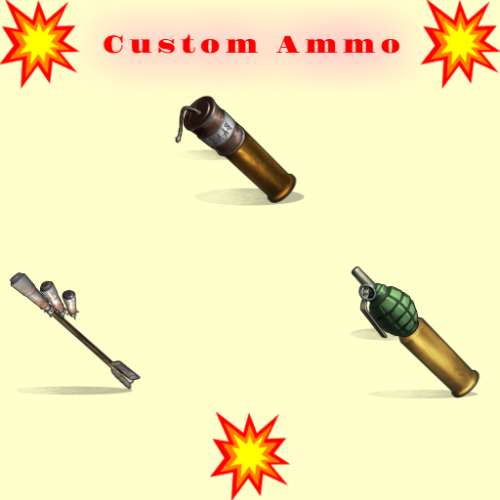
Shooting is fun , but even more fun is when with your bullet/arrow fly some grenade or maybe rocket or what ever ! SHORT INFO : When you shot regular bullet/arrow if you have customm ammo,and if is activated you will fire that custom ammo also on spot where your bullet/arrow hit ! Make custom ammo , chose what will be that custom ammo (what ever you like) , what weapons can use it , extra boom damage , amount of boom, spread radius of boom . That custom ammo will explode on impact ! HOW AND WHAT : To use custom ammo , when holding weapon in hands , you need to have custom ammo in inventory and activate it with middle mouse button . UI will open with useful info , how much custom ammo you have ,how much you need to fire it , and if there is cooldown between shots you see timer . If you have custom ammo when you fire that custom ammo will fire also . If you have more types of ammo for that weapon , UI will open where you can chose what ammo you will use ! MAKING NEW CUSTOM AMMO : You can make infinitive ammo item types . "Prefab Type": "assets/prefabs/npc/sam_site_turret/rocket_sam.prefab", ///// HERE YOU CHOSE WHAT IS THAT AMMO , WHAT WILL BE FIRED "ItemShortname": "sticks", ///// YOU CAN CHANGE SHORTNAME TO WHAT EVER. "SkinID": 3474702139, ///// SKIN WHAT EVER YOU LIKE . "ItemDisplayName": "Explosive Arrow", ///// NAME OF THAT CUSTOM ITEM . "Bonus Damage Amount": 0.0, ///// SO EVERY PREFAB/ITEM HAVE HIS DMG , SO THIS IS EXTRA DMG , REGULAR DAMAGE + BONUS DAMAGE "Cooldown Seconds": 0.0, ///// WILL THERE BE COOLDOWN BETWEEN SHOOTING CUSTOM AMMO "Amount To Spawn": 1, ///// HOW MUCH BOOM IT WILL TRIGGER ON SHOT , EXAMPLE 5 , SO 5 ROCKETS WILL FLY ON HIT POINT "Radius Spread": 0.0, ///// IF YOU USE AMOUNT MORE THAN 1 , WHAT SPREAD WILL BE BETWEEN FIRED AMMO "Weapon List": [ { "Shortname": "bow.hunting", "SkinID": 0 }, { "Shortname": "bow.compound", "SkinID": 0 }, ///// YOU CAN ADD WHAT EVER WEAPON HERE ,WITH SKIN OR WITHOUT SKIN { "Shortname": "crossbow", "SkinID": 0 }, { "Shortname": "minicrossbow", "SkinID": 0 } PERMISSION : customammo.give - need to have to use give command CHAT/CONSOLE COMMAND : Chat : /giveammo [player] <Ammo Display Name> [amount] Optional player name and amount ! Console: giveammo <player ID/name> <Ammo Display Name> [quantity] Optional amount !$8.00 -
Version 1.1.0
114 downloads
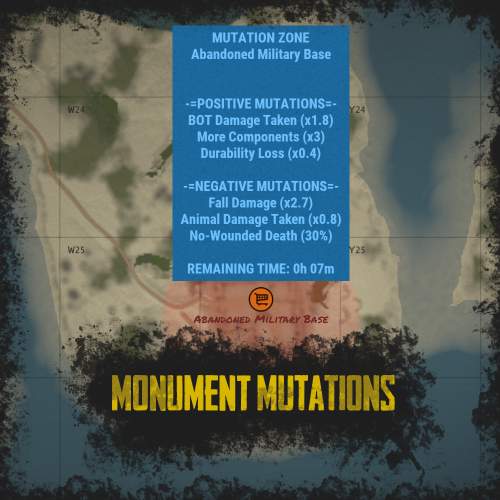
RUST Plugin Test Server TEST MY PLUGINS THERE! connect play.thepitereq.ovh:28050 Monument Mutations allows you to apply mutations to any default or custom monument on the map. You can create positive mutations that give players bonuses for gathering, output, and stats, as well as negative mutations that impact their gameplay. With almost infinite possible mutations and more to come, this plugin offers extensive customization options. Create mutations with custom effects on any monument using Monument Mutations. Highly configurable with hundreds of options, allowing you to customize the number of active mutations. Adjust radiation resistance on default Hazmat Suits and Heavy Scientist Suits. Supports both default and custom monuments. Create an infinite number of mutation profiles and set their chances of appearing. Almost every programmed bonus comes with additional customizable options. The 1.0.0 version is just a beginning of the journey. I made the plugin highly expandable, so if you have any idea of additional mutations, hit me on my Discord! (link above) Mutation Descriptions As I said, plugin have a lot of possible options which are not described anywhere because they are different for each mutation type. Some of the mutations might not work with your server because other plugin is overwriting the RUST behavior, like custom recyclers etc. You can find all the definitions here! radMult - Multiplies the radiation on default monuments or radiation spheres in custom maps. radSet - Sets the radiation on the whole monument radius. If you set the value to 0.001 it will disable radiation on the whole monument. damageDealt - Multiplies the damage dealt to described entity type. Currently, the plugin supports 4 Mutation Object References: empty - Multiplies the damage in all cases. bot - The entity is NPC or bot. player - The entity is a player. animal - The entity is an animal. durability - Multiplies the durability loss on items. healing - Multiplies the healing amount of used items. noWounded - Sets the chance that when a player is killed, the wounded state is skipped, and he automatically dies. Values work in range 0-100. (percentage) gravity - Multiplies damage dealt by gravity, when players fall from a high place. recycle - Multiplies speed of the recycler work. There are a lot of custom recycler plugins that might not work in this case, then I don't recommend using this mutation. loot - Multiplies the loot in containers in mutated monument. Currently, the plugin supports 3 Mutation Object References: empty - Works for all items in containers. item shortname (ex. scrap) - Sets the multiplier only on selected item. In this case, it's scrap. item category (ex. Component) - Sets the multiplier only on selected item category. In this case - in all items in Component category. gather - Multiplies the gather from dispensers in mutated monument. Currently, the plugin supports 3 Mutation Object References: empty - Works for all resource dispensers. tree - Works only on all trees. ore - Works only on all ores. upgradeCrate - Sets the chance that when a crate is spawned or mutation started, the spawned crate can be upgraded to another tier. The tree looks like this: Normal Crate > Military Crate > Elite Crate Values work in range 0-100. (percentage) Information about "Possible Mutations" list: If you set only one value, and it's "All" then it rolls from the whole mutation pool. For better experience, I recommend making it manually, but this function exist ^^. Example Config (Version 1.0.0) With additional mutations, more detailed each mutation tier and some smaller customizations. (my private configuration) MonumentMutations.json { "Mutation Info Commands": [ "mut", "mutation", "mutations" ], "Minimal Active Mutations": 1, "Maximal Active Mutations": 3, "New Mutation Check Inverval (in minutes)": 15, "Default Hazmat Protection Override (0 to disable, 0.5 - default)": 0.0, "Hazmat Mk.II Protection (0 to disable)": 1.0, "Positive Over Negative Mutations": true, "Marker Map Scaling Value (Higher = Smaller)": 100.0, "Broadcast Mutation Info On Enter": true, "Mutations": { "DurabilityLoss": { "Mutation Type (see website for reference)": "durability", "Mutation Object Reference (see website for reference)": "", "Mutation Effect (Negative - false, Positive - true)": false, "Mutation Weight": 1, "Mutation Value - Min": 1.1, "Mutation Value - Max": 2.0, "Mutation Value - Rounding": 0.1 }, "FasterRecycle": { "Mutation Type (see website for reference)": "recycle", "Mutation Object Reference (see website for reference)": "", "Mutation Effect (Negative - false, Positive - true)": true, "Mutation Weight": 1, "Mutation Value - Min": 1.2, "Mutation Value - Max": 3.0, "Mutation Value - Rounding": 0.2 }, "HighGravity": { "Mutation Type (see website for reference)": "gravity", "Mutation Object Reference (see website for reference)": "", "Mutation Effect (Negative - false, Positive - true)": false, "Mutation Weight": 1, "Mutation Value - Min": 1.5, "Mutation Value - Max": 3.0, "Mutation Value - Rounding": 0.1 }, "InstaKill": { "Mutation Type (see website for reference)": "noWounded", "Mutation Object Reference (see website for reference)": "", "Mutation Effect (Negative - false, Positive - true)": false, "Mutation Weight": 1, "Mutation Value - Min": 10.0, "Mutation Value - Max": 50.0, "Mutation Value - Rounding": 5.0 }, "LessBotResistance": { "Mutation Type (see website for reference)": "damageDealt", "Mutation Object Reference (see website for reference)": "bot", "Mutation Effect (Negative - false, Positive - true)": true, "Mutation Weight": 1, "Mutation Value - Min": 1.1, "Mutation Value - Max": 2.0, "Mutation Value - Rounding": 0.1 }, "LessHealing": { "Mutation Type (see website for reference)": "healing", "Mutation Object Reference (see website for reference)": "", "Mutation Effect (Negative - false, Positive - true)": false, "Mutation Weight": 1, "Mutation Value - Min": 10.0, "Mutation Value - Max": 50.0, "Mutation Value - Rounding": 5.0 }, "LessPlayerResistance": { "Mutation Type (see website for reference)": "damageDealt", "Mutation Object Reference (see website for reference)": "player", "Mutation Effect (Negative - false, Positive - true)": false, "Mutation Weight": 1, "Mutation Value - Min": 1.1, "Mutation Value - Max": 1.5, "Mutation Value - Rounding": 0.05 }, "LowGravity": { "Mutation Type (see website for reference)": "gravity", "Mutation Object Reference (see website for reference)": "", "Mutation Effect (Negative - false, Positive - true)": true, "Mutation Weight": 1, "Mutation Value - Min": 0.1, "Mutation Value - Max": 0.9, "Mutation Value - Rounding": 0.1 }, "MoreBotResistance": { "Mutation Type (see website for reference)": "damageDealt", "Mutation Object Reference (see website for reference)": "bot", "Mutation Effect (Negative - false, Positive - true)": false, "Mutation Weight": 3, "Mutation Value - Min": 0.9, "Mutation Value - Max": 0.5, "Mutation Value - Rounding": 0.05 }, "MoreDurability": { "Mutation Type (see website for reference)": "durability", "Mutation Object Reference (see website for reference)": "", "Mutation Effect (Negative - false, Positive - true)": true, "Mutation Weight": 1, "Mutation Value - Min": 0.3, "Mutation Value - Max": 0.9, "Mutation Value - Rounding": 0.1 }, "MoreHealing": { "Mutation Type (see website for reference)": "healing", "Mutation Object Reference (see website for reference)": "", "Mutation Effect (Negative - false, Positive - true)": true, "Mutation Weight": 1, "Mutation Value - Min": 120.0, "Mutation Value - Max": 200.0, "Mutation Value - Rounding": 10.0 }, "MoreLoot": { "Mutation Type (see website for reference)": "loot", "Mutation Object Reference (see website for reference)": "Component", "Mutation Effect (Negative - false, Positive - true)": true, "Mutation Weight": 2, "Mutation Value - Min": 1.5, "Mutation Value - Max": 3.0, "Mutation Value - Rounding": 0.5 }, "MorePlayerResistance": { "Mutation Type (see website for reference)": "damageDealt", "Mutation Object Reference (see website for reference)": "player", "Mutation Effect (Negative - false, Positive - true)": true, "Mutation Weight": 1, "Mutation Value - Min": 0.6, "Mutation Value - Max": 0.95, "Mutation Value - Rounding": 0.05 }, "MoreRocks": { "Mutation Type (see website for reference)": "gather", "Mutation Object Reference (see website for reference)": "ore", "Mutation Effect (Negative - false, Positive - true)": true, "Mutation Weight": 1, "Mutation Value - Min": 1.1, "Mutation Value - Max": 1.5, "Mutation Value - Rounding": 0.05 }, "MoreScrap": { "Mutation Type (see website for reference)": "loot", "Mutation Object Reference (see website for reference)": "scrap", "Mutation Effect (Negative - false, Positive - true)": true, "Mutation Weight": 2, "Mutation Value - Min": 1.5, "Mutation Value - Max": 3.0, "Mutation Value - Rounding": 0.5 }, "MoreWood": { "Mutation Type (see website for reference)": "gather", "Mutation Object Reference (see website for reference)": "tree", "Mutation Effect (Negative - false, Positive - true)": true, "Mutation Weight": 1, "Mutation Value - Min": 1.1, "Mutation Value - Max": 1.5, "Mutation Value - Rounding": 0.05 }, "NoRadiation": { "Mutation Type (see website for reference)": "radMult", "Mutation Object Reference (see website for reference)": "", "Mutation Effect (Negative - false, Positive - true)": true, "Mutation Weight": 1, "Mutation Value - Min": 0.001, "Mutation Value - Max": 0.001, "Mutation Value - Rounding": 0.001 }, "RadiationMultiplierNegative": { "Mutation Type (see website for reference)": "radMult", "Mutation Object Reference (see website for reference)": "", "Mutation Effect (Negative - false, Positive - true)": false, "Mutation Weight": 2, "Mutation Value - Min": 1.1, "Mutation Value - Max": 2.0, "Mutation Value - Rounding": 0.1 }, "RadiationMultiplierPositive": { "Mutation Type (see website for reference)": "radMult", "Mutation Object Reference (see website for reference)": "", "Mutation Effect (Negative - false, Positive - true)": true, "Mutation Weight": 1, "Mutation Value - Min": 0.2, "Mutation Value - Max": 0.9, "Mutation Value - Rounding": 0.05 }, "RadiationSet": { "Mutation Type (see website for reference)": "radSet", "Mutation Object Reference (see website for reference)": "", "Mutation Effect (Negative - false, Positive - true)": false, "Mutation Weight": 1, "Mutation Value - Min": 10.0, "Mutation Value - Max": 75.0, "Mutation Value - Rounding": 5.0 }, "SlowRecycle": { "Mutation Type (see website for reference)": "recycle", "Mutation Object Reference (see website for reference)": "", "Mutation Effect (Negative - false, Positive - true)": false, "Mutation Weight": 1, "Mutation Value - Min": 0.5, "Mutation Value - Max": 0.9, "Mutation Value - Rounding": 0.05 }, "UpgradedCrates": { "Mutation Type (see website for reference)": "upgradeCrate", "Mutation Object Reference (see website for reference)": "", "Mutation Effect (Negative - false, Positive - true)": true, "Mutation Weight": 3, "Mutation Value - Min": 5.0, "Mutation Value - Max": 25.0, "Mutation Value - Rounding": 5.0 } }, "Profiles": { "Basic": { "Marker Color - Inside": "#32CD32", "Marker Color - Border": "#32CD32", "Marker Color - Alpha": 0.3, "Positive Mutations - Minimum": 1, "Positive Mutations - Maximum": 2, "Negative Mutations - Minimum": 0, "Negative Mutations - Maximum": 1, "Mutation Length (in minutes)": 45, "Mutation Start Broadcast": true, "Possible Mutations": [ "RadiationMultiplierNegative", "RadiationSet", "HighGravity", "SlowRecycle", "MoreDurability", "MoreRocks", "MoreWood", "MorePlayerResistance", "MoreBotResistance", "LessBotResistance" ] }, "Dangerous": { "Marker Color - Inside": "#FF0000", "Marker Color - Border": "#FF0000", "Marker Color - Alpha": 0.3, "Positive Mutations - Minimum": 3, "Positive Mutations - Maximum": 4, "Negative Mutations - Minimum": 2, "Negative Mutations - Maximum": 3, "Mutation Length (in minutes)": 45, "Mutation Start Broadcast": true, "Possible Mutations": [ "All" ] }, "Extreme": { "Marker Color - Inside": "#000000", "Marker Color - Border": "#000000", "Marker Color - Alpha": 0.5, "Positive Mutations - Minimum": 3, "Positive Mutations - Maximum": 5, "Negative Mutations - Minimum": 3, "Negative Mutations - Maximum": 5, "Mutation Length (in minutes)": 45, "Mutation Start Broadcast": true, "Possible Mutations": [ "All" ] }, "Normal": { "Marker Color - Inside": "#FFA500", "Marker Color - Border": "#FFA500", "Marker Color - Alpha": 0.3, "Positive Mutations - Minimum": 2, "Positive Mutations - Maximum": 3, "Negative Mutations - Minimum": 1, "Negative Mutations - Maximum": 2, "Mutation Length (in minutes)": 45, "Mutation Start Broadcast": true, "Possible Mutations": [ "RadiationMultiplierNegative", "RadiationSet", "LessPlayerResistance", "HighGravity", "SlowRecycle", "MoreDurability", "MoreRocks", "MoreWood", "LessPlayerResistance", "MorePlayerResistance", "MoreBotResistance", "LessBotResistance", "MoreScrap", "NoRadiation", "RadiationMultiplierPositive" ] } }, "Monument Names - Strict Name Check": true, "Monuments - Add Custom Monuments": false, "Monuments": { "HQM Quarry": { "Enabled": false, "Chance Weight": 1, "Default Monument Bounds Scale": 1.0, "Monument Radius": 0.0, "Mutation Length Multiplier": 1.0, "Profile Chances": { "Basic": 7, "Normal": 5, "Dangerous": 2, "Extreme": 1 } }, "Giant Excavator Pit": { "Enabled": false, "Chance Weight": 1, "Default Monument Bounds Scale": 1.0, "Monument Radius": 0.0, "Mutation Length Multiplier": 1.0, "Profile Chances": { "Basic": 7, "Normal": 5, "Dangerous": 2, "Extreme": 1 } } } }$35.00- 21 comments
- 2 reviews
-
- 4
-
-
-
- #mutations
- #monument
- (and 14 more)
-

Version 4.2.10
125 downloads
A unique system of friends Here you can configure everything Turn on/Disable damage Turn on/Disable authorization in the turret Turn on/Disable authorization in the door Turn on/Disable authorization in the TC Turn on/Disable authorization in the turret Turn on/Disable authorization in SAM Beautiful interface You can disable all these settings in the interface The settings can be disabled uniquely for each friend Search for players in the interface. You can delete or add friends in the interface. Everything is very simple and convenien Setting on chat: Config { "Enable save during map save?": true, "Enable auto-authorization in single locks?": true, "Disable air defense attack on a copter without a pilot?": true, "Enable turret auto-authorization setting?": true, "Enable friendly damage setting?": true, "Enable auto authorization setting in doors?": true, "Enable auto authorization setting in air defense?": true, "Enable auto authorization setting in the TC?": true, "What is the maximum number of people you can be friends with?": 5, "Default friendly-fire setting": false, "Default turret-auth setting": true, "Default door-auth setting": true, "Default air defense setting": true, "Default TC auth": false, "Friend request response timeout (in seconds)": 10, "Enable air defense settings?": true } Lang { "SYNTAX": "/fmenu - Open friends menu\n/f(riend) add - Add friend\n/f(riend) remove - Remove friend\n/f(riend) list - Friend list\n/f(riend) team - Add all team to friends\n/f(riend) set - Set up friends individually\n/f(riend) setall - Setting up friends all at once", "NPLAYER": "Player not found!", "CANTADDME": "you cant add yourself!!", "ONFRIENDS": "The player is already your friend!", "MAXFRIENDSPLAYERS": "The player has a lot of friends!", "MAXFRIENDYOU": "You have the maximum number of friends!", "HAVEINVITE": "The player already has a friend request!", "SENDADD": "You sent a request, waiting for response!", "YOUHAVEINVITE": "You received a friend request write /f(riend) accept", "TIMELEFT": "You didn't answer the request!", "HETIMELEFT": "Your request has not been answered!", "DONTHAVE": "You have no requests!", "ADDFRIEND": "Successful addition as a friend!", "DENYADD": "Decline friend request!", "PLAYERDHAVE": "You do not have such a player in your friends!", "REMOVEFRIEND": "Successful unfriending!", "LIST": "The list is empty!", "LIST2": "Friend list", "SYNTAXSET": "/f(riend) set damage [Name] - Damage per person\n/f(riend) set door [NAME] - Damage per person\n/f(riend) set turret [NAME] - Authorization in turrets for a person\n/f(riend) set sam [NAME] - Authorization in air defense for a person", "SETOFF": "Setting disabled", "DAMAGEOFF": "Damage to player {0} disabled!", "DAMAGEON": "Damage to player {0} enabled!", "AUTHDOORON": "Authorization in the doors for {0} is enabled!", "AUTHDOOROFF": "Authorization in the doors for {0} is disabled!", "AUTHTURRETON": "Authorization in turrets for {0} is enabled!", "AUTHTURRETOFF": "Authorization in turrets for {0} is disabled!", "AUTHBUILDOFF": "Authorization in the closet for {0} is disabled!", "AUTHSAMON": "Air defense authorization for {0} enabled!", "AUTHSAMOFF": "Authorization in air defense for {0} is disabled!", "SYNTAXSETALL": "/f(riend) setall damage 0/1 - Damage on all friends\n/f(riend) setall door 0/1 - Authorization in the door for all friends\n/f(riend) setall turret 0/1 - Authorization in turrets for all friends\n/f(riend) setall sam 0/1 - Authorization in air defense for all friends", "DAMAGEOFFALL": "Damage to all friends is disabled!", "DAMAGEONALL": "Damage to all friends is enabled!", "AUTHDOORONALL": "Authorization in the door for all friends is enabled!", "AUTHDOOROFFALL": "Authorization in the door for all friends is disabled!", "AUTHBUILDONALL": "Locker authorization for all friends is enabled!", "AUTHBUILDOFFALL": "Authorization in the closet for all friends is disabled!", "AUTHTURRETONALL": "Authorization in the turrets for all friends is enabled!", "AUTHTURRETOFFALL": "Authorization in the turrets for all friends is disabled!", "AUTHSAMONALL": "Air defense authorization for all friends is enabled!", "AUTHSAMOFFALL": "Air defense authorization for all friends is disabled!", "SENDINVITETEAM": "Invitation sent: ", "SENDINVITE": "You received an invitation to the team from", "DAMAGE": "Can't attack {0} it's your friend!", "SYSTEMFRIENDS": "SYSTEM FRIENDS", "SENDACCEPTFRIENDS": "FRIEND REQUEST FROM {0}", "UIREMOVEFRIEND": "Remove from friends", "UISETTINGS": "SETTING", "UIDAMAGE": "Damage to players", "UIDOOR": "Access to door", "UIBUILD": "Access to cupboard", "UITURRET": "Access to turret", "UISAM": "Access to SAM", "FRIENDINFO": "Information about", "LISTFRIEND": "Friend list", "NOTFOUNS": "Not in base", "NOFRIEND": "No friends", "UIFIND": "Search", "UIINFOPLAYER": "WRITE NAME/STEAMID" }$19.99 -
Version 0.1.8
891 downloads
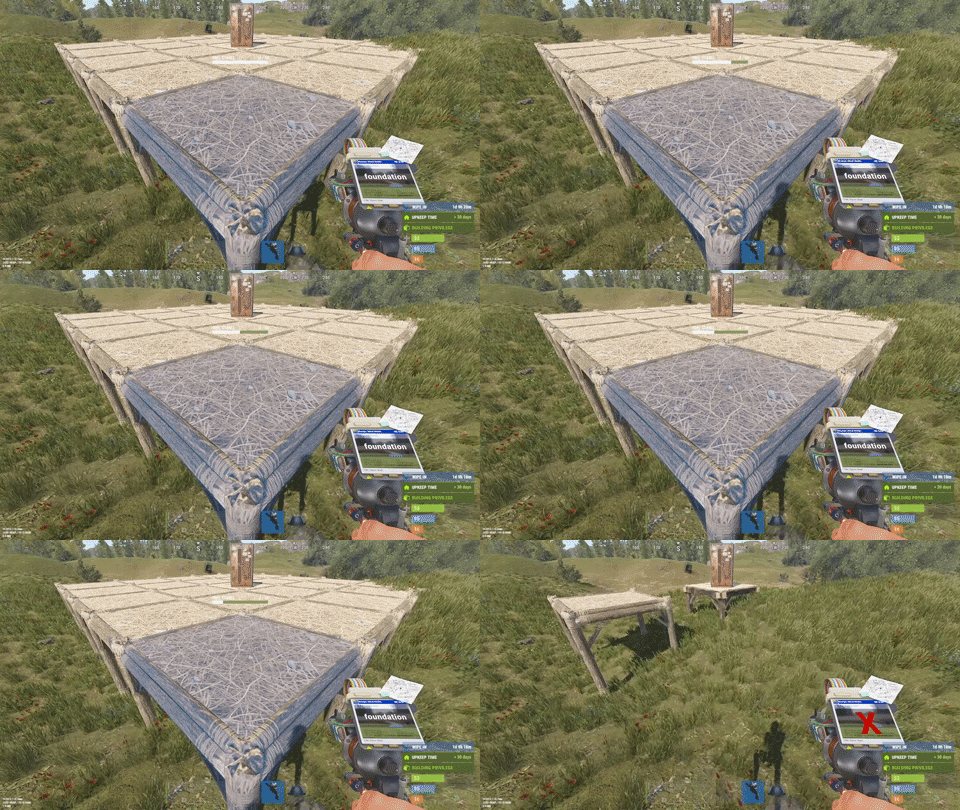
This plugin is designed for the forced decay of Building Blocks with Twigs grade. This plugin will be especially useful for PvE servers. The ability to enable and disable forced decay of Building Blocks with Twigs grade; The ability to specify the type of building block that will decay; The ability to adjust the interval of decay damage; The ability to specify the amount of decay damage; The ability to prevent players and the tool cupboard from repairing Building Blocks with a grade of Twigs; The ability to show warnings when placing/repairing Building Blocks with Twigs grade; The ability to specify the style type for GameTips; The ability to personally enable or disable warnings; The ability to automatically grade Building Blocks from Twig grade to Wood grade upon plugin initialization, if the owner player is offline. This helps to avoid the complete decay of buildings for those players who are offline and unable to upgrade right now; The ability to upgrade only undamaged building blocks during forced upgrades. { "Chat command": "twigs", "Is it worth enabling GameTips for messages?": true, "GameTips message style type - Blue_Normal(0), Red_Normal(1), Blue_Long(2), Blue_Short(3), Server_Event(4), Error(5).": 5, "Is it worth using Notify plugins for messages instead of the vanilla UI?": false, "Specify the message type for Notify": 1, "List of language keys for creating language files": [ "en" ], "Is it worth upgrading Building Blocks from Twigs grade to Wood grade during plugin initialization if the players are offline?": false, "Is it worth forcing the upgrade to apply only to undamaged blocks? This is an addition to the setting above.": true, "Is it worth disallowing the repair of Building Blocks with Twigs grade?": true, "The interval, in seconds, at which damage is inflicted on the building.": 60.0, "The periodic damage inflicted. Ranges from 0 to 10. Set to 0 to disable.": 1.0, "Is it worth enabling the tracking list? If it's disabled, it will track all types of building blocks without needing to check the list each time.": false, "List of tracked building block types. Leave empty or null to return the default list.": [ "foundation", "foundation.triangle", "foundation.steps", "ramp", "floor", "floor.triangle", "floor.frame", "floor.triangle.frame", "wall", "wall.doorway", "wall.window", "wall.frame", "wall.half", "wall.low", "block.stair.ushape", "block.stair.lshape", "block.stair.spiral", "block.stair.spiral.triangle", "roof", "roof.triangle" ], "Version": { "Major": 0, "Minor": 1, "Patch": 8 } } EN: { "MsgWarningEnabled": "Forced decay warnings are enabled!", "MsgWarningDisabled": "Forced decay warnings are disabled!", "MsgOnTwigsPlace": "On this server, forced decay of Building Blocks with Twigs grade is enabled!\n<size=12><color=#9A9A9A>To toggle notifications, use </color><color=#BBBBBB>/{0} warn</color></size>", "MsgOnTwigsRepair": "Repairing of Building Blocks with Twigs grade is prohibited!\n<size=12><color=#9A9A9A>To toggle notifications, use </color><color=#BBBBBB>/{0} warn</color></size>" } RU: { "MsgWarningEnabled": "Предупреждения принудительного гниения включены!", "MsgWarningDisabled": "Предупреждения принудительного гниения выключены!", "MsgOnTwigsPlace": "На данном сервере включено принудительное гниение построек из соломы!\n<size=12><color=#9A9A9A>Чтобы включить или выключить уведомления, введите </color><color=#BBBBBB>/{0} warn</color></size>", "MsgOnTwigsRepair": "Ремонт построек из соломы запрещен!\n<size=12><color=#9A9A9A>Чтобы включить или выключить уведомления, введите </color><color=#BBBBBB>/{0} warn</color></size>" } warn - Enabling and disabling personal warning. Example: /twigs warn$6.99 -

Version 1.0.4
1,660 downloads
Disables cold and heat damage. Usage - Copy the downloaded DLL file into server/HarmonyMods folder Support - If you need help or If you have any issues or suggestions you can contact me by joining my discord server: https://discord.gg/efVKDG6z6F or by adding me on discord: Farkas#6006Free -
Version 1.8.9
169 downloads
Tired of someone shooting into your players face on your PVE server? While it deal no damage it may lead to fps loss and be really annoying. This plugin will help you to punish them. The main idea of the plugin is to punish a player attacking another. There is variety of options in config file. You need to decide what exactly you want to do with attackers to punish them. Plugin will count every hit attacker made to another player. More hits - heavier punishment, because hits counter serves as multiplier. There are 4 thresholds by number of hits attacker made: The number of hits allowed without punishment The number of hits before death is used as a punishment The number of hits before kick is used as a punishment The number of hits before ban is used as a punishment Start with setting a number of hits you may allow do deal without punishment. Notifications to stop attacking players still appear (if enabled in config). Then set initial percentage of damage that attacker will get back. For example, by default it set to 0.5, so if attacker hits another player and dealt 30 hp damage he will get 50% back = -15 hp. Additionally ServerRewards RP will be discounted (if enabled in config) by formula: Initial server reward RP amount * The number of hits attacker made. After reaching death as punishment threshold punishment include death. After reaching kick as punishment threshold punishment include kick (if enabled in config) and additionally ZLevelsRemastered levels skills amount may also be taken (if enabled in config). After reaching ban as punishment threshold punishment include ban (if enabled in config). There are 2 ways to inflict damage on an attacker - using the slap plugin (if activated in config and loaded) or simply by taking away health. Here is an example of how this plugin works with default thresholds values (5, 10, 15) and Initial percentage damage (0.5) with 50 hp damage dealt by each shot. So by default, first threshold is 5 hits without punishment. Every hit attacker made he gets notification to stop attacking players. If player will continue hitting another player and reach first threshold 5 hits, on 6th hit he will get punishment: -25 hp (-50 hp, -75 hp and so on) and -100 RP (-200 RP, -300 RP and so on). If player will continue hitting another player and reach second threshold 10 hits, on 10th hit and every hit afterwards he will get punishment: death. If player will continue hitting another player and reach third threshold 15 hits, on 15th hit and every hit afterwards he will get punishment: kick and -10 levels skills in ZLevelsRemastered. You may also change time (5 minutes default) after which hits number will be cleared and count will start from scratch. Zone Manager support. If ZoneManager include mode is set to true, only attackers in specified zones will be punished. If set to false, only attackers outside specified zones will be punished. As a bonus, this plugin may help to solve several other problems: Protect personal growables from being damaged by other players Protect personal vehicles from being damaged by other players Prevent any fireball damage There is a problem with fireball damage in rust - you can't detect the author of this type of damage. So there is no way to know whose fireball is attacking target. This type of damage is dealt only by incendiary bullets. So to prevent players from abusing this you may want to disable incendiary bullets damage entirely. ## Permissions punishattacker.use -- give player/group this permission to activate punishment system for them punishattacker.immunity -- allows player to be ignored by punishment system ## Commands This plugin provides no commands ## Configuration Enable / disable notifications / logging Set SteamIDIcon steamid to set desired account icon in chat messages Enable / disable modes/plugins support ## Localization Out of the box plugins phrases are available on : English, Russian and Ukrainian { "Format.Prefix": "<color=#00FF00>[PunishAttacker]</color>: ", "Punishment.Damage": "Attacking other player punishment damage: <color=#FFA500>{0}</color>", "Punishment.Ban": "Banned for continuously attacking other player", "Punishment.Kick": "Kicked for continuously attacking other player", "Punishment.Kill": "<color=#FFA500>{0}</color> was attacking <color=#FFA500>{1}</color> and was punished", "Warning.First": "Stop attacking players or you will be punished!", "Warning.Second": "Stop attacking players or you will be killed!", "Warning.Third": "Stop attacking players or you will be kicked!", "Warning.Fourth": "Stop attacking players or you will be banned!" } Log file example:$15.00 -

Version 1.0.1
33 downloads
Give your professional players another reason to excel with this volcano. - To access the volcano you will have to overcome the oil ring to get to the main box, activate the elevator with a button that will give you access to the elevator door. - As you go down to the volcano via the elevator, you can equip yourself and take some anti-radiation pills, you will need them. - Inside the volcano you will have to choose wisely the way to activate the door using a fuse and a red card, be careful, the access to this mechanism is dangerous, remember you are in a volcano, the ground is lava!!!!$12.90 -

Version 4.3.5
44 downloads
Friends Plugin for Rust Server "Friends" is a robust and flexible plugin designed to enhance the in-game friends system in Rust. It will help streamline the interaction between friends, simplify the process of authorization, and access to important game elements, and manage damage between friends. Key Features: Damage Control: An integrated feature of damage blocking among friends helps prevent accidental damage. This feature can be easily enabled or disabled by command. Enhanced Friends Authorization System: The plugin allows activating friends' authorization for a wide range of elements, including: Turrets SAM site Code locks Key locks Cupboards Upon removal from the friends' list, the player will automatically be deauthorized from all the listed elements. Remote Friend Invitation: With a special command, you can invite a player to be friends, even from afar. Authorization Settings Flexibility: Choose between two authorization methods for code locks - guest authorization ("guestPlayers") or full authorization ("whitelistPlayers"). Compatibility and Optimization: The "Friends" plugin is optimized for maximum performance and is compatible with many other plugins. Extensive API: The plugin offers a comprehensive API for developers, providing flexibility and the possibility of further customization. Detailed Logging System: "Friends" includes a logging system, providing transparency and control over activities. Optimize your gameplay with the "Friends" plugin for Rust server. It will help improve your gaming experience, simplify interactions with friends, and make your server safer and more manageable. Commands: /team - Additional info /team invite/add <Nickname> /team ff - Friendly fire Default Configuration: { "Chat commands": [ "team", "ff", "friend" ], "Maximum number of friends": 3, "Time to accept team invite (in seconds)": 20.0, "Enable friend authorization for turrets?": true, "Enable friend authorization for SAM sites?": true, "Enable friend authorization for code locks?": true, "Enable friend authorization for key locks?": true, "Enable friend authorization for cupboards?": true, "Authorization method for code locks (guestPlayers - guest authorization, whitelistPlayers - full authorization)": "guestPlayers", "Enable logging system ?": false, "Chat prefix (IQChat)": "<color=#5cd6skykey>[Friends]</color>\n" } API for Developers HasFriend(ulong playerId, ulong friendId) //Checks if the specified user is a friend of the player. HasFriends(string playerS, string friendS) //Checks if the player has friends by their string identifiers. IsFriend(ulong playerId, ulong friendId) //Checks if the specified user is a friend of the player. AreFriends(ulong playerId, ulong friendId) //Checks if the specified players are friends. AreFriends(string playerS, string friendS) //Checks if the specified players are friends by their string identifiers. IsFriends(string playerS, string friendS) //Checks if the player has friends by their string identifiers. GetFriends(ulong playerId) //Returns the player's friends list. GetFriendList(string playerS) //Returns the player's friends list by the string identifier. GetFriends(string playerS) //Returns the player's friends list by the string identifier. IsFriendOf(ulong playerId) //Returns a list of players who are friends of the specified player. IsFriendOf(string playerS) //Returns a list of players who are friends of the specified player by the string identifier. GetFriendList(ulong playerId) //Returns the friends list of the specified player.$8.99 -
Version 1.0.1
24 downloads
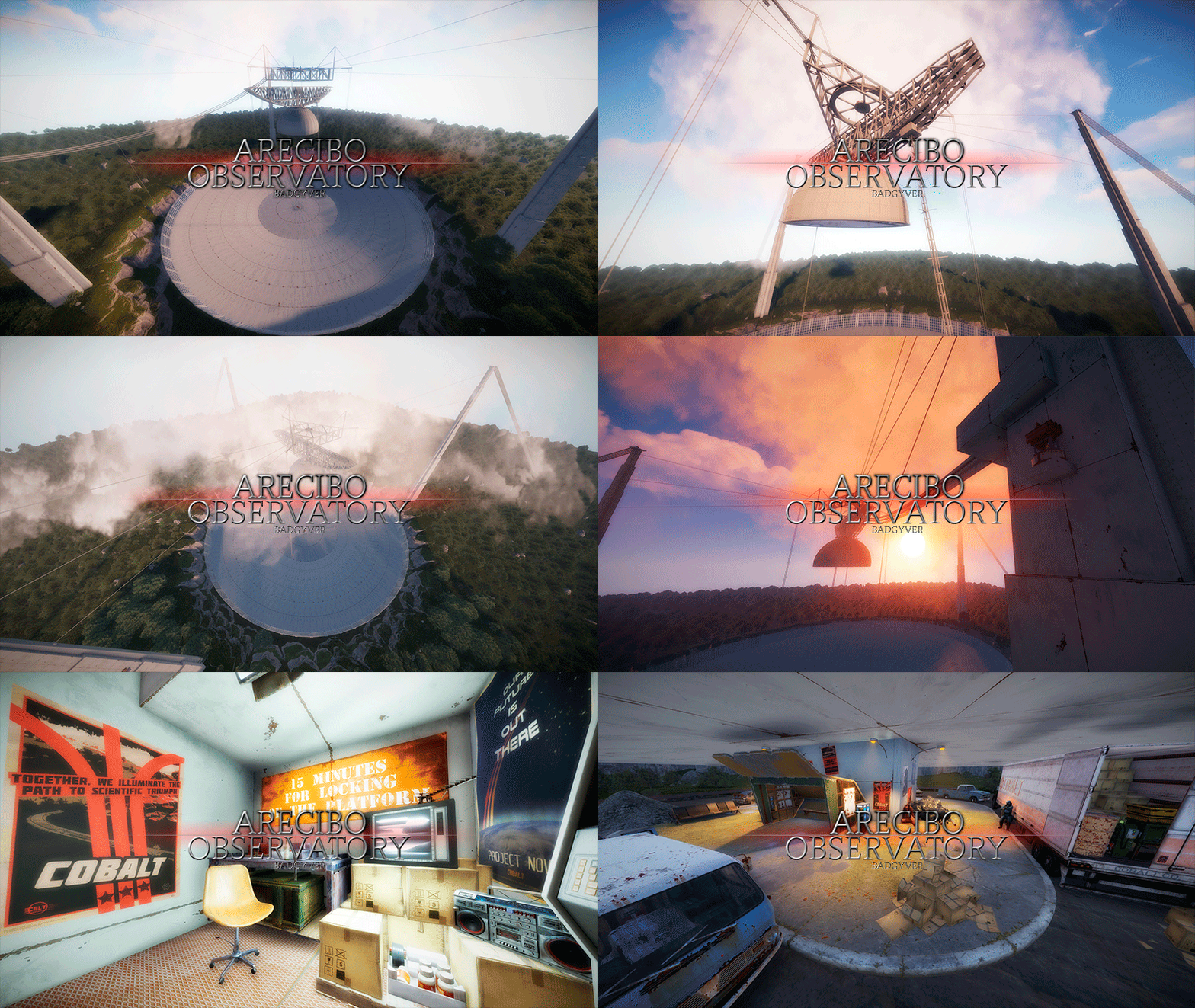
The Arecibo Observatory, also known as the National Astronomy and Ionosphere Center (NAIC) and formerly known as the Arecibo Ionosphere Observatory, is an observatory in Barrio Esperanza, Arecibo, Puerto Rico owned by the US National Science Foundation (NSF). IT CONTAINS: Great variety of Parkour, Puzzles, NPCs, Loot, Hackable Crates and a nice decoration. RECOMMENDATION: This monument has a high difficulty to complete, it is recommended for two players, although with higher difficulty one player can also complete this monument.$12.90- 2 comments
-
- 1
-
-
- #arecibo
- #observatory
- (and 80 more)
-
Version 1.0.0
420 downloads
This plugin allows you to modify the % of damage a entity does to players while not affecting the damage rate for other entities such as buildings! CONFIGURATION: { "Damage Scale": { "rocket_hv": 56.0, "40mm_grenade_he": 70.0, "grenade.f1.deployed": 60.0, "rocket_basic": 26.0 }, "Debug Mode": false }Free -
Version 1.0.1
46 downloads
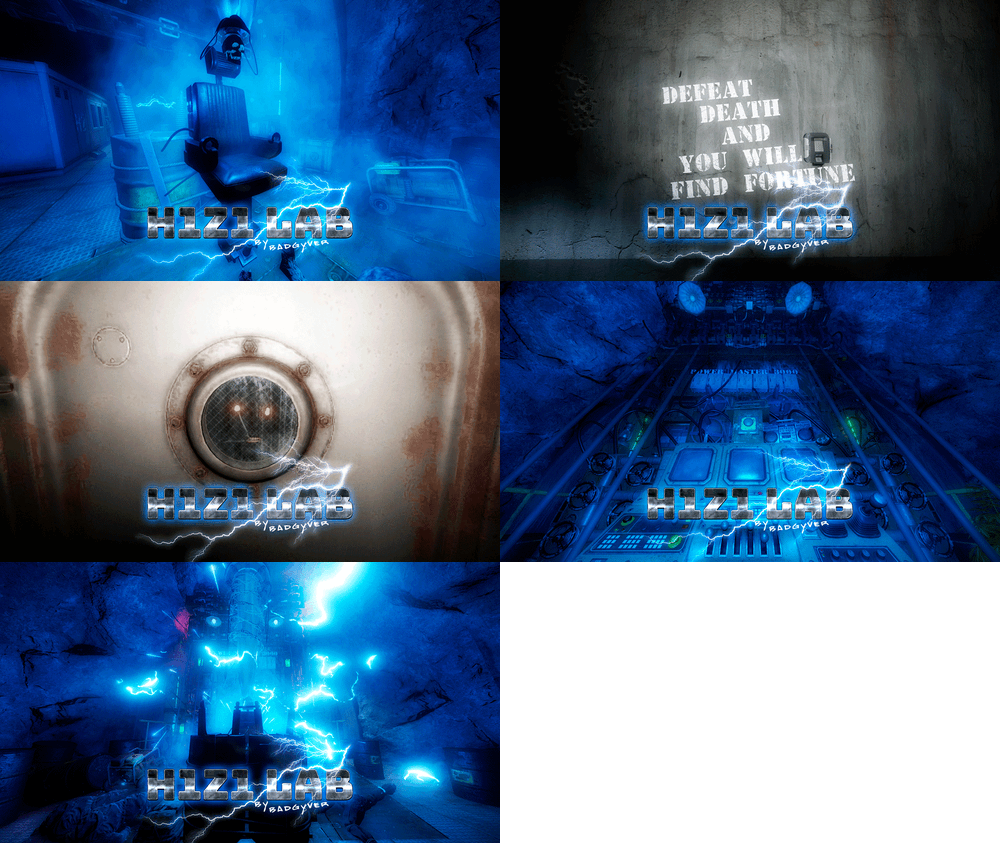
Will you be willing to give your life to find fortune? IT CONTAINS: H1Z1 Lab is an experimental laboratory with various puzzles to solve. It contains Zombies, NPC, traps, puzzles and an original crystal box in which you will get two hackable oil rig crates, plus extra loot of elite crates. VIDEO DEMO:$12.90 -
Version 1.5.2
2,933 downloads
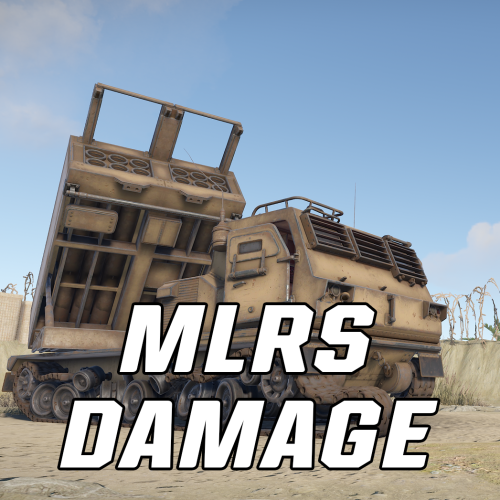
A must have for PVE servers! Allows you to modify the damage rate of the MLRS for Player bases, raidable/abandonded bases, and NPCs. Also allows you to adjust the cooldown timer of the MLRS. Console Commands mlrsdamage.damage <amount> - Changes damage multiplier amount. mlrsdamage.cooldown <amount> - Changes server cooldown timer for MLRS mlrsdamage.pvp <true/false> - Enable/Disable player pvp damage done by MLRS mlrsdamage.pvpbase <true/false> - Enable/Disable player base damage done by MLRS mlrsdamage.raidable <true/false> - Enable/Disable raidable/abandoned base damage done by MLRS mlrsdamage.npc <true/false> - Enable/Disable NPC damage done by MLRS mlrsdamage.rockets <amount> - Change total capacity of rockets able to be fired by MLRS mlrsdamage.module {true/false} - Enable/Disable the need for an Aiming Module mlrsdamage.interval {amount} - Change the interval between rocket launches Configuration "MLRS Settings": { "MLRS Damage Multiplier": 1.0, // scale at which the MLRS does damage "Allow Damage to Player entities": true, // allow damage to player owned entities "Allow Damage to Players": true, // allow damage to players "Allow Damage to Raidable and Abandoned Bases": true, // allow damage to Raidable or Abandoned Bases "Allow Damage to NPCs": true, // allow damage to NPCs on the map "MLRS Cooldown time (in minutes)": 10.0 // cooldown timer for MLRS, default is 10 "Total Rockets for MLRS to fire": 12 // total number of rockets to shoot in a single barrage, default is 12 "Rocket Launch Interval (in seconds)": 0.5, // time inbetween rocket launches. Must be positive, but can cause issues if set lower than 0.1 "Requires Aiming Module": false // When set to true, an aiming module is always put in the MLRS and is locked from being looted by players }Free -
Version 0.1.8
2,683 downloads
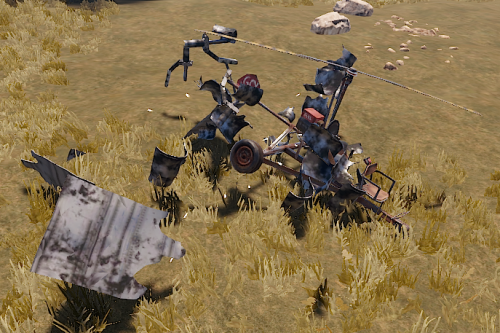
Disables collision damage and collision effects for helicopters, submarines, ground vehicles and trains when there are players mounted. No configuration file and no permissions.Free- 11 comments
-
- 1
-
-
- #vehicle
- #collision
- (and 3 more)
-
Hello! I am looking for a plugins that can make me set the life of every scientist, heavy scientist, etc. and the type of damage that is done to them based on the weapon. For example : With L96 if he is shot in the head 2 times he dies With Thompson if he is shot in the head 2 times he dies With Revolver if he is shot in the head 2 times he dies
-

Version 1.0.0
497 downloads
Explosion Damage Reducer change damage value of Rockets, High Velocity Rockets and HE Grenades to players. Just anti noob pvp # Configuration Values are in % { "Apply reduced damage to the attacker": false, "Rocket": 100, "High Velocity Rocket": 100, "HE Grenade": 100, "version": { "Major": 1, "Minor": 0, "Patch": 0 } }Free