Search the Community
Showing results for tags 'fuse'.
Found 7 results
-

Version 1.0.2
7 downloads
Small monument with a basic green card/fuse box puzzle. Crafted with attention to detail; this monument has been optimised for combat - the low performance impact location with an elite crate will attract and support frequent seamless PVP interactions, or form an ideal NPC stronghold. The layout has been designed with waypoints in mind and numerous points of cover, with forest splat and topology approaching the monument from various angles (closer than screenshots; was pulled back for visibility). 1.0.1 update has added RustEdit 2 compatibility. Cheers.$1.99 -
Version 1.1.3
114 downloads
Control the power grid stages, recycler mechanics, and powerline outputs directly from your server config. The plugin lets you easily add, edit, or remove grid stages, customize how each recycler type behaves as the grid powers up, and includes a shared Virtual Fusebox so players can contribute fuses to power the grid even on maps without a Powerplant monument. How it works Open the config file. Under "Powergrid Stages", you can add new stage blocks or edit existing ones. Under "Recyclers", you can configure powergrid-based settings for each recycler type (Green, Yellow, Red). Under "Virtual Fuse Box", you can enable/disable the virtual fuse box feature and customize its commands. Reload the plugin for the changes to take effect. The plugin will automatically sort your configured stages based on the required fuses and apply them directly to the server's power grid . You can set power to whatever you want, here I set "Powerline Available Power": 500 as an example. Recycler Powergrid Settings Configure how each recycler type behaves based on the current powergrid stage. For each recycler type (Green, Yellow, Red), you can control: Required Powergrid Stage To Operate - The minimum powergrid stage required for this recycler to function. Set to 0 to allow the recycler to work regardless of powergrid state. Required Powergrid Stage For Efficiency Override - The powergrid stage at which the custom recycling efficiency kicks in. Set to 0 to disable the efficiency override. Recycling Efficiency Override - The recycling efficiency when the efficiency stage is reached. Value from 0.0 to 1.0 where 1.0 = 100% resource return. Required Powergrid Stage For Duration Override - The powergrid stage at which the custom recycling duration kicks in. Set to 0 to disable the duration override. Recycling Duration Override - The recycling speed in seconds per cycle when the duration stage is reached. Default behavior (matching vanilla Rust): Green recyclers — Always usable. At stage 2, efficiency is overridden to 60%. At stage 4, duration is overridden to 4.5s. Yellow recyclers — Always usable. No powergrid-based overrides. Red recyclers — Requires powergrid stage 4 to operate. No efficiency/duration overrides. Chat Commands /recyclerinfo - Look at a recycler and use this command to see its type (Green/Yellow/Red), current powergrid stage, and all powergrid-related config values applied to it. Useful for verifying your configuration is working correctly. Requires permission: powergridstages.recyclerinfo /fusebox or /fb (or your custom alias) - Opens the virtual powergrid fusebox UI. Requires permission: powergridstages.fusebox /fusebox reset [1/2] - Admin command to instantly clear and reset the virtual fuseboxes. Requires Admin privileges. Useful Rust ConVars & Commands (Note: These are existing Rust convars and commands, not part of this plugin) powergrid.enabled - If disabled power grid functionality will be disabled. powergrid.status - A console command provides information about the current state of the server's power grid, including the active progression stage, the number of inserted fuses, and the total available electrical power. (This is a good place to go to verify the plugin applied changes properly) powergrid.simulatepowerplantfuses - Pretend there are this many additional heavy fuses currently plugged into the power plant. Can input negative numbers to negate the effect of any currently plugged in fuses. Default Config { "Virtual Fuse Box": { "Enabled": false, "Command": "fusebox, fb" }, "Enable Powerline Stage Mode": true, "Powergrid Stages": [ { "Required Fuses": 1, "Powerline Available Power (Only used if Powerline Stage Mode is enabled)": 15 }, { "Required Fuses": 4, "Powerline Available Power (Only used if Powerline Stage Mode is enabled)": 18 }, { "Required Fuses": 10, "Powerline Available Power (Only used if Powerline Stage Mode is enabled)": 24 }, { "Required Fuses": 18, "Powerline Available Power (Only used if Powerline Stage Mode is enabled)": 30 } ], "Recyclers": { "Green Recycler": { "Required Powergrid Stage To Operate (0 = No Powergrid Required)": 0, "Required Powergrid Stage For Efficiency Override (0 = No Override)": 2, "Recycling Efficiency Override (0.0 to 1.0, 1.0 = 100% Resource Return)": 0.6, "Required Powergrid Stage For Duration Override (0 = No Override)": 4, "Recycling Duration Override in Seconds": 4.5 }, "Yellow Recycler": { "Required Powergrid Stage To Operate (0 = No Powergrid Required)": 0, "Required Powergrid Stage For Efficiency Override (0 = No Override)": 0, "Recycling Efficiency Override (0.0 to 1.0, 1.0 = 100% Resource Return)": 0.0, "Required Powergrid Stage For Duration Override (0 = No Override)": 0, "Recycling Duration Override in Seconds": 0.0 }, "Red Recycler": { "Required Powergrid Stage To Operate (0 = No Powergrid Required)": 4, "Required Powergrid Stage For Efficiency Override (0 = No Override)": 0, "Recycling Efficiency Override (0.0 to 1.0, 1.0 = 100% Resource Return)": 0.0, "Required Powergrid Stage For Duration Override (0 = No Override)": 0, "Recycling Duration Override in Seconds": 0.0 } }, "Version": { "Major": 1, "Minor": 1, "Patch": 1 } }$9.99- 16 comments
- 2 reviews
-
- 4
-

-

-
- #powergrid
- #power
- (and 15 more)
-
Version 1.0.8
1,171 downloads
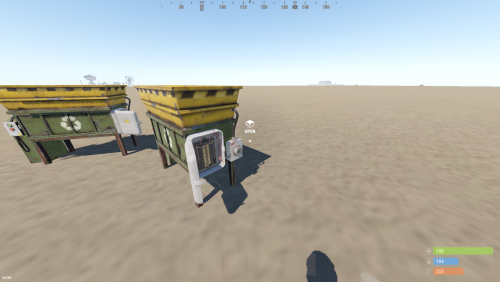
About: Recyclers will now require players to insert a fuses to toggle on the recycler. Config: { "Enable player placed only recyclers": false, "Fuse durability per recycle": 10.0 } Lang: { "NoFuse": "Please insert a fuse to toggle on the recycler." }Free -

Version 1.0.1
184 downloads
Subsation with a one fuse simple puzzle. Less then 15m diameter. 100 prefabs. To open the door just do : Fuse box -> Timer -> Button (see video below) Features : May be used near spawn locations, starting biomes etc. Players can climb on the electric pole (to scout environment or quit the monument). Can be linked to electric poles and ziplines. Prevent players from jumping into the monument from a horse. Installation and contact : Inside the ZIP. Loot Info : Outside : 1 blue barrel 1 food crate 1 destroyable roadsign Inside : 1 blue barrel 1 food crate 1 normal crate 1 fuel crate 1 yellow box crate E&O excluded, the video is a representation of the prefab when first released and can be updated, improved and changed. EnjoyFree- 1 comment
-
- 4
-
-
-
- #substation
- #prefab
- (and 11 more)
-
Version 1.0.1
24 downloads
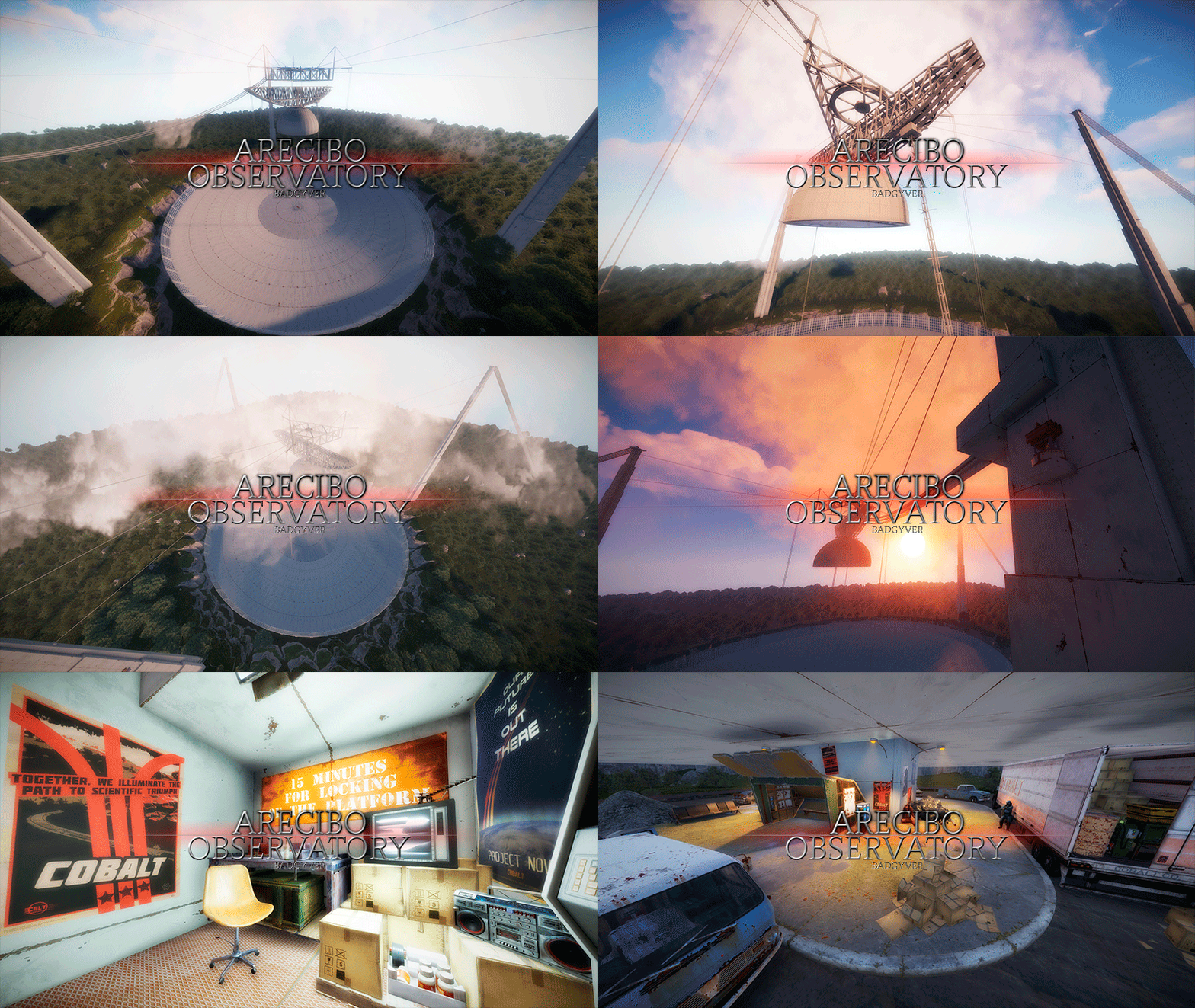
The Arecibo Observatory, also known as the National Astronomy and Ionosphere Center (NAIC) and formerly known as the Arecibo Ionosphere Observatory, is an observatory in Barrio Esperanza, Arecibo, Puerto Rico owned by the US National Science Foundation (NSF). IT CONTAINS: Great variety of Parkour, Puzzles, NPCs, Loot, Hackable Crates and a nice decoration. RECOMMENDATION: This monument has a high difficulty to complete, it is recommended for two players, although with higher difficulty one player can also complete this monument.$12.90- 2 comments
-
- 1
-
-
- #arecibo
- #observatory
- (and 80 more)
-
Version 1.0.1
29 downloads
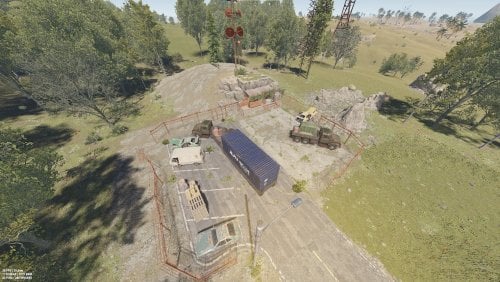
This is my Underground Shelter, It's samall monument with puzzle which large part is located below gruound . Details: Total prefab count - 489 which include invisible volumes and triggers Included is Alpha, Height, Splat and Topology Mask Monument contains Green card room and Blue card room Loot at monument : Outside monument : 3x loot barrel , 2x Oil Barrel, 1x Vehicle parts Behind green door : 3x Normal Crate, 3x Medical Crate, 4x Foodbox, 1x Tool Crate, 1x Fuel Crate, 3x Loot Barrel Behind blue door : 5x Miitary Crate, 3x Normal Crate, 1x Tool box, 1x Fuel Crate, 1x Ammo Crate, 3x Loot Barrel, 1x Red Card Utilities included : Recycler, Repair bench Computer Station + 3 CCTV Roleplay stuff : Piano, Chippy game, Heating System, working chairs and toilets Posibility for conecting to road system REQUIRED: Oxide.Ext.Rustedit.dll is required for the spawning of loot, keycards and for the puzzles to be active. You can contact me by Discord in case you have any Bugs, questions or ideas for improving monument ( STIVI#8212 )$4.99 -

Version 1.0.0
4 downloads
Create security door access via fuses and colour cards, 3 colour coded security doors with electrical kickstart for rust. Allowing players to exit monuments via press button. ATTENTION: WHEN USING THIS PREFAB PACK PLEASE ENSURE YOU ARE USING THE MOST UPDATED Oxide.Ext.RustEdit.dll - https://github.com/k1lly0u/Oxide.Ext.RustEdit Brought to you by KBedits, this prefab pack allows you to quickly setup triple-door/fuse monument puzzles. The electrical connections made in this prefab pack are NOT meant to be broken. If any electrical connections are broken by disconnecting Input/Output's can break the entire electrical set up. If you are curious on how to do these yourself, please refer to our DIY prefab packs. This pack includes the following. 1. Two-way Triple Security Door setups. a. Green Door/Card Reader to Blue Door/Card Reader to Red Door/Card Reader, Fusebox and Electric connections. b. Red Door/Card Reader to Blue Door/Card Reader to Red Door/Card Reader, Fusebox and Electric connections. Timerswitch included, to allow more time to pass, than standard fuse time. c. Green Door/Card Reader to Green Door/Card Reader to Green Door/Card Reader, Fusebox and Electric connections. Timerswitch included, to allow more time to pass, than standard fuse time. 2. Electrical Kickstart a. Start electrical flow to prevent electrical failure. b. Some components need to be triggered to work, this is that solution. What does this do? This allows setting up triple door puzzles. a. Player puts fuse in, and opens first door. b. Player puts 2nd fuse in, and opens second door. c. Player puts 3rd fuse in, and opens third door. What do I do with this? 1. Place downloaded prefab in rust edit and break the prefab. 2. Adjust Card Reader duration to specific time needed. (default: 10 seconds) 3. Adjust Timerswitch duration to specific time needed. (default: 10 seconds) 4. Depending on your needs, you will need to adjust times depending on the distance between each door. 5. Move Interactable prefabs. a. Security Doors(s) b. Card Reader(s) c. Door Manipulator(s) d. Fusebox(s) 6. Hide Power sources and switches to a place a player will not interact with. a. Hide Kickstarter (Source of Power) b. All Orswitch, Andswitch, Timerswitch, etc... c. Any and all prefabs the player should NOT interact with. All electrical prefabs in this pack have been tested and are working. If you have ANY issues, please post in the support section.$5.99