Search the Community
Showing results for tags 'prefab'.
-

Version 1.0.3
17 downloads
Highly Optimized City Map for Rust Servers A professionally optimized city designed specifically for Rust servers, containing approximately 7,500 prefabs. This city is actively tested on my own Rust server and delivers excellent performance and stability, even under load. Every building features a fully detailed interior Included Buildings & Interior Details - Police Station Fully furnished interior including prison cells, captain’s office, interrogation areas, and operational rooms. - City Hall Detailed interior with mayor/captain offices, storage room and public service spaces. - Bank Interior includes offices, counters, and vending "ATM" lookalike. - Car Showroom Spacious interior designed for vehicle display, offices, and customer areas. - Residential Houses (2 Sizes) Fully accessible interiors, suitable for player housing or roleplay scenarios. - Motel Multiple rooms with corridors and service areas. - Shop / Store Interior with shelves, counter. - Garages Functional interiors suitable for vehicle storage, workshops, or loot areas. Additional Information Approximately 7,500 prefabs, Optimized for high FPS and smooth server performance, Ideal for RP, PvE, or custom PvP servers, Frequent updates and ongoing improvements$25.00 -
Version 1.1.0
2 downloads
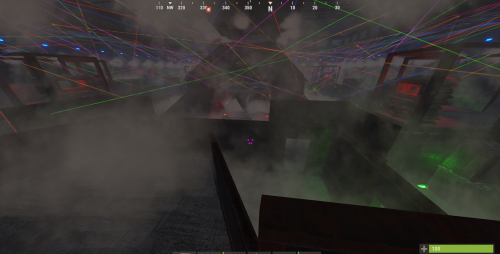
A finished, multi-level neon laser event arena you paste in-game with the free CopyPaste plugin - no RustEdit, no map edit, no restart. ~50 x 50 m, 2,442 entities: 48 lasers, 280 coloured lamps, 84 fog machines and 12 neon signs, plus an elevated waiting/spectator ring overlooking the fight. Laid out with roughly 8–12 fighters in mind — no player cap is built in, so run it with fewer or more as you like. You set your own spawn points; the top ring is the waiting/viewing area. License key terms - read before purchase One purchase covers all Rust servers owned/operated by the same person or organisation (one server network); it does not cover servers owned/operated by others. No resale, sharing, uploading, leaking, or other redistribution of the file or a re-saved copy. You may modify the pasted build / arena file for use on your own servers; modified versions may not be redistributed or sold. Backups for your own use and renaming the CopyPaste file are allowed. Full terms are in LICENSE.txt inside the download. Unofficial fan-made content, not affiliated with or endorsed by Facepunch. Support: CupboardLabs support server https://discord.gg/ShGErFAez4 or [email protected] What's included neon-laser-arena-8-12.json - CopyPaste arena file (2,442 entities) README-INSTALL.txt - paste commands, renaming, power notes, tips VERSION.txt - exact counts, footprint and file SHA256 LICENSE.txt - CupboardLabs license The arena (v1.1.0) About 50 x 50 m footprint (49.50 x 49.50 m), about 12 m tall, multi-level floors, roof/window lines, cover barricades, doors and hatches 48 laser lights saved Fast/High (speed High), colours alternating Red/Green/Blue/Yellow/Pink 280 industrial wall lamps saved On (red, blue, green, plain) 84 fog machines saved On with fuel in the save 12 neon signs (125x215), 4 painted wood signs (CupboardLabs logo), 17 blank paintable windows for your own art/branding Elevated top ring: built-in waiting/spectator area, separate from the arena floor, overlooking the match through the window ring Armoured build, 1,801 building blocks on its own foundations - stands with normal stability on flat ground. A TC with upkeep is recommended. Requirements Rust server (Oxide/uMod or Carbon) CopyPaste plugin (free, uMod) - REQUIRED Admin permission to paste (command and options in README-INSTALL.txt) 2,442 entities plus ~412 light/fog devices - test performance on staging first Works with your event setup A CopyPaste building (no RustEdit, no game-mode code). Use it as a map in the event/arena plugin you already run, or run fights by hand. No spawn file is included - place fighter spawns on the arena floor and waiting/spectator spawns in the top ring. Compatible with CupboardEvents Arms Race later; not required. CupboardEvents automated arena treatment is planned separately and is not included. Lighting & power Every laser, lamp and fog machine is placed with its settings saved. Power wiring is not part of the paste: hook up generator/battery power and fuel as you would for any lit Rust base, or use an event plugin that powers arena IO. Details in README-INSTALL.txt. Screenshots Screenshots show arena powered/fuelled on author's test server via event treatment; plain CopyPaste paste arrives unwired - wire/fuel devices or use treatment plugin. The CupboardEvents treatment shown is not included in this purchase. Refunds / warranty Refunds and warranty, if any, are governed by CodeFling's Refund Policy and Warranty Terms as presented at purchase. Please test the paste on a staging server first. Digital product - see LICENSE.txt in the download.$9.99 -
Version 1.0.1
11 downloads
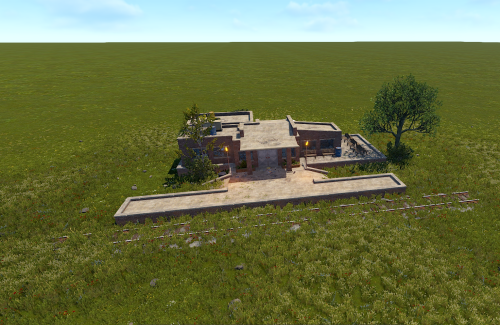
Железнодорожная станция. 1 - большой ящик 1 - военный ящик 2 - малых ящика 2 - малых ящика с едой 3 - синие бочки 3 - желтые бочки 1 - ящик с деталями для машин 1 - ящик с инструментами$6.00 -

Version 1.0.1
9 downloads
Christmas is coming! Which means it would be nice to congratulate the players of your wonderful server Great for putting the location in the Christmas mood Prefabs count: ~449$1.50 -
Version 1.0.1
18 downloads
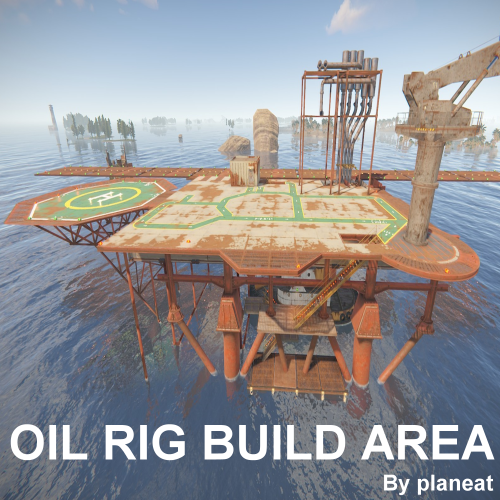
Custom Oil Rig to build a base, can build on deck 1.This Area are built with a full flight deck similar in appearance to an aircraft carrier to operate Minicopter and Scrap Transport Helicopter, Attack Helicopter. 2Adam plugins "Biplane” can take off and land on the runway. 3.Tugboat can dock below deck INSTALLATION Drag & Drop Gently adjust to the water and land.$9.00- 3 comments
-
- 1
-

-
- #build base
- #prefab
- (and 4 more)
-

Version 1.2.1
50 downloads
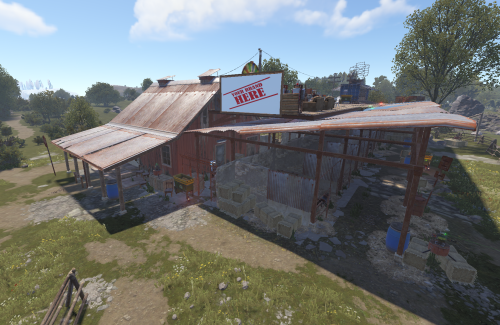
NOW FREE <3333 If you enjoyed using my Merged Ranches please please please leave a review This file is being provided free of charge for anyone to use, primarily as part of my portfolio. As this is a free resource, support will be limited. However, if you need assistance adding it to your map, feel free to reach out and I'll do my best to help. Additional requirements You will need to download and install CustomMapVehicleVendorFix.cs for the repairable helipads to work as intended. Showcase videos Small Ranch : https://youtu.be/CMoaiFNX0zk Large Ranch : https://youtu.be/_L299upy5BQ Large Barn Features AirWolf 10 recyclers 1 Gambling Wheel 1 Texas Hold 'em Table 3 Slot Machines 1 Blackjack Machine 2 Chippy Arcade Machines Marketplace 2 Brand/Advertisement Signs 1 Tier 1 Workbench 1 Repair Bench 1 Research Table 1 Small Oil Refinery 6 RoadSigns spawners (same RoadSigns found in outpost) Small Ranch Features AirWolf 5 recyclers 1 Gambling Wheel 1 Texas Hold 'em Table 4 Slot Machines 1 Blackjack Machine 3 Chippy Arcade Machines Marketplace 2 Brand/Advertisement Signs 1 Tier 1 Workbench 1 Repair Bench 1 Research Table 1 Small Oil Refinery 4 RoadSigns spawners (same RoadSigns found in outpost)Free -
Version 1.0.0
9 downloads
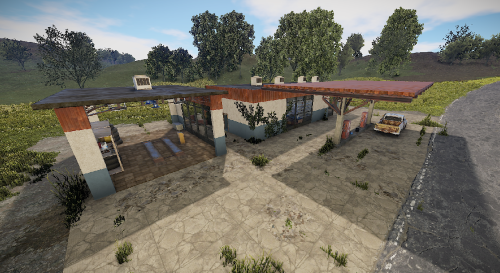
a gas station with a garage for repairs to vehicles. The station offers a shop with toilets in the rear area. A recycler is available for scrap. Loot can be found everywhere. Prefabs: 603 Please note: Download the prefab files and place them in RustEdit/CustomPrefabs directory of RustEdit. The prefabs can be accessed in the custom section of prefab browser. To use sinlge letters, the prefab has to be broken by selecting it (once placed) and using the "break prefab" function. Questions and suggestions: If you have any problems you can contact me via Katalaner - Discord: https://discord.gg/e2vrPszZFX Youtube: https://www.youtube.com/channel/UC_5P_wAFKl5bdndkDEQDK4g$5.00 -
Version 1.0.1
4 downloads
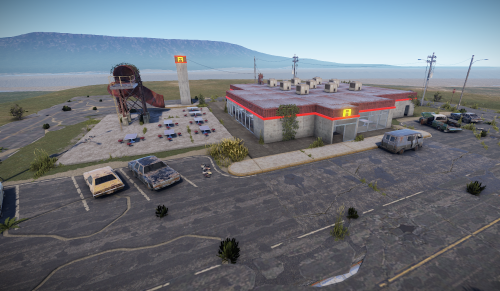
A typical fast-food restaurant where all your daily killing needs are fulfilled. Much the same as most of your local Fast-Food drive through's places with plenty of seating and entrance points, cover areas to allow patrons exchange healthy death blows. There is a management area, with changing room, office and warehouse for the storage. The main loot is a Red Card puzzle and the loot is two military boxes and a small mixture of mixed loot around the monument. Prefab Count 896 (how many prefabs are in the pack) Please note: Download the prefab files and place them in RustEdit/CustomPrefabs directory of RustEdit. The prefabs can be accessed in the custom section of prefab browser. To use sinlge letters, the prefab has to be broken by selecting it (once placed) and using the "break prefab" function. Important: I don't use "prevent building sphere/cubes" in any of my prefabs, also no monument markers are set. These need to be added by yourself. If the NPCs are not wanted, press the H key (overview of all prefabs) and delete them from the prefab. Questions and suggestions: If you have any problems you can contact me via Katalaner - Discord: https://discord.gg/e2vrPszZFX Katalaner Webseite: http://katalaner.de Youtube: https://www.youtube.com/channel/UC_5P_wAFKl5bdndkDEQDK4g$5.00-
- 1
-
-
- #prefab
- #mub-studios
- (and 2 more)
-

Version 1.0.0
21 downloads
🏗 Buildable Monuments Pack Of 3 – Ultra Optimized A premium collection of three fully buildable custom monuments designed for performance, flexibility, and serious base potential. Includes: • Buildable Custom Supermarket • Bus Stop Base • Cobalt Gamers Military Style Base Each monument is optimized to stay lightweight while delivering detailed, high-quality environments players can fully build inside. Perfect for: • Custom takeover bases • PvP hot zones • Roleplay hubs • Clan headquarters • Strategic raid targets Great for 2x to 100x+ gather rate servers. Performance First ✔ Optimized prefab counts ✔ Fully buildable interiors ✔ Clean layouts ✔ High-pop server friendly ✔ Drop-in ready 🏗 Fully Buildable Structures Players can: • Add honeycomb and defenses • Create loot vault cores • Design trap systems • Build rooftop fortifications No restricted build zones inside the main structures. Full control. Full creativity. 🛠 Easy Installation Flatten terrain in RustEdit if needed, place the monuments, clean up terrain modifiers, and you’re set. Three monuments. Fully buildable. Instant server upgrade.$9.99-
- 1
-
-
- #buildable monument
- #base
- (and 13 more)
-
Version 1.0.0
42 downloads
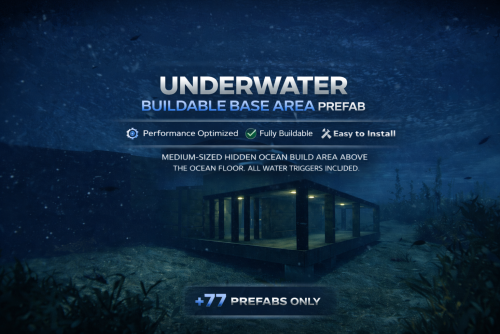
Underwater Buildable Base Area – Ultra Optimized A well-crafted underwater build area designed for performance, creativity, and hidden ocean gameplay. Built with only 77 prefabs total, this structure is extremely lightweight and server-friendly. If performance matters to you, this prefab delivers. Perfectly sized (Medium) for players to create: • Hidden underwater bases • Full honeycomb defenses • Secret loot vaults • Roleplay labs or ocean bunkers Great for 2x to 100x+ gather rate servers. Performance First ✔ Only 50 prefabs ✔ Clean geometry ✔ No unnecessary entities ✔ Designed for high-pop servers ✔ No need for any terrain modifiers ✔ Place in flat ocean and good to go Clean Lighting & Full Water Triggers Includes all water triggers and balanced underwater lighting so players can build and fight comfortably. 🛠 Easy Installation Just place it on any flat ocean location in your map grid. Lower it until the flooring slightly clips the terrain, then raise it so the concrete sits about a foot above the ocean floor. Face the entrance towards the deep sea. Done. Give your players a reason to dive. Hidden bases. Ocean defense. Next-level gameplay.$4.99- 15 comments
- 1 review
-
- 1
-
-
- #underwater base
- #underwater monument
- (and 17 more)
-

Version 1.0.1
140 downloads
Ultra basic, low impact prefab for adding flavour to environments; 49 prefabs used. Spawns a green crate and a basic crate. Best used in jungle or temperate biomes due to the green growth. Comes with splat directly around the heli and building topology to prevent inappropriate spawning; will require a 'no-build' zone though.| 1.0.1 update added RustEdit 2 compatibility. Enjoy!Free -

Version 1.0.2
7 downloads
Small monument with a basic green card/fuse box puzzle. Crafted with attention to detail; this monument has been optimised for combat - the low performance impact location with an elite crate will attract and support frequent seamless PVP interactions, or form an ideal NPC stronghold. The layout has been designed with waypoints in mind and numerous points of cover, with forest splat and topology approaching the monument from various angles (closer than screenshots; was pulled back for visibility). 1.0.1 update has added RustEdit 2 compatibility. Cheers.$1.99 -

Version 1.1
10 downloads
A Monument made as close to replica of Construction Site (Fortress) from Escape from tarkov with some minor differences when it comes to loot! Prefab Count: 3211 This Monument contains as follows Crates 4x Normal Crates 3x Medical Crates 7x Military Crates 4x Tool Crates 3x Basic Crates 2x Vehicle Parts 2x Food Crates 5x Loot Barrels 1x Green Card spawn Tools 2x Recyclers 1x Mixing Table 1x Research Table 1x Repair Bench CCTV Cameras Constructionupper1 Constructionupper2 Constructionupper3 Constructionupper4 Constructionupper5 Constructionupper6 Constructiondown1 Constructiondown2 Constructiondown3 Constructiondown4$14.95 -

Version 1.0.0
1,096 downloads
An ordinary concrete bridge Prefab count: WF Concrete Bridge Small v1 - 1611 WF Concrete Bridge Small v2 - 1681 WF Concrete Bridge Medium v1 - 3347 WF Concrete Bridge Medium v2 - 3461 WF Concrete Bridge Big v1 - 5152 WF Concrete Bridge Big v2 - 5400Free -

Version 1.0.3
3 downloads
My Remake of Abandoned Super Market with A Red door puzzle with a hidden fusebox has 2 elite crates inside puzzle with a oilrig crate and tech parts crate alsoincludes a map to test the prefab Also added a taco van designed by me and Explosive_Shart who made the idea a reality$2.00 -
Version V1
17 downloads
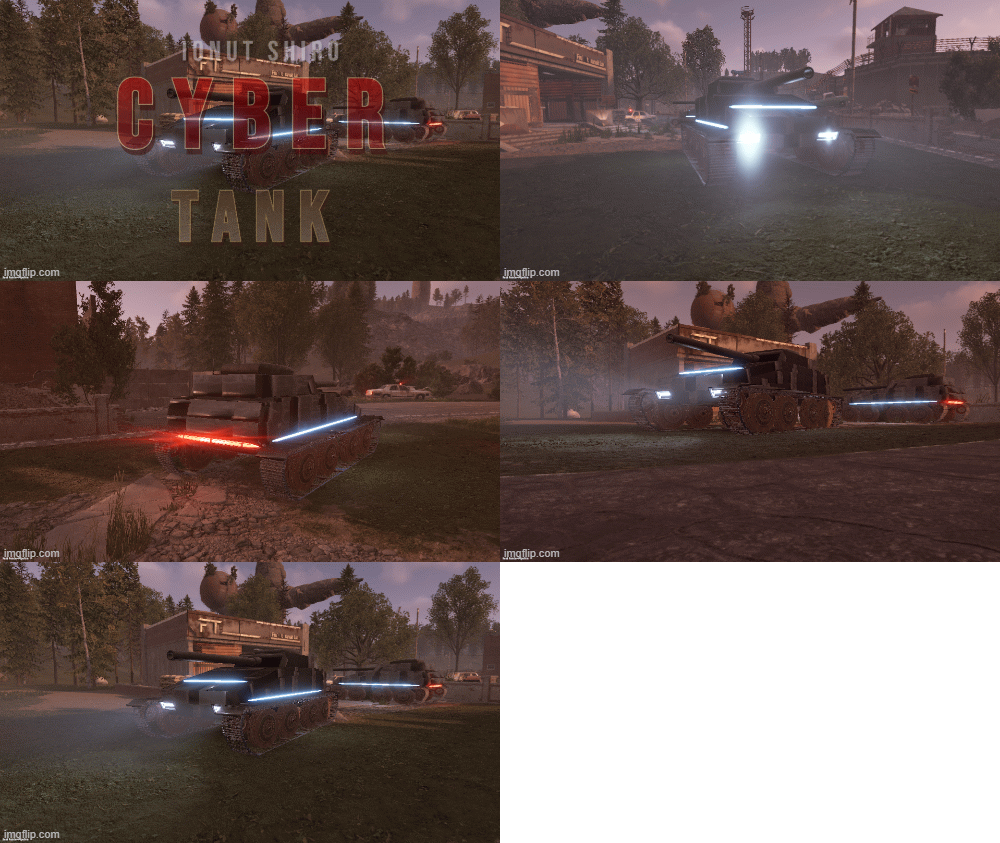
The tank of the future fits perfectly into the theme of the game cyberpunk 2077. It will look beautiful everywhere$2.50 -
Version 1.0.1
53 downloads
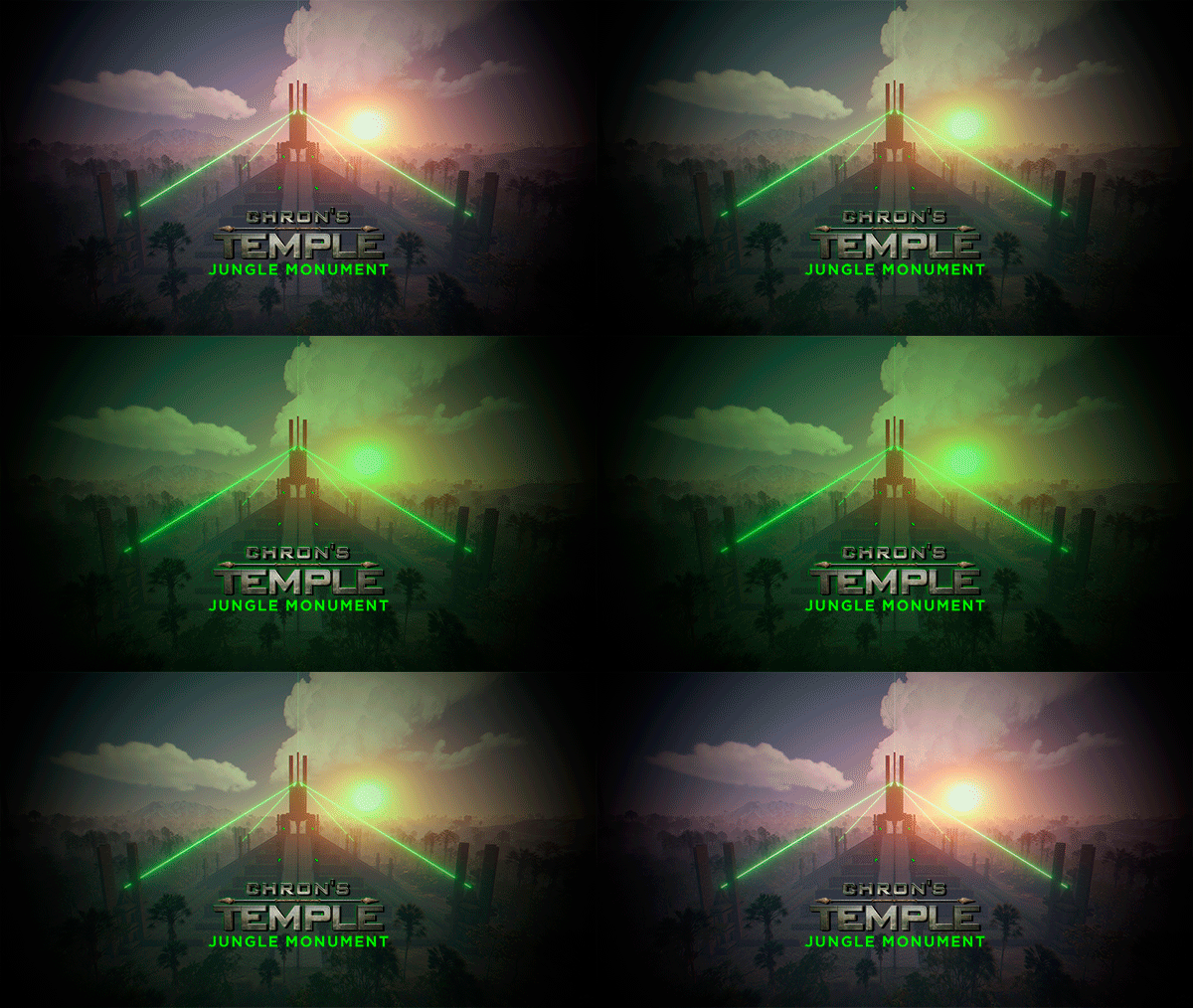
- Chrons Temple is a pyramid with an Aztec and sci-fi style. - This Custom Monument with a touch of the movie Alien challenges you with a variety of tests and traps you'll have to overcome to get the loot from the Chrons Temple. INCLUDES - Creatures from the movie Alien. - Six floors with tests and traps. - NPCs. - Loot. - Hackable crates. - Elevator. - Puzzles. - Parkour.$14.90 -
Version 1.4.7
6,082 downloads
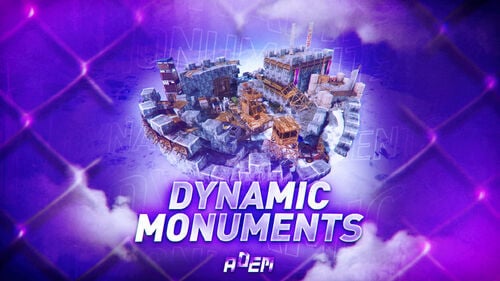
DynamicMonuments is a groundbreaking plugin for Rust servers that breathes new life into your maps! Say goodbye to tedious manual map editing or relying on RustEdit. With just a few clicks, your server will be transformed, featuring 18 unique monuments that blend seamlessly into any environment. Key Features: Dynamic Spawning: - Monuments can spawn randomly during wipes or with each server restart (optional) - Customize spawn frequency and zones through the plugin's configuration - A variety of monument complexities, ranging from cozy hideouts to sprawling fortresses 18 Unique Monuments: - Water Monuments - Coastal Monuments - River Monuments - Roadside Monuments - Modifications for Standard Monuments: (Metro entrances, power line towers, substations, quarries, and more). Personalization: - Give players personal monuments Versatility: - Compatible with both custom and procedural maps. - Automatically adapts to terrain, water, and roads. - No RustEdit required! Everything is managed through the plugin's configuration. Giving a monument to a player 9 out of 18 monuments can be given to players for personal placement. The dynamic monument is represented as a flare with a unique skin, which can be given to players in any way, such as through an in-game store. To spawn the monument, the player must hold the flare and find a suitable location, receiving instructions in the chat and notifications. Once placed, the monument is locked to the player, and only they can loot it. Chat commands (admin only) /killmonument - destroys the DynamicMonument you're looking at /replacecrate NewCratePresetName - replaces the crate you're looking at on the location with NewCratePresetName /spawnmonument PresetName - spawns a monument in a random position /spawnmonumentmypos PresetName - spawns the monument in your position /killallmonuments - destroys all DynamicMonuments on the server /respawnmonuments - forcibly launches automatic respawn of DynamicMonuments /givemonument PresetName - give the monument to yourself /addprefabspawnpoint PresetName — adds a crate or static NPC spawn point to a monument at your current position (only for Static Npc and crates) /removemonumententity command — removes entity spawn point you're looking at. (only for StaticNpc/crates/Entities for respawn) Console commands (RCON only) spawnmonument PresetName - spawns a monument in a random position killallmonuments - destroys all DynamicMonuments on the server respawnmonuments - forcibly launches automatic respawn of DynamicMonuments givemonument PresetName userID - give the DynamicMonument to the player Plugin Config en – example of plugin configuration in English ru – example of plugin configuration in Russian Check out the rest of my work: Adem's Codefling Library You can reach out to me in Discord: Adem's Discord Profile Join the Mad Mappers Discord!$49.99 -
Version 1.0.1
21 downloads
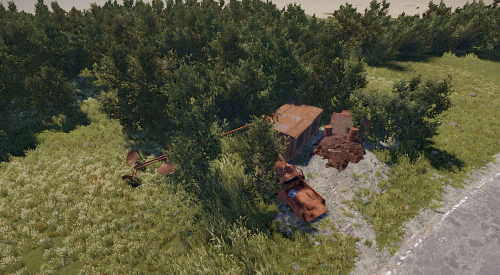
Extended pack for your custom map or procedural generation maps, includes 7 new cool custom prefabs with loots.$4.99 -

Version 1.0.1
18 downloads
Nuclear Power Plant - is an industrial Nuclear Power Plant area, surrounded by sturdy fences and guarded by turrets and armed NPCs. Inside you’ll find key facilities for energy production and control: Reactor Hall — housing active nuclear reactors generating power. Machine Room — equipped with turbo generators and auxiliary equipment for energy conversion and distribution. Control Room — with consoles and monitoring systems overseeing plant operation. Checkpoints — controlled access points guarded by armed NPCs. High Radiation Zones — requiring special protective gear to enter safely. Helipad — for rapid personnel transport and emergency evacuation. Loot Areas — containing valuable industrial equipment and rare resources. This is a strategically important, high-risk zone offering valuable rewards — perfect for organized teams and intense PvP battles. Used NPC Spawn and Radiation Volume prefabs. For correctly work please install RustEditExt library befor running the server.$29.99-
- 2
-

-
-
- #powerplant
- #prefab
- (and 5 more)
-
Version 1.0.0
2 downloads
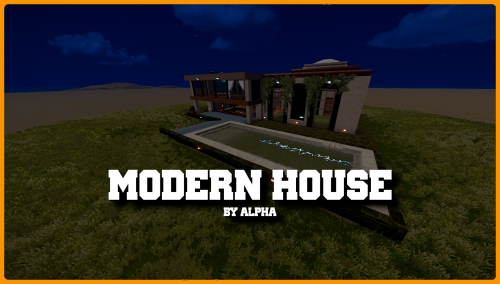
MODERN HOUSE "A sleek and stylish modern house, designed with a contemporary and minimalist aesthetic. This prefab features a harmonious structure with clean lines, large glass windows for abundant natural light, and a blend of concrete, wood, and metal materials for a refined and modern look. The design includes a spacious interior with well-defined areas, a terrace or panoramic balcony, and architectural details that make it stand out in any setting. Perfect for urban-themed maps, residential roleplay zones, or as a standout feature in Rust environments. This prefab is both functional and visually appealing, adaptable for various in-game uses." - Modern walls: Using concrete and wood. - Large Glass Windows: To allow natural light. - Internal garage: a garage in the living room, very elegant! - Two bedrooms with bathrooms, a kitchen and a fireplace, perfect for snowy environments! I hope you enjoy it! Discord support - DISCORD$10.00 -

Version 4.0.0.0
56 downloads
Dust II (de_dust2) for Rust Dust II, also known as de_dust2, is one of the most iconic maps from the Counter-Strike series. This is a fully recreated and optimized Rust prefab, carefully redesigned to preserve the classic Dust II layout while fitting naturally into Rust's gameplay and environment. I hope you and your players enjoy this map! Bonus: After purchasing, I can install the prefab on your Rust map for free. If you'd like this service, feel free to contact me. Discord$16.00 -

Version 1.2.5
441 downloads
Great custom map with a large size but also a high density of water. The history of the map creation is timed to coincide with the Halloween update of the game Rust 2022. On the map you can find iconic locations from various movies and games For which plugins do I provide configuration files? Defendable Bases BetterNpc BossMonsters Description Size: 4000к Prefab Count: ~54к Custom monuments: Railway Depo Gornizon Pumpkin Sphere Outpost / Bandit Camp (Combined together and decorated in the Halloween style) Amusement Park Camp Crystal Lake Haddonfield Frankenstein's Castle Several places for the building of base Standard monuments: Radtown (NEW) Launch Site Train Yard Excavator Harbor [2/2] Military Base Military Tunnel Arctic Base Junkyard Water Treatment Plant Airfield Lighthouse Satellite Dish Stables [2/2] Oil Rigs [2/2] Underwater Labs Jungle Ziggurat Jungle Ruins Check out more of my work here!$34.99- 17 comments
- 3 reviews
-
- 8
-

-
-

-
- #halloween
- #building
- (and 23 more)
-
Version 1.0.0
7 downloads
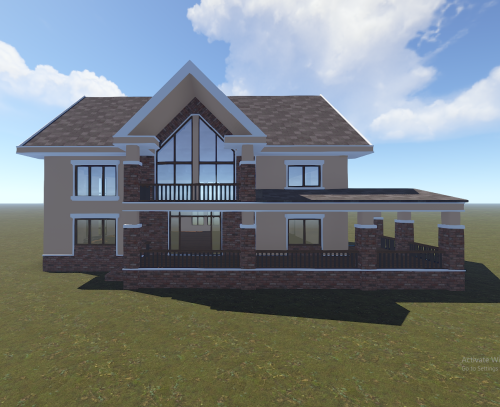
Modern Luxury House is a detailed and stylish prefab designed for Rust servers that want to add realistic residential areas or high-quality custom locations to their maps. The house features a modern architectural style combined with classic brick accents, creating a clean and premium look.$7.00 -
Version 1.0.2
109 downloads
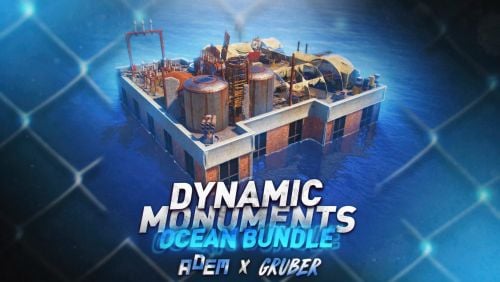
Note: This is an add-on, not a standalone plugin. It requires the DynamicMonuments plugin to be installed (sold separately). Take Dynamic Monuments offshore with the Ocean Bundle — a collection of 10 unique monuments designed for the sea and coastline. Explore floating industrial facilities, offshore outposts, pirate locations, flooded settlements, remote strongholds, and other new places filled with loot and NPCs. No RustEdit is required. All locations are spawned and managed directly by Dynamic Monuments. Included in the bundle: - 10 unique monuments - 8 offshore locations - 2 coastal locations - NPCs on 9 of 10 monuments - 7 of 10 monuments are player-placeable - Automatic monument spawning Included monuments: - Floating Depot - Sea Dog Tavern - Oil Depot - Shipbreaker Camp - Island Stronghold - Oilworks - Offshore Outposts - Broken Bridge - Flooded District - Smuggler Island 7 monuments can be given directly to players. Players can choose where to place them, while large island locations are excluded from player placement. Player-placeable monuments: - Floating Depot - Sea Dog Tavern - Oil Depot - Oilworks - Offshore Outposts - Broken Bridge - Flooded District Dynamic spawning Monuments can automatically spawn around the map. They can also respawn in different positions after a server restart, making the map less predictable and giving players new locations to discover. Installation Instructions 1. Make sure you have the latest version of the DynamicMonuments plugin installed. 2. Move the contents of the `data/DynamicMonuments` folder from the downloaded archive into the `oxide/data/DynamicMonuments` folder on your server. 3. Reload the DynamicMonuments plugin. Check out the rest of my work: Adem's Codefling Library Join the Mad Mappers Discord!$39.99