Search the Community
Showing results for tags 'quest'.
Found 10 results
-
Version 8.8.12
3,404 downloads
XDQuest: A comprehensive and customizable quest system for your RUST server! XDQuest is a powerful and flexible plugin that introduces a comprehensive and dynamic quest system into your game world. With 31 different types of missions available for players, the possibilities are almost limitless. Players receive various rewards for completing missions, adding even more incentive to accomplish tasks. At the moment, this is the largest and only quest system available! XDQuest is your key to creating endless adventures in the world of RUST. List of features: (The description briefly outlines the functionality and includes screenshots.) Interactive website for creating quests: XDQuest-Creater - On my website, you can easily and quickly create quests. Forget about manually editing JSON files — my user-friendly interface will make the quest creation process simple and enjoyable! The plugin offers four types of rewards: Items Blueprints Custom items Commands It integrates perfectly with various economic systems, and also supports Skill Tree and ZLevels. List of missions Mission setup Reward setup Detailed instructions and settings on the website: XDQuest-Creater - My website features clear and informative instructions that will help you configure the plugin and master all types of missions. You will gain access to it immediately after purchasing the plugin. Discover the simplest and most effective way to configure using my guide! Beautiful and modern UI: The stylish and intuitive interface makes using XDQuest simple and enjoyable. There is a mini-quest list that allows your players to remotely track the progress of their missions. UI UI Mini quest list Example of UI customization (Rusty Wasteland PvE) Capabilities and NPC settings: NPCs have their own voice-overs; currently, they can respond to the user on 4 triggers: 1.Greetings 2.Farewells 3.Task acceptance 4.Task completion You can also upload and use your own sounds for any of these 4 triggers, and the website will assist you with this as well. Dress your NPC however you like and create a unique appearance for them. There is an option to change the location of the NPC. Your NPC resides in a unique dwelling created in accordance with their character and backstory. Available types of missions: Currently, there are 24 different types of tasks available: (The types of missions are constantly being updated) (16 pre-set quests included) Command: Chat commands: /quest.saveposition - saves a custom position (available only to administrators). /quest.saveposition.outpost - saves a custom position within the bounds of a peaceful town (available only to administrators). /quest.tphouse - teleport to a building (available only to administrators). Console commands: xdquest.stat - publishes statistics. xdquest.player.reset [steamid64] - Clears all of a player's missions and everything associated with them. Configuration: Discord - DezLife Website editor - xdquest.skyplugins.ru$37.99- 217 comments
- 24 reviews
-
- 13
-

-

-
- #customizablequests
- #dezlife
- (and 5 more)
-
Version 1.1.9
355 downloads
UltimateQuests is a quest plugin where the quest is the event. Most quest plugins watch your inventory and tick a counter. Here a step picks a spot on the map, marks it for you, and builds something on it: a patrol helicopter over a cargo drop, six shooters dug in behind a treeline, a shark circling a crate on the seabed. You clear it, take what is inside, and carry it back to the man who sent you. The zone belongs to the player who took the quest and gets placed the moment they take it, so two people running the same quest are not standing in the same field, and the next player who takes it goes somewhere else. Of the 45 quests in the box, 17 stage a zone like that, two put you on a butchering point you have to hold out in the open, and one hands you loot that anyone who kills you can take off your corpse. The rest is the gathering, crafting and hunting work that feeds them. All 45 ship with the plugin in English and Russian, laid out in a tree that opens up as players work through it. How they reach a player is your call: quest givers standing at monuments that you walk up to and talk to, or a menu that hands out the same work without a single NPC on the map. Both tracks sit inside ServerPanel as their own category if you run it. Everything after that is yours too: objectives, dialog, rewards, zones, and where the NPCs stand. Features of UltimateQuests Any step can stage its own event: the plugin places a zone, marks it on the map, spawns whatever lives in it and clears the whole thing away when the step ends What goes in a zone: NPC waves built from your own presets, animals, a patrol helicopter, loot containers you fill yourself, and loot that stays locked until the area is cleared or a survival timer runs out Zones place themselves per player and per run. Pick Sea, Land, Beach, Monument or the player's own base, and the plugin searches for a spot that fits near the giver. PlayerBase mode turns the step into a defense, with the crew coming out of the treeline at the player's own walls Two ways to put other players in the way: bounty loot that rides in the carrier's inventory until somebody kills them for it, and butchering points that have to be held for a couple of minutes out in the open 45 quests across three givers, a trader, a farmer and a hunter, written out in English and Russian, laid out in a tree with prerequisites and difficulty where every node reads as available, active, completed, locked or VIP 21 objective types, among them gathering, hunting, fishing, crafting, recycling, card swipes, crate hacks and cargo delivery Two tracks, set by one config field. In Npc mode the givers stand at monuments, the card tells you which grid square to walk to, and a job is offered in a branching conversation and handed in face to face. In Menu mode nobody spawns and the whole thing runs from the panel, quest tree included Either track docks into ServerPanel as its own category, or stands alone on the plugin's fullscreen layout. Four skins in all, fullscreen plus ServerPanel V1, V2 and V4, picked automatically from the template you run A HUD tracker for the current step, plus map markers and in-world waypoints pointing at zones, loot containers and butchering points Rewards as items or console commands, with drop chances, hidden rewards, blueprints, weapon attachments and plant genes Step credit from more than 30 event plugins, so winning Convoy, Caravan, ArmoredTrain or a Raidable Base can finish a quest step Completion logging to console, file, chat and a Discord webhook Commands /quest, /quests: open the quest list /questlist: open the quests the player has already taken /questhud: turn the HUD tracker on or off /uq: admin commands. Run /uq help for the full list: create, quest create, start, move, rotate, save, cancel, teleport, spawn, kill, list, reloadnpcs, complete Permissions ultimatequests.admin: admin commands and NPC edit mode A quest can also name a permission of its own. Give it any name you like in the profile, and the plugin registers it on load and marks the quest as VIP in the tree for everyone who lacks it. Included quests Hal Brannigan, Trader: 15 quests. Recovering a sunken shipment, intercepting a rival's cargo, stocking a room and arming the people who guard it. Roy Hatcher, Farmer: 15 quests. Greenhouses, water, chickens and eggs, and the raiders a good harvest brings to the barn door. Wade Kestrel, Hunter: 15 quests. Tracking and butchering game, taking trophies, and running a rival outfit off the delta. Five of them, to show what a quest looks like here: On the Bottom: Hal marks a dive site within 300 m of where he stands: real seabed, at least eight metres of water. A sealed crate goes on the bottom and a shark circles it. Open it down there, then carry the container back and put it in his hands. Under the Sights: a cargo drop on open ground. Nothing happens until you open the container: that arms the zone, starts a sixty-second clock and calls in a patrol helicopter. The loot stays locked for the whole minute, so you have to live through it before you can take anything. They Found the House: two auto turrets on the safehouse first. Then the zone is placed on your own building, and fifteen seconds later six men come out of the treeline in two waves, three rifles and three shotguns. They spawn no closer than twenty-five metres, so you get to see them coming. The Outfit: a rival crew dug into a twenty-eight-metre patch where the treeline breaks. Six shooters in two waves, spawning around you rather than at the middle of the zone. Their elite crate stays sealed until the last one is down, and crates outside the zone do not count. Rendered Down: three bears off the treeline, twenty animal fat off the carcasses, and then Roy's butchering block: an eight-metre circle you have to hold for two to three minutes out in the open. What comes off it rides home in your inventory, and anyone who kills you takes it. The quests live in data/UltimateQuests/Profiles/*.json, one file per NPC. Edit them, add your own, or delete the lot and start over. Showcase Npc mode: the givers stand at monuments and hand out work in person Talking to a quest giver Fullscreen ServerPanel V1 ServerPanel V2 ServerPanel V4 Menu mode: nobody spawns and the whole thing runs from the panel Fullscreen ServerPanel V1 ServerPanel V2 ServerPanel V4 In both modes: the HUD tracker for the current step HUD tracker: pages through the quests you have taken Video Visual editor NPCs are placed in the game, not in a config file. Stand where you want one and run /uq create <name>, then /uq start <id> to enter edit mode and nudge it with /uq move and /uq rotate until it sits right. /uq save writes the spot down as an offset from the nearest monument, so the NPC lands in the same corner of that monument on every map you wipe to. In-game NPC editor Web Config Editor Manage the UltimateQuests settings in our web config editor. You change the config in a browser form instead of editing files on the server by hand. It loads all three UltimateQuests file types: the main config, an NPC profile with its quests, and the stats file. Quests, steps, rewards, dialog trees, event zones, NPC spawns, tree filters, the HUD, markers, restrictions, sounds, logging and the translations each get their own form, so a quest chain can be built without opening a single JSON file. P.S. The web config editor is open to members of the "UltimateQuests" group in our Discord server. Join at https://discord.gg/mevent and ask for the group. TEST SERVER Join our test server and try the features yourself. Copy the IP address below to connect. connect 155.103.86.38:28015 FAQ Q: Do I have to use the NPCs? A: No. Quest Mode in the config takes Npc or Menu, and it ships on Menu. On Npc the givers spawn at their monuments, each card in the list shows the grid square to find them in, and taking a job, handing it in, claiming a reward or dropping a quest all have to happen in person. Try it from the menu and the plugin answers "You can only do that in person. Go find the quest giver." On Menu no NPC is spawned at all, the same 45 quests are taken and handed in from the panel, and every giver gets a quest tree button on their card. Q: Does that change how it sits in ServerPanel? A: No, both tracks render as a ServerPanel category, and the plugin reads your template to pick the matching layout. The difference is what the cards show: on Npc a location to walk to, on Menu a progress bar and the tree. Without ServerPanel either track opens on the plugin's own fullscreen layout from the chat command. Q: What happens when ten players take the same zone quest at once? A: Each of them gets a zone of their own, placed separately, with its own NPCs and its own loot. A zone comes down when its step is finished, when the player abandons the quest, when they disconnect, and when the plugin unloads, so nothing is left standing on the map after the fact. Q: My NPCs are standing there with no quests. What went wrong? A: The data folder from the archive did not make it onto the server. The plugin never writes quest content on its own, so copy the whole folder over and the profiles will end up at oxide/data/UltimateQuests/Profiles/*.json (or carbon/data/). A profile file name has to match the NPC name in the config exactly, so if you rename an NPC, rename its file too. Q: Which other plugins do I need? A: ImageLibrary for the avatars and quest icons. NpcSpawn if you want hostile waves inside event zones. Without it a zone still triggers, still runs its timer and still locks its loot, there are just no NPCs in it. MonumentFinder for zones and NPCs placed by monument. Q: How do I add UltimateQuests to the ServerPanel menu? A: In ServerPanel, create a category with Type: Plugin, Plugin Name: UltimateQuests, Plugin Hook: API_OpenPlugin. The layout is picked from your ServerPanel template on its own (t1 and t1_1 give V1, t2 gives V2, t4 gives V4), and anything else falls back to the fullscreen layout. While that category exists, the chat commands open it instead of the standalone interface. Q: Menus open without images and the console shows "IMAGE LIBRARY IS NOT INSTALLED." How to fix? A: On Oxide the plugin loads its images through ImageLibrary (Carbon has its own image database and does not need it), and it is not running. Install it, check that it loads with o.plugins, restart the server and read the console for ImageLibrary errors. Q: I see black images, or error 429 while images load. What do I do? A: Turn on Enable Offline Image Mode in the config, drop the contents of PluginsStorage into the TheMevent data folder and reload. Your own images go in TheMevent/ as well and are referenced with the TheMevent/ prefix. Q: Where do I edit the text, or add my own language? A: oxide/lang/en/UltimateQuests.json (or carbon/lang/en/). The English file maps every key to itself, so it doubles as the translation template: copy it to lang/<code>/UltimateQuests.json and translate the values only. Never touch the keys, that is how the plugin finds your translation. Russian is included. Players on any other client language see the English text. Q: What can I put in a command reward? A: Any console command, with %steamid% substituted for the player. That is also how you hand out a rank for finishing a chain, with something like o.grant user %steamid% yourplugin.vip. API / Hooks void OnQuestStarted(BasePlayer player, int npcId, int questId) void OnQuestCompleted(BasePlayer player, int npcId, int questId) Questions, ideas and bug reports go to our Discord.$45.00 -

Version 1.37.13
1,280 downloads
Creates quests/missions that players complete to get rewards (currency, items, etc.). Players spend the currency they receive to open cases. The interface is nice and user-friendly. Features: Beautiful user interface Logging of purchases and balance top-ups (to the console and to a file) Versatility (can work with various economy plugins) Performance (plugin is faster than existing competitors) Interesting idea Any text in the interface can be customized Preview Commands addfirstcurrency {userid} {amount} (give the player the first currency) addsecondcurrency {userid} {amount} (give the player a second currency) battlepass.wipedata (clear player progress) pass (open interface) battlepass.migrate (migrate to PlayerDatabase) battlepass.convert.128 (convert from 1.28.0) Item Types Item Command Plugin Mission Types Gather Kill Craft Look Build Upgrade Fishing LootCrate Swipe RaidableBases RecycleItem HackCrate PurchaseFromNpc ArcticBaseEvent GasStationEvent SputnikEvent ShipwreckEvent HarborEvent JunkyardEvent SatDishEvent WaterEvent AirEvent PowerPlantEvent ArmoredTrainEvent ConvoyEvent SurvivalArena KillBoss Web Config Editor Manage the Battlepass settings in our web config editor. You change the config in a browser form instead of editing files on the server by hand. P.S. The web config editor is open to members of the "Battlepass" group in our Discord server. Join at https://discord.gg/mevent and ask for the group. FAQ How to use multiple NPCs in one mission Loot Hackable Crates (config example) Default Config$21.95 -
Version 1.3.0
22 downloads
[ ! ] The zip contains a DLL extension that goes into RustDedicated_Data/Managed. Some hosts do not allow uploading DLLs - check with your host first. [ ! ] NpcDialogue gives your NPCs the game's own conversation screen. Rust only draws that screen for the talks it ships with, so a custom NPC normally gets a chat message or a generic panel. NpcDialogue rebuilds it one to one, measured from the game's own UI files: the black letterbox bars, the name tag on the panel's top edge, the red X, the lines that type themselves out, the numbered answers and the blue-framed mission panel with its objectives, time limit, reward slots and COMPLETED button. Stand where an NPC should be, type /npcd add trader, and a talking NPC appears there. Inside a monument it is saved relative to it, so it comes back at every copy of that monument on every map and survives wipes. Its answers check things (a permission, a group, an item, money) and do things (charge or pay scrap, Economics or ServerRewards, give or take items, grant permissions), written as short lines in the config: pay 50, give largemedkit 1. Every check runs before anything happens, payments come first, and an answer that cannot finish undoes everything it did and hands back the very items it took. Developers get an API to register conversations, missions, conditions and actions at runtime, spawn NPCs and follow every conversation through hooks. Our other plugins use it too: the Case Battles key dealer and the Relics black market broker talk through it. Works on Oxide and Carbon No other plugin needed Needs CrashExtensions (included in the zip) 8 languages built in Jump to: Features · How an answer works · Screenshots · Commands · Permissions · Works with · Install · Configuration · Test server · FAQ · API Features For players The vanilla screen. Letterbox bars, name tag, red X, typed lines and numbered answers, with the colours, sizes and fonts of the game's own conversation. Missions that look like missions. The blue panel shows up to 4 objectives, a time limit, up to 6 reward items with their amounts and a COMPLETED button. Your language. English, German, Spanish, French, Italian, Portuguese, Russian and Ukrainian, with the game's own words for TIME, REWARDS and COMPLETED. It gets out of the way. The screen closes by itself when you walk away from the NPC, die, go down or disconnect, and a fast double click never pays twice. For server owners Talking NPCs where you stand. /npcd add <conversation> places one facing where you look. Inside a monument it is saved relative to it, so it stands at every copy of that monument, on every map, and survives wipes. Answers without code. Conditions hide a row (permission, group, item with skin, money, and ! in front to negate any of them). Actions do the work: pay, reward, give, take, grant and revoke. Safe by design. Every check runs first, payments run before anything else, and an answer that cannot finish undoes everything it did (the same items come back, wear and attachments included) and shows its "fail" speech. Your currency. Scrap by default, any other item, Economics or ServerRewards. Vanilla NPCs too. The real texts of the Boat Vendor, Stable Master, Airwolf Vendor, Fisherman and CZ-721 scientist come ready, and you can give any vanilla NPC a new conversation. One-shot rewards. Mark a claim with a permission so a gift can only be taken once. A broken config is never overwritten. The plugin saves a copy as NpcDialogue.json.broken and runs the defaults until you fix the file. Server commands on any answer, with {steamid} for the player, and sounds for refused and completed answers. For developers An API. Register conversations, missions, conditions and actions at runtime, spawn and remove NPCs, and open a screen you drive yourself. See the API. Hooks for every step. Start, pick and end of every conversation, plus a ready hook to register in. Clean unloads. Everything a plugin registers or spawns is dropped when it unloads. How an answer works The row shows or hides. An answer with Conditions shows only when every one of them passes. A condition that fails to run hides the row too. Checks first. When a player picks it, every action is checked before anything runs. Payments first. The debits are summed and taken first, then Economics or ServerRewards rewards, then other plugins' actions, then item gives, item rewards and permission changes. Inside each group the actions run in the order you wrote them. A failure undoes it all. If a step cannot finish, payments come back, rewards are taken back and the very items taken return to their slots; the refused sound plays and the answer's "fail" speech shows. A give or item reward bigger than 30 stacks never runs (the player sees only the "fail" speech): split it. If Economics or ServerRewards refuses a refund, it is kept in oxide/data/NpcDialogue_owed.json and paid the next time the player picks an answer or connects, also after a wipe. Then the conversation moves on to the next speech, or ends. After a purchase the next pick waits half a second, so a fast double click never buys twice. Then its server commands run. They cannot fail the answer: if a command does nothing (a plugin not loaded, a wrong id), what the actions took is not given back, so test a command once from the console first. The shipped trader conversation shows all of it: a large medkit for 50 scrap, 1000 wood for 40 scrap and a one-shot gift. This is its first answer as it sits in the config: "Text": "Sell me a large medkit. [PAY 50 SCRAP]", "Next speech id (empty = end conversation)": "sold", "Actions (all checked first, then run in order)": [ "pay 50", "give largemedkit 1" ], "Next speech id when an action cannot run (empty = stay)": "poor" Screenshots Every screen below is NpcDialogue running in Rust. A placed trader: answers that sell, buy and give The mission panel: objectives, time and rewards COMPLETED closes the mission Mission offers with their own icons Long speeches wrap and type out line by line In the player's language Commands /npcd add <conversation> [id] - place a talking NPC where you stand, facing where you look /npcd remove [id] - remove the NPC with that id, or the one next to you /npcd list - list the placed NPCs and the ones other plugins placed /npcd tp <id> - teleport to an NPC /npcd respawn - place every NPC again, reading the NPC list from the config file /npctalk [id] [speech] - preview a conversation: answers move between speeches but run no actions or commands All of them need admin or the npcdialogue.admin permission. Permissions npcdialogue.admin - /npcd and /npctalk. Staff only (admins can always) npcdialogue.gift - lets a player see the shipped trader's one-shot gift row npcdialogue.gift.claimed - written by the gift itself once it is taken. Do not grant it A permission that starts with npcdialogue. and is used in a conversation is registered for you. A typical setup: oxide.grant group admin npcdialogue.admin oxide.grant group vip npcdialogue.gift Works with Case Battles: the key dealer sells keys through NpcDialogue, and NpcDialogue comes free in the Case Battles zip Relics: the black market broker talks through NpcDialogue, and NpcDialogue comes free in the Relics zip Economics / ServerRewards: optional currency for payments, rewards and money conditions, scrap by default Any plugin with console commands: an answer can run server commands with {steamid}, so it can sell or give anything another plugin hands out Install Install the extension, once per server. Stop the server, copy Oxide.Ext.CrashExtensions.dll into RustDedicated_Data/Managed (Carbon: carbon/extensions) and start it again. The console prints Loaded extension CrashExtensions with its version. An older copy of the DLL is simply overwritten: it is one shared file for all our plugins. Install the plugin. Copy NpcDialogue.cs into oxide/plugins (Carbon: carbon/plugins). It compiles on its own and creates oxide/config/NpcDialogue.json. Try it. Grant npcdialogue.admin to your staff, stand somewhere in game, type /npcd add trader and talk to the NPC that appears. Then write your own conversations, missions and NPCs in the config and run oxide.reload NpcDialogue. Plugin does not compile? The extension is missing or too old: check the folder and restart again. On a hosting panel, upload the DLL with the file manager or SFTP, and keep a copy in case the panel resets that folder on an update. Configuration Everything lives in oxide/config/NpcDialogue.json. Config sections (click to expand) Conditions and actions Conditions: permission <perm>, group <group>, item <shortname> [amount] [skin], money <amount>. Put ! in front to negate one, for example !permission vip Actions: pay <amount>, reward <amount>, give <shortname> [amount] [skin], take <shortname> [amount] [skin], grant <perm>, revoke <perm> Without a skin, item and take count only plain items, so a skinned or renamed item is never taken by mistake One-shot rewards: mark the claim instead of revoking. Use the condition !permission npcdialogue.gift.claimed and the action grant npcdialogue.gift.claimed. A revoke cannot take a permission a group gives, so the plugin refuses it then Test server Available on the new Meowcraft test server. Find the Relics black market broker there and talk to him: his whole conversation runs through NpcDialogue. FAQ Q: I run NpcDialogue. What changes when I update? A: Replace NpcDialogue.cs and, if you update the extension too, restart once. Your config, your conversations, missions and placed NPCs load as they are. Q: Is it identical to the game's own screen? A: The layout, colours, fonts and the typing animation are measured from the game's files. A server cannot do three things: hide the vitals and hotbar while you talk, answer to the number keys and close on ESC. The red X closes the screen and the answers are clicked. Q: What happens to the vanilla NPCs? A: Nothing, until you ask. The default conversations hold the real texts of the Boat Vendor, Stable Master, Airwolf Vendor, Fisherman and CZ-721 scientist, and their purchase answers are text only until you give them actions or server commands. An override replaces that NPC's whole vanilla conversation, including what its answers did (buying boats, opening its shop, handing out missions), on every NPC that carries it. The console says what an override drops the first time it runs. Q: Do I need an economy plugin? A: No. Money is scrap unless you pick another item, Economics or ServerRewards in the Currency section. Q: Can another plugin use it? A: Yes, that is what the API is for. Register conversations, missions, conditions and actions when OnNpcDialogueReady fires, spawn NPCs, or open a screen you drive yourself. The Case Battles key dealer and the Relics black market broker do exactly that. Q: What if an NPC gets removed by another plugin? A: A placed NPC is put back by itself, checked every minute. If a spot keeps losing its NPC right after it spawns, the plugin stops that spot with one warning until you run /npcd respawn or reload it. Q: Does it contact any outside service? A: No. It makes no web requests and sends nothing about your server or your players. Q: Can I translate it? A: Eight languages are built in, and each player sees the language of their own game. Your own conversations and missions show exactly as you write them. Q: Does it work on Carbon? A: Yes. The extension goes into carbon/extensions instead of RustDedicated_Data/Managed, and everything else is the same. API / Hooks // Hooks void OnNpcDialogueReady() object CanNpcDialogueStart(BasePlayer player, string conversationId, BaseEntity npc) void OnNpcDialogueStarted(BasePlayer player, string conversationId, BaseEntity npc) object CanNpcDialoguePick(BasePlayer player, string conversationId, string speechId, int index) void OnNpcDialoguePicked(BasePlayer player, string conversationId, string speechId, int index) void OnNpcDialogueEnded(BasePlayer player, string conversationId) // API: NpcDialogue?.Call("Method", ...) bool API_StartConversation(BasePlayer player, string conversationId, BaseEntity npc = null, string speechId = null) bool API_ShowDialogue(BasePlayer player, string npcName, string text, List<string> responses, Action<BasePlayer, int> onResponse, Dictionary<string, object> mission = null, BaseEntity npc = null) void API_CloseDialogue(BasePlayer player) bool API_RegisterConversation(Plugin owner, string id, object data) bool API_RegisterMission(Plugin owner, string id, object data) bool API_RegisterCondition(Plugin owner, string name, Func<BasePlayer, string[], bool> check) bool API_RegisterAction(Plugin owner, string name, Func<BasePlayer, string[], bool> check, Action<BasePlayer, string[]> run, Action<BasePlayer, string[]> undo = null) NPCTalking API_SpawnNpc(Plugin owner, string id, Vector3 position, float yaw, string conversationId, string name = null, string prefab = null, Action<BasePlayer> onTalk = null) bool API_RemoveNpc(Plugin owner, string id) bool API_IsTalking(BasePlayer player) bool API_IsReady() Conversations and missions take a dictionary, an anonymous object, a JObject or JSON text with short keys: name, start, speeches; each speech id, text, mission, claim, responses; each response text, next, conditions, actions, failNext, commands, permission, missionIcon. An action fails by throwing from run; give it an undo that reverses run, and it is called when a later action of the same answer fails. An action without undo can only be the last plugin action of an answer: an answer that puts one before another plugin action does not run. onResponse gets the picked index, -1 when the player leaves, dies, falls asleep, is wounded or walks away (also when another plugin's dialogue replaces yours) and -2 for COMPLETED; call API_ShowDialogue again from the callback to continue. CanNpcDialogueStart runs while the dialogue is opening, so a handler cannot open one from inside it: open yours from NextTick. Register in OnNpcDialogueReady: everything a plugin registered is cleared when NpcDialogue or that plugin unloads. Questions, ideas or bug reports? Use the Support tab of this file or join our Discord.$4.99 -
Version 1.0.0
360 downloads
Player Event States For plugin developers and admins using Dialogs. Store true/false values for individual players or the whole server, then read them from another plugin to change later interactions. For example: meeting Bob sets a player state. Alice can check that state before offering the next conversation. A previous choice changes the next conversation Dialogs already reads and writes these states. Create dialogue conditions and state changes in its PimpMyRust editor, without writing your own integration plugin. Open the Dialogs editor → Player Event States is a storage/API plugin: no standalone configurator, player interface, quests or rewards. Dialogs requires it; it does not require Dialogs. Connect your own gameplay plugin Install PlayerEventStates.cs in oxide/plugins, reference it with [PluginReference], then use its API. Method Purpose GetEventStatePlayer_API(ulong, string) Read a player's state; an absent key returns false SetEventStatePlayer_API(ulong, string, bool) Set or create a player's state GetEventStateGlobal_API(string) Read or create a global state SetEventStateGlobal_API(string, bool) Set an existing global state PlayerHasRecquiredStates_API(ulong, Dictionary<string, bool>) Check a set of expected player states Keep the published spelling Recquired. For a new global key, call its getter before the setter. Keep the progress files States live in oxide/data/PlayerEventStates/: user_<steamid>.json and global_events.json. They are saved on server saves and plugin unload, not immediately after every API call. There is no automatic expiry or wipe reset. Back up this directory and do not replace live progress with example files. API examples and persistence guide →Free- 2 comments
-
- 2
-
-
- #development
- #developer api
- (and 5 more)
-

Version 1.0.1
16 downloads
Title Perks - Automatic Buff System for Title Selector by romzar.games - Requires Title Selector Overview TitlePerks is a companion plugin for Title Selector that brings your title system to life. Instead of titles being purely cosmetic, each title can grant configurable gameplay perks that activate instantly when equipped and deactivate when removed. Players earn titles through gameplay achievements (raids, heli kills, boss kills, etc.) and those titles now carry real mechanical weight — creating a meaningful progression loop where effort translates into tangible power. Key Features Automatic Activation & Deactivation Perks activate instantly when a title is selected in Title Selector Perks deactivate instantly when a title is removed, hidden, or cleared Full integration with Title Selector's Hide All, Show All, Clear, and Preset systems Perks auto-restore on player reconnect and server restart 15+ Perk Types Category Perk Type Description Damage damage_structure Bonus damage to building blocks (walls, floors, etc.) Damage damage_deployable Bonus damage to deployables (doors, turrets, boxes, etc.) Damage damage_heli Bonus damage to Patrol Helicopter Damage damage_bradley Bonus damage to Bradley APC Damage damage_boss Bonus damage to bosses (CH47, custom bosses) Damage damage_npc Bonus damage to all human NPCs (scientists, murderers, etc.) Damage damage_animal Bonus damage to animals Damage damage_pvp Bonus damage in PvP (against real players) Damage damage_pve Bonus damage in PvE (against everything except players) Damage damage_global Bonus damage to everything (stacks with specific types) Gather gather_ore Bonus ore yield when mining Gather gather_wood Bonus wood yield when chopping Gather gather_animal Bonus yield when harvesting animals Gather gather_plant Bonus yield when harvesting plants and growables Fishing fishing_rate Bonus fish quantity when catching fish Fishing xp_fishing Bonus fishing XP (permission group-based) Cooldown cooldown_event Reduces event cooldowns (PveMode integration) Cooldown buyable_cooldown_event Buyable event cooldown reduction (PveMode integration) Special legendary_bonus_xp Grants access to bonus XP group (permission-based) Perk Stacking Players can equip multiple titles simultaneously, and their perks stack additively. For example: Title "RaidHard" grants +15% structure damage Title "RaidExpert" grants +20% structure damage Combined: +35% structure damage Smart Entity Detection The damage system correctly identifies and categorizes all entity types: Structures: BuildingBlock (walls, foundations, floors, etc.) Deployables: Doors, storage containers, turrets, barricades, traps, sleeping bags, SAM sites, search lights, ovens NPCs: Scientists, murderers, scarecrows, tunnel dwellers, underwater dwellers, zombies, HumanNPC Vehicles: Patrol Helicopter, Bradley APC, CH47 Chinook Animals: All BaseAnimalNPC entities Players: Real Steam-authenticated players (for PvP perk) External Integrations PveMode: Automatically sets/removes player cooldown modifiers via API_SetPlayerCooldownModifier / API_RemovePlayerCooldownModifier Permission Groups: Configurable perk-to-group mapping — when a player activates a perk, they're added to a permission group; when deactivated, they're removed How It Works Player selects title in Title Selector | v TitlePerks checks config for matching perks | v Perks activated | v Game apply bonuses in real-time Lifecycle Events Event Action Player selects a title Perks activate, player notified Player removes a title Perks deactivate, player notified Player uses "Hide All" All perks deactivate Player uses "Clear" All perks deactivate Player switches preset Old perks deactivate, new perks activate Player disconnects External perks cleaned up, cache freed Player reconnects Perks restored from Title Selector's current selection Server restarts All online players' perks restored (staggered) Plugin reloads All perks recalculated from scratch Default Configuration { "TitlePerks": { "raideasy": [{ "Type": "damage_structure", "Value": 0.05 }, { "Type": "damage_deployable", "Value": 0.05 }], "raidmedium": [{ "Type": "damage_structure", "Value": 0.10 }, { "Type": "damage_deployable", "Value": 0.10 }], "raidhard": [{ "Type": "damage_structure", "Value": 0.15 }, { "Type": "damage_deployable", "Value": 0.15 }], "raidexpert": [{ "Type": "damage_structure", "Value": 0.20 }, { "Type": "damage_deployable", "Value": 0.20 }], "raidnightmare": [{ "Type": "damage_structure", "Value": 0.25 }, { "Type": "damage_deployable", "Value": 0.25 }], "helieasy": [{ "Type": "damage_heli", "Value": 0.05 }], "helimedium": [{ "Type": "damage_heli", "Value": 0.10 }], "helihard": [{ "Type": "damage_heli", "Value": 0.15 }], "heliexpert": [{ "Type": "damage_heli", "Value": 0.20 }], "helielite": [{ "Type": "damage_heli", "Value": 0.25 }], "helinightmare": [{ "Type": "damage_heli", "Value": 0.30 }], "bradleyeasy": [{ "Type": "damage_bradley", "Value": 0.05 }], "bradleymedium": [{ "Type": "damage_bradley", "Value": 0.10 }], "bradleyhard": [{ "Type": "damage_bradley", "Value": 0.15 }], "bradleyexpert": [{ "Type": "damage_bradley", "Value": 0.20 }], "bradleynightmare": [{ "Type": "damage_bradley", "Value": 0.25 }], "bosskiller": [{ "Type": "damage_boss", "Value": 0.15 }], "npcslayer": [{ "Type": "damage_npc", "Value": 0.15 }], "wildhunter": [{ "Type": "damage_animal", "Value": 0.15 }, { "Type": "gather_animal", "Value": 0.20 }], "rareminer": [{ "Type": "gather_ore", "Value": 0.20 }], "fisherman": [{ "Type": "xp_fishing", "Value": 0.25 }, { "Type": "fishing_rate", "Value": 0.15 }], "farmer": [{ "Type": "gather_plant", "Value": 0.25 }], "explorer": [{ "Type": "cooldown_event", "Value": -0.20 }, { "Type": "legendary_bonus_xp", "Value": 0.25 }], "tryhard": [{ "Type": "damage_pve", "Value": 0.10 }, { "Type": "damage_pvp", "Value": 0.05 }] }, "Show perk activation messages": true, "Show perk deactivation messages": true, "Group Perks (perk type -> permission group)": { "legendary_bonus_xp": "legendarybonus" }, "Debug mode": false } Configuration Options Setting Type Default Description TitlePerks Dictionary (see above) Maps title names (lowercase) to lists of perk definitions Show perk activation messages bool true Notify players when perks activate Show perk deactivation messages bool true Notify players when perks deactivate Group Perks Dictionary legendary_bonus_xp -> legendarybonus Maps perk types to permission groups. When a perk is active, the player is added to the group; when removed, they're taken out Debug mode bool false Verbose logging for troubleshooting Adding Custom Perks Simply add new entries to the TitlePerks dictionary. Title names must be lowercase and match the title names configured in Title Selector. "pvpchampion": [ { "Type": "damage_pvp", "Value": 0.15 }, { "Type": "damage_global", "Value": 0.05 } ], "lumberjack": [ { "Type": "gather_wood", "Value": 0.30 } ] Each title supports multiple perks — combine damage, gather, and special bonuses in a single title. Commands Command Type Permission Description /perks Chat None Shows the player's currently active perks and titles titleperks.reload Console titleperks.admin Reloads config and restores all player perks titleperks.debug Console titleperks.admin Toggles debug mode on/off /perks Output Example ======== Your Active Perks ======== Damage Bonuses: - Structure Damage: +15% - Deployable Damage: +15% - Helicopter Damage: +10% Gather Bonuses: - Ore Gather: +20% Active Titles: - raidhard - helimedium - rareminer Permissions Permission Description titleperks.admin Required for titleperks.reload and titleperks.debug console commands Title Selector Integration TitlePerks is designed as a seamless extension of Title Selector. The integration is fully automatic through Oxide/Carbon hooks: Hooks Listened Hook Fired By Action OnTitleSelected(BasePlayer, string) Title Selector Activates perks for the selected title OnTitleDeselected(BasePlayer, string) Title Selector Deactivates perks for the deselected title OnTitlesCleared(BasePlayer, List<string>) Title Selector Deactivates all perks from cleared titles Developer API TitlePerks exposes a complete API for other plugins to query perk data: // Get all active perks for a player (type -> total value) Dictionary<string, float> perks = TitlePerks.Call<Dictionary<string, float>>("API_GetActivePerks", (ulong)player.userID); // Get a specific perk value (returns 0f if not active) float heliDmg = TitlePerks.Call<float>("API_GetPerkValue", (ulong)player.userID, "damage_heli"); // Check if player has a specific perk active bool hasPerk = TitlePerks.Call<bool>("API_HasPerk", (ulong)player.userID, "damage_bradley"); // Get list of active title names for a player List<string> titles = TitlePerks.Call<List<string>>("API_GetActiveTitles", (ulong)player.userID); // Get perk definitions for a title (config lookup) var perks = TitlePerks.Call<List<Dictionary<string, object>>>("API_GetTitlePerks", "raidhard"); // Get formatted perk display string for a title (for UI integration) string display = TitlePerks.Call<string>("API_GetTitlePerksDisplay", "raidhard"); // Returns: "Struct+15% Deploy+15%" Use Cases 1. Raid Progression Rewards Players who complete raid milestones (easy through nightmare) receive scaling damage bonuses to structures and deployables, making them more effective raiders. 2. PvE Combat Specialization Titles like "BossKiller", "NPCSlayer", and "WildHunter" reward players who focus on PvE content with relevant damage bonuses, encouraging engagement with PvE systems. 3. Resource Gathering Bonuses "RareMiner", "Farmer", and "WildHunter" titles provide gathering multipliers, creating an alternative progression path for players who prefer resource-focused gameplay. 4. Event Cooldown Reduction The "Explorer" title reduces event cooldowns by 20% via PveMode integration, rewarding active event participants with faster re-entry. 5. Permission-Based Rewards Through the Group Perks system, titles can grant access to permission groups — enabling integration with any permission-based plugin. Example: "Explorer" title adds players to the "legendarybonus" group for bonus XP. 6. PvP vs PvE Balancing The "Tryhard" title demonstrates dual-category bonuses: +10% PvE damage and +5% PvP damage, allowing fine-tuned balance between gameplay modes. 7. Multi-Title Stacking Strategy Since perks stack, players must strategize which titles to equip based on their planned activities — raiding, farming, fishing, or mixed gameplay. Localization Built-in support for 3 languages out of the box: Language Code English en (default) Portuguese (Brazil) pt-br Spanish es-ES All perk names, categories, activation/deactivation messages, and UI labels are fully translatable through the standard lang system. Requirements Dependency Required Description Title Selector Yes Core dependency — provides the title selection UI and hooks PveMode No (optional) Enables cooldown_event perk type for event cooldown reduction Installation Place TitlePerks.cs in your carbon/plugins/ folder Ensure Title Selector is installed and running Restart or load the plugin Edit carbon/configs/TitlePerks.json to match your title names Run titleperks.reload in console to apply changes Data Storage Player perk data is stored in carbon/data/TitlePerks.json: { "Players": { "76561198000000000": { "active_titles": ["raidhard", "helimedium", "rareminer"], "last_update": "2026-03-03T12:00:00.0000000Z" } } } Data is used for restoration on reconnect and cleaned automatically after 30 days of inactivity.$14.99 -
Version 1.0.4
79 downloads
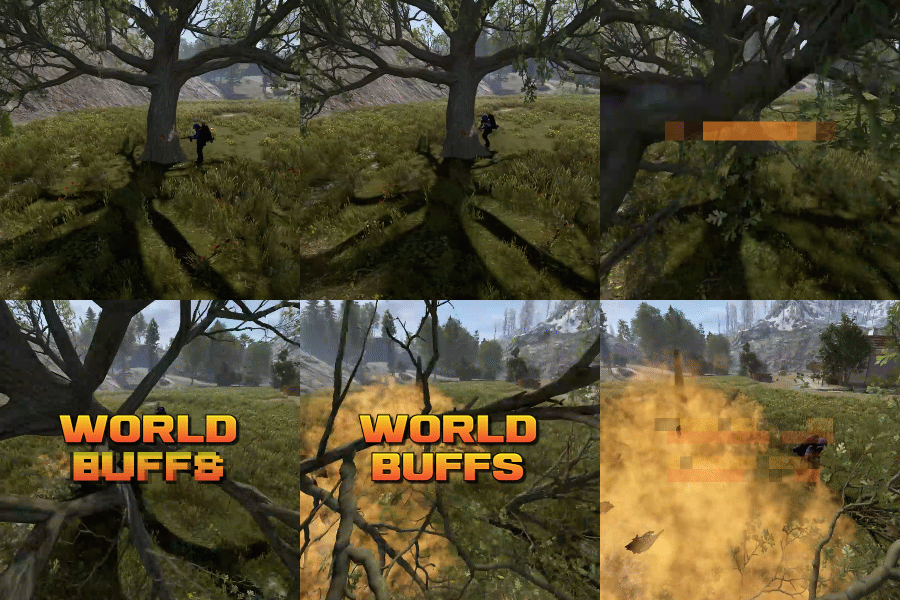
World Buffs is a plugin that allows for the creation of server-wide quests, allowing for players to work together to complete a common goal. Quests are comprised of any number of tasks, and will reward the entire server upon completion with a mixture of built-in buffs such as increased gather yields, bonus damage to NPCs etc, as well as the option for permissions and server commands. All players, regardless of their online status, will receive the built-in and permission based rewards. Tasks can be set based on the task type, along with a list of identifying features. For example, you can have a task that requires players to kill npcs using the KillNpc task type. If you only wanted certain npcs to count, you could then add further restrictions by listing the short prefab names of the npc, such as npc_tunneldweller & npc_underwaterdweller, if you only wanted Tunnel & Underwater dwellers to be considered towards the goal. The plugin supports the use of a quest queue (disabled by default). Quests in the queue are automatically started when the plugin loads. When the active quest is completed, the plugin will queue up the next quest after a short while. The identifier of a task depends on the task type itself. Some tasks work with item shortnames when considering quest progress, while others may use prefab shortnames.. Leaving the identifier field empty or set to null will consider any action that triggers the check to contribute towards the task. A list of item shortnames can be found here. A list of prefabs can be found here. TaskType: Woodcutting Identifier: Item shortname TaskType: Mining Identifier: Item shortname TaskType: Skinning Identifier: Item shortname TaskType: Collectible Identifier: Item shortname TaskType: Growable Identifier: Item shortname TaskType: Fishing Identifier: Item shortname TaskType: Growable Identifier: Item shortname TaskType: KillNpc Identifier: prefab shortname TaskType: KillNpcSpawn Identifier: Npc displayname [profile name] TaskType: KillAnimal Identifier: prefab shortname TaskType: KillBradleyApc Identifier: prefab shortname TaskType: LootCrates Identifier: prefab shortname TaskType: DestroyBarrels Identifier: prefab shortname TaskType: Dig Identifier: prefab shortname Reward types function similar to Task Types. They allow for identifiers to limit the sources that they impact. For example, you can specify "cloth" for the CollectibleYield RewardType, which would only boost the yield when collecting cloth, and not other items such as pumpkins or diesel. RewardType: WoodGatherBonus Identifier: Item shortname RewardType: MiningGatherBonus Identifier: Item shortname RewardType: SkinningGatherBonus Identifier: Item shortname RewardType: FishingBonus Identifier: Item shortname RewardType: CollectibleYield Identifier: Item shortname RewardType: GrowableYield Identifier: Item shortname RewardType: NpcDamageBonus Identifier: Prefab shortname RewardType: NpcSpawnDamageBonus Identifier: Prefab shortname RewardType: ScientistDefenceBonus Identifier: Prefab shortname RewardType: AnimalDefenceBonus Identifier: Prefab shortname RewardType: BradleyDamageBonus Identifier: Prefab shortname RewardType: BradleyDefenceBonus Identifier: Prefab shortname RewardType: NpcSpawnDamageBonus Identifier: Npc displayName [profile name] RewardType: XpBonus Identifier: None RewardType: UniversalSwipeCardsBonus Identifier: None RewardType: PvpDamageBonus Identifier: None RewardType: PvpDefenceBonus Identifier: None Command: wb.toggle Type: Chat command Description: Toggles the ui on and off. Command: wb.setquestqueueindex <index> Type: Console command Description: Set's the next quest in the queue to the specified index value Requires admin: Yes Command: wb.startnextquest Type: Console command Description: Starts the next quest in the queue if no quest is running. Requires admin: Yes Command: wb.cancelquest <true/false: start next quest in queue> Type: Console command Description: Cancels the current quest Requires admin: Yes Command: wb.completequest Type: Console command Description: Mark the current quest as complete (this gives players rewards from the quest) Requires admin: Yes Command: wb.startquest <quest name> <optional true/false: force cancel the current quest> Type: Console command Description: a Requires admin: Yes$19.99 -

Version 1.0.5
142 downloads
A quest to obtain the "Bow of the chickens", allowing the weilder to create chickens when fired. Overview This plugin will allow your players to complete the "Chicken Hunter" quest, by killing x amount of chickens (default 100). This will reward them with a skinned Huting bow called "Bow of the Chickens". When fired, the bow will spawn a chicken at the arrows location. Players can spawn a configurable number of chickens this way. When a chicken that was spawned by the bow dies, it will run 1 of 6 random effects. These effects can be added to/reduced etc in the config file. Chat Commands - /chickenkc: This will display the users current kill count. - /chickenbow: Spawns a chicken bow (requires permission: chickenbow.admin). Permissions - chickenbow.allow: Allows the player to participate in the chicken killing quest to obtain the bow. - chickenbow.admin: Allows the player to spawn the chickenbow with the command, and will ignore the maximum chicken limit. See the youtube video for more information on setup and configuration.$4.99 -

Version 1.0.0
97 downloads
Plugin Description DummyPermissions is a lightweight utility plugin for Rust servers that creates placeholder permissions for use by other plugins. These permissions don’t perform any logic on their own - they simply exist to help manage access or configuration behavior in companion plugins. This is especially useful for developers who want to: - Toggle features based on external permission checks. - Organize user groups with no extra functionality overhead. -Simplify permission-based condition handling in other systems. E.g. - SkillTree - XDQuests - TalkingNpc Features: Define custom dummy permissions in DummyPermissions.json. Permissions update dynamically on server reload or config update. Ideal for modular setups where permissions drive plugin behaviors. Note: This plugin does not enforce or check any permissions itself - it purely registers them for external use. Real Use Case – TheRustingDead Integration On TheRustingDead, DummyPermissions is used to: Gate advanced SkillTree nodes (e.g., ultimates) until specific quests are completed Link XDQuest rewards to skill unlocks or other events Enable TalkingNPCs to drive worldbuilding and quest engagement Prevent endless quest loops in XDQuest by granting one-time "completion flags" Example Flow: Player interacts with an NPC using TalkingNPC. TalkingNPC introduces a quest that is available via XDQuest. Upon completing the quest from XDQuest, the player is granted a dummy permission like dummypermissions.cookingconquest. This permission is then: Checked in SkillTree (skilltree can also create plugins, but this plugin can also help with permission organization) to unlock powerful ultimates like Woodcutting_Ultimate. - Can also be used in further TalkingNPC dialogue or conditional paths. - Blocks the same XDQuest from being re-triggered, solving the “endless quest” issue.Free -
Version 1.0.5
166 downloads
Adds various tasks to the game, for which you can get a reward. -------------------------------------------------------------------------------------------------------------------------- Features: Complete and convenient configuration of each task and each prize A beautiful and convenient design that will sink into the soul of everyone The ability to expose not only an item from the game, but also the issuance of a team, and the creation of custom items. -------------------------------------------------------------------------------------------------------------------------- Commands: /quest - Open Quest menu -------------------------------------------------------------------------------------------------------------------------- Settings Configuration: Type quest: 1 - Gather, 2 - Kill, 3 - Craft, 4 - BluePrint, 5 - Loot, 6 - CardUse (Swipe cards ), 7 - EBuilt ( Put a certain object ) Type Prize: 1 - Item, 2 - CustomItem, 3 - BluePrint, 4 - Command -------------------------------------------------------------------------------------------------------------------------- Configuration$15.00