Search the Community
Showing results for tags 'skip'.
Found 8 results
-
Version 1.0.0
15 downloads
NoNight - plugin that automatically skips nighttime, setting the in‑game time to the start of the day (while starting a NEW day).Free -
Version 1.1.13
3,518 downloads
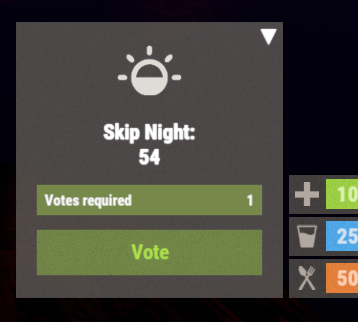
Lets your server skip the night. Besides skipping it instantly, you can speed the night up, and you can turn on white nights (under the full moon). Features: Beautiful interface Voting is automatic (at the specified time in the config, without a command) Easy customization (time settings, text, interface, colors, etc.) Speeding up the day Speeding up the night White Nights (Full Moon) Commands sn.admin start_manually (start voting manually) Permissions skipnight.admin (for the "sn.admin" command) Video: Web Config Editor Manage the SkipNight settings in our web config editor. You change the config in a browser form instead of editing files on the server by hand. P.S. The web config editor is open to members of the "SkipNight" group in our Discord server. Join at https://discord.gg/mevent and ask for the group. FAQ: Where can I ask questions/get help quickly? My Discord: Mevent#4546 How do I turn on the full moon? 1. Enable nights with a full moon in the config. "Night with a full moon": true, 2. Configure the dates of the full moon in the config (you can get them from https://www.timeanddate.com/moon/phases/usa/new-york?year=2024) "Full Moon Dates": [ "2024-01-25T00:00:00", "2024-02-24T00:00:00", "2024-03-25T00:00:00", "2024-04-23T00:00:00", "2024-05-23T00:00:00", "2024-06-21T00:00:00", "2024-07-21T00:00:00", "2024-08-19T00:00:00", "2024-09-17T00:00:00", "2024-10-17T00:00:00", "2024-11-15T00:00:00", "2024-12-15T00:00:00" ] Config { "Time Settings": { "Day Start": "06:00", "Night Start": "18:00", "Voting time": 60, "Voting start time (time to check)": "20:00", "Time until which hour the voting will take place (time to check)": "21:00", "Time after voting (to which the night passes)": "08:00", "Fast skip the night": true, "Length of the night (minutes)": 5.0, "Length of the FAST night (minutes)": 2.0, "Length of the day (minutes)": 45.0, "Night with a full moon": true, "Full Moon Dates": [ "2024-01-25T00:00:00", "2024-02-24T00:00:00", "2024-03-25T00:00:00", "2024-04-23T00:00:00", "2024-05-23T00:00:00", "2024-06-21T00:00:00", "2024-07-21T00:00:00", "2024-08-19T00:00:00", "2024-09-17T00:00:00", "2024-10-17T00:00:00", "2024-11-15T00:00:00", "2024-12-15T00:00:00" ] }, "UI Settings": { "Destroy Time": 5.0, "Show Image?": true, "Image": "https://i.imgur.com/uNSAY42.png", "Image Width": 42.0, "Image Height": 33.0, "Image Up Indent": 16.0, "Left Indent": 212.0, "Bottom Indent": 16.0, "Width": 178.0, "Height for default version": 82.0, "Height for unfolded version": 184.0, "Background Color": { "HEX": "#F8EBE3", "Opacity (0 - 100)": 4.0 }, "Background Materal": "assets/content/ui/uibackgroundblur-ingamemenu.mat", "Voting Button": { "Width": 150.0, "Height": 30.0, "Bottom Indent": 15.0 }, "Progress Bar": { "Width": 150.0, "Height": 20.0, "Bottom Indent": 55.0 }, "Colors": { "Color 1": { "HEX": "#ABE04E", "Opacity (0 - 100)": 100.0 }, "Color 2": { "HEX": "#595651", "Opacity (0 - 100)": 75.0 }, "Color 3": { "HEX": "#74884A", "Opacity (0 - 100)": 95.0 }, "Color 4": { "HEX": "#FFFFFF", "Opacity (0 - 100)": 100.0 } } }, "Votes Settings": { "Number of votes": 5, "Use a percentage of the online?": true, "Percentage of the online": 30.0 } }$19.95 -
Version 2.0.8
822 downloads
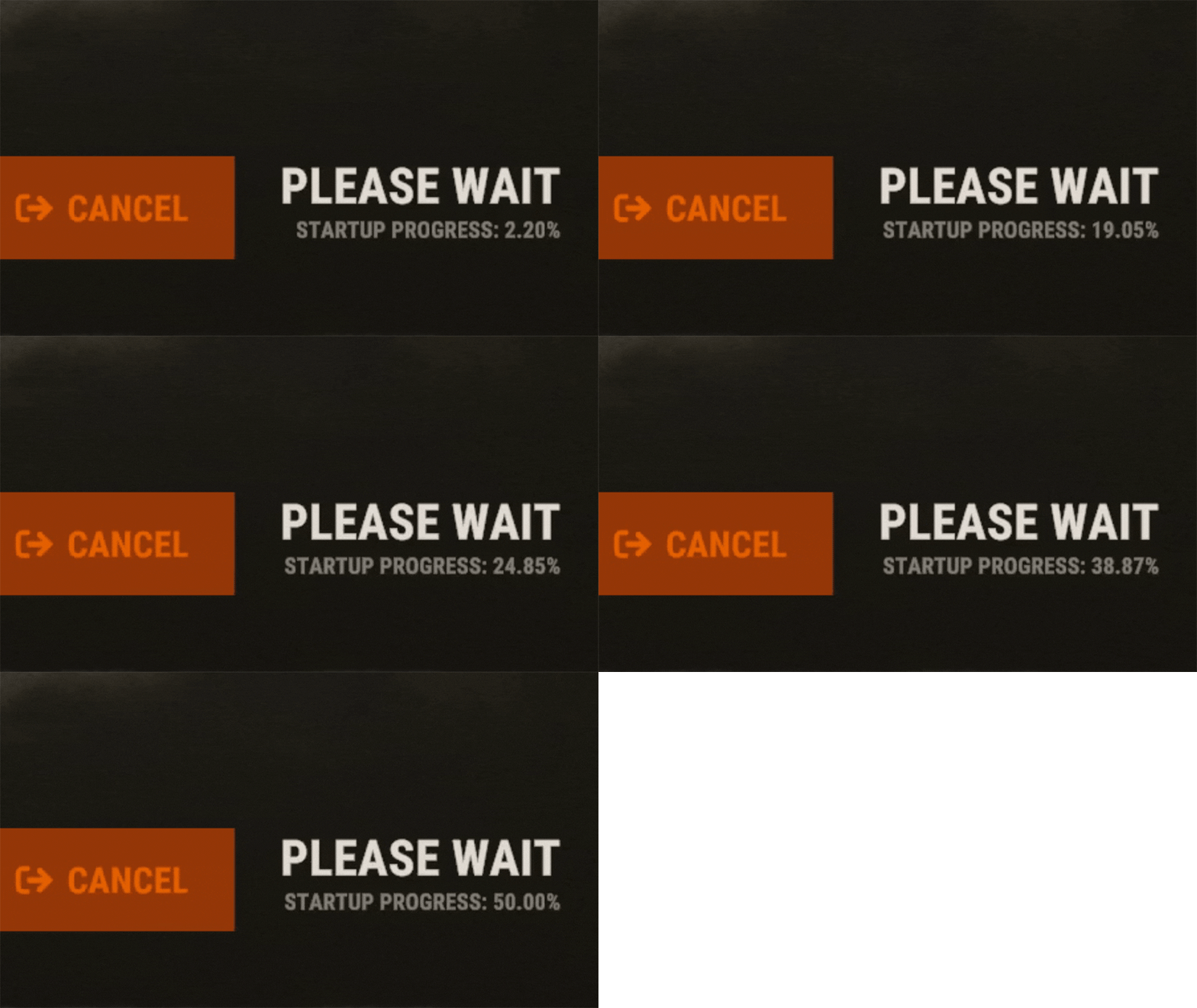
EarlyQ allows players to join prematurely the server while it is still starting. By default the server needs to fully start (which takes ~5 min, depends on map/specs) and after all that time its finally time for players to join, but they still have to wait warming prefabs & download the world. EarlyQ optimizes the process of players joining & startup of the server and minimizes wait times because its splitting the work in parallel. Features Allows players to load faster by initiating Asset Warmup as they are waiting for the server to start up! The world data is sent to the player as soon as its ready, so when the server is ready they can join right away without waiting! The steam server is started only after ~10 seconds when you launch the rust server! This means players can see it in the global server list even while it is loading! Increases your server uptime metrics! Custom messages that show the current loading progress of the server! You can customize said messages Demo (the demo is older & does not start loading the world after its ready, so im waiting a bit longer in the video. This is already implemented in EarlyQ) Custom message If you need to customize the message your players get when waiting for the server, you have to specify the message as a launch option on the server +earlyq.loading_msg - The loading message shown when the server is loading and the client is waiting for the server to load the world +earlyq.loading_icon - The icon shown +earlyq.ready_msg - The loading message shown when the client finishes loading fully and is waiting for the server +earlyq.ready_icon - The icon shown Default messages (Example): +earlyq.loading_msg "<color=#c47070>PLEASE WAIT (alot of spaces here) SERVER IS STILL STARTING: {progress}" +earlyq.loading_icon "Server" +earlyq.ready_msg "<color=#59a358>YOU ARE READY (alot of spaces here) WAITING FOR THE SERVER: {progress}" +earlyq.ready_icon "CheckCircle" You can see all the icons you can use here You can use some unity rich text components in the message: "color", "u", "b" and "i". If you want to add a new line currently the only way I found out is to spam a bunch of spaces since it will wrap to the next line, max is 3 lines At the time of writing this, these are all the limitations, they might change in the future. You can also use a config file if you prefer The config file needs to be created in a folder of the root of the server called "EarlyQ" and in the folder a file needs to be created called "config.json", it should look like "EarlyQ/config.json" The content of the config.json file need to be: { "loading_msg": "your custom msg", "loading_icon": "your custom icon", "ready_msg": "your custom msg", "ready_icon": "your custom icon" } Installation As this is a Harmony mod you need to place the EarlyQ.dll file in HarmonyMods folder, after that restart the server. (do not use harmony.load command with EarlyQ!) EarlyQ works for Linux & Windows EarlyQ works with the newest networking update EarlyQ works with RakNet and SteamNetworking EarlyQ works with Vanilla, Oxide and Carbon Note Facepunch confirmed this Harmony mod is not allowed on official servers, if you want to use it on official, do it at your own risk. Contact You can contact me on discord: turner1337$69.69- 46 comments
- 10 reviews
-
- 9
-

-

-
- #optimize
- #optimization
- (and 19 more)
-

Version 1.0.6
543 downloads
Bright Nights is the plugin every player has been waiting for. Make your nights brighter and actually playable! Enhanced gameplay with brighter nights Customizable night time brightness Smooth transitions between night and day cycles Lightweight high performance plugin Inverted Night (Option) - make nights as bright as day Saves your players from having to eat too many carrots Bright Nights brings exciting new visuals to the game allowing your players to make the most of night time game play. Inverted nights brings a whole new meaning to bright nights. Inverted nights adds a sun to the night cycle to create a daylight like play style, while maintaining a dark skybox. This option can be enabled via the config. /Settime - allows you to set the ingame time (good for testing settings) Args - Hours (24h) example: 7.5 will be 7:30 am or 0 will be midnight - Sunset - goes to sunset time - Sunrise - goes to sunrise time brightnights.admin - Allows use of the /settime command Does bright nights effect rust events ? Bright Nights does not change any of the date time settings for rust so timed events will run as per normal. Can I adjust the brightness? Yes! Brightnights has a config file which allows for the adjustment of brightness and transition settings. Is the plugin hard to set up? Bright nights is a drag and drop plugin, with no additional set up required.$14.99- 20 comments
- 4 reviews
-
- 5
-
-
- #brightnights
- #bright nights
- (and 28 more)
-

Version 1.0.1
8 downloads
xFreezeTime xFreezeTime freezes the in-game server time at a configurable hour. It allows admins to enable/disable time freezing, set a custom frozen hour, or instantly lock the current world time using console commands. The plugin automatically applies settings on server startup. Additionally, you can configure events to run at custom intervals, so events like CH47, cargo, or supply drops are not skipped when day/night progression is disabled. You can use any console commands for each configured event trigger. Permissions xfreezetime.admin - Use any console command. xfreezetime.checkevents - Check event triggers and its remaining time for next trigger. Console Commands xfreezetime - See all available console commands and which permission is required to execute xfreezetime.set <0-24> - Sets the frozen in-game time to a specific hour (e.g. 12, 18.5, 6) xfreezetime.now - Captures the current time and freezes the world at that exact hour xfreezetime.toggle - Toggle the freezing time (Enabled = Freezed Time) xfreezetime.activeevents - List all enabled event triggers + remaining time for next trigger Config { "Enabled": true, "FreezeHour": 12.0, "AnnounceTriggeredEvents": false, "AnnounceMessage": "<color=#e3f542>» Event Triggered:</color> {event}", "LogTriggeredEvents": true, "EventTriggers": [ { "Name": "CargoShip", "Enabled": false, "Command": "cargo.start", "IntervalMinutes": 60.0 }, { "Name": "PatrolHelicopter", "Enabled": false, "Command": "event.run heli", "IntervalMinutes": 100.0 }, { "Name": "CH47", "Enabled": false, "Command": "event.run chinook", "IntervalMinutes": 80.0 }, { "Name": "Airdrop", "Enabled": false, "Command": "supply.call", "IntervalMinutes": 30.0 } ] }$7.90 -

Version 1.0.3
176 downloads
Priority Queue redefines the vanilla queue skip with a brand new permission based system. Previously queue skips would allow players to bypass the max player limit of a server. Priority queue gives you full control of which players move to the front of the queue or can skip the queue. You can also offer players a new system of saving their spot when they disconnect from the queue or the server. Priority Queue - Skip Players to the front of the queue Bypass Queue - Skip the entire queue Hold Queue Position - Holds your position in queue if you disconnect Bypass Queue on Disconnect - Allows you to bypass the queue if you just dc'ed Noob Bypass or Priority - Allows first time players to skip or priority queue priorityqueue.bypass - permission for queue skip priorityqueue.priority - permission to skip all non-priority players in the current queue priorityqueue.bypassDC - permission to bypass the queue if you have recently disconnected priorityqueue.hold - permission to hold your position in the queue if recently disconnected { "Bypass Queue on Disconnect Timeout (minutes)": 5, "Hold Queue Position on Disconnect Timeout (minutes)": 5, "Disable native slot reservation": true, "Noob Queue Priority": false, "Noob Bypass Priority": false }$9.99- 4 comments
- 1 review
-
- 3
-
-
- #priorityqueue
- #priority queue
- (and 14 more)
-
Version 0.0.3
809 downloads
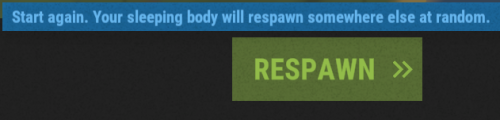
Skips the death screen if the player doesn't have an available bag to spawn. No configuration file.Free -

Version 1.2.0
999 downloads
The plugin adds the ability to skip nights by voting with the /voteday command. Additionally, the command can be used by people who have permission. Every day at 19:00 in-game time the voting is turned on, if the voting is successful the time is switched to 8:00 am. Command /voteday: Starts voting for skipping the night if voting is not already in progress. Requires the "voteday.use” permission. /voteday reload: Reloads the plugin configuration. Requires "voteday.admin” permission. /voteday set timevote <seconds>: Sets the voting time in seconds and saves it to the configuration file. Requires the "voteday.admin” permission. /voteday set requiredpercentage <percentage>: Sets the required percentage of votes (ranging from 1 to 100) and writes it to the configuration file. Requires the "voteday.admin” permission. Permission voteday.use: Allows the player to participate in voting. voteday.admin: Allows the player to reload the plugin configuration and change the voting settings. Configuration file { "VoteDuration": 180.0, "RequiredPercentage": 50 } Lang { "VoteStarted": "<color=#FFFF00>Vote to skip the night has started! You have {0} seconds to vote. Type /voteday to vote. {1} votes are needed to pass.</color>", "VoteCount": "<color=#00FF00>{0} players voted yes out of {1}.</color>", "VotePassed": "<color=#00FF00>The vote passed! {0} players voted yes out of {1}. Skipping to day.</color>", "VoteFailed": "<color=#FF0000>The vote failed. {0} players voted yes out of {1}. The night will continue.</color>", "NoPermission": "<color=#FF0000>You do not have permission to use this command.</color>", "AlreadyVoting": "<color=#FF0000>A vote is already in progress.</color>", "AlreadyVoted": "<color=#FF0000>You have already voted.</color>", "ConfigReloaded": "<color=#00FF00>Configuration reloaded successfully.</color>", "InvalidCommand": "<color=#FF0000>Invalid command usage. Use /voteday set timevote <seconds> or /voteday set requiredpercentage <percentage>.</color>", "VoteDurationSet": "<color=#00FF00>Vote duration set to {0} seconds.</color>", "RequiredPercentageSet": "<color=#00FF00>Required vote percentage set to {0}%.</color>", "InvalidPercentage": "<color=#FF0000>Invalid percentage. Please enter a value between 1 and 100.</color>" }Free