Search the Community
Showing results for tags 'performance'.
-
Version 5.2.0
2,604 downloads
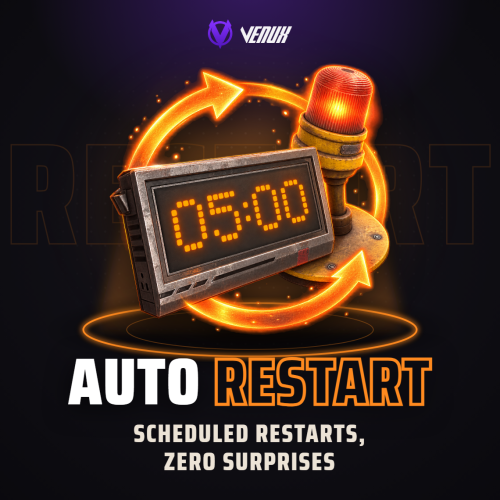
[ ✓ ] Works on any host. [ ✓ ] The plugin needs the free CrashExtensions library. Can't upload DLLs on your host? No problem: the zip includes a small installer plugin. Drop it in your plugins folder, run crashext.install, restart once, and you're done. AutoRestart restarts your Rust server on a schedule and makes sure nobody is caught by surprise. Pick the restart times in your own time zone, skip them on wipe days, and every player is warned on the channels you choose: a notification panel, the game's own toast, chat, a sound, the vanilla restart banner and a row in the vitals stack. The admin window is one window with eight tabs across the top: Overview, Schedule, Alerts, Appearance, Voting, Rewards, Discord and Advanced. Every tab slides in as you open it. A draft only saves when you press Save, Preview on screen puts the real panel and countdown strip on your HUD so you can drag them where you want, and two admins can work at the same time. Players can vote to delay a restart that comes at a bad time, and the players who come back afterwards can claim a reward in items, Economics or ServerRewards. Your Discord hears about it too: a countdown, the final restart and the server coming back online, each one an embed you design. Works on Oxide and Carbon Needs CrashExtensions 1.12.9 or newer (included) Six alert channels, each on its own switch Seven languages built in Jump to: Features · How it plays · Screenshots · Trailer · Admin window · Commands · Permissions · Install · Configuration · Test server · FAQ · API Features For players Warnings in their language. Seven languages are built in: English, Spanish, Italian, Russian, Ukrainian, French and Brazilian Portuguese. Each player sees the alerts in their own. The last minute on screen. The notification panel counts the final minute down by itself, and an optional countdown strip shows MM:SS and a progress line from a trigger time you choose. A say in the timing. When a restart is close, a vote panel lets players vote to delay or to continue. If enough of them agree, the restart waits. Late joiners see it too. Players who connect or respawn during a countdown get the strip, the vote panel and the last-minute panel straight away. A reward for coming back. Players who reconnect within the claim window get their items, Economics money or ServerRewards points. Always know when. /restart shows when the next restart is. For server owners Restart times in your time zone. As many a day as you want, in UTC or any zone you set (Asia/Tokyo, Europe/Berlin, UTC+9...), daylight saving included. Every time players see is shown in that zone. Wipe days skip them on their own cycle: weekly, every 2 or 3 weeks, the 1st to 4th, or the last of the month. Restart in... A one-off restart from the window, chat or RCON. Cancelling it brings your schedule straight back. Warning times you set. Chips for the game and for Discord, set apart. The defaults are 30, 15, 10, 5, 3, 2 and 1 minutes in game, and 30, 15, 10, 5 and 1 on Discord. A player count guard. A scheduled restart is skipped while more players than your limit are online. A restart you start yourself always goes ahead. Your panel, your look. A notification panel with one of 137 game icons, colours with opacity, a solid or gradient background, a border, your own title and message. Five position presets, or drag it anywhere. Discord. A webhook with three embeds (countdown, final restart, server online), a live Discord style preview while you edit them, and a test button. Animations on one switch. Slides and fades everywhere, or none at all. Safe config. Values out of range are repaired on load, and a broken file is left untouched. The window saves only what its own section holds. An optional update check. Restart the server when a new Oxide build is out. It is off by default. For developers Hooks and a status call. OnRestartScheduled, OnRestartWarning, OnRestartInitiated and OnRestartCancelled, plus GetRestartStatus for the pending restart. See the API. Console and RCON. autorestart status, cancel, now and set <time> work from the console, RCON and your own tools. How it plays Warnings. At every warning time you set, players get the alerts on your channels: the toast, the chat line, the sound and the panel. The vote. Five minutes before the restart, the vote panel opens for 30 seconds. If 60% of the players vote to delay, with at least 3 players online, the restart waits 50 minutes and then runs a new 15 minute countdown. The strip. Once the time is inside its trigger (30 minutes by default), the countdown strip stays on screen with MM:SS and a progress line. The final minute. The panel counts the last minute down on its own, so every player sees the seconds. The restart. Players get a plain message to reconnect in 3 to 5 minutes. The server saves, shuts down cleanly and quits, and your host starts it again. Back online. The server online embed goes to Discord if you turned it on. Players who reconnect within the claim window (5 minutes by default) get their rewards: money at connect, items when they wake. Screenshots Every screen below is AutoRestart running in Rust. The Overview: the next restart, the alert channels and the features at a glance The final minute, as players see it Alerts: every channel and warning time Schedule: restart times and wipe days Appearance: the panel, its size and its position Voting: the share, the window and the delay Rewards: items, Economics and ServerRewards Discord: webhook, message and embeds Advanced: the update check, the reload and the animations Trailer The AutoRestart 5.0 trailer (click to play, 57 seconds) In-Game Admin Window No file editing needed. /restart config opens every setting in one window. Each section is a draft: an unsaved section shows a dot on its tab, Save applies only the section you are on, and closing with unsaved changes asks first. Overview - a live clock to the next restart, what is on at a glance, today's restart times, and Restart in..., Cancel restart and Reload schedule. Schedule - restart times and wipe days. Alerts - the channels, the in-game and Discord warning times and the player count guard. Appearance - the notification panel, its text, the countdown strip, the toast style and the background (solid or gradient), with Preview on screen. Voting - the share, the vote window, the delay and the chat command. Rewards - the claim window, Economics, ServerRewards and an item list. Discord - webhook, bot, message and the three embeds, with a live preview. Advanced - the update check, the animations switch and the reload button. Commands Players /restart - when the next restart is /restart status - detailed restart info /restart help - the command list /vote delay, /vote continue - vote on a restart in progress (the command name is set in the Voting section) Admin /restart config - the admin window /restart set <time> or /restart <time> - restart in 30s, 5m, 1h or a plain number of seconds. Write 5m, not 5 minutes. /restart cancel - cancel the running restart. A scheduled one skips to the next slot /restart now - restart right away /restart shutdown <time> - the same countdown and warnings, ending in a shutdown instead of a restart (no vote; turn auto restart off in your panel so the server stays off) /restart reload - reload the schedule and forget the skipped slots Console and RCON autorestart, autorestart status, autorestart cancel, autorestart now and autorestart set <time> (or just autorestart <time>) and autorestart shutdown <time> autorestart.testdiscord - send a test message to your webhook autorestart.forceonline - post the server online embed now Permissions autorestart.use - /restart, /restart status and /restart help for players. Grant it to your default group if you want everyone to see when the next restart is. autorestart.admin - the admin window and every command that changes something. Staff only. Voting and rewards need no permission: every online player can vote and claim. oxide.grant group admin autorestart.admin oxide.grant group default autorestart.use Install Install the extension, once per server. Stop the server, copy Oxide.Ext.CrashExtensions.dll into RustDedicated_Data/Managed (Carbon: carbon/extensions) and start it again. The console prints Loaded extension CrashExtensions with its version. The extension is one shared file for all our plugins, so an older copy is simply overwritten. Host does not allow DLL uploads? Copy CrashExtInstaller.cs (in the zip) into oxide/plugins instead and run crashext.install once in the server console. Install the plugin. Copy AutoRestart.cs into oxide/plugins (Carbon: carbon/plugins). It compiles on its own and creates its config, data and language files. Grant the permissions and add your restart times. Give yourself autorestart.admin, open /restart config and add your times in Schedule. A new install has no restart times. The game toast, chat and sound alerts start on. The notification panel, the countdown strip, Discord and rewards wait until you turn them on. Plugin does not compile? The extension is missing or too old: check the folder and restart again. On a hosting panel, upload the DLL with the file manager or SFTP while the server is stopped. Updating from 4.0.0, 4.0.1 or 4.0.2? Install the extension (step 1) if it is not 1.12.9 or newer yet, then replace AutoRestart.cs. Your config, rewards and Discord state load as they are. Before the first start the plugin keeps your old config as AutoRestart.json.v<old version>.bak, and the default look moves to the 5.0 style only while it still holds the old default. Updating from 3.x? Replace AutoRestart.cs and install the extension (step 1). Your config, the pending reconnect rewards and the Discord state carry over, and old values migrate on load. Image Library and Player DLCAPI are no longer needed, and the autorestart.vote permission is gone because voting is open to everyone. Back up your config first. Configuration Everything lives in oxide/config/AutoRestart.json, and the admin window edits all of it. Claimed rewards and the last "server online" message are kept in oxide/data, and the texts in oxide/lang/<language>/AutoRestart.json. Config sections (click to expand) Test server Available on the new Meowcraft test server. Type /restart in chat to see the restart status there. Restarts are turned off on this test server. client.connect 91.229.114.54:28015 FAQ Q: I run AutoRestart 4.x. What changes when I update? A: Install the extension, then replace AutoRestart.cs. Your config, rewards and Discord state load as they are, in the new window. Time values are stricter: write 5m, not 5 minutes. A Discord webhook must be the plain https://discord.com/api/webhooks/<id>/<token> form, and the default message content is empty. Q: Does it start the server again after the restart? A: AutoRestart saves and shuts the server down cleanly, and your host brings it back. Tested on Pterodactyl and Wisp. On a Windows machine, make sure your .bat starts the server again when it exits. Q: What is the extension for, and what if I do not want one? A: AutoRestart draws its interface with the Oxide.Ext.CrashExtensions extension. The DLL is in the zip, and if your host does not allow DLL uploads, CrashExtInstaller.cs (also in the zip) installs it with one console command, crashext.install. If you would rather not run an extension, stay on 3.9.3: it does not need it and keeps working as before. Q: Does it work on Carbon? A: Yes. The DLL goes into carbon/extensions instead of RustDedicated_Data/Managed, then restart once. Everything else is the same. Q: I am on 3.x. Do I lose my settings? A: No. Your config, the pending reconnect rewards and the Discord state carry over, and old values migrate on load. Q: Can players stop a restart? A: They can vote to delay it. Voting opens 5 minutes before the restart and stays open for 30 seconds. When 60% of the players agree, with at least 3 players online, the restart waits 50 minutes and then runs a new 15 minute countdown. Every number is in the config, and voting can be turned off. Q: What does Cancel do? A: On a restart you set with Restart in..., it removes it and brings your schedule back at once. On a scheduled restart, it skips that slot (and any earlier one) and arms the next. Reload schedule forgets the skips. Q: Can I skip a restart while the server is busy? A: Yes. Turn on the player count guard and a scheduled restart is skipped while more players than your limit are online. A restart you start yourself always goes ahead. Q: Do I need Economics or ServerRewards? A: Only to pay rewards in money or points. Item rewards need nothing else. Q: Does it contact any outside service? A: Only what you turn on. The plugin downloads the pictures it draws (about 80 small icons and images) once from cdn.crashplugins.space, which your server then caches. The Oxide update check and the Discord webhook are off by default. CrashExtInstaller downloads the extension from GitHub only when you run crashext.install, and never checks for updates. Q: Can I translate it? A: Seven languages are built in and each player sees their own. For another one, copy oxide/lang/en/AutoRestart.json into your language folder and translate it. Q: How heavy is it? A: Built and load tested for 500+ player servers. Every animation can be turned off with one switch. API / Hooks void OnRestartScheduled(int seconds, bool isCustom) void OnRestartWarning(int secondsLeft) void OnRestartInitiated() void OnRestartCancelled(string reason, int secondsRemaining) Read the pending restart from any plugin: [PluginReference] private Plugin AutoRestart; var status = AutoRestart?.Call("GetRestartStatus") as Dictionary<string, object>; // HasRestart is always there. With a restart pending you also get IsDelay, IsCustom, // SecondsRemaining, RestartTime and FormattedTime. Questions, ideas or bug reports? Use the Support tab of this file or join our Discord.$15.99- 113 comments
- 9 reviews
-
- 5
-

-

-
- #restart
- #rustplugin
- (and 19 more)
-

Version 1.1.3
44 downloads
Brutal BATTLE PLANET • high-performance 3.8K map • 8,500 prefabs Hand-crafted, real-world Earth map featuring every major landmass and both polar regions. The entire globe is connected by a network of sea bridges and zip-towers, letting players travel between continents without boats or helis. Popular monuments placed in appropriate locations, leaving pristine shoreline, vast interiors, and remote wilderness for building. A continental ring road runs through Eurasia and into Africa, while a transcontinental railway loops across to the Americas and back - perfect for high-speed chases and train raids. "Practically a planet - any day now!" Features infamous frozen red-card nightmare 'Ice Station Unicorn' buried deep under Greenland. Deep psychological fear, radiation, disorientation and maximum bi-polar bears. Bring friends along to help feed them. Low object count keeps map clean, giving you plenty of room to add your favorite custom prefabs. ⚠ 100% TESTED on live humans. • Handy global zip-tower network to glide about on. • Four central safe zones on the friendly zipline route. • Road/railway supports 'Convoy' & 'Armoured Train' mods. • Many desirable buildable areas on the shore or inland. ⚠ Required dependencies: Umod/Oxide and Rustedit DLL. THIS MAP IS MADE AND MAINTAINED WITH RUSTEDIT. Use RustEdit to make and changes or add prefabs. Using the new RustEdit2 may cause map faults. At some time I shall make these work for RE2 but for now just stick to RE for altering any features. Any problems? Please advise. -- Nomad LOST in RUSThttps://discord.gg/THf6dGN8eW$27.00- 1 comment
- 3 reviews
-
- 3
-
-
-
- #the world
- #earth map
- (and 5 more)
-
Version 2.9.9993
19,545 downloads
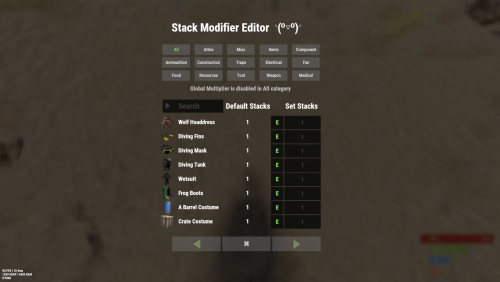
Stack Modifier is a performance-focused plugin that enhances and refines item stacking behavior in Rust. Includes a built in GUI Editor for quick and easy setup of stack sizes! This plugin uses harmony for the best performance! Features Includes GUI Editor - Blocks Player movements while using GUI Editor Including Keybinds! Adds NEW Stacking Support for the following. STACKING TAG support, crafted, spawned, picked-up, etc. Repair Bench, broken item stacks, spam repair! Melee Weapon throwing! Item Condition Merging! Stacks of Items not breaking one 1 in the stack breaks. liquids ( like bota bags etc ) Stacking of Fuel Containers (hats, tools, etc.) Stacking of Guns Weapon Attachments Stacking of Skins Works with SkinBox plugins Supports stacking armor slot armors Supports Genetic Stacking Supports Food Spoil stacking Stacking of Custom Items Stacking of Custom Items with Custom Display Names Stacking of Key Cards without losing the stack when swiping Stacking Candy Cane Club without losing the stack while lick Support for modified presents for unwrapping Limits wearable clothing items to stack sizes of 1! ( on the player wear container only ) Limits weapon attachments to stack sizes of 1! ( On the weapon its self! so you can have bigger stacks! ) The largest possible value in C# is 2,147,483,647 Which means anything over this stack-size will break the plugin Patches All Industrial Conveyor stack issues! ( Yes custom items no problems! ) -- THIS IS NOW IT"S OWN PLUGIN AS AN ADDON. 4-2-2025 Patches Stacks being lost when stacked items break! Like mining! Etc Patches Stacks being lost when Melee weapons are thrown! Like spear! Etc STACK MODIFIER INDUSTRIAL ADDON: Known Conflicts RoadBradley & HeliSignals Are doing item creations wrong and setting the item.name field as vanilla item display names thus breaking stack support. ( don't set a vanilla display name only set them if its custom names as the fix ) Conveyor Stacks Not needed & conflicts, stack-modifier already does this & has config settings for it. Davids Shop UI ( recently changed how his default data files are createdfor items ) ( you need to generate a new Items.json file and re-do custom items / pricing inside it to fix stack bugs with old data files ) Magic Coin uses some of the same hooks set up config in it correctly to not conflict Custom Skin Stack Fix not needed this handles it properly Stack Size Controller cannot have 2 of the same plugins basically Extra Loot causes a stacking bug when a reboot occurs with skinned items preventing old skinned items from stacking with new skinned items IndustrialCustomSkinsFix not needed stack-modifier has the same patch in it. IQAlcoholFarm by BadMandarin/Mercury is not supported & will cause stack bugs / problems ( could be supported with an author update, but current version is not supported ) ItemPerks by imthenewguy Causes stack bugs/problems just by having this plugin on your server due to harmony patching done inside it + repair logic is bugged. Item creation is also not handled properly resulting in duplication issues with Conveyor movements nothing can be done about that. ( plugin requires a full rewrite for proper support & repairs. ) Custom Item Definitions causes stack bugs/problems and I am not going to support a plugin that heavily modifies vanilla game items in that way its simply far too much work to try and support. I'd have to import almost half of that plugins code just for mine to accurately handle stack logic for it & for plugins that use that plugin. Plugins that do not handle Item Creation Correctly: ( Which break stacks ) Custom Item Drops by Machine ( Always sets the vanilla display name when its supposed to be null for vanilla items ) XP System by fastburst ( Always sets the vanilla display name when its supposed to be null for vanilla items ) Copy Paste ( Items created by copy paste its self will not stack since item creation is not handled properly ) This list will be constantly updated as devs fix their code accordingly & new ones are discovered to be flawed. Getting Started - Click Either Link to play video Video One Video Two Permissions stackmodifier.admin - Allows players access to the UI Editor. Chat Commands /stackmodifier -- Opens Editor UI, Must enable config option "Enable UI Editor": true /stackmodifier.reset ( is also console cmd ) -- Requires stackmodifier.admin perm ( resets stack-sizes ) /resetvenders -- Requires being an admin, only resets facepunches messed-up vendors, not all /stackmodifiercolor <inputpanel|inputtext|text|transparent> <color> <alpha|ex, 0.98> Example /stackmodifiercolor inputpanel #207086 0.25 UI Editor Commands set 8 -- Inside a categories Search Bar, type set and a value and it will apply it to the whole category, reset -- Inside a categories Search Bar type reset hit the enter key or click out of the field and it resets it. multiply -- Inside a categorie use the Search Bar & type multiply and a value and it will apply it to the whole category. if you reset or set, re-click the Category Tab to refresh it before making more changes! Otherwise you will have to do your first edit twice for it to start working again UI Editor Without Images? * At the top of the config you will see the following setting set to true save and reload. "Disable Images for UI Editor": false, < Disables images and allows full use Having Problems? * Warning this plugin is not compatible with custom-skins-stacks-fix plugin since this already handles everything. * If you already have a plugin that modifies the rust stack sizes you will first need to remove that plugin. * Then you simply load Stack Modifier onto your server open the config and start editing the Modified values to your new stack-size amounts! * When you are done simply save and reload the plugin! ( oxide. reload StackModifier ) * Alternatively you can utilize the built-in UI Editor and not ever need to touch the config! * Admins - Auth level 2 will always be ignored. * This plugin is not compatible with BetterVanish, I only support Vanish from umod. How to revert to vanilla? * Run the reset command while having the stackmodifier.admin perm or Unload Stack Modifier, delete the config, and restart your server. * It will reset the config back to vanilla settings allowing you to start over. API Hooks Interface.CallHook("OnStackSizeUpdated"); //called after the plugin updates the stack sizes on server reboots & when reloading the plugin. //It's also still called right after the UI editor is closed from modifying. //Inside the oxide hook I use called OnItemAddedToContainer theirs a hook of mine, if called mine will not touch it or fix the stacks. //if (Interface.CallHook("OnIgnoreStackSize", player, item) != null) return; OnIgnoreStackSize has been retiered it is now replaced with an ignore permission called: stackmodifier.ignore.wearable.stack-size ## Configuration { "Custom Made Stack-Modifier Feature Additions": { "Maximum difference in seconds that two items with Spoil Timers can have and still be stackable: 3600f < Default = 1-Hour difference": 3600.0, "Disable Auto Item Condition Merges When Stacked (Feature Toggle)": false }, "Vanilla Rust Bug/Exploit Stack Patches": { "Disable Weapon Attachment stack fix (Recommended false)": false, "Disable Wearable Clothes fix (Recommended false)": false, "Disable Ammo/Fuel duplication fix (Recommended false)": false, "Disable VendingMachine Ammo Fix (Recommended false)": false }, "GUI Settings": { "Enable UI Editor": true, "Sets editor command": "stackmodifier", "Sets reset command for both console & chat": "stackmodifier.reset", "Disable Images / Toggles off Images for UI Editor": false, "Sets Default Category to open": "All", "Colors": { "InputPanel": { "Color": "#0E0E10FA" }, "TextColor": { "Color": "#FFFFFF" }, "Transparency": { "Color": "#0E0E10F2" }, "DescriptionText": { "Color": "#FFFFFF80" }, "NewInputColor": { "Color": "#FFA805FF" }, "ButtonGreen": { "Color": "#A0FF70CC" }, "ButtonGreenText": { "Color": "#9AB36D6E" }, "ButtonGrey": { "Color": "#BFBFBF4D" }, "ButtonGreyText": { "Color": "#BFBFBFFF" }, "Enable": { "Color": "#738D45" }, "Disable": { "Color": "#CD412B" } } }, "Category Stack Multipliers": { "Attire": 1, "Misc": 1, "Items": 1, "Ammunition": 1, "Construction": 1, "Component": 1, "Traps": 1, "Electrical": 1, "Fun": 1, "Food": 1, "Resources": 1, "Tool": 1, "Weapon": 1, "Medical": 1 }, "Stack Categories": { "Attire": { "hat.wolf": { "DisplayName": "Wolf Headdress", "Modified": 10 }, "horse.shoes.basic": { "DisplayName": "Basic Horse Shoes", "Modified": 10 } }, "Misc": { "fogmachine": { "DisplayName": "Fogger-3000", "Modified": 10 }, "sickle": { "DisplayName": "Sickle", "Modified": 10 } }, "Items": { "kayak": { "DisplayName": "Kayak", "Modified": 10 }, "map": { "DisplayName": "Paper Map", "Modified": 10 } }, "Ammunition": { "ammo.grenadelauncher.buckshot": { "DisplayName": "40mm Shotgun Round", "Modified": 20 }, "ammo.rocket.sam": { "DisplayName": "SAM Ammo", "Modified": 10 } }, "Construction": { "door.double.hinged.metal": { "DisplayName": "Sheet Metal Double Door", "Modified": 10 }, "building.planner": { "DisplayName": "Building Plan", "Modified": 10 } }, "Component": { "bleach": { "DisplayName": "Bleach", "Modified": 2 }, "vehicle.module": { "DisplayName": "Generic vehicle module", "Modified": 10 } }, "Traps": { "trap.bear": { "DisplayName": "Snap Trap", "Modified": 30 }, "samsite": { "DisplayName": "SAM Site", "Modified": 10 } }, "Electrical": { "ceilinglight": { "DisplayName": "Ceiling Light", "Modified": 10 }, "wiretool": { "DisplayName": "Wire Tool", "Modified": 100 } }, "Fun": { "firework.boomer.blue": { "DisplayName": "Blue Boomer", "Modified": 200 }, "telephone": { "DisplayName": "Telephone", "Modified": 10 } }, "Food": { "apple": { "DisplayName": "Apple", "Modified": 100 }, "woodtea.pure": { "DisplayName": "Pure Wood Tea", "Modified": 100 } }, "Resources": { "skull.human": { "DisplayName": "Human Skull", "Modified": 10 }, "wood": { "DisplayName": "Wood", "Modified": 10 } }, "Tool": { "tool.instant_camera": { "DisplayName": "Instant Camera", "Modified": 10 }, "bucket.water": { "DisplayName": "Water Bucket", "Modified": 10 } }, "Weapon": { "gun.water": { "DisplayName": "Water Gun", "Modified": 10 }, "spear.wooden": { "DisplayName": "Wooden Spear", "Modified": 10 } }, "Medical": { "blood": { "DisplayName": "Blood", "Modified": 100 }, "bandage": { "DisplayName": "Bandage", "Modified": 30 } } } }$24.99- 208 comments
- 23 reviews
-
- 25
-
-

-
-

-
- #stacks
- #rust stacks
- (and 21 more)
-

Version 5.0.0
47 downloads
BUILDERS UTOPIA – 3500K HIGH PERFORMANCE CREATIVE RUST MAP Builders Utopia is a well balanced, great performance, builder-friendly 3500k Rust map loaded with All Facepunch Monuments included and 13 custom build spots. Designed for smooth performance, creative freedom, and competitive gameplay. Perfect if you have players who like to build and great for server owners because of its low entity count and map size, this is great for lower ram servers! What Makes It Special: Endless Custom Buildable areas that players will love! Diverse terrain: forests, deserts, coasts, cliffs, valleys & plateaus Perfect for solos, clans and builders! Custom Build Zones Low-prefab, FPS-friendly buildables: Custom caves Creative Structures Unique build pockets All Facepunch Monuments Included Launch Site • Military Base • Military Tunnels • Nuclear Missile Silo • Airfield • Large Harbor • Outpost • Excavator • Large Oil Rig • Small Oil Rig • Small Harbor • Dome Sphere Tank • Satellite Dish • Ferry Terminal • Sewer Branch • SuperMarket • TrainYard • PowerPlant • Gas Station • Warehouse • Arctic Research Base • Lighthouse • HQM Quarry • Sulfur Quarry • Stone Quarry • Fishing Village • RadTown • JunkYard Map Info Size: 3500 Prefabs: ~8835 Support Discord: DarkoRust$19.99- 1 review
-
- 1
-
-
- #cave
- #buildable monument
- (and 17 more)
-

Version 8.0.0
156 downloads
In the heart of this EPIC RUST BATTLEFIELD MAP lies a breathtaking landscape crafted for High-FPS and fast paced PVP Gameplay. Amidst towering mountains and sprawling valleys, players navigate custom buildable underwater caves that offer strategic advantages for building and hiding bases. At its center, a colossal mountain dominates the skyline with the iconic Large Oil Rig and a meticulously designed Buildable Dome, all optimized for peak performance with minimal entity counts. This will be the central area where your players gather to practice PVP in the Large Oil Rig and fend off enemies practicing Raid Defense and Offense in the EPIC scale Buildable Dome! NEW EXPERIENCE! Battle Towers Buildable Zone stands as a fortress of opportunity and conflict. Towering HUGE structures invite players to build bases on top of, defend against raids, and engage in intense PvP battles atop their formidable heights, giving one of the most FUN experiences any player can have in Rust! Scattered across the terrain are 22 bespoke buildable monuments, each marked with an X on the map, bringing in your players with a fresh take on base building locations. This masterpiece of design not only promises thrilling PvP encounters but also showcases a commitment to immersive gameplay and efficient server performance, making it the best released Map for Battlefield Rust servers to date! FEATURES • Size: 2800 • Prefab Count: 6352 • Map Optimized for Performance! • Map Password: Included. • Vast array of 22 EPIC Custom Buildable Monuments! • Designated building zones (marked X on the minimap) • Several Majestic Underwater Buildable Cave Bunkers! • Legendary Battle Towers Build Zone: An expansive custom-built zone featuring multiple towers for epic building, raiding, and intense PVP combat! • Monuments crafted for peak performance with minimal entities! • EPIC Scale PVP Mountain center of map with Large Oil Rig and Buildable Dome! • Everything crafted with Battlefield PVP Servers in mind for peak performance and EPIC scale FUN! • Monumental and realistic landscape! • Underground railway. CUSTOM BUILDABLE MONUMENTS: • Amount: 22 Total! • Buildable Dome • Custom Underwater Bunkers • Custom Large Size Bus Stop Base • EPIC Scale Rock Formation Cave • Medium Sized Glass Roof Cave • + MANY MORE! Facepunch Monuments: Launch Site Dome Giant Excavator Military Base 2X Large Oilrig Small Oilrig Nuclear Missile Silo Ferry Terminal Satellite Dish Small Harbor 2X Lighthouse 2X Gas Station 2X HQM Quarry Sulfur Quarry Stone Quarry Supermarket RadTown Power Substations Small and Large Jungle Ziggurat Cave Large Sewers Hard Cave Large Hard Cave Medium Medium Cave Large Medium Ranch Stables Fishing Village Bandit Town Outpost To Enable the Travelling Vendor on Custom Maps its optional to use this Oxide Plugin: https://codefling.com/plugins/anymapvendor Help Discord: @DarkoRust$19.99- 3 reviews
-
- 2
-
-
-
- #battlefield
- #custom map
- (and 26 more)
-
Version 6.0.0
49 downloads
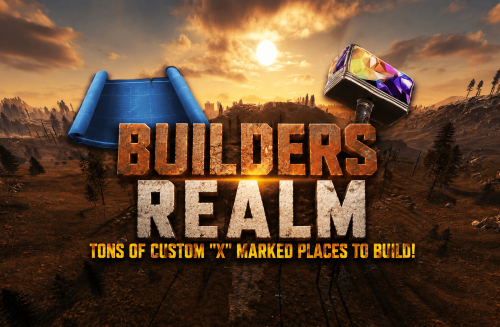
Builders Realm – 3750K A CREATIVE BUILDERS PARADISE RUST MAP MADE FOR BUILDERS AND EXPLORERS! Builders Realm is a Map that has its focus on extreme low prefab count performance! I have removed 1000s of unnecessary entities that slow server load times, by removing entities like Powerlines, Electrical Boxes, certain rock types you can increase load times by 5x faster then a regular Map! A 3750K Rust map built for explorers, survivors, and creative builders alike. Packed with every major monument and 25+ custom marked build locations strategically spaced and placed across forgotten coastlines, and mysterious terrain. Designed with ultra low entity counts for buttery smooth performance, endless creativity, and nonstop gameplay. Your players will NEVER run out of new places to explore, conquer, and build on Builders Realm. What Makes It Special: 25+ Custom Build Zones marked with an "X" on the Map!!! Your players will NEVER run out of fun places to build their base! We use super shallow beach areas so there are always spots for players to build and endless spots for your Raidable Bases to spawn. These shallow beach waters go out very far allowing for spawning and building of all types! A beautifully designed Volcano Mountain adds eye catching visual interest to the terrain! Fully connected train tracks + underground rails for fast travel and tactical control Endless Custom Buildable areas/Caves/Rock Formations that players will love! Beautiful Snowy Mountains, Rivers, Canyons and Valleys players can Build on Diverse terrain: forests, deserts, coasts, cliffs, valleys & plateaus Perfect for solos, clans, builders, and high-pop servers. SUPER Low-prefab, FPS-friendly buildables: Custom caves Floating Rock Islands with HeliPad Custom HUGE Bus Stop Bases! - Enjoy those nostalgic bus stop builds Underwater Locations to build a base Hidden structures Unique build pockets Works with 100% of all Popular Events Plugins like Convoy, ArmoredTrain, Raidable Bases, Sputnik, Airfield Event and many more! Custom Monuments: Red Bunker Junk Checkpoint Junk Crossing Volcano Mountain All Facepunch Monuments Included: Launch Site • Military Tunnels • Military Base • Silo • Airfield • Power Plant • Water Treatment • Trainyard • Harbors • Outpost • Excavator • Large Oil Rig • Small Oil Rig • Arctic Base • Junkyard • Sphere Tank • Satellite Dish • Ferry Terminal • Sewer Branch • Abandoned Supermarket • Oxum's Gas Station • Mining Outpost • Lighthouse • Bandit Camp • Fishing Village • Large Barn • Underwater Labs • Stone Quarry • Sulfur Quarry • HQM Quarry • Underwater Labs • Abandoned Cabins • Jungle Ziggurat • Jungle Ruins • Caves • Ranch — and more. Map Info: Size: 3750k Prefabs: ~8289 Support: Discord: Dymize_$24.99 -

Version 4.0.0
20 downloads
Creators Paradise – 4500K A CREATIVE BUILDERS PARADISE RUST MAP MADE FOR BUILDERS AND EXPLORERS! Creators Paradise is a Map that has its focus on extreme low prefab count performance for fast server load times for your players! I have removed 1000s of unnecessary entities that slow server load times, by removing entities like Powerlines, Electrical Boxes, certain rock types you can increase load times by 5x faster then a regular Map! A 4500K Rust map built for explorers, survivors, and creative builders alike. Packed with every major monument and 30+ custom marked "X" build locations strategically spaced and placed across forgotten coastlines, and mysterious terrain. Designed with ultra low entity counts for buttery smooth performance, endless creativity, and nonstop gameplay. Your players will NEVER run out of new places to explore, conquer, and build on Creators Paradise. What Makes It Special: 30+ Custom Build Zones marked with an "X" on the Map!!! Your players will NEVER run out of fun places to build their base! We use super shallow beach areas so there are always spots for players to build and endless spots for your Raidable Bases to spawn. These shallow beach waters go out very far allowing for spawning and building of all types! Lots of flat terrain to build large bases Fully connected train tracks + underground rails for fast travel and tactical control Endless Custom Buildable areas/Caves/Rock Formations that players will love! Beautiful Snowy Mountains, Rivers, Canyons and Valleys players can Build on Diverse terrain: forests, deserts, coasts, cliffs, valleys & plateaus Perfect for solos, clans, builders, and high-pop servers. SUPER Low-prefab, FPS-friendly buildables: Custom caves Floating Rock Islands with HeliPad Custom HUGE Bus Stop Bases! - Enjoy those nostalgic bus stop builds Underwater Locations to build a base Hidden structures Unique build pockets Works with 100% of all Popular Events Plugins like Convoy, ArmoredTrain, Raidable Bases, Sputnik, Airfield Event and many more! Custom Monuments: Dead Man's Bridge Crystal Lake 30+ Custom Buildable Monuments Custom enlarged icebergs All Facepunch Monuments Included: Launch Site • Military Tunnels • Military Base • Silo • Airfield • Power Plant • Water Treatment • Trainyard • Harbors • Outpost • Excavator • Large Oil Rig • Small Oil Rig • Arctic Base • Junkyard • Sphere Tank • Satellite Dish • Ferry Terminal • Sewer Branch • Abandoned Supermarket • Oxum's Gas Station • Mining Outpost • Lighthouse • Bandit Camp • Fishing Village • Large Barn • Underwater Labs • Stone Quarry • Sulfur Quarry • HQM Quarry • Underwater Labs • Abandoned Cabins • Jungle Ziggurat • Jungle Ruins • Caves • Ranch — and more. Map Info: Size: 4500k Prefabs: ~9736 Support: Discord: Dymize_$24.99 -
Version 1.0.6
323 downloads
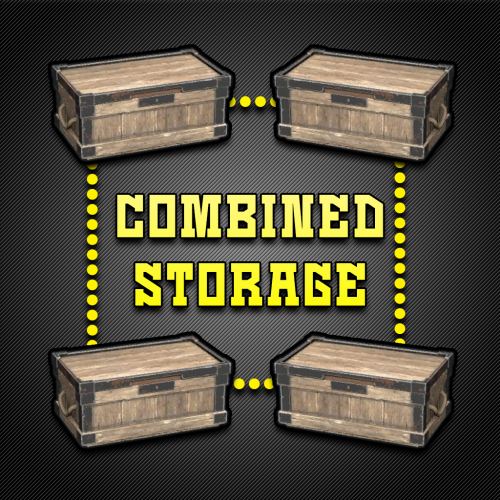
Combined Storage lets players connect multiple storage containers so they function as one large inventory. Includes automatic item sorting, search functionality, and filtering to keep storage clean and efficient. Readme Link - Click Here for Instruction and Documentation Highly recommend reading the FAQ section! All Your Items - In One Place Link multiple containers so they all share a single organized inventory. Automatic Sorting Items are automatically sorted as they are inserted, no manual effort required. Search Functionality Quickly find any item across all linked containers using a fast, built-in search bar. Simple Setup Simply press Link in a container to hook it up with the rest of them in your base. Unique View for Each Player Each player sees their own automatically sorted and filtered view of the shared inventory based on their preferences, without affecting anyone else.$24.99- 19 comments
- 4 reviews
-
- 4
-
-
- #inventory
- #storage
- (and 20 more)
-
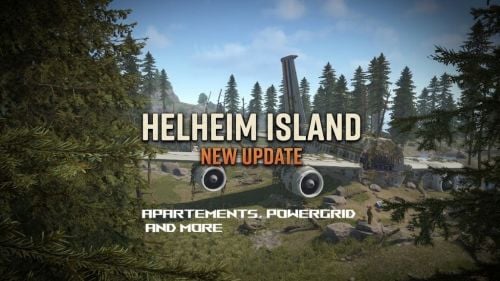
Version 0074
255 downloads
Just updated. Work with latest rust version. *** MAP IS NOW COMPATIBLE WITH WORLD 2.0 ! More update coming in next days/weeks to add more details and to add the new ending of the laboratory monument.*** Also for a limited time the price of the map is reduced for this new update ! Helheim Island: The Last Bastion is a 3800km map made by Keirox Custom Maps, one of the first map makers of Rust's history. Vanilla by default, moddable as you wish. The map is being worked on actively and getting updates regulary. Here is a video that will be very helpfull to know everything about the map ! *** 04/07/2024 UPDATE : THE LABORATORY EXPANSION IS HERE ! *** This update bring something that many was waiting for : the continuation of the Laboratory, the end game of Helheim Island. Not everything has been implemented, but you can already see the start of the real challenge coming up. Players will be able to go deeper in the laboratory in a next gen design, fresh area, and very dangerous one. You'll find a lot of heavy scientists in there. You can also see the environment interacting with your actions (electricity wise). At the end of it, you'll find a portal ! But the portal is not working yet. The portal is meant to be working (yes) and bring the player into a spaceship themed area, to discover what really happened to Helheim (where the virus came from) Patience, it's coming. This is just the beginning ! The map is optimized for performance. Prefabs count: 41500 Monuments list : CUSTOM : Helheim Airport, Helheim Powerplant, Hospital, Cathedral, Catacombs, Airbus Crashsite, The Refuge, Mines, Mines B, Laboratory FACEPUNCH : Missile Silo, Sewer Branch, Ferry Terminal, Small Harbor, Train Yard, Abandoned Supermarket, Oxium Gas Station, Mining Outpost, Artic Research Base, Stone/Sulfur/HQM Quarry, Underwater Lab, Bandit Camp, Fishing Villages This map is protected by a provided plugin. You can still edit the map with the provided files. The goal is that this map goes right into Facepunch's official servers in the future! My website: https://rust-keiroxcustommaps.com Discord (with over 2000 members): https://discord.gg/Yec8RP6$48.90 -
Version 1.8.17
656 downloads
Transform your Rust server's storage experience with intelligent automation, overflow chains, and PvP-safe raid protection. Why SmartSorter? For Players: Stop manually sorting hundreds of items after raids, monuments and roams Never lose loot to overflowing boxes again Create custom filter categories for your skinned gear sets Set up once, automate forever For Server Owners: Reduce player frustration and improve retention Performance-optimized for high-pop servers PvP-friendly with raid/combat blocking Admin-defined custom item categories for skinned items Zero dependencies - works out of the box What Makes It Unique? Drop Box Automation Mark any container as a "Drop Box" - toss items in and watch them automatically route to nearby filtered containers. No manual sorting needed. Sorting Chains (Overflow System) Link unlimited containers together. When one fills up, items automatically overflow to the next in the chain. Perfect for massive loot rooms. Custom Item Categories Admins define custom categories for skinned items like "Raid Gear", "VIP Kits", or "Event Loot". Players filter containers by these categories just like vanilla ones. Category definitions persist across wipes while templates let players reapply setups instantly. Raid & Combat Protection Full integration with RaidBlock, NoEscape, and CombatBlock - prevent sorting abuse during raids with granular control over what gets disabled. Essential for PvP servers. Defense Auto-Fill One-click filling of turrets, SAM sites, flame turrets, and shotgun traps. Set your preferred ammo/fuel amounts once and forget it. Smart Template System Save filter configurations as templates, load them onto any container, and share setups across your base in seconds. Core Features Automatic Sorting Drop Box system for hands-free organization Category and item-specific filters (granular control) Custom item categories for skinned items (admin-defined) Works with 50+ container types Intelligent handling of furnaces, refineries, recyclers, and vending machines Smart routing with sorting chains Manual Control Tools Send Near - Distribute inventory to nearby filtered containers within radius Send to Box - Fill the specific container you're looting Dump All - Empty your entire inventory instantly Loot All - Grab everything from a container (supports backpacks!) In-Container Sort - Organize by name or category with one click Inventory and backpack Sorting Sorting Chains (Overflow System) Link unlimited containers for automatic overflow routing Visual chain inspection with in-game colored lines and spheres Cycle detection prevents infinite loops Per-player chain ownership Configurable visualization duration and appearance Custom Item Categories 🏷 Admins create categories via /sscustomcat (e.g. "Custom Currency", "Custom Fuel", "Event Items") Add specific skinned items by skin ID and display name Players access custom categories through the "Custom" button in the filter panel Toggle entire categories or individual items on/off Custom button reflects active state (green when filtering, gray when inactive) Category definitions stored in config and persist across wipes Per-container selections included in template save/load Defense Management Auto-fill Auto Turrets, SAM Sites, Flame Turrets, Shotgun Traps Customizable ammo/fuel amounts per defense type Radius-based batch filling Automatic weapon mounting for turrets Per-player preferences saved Raid & Combat Protection Integrates with RaidBlock, NoEscape, and CombatBlock Granular control - disable specific features during raids/combat Optional chat notifications when actions are blocked Essential for PvP servers - prevents sorting abuse Template System Save filter configurations by name Load templates onto any container instantly Share setups between boxes Per-player template ownership with admin override Easy template management (delete, rename) Player Preferences Toggle auto-opening of filter panels (/ssautofilters) Minimize UI to compact button mode Per-player defense ammo/fuel settings Settings persist across sessions Visual Interface Dynamic context-aware UI (changes based on container type) Built-in help system with full-color image guides Fully customizable layouts, colors, and button positions Responsive design adapts to 1-column or 2-column layout ImageLibrary support for item icons Technical Specifications Supported Containers (50+) Storage boxes, large boxes, coffins, barrels, fridges, lockers, tool cupboards, vending machines, furnaces (all types), refineries, recyclers, BBQs, campfires, lanterns, mannequins, drop boxes, wall cabinets, beehives, chicken coops, composters, cauldrons, stashes, and all defense entities. Performance Optimized Configurable processing intervals Batch processing limits (MaxDirtyBoxesPerTick) Optimization mode for high-population servers Efficient memory pooling throughout Automatic cleanup of deleted container data Framework Compatible Full support for uMod/Oxide Native Carbon framework support No external dependencies required Works out of the box Safety Features Wall-check system (prevent looting through walls) Building privilege requirement Configurable item blacklist/whitelist Automatic cleanup of old container data (configurable grace period) Permission-based access control Configuration Highlights 1000+ Customization Options UI Customization: Every color, position, size, and text label Button Layouts: 4 preset layouts (Default, DropBox, Awaiting, HasChain) Timing: Sort delays, cooldowns, debounce intervals Distances: Default radius, visualization settings Category Overrides: Reclassify any item into any category Custom Items: Define skinned item categories with skin ID and display name Furnace/Refinery: Custom fuel and smeltable item lists Support & Updates Documentation: Built-in visual help system Active Development: Regular updates and improvements Bug Reports: Fast response on CodeFling Feature Requests: Always welcome What's Included Plugin file (.cs) Default configuration Built-in help system with images Full permissions setup 50+ container support Custom item categories system Raid/combat block integration Template system Performance optimization Extensive customization options Perfect For: Large Base Builders - Automate loot rooms with chains PvP Servers - Raid block integration prevents abuse High-Pop Servers - Performance optimized Casual Servers - Quality of life improvement Modded Servers - Works with custom items PLAYER COMMANDS /ss or /smartsorter Opens the visual help guide UI /sshelp Opens the visual help guide UI (same as /ss) /sscommands Shows a list of all available chat commands /sstoggle Shows or hides the SmartSorter UI completely /ssremovechains Removes ALL sorting chains you own /ssautofilters [on|off] Toggles whether the filters panel auto-opens when looting filtered containers /ssrefresh Refreshes the UI if it gets stuck or doesn't display properly /ssshowchains Visually displays your sorting chains for 15 seconds using colored lines and spheres /ssdefense Opens the defense configuration panel to set ammo/fuel amounts for turrets and traps ADMIN COMMANDS /sscustomcat Opens the custom item category admin UI /ssdebug on|off Enables or disables debug logging in console /ssreloadconfig Reloads the configuration file from disk /ssclearfilters <containerID> Clears all filters on a specific container by NetworkID /ssconfig [setting] [value] Opens the config UI, or sets a specific config value ━━━━━━━━━━━━━━━━━━━━━━━━━━━━━━━━━ smartsorter.use - Required for all features smartsorter.admin - Admin commands and config access ━━━━━━━━━━━━━━━━━━━━━━━━━━━━━━━━━ DEPENDENCIES None required. Optional ImageLibrary support for enhanced item icons. ━━━━━━━━━━━━━━━━━━━━━━━━━━━━━━━━━ Give your players the gift of time. Install Smart Sorter today.$24.99- 143 comments
- 6 reviews
-
- 2
-
-
- #sorting
- #auto-sort
- (and 67 more)
-

Version 1.2.1
98 downloads
xNpcFreeze xNpcFreeze is a Rust plugin that completely disables AI for NPCs by stripping their brain components as they spawn. Scientists, Tunnel Dwellers and animals still exist and can be interacted with, but they will no longer roam, think, or attack - Perfect for PvE building servers, cinematic setups, or performance-focused environments. > CH47 at oil rig etc. will work and fly/land normally Features Freeze NPCs (Animals, Scientists, Tunnel Dwellers) Option to disable radiochatter (sound) from scientists Commands (Admin required) /xnf - Opens the ingame config editor Config { "FreezeAnimals": false, "FreezeScientists": false, "FreezeTunnelDwellers": false, "MuteScientistRadioChatterSound": false }$8.99 -
Version 1.0.8
207 downloads
Deactivates Turrets, Flame Turrets, and Gun Traps when no players in proximity to save Server Resources and Boost Server FPS Turns off any auto turret, flame turret, or gun trap when there are no players within range Auto turns items back on when players enter the target area. Conserves Server resources by lowering working queues No config or data file.. Just load the plugin and enjoy the performance gains$9.99- 6 comments
- 1 review
-
- 3
-
-
-
- #autoturret
- #performance
- (and 1 more)
-

Version 1.1.4
1,748 downloads
Loading Messages is a high-performance plugin that features customizable loading panel messages with adjustable display times and icons. Custom Messages for Queued and Loading Players Language Support - Display messages in local languages Loading Messages on Respawn and Teleport Loading Screens Configurable Display Time per Message High Performance Plugin! Loading Messages has three main message types: Queued - When a player is in the server queue Joining - When a player is joining the server Loading - The loading screen displayed when a player is teleporting or in a pending gamemode state Each custom type allows for options including icon ID, next message display time & message content. You can also use the placeholder {{PLAYERNAME}} in any message to display the player name inside a loading message. New Lines - if you want to have text displayed over two lines the only way to achieve this is by using a lot of spaces to split a single line in two. Loading Messages can use the following rich text tags - color, b, u, and i To display local languages set: "Use Language Support": true in you configuration. Custom languages will only be displayed after the first time a user connects to the server. Add multiple languages in the configuration listing: "Lang Messages": { "es-ES": { "Queue Messages": [ { "iconID": "0", "NextMessageTime": 5.0, "Message": "Estás en la cola" }, { "iconID": "0", "NextMessageTime": 5.0, "Message": "Por favor espera" }, { "iconID": "0", "NextMessageTime": 5.0, "Message": "Reporta tramposos usando f7" } ] } } You can see a list of most of the icons by going to https://fontawesome.com/icons.$9.99- 47 comments
- 7 reviews
-
- 4
-
-
-
- #loading messages
- #loading
- (and 15 more)
-
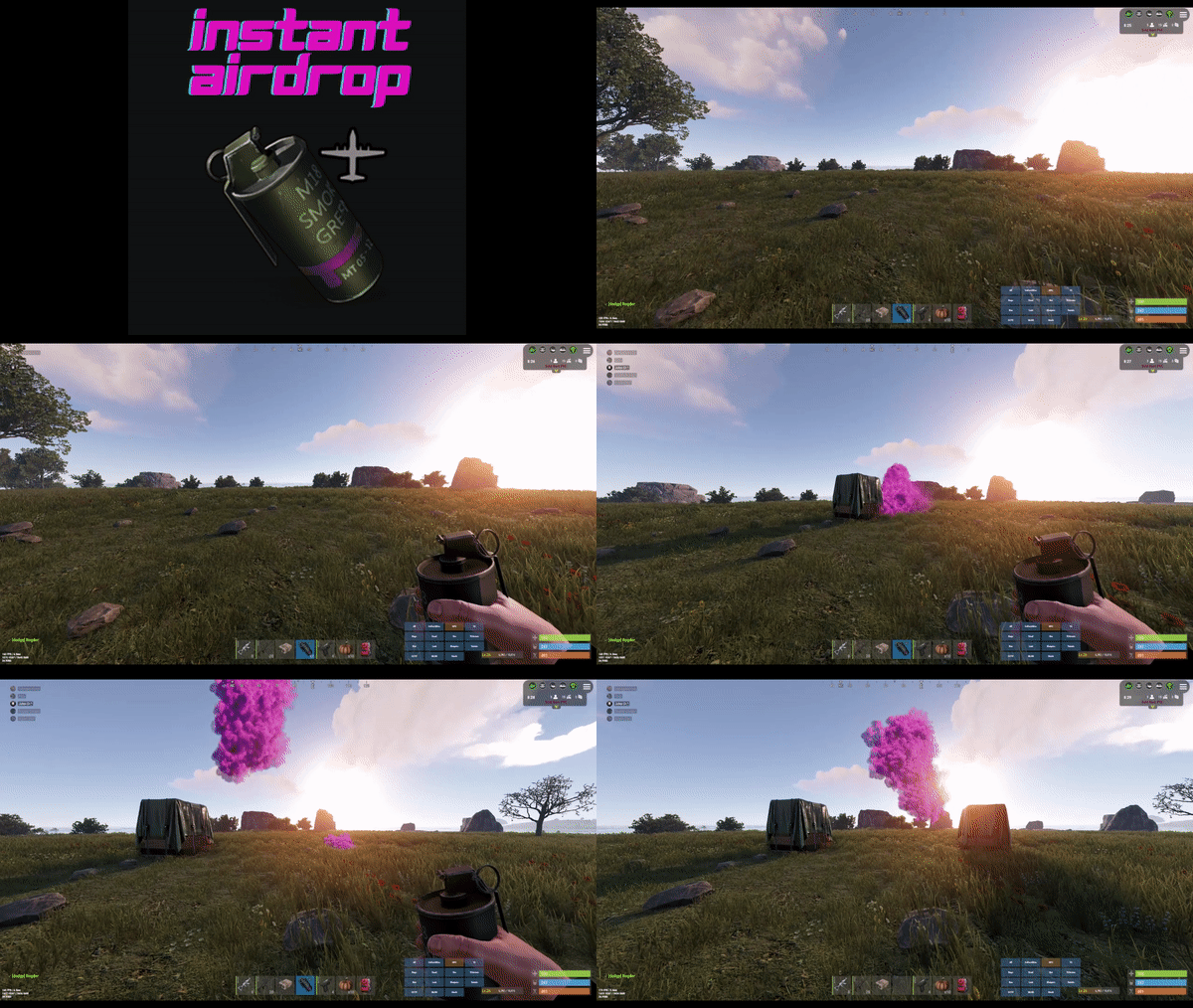
Version 1.0.16
2,147 downloads
Are your players tired of waiting for Airdrops? This little plugin makes them appear almost instantly, no cargo plane, no parachutes. Airdrop will spawn wherever the supply signal lands. The delay can be modified in the config file. The default is 5 seconds to allow the supply signal to land and smoke briefly. Config File { "Delay Before Spawn": 5.0, "Use Permission": false, "Prevent Deploying Inside (Players will only be able to deploy supply signals outside)": false, "Skin IDs To Ignore": [] } if "Use Permission" is set true then permission to be set is instantairdrop.use If "Prevent Deploying Inside" the Airdrop will be cancelled, the supply signal will be refunded to the player and a message will inform the player that supply signals can only be deployed outside. This is to prevent instant airdrops spawning inside of bases and is optional. Developer Integration 1. IsInstantAirdrop(SupplyDrop supplyDrop) - Takes a SupplyDrop object and returns true if it's an instant airdrop 2. IsInstantAirdropByEntity(BaseEntity entity) - Takes any BaseEntity and returns true if it's an instant airdrop Usage Examples for Other Plugins: // Check if a supply drop is an instant airdrop var instantAirdrop = plugins.Find("InstantAirdrop"); if (instantAirdrop != null) { bool isInstant = (bool)instantAirdrop.Call("IsInstantAirdrop", supplyDrop); if (isInstant) { // Handle instant airdrop differently Puts("This is an instant airdrop!"); } } // Or using BaseEntity bool isInstantByEntity = (bool)instantAirdrop.Call("IsInstantAirdropByEntity", entity); This integration allows other plugins to: - Prevent their plugin from calling in more airdrops - Apply different loot rules to instant vs regular airdrops - Show different notifications for instant airdrops - Track instant airdrop statistics separately - Apply special effects only to instant airdrops - Modify damage/protection rules for instant drops Tested to work nicely along side other plugins such as: Heli Signals Bradley Drops Fancy Drop Loot Defender Signal Cooldown Helpful Supply Supply Lock Vehicle Airdrops (fix coming soon) Note: The plugin is designed to operate without causing issues when used with these plugins. However, it does not integrate or alter the functionality of these plugins.$3.99 -

Version 1.2.2
965 downloads
NoEscape stands out as a robust solution to control rust players raiding & combat actions. As an innovative plugin for Rust, offering a range of unique features along with a visually appealing overlay. It provides 10 different colors for customization and a visible dome adjuster, enhancing user interaction. This plugin is designed to deliver optimal performance while maintaining backward compatibility with the free NoEscape from umod ensuring a smooth transition. Features Twig Building Ignorance: The plugin intelligently ignores twig buildings, preventing griefers from exploiting the raid/combat block system during simple base construction. Door Shooting Logic: Shooting a door outside the predefined radius won't trigger a raid block, even if the door is destroyed. Reliability and Compatibility Reload Behavior: Reloading NoEscape clears all existing raid/combat blocks. Team and Clan Support: Compatible with Teams & Clans, especially beneficial when used with the Auto Team plugin(umod clans). Removal Tools Support: Fully compatible with remove tools within the game or plugins. Command Blocking: Offers optional command blocking. Commands can be specified to block only for raids ("shop": 1) or combat ("shop": 2), or both ("shop": 3). Health/Regen Logic for Raids: Optional feature to manage health and regeneration of building blocks during raids / base building. Sound Effects: Option to include sound effects for enhanced user experience. UI System: Implements a user interface specifically for raid & combat scenarios that includes complete customization support. Hud Preset Positions: ( 0 Left Top | 1 Left Bottom | 2 Right Top | 3 Right Bottom | 4 Custom ) Combat-Blocking Logic: Combat-blocking is only active when not in a raid-blocked state. This not only saves on performance but also improves the gameplay experience. Raid-Block Self-Ignorance: Prevents raid-blocking on one's own buildings. MLRS Support: Yes, but only the vanilla ones launched by the vehicle on the map are supported, 3rd party plugins are not. Fire Damage Logic: If a wooden (but not twig) base takes fire damage, it triggers a raid. Damage Source Ignorance: Ignores non-player damage and buildings set to owner ID 0 by third-party plugins. Visual Enhancements: Color Support for Spheres: Adds color customization options for the visible spheres. Visualization Level Setter: Allows users to set the level of visualization for easier navigation and interaction. In conclusion, NoEscape provides a comprehensive and robust solution for Rust players, offering a blend of unique features, compatibility, and visual enhancements to elevate the gaming experience. Permissions noescape.combatblock.ignore <now ignores players from being combat blocked> noescape.raidblock.ignore <now ignores players from being raid blocked & becoming combat blocked when leaving a raid-zone> noescape.admin Allows you to use the console / F1 command "newcolor" for changing the Raid overlay settings in game. Also allows you to use the console / F1 command "noescape" for allowing to raid your self or trigger combat block on npcs. Command /blocked -- shows the remaining time of your combat block or raid block in chat. newcolor <1-10> <0-8> -- first number is the color setting, second number is the sphere darkness level. noescape or noescape steamID Need to trigger raids on your self or combat block for NPCs? For testing! Use the new noescape command! Example: F1 menu Type "noescape" in game to toggle for your self. Example: F1 menu or server-console Type "noescape steamID" to toggle for someone else. Requires the noescape.admin perm to use in game. Configuration { "Specify commands to block ( 3 = Block Both | 1 = Block Raid | 2 = Block Combat )": { "shop": 3, "kill": 3, "tp": 3 }, "Combat Block": { "Enable Combat Block For Shooter": true, "Enable Combat Block For Being Shot": true, "Block Time (Seconds)": 60, "Damaged Health Percentage on a player to trigger combat block (0 = disabled)": 0 }, "Raid Block": { "Enable Raid Block?": true, "Allows Raid Block to trigger for your own stuff.": false, "3rd party plugin Raid-Protection GetProtectionPercent to trigger a raid. Example: 50 means at 50% protection it will trigger a raid zone-bubble.": 50, "Raid Block player until death instead of distance checks or zones. + 'Optional' timer setting in seconds Default: 0.0 = disabled.": { "Die": false, "Time": 0.0 }, "Block Time (Sec)": 300.0, "Block Radius": 100.0, "Damaged Health Percentage on an entity to trigger a raid (0 = disabled)": 0, "Sphere Visibility (Recommend 3 or 5, 0 = disabled)": 3, "Sphere Color (0 = none, 1 = Blue, 2 = Cyan, 3 = Green, 4 = Pink, 5 = Purple, 6 = Red, 7 = White, 8 = Yellow, 9 = Turquoise, 10 = Brown)": 6, "Sphere generation speed, how fast the bubble grows Default: 10f, max 100f": 10.0, "Enable Random Sphere Colors? (Randomly selects a new color each time a raid block is triggered)": false, "Allow Upgrade or Block?": true, "Override facepunches default repair wait time after being attacked? Default: 30sec": 30, "Enable Base Building Block Features": true, "Apply Combat Blocking when leaving a raid zone": true }, "User Interface": { "Enable uMods UI: Not Configurable.": false, "RaidGUI": { "Enable Raid UI": true, "Item ID Default: 1248356124, 0 = None": 1248356124, "Skin ID: Default 0": 0, "Switch to sprite instead of Icon": false, "Sprite Default: assets/icons/explosion.png": "assets/icons/explosion.png", "Sprite Color Default: 0.95 0 0.02 0.67": "0.95 0 0.02 0.67", "Hud Preset Positions: ( 0 Left Top | 1 Left Bottom | 2 Right Top | 3 Right Bottom | 4 Custom )": 0, "Hud Transparency Default: #, 0.1f": { "Hex": "#", "Rgb": "0 0 0 0.1" }, "Text Color Default: #09ff00": { "Hex": "#09ff00", "Rgb": "0.0352941176470588 1 0 1" }, "Text Font Size Default: 13": 13, "Hex or RGB toggle: Default is Hex": true, "Custom UI POS: Key is anchorMin | Value is anchorMax": { "Hud": { "Key": "0.345 0.11", "Value": "0.465 0.14" }, "Icon": { "Key": "0 0", "Value": "0.13 1" }, "Text": { "Key": "0.15 0", "Value": "1 1" } } }, "CombatGUI": { "Enable Combat UI": true, "Item ID Default: 1545779598, 0 = None": 1545779598, "Skin ID: Default 0": 0, "Switch to sprite instead of Icon": false, "Sprite Default: assets/icons/bullet.png": "assets/icons/bullet.png", "Sprite Color Default: 0.95 0 0.02 0.67": "0.95 0 0.02 0.67", "Hud Preset Positions: ( 0 Left Top | 1 Left Bottom | 2 Right Top | 3 Right Bottom | 4 Custom )": 0, "Hud Transparency Default: #, 0.1f": { "Hex": "#", "Rgb": "0 0 0 0.1" }, "Text Color Default: #09ff00": { "Hex": "#09ff00", "Rgb": "0.0352941176470588 1 0 1" }, "Text Font Size Default: 13": 13, "Hex or RGB toggle: Default is Hex": true, "Custom UI POS: Key is anchorMin | Value is anchorMax": { "Hud": { "Key": "0.345 0.11", "Value": "0.465 0.14" }, "Icon": { "Key": "0 0", "Value": "0.13 1" }, "Text": { "Key": "0.15 0", "Value": "1 1" } } } }, "Building (None = Doors, VendingMachine, ShopFront, Barricades)": { "None": { "Raid Blocked Building Spawned Health Percentage": 35, "Health Regen Rate (Sets how fast it gens the health every x(Sec)": 1.0, "Regen Amount (0 = Disabled Sets how much to regen every x(Sec)": 20.0, "After Being Attacked Regen Time (Sec)": 30.0 }, "Twigs": { "Raid Blocked Building Spawned Health Percentage": 10, "Health Regen Rate (Sets how fast it gens the health every x(Sec)": 1.0, "Regen Amount (0 = Disabled Sets how much to regen every x(Sec)": 1.0, "After Being Attacked Regen Time (Sec)": 30.0 }, "Wood": { "Raid Blocked Building Spawned Health Percentage": 20, "Health Regen Rate (Sets how fast it gens the health every x(Sec)": 1.0, "Regen Amount (0 = Disabled Sets how much to regen every x(Sec)": 20.0, "After Being Attacked Regen Time (Sec)": 30.0 }, "Stone": { "Raid Blocked Building Spawned Health Percentage": 30, "Health Regen Rate (Sets how fast it gens the health every x(Sec)": 1.0, "Regen Amount (0 = Disabled Sets how much to regen every x(Sec)": 25.0, "After Being Attacked Regen Time (Sec)": 30.0 }, "Metal": { "Raid Blocked Building Spawned Health Percentage": 40, "Health Regen Rate (Sets how fast it gens the health every x(Sec)": 1.0, "Regen Amount (0 = Disabled Sets how much to regen every x(Sec)": 30.0, "After Being Attacked Regen Time (Sec)": 30.0 }, "TopTier": { "Raid Blocked Building Spawned Health Percentage": 50, "Health Regen Rate (Sets how fast it gens the health every x(Sec)": 1.0, "Regen Amount (0 = Disabled Sets how much to regen every x(Sec)": 40.0, "After Being Attacked Regen Time (Sec)": 30.0 } }, "Upgrading only works for BuildingBlocks": { "Twigs": { "Raid Blocked Upgrading Spawned Health Percentage": 10, "Health Regen Rate (Sets how fast it gens the health every x(Sec)": 1.0, "Regen Amount (0 = Disabled Sets how much to regen every x(Sec)": 1.0, "After Being Attacked Regen Time (Sec)": 30.0 }, "Wood": { "Raid Blocked Upgrading Spawned Health Percentage": 20, "Health Regen Rate (Sets how fast it gens the health every x(Sec)": 1.0, "Regen Amount (0 = Disabled Sets how much to regen every x(Sec)": 20.0, "After Being Attacked Regen Time (Sec)": 30.0 }, "Stone": { "Raid Blocked Upgrading Spawned Health Percentage": 30, "Health Regen Rate (Sets how fast it gens the health every x(Sec)": 1.0, "Regen Amount (0 = Disabled Sets how much to regen every x(Sec)": 25.0, "After Being Attacked Regen Time (Sec)": 30.0 }, "Metal": { "Raid Blocked Upgrading Spawned Health Percentage": 40, "Health Regen Rate (Sets how fast it gens the health every x(Sec)": 1.0, "Regen Amount (0 = Disabled Sets how much to regen every x(Sec)": 30.0, "After Being Attacked Regen Time (Sec)": 30.0 }, "TopTier": { "Raid Blocked Upgrading Spawned Health Percentage": 50, "Health Regen Rate (Sets how fast it gens the health every x(Sec)": 1.0, "Regen Amount (0 = Disabled Sets how much to regen every x(Sec)": 40.0, "After Being Attacked Regen Time (Sec)": 30.0 } }, "Sound Effects": { "RaidStart": "assets/bundled/prefabs/fx/takedamage_hit.prefab", "CombatSart": "assets/bundled/prefabs/fx/kill_notify.prefab", "RaidEnd": "assets/prefabs/building/door.hinged/effects/vault-metal-close-end.prefab", "CombatEnd": "assets/prefabs/building/door.hinged/effects/vault-metal-close-end.prefab", "Denied": "assets/prefabs/weapons/toolgun/effects/repairerror.prefab" }, "Message Responses": { "ChatIcon": 0, "RaidBlocked": "You are now <color=#00FF00>raid blocked</color>! For <color=#00FF00>{0}</color>!", "UnRaidBlocked": "You are <color=#00FF00>no longer</color> raid blocked.", "CombatBlocked": "You are <color=#00FF00>combat blocked</color> For <color=#00FF00>{0}</color>.", "UnCombatBlocked": "You are <color=#00FF00>no longer</color> combat blocked.", "CommandBlocked": "Access Denied: Cannot use <color=#FFA500>'{0}'</color> command during <color=#FFA500>{1}</color>: <color=#FFA500>{2}</color>", "ActionBlocked": "Denied: Cannot <color=#FFA500>{0}</color> while <color=#FFA500>raid blocked</color>", "RepairBlocked": "Unable to repair: Recently damaged. Repairable in: ", "CmdBlocked": "Raidblocked: for {0}\nCombatblocked: for {1}", "CmdNotBlocked": "You're not Blocked" } } API Hooks Useful to force quit 3rd party plugin actions when players trigger Combat/Raid Blocks. private void OnCombatBlock(BasePlayer player) private void OnRaidBlock(BasePlayer player) Useful for checking commands, etc, before allowing a player to do something private bool IsCombatBlocked(BasePlayer player) | IsCombatBlocked(string player) | IsCombatBlocked(ulong player) private bool IsRaidBlocked(BasePlayer player) | IsRaidBlocked(string player) | IsRaidBlocked(ulong player) private bool IsEscapeBlocked(BasePlayer player) | IsEscapeBlocked(string player) | IsEscapeBlocked(ulong player)$24.99 -

Version 1.0.6
543 downloads
Bright Nights is the plugin every player has been waiting for. Make your nights brighter and actually playable! Enhanced gameplay with brighter nights Customizable night time brightness Smooth transitions between night and day cycles Lightweight high performance plugin Inverted Night (Option) - make nights as bright as day Saves your players from having to eat too many carrots Bright Nights brings exciting new visuals to the game allowing your players to make the most of night time game play. Inverted nights brings a whole new meaning to bright nights. Inverted nights adds a sun to the night cycle to create a daylight like play style, while maintaining a dark skybox. This option can be enabled via the config. /Settime - allows you to set the ingame time (good for testing settings) Args - Hours (24h) example: 7.5 will be 7:30 am or 0 will be midnight - Sunset - goes to sunset time - Sunrise - goes to sunrise time brightnights.admin - Allows use of the /settime command Does bright nights effect rust events ? Bright Nights does not change any of the date time settings for rust so timed events will run as per normal. Can I adjust the brightness? Yes! Brightnights has a config file which allows for the adjustment of brightness and transition settings. Is the plugin hard to set up? Bright nights is a drag and drop plugin, with no additional set up required.$14.99- 20 comments
- 4 reviews
-
- 5
-
-
- #brightnights
- #bright nights
- (and 28 more)
-

Version 1.1.7
519 downloads
Multi permission based entity limit system Limit number of entities per player/group/team/clan UI config setup options Auto updating player permissions Chat Commands: /limits: Opens the user interface (UI) for managing entity limits Console Commands: ael.createnew <advancedentitylimit.NAME> <optional: copy from advancedentitylimit.NAME>: Adds new permissions for entities. Optionally, you can copy permissions from an existing entity limit. Player Permissions: advancedentitylimit.ui: Allows players to seethe UI. advancedentitylimit.default: Applies the default entity limits advancedentitylimit.vip: Applies the vip entity limits You can create custom permission groups to have various limits per group. Admin Permissions: advancedentitylimit.setlimit: Grants permission to set limits for entities. advancedentitylimit.createperm: Allows the creation of new permissions for entities. advancedentitylimit.admin: Provides full access. { "Auto-fill missing entities?": true, "Chat prefix": "<color=red>[Limits]</color>: ", "A message when the player reaches the maximum limit of objects": "You have <color=red>reached</color> the limit of this object ({0})", "Use teams for sum them constructions": false, "Use clans?": false, "Clans plugin for sum player constructions (Mevent, k1lly0u)": "Mevent" } Credit to @MuB-Studios the original author of this plugin$15.99- 81 comments
- 14 reviews
-
- 5
-
-
-
- #limit
- #advanceentitylimit
- (and 21 more)
-


Version 1.0.1
22 downloads
Stop wasting weeks on configs and loot tables – get a pro server in minutes. This is a complete "Server-in-a-Box" designed for 5x Gather servers. It includes my Premium Loottable and a perfectly balanced suite of 30+ plugin configurations. Everything can be easily adjusted to fit your specific needs. If you ever run into issues or want to tweak a setting, I am here to help! TOP FEATURES: Merged Outpost & Bandit: Optimized for performance and convenience. All Bandit Camp shops and airwolf are integrated into the Outpost. Perfect Balance: 5x Wood/Stone/Sulfur/Metal etc. No junk in loot crates. Monument Upgrades: Recyclers & Drones added to Fishing Village, Ranch, and Barns. Optimized Speed: Faster smelting, crafting, and recycling. Time Control: 55m Days / 5m Nights and much more (Add the files that you want to use). Possible to get helispawn on road, rhib boats at coast and 50% upkeep by request. BetterLoot V.4: Optimized for 5x: This setup is perfectly balanced for a 5x experience with 5 star reviews. Need a different rate? Check out my 2x and 3x Server setup! WHAT YOU GET: Config & Data Folders: 30+ tuned files (Loot, Files for plugins, Monuments, etc.). Language Files: Clean chat messages and prefixes. Plugin explanation: BetterLoot: Custom 5x loot tables (August 2026 update). GatherManager: Optimized 5x gather rates. QuickSmelt: Faster furnace smelting. StackSizeController: Increased stack limits. CraftingController: Adjusted crafting speeds. AutoAuth: Shared TC, Turret & Lock access. BuildingWorkbench: Extended workbench radius. RecyclerSpeed: Faster recycling. BetterChat/Mute: Chat formatting & muting. PermissionsManager: GUI for permissions. AdminRadar: Admin tracking tool. CopyPaste: Building copy/paste tool. TimeOfDay: Custom day/night cycles. SignArtist: Custom images on signs. ImageLibrary: UI icon support. UnburnableMeat: Prevents burnt meat. LootBouncer: Refreshes containers by spawning new loot if not fully emptied. Godmode: Admin invincibility & protection. InventoryViewer: Remote player inventory inspection. MonumentAddons: Adds custom features to monuments. MonumentFinder: Required for locating monuments. And more! No extra costs for plugins! Easy Setup: Very little Knowledge Required: Designed to be as easy as it gets—perfect for both new and experienced server owners. Step-by-step README included. Also plugin explanation, links to all the plugins to make it as easy as it gets to get the server up n runing. NOTE: This is a Configuration-only pack. Plugin files (.cs) are not included to ensure you always use the latest versions from uMod/Codefling.Simply download the plugins and drop them in!$19.98 -

Version 1.1.8
1,237 downloads
Drop Bags tracks items dropped into the rust world. When there are high-volume drops, they are combined into a single "drop bag.” This method enhances performance by streamlining the handling of item drops and reducing item physics. Stop server stalls and freezing from item spam Works on craft spam, dropped item spam, gutted shark spam and horse dung! Light weight and easy to use Easy config DropBags uses one light weight hook to track dropped items. Dependent on how many items are dropped in a given radius those items get placed into a drop bag. This stops mass item spam effecting your server performance. { "Area Size - How far away items can be moved into a container": 7, "Max drops before moving items to container": 36, "Time to wait before moving items": 5.0, "Vischeck - checks items are visable before moving to container": true, "Calculate despawntime from drop bag items": true, "Reset dropbag despawn time on loot": false, "Override drop bag despawn time (seconds), 0 = false": 0.0 }$14.99- 17 comments
- 8 reviews
-
- 2
-
-
-
- #dropbags
- #drop bags
- (and 26 more)
-

Version 3.2.0
44 downloads
CarbonCleaner Description Finds orphaned files in `carbon/config/`, `carbon/data/`, and `carbon/lang/` based on the installed/loaded plugins and provides a sleek in-game CUI for selecting and deleting them. Features - Matching logic (plugin detection) - Reads plugin base names from `carbon/plugins` (`*.cs`) **and** from the Carbon runtime (loaded plugins). - Base names `Admin` and `CorePlugin` are always treated as present. From version 3.0.0 onwards, the UI was adapted to my plugin styles so that all plugins have a uniform style. - Scan areas - config: Top-level `*.json` and top-level folders whose base name does not correspond to a plugin. - data: Top-level files (except `*.data`/`*.db`) and top-level folders without a plugin match. - lang: `lang/<LOCALE>/*.json` whose base name does not correspond to a plugin. - UI (CUI) - Three columns: CONFIG, DATA, LANG with count, file size, and checkboxes. - Select All for CONFIG/DATA, language sections can be expanded/collapsed for LANG. - Delete button shows number of selections; after deletion, automatic rescan. - Secure deletion - Deletes only within the `carbon/` root (path is validated). - Supports files **and** folders (recursively). - Backup - You have the option to decide whether you want to back up individual files.. > Note: `*.data` and `*.db` in the **data** root are **not** listed as orphaned (are skipped). This protects runtime databases. Commands In-Game (Chat) - `/carboncleaner` — Opens the UI (requires permission). Server console - `carboncleaner.scan` — Shows number/size of hits. - `carboncleaner.delete “<relativePath>|<relativePath>|...”` Example: `carboncleaner.delete “config/Old.json|data/OldFolder|lang/en/Old.json”` Deletes the specified relative paths under `carbon/`. Permissions - `carboncleaner.admin` — required for all functions (chat/UI). load, run, enjoy Support DC$8.99 -

Version 1.1.2
121 downloads
xAutoPurge - Automatically purges all entities owned by players which are inactive for X days. - xAutoPurge can retroactively detect and track players who haven’t connected to your server (Even before plugin was installed). - Config: PurgeOnlyToolCupboards - Only tool cupboards owned by inactive players are purged. InactiveDays - Defines when a players gets purged if not online for X days. (Default: 7 days) InactiveDaysByGroup - Defines when a players gets purged if in group X and not online for X days. (Default: 7 days) PurgeCheckIntervalSeconds - Defines how often it should be checked for inactive players. (Default: 1 hour) AnnouncePurge - Players can now be notified: "Optimizing server performance, brief lag may occur." LogToConsole - Defines if purging activities are getting logged to the console. (Default: true) ExcludedSteamIDs - Defines an exception list for specific SteamIDs, entered SteamIDs doesn't get purged. (Default: none) ResetDataOnWipe - Resets data on wipe automatically, so it doesn't happen that someone gets purged after wipe. (Default: true) SkipSharedBuildingPurge - Skip purging shared buildings/deployables where the inactive player owns part of the base, but another player also owns building blocks in the same building. It does not check the Rust team system. It checks ownership on building blocks by SteamID > Separate Buildings/Deployables will still be purged for the inactive player. DetailedPurgeLog - The plugin will create a detailed log file for each purge. It can include things like targeted SteamIDs, last seen times, purged entity counts, protected/shared buildings, and what was skipped. Default Config { "PurgeOnlyToolCupboards": false, "InactiveDays": 7, "InactiveDaysByGroup": { "default": 7, "vip": 14 }, "PurgeCheckIntervalSeconds": 3600, "AnnouncePurge": false, "LogToConsole": true, "ExcludedSteamIDs": [], "ResetDataOnWipe": true, "SkipSharedBuildingPurge": true, "DetailedPurgeLog": false } Console Commands purge.run [Triggers the purging immediately with its configurations] purge.player PLAYERNAME/STEAMID [Purges a specific player immediately (ignoring configuration) - Example usage: purge.player xNullPointer95] purge.retroactively - Scans the server database and detects all SteamIDs that have ever connected to your server, adds them to the xAutoPurge data file (if not already there), and sets their lastSeen value to the current date and time, so on next purge schedule they are deleted (depending on config 'InactiveDays'). Behaviour Matrix between "PurgeOnlyToolCupboards" & "SkipSharedBuildingPurge" Config$10.99 -

Version 3.2.0
81 downloads
## Description Finds **orphaned files** in `oxide/config/`, `oxide/data/`, and `oxide/lang/` based on the installed/loaded plugins and provides a sleek **in-game CUI** for selecting and deleting them. ## Features - **Matching logic (plugin detection)** - Reads plugin base names from `oxide/plugins` (`*.cs`) **and** from the oxide runtime (loaded plugins). - Base names `Admin` and `CorePlugin` are always treated as present. - **Scan areas** - **config:** Top-level `*.json` **and** top-level folders whose **base name** does not correspond to a plugin. - **data:** Top-level files (except `*.data`/`*.db`) **and** top-level folders without a plugin match. - **lang:** `lang/<LOCALE>/*.json` whose base name does not correspond to a plugin. - **UI (CUI)** - Three columns: **CONFIG**, **DATA**, **LANG** with count, file size, and checkboxes. - **Select All** for CONFIG/DATA, **language sections can be expanded/collapsed** for LANG. - Delete button shows number of selections; after deletion, automatic rescan. - **Secure deletion** - Deletes only within the `oxide/` root (path is validated). - Supports files **and** folders (recursively). - **Backup** - You have the option to decide whether you want to back up individual files.. > **Note:** `*.data` and `*.db` in the **data** root are **not** listed as orphaned (are skipped). This protects runtime databases. --- ## Commands ### In-Game (Chat) - `/oxidecleaner` — Opens the UI (requires permission). ### Server console - `oxidecleaner.scan` — Shows number/size of hits. - `oxidecleaner.delete “<relativePath>|<relativePath>|...”` Example: `oxidecleaner.delete “config/Old.json|data/OldFolder|lang/en/Old.json”` Deletes the specified relative paths under `oxide/`. --- ## Permissions - `oxidecleaner.admin` — required for all functions (chat/UI). --- # load, run, enjoy$8.99 -

Version 1.1.6
908 downloads
Team Tracker is your is the best admin tool for monitoring player associations and enforce team size rules. Whether you need to ban an entire team or track players abusing the system, Team Tracker has you covered. It offers live logging, team queries, and auto-banning—all in one customizable and performant package. Dynamic identification of player teams Live discord logging Query a player team at any time Automatic custom ban system Battlemetrics integration High Performance clearplayerdata - deletes a players team data/history teamcheck - Sends a discord embed with a report of group data, warnings and current team players to discord. Note: All chat commands are universal meaning they can be used via the console, rcon(for import commands) and can be customized via the configuration. teamtracker.whitelist - Whitelists a player from being included in any team alerts (Admins and Developers are automatically whitelisted) teamtracker.admin - allows the use of the checkteam and whitelist commands Proximity - configurable distance between players Sleeping bag placement - bags given or placed within building Codelock authorization - authorized players on a codelock Turret authorization - authorized players on a turret Toolcupboard authorization - authorized players on a toolcupboard Healing - healing and reviving of other players Vehicle mounting - mounting of the same vehicle at the same time Team-members - history of team members PVP - players breaking team limits when pvping/roaming Raiding - players raiding together Looting - looting other players together Alerts: All alert types can be customized via the plugin config. Options include: Enable - this toggles any usage of the alert type to enable or disable the alert type Log to discord - Enables discord logs Warn Players - Sends an ingame warning to a player up to 30 seconds after the offense Weighting - configures how important the alert type is. This contributes to the ban by association score value. Warnings: Warnings are logged as a type of violation. This provides discord logs and the optional in game warning display to the violator. Display Warnings to Players - option to disable in game warnings Length of time to display warning - optional length of time to display warnings Warning Text - customizable warning text Bans: Team-Tracker allows for customizable automatic bans of players, who go over the group limits. Enable Bans - allows toggeling of the ban system Ban text - text to display as the reason for a player ban Log Bans to Discord - optionally log bans to discord. Logging Only Mode: Set Enable Bans & Log Bans to Discord to true and set Local Bans and Battlemetrics Bans to False Enable Ban by Max Association - enables banning a player or a team by summing all association values to create a total weighting. Example: if the team limit is 5 players and the Max Association Weighting is 10, if a player has more than 5 players with an association weighting of more than 10 this will apply a ban. Max Association Weighting - set the max association weighting per player in a group Ban Duration - length of time to ban for Ban Team - ban all team members of a banned player Ban Associations - bans all players over Max Association Weighting in relation to a banned player Local Bans - apply bans locally An API token for your battlemetrics org is required to use the battlemetrics ban features. A token can be acquired by visiting: https://www.battlemetrics.com/developers Server ID - set the BM server ID Go to https://www.battlemetrics.com/rcon, click into the select server. Check the address bar in your browser, the address will be ending with the Server Id, for example: https://www.battlemetrics.com/rcon/servers/123456 means 123456 is the Server Id. Org ID - set an organisation ID Go to https://www.battlemetrics.com/rcon/orgs, click into the org. Check the address bar in your browser, the address will be ending with the Organization Id, for example: https://www.battlemetrics.com/rcon/orgs/edit/123456 means 123456 is the Organization Id. BanList ID - adds a ban to a specific ban list Go to https://www.battlemetrics.com/rcon/ban-lists, click "View Bans". Check the address bar in your browser, the address will be ending with the Banlist Id, for example: https://www.battlemetrics.com/rcon/bans/?filter[banList]=abcdef-123456-example-banlist-example91011 means abcdef-123456-example-banlist-example91011 is the Banlist Id. Org Wide Ban - true if the ban should be applied to all servers in your organization Auto Add - true if the ban should automatically ban new identifiers after kicking a matching player. Native Enabled - true if native bans should be issued for this ban$24.99- 22 comments
- 5 reviews
-
- 4
-
-
-
- #teamalerts
- #team
- (and 28 more)
-
Version 2.1.0
509 downloads
AdminStats - Server Monitor HUD Keep an eye on your server health while you play! AdminStats is a lightweight, always-visible HUD that shows real-time server performance metrics to administrators. Perfect for server owners who want to monitor performance while testing plugins, building, or just playing. What does it show? Server FPS - Color-coded (green = good, yellow = warning, red = critical) with a mini graph showing the last 30 seconds Players Online - Current / Maximum Entities - Total world entities Memory - Server RAM usage Network Traffic - Incoming and outgoing bandwidth Uptime - Time since last server restart Two Display Modes Full Mode - All stats in a compact panel Minimal Mode - Just FPS, super tiny, stays out of your way Switch between modes anytime with /adminstats mode Easy Positioning Place the HUD wherever you want: Top Left Top Right Bottom Left Bottom Right Custom position Adjust margins to fit perfectly with your other UI elements. Commands /adminstats - Toggle HUD on/off /adminstats mode - Switch between full and minimal mode Features Zero performance impact - updates once per second Auto-enables for admins on connect Sleek blur background that fits Rust's style Multi-language support (English, Portuguese, Spanish) Fully configurable colors, size, and position Permission-based (adminstats.use) Perfect for: Testing new plugins while monitoring server health Identifying performance issues in real-time Keeping track of player count and entity buildup Server owners who like to stay informed Lightweight. Unobtrusive. Essential.Free- 9 comments
- 2 reviews
-
- 1
-
-
- #admin stats
- #stats
- (and 15 more)
-

Version 1.1.6
46 downloads
Simple Kits is a Kits plugin for Rust that offers a simple and easy to navigate UI while maintaining good server performance. Key Features UI for Kit Management: A custom, in-game user interface for players to view and redeem available kits. Admins can also use the UI to create and edit kits without manually editing the config file. Highly Customizable: Each kit can be configured with a specific name, short name, description, image, and items. It also supports item attachments, allowing for pre-modded weapons and tools, and autokit support. Built-in Cooldown and Usage Limits: You can define cooldown periods (global and per-player) and set a maximum number of uses for each kit, providing a balanced experience. There is also an option to automatically clear all cooldowns and use counts upon a server wipe. Permission Restricted Access: Kits can be restricted to specific players or groups using permissions, allowing for VIP kits or donor perks. API: The plugin exposes a comprehensive API that is compatible with the uMod Kits plugin's API. It allows other plugins to interact with the kit system, including giving kits, checking their existence, retrieving kit data, and managing player cooldowns and uses. Lightweight: stripped down features and more optimized to guarantee good performance. Performance Overview Commands and Permissions /kit - Open the kits menu. /kit {shortname} - Redeem any kit via it's shortname without opening the menu. No admin permission required, ownerid and moderatorid gain access the admin menu hassle free. Config { "VIP Store URL (Wthout https://)": "", "Enable Auto-Kits": true, "Clear Cooldowns and Redeem Limits on wipe": true, "Main Color RGBA (Use https://colors.misticos.dev/ (RUST Color))": "0 1 1 1", "Kits": { "starter": { "Name": "STARTER", "ShortName": "starter", "Description": "A simple kit to get your <color=#00ceff>base</color> going! \n24 Hour cooldown between redeems.", "Image": "https://files.tryhard.cloud/s/RygdtjDamAXHKwQ/preview", "Cooldown": 86400.0, "WipeCooldown": 0.0, "MaxUses": -1, "Perm": "", "Items": [ { "Id": 1079279582, "ShortName": "medkit", "Amount": 2, "SkinId": 0, "Slot": 1, "Container": 1, "Attachments": null }, { "Id": 1079279582, "ShortName": "bandage", "Amount": 2, "SkinId": 0, "Slot": 2, "Container": 1, "Attachments": null } ], "Hide": false } } } API (for developers) // Attempts to give a kit to the specified player. // Returns a string containing a failure message, otherwise returns the result of the internal GiveLoadout method. object GiveKit(BasePlayer player, string name); // Checks if a kit with the given name exists. // Returns a boolean value. bool IsKit(string name); // Populates a provided list with the names of all available kits. // This method does not return a value. void GetKitNames(List<string> list); // Retrieves the image URL for the specified kit. // Returns an empty string if no URL is set. string GetKitImage(string name); // Retrieves the description text for the specified kit. // Returns an empty string if no description is set. string GetKitDescription(string name); // Returns the maximum number of uses for a kit per player. // Returns 0 if no maximum is set. int GetKitMaxUses(string name); // Returns the cooldown period (in seconds) for a kit. // Returns 0 if there is no cooldown. int GetKitCooldown(string name); // Gets the number of times a specific player has used a specific kit. // Returns 0 if the player or kit data is not found. int GetPlayerKitUses(ulong playerId, string name); // Sets the number of uses for a specific kit for the given player. // This method does not return a value. void SetPlayerKitUses(ulong playerId, string name, int amount); // Retrieves the remaining cooldown time (in seconds) for a player's kit. // Returns 0 if the kit is not on cooldown. double GetPlayerKitCooldown(ulong playerId, string name); // Sets a new cooldown time (in seconds) for the specified kit for a player. // This method does not return a value. void SetPlayerCooldown(ulong playerId, string name, double seconds); Support and More Checkout my discord server here. Showcase Video$9.99- 2 comments
-
- 3
-
-
-
- #simplekits simple kits
- #tryhard
- (and 35 more)