Search the Community
Showing results for tags 'cargo'.
-
Version 1.1.1
1,897 downloads
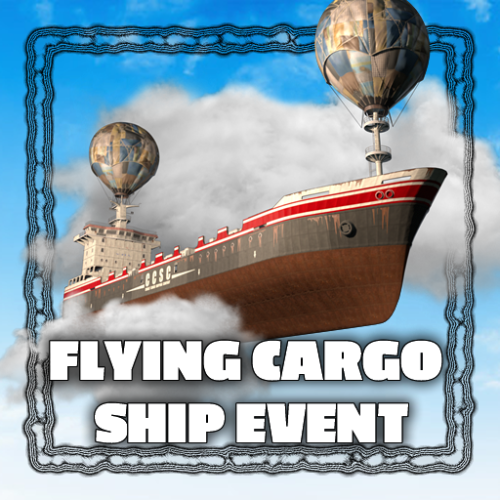
The Flying Cargo Ship introduces a new gameplay experience, with a cargo ship soaring through the skies, guarded by anti-air turrets. Players must disable these defenses by confronting NPCs at the control center, where they can also find the Air Card, granting access to the ship's lower deck. Control Center The Control Center spawns at a random monument and is guarded by NPCs. There is a button inside to disable the turrets on the flying cargo ship. An Air Card can also be found there, granting you access to the lower deck of the cargo ship. Anit-Air Turret The Flying Cargo Ship is equipped with Anti-Air Turrets. The turrets need to be disabled before approaching the ship. Commands Commands can be executed from the chat, server console or the in-game F1 console fcargo start <optional player name or steam id> - Start the event (optionally set the event owner) fcargo stop - Stop the event fcargo spawnpoints - Show all control center spawn points on the map (useful for debugging) Required permission: flyingcargoship.admin Hooks void OnFlyingCargoStart() - Called when the event starts void OnFlyingCargoCompleted(ulong steamId) - Called when the event has been fully looted void OnFlyinCargoEnd() - Called when the event is over Configuration { "Schedule event": true, "Time between events (minutes)": 60, "Event duration (minutes)": 40, "Time before ship leaves after all crates have been looted (seconds)": 300, "Time before radiation when ship is leaving (seconds)": 30, "Double NPC count on ship": false, "Control center destroy time (seconds)": 300, "Control center NPC count": 8, "Use Loottable plugin for loot (requires Loottable)": true, "Ship loot configuration": { "IMPORTANT NOTICE": "The maximum total crate count is 21. If the crate count in the config is higher, excess crates will be ignored, starting at the lowest tier", "Locked crate count (total crate count shold be less than or equal to 21)": 4, "Elite crate count (total crate count shold be less than or equal to 21)": 4, "Military crate count (total crate count shold be less than or equal to 21)": 6, "Normal crate count (total crate count shold be less than or equal to 21)": 7, "Locked crate loot table": { "Enabled": true, "Item list": [ { "Short name": "scrap", "Min amount": 10, "Max amount": 100, "Chance (1 = 100%)": 1.0, "Skin id": 0 }, // Removed for legibility ] }, "Elite crate loot table": { "Enabled": false, "Item list": [] }, "Military crate loot table": { "Enabled": false, "Item list": [] }, "Normal crate loot table": { "Enabled": false, "Item list": [] }, "NPC loot table": { "Enabled": true, "Item list": [ // Removed for legibility ] } }, "Control center NPC loot table": { "Enabled": true, "Item list": [ // Removed for legibility ] }, "Control center NPC configuration": { "Npc name": "Air Scientist", "Health": 200.0, "Enable radio chatter": true, "Sense range (m)": 50.0, "Vision cone (degrees)": 135.0, "Damage scale (1 = 100%)": 1.0, "Memory duration (seconds)": 30.0, "Roam range (m)": 20.0, "Chase range (m)": 40.0, "Remove corpse on death and drop bag": true, "Kit (requires Kits plugin)": "", "Clothing items": [ { "shortName": "hazmatsuittwitch", "amount": 1, "skinId": 0 } ], "Belt items": [ { "shortName": "rifle.lr300", "amount": 1, "skinId": 0 }, { "shortName": "grenade.f1", "amount": 10, "skinId": 0 } ] }, "Cargo ship NPC configuration (Top)": { "Npc name": "Air Scientist", "Health": 250.0, "Enable radio chatter": true, "Sense range (m)": 100.0, "Vision cone (degrees)": 135.0, "Damage scale (1 = 100%)": 1.0, "Memory duration (seconds)": 30.0, "Roam range (m)": 1.0, "Chase range (m)": 1.0, "Remove corpse on death and drop bag": true, "Kit (requires Kits plugin)": "", "Clothing items": [ { "shortName": "hazmatsuittwitch", "amount": 1, "skinId": 0 } ], "Belt items": [ { "shortName": "rifle.lr300", "amount": 1, "skinId": 0 } ] }, "Cargo ship NPC configuration (Normal)": { "Npc name": "Air Scientist", "Health": 200.0, "Enable radio chatter": true, "Sense range (m)": 40.0, "Vision cone (degrees)": 135.0, "Damage scale (1 = 100%)": 1.0, "Memory duration (seconds)": 30.0, "Roam range (m)": 20.0, "Chase range (m)": 40.0, "Remove corpse on death and drop bag": true, "Kit (requires Kits plugin)": "", "Clothing items": [ { "shortName": "hazmatsuittwitch", "amount": 1, "skinId": 0 } ], "Belt items": [ { "shortName": "smg.mp5", "amount": 1, "skinId": 0 }, { "shortName": "grenade.f1", "amount": 10, "skinId": 0 } ] }, "Cargo ship NPC configuration (Inside)": { "Npc name": "Air Scientist", "Health": 250.0, "Enable radio chatter": true, "Sense range (m)": 20.0, "Vision cone (degrees)": 135.0, "Damage scale (1 = 100%)": 1.0, "Memory duration (seconds)": 30.0, "Roam range (m)": 10.0, "Chase range (m)": 20.0, "Remove corpse on death and drop bag": true, "Kit (requires Kits plugin)": "", "Clothing items": [ { "shortName": "hazmatsuittwitch", "amount": 1, "skinId": 0 } ], "Belt items": [ { "shortName": "shotgun.spas12", "amount": 1, "skinId": 0 }, { "shortName": "grenade.f1", "amount": 10, "skinId": 0 } ] } }$24.00- 75 comments
- 5 reviews
-
- 6
-

-

-
- #cargo
- #cargo ship
- (and 5 more)
-
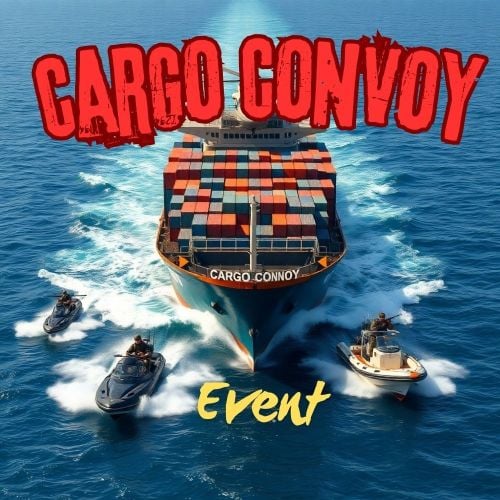
Version 1.0.21
1,595 downloads
The Cargo Convoy plugin creates a Cargo Ship with three different levels of defensive escorts. In addition to this, the Cargo ship is equipped with a samsite, an autoturret, and a raidable door. If any of the escort ship's captains dies, that ship will stop. If the someone kills the Cargo ship's captain, the Cargo will stop, and if the PveMode plugin is enabled, they will become the owner of the event. Supports the PveMode plugin. Console Commands: ccstart (random difficult event started) ccstart.easy ccstart.medium ccstart.hard ccstop Lang: En Hun Contact: Additional free plugins created by me are available on Discord: https://discord.gg/C5CehdJMdK If you want to try out this plugin, you can do so on the test server. IP: 212.73.137.6:28018 My public Rust server IP: 212.73.137.40:28027 Video: Config: { "Plugin version": { "Major": 1, "Minor": 0, "Patch": 21 }, "Automatic event start": true, "Minimum time for event start": 3600.0, "Maximum time for event start": 7200.0, "Duration of the event": 3600.0, "Custom spawnpoint setting": { "Use custom spawnpoint?": false, "Custom Spawn Position:": "(0, 0, 0)" }, "Warning messages before event start": 300.0, "Warning messages before event end": 300.0, "Facepunch cargoship event enabled?": false, "Chat icon": 0, "Easy difficult name": "Easy", "Mediumn difficult name": "Medium", "Hard difficult name": "Hard", "Map marker name": "Cargo Convoy", "Map marker radius": 0.6, "Color": { "r": 1.0, "g": 0.0, "b": 0.0 }, "Event Locked crates hack time": 900.0, "How many boats to spawn at easy difficulty level?(MAX 4!!!)": 4, "How many Rhib to spawn at medium difficulty level?(MAX 4!!!)": 4, "How many Tugboats to spawn at hard difficulty level?(MAX 4!!!)": 4, "Always spawn only the Easy difficulty level": false, "Always spawn only the Medium difficulty level": false, "Always spawn only the Hard difficulty level": false, "Spawn the helicopter on hard difficulty?": true, "Spawn samsite on the cargo ship": true, "Autoturret setting Easy difficult": { "Spawn turrets?": true, "Health": 200.0, "Weapon ShortName": "smg.2", "Ammo ShortName": "ammo.pistol", "Number of ammo": 5000 }, "Autoturret setting Medium difficult": { "Spawn turrets?": true, "Health": 300.0, "Weapon ShortName": "rifle.lr300", "Ammo ShortName": "ammo.rifle", "Number of ammo": 5000 }, "Autoturret setting Hard difficult": { "Spawn turrets?": true, "Health": 400.0, "Weapon ShortName": "rifle.ak", "Ammo ShortName": "ammo.rifle", "Number of ammo": 5000 }, "Medium difficult door setting.": { "Door SkinID (0 - default, TugBoat and Medium difficult only use Sheet Metal Door skinID, Hard difficult only use Armored Door skinID! )": 1443957299, "Door Health": 250.0 }, "Hard difficult door setting.": { "Door SkinID (0 - default, TugBoat and Medium difficult only use Sheet Metal Door skinID, Hard difficult only use Armored Door skinID! )": 1130245250, "Door Health": 1000.0 }, "TugBoat door setting.": { "Door SkinID (0 - default, TugBoat and Medium difficult only use Sheet Metal Door skinID, Hard difficult only use Armored Door skinID! )": 1447958101, "Door Health": 250.0 }, "Elit crates setting on Easy difficult": { "Delete the Rust loottable loot?": false, "Add custom loot?": false, "CustomLoot": { "Minimum items": 1, "Maximum items": 1, "Use minimum - maxium?": false, "List of items": [ { "ShortName": "xmas.present.small", "Minimum": 3, "Maximum": 6, "Chance": 100.0, "Give blueprint?": false, "SkinID": 0, "Displayname": "" } ] } }, "Elit crates setting on Medium difficult": { "Delete the Rust loottable loot?": false, "Add custom loot?": false, "CustomLoot": { "Minimum items": 1, "Maximum items": 1, "Use minimum - maxium?": false, "List of items": [ { "ShortName": "xmas.present.small", "Minimum": 3, "Maximum": 6, "Chance": 100.0, "Give blueprint?": false, "SkinID": 0, "Displayname": "" } ] } }, "Locked crates setting on Medium difficult": { "Delete the Rust loottable loot?": false, "Add custom loot?": false, "CustomLoot": { "Minimum items": 1, "Maximum items": 1, "Use minimum - maxium?": false, "List of items": [ { "ShortName": "xmas.present.small", "Minimum": 3, "Maximum": 6, "Chance": 100.0, "Give blueprint?": false, "SkinID": 0, "Displayname": "" } ] } }, "Elit crates setting on Hard difficult": { "Delete the Rust loottable loot?": false, "Add custom loot?": false, "CustomLoot": { "Minimum items": 1, "Maximum items": 1, "Use minimum - maxium?": false, "List of items": [ { "ShortName": "xmas.present.small", "Minimum": 3, "Maximum": 6, "Chance": 100.0, "Give blueprint?": false, "SkinID": 0, "Displayname": "" } ] } }, "Locked crates setting on Hard difficult": { "Delete the Rust loottable loot?": false, "Add custom loot?": false, "CustomLoot": { "Minimum items": 1, "Maximum items": 1, "Use minimum - maxium?": false, "List of items": [ { "ShortName": "xmas.present.small", "Minimum": 3, "Maximum": 6, "Chance": 100.0, "Give blueprint?": false, "SkinID": 0, "Displayname": "" } ] } }, "Elit crates setting on TugBoats": { "Delete the Rust loottable loot?": false, "Use custom loot?": false, "CustomLoot": { "Minimum items": 1, "Maximum items": 1, "Use minimum - maxium?": false, "List of items": [ { "ShortName": "xmas.present.small", "Minimum": 3, "Maximum": 6, "Chance": 100.0, "Give blueprint?": false, "SkinID": 0, "Displayname": "" } ] } }, "Setting the Captains": { "Name": "Captain", "Health": 300.0, "Attack Range Multiplier": 1.0, "Target Memory Duration [sec.]": 20.0, "Scale damage": 0.7, "Aim Cone Scale": 1.5, "Sense Range": 0.0, "Use custom loot?": false, "CustomLoot": null, "Wear items": [ { "ShortName": "shoes.boots", "SkinID (0 - default)": 2454376365 }, { "ShortName": "burlap.trousers", "SkinID (0 - default)": 3027295270 }, { "ShortName": "burlap.shirt", "SkinID (0 - default)": 3027301658 }, { "ShortName": "burlap.gloves", "SkinID (0 - default)": 2454377972 }, { "ShortName": "hat.boonie", "SkinID (0 - default)": 3112171056 } ], "Belt items": [ { "ShortName": "syringe.medical", "Amount": 3, "SkinID (0 - default)": 0, "Mods": [], "Ammo": "" } ] }, "Setting the EASY Npc's": { "Name": "Easy Cargo Soldier", "Health": 125.0, "Attack Range Multiplier": 4.0, "Target Memory Duration [sec.]": 20.0, "Scale damage": 0.7, "Aim Cone Scale": 1.5, "Sense Range": 150.0, "Use custom loot?": false, "CustomLoot": { "Minimum items": 1, "Maximum items": 1, "Use minimum - maxium?": false, "List of items": [ { "ShortName": "xmas.present.small", "Minimum": 3, "Maximum": 6, "Chance": 100.0, "Give blueprint?": false, "SkinID": 0, "Displayname": "" } ] }, "Wear items": [ { "ShortName": "shoes.boots", "SkinID (0 - default)": 800967386 }, { "ShortName": "pants", "SkinID (0 - default)": 681804489 }, { "ShortName": "hoodie", "SkinID (0 - default)": 963496340 }, { "ShortName": "burlap.gloves", "SkinID (0 - default)": 0 }, { "ShortName": "wood.armor.pants", "SkinID (0 - default)": 0 }, { "ShortName": "wood.armor.jacket", "SkinID (0 - default)": 0 }, { "ShortName": "bucket.helmet", "SkinID (0 - default)": 2929522461 } ], "Belt items": [ { "ShortName": "smg.thompson", "Amount": 1, "SkinID (0 - default)": 0, "Mods": [ "weapon.mod.flashlight", "weapon.mod.holosight" ], "Ammo": "" }, { "ShortName": "pistol.m92", "Amount": 1, "SkinID (0 - default)": 0, "Mods": [], "Ammo": "" }, { "ShortName": "syringe.medical", "Amount": 3, "SkinID (0 - default)": 0, "Mods": [], "Ammo": "" } ] }, "Setting the MEDIUM Npc's": { "Name": "Medium Cargo Soldier", "Health": 200.0, "Attack Range Multiplier": 4.0, "Target Memory Duration [sec.]": 20.0, "Scale damage": 0.7, "Aim Cone Scale": 1.5, "Sense Range": 150.0, "Use custom loot?": false, "CustomLoot": { "Minimum items": 1, "Maximum items": 1, "Use minimum - maxium?": false, "List of items": [ { "ShortName": "xmas.present.small", "Minimum": 3, "Maximum": 6, "Chance": 100.0, "Give blueprint?": false, "SkinID": 0, "Displayname": "" } ] }, "Wear items": [ { "ShortName": "shoes.boots", "SkinID (0 - default)": 3251246600 }, { "ShortName": "pants", "SkinID (0 - default)": 3246192739 }, { "ShortName": "hoodie", "SkinID (0 - default)": 3246191692 }, { "ShortName": "burlap.gloves", "SkinID (0 - default)": 0 }, { "ShortName": "roadsign.kilt", "SkinID (0 - default)": 3260691772 }, { "ShortName": "roadsign.jacket", "SkinID (0 - default)": 3260693328 }, { "ShortName": "coffeecan.helmet", "SkinID (0 - default)": 3260694842 } ], "Belt items": [ { "ShortName": "smg.mp5", "Amount": 1, "SkinID (0 - default)": 0, "Mods": [ "weapon.mod.flashlight", "weapon.mod.holosight" ], "Ammo": "" }, { "ShortName": "syringe.medical", "Amount": 3, "SkinID (0 - default)": 0, "Mods": [], "Ammo": "" } ] }, "Setting the HARD Npc's": { "Name": "Hard Cargo Soldier", "Health": 350.0, "Attack Range Multiplier": 4.0, "Target Memory Duration [sec.]": 20.0, "Scale damage": 0.7, "Aim Cone Scale": 1.5, "Sense Range": 180.0, "Use custom loot?": false, "CustomLoot": { "Minimum items": 1, "Maximum items": 1, "Use minimum - maxium?": false, "List of items": [ { "ShortName": "xmas.present.small", "Minimum": 3, "Maximum": 6, "Chance": 100.0, "Give blueprint?": false, "SkinID": 0, "Displayname": "" } ] }, "Wear items": [ { "ShortName": "shoes.boots", "SkinID (0 - default)": 2936561559 }, { "ShortName": "pants", "SkinID (0 - default)": 2933205831 }, { "ShortName": "hoodie", "SkinID (0 - default)": 2933205232 }, { "ShortName": "burlap.gloves", "SkinID (0 - default)": 2936561057 }, { "ShortName": "roadsign.kilt", "SkinID (0 - default)": 1624102935 }, { "ShortName": "metal.plate.torso", "SkinID (0 - default)": 2601631390 }, { "ShortName": "metal.facemask", "SkinID (0 - default)": 2601630796 } ], "Belt items": [ { "ShortName": "rifle.lr300", "Amount": 1, "SkinID (0 - default)": 0, "Mods": [ "weapon.mod.flashlight", "weapon.mod.holosight" ], "Ammo": "" }, { "ShortName": "rocket.launcher", "Amount": 1, "SkinID (0 - default)": 0, "Mods": [], "Ammo": "" }, { "ShortName": "syringe.medical", "Amount": 3, "SkinID (0 - default)": 0, "Mods": [], "Ammo": "" } ] }, "NPC Turret Damage Multiplier": 1.0, "Turn off chat messages (silent mode)": false, "Enabled Discord message?": false, "Discord Webhook URL": "https://support.discordapp.com/hc/en-us/articles/228383668-Intro-to-Webhooks", "PVE Mode Setting (only for users PveMode plugin)": { "Use PveMode plugin?": false, "Non owner can loot the crates?": false, "Non owner can loot the Npc's?": false, "Non owner can damage Npc's?": false, "Non owner can be attacked by Npc's?": false, "Non owner, can you enter the event zone?": false, "Allow a player who has an active cooldown of the Event Owner to enter the event zone?": true, "The time that the Event Owner may not be inside the event zone.": 300, "The time until the event owner can return to the event zone.": 60, "Block the RestoreUponDeath plugin in the event zone.": true, "After all this time, an event owner can be an event owner again.": 86400.0, "Darkening the sphere.": 15 } }$22.00 -
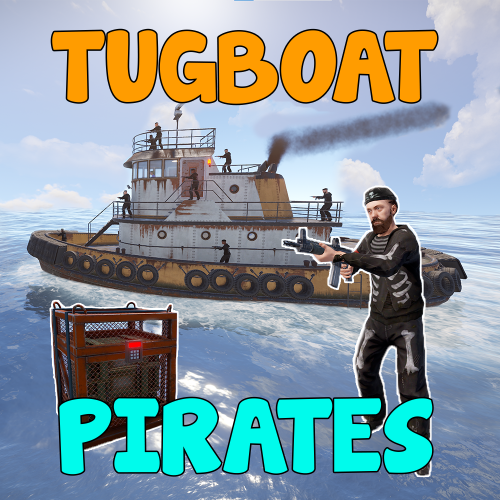
Version 1.3.1
3,149 downloads
Experience the thrill of high-seas plunder with "Tugboat Pirates". Encounter a Tugboat, brimming with NPC pirates protecting their valuable loot. Engage in intense battles, eliminate the captain for an access code, and seize the treasure. Features Tugboat with Pirate NPCs and loot patrols the ocean Kill the captain to get access to the loot room Fully configurable boat interior Boat location marked on the map Fully customizable NPCs (you can even give them rocket launchers in their kits) Event starts automatically (configurable time, can be disabled) Announcements via gametip and/or chat NPC are turret NPC that do not move from their station on the Tugboat Door code of the loot room can be found in the captain's corpse (pirate quotes can be changed in the config) Commands All Commands require the admin permission tugboatstart - Manually start the event tugboatstop - Manually end the event tugboatentity - Add entitys to the tugboat config. Documented below. Tugboat Editor The tugboat editor can be used to add entites to the configuration file without manually editing it. Make sure you have the permission tugboatpirates.admin, Place an entity where you want it on a tugboat, look at it and use the command tugboatentity add Save the entity to the config file with tugboatentity save, Reload the plugin for the changes to take effect Hooks (void) OnTugboatPiratesStarted() // Called when the event has started (void) OnTugboatPiratesCompleted(ulong steamId) // Called when the event has been completed (void) OnTugboatPiratesEnded() // Called after the event has ended Permissions tugboatpirates.admin - Required to use admin commands Configuration { "Time between events (minutes, set to -1 to disable scheduled events)": 60, "Event duration (seconds)": 3600, "Show toast when event starts": true, "Announce event in chat": true, "Boat leave time before despawning (seconds)": 120, "Time before boat despawn when captain is killed (seconds)": 1200, "Boat configurations": [ { "Location offset (used when spawning multiple boats)": { "x": 0.0, "y": 0.0, "z": 0.0 }, "Npc profile for captain (must be a valid profile)": "captain", "Npc spawn locations and profiles": { "back_right": "pirate_lr", "back_left": "pirate_lr", "upper_front_right": "pirate_lr", "upper_front_left": "pirate_lr", "upper_back_right": "pirate_lr", "upper_back_left": "pirate_lr", "roof_back": "pirate_lr", "entrance_right": "pirate_lr", "entrance_left": "pirate_lr", "roof_right": "pirate_lr", "roof_left": "pirate_lr", "front": "pirate_lr", "right": "pirate_mp5", "left": "pirate_mp5" }, "Interior objects (crates, decoration, etc.)": [ { "Prefab path": "assets/prefabs/deployable/chinooklockedcrate/codelockedhackablecrate.prefab", "Rotation": 180.0, "Position on boat": { "x": 0.0, "y": 2.0, "z": 4.2 }, "Skin id": 1394363785, "Loot profile (only for crates, leave empty for default loot)": "" }, // Removed some lines for readability reasons ] } ], "Npc profiles": { "pirate_lr": { "name": "Pirate", "health": 200.0, "enableRadio": true, "senseRange": 50.0, "visionCone": 135.0, "damageScale": 1.0, "memoryDuration": 60.0, "lootProfile": "pirate", "kit": "", "Clothing items": [ { "shortName": "hat.boonie", "amount": 1, "skinId": 965553937 }, { "shortName": "hoodie", "amount": 1, "skinId": 2984978438 }, { "shortName": "pants", "amount": 1, "skinId": 2984977257 }, { "shortName": "attire.hide.boots", "amount": 1, "skinId": 861468674 } ], "Belt items": [ { "shortName": "rifle.lr300", "amount": 1, "skinId": 0 } ] }, "pirate_mp5": { "name": "Pirate", "health": 150.0, "enableRadio": true, "senseRange": 50.0, "visionCone": 135.0, "damageScale": 1.0, "memoryDuration": 60.0, "lootProfile": "pirate", "kit": "", "Clothing items": [ { "shortName": "hat.boonie", "amount": 1, "skinId": 965553937 }, { "shortName": "hoodie", "amount": 1, "skinId": 2984978438 }, { "shortName": "pants", "amount": 1, "skinId": 2984977257 }, { "shortName": "attire.hide.boots", "amount": 1, "skinId": 861468674 } ], "Belt items": [ { "shortName": "smg.mp5", "amount": 1, "skinId": 0 } ] }, "captain": { "name": "Captain", "health": 100.0, "enableRadio": false, "senseRange": 0.0, "visionCone": 0.0, "damageScale": 1.0, "memoryDuration": 0.0, "lootProfile": "pirate", "kit": "", "Clothing items": [ { "shortName": "hat.boonie", "amount": 1, "skinId": 965553937 }, { "shortName": "tshirt", "amount": 1, "skinId": 811762477 }, { "shortName": "pants.shorts", "amount": 1, "skinId": 849256923 }, { "shortName": "attire.hide.boots", "amount": 1, "skinId": 861468674 } ], "Belt items": [ { "shortName": "mace.baseballbat", "amount": 1, "skinId": 0 } ] } }, "Loot profiles": { "crate_2": [ { "Short name": "scrap", "Min amount": 2, "Max amount": 20, "Chance": 1.0, "Skin id": 0 }, { "Short name": "metal.refined", "Min amount": 4, "Max amount": 8, "Chance": 0.5, "Skin id": 0 }, { "Short name": "gears", "Min amount": 1, "Max amount": 3, "Chance": 0.2, "Skin id": 0 }, { "Short name": "sewingkit", "Min amount": 1, "Max amount": 3, "Chance": 0.2, "Skin id": 0 }, { "Short name": "rope", "Min amount": 1, "Max amount": 3, "Chance": 0.2, "Skin id": 0 }, { "Short name": "sheetmetal", "Min amount": 1, "Max amount": 2, "Chance": 0.2, "Skin id": 0 }, { "Short name": "grenade.molotov", "Min amount": 1, "Max amount": 2, "Chance": 0.1, "Skin id": 0 }, { "Short name": "grenade.f1", "Min amount": 1, "Max amount": 4, "Chance": 0.1, "Skin id": 0 }, { "Short name": "telephone", "Min amount": 1, "Max amount": 1, "Chance": 0.1, "Skin id": 0 }, { "Short name": "multiplegrenadelauncher", "Min amount": 1, "Max amount": 1, "Chance": 0.1, "Skin id": 0 } ], "pirate": [ { "Short name": "scrap", "Min amount": 2, "Max amount": 6, "Chance": 1.0, "Skin id": 0 }, { "Short name": "bottle.vodka", "Min amount": 1, "Max amount": 1, "Chance": 0.7, "Skin id": 0 }, { "Short name": "pistol.eoka", "Min amount": 1, "Max amount": 1, "Chance": 0.2, "Skin id": 0 }, { "Short name": "ammo.handmade.shell", "Min amount": 5, "Max amount": 10, "Chance": 0.2, "Skin id": 0 }, { "Short name": "rope", "Min amount": 1, "Max amount": 3, "Chance": 0.3, "Skin id": 0 }, { "Short name": "sewingkit", "Min amount": 1, "Max amount": 2, "Chance": 0.3, "Skin id": 0 } ] }, "Priate quotes (inluded in captain's note)": [ "If rum can’t fix it, ye are not using enough rum.", "But… why is the rum gone?", "Be who you arrrr...", "All for rum and rum for all!", "Land was created to provide a place for boats to visit.", "If ye can read this ye be stupid." ] }$24.00 -
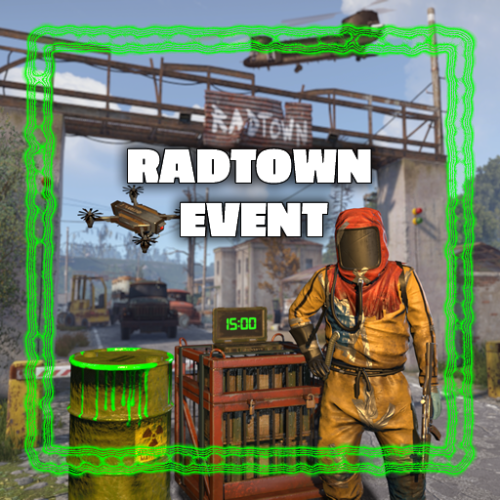
Version 1.1.4
1,192 downloads
This plugin adds a high-risk, high-reward element to the newly introduced Radtown Monument. This dynamic event spawns a hazardous shipping container filled with valuable loot but surrounded by dangerous radioactive material. The challenge is twofold: not only must players manage the intense radiation levels, but they must also defend the container from relentless attack drones that aim to destroy it. New with version 1.1.0: Drones can now target players with a configurable chance Key Features: Valuable Loot: The container holds rare and powerful resources, making it a highly coveted prize. Multiple drone attack waves: Drones attack in mul Intense Radiation: High levels of radiation require careful planning and protective gear to approach safely. Drone Defense: As players attempt to claim the loot, AI-controlled drones will attack the container. Players must defend it until the crate unlocks. Catastrophic Explosion: If players fail to protect the container or take too long, it will trigger a massive explosion, devastating the area and killing any nearby players. Configuration options: Drone wave count, drone count per wave Drone health and damage Container health Crate Loot and much more ... This plugin enhances the Radtown Monument with intense, timed gameplay, rewarding those who can outlast both the environment and the drones—but punishing failure with explosive consequences! Permissions: radtownevent.admin - Required to run admin commands Commands: radtown start - Start the event radtown stop - Stop the event Developer Api: void OnRadtownEventContainerDelivered() // Called when the container has been delivered and the event is ready to start void OnRadtownEventStart() // Called when the locked crate inside the container has been hacked void OnRadtownEventWin(ulong steamId) // Called when the event was successfully completed by a player void OnRadtownEventEnd(bool success) // Called when the event is over. Success is false when the container exploded Configuration: { "Custom chat prefix": null, "Use Notify instead of chat messages": false, "Notify notification type": 0, "Time between events (minutes)": 60, "Crate hack time (seconds; drone waves will spawn until the crate is fully hacked)": 600, "Container health": 8000, "Container position": { "x": 0.0, "y": 0.0, "z": 0.0 }, "Container rotation": { "x": 0.0, "y": 30.0, "z": 0.0 }, "Time before despawn after event has been completed (seconds)": 300, "Time before despawn if event is not started (minutes)": 30, "Make event zone visible": false, "Radiation duration after the event failed in seconds (this also affects the fog duration)": 60, "Radiation amount per second after the event failed": 100, "Drone damage scale factor (damage increases by this multiplier every time a drone deals damage)": 1.3, "Drone wave configuration": [ { "Wave number": 1, "Preparation time before drones spawn (seconds)": 5, "Maximum number of concurrent drones": 3, "Explosive drone configuration": { "Number of attack drones to spawn (0 to disable)": 20, "Drone health": 100, "Damage per shell": 40, "Player targeting chance (1 = always target players, 0 = never target players)": 0.0 }, "Kamikaze drone configuration": { "Number of kamikaze drones to spawn (0 to disable)": 0, "Drone health": 100, "Damage on explosion": 60, "Player targeting chance (1 = always target players, 0 = never target players)": 0.3 } }, { "Wave number": 2, "Preparation time before drones spawn (seconds)": 20, "Maximum number of concurrent drones": 4, "Explosive drone configuration": { "Number of attack drones to spawn (0 to disable)": 20, "Drone health": 150, "Damage per shell": 50, "Player targeting chance (1 = always target players, 0 = never target players)": 0.2 }, "Kamikaze drone configuration": { "Number of kamikaze drones to spawn (0 to disable)": 30, "Drone health": 150, "Damage on explosion": 60, "Player targeting chance (1 = always target players, 0 = never target players)": 0.4 } }, { "Wave number": 3, "Preparation time before drones spawn (seconds)": 20, "Maximum number of concurrent drones": 5, "Explosive drone configuration": { "Number of attack drones to spawn (0 to disable)": 40, "Drone health": 200, "Damage per shell": 40, "Player targeting chance (1 = always target players, 0 = never target players)": 0.3 }, "Kamikaze drone configuration": { "Number of kamikaze drones to spawn (0 to disable)": 40, "Drone health": 200, "Damage on explosion": 60, "Player targeting chance (1 = always target players, 0 = never target players)": 0.5 } }, { "Wave number": 4, "Preparation time before drones spawn (seconds)": 20, "Maximum number of concurrent drones": 8, "Explosive drone configuration": { "Number of attack drones to spawn (0 to disable)": 40, "Drone health": 250, "Damage per shell": 70, "Player targeting chance (1 = always target players, 0 = never target players)": 0.4 }, "Kamikaze drone configuration": { "Number of kamikaze drones to spawn (0 to disable)": 40, "Drone health": 250, "Damage on explosion": 80, "Player targeting chance (1 = always target players, 0 = never target players)": 0.6 } }, { "Wave number": 5, "Preparation time before drones spawn (seconds)": 20, "Maximum number of concurrent drones": 8, "Explosive drone configuration": { "Number of attack drones to spawn (0 to disable)": 40, "Drone health": 250, "Damage per shell": 70, "Player targeting chance (1 = always target players, 0 = never target players)": 0.5 }, "Kamikaze drone configuration": { "Number of kamikaze drones to spawn (0 to disable)": 40, "Drone health": 250, "Damage on explosion": 80, "Player targeting chance (1 = always target players, 0 = never target players)": 0.7 } } ], "Locked crate loot table": { "Enabled": false, "Minimum items": 4, "Maximum items": 8, "Item list": [ { "Short name": "scrap", "Min amount": 12, "Max amount": 48, "Chance (1 = 100%)": 1.0, "Skin id": 0, "Custom name": "" } ] }, "Chance for drone to drop loot box (%)": 100.0, "Drone loot table": { "Enabled": true, "Minimum items": 1, "Maximum items": 4, "Item list": [ { "Short name": "gunpowder", "Min amount": 10, "Max amount": 30, "Chance (1 = 100%)": 0.2, "Skin id": 0, "Custom name": "" }, { "Short name": "sulfur", "Min amount": 10, "Max amount": 30, "Chance (1 = 100%)": 0.4, "Skin id": 0, "Custom name": "" }, { "Short name": "charcoal", "Min amount": 20, "Max amount": 60, "Chance (1 = 100%)": 0.7, "Skin id": 0, "Custom name": "" }, { "Short name": "metal.fragments", "Min amount": 10, "Max amount": 60, "Chance (1 = 100%)": 0.5, "Skin id": 0, "Custom name": "" }, { "Short name": "explosives", "Min amount": 1, "Max amount": 2, "Chance (1 = 100%)": 0.08, "Skin id": 0, "Custom name": "" } ] }, "Disable map marker": false } NEW: Halloween Update The Halloween update adds pumpkin drones and spooky decorations to the container$24.00 -
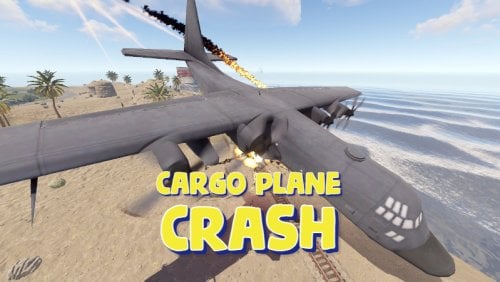
Version 1.7.5
15,322 downloads
Adds a cargo plane crash event to your server. The crash site is guarded by NPCs that patrol the area and can chase players. You can also set up custom loot using the Loot Table & Stacksize GUI, SimpleLootTable plugins. Features: Support for third-party plugins Great customization options in the config Console commands: callcargoplane - force the event to start callcargoplane {steamID/name} - the event will be reserved for one player crashcargoplane - force a cargo plane to crash cpc_stop - force the event to end Chat commands(need admin privileges): showcrashzone - displays the crash area setcrashzonecenter - set the center of the crash zone to where the player is callcargoplane - force the event to start callcargoplane {steamID/name} - the event will be reserved for one player crashcargoplane - force a cargo plane to crash cpc_calltome - force an event to start (the cargo plane will go to the player's coordinates) cpc_stop - force the event to end cpc_add_crashzone - adds a new zone at the location where the player is, can be used if you use multiple zones(you can set the name and radius - /cpc_add_crashzone "name" "radius") Hooks: void CargoPlaneCrashStarted() // called when the event starts void CargoPlaneCrashCrashed() // called when a cargo plane crashes void CargoPlaneCrashEnded() // called when the event ends CargoPlaneCrashEventWinner(BasePlayer player) // called at the end of the event, returns the event winner CargoPlaneCrashPlayerEnteredDome(BasePlayer player) // triggered when a player enters the event dome CargoPlaneCrashPlayerExitedDome(BasePlayer player) // triggered when a player exits the event dome CargoPlaneCrash config: { "PVE mode (crates can only be looted by the player who first dealt damage to the NPC)": false, "Give event ownership to the owner's teammates if he is no longer the owner. Only if teammates are within the event radius (for PVE mode)": true, "Radius for event(for PVE mode)": 380, "Create a dome for PVE mode": false, "Dome transparency (the higher the value, the darker the dome, recommended 4)": 4, "Time after which the owner of the event will be deleted if he left the dome or left the server (for PVE mode)": 300, "Message when a player enters the event dome(only for PVE mode if there is a dome)": "You have entered the Cargo Plane Crash Event", "Message when the event owner leaves the event dome (only for PVE mode if there is a dome)": "Return to the event dome, otherwise after 300 seconds you will no longer be the owner of this event", "Do not allow other players into the event(only for PVE mode if there is a dome) Be careful, if the crash site is near the player's base and the player is not the owner of the event, he will be ejected from his base outside the dome": false, "Message when a player is ejected from the event dome(only for PVE mode if there is a dome)": "You cannot be here, you are not the owner of this event", "Allow admin to be in event dome (only for PVE mode if there is a dome)": true, "Triggering an event by timer (disable if you want to trigger the event only manually)": true, "Time to event start(in seconds)": 3600.0, "Random time to event start": false, "Minimum time to event start(in seconds)": 600, "Maximum time to event start(in seconds)": 10800, "CargoPlane speed(recommended 4 to 6)": 5.0, "Minimum amount of online players to trigger the event": 1, "Minimum crates amount(spawn after crash)": 1, "Maximum crates amount(spawn after crash)": 1, "Crate simple loot table name(plugin SimpleLootTable is required)": "", "Minimum number of items in a crate(plugin SimpleLootTable is required)": 0, "Maximum number of items in a crate(plugin SimpleLootTable is required)": 0, "Crates lifetime(in seconds). The crate will not be destroyed if it has been activated": 3600, "Crates timer(in seconds)": 900, "Remove crates after being looted by a player(in seconds)": 300, "Minimum airdrops amount(spawn after crash)": 1, "Maximum airdrops amount(spawn after crash)": 1, "Airdrop simple loot table name(plugin SimpleLootTable is required)": "", "Minimum number of items in an airdrop(plugin SimpleLootTable is required)": 0, "Maximum number of items in an airdrop(plugin SimpleLootTable is required)": 0, "Airdrops lifetime(in seconds)": 3600, "Fireballs amount(spawn after crash)": 5, "Passengers amount(spawn after crash)": 2, "Explosion marker on the map(spawn after crash)": true, "Explosion marker lifetime(in seconds)": 300, "Enable signal smoke(spawn after crash)": true, "Signal smoke lifetime(in seconds, max 214)": 214, "Map size(crash zone size), you can see the zone, use the chat command /showcrashzone": 4500.0, "Starting altitude, defaults to map size, can be increased if cargo plane hits high ground(no more than 10000 recommended)": 4500.0, "Crash zone center. Use chat command /setcrashzonecenter to set to player position. You can check crash zone center, use the chat command /showcrashzone": { "x": 0.0, "y": 0.0, "z": 0.0 }, "Use multiple zones": false, "Select a zone from the list sequentially(if false, then the crash zone will be chosen randomly)": false, "Zones list": [ { "name": "0", "radius": 300, "center": { "x": -300.0, "y": 0.0, "z": 0.0 } }, { "name": "1", "radius": 200, "center": { "x": 100.0, "y": 0.0, "z": 0.0 } } ], "Event message(if empty, no message will be displayed)": "CargoPlane event started", "Crash message(if empty, no message will be displayed)": "Cargo plane crashed", "Event end message(if empty, no message will be displayed)": "CargoPlaneCrash event ended", "Message about coordinates(will display the coordinates of the crash site. If empty, no message will be displayed)": "", "Kit name(you can use kits for passengers if you have Kits plugin)": "", "Passenger name": "Mister bot", "Use NPC prefab for passengers": false, "Minimum NPCs amount(spawn after crash)": 2, "Maximum NPCs amount(spawn after crash)": 2, "NPCs lifetime(in seconds)": 3600, "NPCs type(NPCs prefab, experimental setting, it is not known how the NPCs will behave) 0 - tunneldweller; 1 - underwaterdweller; 2 - excavator; 3 - full_any; 4 - lr300; 5 - mp5; 6 - pistol; 7 - shotgun; 8 - heavy; 9 - junkpile_pistol; 10 - oilrig; 11 - patrol; 12 - peacekeeper; 13 - roam; 14 - roamtethered; 15 - bandit_guard; 16 - cargo; 17 - cargo_turret_any; 18 - cargo_turret_lr300; 19 - ch47_gunner": 8, "NPCs health(0 - default)": 0, "NPCs damage multiplier": 1.0, "NPCs accuracy(the lower the value, the more accurate, 0 - maximum accuracy)": 2.0, "NPCs attack range": 75.0, "Radius of chasing the player(NPCs will chase the player as soon as he comes closer than the specified radius, must be no greater than the attack range)": 60.0, "Minimum distance to NPC damage": 75.0, "Message if the player attacks far away NPCs": "NPC is too far away, he doesn't take damage", "Kit for NPCs. The NPC will use the weapon that is in the first slot of the belt(requires Kits plugin)": "", "Default displayName for NPC(for SimpleKillFeed/DeathNotes plugin)": "Crashsite NPC", "List of displayNames for each NPC(for SimpleKillFeed/DeathNotes plugin)": [ "Crashsite NPC1", "Crashsite NPC2", "Crashsite NPC3" ], "Will NPCs attack zombies": true, "Remove NPC corpses": false, "Prohibit building near the crash site": false, "Building prohibition radius": 20.0, "How long construction is prohibited near the crash site(in seconds)": 1800, "Event marker on the map(spawn an event marker at the crash site)": false, "Display approximate end time of event on marker": false, "Event marker name": "Cargo plane crash site", "Event marker lifetime(in seconds)": 3600, "Event marker transparency(0-1)": 0.75, "Event marker radius": 0.5, "Event marker color.R(0-1)": 1.0, "Event marker color.G(0-1)": 0.0, "Event marker color.B(0-1)": 0.0, "Do not spawn crates and NPCs when a cargo plane falls under water (if the water depth is greater than)": 0.5, "Do not choose a crash site near monuments": false, "If possible, the crash site will not be chosen near player bases": true, "SteamID for chat message icon": 0, "Complete the event if all crates were destroyed after looting": false, "Use Notify plugin for messages": false, "Notify message type": 0 }$19.99- 278 comments
- 24 reviews
-
- 18
-
-

-
-
- #event
- #cargoplane
- (and 18 more)
-
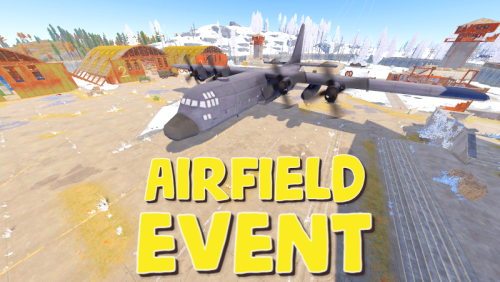
Version 1.7.1
18,389 downloads
Adds an airfield event to your server! A cargo plane lands on the airfield and drops airdrops, boxes. Strong NPCs, Bradley and a patrol helicopter will protect the crates You can also set up custom loot using the "SimpleLootTable" plugin Features: Easy to set up. Excellent customization options in the config Commands (admin only): afestart [difficulty] [player name or SteamID] — Starts the event. If no difficulty is specified, one is selected at random based on its selection weight. You can optionally reserve the event for a specific player. Examples: afestart — Starts the event with a randomly selected difficulty. afestart Easy — Starts the event on Easy difficulty. afestart Normal 76561198000000000 — Starts the event on Normal difficulty and reserves it for that player. afestart -d Hard PlayerName — Starts the event on Hard difficulty and reserves it for that player. afefast [difficulty] [player name or SteamID] — Starts the event with a quick cargo plane landing for testing. Difficulty and player selection work the same way as with afestart. Examples: afefast — Starts the event with a quick landing and a randomly selected difficulty. afefast Normal 76561198000000000 — Starts the event with a quick landing on Normal difficulty, reserved for that player. afestop — Ends the active event. afe_addcustom — Saves a custom cargo plane landing location using your current position and view direction. Stand on level ground and face the direction the cargo plane should travel. Enable "Use a custom place to land a cargo plane" in the config to use the saved location. Hooks: void AirfieldEventStarted() - called when the event starts void AirfieldEventEnded() - called when the event has ended AirfieldEventWinner(BasePlayer player) - called at the end of the event, returns the event winner AirfieldEventPlayerEnteredDome(BasePlayer player) - triggered when a player enters the event dome AirfieldEventPlayerExitedDome(BasePlayer player) - triggered when a player exits the event dome AirfieldEvent config: { "PVE mode (crates can only be looted by the player who first dealt damage to the NPC)": false, "Time after which the owner of the event will be deleted if he left the dome or left the server (for PVE mode)": 300, "Give event ownership to the owner's teammates if he is no longer the owner. Only if teammates are within the event radius (for PVE mode)": true, "Radius for event(for PVE mode)": 380, "Create a dome for PVE mode": false, "Dome transparency (the higher the value, the darker the dome, recommended 4)": 4, "Dome offset": { "x": 0.0, "y": 0.0, "z": 30.0 }, "Do not allow other players into the event(only for PVE mode if there is a dome)": false, "Allow admin to be in event dome (only for PVE mode if there is a dome)": true, "Triggering an event by timer (disable if you want to trigger the event only manually)": true, "Minimum time to event start(in seconds)": 3600, "Maximum time to event start(in seconds)": 7200, "Event duration(In seconds. Time is calculated from the moment the cargo is dropped by the plane at the airfield)": 3600, "End the event early if all crates were completely looted and all NPCs were killed(including Bradley and Heli)": true, "Minimum number of online players to trigger an event": 1, "Minimum drops amount(minimum number of cargo spawns after plane landing, should not be less than 1)": 2, "Maximum drops amount(maximum number of cargo spawns after plane landing, should not be less than 1, maximum 10)": 4, "Minimum crates amount(spawn every cargo drop)": 1, "Maximum crates amount(spawn every cargo drop)": 1, "Crate simple loot table name(plugin SimpleLootTable is required)": "", "Minimum number of items in a crate(plugin SimpleLootTable is required)": 0, "Maximum number of items in a crate(plugin SimpleLootTable is required)": 0, "Remove crates after being looted by a player(in seconds)": 300, "Extend event duration if NPCs, Heli or Bradley is attacked (if less time left, extend to set time (in seconds))": 600, "Crates timer(in seconds)": 900, "Minimum airdrops amount(spawn every cargo drop)": 1, "Maximum airdrops amount(spawn every cargo drop)": 1, "Airdrop simple loot table name(plugin SimpleLootTable is required)": "", "Minimum number of items in an airdrop(plugin SimpleLootTable is required)": 0, "Maximum number of items in an airdrop(plugin SimpleLootTable is required)": 0, "Minimum NPCs amount(spawn every cargo drop)": 1, "Maximum NPCs amount(spawn every cargo drop)": 2, "NPCs type(NPCs prefab, experimental setting, it is not known how the NPCs will behave) 0 - tunneldweller; 1 - underwaterdweller; 2 - excavator; 3 - full_any; 4 - lr300; 5 - mp5; 6 - pistol; 7 - shotgun; 8 - heavy; 9 - junkpile_pistol; 10 - oilrig; 11 - patrol; 12 - peacekeeper; 13 - roam; 14 - roamtethered; 15 - bandit_guard; 16 - cargo; 17 - cargo_turret_any; 18 - cargo_turret_lr300; 19 - ch47_gunner": 8, "NPCs health(0 - default)": 0, "NPCs damage multiplier": 1.0, "NPCs accuracy(the lower the value, the more accurate, 0 - maximum accuracy)": 2.0, "NPCs attack range": 75.0, "Radius of chasing the player(NPCs will chase the player as soon as he comes closer than the specified radius, must be no greater than the attack range)": 60.0, "Minimum distance to NPC damage": 75.0, "Forcibly immobilize an NPC": false, "Method of distribution of kits for NPCs(1 - sequentially, 2 - repeating, 3 - randomly)": 1, "List of kits for NPC(requires Kits plugin)": [ "kit1", "kit2", "kit3" ], "Default displayName for NPC(for SimpleKillFeed/DeathNotes plugin)": "Airfield NPC", "List of displayNames for each NPC(for SimpleKillFeed/DeathNotes plugin)": [ "Airfield NPC1", "Airfield NPC2", "Airfield NPC3" ], "Chance of an NPC throwing a grenade(0-100%) Only if the NPC loses sight of the player, if the player is in a vehicle, if the player is trying to search crates": 50, "NPC grenade damage scale": 1.0, "Will the NPC take damage from a collision with a car": true, "Will NPCs attack zombies": true, "Remove NPC corpses": false, "Patrol helicopter spawn chance (0 - 100%)": 50, "Call the helicopter only after activating the hackable crate": false, "How long the helicopter will patrol the airfield (in minutes)": 5, "Helicopter damage multiplier": 1.0, "Helicopter health": 10000.0, "Helicopter main rotor health": 900.0, "Helicopter tail rotor health": 500.0, "The patrol helicopter will not patrol the airfield if it has found a target": true, "Spawns a helicopter right on the airfield(if false, then the helicopter will arrive from afar in a few seconds)": false, "Helicopter patrol range": 150, "Event marker on the map(will spawn a marker immediately after the start of the event)": false, "If true, spawn the marker only after the plane lands": true, "Event marker name": "Airfield event", "Display on the marker how much time is left until the end of the event": true, "Event marker transparency(0-1)": 0.75, "Event marker radius": 0.5, "Event marker color.R(0-1)": 1.0, "Event marker color.G(0-1)": 0.0, "Event marker color.B(0-1)": 0.0, "Use a custom place to land a cargo plane": false, "Custom place position": { "x": 0.0, "y": 0.0, "z": 0.0 }, "Custom place rotation": { "x": 0.0, "y": 0.0, "z": 0.0 }, "Use custom navmesh (enable if using custom airfield and getting NPC navmesh error)": false, "BradleyAPC spawn chance (0 - 100%) If you are not using a custom map, correct operation of BradleyAPC is not guaranteed. Use the default airfield or a landing spot that is similar to the default airfield": 50, "BradleyAPC bullet damage": 7.0, "BradleyAPC health": 1000.0, "Notification type for the Notify plugin (-1 does not use Notify)": -1, "Notice message type (0 or 1, -1 do not use notice messages)": -1, "SteamID for chat message icon": 0, "Number of points for the winner(only for ServerRewards plugin)": 0, "Number of skill points for the winner(only for Skill Tree plugin)": 0, "Drone Ban Radius (0 - not used)": 0.0, "Damage drones take when near an event(every 5 seconds)": 50.0 }$19.99 -

Version 4.0.0
35 downloads
Discover the ULTIMATE RUST ONE GRID MAP, featuring a breathtaking mountainous landscape perfect for high-FPS and fast-paced PVP. The dynamic terrain utilizes a large mountain for players to summit and winding roads to minimizes sight lines making the Map feel much larger. While having custom underwater caves offers strategic building and hiding spots. At the center, the iconic Dome dominates, surrounded by HQM and Sulfur Quarries to entice players to the middle of the map to fight over loot and ore. Map offering unparalleled fun and creativity for players who LOVE TO BUILD. Explore unique buildable monuments marked with "X" on the map, each providing more unique base-building opportunities. This map promises thrilling PVP action and immersive gameplay, making it the BEST One Grid Rust Server Map ever created! FEATURES: • Size: 1500 • Prefab Count: 1199 • Map Optimized for Performance! • Map Password Included. • EPIC Custom Buildable Monuments! • Designated Building Zones (marked X on the minimap) • Majestic Underwater Buildable Cave Bunkers! • Monuments crafted for peak performance with minimal entities! • The terrain features a massive mountain with a road leading to the top to reduce sight lines, making the smaller map feel much larger! • Everything crafted with One Grid players in mind to have lots of loot and many places to build! • Underground and Above Ground Railway. Not connected but accessible by Tunnel Entrances. • Full Outpost and Bandit Camp • Fishing Village CUSTOM BUILDABLE MONUMENTS: • 9 Total • 4 Buildable Underwater Bunkers • Large Custom Buildable Cave • Custom Large Size Bus Stop Base • Epic Buildable Sphere Tank players will love! • Buildable Bunker Building • Buildable Warehouse Facepunch Monuments: Dome Satellite Dish 1x Lighthouse Supermarket Oxum's Gas Station 2x Mining Outpost HQM Quarry Sulfur Quarry Bandit Town Outpost Fishing Village Ranch Stables Underwater Labs 5x Large Power Substations 4x Small Power Substations Help Discord: @DarkoRust$9.99- 3 comments
- 1 review
-
- 2
-
-
-
- #one grid
- #custom map
- (and 48 more)
-
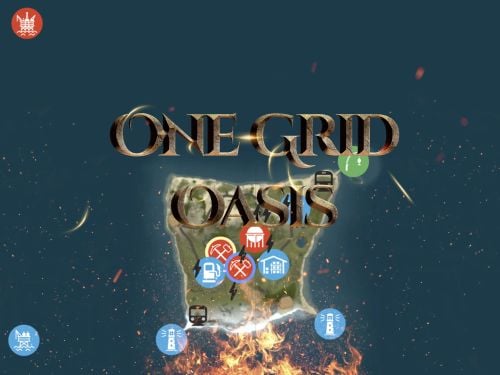
Version 7.0.0
167 downloads
Discover the ULTIMATE RUST ONE GRID MAP, featuring a breathtaking landscape perfect for high-FPS and fast-paced PVP. The dynamic terrain utilizes many hills and valleys to minimizes sight lines making the Map feel much larger. While having custom underwater caves offers strategic building and hiding spots. At the center, the iconic Dome dominates, surrounded by HQM and Sulfur Quarries to entice players to the middle of the map to fight over loot and ore. NEW FLOATING ISLANDS expands buildable terrain, offering unparalleled fun and creativity for players who LOVE TO BUILD. Explore 12 unique buildable monuments marked with "X" on the map, each providing more unique base-building opportunities. This map promises thrilling PVP action and immersive gameplay, making it the BEST One Grid Rust Server Map ever created! FEATURES: • Size: 1000 • Prefab Count: 2285 • Map Optimized for Performance! • Map Password Included. • Vast array of 12 EPIC Custom Buildable Monuments! Caves, Underwater Bunkers, Floating Sky Platforms, Bus Stops, Warehouses and more! • Designated Building Zones (marked X on the minimap) • 3 Floating Islands in the sky to build on to add more buildable terrain for a small map. • 3 Majestic Underwater Buildable Cave Bunkers! • Monuments crafted for peak performance with minimal entities! • The terrain features varied elevations to reduce sight lines, making the smaller map feel much larger! • Everything crafted with One Grid players in mind to have lots of loot and many places to build! • Underground railway. • Custom Combined Outpost/Bandit Camp/Fishing Village Safe Zone! Gambling, Vending Machines, Vehicle Vendors and more! CUSTOM BUILDABLE MONUMENTS: • Amount: 12 Total! • 3 Buildable Underwater Bunkers • 3 Buildable Floating Islands • Custom Large Size Bus Stop Base • 2 EPIC Scale Rock Formation Caves • Medium Sized Glass Roof Cave • + MANY MORE! Facepunch Monuments: Dome 2x Lighthouse Supermarket Jungle Ziggurat Oxum's Gas Station Mining Outpost HQM Quarry Sulfur Quarry Bandit Town/Outpost/Fishing Village Combined Underwater Labs 5x Large Power Substations 4x Small Power Substations 4x Bus Stops To Enable the Travelling Vendor on Custom Maps its optional to use this Oxide Plugin: https://codefling.com/plugins/anymapvendor Help Discord: @DarkoRust$9.99- 8 comments
- 3 reviews
-
- 5
-
-
-
-
- #one grid
- #custom map
- (and 44 more)
-

Version 2.0.9
22,970 downloads
Halloween Update Have you already prepared your server for Halloween? On the eve of the Halloween Rust update, I have prepared for customization of all armored train cars. After installing the update, customization will be automatically applied to all cars in the configuration of the armored train. To disable this, make the "Customization preset" parameter empty in the config. New Year Update The New Year is coming and I have prepared for you a new preset customization for the train!After installing the update, customization will be automatically applied to all cars in the configuration of the armored train. To disable this, make the "Customization preset" parameter empty in the config. You can also disable the customization of certain wagons or change the customization of the NPCs in the file oxide/data/ArmoredTrain/NewYear New Year's map from the video: This plugin will add an armored train to your server, which can travel both in the subway and by rail. It can consist of any number of wagons. A helicopter can accompany it. Bradley, npc, turrets, simsites can be installed on the train. The plugin allows you to create any number of train presets, for which the order of wagons, the helicopter preset, the probability of spawn and the duration of patrolling can be specified. Each wagon or locomotive can be configured separately. Any speed can be set by the locomotive.If there is no spawn of trains on the surface on your custom map, read the section "Custom spawn points” Custom spawn points If you are using a custom map in which there are no spawn trains on the surface, but there is a railway, then for the train to work on the surface, you need to add custom spawn points of the train. Instruction: Stand at the point where you want the train to spawn Enter the command /atrainpoint If you receive a message that a point has been created, enable "Use custom spawn coordinates [true/false]” in config For correct operation, it is recommended to create several spawn points of the train Chat commands (only for administrators) /atrainstart– launches the event in a random configuration /atrainstartunderground - forcibly launches an event underground /atrainstartaboveground - forcibly launches an event aboveground /atrainstart <trainPresetName> – launches the event in the <trainPresetName> configuration /atrainstartunderground <trainPresetName> /atrainstartaboveground <trainPresetName> /atrainstop– stops the event /atrainpoint– creates a custom spawn point of the train in your position Console commands (RCON only) atrainstart– launches the event in a random configuration atrainstartunderground - forcibly launches an event underground atrainstartaboveground - forcibly launches an event aboveground atrainstart <trainPresetName> – launches the event in the <trainPresetName> configuration atrainstartunderground <trainPresetName> atrainstartaboveground <trainPresetName> atrainstop – stops the event Config en – example of plugin configuration in English ru – example of plugin configuration in Russian Dependencies (optional, not required) True PVE PveMode GUI Announcements Notify DiscordMessages AlphaLoot CustomLoot Economics Server Rewards IQEconomic Api bool IsArmoredTrainActive() bool StopArmoredTrain() bool StartArmoredTrainEvent() bool EndArmoredTrainEvent() bool IsTrainBradley(uint netID) bool IsTrainHeli(uint netID) bool IsTrainCrate(uint netID) bool IsTrainSamSite(uint netID) bool IsTrainWagon(uint netID) bool IsTrainTurret(uint netID) Vector3 ArmoredTrainLocomotivePosition() Hooks OnArmoredTrainEventStart OnArmoredTrainEventStop Contact me in Discord: Adem#955$29.99 -
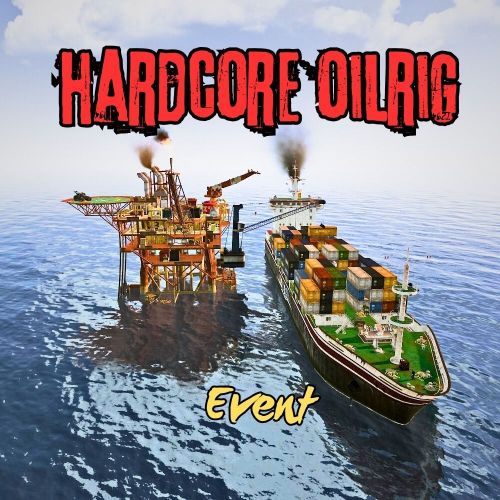
Version 1.0.9
256 downloads
This event is the most difficult event on the oil rig. This is ensured by turret's, bradley, patrol helicopter, and respawning NPCs. The mission is to find the codes for the two doors and call Cargo. The event ends when all locked crates on Cargo have been looted. Tip: The first code is in the locked crate on the helipad. The second code is in a helicopter crate behind the garage door. Np Permission. Server Console Commands: hcoestart hcoestop Contact: Discord: https://discord.gg/C5CehdJMdK If you want to try out this plugin, you can do so on the test server. IP: 212.73.137.6:28018 My public Rust server IP: 212.73.137.40:28027 Hook: void OnHCOilrigEventStart() void OnHCOilRigEventStop() Video: Config: { "Version": { "Major": 1, "Minor": 0, "Patch": 6 }, "Automatic event start": true, "Minimum time for event start": 3600.0, "Maximum time for event start": 7200.0, "Duration of the event": 2800.0, "Warning messages before event start": 300.0, "Warning messages before event end": 300.0, "Chat icon": 0, "Enabled on silent mode (No messages, no marker)?!": false, "Map marker name": "HardCore OilRig Event", "Map marker radius": 0.6, "Color": { "r": 1.0, "g": 0.0, "b": 0.0 }, "Locked crate hack time": 900.0, "Disable BetterNpc plugin npc's for the duration of the event?": false, "Sheetmetal doors SkinID on the cargo": 3088355400, "Garage door SkinID on the OilRig": 3527077202, "Sheetmetal doubledoor SkinID on the oilrig": 2817178597, "AutoTurret setting on the oilrig": { "Health": 300.0, "Weapon ShortName": "rifle.ak", "Ammo ShortName": "ammo.rifle", "Number of ammo": 5000 }, "AutoTurret setting on the cargo": { "Health": 300.0, "Weapon ShortName": "rifle.ak", "Ammo ShortName": "ammo.rifle", "Number of ammo": 5000 }, "Bradley setting": { "Bradley health": 1000.0, "Number of crate to spawn when the bradley dies": 3, "Number of Npc spawning from Bradely": 3 }, "List of lootable crates on Oilrig": [ { "Prefab": "assets/bundled/prefabs/radtown/crate_elite.prefab", "Position": "(11.584, 24.032, 2.267)", "Rotation": "(0, 0, 0)", "Are you deleting the original loot from the crate?": false, "Use custom loot?": true, "CustomLoot": { "Minimum items": 1, "Maximum items": 1, "Use minimum - maxium?": false, "List of items": [ { "ShortName": "diesel_barrel", "Minimum": 3, "Maximum": 6, "Chance": 100.0, "Give blueprint?": false, "SkinID": 0, "Displayname": "" } ] } }, { "Prefab": "assets/bundled/prefabs/radtown/crate_elite.prefab", "Position": "(22.996, 19.543, 3.315)", "Rotation": "(0, 0, 0)", "Are you deleting the original loot from the crate?": false, "Use custom loot?": true, "CustomLoot": { "Minimum items": 1, "Maximum items": 1, "Use minimum - maxium?": false, "List of items": [ { "ShortName": "diesel_barrel", "Minimum": 3, "Maximum": 6, "Chance": 100.0, "Give blueprint?": false, "SkinID": 0, "Displayname": "" } ] } }, { "Prefab": "assets/prefabs/npc/patrol helicopter/heli_crate.prefab", "Position": "(19.982, 28.546, -7.443)", "Rotation": "(0, 0, 0)", "Are you deleting the original loot from the crate?": false, "Use custom loot?": false, "CustomLoot": { "Minimum items": 1, "Maximum items": 1, "Use minimum - maxium?": false, "List of items": [ { "ShortName": "xmas.present.small", "Minimum": 3, "Maximum": 6, "Chance": 100.0, "Give blueprint?": false, "SkinID": 0, "Displayname": "" } ] } }, { "Prefab": "assets/prefabs/npc/patrol helicopter/heli_crate.prefab", "Position": "(9.215, 28.536, 7.118)", "Rotation": "(0, 0, 0)", "Are you deleting the original loot from the crate?": false, "Use custom loot?": false, "CustomLoot": { "Minimum items": 1, "Maximum items": 1, "Use minimum - maxium?": false, "List of items": [ { "ShortName": "xmas.present.small", "Minimum": 3, "Maximum": 6, "Chance": 100.0, "Give blueprint?": false, "SkinID": 0, "Displayname": "" } ] } } ], "List of lootable crates on Cargo": [ { "Prefab": "assets/prefabs/deployable/chinooklockedcrate/codelockedhackablecrate.prefab", "Position": "(0, 9.500, 71.734)", "Rotation": "(0, 0, 0)", "Are you deleting the original loot from the crate?": false, "Use custom loot?": true, "CustomLoot": { "Minimum items": 1, "Maximum items": 1, "Use minimum - maxium?": false, "List of items": [ { "ShortName": "diesel_barrel", "Minimum": 3, "Maximum": 6, "Chance": 100.0, "Give blueprint?": false, "SkinID": 0, "Displayname": "" } ] } }, { "Prefab": "assets/prefabs/deployable/chinooklockedcrate/codelockedhackablecrate.prefab", "Position": "(-8.524, 0.500, 37.519)", "Rotation": "(0, 90, 0)", "Are you deleting the original loot from the crate?": false, "Use custom loot?": true, "CustomLoot": { "Minimum items": 1, "Maximum items": 1, "Use minimum - maxium?": false, "List of items": [ { "ShortName": "diesel_barrel", "Minimum": 3, "Maximum": 6, "Chance": 100.0, "Give blueprint?": false, "SkinID": 0, "Displayname": "" } ] } }, { "Prefab": "assets/prefabs/deployable/chinooklockedcrate/codelockedhackablecrate.prefab", "Position": "(-1.817, 0.500, -4.039)", "Rotation": "(0, 0, 0)", "Are you deleting the original loot from the crate?": false, "Use custom loot?": true, "CustomLoot": { "Minimum items": 1, "Maximum items": 1, "Use minimum - maxium?": false, "List of items": [ { "ShortName": "diesel_barrel", "Minimum": 3, "Maximum": 6, "Chance": 100.0, "Give blueprint?": false, "SkinID": 0, "Displayname": "" } ] } }, { "Prefab": "assets/prefabs/deployable/chinooklockedcrate/codelockedhackablecrate.prefab", "Position": "(7.095, 6.500, -2.940)", "Rotation": "(0, 0, 0)", "Are you deleting the original loot from the crate?": false, "Use custom loot?": true, "CustomLoot": { "Minimum items": 1, "Maximum items": 1, "Use minimum - maxium?": false, "List of items": [ { "ShortName": "diesel_barrel", "Minimum": 3, "Maximum": 6, "Chance": 100.0, "Give blueprint?": false, "SkinID": 0, "Displayname": "" } ] } } ], "Npcs settings on the Oilrig": { "Minimum": 8, "Maximum": 8, "List of position": [ "(4.414, 27.020, 5.130)", "(0.400, 27.020, -4.115)", "(27.759, 27.021, -34.864)", "(12.133, 22.520, -31.684)", "(24.314, 22.520, -0.799)", "(6.012, 22.488, 7.338)", "(-3.402, 22.520, -15.901)", "(13.935, 18.020, -38.237)", "(18.418, 18.020, 2.229)", "(0.192, 18.020, 1.720)" ], "NPCs setting": [ { "Name": "OilRig Guard", "Health": 250.0, "Scale damage": 0.6, "Wear items": [ { "ShortName": "coffeecan.helmet", "SkinID (0 - default)": 3045043901 }, { "ShortName": "pants", "SkinID (0 - default)": 915346906 }, { "ShortName": "hoodie", "SkinID (0 - default)": 3044969914 }, { "ShortName": "roadsign.jacket", "SkinID (0 - default)": 3045043722 }, { "ShortName": "roadsign.kilt", "SkinID (0 - default)": 3045043574 }, { "ShortName": "shoes.boots", "SkinID (0 - default)": 916448999 } ] }, { "Name": "OilRig Guard", "Health": 250.0, "Scale damage": 0.6, "Wear items": [ { "ShortName": "attire.banditguard", "SkinID (0 - default)": 0 } ] }, { "Name": "OilRig Guard", "Health": 250.0, "Scale damage": 0.6, "Wear items": [ { "ShortName": "hazmatsuit_scientist_peacekeeper", "SkinID (0 - default)": 0 } ] }, { "Name": "OilRig Guard", "Health": 250.0, "Scale damage": 0.6, "Wear items": [ { "ShortName": "hazmatsuit", "SkinID (0 - default)": 0 } ] }, { "Name": "OilRig Guard", "Health": 250.0, "Scale damage": 0.6, "Wear items": [ { "ShortName": "scientistsuit_heavy", "SkinID (0 - default)": 0 } ] }, { "Name": "OilRig Guard", "Health": 250.0, "Scale damage": 0.6, "Wear items": [ { "ShortName": "hazmatsuit_scientist_nvgm", "SkinID (0 - default)": 0 } ] } ] }, "PVE Mode Setting (only for users PveMode plugin)": { "Use PveMode plugin?": false, "Required damage to the event owner": 500.0, "The event is a right of ownership, to obtain it you need damage multiplier.": { "Npc": 1.0 }, "Non owner can loot the crates?": false, "Non owner can loot the Npc's?": false, "Non owner can damage Npc's?": false, "Non owner can be attacked by Npc's?": false, "Non owner, can you enter the event zone?": false, "Allow a player who has an active cooldown of the Event Owner to enter the event zone?": true, "The time that the Event Owner may not be inside the event zone.": 300, "The time until the event owner can return to the event zone.": 60, "Block the RestoreUponDeath plugin in the event zone.": true, "After all this time, an event owner can be an event owner again.": 86400.0, "Darkening the sphere.": 15 } } Lang File: { "Prefix": "<color=#ff0000>HardCore OilRig Event</color>", "WarnStart": "Everyone be careful, the event is about to start.", "WarnStop": "The event will end soon!!", "Start": "has started!!", "Stop": "end!", "Code": "Find the code!", "DoorUnlock": "Opened the doors of at the event", "CallCargo": "Call the Cargo of at the event", "PveModeOwner": "has become the owner of event", "WarnStartNearbyPlayer": "Leave the OilRig area! The HardCore OilRig Event is about to begin!" }$22.00 -
Version 1.4.7
5,989 downloads
This plugin will allow players to visit the depths of the ocean to discover 3 new locations included in this plugin: a Sunken Cargo Ship, Submerged Ore Farm, and a Shipwrecked Barge. In the wreckage you will find a high concentration of loot. Just be careful! The COBALT group has already arrived and is exploring the site. They have submarines and divers already in the water! Patrol Submarines Subs do a LOT of damage, but they have low visibility and low accuracy. Very unreliable at Titanic depths. Subs are a serious threat if you arrive in a submarine yourself. Try to sneak up behind them and destroy them, you don't want to be the one to sink, trust me! Cobalt NPC Divers High accuracy, but not much armor and don't pack a huge punch. Almost harmless if you arrive in a submarine, but they are still a threat! Keep your eyes on these guys, it might just be you or them! Killer Sharks These sharks have smelled all the blood in the water, after being drawn to the area already by all of the disturbance. They are here, they are mad, and they are bloodthirsty and hungry! The plugin includes 3 locations: Shipwrecked Cargo Ship There are three rooms in the Sunken Cargo Ship location that are opened with a keycard. The map type can be selected within the configuration file. Sunken Barge A great place to find some Shipping Containers, as well as Killer Sharks! The Cobalt group has been busy in this area, they must have taken this Barge down recently as well. Submerged Ore Farm An ore rich location with multiple farmable ore nodes, as well as some other scattered loot including fuel barrels. Chat commands (only for administrators) /shipwreckstart – launches the event in a random configuration /shipwreckstart <shipwreckstart> – launches the event in the <eventPresetName> configuration /shipwreckstartmyloc – launches the event in a random configuration in your location /shipwreckstartmyloc<shipwreckstart> – launches the event in the <eventPresetName> configuration in your location /shipwreckstop – stops the event /screatepath– starts recording the route for the npc/shark/sub /ssavepath <npc/shark/subPresetName> – saves route for npcs/sharks/sub /scancelpath – cancels route recording Console commands (RCON only) shipwreckstart – launches the event in a random configuration shipwreckstart <shipwreckstart> – launches the event in the <eventPresetName> configuration shipwreckstop – stops the event Config plugin_en – example of plugin configuration in English location_en – example of location configuration in English plugin_ru – example of plugin configuration in Russian location_ru – example of location configuration in Russian Dependencies (optional, not required) True PVE PveMode GUI Announcements Notify DiscordMessages AlphaLoot CustomLoot Economics Server Rewards IQEconomic Hooks void OnShipwreckStart() void OnShipwreckStop() My Discord: adem9554 Join the Mad Mappers Discord here! Check out more of my work here!$34.99 -

Version 1.2.5
213 downloads
In Extraction, players will not feel alone on your server, despite its size of 3500. In Extraction, players will find all the official Rust Monuments. Extraction contains more than 300 construction zones, which are distributed across all the exits available on the map. In addition, these gigantic construction zones are equipped with electricity and water for each player. When an exit is activated, an alarm sounds to alert other players that a player is about to leave the surface to access an area designed for better player safety. - OFFER YOUR PLAYERS A BETTER PVP EXPERIENCE (Optional) Extraction includes a prefab “Extraction-NoBuild” to block construction on the map surface and force players to build in areas located inside the exits. Follow these steps to block construction on the surface: 1- Include “Extraction-NoBuild.prefab” in the RustEdit “CustomPrefabs” folder. 2- Open the map in RustEdit. 3- In the list of prefabs, find and include “Extraction-NoBuild” in the map. 4- Place “Extraction-NoBuild” at the coordinates: X:0,000 - Y:390,431 - Z:0,000 5- Save the changes you have made. - FEATURES Size: 3500. Objects: 81002. Map protection plugin included. Editable map: Yes Profile Better Npc: Yes. - CONTAINS ALL OFFICIAL MONUMENTS Apartment complex • Ziggurat temple • Jungle ruins • Radtown • Ferry Terminal • Nuclear missile silo • Large oil platform • Small oil platform • Submarine laboratories • Harbor • Large fishing villages • Fishing villages • Launch site • Satellite dish • The Dome • HQM Quarry • Stone quarry • Sulfur quarry • Arctic Research Base • Sewer Branch • Train yard • Junkyard • Abandoned military bases • Military tunnel • Caves • Large barns • Ranch • Bandit camp • Power plant • Swamp • Airfield • Giant excavation • Outpost • Lighthouse - CUSTOM MONUMENTS Five giant islands surround the map to support the Raidable Bases plugin. Over 300 construction areas equipped with electricity and water. Bunkers: Three types of mini-bunkers scattered throughout the map. Use grenades or explosives to open the door. Each bunker has its own color light to indicate its difficulty: green, blue, and red. Trees with safe zones: These trees are scattered throughout the jungle area. Climb the stairs and access these safe zones to recycle, shop, and more. Ammunition Tower: A giant tower where you will find ammunition and other resources inside. C4 Tower: A giant tower where you will find C4 explosives and other resources inside. Medical Tower: A giant tower where you will find medicine and other resources inside. The Arecibo Observatory: Also known as the National Astronomy and Ionosphere Center (NAIC) and formerly known as the Arecibo Ionosphere Observatory, is an observatory located in Barrio Esperanza, Arecibo, Puerto Rico, owned by the US National Science Foundation (NSF). Communications Center: Four giant towers where you will find all kinds of resources inside. Access from one tower to another via zip lines. Helicopter Tower: A classic but modern tower for shooting combat helicopters. This tower is equipped to meet all your needs. Train Stations: With a waiting room, loot, and NPCs, with secondary respawn on the railroad. Crocodile Lakes: Do you like crocodiles? Visit these locations to see them, but don't disturb the crocodiles. Green Exit: Access this exit using a button located in a booth. The waiting time at this exit is 5 minutes. After 5 minutes, the player will be able to access the construction area. Blue Exit: Access this exit using a blue card. The waiting time at this exit is 3 minutes. After 3 minutes, the player can access the construction area. Red Exit: Access to this exit is immediate and the player can access the construction area immediately. - TIPS Remove the “Extraction-NoBuild” prefab to allow players to build on the map surface. Have fun - SUPPORT: https://discord.gg/ASxJynGndj$49.90- 29 comments
- 4 reviews
-
- 3
-
-
-
- #extraction
- #extraction game
- (and 52 more)
-
Version 1.1.9
363 downloads
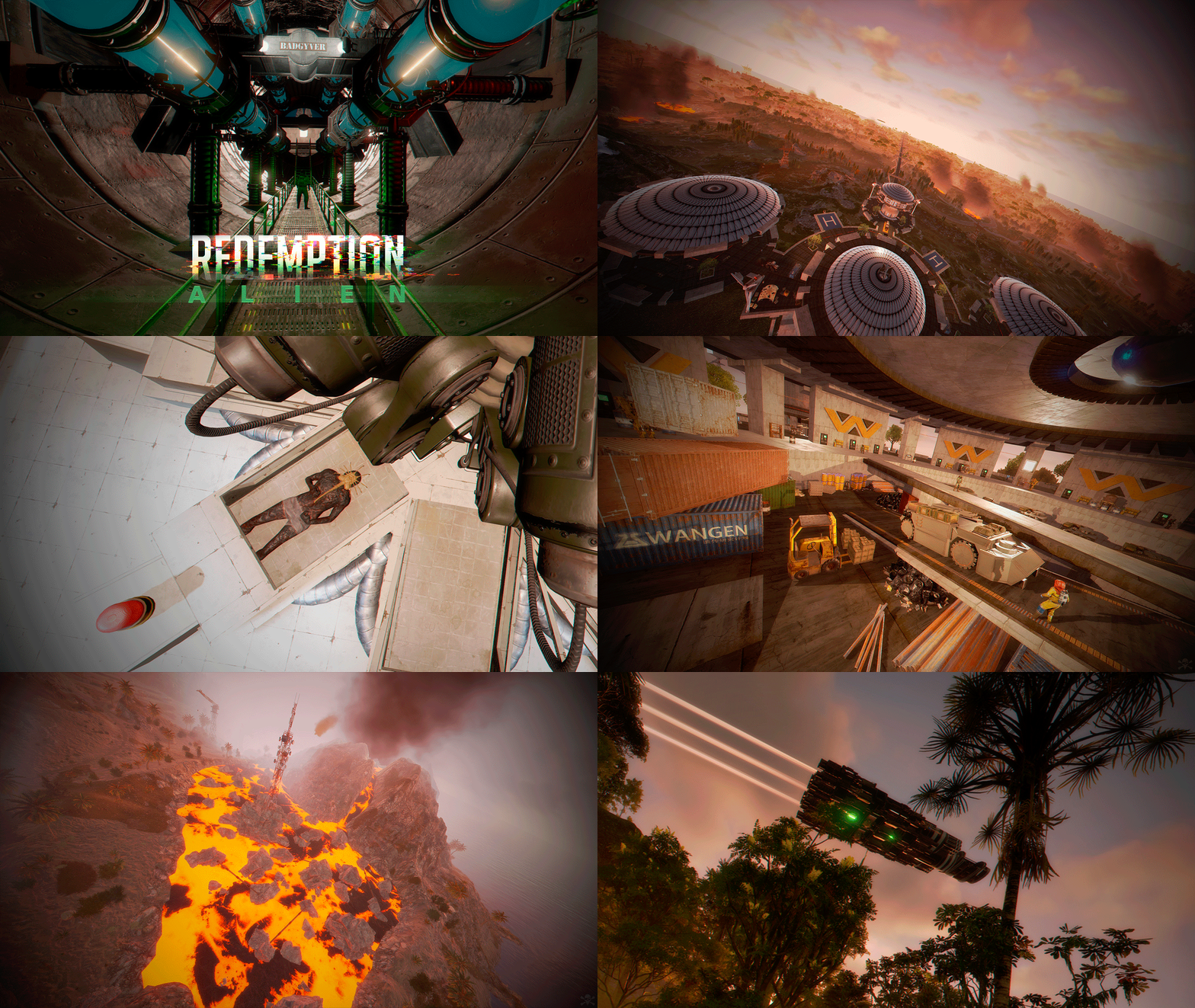
Redemption is the second map inspired by the Aliens movie series. Wake up and begin your adventure in a world full of puzzles and parkour. See vehicles and the Facehugger creature that appear in the Alien movie series. - FEATURES Size: 5000. Objects: 55454. Map protection plugin included. Editable map: Yes. - CONTAINS ALL OFFICIAL MONUMENTS Apartment complex • Ziggurat temple • Jungle ruins • Radtown • Ferry Terminal • Nuclear missile silo • Large oil platform • Small oil platform • Submarine laboratories • Harbor • Large fishing villages • Fishing villages • Launch site • Satellite dish • The Dome • HQM Quarry • Stone quarry • Sulfur quarry • Arctic Research Base • Sewer Branch • Train yard • Junkyard • Abandoned military bases • Military tunnel • Caves • Large barns • Ranch • Bandit camp • Power plant • Swamp • Airfield • Giant excavation • Outpost • Lighthouse - PREFABRICATED AND CUSTOMIZED MONUMENTS Volcano: Get ready for Parkour, activate the electricity and enter the volcano. A great challenge awaits you, so be prepared to get lost in a giant maze. At the summit of the volcano, you will find a red card. Eye of the Tiger: You won't need any cards to access the interior of this monument. Throw a grenade at the door and it will open automatically. Inside, you will find the meaning behind the name of this monument. Two Crocodile Lakes: Do you like crocodiles? Visit these locations to see them, but don't disturb the crocodiles. Heli Tower: A classic but modern tower for shooting at attack helicopters. This tower is equipped to meet all your needs. Weyland Center: This is where you will wake up. It contains great decorations, puzzles, loot, a helicopter seller, shops, a safe zone, a casino, and an entertainment area. Explore the ground floor to find new challenges. Valley Hill: A gigantic village to explore, you will find NPCs, loot and zip lines. Weyland Platform: Three platforms guarded by a tank. Solve the puzzle to open the door that contains a big loot. X Areas: Two types of construction areas, one to access from the air, in the other you can access from an elevator. These areas are scattered all over the map and are marked with the letter "x". Bunkers: Three types of minibunkers, these minibunkers are spread all over the map, use your grenades or explosives to open the door, each bunker has its own colored light to distinguish the difficulty, green, blue and red. Trees with a Safe Area: These trees are scattered throughout the jungle area, climb the stairs and access these safe areas to recycle, buy and much more. Spaceship: Watch out, a gigantic Spaceship guards the skies. Weyland Logo. Alien Creature. Ovomorph (egg). P-5000 Motorized Loader. M577 Armored Personnel Carrier. Bunker entrance with automatic doors. - TIPS Players will spawn in the Weyland Center by default. Remove the respawn points from Rustedit so that players spawn on the beach. Have fun - SUPPORT: https://discord.gg/ASxJynGndj$49.90- 17 comments
- 1 review
-
- 4
-
-
-
- #redemption
- #weyland
- (and 51 more)
-
Version 1.2.1
88 downloads
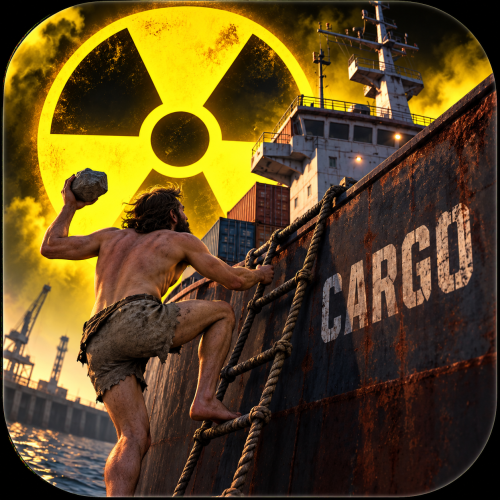
Make the Cargo Ship a real challenge. Cargo Ship Radiation adds a configurable radiation zone directly to the Cargo Ship. The zone follows the ship as it moves, exposing players on board to the radiation intensity you choose. Set any non-negative numeric radiation value in the configuration, from mild exposure to a serious hazard. Players will need suitable radiation protection before attempting to secure the cargo. WHY RADIATION? The idea comes from the Cargo Ship’s radioactive cargo. With containers carrying radioactive barrels, radiation adds another reason to prepare before boarding. This plugin makes the event more challenging and gives radiation protection a practical role during Cargo Ship runs. FEATURES Fully configurable numeric radiation intensity. Supports whole numbers and decimals, such as 10, 25, 40, or 40.5. Automatically creates a radiation zone when a Cargo Ship spawns. Supports Cargo Ships already present when the plugin loads. Radiation zone follows the ship’s movement and rotation. Automatic cleanup when the ship despawns or the plugin unloads. Preserves vanilla Cargo Ship departure radiation. Lightweight operation without plugin timers or polling loops. No gameplay commands or permissions required. CONFIGURATION { "Radiation Level": 50.0 } Radiation Level controls the custom zone’s radiation intensity. Example values: 0, 2, 10, 25, 40, 51, 75. Default: 20.0 Accepted values: finite, non-negative numbers. Zero: produces no custom radiation; vanilla departure radiation remains active. Change the value, then reload the plugin or restart the server. HOW IT WORKS The plugin attaches a native radiation trigger and a box collider directly to the Cargo Ship. The zone moves with the ship automatically. Exposure follows Rust’s normal radiation protection and edge falloff behavior. The configured value controls the zone’s intensity; actual player exposure depends on protection and position within the zone. The custom zone operates separately from the ship’s vanilla departure radiation. Where radiation zones overlap, Rust uses the strongest exposure rather than adding their values together. No more naked Cargo runs. Bring proper gear—or a very good reason to get irradiated.Free -
Version 2.4.7
13,815 downloads
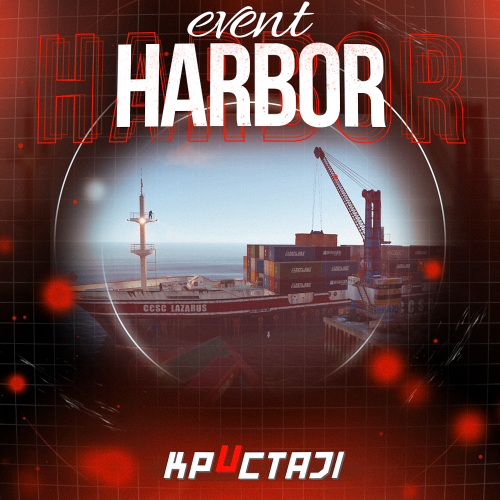
Creates a unique event at the Harbor monument for players to participate in for rewards. Players must battle numerous NPCs and APCs to access the puzzle to open the loot room! Description This event started off as a warning on the chatbox about the ships coming soon to dock in Port, loaded with precious cargo. After the period has passed, a ship appears in one of the locations at Harbour that are accessible from the map, where the crane loads the container. The loading area is protected by one Tank and 7 NPCs by default. The container door is locked, you must push a button from inside the cranes cockpit to open the door. Inside the container, there is a default security camera, locked box, 2 DMS, 2 Elite, and 2 Military boxes. The locations and loot from all crates/NPCs can be configured within configurations, and unwanted crates/NPCs added or removed. Also, ships will generate the default ship loot, e.g. The config file allows to modify tank as well as loot inside of the ship. When the event occurs, the map displays the markers (configured in the config file). All players that are inside the event area will have a timer counting down the amount of time until the event ends. Dependencies Required NpcSpawn Dependencies (optional, not required) True PVE PveMode GUI Announcements Notify Discord Messages AlphaLoot CustomLoot NTeleportation HeliControl Economics Server Rewards IQEconomic Kits Chat commands (only for administrators) /harborstart – starting of the event /harborstop – ending of the event /harborpos – determining the position and rotation coordinates for changing the location of NPCs and crates.It should write in the configuration (Attention! The event must be started, the current position of the administrator in relation to the cargoship is read) Console commands (RCON only) harborstart – starting of the event harborstop – ending of the event Plugin Config en - example of plugin configuration in English ru - example of plugin configuration in Russian Hooks void OnHarborEventStart() – called when the event starts void OnHarborEventEnd() – called when the event ends void OnHarborEventWinner(ulong winnerId) – called at the end of the event, where the winnerId is the player who did more actions to complete the event My Discord: KpucTaJl#8923 Join the Mad Mappers Discord here! Check out more of my work here!$35.00 -
Version 1.0.16
2,147 downloads
Are your players tired of waiting for Airdrops? This little plugin makes them appear almost instantly, no cargo plane, no parachutes. Airdrop will spawn wherever the supply signal lands. The delay can be modified in the config file. The default is 5 seconds to allow the supply signal to land and smoke briefly. Config File { "Delay Before Spawn": 5.0, "Use Permission": false, "Prevent Deploying Inside (Players will only be able to deploy supply signals outside)": false, "Skin IDs To Ignore": [] } if "Use Permission" is set true then permission to be set is instantairdrop.use If "Prevent Deploying Inside" the Airdrop will be cancelled, the supply signal will be refunded to the player and a message will inform the player that supply signals can only be deployed outside. This is to prevent instant airdrops spawning inside of bases and is optional. Developer Integration 1. IsInstantAirdrop(SupplyDrop supplyDrop) - Takes a SupplyDrop object and returns true if it's an instant airdrop 2. IsInstantAirdropByEntity(BaseEntity entity) - Takes any BaseEntity and returns true if it's an instant airdrop Usage Examples for Other Plugins: // Check if a supply drop is an instant airdrop var instantAirdrop = plugins.Find("InstantAirdrop"); if (instantAirdrop != null) { bool isInstant = (bool)instantAirdrop.Call("IsInstantAirdrop", supplyDrop); if (isInstant) { // Handle instant airdrop differently Puts("This is an instant airdrop!"); } } // Or using BaseEntity bool isInstantByEntity = (bool)instantAirdrop.Call("IsInstantAirdropByEntity", entity); This integration allows other plugins to: - Prevent their plugin from calling in more airdrops - Apply different loot rules to instant vs regular airdrops - Show different notifications for instant airdrops - Track instant airdrop statistics separately - Apply special effects only to instant airdrops - Modify damage/protection rules for instant drops Tested to work nicely along side other plugins such as: Heli Signals Bradley Drops Fancy Drop Loot Defender Signal Cooldown Helpful Supply Supply Lock Vehicle Airdrops (fix coming soon) Note: The plugin is designed to operate without causing issues when used with these plugins. However, it does not integrate or alter the functionality of these plugins.$3.99 -

Version 1.0.4
15 downloads
CargoSupplyStick Tired of supply signals being wasted at sea? CargoSupplyStick fixes that by making supply signals thrown on the Cargo Ship deck stick to the ship and land directly on board. This plugin gives server owners full control over how supply signals behave on the Cargo Ship with configurable limits, cooldowns, and permissions. No more random drops in the ocean — keep them fair, balanced, and fun for players. Showcase Video: Features: Supply signals stick to the Cargo Ship and drop crates directly on deck. Configurable per-player limits (choose per-cargo or per-wipe). Cooldowns between throws to prevent spam. Global max per ship setting. Permission tiers (e.g. vip1, vip2, vip3) with custom limits. (you can add how much permissions you want ) Bypass & Admin permissions for staff. Automatic refund of supply signals if a throw is blocked. Commands: /cargostick resetwipe /cargostick see <id|name> /cargostick resetcargo <id|name> (Also available as console commands with the same syntax.) Example Configuration Permissions CargoSupplyStick.admin → Access to reset and see commands. CargoSupplyStick.bypass → Ignore all limits and cooldowns. CargoSupplyStick.vip1, CargoSupplyStick.vip2, CargoSupplyStick.vip3 → Example tiers with different limits. Why choose CargoSupplyStick? Because supply signals should land on the Cargo Ship, not sink into the ocean. This plugin guarantees fair and reliable drops, prevents abuse, and still lets you reward VIP players with extra perks. A simple.$7.99 -
Version 1.0.0
7 downloads
Featuring two dynamic events, this plugin introduces cargo drones that spawn at random monuments and raid drones that patrol the island, targeting and destroying unprotected bases. Enhance your gameplay with these exciting drone encounters. This plugin also adds C4 Drones and Anti Drone Turrets to the game. Features: Raid Drone Event: Drones patrol the island and attack unprotected bases. Loot Drone Event: Drones with loot boxes appear at random monuments and can be shot down. Player controlled C4 Drone: Players can craft a bomb drone and detonate it remotely through a computer station. Anti-Drone Turret: Players can craft Anti-Drone Turrets to protect their bases from raid drones while offline. Fully customizable Anti Drone Turrets: Can be used to protect your base from raid drones and C4 Drones. They require homing missile ammo to function. C4 Drones: Can be controlled by players and used to raid player bases. They can be detonated from the computer station. Commands: raiddrones - Spawn raid drone swarm at current position lootdrones - Spawn loot drones at current position antidrone.give <?amount> <?player> - Give Anti Drone Turret to the specified player (player and amount can be omitted) bombdrone.give <?amount> <?player> - Give C4 Drone to the specified player (player and amount can be omitted) Permissions: droneraiders.admin - Required to use event commands droneraiders.give - Required to use give commands Items: Anti Drone Turret: Command: antidrone.give <?amount> <?player> Shortname: box.wooden ItemId: -180129657 SkinId: 1220840269 Bomb Drone: Command: bombdrone.give <?amount> <?player> Shortname: drone ItemId: 1588492232 SkinId: 3241799978 This plugin supports the Loot Api and Custom Items Api of https://codefling.com/plugins/loot-table-stacksize-gui$21.00 -
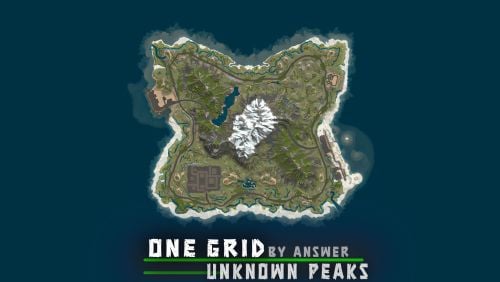
Version 2.1.1
88 downloads
This one grid map features a unique city monument, roamed by the Bradley APC. The city is designed for players to explore and conquer, with NPCs along the roof tops, ziplines, parkour spots and loot. The city and map is optimized for the best server and client FPS, containing only ~4700 prefabs. FEATURES Ring road Mission NPCs Rivers and lakes Buildable bus stops Buildable caves Map size: 1250 CUSTOM MONUMENTS Bradley City - Contains blue keycard puzzle, loot, scientists, Bradley APC, recycler, chinook drop zone point –This monument was designed for PVP, with plenty of cover, parkour and custom ziplines. Roadside ruins (unmarked) Abandoned cabin (unmarked) Lost Barge (unmarked) - Contains loot, hunter mission NPC Road tunnel going through the mountain Stone Quarry Cave - Can be entered through the road tunnel Buildable caves - Can be entered through the road tunnel Sunken Satellite Dish Sunken HQM Quarry – Contains loot, scientists, metal & sulfur ores Bandit Fishing Village –Safe zone, fortune wheel, outpost vending machines & more! VANILLA MONUMENTS Harbor Oxum's Gas Station Lighthouse Large Oil Rig Small Oil Rig Underwater Lab Ferry Terminal NOTES – Need help? You can always contact me on my discord server @ discord.gg/TJxwpKT2Ge – The password for the editor is included with the map.$19.90 -

Version 1.0.1
570 downloads
A small farm island featuring not only a variety of stones, but also numerous component spawners. Total: 313 prefabs, 85 spawners. You are free to add spawners as you see fitFree -

Version 1.0.9
208 downloads
Make the deep sea more interesting for your players with the Deep Sea Cargo Ship! Featuring a fully functional bradley tank that patrols the deck of the ship, this plugin transforms the classic cargo ship into a high-risk, high-reward ocean battle. Tougher NPCs, red keycard-protected loot, and fully configurable tank health and rewards, the Deep Sea Cargo Ship delivers an intense endgame experience your players won’t forget. Features Bradley tank drives on the cargo ship Cargo ship drives through the deep sea Increased NPC count Loot is protected by red key card Configurable tank health & loot Configurable NPCs Fully customizable loot Commands All command require the admin permission dcargo start - Start the event dcargo stop - Stop the event Permission deepseacargo.admin For developers (void) OnDeepSeaCargoStart() // Called when the event starts (void) OnDeepSeaCargoEnd() // Called when the event is over Default Configuration { "Start delay after deep sea opens (minutes)": 10, "Event duration (minutes)": 60, "Time before radiation starts after the event is over (seconds)": 20, "Tank configuration": { "Health": 1200.0, "Crate count": 4, "Remove server gibs after tank is destroyed (saves performance)": false }, "Cargo ship NPC configuration (Normal)": { "Health": 200.0, "Clothing items": [ { "shortName": "hazmatsuit_scientist_naval", "amount": 1, "skinId": 0 } ], "Belt items": [ { "shortName": "smg.mp5", "amount": 1, "skinId": 0 }, { "shortName": "grenade.f1", "amount": 10, "skinId": 0 } ], "Remove corpse on death": true }, "Cargo ship NPC configuration (Turret)": { "Health": 250.0, "Clothing items": [ { "shortName": "hazmatsuit_scientist_naval", "amount": 1, "skinId": 0 } ], "Belt items": [ { "shortName": "rifle.lr300", "amount": 1, "skinId": 0 } ], "Remove corpse on death": true }, "Cargo ship NPC configuration (Captain)": { "Health": 400.0, "Clothing items": [ { "shortName": "hazmatsuit_scientist_naval", "amount": 1, "skinId": 0 } ], "Belt items": [ { "shortName": "shotgun.m4", "amount": 1, "skinId": 0 }, { "shortName": "grenade.f1", "amount": 10, "skinId": 0 } ], "Remove corpse on death": true }, "Loot configuration": { "IMPORTANT NOTICE": "The maximum total crate count is 21. If the crate count in the config is higher, excess crates will be ignored, starting at the lowest tier", "Locked crate count (total crate count must be less than or equal to 21)": 3, "Elite crate count (total crate count must be less than or equal to 21)": 4, "Military crate count (total crate count must be less than or equal to 21)": 8, "Normal crate count (total crate count must be less than or equal to 21)": 6, "Locked crate loot table": { "Enabled": true, "Item list": [ { "Short name": "scrap", "Min amount": 10, "Max amount": 100, "Chance (1 = 100%)": 1.0, "Skin id": 0, "Custom name": "" }, { "Short name": "metal.refined", "Min amount": 10, "Max amount": 25, "Chance (1 = 100%)": 0.6, "Skin id": 0, "Custom name": "" }, { "Short name": "lmg.m249", "Min amount": 1, "Max amount": 1, "Chance (1 = 100%)": 0.05, "Skin id": 0, "Custom name": "" }, { "Short name": "rifle.l96", "Min amount": 1, "Max amount": 1, "Chance (1 = 100%)": 0.1, "Skin id": 0, "Custom name": "" }, { "Short name": "rifle.ak.ice", "Min amount": 1, "Max amount": 1, "Chance (1 = 100%)": 0.2, "Skin id": 0, "Custom name": "" }, { "Short name": "rifle.bolt", "Min amount": 1, "Max amount": 1, "Chance (1 = 100%)": 0.2, "Skin id": 0, "Custom name": "" }, { "Short name": "smg.mp5", "Min amount": 1, "Max amount": 1, "Chance (1 = 100%)": 0.3, "Skin id": 0, "Custom name": "" }, { "Short name": "smg.thompson", "Min amount": 1, "Max amount": 1, "Chance (1 = 100%)": 0.3, "Skin id": 0, "Custom name": "" }, { "Short name": "pistol.prototype17", "Min amount": 1, "Max amount": 1, "Chance (1 = 100%)": 0.4, "Skin id": 0, "Custom name": "" }, { "Short name": "metal.facemask.icemask", "Min amount": 1, "Max amount": 1, "Chance (1 = 100%)": 0.15, "Skin id": 0, "Custom name": "" }, { "Short name": "metal.plate.torso.icevest", "Min amount": 1, "Max amount": 1, "Chance (1 = 100%)": 0.15, "Skin id": 0, "Custom name": "" }, { "Short name": "explosives", "Min amount": 10, "Max amount": 20, "Chance (1 = 100%)": 0.2, "Skin id": 0, "Custom name": "" }, { "Short name": "explosive.timed", "Min amount": 1, "Max amount": 2, "Chance (1 = 100%)": 0.1, "Skin id": 0, "Custom name": "" }, { "Short name": "ammo.rocket.basic", "Min amount": 1, "Max amount": 3, "Chance (1 = 100%)": 0.1, "Skin id": 0, "Custom name": "" }, { "Short name": "ammo.rocket.seeker", "Min amount": 1, "Max amount": 3, "Chance (1 = 100%)": 0.1, "Skin id": 0, "Custom name": "" }, { "Short name": "ammo.rocket.mlrs", "Min amount": 1, "Max amount": 2, "Chance (1 = 100%)": 0.1, "Skin id": 0, "Custom name": "" }, { "Short name": "aiming.module.mlrs", "Min amount": 1, "Max amount": 2, "Chance (1 = 100%)": 0.6, "Skin id": 0, "Custom name": "" }, { "Short name": "rocket.launcher", "Min amount": 1, "Max amount": 1, "Chance (1 = 100%)": 0.15, "Skin id": 0, "Custom name": "" }, { "Short name": "homingmissile.launcher", "Min amount": 1, "Max amount": 1, "Chance (1 = 100%)": 0.15, "Skin id": 0, "Custom name": "" } ] }, "Bradley crate loot table": { "Enabled": false, "Item list": [] }, "Elite crate loot table": { "Enabled": false, "Item list": [] }, "Military crate loot table": { "Enabled": false, "Item list": [] }, "Normal crate loot table": { "Enabled": false, "Item list": [] }, "NPC loot table": { "Enabled": true, "Item list": [ { "Short name": "parachute", "Min amount": 1, "Max amount": 1, "Chance (1 = 100%)": 0.3, "Skin id": 0, "Custom name": "" }, { "Short name": "ammo.shotgun", "Min amount": 4, "Max amount": 8, "Chance (1 = 100%)": 0.2, "Skin id": 0, "Custom name": "" }, { "Short name": "ammo.shotgun.fire", "Min amount": 4, "Max amount": 8, "Chance (1 = 100%)": 0.2, "Skin id": 0, "Custom name": "" }, { "Short name": "ammo.shotgun.slug", "Min amount": 4, "Max amount": 8, "Chance (1 = 100%)": 0.2, "Skin id": 0, "Custom name": "" }, { "Short name": "ammo.pistol", "Min amount": 15, "Max amount": 30, "Chance (1 = 100%)": 0.2, "Skin id": 0, "Custom name": "" }, { "Short name": "ammo.pistol.hv", "Min amount": 15, "Max amount": 30, "Chance (1 = 100%)": 0.2, "Skin id": 0, "Custom name": "" }, { "Short name": "ammo.pistol.fire", "Min amount": 15, "Max amount": 30, "Chance (1 = 100%)": 0.2, "Skin id": 0, "Custom name": "" }, { "Short name": "ammo.rifle", "Min amount": 12, "Max amount": 24, "Chance (1 = 100%)": 0.2, "Skin id": 0, "Custom name": "" }, { "Short name": "ammo.rifle.hv", "Min amount": 12, "Max amount": 24, "Chance (1 = 100%)": 0.2, "Skin id": 0, "Custom name": "" }, { "Short name": "ammo.rifle.incendiary", "Min amount": 12, "Max amount": 24, "Chance (1 = 100%)": 0.2, "Skin id": 0, "Custom name": "" }, { "Short name": "syringe.medical", "Min amount": 1, "Max amount": 2, "Chance (1 = 100%)": 0.2, "Skin id": 0, "Custom name": "" }, { "Short name": "bandage", "Min amount": 1, "Max amount": 3, "Chance (1 = 100%)": 0.3, "Skin id": 0, "Custom name": "" }, { "Short name": "largemedkit", "Min amount": 2, "Max amount": 6, "Chance (1 = 100%)": 0.1, "Skin id": 0, "Custom name": "" }, { "Short name": "riflebody", "Min amount": 1, "Max amount": 1, "Chance (1 = 100%)": 0.1, "Skin id": 0, "Custom name": "" }, { "Short name": "smgbody", "Min amount": 1, "Max amount": 2, "Chance (1 = 100%)": 0.1, "Skin id": 0, "Custom name": "" }, { "Short name": "metalspring", "Min amount": 1, "Max amount": 3, "Chance (1 = 100%)": 0.1, "Skin id": 0, "Custom name": "" }, { "Short name": "sewingkit", "Min amount": 1, "Max amount": 2, "Chance (1 = 100%)": 0.1, "Skin id": 0, "Custom name": "" } ] }, "Captain NPC loot table (leave at null to use NPC loot table from above)": null } }$21.00- 4 comments
- 1 review
-
- 1
-
-
- #cargo
- #cargo ship
- (and 12 more)
-

Version 1.2
19 downloads
The Nuclear Cargo ship is ready to go, the puzzle needs a red card and a fuse to get into the full loot. It is possible to install bots using the BetterNpc plugin Features: Installation on water; Great detail; A lot of content; There are locked crates; Loot is divided into rooms; Requires a red card and a fuse for full looting; There are turrets, which can be disabled; Optimized fps. General Info: Prefabs count: ~5.4k; Type: for looting; Modifiers: Topology. Loot: Oil barrels 5; Food Crates: 5; Barrels: 30; Ordinary crates: 13; Military crates: 3; Elite crates: 6; Locked crates: 4. Other works:$19.40-
- 1
-
-
- #rust custom
- #custom monument
- (and 6 more)
-

Version 1.0.1
44 downloads
Short Description: Makes your guns create entities/explosions/animals wherever your bullet impacts, or freezes/removes entities/NPCs that you hit with your bullet. Configured via commands. Allow players to use certain guns to spawn animals, explosions, or entities wherever their bullet lands. Or maybe freezing entities is up your alley! If you've ever wanted to do the mannequin challenge with NPCs/Entities in Rust, now you can! You freeze almost every entity in the game using a specified, configurable gun. Not interested in freezing entities? How about deleting them from existence because they are bothering you, well, lucky for you this plugin has that too! Anywhere you shoot will have any of the above abilities if you activate them! The plugin automatically unfreezes all entities that were frozen upon unloading the plugin. This is a configurable setting you can disable, however, Cargo will always unfreeze itself the way I have it set up to not cause any issues. Cargo is also currently the only one that freezes itself upon loading the plugin if it was already frozen when unloading it. You can freeze entities with this plugin in your own plugins via calling the methods: GunTypes.Call("MethodName", parameter1, parameter2, parameterX); // EX: GunTypes.Call("CargoFreeze", CargoShip, IPlayer, string, bool); FEATURES: Explosive Gun: MLRS Rocket Incendiary Rocket Satchel Charge F1 Grenade Flash Bang Napalm Fire (the fire that Bradley/Attack Heli drops) Supply Signal Animal Gun: Wolf Bear Polar Bear Boar Chicken Stag Shark NPC Gun: Scarecrow NPC Bandit Camp Scientist/Guard Cargo LR-300 Scientist Cargo MP5 Scientist Underwater Dweller Tunnel Dweller CH47 Chinook Scientist (M249) (cannot move) Outpost Scientist Entity Gun: Scarecrow (entity, the T-Posed object with a hat meant to scare crows) Snowman Christmas Tree Candy Canes Present Zombie Test (Customizable via Config, just put the prefab) Freeze Gun (What it's able to Freeze) Cargo Attack Heli Bradley Chinook/CH47 All Vehicles (Mini Copter, Car (Modular Cars), Sedan, Rhib, Tugboat, Rowboat, Paddle Boat, Subs, Scarp Heli, Trains/Workcarts, Snowmobiles, Ridable Horse) Animals ALL AI (Scientists, Underwater Dwellers, NPCMissionProviders, Etc.) Traps (Landmines, Bear Traps, Gun Traps) Auto Turrets/Flame Turrets (Safezone turrets and regular ones) Sam Sites (Safezone Sam Sites and regular ones) Conveyors Doors Hackable Crate StorageContainers Remove Gun (What its able to Remove) Everything that is Interactable. Abandoned Military Base (Basically all of the monument can be removed for whatever reason, only things that will remain are the entrances and outlined portion of the monument where the ground is raised) Car Gun (What its able to shoot) Rhib Attack Helicopter (new one, not patrol heli) Chinook Sedan Minicopter Tugboat Tomaha Solo Sub Modular 4 Car Modular 2 Car Video Examples: Note: The SPAS12 video used 4x the explosive amount per pellet. More Videos to come! EXAMPLE OF CAR GUN (NOT IN PLUGIN YET This is also a slightly older implementation, and has now been slowed down to prevent as much clipping into the ground/through objects. Permissions: guntypes.gun - Allows user to use the /gun command. guntypes.setgun - Allows user to use the /gun set command. guntypes.animal - Allows user to use the /gun animal command. guntypes.explosive - Allows user to use the /gun explosive command. guntypes.entity - Allows user to use the /gun entity command. guntypes.remove - Allows user to use the /gun remove command. guntypes.freeze - Allows user to use the /gun freeze command. guntypes.npc - Allows uers to use the /gun npc command. Any other permission you see DO NOT USE OR ACTIVE YOURSELF they are for internal plugin use. You SHOULD NOT attempt to give a user ALL permissions when giving permissions to a user. Give them manually. Chat Commands: Note: Turning on any of the gun modes via their direct name (i.e: animal, entity, etc.) will also effectively do `/gun on` for you. /gun off - Disables gun mode in general to prevent use of any of the types below. /gun on - Activates gun mode in general to allow use of any of the types below. /gun animal - Activates animal gun mode. /gun explosive - Activates explosive gun mode. /gun entity - Activates animal gun mode. /gun freeze - Activates animal gun mode. /gun remove - Activates animal gun mode. Use Shortnames to change the gun type, or their defining part of their name. EX: for "pistol_revolver", do "revolver". /gun set animal wolf - Sets your current held gun to the wolf gun. /gun set explosive mlrs m249 - Sets the M249 to the MLRS gun. /gun set freeze - Sets your current held gun to the freeze gun. (only 1 freeze type so no type specification required) /gun set remove pistol_revolver - Sets revolver to the remove gun. (only 1 remove type so no type specification required) /gun spawnfrozen on - Sets NPCs and Animals to spawn frozen. /gun spawn frozen on - Sets NPCs and Animals to spawn frozen. Lots of QoL allowances for freeze AoE commands. /gun set freeze aoe on - Sets freeze AoE (radius) on. /gun freeze aoe on - Sets freeze AoE (radius) on. /gun set freeze aoe 12 - Sets freeze AoE (radius) to 12m. /gun freeze aoe 12 - Sets freeze AoE (radius) to 12m. Note/Be Aware: A gun that is used multiple times in the same gun type will only allow for 1 of the specified events to occur. EX: using explosive gun and having M249 set to both C4 and MLRS will only allow either C4 or MLRS to happen, not both. You will need to manually set the other M249 value to something other than the M249 value for the type you're not attempting to use. Meaning if you are trying to use C4 and NOT MLRS, then set MLRS to something other than the C4 value. You can now change your guns without affecting other users guns! Note 2: You setting the gun for yourself also sets it for ALL other players who are using the plugin. My goal is to eventually change this to individual gun settings for each user, but current implementation does not allow for it yet. Config: { "The command you type in to use the plugin": "gun", "Color/Hex for Syntax in Lang": "#ff3d3d", "Color/Hex for Commands in Syntax in Lang": "orange", "Color/Hex for 'Animal Gun' in Lang when calling the Gun Types commands": "#30D5C8", "Color/Hex for 'Explosive Gun' in Lang when calling the Gun Types commands": "orange", "Color/Hex for 'Entity Gun' in Lang when calling the Gun Types commands": "purple", "Color/Hex for 'Remove Gun' in Lang when calling the Gun Types commands": "#ff3d3d", "Color/Hex for 'Freeze Gun' in Lang when calling the Gun Types commands": "#30D5C8", "Color/Hex for 'NPC Gun' in Lang when calling the Gun Types commands": "#cf1d40", "Color/Hex for 'Activated' in Lang when calling the Gun Types commands": "green", "Color/Hex for 'Deactivated' in Lang when calling the Gun Types commands": "red", "The Color/Hex of the attempted entity/gun in the response for successful/failed gun setting": "orange", "The Color/Hex of the attempted spawn type in the response for successful/failed gun setting": "#40E0D0", "The test entity spawned using the entity gun": "assets/content/structures/interactive_garage_door/sliding_blast_door.prefab", "Unfreeze ALL frozen entities upon unloading (Excluding Cargo, it will automatically unfreeze).": true, "Freeze AoE (radius) Effect Enabled for ALL user with freeze permission (if set to false, no one can use AoE. If enabled, allows AoE Freeze)": true, "Max AoE (radius) a user is allowed to set for AoE freezing": 350, "Spawn tamable animals": true, "Spawn animals already tamed by the user who shot the gun": true } Credits: bmgjet - Thanks to bmgjet for allowing me to use code that they had made to get the closest cargo node, and also informing me on a way to freeze cargo!$9.99 -

Version 1.1.1
856 downloads
HUD based alert system, no configuration required. The main objective is to broadcast an alert when important server wide events are starting, such as: Bradley event starts Cargo ship event starts Cargo plane (airdrop) event starts Patrol event starts Chinook event starts Oilrig defense Standard hackable crate drop This plugin also exposes an API which allows other plugins to use the same alert system to broadcast messages. [PluginReference] private Plugin OxidationEventAnnouncer; // (...) private void OnMyImportantEvent() { OxidationEventAnnouncer.Call("Broadcast", "My important event has started"); } You can easily change the background color and text color of the announcement. The following snippet will change the background color to #00FF00 and the text color to #F0F0F0. [PluginReference] private Plugin OxidationEventAnnouncer; // (...) private void OnMyImportantEvent() { OxidationEventAnnouncer.Call("Broadcast", "My important event has started", "#00FF00", "#F0F0F0"); }Free -
Version 2.1.0
21 downloads
About Cargo Ship Fly Hack Disabler This plugin disable flyhack detection if some one enter to cargo, in some devblogs the cargo kicks the players for flyhack in cargo. How it works? When you put this plugin in you server is gonna check the players if they are in the cargo, if they are in it it will disable flyack detection for them When some one enter in cargo example: [CargoShip Flyhack Disabler] Flyhack detection paused for [TT] Xeus97 When some one leave from cargo example: [CargoShip Flyhack Disabler] Flyhack detection resumed for [TT] Xeus97 No config files easy setup!$2.00