Search the Community
Showing results for tags 'farming'.
-

Version 1.3.39
1,000 downloads
IQAlcohol – an unusual plugin that allows you to create an unusual alcohol farm among players on your server! Players can make their own alcohol and consume it, getting various bonus and negative effects, which will add interest to the game! It will also allow you to sell alcohol among players or for merchant Ivan, who will exchange a bottle of alcohol for interesting resources that you can customize! CONFIGURATION - https://pastebin.com/w8SegLAt Plugin Features : Commands : barrel.add <SteamID:Name:IP> - issue a fermentation barrel [ConsoleCommand] /set.custom.npc NamePos - adds a position for an NPC [ChatCommand] /remove.custom.npc NamePos - deletes a position for an NPC [ChatCommand] Full customization of alcohol: Changing the SkinID of alcohol Change of SkinID wort (alcohol consumable) SkinID change for Alcohol bottle Full customization and control of effects for a sip of alcohol: The cost of one sip (how much liquid will be taken) The time of intoxication after one sip After what time will the negative effects work How many calories will one sip take off How much thirst will one sip take away How much health will be added after a sip Chance of negative effects How much to take away health after activating the negative effect How much to take away thirst after activating the negative effect How many calories to take away after activating the negative effect You can specify the positive effects modifiers yourself Setting up the fermentation of alcohol Frequency of berry processing in seconds The number of berries in one processing tick (for wort) How much wort gives out for one processing tick How much wort fits into a barrel The size of the processor's inventory is wort How much water to process per minute Rates of wort and alcohol processing (IN the CAMPFIRE) Setting up NPC Merchants Selection of places where NPCs will be installed (Airport, peaceful city, bandit city) Configuring the appearance of an NPC Clothing and SkinID The appearance of the NPC itself DisplayName NPC Setting up an NPC Exchange You can fully customize the exchange rate and the items that the NPC changes things for Setting up voice acting : There is a voice acting for NPC (30% Russian (Ivan from Russia)) There is a database with a lot of greetings and goodbyes to the players NPC Animation$25.00 -

Version 1.4.1
579 downloads
FarmPro turns regular planter boxes into a fully automated, wireless farming system. Place a FarmPro box anywhere and nearby planters link to it instantly over the air, with no pipes or cables. It handles planting, watering, cloning, fertilizing, harvesting, and generating special items. All of it happens virtually, with no visible devices or connections. Whether you’re growing hemp, berries, potatoes, or something more exotic, FarmPro makes your farm faster, cleaner, and way more fun to manage. What You Can Do with FarmPro Plant and harvest automatically – Seeds and clones are planted into empty sockets, and ripe crops are harvested or cloned depending on your settings. Go 100% wireless – No industrial piping or power required. Planters connect wirelessly within a radius that you define. Choose between clone or harvest mode – Each planter can be switched between cloning or harvesting, and you'll see visual feedback when it's changed. Use simulated farming hardware – Sprinklers, heaters, and lights work virtually—no deployables. Craft special items – Combine specific fertilizers with plants and gene patterns to generate rare, customized items with unique names and effects. Access an in-game shop – Use a clean UI to buy FarmPro gear, fertilizers, and consumables. You can even sell items back for scrap or RP. Add NPC vendors – Spawn a FarmPro seller at the Outpost or anywhere you want, with a visible map marker and fully configurable stock. Special Items with Real Buffs Grow plants using the right fertilizer and genes to generate rare items like: Ore Booster – Boosts mining yield and radiation resistance Beer of Strength – Gives cooling and comfort Recovery Balm – Increases max health and speeds up healing Energy Bloom – Makes you run and ride faster Recycler Fuel – Increases scrap yield and vision in darkness Each item is visually distinct and applies real, timed modifiers when used. Player Groups and Permissions You can set up multiple player tiers with different farming powers. For example: Control how many planters a player can use Adjust the wireless detection radius Set cloning and harvesting multipliers per crop Choose whether new planters start with full water Enable or disable access to the in-game shop You might have a "Default" group, and then extra perks for VIP1, VIP2, VIP3, VIP4, and Admins—each with more benefits. Useful Chat Commands /farmpro.give – Gives yourself a FarmPro box (permission: farmpro.give) /farmpro.menu – Opens the shop menu (only if allowed by your tier) /farmpro.spawnnpc – Spawns a vendor NPC where you're standing /farmpro.removenpc – Removes the nearest FarmPro NPC /farmpro.planters – Shows how many planters are currently on the server (admin only) /farmgive <identifier> <amount> <playerName|playerId> Parameters: <identifier>: The unique identifier for the custom item to be given. <amount>: The number of items to give. If the value is invalid or less than 1, it defaults to 1. <playerName|playerId>: The target player's display name or Steam64 ID. Shop and Economy Integration FarmPro supports Scrap, Economics, and ServerRewards. All prices, items, and categories are fully configurable. Here’s the default FarmPro item setup: "Item Short Prefab Name": "box.wooden.large", "Item SkinID": 3529006189 You can also add your own items and fertilizers to the shop. Plugin Compatibility FarmPro works great alongside: Ganja – Integrates with cannabis-related plants and items SkillTree – Grants XP and activates buffs on harvest Economics, ServerRewards – All fully supported Why Server Owners Love It No visible wiring or clutter Custom farming economy that players can grow into Clean, mobile-friendly UI Flexible configuration and permissions Powerful admin controls Fully monetizable with VIP perks and special items Start farming smarter today. No wires, no mess—just FarmPro. Configuration File$23.99- 56 comments
-
- 1
-

-
- #farm
- #automatic
- (and 6 more)
-
Version 2.1.5
7,968 downloads
UltimateLocker - Lock Everything, Auto Lock & Auto Closing UltimateLocker - Lock Everything, Auto Lock & Auto Closing, allows you to place Code Locks/Key Lock on Vehicles, Furnaces, Weapon Racks, Turrets, Mining Quarry, Pump Jack, Motorbike, Motorbike With Sidecar, Pedal Bike, Pedal Trike, Deployable Items, Naval Deep Sea, Drawing / Signs and much more. Support for: Storage Box Pack DLC (https://rust.facepunch.com/news/shipshape#StorageBoxPackDLC) Support for: Industrial Decor Pack DLC (https://rust.facepunch.com/news/built-different#IndustrialDecorPack) Plus you can decide whether to automatically position the code locks, with many configurations and share locks with your clan/team members. You can also enable automatic closing by positioning door closers automatically or manually, change the closing delay time and decide on which entities to enable it. Place Code Lock wherever you want, Auto Lock and Auto Closing with a single plugin, 3 plugin in 1. You can decide which entities to enable Code Lock on or Door Closer. Block any entity you want, including electrical, industrial, crafting, research, farming, etc. It has commands for administrators to lock, unlock and remove Code Locks/Key Lock. Include support for new CodeLock: Flight Control Codelock and option to automatically use the Flight Control Codelock skin. IMPORTANT: Added the ability to also place Key Locks, in addition to Code Locks. Place Code Lock/Key Lock wherever you want with a single plugin: Vehicle Locks Motorbike, Motorbike With Sidecar, Pedal Bike, Pedal Trike Naval Deep Sea Storage Box Pack DLC (https://rust.facepunch.com/news/shipshape#StorageBoxPackDLC) Industrial Decor Pack DLC (https://rust.facepunch.com/news/built-different#IndustrialDecorPack) Drawing / Signs Rust item lock Windows Lock Automatic lock closing when dismount of the vehicle Code Lock support for Medieval entities: Mounted Ballista, Battering Ram, Catapult, Siege Tower, Ballista Medieval entities block usage: opening/closing doors, reloading/firing ammo, mounting, driving, pushing, pulling, etc... Furnaces, Refineries, and more Weapon Rack Lock Block any entity you want, including electrical, industrial, crafting, research, farming, etc. Farming Lock Electricity Lock / Electrical Lock Industrial Lock Construction Lock Mining Quarry, Pump Jack Items Lock Trap Lock Turrets Lock Misc Lock Fun Lock Deployable Lock And so on... VIDEO EXAMPLE Below you can see an example video on how to use the plugin. AUTO LOCK ---------------------------------------------------------------------------------------------------- AUTO CLOSER ---------------------------------------------------------------------------------------------------- AUTO CLOSER - PROXIMITY SYSTEM ---------------------------------------------------------------------------------------------------- EXAMPLES OF OPERATION/USE: Some examples of how the plugin works when there is a Code Lock/Key Lock to which you do not have access: Usage block/loot furnaces, refineries, electric furnaces, water dispensers, industrial conveyor, industrial crafter, car lift, elevator, small generator, metal shop front, dropbox, mail box, vending machine, etc... Usage block: workbench, research table, repair table, computer station, mixing table, etc... Device Identifier: If the Auto Turrets, CCTV Camera, PTZ CCTV Camera, etc..., are locked with Code Lock/Key Lock, you cannot access them remotely if you do not have access to Code lock/Key Lock, even if you know the identification number. Block use and loot of vehicles, including horses Block use and loot of vehicles, including Motorbike, Motorbike With Sidecar, Pedal Bike, Pedal Trike. Automatic lock closing when dismount of the vehicle Code Lock support for Medieval entities: Mounted Ballista, Battering Ram, Catapult, Siege Tower, Ballista Medieval entities block usage: opening/closing doors, reloading/firing ammo, mounting, driving, pushing, pulling, etc... Block use and loot of: Mining Quarry, Pump Jack. Auto Turret authorization lock, rotation, attack mode, remote control, lock to change identification ID. Locking loot and usafe of SAM Site. Lock to change camera identification ID and remote control. Block personal Quarry Mining usage and loot FARM: fertilizer container block, sowing block, harvesting/cutting plants and clone, or harvesting dead plants, composter lock, Beehive lock, Chicken Coop lock, Cooking Workbench lock, Planter Box lock, etc... Weapon rack: weapons storage and collection block, weapon reloading, weapon exchange. Blocking the insertion and removal of electrical cables and pipes from the various components. Blocking the use of electrical components: switching on/off switches, switches, buttons, changing timer duration and much more... Blocking use and frequency change of transceiver components, RF Broadcaster, RF Receiver. Blocking the use of some entertainment objects such as the piano, drums, boom box, arcade games, etc... Block fun objects such as Strobe Light, Laser Light, Sound Light, Neon Sign, etc... And much more, with new items that will be added in future releases or at your suggestion via a request for support or comment ---------------------------------------------------------------------------------------------------- AUTO LOCK: The plugin integrates an automatic positioning system for Code Lock or Key Lock. Using the /al, /autolock or /codelock command the player can manage all the settings: Sharing locks with clan/team members. Create a code lock pin and/or update all your codelock pins with 1 click. Create a Guest pin for your Code Lock and/or update all Guest pins of your code locks with 1 click. Enable the ability to use Key Locks, if you do not have Code Locks in your inventory. Streamer mode: to hide the display of the Code Lock pin on the screen. In addition, there will be many other options that can be enabled/disabled. These options will be available based on how the plugin has been configured. For example: has the ability to place the code lock on the furnaces been enabled? Then there will be the option to enable and/or disable the automatic positioning of the locks on the furnaces. And so on for all the other configurations. And many other new features and features that will arrive with the next plugin updates. ---------- AUTO CLOSING (DOOR CLOSER): The plugin integrates a system for automatic closing, of various entities. The player can change the settings through a simple and intuitive interface and apply these settings automatically or manually. Using the /ac , /autoclose or /autocloser command and by pressing the button "Auto Closing Settings" the player can manage all the settings: ---------------------------------------------------------------------------------------------------- PROXIMITY SYSTEM: The plugin integrates a system for automatic closing, of various entities. A Proximity System is available for automatic door closing. This system allows you to quickly and easily change the automatic door closing settings. There are three modes: An icon appears when you approach a door with automatic closing enabled. Using a combination of buttons. Both modes. Some example images: ---------------------------------------------------------------------------------------------------- CODE LOCK AUTO SKIN: The plugin allows you to automatically change the code lock skin, automatically switching the skin to the Flight Control Codelock skin. To use this feature, the player must own the DLC. DLC ownership check can be bypassed via configuration or permission (⚠ Only allowed on creative/test servers, otherwise you violate Facepunch’s TOS! ⚠) CONFIGURATION "Disable ownership checking on DLC/Skins. (⚠ Only allowed on creative/test servers, otherwise you violate Facepunch's TOS! ⚠) Default false": false PERMISSION ultimatelocker.bypass.dlc_skin_required - Permission to bypass DLC or Skin ownership checks. With this permission, you can use DLC or Skins you don’t own. PERMISSIONS: ultimatelocker.use - Allows you to use the plugin to place Code Locks/Key Locks. ultimatelocker.admin - Allows you to execute some commands reserved for administrators. ultimatelocker.bypass.lock_deploy_vehicle_check - Allows you to bypass these controls when deploying the lock on vehicles: Requires Building Privilege to place Code Locks Requires Building Privilege to place Code Locks in unowned vehicles Allow deployment of Code Lock in unowned vehicles ultimatelocker.bypass.force - Allows you to bypass Code Locks/Key Locks. (FOR ADMIN USE!!!) ultimatelocker.bypass.dlc_skin_required - Permission to bypass DLC or Skin ownership checks. With this permission, you can use DLC or Skins you don’t own. ultimatelocker.autolock.enabled - This role is required to be able to use the automatic positioning system of Code Lock or Key Lock. ultimatelocker.autolock.nolockrequired - With this role you do not need to have the Code Lock in your inventory, the Code Lock will be placed even if you do not have one. ultimatelocker.autoclosing.enabled - This role is required to be able to use the automatic closing system, Door Closer. COMMANDS FOR PLAYERS Commands can be typed in chat (by putting the / character in front of the command), or from console. /autolock or /codelock -- Open Auto Lock/Auto Closing settings UI. /locker -- Command to add lock manually. /closer -- Command to add door closer manually. /uncloser -- Command to remove door closer manually. /ual -- Toggle Auto Lock. Command to enable/disable auto lock. /uad -- Toggle Auto Closer. Command to enable/disable automatic closing. /ul code <code> -- Change the Code Lock code of the entity you are looking at, if you own the entity or if it belongs to a clan/team member. /ul codeall <code> -- Change the Code Lock code on all entities owned by the player. /ul ctime <time> -- Set the closing delay time (seconds) for the Door you are looking at. ---------- COMMANDS FOR ADMIN Commands can be typed in chat (by putting the / character in front of the command), or from console. To use these commands you must have the role: ultimatelocker.admin /ul unlock -- Unlock the Code Lock/Key Lock of the entity you are watching. /ul unlockall <steamID> -- Unlock all player Code Locks/Key Locks. /ul lock -- Lock the Code Lock/Key Lock of the entity you are watching. /ul lockall <steamID> -- Lock all player Code Locks/Key Locks. /ul remove -- Removes the Code Lock/Key Lock of the entity you are watching. /ul removeall <steamID> -- Removes all player Code Locks/Key Locks. /ul code <code> -- Change the Code Lock code of the entity you are looking at. Instead of <code> you must insert the new code. Must consist of 4 numbers. /ul codeall <code> <steamID> -- Change the Code Lock code on all entities owned by the player. You must pass the steamID of the player whose code you want to change instead of the <steamID>. Instead of <code> you must insert the new code. Must consist of 4 numbers. /ul show -- Shows the Code Lock code of the entity you are looking at. -------------------- NB: To use these commands you must set the configuration AllowAdminToBypassCodeLock to be set to true or have the role ultimatelocker.bypass.force. -------------------- Commands can be added or modified in the configuration file: /oxide/config/UltimateLocker.json CLAN/TEAM If the player is part of a clan/team, he can block, unlock or remove Code Locks/Key Locks placed by other teammates, if enabled in the configurations. CONFIGURATION The settings and options can be configured in the UltimateLocker under the config directory. The use of an editor and validator is recommended to avoid formatting issues and syntax errors. { "TimeZone": "Europe/London", "ChatPrefix": "UltimateLocker", "AllowAdminToBypassCodeLock (Allows admin to bypass Code Lock without using commands). Default False.)": false, "Disable ownership checking on DLC/Skins. (⚠ Only allowed on creative/test servers, otherwise you violate Facepunch's TOS! ⚠) Default false": false, "Chat Command": [ "ul", "ultimatelocker" ], "Skin Blacklist Configuration": { "Lock: Block lock for entity with this skin": [], "Door Closer: Block door closer for entity with this skin": [] }, "Proximity System": { "Show UI when player is near a door with Door Closer. Default false": false, "Show UI when pressing key. Default true": true, "Button to show UI: 1 (MMB - middle mouse button) - 2 (SHIFT + MMB) - 3 (CTRL + MMB). Default 2": 2 }, "Auto Lock Configuration": { "Chat Command": [ "al", "autolock", "codelock" ], "Toggle Auto Lock - Chat Command": "ual", "Add Lock manually - Chat Command": "locker", "Use only Key Lock. [true] to allow only Key Lock. [false] to allow both Key Lock and Code Lock. (Default: FALSE)": false, "RESYNC DEFAULT SETTINGS for all players. If set to [true], resets all player settings to the default settings configured. Once the settings are reset, the parameter will automatically be reset to false. (Default: FALSE)": false, "FORCE SHARE LOCKS WITH CLAN/TEAM MEMBERS. [true] to force all players to share locks with clan/team members. [false] to force all players to NOT share locks with clan/team members. [null] to use the player's default settings by UI. (Default: null)": null, "Auto Lock Category Configuration": { "Is automatic lock enabled on Doors enabled.": true, "Is automatic lock enabled on Windows enabled.": true, "Is automatic lock enabled on Boxes enabled.": true, "Is automatic lock enabled on Storage Container enabled.": true, "Is automatic lock enabled on Lockers enabled.": true, "Is automatic lock enabled on TC (Cupboards) enabled.": true, "Is automatic lock enabled on Vehicles enabled.": true, "Is automatic lock enabled on Medieval entity enabled.": true, "Is automatic lock enabled on Furnace enabled.": true, "Is automatic lock enabled on Vending Machine enabled.": true, "Is automatic lock enabled on Composter enabled.": true, "Is automatic lock enabled on Mixing Table enabled.": true, "Is automatic lock enabled on Planter enabled.": true, "Is automatic lock enabled on Auto Turret enabled.": true, "Is automatic lock enabled on SAM Site enabled.": true, "Is automatic lock enabled on Traps enabled.": true, "Is automatic lock enabled on Weapon Rack enabled.": true, "Is automatic lock enabled on Stash enabled.": true, "Is automatic lock enabled on Neon Sign enabled.": true, "Is automatic lock enabled on Other Custom Entities enabled.": true, "Is automatic lock enabled on Other Lockable Entities enabled.": true }, "Player default settings": { "Allow automatic lock placement by default. (Default: TRUE)": true, "Allow automatic placement of Key Locks if there are no Code Locks in the inventory. (Default: TRUE)": true, "Allow Guest Code by default. (Default: FALSE)": false, "Allow automatic Share locks with clan/team members by default. (Default: TRUE)": true, "Enable streamer mode by default. (Default: FALSE)": false, "Allow automatic lock on Doors by default. (Default: TRUE)": true, "Allow automatic lock on Boxes by default. (Default: FALSE)": false, "Allow automatic lock on Storage Container by default. (Default: FALSE)": false, "Allow automatic lock on Lockers by default. (Default: TRUE)": true, "Allow automatic lock on TC (Cupboards) by default. (Default: TRUE)": true, "Allow automatic lock on Vehicle by default. (Default: TRUE)": true, "Allow automatic lock closing when dismount of the vehicle by default. (Default: TRUE)": true, "Allow automatic lock on Medieval entity by default. (Default: FALSE)": false, "Allow automatic lock on Furnace by default. (Default: FALSE)": false, "Allow automatic lock on Vending Machine by default. (Default: FALSE)": false, "Allow automatic lock on Composter by default. (Default: FALSE)": false, "Allow automatic lock on Mixing Table by default. (Default: FALSE)": false, "Allow automatic lock on Planter by default. (Default: FALSE)": false, "Allow automatic lock on Auto Turret by default. (Default: FALSE)": false, "Allow automatic lock on SAM Site by default. (Default: FALSE)": false, "Allow automatic lock on Traps by default. (Default: FALSE)": false, "Allow automatic lock on Weapon Rack by default. (Default: TRUE)": true, "Allow automatic lock on Stash by default. (Default: FALSE)": false, "Allow automatic lock on Neon Sign by default. (Default: FALSE)": false, "Allow automatic lock on Other Lockable Entities by default. (Default: FALSE)": false, "Allow automatic lock on Other Custom Entities by default. (Default: FALSE)": false }, "Player Auto Closing default settings": { "Allow automatic closing by default. (Default: FALSE)": false, "Allow automatic closing of Door by default. (Default: FALSE)": false, "Allow automatic closing of Double Door by default. (Default: FALSE)": false, "Allow automatic closing of Window by default. (Default: FALSE)": false, "Allow automatic closing of Garage by default. (Default: FALSE)": false, "Allow automatic closing of Ladder Hatch by default. (Default: FALSE)": false, "Allow automatic closing of External Gate by default. (Default: FALSE)": false, "Allow automatic closing of Fence Gate by default. (Default: FALSE)": false, "Allow automatic closing of Legacy Wood Shelter Door by default. (Default: FALSE)": false } }, "Auto Closing Configuration": { "Chat Command": [ "ac", "autoclose", "autocloser" ], "Toggle Auto Closer - Chat Command": "uad", "Add Door Closer manually - Chat Command": "closer", "Remove Door Closer manually - Chat Command": "uncloser", "Enable automatic closing of Door. (Default: FALSE)": false, "Enable automatic closing of Double Door. (Default: FALSE)": false, "Enable automatic closing of Window. (Default: FALSE)": false, "Enable automatic closing of Garage. (Default: FALSE)": false, "Enable automatic closing of Ladder Hatch. (Default: FALSE)": false, "Enable automatic closing of External Gate. (Default: FALSE)": false, "Enable automatic closing of Fence Gate. (Default: FALSE)": false, "Enable automatic closing of Legacy Wood Shelter Door. (Default: FALSE)": false, "Minimum Closing Delay Time. (Default: 10 seconds)": 10, "Maximum Closing Delay Time. (Default: 60 seconds)": 60, "Default Closing Delay Time. (Default: 30 seconds)": 30 }, "Requires Building Privilege to place Code Locks. (Default: TRUE)": true, "Requires Building Privilege to place Code Locks in unowned vehicles. (Default: FALSE)": false, "Allow deployment of Code Lock in vehicles owned by other players. (Default: FALSE)": false, "Allow deployment of Code Lock in unowned vehicles. (Default: TRUE)": true, "Auto claim unowned vehicles when deploying locks. (Default: FALSE)": false, "Auto replace vehicle ownership when deploying locks. (Default: FALSE)": false, "Allow pushing vehicles blocked by the Code Lock (Default: TRUE)": true, "Allow pushing vehicles blocked by the Code Lock if present in your Building Privilege. (Default: TRUE)": true, "Set player as owner when placing a Mining Quarry or Pump Jack (also static). (Default: TRUE)": true, "Enable Lock": { "Vehicles": [ { "ItemName": "Minicopter", "EnableLock": true, "PrefabName": "assets/content/vehicles/minicopter/minicopter.entity.prefab", "RequiredPermission": [ "" ] }, { "ItemName": "Scrap Transport Helicopter", "EnableLock": true, "PrefabName": "assets/content/vehicles/scrap heli carrier/scraptransporthelicopter.prefab", "RequiredPermission": [ "" ] }, { "ItemName": "Attack Helicopter", "EnableLock": true, "PrefabName": "assets/content/vehicles/attackhelicopter/attackhelicopter.entity.prefab", "RequiredPermission": [ "" ] }, { "ItemName": "Armored / Hot Air Balloon", "EnableLock": true, "PrefabName": "assets/prefabs/deployable/hot air balloon/hotairballoon.prefab", "RequiredPermission": [ "" ] }, { "ItemName": "Row Boat", "EnableLock": true, "PrefabName": "assets/content/vehicles/boats/rowboat/rowboat.prefab", "RequiredPermission": [ "" ] }, { "ItemName": "RHIB", "EnableLock": true, "PrefabName": "assets/content/vehicles/boats/rhib/rhib.prefab", "RequiredPermission": [ "" ] }, { "ItemName": "Tugboat", "EnableLock": true, "PrefabName": "assets/content/vehicles/boats/tugboat/tugboat.prefab", "RequiredPermission": [ "" ] }, { "ItemName": "Submarinesolo", "EnableLock": true, "PrefabName": "assets/content/vehicles/submarine/submarinesolo.entity.prefab", "RequiredPermission": [ "" ] }, { "ItemName": "Submarine Duo", "EnableLock": true, "PrefabName": "assets/content/vehicles/submarine/submarineduo.entity.prefab", "RequiredPermission": [ "" ] }, { "ItemName": "Horse", "EnableLock": true, "PrefabName": "assets/rust.ai/nextai/testridablehorse.prefab", "RequiredPermission": [ "" ] }, { "ItemName": "Tomaha Snowmobile", "EnableLock": true, "PrefabName": "assets/content/vehicles/snowmobiles/tomahasnowmobile.prefab", "RequiredPermission": [ "" ] }, { "ItemName": "Snowmobile", "EnableLock": true, "PrefabName": "assets/content/vehicles/snowmobiles/snowmobile.prefab", "RequiredPermission": [ "" ] }, { "ItemName": "Sedan", "EnableLock": true, "PrefabName": "assets/content/vehicles/sedan_a/sedantest.entity.prefab", "RequiredPermission": [ "" ] }, { "ItemName": "2 Module Car", "EnableLock": true, "PrefabName": "assets/content/vehicles/modularcar/2module_car_spawned.entity.prefab", "RequiredPermission": [ "" ] }, { "ItemName": "3 Module Car", "EnableLock": true, "PrefabName": "assets/content/vehicles/modularcar/3module_car_spawned.entity.prefab", "RequiredPermission": [ "" ] }, { "ItemName": "4 Module Car", "EnableLock": true, "PrefabName": "assets/content/vehicles/modularcar/4module_car_spawned.entity.prefab", "RequiredPermission": [ "" ] } ], "Deployables": [ { "ItemName": "Large Furnace", "EnableLock": true, "PrefabName": "assets/prefabs/deployable/furnace.large/furnace.large.prefab", "RequiredPermission": [ "" ] }, { "ItemName": "Furnace", "EnableLock": true, "PrefabName": "assets/prefabs/deployable/furnace/furnace.prefab", "RequiredPermission": [ "" ] }, { "ItemName": "Legacy Furnace", "EnableLock": true, "PrefabName": "assets/prefabs/deployable/legacyfurnace/legacy_furnace.prefab", "RequiredPermission": [ "" ] }, { "ItemName": "Refinery", "EnableLock": true, "PrefabName": "assets/prefabs/deployable/oil refinery/refinery_small_deployed.prefab", "RequiredPermission": [ "" ] }, { "ItemName": "Electric Furnace", "EnableLock": true, "PrefabName": "assets/prefabs/deployable/playerioents/electricfurnace/electricfurnace.deployed.prefab", "RequiredPermission": [ "" ] }, { "ItemName": "Stone Fireplace", "EnableLock": true, "PrefabName": "assets/prefabs/deployable/fireplace/fireplace.deployed.prefab", "RequiredPermission": [ "" ] }, { "ItemName": "BBQ", "EnableLock": true, "PrefabName": "assets/prefabs/deployable/bbq/bbq.deployed.prefab", "RequiredPermission": [ "" ] }, { "ItemName": "Hobo Barrel", "EnableLock": true, "PrefabName": "assets/prefabs/misc/twitch/hobobarrel/hobobarrel.deployed.prefab", "RequiredPermission": [ "" ] }, { "ItemName": "Storage Barrel B", "EnableLock": true, "PrefabName": "assets/prefabs/misc/decor_dlc/storagebarrel/storage_barrel_b.prefab", "RequiredPermission": [ "" ] }, { "ItemName": "Storage Barrel C", "EnableLock": true, "PrefabName": "assets/prefabs/misc/decor_dlc/storagebarrel/storage_barrel_c.prefab", "RequiredPermission": [ "" ] }, ............ ] }, "VersionNumber": { "Major": 1, "Minor": 6, "Patch": 0 } } TimeZone: Default: Europe/London ChatPrefix: -- Chat message prefix. Skin Blacklist Configuration: Skins that are not allowed for auto-lock or auto-close can be entered here. If the entity has one of these skins, auto-lock or auto-close will not work. "Skin Blacklist Configuration": { "Lock: Block lock for entity with this skin": [], "Door Closer: Block door closer for entity with this skin": [] }, AllowAdminToBypassCodeLock (Allows admin to bypass Code Locks/Key Locks without using commands). Default FALSE. Disable ownership checking on DLC/Skins. (⚠ Only allowed on creative/test servers, otherwise you violate Facepunch’s TOS! ⚠): Disable DLC/Skin ownership check, to be used only on CREATIVE or TEST servers. Using this option on PVP or PVE servers will result in a warning or ban from the Rust server list by Facepunch. Default false Chat Command: Here you can add, edit or delete Commands can be typed in chat (by putting the / character in front of the command), or from console. Requires Building Privilege to place Code Locks: Requires Building Privilege to place Code Locks/Key Lock. Default: TRUE Requires Building Privilege to place Code Locks in unowned vehicles: Requires Building Privilege to place Code Locks/Key Lock in unowned vehicles. Default: FALSE Allow deployment of Code Lock in vehicles owned by other players: Allow deployment of Code Lock in vehicles owned by other players. Default: FALSE Allow deployment of Code Lock in unowned vehicles: Allow deployment of Code Lock in unowned vehicles. Default: TRUE Auto claim unowned vehicles when deploying locks: Auto claim unowned vehicles when deploying locks. Default FALSE Auto replace vehicle ownership when deploying locks: Auto replace vehicle ownership when deploying locks. Default FALSE Allow pushing vehicles blocked by the Code Lock: Allow pushing vehicles/horses blocked by the Code Lock. Default: TRUE Sets player as owner when placing a Mining Quarry or Pump Jack (also static): Set the player as owner of the Mining Quarry or Pump Jack placed (also those statistics). Default: TRUE Allow pushing vehicles blocked by the Code Lock if present in your Building Privilege: Allow pushing vehicles/horses blocked by the code lock if present in the player's building authorization zone. Default: TRUE Enable Lock: Here you can set which entities to enable, on which you can place a Code Lock/Key Lock. ItemName: The name of the entity EnableLock: Whether or not to enable Code Lock/Key Lock placement for this entity. RequiredPermission: Here you can specify the roles required to be able to insert a Code Lock/Key Lock in the entities enabled in the configuration. You can specify 1 or more roles, and as long as the player has at least one of these roles he can enter the Code Lock/Key Lock. Here you can specify the roles required to be able to insert a Code Lock/Key Lock in the entities enabled in the configuration. You can specify 1 or more roles, and as long as the player has at least one of these roles he can enter the Code Lock/Key Lock. When you enter a role, a server-side role will be created which must then be assigned to the player, here are some examples. "RequiredPermission”: [ "vip_1”]: In this case the ultimatelocker.vip_1 role will be created, it will be necessary to assign this role to the player to enable the insertion of the Code Lock/Key Lock in the configured entity. "RequiredPermission”: [ "user_1”, "vip_2” ]: In this case the ultimatelocker.user_1 and ultimatelocker.vip_2 roles will be created and it will be necessary to assign one of these roles to the player (or even both) to enable the insertion of the Code Lock/Key Lock in the configured entity. The role name must respect certain parameters and can only contain these alphanumeric characters: a-z A-Z 0-9 . _ – Any unsupported characters will be removed, the space character will be replaced by the _ character. AUTO LOCK - CONFIGURATION Chat Command: Here you can specify 1 or more commands to open the UI for Auto Lock settings Add Lock manually -- Chat Command: Command to add lock manually. Default /locker Use only Key Lock. [true] to allow only Key Lock. [false] to allow both Key Lock and Code Lock-- If [true] allow only Key Lock. [false] to allow both Key Lock and Code Lock. Default FALSE If set to true, only new codelocks placed will not be shared, old codelocks will remain shared (if they were shared) RESYNC DEFAULT SETTINGS for all players. If set to [true], resets all player settings to the default settings configured. Once the settings are reset, the parameter will automatically be reset to false: Default settings are applied only 1 time, when the player runs the plugin for the first time. With this option you can reset all default settings for all players, useful when you change a default setting and want it to be applied to all players. The field must be set to true and the plugin restarted, at the end of the restart all players will have the new default settings that have been configured and the parameter is reset to false, for successful reuses. Default false FORCE SHARE LOCKS WITH CLAN/TEAM MEMBERS. [true] to force all players to share locks with clan/team members. [false] to force all players to NOT share locks with clan/team members. [null] to use the player's default settings by UI: This setting allows you to choose how to handle automatic sharing of locks with clan/team members. Default null true: If set to true, locks will be automatically shared with all clan/team members. The player will not be able to change this setting from the plugin UI. false: If set to false, locks will NOT be automatically shared with all clan/team members. The player will not be able to change this setting from the plugin UI. null: If set to null, the player will be able to enable or disable automatic lock sharing with clan/team members, via the plugin UI. -------------------- Auto Lock Category Configuration: This configuration allows you to enable or disable auto-lock regardless of the enabled entities. You can enable/disable auto-lock for each category: Is automatic lock enabled on Doors enabled: Default true Is automatic lock enabled on Windows enabled: Default true Is automatic lock enabled on Boxes enabled: Default true Is automatic lock enabled on Storage Container enabled: Default true Is automatic lock enabled on Lockers enabled: Default true Is automatic lock enabled on TC (Cupboards) enabled: Default true Is automatic lock enabled on Vehicles enabled: Default true Is automatic lock enabled on Naval Deep Sea: Default true Is automatic lock enabled on Medieval entity enabled: Default true Is automatic lock enabled on Furnace enabled: Default true Is automatic lock enabled on Vending Machine enabled: Default true Is automatic lock enabled on Composter enabled: Default true Is automatic lock enabled on Mixing Table enabled: Default true Is automatic lock enabled on Planter enabled: Default true Is automatic lock enabled on Auto Turret enabled: Default true Is automatic lock enabled on SAM Site enabled: Default true Is automatic lock enabled on Traps enabled: Default true Is automatic lock enabled on Weapon Rack enabled: Default true Is automatic lock enabled on Stash enabled: Default true Is automatic lock enabled on Neon Sign enabled: Default true Is automatic lock enabled on Sign / Drawing: Default true Is automatic lock enabled on Other Custom Entities enabled: Default true Is automatic lock enabled on Other Lockable Entities enabled: Default true -------------------- Player default settings: Allow automatic …. …. by default: The settings that start with "Allow automatic …. …. by default", are the basic settings once the Auto Lock system is enabled. EXAMPLE: If you have Auto Lock enabled and have the setting "Allow automatic lock on Doors by default = true", then it will be set to automatically place the code lock /key lock on doors by default. After that the player can change this setting via the UI. This applies to all basic "allow configuration properties”. -------------------- Allow automatic lock closing when dismount of the vehicle by default.: If the vehicle has a lock, the lock will be automatically closed when you dismount the vehicle, so as to avoid leaving vehicles open and potentially stolen. Default TRUE AUTO CLOSING (DOOR CLOSER) - CONFIGURATION Add Door Closer manually -- Chat Command: Command to add door closer manually. Default /closer Remove Door Closer manually – Chat Command: Command to remove door closer manually. Default /uncloser Enable automatic closing of Door. (Default: FALSE): Enable automatic closing for Single Doors. Permission is still required: ultimatelocker.autoclosing.enabled Enable automatic closing of Double Door. (Default: FALSE): Enable automatic closing for Double Doors. Permission is still required: ultimatelocker.autoclosing.enabled Enable automatic closing of Window. (Default: FALSE): Enable automatic closing for Windows. Permission is still required: ultimatelocker.autoclosing.enabled Enable automatic closing of Garage. (Default: FALSE): Enable automatic closing for Garage. Permission is still required: ultimatelocker.autoclosing.enabled Enable automatic closing of Ladder Hatch. (Default: FALSE): Enable automatic closing for Ladder Hatch. Permission is still required: ultimatelocker.autoclosing.enabled Enable automatic closing of External Gate. (Default: FALSE): Enable automatic closing for External Gate. Permission is still required: ultimatelocker.autoclosing.enabled Enable automatic closing of Fence Gate. (Default: FALSE): Enable automatic closing for Fence Gate. Permission is still required: ultimatelocker.autoclosing.enabled Enable automatic closing of Legacy Wood Shelter Door. (Default: FALSE): Enable automatic closing for Legacy Wood Shelter Door. Permission is still required: ultimatelocker.autoclosing.enabled Minimum Closing Delay Time. (Default: 10 seconds): Minimum delay time usable for automatic closing, Door Closer. Maximum Closing Delay Time. (Default: 60 seconds): Maximum delay time that can be used for automatic closing, Door Closer. Default Closing Delay Time. (Default: 30 seconds): Default delay time for automatic closing, Door Closer. -------------------- Player Auto Closing default settings: Allow automatic closing .... .... by default: The settings that start with "Allow automatic closing .... .... by default", are the basic settings once the Auto Closing system is enabled. EXAMPLE: If you have set "Allow automatic closing of Door by default. (Default: FALSE)": true", automatic closing for doors will be applied automatically. PROXIMITY SYSTEM - CONFIGURATION Show UI when player is near a door with Door Closer: If set to true, an icon appears in the top right corner when you approach a door with auto-closing enabled. This opens a menu to change the door's auto-closing behavior via the UI. Default false Show UI when pressing key: If set to true, allows to open the UI for modifying the automatic door closing via a key combination. Default true Button to show UI: 1 (MMB - middle mouse button) - 2 (SHIFT + MMB) - 3 (CTRL + MMB): Key combinations to use to open the UI for modifying the automatic door closing. Default 2 LOCALIZATION The plugin, therefore the automatic messages and statistics, are translated into the following languages: English Italian Spanish French German Dutch Turkish Russian Ukrainian Chinese (Simplified -- zh-CN) Chinese (Traditional -- zh-TW) Translation files are located in the /oxide/lang folder, here is an example of a /oxide/lang/en/UltimateLocker.json translation file. You can add translations for other languages by adding them to the folder: /oxide/lang AVAILABLE ENTITIES VEHICLES: Minicopter, Scrap Transport Helicopter, Attack Helicopter, Armored / Hot Air Balloon, Kayak, Row Boat, RHIB, Tugboat, Submarine Solo, Submarine Duo, Horse, Tomaha Snowmobile, Snowmobile, Sedan, 2 Module Car, 3 Module Car, 4 Module Car, Motorbike, Motorbike With Sidecar, Pedal Bike, Pedal Trike, Mounted Ballista, Battering Ram, Catapult, Siege Tower, Ballista DEPLOYABLES: Wood Storage Box, Large Wood Box, Ammo Storage Box, Armor Storage Box, Charcoal Storage Box, Clothing Storage Box, Comps Storage Box, Explosives Storage Box, Food Storage Box, Guns Storage Box, Meds Storage Box, Metal Storage Box, Ore Storage Box, Scrap Storage Box, Stone Storage Box, Sulfur Storage Box, Tools Storage Box, Wood Storage Box, Large Furnace, Furnace, Legacy Furnace, Refinery, Electric Furnace, Stone Fireplace, BBQ, Hobo Barrel, Medieval Large Wood Box, Storage Barrel B, Storage Barrel C, Black Box, Abyss Horizontal Storage Tank, Abyss Vertical Storage Tank, Bamboo Barrel, Wicker Barrel, Krieg Storage Crates, Krieg Storage Barrel, Large Industrial Furnace, Industrial Electric Furnace, Industrial Auto Turret, Industrial Storage Horizontal Barrel, Industrial Storage Vertical Barrel, Industrial Garage Door, RHIB Storage, Boat Building Station, Steering Wheel, Sail, Small Boat Engine, Anchor, Cannon, Small Ramp, Wall Cabinet, Clothing Mannequin, Metal Shop Front, Dropbox, Mail Box, Vending Machine, Computer Station, Twitch Rivals Desk, Mixing Table, Composter, Small Planter Box, Large Planter Box, Minecart Planter, Bath Tub Planter, Rail Road Planter, Hitch & Trough, Small Water Catcher, Large Water Catcher, Water Barrel, Powered Water Purifier, Fluid Switch & Pump, Repair Bench, Research Table, Workbench Level 1, Workbench Level 2, Workbench Level 3, Button, Switch, Smart Switch, Timer, Small Generator, SAM Site, Auto Turret, Flame Turret, Shotgun Trap, Modular Car Lift, Snow Machine, Fogger-3000, Elevator, Mining Quarry, Pump Jack, Tall Weapon Rack, Horizontal Weapon Rack, Wide Weapon Rack, Weapon Rack Stand, Frontier Bolts Single Item Rack, Frontier Horseshoe Single Item Rack, Frontier Horns Single Item Rack, Small Stash, Chippy Arcade Game, Strobe Light, Laser Light, Sound Light, Small Neon Sign, Medium Neon Sign, Large Neon Sign, Medium Animated Neon Sign, Large Animated Neon Sign, Artist Canvas Small, Artist Canvas Large, Artist Canvas Standing, Artist Canvas XL, Artist Canvas XXL, Light-Up Frame Large, Light-Up Frame XL, Light-Up Frame XXL, Light-Up Frame Small, Light-Up Frame Standing, Ornate Frame Small, Ornate Frame Standing, Ornate Frame large, Ornate Frame XL, Ornate Frame XXL, Shutter Frame Small, Shutter Frame large, Shutter Frame XL, Shutter Frame XXL, Paintable Window, Portable Easel, Search Light, CCTV Camera, PTZ CCTV Camera, RF Broadcaster, RF Receiver, Industrial Conveyor, Industrial Crafter, Wheelbarrow Piano, Junkyard Drum Kit, Boom Box, Chinese Lantern, Chinese Lantern White, Tuna Can Lamp, Lantern, Camp Fire, Cursed Cauldron, Skull Fire Pit, Jack O Lantern Angry, Jack O Lantern Happy, Wood Shutters, Triangle Planter Box, Triangle Rail Road Planter, Single Plant Pot, Beehive, Chicken Coop, Cooking Workbench, Engineering Workbench, Hopper. NEW ENTITIES New entities will be added with future releases. If you want to request the addition of a specific entity, feel free to open a support request and it will be added to the plugin. ENTITY IMAGE PREVIEW VEHICLES: Minicopter Scrap Transport Helicopter Attack Helicopter Hot Air Balloon Armored Hot Air Balloon Kayak Row Boat RHIB Tugboat Submarine Solo Submarine Duo Horse Snowmobile Tomaha Snowmobile Sedan 2 Module Car 3 Module Car 4 Module Car Motorbike Motorbike With Sidecar Pedal Bike Pedal Trike Mounted Ballista Battering Ram Catapult Siege Tower Ballista DEPLOYABLES: Wood Storage Box Large Wood Box Ammo Storage Box Armor Storage Box Charcoal Storage Box Clothing Storage Box Comps Storage Box Explosives Storage Box Food Storage Box Guns Storage Box Meds Storage Box Metal Storage Box Ore Storage Box Scrap Storage Box Stone Storage Box Sulfur Storage Box Tools Storage Box Wood Storage Box Large Furnace Furnace Legacy Furnace Small Oil Refinery Electric Furnace Stone Fireplace Barbeque (BBQ) Hobo Barrel Storage Barrel Vertical Storage Barrel Horizontal Metal Shop Front Drop Box Abyss Horizontal Storage Tank Abyss Vertical Storage Tank Bamboo Barrel Wicker Barrel Black Box Wall Cabinet Clothing Mannequin Krieg Storage Crates Krieg Storage Barrel Large Industrial Furnace Industrial Electric Furnace Industrial Auto Turret Industrial Storage Horizontal Barrel Industrial Storage Vertical Barrel Industrial Garage Door Boat Building Station Steering Wheel Sail Small Boat Engine Anchor Cannon Small Ramp Mail Box Vending Machine Computer Station Twitch Rivals Desk Mixing Table Composter Small Planter Box Large Planter Box Minecart Planter Bath Tub Planter Rail Road Planter Hitch & Trough Triangle Planter Box Triangle Rail Road Planter Single Plant Pot Beehive Chicken Coop Cooking Workbench Engineering Workbench Hopper Small Water Catcher Large Water Catcher Water Barrel Powered Water Purifier Fluid Switch & Pump Repair Bench Research Table Workbench Level 1 Workbench Level 2 Workbench Level 3 Button Switch Smart Switch Timer Small Generator SAM Site Auto Turret Flame Turret Shotgun Trap Modular Car Lift Snow Machine Fogger-3000 Elevator Mining Quarry Pump Jack RHIB Storage Wood Shutters Medieval Large Wood Box Tall Weapon Rack Horizontal Weapon Rack Wide Weapon Rack Weapon Rack Stand Frontier Bolts Single Item Rack Frontier Horseshoe Single Item Rack Frontier Horns Single Item Rack Small Stash Chippy Arcade Game Strobe Light Laser Light Sound Light Small Neon Sign Medium Neon Sign Large Neon Sign Medium Animated Neon Sign Large Animated Neon Sign Search Light CCTV Camera PTZ CCTV Camera RF Broadcaster RF Receiver Industrial Conveyor Industrial Crafter Wheelbarrow Piano Junkyard Drum Kit Boom Box Chinese Lantern Chinese Lantern White Tuna Can Lamp Lantern Camp Fire Cursed Cauldron Skull Fire Pit Jack O Lantern Angry Jack O Lantern Happy Artist Canvas Small Artist Canvas Large Artist Canvas Standing Artist Canvas XL Artist Canvas XXL Light-Up Frame Large Light-Up Frame XL Light-Up Frame XXL Light-Up Frame Small Light-Up Frame Standing Ornate Frame Small Ornate Frame Standing Ornate Frame large Ornate Frame XL Ornate Frame XXL Shutter Frame Small Shutter Frame large Shutter Frame XL Shutter Frame XXL Paintable Window Portable Easel$10.99 -

Version 1.0.0
26 downloads
Keep your crops harvest-ready without worrying about them dying before you return! RipeFreeze is a lightweight Rust plugin that automatically freezes player-planted crops at 5% of the Ripe growth stage, preventing them from aging until players harvest them. Perfect for servers where players want to maintain their farms without constantly monitoring crop growth. Features Automatic Growth Freeze: Crops stop aging at 5% of the Ripe stage. Vanilla Growth: Plants develop normally until reaching the configured threshold. One-Time Harvesting: Each plant can only be harvested once. Persistent Withered Plants: After harvesting, plants enter the Dying stage and remain in place until manually removed. Vanilla Genetics: Does not modify plant genetics or normal harvest yields. Existing Crop Support: Automatically detects already planted crops. Customizable Settings: Adjust the Ripe freeze percentage and monitoring interval. No Permissions Required: Works automatically without player commands. How It Works Players plant their crops normally. Plants grow through their natural growth stages. At 5% of the Ripe stage, growth automatically stops. Crops remain ready for harvesting. After harvesting, the plant enters the Dying stage. Withered plants remain until manually removed by players. RipeFreeze v1.0.0 – Tested and Functional Version 1.0.0 has been tested on a live Rust server and is functioning as intended. Installation Download RipeFreeze.cs. Place the file in your server's oxide/plugins directory. The plugin loads automatically. To reload manually: oxide.reload RipeFreeze Configuration Default settings: Ripe stage freeze percentage: 5% Check interval: 2 seconds Only affect player-planted crops: Enabled Compatibility Game: Rust Framework: Oxide/uMod Dependencies: None Author: SandFox Version: 1.0.0 Development Notice This plugin was developed by SandFox with AI assistance. Testing, configuration, and ongoing maintenance are handled by the author.Free -
Version 1.0.0
9 downloads
[ ✓ ] Works on any host. The zip includes a small installer plugin: run crashext.install once and restart. [ ✓ ] Plant Spawn Controller lets you decide how much grows on your map. Hemp, corn, pumpkins, potatoes, wheat, every berry colour, mushrooms, flowers, the stone, metal, sulfur, wood and HQM pickups, and the wood piles, dead logs and driftwood: each group gets its own density and its own respawn speed, so you can have twice the berries and half the logs with two drags. It doesn't replace Rust's spawning. It tunes the vanilla populations and lets vanilla do the spawning, so plants keep appearing where they always do, and unloading the plugin puts every vanilla value back. Nothing is written to your server.cfg. Everything happens in one admin window: pick a preset, drag a slider, weight hemp against corn, scale it all with your player count, give wipe day a boost, refill a group right now or trim the extras, and ping the nearest plants on your map. Works on Oxide and Carbon Needs CrashExtensions (included) 6 groups, 28 vanilla populations Presets, player curve, wipe boost Jump to: Features · Screenshots · Trailer · Commands · Permissions · Install · Configuration · Test server · FAQ Features Six groups. Crops (hemp, corn, pumpkin, potato, wheat), Berries (five colours, normal and jungle), Mushrooms, Flowers (sunflower, rose, orchid), Pickups (stone, metal, sulfur, wood, HQM) and Stumps & logs (wood piles, dead logs, driftwood). Density per group. From 0x to 5x of vanilla. 0 empties a group, 3x triples it. Respawn speed per group. From 0.25x to 10x, so picked plants come back slower or faster. Weights inside a group. Give hemp more of the Crops share, or make yellow berries rare. The group total stays where the density puts it. Hard cap. A max alive per group, so a high density never runs away on a big map. Player curve. 2 to 5 points on players online: more plants when the server is empty, fewer when it's full, or the other way round. Each group opts in. Wipe boost. An extra multiplier for the first hours after a wipe, on the groups you pick. Presets. Vanilla, Farming, Survival, Cooking, Barren, 2X and Low pop, one click each. Great with cooking plugins that need lots of berries and mushrooms. Refill now. Fills a group up to its new target in small steps, and pauses when the server FPS drops. Trim. Removes the extras over the target, never within 60 m of a player and never inside building privilege. It asks for a second click before it runs. Live counts. Alive and target per group and per population, the mix of each kind, and how many entities you are adding over vanilla. Map markers. /plants show crops pings the nearest plants of a group on your map for 30 seconds. Clean restore. Unload or reload and every vanilla value is back. A group you switch off goes back to vanilla too. Plays nice. Built to run next to Ore Spawn Controller and the other Spawn Controllers, and it warns you if another spawn plugin is loaded. Light on the server. One small update every 30 seconds, refill and trim spread over frames, and the admin pictures only go to admins. Screenshots Every screen below is Plant Spawn Controller running in Rust. OVERVIEW: every group, the entity budget and the presets GROUPS: density, respawn and a weight per crop Berries at x2 with the live mix of every colour CURVE: drag the points, pick the groups, set the wipe boost SETTINGS: updates, markers, refill and trim, safety Type an exact value Trim asks for a second click /plants show crops: the nearest crops on your map Trailer The Plant Spawn Controller trailer (click to play, 55 seconds) Commands Chat: /plants - open the admin window. /plants show <group> - ping the nearest plants of a group on your map (groups: crops, berries, mushrooms, flowers, pickups, logs). /plants hide - clear the markers. /plants help - list the commands. Console (server console, RCON or an admin in F1): psc.preset <id> - apply a preset: vanilla, farming, survival, cooking, barren, 2x, lowpop. psc.set <group> <density|respawn|cap|curve|enabled|boost> <value> - change one value of a group, like psc.set berries density 2. psc.set <group> weight <kind> <value> - change one weight, like psc.set crops weight hemp 1.5. psc.refill [group|all] - fill toward the target now. psc.trim [group|all] - remove the extras over the target. psc.report - alive, target and vanilla numbers for every group and population. Permissions plantspawncontroller.admin - the window, every button in it and the console commands. plantspawncontroller.show - /plants show and /plants hide without the rest (admins have them already). oxide.grant user YOUR_STEAM_ID plantspawncontroller.admin oxide.grant user YOUR_STEAM_ID plantspawncontroller.show Install Install the extension, once per server. Stop the server, copy Oxide.Ext.CrashExtensions.dll into RustDedicated_Data/Managed (Carbon: carbon/extensions) and start it again. The console prints Loaded extension CrashExtensions with its version. An older copy of the DLL is simply overwritten: it's one shared file for all our plugins. Install the plugin. Copy PlantSpawnController.cs into oxide/plugins (Carbon: carbon/plugins). It compiles on its own and creates its config. Grant the permission above and type /plants. Host doesn't allow DLL uploads? Put CrashExtInstaller.cs from the zip in your plugins folder and run crashext.install once in the server console: it downloads the extension from GitHub, checks it and puts it in place. Restart once and you're done. Configuration Everything lives in oxide/config/PlantSpawnController.json, and the window sets all of it in game. Changes apply and save the moment you make them. Config sections (click to expand) Test server Available on our test server. Type /plants in chat to open the window and play with the sliders, presets and map markers. The test server puts its settings back on its own from time to time. client.connect 91.229.114.54:28015 FAQ Q: Does it replace Rust's plant spawning? A: No. Vanilla still does all the spawning, in the same places. The plugin only changes how many of each population vanilla aims for and how fast it brings them back. Q: What happens when I unload it? A: Every vanilla value goes back the moment it unloads. Plants that already exist stay until they're picked, and vanilla keeps the map at its normal numbers from there. Q: I raised a group. Why isn't the map full yet? A: Vanilla fills toward the new target over time. Press REFILL NOW to get there right away, in small steps that pause when the server FPS drops. Q: I lowered a group. Do the extras disappear? A: Not by themselves. Press TRIM EXTRA twice (the second click confirms) and it removes the extras far from players and outside bases. Q: Does it touch ore nodes? A: No. The Pickups group is the small stone, metal and sulfur pickups on the ground, not ore nodes. Ore nodes belong to Ore Spawn Controller. Q: Why does the stone pickup count read 0 during Halloween? A: That's vanilla: during Halloween the stone pickup population spawns stone, metal, sulfur, wood and bone evenly, so the plain stone row can read low. Your density and weights still apply. Q: Can I run it with other spawn plugins? A: It's made to run next to the other Spawn Controllers. If SpawnControl, ServerPopulation or PopulationControl is loaded it warns you in the console, because two plugins changing the same populations will fight. Q: Does it work on Carbon? A: Yes. The extension goes into carbon/extensions instead of RustDedicated_Data/Managed, and the plugin into carbon/plugins. Q: How do I translate it? A: English is built in. Edit oxide/lang/en/PlantSpawnController.json, or copy it into another language folder and translate its values: each player reads their own game language. Q: My config file broke. Will it get overwritten? A: Never. A config that isn't valid JSON is copied aside, left untouched, and the plugin waits for you to fix it and reload. Q: Does it contact any outside service? A: Only to download its pictures (about 50 small images) once from the Venux CDN, cdn.crashplugins.space, and only admins receive them. Nothing about your server or your players is sent. You don't need ImageLibrary. Q: Can other plugins read it? A: Yes: GetMultiplier(group), GetAlive(group) and the hook OnPlantSpawnControllerApplied(string group, float multiplier). The Spawn Controller family Plant Spawn Controller is the first of a family that tunes Rust's world populations the same way, each with the same window: Ore Spawn Controller - your own ore grid: spacing per ore, odds per biome, population scaling. Out now. Tree Spawn Controller - forests, palms, cactus and bushes per biome. Coming soon. Loot Spawn Controller - roadside barrels, junkpiles, shore crates and dive sites. Coming soon. Animal Spawn Controller - predators, game, livestock and critters, with a safe wipe start. Coming soon. Vehicle Spawn Controller - minicopters, boats, cars, horses and trains, with late air. Coming soon. They share one engine, take turns so they never refill at the same time, and you can run any mix of them. Want all of them? The Spawn Controller Bundle (all five plus Ore Spawn Controller) is on venuxplugins.com. Questions, ideas or bug reports? Use the Support tab of this file or join our Discord.$9.99 -

Version 2.2.4
589 downloads
Transform your Rust server with an immersive, player-driven drug economy! This plugin introduces a thrilling and profitable new gameplay mechanic where players can dive into the drug trade. Here’s how it works: Seed Purchase: Players can buy seeds for various "drugs" (e.g., weed, cocaine, tobacco, and opium) from any computer station. Seed Delivery: All orders are delivered by a cargo plane to the player's location when they make the purchase. Plant & Grow: Seeds must be planted and carefully grown over time. Obtaining Drugs: Once mature, players can harvest the drugs from the seeds they planted. The number of drugs they get depends on the plant's genetics. Selling Drugs: Players sell the drugs back to the Drug Dealer NPC or trade with other players, creating a new avenue for in-game profit. Features: Ability to configure the number of drugs player receives when harvesting based on the plants genetics (eg. GGYYYY could give more than XXGYH) Advertise your server in the UI Animals and scientists ignore drug dealer NPC Charge players a delivery fee when they buy drugs based on permission Choose whether or not a harvested drug can be sold Compatible with the Auto Farm plugin by Razor Configure the dealers position, what items the dealer is wearing, and the dealer's display name Configurable drugs (names, items, skin ids and more)! Want players to get scrap or any other item when harvesting their drugs? Modify that in the config! Drug dealer NPC cannot be killed Discord logs when player purchases drugs Discord logs when player sells drugs Multiple currency options supported: economics, server rewards, custom items Option to lock drops to the player that bought it Option to require custom item to access the black market Option for keycards to lose condition (similar to being swiped) if black market item Option to not spawn the dealer Packaging of drugs before selling Plants must be fully grown (ripe) before they can be harvested Random dealer spawn points Visually see teammates and clanmates planters with drugs in them Vending machine map marker to show the dealer's position on the map See config for more customizable features Drugs: This plugin comes with 4 default drug seeds, drug items, and drug clones provided by DrugsAPI. Drug Seeds: Weed Seeds Coca Seeds Tobacco Seeds Poppy Seeds Drug Items: Weed Leaf Cocaine Leaf Tobacco Leaf Opium Leaf Drug Clones: Weed Clone Cocaine Clone Tobacco Clone Opium Clone Don't like those options or want to add your own? You can do that in the DrugsAPI config, but you will need to add the image for them to ImageLoaderAPI to display in the UI. Chat Commands /mydrugs - shows planter boxes and drugs belonging to player and their teammates / clanmates Chat Commands (for admin only): /adddealerpos <dealer name> - sets player's position as the dealer's spawn point and saves to config Console Commands (for admin only): givedrugseed <steamid> <drug item display name> <amount> - gives the player the specified drug seed (from config) givedrug <steamid> <drug item display name> <amount> - gives the player the specified drug item (from config) giveblackmarketitem <steamid> - gives player the item required to access the black market givewrappingpaper <steamid> <amount> - gives player x amount of wrapping paper used to package drugs Config: { "Black Market Settings": { "Require item to access black market": false, "Black market item display name": "Black Market Item", "Black market item shortname": "keycard_red", "Black market item skin ID": 0, "Black market item condition loss per swipe (if keycard). Default = 1": 1 }, "Delivery Fee Settings": [ { "Delivery fees": { "Key": "drugdeals.fee1", "Value": 10 } }, { "Delivery fees": { "Key": "drugdeals.fee2", "Value": 20 } }, { "Delivery fees": { "Key": "drugdeals.fee3", "Value": 30 } } ], "Discord Settings": { "Use discord webhook": false, "Discord webhook url": "https://support.discord.com/hc/en-us/articles/228383668-Intro-to-Webhooks", "Timezone ID for message timestamp": "America/Chicago", "Embed color": 65280 }, "Dealer Settings": [ { "Enabled [true/false]": true, "Dealer name": "Drug Dealer", "Dealer locations": [ "(0,0,0)", "(0,0,0)" ], "Dealer clothes": [ { "Item shortname": "hoodie", "Skin ID": 0 }, { "Item shortname": "pants", "Skin ID": 0 }, { "Item shortname": "shoes.boots", "Skin ID": 0 } ] } ], "Dealer Movement Interval [min.]": 30.0, "Payment Settings": { "Buy currency [economics/rp/custom]": "custom", "Sell currency [economics/rp/custom]": "custom", "Order confirmation message": "Order Confirmed! It will be delivered shortly.", "Buy custom currency": { "Custom currency item shortname": "scrap", "Custom currency item skin ID": 0, "Custom currency item display name": "Scrap", "Custom currency item image": "scrap" }, "Sell custom currency": { "Custom currency item shortname": "scrap", "Custom currency item skin ID": 0, "Custom currency item display name": "Scrap", "Custom currency item image": "scrap" } }, "UI Settings": { "Buy UI server name / adversisement": "SERVER NAME OR ADVERTISEMENT", "Sell UI server name / adversisement": "SERVER NAME OR ADVERTISEMENT" }, "Plane Settings": { "Plane speed": 20.0 }, "Drop Settings": { "Drop speed": 0.6, "Item slots in drop": 18, "Lock drop to owner": true, "Message to locked out player": "This does not belong to you." }, "Item Purchase Prices": { "Weed Seeds": 200, "Coca Seeds": 300, "Tobacco Seeds": 400, "Poppy Seeds": 600 }, "Required Drugs Per Package": { "Weed Leaf": 15, "Cocaine Leaf": 20, "Tobacco Leaf": 25, "Opium Leaf": 30 }, "Drug Sell Prices": { "Packaged Weed": 150, "Packaged Cocaine": 275, "Packaged Tobacco": 450, "Packaged Opium": 650 }, "Planter Display Settings": { "Display duration [sec.]": 10.0 }, "Harvesting Settings": { "Require drug plant to be ripe to harvest": true }, "Configuration version": { "Major": 2, "Minor": 1, "Patch": 6 } } Notes: This plugin uses a separate plugin of mine called ImageLoaderAPI (included) to host/display all the images. To display your images in the UI, all you need to do is drop the image in the oxide/data/ImageLoaderAPI folder (create it if it doesn't exist) and specify the image name in the DrugDeals config for the drug seed or drug item you want to use it for. If you need help, just ask. Recommended image size for is 100x100 pixels. Feel free to use other sizes if you want. If you don't want a dealer to spawn, just set "Enabled [true/false]": false for each dealer THIS PLUGIN WORKS WITH AUTO FARM Thank you for considering to support me, I really do appreciate it. If you have any suggestions on how to improve this product, please do not hesitate to reach out! Join my Discord$24.99 -

Version 1.3.7
2,283 downloads
Stack Everything - Stack all entities, Chest Stacks, Farm Stacks, and more, allows you to stack all entities, such as: Stack Chest, Barricade, Large Water Catcher, Small Water Catcher, Locker, Barbeque, Water Barrel, Storage Box, Wood Box, Storage Barrel, Composter, Furnace, Legacy Furnace , Electric Furnace, Hobo Barrel, Mixing Table, Cooking Workbench, Battery, Generator, Test Generator, Water Purifier, Chippy Arcade, Boom Box, Farming entities, etc... Naval Deep Sea support, stack entities. Support for: Storage Box Pack DLC (https://rust.facepunch.com/news/shipshape#StorageBoxPackDLC) Support for: Industrial Decor Pack DLC (https://rust.facepunch.com/news/built-different#IndustrialDecorPack) Allows you to add new entities to stack, set stack size limits, and limit which entities can be stacked based on player permissions. Stack as many entities as you want with just one plugin! Oxide/Carbon compatibility PERMISSIONS: To be able to stack entities, the player must have the permission: stackeverything.use - Allows to use the plugin. In addition, 4 other permissions are created (Default, VIP1, VIP2, VIP3), each of which allows you to create different configurations to assign to the various players. stackeverything.default - Assign configurations: Default. stackeverything.vip1 - Assign configurations: VIP1. stackeverything.vip2 - Assign configurations: VIP2. stackeverything.vip3 - Assign configurations: VIP3. These are the groups that are created by default, but you can add and/or edit groups as you wish. For example, if you change the group vip1 to vip_elite, the permission stackeverything.vip_elite will be created If you create a new group, for example vipvanilla, the permission stackeverything.vipvanilla will be created. If you are part of a clan/team and there are 1 more members who have the VIP/ROLE, then all members of the clan/team will benefit. You can enable this setting from the configuration file: "Share Group With Clan/Team members. Default FALSE": false": true CONFIGURATION: The settings and options can be configured in the StackEverything.json under the config directory. The use of an editor and validator is recommended to avoid formatting issues and syntax errors. { "Use Clan/Team": true, "Share Group With Clan/Team members. Default FALSE": false, "Spawn SkinID Blacklist. Skin IDs that cannot be used for Spawned Entity": [], "Stacking SkinID Blacklist. Block stacking of entities that have these skin IDs": [], "Role Permission": { "default": { "Priority. (lower = higher priority)": 100, "Maximum number of stackable entities": 2, "Exclude stacking of these entities": [], "Maximum stack number per entity": {} }, "vip1": { "Priority. (lower = higher priority)": 1, "Maximum number of stackable entities": 4, "Exclude stacking of these entities": [], "Maximum stack number per entity": {} }, "vip2": { "Priority (lower = higher priority)": 2, "Maximum number of stackable entities": 6, "Exclude stacking of these entities": [], "Maximum stack number per entity": {} }, "vip3": { "Priority. (lower = higher priority)": 3, "Maximum number of stackable entities": 10, "Exclude stacking of these entities": [], "Maximum stack number per entity": {} } }, "Stackable Items": [ { "Display Name": "Concrete Barricade", "Item Name": "barricade.concrete", "Item Id": -1950721390, "Enable Stacking": true, "Prefab Name": "assets/prefabs/deployable/barricades/barricade.concrete.prefab", "Radius Check": 0.1, "Collider Height": 1.5, "YOffset": 1.24, "Effect Name": "assets/prefabs/deployable/barricades/effects/barricade-concrete-deploy.prefab" }, { "Display Name": "Stone Barricade", "Item Name": "barricade.stone", "Item Id": 15388698, "Enable Stacking": true, "Prefab Name": "assets/prefabs/deployable/barricades/barricade.stone.prefab", "Radius Check": 0.1, "Collider Height": 1.4, "YOffset": 1.24, "Effect Name": "assets/prefabs/deployable/barricades/effects/barricade-stone-deploy.prefab" }, { "Display Name": "Sandbag Barricade", "Item Name": "barricade.sandbags", "Item Id": -559599960, "Enable Stacking": true, "Prefab Name": "assets/prefabs/deployable/barricades/barricade.sandbags.prefab", "Radius Check": 0.1, "Collider Height": 1.4, "YOffset": 1.18, "Effect Name": "assets/prefabs/deployable/barricades/effects/barricade-sandbags-deploy.prefab" }, { "Display Name": "Large Water Catcher", "Item Name": "water.catcher.large", "Item Id": -1100168350, "Enable Stacking": true, "Prefab Name": "assets/prefabs/deployable/water catcher/water_catcher_large.prefab", "Radius Check": 0.1, "Collider Height": 4.168319, "YOffset": 4.1, "Effect Name": "assets/prefabs/deployable/water catcher/effects/water-catcher-large-deploy.prefab" }, { "Display Name": "Small Water Catcher", "Item Name": "water.catcher.small", "Item Id": -132247350, "Enable Stacking": true, "Prefab Name": "assets/prefabs/deployable/water catcher/water_catcher_small.prefab", "Radius Check": 0.1, "Collider Height": 2.67044, "YOffset": 2.5, "Effect Name": "assets/prefabs/deployable/water catcher/effects/water-catcher-deploy.prefab" }, { "Display Name": "Locker", "Item Name": "locker", "Item Id": -110921842, "Enable Stacking": true, "Prefab Name": "assets/prefabs/deployable/locker/locker.deployed.prefab", "Radius Check": 0.1, "Collider Height": 2.3, "YOffset": 2.238, "Effect Name": "assets/prefabs/deployable/locker/effects/locker-deploy.prefab" }, { "Display Name": "Barbeque", "Item Name": "bbq", "Item Id": 1099314009, "Enable Stacking": true, "Prefab Name": "assets/prefabs/deployable/bbq/bbq.deployed.prefab", "Radius Check": 0.1, "Collider Height": 1.2, "YOffset": 0.84, "Effect Name": "assets/prefabs/deployable/bbq/effects/barbeque-deploy.prefab" }, { "Display Name": "Water Barrel", "Item Name": "water.barrel", "Item Id": -1863559151, "Enable Stacking": true, "Prefab Name": "assets/prefabs/deployable/liquidbarrel/waterbarrel.prefab", "Radius Check": 0.1, "Collider Height": 2.67044, "YOffset": 1.594, "Effect Name": "assets/prefabs/deployable/liquidbarrel/effects/liquid-barrel-deploy.prefab" }, { "Display Name": "Wood Storage Box", "Item Name": "box.wooden", "Item Id": -180129657, "Enable Stacking": true, "Prefab Name": "assets/prefabs/deployable/woodenbox/woodbox_deployed.prefab", "Radius Check": 0.1, "Collider Height": 0.5552952, "YOffset": 0.5552952, "Effect Name": "assets/prefabs/deployable/woodenbox/effects/wooden-box-deploy.prefab" }, { "Display Name": "Large Wood Box", "Item Name": "box.wooden.large", "Item Id": 833533164, "Enable Stacking": true, "Prefab Name": "assets/prefabs/deployable/large wood storage/box.wooden.large.prefab", "Radius Check": 0.1, "Collider Height": 0.790511, "YOffset": 0.76, "Effect Name": "assets/prefabs/deployable/large wood storage/effects/large-wood-box-deploy.prefab" }, { "Display Name": "Storage Barrel Horizontal", "Item Name": "storage_barrel_c", "Item Id": -1421257350, "Enable Stacking": true, "Prefab Name": "assets/prefabs/misc/decor_dlc/storagebarrel/storage_barrel_c.prefab", "Radius Check": 0.1, "Collider Height": 0.94, "YOffset": 0.94, "Effect Name": "assets/prefabs/misc/decor_dlc/storagebarrel/effects/storage-barrel-deploy.prefab" }, { "Display Name": "Storage Barrel Vertical", "Item Name": "storage_barrel_b", "Item Id": 1307626005, "Enable Stacking": true, "Prefab Name": "assets/prefabs/misc/decor_dlc/storagebarrel/storage_barrel_b.prefab", "Radius Check": 0.1, "Collider Height": 1.3, "YOffset": 1.3, "Effect Name": "assets/prefabs/misc/decor_dlc/storagebarrel/effects/storage-barrel-deploy.prefab" }, { "Display Name": "Fridge", "Item Name": "fridge", "Item Id": 1413014235, "Enable Stacking": true, "Prefab Name": "assets/prefabs/deployable/fridge/fridge.deployed.prefab", "Radius Check": 0.1, "Collider Height": 2.0, "YOffset": 2.0, "Effect Name": "assets/prefabs/deployable/fridge/effects/fridge-deploy.prefab" }, { "Display Name": "Salvaged Shelves", "Item Name": "shelves", "Item Id": 1950721418, "Enable Stacking": true, "Prefab Name": "assets/prefabs/deployable/shelves/shelves.prefab", "Radius Check": 0.1, "Collider Height": 2.8, "YOffset": 2.8, "Effect Name": "assets/prefabs/deployable/shelves/effects/shelves-deploy.prefab" }, { "Display Name": "Stone Fireplace", "Item Name": "fireplace.stone", "Item Id": -1535621066, "Enable Stacking": true, "Prefab Name": "assets/prefabs/deployable/fireplace/fireplace.deployed.prefab", "Radius Check": 0.1, "Collider Height": 2.9, "YOffset": 2.9, "Effect Name": "assets/prefabs/deployable/campfire/effects/campfire-deploy.prefab" }, { "Display Name": "Composter", "Item Name": "composter", "Item Id": -1488398114, "Enable Stacking": true, "Prefab Name": "assets/prefabs/deployable/composter/composter.prefab", "Radius Check": 0.1, "Collider Height": 1.64, "YOffset": 1.54, "Effect Name": "assets/prefabs/deployable/furnace/effects/furnace-deploy.prefab" }, { "Display Name": "Furnace", "Item Name": "furnace", "Item Id": -1999722522, "Enable Stacking": true, "Prefab Name": "assets/prefabs/deployable/furnace/furnace.prefab", "Radius Check": 0.1, "Collider Height": 1.6, "YOffset": 1.44, "Effect Name": "assets/prefabs/deployable/furnace/effects/furnace-deploy.prefab" }, { "Display Name": "Legacy Furnace", "Item Name": "legacyfurnace", "Item Id": -1310391395, "Enable Stacking": true, "Prefab Name": "assets/prefabs/deployable/legacyfurnace/legacy_furnace.prefab", "Radius Check": 0.1, "Collider Height": 1.6, "YOffset": 1.44, "Effect Name": "assets/prefabs/deployable/furnace/effects/furnace-deploy.prefab" }, { "Display Name": "Electric Furnace", "Item Name": "electric.furnace", "Item Id": -1196547867, "Enable Stacking": true, "Prefab Name": "assets/prefabs/deployable/playerioents/electricfurnace/electricfurnace.deployed.prefab", "Radius Check": 0.1, "Collider Height": 1.2, "YOffset": 1.15, "Effect Name": "assets/prefabs/deployable/playerioents/electricfurnace/effects/electric-furnace-deploy.prefab" }, { "Display Name": "Cursed Cauldron", "Item Name": "cursedcauldron", "Item Id": 1242522330, "Enable Stacking": true, "Prefab Name": "assets/prefabs/misc/halloween/cursed_cauldron/cursedcauldron.deployed.prefab", "Radius Check": 0.1, "Collider Height": 1.1, "YOffset": 0.95, "Effect Name": "assets/prefabs/deployable/campfire/effects/campfire-deploy.prefab" }, { "Display Name": "Hobo Barrel", "Item Name": "hobobarrel", "Item Id": -1442559428, "Enable Stacking": true, "Prefab Name": "assets/prefabs/misc/twitch/hobobarrel/hobobarrel.deployed.prefab", "Radius Check": 0.1, "Collider Height": 1.2, "YOffset": 1.13, "Effect Name": "assets/prefabs/deployable/campfire/effects/campfire-deploy.prefab" }, { "Display Name": "Mixing Table", "Item Name": "mixingtable", "Item Id": 1259919256, "Enable Stacking": true, "Prefab Name": "assets/prefabs/deployable/mixingtable/mixingtable.deployed.prefab", "Radius Check": 0.1, "Collider Height": 1.64, "YOffset": 0.9, "Effect Name": "assets/prefabs/deployable/mixingtable/effects/mixing-table-deploy.prefab" }, ............................................................ ], "VersionNumber": { "Major": 1, "Minor": 2, "Patch": 3 } } Chat Prefix: Chat message prefix. Enable Chat Messages: Enable sending messages in chat. Default: TRUE Enable Toast Messages: Enable Toast display for the player. Default: TRUE Use Clan/Team: If set to TRUE and the player is part of the clan/team, he can stack entities on entities owned by his teammates. Default: TRUE Share Group With Clan/Team members: If set to TRUE, the group assigned to a player is shared with all members of the clan/team. The group with the lowest priority is shared, then all members of the clan/team will benefit. Default FALSE Spawn SkinID Blacklist. Skin IDs that cannot be used for Spawned Entity: Here you can enter skins that are prohibited. When an entity is stacked, if it has one of these skins, the skin will be removed. Configuration example: "Spawn SkinID Blacklist. Skin IDs that cannot be used for Spawned Entity": [ 3429684712, 3429687195 ] Stacking SkinID Blacklist. Block stacking of entities that have these skin IDs: If the entity to be stacked has one of these skin ids, the entity cannot be stacked. Configuration example: "Stacking SkinID Blacklist. Block stacking of entities that have these skin IDs": [ 3429688031, 3429685478 ] Role Permission: Here you can set the configurations for the various roles: Priority. (lower = higher priority) -- Each group has its own property, the lower this number is, the more important the group is. This is useful in the case where a player has more roles assigned. In this case, the group with the lowest priority will be assigned, the most important group. Negative numbers are also allowed. Maximum number of stackable entities: Maximum number of entities that can be stacked. Number of entities that can be placed on top of each other in the stack. Exclude stacking of these entities: Entities that cannot be stacked even if they have been enabled in the configuration file. Here you must enter the PrefabName that you can find in the configuration file in the section: Stackable Items. Configuration example: "Exclude stacking of these entities": [ "assets/prefabs/deployable/bbq/bbq.deployed.prefab", "assets/prefabs/misc/decor_dlc/storagebarrel/storage_barrel_c.prefab" ] Maximum stack number per entity: Here you can configure the maximum stack size for the single entity bypassing the base limit: Maximum number of stackable entities Also if an entity is disabled in the configuration file, if it is entered here, the entity will now be enabled for the players that are part of this configuration. Configuration example: "Maximum stack number per entity": { "assets/prefabs/deployable/woodenbox/woodbox_deployed.prefab": 4, "assets/prefabs/misc/decor_dlc/storagebarrel/storage_barrel_c.prefab": 3, "assets/prefabs/deployable/composter/composter.prefab": 4, "assets/prefabs/deployable/furnace/furnace.prefab": 6 } Stackable Items: Here all the entities that can be stacked are defined. You can add new ones manually or open a support request to request a new entity to be added to the plugin. Enable Stacking: If set to TRUE, the entity can be stacked, otherwise not. If the entity is not enabled, you can always bypass the block by configuring: Maximum stack number per entity LOCALIZATION The plugin, therefore the automatic messages and statistics, are translated into the following languages: English Italian Spanish Russian Translation files are located in the /oxide/lang folder, here is an example of a /oxide/lang/en/StackEverything.json translation file. You can add translations for other languages by adding them to the folder: /oxide/lang AVAILABLE ENTITIES: Concrete Barricade, Stone Barricade, Sandbag Barricade, Large Water Catcher, Small Water Catcher, Locker, Barbeque, Water Barrel, Wood Storage Box, Large Wood Box, Ammo Storage Box, Armor Storage Box, Charcoal Storage Box, Clothing Storage Box, Comps Storage Box, Explosives Storage Box, Food Storage Box, Guns Storage Box, Meds Storage Box, Metal Storage Box, Ore Storage Box, Scrap Storage Box, Stone Storage Box, Sulfur Storage Box, Tools Storage Box, Wood Storage Box, Medieval Large Wood Box, Storage Barrel Horizontal, Storage Barrel Vertical, Black Box, Abyss Horizontal Storage Tank, Abyss Vertical Storage Tank, Bamboo Barrel, Wicker Barrel, Krieg Storage Crates, Krieg Storage Barrel, Industrial Storage Horizontal Barrel, Industrial Storage Vertical Barrel, Industrial Electric Furnace, Half Height Industrial Shelves, Salvaged Industrial Shelves, Fridge, Mini Fridge, Salvaged Shelves, Bamboo Salvaged Shelves, Stone Fireplace, Composter, Furnace, Legacy Furnace, Small Oil Refinery (Available in the next plugin update), Electric Furnace, Cursed Cauldron, Hobo Barrel, Mixing Table, Cooking Workbench, Command Block, Test Generator, Large Rechargeable Battery, Medium Rechargeable Battery, Small Rechargeable Battery, Large Solar Panel, Small Generator, Powered Water Purifier, RF Broadcaster, RF Receiver, Chippy Arcade Game, Strobe Light, Laser Light, Snow Machine, Fogger-3000, Audio Alarm, Spooky Speaker, Boom Box, Pookie Bear, Large Planter Box, Small Planter Box, Triangle Planter Box, Rail Road Planter, Triangle Rail Road Planter, Minecart Planter, Bath Tub Planter, Single Plant Pot, Beehive. NAVAL DEEP SEA: Small Boat Engine, Sail. NEW ENTITIES: New entities will be added with future releases. If you want to request the addition of a specific entity, feel free to open a support request and it will be added to the plugin. ENTITY IMAGE PREVIEW: Concrete Barricade Stone Barricade Sandbag Barricade Large Water Catcher Small Water Catcher Locker Barbeque Water Barrel Wood Storage Box Large Wood Box Storage Barrel Horizontal Storage Barrel Vertical Ammo Storage Box Armor Storage Box Charcoal Storage Box Clothing Storage Box Comps Storage Box Explosives Storage Box Food Storage Box Guns Storage Box Meds Storage Box Metal Storage Box Ore Storage Box Scrap Storage Box Stone Storage Box Sulfur Storage Box Tools Storage Box Wood Storage Box Abyss Horizontal Storage Tank Abyss Vertical Storage Tank Black Box Krieg Storage Crates Krieg Storage Barrel Mini Fridge Industrial Storage Horizontal Barrel Industrial Storage Vertical Barrel Industrial Electric Furnace Half Height Industrial Shelves Salvaged Industrial Shelves Bamboo Barrel Wicker Barrel Bamboo Salvaged Shelves Cooking Workbench Fridge Salvaged Shelves Stone Fireplace Composter Furnace Legacy Furnace Small Oil Refinery (Available in the next plugin update) Electric Furnace Cursed Cauldron Hobo Barrel Mixing Table Test Generator Large Rechargeable Battery Medium Rechargeable Battery Small Rechargeable Battery Large Solar Panel Command Block Sail Small Boat Engine Small Generator Powered Water Purifier RF Broadcaster RF Receiver Chippy Arcade Game Strobe Light Laser Light Snow Machine Fogger-3000 Audio Alarm Spooky Speaker Boom Box Pookie Bear Medieval Large Wood Box Large Planter Box Small Planter Box Triangle Planter Box Rail Road Planter Triangle Rail Road Planter Minecart Planter Bath Tub Planter Single Plant Pot Beehive Propane Explosive Bomb Firebomb$9.99- 49 comments
- 6 reviews
-
- 2
-
-
- #stack everything
- #stack entity
- (and 55 more)
-

Version 2.3.0
272 downloads
Extra Plants V2 Expand your farming with 20 unique cultivatable plants ! ExtraPlants introduces a brand-new farming system that goes beyond vanilla crops. Grow mushrooms, harvest resources from grubs, cultivate fruits, vegetables, herbs, and more. By default, all custom items are based on apples, etc. These seeds can be obtained from wild trees, ores, and plants. Using a shovel, you can cultivate fields in various locations. This item is a default item in Rust, but it is not used in the game; however, it can be given to the player using a special command. This also includes data that allows you to configure ingredients and cooking recipes added by ExtraPlants, which are compatible with the Cooking plugin. You can add over 40 cooking recipes using the included files. This plugin has a trial version. If you are considering purchasing it, please download it here. Harvestable Plants Aloe - Produces Aloe Vera Cactus - Low water requirement, yields cactus flesh Sugarcane - Produces sugar cane Wood Tree - Grow your own wood supply Fruits Tree - 15 fruit varieties: Apple, Apricot, Strawberry, Fig, Orange, Kiwi, Plum, Cherry, Pomegranate, Loquat, Grape, Lemon, Persimmon, Peach, and Pear. Tropical Fruits Tree - 11 exotic fruits: Avocado, Guava, Star Fruit, Dragon Fruit, Pineapple, Passion Fruit, Banana, Papaya, Mango, Mangosteen, and Lychee. Nuts Tree - 10 nut varieties: Almond, Cashew, Walnuts, Peanuts, Brazil Nuts, Hazelnuts, Chestnut, Pistachio, Pine Nuts, and Coconut. Sulfur Grub - Harvestable grub that yields sulfur ore — explodes when attacked! You need to raise the larvae without being detected by enemies. Zombie Soul - Mysterious Soul that yields bones. Emits a scream sound when grown. Mushroom - 9 mushroom varieties including Enoki, King Oyster, Maitake, Shiitake, Shimeji, and rare drops like Truffles and Matsutake. Metal Grub - Harvestable grub that yields metal ore Rice - Produces rice (high water requirement) Narcotic Herb - 4 herb varieties: Marijuana leaf, Tobacco leaves, Damiana leaves, and Coca leaves. Potato Plants - 6 tuber varieties: Potato, Sweet Potato, Konjac taro, Nagaimo, Taro, and Yacon. Yellow Plants - 5 varieties: Onion, Burdock, Carrots, Zucchini, and Hop. Green Plants - 5 varieties: Broccoli, Cucumber, Green pepper, Parsley, and Spinach. Black Plants - 3 varieties: Black Raspberries, Coffee Beans, and Black pepper. Blue Plants - 8 varieties: Blueberries, Eggplant, Purple cabbage, Lettuce, Chinese cabbage, Cabbage, Beets, and Asparagus. White Plants - 6 varieties: Radish, Turnip, Lotus root, Green onion, Bamboo shoots, and Garlic. Red Plants - 4 varieties: Tomato, Paprika, Swiss chard, and Chili peppers. By default, all custom items are based on apples, etc. Added a shovel that can be used to cultivate fields. Using a shovel, you can cultivate fields in various locations. This item is a default item in Rust, but it is not used in the game; however, it can be given to the player using a special command. When you pick up a field you've cultivated, it disappears and returns to normal land. It cannot be used in areas where construction is prohibited or on hard terrain. How to obtain seeds Wood Sapling, Tropical Fruits Tree Sapling, Fruits Tree Sapling, Nuts Tree Sapling, Sugarcane Sapling Gather Wood Mushroom mycelium Collect Wild Mushrooms Sulfur Grub Collecting and mining sulfur ore Metal Grub Collecting and mining metal ore Zombie Soul Collect bone fragments Narcotic Herb Seedlings, Rice Seedlings, Seed Tuber, Yellow Plants Seed, Green Plants Seed, Black Plants Seed, Blue Plants Seed, White Plants Seed, Red Plants Seed Gathering wild hemp Cactus Sapling, Aloe Sapling Gathering wild cactus Custom Seeds System • Seeds use the fertilizer item with custom skins • Place seeds in any planter box to start growing • Each plant type has unique growth requirements Fully Configurable Every plant type can be customized: • Growth time intervals • Growth success chance • Water requirements • Drop items and quantities • Custom item names and skins • Death/consume probability for grubs • Setting the method for obtaining seeds. Cultivation method 1. Obtain Seeds - Obtaining Seeds - Players can obtain seeds by gathering wood or mining ore. Alternatively, they can be purchased in the shop, or administrators can distribute seeds using the giveseed command. 2.Plant the seeds - Place the seeds (fertilizer with custom skin) in the storage box for fertilizer in any planter. 3. Water Plants - Ensure adequate water level for growth 4. Wait for Growth - Plants grow based on configured intervals 5. Harvest - grown plants to collect resources Special Mechanics • Sulfur Grub - Explodes when attacked Explosion Conditions The player attacks the sulfurous body with an axe or gun. The planter box containing the sulfurous is destroyed by the player or NPC, or is destroyed by weathering. (Pickup collection does not cause an explosion.) How to use a shovel You use a shovel to strike the ground, which is not in a building-restricted area and is not hard terrain. You then cultivate the field at the spot where you struck. This process consumes condition points. The maximum water volume is 3000 by default. When you pick up a field you've cultivated, it disappears and returns to normal land. It cannot be used in areas where construction is prohibited or on hard terrain. Chat Commands (Admin Only) /seed Obtain 100 seeds of each type. ServerConsole Commands giveseed <steamID> <skinID> <amount> - Give special seeds to a player. Entering only "giveseed" will show the names of all plants. giveshovel <SteamID> - Give the player a shovel. Seed Skin IDs Aloe Sapling 3601726840 Cactus Sapling 3601727134 Tropical Fruits Tree Sapling 3601727963 Fruits Tree Sapling 3601727819 Wood Sapling 3601729292 Sulfur Grub 3601729483 Metal Grub 3601729552 Zombie Soul 3601727291 Sugarcane Sapling 3601727002 Nuts Tree Sapling 3601727388 Mushroom mycelium 3675820909 Rice Seedlings 3675814595 Narcotic Herb Seedlings 3675814321 Seed Tuber 3675814757 Yellow Plants Seed 3675815517 Green Plants Seed 3675815146 Black Plants Seed 3675814927 Blue Plants Seed 3675815024 White Plants Seed 3675815400 Red Plants Seed 3675815276 Give Seed Example: giveseed 76561198000000000 3601726840 10 (Give 10 Aloe Sapling to 76561198000000000) Shop Settings Shortname "fertilizer" + SkinID Option Settings "Condition Loss When Using Shovel": 5.0, "Shovel Pot Max Water": 3000, "Batch Harvest Special Plants": false, "Enable Dispenser Gather Seed Drops": true, ///This setting determines whether to enable the feature that drops seeds when harvesting wild plants. Plant Settings { "Mushroom Settings": { "Enabled": true, "Seed Name": "Mushroom mycelium", "Seed Skin ID": 3675820909, "Growth Time (seconds)": 900.0, "Growth Chance (0.0-1.0)": 1.0, "Water Required": 300.0, "Max Drop Types Per Harvest": 1, "Guarantee At Least One Drop": true, ///When all Drop Chance rolls fail, one item is granted instead of an empty harvest. "Seed Return On Harvest Settings": { "Enabled": true, "Return Chance (0.0-1.0)": 0.05, "Min Amount": 2, "Max Amount": 3 }, "Drop Items": [ { "Item Short Name": "mushroom", "Custom Item Name": null, "Skin ID": 0, "Min Amount": 1, "Max Amount": 3, "Drop Chance (0.0-1.0)": 1.0 }, ... Seed Drop Settings Set the species that can be obtained by triggering items (short names) that can be acquired through activities such as cutting down trees, gathering wild hemp, and mining ore. "Dispenser Gather Seed Drops": { "wood": { ///Trigger Item "Max Drop Types": 1, "Guarantee At Least One Drop": false, ///new Guarantee At Least One Drop option per trigger item, for a per-hit guarantee. "Guarantee At Least One Drop On Bonus": false, ///When all Drop Chance rolls fail, one item is granted instead of an empty harvest. This feature is not available for items such as hemp or mushrooms. "Seeds": [ { "Seed Name": "Wood Sapling", "Drop Chance (0.0-1.0)": 0.08, "Min Amount": 1, "Max Amount": 3 }, Configuration Options Condition Loss When Using Shovel : This setting determines the amount of condition consumed when tilling the ground with a shovel. Shovel Pot Max Water : This setting determines the maximum water volume for areas tilled with a shovel. Batch Harvest Special Plants : Setting this to True allows you to harvest all special plants in a planter at once. Dispenser Gather Seed Drops : You can configure the item triggers and the seeds that players can obtain when they collect or gather items. For All Plants : Growth Time (seconds) - Time between growth checks Growth Chance (0.0-1.0) - Probability of successful growth Water Required - Minimum water level needed Seed Skin ID - Custom skin ID for the seed item Max Drop Types Per Harvest - Number of different items dropped Drop Items - List of items with amounts and drop chances For Grubs (Sulfur Grub, Metal Grub, Zombie Soul) : Probability Of Death (0.0-1.0) - Chance the seed is consumed after a growth cycle For Sulfur Grub : Enable Explosion (true/false) - Whether the grub explodes when attacked For Zombie Soul : Enable Sound (true/false) - Whether a scream sound plays when grown How to set harvested custom items and new cooking recipes into the cooking plugin. This includes data for configuring ingredients and cooking recipes added by ExtraPlants, which are compatible with the Cooking plugin. You can add 40+ cooking recipes using the included files. 1. Open Cooking.json and add all items listed in ExtraPlants_Ingredients.txt (included with your ExtraPlants download) to the "ingredients" section. Rice, tomatoes, and pineapples are duplicates in the default Cooking.json settings, so replace the original entries. 2. Add all cooking recipes listed in ExtraPlants_Meals.txt to the "Meals" section. This will add cooking recipes that use ExtraPlants items. Q: How do players obtain seeds? A: Seeds can only be given by server admins using the console command: giveseed <steamID> <skinID> <amount> You can integrate this with your server's shop plugin or reward system. Q: Do plants survive server restarts? A: Yes! All plant data is automatically saved and restored when the server restarts. The plugin uses persistent data files to track all planted seeds and their growth states. Q: Can I customize the drop items and amounts? A: Absolutely. Every plant type has fully configurable drop settings in the config file. You can change item types, quantities, drop chances, custom names, and skin IDs. Q: What happens if I attack the Sulfur Grub? A: The Sulfur Grub will explode, dealing 500 damage within a 12-meter radius. This is intentional — harvest it normally by interacting with it instead of attacking. Q: Why aren't my plants growing? A: Check the following: • Ensure the planter has enough water (each plant type has different requirements) • Verify the growth chance in config is set properly (0.0-1.0) • Wait for the configured growth interval to pass Q: I can't till the ground with a shovel. A: It's not permitted on hard terrain, in areas where construction is prohibited, etc. Q: Can I add my own custom plants? A: The current version supports 20 pre-configured plant types. Each plant type's drops, growth times, and requirements are fully customizable through the config file. Q: Do the fruit trees drop all fruits at once? A: No. The "Max Drop Types Per Harvest" setting controls how many different fruit types drop each harvest. For example, if set to 3, players will receive 3 random fruit types from the configured list. Q: What's the difference between Grubs and other plants? A: Grubs (Sulfur Grub, Metal Grub, Zombie Soul) have a "Probability Of Death" setting. After each growth cycle, there's a chance the grub will die and need to be replanted. Regular plants like trees continue producing indefinitely. Q: Which planters are supported? A: All vanilla planter types are supported: • Large Planter Box • Small Planter Box • Bathtub Planter • Minecart Planter • Railroad Planter • Triangle Planter • Single Plant Pot Q: Can players craft the seeds? A: No, seeds cannot be crafted by default. They must be distributed by admins. This gives you full control over your server's economy and progression. Q: Are the custom skins included? A: Yes, all skin IDs are pre-configured and included. The skins are applied automatically when seeds and harvested items are created. Q: Item skin images aren't displayed in the UI. A: Please install the Image Library. Q: Can I change the seed item from fertilizer to something else? A: The current version uses fertilizer items with custom skins as seeds. Changing the base item would require code modification. Q: How do I give seeds to offline players? A: The giveseed command works with sleeping players too. As long as the player has logged in at least once, you can give them seeds using their Steam ID. Q: What happens if a player's inventory is full when receiving seeds? A: The seeds will be dropped on the ground near the player's position. Q: How to set harvested custom items and new cooking recipes into the cooking plugin. A: 1. Open Cooking.json and add all items listed in ExtraPlants_Ingredients.txt (included with your ExtraPlants download) to the "ingredients" section. Rice, tomatoes, and pineapples are duplicates in the default Cooking.json settings, so replace the original entries. 2. Add all cooking recipes listed in ExtraPlants_Meals.txt to the "Meals" section. This will add cooking recipes that use ExtraPlants items. VOID / NINJA WORKS DISCORD : https://discord.gg/U8uxePjSyA MADE IN JAPAN$30.00- 59 comments
- 3 reviews
-
- 7
-
-

-
- #rust
- #facepunch
- (and 12 more)
-
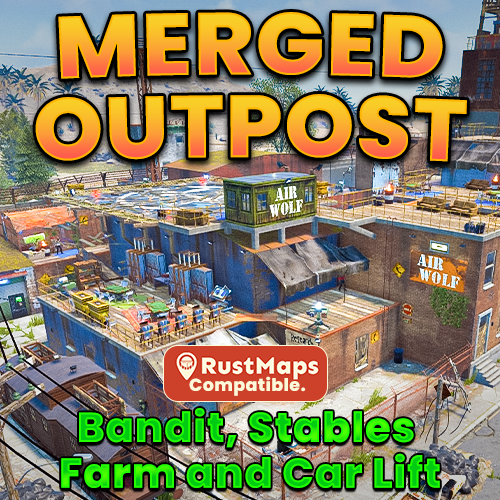
Version 3.0.0
119 downloads
What is a Merged Outpost: A Merged Outpost combines multiple monuments into a single safe zone to improve server performance. My custom Merged Outpost includes the features of Bandit Camp, Stables, and a working car lift. Bringing those safe zone features together into one seamlessly functional Outpost. Designed for all Rust servers, this monument provides a Safe Trading Zone, Stables/Airwolf Vendors, and All NPC Quest Givers. It can also be easily placed manually in RustEdit and now my merged outpost is compatible with RustMaps. NOW compatible with RustMaps Merged Outpost Features: All Original Outpost features. All Vending Machines from Bandit Camp. Airwolf Vendor with a Custom Helipad. Airwolf Vendor with Repairable Helipad. The floating planks with disappear once the helipad reaches ~50%. Farm with respawning planters, with entrance fee like the Deep sea. Bot prevention for Produce exchange vending machine. Garage building with 3 vehicle lifts one in-side and two outside and a vehicle parts vending machine. Stables with 4 horses, Shop keeper plus a vending machine (Ranch Loot). Added Colliders so players don't get stuck. Seating Area's with a hobo barrel. Gambling Wheel with plenty of seating. 5 Slot Machines. 4 Poker Tables. 2 Blackjack Tables. 9 Recyclers with chairs. 3 Repair Benches. 2 Refineries with chairs. 2 Research Tables. 4 Private Trading Areas. All quest givers added. Total Prefabs: 482 The installation guide is provided in the README file included with the .zip file. If you need any help, message me on Codefling and I’ll get back to you as soon as possible. If you enjoy my work, please leave a 5* review. Thank you!$9.99 -
Version 2.0.23
4,480 downloads
This plugin allows players to gather weed from hemp plants and craft joints using a mixing table. There are different types of weed where each type can be found in a different biome. Joints can be crafted at a mixing table and will give the player configurable buffs and healing with each tier having different effects. Features: Fully customizable Different types of weed Configurable effects for each type Custom crafting UI integrates in the mixing table UI Configurable recipes for mixing table Yield amount and chance configurable for each type Ideal for Roleplay Servers New in v2.0.15: Advanced modifiers Advanced modifiers allow you to use any tea/pie modifier that's currently in the game. I did not test all of them so there is a chance that some modifiers might not work as expected. List of modifiers: Wood_Yield, Ore_Yield, Radiation_Resistance, Radiation_Exposure_Resistance, Max_Health, Scrap_Yield, MoveSpeed, ObscureVision, Warming, Cooling, CoreTemperatureMinAdjustment, CoreTemperatureMaxAdjustment, Crafting_Quality, VisionCare, MetabolismBooster, Harvesting, DigestionBoost, FishingBoost, Collectible_DoubleYield, Farming_BetterGenes, HorseGallopSpeed, HorseDungProductionBoost, Comfort, Clotting, HunterVision, Radiation, Configuration Example: "Advanced modifiers (only works for joints)": [ { "Name (case sensitive! see plugin description for all modifiers)": "Warming", "Duration (seconds)": 60.0, "Value": 10.0 } ] New in v2.0.10: Give command Server owners can use this command to give weed or joints to themselves or a certain player. The identifier has to be specified in the config file for every type of weed or joint. ganja.give <weed|joint> <identifier> <amount> <player?> Permission: ganja.give - Required to use ganja.give command New in v2.0.0: Fully configurable crafting: With Version 2.0.0 the crafting system has been integrated in the mixing table. Joints can now be crafted by using the right ingredients in the right slot. The crafting recipes are fully configurable. New recipes can also be added. New in v1.0.8: Loot Table integration: This plugin now supports the custom item api of Loot Table and Stack Size GUI, so you can easily add weed to the loot table. When both plugins are installed on the server, the weed items will show up in the custom items tab of Loottable (right image): Different tiers: Depending on the biome, you will receive different tiers of weed, the biomes can also be changed in the config. By default, tier2 weed can be gathered in the snow biome, tier1 in the desert and tier0 everywhere else. Names, droprates, and boosts can also be configured individually for each tier. Controls: With a joint selected in the hot bar: Right click to ignite / extinguish a joint When joint is bruning: left click to use a joint Permissions: Permissions can be disabled in the config, making gathering and crafting accessible to everyone regardless of permissions. ganja.craft - Required to craft joints ganja.gather - Required to obtain weed Biome masks: The biome mask is a simple 4-bit number that determines where a certain tier of weed can be found. Each biome has its own number; add these numbers together to select multiple biomes. The numbers for each biome are as follows: 1 - Arid 2 - Temperate 4 - Tundra 8 - Arctic 16 - Jungle 32 - Deep Sea For example: Low Quality Weed has the biome mask 6 by default (see configuration below). That means it can be found in the Temperate and the Tundra biome. Configuration: { "Weed configuration": [ { "Drop chance when harvesting (1 = 100%)": 0.4, "Drop amount when harvesting": { "min": 1, "max": 3 }, "Biome mask (see description for details)": 6, "Gene configuration": { "h": { "Minimum amount for a chance to yield": 1, "Minimum amount for guaranteed yield": 3, "Maximum amount (-1 = no limit, set to 0 to disable gathering from plants with that gene)": -1 } }, "Disable gathering from collectable hemp": false, "Disable gathering from growable hemp": false, "Item identifier (used with ganja.give command)": "low_quality", "Custom item name (null = default name)": "Low Quality Weed", "Item short name": "sticks", "Item skin id": 2661029427 }, { "Drop chance when harvesting (1 = 100%)": 0.3, "Drop amount when harvesting": { "min": 1, "max": 3 }, "Biome mask (see description for details)": 1, "Gene configuration": { "h": { "Minimum amount for a chance to yield": 1, "Minimum amount for guaranteed yield": 3, "Maximum amount (-1 = no limit, set to 0 to disable gathering from plants with that gene)": -1 } }, "Disable gathering from collectable hemp": false, "Disable gathering from growable hemp": false, "Item identifier (used with ganja.give command)": "med_quality", "Custom item name (null = default name)": "Medium Quality Weed", "Item short name": "sticks", "Item skin id": 2661031542 }, { "Drop chance when harvesting (1 = 100%)": 0.1, "Drop amount when harvesting": { "min": 1, "max": 2 }, "Biome mask (see description for details)": 8, "Gene configuration": { "h": { "Minimum amount for a chance to yield": 1, "Minimum amount for guaranteed yield": 3, "Maximum amount (-1 = no limit, set to 0 to disable gathering from plants with that gene)": -1 } }, "Disable gathering from collectable hemp": false, "Disable gathering from growable hemp": false, "Item identifier (used with ganja.give command)": "high_quality", "Custom item name (null = default name)": "High Quality Weed", "Item short name": "sticks", "Item skin id": 2660588149 } ], "Crafting Recipes": [ { "Ingredient Slots": { "0": { "Amount": 1, "Item short name": "note", "Item skin id": 0 }, "1": { "Amount": 1, "Item short name": "sticks", "Item skin id": 2661029427 }, "2": { "Amount": 1, "Item short name": "sticks", "Item skin id": 2661029427 } }, "Produced Item": { "Amount": 1, "Custom item name (null = default name)": "Low Quality Joint", "Item short name": "horse.shoes.basic", "Item skin id": 2894101592 }, "Identifier (used with ganja.give command)": "low_quality", "Is joint": true, "Boosts (only works for joints)": { "Wood boost percentage (1 = 100%)": 0.4, "Wood boost duration (seconds)": 20.0, "Ore boost percentage (1 = 100%)": 0.0, "Ore boost duration (seconds)": 0.0, "Scrap boost percentage (1 = 100%)": 0.0, "Scrap boost duration (seconds)": 0.0, "Max Health percentage (1 = 100%)": 0.0, "Max Health duration (seconds)": 0.0, "Healing per use": 1.0, "Health regeneration per use": 0.0, "Poisoning per use(a negative value will decrease poisoning)": 0.0, "Radiation poisoning per use (a negative value will decrease radiation)": 0.0, "Bleeding per use (a negative value will decrease bleeding)": 0.0, "Calories per use (a negative value will decrease calories)": 0.0, "Hydration per use (a negative value will decrease hydration)": 0.0, "Joint durability (seconds)": 120.0, "Joint durability loss per hit (seconds)": 10.0 }, "Advanced modifiers (only works for joints)": [ { "Name (case sensitive! see plugin description for all modifiers)": "Warming", "Duration (seconds)": 60.0, "Value": 10.0 } ] }, { "Ingredient Slots": { "0": { "Amount": 1, "Item short name": "note", "Item skin id": 0 }, "1": { "Amount": 1, "Item short name": "sticks", "Item skin id": 2661031542 }, "2": { "Amount": 1, "Item short name": "sticks", "Item skin id": 2661031542 } }, "Produced Item": { "Amount": 1, "Custom item name (null = default name)": "Medium Quality Joint", "Item short name": "horse.shoes.basic", "Item skin id": 2894101290 }, "Identifier (used with ganja.give command)": "med_quality", "Is joint": true, "Boosts (only works for joints)": { "Wood boost percentage (1 = 100%)": 0.0, "Wood boost duration (seconds)": 0.0, "Ore boost percentage (1 = 100%)": 0.8, "Ore boost duration (seconds)": 20.0, "Scrap boost percentage (1 = 100%)": 0.0, "Scrap boost duration (seconds)": 0.0, "Max Health percentage (1 = 100%)": 0.0, "Max Health duration (seconds)": 0.0, "Healing per use": 4.0, "Health regeneration per use": 0.0, "Poisoning per use(a negative value will decrease poisoning)": 0.0, "Radiation poisoning per use (a negative value will decrease radiation)": 0.0, "Bleeding per use (a negative value will decrease bleeding)": 0.0, "Calories per use (a negative value will decrease calories)": 0.0, "Hydration per use (a negative value will decrease hydration)": 0.0, "Joint durability (seconds)": 120.0, "Joint durability loss per hit (seconds)": 10.0 }, "Advanced modifiers (only works for joints)": [ { "Name (case sensitive! see plugin description for all modifiers)": "Warming", "Duration (seconds)": 60.0, "Value": 20.0 } ] }, { "Ingredient Slots": { "0": { "Amount": 1, "Item short name": "note", "Item skin id": 0 }, "1": { "Amount": 1, "Item short name": "sticks", "Item skin id": 2660588149 }, "2": { "Amount": 1, "Item short name": "sticks", "Item skin id": 2660588149 } }, "Produced Item": { "Amount": 1, "Custom item name (null = default name)": "High Quality Joint", "Item short name": "horse.shoes.basic", "Item skin id": 2893700325 }, "Identifier (used with ganja.give command)": "high_quality", "Is joint": true, "Boosts (only works for joints)": { "Wood boost percentage (1 = 100%)": 0.0, "Wood boost duration (seconds)": 0.0, "Ore boost percentage (1 = 100%)": 0.0, "Ore boost duration (seconds)": 0.0, "Scrap boost percentage (1 = 100%)": 1.0, "Scrap boost duration (seconds)": 30.0, "Max Health percentage (1 = 100%)": 0.3, "Max Health duration (seconds)": 30.0, "Healing per use": 8.0, "Health regeneration per use": 0.0, "Poisoning per use(a negative value will decrease poisoning)": 0.0, "Radiation poisoning per use (a negative value will decrease radiation)": 0.0, "Bleeding per use (a negative value will decrease bleeding)": 0.0, "Calories per use (a negative value will decrease calories)": 0.0, "Hydration per use (a negative value will decrease hydration)": 0.0, "Joint durability (seconds)": 120.0, "Joint durability loss per hit (seconds)": 10.0 }, "Advanced modifiers (only works for joints)": [ { "Name (case sensitive! see plugin description for all modifiers)": "Cooling", "Duration (seconds)": 60.0, "Value": 10.0 } ] } ], "Require permission for crafting": true, "Require permission for gathering": true, "Disable built-in stack fix (set to true if you have problems with item stacking/splitting)": false, "Automatically extinguish joint when unequiping it": true }$21.00 -
Version 1.0.0
15 downloads
Same bonus, none of the hotspot mini-game overhead. Optimizes resource gathering by removing the vanilla tree and ore hotspot minigames. Players automatically receive the maximum available bonus without needing to hit difficult to reach hotspots, while item specific bonus multipliers from tools remain fully supported without bugs. Perfect for high pop servers. This plugin does not use cheap gimmicks like the oxide hook OnTreeMarkerHit or by harmony patching the DidHitMarker. This plugin fully and completely recodes the vanilla logic to get that performance boost & remove the pesky annoying mini games from farming perfect for high pop servers! Key features Removes tree hotspot/X-marker system Removes ore shinny hotspot entity minigame Automatically applies maximum resource bonuses Preserves custom item bonus scales No hotspot entities to spawn or destroy Reduces CPU processing during harvesting Reduces hotspot-related network traffic Reduces entity churn and GC pressure Preserves tree crack sound effects Moves tree bird effects to tree death Preserves normal tree and ore behavior$10.00 -
Version 1.0.207
58 downloads
A Rust plugin that adds a "SPREAD" button to Composters for smart fertilizer distribution to planters. What It Does When players open a Composter, they see a SPREAD button that: - Converts compostable items into fertilizer - Collects all fertilizer from planters in the TC area - Redistributes fertilizer evenly across all planters - Stores excess back in the Composter Installation Place CompostHelper.cs in oxide/plugins/ Plugin auto-loads and creates config at oxide/config/Composter.json Grant permission: oxide.grant group default composthelper.use Permission composthelper.use - Required to see and use the SPREAD button Configuration { "Breakdown Time (seconds)": 1.0, "Auto Distribution Enabled": false, "Maximum Distribution Range": 50.0, "Supported Planter Types": [ "planter.large.deployed", "planter.small.deployed", "planter.triangle.deployed", "plantpot.single.deployed", "bathtub.planter.deployed", "minecart.planter.deployed" ], "Fertilizer Item Shortname": "fertilizer" } Key Settings: - Maximum Distribution Range: How far to search for planters (default: 50m) - Supported Planter Types: Which planters receive fertilizer Player Usage Place Composter in base (must be in TC range) Add fertilizer or any compostable items Open Composter and click SPREAD button Check chat for results Example Output: ✓ Distributed 45/50 fertilizer to 15 planters → 5 fertilizer stored back in composterFree -

Version 0.1.4
63 downloads
Help your players skip the genetics grind with Auto Breeder — a smart planter that crossbreeds and propagates plant clones to achieve perfect genetics, all on its own. Features: Automated Crossbreeding • Set a target gene combination (Y, G, H, W, X) and the AutoBreeder will calculate the best crossbreeding recipe automatically. • Supports multi-generation recipes — creates intermediate clones when needed to reach the desired result. • Automatically plants seeds and takes clones. • Shows real-time status: calculating recipes, planting, cloning, waiting for growth and etc. Score-Based Breeding • Alternatively, crossbreed by genes quality score instead of exact gene targets. • Gene scoring: Y, G = 1 point; H = 0.5 points; W, X = 0. Max score is 6. • Set a minimum quality threshold and the AutoBreeder selects the best possible recipe from available clones. Clone Propagation • Select any clone from your storage and AutoBreeder will begin propagation. • Browse clones in a scrollable GUI — sorted by gene quality, showing genes and amount of clones. • Ideal for filling your farm with perfect genetics for further use. GUI & Notifications • Easy to use GUI panel opens when you loot the planter — select seeds, toggle modes, adjust targets. • Floating 3D text above the planter shows current mode and status in real time. • Chat notifications keep you informed — both 3D text and chat messages can be disabled or enabled. Fully Configurable • Make multiple AutoBreeder presets with separate permissions and settings. • Configure work interval, water update interval, storage scan radius, and more. • Set max AutoBreeder amount per player, enable/disable pickup, and toggle ideal plants conditions. • Automatic water saturation can keep plants in ideal conditions. See It in Action! Watch The Video Configuration: { "Auto Breeders setup": { "autobreeder.default": { "The name of the AutoBreeder to be selected through the command when spawning": "default", "Item": { "Item name": "Auto Breeder", "Item skin": 3693280509 }, "Keep ideal water amount in planter?": true, "Keep ideal conditions for plants in planter?": true, "Enable chat messages by default": true, "Enable 3D text by default": true, "Work interval (seconds)": 3.0, "Storage rescan interval (seconds)": 60.0, "Water update interval (seconds, if keep ideal water amount in planter enabled)": 10.0, "Storage scan radius": 30.0, "Max AutoBreeders per player (0 = unlimited)": 0, "Allow picking up": true } } }$14.90 -

Version 1.0.0
12 downloads
Never refill a water barrel again. Purchasable infinite water barrels that stay full forever that are perfect for those farms away from water. Players can purchase an infinite water barrel from your existing store plugins. Or if you want to just make every water barrel on the server provide infinite water? just a config setting. Infinite Water Barrel lets players place special water barrels that automatically refill themselves with fresh water, making them perfect for farms, remote bases and industrial water systems. Key Features Players with permission can place infinite water barrels Custom skin support (prevents normal barrels from becoming infinite unless configured) Hammer pickup support (with ownership & team checks) Full VIP tier support with configurable limits Option to make all player-placed water barrels infinite Admin command to give barrels Reskin protection Persistent across restarts High performance and lightweight, designed and tested to run on busy servers Permissions infinitewaterbarrel.use - Allows players to place infinite barrels infinitewaterbarrel.vip1 - VIP Tier 1 limit infinitewaterbarrel.vip2 - VIP Tier 2 limit infinitewaterbarrel.vip3 - VIP Tier 3 limit Commands infinitewaterbarrel.give <player> - Use this with shop plugins so players can purchase an infinite water tank. Configuration { "All water barrels placed by players with use permission become infinite (ignores limits)": false, "Maximum barrels a player can deploy (0 = no limit)": 1, "VIP 1 barrel limit (0 = no limit)": 2, "VIP 2 barrel limit (0 = no limit)": 3, "VIP 3 barrel limit (0 = no limit)": 5, "Allow picking up barrels by hitting them with a hammer": true, "Allow team mates to pick up each others barrels": true, "Water amount to keep in barrel (0 = container capacity)": 0, "Hose output water per tick (0 = vanilla)": 0, "Hose output tick interval seconds (0 = vanilla)": 0.0 }$7.99 -

Version 1.0.1
570 downloads
A small farm island featuring not only a variety of stones, but also numerous component spawners. Total: 313 prefabs, 85 spawners. You are free to add spawners as you see fitFree -
Version 1.0.2
20 downloads
**I'm working on config, so you can easily adjusts limits of your designated groups** Why Is It Essential for Your Rust Experience? Are you tired of managing pesky water pumps and purifiers, only to face server lag in your Rust adventures? Introducing OPSprinkler, the plugin that revolutionizes your farming experience by allowing sprinklers to work seamlessly without any water! Regardless of if you have these issues or not, this plugin will streamline farming and make it more manageable. So it is still useful on those servers that may not run a lot of plugins. Convenience With OPSprinkler, you can now place up to 20 sprinklers effortlessly. Forget about the hassle of maintaining water supplies—your crops will be watered automatically, reducing lag on your server and enhancing your gameplay experience. Plus, for your VIP players, we offer a special feature to increase the limit of allowed sprinklers to 40! Want even more flexibility? Customize your experience with multiple VIP tiers I can help you with at any moment. Whether it's Bypass+, Bypass++, VIP, VIP+, or even VIP2X. Just for examples. The choice is yours! Just reach out to me and we can make it work for you! Effects/Statistics It's crucial to note that while using the /deletesprinklers command will remove your sprinklers, it does not refund the metal fragments spent on them. This is something I'm currently working on, so if you'd like this feature, please reach out and let me know! The benefits of reduced lag and increased convenience far outweigh this small issue. Commands at Your Fingertips - My plugin is user-friendly, giving you easy commands to manage your sprinklers: /turnonsprinklers - Turns on all of your sprinklers. - All of your sprinklers have been turned on. /turnoffsprinklers - Turns off all of your sprinklers. - You have turned off all of your sprinklers. /deletesprinklers - Deletes all of your placed sprinklers. - You have deleted all of your sprinklers. Of course you can use bind anykey chat.say /command here to make it even easier Permissions - With just a simple command, you can grant users additional privileges: o.grant user <username> sprinkler.bypass - Allows this player to bypass the sprinkler limit and access more than the standard allowed sprinklers. Does not create unnecessary lists when turning on and off sprinklers. Transform Your Gameplay! Don't let water management slow you down. Experience heightened performance and enjoy a smoother Rust experience with OPSprinkler. Enhance your in-game experience today and turn your farming aspirations into a reality! Feel free to reach out if you have any customization requests or questions! Let's make your Rust server the best it can be with OPSprinkler! This also works in conjunction with LimitEntities Plugin. Thanks! Have a great day! -Jesh$10.00- 1 comment
- 1 review
-
- 1
-
-
- #sprinkler
- #farming
- (and 1 more)
-
Version 1.1.3
199 downloads
Create some new items for players to get while farming, Create Drug Farms, Ammo Farms, Weapon Farms, Whatever you set in Configuration for your players to harvest. MONEY SEED IN IMAGE IS AN EXAMPLE OF A CUSTOMERS CUSTOM CONFIG ADMIN PERMISSION - customcrops.admin CANCLONE PERMISSION - customcrops.canclone HERE IS A SEED PACK TEMPLATE I USED TO CREATE THE PACKS ON DEFAULT CONFIG CC Template.zip Developer API IsCustomCropSeedPack - Will return true if the item is a custom crop seed pack - Takes an Item as an argument IsCustomCrop - Will return true if the growable is a custom crop - Takes a GrowableEntity as an argument IsCustomCropSeed - Will return true if the item is a custom crop seed - Takes a Ulong as an argument The config comes Preset with a seed pack, and seeds to harvest weapons and ammo. Create as many Seed Packs, and seeds as you like. Seed packs must be an openable like a loot bag, Seeds must be seeds. Config comes with a setting to only harvest at ripe, or turn off and set lesser rewards for players that want to harvest early. Cloning is disabled but can be enabled per seed. Eating is disabled and will block upon attempt. Admin Commands /giveseeds – gives seeds to players inv. /giveseedpacks - gives seed packs to players inv. /c.spawnpacks - spawns all packs into a container in front of you, useful if you have alot of custom packs /c.spawnseeds- spawns all seeds into a container in front of you, useful if you have alot of custom seeds /c.spawnproduct - spawns all seed final product into a container in front of you VIDEO DEMO - CONFIG AND LANG BELOW Config { "Settings": { "Only Allow Gather At Ripe State?": true, "Allow Planting in Specified Zones?": false, "Zones": [ "ENTERIDHERE", "ENTERANOTHERHERE" ] }, "Seed Packs": [ { "Seed Pack Shortname": "halloween.lootbag.small", "Seed Pack Name": "Weapons Seed Pack", "Seed Pack SkinID": 3336282159, "Minimum Amount of Seeds": 1, "Maximum Amount of Seeds": 5, "Seed Pack Loot Table": [ { "Shortname": "seed.hemp", "SkinID": 3336288267, "Probability (0-1)": 0.2, "Custom Name": "Rifle Seeds", "Minimum Amount": 1, "Maximum Amount": 5 }, { "Shortname": "seed.hemp", "SkinID": 3336288376, "Probability (0-1)": 0.5, "Custom Name": "Pistol Seeds", "Minimum Amount": 1, "Maximum Amount": 3 }, { "Shortname": "seed.hemp", "SkinID": 3336288463, "Probability (0-1)": 0.3, "Custom Name": "Shotgun Seeds", "Minimum Amount": 1, "Maximum Amount": 3 }, { "Shortname": "seed.yellow.berry", "SkinID": 3336288567, "Probability (0-1)": 0.3, "Custom Name": "Rifle Ammo Seeds", "Minimum Amount": 1, "Maximum Amount": 3 }, { "Shortname": "seed.red.berry", "SkinID": 3336288676, "Probability (0-1)": 0.3, "Custom Name": "Shotgun Ammo Seeds", "Minimum Amount": 1, "Maximum Amount": 3 }, { "Shortname": "seed.blue.berry", "SkinID": 3336288759, "Probability (0-1)": 0.3, "Custom Name": "Pistol Ammo Seeds", "Minimum Amount": 1, "Maximum Amount": 3 } ] } ], "Seeds": [ { "Seed Shortname (Must Be a Seed)": "seed.hemp", "Seed Name": "Rifle Seeds", "Seed SkinID": 3336288267, "Enable Yield Bonus?": false, "Allow Cloning?": false, "Clone Minimum": 1, "Clone Maximum": 2, "Yield Bonus Item Amount Per Yield Gene": 1, "Seed Harvest States": { "Sapling": { "Minimum Amount": 0, "Maximum Amount": 1 }, "Crossbreed": { "Minimum Amount": 2, "Maximum Amount": 4 }, "Mature": { "Minimum Amount": 3, "Maximum Amount": 6 }, "Fruiting": { "Minimum Amount": 5, "Maximum Amount": 8 }, "Ripe": { "Minimum Amount": 7, "Maximum Amount": 10 }, "Dying": { "Minimum Amount": 0, "Maximum Amount": 1 } }, "Seed Loot Table": [ { "Shortname": "rifle.ak", "SkinID": 3335692326, "Probability (0-1)": 0.5, "Custom Name": "", "Minimum Amount": 1, "Maximum Amount": 1 }, { "Shortname": "rifle.lr300", "SkinID": 3312482754, "Probability (0-1)": 0.5, "Custom Name": "", "Minimum Amount": 1, "Maximum Amount": 1 } ] }, { "Seed Shortname (Must Be a Seed)": "seed.hemp", "Seed Name": "Pistol Seeds", "Seed SkinID": 3336288376, "Enable Yield Bonus?": false, "Allow Cloning?": false, "Clone Minimum": 1, "Clone Maximum": 2, "Yield Bonus Item Amount Per Yield Gene": 1, "Seed Harvest States": { "Sapling": { "Minimum Amount": 0, "Maximum Amount": 1 }, "Crossbreed": { "Minimum Amount": 1, "Maximum Amount": 2 }, "Mature": { "Minimum Amount": 3, "Maximum Amount": 5 }, "Fruiting": { "Minimum Amount": 4, "Maximum Amount": 7 }, "Ripe": { "Minimum Amount": 5, "Maximum Amount": 9 }, "Dying": { "Minimum Amount": 0, "Maximum Amount": 1 } }, "Seed Loot Table": [ { "Shortname": "pistol.m92", "SkinID": 0, "Probability (0-1)": 0.4, "Custom Name": "", "Minimum Amount": 1, "Maximum Amount": 1 }, { "Shortname": "pistol.prototype17", "SkinID": 0, "Probability (0-1)": 0.2, "Custom Name": "", "Minimum Amount": 1, "Maximum Amount": 1 }, { "Shortname": "pistol.revolver", "SkinID": 0, "Probability (0-1)": 0.6, "Custom Name": "", "Minimum Amount": 1, "Maximum Amount": 1 }, { "Shortname": "pistol.water", "SkinID": 0, "Probability (0-1)": 0.6, "Custom Name": "", "Minimum Amount": 1, "Maximum Amount": 1 } ] }, { "Seed Shortname (Must Be a Seed)": "seed.hemp", "Seed Name": "Shotgun Seeds", "Seed SkinID": 3336288463, "Enable Yield Bonus?": false, "Allow Cloning?": false, "Clone Minimum": 1, "Clone Maximum": 2, "Yield Bonus Item Amount Per Yield Gene": 1, "Seed Harvest States": { "Sapling": { "Minimum Amount": 0, "Maximum Amount": 1 }, "Crossbreed": { "Minimum Amount": 1, "Maximum Amount": 3 }, "Mature": { "Minimum Amount": 4, "Maximum Amount": 6 }, "Fruiting": { "Minimum Amount": 5, "Maximum Amount": 7 }, "Ripe": { "Minimum Amount": 6, "Maximum Amount": 10 }, "Dying": { "Minimum Amount": 1, "Maximum Amount": 2 } }, "Seed Loot Table": [ { "Shortname": "shotgun.double", "SkinID": 1426115707, "Probability (0-1)": 0.3, "Custom Name": "", "Minimum Amount": 10, "Maximum Amount": 20 }, { "Shortname": "shotgun.m4", "SkinID": 0, "Probability (0-1)": 0.2, "Custom Name": "", "Minimum Amount": 1, "Maximum Amount": 1 }, { "Shortname": "shotgun.pump", "SkinID": 0, "Probability (0-1)": 0.2, "Custom Name": "", "Minimum Amount": 1, "Maximum Amount": 1 } ] }, { "Seed Shortname (Must Be a Seed)": "seed.yellow.berry", "Seed Name": "Rifle Ammo Seeds", "Seed SkinID": 3336288567, "Enable Yield Bonus?": false, "Allow Cloning?": false, "Clone Minimum": 1, "Clone Maximum": 2, "Yield Bonus Item Amount Per Yield Gene": 1, "Seed Harvest States": { "Sapling": { "Minimum Amount": 0, "Maximum Amount": 1 }, "Crossbreed": { "Minimum Amount": 1, "Maximum Amount": 3 }, "Mature": { "Minimum Amount": 4, "Maximum Amount": 6 }, "Fruiting": { "Minimum Amount": 5, "Maximum Amount": 7 }, "Ripe": { "Minimum Amount": 6, "Maximum Amount": 10 }, "Dying": { "Minimum Amount": 1, "Maximum Amount": 2 } }, "Seed Loot Table": [ { "Shortname": "ammo.rifle", "SkinID": 0, "Probability (0-1)": 0.3, "Custom Name": "", "Minimum Amount": 64, "Maximum Amount": 128 }, { "Shortname": "ammo.rifle.hv", "SkinID": 0, "Probability (0-1)": 0.2, "Custom Name": "", "Minimum Amount": 64, "Maximum Amount": 128 }, { "Shortname": "ammo.rifle.incendiary", "SkinID": 0, "Probability (0-1)": 0.2, "Custom Name": "", "Minimum Amount": 64, "Maximum Amount": 128 } ] }, { "Seed Shortname (Must Be a Seed)": "seed.red.berry", "Seed Name": "Shotgun Ammo Seeds", "Seed SkinID": 3336288676, "Enable Yield Bonus?": false, "Allow Cloning?": false, "Clone Minimum": 1, "Clone Maximum": 2, "Yield Bonus Item Amount Per Yield Gene": 1, "Seed Harvest States": { "Sapling": { "Minimum Amount": 0, "Maximum Amount": 1 }, "Crossbreed": { "Minimum Amount": 1, "Maximum Amount": 3 }, "Mature": { "Minimum Amount": 4, "Maximum Amount": 6 }, "Fruiting": { "Minimum Amount": 5, "Maximum Amount": 7 }, "Ripe": { "Minimum Amount": 6, "Maximum Amount": 10 }, "Dying": { "Minimum Amount": 1, "Maximum Amount": 2 } }, "Seed Loot Table": [ { "Shortname": "ammo.shotgun", "SkinID": 0, "Probability (0-1)": 0.3, "Custom Name": "", "Minimum Amount": 64, "Maximum Amount": 128 }, { "Shortname": "ammo.shotgun.fire", "SkinID": 0, "Probability (0-1)": 0.2, "Custom Name": "", "Minimum Amount": 64, "Maximum Amount": 128 }, { "Shortname": "ammo.shotgun.slug", "SkinID": 0, "Probability (0-1)": 0.2, "Custom Name": "", "Minimum Amount": 64, "Maximum Amount": 128 } ] }, { "Seed Shortname (Must Be a Seed)": "seed.blue.berry", "Seed Name": "Pistol Ammo Seeds", "Seed SkinID": 3336288759, "Enable Yield Bonus?": false, "Allow Cloning?": false, "Clone Minimum": 1, "Clone Maximum": 2, "Yield Bonus Item Amount Per Yield Gene": 1, "Seed Harvest States": { "Sapling": { "Minimum Amount": 0, "Maximum Amount": 1 }, "Crossbreed": { "Minimum Amount": 1, "Maximum Amount": 3 }, "Mature": { "Minimum Amount": 4, "Maximum Amount": 6 }, "Fruiting": { "Minimum Amount": 5, "Maximum Amount": 7 }, "Ripe": { "Minimum Amount": 6, "Maximum Amount": 10 }, "Dying": { "Minimum Amount": 1, "Maximum Amount": 2 } }, "Seed Loot Table": [ { "Shortname": "ammo.pistol.hv", "SkinID": 0, "Probability (0-1)": 0.3, "Custom Name": "", "Minimum Amount": 64, "Maximum Amount": 128 }, { "Shortname": "ammo.pistol.fire", "SkinID": 0, "Probability (0-1)": 0.2, "Custom Name": "", "Minimum Amount": 64, "Maximum Amount": 128 }, { "Shortname": "ammo.pistol", "SkinID": 0, "Probability (0-1)": 0.2, "Custom Name": "", "Minimum Amount": 64, "Maximum Amount": 128 } ] } ] } Lang { "CropCannotBeCloned": "[<color=green>Crops</color>] This <color=green>{0}</color> crop cannot be cloned.", "CropItemsGiven": "[<color=green>Crops</color>] You have received <color=yellow>{0}</color> items from your <color=green>{1}</color> crop at the <color=green>{2}</color> state.", "CropNotRipe": "[<color=green>Crops</color>] This <color=green>{0}</color> crop is Not Ripe." } VIDEO ATTRIBUTION https://www.vecteezy.com/free-videos/plant Plant Stock Videos by Vecteezy$20.00- 14 comments
- 2 reviews
-
- 5
-
-
-
- #customizable crops
- #farming
- (and 1 more)
-
Version 1.0.3
29 downloads
Life on the farm. Lure wild animals to you or catch unique fish with high-quality bait. Deploy the wild animal feeder and put wild animal food in it. Install normal fish traps and put super fish bait in them. Once you're done, all you have to do is fish with a fishing rod and super fish bait. You can give players the wild animal feeder and high-quality bait as custom items. The plugin does not contain permissions. RCON Commands: hqbaitsdatawipe - This command deletes the limit data. Wild Animal Feeder: shortname: "hitchtroughcombo" SkinID: 3566180524 HQ Animal Food: shortname: "can.beans" SkinID: 3566180669 HQ Fish Bait: shortname: "grub" SkinID: 3561279630 Video: Config: { "Version": { "Major": 1, "Minor": 0, "Patch": 0 }, "Wild animal feeder config": { "Wild animal feeder Item SkinID:": 3566180524, "Wild animal feeder Item DisplayName:": "Wild animal feeder", "Wild animal feeder player limit": 2, "Maximum number of animals that can spawn at the feeder": 3, "HQ Animal Bait Item shortname:": "can.beans", "HQ Animal Bait Item SkinID:": 3566180669, "How many seconds should animals spawn at the feeder?": 600.0 }, "HQ fish bait config": { "HQ Fish Bait Item shortname:": "grub", "HQ Fish Bait Item SkinID:": 3561279630, "List of special fish. (These are chosen at random.)": [ { "ShortName": "fish.catfish", "Minimum": 1, "Maximum": 2, "SkinID": 3561813856, "Displayname": "Pike Fish" }, { "ShortName": "fish.catfish", "Minimum": 1, "Maximum": 2, "SkinID": 3561813958, "Displayname": "Dolphin" }, { "ShortName": "fish.catfish", "Minimum": 1, "Maximum": 2, "SkinID": 3561814073, "Displayname": "Carp Fish" } ] }, "Chat messages config": { "Chat messages prefix:": "<color=#1D7D00>HQ Baits</color>", "Chat Icon:": 0, "No owner:": "You are not the owner!", "Pickup:": "You picked up this item!", "Fish Caught:": "Congratulations! You caught a <color=#FFFF00>Special Fish</color> fish!", "Limit foundation:": "No build on foundation", "Player limit:": "You have reached the limit", "Young animal:": "It's still a young animal. Wait a little longer.", "Animal owner:": "This is not your animal.", "GUI Message:": "Just put the wild animal food in the feeder and wait for the animals to come." } }$15.00 -

Version 1.9.0
420 downloads
ChickenLover (Oxide / Carbon) ChickenLover adds a simple quality-of-life button to the Chicken Coop UI that instantly takes care of your chickens in one click — no more clicking each chicken one-by-one. When a player with permission opens a Chicken Coop, a Chicken Lover button appears near the top-right of the coop UI. Pressing it will: Satisfy all chickens’ needs (food/water/love/light-style stats depending on your server build) Heal all chickens in that coop to full health Features Oxide + Carbon compatible Permission-gated Permission: chickenlover.use Button appears only when opening a Chicken Coop UI One-click care for all chickens in the opened coop: Fills need/status bars (food/water/etc) Heals chickens to full health Once per UI session Close and reopen the coop UI to use again UI is on top and does not block normal coop interaction Configurable UI: Button text + “done” text Colors (before/after press) Font size Position/anchors Optional backdrop panel Highlights Fast & clean: one press, coop handled. Non-intrusive UI: button only exists while you’re in the coop UI. Also restores health so chickens don’t keep draining after using it. Permissions Grant permission to a player/group: oxide.grant user <steamid> chickenlover.use oxide.grant group <group> chickenlover.useFree- 1 comment
- 1 review
-
- 2
-
-
- #farming
- #chicken coop
- (and 2 more)
-
Version 1.0.3
26 downloads
Planter Box Events - this plugin will add unique farming events to your server. Players will need to keep an eye on their farms so that it doesn't go up in flames or the seedlings aren't destroyed by chickens. If you have idea about other events that could be implemented, let me know in DMs or discussion section. Configuration { "Chicken event properties": { "Damage per second": 1.5, "Chance to start event (range: 0 - 1, -1 to off event)": 0.1 }, "Fire event properties": { "Damage per second": 2.5, "Chance to start event (range: 0 - 1, -1 to off event)": 0.1 }, "Time interval in seconds between each attempt to initialize events": 60.0 } Permissions planterboxevents.use - events will be applied to the owners of planter boxes with this permission. How it works? Contacts Need help or custom plugin for your server? Contact me using Discord: metangerine ----------------------------------------------------------------------$15.00 -

Version 1.4.3
230 downloads
If you're a farmer, you can forget about Bobby, because the Harvester is your new best friend! All you need to do is: Place her down — a Small Generator Put on some beard oil — Low Grade Fuel Whip it out — the Hammer Make sure you turn her on first — the Harvester Aim where you want it to go — output storage box Hit her good — link the planters with the hammer, and you're good to go! Instructions Looking at a Small Generator then executing the /setharvester command should turn it into a functional Harvester. Hit planters with your hammer to link them with the Harvester. Set the output of the container by looking at a storage box (small or large preferably) and executing the /setoutput command. The skin of the box will change based on the Harvester status, when the box has a colorful skin, the Harvester's online. When clones planted in linked planters reach 100% Ripe, will be slowly automatically collected. It will also clean-up the planters by harvesting the planters with dead clones. Upcoming A list of planned, upcoming features: Separate output container designed for collecting fibers from dead clones. Permissions Here are all the permissions you can use: harvester.admin: Allows players to run admin commands — none yet. harvester.use: Allows anyone to set new Harvesters. Commands Here are all the commands you can use: Create: /setharvester will register a new Harvester when looking at a Small Generator. Remove: /unsetharvester will unregister an existent Harvester that you own. Container Set: /setoutput will set a container you want the harvested clones to go in. Container Unset: /unsetoutput will unset a container if you're the owner of the Harvester. Seed Container Set: /setseed will set a container you want the seed to be taken from and be auto-placed in your planters. Seed Container Unset: /unsetseed will unset a container if you're the owner of the Harvester. Team Access: /allowteamaccess allows other people in your team to register and unregister their own planters. Friends Access: /allowfriendsaccess will allow Friends (by Wulf) to register and unregister their own planters. Clan Access: /allowclanaccess will allow Clans (by k1lly0u) to register or unregister their own planters. Dependencies The following are optional but highly recommended plugin dependencies: Friends by Wulf Clans by k1lly0u Feedback If you have any ideas or feedback you wanna give me, please comment down below.$9.10- 22 comments
- 4 reviews
-
- 6
-
-
-
- #raul sorban
- #raulssorban
- (and 9 more)
-
Version 1.0.1
11 downloads
Prompt AFK players that use bots that use vending machines with captcha checkboxes to prevent them from holding the vending machine. Key Features Dynamic Positions: The checkbox location is randomized, making it harder to automate bypasses. Lightweight: No significant impact on server performance. Complete Customization: Change any text or threshold via the config file. API: Any other plugin can call the "captcha" command to prompt a player with a captcha checkbox. Command and Permission captcha - Creates the captcha checkbox UI. Must be used through the F1 Console. captcha.bypass - Makes the user bypass automated captcha popups. Config { "Captcha bypass permission": "captcha.bypass", "Purchase Time Frame (seconds)": 60.0, "Purchase Count Threshold Per Time Frame": 5, "Captcha UI title": "Quick Check", "Captcha UI description": "Please confirm you’re human:", "Captcha UI button text": "I’m not a bot", "Captcha UI checkbox text": "☐" } Support and More Checkout my discord server here. Showcase Video$4.99 -

Version 1.0.1
30 downloads
A new Rust update is coming soon, and I’ve prepared a custom volcano for you, created using the newly added lava cubes. This is a great opportunity to bring something unusual to your server and give your players a fresh gameplay experience. This beautiful ruined volcano will fit nicely into your main map. The recommended placement height is 1,188 (Y). The island features 50 different spawners, including 2 elite crates, making it interesting for explorers and loot hunters alike. If you want to add something new and exciting to your map, this option might be just what you’re looking for. How you use this island is entirely up to you: it can become an event arena, a battleground, or simply a unique spot for exploration.$10.00 -
Version 1.0.2
1,645 downloads
Adds a codelock to your composter. To add a codelock, place it as you would on a chest.Free- 15 comments
- 1 review
-
- 4
-
-
-
- #lock
- #composter
- (and 3 more)
-

Version 1.2.5
39 downloads
BreederBox is an in-game gene crossbreeding calculator - similar to rustbreeder.com. (there really isn't much more to add here, it is what it is, and it does its job well.) Super simple to setup Super simple to use Optimized for very low server performance impact Has the ability to print a recipe (creates a Note with the result, and gives it to the player) Permission based box sizes (giving a little thumbs up to our VIPs) Customizable chat command (just incase /breed is already used :P) Extendable permissions (just add your custom perms to the config to use them) The permissions listed in the [PermissionBasedCapacity] property in the config file. Default permissions: hgbreederbox.use hgbreederbox.vip hgbreederbox.vipplus hgbreederbox.admin If you want to use custom permissions you can add them to this list with a corresponding capacity. What's on the todo list; Add a bit more customization to the UI elements (coloring etc). Add some more information for the player when there are no combinations found. Add more limitations of use - cooldowns etc. In order to keep the processing impact low, this plugin will only ever return 100% matches and not 50/50s. Meaning less matches will be shown to the player. If no results can be found, the "No match" results page doesn't have enough information for the player (will be fixing this in the next version). [vip, vipplus, and admin only at the moment] /breed [This command is customizable in the the config file (you can change it to whatever you want)] This command will trigger the BreederBox interface. { "Crossbreeding Sample Range (Min)": 2, "Crossbreeding Sample Range (Max)": 4, "Crossbreeding Timeout (seconds)": 60.0, "Allow result printing?": true, "DefaultBoxCapacity": 18, "PermissionBasedCapacity": { "hgbreederbox.use": 18, "hgbreederbox.vip": 30, "hgbreederbox.vipplus": 48, "hgbreederbox.admin": 48 }, "BreederBox Chat Command": "breed" } Crossbreeding Sample Range (min/max): this value controls the number of gene combinations the plugin with try in order to find a matching pattern. Based on testing 2, 4 offer the best match vs performance impact. If you have a powerful server you can increase the max value to get more matches. Crossbreeding Timeout: This is a just in case timeout, that if for some reason the processing goes wonky, the plugin will time itself out and clean itself up. Allow result printing: This is a fun feature that will show a button on the results page that will allow the player to "Print" the cross breeding result - it will create a note with the details on how to get the result. DefaultBoxCapacity: For anyone that is not in the Vip classes, they will only have this many box slots to work with (one row bigger than a small box) PermissionBaseCapacity: Here you can set the box slots per special permission BreederBox Chat Command: With this you can set your own chat command to trigger the BreederBox interface (default is breed)$7.50