Search the Community
Showing results for tags 'weapons'.
Found 18 results
-
Version 1.2.1
78 downloads
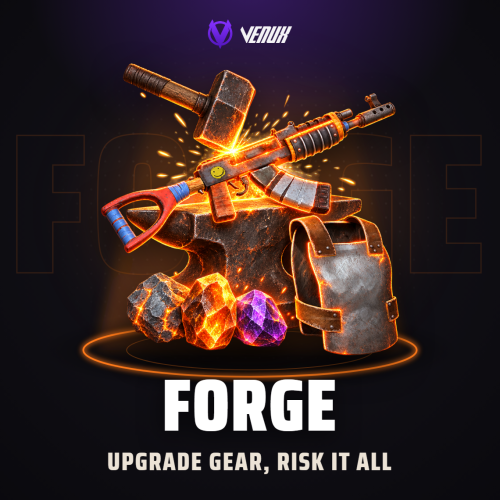
[ ✓ ] Works on any host. [ ✓ ] The plugin needs the free CrashExtensions library. Can't upload DLLs on your host? No problem: the zip includes a small installer plugin. Drop it in your plugins folder, run crashext.install, restart once, and you're done. Forge lets your players make their weapons, armour and tools stronger, one level at a time. They pick an item, pick what to improve (damage, magazine size, durability or protection), put a stone in and see their exact chance before they click. A win levels the item up and renames it, like "Assault Rifle +7". A fail burns the stone, and from +5 it can cost a level, unless a ward was in the slot. The levels live on the item itself, so a forged rifle keeps its bonus when it is traded, looted, dropped, stored or carried through a restart. At +3, +6 and +9 the item opens gem sockets, and at +15 a prismatic socket that takes cursed gems. Thirteen gems in three grades and three cursed gems add headshot damage, lifesteal, thorns, a second wind and more, and seven resonances reward the right gems sitting together in one item. Stones, catalysts, wards and gems drop from crates, barrels and scientists, refine into better tiers and fuse into better grades. New in 1.1.0: tools join the forge with a YIELD track and gathering gems, worn gear builds equipment sets, five legendary items drop with fixed stats, crates and NPCs can drop pre-forged loot, SALVAGE breaks a forged item back into stones and gems, reward tables pay out from Raidable Bases or any event, and any item can be the forge cost. New in 1.2.0: admins can hand out items above the level caps with forge.giveitem, rocket launchers and the MGL can forge a bigger magazine, and drops from BetterNpc, NpcSpawn and event NPCs no longer get wiped. New in 1.2.1: milestone announcements: pick the levels (+5, +10, +15...) that the whole server hears about, in chat and as an NCP notification. New players get a welcome card and a guided tour of the real window, and admins get a first-run setup with three presets that set the whole balance in one click. Works on Oxide and Carbon Needs CrashExtensions (included) 5 tracks, 4 stone tiers, 24 gems, 4 sets, 5 legendaries Casual, Standard and Hardcore presets Jump to: Features · Screenshots · Trailer · How a forge works · Commands · Permissions · Works with · Install · Configuration · Test server · FAQ Features For players One forge window. Your weapons and gear on the left, the item with its condition and sockets in the middle, the tracks, the materials and the success chance on the right. One button forges. Four tracks. DAMAGE (+4% per level, up to +10), MAGAZINE (+10% rounds per level, up to +5), DURABILITY (-8% wear per level, up to +5) and PROTECTION for gear (-2% attack damage taken per level, up to +10). Odds you can read. The chance is shown before you click, added up from the stone, the catalyst, forge heat and any VIP bonus, and the IF IT FAILS panel says exactly what a fail would cost. Four stone tiers. Rough, Refined, Flawless and Mythic. A better stone reaches higher (+4, +6, +8, +10) and has better odds at every level. Catalysts and wards. A catalyst adds +5, +10 or +15 points of chance. A ward keeps your level when a forge fails, and it is only used up when it actually saved something. Forge heat. Every failed forge makes that item's next try easier, up to a cap, so a bad run never feels like a dead loss. A win resets it. Stats that travel. Levels, heat and gems are stored on the item. Trade it, loot it, drop it or die with it: the bonus goes with it. Gem sockets. Sockets open at +3, +6 and +9, and a prismatic socket at +15. Thirteen gems in three grades, plus three cursed gems with a big upside and a real drawback. Resonances. The right pair of gems in one item unlocks a bonus: a headshot that gives the round back, animal kills that heal you, no gear wear from player hits, and four more. Gems you can see. When a gem triggers, everyone nearby sees it: a headshot bursts in sparks, lifesteal draws blood, a thorn clangs the shield and cuts the attacker, a saved round ejects a shell, Second Wind injects and sparkles, Bloodhound howls. Each effect is a list of prefabs in the config, with one switch for all of them. Tools. Hatchets, pickaxes, the chainsaw, jackhammer, sickle and the server's other gathering tools take a YIELD track (+4% gathered per level, up to +10) and tool gems: PROSPECTOR, LUMBERJACK, SKINNER and SMELTER, with the MOTHERLODE and TIMBERLINE resonances. More gear gems. FORAGER, GREEN THUMB, ARTISAN and MEDIC, plus the FIELD MEDIC resonance. Equipment sets. VANGUARD, WARDEN, RANGER and NOMAD give bonuses at 2, 4 and 6 worn pieces. The GEAR screen and the chip over the belt show your progress, and a toast pops when a tier unlocks. Legendaries. Five named items with fixed stats and gems drop from crates and NPCs, with a gold look, a found toast and a chat line. They can't be forged further, salvaged or recycled away. Pre-forged loot. Crates and NPCs can drop an item that already has levels, sometimes with a gem. Salvage. Break a forged item under REFINE for a share of the stones its paid levels took, its gems and optional currency. Refine and fuse. Three stones make one of the next tier, three gems make one of the next grade, with the chance shown before you roll. Codex and history. Every material and gem with its odds and where it drops on your server, and your last 50 forges with your success rate and best item. Easy to learn. A welcome card on the first open, a guided tour that lights up each part of the real window, a sockets tour and a help page with your server's own numbers. Outside the window. A chip over the belt with the levels of the forged item you hold, result toasts, and a warning card before you recycle a forged item, with a KEEP IT button. For server owners First-run setup. The first time an admin opens Forge, three presets (Casual, Standard, Hardcore) set the odds, failure rules, drop rates, costs and heat in one click, with the three compared side by side, plus a page of on and off switches. Your risk, your rules. Failure bands by target level decide what a fail costs: nothing but the materials, a level, double heat or, on hardcore servers, the item itself behind a second click. Drops you control. A chance per material for every loot container (elite, military and locked crates and barrels by default; add any container by its prefab name) and for scientist kills. Gems drop mostly Chipped, rarely Radiant. Any currency. The forge cost in scrap, any item you pick (shortname and skin), Economics, ServerRewards or free. Reward tables. forge.reward <steamid> <table> [rolls] pays a drop table from Raidable Bases, events, quests or anything that runs a console command. A player on the death screen gets it on respawn, even across a restart. NPC drops by name. Add any NPC to the drop sources by prefab or display name. Recycling that cannot be farmed. A recycled forged item gives back a share of the stones its levels needed, always less than what went in, and a warning card shows the player what they would lose first. Milestone announcements. Pick the levels the whole server hears about (+10, +15 and +20 by default, add +5 or any other): a chat line to everyone, an NCP notification, or both. VIP bonus. Extra chance per permission, off until you add one. Admin view. Look up any online or sleeping player, see every forged item and its levels, change a level, reset an item or a player, and give materials. Every action is logged. Console and Tebex. forge.give hands out stones, catalysts, wards, extractors and gems from the server console, RCON or a Tebex package. Everything in the config. Every track, stone, catalyst, gem value, drop chance, cost, resonance, interface switch and sound, and every text in the lang file. Safe with other plugins. A name another plugin gave an item is left alone, an item whose data belongs to another plugin is never touched, and a broken config file is never overwritten. For developers OnForgeCompleted hook. Called after every forge with the player, the item uid, the track, its new level and the result (Success, Failed, Warded or Broken). See the FAQ. OnForgeLegendaryFound hook. Called the first time a player picks up a legendary that dropped. API. API_GiveReward, API_GiveMaterial, API_CreateLegendary, API_CreateForged, API_CreateLeveled, API_SetLevel and API_GetLevel. Screenshots Every screen below is Forge running in Rust. The forge: item, tracks, materials and the success chance A successful forge A failed forge: what was lost and the heat it built Sockets: gems, grades and resonances Refine: three stones into the next tier Tool forge: YIELD and tool gems Tool sockets: PROSPECTOR, SMELTER and MOTHERLODE Equipment sets and their tier bonuses A set bonus building on the GEAR screen The legendaries and where they drop A legendary rifle with its fixed stats Salvage: what a forged item gives back Stone codex: odds by level and where it drops Gem codex: every gem and its value by grade Resonances: the gems that work together History: every forge, refine and gem change How it works, with your server's numbers The guided tour lights up the real window The welcome card on the first open First-run setup: pick a preset Admin view: a player's forged items The chip over the belt shows the levels of the forged item you hold Trailer The Forge trailer (click to play, 55 seconds) How a forge works Pick an item and a track. Firearms take DAMAGE, MAGAZINE and DURABILITY (a gun that holds one round, like the Eoka, skips MAGAZINE); bows and melee weapons DAMAGE and DURABILITY; armour and clothing PROTECTION and DURABILITY. Each forge raises one track by one level, and the item's name shows the total ("Assault Rifle +7"). Add a stone. Its tier caps the level: Rough up to +4, Refined +6, Flawless +8, Mythic +10. A catalyst and a ward are optional. Read the chance. Default Mythic odds run from 100% at +1 down to 15% at +10, and heat adds +3 per failed try on that item, up to +15. Forge. By default the cost is 50 scrap plus 50 per target level. A win levels the track up at once. If it fails. Up to +4 only the materials burn. From +5 the track drops a level, and from +8 the heat gain doubles. A ward cancels the loss. On a Hardcore server an item can also break from +9, after a second click, and its attachments and ammo come back. Sockets. At +3, +6 and +9 the item opens a socket, and at +15 the prismatic one. A firearm can reach +20 in total, a bow, melee weapon or piece of gear +15. Commands /forge - open the forge. The name is configurable. /forgeadmin - the admin view, or the first-run setup until it is finished. /forge hud move - drag the held-item chip over the belt to a new place. /forge hud done saves the place, /forge hud reset puts it back. Admin From the server console, RCON, Tebex or a player with forge.admin (the player has to be online): forge.give <player> <material> [amount] - give stones, catalysts, wards, extractors or gems (for example forge.give <steamid> stone.mythic 3, or gem.vampire.2 for a Cut Vampire gem). forge.give <player> legendary <id> - give a legendary (emberfang, widowmaker, anvil, deepcore, gravewarden or your own ids), with no announcement. forge.reward <player> <table> [rolls] - roll a reward table 1 to 20 times (raidable_easy, raidable_medium, raidable_hard, event or your own). forge.setlevel <player> <item uid> <track> <level> - set one track of an item (damage, magazine, durability, protection or yield) from 0 to 50, above its cap too. forge.giveitem <player> <shortname> <track>=<level> [...] [skin=<id>] - give an item already forged, above the caps too (for example forge.giveitem <steamid> rifle.lr300 damage=25 magazine=10). Made for shops and kits. forge.reset <player> [item uid] - clear the levels, heat and gems of a player's forged items, or of one item. forge.inspect <player> - list a player's forged items with their uid. forge.panel - open the admin view from the F1 console. Permissions forge.use - open the forge and forge items. forge.sockets - the SOCKETS tab: insert and extract gems. forge.refine - the REFINE tab: refine stones and fuse gems. forge.admin - the setup, the admin view and the console commands. Admins need forge.use too. A permission you add to the VIP bonus (for example forge.vip) - extra chance on every forge. A permission that starts with forge. is registered for you. A typical setup: oxide.grant user YOUR_STEAM_ID forge.admin oxide.grant group default forge.use oxide.grant group default forge.sockets oxide.grant group default forge.refine Works with NCP: free, optional: forge milestones show to everyone as an NCP notification, next to or instead of the chat line Economics / ServerRewards: optional forge cost in money or points instead of scrap Raidable Bases or any event plugin: pay a reward table with forge.reward <player> <table> from its console commands Custom Item Manager: optional, its custom items as stones, gems and other materials, or as the forge cost Carbon: same code path as Oxide ImageLibrary: not needed, images run on our own CrashExtensions library Install Install the extension, once per server. Stop the server, copy Oxide.Ext.CrashExtensions.dll into RustDedicated_Data/Managed (Carbon: carbon/extensions) and start it again. The console prints Loaded extension CrashExtensions with its version. An older copy of the DLL is simply overwritten: it is one shared file for all our plugins. Install the plugin. Copy Forge.cs into oxide/plugins (Carbon: carbon/plugins). It compiles on its own and creates its config. Grant the permissions above, give yourself forge.use and forge.admin, and type /forge. The first-run setup opens: pick a preset, pick your options, press FINISH SETUP. Plugin does not compile? The extension is missing or too old: check the folder and restart again. On a hosting panel, upload the DLL with the file manager or SFTP, and keep a copy in case the panel resets that folder on an update. Configuration Everything lives in oxide/config/Forge.json, and the first-run setup sets the main parts in game. Player history is stored in oxide/data/Forge; the forge levels themselves are stored on the items. Config sections (click to expand) Test server Available on our test server. Try Forge before you buy: join and type /forge in chat. client.connect 91.229.114.54:28015 FAQ Q: Do I need Economics or ServerRewards? A: No. The forge costs scrap by default. Economics and ServerRewards are optional, and the cost can also be turned off. Q: Do the levels stay on the item? A: Yes. Levels, heat and gems are stored on the item itself, so they follow it through trades, loot, boxes, deaths and restarts, and a skin change at the repair bench keeps them (a skin that would turn it into a different item is refused). Q: Is it pay-to-win? A: Only if you make it so. The VIP chance bonus is empty by default, and players get stones from loot, scientists, refining and recycling. Q: Can I make it harder or easier? A: Pick Casual, Standard or Hardcore in the first-run setup, then fine-tune any number in the config. Hand-edited odds, drops and costs are kept unless you ask the setup to put the preset's numbers back. Q: Can I give stones from my store? A: Yes. Run forge.give <steamid> <material> <amount> as the Tebex command while the player is online. Q: What happens when a forged item is recycled? A: The recycler gives back a share of the stones its levels needed (35% by default, rounded down), and its gems shatter. Before that, a warning card shows the player what they would lose and offers to move the item back. Q: How do I pay Forge rewards from Raidable Bases? A: Add forge.reward {steamid} raidable_hard (or easy/medium) to the commands Raidable Bases runs when a raid is completed, using its own placeholder for the player's Steam ID. Q: Does MEDIC stack with other healing plugins? A: Yes, but its extra heal only counts what still fits: if another plugin heals you to full first, MEDIC has nothing left to add. Q: Does it work on Carbon? A: Yes. The extension goes into carbon/extensions instead of RustDedicated_Data/Managed, and the plugin into carbon/plugins. Q: How do I translate it? A: English is built in. Edit oxide/lang/en/Forge.json, or copy it into another language folder and translate its values: each player reads their own game language. Q: Does it contact any outside service? A: Only to download its pictures (about 120 small images: icons, buttons and the stone and gem art) once from the Venux CDN, cdn.crashplugins.space, which your server then keeps. Nothing about your server or your players is sent. You do not need ImageLibrary. If you set a material skin id of your own, Forge sends that id (and nothing else) once at load to the public Steam API, api.steampowered.com, to check it is a Workshop item. Q: How do other plugins react to a forge? A: Forge calls void OnForgeCompleted(BasePlayer player, ulong itemUid, string track, int level, string result) after every forge. track is damage, magazine, durability or protection, level is the track's new level and result is Success, Failed, Warded or Broken. Questions, ideas or bug reports? Use the Support tab of this file or join our Discord.$24.99 -
Version 2.1.5
7,968 downloads
UltimateLocker - Lock Everything, Auto Lock & Auto Closing UltimateLocker - Lock Everything, Auto Lock & Auto Closing, allows you to place Code Locks/Key Lock on Vehicles, Furnaces, Weapon Racks, Turrets, Mining Quarry, Pump Jack, Motorbike, Motorbike With Sidecar, Pedal Bike, Pedal Trike, Deployable Items, Naval Deep Sea, Drawing / Signs and much more. Support for: Storage Box Pack DLC (https://rust.facepunch.com/news/shipshape#StorageBoxPackDLC) Support for: Industrial Decor Pack DLC (https://rust.facepunch.com/news/built-different#IndustrialDecorPack) Plus you can decide whether to automatically position the code locks, with many configurations and share locks with your clan/team members. You can also enable automatic closing by positioning door closers automatically or manually, change the closing delay time and decide on which entities to enable it. Place Code Lock wherever you want, Auto Lock and Auto Closing with a single plugin, 3 plugin in 1. You can decide which entities to enable Code Lock on or Door Closer. Block any entity you want, including electrical, industrial, crafting, research, farming, etc. It has commands for administrators to lock, unlock and remove Code Locks/Key Lock. Include support for new CodeLock: Flight Control Codelock and option to automatically use the Flight Control Codelock skin. IMPORTANT: Added the ability to also place Key Locks, in addition to Code Locks. Place Code Lock/Key Lock wherever you want with a single plugin: Vehicle Locks Motorbike, Motorbike With Sidecar, Pedal Bike, Pedal Trike Naval Deep Sea Storage Box Pack DLC (https://rust.facepunch.com/news/shipshape#StorageBoxPackDLC) Industrial Decor Pack DLC (https://rust.facepunch.com/news/built-different#IndustrialDecorPack) Drawing / Signs Rust item lock Windows Lock Automatic lock closing when dismount of the vehicle Code Lock support for Medieval entities: Mounted Ballista, Battering Ram, Catapult, Siege Tower, Ballista Medieval entities block usage: opening/closing doors, reloading/firing ammo, mounting, driving, pushing, pulling, etc... Furnaces, Refineries, and more Weapon Rack Lock Block any entity you want, including electrical, industrial, crafting, research, farming, etc. Farming Lock Electricity Lock / Electrical Lock Industrial Lock Construction Lock Mining Quarry, Pump Jack Items Lock Trap Lock Turrets Lock Misc Lock Fun Lock Deployable Lock And so on... VIDEO EXAMPLE Below you can see an example video on how to use the plugin. AUTO LOCK ---------------------------------------------------------------------------------------------------- AUTO CLOSER ---------------------------------------------------------------------------------------------------- AUTO CLOSER - PROXIMITY SYSTEM ---------------------------------------------------------------------------------------------------- EXAMPLES OF OPERATION/USE: Some examples of how the plugin works when there is a Code Lock/Key Lock to which you do not have access: Usage block/loot furnaces, refineries, electric furnaces, water dispensers, industrial conveyor, industrial crafter, car lift, elevator, small generator, metal shop front, dropbox, mail box, vending machine, etc... Usage block: workbench, research table, repair table, computer station, mixing table, etc... Device Identifier: If the Auto Turrets, CCTV Camera, PTZ CCTV Camera, etc..., are locked with Code Lock/Key Lock, you cannot access them remotely if you do not have access to Code lock/Key Lock, even if you know the identification number. Block use and loot of vehicles, including horses Block use and loot of vehicles, including Motorbike, Motorbike With Sidecar, Pedal Bike, Pedal Trike. Automatic lock closing when dismount of the vehicle Code Lock support for Medieval entities: Mounted Ballista, Battering Ram, Catapult, Siege Tower, Ballista Medieval entities block usage: opening/closing doors, reloading/firing ammo, mounting, driving, pushing, pulling, etc... Block use and loot of: Mining Quarry, Pump Jack. Auto Turret authorization lock, rotation, attack mode, remote control, lock to change identification ID. Locking loot and usafe of SAM Site. Lock to change camera identification ID and remote control. Block personal Quarry Mining usage and loot FARM: fertilizer container block, sowing block, harvesting/cutting plants and clone, or harvesting dead plants, composter lock, Beehive lock, Chicken Coop lock, Cooking Workbench lock, Planter Box lock, etc... Weapon rack: weapons storage and collection block, weapon reloading, weapon exchange. Blocking the insertion and removal of electrical cables and pipes from the various components. Blocking the use of electrical components: switching on/off switches, switches, buttons, changing timer duration and much more... Blocking use and frequency change of transceiver components, RF Broadcaster, RF Receiver. Blocking the use of some entertainment objects such as the piano, drums, boom box, arcade games, etc... Block fun objects such as Strobe Light, Laser Light, Sound Light, Neon Sign, etc... And much more, with new items that will be added in future releases or at your suggestion via a request for support or comment ---------------------------------------------------------------------------------------------------- AUTO LOCK: The plugin integrates an automatic positioning system for Code Lock or Key Lock. Using the /al, /autolock or /codelock command the player can manage all the settings: Sharing locks with clan/team members. Create a code lock pin and/or update all your codelock pins with 1 click. Create a Guest pin for your Code Lock and/or update all Guest pins of your code locks with 1 click. Enable the ability to use Key Locks, if you do not have Code Locks in your inventory. Streamer mode: to hide the display of the Code Lock pin on the screen. In addition, there will be many other options that can be enabled/disabled. These options will be available based on how the plugin has been configured. For example: has the ability to place the code lock on the furnaces been enabled? Then there will be the option to enable and/or disable the automatic positioning of the locks on the furnaces. And so on for all the other configurations. And many other new features and features that will arrive with the next plugin updates. ---------- AUTO CLOSING (DOOR CLOSER): The plugin integrates a system for automatic closing, of various entities. The player can change the settings through a simple and intuitive interface and apply these settings automatically or manually. Using the /ac , /autoclose or /autocloser command and by pressing the button "Auto Closing Settings" the player can manage all the settings: ---------------------------------------------------------------------------------------------------- PROXIMITY SYSTEM: The plugin integrates a system for automatic closing, of various entities. A Proximity System is available for automatic door closing. This system allows you to quickly and easily change the automatic door closing settings. There are three modes: An icon appears when you approach a door with automatic closing enabled. Using a combination of buttons. Both modes. Some example images: ---------------------------------------------------------------------------------------------------- CODE LOCK AUTO SKIN: The plugin allows you to automatically change the code lock skin, automatically switching the skin to the Flight Control Codelock skin. To use this feature, the player must own the DLC. DLC ownership check can be bypassed via configuration or permission (⚠ Only allowed on creative/test servers, otherwise you violate Facepunch’s TOS! ⚠) CONFIGURATION "Disable ownership checking on DLC/Skins. (⚠ Only allowed on creative/test servers, otherwise you violate Facepunch's TOS! ⚠) Default false": false PERMISSION ultimatelocker.bypass.dlc_skin_required - Permission to bypass DLC or Skin ownership checks. With this permission, you can use DLC or Skins you don’t own. PERMISSIONS: ultimatelocker.use - Allows you to use the plugin to place Code Locks/Key Locks. ultimatelocker.admin - Allows you to execute some commands reserved for administrators. ultimatelocker.bypass.lock_deploy_vehicle_check - Allows you to bypass these controls when deploying the lock on vehicles: Requires Building Privilege to place Code Locks Requires Building Privilege to place Code Locks in unowned vehicles Allow deployment of Code Lock in unowned vehicles ultimatelocker.bypass.force - Allows you to bypass Code Locks/Key Locks. (FOR ADMIN USE!!!) ultimatelocker.bypass.dlc_skin_required - Permission to bypass DLC or Skin ownership checks. With this permission, you can use DLC or Skins you don’t own. ultimatelocker.autolock.enabled - This role is required to be able to use the automatic positioning system of Code Lock or Key Lock. ultimatelocker.autolock.nolockrequired - With this role you do not need to have the Code Lock in your inventory, the Code Lock will be placed even if you do not have one. ultimatelocker.autoclosing.enabled - This role is required to be able to use the automatic closing system, Door Closer. COMMANDS FOR PLAYERS Commands can be typed in chat (by putting the / character in front of the command), or from console. /autolock or /codelock -- Open Auto Lock/Auto Closing settings UI. /locker -- Command to add lock manually. /closer -- Command to add door closer manually. /uncloser -- Command to remove door closer manually. /ual -- Toggle Auto Lock. Command to enable/disable auto lock. /uad -- Toggle Auto Closer. Command to enable/disable automatic closing. /ul code <code> -- Change the Code Lock code of the entity you are looking at, if you own the entity or if it belongs to a clan/team member. /ul codeall <code> -- Change the Code Lock code on all entities owned by the player. /ul ctime <time> -- Set the closing delay time (seconds) for the Door you are looking at. ---------- COMMANDS FOR ADMIN Commands can be typed in chat (by putting the / character in front of the command), or from console. To use these commands you must have the role: ultimatelocker.admin /ul unlock -- Unlock the Code Lock/Key Lock of the entity you are watching. /ul unlockall <steamID> -- Unlock all player Code Locks/Key Locks. /ul lock -- Lock the Code Lock/Key Lock of the entity you are watching. /ul lockall <steamID> -- Lock all player Code Locks/Key Locks. /ul remove -- Removes the Code Lock/Key Lock of the entity you are watching. /ul removeall <steamID> -- Removes all player Code Locks/Key Locks. /ul code <code> -- Change the Code Lock code of the entity you are looking at. Instead of <code> you must insert the new code. Must consist of 4 numbers. /ul codeall <code> <steamID> -- Change the Code Lock code on all entities owned by the player. You must pass the steamID of the player whose code you want to change instead of the <steamID>. Instead of <code> you must insert the new code. Must consist of 4 numbers. /ul show -- Shows the Code Lock code of the entity you are looking at. -------------------- NB: To use these commands you must set the configuration AllowAdminToBypassCodeLock to be set to true or have the role ultimatelocker.bypass.force. -------------------- Commands can be added or modified in the configuration file: /oxide/config/UltimateLocker.json CLAN/TEAM If the player is part of a clan/team, he can block, unlock or remove Code Locks/Key Locks placed by other teammates, if enabled in the configurations. CONFIGURATION The settings and options can be configured in the UltimateLocker under the config directory. The use of an editor and validator is recommended to avoid formatting issues and syntax errors. { "TimeZone": "Europe/London", "ChatPrefix": "UltimateLocker", "AllowAdminToBypassCodeLock (Allows admin to bypass Code Lock without using commands). Default False.)": false, "Disable ownership checking on DLC/Skins. (⚠ Only allowed on creative/test servers, otherwise you violate Facepunch's TOS! ⚠) Default false": false, "Chat Command": [ "ul", "ultimatelocker" ], "Skin Blacklist Configuration": { "Lock: Block lock for entity with this skin": [], "Door Closer: Block door closer for entity with this skin": [] }, "Proximity System": { "Show UI when player is near a door with Door Closer. Default false": false, "Show UI when pressing key. Default true": true, "Button to show UI: 1 (MMB - middle mouse button) - 2 (SHIFT + MMB) - 3 (CTRL + MMB). Default 2": 2 }, "Auto Lock Configuration": { "Chat Command": [ "al", "autolock", "codelock" ], "Toggle Auto Lock - Chat Command": "ual", "Add Lock manually - Chat Command": "locker", "Use only Key Lock. [true] to allow only Key Lock. [false] to allow both Key Lock and Code Lock. (Default: FALSE)": false, "RESYNC DEFAULT SETTINGS for all players. If set to [true], resets all player settings to the default settings configured. Once the settings are reset, the parameter will automatically be reset to false. (Default: FALSE)": false, "FORCE SHARE LOCKS WITH CLAN/TEAM MEMBERS. [true] to force all players to share locks with clan/team members. [false] to force all players to NOT share locks with clan/team members. [null] to use the player's default settings by UI. (Default: null)": null, "Auto Lock Category Configuration": { "Is automatic lock enabled on Doors enabled.": true, "Is automatic lock enabled on Windows enabled.": true, "Is automatic lock enabled on Boxes enabled.": true, "Is automatic lock enabled on Storage Container enabled.": true, "Is automatic lock enabled on Lockers enabled.": true, "Is automatic lock enabled on TC (Cupboards) enabled.": true, "Is automatic lock enabled on Vehicles enabled.": true, "Is automatic lock enabled on Medieval entity enabled.": true, "Is automatic lock enabled on Furnace enabled.": true, "Is automatic lock enabled on Vending Machine enabled.": true, "Is automatic lock enabled on Composter enabled.": true, "Is automatic lock enabled on Mixing Table enabled.": true, "Is automatic lock enabled on Planter enabled.": true, "Is automatic lock enabled on Auto Turret enabled.": true, "Is automatic lock enabled on SAM Site enabled.": true, "Is automatic lock enabled on Traps enabled.": true, "Is automatic lock enabled on Weapon Rack enabled.": true, "Is automatic lock enabled on Stash enabled.": true, "Is automatic lock enabled on Neon Sign enabled.": true, "Is automatic lock enabled on Other Custom Entities enabled.": true, "Is automatic lock enabled on Other Lockable Entities enabled.": true }, "Player default settings": { "Allow automatic lock placement by default. (Default: TRUE)": true, "Allow automatic placement of Key Locks if there are no Code Locks in the inventory. (Default: TRUE)": true, "Allow Guest Code by default. (Default: FALSE)": false, "Allow automatic Share locks with clan/team members by default. (Default: TRUE)": true, "Enable streamer mode by default. (Default: FALSE)": false, "Allow automatic lock on Doors by default. (Default: TRUE)": true, "Allow automatic lock on Boxes by default. (Default: FALSE)": false, "Allow automatic lock on Storage Container by default. (Default: FALSE)": false, "Allow automatic lock on Lockers by default. (Default: TRUE)": true, "Allow automatic lock on TC (Cupboards) by default. (Default: TRUE)": true, "Allow automatic lock on Vehicle by default. (Default: TRUE)": true, "Allow automatic lock closing when dismount of the vehicle by default. (Default: TRUE)": true, "Allow automatic lock on Medieval entity by default. (Default: FALSE)": false, "Allow automatic lock on Furnace by default. (Default: FALSE)": false, "Allow automatic lock on Vending Machine by default. (Default: FALSE)": false, "Allow automatic lock on Composter by default. (Default: FALSE)": false, "Allow automatic lock on Mixing Table by default. (Default: FALSE)": false, "Allow automatic lock on Planter by default. (Default: FALSE)": false, "Allow automatic lock on Auto Turret by default. (Default: FALSE)": false, "Allow automatic lock on SAM Site by default. (Default: FALSE)": false, "Allow automatic lock on Traps by default. (Default: FALSE)": false, "Allow automatic lock on Weapon Rack by default. (Default: TRUE)": true, "Allow automatic lock on Stash by default. (Default: FALSE)": false, "Allow automatic lock on Neon Sign by default. (Default: FALSE)": false, "Allow automatic lock on Other Lockable Entities by default. (Default: FALSE)": false, "Allow automatic lock on Other Custom Entities by default. (Default: FALSE)": false }, "Player Auto Closing default settings": { "Allow automatic closing by default. (Default: FALSE)": false, "Allow automatic closing of Door by default. (Default: FALSE)": false, "Allow automatic closing of Double Door by default. (Default: FALSE)": false, "Allow automatic closing of Window by default. (Default: FALSE)": false, "Allow automatic closing of Garage by default. (Default: FALSE)": false, "Allow automatic closing of Ladder Hatch by default. (Default: FALSE)": false, "Allow automatic closing of External Gate by default. (Default: FALSE)": false, "Allow automatic closing of Fence Gate by default. (Default: FALSE)": false, "Allow automatic closing of Legacy Wood Shelter Door by default. (Default: FALSE)": false } }, "Auto Closing Configuration": { "Chat Command": [ "ac", "autoclose", "autocloser" ], "Toggle Auto Closer - Chat Command": "uad", "Add Door Closer manually - Chat Command": "closer", "Remove Door Closer manually - Chat Command": "uncloser", "Enable automatic closing of Door. (Default: FALSE)": false, "Enable automatic closing of Double Door. (Default: FALSE)": false, "Enable automatic closing of Window. (Default: FALSE)": false, "Enable automatic closing of Garage. (Default: FALSE)": false, "Enable automatic closing of Ladder Hatch. (Default: FALSE)": false, "Enable automatic closing of External Gate. (Default: FALSE)": false, "Enable automatic closing of Fence Gate. (Default: FALSE)": false, "Enable automatic closing of Legacy Wood Shelter Door. (Default: FALSE)": false, "Minimum Closing Delay Time. (Default: 10 seconds)": 10, "Maximum Closing Delay Time. (Default: 60 seconds)": 60, "Default Closing Delay Time. (Default: 30 seconds)": 30 }, "Requires Building Privilege to place Code Locks. (Default: TRUE)": true, "Requires Building Privilege to place Code Locks in unowned vehicles. (Default: FALSE)": false, "Allow deployment of Code Lock in vehicles owned by other players. (Default: FALSE)": false, "Allow deployment of Code Lock in unowned vehicles. (Default: TRUE)": true, "Auto claim unowned vehicles when deploying locks. (Default: FALSE)": false, "Auto replace vehicle ownership when deploying locks. (Default: FALSE)": false, "Allow pushing vehicles blocked by the Code Lock (Default: TRUE)": true, "Allow pushing vehicles blocked by the Code Lock if present in your Building Privilege. (Default: TRUE)": true, "Set player as owner when placing a Mining Quarry or Pump Jack (also static). (Default: TRUE)": true, "Enable Lock": { "Vehicles": [ { "ItemName": "Minicopter", "EnableLock": true, "PrefabName": "assets/content/vehicles/minicopter/minicopter.entity.prefab", "RequiredPermission": [ "" ] }, { "ItemName": "Scrap Transport Helicopter", "EnableLock": true, "PrefabName": "assets/content/vehicles/scrap heli carrier/scraptransporthelicopter.prefab", "RequiredPermission": [ "" ] }, { "ItemName": "Attack Helicopter", "EnableLock": true, "PrefabName": "assets/content/vehicles/attackhelicopter/attackhelicopter.entity.prefab", "RequiredPermission": [ "" ] }, { "ItemName": "Armored / Hot Air Balloon", "EnableLock": true, "PrefabName": "assets/prefabs/deployable/hot air balloon/hotairballoon.prefab", "RequiredPermission": [ "" ] }, { "ItemName": "Row Boat", "EnableLock": true, "PrefabName": "assets/content/vehicles/boats/rowboat/rowboat.prefab", "RequiredPermission": [ "" ] }, { "ItemName": "RHIB", "EnableLock": true, "PrefabName": "assets/content/vehicles/boats/rhib/rhib.prefab", "RequiredPermission": [ "" ] }, { "ItemName": "Tugboat", "EnableLock": true, "PrefabName": "assets/content/vehicles/boats/tugboat/tugboat.prefab", "RequiredPermission": [ "" ] }, { "ItemName": "Submarinesolo", "EnableLock": true, "PrefabName": "assets/content/vehicles/submarine/submarinesolo.entity.prefab", "RequiredPermission": [ "" ] }, { "ItemName": "Submarine Duo", "EnableLock": true, "PrefabName": "assets/content/vehicles/submarine/submarineduo.entity.prefab", "RequiredPermission": [ "" ] }, { "ItemName": "Horse", "EnableLock": true, "PrefabName": "assets/rust.ai/nextai/testridablehorse.prefab", "RequiredPermission": [ "" ] }, { "ItemName": "Tomaha Snowmobile", "EnableLock": true, "PrefabName": "assets/content/vehicles/snowmobiles/tomahasnowmobile.prefab", "RequiredPermission": [ "" ] }, { "ItemName": "Snowmobile", "EnableLock": true, "PrefabName": "assets/content/vehicles/snowmobiles/snowmobile.prefab", "RequiredPermission": [ "" ] }, { "ItemName": "Sedan", "EnableLock": true, "PrefabName": "assets/content/vehicles/sedan_a/sedantest.entity.prefab", "RequiredPermission": [ "" ] }, { "ItemName": "2 Module Car", "EnableLock": true, "PrefabName": "assets/content/vehicles/modularcar/2module_car_spawned.entity.prefab", "RequiredPermission": [ "" ] }, { "ItemName": "3 Module Car", "EnableLock": true, "PrefabName": "assets/content/vehicles/modularcar/3module_car_spawned.entity.prefab", "RequiredPermission": [ "" ] }, { "ItemName": "4 Module Car", "EnableLock": true, "PrefabName": "assets/content/vehicles/modularcar/4module_car_spawned.entity.prefab", "RequiredPermission": [ "" ] } ], "Deployables": [ { "ItemName": "Large Furnace", "EnableLock": true, "PrefabName": "assets/prefabs/deployable/furnace.large/furnace.large.prefab", "RequiredPermission": [ "" ] }, { "ItemName": "Furnace", "EnableLock": true, "PrefabName": "assets/prefabs/deployable/furnace/furnace.prefab", "RequiredPermission": [ "" ] }, { "ItemName": "Legacy Furnace", "EnableLock": true, "PrefabName": "assets/prefabs/deployable/legacyfurnace/legacy_furnace.prefab", "RequiredPermission": [ "" ] }, { "ItemName": "Refinery", "EnableLock": true, "PrefabName": "assets/prefabs/deployable/oil refinery/refinery_small_deployed.prefab", "RequiredPermission": [ "" ] }, { "ItemName": "Electric Furnace", "EnableLock": true, "PrefabName": "assets/prefabs/deployable/playerioents/electricfurnace/electricfurnace.deployed.prefab", "RequiredPermission": [ "" ] }, { "ItemName": "Stone Fireplace", "EnableLock": true, "PrefabName": "assets/prefabs/deployable/fireplace/fireplace.deployed.prefab", "RequiredPermission": [ "" ] }, { "ItemName": "BBQ", "EnableLock": true, "PrefabName": "assets/prefabs/deployable/bbq/bbq.deployed.prefab", "RequiredPermission": [ "" ] }, { "ItemName": "Hobo Barrel", "EnableLock": true, "PrefabName": "assets/prefabs/misc/twitch/hobobarrel/hobobarrel.deployed.prefab", "RequiredPermission": [ "" ] }, { "ItemName": "Storage Barrel B", "EnableLock": true, "PrefabName": "assets/prefabs/misc/decor_dlc/storagebarrel/storage_barrel_b.prefab", "RequiredPermission": [ "" ] }, { "ItemName": "Storage Barrel C", "EnableLock": true, "PrefabName": "assets/prefabs/misc/decor_dlc/storagebarrel/storage_barrel_c.prefab", "RequiredPermission": [ "" ] }, ............ ] }, "VersionNumber": { "Major": 1, "Minor": 6, "Patch": 0 } } TimeZone: Default: Europe/London ChatPrefix: -- Chat message prefix. Skin Blacklist Configuration: Skins that are not allowed for auto-lock or auto-close can be entered here. If the entity has one of these skins, auto-lock or auto-close will not work. "Skin Blacklist Configuration": { "Lock: Block lock for entity with this skin": [], "Door Closer: Block door closer for entity with this skin": [] }, AllowAdminToBypassCodeLock (Allows admin to bypass Code Locks/Key Locks without using commands). Default FALSE. Disable ownership checking on DLC/Skins. (⚠ Only allowed on creative/test servers, otherwise you violate Facepunch’s TOS! ⚠): Disable DLC/Skin ownership check, to be used only on CREATIVE or TEST servers. Using this option on PVP or PVE servers will result in a warning or ban from the Rust server list by Facepunch. Default false Chat Command: Here you can add, edit or delete Commands can be typed in chat (by putting the / character in front of the command), or from console. Requires Building Privilege to place Code Locks: Requires Building Privilege to place Code Locks/Key Lock. Default: TRUE Requires Building Privilege to place Code Locks in unowned vehicles: Requires Building Privilege to place Code Locks/Key Lock in unowned vehicles. Default: FALSE Allow deployment of Code Lock in vehicles owned by other players: Allow deployment of Code Lock in vehicles owned by other players. Default: FALSE Allow deployment of Code Lock in unowned vehicles: Allow deployment of Code Lock in unowned vehicles. Default: TRUE Auto claim unowned vehicles when deploying locks: Auto claim unowned vehicles when deploying locks. Default FALSE Auto replace vehicle ownership when deploying locks: Auto replace vehicle ownership when deploying locks. Default FALSE Allow pushing vehicles blocked by the Code Lock: Allow pushing vehicles/horses blocked by the Code Lock. Default: TRUE Sets player as owner when placing a Mining Quarry or Pump Jack (also static): Set the player as owner of the Mining Quarry or Pump Jack placed (also those statistics). Default: TRUE Allow pushing vehicles blocked by the Code Lock if present in your Building Privilege: Allow pushing vehicles/horses blocked by the code lock if present in the player's building authorization zone. Default: TRUE Enable Lock: Here you can set which entities to enable, on which you can place a Code Lock/Key Lock. ItemName: The name of the entity EnableLock: Whether or not to enable Code Lock/Key Lock placement for this entity. RequiredPermission: Here you can specify the roles required to be able to insert a Code Lock/Key Lock in the entities enabled in the configuration. You can specify 1 or more roles, and as long as the player has at least one of these roles he can enter the Code Lock/Key Lock. Here you can specify the roles required to be able to insert a Code Lock/Key Lock in the entities enabled in the configuration. You can specify 1 or more roles, and as long as the player has at least one of these roles he can enter the Code Lock/Key Lock. When you enter a role, a server-side role will be created which must then be assigned to the player, here are some examples. "RequiredPermission”: [ "vip_1”]: In this case the ultimatelocker.vip_1 role will be created, it will be necessary to assign this role to the player to enable the insertion of the Code Lock/Key Lock in the configured entity. "RequiredPermission”: [ "user_1”, "vip_2” ]: In this case the ultimatelocker.user_1 and ultimatelocker.vip_2 roles will be created and it will be necessary to assign one of these roles to the player (or even both) to enable the insertion of the Code Lock/Key Lock in the configured entity. The role name must respect certain parameters and can only contain these alphanumeric characters: a-z A-Z 0-9 . _ – Any unsupported characters will be removed, the space character will be replaced by the _ character. AUTO LOCK - CONFIGURATION Chat Command: Here you can specify 1 or more commands to open the UI for Auto Lock settings Add Lock manually -- Chat Command: Command to add lock manually. Default /locker Use only Key Lock. [true] to allow only Key Lock. [false] to allow both Key Lock and Code Lock-- If [true] allow only Key Lock. [false] to allow both Key Lock and Code Lock. Default FALSE If set to true, only new codelocks placed will not be shared, old codelocks will remain shared (if they were shared) RESYNC DEFAULT SETTINGS for all players. If set to [true], resets all player settings to the default settings configured. Once the settings are reset, the parameter will automatically be reset to false: Default settings are applied only 1 time, when the player runs the plugin for the first time. With this option you can reset all default settings for all players, useful when you change a default setting and want it to be applied to all players. The field must be set to true and the plugin restarted, at the end of the restart all players will have the new default settings that have been configured and the parameter is reset to false, for successful reuses. Default false FORCE SHARE LOCKS WITH CLAN/TEAM MEMBERS. [true] to force all players to share locks with clan/team members. [false] to force all players to NOT share locks with clan/team members. [null] to use the player's default settings by UI: This setting allows you to choose how to handle automatic sharing of locks with clan/team members. Default null true: If set to true, locks will be automatically shared with all clan/team members. The player will not be able to change this setting from the plugin UI. false: If set to false, locks will NOT be automatically shared with all clan/team members. The player will not be able to change this setting from the plugin UI. null: If set to null, the player will be able to enable or disable automatic lock sharing with clan/team members, via the plugin UI. -------------------- Auto Lock Category Configuration: This configuration allows you to enable or disable auto-lock regardless of the enabled entities. You can enable/disable auto-lock for each category: Is automatic lock enabled on Doors enabled: Default true Is automatic lock enabled on Windows enabled: Default true Is automatic lock enabled on Boxes enabled: Default true Is automatic lock enabled on Storage Container enabled: Default true Is automatic lock enabled on Lockers enabled: Default true Is automatic lock enabled on TC (Cupboards) enabled: Default true Is automatic lock enabled on Vehicles enabled: Default true Is automatic lock enabled on Naval Deep Sea: Default true Is automatic lock enabled on Medieval entity enabled: Default true Is automatic lock enabled on Furnace enabled: Default true Is automatic lock enabled on Vending Machine enabled: Default true Is automatic lock enabled on Composter enabled: Default true Is automatic lock enabled on Mixing Table enabled: Default true Is automatic lock enabled on Planter enabled: Default true Is automatic lock enabled on Auto Turret enabled: Default true Is automatic lock enabled on SAM Site enabled: Default true Is automatic lock enabled on Traps enabled: Default true Is automatic lock enabled on Weapon Rack enabled: Default true Is automatic lock enabled on Stash enabled: Default true Is automatic lock enabled on Neon Sign enabled: Default true Is automatic lock enabled on Sign / Drawing: Default true Is automatic lock enabled on Other Custom Entities enabled: Default true Is automatic lock enabled on Other Lockable Entities enabled: Default true -------------------- Player default settings: Allow automatic …. …. by default: The settings that start with "Allow automatic …. …. by default", are the basic settings once the Auto Lock system is enabled. EXAMPLE: If you have Auto Lock enabled and have the setting "Allow automatic lock on Doors by default = true", then it will be set to automatically place the code lock /key lock on doors by default. After that the player can change this setting via the UI. This applies to all basic "allow configuration properties”. -------------------- Allow automatic lock closing when dismount of the vehicle by default.: If the vehicle has a lock, the lock will be automatically closed when you dismount the vehicle, so as to avoid leaving vehicles open and potentially stolen. Default TRUE AUTO CLOSING (DOOR CLOSER) - CONFIGURATION Add Door Closer manually -- Chat Command: Command to add door closer manually. Default /closer Remove Door Closer manually – Chat Command: Command to remove door closer manually. Default /uncloser Enable automatic closing of Door. (Default: FALSE): Enable automatic closing for Single Doors. Permission is still required: ultimatelocker.autoclosing.enabled Enable automatic closing of Double Door. (Default: FALSE): Enable automatic closing for Double Doors. Permission is still required: ultimatelocker.autoclosing.enabled Enable automatic closing of Window. (Default: FALSE): Enable automatic closing for Windows. Permission is still required: ultimatelocker.autoclosing.enabled Enable automatic closing of Garage. (Default: FALSE): Enable automatic closing for Garage. Permission is still required: ultimatelocker.autoclosing.enabled Enable automatic closing of Ladder Hatch. (Default: FALSE): Enable automatic closing for Ladder Hatch. Permission is still required: ultimatelocker.autoclosing.enabled Enable automatic closing of External Gate. (Default: FALSE): Enable automatic closing for External Gate. Permission is still required: ultimatelocker.autoclosing.enabled Enable automatic closing of Fence Gate. (Default: FALSE): Enable automatic closing for Fence Gate. Permission is still required: ultimatelocker.autoclosing.enabled Enable automatic closing of Legacy Wood Shelter Door. (Default: FALSE): Enable automatic closing for Legacy Wood Shelter Door. Permission is still required: ultimatelocker.autoclosing.enabled Minimum Closing Delay Time. (Default: 10 seconds): Minimum delay time usable for automatic closing, Door Closer. Maximum Closing Delay Time. (Default: 60 seconds): Maximum delay time that can be used for automatic closing, Door Closer. Default Closing Delay Time. (Default: 30 seconds): Default delay time for automatic closing, Door Closer. -------------------- Player Auto Closing default settings: Allow automatic closing .... .... by default: The settings that start with "Allow automatic closing .... .... by default", are the basic settings once the Auto Closing system is enabled. EXAMPLE: If you have set "Allow automatic closing of Door by default. (Default: FALSE)": true", automatic closing for doors will be applied automatically. PROXIMITY SYSTEM - CONFIGURATION Show UI when player is near a door with Door Closer: If set to true, an icon appears in the top right corner when you approach a door with auto-closing enabled. This opens a menu to change the door's auto-closing behavior via the UI. Default false Show UI when pressing key: If set to true, allows to open the UI for modifying the automatic door closing via a key combination. Default true Button to show UI: 1 (MMB - middle mouse button) - 2 (SHIFT + MMB) - 3 (CTRL + MMB): Key combinations to use to open the UI for modifying the automatic door closing. Default 2 LOCALIZATION The plugin, therefore the automatic messages and statistics, are translated into the following languages: English Italian Spanish French German Dutch Turkish Russian Ukrainian Chinese (Simplified -- zh-CN) Chinese (Traditional -- zh-TW) Translation files are located in the /oxide/lang folder, here is an example of a /oxide/lang/en/UltimateLocker.json translation file. You can add translations for other languages by adding them to the folder: /oxide/lang AVAILABLE ENTITIES VEHICLES: Minicopter, Scrap Transport Helicopter, Attack Helicopter, Armored / Hot Air Balloon, Kayak, Row Boat, RHIB, Tugboat, Submarine Solo, Submarine Duo, Horse, Tomaha Snowmobile, Snowmobile, Sedan, 2 Module Car, 3 Module Car, 4 Module Car, Motorbike, Motorbike With Sidecar, Pedal Bike, Pedal Trike, Mounted Ballista, Battering Ram, Catapult, Siege Tower, Ballista DEPLOYABLES: Wood Storage Box, Large Wood Box, Ammo Storage Box, Armor Storage Box, Charcoal Storage Box, Clothing Storage Box, Comps Storage Box, Explosives Storage Box, Food Storage Box, Guns Storage Box, Meds Storage Box, Metal Storage Box, Ore Storage Box, Scrap Storage Box, Stone Storage Box, Sulfur Storage Box, Tools Storage Box, Wood Storage Box, Large Furnace, Furnace, Legacy Furnace, Refinery, Electric Furnace, Stone Fireplace, BBQ, Hobo Barrel, Medieval Large Wood Box, Storage Barrel B, Storage Barrel C, Black Box, Abyss Horizontal Storage Tank, Abyss Vertical Storage Tank, Bamboo Barrel, Wicker Barrel, Krieg Storage Crates, Krieg Storage Barrel, Large Industrial Furnace, Industrial Electric Furnace, Industrial Auto Turret, Industrial Storage Horizontal Barrel, Industrial Storage Vertical Barrel, Industrial Garage Door, RHIB Storage, Boat Building Station, Steering Wheel, Sail, Small Boat Engine, Anchor, Cannon, Small Ramp, Wall Cabinet, Clothing Mannequin, Metal Shop Front, Dropbox, Mail Box, Vending Machine, Computer Station, Twitch Rivals Desk, Mixing Table, Composter, Small Planter Box, Large Planter Box, Minecart Planter, Bath Tub Planter, Rail Road Planter, Hitch & Trough, Small Water Catcher, Large Water Catcher, Water Barrel, Powered Water Purifier, Fluid Switch & Pump, Repair Bench, Research Table, Workbench Level 1, Workbench Level 2, Workbench Level 3, Button, Switch, Smart Switch, Timer, Small Generator, SAM Site, Auto Turret, Flame Turret, Shotgun Trap, Modular Car Lift, Snow Machine, Fogger-3000, Elevator, Mining Quarry, Pump Jack, Tall Weapon Rack, Horizontal Weapon Rack, Wide Weapon Rack, Weapon Rack Stand, Frontier Bolts Single Item Rack, Frontier Horseshoe Single Item Rack, Frontier Horns Single Item Rack, Small Stash, Chippy Arcade Game, Strobe Light, Laser Light, Sound Light, Small Neon Sign, Medium Neon Sign, Large Neon Sign, Medium Animated Neon Sign, Large Animated Neon Sign, Artist Canvas Small, Artist Canvas Large, Artist Canvas Standing, Artist Canvas XL, Artist Canvas XXL, Light-Up Frame Large, Light-Up Frame XL, Light-Up Frame XXL, Light-Up Frame Small, Light-Up Frame Standing, Ornate Frame Small, Ornate Frame Standing, Ornate Frame large, Ornate Frame XL, Ornate Frame XXL, Shutter Frame Small, Shutter Frame large, Shutter Frame XL, Shutter Frame XXL, Paintable Window, Portable Easel, Search Light, CCTV Camera, PTZ CCTV Camera, RF Broadcaster, RF Receiver, Industrial Conveyor, Industrial Crafter, Wheelbarrow Piano, Junkyard Drum Kit, Boom Box, Chinese Lantern, Chinese Lantern White, Tuna Can Lamp, Lantern, Camp Fire, Cursed Cauldron, Skull Fire Pit, Jack O Lantern Angry, Jack O Lantern Happy, Wood Shutters, Triangle Planter Box, Triangle Rail Road Planter, Single Plant Pot, Beehive, Chicken Coop, Cooking Workbench, Engineering Workbench, Hopper. NEW ENTITIES New entities will be added with future releases. If you want to request the addition of a specific entity, feel free to open a support request and it will be added to the plugin. ENTITY IMAGE PREVIEW VEHICLES: Minicopter Scrap Transport Helicopter Attack Helicopter Hot Air Balloon Armored Hot Air Balloon Kayak Row Boat RHIB Tugboat Submarine Solo Submarine Duo Horse Snowmobile Tomaha Snowmobile Sedan 2 Module Car 3 Module Car 4 Module Car Motorbike Motorbike With Sidecar Pedal Bike Pedal Trike Mounted Ballista Battering Ram Catapult Siege Tower Ballista DEPLOYABLES: Wood Storage Box Large Wood Box Ammo Storage Box Armor Storage Box Charcoal Storage Box Clothing Storage Box Comps Storage Box Explosives Storage Box Food Storage Box Guns Storage Box Meds Storage Box Metal Storage Box Ore Storage Box Scrap Storage Box Stone Storage Box Sulfur Storage Box Tools Storage Box Wood Storage Box Large Furnace Furnace Legacy Furnace Small Oil Refinery Electric Furnace Stone Fireplace Barbeque (BBQ) Hobo Barrel Storage Barrel Vertical Storage Barrel Horizontal Metal Shop Front Drop Box Abyss Horizontal Storage Tank Abyss Vertical Storage Tank Bamboo Barrel Wicker Barrel Black Box Wall Cabinet Clothing Mannequin Krieg Storage Crates Krieg Storage Barrel Large Industrial Furnace Industrial Electric Furnace Industrial Auto Turret Industrial Storage Horizontal Barrel Industrial Storage Vertical Barrel Industrial Garage Door Boat Building Station Steering Wheel Sail Small Boat Engine Anchor Cannon Small Ramp Mail Box Vending Machine Computer Station Twitch Rivals Desk Mixing Table Composter Small Planter Box Large Planter Box Minecart Planter Bath Tub Planter Rail Road Planter Hitch & Trough Triangle Planter Box Triangle Rail Road Planter Single Plant Pot Beehive Chicken Coop Cooking Workbench Engineering Workbench Hopper Small Water Catcher Large Water Catcher Water Barrel Powered Water Purifier Fluid Switch & Pump Repair Bench Research Table Workbench Level 1 Workbench Level 2 Workbench Level 3 Button Switch Smart Switch Timer Small Generator SAM Site Auto Turret Flame Turret Shotgun Trap Modular Car Lift Snow Machine Fogger-3000 Elevator Mining Quarry Pump Jack RHIB Storage Wood Shutters Medieval Large Wood Box Tall Weapon Rack Horizontal Weapon Rack Wide Weapon Rack Weapon Rack Stand Frontier Bolts Single Item Rack Frontier Horseshoe Single Item Rack Frontier Horns Single Item Rack Small Stash Chippy Arcade Game Strobe Light Laser Light Sound Light Small Neon Sign Medium Neon Sign Large Neon Sign Medium Animated Neon Sign Large Animated Neon Sign Search Light CCTV Camera PTZ CCTV Camera RF Broadcaster RF Receiver Industrial Conveyor Industrial Crafter Wheelbarrow Piano Junkyard Drum Kit Boom Box Chinese Lantern Chinese Lantern White Tuna Can Lamp Lantern Camp Fire Cursed Cauldron Skull Fire Pit Jack O Lantern Angry Jack O Lantern Happy Artist Canvas Small Artist Canvas Large Artist Canvas Standing Artist Canvas XL Artist Canvas XXL Light-Up Frame Large Light-Up Frame XL Light-Up Frame XXL Light-Up Frame Small Light-Up Frame Standing Ornate Frame Small Ornate Frame Standing Ornate Frame large Ornate Frame XL Ornate Frame XXL Shutter Frame Small Shutter Frame large Shutter Frame XL Shutter Frame XXL Paintable Window Portable Easel$10.99 -
Version 2.3.5
902 downloads
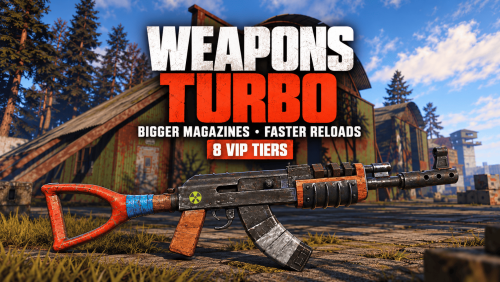
Weapons Turbo Bigger magazines. Faster reloads. Eight VIP tiers you control in-game. Give your Rust players a combat perk they can feel every time they reload. Weapons Turbo lets you set magazine capacity and enable fast reload separately for each supported weapon across 8 permission-based VIP tiers. Build a simple supporter perk or a full progression of weapon benefits. Open the admin panel, choose a tier, find a weapon, and set the capacity and reload option that fit your server. Make each VIP tier worth choosing Create distinct rewards: give each tier its own magazine capacities and fast reload settings. Balance weapon by weapon: increase rifle capacity while keeping other weapons closer to their standard settings. Separate the perks: offer larger magazines without fast reload, or enable fast reload while keeping standard capacity. Choose who gets access: assign tiers through Oxide permissions to individual players or groups. For example, you could configure an Assault Rifle with 40 rounds for VIP1, 50 for VIP2, and 60 plus fast reload for VIP3, then build additional tiers up to VIP8. These are example settings, not included presets. You choose the values and reload options for your server. Configure your weapons without leaving the game The admin UI brings weapon settings into one searchable panel: Switch between VIP1–VIP8. Search for weapons instead of scrolling through a long configuration file. Identify weapons by their item icons and names. Enter a magazine capacity for the selected weapon and tier. Toggle fast reload independently for each weapon and tier. Save changes through the panel. Open it with /turboweapons. Access requires turboweapons.admin. More control over your server's combat Automatic weapon discovery: generates configuration entries for supported weapons found on your server at startup, adding missing entries as needed. Ammo is still required: fast reload uses compatible ammunition available to the player. Attachment support: magazine-capacity attachment multipliers are included in the final capacity calculation. SkillTree integration: accounts for the Extended_Mag buff when calculating capacity. Event options: includes settings to skip weapon modifications for participants detected in SurvivalArena and Trials events. Built-in translations: English, Portuguese (Brazil), Spanish, Russian, and German messages. Note No required companion plugins. Weapon icons use Rust's built-in item icons, so ImageLibrary is not required. The integrations listed below are optional. Optional integrations Plugin Integration SkillTree Includes the Extended_Mag buff in magazine capacity calculations. ItemRetriever Can locate and consume reload ammunition through its API when inventory ammunition is insufficient. SurvivalArena Option to skip modifications for detected event participants. Trials Option to skip modifications for detected event participants. LangAPI Additional weapon-name localization. Notify Optional notification integration; chat messages are used as a fallback. Setup and reference Before you buy Build your VIP weapon perks around your server's balance—with eight tiers and an in-game panel to manage them.$18.99 -
Version 1.1.6
34 downloads
WeaponControl is an advanced combat balancing plugin for Rust. It allows server owners to fully control weapon damage, magazine capacity, and explosive damage using a clean in-game UI Take Your Rust Server to the Next Level Premium performance, lightning-fast support, and an exclusive 30% OFF using code KHALED Key Features : • Weapon damage multipliers • Magazine capacity control • Full explosive damage support (C4, Satchel, Beancan, Molotov, Catapult explosives) • Separate profiles: Default / VIP I / VIP II / VIP III • Automatic weapon detection • Dedicated Explosives configuration tab • Live in-game UI editor Explosives System : Take full control over explosive damage: • Supports C4, Satchel, Beancan, Molotov • Supports Catapult explosives (Propane, Fire Bomb, Scattershot) • Independent explosive multipliers • Per-profile explosive balancing • Accurate projectile and heat damage detection VIP System (Optional) : Flexible VIP system with priority-based tiers. Each VIP level can have its own: • Weapon damage values • Magazine capacity values • Explosive damage values Includes full control over affected entities and blacklist support. In-Game UI : Manage everything directly in-game: • Separate tabs for Weapons & Explosives • Search and sort items • Apply global presets • Edit values live • Safely apply or discard changes • Admin change summary confirmation Performance & Compatibility • Optimized for PVP and PVE servers • Lightweight and server-friendly • Accurate damage detection for projectiles and fire-based explosives • Compatible with Oxide and Carbon$14.99 -
Version 1.6.9
2,289 downloads
The plugin provides a wide range of weapon customization options, allowing you to adjust parameters such as damage, durability, and magazine capacity depending on the module or setup you configure. It also supports custom items and unique damage types, making it suitable for many weapon-related systems, including turrets, NPCs, and bosses. What can be created with this plugin? Using this plugin, you can build your own custom weapon systems and mechanics. For example, it is possible to configure weapons that are more effective against certain types of players. You can also create custom NPCs or bosses equipped with weapons that deal significant damage to regular players, while combining this setup with armor from another plugin, such as CustomizableProtection, to reduce the impact of that specific damage type. In addition, the plugin can be used to design progression-based systems, such as crafting-based armor upgrades or a weapon enhancement system with levels from +1 to +20, where weapon power increases step by step. These examples are not built-in features of the plugin by default, but rather systems that can be created with it through configuration and integration with other plugins. Ultimately, the possibilities are highly flexible and are limited mainly by your imagination. Features: Customizability Item setup files are all separately in their own file and folder, making it easy to customize items Support for NPCs, turrets, etc. Ability to create your own items Nice UI, allowing players to see items as best as possible Permissions: customizableweapons.give - Permission to issue weapons customizableweapons.icon.show customizableweapons.icon.hide customizableweapons.***** any permissions you configure, the default with the examples goes vip1, vip2 Console Commands: cw.give <custom item name> - give yourself a custom item cw.give <steamid> <custom item name> - give the player a custom item cw.create <new unique shortname> <shortname> - Add a custom item based on the image of another item cw.reload - Quick reloading of items File Hierarhy: • CustomizableWeapons ↳ • Custom ↳ admin.lr.json ↳ • Permissions ↳ • [0] vip2 ↳ rifle.lr300.json ↳ • [1] vip1 ↳ rifle.lr300.json ↳ • Default ↳ bow.compound.json ↳ bow.hunting.json ↳ crossbow.json ↳ hmlmg.json ↳ lmg.m249.json ↳ multiplegrenadelauncher.json ↳ pistol.eoka.json ↳ pistol.m92.json ↳ pistol.nailgun.json ↳ ... etc. Custom item settings: { "Name": "Admin LR300", "Description": "Powerful admin gun", "UI Settings": { "Name Color (or use <color></color> in name)": "1 0 0 1", "Frame Color": "1 0 0 1" }, "Unique SkinId": 2400056213, "Shortname": "rifle.lr300", "Unbreakable": true, "Durability": 1000000.0, "Magazine Capacity": 10000, "Effects when hit": { "Maximum and minimum values in the accumulation": { "Max Radiation Poison": 500.0, "Max Bleading": 100.0, "Min Temperature": -100.0, "Max Temperature": 100.0, "Max Wetness": 100.0 }, "Radiation Poison": 0.0, "Bleading": 0.0, "Temperature": 0.0, "Hunger": 0.0, "Thirst": 0.0, "Wetness": 0.0, "Number of electric balls (recommended to 10)": 0 }, "Base damage by type & ammo": { "ammo.rifle": { "Hunger": 1000000.0, "Thirst": 1000000.0, "Cold": 1000000.0, "Drowned": 1000000.0, "Heat": 1000000.0, "Bleeding": 1000000.0, "Poison": 1000000.0, "Bullet": 1000000.0, "Slash": 1000000.0, "Blunt": 1000000.0, "Radiation": 1000000.0, "Bite": 1000000.0, "Stab": 1000000.0, "Explosion": 1000000.0, "ElectricShock": 1000000.0, "Arrow": 1000000.0, "AntiVehicle": 1000000.0, "Collision": 1000000.0 }, "ammo.rifle.explosive": { "Hunger": 1000000.0, "Thirst": 1000000.0, "Cold": 1000000.0, "Drowned": 1000000.0, "Heat": 1000000.0, "Bleeding": 1000000.0, "Poison": 1000000.0, "Bullet": 1000000.0, "Slash": 1000000.0, "Blunt": 1000000.0, "Radiation": 1000000.0, "Bite": 1000000.0, "Stab": 1000000.0, "Explosion": 1000000.0, "ElectricShock": 1000000.0, "Arrow": 1000000.0, "AntiVehicle": 1000000.0, "Collision": 1000000.0 }, "ammo.rifle.incendiary": { "Hunger": 1000000.0, "Thirst": 1000000.0, "Cold": 1000000.0, "Drowned": 1000000.0, "Heat": 1000000.0, "Bleeding": 1000000.0, "Poison": 1000000.0, "Bullet": 1000000.0, "Slash": 1000000.0, "Blunt": 1000000.0, "Radiation": 1000000.0, "Bite": 1000000.0, "Stab": 1000000.0, "Explosion": 1000000.0, "ElectricShock": 1000000.0, "Arrow": 1000000.0, "AntiVehicle": 1000000.0, "Collision": 1000000.0 }, "ammo.rifle.hv": { "Hunger": 1000000.0, "Thirst": 1000000.0, "Cold": 1000000.0, "Drowned": 1000000.0, "Heat": 1000000.0, "Bleeding": 1000000.0, "Poison": 1000000.0, "Bullet": 1000000.0, "Slash": 1000000.0, "Blunt": 1000000.0, "Radiation": 1000000.0, "Bite": 1000000.0, "Stab": 1000000.0, "Explosion": 1000000.0, "ElectricShock": 1000000.0, "Arrow": 1000000.0, "AntiVehicle": 1000000.0, "Collision": 1000000.0 } } } Default item settings: { "Shortname": "multiplegrenadelauncher", "Unbreakable": false, "Durability": 200.0, "Magazine Capacity": 6, "Effects when hit": { "Maximum and minimum values in the accumulation": { "Max Radiation Poison": 500.0, "Max Bleading": 100.0, "Min Temperature": -100.0, "Max Temperature": 100.0, "Max Wetness": 100.0 }, "Radiation Poison": 0.0, "Bleading": 0.0, "Temperature": 0.0, "Hunger": 0.0, "Thirst": 0.0, "Wetness": 0.0, "Number of electric balls (recommended to 10)": 0 }, "Base damage by type & ammo": { "ammo.grenadelauncher.buckshot": { "Hunger": 0.0, "Thirst": 0.0, "Cold": 0.0, "Drowned": 0.0, "Heat": 0.0, "Bleeding": 0.0, "Poison": 0.0, "Bullet": 15.0, "Slash": 0.0, "Blunt": 0.0, "Radiation": 0.0, "Bite": 0.0, "Stab": 0.0, "Explosion": 0.0, "ElectricShock": 0.0, "Arrow": 0.0, "AntiVehicle": 0.0, "Collision": 0.0 }, "ammo.grenadelauncher.he": { "Hunger": 0.0, "Thirst": 0.0, "Cold": 0.0, "Drowned": 0.0, "Heat": 0.0, "Bleeding": 0.0, "Poison": 0.0, "Bullet": 0.0, "Slash": 0.0, "Blunt": 55.0, "Radiation": 0.0, "Bite": 0.0, "Stab": 0.0, "Explosion": 35.0, "ElectricShock": 0.0, "Arrow": 0.0, "AntiVehicle": 0.0, "Collision": 0.0 }, "ammo.grenadelauncher.smoke": { "Hunger": 0.0, "Thirst": 0.0, "Cold": 0.0, "Drowned": 0.0, "Heat": 0.0, "Bleeding": 0.0, "Poison": 0.0, "Bullet": 0.0, "Slash": 0.0, "Blunt": 0.0, "Radiation": 0.0, "Bite": 0.0, "Stab": 0.0, "Explosion": 0.0, "ElectricShock": 0.0, "Arrow": 0.0, "AntiVehicle": 0.0, "Collision": 0.0 } } } Defaut Config: { "Icon Position (0 - Off | -1 - left by 1 slot, 1 - right by 1 slot | ..)": -2, "Global Settings": { "Give Options": { "Attachments": { "weapon.mod.8x.scope": false, "weapon.mod.burstmodule": false, "weapon.mod.extendedmags": false, "weapon.mod.flashlight": false, "weapon.mod.holosight": false, "weapon.mod.lasersight": false, "weapon.mod.muzzleboost": false, "weapon.mod.muzzlebrake": false, "weapon.mod.simplesight": false, "weapon.mod.silencer": false, "weapon.mod.small.scope": false } }, "Disable the mechanics of unloading ammunition when removing the magazine?": false, "Disable the magazine bonus when you change capacity?": false, "Limit the number of bullets loaded in the weapon to the capacity of the magazine set for the player holding the weapon?": true } }$30.00- 110 comments
- 3 reviews
-
- 6
-

-

-
- #custom
- #customizable
- (and 5 more)
-

Version 1.0.1
526 downloads
Attachment Extension - Extends the use of attachments to more weapons Attachment Extension extends the use of attachments to any weapon, even weapons that do not support certain attachments. Enable additional attachments for each individual weapon in the config file. ---------------------------------------------------------------------------------------------------- The plugin does not require any permissions, just upload it and modify the configuration file: { "Attachments": { "Weapon Lasersight": [], "Extended Magazine": [], "Holosight": [], "Silencer": [], "Zoom Scope": [], "Gas Compression Overdrive": [], "Muzzle Boost": [], "Muzzle Brake": [], "Weapon Flashlight": [], "Targeting Attachment": [ "lmg.m249", "rifle.l96", "rifle.bolt", "hmlmg", "smg.mp5" ], "Burst Module": [] }, "VersionNumber": { "Major": 1, "Minor": 0, "Patch": 0 } } Weapon Lasersight, Extended Magazine, ecc...: These are the various attachments that can be enabled. To enable one or more attachments for the various weapons, simply enter the name of the weapon (item name) in the category of the attachment you want to enable. NB: For weapons that were already on the server before you configured the plugin, simply move the weapon from one container to another container, and the weapon will be enabled to use attachment.Free- 7 comments
- 1 review
-
- 2
-
-
-
- #attachment extension
- #attachment
- (and 4 more)
-

Version 2.7.0
231 downloads
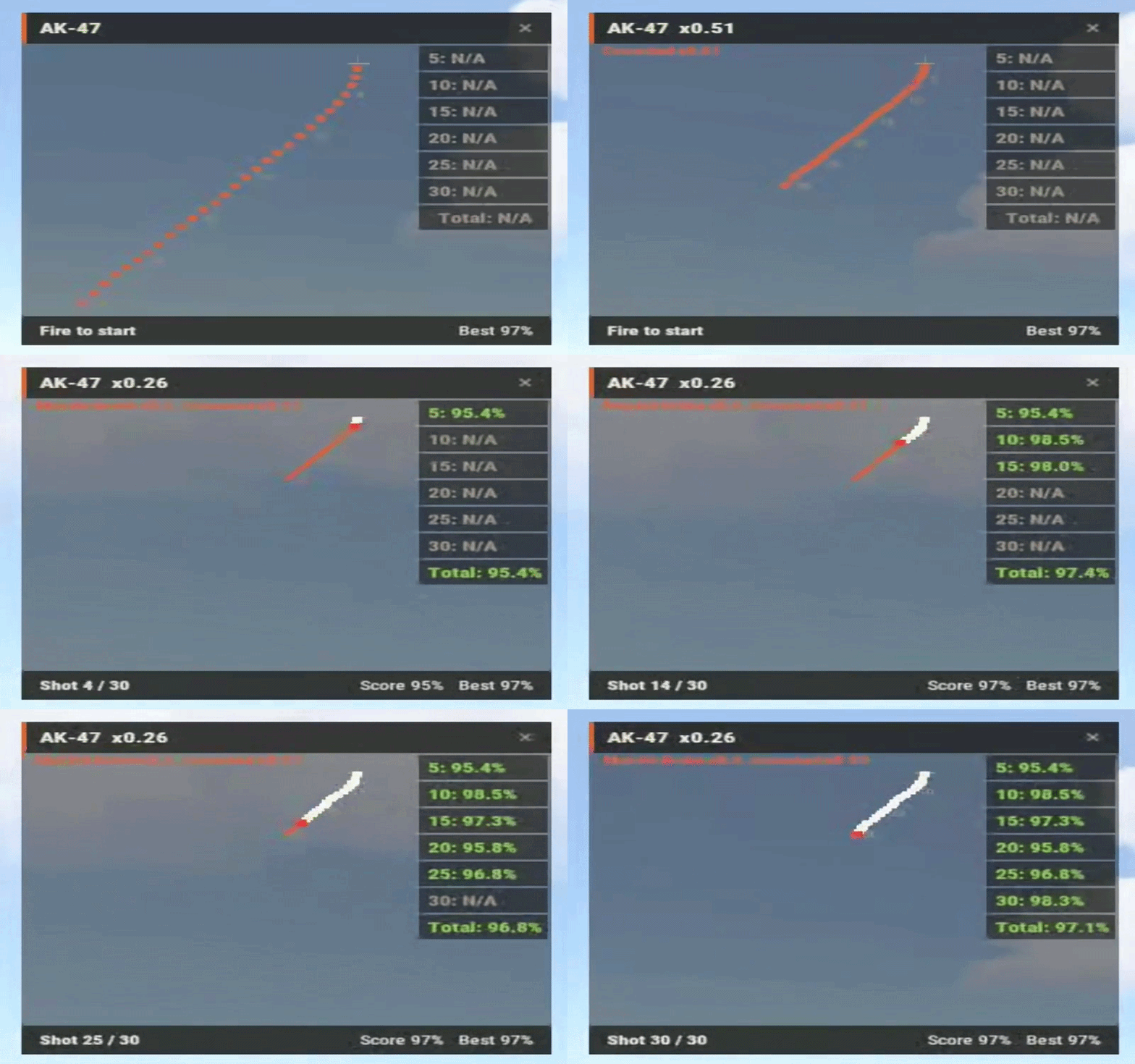
See your spray, not just your kills. RecoilPatternUI draws the recoil pattern of the weapon you're holding on your HUD and overlays your real mouse path on top of it, one dot per shot. If the white dots sit on the orange ones, your control is clean. If they drift, you see exactly which shot you lost it on. Great for aim-train and minigame servers, and for admins checking suspicious players. Version 2.0 merges the old Version A and Version B into one plugin: /pattern trains yourself, /suspect watches someone else FEATURES Live spray overlay: your mouse path drawn over the pattern, shot by shot, latest shot highlighted in red Spray scoring: live percentage for every spray, personal bests saved per weapon /pattern stats for your bests, /pattern top for the server leaderboard Admin spectate: /suspect PlayerName shows that player's sprays on your HUD in real time. Several admins can watch the same player In-game pattern recorder: hold any gun, type /pattern record, empty the mag. The pattern is saved to the config and live instantly. Add new weapons or re-record after Facepunch changes recoil Auto-fit: 30-round and 100-round patterns both fit the panel Movable, resizable, recolorable HUD that stays the same size on every resolution Numbered pattern dots, origin crosshair, shot counter and score footer Auto reset after a pause, full mag, weapon switch or death (each configurable) Optional auto-enable on connect, optional score announcement in chat Configurable command names and chat prefix, all messages translatable via Oxide lang Works on Oxide and Carbon Crouch and attachment aware: the pattern shrinks to the recoil you really have, and the HUD shows why (e.g. "Muzzle Brake x0.5, Crouched x0.5"). Attachment values come straight from the game Accuracy breakdown: see your accuracy for every 5 shots and find where in the spray you lose control Left or right: /pattern left moves the HUD to the top-left corner, remembered per player SUPPORTED WEAPONS AK-47 LR-300 MP5A4 Thompson Custom SMG M249 HMLMG Any other weapon can be added with the in-game recorder in under a minute. COMMANDS /pattern - toggle the HUD /pattern left - open the HUD in the top-left corner /pattern right - back to the default position /pattern stats - your best score per weapon /pattern top [weapon] - server leaderboard /pattern weapons - list supported weapons /pattern record - (admin) record a pattern for the gun you're holding /pattern record crouch - (admin) measure the crouch recoil reduction for your server /pattern record cancel - (admin) abort a recording /suspect PlayerName - (admin) watch another player's spray /suspect off - stop watching PERMISSIONS recoilpatternui.use - HUD, stats and leaderboard recoilpatternui.admin - spectate and record FOR DEVELOPERS Aim-train plugins can control the HUD without any player command: Interface.CallHook("AddPatternUI", player); Interface.CallHook("RemovePatternUI", player); Interface.CallHook("TogglePatternUI", player); Interface.CallHook("IsPatternUIEnabled", player); Interface.CallHook("GetBestScore", player, "rifle.ak"); UPGRADING FROM 1.x Overwrite the .cs file and delete RecoilPatternShower.cs. The old config is backed up automatically and replaced with the new format; pattern data is unchanged. The permission is now recoilpatternui.use (was recoilpatternui.command).$29.99 -
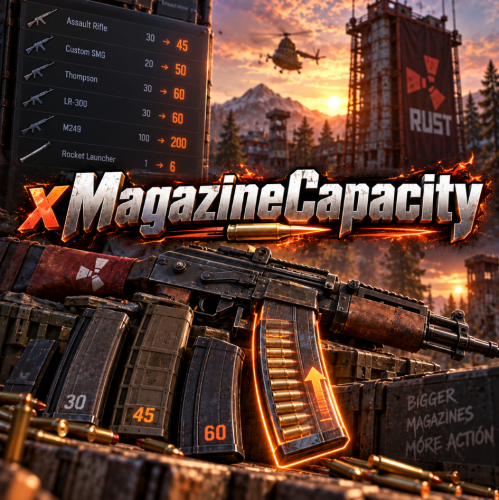
Version 1.0.4
118 downloads
xMagazineCapacity - Set a custom magazine capacity for any weapon. - Define a default capacity - Define a permission or not for any custom magazine capacity Default Config { "Weapons": [ { "weaponName": "rifle.ak", "capacity": 45, "defaultCapacity": 30, "permission": "" }, { "weaponName": "rocket.launcher", "capacity": 3, "defaultCapacity": 1, "permission": "xmagazinecapacity.rocketlauncher3" }, { "weaponName": "rocket.launcher", "capacity": 6, "defaultCapacity": 1, "permission": "xmagazinecapacity.rocketlauncher6" } ], "RevokePermissionsOnUnload": false, "RestoreRevokedPermissionsOnLoad": true, "AllowExtendedMagazineBonus": false } Keep "permission" empty to override magazine capacity for all players. When config is changed, reload the plugin. Add as much weapons as you want. Multiple permissions for same weapon If you have identical weapon names with different permissions, the capacity will be taken from the one with the highest capacity. Example: 3 times "rocket.launcher" with different permissions: xmagazinecapacity.rl3, xmagazinecapacity.rl6, xmagazinecapacity.rl9 - If a player has all 3 permissions, the capacity will be 9, since its the one with most capacity. RevokePermissionsOnUnload/RestoreRevokedPermissionsOnLoad "RevokePermissionsOnUnload": When the plugin unloads, it takes back any weapon permissions it granted while plugin was running. "RestoreRevokedPermissionsOnLoad": If you turned the "RevokePermissionsOnUnload" on, this restore option puts revoked permissions back on the same players the next time the plugin loads. (It only affects xmagazinecapacity configured permissions)$8.90 -

Version 1.0.17
1,419 downloads
Gun Game is a high-intensity PvP game mode where players compete to be the first to reach the final weapon by earning kills. Each kill advances the player to the next weapon in a fully customizable progression list, keeping the action fresh and engaging. The plugin creates a dedicated arena high in the sky, completely separated from the main map, to host the event. When players join the event, they are teleported from their current location to the event lobby, with all of their items, modifiers and metabolism stats stored safely by the plugin. Server owners can create any number of weapon profiles for players to progress through. The plugin will choose randomly between each profile at the beginning of each round. The plugin ships with 2 default profiles: Standard - Starts with revolver, ends with m249 and is 21 weapons long. Reverse - Starts with m249, ends with a sword and is 23 weapons long. This plugin works with most PVE plugins. Spawns an arena when the game begins and removes it when the game ends (no Rust-Edit required). Saves players inventory, metabolism and modifiers when they enter, and restores them when they leave. Configurable amount of kills per weapon to progress to the next weapon in the track. Supports refilling of ammo, and healing when a player gets a kill (configurable). Multiple respawn methods. Customizable clothing for players, with the option to have separate clothing for the leader. Supports custom item, server rewards and economic rewards for winners, as well as participants (based on a configurable threshold). Global scoreboard tracking wins, kills and deaths. Command: ggstart <arena name> Description: Starts the gun game event using the specified arena. Permission: gungame.admin Command: ggend Description: Ends the active gun game event. Permission: gungame.admin Command: ggsetcentrepoint <arena name> Description: Sets the spawn location for the specified arena. Permission: gungame.admin There are a number of commands that can be changed in the config that handle: Joining an event [default: ggjoin] Leaving an event [default: ggleave] Restoring items from a previous event [default: ggrestore] Accessing the scoreboard [default: ggscore] // Returns if the player is enrolled in the event. public bool IsEventPlayer(BasePlayer player); // Called when the arena has spawned and the lobby is about to start. void OnGunGameStart(); // Called when the game is ending. void OnGunGameEnd(); // Called when a player leaves an event. void OnEventLeave(BasePlayer player, string eventName); // Called when a player is attempting to join the event. Return non-null to prevent. object OnEventJoin(BasePlayer player, string eventName); // Called after a player has successfully joined the event, had their weapons stripped and has been teleported to the lobby. void OnEventJoined(BasePlayer player, string eventName); Very special thanks to Nobody and the guys and girls on Aussie Outpost PVE for their help with testing and feedback!$19.99 -
Version 1.0.13
264 downloads
King of the hill is an arena plugin similar to SurvivalArena, Paintball, ZombieInfection and GunGame. It spawns an arena high in the sky to host the game, and players can join from anywhere on the map via a command. The plugin will store all of the players items, stats and buffs, and teleport them to the lobby before the game starts. The objective of the game is to be the first player to hold the hill for the target time, or be the player with the highest hill time by the end of the event. Upon completion of the event (or if a player manually leaves), players are returned to the location that they joined from with their equipment, stats and modifiers in tact. The plugin is highly customizable and allows you to: Create as many equipment profiles as you'd like. The game will select one at random using a weighted system. Adjust hill locations, movement times, sizes, capture targets and game time limits. Spectate players using a computer station. Automatically run, and allow your players to vote for the event using the EventHelper plugin. The plugin is also compatible with the maps from Paintball, ZombieInfection & GunGame. Simply drop the json files into the respective data folders to run king of the hill on those maps. Chat command: koth.addhill Permission: kingofthehill.admin Description: Adds a hill spawn position at the players location and saves it into the spawned arenas profile. Command: koth.start Permission: kingofthehill.admin Description: Manually starts a game of koth. You can also specify random to pick a random map. Command: koth.end Permission: kingofthehill.admin Description: Manually ends an active game of koth. Command: koth.spawnarenaend Permission: kingofthehill.admin Description: Spawns the arena without starting the game. Useful for adding new hill positions. Command: koth.cleararenaspawnarenaend Permission: kingofthehill.admin Description: Clears a spawned arena. Chat command: koth.setcentrepoint Permission: kingofthehill.admin Description: Sets the spawn position of the arena based on the players location. Chat command: koth.ban/koth.unban <id> Permission: kingofthehill.admin Description: Bans/unbans the target player from joining future events.$19.99 -
Version 1.1.68
1,176 downloads
Ever wanted to be able to rain death on your enemies while being in what is essentially a flying tank!? The GunShip plugin allows you to spawn 16 different preconfigured customized vehicles allowing for new ways to play the game! Whether it is base raiding, pvp, or monument clearing youll always have the right tools, and the right firepower, to get the job done! The plugin itself requires one main dependency but has a few optional ones as well. After Entity Scale Manager is installed all vehicles will be able to be spawned in and used right out of the box! Support Please read through this as well as the extended documentation available on my discord before flagging a ticket! Open a support request here or join the discord and get in touch with me directly! I may not answer right away, please allow around 24 hours for me to be able to help you with your request! Dependency Setup REQUIRED DEPENDENCIES: Entity Scale Manager OPTIONAL DEPENDENCIES: Death Notes Sign Artist Server Rewards Economics Raidable Bases Entity Scale Manager (Required) Once downloaded, upload the plugin to the same directory as the GunShip plugin and check console to ensure it has loaded, once it has reload the GunShip plugin (if needed). OPTIONALLY you can change the following setting in the config file of Entity Scale Manager to make the scaling spheres disappear. // Change the below value to true if you would like to enable it in the EntityScaleManager.json config file. { "Hide spheres after resize (performance intensive)": false } Death Notes (Optional) Implementing Death Notes allows players to see custom death messages when a player kills something or gets killed by something on a server. When using Death Notes with the GunShip plugin you can see additional custom death messages for when a NPC / Player is killed by a GunShip vehicle. Near the end of the DeathNotes.json configuration file in the oxide/config directory you can add the following lines to enable the custom death messages! "muzzlebrake.entity": "Armed Sedan", "lasersight.entity": "Heavy Technical", "smoke_grenade.weapon": "Light Technical", "hammer.entity": "Apache Attack Helicopter", "spraycan.weapon": "Huey Attack Helicopter", "flare.weapon": "Viper Attack Helicopter", "detonator.entity": "Enforcer UAV", "supplysignal.weapon": "Cargo Truck" Append the above lines to the end of the 'Weapons' section of the config. It should look like something below. Sign Artist (Optional) Sign artist is used to load custom images onto signs from a url. In the GunShip plugin it is used to load the specified image to all signs by default when they are initially spawned in. Upload the the oxide/plugins directory and enjoy! Reseller Info As of version 1.0.5 the reseller framework has been added! This new feature allows server owners to optionally add the 'reseller' / salesman role into their servers allowing a assigned player to sell other players gunship vehicles. Additionally if enabled the assigned player can also make a comission of the configured currency for the sale depending on how much money they took off of the original price of the vehicle. For a reseller to be able to make commission the option for enable reseller comission must be enabled. If you want the ability to allow resellers to edit the price of the vehicle within the configured discount range enable the Allow Resellers to Modify Price option in the config file. The actual comission is based off of the amount that the reseller did not take off of the sale. For example, if the reseller ran /sellgs huey 15 false they would make 5% of the total sale meaning that the comission is (sale price) * ((configured discount max) - (specified discount)) = reseller commission amount Custom Item Info Land / Air Vehicles Item Shortname: box.wooden Water Vehicles Item Shortname: boogieboard Steam Skin IDs: Permission Info System Permissions gunship.vip - Enables VIP perks / settings for players with this permission. gunship.spawn - Required to spawn any gunship vehicle (just to use the /gunship command). gunship.nocooldown - Players with this permission do not have a spawn command cooldown. gunship.admin - Players get admin settings / perks. gunship.target_immune - Players with this permission cannot be targeted by GunShip managed AutoTurrets (Vehicle Auto Turrets). gunship.nowipefee - Players with this permission do not pay a wipe fee for any vehicle (Start of wipe fee). gunship.norespawnfee - Players with this permission do not pay a respawn fee to spawn their vehicle after paying the wipe fee. gunship.norecallfee - Removes the cost of using the /gunship.util recall vehicle_name command gunship.nohominglock - Players that have this permission cannot be locked onto by a gunship smart missile system (what the guardian uses) gunship.reseller - Allows a player to use the reseller commands and sell vehicle items to other players and make commission (if enabled) Vehicle Permissions gunship.apache - Huey Attack Helicopter gunship.guardian - Guardian Homing AA Helicopter gunship.stinger - Agile Missile Attack Helicopter gunship.viper - Agile Gunner Attack Helicopter gunship.cobra - AA Helicopter gunship.huey - Heavy Attack Helicopter gunship.reaper - Heavy Attack Helicopter gunship.technical - Light Armoured Ground Attack Vehicle gunship.heavy_technical - Heavy Armoured Ground Attack Vehicle gunship.cargo_truck - Heavy Armoured Ground Transport Vehicle gunship.sedan - Heavy Ground Attack Vehicle gunship.fighter - Agile Attack Helicopter gunship.stallion - Heavy Cargo Transport Helicopter gunship.cougar - Light Cargo Transport Helicopter gunship.enforcer - Tactical UAV gunship.attack_rhib - Light Gun Boat Command Info Player Commands: /gunship - USE: /gunship <vehicle_name> - The base GunShip command. Used for spawning vehicles. /gunship.help - USE: /gunship.help - Displays the help information for all vehicles. (Grey Names: No Permission, Yellow Names: Has Permission) /gunship.util - USE: /gunship.util <kill/recall/find> <vehicle_name> - Kill, recall, or find, the specified vehicle (if it is spawned) Admin Commands: /clearsave - USE: /clearsave - Wipe the save file in its entirety. /gunship.reloadconfig - USE: /gunship.reloadconfig - Reload the configuration values without reloading the plugin. /vehiclereport - USE: /vehiclereport - Get the information of the actively spawned vehicles. /checkstatus - USE: /checkstatus - View a report of the information relating to the vehicle you are looking at. /resetwf_all - USE: /resetwf_all - Reset the wipe fees of all players. /resetwf_player - USE: /resetwf_player <player_name> - Reset the wipe fees of the specified player. Debug Commands: /getlayer - USE: /getlayer - Return the layer information of the entity that you are currently looking at, prints to RCON console. /getparent - USE: /getparent - Return the information about the parent of the entity you are looking at (if any). /getname - USE: /getname - Return the name, item id, and skin id, of the currently held item. Reseller Commands (Requires gunship.reseller): /sellgs - USE: /sellgs <profile_name> <discount_percentage> <is_one_time_sale (true/false)> - Create a vehicle sale offer for the player you are facing /processsale - USE: /processsale <"confirm"/"cancel"> - Confirms or cancels the current sale offer and sends it to the customer Reseller Customer Commands: /buygs - USE: /buygs <"confirm"/"cancel"> - Confirms or cancels the given sale offer after being sent by a reseller Configuration File { "General Config": { "Chat Settings": { "Chat Message Icon": 0, // The default icon of all images sent by the plugin "Chat Message Prefix": "[<color=#d93d3d>GunShip</color>]" // The default chat prefix of all messages sent by the plugin }, "Sign Settings": { "Load Default Image on All Vehicle Signs": false, // Whether or not to load a default image when a vehicle is first spawned in "Sign URL Load (Requires Sign Artist)": "", // The URL of the default image to be loaded on the the sign "Load default image on vanilla vehicles": true }, "Vehicle Purchase Settings": { "Enable Wipe Fee": true, // Whether or not to enable the wipe fee "Enable Respawn Fee": true, // Whether or not to enable the respawn fee "Respawn Fee": 500.0, // The Respawn Fee amount "Recall Fee (To disable set to 0)": 200.0, // The recall fee amount "Payment Settings": { "Use Economics Plugin (Priority, will use this over SR if enabled)": false, "Use Server Rewards Plugin": false, "Use Custom Currency": true, // Whether or not to use a custom currency instead of SR or Economics "Points Name (when using SR or Economics)": "dollars", "Custom Currency Item Shortname (Specify item shortname [e.g scrap, or metal.refined])": "scrap", // Shortname of the custom currency "Custom Currency Skin (0 = Default Skin)": 0, // The Skin Id of the custom currency "Custom Currency Display Name (Leave empty for default item name)": "" // The display name of the custom currency } }, "PvP Settings": { "Enable PvE Mode (Disable all Damage between Players / Owned Entities and GunShip Vehicles)": false, // Enable the PvE Damage profile "Damage Options (Individual Settings)": { "Disable Gunship Damage to Owned Vehicles": false, "Disable Gunship Damage to Players": false, "Enable Friendly Fire": false, // Disable Friendly fire between teammates "Disable Player Damage to Gunships": false, "Disable Player Damage to All OWNED Vehicles (Global)": false, "Disable Global Fireball Damage": false, // Disable Fireball Damage to everything! "Disable Fireball Damage to GunShips": true,// Disable Fireball damage to gunships only (Above value overrides this) "Allow Fireball Damage in Raidable Base Raid Zones": true, "Disable Gunship To Building Damage": false, // Disable GunShip to OWNED player building damage "Disable GunShip Vehicle decay": true, "GunShips Override True PvE Damage Checks": false // Override the behaviour of TruePvE using the above damage settings for outgoing gunship damage "Building Damage Settings": { "Disable GunShip to Building Damage": true, "Allow Owned Building Damage (Players can damage their own buildings)": true, "Allow Friendly Fire Building Damage Between Teammates": true } } }, "Gunship System Targeting Settings": { "Allow GunShip Turrets to Target Sleepers": false, "Allow GunShip Turrets to Target Players": true, "Allow Gunship Sam Sites to target players": true, "Allow Gunship SAM Sites to target Patrol Helicopter": false, "Allow Non-GunShip SAM sites to target gunship vehicles": true, "Allow Gunship Homing Missiles to Lock onto Patrol Helicopter": true, "Allow Gunship Homing Missiles to Lock onto Bradley APC": true, "Enable Homing Lock PvP": true, // Enable the gunship smart missiles to lock onto players (Guardian Smart Missiles) "Enable Homing Lock Friendly Fire (between teammates)": false // Allow homing lock from smart missiles to friendly players (teammates) }, "Spawn Cooldown Time": 120.0, "Use Vehicle Locks Plugin to Manage Vehicle and Storage Access": false, "Drop items and fuel from GunShip vehicle on death": true, "Disable Auto Save Message": true }, "Spawn Point Config": { "Enable Spawn Point Config": false, "Spawn Point Data": { "Spawn Point List": { "default": { "Monument Prefab": "assets/bundled/prefabs/autospawn/monument/large/airfield_1.prefab", "Spawn Point Location (Local)": { "x": -87.03, "y": 0.3, "z": 37.91 }, "Spawn Point Rotation (Local)": { "x": 0.0, "y": 0.0, "z": 0.0 } } } } }, "VIP Permission Config": { "VIP Permission": "vip", "Enable VIP Cooldown Config (if false, uses default)": true, "VIP Perks Config": { "Enable VIP Perks (Set False to Disable All)": true, "VIP Vehicle Respawn Cooldown": 15, "VIP Respawn Fee Amount": 150 } }, "Permission Config": { "Spawn Permission": "spawn", "No Cooldown Permission": "nocooldown", "GunShip Turret Targeting System Immunity": "target_immune", "No Wipe Fee Permission": "nowipefee", "No Respawn Fee Permission": "norespawnfee", "No Recall Fee Permission": "norecallfee", "Administrator Permission (Enables Config from Admin Permission Config Settings)": "admin", "Homing Lock Immunity Permission": "nohominglock", "Admin Settings": { "Admin Default Minimum Permission Level -> Player Connection Level 0, 1, or 2": 2, "Admin Default Permissions (players with auth level >= configured level)": { "Auto Override Storage": true, "Auto Override Mount": true, "Admins Can be targeted by Gunship System": true, "Auto Override Spawn Cooldown": true, "Auto Overrride Wipe Fee": true, "Admin Override Respawn Fee": true, "Enable Wipe Fee Reset Commands (/resetwf_player & /resetwf_all)": true }, "Admin Permission Config (players with the gunship.admin permission)": { "Auto Override Storage": true, // Admins can open any gunship vehicle storage regardless of auth "Auto Override Mount": true, // Admins can mount any vehicle regardless of auth "Admins Can be targeted by Gunship System": true, // Allow admins to be targeted by gunship auto turrets "Auto Override Spawn Cooldown": true, "Auto Overrride Wipe Fee": true, "Admin Override Respawn Fee": true, "Enable Wipe Fee Reset Commands (/resetwf_player & /resetwf_all)": true } } }, "Vehicle Mod Config": { "Vanilla Vehicle Global Settings": { "Drop Dead Vehicle Items": true, "Scraptransport Helicopter Config": { "Add Radio to Scrap Transport Helicopter": true, "Add Sign to Scrap Transport Helicopter": true, "Add Boxes to Scrap Transport Helicopter": true, "Add Heater to Scrap Transport Helicopter": true, "Number of Boxes to Add (1-6)": 2 }, "Minicopter Config": { "Add Radio to Minicopter": true, "Add Sign to Minicopter": true, "Add Storage Box to Minicopter": true }, "Sedan Config": { "Add Radio to Sedan": true, "Add Boxes to Sedan": true }, "Attack Helicopter Config": { "Add Radio to Player Attack Helicopter": true, "Add Boxes to Player Attack Helicopter": false } } }, "Vehicle config": { "Vehicle Control Config": { "Disable remote turret control of gunship auto turrets": true }, "Apache Config": { "General Vehicle Settings": { "Vehicle Enabled": true, "Use Permission": true, "Vehicle Drops fuel": true }, "Vehicle Display Name": "Apache", "Vehicle Wipe Fee Price": 6500, "Vehicle Wipe Fee Price (VIP)": 0, "Vehicle Spawn Permission": "apache", "Infinite Machine Gun Ammo": false, "Mod Configuration": { "Add Radio to Scrap Transport Helicopter": true, "Add Sign to Scrap Transport Helicopter": true, "Add Heater to Scrap Transport Helicopter": true, "Number of Boxes to Add (1-6)": 2 }, "Engine Configuration": { "Thurst Multiplier (1 = Vanilla Default)": 1.0, "Lift Fraction Multiplier (0 = Vanilla Default)": 1.0, "Control Torque Multipler": { "x": 1.0, "y": 1.0, "z": 1.0 }, "Fuel Consumption (100 = Vanilla Default)": 1.0, "Fuel Config": { "Add Fuel to Vehicle": false, "Only add fuel on initial spawn": true, "Fuel Amount": 150, "Fuel Skin ID (0 = Default)": 0, "Fuel Custom Name (Leave blank for default)": "" } } }, "Minicopter Fighter Config": { "General Vehicle Settings": { "Vehicle Enabled": true, "Use Permission": true, "Vehicle Drops fuel": true }, "Vehicle Display Name": "Minicopter Fighter", "Vehicle Wipe Fee Price": 2800, "Vehicle Wipe Fee Price (VIP)": 0, "Vehicle Spawn Permission": "fighter", "Mod Configuration": { "Add Radio to Minicopter": true, "Add Sign to Minicopter": true, "Add Heater to Minicopter": true, "Add Back Light to Minicopter": true }, "Engine Configuration": { "Thurst Multiplier (1 = Vanilla Default)": 1.0, "Lift Fraction Multiplier (0 = Vanilla Default)": 1.0, "Control Torque Multipler": { "x": 1.0, "y": 1.0, "z": 1.0 }, "Fuel Consumption (100 = Vanilla Default)": 1.0, "Fuel Config": { "Add Fuel to Vehicle": false, "Only add fuel on initial spawn": true, "Fuel Amount": 150, "Fuel Skin ID (0 = Default)": 0, "Fuel Custom Name (Leave blank for default)": "" } } }, "Sedan Config": { "General Vehicle Settings": { "Vehicle Enabled": true, "Use Permission": true, "Vehicle Drops fuel": true }, "Vehicle Display Name": "Armed Sedan", "Vehicle Wipe Fee Price": 2000, "Vehicle Wipe Fee Price (VIP)": 0, "Vehicle Spawn Permission": "sedan", "Infinite Machine Gun Ammo": false, "Mod Configuration": { "Add Radio to Sedan": true, "Add Boxes to Sedan": true } }, "Technical Config": { "General Vehicle Settings": { "Vehicle Enabled": true, "Use Permission": true, "Vehicle Drops fuel": true }, "Vehicle Display Name": "Light Technical", "Vehicle Wipe Fee Price": 1900, "Vehicle Wipe Fee Price (VIP)": 0, "Vehicle Spawn Permission": "technical", "Mod Configuration": {}, "Engine Configuration": { "Engine Parts Config": { "Add Engine Parts": false, "Engine Parts Grade (0 = Low Quality, 1 = Medium Quality, 2 = High Quality)": 0, "Lock Engine when using added parts": true }, "Fuel Config": { "Add Fuel to Vehicle": false, "Only add fuel on initial spawn": true, "Fuel Amount": 150, "Fuel Skin ID (0 = Default)": 0, "Fuel Custom Name (Leave blank for default)": "" } } }, "Heavy Technical Config": { "General Vehicle Settings": { "Vehicle Enabled": true, "Use Permission": true, "Vehicle Drops fuel": true }, "Vehicle Display Name": "Heavy Technical", "Vehicle Wipe Fee Price": 2600, "Vehicle Wipe Fee Price (VIP)": 0, "Vehicle Spawn Permission": "heavy_technical", "Mod Configuration": {}, "Engine Configuration": { "Engine Parts Config": { "Add Engine Parts": false, "Engine Parts Grade (0 = Low Quality, 1 = Medium Quality, 2 = High Quality)": 0, "Lock Engine when using added parts": true }, "Fuel Config": { "Add Fuel to Vehicle": false, "Only add fuel on initial spawn": true, "Fuel Amount": 150, "Fuel Skin ID (0 = Default)": 0, "Fuel Custom Name (Leave blank for default)": "" } } }, "Cargo Truck Config": { "General Vehicle Settings": { "Vehicle Enabled": true, "Use Permission": true, "Vehicle Drops fuel": true }, "Vehicle Display Name": "Cargo Truck", "Vehicle Wipe Fee Price": 2800, "Vehicle Wipe Fee Price (VIP)": 0, "Vehicle Spawn Permission": "cargo_truck", "Add Default Image to Signs": true, "Mod Configuration": {}, "Engine Configuration": { "Engine Parts Config": { "Add Engine Parts": false, "Engine Parts Grade (0 = Low Quality, 1 = Medium Quality, 2 = High Quality)": 0, "Lock Engine when using added parts": true }, "Fuel Config": { "Add Fuel to Vehicle": false, "Only add fuel on initial spawn": true, "Fuel Amount": 150, "Fuel Skin ID (0 = Default)": 0, "Fuel Custom Name (Leave blank for default)": "" } } }, "Cougar Config": { "General Vehicle Settings": { "Vehicle Enabled": true, "Use Permission": true, "Vehicle Drops fuel": true }, "Vehicle Display Name": "Cougar", "Vehicle Wipe Fee Price": 4600, "Vehicle Wipe Fee Price (VIP)": 0, "Vehicle Spawn Permission": "cougar", "Mod Configuration": { "Add Radio to Scrap Transport Helicopter": true, "Add Sign to Scrap Transport Helicopter": true, "Add Heater to Scrap Transport Helicopter": true, "Number of Boxes to Add (1-6)": 2 }, "Engine Configuration": { "Thurst Multiplier (1 = Vanilla Default)": 1.0, "Lift Fraction Multiplier (0 = Vanilla Default)": 1.0, "Control Torque Multipler": { "x": 1.0, "y": 1.0, "z": 1.0 }, "Fuel Consumption (100 = Vanilla Default)": 1.0, "Fuel Config": { "Add Fuel to Vehicle": false, "Only add fuel on initial spawn": true, "Fuel Amount": 150, "Fuel Skin ID (0 = Default)": 0, "Fuel Custom Name (Leave blank for default)": "" } } }, "Stallion Config": { "General Vehicle Settings": { "Vehicle Enabled": true, "Use Permission": true, "Vehicle Drops fuel": true }, "Vehicle Display Name": "Stallion", "Vehicle Wipe Fee Price": 5200, "Vehicle Wipe Fee Price (VIP)": 0, "Vehicle Spawn Permission": "stallion", "Mod Configuration": { "Add Radio to Scrap Transport Helicopter": true, "Add Sign to Scrap Transport Helicopter": true, "Add Heater to Scrap Transport Helicopter": true, "Number of Boxes to Add (1-6)": 2 }, "Engine Configuration": { "Thurst Multiplier (1 = Vanilla Default)": 1.0, "Lift Fraction Multiplier (0 = Vanilla Default)": 1.0, "Control Torque Multipler": { "x": 1.0, "y": 1.0, "z": 1.0 }, "Fuel Consumption (100 = Vanilla Default)": 1.0, "Fuel Config": { "Add Fuel to Vehicle": false, "Only add fuel on initial spawn": true, "Fuel Amount": 150, "Fuel Skin ID (0 = Default)": 0, "Fuel Custom Name (Leave blank for default)": "" } } }, "Stinger Config": { "General Vehicle Settings": { "Vehicle Enabled": true, "Use Permission": true, "Vehicle Drops fuel": true }, "Vehicle Display Name": "Stinger Attack Minicopter", "Vehicle Wipe Fee Price": 4400, "Vehicle Wipe Fee Price (VIP)": 0, "Vehicle Spawn Permission": "stinger", "Infinite Rockets": false, "Mod Configuration": { "Add Radio to Minicopter": true, "Add Sign to Minicopter": true, "Add Heater to Minicopter": true, "Add Back Light to Minicopter": true }, "Engine Configuration": { "Thurst Multiplier (1 = Vanilla Default)": 1.0, "Lift Fraction Multiplier (0 = Vanilla Default)": 1.0, "Control Torque Multipler": { "x": 2.0, "y": 2.0, "z": 2.0 }, "Fuel Consumption (100 = Vanilla Default)": 1.0, "Fuel Config": { "Add Fuel to Vehicle": false, "Only add fuel on initial spawn": true, "Fuel Amount": 150, "Fuel Skin ID (0 = Default)": 0, "Fuel Custom Name (Leave blank for default)": "" } } }, "Huey Config": { "General Vehicle Settings": { "Vehicle Enabled": true, "Use Permission": true, "Vehicle Drops fuel": true }, "Vehicle Display Name": "Huey Attack Helicopter", "Vehicle Wipe Fee Price": 7600, "Vehicle Wipe Fee Price (VIP)": 0, "Vehicle Spawn Permission": "huey", "Infinite Rockets": false, "Infinite Machine Gun Ammo": false, "Mod Configuration": { "Add Radio to Scrap Transport Helicopter": true, "Add Sign to Scrap Transport Helicopter": true, "Add Heater to Scrap Transport Helicopter": true, "Number of Boxes to Add (1-6)": 2 }, "Engine Configuration": { "Thurst Multiplier (1 = Vanilla Default)": 1.0, "Lift Fraction Multiplier (0 = Vanilla Default)": 1.0, "Control Torque Multipler": { "x": 1.0, "y": 1.0, "z": 1.0 }, "Fuel Consumption (100 = Vanilla Default)": 1.0, "Fuel Config": { "Add Fuel to Vehicle": false, "Only add fuel on initial spawn": true, "Fuel Amount": 150, "Fuel Skin ID (0 = Default)": 0, "Fuel Custom Name (Leave blank for default)": "" } }, "Disable MiniGun Scaling (Enable No Sphere Setting in EntityScaleManager if visual issues)": false }, "Cobra Config": { "General Vehicle Settings": { "Vehicle Enabled": true, "Use Permission": true, "Vehicle Drops fuel": true }, "Vehicle Display Name": "Cobra AA Helicopter", "Vehicle Wipe Fee Price": 4600, "Vehicle Wipe Fee Price (VIP)": 0, "Vehicle Spawn Permission": "cobra", "Mod Configuration": { "Add Radio to Scrap Transport Helicopter": true, "Add Sign to Scrap Transport Helicopter": true, "Add Heater to Scrap Transport Helicopter": true, "Number of Boxes to Add (1-6)": 2 }, "Engine Configuration": { "Thurst Multiplier (1 = Vanilla Default)": 1.0, "Lift Fraction Multiplier (0 = Vanilla Default)": 1.0, "Control Torque Multipler": { "x": 1.0, "y": 1.0, "z": 1.0 }, "Fuel Consumption (100 = Vanilla Default)": 1.0, "Fuel Config": { "Add Fuel to Vehicle": false, "Only add fuel on initial spawn": true, "Fuel Amount": 150, "Fuel Skin ID (0 = Default)": 0, "Fuel Custom Name (Leave blank for default)": "" } } }, "Viper Config": { "General Vehicle Settings": { "Vehicle Enabled": true, "Use Permission": true, "Vehicle Drops fuel": true }, "Vehicle Display Name": "Viper Attack Minicopter", "Vehicle Wipe Fee Price": 4100, "Vehicle Wipe Fee Price (VIP)": 0, "Vehicle Spawn Permission": "viper", "Infinite Machine Gun Ammo": false, "Mod Configuration": { "Add Radio to Minicopter": true, "Add Sign to Minicopter": true, "Add Heater to Minicopter": true, "Add Back Light to Minicopter": true }, "Engine Configuration": { "Thurst Multiplier (1 = Vanilla Default)": 1.0, "Lift Fraction Multiplier (0 = Vanilla Default)": 1.0, "Control Torque Multipler": { "x": 1.0, "y": 1.0, "z": 1.0 }, "Fuel Consumption (100 = Vanilla Default)": 1.0, "Fuel Config": { "Add Fuel to Vehicle": false, "Only add fuel on initial spawn": true, "Fuel Amount": 150, "Fuel Skin ID (0 = Default)": 0, "Fuel Custom Name (Leave blank for default)": "" } } }, "Enforcer Config": { "General Vehicle Settings": { "Vehicle Enabled": true, "Use Permission": true, "Vehicle Drops fuel": true }, "Vehicle Display Name": "Enforcer Attack Drone", "Vehicle Wipe Fee Price": 6100, "Vehicle Wipe Fee Price (VIP)": 0, "Vehicle Spawn Permission": "enforcer" }, "Guardian Config": { "General Vehicle Settings": { "Vehicle Enabled": true, "Use Permission": true, "Vehicle Drops fuel": true }, "Vehicle Display Name": "Guardian AA Helicopter", "Vehicle Wipe Fee Price": 6100, "Vehicle Wipe Fee Price (VIP)": 0, "Vehicle Spawn Permission": "guardian", "Mod Configuration": { "Add Radio to Scrap Transport Helicopter": true, "Add Sign to Scrap Transport Helicopter": true, "Add Heater to Scrap Transport Helicopter": true, "Number of Boxes to Add (1-6)": 2 }, "Engine Configuration": { "Thurst Multiplier (1 = Vanilla Default)": 1.0, "Lift Fraction Multiplier (0 = Vanilla Default)": 1.0, "Control Torque Multipler": { "x": 1.0, "y": 1.0, "z": 1.0 }, "Fuel Consumption (100 = Vanilla Default)": 1.0, "Fuel Config": { "Add Fuel to Vehicle": false, "Only add fuel on initial spawn": true, "Fuel Amount": 150, "Fuel Skin ID (0 = Default)": 0, "Fuel Custom Name (Leave blank for default)": "" } } }, "Attack RHIB Config": { "General Vehicle Settings": { "Vehicle Enabled": true, "Use Permission": true, "Vehicle Drops fuel": true }, "Vehicle Display Name": "Attack RHIB", "Vehicle Wipe Fee Price": 3100, "Vehicle Wipe Fee Price (VIP)": 0, "Vehicle Spawn Permission": "attack_rhib" }, "Reaper Config": { "General Vehicle Settings": { "Vehicle Enabled": true, "Use Permission": true, "Vehicle Drops fuel": true }, "Vehicle Display Name": "Reaper Attack Helicopter", "Vehicle Wipe Fee Price": 6500, "Vehicle Wipe Fee Price (VIP)": 0, "Vehicle Spawn Permission": "reaper", "Mod Configuration": { "Add Radio to Scrap Transport Helicopter": true, "Add Sign to Scrap Transport Helicopter": true, "Add Heater to Scrap Transport Helicopter": true, "Number of Boxes to Add (1-6)": 2 }, "Engine Configuration": { "Thurst Multiplier (1 = Vanilla Default)": 1.0, "Lift Fraction Multiplier (0 = Vanilla Default)": 1.0, "Control Torque Multipler": { "x": 1.0, "y": 1.0, "z": 1.0 }, "Fuel Consumption (100 = Vanilla Default)": 1.0, "Fuel Config": { "Add Fuel to Vehicle": false, "Only add fuel on initial spawn": true, "Fuel Amount": 150, "Fuel Skin ID (0 = Default)": 0, "Fuel Custom Name (Leave blank for default)": "" } } } }, "Item Spawn Settings": { // For non-reseller spawn items, only for use with small wooden box spawn item "Enable Item Spawning": true, // Whether or not Item Spawning is Enabled "Require Vehicle Permission to Place Vehicle Item": false, // Require the player to have the associated permission for the vehicle to be able to spawn it with a item "Grant Vehicle Permission on Item Use (Recommended for Shop use)": true, // Grant the vehicle permission when the spawn item is deployed "Grant Vehicle Wipe fee On Use (Recommended for Shop use)": true, // Grant the vehicle wipe fee when the spawn item is deployed "Only Allow Wipe Fee to be Paid via a Reseller": false // Only allow wipe fee payments through a spawn item / reseller transaction }, "Reseller Config": { "Enable GunShip Vehicle Reselling": false, // Enable the Roleplay reselling framework "Sale Confirmation TTL (seconds)": 300, // The amount of time a transaction can take before it expires "Allow sale of a vehicle that a player already has": false, // Allow full vehicle sales even when a player already has the vehicle perm "Reseller Permission": "reseller", // The reseller pemission suffix -> gunship.reseller_permission_name "Reseller Price Editor Options": { "Allow Resellers to Modify Price": true, // Allow resellers to set a discount percentage "Enable Reseller Commission": true, // Allow resellers to be paid comission for the discount remainder percentage of the sale "Price Disount Percentage": 20.0, // The % amount the reseller can play around with in a sale "Sale Pricing Options": { "One Time Sale Price Options": { "Total Price Discount Percentage (0-99)": 40.0 // The initial % discount of a vehicle's wipe fee in a one-time-purchase sale }, "Full Sale Price Options (Grants Vehicle Permission)": { "Total Price Discount Percentage (0-99)": 0.0, // The initial % discount of a vehicle's wipe fee in a full vehicle sale "Enable item give on full sale": false } } } }, "Experimental Settings": { "Enable NoDismount on Vehicle Load Data": false, // Disable players getting dismounted from vehicles when the plugin reloads (not recommended) "Enable No Drone Sway for All modified drones": false // Enable No Sway Script for all drones w/ attatched entities (enabled for enforcer) }, "Debug Settings": { "Log Death": false, // Log Death Info "Log Vehicle Kill": false, // Log Vehicle Death Info "Log Vehicle Respawn Script": false, // Log Raw Respawn Script Output "Log Raw Save Data (Not Recommended to Turn on)": false, // Log Raw Save Messages "Log Pre-load info": false, "Enable Damage Logs": false, // Log Damage Output "Enable Gunship Item Logging": false, // Log Internal Item Logging "Enable Reseller Logging": false, // Log Internal Reseller Logging "Enable Engine Modifier Logging": false // Log info / changes related to the adjustment of vehicle's engines on spawn } } Monument Spawn Nodes (API / Command Implementation) The monument spawn node feature allows you to set up preset spots where you can spawn vehicles via a command (intended for use with a third-party plugin). Node Setup Enable the spawn node config by setting "Enable Spawn Point Config" to true Goto a spot within a monument where you want to have the vehicles spawn. Execute the /getspawnpoint command in chat, this will give you the closest monument’s prefab path as well as the relative position within the monument for use within the config file. The data from this command will also be printed to RCON as well. Either copy or directly edit the entire entry of the "default” preset in the "Spawn Point List” within the GunShip.json config file and change the name from "default” to whatever name you want to use to reference this spawn point later on. Change "Monument Prefab” to the prefab given by the command you ran in step 2 Change x, y, z entries within the "Spawn Point Location (Local)” entry to that of the coordinates that were given from the command in step 2 Confirm your changes and save the changes to your config file. Vehicle Spawning / Node Usage To actually spawn a vehicle at a created node run the following command via RCON or a hook (within a plugin, the arguments and usage will be the same) Command: SpawnVehicle_AtNode <node_name> <vehicle_name> <player_steam_id> Arguments: Node Name: The name of the node, (e.g "default”) Vehicle Name: The name of the vehicle (e.g "huey”) Player Steam Id: The steam id of the player you are spawning the vehicle for Example: > spawnvehicle_atnode "default” "huey” "81658972110849190” Use with a NPC Vendor By default the command will work similar to the /gunship or /gs command in that it will try to check if a player has paid the wipe fee (if enabled) for the specified vehicle, if not, charge them, and if they don’t have enough funds it will not spawn the vehicle. Additionally if the spawn node is blocked by another vehicle the new vehicle will not be spawned. As such it is recommended to not charge the user on a sale through a third party plugin such as through an npc vendor. However if this is not possible please refer to the below message. When using a third party plugin’s vendor it is recommended to do the following if you do not want the gunship plugin to check for a player’s purchase or for any vehicle obstructions to avoid the vehicle spawn being canceled. Change "Disable Vehicle Payment Processing" to true Change "Check For Spawn Node Obstructions" to false !! IMPORTANT !! The API does not assign the vehicle’s permission, and if "Disable Vehicle Payment Processing" is set to true the player will not have their wipe fee processed. If you want to have the player get the permission for the vehicle as well as have their wipe fee paid without having the gunship plugin charge them and potentially cancel the command if they do not have funds please add the following commands to the list of commands to be ran. > addplayervehicle <player_steam_id> <vehicle_name> > o.grant user <player_steam_id> gunship.<vehicle_permission> API bool CheckIfGunShip_API(NetworkableId entId) // Returns if whether or not the specified Net ID is a GunShip Vehicle bool GiveGunShipItem(BasePlayer player, string profilename) // Give the specified player a gunship spawn item bool SpawnGunShip(string profileName, ulong playerId, Vector3 position, Quaternion rotation, bool checkFunds, bool takeFunds, bool overridePermission, bool limitCheck) // Spawn a GunShip vehicle bool AddPlayerVehicle(string player, string profileName) // Add the specified vehicle to the list of purchased vehicles for that player bool RemovePlayerVehicle(string player, string profileName) // Remove the specified vehicle from the list of purchased vehicles for that player bool SpawnVehicle(string nodeName, string profileName, string playerID) // Spawn a vehicle at the specified node$32.99 -
Version 1.0.3
2,189 downloads
Thunderpoon allows players to attach beancan grenades to spears by dragging the two items together. Damage radius as well as damage is configurable in the config file. Permission You can avoid using permissions by setting usepermission config option in the config file. thunderpoon.use Config The default values are tested and somewhat balanced. If you're unsure on how to configure I recommend leaving as-is or asking questions in the discussion tab. UsePermission - Setting to false will allow everyone to craft thunderpoons. Damage - The amount of damage caused by the explosion. MinRange - The minimal size of the explosion radius. MaxRange - The maximum size of the explosion radius. detonateChance - The chance of detonation when thrown. Icon by @SawyerWDFree -
Version 1.0.0
91 downloads
Modifies the containers acceptance rules optionally for players with permissions. Permissions containerrules.use - Use the plugin. Configuration { "Global Settings": { "Notify Player when container rules are applied": true, "Use Tip Notifications instead of Chat Messages": true }, "Chat Settings": { "Chat Prefix": "<color=#00EDED>[ContainerRules]</color>: ", "Icon SteamID": 0 }, "Container Rules": { "cupboard.tool.deployed": { "Enabled": true, "Allowed Categories (Names - Empty = Accept All)": [ "Resources" ], "Blocked Categories (Names)": [], "Allowed Shortnames (Empty = Accept All)": [], "Blocked Shortnames": [], "Requires Permission": true }, "cupboard.tool.retro.deployed": { "Enabled": true, "Allowed Categories (Names - Empty = Accept All)": [ "Resources" ], "Blocked Categories (Names)": [], "Allowed Shortnames (Empty = Accept All)": [], "Blocked Shortnames": [], "Requires Permission": true }, "cupboard.tool.shockbyte.deployed": { "Enabled": true, "Allowed Categories (Names - Empty = Accept All)": [ "Resources" ], "Blocked Categories (Names)": [], "Allowed Shortnames (Empty = Accept All)": [], "Blocked Shortnames": [], "Requires Permission": true }, "fridge.deployed": { "Enabled": true, "Allowed Categories (Names - Empty = Accept All)": [ "Food" ], "Blocked Categories (Names)": [], "Allowed Shortnames (Empty = Accept All)": [], "Blocked Shortnames": [], "Requires Permission": true } } }Free -

Version 1.0.9
155 downloads
Create an assortment of Weapons Caches to add to your players Looting Experience. Each Cache can have a unique name, skin, and loot table, and spawn Container allowing for diverse and thematic caches. PERMISSIONS WeaponsCache.Admin - Grants the ability to spawn in a Configurable amount of caches via command. COMMANDS /GWC - Users with perms will have the set amount of caches & keys if applicable, deposited to your inventory, good for testing your drop rates. CONSOLE COMMAND GCB PLAYERID/NAME AMOUNT Demo { "Enable Cache Spawns?": true, "Amount of each Cache to spawn via Command?": 5, "WeaponCache": [ { "Cache Name": "Mercenary Cache", "Skin ID": 3144631710, "LootTable": [ { "Item ShortName": "smg.2", "Item Custom Name": "Chameleon SMG", "Minimum Item Amount": 1, "Maximum Item Amount": 1, "Item Skin ID": 3128727224, "Probability out of 100 to pull this item from this Cache?": 20 }, { "Item ShortName": "pistol.python", "Item Custom Name": "Pirate Python", "Minimum Item Amount": 1, "Maximum Item Amount": 1, "Item Skin ID": 3044058473, "Probability out of 100 to pull this item from this Cache?": 20 }, { "Item ShortName": "smg.thompson", "Item Custom Name": "Thompsonana", "Minimum Item Amount": 1, "Maximum Item Amount": 1, "Item Skin ID": 2988410818, "Probability out of 100 to pull this item from this Cache?": 20 }, { "Item ShortName": "ammo.pistol", "Item Custom Name": "", "Minimum Item Amount": 32, "Maximum Item Amount": 64, "Item Skin ID": 0, "Probability out of 100 to pull this item from this Cache?": 20 }, { "Item ShortName": "ammo.pistol.fire", "Item Custom Name": "", "Minimum Item Amount": 32, "Maximum Item Amount": 64, "Item Skin ID": 0, "Probability out of 100 to pull this item from this Cache?": 20 } ], "Minimum amount of items to be extracted from a Cache?": 2, "Maximum amount of items to be extracted from a Cache?": 3, "Minimum Amount of Caches To Spawn into its set Container?": 1, "Maximum Amount of Caches To Spawn into its set Container?": 2, "Cache Spawn Chance out of 100 Percent To Spawn into a Container?": 50, "Container to Spawn Cache Into?": "crate_normal", "Require a Key To Unlock?": true, "Key SkinID": 3162342587, "Key Name": "Mercenary Cache Key", "Container to Spawn Key Into?": "crate_normal", "Key Spawn Chance out of 100 Percent To Spawn into a Container?": 50, "Minimum Amount of Keys To Spawn into its set Container?": 1, "Maximum Amount of Keys To Spawn into its set Container?": 2 }, { "Cache Name": "Tactical Cache", "Skin ID": 3144649146, "LootTable": [ { "Item ShortName": "rifle.ak", "Item Custom Name": "Fern47", "Minimum Item Amount": 1, "Maximum Item Amount": 1, "Item Skin ID": 3134902944, "Probability out of 100 to pull this item from this Cache?": 20 }, { "Item ShortName": "rifle.semiauto", "Item Custom Name": "Armageddon SAR", "Minimum Item Amount": 1, "Maximum Item Amount": 1, "Item Skin ID": 3066498341, "Probability out of 100 to pull this item from this Cache?": 20 }, { "Item ShortName": "rifle.lr300", "Item Custom Name": "Modern Military LR-300", "Minimum Item Amount": 1, "Maximum Item Amount": 1, "Item Skin ID": 3074330534, "Probability out of 100 to pull this item from this Cache?": 20 }, { "Item ShortName": "ammo.rifle", "Item Custom Name": "", "Minimum Item Amount": 32, "Maximum Item Amount": 64, "Item Skin ID": 0, "Probability out of 100 to pull this item from this Cache?": 20 }, { "Item ShortName": "ammo.rifle.explosive", "Item Custom Name": "", "Minimum Item Amount": 32, "Maximum Item Amount": 64, "Item Skin ID": 0, "Probability out of 100 to pull this item from this Cache?": 20 } ], "Minimum amount of items to be extracted from a Cache?": 2, "Maximum amount of items to be extracted from a Cache?": 3, "Minimum Amount of Caches To Spawn into its set Container?": 1, "Maximum Amount of Caches To Spawn into its set Container?": 2, "Cache Spawn Chance out of 100 Percent To Spawn into a Container?": 40, "Container to Spawn Cache Into?": "crate_elite", "Require a Key To Unlock?": true, "Key SkinID": 3162342772, "Key Name": "Tactical Cache Key", "Container to Spawn Key Into?": "crate_elite", "Key Spawn Chance out of 100 Percent To Spawn into a Container?": 40, "Minimum Amount of Keys To Spawn into its set Container?": 1, "Maximum Amount of Keys To Spawn into its set Container?": 2 }, { "Cache Name": "Exotic Armament Cache", "Skin ID": 3144632346, "LootTable": [ { "Item ShortName": "rifle.l96", "Item Custom Name": "Black Gold L96", "Minimum Item Amount": 1, "Maximum Item Amount": 1, "Item Skin ID": 3122572406, "Probability out of 100 to pull this item from this Cache?": 10 }, { "Item ShortName": "lmg.m249", "Item Custom Name": "Redemption M249", "Minimum Item Amount": 1, "Maximum Item Amount": 1, "Item Skin ID": 2979503014, "Probability out of 100 to pull this item from this Cache?": 10 }, { "Item ShortName": "rocket.launcher", "Item Custom Name": "Ancient Curse Launcher", "Minimum Item Amount": 1, "Maximum Item Amount": 1, "Item Skin ID": 2876350194, "Probability out of 100 to pull this item from this Cache?": 20 }, { "Item ShortName": "ammo.rocket.hv", "Item Custom Name": "", "Minimum Item Amount": 5, "Maximum Item Amount": 8, "Item Skin ID": 0, "Probability out of 100 to pull this item from this Cache?": 10 }, { "Item ShortName": "ammo.rocket.basic", "Item Custom Name": "", "Minimum Item Amount": 5, "Maximum Item Amount": 8, "Item Skin ID": 0, "Probability out of 100 to pull this item from this Cache?": 10 }, { "Item ShortName": "ammo.rifle.hv", "Item Custom Name": "", "Minimum Item Amount": 32, "Maximum Item Amount": 64, "Item Skin ID": 0, "Probability out of 100 to pull this item from this Cache?": 20 }, { "Item ShortName": "ammo.rifle", "Item Custom Name": "", "Minimum Item Amount": 32, "Maximum Item Amount": 64, "Item Skin ID": 0, "Probability out of 100 to pull this item from this Cache?": 20 } ], "Minimum amount of items to be extracted from a Cache?": 2, "Maximum amount of items to be extracted from a Cache?": 3, "Minimum Amount of Caches To Spawn into its set Container?": 1, "Maximum Amount of Caches To Spawn into its set Container?": 1, "Cache Spawn Chance out of 100 Percent To Spawn into a Container?": 30, "Container to Spawn Cache Into?": "bradley_crate", "Require a Key To Unlock?": true, "Key SkinID": 3162342879, "Key Name": "Exotic Armament Cache Key", "Container to Spawn Key Into?": "bradley_crate", "Key Spawn Chance out of 100 Percent To Spawn into a Container?": 30, "Minimum Amount of Keys To Spawn into its set Container?": 1, "Maximum Amount of Keys To Spawn into its set Container?": 2 } ] }$14.00 -
Version 1.1.0
38 downloads
About Prime Prime is a plugin that allows the players to accumilate coins and then spend them at the dedicated vending machine at Outpost for items,weapons & armour. Coins gathered depends on a Risk VS Reward setup with Prime items providing BUFFS as the player progresses and buys bigger/better gear. Includes a lottery system,gambling, powerful Stones to collect & upgrade and all fully configurable! Hardcore Mode Activation When hardcore is active a Prime Vending Machine will spawn at Out Post allowing players access to Items to earn Prime Coins and Buffs ranging from increase in coins, incoming damage reduction, output damage increase. Players will only be able to progress thier Prime accounts by using items purchased from this vending machine, however if hardcore is NOT active.. players are free to use normal items and weapons to progress accounts and still have lottery active. With hardcore set to 'false' there is no vending machine, no items and no HOF.. you will also not be able to aquire stones. Stones: Requires Green Berries With each tier increase the stones provide a buff in coin yield starting at a base rate of 5% and maxing out at 75%, along with this in the later tiers the stones also provide the user with a increase in damage output.. however the stone needs to be in your inventory.. so it can be taken from you or lost. GREEN -[ Emerald I (5%) , Emerald II (10%), Emerald III (15%), Emerald IV (20%), Emerald V (25%) ] - Hidden Perks = Metabolism & Environment Buffs PURPLE - [ Mystic I (30%) , Mystic II (35%) , Mystic III (40%), Mystic IV (45%), Mystic V (50%) ] - Hidden Perks = Increase in Lottery Chance RED/BLACK - [ Unstable I (55%), Unstable II (60%), Unstable III (65%), Unstable IV (70%), Unstable V (75%) ] - Hidden Perks = Increase in Outgoing Damage by X% Fusion : In order to create the next type of stone youll need x2 Tier 5 Stones The higher the type and tier of the stone the more likely of a failure will occur in ther proccess resulting in the stones exploding..and you losing them..having to restart the process again. Config : Setting up Vending costs & Reward System The config file covers everything from: - Prime item costs at the vending maching - Coins rewarded for each individual task from smashing a barrel to killing an NPC - Coins rewarded for looting - Stone Drop Chance - Amount of Berries required to polish stones - Personal ID for chat (set to server icon) - Lottery chance % Plus much more Discord - Nferno#7163$14.99 -

Version 1.1.1
45 downloads
Don't recycle your old weapons in your boxes. Make them evolve. INFOS What does this plugin actually do? The plugin will allow you to evolve your weapon to another one depend to the number of kill you define. Let's take the example of the revolver, in the default configuration, after 10 kills with the weapon it will evolve into an automatic pistol. It is important to understand that it is the weapon that evolves. You can have several guns in your boxes, they will not all count the same number of kills. If you have a sadistic nature, you can also do the opposite, after 10 kills with a m249 make it evolve into eoka . It is up to you to define what is best for your server. Features - To make evolve a weapon against another one after a number of kills with this one features - Enable disable counting if NPC - Enable disable counting if Animal - A quality UI - The weapons will be renamed with the total kills and the remaining before evolution - You can choose to keep the same condition of the weapon to its evolution - You can choose to keep the same number of ammunition in the weapon at its evolution - You can choose to keep the same type of ammunition in the weapon at its evolution - You can choose to keep the same accessories in the weapon at its evolution Pre-configuration The preconfiguration of the weapons is: 10 kills -> 25 kills -> 15 kills -> 50 kills -> 30 kills -> 10 kills -> 25 kills -> 10 kills -> 10 kills -> Of course you can add and modify what you want. The configuration is to be adapted according to your servers, your population and the type of game of your players. PREVIEW (version 1.0.0) CONFIG { "CONFIG": { " » Kills counted if it's an NPC?": true, " » Kills counted if it's an Animal?": false, " » Enable Weapon UI?": true, " » Display a message when the weapon evolve?": true, " » Add the number of kills remaining in the weapon name?": true, " » Play a sound effect when the weapon evolve?": true }, "WEAPON": [ { " » Base weapon shortname": "pistol.revolver", " » Kills required with the weapon": 10, " » (1*) Keep the same condition for the evolve item": true, " » (2*) Keep the same amount of ammunition for the evolve item": true, " » (3*) Keep the same type of ammunition for the evolve item": true, " » (4*) Keep the same attachments (if possible) for the evolve item": true, " » Evolve of the weapon": { "• Weapon shortname": "pistol.semiauto", "• Skin": 0, "• Condition % (considered only if 1* is false)": 0.0, "• Ammo (considered only if 2* is false)": 0, "• Ammotype (shortname) | (considered only if 3* is false)": null, "• Content (mods) | (considered only if 4* is false)": null } }, { " » Base weapon shortname": "pistol.semiauto", " » Kills required with the weapon": 25, " » (1*) Keep the same condition for the evolve item": true, " » (2*) Keep the same amount of ammunition for the evolve item": true, " » (3*) Keep the same type of ammunition for the evolve item": true, " » (4*) Keep the same attachments (if possible) for the evolve item": true, " » Evolve of the weapon": { "• Weapon shortname": "pistol.m92", "• Skin": 0, "• Condition % (considered only if 1* is false)": 0.0, "• Ammo (considered only if 2* is false)": 0, "• Ammotype (shortname) | (considered only if 3* is false)": null, "• Content (mods) | (considered only if 4* is false)": null } }, { " » Base weapon shortname": "rifle.ak", " » Kills required with the weapon": 15, " » (1*) Keep the same condition for the evolve item": true, " » (2*) Keep the same amount of ammunition for the evolve item": true, " » (3*) Keep the same type of ammunition for the evolve item": true, " » (4*) Keep the same attachments (if possible) for the evolve item": true, " » Evolve of the weapon": { "• Weapon shortname": "rifle.lr300", "• Skin": 0, "• Condition % (considered only if 1* is false)": 0.0, "• Ammo (considered only if 2* is false)": 0, "• Ammotype (shortname) | (considered only if 3* is false)": null, "• Content (mods) | (considered only if 4* is false)": null } }, { " » Base weapon shortname": "rifle.lr300", " » Kills required with the weapon": 50, " » (1*) Keep the same condition for the evolve item": true, " » (2*) Keep the same amount of ammunition for the evolve item": true, " » (3*) Keep the same type of ammunition for the evolve item": true, " » (4*) Keep the same attachments (if possible) for the evolve item": true, " » Evolve of the weapon": { "• Weapon shortname": "lmg.m249", "• Skin": 0, "• Condition % (considered only if 1* is false)": 0.0, "• Ammo (considered only if 2* is false)": 0, "• Ammotype (shortname) | (considered only if 3* is false)": null, "• Content (mods) | (considered only if 4* is false)": null } }, { " » Base weapon shortname": "rifle.semiauto", " » Kills required with the weapon": 30, " » (1*) Keep the same condition for the evolve item": true, " » (2*) Keep the same amount of ammunition for the evolve item": true, " » (3*) Keep the same type of ammunition for the evolve item": true, " » (4*) Keep the same attachments (if possible) for the evolve item": true, " » Evolve of the weapon": { "• Weapon shortname": "rifle.m39", "• Skin": 0, "• Condition % (considered only if 1* is false)": 0.0, "• Ammo (considered only if 2* is false)": 0, "• Ammotype (shortname) | (considered only if 3* is false)": null, "• Content (mods) | (considered only if 4* is false)": null } }, { " » Base weapon shortname": "shotgun.double", " » Kills required with the weapon": 10, " » (1*) Keep the same condition for the evolve item": true, " » (2*) Keep the same amount of ammunition for the evolve item": true, " » (3*) Keep the same type of ammunition for the evolve item": true, " » (4*) Keep the same attachments (if possible) for the evolve item": true, " » Evolve of the weapon": { "• Weapon shortname": "shotgun.pump", "• Skin": 0, "• Condition % (considered only if 1* is false)": 0.0, "• Ammo (considered only if 2* is false)": 0, "• Ammotype (shortname) | (considered only if 3* is false)": null, "• Content (mods) | (considered only if 4* is false)": null } }, { " » Base weapon shortname": "shotgun.pump", " » Kills required with the weapon": 25, " » (1*) Keep the same condition for the evolve item": true, " » (2*) Keep the same amount of ammunition for the evolve item": true, " » (3*) Keep the same type of ammunition for the evolve item": true, " » (4*) Keep the same attachments (if possible) for the evolve item": true, " » Evolve of the weapon": { "• Weapon shortname": "shotgun.spas12", "• Skin": 0, "• Condition % (considered only if 1* is false)": 0.0, "• Ammo (considered only if 2* is false)": 0, "• Ammotype (shortname) | (considered only if 3* is false)": null, "• Content (mods) | (considered only if 4* is false)": null } }, { " » Base weapon shortname": "bow.hunting", " » Kills required with the weapon": 10, " » (1*) Keep the same condition for the evolve item": true, " » (2*) Keep the same amount of ammunition for the evolve item": true, " » (3*) Keep the same type of ammunition for the evolve item": true, " » (4*) Keep the same attachments (if possible) for the evolve item": true, " » Evolve of the weapon": { "• Weapon shortname": "bow.compound", "• Skin": 0, "• Condition % (considered only if 1* is false)": 0.0, "• Ammo (considered only if 2* is false)": 0, "• Ammotype (shortname) | (considered only if 3* is false)": null, "• Content (mods) | (considered only if 4* is false)": null } }, { " » Base weapon shortname": "knife.bone", " » Kills required with the weapon": 10, " » (1*) Keep the same condition for the evolve item": true, " » (2*) Keep the same amount of ammunition for the evolve item": true, " » (3*) Keep the same type of ammunition for the evolve item": true, " » (4*) Keep the same attachments (if possible) for the evolve item": true, " » Evolve of the weapon": { "• Weapon shortname": "knife.combat", "• Skin": 0, "• Condition % (considered only if 1* is false)": 0.0, "• Ammo (considered only if 2* is false)": 0, "• Ammotype (shortname) | (considered only if 3* is false)": null, "• Content (mods) | (considered only if 4* is false)": null } } ], "VERSION": { "Major": 1, "Minor": 0, "Patch": 0 } } NOTE If you do not activate the UI, image library will not be necessary$5.99 -

Version 1.0.0
408 downloads
Now the spirit of Christmas will always be with you on your server thanks to the company of Mr Hankey.Free- 2 comments
- 1 review
-
- 2
-

-
- #prefab
- #custom prefab
- (and 10 more)
-
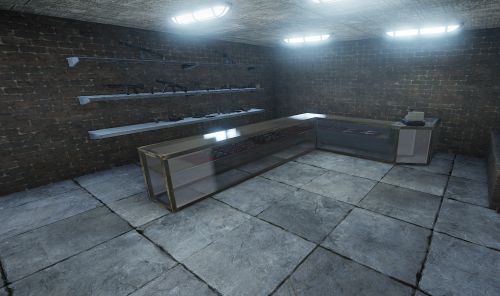
Version 1.0.0
14 downloads
Designed to sell top quality weapons and to use as a place of roleplay/weapon buying. You can add this to your server and be sure players will get a unique shopping experience! This prefab has been designed to be placed in a city/town. This is a standalone prefab and does not include height, splat, alpha or topology of any kind. Want to have a custom map or prefab created? Contact me on discord! Fiber#0001$3.49