Search the Community
Showing results for tags 'modify'.
Found 5 results
-
Version 2.6.14
3,517 downloads
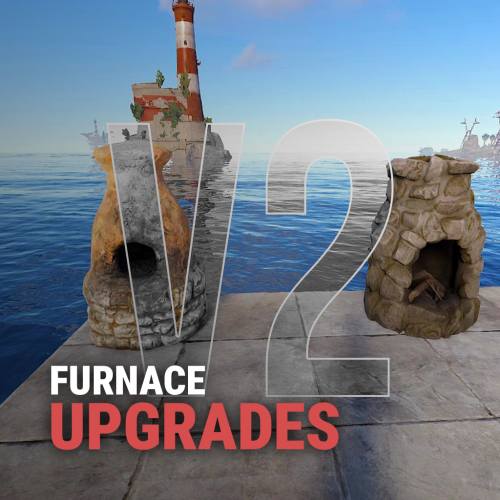
Furnace Upgrades Level up your smelting. Players upgrade each furnace on its own: faster smelting, faster fuel burn, more ore output and more charcoal. They pay with scrap, Economics or ServerRewards. Works on furnaces, large and electric furnaces, refineries, campfires, BBQs and even the Mixing Table. It replaces the classic "quick smelt" with a real progression. Every oven grows with the player who owns it. Video Showcase Features Upgrades Four upgrades per oven: Smelting speed: cooks faster. Fuel speed: burns fuel faster, so wood turns into charcoal quicker. Resource output: more metal per ore. Charcoal: more charcoal from wood. Unlimited levels. Add as many levels as you want, each with its own cost and multiplier. Per-oven settings. Every oven type has its own upgrade tree. Mixing Table speed. Mix faster, up to 100% quicker. Upgrades stay with the oven. Pick it up and place it again and it keeps its levels (optional). Quality of life Auto split. Ores spread evenly across the slots on their own. Auto fuel. Adds exactly the fuel needed for the batch, calculated from the oven's upgrades. Faster smelting also burns fuel faster, and Auto fuel accounts for that. Status panel. Shows the oven's levels, time left and fuel needed right on the oven screen. Server-wide defaults. Set a base speed and output for every oven, without upgrades. That's your quick smelt replacement. Charcoal chance. Control how often wood turns into charcoal. Control Pay how you like. Scrap (or any item, even skinned), Economics or ServerRewards. Owner or team only. Limit upgrades, or even turning the oven on and off, to the owner and their team. Permission-based levels. Each upgrade level can need its own permission, for example Level 3 for VIPs only. Feature permissions. Auto fuel, auto split, the upgrade button and the status panel can each be locked behind a permission. Turn any feature off you don't want. Notifications by chat, GameTip, Toastify or Notify, with an upgrade effect. Every message is in the lang file. Supported ovens Oven Short name Furnace furnace Large Furnace furnace.large Industrial Large Furnace industrial.furnace.large Electric Furnace electric.furnace Industrial Electric Furnace industrial_electric_furnace Legacy Furnace legacyfurnace Small Oil Refinery small.oil.refinery Campfire campfire BBQ bbq Mixing Table (own settings section) How it works Open a furnace. An UPGRADE button and a status panel appear on the oven screen. Click UPGRADE to see all four upgrades with the current level, the next level and the cost. Buy a level. The cost is taken and the oven upgrades at once. Turn on Auto split and Auto fuel in the same window if you have them. Tip Want quick smelt without upgrades? Leave the upgrades off and raise the values in Default Settings. Every oven on the server then smelts faster. Permissions Permission Allows furnaceupgrades.use Required. Buying upgrades furnaceupgrades.autofuel Using the Auto fuel option furnaceupgrades.autosplit Using the Auto split option furnaceupgrades.showupgrade Seeing the UPGRADE button (only when "Requires upgrade button permission" is on) furnaceupgrades.showstatus Seeing the status panel (only when "Requires show status permission" is on) furnaceupgrades.level2 / furnaceupgrades.level3 Buying those levels (only when permission-based upgrades are on) Note Permission-based upgrades: turn on Use permission based upgrade in General Settings, then set a permission on any level under Upgrades Settings. Leave it empty for no permission. Every permission you type is registered automatically, so you can create furnaceupgrades.vip, furnaceupgrades.mvp or whatever you like. Hosting partner Game hosting perfected, that's Physgun. Join the thousands of server owners using Physgun to take their game server communities to the top. Get your server at Physgun Installation Upload FurnaceUpgrades.cs to oxide/plugins. Grant the permissions: oxide.grant group default furnaceupgrades.use oxide.grant group default furnaceupgrades.autofuel oxide.grant group default furnaceupgrades.autosplit (Recommended) Install ImageLibrary to show the oven picture in the upgrade window. Open a furnace and click UPGRADE. Warning Using a stacks plugin? (StackModifier, StacksExtended, StackSizeController…) Set the stack size of every oven item to 1 (vanilla). If ovens stack, their upgrades are lost when they stack. The plugin warns you in console when it detects one of these plugins. Items to keep at stack 1: furnace, furnace.large, industrial.furnace.large, electric.furnace, industrial.electric.furnace, legacyfurnace, campfire, bbq, small.oil.refinery, mixingtable. Also use only one furnace splitter: the built-in Auto split or another plugin, not both. Configuration Every other oven (furnace.large, electric.furnace, industrial.furnace.large, industrial_electric_furnace, legacyfurnace, campfire, bbq, small.oil.refinery) has the same block under Upgrades Settings. Key settings explained Setting What it does Multiplier The value at that level: 2.0 = twice as fast, or twice as much Cost Price of that level in your currency Default Settings Base values for every oven before upgrades (1.0 = vanilla) Charcoal byproduct chance How often wood makes charcoal (0.5 = 50%, vanilla-like) Mixing Table Speed in % How much faster mixing gets at each level (max 100) Keep attributes when removing A picked-up oven keeps its upgrades Only Allow Oven Toggling by Owner & Team Only the owner and their team can turn the oven on or off Show furnace item cooking animation The vanilla cooking visuals on items in the oven Currency item Any item as payment, including a skinned one (Skin ID) Plugins Plugin Required? Used for ImageLibrary Recommended The oven picture in the upgrade window Economics Optional Paying with money ServerRewards Optional Paying with points Toastify / Notify Optional Pop-up notifications FAQ My upgrades disappear when I pick up a furnace. Your stacks plugin lets ovens stack. Set every oven item's stack size to 1. See the warning under Installation. Can I use it as a simple quick smelt? Yes. Raise Smelting speed and Resource output multiplier in Default Settings. Every oven gets that boost with no upgrades needed. Can I make the top level VIP only? Yes. Turn on Use permission based upgrade, put a permission like furnaceupgrades.vip on that level, and grant it to your VIP group. Can other players upgrade my furnace? Not by default. Only you and your teammates can. Set Only the owner can upgrade the furnace to make it owner only. Ores aren't splitting. Make sure the player has furnaceupgrades.autosplit and has the option turned on in the upgrade window. Don't run another furnace splitter plugin at the same time. Can I charge something other than scrap? Yes. Set Currency type to 1 for Economics or 2 for ServerRewards, or change Currency item to any item. Support Need help or found a bug? Open a support ticket on this page or join the Discord. Check out my other plugins$14.99 -

Version 1.0.10
197 downloads
Windmill Upgrades adds a part based upgrade system to electrical windmills, allowing their performance to be improved. Each part type has 3 tiers. Players can open an upgrade interface while looking at a windmill and holding a hammer, then install custom parts by dragging them into specific slots. The menu input button is configurable, with support for RELOAD, USE, MIDDLE CLICK, and RIGHT CLICK. Each upgrade part affects the windmill’s stats, allowing you to tune max output, effective height, wind capture, power stability, and thunder performance through a simple interface. Parts are matched to their proper module slots, upgrades are saved per windmill, and all changes are applied directly to the entity in a lightweight, persistent system. The plugin also includes optional loot crate support, letting you control whether upgrade parts can appear in loot containers and set per-container drop chances for each tier. Alternatively, the parts can be added to any of your existing systems such as shops or crafting plugins. The upgrade parts are all configured in the config, with unique icons and stats, allowing you to quickly deploy this functionality to your server. As with most of my content, localization is possible, with a default English lang file included. The part shortnames and skins are all pre-configured but can be modified, or replaced with items from my Custom Item Manager. Permissions: windmillupgrades.use - Allows players to open and use the windmill upgrade interface. windmillupgrades.admin - Allows access to the admin part giving command. Commands: /wmpart - Admin chat command to give yourself all of the available parts for testing or adding to shops. Optionally can specify amount if you need more than one of each. Pre-Configured Parts: Blades: Shaft: Generator: Regulator: Lightning Rod: Default Config:$15.99 -

Version 1.0.0
17 downloads
The xSolarPanel plugin modifies Rust’s solar panel behavior so that once a panel has generated power from sunlight, it will continue producing power indefinitely, regardless of day/night cycles or if the solar panels are are fully sealed in a dark spot. This plugin is designed for servers that want to simplify power management or create unique gameplay experiences involving permanent energy sources. Media Console Commands Configuration$7.99 -

Version 1.2.0
374 downloads
This plugin give the possibility to modify the amount of the durability loss by percentage for weapons(include attachments with durability) and/or tools. 3 different permission related value can be set, to support other plugins or vip/rank systems. It also has the feature to exclude weapons or tools from the function, up to the need. The plugin can work 3 different mode. 1 - no permission used at all -> normal durability loss applied 2 - The player can have more then one permission, in this case always the HIGHER permission percentage value used. 3 - The player shall only have 1 permission, in this case i recommend to activate the "Permission check against multiple permission group" and optionally the "Warning agains multiple permission group (can flood the server console)" configuration, to set to True, and if a player by mistake got 2 different permission, the plugin feature will be skipped and a warning will be shown on the server console. Permissions itemdurability.profile1 itemdurability.profile2 itemdurability.profile3 Configuration "itemdurability.profile1 permission percentage scale range: 0-X, 0.1f mean 10% of the original durability": 1.0, "itemdurability.profile2 permission percentage scale range: 0-X, 0.1f mean 10% of the original durability": 1.0, "itemdurability.profile3 permission percentage scale range: 0-X, 0.1f mean 10% of the original durability": 1.0, "Permission check agains multiple permission group": false, "Warning against multiple permission group (can flood the server console)": false, "Exclude weapons": true, "Exclude items, what are not weapons": false "CleanPermission on Wipe": true$7.00 -

Version 1.0.0
91 downloads
Modifies the containers acceptance rules optionally for players with permissions. Permissions containerrules.use - Use the plugin. Configuration { "Global Settings": { "Notify Player when container rules are applied": true, "Use Tip Notifications instead of Chat Messages": true }, "Chat Settings": { "Chat Prefix": "<color=#00EDED>[ContainerRules]</color>: ", "Icon SteamID": 0 }, "Container Rules": { "cupboard.tool.deployed": { "Enabled": true, "Allowed Categories (Names - Empty = Accept All)": [ "Resources" ], "Blocked Categories (Names)": [], "Allowed Shortnames (Empty = Accept All)": [], "Blocked Shortnames": [], "Requires Permission": true }, "cupboard.tool.retro.deployed": { "Enabled": true, "Allowed Categories (Names - Empty = Accept All)": [ "Resources" ], "Blocked Categories (Names)": [], "Allowed Shortnames (Empty = Accept All)": [], "Blocked Shortnames": [], "Requires Permission": true }, "cupboard.tool.shockbyte.deployed": { "Enabled": true, "Allowed Categories (Names - Empty = Accept All)": [ "Resources" ], "Blocked Categories (Names)": [], "Allowed Shortnames (Empty = Accept All)": [], "Blocked Shortnames": [], "Requires Permission": true }, "fridge.deployed": { "Enabled": true, "Allowed Categories (Names - Empty = Accept All)": [ "Food" ], "Blocked Categories (Names)": [], "Allowed Shortnames (Empty = Accept All)": [], "Blocked Shortnames": [], "Requires Permission": true } } }Free