Search the Community
Showing results for tags 'ux'.
-
Version 2.6.14
3,517 downloads
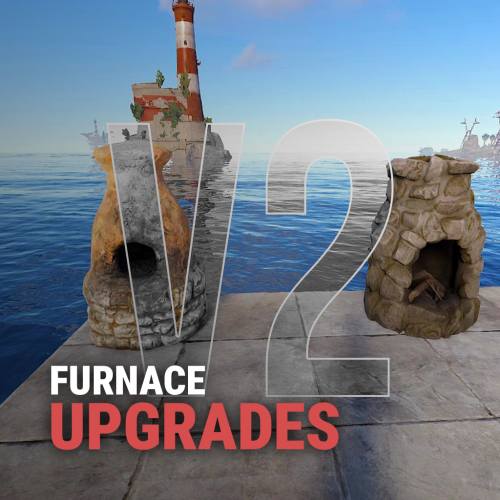
Furnace Upgrades Level up your smelting. Players upgrade each furnace on its own: faster smelting, faster fuel burn, more ore output and more charcoal. They pay with scrap, Economics or ServerRewards. Works on furnaces, large and electric furnaces, refineries, campfires, BBQs and even the Mixing Table. It replaces the classic "quick smelt" with a real progression. Every oven grows with the player who owns it. Video Showcase Features Upgrades Four upgrades per oven: Smelting speed: cooks faster. Fuel speed: burns fuel faster, so wood turns into charcoal quicker. Resource output: more metal per ore. Charcoal: more charcoal from wood. Unlimited levels. Add as many levels as you want, each with its own cost and multiplier. Per-oven settings. Every oven type has its own upgrade tree. Mixing Table speed. Mix faster, up to 100% quicker. Upgrades stay with the oven. Pick it up and place it again and it keeps its levels (optional). Quality of life Auto split. Ores spread evenly across the slots on their own. Auto fuel. Adds exactly the fuel needed for the batch, calculated from the oven's upgrades. Faster smelting also burns fuel faster, and Auto fuel accounts for that. Status panel. Shows the oven's levels, time left and fuel needed right on the oven screen. Server-wide defaults. Set a base speed and output for every oven, without upgrades. That's your quick smelt replacement. Charcoal chance. Control how often wood turns into charcoal. Control Pay how you like. Scrap (or any item, even skinned), Economics or ServerRewards. Owner or team only. Limit upgrades, or even turning the oven on and off, to the owner and their team. Permission-based levels. Each upgrade level can need its own permission, for example Level 3 for VIPs only. Feature permissions. Auto fuel, auto split, the upgrade button and the status panel can each be locked behind a permission. Turn any feature off you don't want. Notifications by chat, GameTip, Toastify or Notify, with an upgrade effect. Every message is in the lang file. Supported ovens Oven Short name Furnace furnace Large Furnace furnace.large Industrial Large Furnace industrial.furnace.large Electric Furnace electric.furnace Industrial Electric Furnace industrial_electric_furnace Legacy Furnace legacyfurnace Small Oil Refinery small.oil.refinery Campfire campfire BBQ bbq Mixing Table (own settings section) How it works Open a furnace. An UPGRADE button and a status panel appear on the oven screen. Click UPGRADE to see all four upgrades with the current level, the next level and the cost. Buy a level. The cost is taken and the oven upgrades at once. Turn on Auto split and Auto fuel in the same window if you have them. Tip Want quick smelt without upgrades? Leave the upgrades off and raise the values in Default Settings. Every oven on the server then smelts faster. Permissions Permission Allows furnaceupgrades.use Required. Buying upgrades furnaceupgrades.autofuel Using the Auto fuel option furnaceupgrades.autosplit Using the Auto split option furnaceupgrades.showupgrade Seeing the UPGRADE button (only when "Requires upgrade button permission" is on) furnaceupgrades.showstatus Seeing the status panel (only when "Requires show status permission" is on) furnaceupgrades.level2 / furnaceupgrades.level3 Buying those levels (only when permission-based upgrades are on) Note Permission-based upgrades: turn on Use permission based upgrade in General Settings, then set a permission on any level under Upgrades Settings. Leave it empty for no permission. Every permission you type is registered automatically, so you can create furnaceupgrades.vip, furnaceupgrades.mvp or whatever you like. Hosting partner Game hosting perfected, that's Physgun. Join the thousands of server owners using Physgun to take their game server communities to the top. Get your server at Physgun Installation Upload FurnaceUpgrades.cs to oxide/plugins. Grant the permissions: oxide.grant group default furnaceupgrades.use oxide.grant group default furnaceupgrades.autofuel oxide.grant group default furnaceupgrades.autosplit (Recommended) Install ImageLibrary to show the oven picture in the upgrade window. Open a furnace and click UPGRADE. Warning Using a stacks plugin? (StackModifier, StacksExtended, StackSizeController…) Set the stack size of every oven item to 1 (vanilla). If ovens stack, their upgrades are lost when they stack. The plugin warns you in console when it detects one of these plugins. Items to keep at stack 1: furnace, furnace.large, industrial.furnace.large, electric.furnace, industrial.electric.furnace, legacyfurnace, campfire, bbq, small.oil.refinery, mixingtable. Also use only one furnace splitter: the built-in Auto split or another plugin, not both. Configuration Every other oven (furnace.large, electric.furnace, industrial.furnace.large, industrial_electric_furnace, legacyfurnace, campfire, bbq, small.oil.refinery) has the same block under Upgrades Settings. Key settings explained Setting What it does Multiplier The value at that level: 2.0 = twice as fast, or twice as much Cost Price of that level in your currency Default Settings Base values for every oven before upgrades (1.0 = vanilla) Charcoal byproduct chance How often wood makes charcoal (0.5 = 50%, vanilla-like) Mixing Table Speed in % How much faster mixing gets at each level (max 100) Keep attributes when removing A picked-up oven keeps its upgrades Only Allow Oven Toggling by Owner & Team Only the owner and their team can turn the oven on or off Show furnace item cooking animation The vanilla cooking visuals on items in the oven Currency item Any item as payment, including a skinned one (Skin ID) Plugins Plugin Required? Used for ImageLibrary Recommended The oven picture in the upgrade window Economics Optional Paying with money ServerRewards Optional Paying with points Toastify / Notify Optional Pop-up notifications FAQ My upgrades disappear when I pick up a furnace. Your stacks plugin lets ovens stack. Set every oven item's stack size to 1. See the warning under Installation. Can I use it as a simple quick smelt? Yes. Raise Smelting speed and Resource output multiplier in Default Settings. Every oven gets that boost with no upgrades needed. Can I make the top level VIP only? Yes. Turn on Use permission based upgrade, put a permission like furnaceupgrades.vip on that level, and grant it to your VIP group. Can other players upgrade my furnace? Not by default. Only you and your teammates can. Set Only the owner can upgrade the furnace to make it owner only. Ores aren't splitting. Make sure the player has furnaceupgrades.autosplit and has the option turned on in the upgrade window. Don't run another furnace splitter plugin at the same time. Can I charge something other than scrap? Yes. Set Currency type to 1 for Economics or 2 for ServerRewards, or change Currency item to any item. Support Need help or found a bug? Open a support ticket on this page or join the Discord. Check out my other plugins$14.99 -

Version 1.1.6
5 downloads
nanoSettingModule - a settings module for your players! Expands and enhances other modules, allowing you to unlock additional core features! Required - the nanoModalMenu plugin must be installed Feature list: Integration: Allow your players to customize their interaction with the menu, configure their prefixes, chat colors, and your other plugins - all within the unified nano ecosystem! At the moment, only a limited list of plugins is supported for customization The list will be expanded in the future Supported: IQTeleportation nanoChat nanoCombatLog Internal core settings (nanoModalMenu) Multilingual text support: Specify text in any language, and each player will be able to see information that matches their language! Color theme support: Examples of color themes with the open module and links to them: White Included with Plugin Dark View Theme Blue View Theme Purple View Theme Module demonstration in the White theme: Configuration JSON { "Menu header settings": { "Multilingual translation for the menu title": { "ru": "НАСТРОЙКИ", "en": "SETTINGS" }, "Multilingual translation for the menu description": { "ru": "Настраивай взаимодействие с другими плагинами под себя", "en": "Customize how you interact with other plugins" }, "List of items for menu decoration [Shortname] (no more than 9 items)": [ "glue", "techparts", "roadsigns", "gears", "wiretool", "rf_pager", "hosetool", "compass", "flashlight.held" ] }, "Supported theme settings": { "Theme translations for different languages [LanguageKey] = [ThemeKey] = Translation": { "ru": { "white": "Светлая", "dark": "Тёмная", "purple": "Фиолетовая", "blue": "Синяя" }, "en": { "white": "White", "dark": "Dark", "purple": "Purple", "blue": "Blue" } } }, "Default settings parameters": { "Sound effects in the menu [true - enabled/false - disabled]": true, "Automatically open the menu when joining the server for the first time [true - enabled/false - disabled]": true } }$17.99 -

Version 1.4.9
7 downloads
nanoModalMenu - this plugin is the main core for all plugins in the `nano` branch When installing any other plugins with the `nano` prefix - this core is required. Other plugins can also be integrated into this menu - to do this, contact their developers and provide them with the following page - API Concept: nanoSystem - is an ecosystem of minimalist modules for Rust servers, focused on stability, performance, and easy integration. The main goal of the project is to provide players and administrators with essential, well-optimized functionality without overloading the system with unnecessary features. Each module is responsible for a specific server mechanic and maintains a simple internal structure, which reduces the risk of errors, conflicts, and unnecessary load. If you need a huge set of additional features - other solutions may suit you better, such as the IQ branch and others. nanoSystem is created for those who value clean architecture, stable operation, and predictable performance. Important information about this core: This plugin (core) - is provided only as the core, other plugins that work with it and the modules demonstrated below - must be purchased and installed separately! Plugin and image installation instructions: When downloading the plugin - you will receive an archive with the following structure: oxide ├── plugins │ └── nanoModalMenu.cs // main plugin file │ └── data └── nanoSystemModule └── nanoModalMenu └── Themes └── *.json // plugin color themes └── Images └── *.png // menu images and icons You need to install the icons using the same path structure as in the archive. Please note - first extract the archive to your computer and only then upload the images to your server! Core features of this plugin:; Core color themes: Support for an unlimited number of color themes that can interact with other modules and integrated plugins! This feature allows you to stand out by creating different color themes for your server, while players can switch between them and choose the color scheme they prefer for the entire menu and the plugins integrated into it! By default, the plugin includes the Light theme. Additional ready-made themes can be purchased separately: Dark, Blue and Purple Examples of color themes with the (nanoWelcomeModule) module open, along with links to them: White Included with Plugin Dark View Theme Purple View Theme Blue View Theme Multilingual text support: Specify text in any language, and each player will be able to see information that matches their language! Active integrations: This core already has active integrations with plugins from the nano and IQ branches. The IQ and nano branches will continue to evolve, adding more integrations over time! If you want to integrate something yourself or with the help of other developers - refer to the public API and explore the available methods for connecting to and interacting with the core. For the current integration demonstration, the "White" theme will be used. All demonstrated integrations already support the other available themes. 1. nanoWelcomeModule - welcome module / "Home" page. Display your social media links, server advantages in the "Our Plugins" section, and a useful "Information" tab, which is integrated with IQPermission and will receive additional integrations in the future. The "Information" section also allows you to add links to additional tabs in other modules, helping you engage your players even more! *All sections support scrolling and have no item limit! See the module page for more details. 2. nanoInfoModule - information module A convenient panel that allows you to provide detailed information about your server rules, plugins, and mechanics! Divide text into categories and descriptions, and customize text size and colors using HTML tags. *All categories support scrolling and have no item limit! 3. nanoWelcomeBack - bonus for returning players Don't lose players who have already decided to return - give them an additional reason to stay by rewarding them for coming back to your server. 4. nanoKitsModule - module for your in-game kits, with or without privilege requirements. Minimalist design, clear functionality, and great usability during gameplay! 5. nanoSettingModule - settings and menu interaction module Supports and expands the capabilities of this core. Already provides configuration options for nanoChat and other supported plugins! 6. IQWipeBlock - temporary item restrictions after a wipe A plugin familiar to many users, now integrated directly into this menu! 7. IQEconomic / Economics / ServerRewards This menu includes built-in support for economy systems, and the player's balance will be displayed below their nickname. If no supported economy system is available - a "NICK NAME" placeholder will be displayed instead. 8. nanoMarker A familiar hit marker customization system, formerly known as IQMarker, now redesigned and fully compatible with nanoModalMenu. 9. nanoCraftSystem An advanced item crafting system for your players with a clean and intuitive interface! The familiar functionality of the former IQCraftSystem plugin 10. nanoCombatLog A convenient UI-based combat history system for your players! The plugin stores the history of recent battles and provides players with detailed information about each encounter directly through a convenient interface. Configuration JSON { "Commands to open the menu": [ "nano", "menu" ], "Default theme key for everyone [Key is the file name without .json in the themes folder]": "white", "List of buttons in the menu [Plugin command - settings]": { "info": { "Plugin name [That supports this menu]": "nanoWelcomeModule", "Icon name from ..data/nanoSystem/nanoModalMenu/Images": "WELCOME_ICON_BUTTON", "Multilingual button title": { "ru": "Главная", "en": "Home" }, "Multilingual button description": { "ru": "Начни отсюда", "en": "Start here" }, "Whether this button is active": true }, "help": { "Plugin name [That supports this menu]": "nanoInfoModule", "Icon name from ..data/nanoSystem/nanoModalMenu/Images": "INFO_ICON_BUTTON", "Multilingual button title": { "ru": "Информация", "en": "Information" }, "Multilingual button description": { "ru": "Всё важное тут", "en": "Everything important" }, "Whether this button is active": true }, "kit": { "Plugin name [That supports this menu]": "nanoKitsModule", "Icon name from ..data/nanoSystem/nanoModalMenu/Images": "KIT_ICON_BUTTON", "Multilingual button title": { "ru": "Наборы", "en": "Kits" }, "Multilingual button description": { "ru": "Приоденься", "en": "Gear up" }, "Whether this button is active": true }, "combat": { "Plugin name [That supports this menu]": "nanoCombatLog", "Icon name from ..data/nanoSystem/nanoModalMenu/Images": "COMBATLOG_ICON_BUTTON", "Multilingual button title": { "ru": "История боёв", "en": "Combat Log" }, "Multilingual button description": { "ru": "Твои сражения", "en": "Your battles" }, "Whether this button is active": true }, "craft": { "Plugin name [That supports this menu]": "nanoCraftSystem", "Icon name from ..data/nanoSystem/nanoModalMenu/Images": "CRAFT_ICON_BUTTON", "Multilingual button title": { "ru": "Система крафта", "en": "Crafting system" }, "Multilingual button description": { "ru": "Создавай всё", "en": "Craft everything" }, "Whether this button is active": true }, "hit": { "Plugin name [That supports this menu]": "nanoMarker", "Icon name from ..data/nanoSystem/nanoModalMenu/Images": "HIT_MARKER_ICON_BUTTON", "Multilingual button title": { "ru": "Хит-маркеры", "en": "Hit-Markers" }, "Multilingual button description": { "ru": "Твой хит-маркер", "en": "Your hit marker" }, "Whether this button is active": true }, "block": { "Plugin name [That supports this menu]": "IQWipeBlock", "Icon name from ..data/nanoSystem/nanoModalMenu/Images": "WIPEBLOCK_ICON_BUTTON", "Multilingual button title": { "ru": "Вайп-блок", "en": "Wipe-Block" }, "Multilingual button description": { "ru": "Следи за темпом", "en": "Keep up with the pace" }, "Whether this button is active": true }, "setting": { "Plugin name [That supports this menu]": "nanoSettingModule", "Icon name from ..data/nanoSystem/nanoModalMenu/Images": "SETTING_ICON_BUTTON", "Multilingual button title": { "ru": "Настройка", "en": "Settings" }, "Multilingual button description": { "ru": "Настрой под себя", "en": "Customize it your way" }, "Whether this button is active": true } }, "Setting up random messages under the player's nickname [if balance is not used]": { "ru": [ "Встречайте - новое меню!", "Тут вы найдете всё необходимое", "Рады видеть тебя" ], "en": [ "Welcome to the new menu!", "You'll find everything you need here", "Glad to see you" ] } } Commands Commands can be configured in the configuration file. By default, the plugin includes the following command: /menu$21.49 -

Version 1.2.0
424 downloads
About Battle Pass Reborn A modern battle pass system for Rust that adds progression, missions, and rewards to your server. Players complete a wide variety of tasks — from PvP and farming to building and crafting — and earn experience (XP) to unlock unique rewards at each level. The plugin is fully customizable and integrates seamlessly with your server’s economy and other popular plugins. The plugin also supports a Premium Battle Pass, giving players access to exclusive rewards and accelerated progression. This not only increases player engagement but can also generate additional revenue for server owners through premium access sales. Key Features Fully customizable progression system — levels, XP, and rewards for completing missions. Configurable mission types — PvP, events, farming, crafting, and many other activities. Premium Battle Pass — exclusive rewards and faster progression for premium users. Flexible integration — works with server economy and other popular plugins. Increased player engagement — encourages activity and retention between wipes. Modern and polished UI/UX — intuitive interface for viewing levels, missions, and rewards. Commands /bp — opens the Battle Pass interface for the player (can be changed in the plugin config). /giveexp {steamid} {quantity} - adds the specified amount of XP to a player. /removeexp {steamid} {quantity} - removes the specified amount of XP from a player. /resetprogressall - resets the progress of all players on the server. /resetprogress {steamid} - resets the progress of a specific player. Mission Types Missions are loaded from a preset file (e.g., DefaultMissions.json) and can be customized with event types, conditions (e.g., item shortnames), target counts, and difficulties. XP rewards scale by difficulty (configurable: Easy=10, Medium=25, Hard=50). extract: Gather/extract a resource (e.g., wood, stone). craft: Craft specific items. pickup: Pick up items (e.g., from ground or collectibles). loot: Loot a container (e.g., crates, barrels). kill: Kill entities (players, animals, scientists, helicopters, bradleys). build: Build structures. quest: Complete quests (from other plugins). growup: Grow and harvest plants. upgrade: Upgrade building blocks (e.g., wood to stone). fishcatch: Catch fish. heal: Use healing items (e.g., syringes). mlrsrocketfire: Fire MLRS rockets. itemuse: Use/consume items (e.g., food, medical). cardswipe: Swipe keycards. purchasing: Purchase items from NPCs/vending machines. hit_area (Head, Chest, Stomach, Arm, Hand, Leg, Foot): Hit specific body parts on players. kill_with_weapon: Kill using a specific weapon. recycling: Recycle items. gambling: Win in gambling (e.g., slots, wheels, cards; tracks deposits, wins, profits). enter_zone: Enter specific zones (via ZoneManager or similar). events: The plugin awards progress/XP in supported events. In mission presets you can specify conditions like "RaidableBase_Easy", "SpaceEvent", "ArmoredTrainEvent" etc. Event Points Integration Supported events: Air Event Arctic Base Event Armored Train Event Boss Monster Caravan Event Convoy Event Dungeon Event Ferry Terminal Event (FerryEvent) Flying Cargo Event Gas Station Event GunGame Event Harbor Event Junkyard Event Paintball Event Plant Event (PowerPlantEvent) Raidable Bases Event (with difficulty modes: Easy, Medium, Hard, Expert, Nightmare) Satellite Dish Event (SatDishEvent) Shipwreck Event Space Event Sputnik Event Supermarket Event (MarketEvent) Survival Arena Event Triangulation Event Tugboat Pirates Event (Tugboat) Water Event Abandoned Base Event Airfield Event Reward Types Item Commands Configuration Main settings — BattlePassReborn.json Mission settings — DefaultMissions.json Level and reward settings — LevelsList.json UI Settings — UI.json$30.00- 19 comments
- 3 reviews
-
- 5
-

-
- #battlepass
- #battle pass
- (and 27 more)
-
Version 4.2.2
496 downloads
[ ✓ ] Works on any host. [ ✓ ] The plugin needs the free CrashExtensions library. Can't upload DLLs on your host? No problem: the zip includes a small installer plugin. Drop it in your plugins folder, run crashext.install, restart once, and you're done. Battle Pass is a seasonal battle pass for Rust. Players earn XP from what they already do (gathering, fishing, crafting, building, looting, raiding, killing players, scientists and animals, winning events) and climb a ladder of tiers, 100 by default, each with a reward on the free track and another on the premium track. Rewards are real Rust items with their skins, or console commands with your own card image for anything custom. Daily and seasonal challenges keep the season moving. Dailies refresh every day, seasonal challenges come in groups that unlock one after another, and survival streaks reset when the player dies. A season leaderboard ranks the whole server, and a HOW TO EARN XP guide in the menu lists every source of XP and what it pays. Premium is bought in game with scrap or any other item, Economics, ServerRewards, BankSystem or IQEconomic, or handed to a group by permission, and premium players earn 50% more XP by default. Version 4 rebuilt the whole interface: reward tracks, challenges, a tier-up popup, toasts and a HUD that each player sets up, with every text in the language file. Features of Battle Pass A free and a premium reward track over 100 tiers by default, with real items (skins included) or console commands as rewards XP for 20+ everyday actions: gathering, fishing, crafting, building and upgrading, looting crates and barrels, hacking crates, swiping cards, recycling, raiding, and killing players, NPCs, bosses and animals Three leveling modes: XP from gameplay, playtime (one tier per hour by default, AFK time does not count) or both Event XP for Raidable Bases (per difficulty), Convoy, Armored Train, Harbor, Sputnik and two dozen more event plugins, plus Zone Manager zones and SkillTree Daily challenges and seasonal challenge groups that unlock in sequence, survival streaks that reset on death, and finished challenges move to the bottom of the list A HOW TO EARN XP guide in the menu with every XP source and its payout Premium sold in game for an item, Economics, ServerRewards, BankSystem or IQEconomic, limited to Oxide groups if you like, or granted free by permission A season leaderboard with each player's kills, finished tasks and time survived A tier row in the game's own vitals stack with a progress ring, an optional tier bar every player can drag anywhere, and XP gain popups, each switchable per player with /bphud A tier-up popup, reward claimed toasts and challenge complete notices The Item Collector: a roaming NPC with a map marker who sells XP Tokens and pays XP for them, with your own orders, stock and outfit Optional Discord posts for tier-ups, reward claims, premium purchases and the leaderboard A web editor for every file, and every interface text in the language file Commands /battlepass, /bp - open the pass: season progress, both reward tracks, the challenges and the HOW TO EARN XP guide /leaderboard, /lb - the season leaderboard. Click a player for their details /bphud - personal HUD settings: the tier row, the tier bar (drag it anywhere and save the spot) and the XP gain popups Every chat command and its aliases are set in the config. Admin battlepass.addxp <player> <amount> - give XP. Tier-ups and their rewards follow battlepass.removexp <player> <amount> - take XP away battlepass.settier <player> <tier> - move a player straight to a tier battlepass.givepremium <player>, battlepass.revokepremium <player> - grant the premium pass or take it back battlepass.reset <player> - wipe one player's progress, claims and challenges battlepass.resetall confirm - start a new season: resets every stored player battlepass.leaderboard - post the leaderboard to your Discord webhook now battlepass.reloadimages, battlepass.pruneimages [days] - fetch the interface images again, or clear cached images older than that (30 days by default) battlepass.killorphanvendors - remove Item Collector vendors an older build left behind Run them from the server console (F1 or RCON). In game they need auth level 2 or the battlepass.admin permission. <player> is a name, a partial name or a SteamID, and works on offline players too. Permissions battlepass.premium - the premium reward track, free (while "Allow Premium By Permission" is on, the default) battlepass.admin - the admin commands without auth level 2 battlepass.xpboost - the premium XP multiplier without the premium rewards (while "XP Boost By Permission" is on, off by default) Example: oxide.grant group vip battlepass.premium Included Season 100 tiers with their XP curve, from 1,000 XP for the first tier 200 rewards - a free reward and a premium reward on every tier Daily and seasonal challenges, seasonal groups and survival streaks included The XP table - a value for every action and every supported event All of it lives in oxide/data/BattlePass/ as plain JSON: change any of it, or build your own season from scratch. Showcase Every screen below is the plugin running in game The pass Every reward card says what it is and when it unlocks Claiming a reward Reward claimed toasts Seasonal challenge groups The HOW TO EARN XP guide Buying the premium pass in game The season leaderboard A challenge completed in game Per-player HUD settings and the tier bar Video Web Editor No hand-editing of JSON needed. Our web editor opens your Battle Pass files in the browser with item and colour pickers and a search over every setting: load a file, edit it, download it back over yours and run oxide.reload BattlePass. To get access, send your CodeFling order in our Discord and we unlock it for you. The editor is optional, and every setting stays a plain JSON file. Configuration Everything lives in oxide/config/BattlePass.json and oxide/data/BattlePass/: BattlePass.json - season name and end date, the premium cost (an item, skins included, Economics, ServerRewards, BankSystem or IQEconomic; several costs add up), who may buy it, premium by permission, the premium XP multiplier, the chat commands, the wipe on a new map save and the video the WATCH GUIDE button plays Leveling Mode (in BattlePass.json) - XP, Playtime or Both, the minutes per tier, the playtime XP per minute for Both and the AFK minutes before the clock stops Rewards.json - the XP every action and event pays, the XP each tier needs and the free and premium rewards of every tier, each with an item, a custom image and one or more console commands run in order on claim Challenges.json - the daily and seasonal challenges and their groups UI.json - the card colour (see-through or solid), an image on every reward card, the HUD row, the tier bar, the toasts and every animation on its own switch Discord.json - the webhook posts, off until you turn them on, with every title, line and colour ItemCollectorNPC.json - the Item Collector: how many spawn, how fast they walk, what they wear, what they sell and the XP each token pays TEST SERVER Try Battle Pass before you buy: it runs on our test server next to every other Venux plugin. Join and play with it in game. Once in, pick it from the welcome menu or type /battlepass. client.connect 103.106.58.173:7047 FAQ Q: Do I need an economy plugin? A: No. Premium costs 1,000 scrap by default, and any item works, skins included. Economics, ServerRewards, BankSystem or IQEconomic take one config entry, and several costs add up. Q: Can I give premium to my VIPs? A: Yes. Grant battlepass.premium to their group and they get the premium track for free. To sell premium only to some groups, list them in "Restrict Premium Purchase To These Oxide Groups". Q: Can a season run longer than a wipe? A: Yes. The season ends on the date you set, and progress is kept across map wipes unless you turn on "Wipe Data On New Map Save". Q: What happens when the season ends? A: The menu shows the season as finished and XP stops. battlepass.resetall confirm starts the next one. Q: Do my players have to download anything? A: No. Reward cards use the game's own item icons. On its first start the plugin downloads its 23 small interface images from our image server and caches them, and each player receives them once. Q: Can I translate it? A: Yes. Every interface text is in oxide/lang/en/BattlePass.json. Copy it to oxide/lang/<code>/BattlePass.json under the game's language code (Spanish is es-ES, Brazilian Portuguese pt-BR) and translate it: each player sees the language their game runs in. The season name, challenges, rewards and Discord posts are texts you write in your own files. Q: Does it work on Carbon? A: Yes. The extension goes into carbon/extensions instead of RustDedicated_Data/Managed, and everything else is the same. Q: Can I make the cards solid or use my own image? A: Yes. In oxide/data/BattlePass/UI.json, "Card Background Color" sets the colour of every panel, card and pop-up (set its last number to 1 for solid cards), and "Reward Card Background Image" puts your image on every reward card, from oxide/data/BattlePass/images/ or an https link. Q: I run 4.0.x. What changes when I update? A: From 4.0.4, replace BattlePass.cs; replacing the extension with the one in the zip (v1.12.11) and restarting once is recommended. From 4.0.1, replace the extension first (4.1.0 needs v1.11.9 or newer) and restart once. Your config, rewards, challenges and player progress stay as they are, new options are added at their defaults and your own texts are kept. Q: I am coming from 3.x. What do I need to do? A: Install the extension, drop in the new BattlePass.cs and restart once. Your config and player data carry over: the plugin rewrites its own files and removes the settings that no longer exist. API / Hooks // API: BattlePass?.Call("AddXP", player, amount) // tier-ups and their rewards follow, like battlepass.addxp void AddXP(BasePlayer player, int amount) Questions, ideas or bug reports? Join our Discord.$45.00- 46 comments
- 7 reviews
-
- 6
-

-
-

-
- #battlepass
- #web
- (and 25 more)
-
Version 1.1.0
1 download
Blue theme for the nanoModalMenu plugin and supported modules! To use this theme, you must have both nanoModalMenu and nanoSettingModule purchased and installed. This resource is not a plugin! This is an add-on for nanoModalMenu and nanoSettingModule. You will receive a JSON theme file for this core. Installation instructions: 1. Download the JSON file and place it in: oxide/data/nanoSystem/nanoModalMenu/Themes 2. After that, open the nanoSettingModule configuration and add your theme. "Supported theme settings": { "Theme translations for different languages [LanguageKey] = [ThemeKey] = Translation": { "ru": { "white": "Светлая", "dark": "Тёмная", "purple": "Фиолетовая", "blue": "Синяя" }, "en": { "white": "White", "dark": "Dark", "purple": "Purple", "blue": "Blue" } } } Theme demonstration in different modules: 1. nanoWelcomeModule - welcome module / "Home" page. 2. nanoInfoModule - information module 3. nanoWelcomeBack - bonus for returning players 4. nanoKitsModule - module for your in-game kits, with or without privilege requirements. 5. nanoSettingModule - settings and menu interaction module 6. IQWipeBlock - temporary item restrictions after a wipe 7. nanoMarker 8. nanoCraftSystem 9. nanoCombatLog$4.99 -
Version 1.1.0
1 download
Purple theme for the nanoModalMenu plugin and supported modules! To use this theme, you must have both nanoModalMenu and nanoSettingModule purchased and installed. This resource is not a plugin! This is an add-on for nanoModalMenu and nanoSettingModule. You will receive a JSON theme file for this core. Installation instructions: 1. Download the JSON file and place it in: oxide/data/nanoSystem/nanoModalMenu/Themes 2. After that, open the nanoSettingModule configuration and add your theme. "Supported theme settings": { "Theme translations for different languages [LanguageKey] = [ThemeKey] = Translation": { "ru": { "white": "Светлая", "dark": "Тёмная", "purple": "Фиолетовая", "blue": "Синяя" }, "en": { "white": "White", "dark": "Dark", "purple": "Purple", "blue": "Blue" } } } Theme demonstration in different modules: 1. nanoWelcomeModule - welcome module / "Home" page. 2. nanoInfoModule - information module 3. nanoWelcomeBack - bonus for returning players 4. nanoKitsModule - module for your in-game kits, with or without privilege requirements. 5. nanoSettingModule - settings and menu interaction module 6. IQWipeBlock - temporary item restrictions after a wipe 7. nanoMarker 8. nanoCraftSystem 9. nanoCombatLog$4.99 -
Version 1.0.2
33 downloads
MLRS Green Theme for Server Panel by Simil3x Turn your Rust server interface into a tactical command terminal! This UI is inspired by the in-game MLRS system and classic DOS-style aesthetics. ⚙ Features ● Ready-to-use JSON configuration - no coding required ● Complete visual redesign of the Server Panel UI ● Authentic MLRS/DOS-style layout with terminal-like visuals ● Displays player name, SteamID, coordinates, and players count ● Server info panel with wipe schedule and color highlights ● Fast navigation tabs: Home, Server Binds, Rules, Commands ● Interactive Discord and website links (easy to copy) ● Scalable layout with multi-page support Installation 1. Download the provided .zip archive 2. Extract its contents into your server’s oxide folder 3. Restart the plugin Done - your new interface is now active! 🛠 Editable Without Coding Easily customize content in-game with the Server Panel’s intuitive editor - no need to modify JSON files manually. Need a Custom UI? Looking for a completely unique design? I offer full-service UI development for Rust plugins - from concept and Figma prototypes to game-ready implementation. Contact Discord: Simil3x Telegram: @Simil3x_dm ✔ Compatibility Fully compatible with the latest version of the Server Panel plugin. Easy setup - instant results. After purchase, contact me on Discord or Telegram to insert your server name into the template.$16.99 -
Version 1.0.0
15 downloads
Shop Theme V4 is a complete visual theme for the Shop plugin by Mevent, designed in a dark Rust-inspired UI style. The theme replaces the default interface with compact horizontal product cards, convenient category navigation, a redesigned shopping basket, styled modal windows, and an informative footer. Both included layouts use the same visual style and product card design. INCLUDED VERSIONS • ServerPanel / V4 Windowed — designed to integrate with the V4 Windowed Theme for ServerPanel. • Standalone / Windowed — an independent 800×480 Shop window that can be used without ServerPanel. COMPACT PRODUCT CARDS Products are displayed as compact horizontal cards in a two-column layout. Depending on the item configuration, each product card can display: • A custom product image • Product name • Available amount • BUY and SELL controls • Buy and sell prices displayed directly inside the buttons • Favorite button • Item information or description button • Discount indicator • Administrative controls when Admin Mode is enabled The compact design allows more products to remain visible without making the important information difficult to read. BUYING AND SELLING The interface supports the original buying and selling functionality provided by Shop. Products can use: • BUY only • SELL only • Separate BUY and SELL buttons • Direct purchases • Shopping basket purchases • Free products • Custom currencies and economy providers supported by Shop The theme changes the visual presentation while preserving the original Shop product, economy, permission, limit, cooldown, and transaction logic. CATEGORIES AND NAVIGATION Products are organized into horizontal category tabs above the product area. The category interface includes: • Favorites category • Custom product categories • Horizontal category scrolling • Automatic category list width calculation • Additional spacing at the end of the category list • Clearly highlighted selected category • Automatic handling of additional categories • ADMIN: ON/OFF displayed as the first category-style button for administrators In the ServerPanel version, categories are placed inside the secondary header area to match the rest of the V4 Windowed interface. PRODUCT NAVIGATION The product area includes: • Two-column product card layout • Vertical product scrolling • Automatic handling of additional products • Configurable card size and spacing • Separate spacing rules for normal and administrative modes • Product search field The ServerPanel version places the search field above the shopping basket, keeping the main product area clear. SHOPPING BASKET The redesigned shopping basket matches the appearance of the product cards and the rest of the interface. The basket can display: • Product image • Product name • Selected amount • Quantity increase button • Quantity decrease button • Item removal control when enabled • Total number of products • Total purchase cost • Final purchase button • Vertical scrolling when additional products are added The basket remains compact when only a few products are present and becomes scrollable only when necessary. ADMIN MODE Administrators can activate Admin Mode directly from the category list. When enabled, the interface provides dedicated space for Shop management controls, including: • Category editing • Category reordering • Adding new categories • Product editing • Product reordering • Adding new products • Other administrative actions supported by Shop The category list automatically reserves additional horizontal space for administrative controls, preventing them from overlapping neighboring categories. Product cards also receive additional vertical spacing only while Admin Mode is enabled. MODAL WINDOWS The theme includes redesigned modal windows matching the main interface style. Supported windows include: • Purchase menu • Sell menu • Purchase confirmation • Item information and description • Other confirmation windows supported by Shop Modal windows use a darkened background and compact centered panels to keep the player focused on the selected action. FOOTER The standalone version includes a custom footer that can display: • Current player balance • Selected currency or economy • Currency switching button • Real online player count • Player avatar The ServerPanel version uses the outer header and footer provided by ServerPanel, creating a consistent appearance across all integrated pages. LOCAL IMAGES All custom V4 theme images are included in the package and configured for Offline Image Mode. The package contains the required interface icons, navigation arrows, header image, favorite states, and other visual elements used by the theme. PACKAGE CONTENTS • Ready-to-use Shop UI configuration containing both interface versions • Standalone / Windowed Shop layout • ServerPanel / V4 Windowed Shop layout • Optional example Shop data • All required custom UI images NOTE After purchasing this theme, please send me proof that you own the original Shop plugin by Mevent. Once your purchase has been verified, I will provide you with a slightly modified version of the plugin required for all theme UI elements to display and function correctly. IMPORTANT The Shop plugin is not included in the theme package and must be purchased separately from Mevent. The ServerPanel plugin and V4 Windowed Theme for ServerPanel are required only if you want to use the integrated ServerPanel version. The standalone version can be used independently. Always create a backup of your existing Shop files before installation. INSTALLATION Install the supported version of the Shop plugin. If you plan to use the ServerPanel version, install and configure ServerPanel with the V4 Windowed Theme. Create a backup of: • Your Shop configuration • Your Shop UI configuration • Your existing product and category data Send proof of ownership of the original Shop plugin by Mevent to receive the modified plugin file required by the theme. Install the provided modified plugin file and copy the included configuration, data, and image files to their corresponding Carbon or Oxide directories. Use the included Shop/Shops/Default.json only for a new installation, or manually transfer the required examples into your existing data file. Replacing an existing file will overwrite your previously configured categories and products. Reload the plugin: c.reload Shop — Carbon o.reload Shop — Oxide If you are using the integrated version, reload ServerPanel after reloading Shop. COMPATIBILITY Designed for Shop v2.5.3. Compatible with Carbon and Oxide. The ServerPanel version is visually compatible with the V4 Windowed Theme for ServerPanel, while the standalone version can be used independently. Support is available through Codefling private messages and Discord. Discord: Simil3x$6.99 -
Version 1.0.0
32 downloads
Kits Theme V4 Windowed Kits Theme V4 is a complete visual theme for the Kits plugin by Mevent, designed in a dark Rust-inspired UI style. The theme replaces the default kit display with compact horizontal cards, clearly separated availability states, and convenient navigation. Players can quickly see each kit’s purpose, claim conditions, remaining uses, cooldown, or purchase price. Both included layouts use the same visual style and kit card design. INCLUDED VERSIONS • ServerPanel / V4 Windowed — designed to integrate with the V4 Windowed Theme for ServerPanel. • Standalone / Windowed — an independent 800×480 Kits window that can be used without ServerPanel. INFORMATIVE KIT CARDS Each kit card can display: • A custom kit image • Kit name and short description • Remaining claims • Purchase price • Active cooldown timer • Kit claim button • Separate contents preview button The interface clearly distinguishes between the main kit states: • CLAIM — the kit is available • PURCHASE — the kit must be purchased • COOLDOWN — the kit is temporarily unavailable • UNAVAILABLE — the kit cannot currently be claimed • VIEW CONTENTS — opens a preview of the items inside the kit CATEGORIES AND NAVIGATION Kits are organized into compact category tabs at the top of the window. The interface includes: • A separate ALL category • Custom kit categories • Horizontal category scrolling • Vertical kit card scrolling • Two-column card layout • Automatic handling of additional kits inside the scroll area UNAVAILABLE REASON MODAL When a player cannot claim a kit, the interface opens a separate modal window explaining the reason. It can display messages for missing permissions, active cooldowns, exhausted claim limits, insufficient funds, insufficient inventory space, and other restrictions supported by the Kits plugin. LOCAL IMAGES All theme images are included in the package and configured to work through Offline Image Mode. The interface does not require Imgur or another external image host. This helps prevent missing images, download errors, and third-party rate limits. INCLUDED KIT EXAMPLES The package includes an example data file with several preconfigured kits: • Medical • Starter • Food • Discord Reward • Promoter Reward • Bronze VIP • Silver VIP • Gold VIP Each example includes its own image, title, short description, and demonstration settings. They can be used as a foundation for creating your own kits. PACKAGE CONTENTS • Ready-to-use Kits configuration with both interface versions • Example data file with preconfigured kits • English language file • All required UI images and kit artwork • Guide containing the exact required changes for Kits.cs IMPORTANT The Kits plugin is not included and must be purchased separately from Mevent. A few small edits to the original Kits.cs file are required for some elements of the theme to render and function correctly. The original plugin source code is not included or redistributed with this theme. The package contains only the configuration, data, language file, images, and a guide describing the required changes. Always create a backup of your existing Kits files before installation. INSTALLATION Install the supported version of the Kits plugin. Create a backup Open the included modification guide and apply the listed changes to your original Kits.cs file. Copy the included configuration, language, and image files to their corresponding Carbon or Oxide directories. Use the included data/Kits/Kits.json only for a new installation, or manually transfer the required examples into your existing data file. Replacing an existing file will overwrite your previously configured kits. Reload the plugin: c.reload Kits — Carbon o.reload Kits — Oxide COMPATIBILITY Designed for Kits v2.4.4. Compatible with Carbon and Oxide. The ServerPanel version is visually compatible with the V4 Windowed Theme for ServerPanel, while the standalone version can be used independently. Support is available through Codefling private messages and Discord. Discord: Simil3x$6.99 -
Version 1.0.0
19 downloads
UltimateLeaderboard Theme V4 is a complete visual theme for UltimateLeaderboard, designed in a dark Rust-inspired UI style. It features compact statistic cards, redesigned leaderboard tables, reward banners, an improved search layout, custom hit-rate visuals, and a consistent design across both included templates. The V1 template is designed to integrate with the V4 Windowed Theme for ServerPanel INCLUDED TEMPLATES • V1 / Windowed — designed to integrate with the V4 Windowed Theme for ServerPanel. • Fullscreen — a standalone full-screen version using the same visual style. DYNAMIC HIT VISUALIZATION The Hit Distribution section includes three visual progression stages. The displayed character set automatically changes based on the player’s total hit count, visually reflecting their progress - from a basic survivor to higher-tier equipment. Hit count ranges can be configured in the UltimateLeaderboard configuration. PACKAGE CONTENTS • Ready-to-use UltimateLeaderboard templates • All required UI images and icons • Theme configuration file • English language file • UIX_REQUIRED_CHANGES_EN.md — exact required changes for UltimateLeaderboard.cs IMPORTANT UltimateLeaderboard is NOT included and must be purchased separately Ultimate Leaderboard A few small edits to the original UltimateLeaderboard.cs file are required for the theme layout to render correctly. The package includes a step-by-step guide with the exact replacement code for UltimateLeaderboard v1.5.55. No original plugin source code is included or redistributed with this theme. INSTALLATION 1. Install UltimateLeaderboard v1.5.55. 2. Open UIX_REQUIRED_CHANGES_EN.md and apply the listed changes to your original UltimateLeaderboard.cs. 3. Copy the included configuration, template, language, and image files to their corresponding Carbon/Oxide folders. 4. Reload the plugin. COMPATIBILITY Designed for UltimateLeaderboard v1.5.55. The V1 template is visually compatible with the V4 Windowed Theme for ServerPanel, allowing you to maintain a consistent UI style across your server menus. Updates and support are included. Support is available through Discord and Codefling private messages. Discord: Simil3x$6.99 -
Version 1.0.4
34 downloads
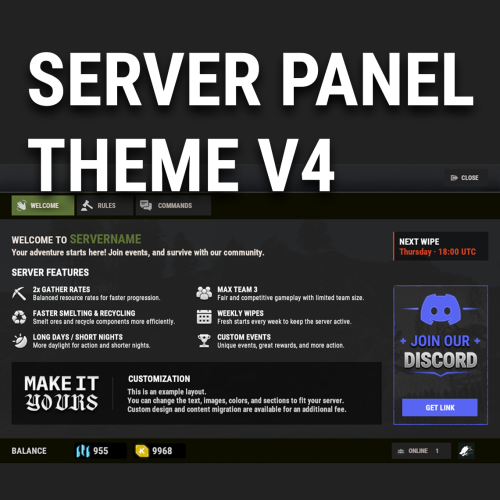
V4 Windowed Theme for Server Panel Like the V4 layout but don’t want it to cover the entire screen? V4 Windowed Theme transforms the familiar Server Panel V4 experience into a compact, polished window that keeps the game visible in the background. This is more than a simple resize or recolor. The theme features a reworked Rust-inspired color palette, redesigned UI elements, improved visual consistency, and matching styling for ServerPanelPopUps. Key Features Compact windowed V4 layout Keeps gameplay visible behind the interface Reworked Rust-inspired visuals Matching Server Panel and PopUps design Ready-to-use preconfigured content Fully editable through the in-game Server Panel editor Optimized for different resolutions and UI scale settings Compatible with both Oxide and Carbon No coding required Video Project 3.mp4 Requirements Server Panel by Mevent is required and is not included with this theme. ServerPanelPopUps is supplied with Server Panel. Installation Note: Before installing the theme, make a backup of your existing Server Panel settings and data. The installation requires replacing the current Server Panel files. Install Server Panel on your server. Run /sp.install and select the V4 template. Upload the files from the downloaded archive to your server, preserving the included folder structure and replacing the existing files. Reload or restart both ServerPanel and ServerPanelPopUps. Updates and support are included. Support is available through Discord and Codefling private messages. Contact me: Discord: Simil3x Telegram: @Simil3x_dm$16.99 -
Version 1.0.7
143 downloads
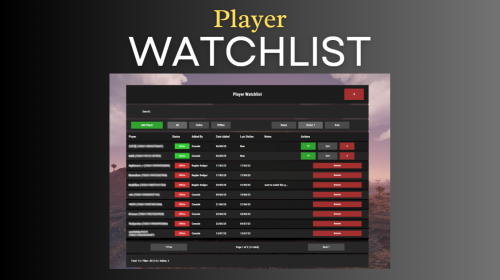
Watchlist is a lightweight but powerful tool that alerts admins when specific players connect to the server. Whether you're online or offline, you'll get real-time in-game notifications and Discord alerts with fully configurable message templates and role pings. The built-in UI makes managing the watchlist easy, with support for sorting, filtering, teleporting, and note-taking. Players can be added or removed manually or straight from RustAdmin with custom commands. Very useful tool to keep you and your staff one step ahead. Configuration { "Discord Webhook URL": "https://discord.com/api/webhooks/your/webhook/url", (Your Webhook URL) "Ping Role": false, (Whether to ping a role when player comes online on discord, e.g: @Admin) "Role ID": 0, (Discord Roll Id to ping) "Purge Watchlist on Wipe": false, "Purge Players List on Wipe": false, "Enable UI": true, "UI Color Scheme (Options: dark, light, rust)": "dark", "Custom Colors": { "PrimaryBackground": "0 0 0 0.95", "SecondaryBackground": "0.15 0.15 0.15 1", "HeaderBackground": "0.1 0.1 0.1 1", "ButtonPrimary": "0.2 0.7 0.2 0.9", "ButtonSecondary": "0.3 0.3 0.3 1", "ButtonDanger": "0.7 0.2 0.2 0.9", "TextPrimary": "1 1 1 1", "TextSecondary": "0.7 0.7 0.7 1", "OnlineIndicator": "0.2 0.8 0.2 1", "OfflineIndicator": "0.8 0.2 0.2 1", "RowEven": "0.12 0.12 0.12 0.95", "RowOdd": "0.15 0.15 0.15 0.95", "ActiveItem": "0.4 0.4 0.4 1", "AlertBackground": "0.8 0.2 0.2 0.95", "AlertText": "1 1 1 1", "AlertPanel": "0.11 0.11 0.12 0.98", "AlertHeader": "0.62 0.17 0.17 1", "AlertDivider": "0.25 0.25 0.27 1", "AlertLabel": "0.6 0.6 0.63 1" }, "Alert Position": { "AnchorMin": "0.775 0.60", "AnchorMax": "0.985 0.90" }, "Alert Cursor Enabled": false, "UI Scale": 1.0, "Main UI Position": { "AnchorMin": "0.2 0.1", "AnchorMax": "0.8 0.9" }, "UI Scale": 1.0, "Main UI Position": { "AnchorMin": "0.2 0.1", "AnchorMax": "0.8 0.9" }, "Font Size": { "Title": 20, "Header": 14, "Normal": 12, "Small": 10 }, "UI Animation": true, "Enable Sound Alert": true, "Alert Sound": "assets/bundled/prefabs/fx/notice/item.select.fx.prefab", "Alert Duration (seconds)": 10.0, "Show Visual Alert": true, "Send Discord Add/Remove Notifications": true, "Max Cached Players": 3000, "Player Cache Retention Days (0 = disabled)": 30, "Player Cache Save Delay Seconds": 60, "Alert Cooldown Seconds": 120, "Startup Alert Grace Seconds": 60, "Auto Expire Days (0 = disabled)": 0, "Send Prune Discord Notifications": true, "Prune Report Max Per Embed": 10, "Prune Report Include Notes": false, "Enable Diagnostics": false, "Max Audit Log Entries": 500 } COMMANDS Chat: /watchlist Opens the Watchlist UI (requires permission) /wl <steamid> "<note>" Adds a player to the watchlist with a note (requires watchlist.admin permission) /wlr <steamid> Removes a player from the watchlist (requires watchlist.admin permission) /wlist Lists all watched players in chat (requires watchlist.admin permission) Console: watchlist.add <steamid> "<note>" Adds a player to the watchlist Example: watchlist.add 76561198000000000 "Suspected Cheater" watchlist.remove <steamid> Removes a player from the watchlist watchlist.list Lists all watched players in the server console wl <steamid> "<note>" Adds a player to the watchlist with a note (can be used via rcon) wlr <steamid> Removes a player from the watchlist (can be used via rcon) wlist Lists all watched players in the server console (can be used via rcon) purgewl Clears the entire watchlist (requires watchlist.admin permission) watchlist.testalert fires the alert at yourself with sample data so you can position and colour it without waiting for someone to log in. You can also pass a Steam ID (watchlist.testalert 76561198000000000) to preview it with a real entry's details. PERMISSIONS watchlist.admin Full access to all commands and features watchlistui.toggle Allows UI toggle via `/watchlist` command RUSTADMIN INTEGRATION You can integrate Watchlist directly with **RustAdmin** to add or remove players with a single click. Add to Watchlist Command to Execute: wl ${playerSteamid} "From RustAdmin" Tick "Show Command Output in a Dialog" (optional) Remove from Watchlist Command to Execute: wlr ${playerSteamid} Tick "Show Command Output in a Dialog" (optional)$10.00 -
Version 1.1.2
55 downloads
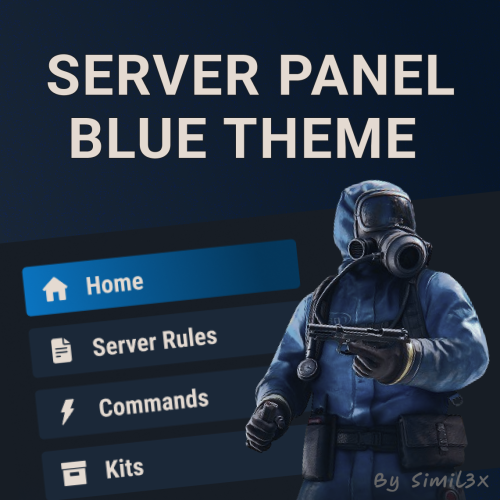
Blue Theme for Server Panel by Simil3x Transform your server interface with a modern look using this clean blue-themed UI for the Server Panel plugin. Designed to enhance clarity and usability while keeping all core features intact. What's Included: ● Ready-to-use JSON configuration - no coding required ● Complete visual redesign of the Server Panel UI ● Calm blue color palette with improved contrast ● Streamlined layout with consistent spacing and alignment ● Enhanced readability for commands and settings Installation: 1. Make sure you have the latest version of the Server Panel plugin installed. 2, Use the /sp.install command and install the V5 template. 3, Download the theme archive. 4, Extract the contents of the archive into your oxide folder. 5, Reload Server Panel plugin Done - your new interface is live! Why Choose This Theme? This isn't just a recolor - it’s a full UI refresh. Every element, from headers to buttons, was rebuilt with usability and clean aesthetics in mind. Whether you're managing kits, commands, or player stats, this layout makes interactions smoother and more intuitive. You can modify content without touching JSON files, plugin includes an intuitive in-game editor. Looking for custom plugin design? Need something completely unique? I offer full-service UI design for any Rust plugin. From initial concept and Figma prototypes to final game-ready implementation - professional custom interfaces tailored to your needs. Contact me: Discord: Simil3x Telegram: @Simil3x_dm Compatible with the latest version of the Server Panel plugin. Easy installation, instant results.$16.99 -

Version 1.3.5
255 downloads
Reduce the decay damage by tick; Upgrade the authorizations limit; Upgrade the building grade limit; Upgrade the storage capacity of the cupboard; Unlock some deployable items; Upgrade the stack size limit of the cupboard; Set a default building grade for the server; Modify the default decay; Keep the cupboard attributes when remove; Make your server fun ^u^ The plugin has a unique permission, which allows the player to use the cupboard upgrade: tclevels.use F.A.Q How many items can be blocked? and which? You can block unlimited items and all items must be deployable or they will not be blocked. Which area will be checked when I place my cupboard? The entire privilege area will be checked. But you can also disable checks in the configuration file. Could it cause conflict with any plugin? Yes, but i am providing an API for the plugin so that other developers can integrate with it, so if there is a conflict, just go to the developer's plugin support and ask them to integrate it. Also if it is possible for me to integrate it from my plugin, i will do so without any problem.$20.00 -

Version 2.0.7
314 downloads
As soon as the event starts, several troops (NPCs) are spawned to defend an hackable crate that will be delivered by the CH47. This crate may contain a lot of loot, so the troops have the duty to defend it. For this purpose, there is a variety of troops such as snipers, close-range shooters, and long-range shooters. If a player manages to initiate the hacking of the crate, all the airfield troops will be relocated to a combat position. In other words, all troops that you haven't seen yet or that are hidden will be moved to the center of the airfield to defend the crate. After a few minutes, a plane will be sent with supply drops containing weapons to assist the troops in defense. However, airborne troops will also be dispatched from the plane to parachute down and aid in defending the crate. If the crate is looted, all troops will be destroyed, leaving only the crates, supply drops, and bodies to be looted by intruders. Commands /ma start to start the event /ma stop to stop the event /ma position to get the current position based in the airfield monument (used to config) Permissions militaryairfield.admin to access all commands API & Hooks private void OnMilitaryAirfieldEventStarted(); - // Called when the event starts private void OnMilitaryAirfieldEventEnded(BasePlayer? lootedBy); - // Called when the event ends Configurations Support$14.99 -

Version 1.0.1
32 downloads
What differentiates our plugins from others is the ability to create votes for customized server events in addition to our exclusive and modern design, making it stand out among other servers! A modern and elegant interface inspired by the design of the game League of Legends; Fully customizable interface; Multiple chat commands; Different permission for each sub command; Different cooldown for each event; Plugin default events; Option to enable/disable events without deleting them; Customized icon for each event; Can I assign a price to run the command? Yes, you can set the option "Cost" in the config file to use the Economics plugin and add a cost to the command. Can I give specific event permissions only to VIPs? Yes, you can create specific permission for each sub command and only give it to the users or groups you prefer! You can see the default config of the plugin above:$13.00 -
Version 1.0.0
7 downloads
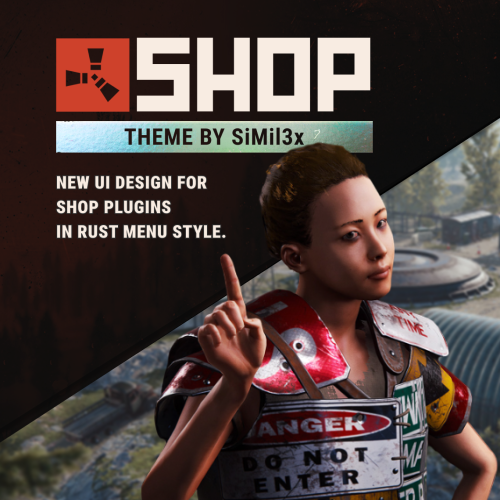
Installation: 1. Make sure you have the latest version of the SHOP plugin installed. 2. Download the theme archive. 3. Extract the contents of the archive into \data\Shop folder. 4. Reload plugin (o.reload Shop or c.reload Shop) Done - your new interface is live! To make everything work correctly, you must use the “Mevent Rust Styled” template. If you are using the “Mevent Old Style” template, run the shop.reset template command in the console, then install the required template using the /shop.install command in the in-game chat. (You must have the shop.admin permission.)$16.99 -
Version 1.0.0
13 downloads
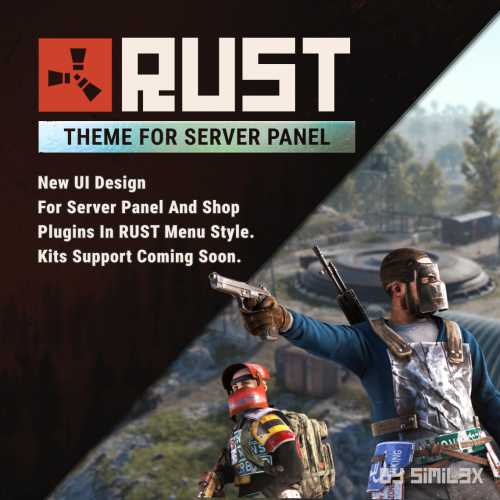
RUST Menu Theme for Server Panel & Shop A custom theme for Server Panel and Shop, inspired by the in-game RUST menu. Give your server’s interface a native look and feel that blends seamlessly with the game world. Familiar, immersive, and user-friendly for your players. Ready-to-use JSON configuration - no coding required. Simply install and enjoy a fully styled UI in minutes. 1. Install the Server Panel plugin using the chat command: /sp.install — select the FULLSCREEN V2 template. 2. Install the Shop plugin using the chat command: /shop.install — select the Mevent Rust Styled Template V2. 3. Download the theme archive. 4. Extract its contents into your /oxide folder, overwriting existing files. 5. Open \oxide\data\ServerPanel\Categories.json, find "menu_shop" and change it to "shop". 6. Open \oxide\config\Shop.json and disable "Additional Economics": Replace "Enabled": true, with "Enabled": false,. 7. Reload both plugins using the following commands: o.reload Shop o.reload ServerPanel You're all set! Need a Custom UI? Looking for a completely unique design? I offer full-service UI development for Rust plugins - from concept and Figma prototypes to game-ready implementation. Contact Discord: Simil3x Telegram: @Simil3x_dm Compatibility Fully compatible with the latest version of the Server Panel plugin. Easy setup - instant results.$20.00 -

Version 1.0.6
112 downloads
DangerZones is a plugin that creates a bombing zone event, just like in Battle Royale games! Demonstration video: Auto spawn Danger Zones; Custom map marker; Custom zone radius; Can modify rockets damage; Can modify rockets ground distance; Can modify rockets speed; Chat command to spawn danger zones; Multiple danger zones at the same time; Can modify the interval between rockets; You can modify the number of rockets that will be launched at the same time; Custom status label with the SimpleStatus plugin; Fully customizable UI toast notifications; Enable/disable damage to structures; Enable/disable damage to NPC's & Animals; The default configuration file:$4.99 -

Version 1.0.6
182 downloads
PlayersUI give to your server with a beautiful and iterative interface for searching users and viewing their profiles. Features - A beautiful player list with a search box and pagination; - A profile for each user; - Permission to customize profile banner; - Badges on user profile with tooltips; - Highlight groups in user list; - Customizable commands; - Custom buttons in the profile; Default Commands /profile [target] - Show user profile; /players - Show the player list; /banner [url or default] - Change your current banner Demonstraton: Default configuration file: { "Player list command name": "players", "Profile command name": "profile", "Banner command name": "banner", "Change banner permission name": "playersui.banners.use", "Server default banner url (Recommended size: 1200x272)": "https://i.imgur.com/VjbhyCO.png", "Badges (don't use spaces in the ID, only alphanumeric chars and _ to replace the spaces)": [ { "id": "admin", "name": "Admin", "iconUrl": "https://i.imgur.com/v3ncrRY.png" }, { "id": "mod", "name": "Moderator", "iconUrl": "https://i.imgur.com/UV6NOQV.png" }, { "id": "sponsor", "name": "Sponsor", "iconUrl": "https://i.imgur.com/7YpivBD.png" }, { "id": "vip", "name": "VIP", "iconUrl": "https://i.imgur.com/E700MO8.png" } ], "Status display settings": { "Show kills": true, "Show deaths": true, "Show KDR": true, "Show killed animals": true, "Show killed NPC's": true, "Count all deaths (suicide, fall, animals, helicopters, etc...)": false }, "Custom buttons on profile": [ { "Button label": "<color=#FFF700>SEND TP</color>", "Button icon url": "https://i.imgur.com/diqgMnn.png", "Button background color": "0.82 0.6 0 1", "Button command": "chat.say /tpr {target_id}", "Is a server command": false, "Only admins can use": false, "Show it to your own profile": false, "Button anchor min": "1 1", "Button anchor max": "1 1", "Button offset min": "-74 -160", "Button offset max": "0 -136" }, { "Button label": "<color=#59ff00>CLAN INVITE</color>", "Button icon url": "https://i.imgur.com/EZWrsAo.png", "Button background color": "0.31 0.56 0.34 1", "Button command": "chat.say /clan invite {target_id}", "Is a server command": false, "Only admins can use": false, "Show it to your own profile": false, "Button anchor min": "1 1", "Button anchor max": "1 1", "Button offset min": "-174 -160", "Button offset max": "-80 -136" }, { "Button label": "KICK", "Button icon url": "https://i.imgur.com/zRr73cJ.png", "Button background color": "0.76 0.19 0.19 1", "Button command": "kick {target_id}", "Is a server command": true, "Only admins can use": true, "Show it to your own profile": false, "Button anchor min": "1 1", "Button anchor max": "1 1", "Button offset min": "-236 -160", "Button offset max": "-180 -136" } ], "Groups highlight": [ { "Group name (use oxide.groups on console to show all available groups)": "default", "Priority": 99, "Background color": "1 1 1 0.1", "Text color": "1 1 1 1", "Icon background color": "0 0 0 0", "Icon URL (empty = disabled)": "" }, { "Group name (use oxide.groups on console to show all available groups)": "admin", "Priority": 1, "Background color": "1 0 0 0.1", "Text color": "1 1 1 1", "Icon background color": "1 0 0 0.4", "Icon URL (empty = disabled)": "https://i.imgur.com/v3ncrRY.png" }, { "Group name (use oxide.groups on console to show all available groups)": "mod", "Priority": 2, "Background color": "0 1 0 .3", "Text color": "1 1 1 1", "Icon background color": "0 1 0 .5", "Icon URL (empty = disabled)": "https://i.imgur.com/UV6NOQV.png" }, { "Group name (use oxide.groups on console to show all available groups)": "sponsor", "Priority": 3, "Background color": "0.2 0.63 0.17 .3", "Text color": "1 1 1 1", "Icon background color": "0.2 0.63 0.17 .5", "Icon URL (empty = disabled)": "https://i.imgur.com/7YpivBD.png" }, { "Group name (use oxide.groups on console to show all available groups)": "vip", "Priority": 4, "Background color": "0 1 1 .3", "Text color": "1 1 1 1", "Icon background color": "0 1 1 .5", "Icon URL (empty = disabled)": "https://i.imgur.com/E700MO8.png" } ] } Preview images:$15.00- 48 comments
- 2 reviews
-
- 3
-
-
-
- #players
- #player list
- (and 4 more)
-

Version 1.0.0
13 downloads
An unrealistically beautiful UI that will decorate your server. Your players will definitely like it. The design is made in Figma. This is a plugin design, not a ready-made plugin. Full support is guaranteed from my side.I will help you change the pictures if you need it. My Discord: .spacex$10.00-
- 1
-
-
- #daily rewards
- #reward
- (and 7 more)
-

Version 2.0.3
1,489 downloads
WHAT IS IT FOR? This is a tool that creates temporary notifications on the user's screen, used to facilitate messages between plugins and server users. CONSOLE COMMANDS toastify [toast_id] [player] [message] - to send a toast notification for a specific player toastify.global [toast_id] [message] - to send a toast notification for everyone PERMISSION toastify.use- the permission to access the toastify commands API </> // Send a toast notification for the target player // Returns the ID of the toast to destroy it if necessary // @deprecated string SendToast(BasePlayer player, string toastId, string message, float? duration); // Use this new one instead of the above: string SendToast(BasePlayer player, string toastId, string title, string message, float? duration); // Destroy a toast notification void DestroyToast(BasePlayer player, string toastId); GOOD WAY TO IMPLEMENT If you want to integrate your plugin with Toastify, I recommend that you add an option in the configuration file of your plugin that the user can link their notification ID with the notifications you will use, you can see an example of how this was implemented in the FurnaceUpgrades or TCLevels configuration file. CONFIGURATION The default configuration file of the plugin: SCREENSHOTFree -

Version 1.0.0
12 downloads
An unrealistically beautiful UI that will decorate your server. Your players will definitely like it. Full support is guaranteed from my side. I will help you change the pictures if you need it. This is a plugin design, not a ready-made plugin. The design is made in Figma.$15.00 -

Version 1.0.0
11 downloads
This is a plugin design, not a ready-made plugin. The design is made in Figma. An unrealistically beautiful UI that will decorate your server. Your players will definitely like it. Full support is guaranteed from my side.I will help you change the pictures if you need it.$25.00