Search the Community
Showing results for tags 'levels'.
Found 14 results
-

Version 2.6.14
3,517 downloads
Furnace Upgrades Level up your smelting. Players upgrade each furnace on its own: faster smelting, faster fuel burn, more ore output and more charcoal. They pay with scrap, Economics or ServerRewards. Works on furnaces, large and electric furnaces, refineries, campfires, BBQs and even the Mixing Table. It replaces the classic "quick smelt" with a real progression. Every oven grows with the player who owns it. Video Showcase Features Upgrades Four upgrades per oven: Smelting speed: cooks faster. Fuel speed: burns fuel faster, so wood turns into charcoal quicker. Resource output: more metal per ore. Charcoal: more charcoal from wood. Unlimited levels. Add as many levels as you want, each with its own cost and multiplier. Per-oven settings. Every oven type has its own upgrade tree. Mixing Table speed. Mix faster, up to 100% quicker. Upgrades stay with the oven. Pick it up and place it again and it keeps its levels (optional). Quality of life Auto split. Ores spread evenly across the slots on their own. Auto fuel. Adds exactly the fuel needed for the batch, calculated from the oven's upgrades. Faster smelting also burns fuel faster, and Auto fuel accounts for that. Status panel. Shows the oven's levels, time left and fuel needed right on the oven screen. Server-wide defaults. Set a base speed and output for every oven, without upgrades. That's your quick smelt replacement. Charcoal chance. Control how often wood turns into charcoal. Control Pay how you like. Scrap (or any item, even skinned), Economics or ServerRewards. Owner or team only. Limit upgrades, or even turning the oven on and off, to the owner and their team. Permission-based levels. Each upgrade level can need its own permission, for example Level 3 for VIPs only. Feature permissions. Auto fuel, auto split, the upgrade button and the status panel can each be locked behind a permission. Turn any feature off you don't want. Notifications by chat, GameTip, Toastify or Notify, with an upgrade effect. Every message is in the lang file. Supported ovens Oven Short name Furnace furnace Large Furnace furnace.large Industrial Large Furnace industrial.furnace.large Electric Furnace electric.furnace Industrial Electric Furnace industrial_electric_furnace Legacy Furnace legacyfurnace Small Oil Refinery small.oil.refinery Campfire campfire BBQ bbq Mixing Table (own settings section) How it works Open a furnace. An UPGRADE button and a status panel appear on the oven screen. Click UPGRADE to see all four upgrades with the current level, the next level and the cost. Buy a level. The cost is taken and the oven upgrades at once. Turn on Auto split and Auto fuel in the same window if you have them. Tip Want quick smelt without upgrades? Leave the upgrades off and raise the values in Default Settings. Every oven on the server then smelts faster. Permissions Permission Allows furnaceupgrades.use Required. Buying upgrades furnaceupgrades.autofuel Using the Auto fuel option furnaceupgrades.autosplit Using the Auto split option furnaceupgrades.showupgrade Seeing the UPGRADE button (only when "Requires upgrade button permission" is on) furnaceupgrades.showstatus Seeing the status panel (only when "Requires show status permission" is on) furnaceupgrades.level2 / furnaceupgrades.level3 Buying those levels (only when permission-based upgrades are on) Note Permission-based upgrades: turn on Use permission based upgrade in General Settings, then set a permission on any level under Upgrades Settings. Leave it empty for no permission. Every permission you type is registered automatically, so you can create furnaceupgrades.vip, furnaceupgrades.mvp or whatever you like. Hosting partner Game hosting perfected, that's Physgun. Join the thousands of server owners using Physgun to take their game server communities to the top. Get your server at Physgun Installation Upload FurnaceUpgrades.cs to oxide/plugins. Grant the permissions: oxide.grant group default furnaceupgrades.use oxide.grant group default furnaceupgrades.autofuel oxide.grant group default furnaceupgrades.autosplit (Recommended) Install ImageLibrary to show the oven picture in the upgrade window. Open a furnace and click UPGRADE. Warning Using a stacks plugin? (StackModifier, StacksExtended, StackSizeController…) Set the stack size of every oven item to 1 (vanilla). If ovens stack, their upgrades are lost when they stack. The plugin warns you in console when it detects one of these plugins. Items to keep at stack 1: furnace, furnace.large, industrial.furnace.large, electric.furnace, industrial.electric.furnace, legacyfurnace, campfire, bbq, small.oil.refinery, mixingtable. Also use only one furnace splitter: the built-in Auto split or another plugin, not both. Configuration Every other oven (furnace.large, electric.furnace, industrial.furnace.large, industrial_electric_furnace, legacyfurnace, campfire, bbq, small.oil.refinery) has the same block under Upgrades Settings. Key settings explained Setting What it does Multiplier The value at that level: 2.0 = twice as fast, or twice as much Cost Price of that level in your currency Default Settings Base values for every oven before upgrades (1.0 = vanilla) Charcoal byproduct chance How often wood makes charcoal (0.5 = 50%, vanilla-like) Mixing Table Speed in % How much faster mixing gets at each level (max 100) Keep attributes when removing A picked-up oven keeps its upgrades Only Allow Oven Toggling by Owner & Team Only the owner and their team can turn the oven on or off Show furnace item cooking animation The vanilla cooking visuals on items in the oven Currency item Any item as payment, including a skinned one (Skin ID) Plugins Plugin Required? Used for ImageLibrary Recommended The oven picture in the upgrade window Economics Optional Paying with money ServerRewards Optional Paying with points Toastify / Notify Optional Pop-up notifications FAQ My upgrades disappear when I pick up a furnace. Your stacks plugin lets ovens stack. Set every oven item's stack size to 1. See the warning under Installation. Can I use it as a simple quick smelt? Yes. Raise Smelting speed and Resource output multiplier in Default Settings. Every oven gets that boost with no upgrades needed. Can I make the top level VIP only? Yes. Turn on Use permission based upgrade, put a permission like furnaceupgrades.vip on that level, and grant it to your VIP group. Can other players upgrade my furnace? Not by default. Only you and your teammates can. Set Only the owner can upgrade the furnace to make it owner only. Ores aren't splitting. Make sure the player has furnaceupgrades.autosplit and has the option turned on in the upgrade window. Don't run another furnace splitter plugin at the same time. Can I charge something other than scrap? Yes. Set Currency type to 1 for Economics or 2 for ServerRewards, or change Currency item to any item. Support Need help or found a bug? Open a support ticket on this page or join the Discord. Check out my other plugins$14.99 -

Version 1.8.1
36,610 downloads
This plugin adds a character progression system to your server in the form of a leveling and skill tree system. Players gain xp by cutting trees, mining rocks, killing NPCs etc, and are rewarded with skill points when they level up. These points can be used to unlock perks and buffs across a number of different skill trees. The plugin is extremely customizable and server owners can change, move, scale or disable any perk to tailor the setup to their server. It features: 146 unique buff types across 163 skill nodes. 13 unique skill trees. 67+ sources of xp, along with custom xp settings for BotRespawn and NpcSpawn. An extremely large amount of xp options to really tweak the plugin for your server. A functional tree system that prevents unlocking/upgrading of nodes if the player has not invested enough skill points into a tree. Fun & unique ultimate abilities across most trees. Global yield settings for servers that want to run 2x/3x etc. Ability to create custom skill trees and nodes using permissions from other plugins. Considerable amount of options for persistent data through server wipes. A prestige system to reward your most hardcore players. SkillTree allows users to focus on multiple skill trees and unlock nodes in each tree as they level, to make their characters more powerful and unique. Plugins that work well with Skill Tree RaidableBases - SkillTree integrates with RaidableBases by rewarding raiders with xp (either handled via SkillTree directly or via RaidableBases directly). The raiding tree can also exclusively work with RaidableBases if servers don't allow raiding. Economics & ServerRewards - integrated as a way to pay for the respec cost. SurvivalArena - Rewards the winner of the event with xp. Cooking - adds new skills to the Cooking tree as well as xp rewards when successfully cooking meals. BotRespawn - Adds additional xp sources for each NPC profile. NpcSpawn - Adds additional xp sources for each NPC profile. UINotify - Shows notifications relevant to leveling etc. ZombieHorde - Provides xp for killing zombies generated by this plugin. LootDefender - Provides the ability for shared xp when killing BradleyAPC. Configured through LootDefender. EpicLoot - Adds a skill to the Scavenging tree FishingHotspots - Allows for modified XP gain while fishing in a hotspot. ZoneManager - Allows you to disable buffs while in a zone. skilltree.chat - required to use the chat commands to access the skill tree menu. skilltree.xp - required to obtain xp from xp sources. skilltree.tree - required to access and use the skill tree. skilltree.admin - required to use the admin commands. skilltree.all - allows user access to all trees. skilltree.Mining - allows the user to access the mining tree. skilltree.Woodcutting - allows the user to access the woodcutting tree. skilltree.Skinning - allows the user to access the skinning tree. skilltree.Harvesting - allows the user to access the harvesting tree. skilltree.Combat - allows the user to access the combat tree. skilltree.Medical - allows the user to access the medical tree. skilltree.Build_Craft - allows the user to access the build craft tree. skilltree.Scavenging - allows the user to access the scavenging tree. skilltree.Vehicles - allows the user to access the vehicles tree. skilltree.Cooking - allows the user to access the cooking tree. skilltree.bag.keepondeath - prevents the ExtraPockets bag from dropping on death. skilltree.notitles - Removes the level title from the player (Requires BetterChat) skilltree.noxploss - Prevents xp loss. skilltree.roguelike - If enabled via the config, will be required to participate in the Roguelike system. skilltree.teabonus - Ignores the config option preventing the yield increases from working with mining and woodcutting teas. skilltree.noscoreboard - Prevents players with this permission from being added to the scoreboard. skilltree.respec.bypass - removes the cost for respeccing skilltree.togglebc - required to toggle BetterChat titles on/off //Custom permission settings "Modified max skill points based on permissions [must be higher than default]": { "vip": 120 }, "Cost per point to respec based on permissions [must be lower than default]": { "vip": 10.0 }, "Maximum amount of xp a player can lose when they die based on permissions [must be less than default]": { "vip": 500.0 }, "Permissions to adjust xp gain modifiers (skilltree.<perm>) [1.0 is default modifier]": { "vip": 1.2 }, The permission for "vip" would be skilltree.vip Assigning this perm to players would override the default values for the respective settings (max skill points, respec cost, xp gain and xp loss). Command: st Description: Opens the skill tree menu. Requires skilltree.chat permissions. Command: updatexptable Description: Recalculates the xp table based on the config values. Requires Command: togglexpdrops Description: Toggles the xp popup when obtaining xp. Command: togglexphud Description: Toggles the xp hud on the players screen. Command: givexp Parameters: <name> <amount> <apply bonus true/false> Description: Gives the player matching the name parameter, xp equal to the amount parameter. Ignore modifiers will ignore all forms of xp boosts such as rested xp. Command: givesp Parameters: <name> <amount> Description: Gives the player matching the name parameter, skill points equal to the amount parameter. Command: resetdata Parameters: <name> Description: Resets the target players data. Command: turbo Description: Toggles the turbo on the boat if the player has the relevant perk. Command: togglebc Description: Toggles the BetterChat title on/off for the user. Command: movebar Description: brings up a ui that can be used to relocate the xp bar on the players screen. Command: stresetalldata Description: Resets all players data. Command: sb or score or scoreboard Description: Chat and console command that brings up the scoreboard, showing who has the most xp. Command: sttogglenotifications Description: Toggle notifications from buff triggers. Command: stgiveitem Parameters: <id> <shortname> <quantity> <skin ID> <optional: displayName> Description: gives an item to the target ID that matches the parameters. Command: givexpdebt Parameters: <id/name> <amount> Description: Gives the target player xp debt. Console Command: strespecallplayers Description: Resets skills for all online and offline players. Console Command: strespecplayer Parameters: <target name/userID> Description: Resets the target online/offline players skills. Console Command: givexptoall Parameters: <amount> <online only: true/false> Description: Will give the amount of xp to all players. If online only is true, it will only give it to those that are online. Console Command: givesptoall Parameters: <amount> <online only: true/false> Description: Will give the amount of skill points to all players. If online only is true, it will only give it to those that are online. Console Command: stremoveplayerdata Parameters: <userid> Description: Will remove the player data file for the specified userid. Console Command: sttogglebuffs Parameters: <true/false> Description: Disables/enableds buffs globally for all players. Experience can be gained from a number of different sources. The value for each source can be adjusted via the config. NodeHit - Hitting a stone, metal or sulfur mining node. NodeHitFinal - Finishing a stone, metal or sulfur mining node. TreeHit - Hitting a tree. TreeHitFinal - Knocking down a tree. SkinHit - Hitting an animal with a skinning tool. SkinHitFinal - Finishing off an animal with a skinning tool. CollectWildPlant - Collecting any map generated collectible, such as hemp, corn, pumpkin, stone, sulfur or metal. CollectGrownPlant - Collecting any player grown produce. BuildingBlockDeployed - Placing down a twig building block. FishCaught - Catching a fish. Crafting - Whenever a craft is successfully completed. XP is calculated based on the duration of the craft. ScientistNormal - Killing a blue scientist. ScientistHeavy - Killing a heavy scientists. SmallAnimal - Killing a small animal such as a chicken. MediumAnimal - Killing a medium animal such as a boar, wolf or stag. LargeAnimal - Killing a large animal such as a horse, shark or bear. Barrel - Destroying barrels. RoadSign - Destroying road signs. Scarecrow - Killing scarecrows or a zombie in ZombieHorde. Mission - Completing a mission in rust. BradleyAPC - Getting the last hit on Bradley. LootHackedCrate - First player to loot a locked crate. LootHeliCrate - First player to loot a heli crate. LootBradleyCrate - First player to loot a bradley crate. CookingMealXP - (Requires cooking plugin) XP is calculated per ingredient used. Example 2 tomatos and 8 bear meat would yield 100xp. RaidableBaseCompletion - Awards raiders of a RaidableBase xp upon the completion of the raid. Win_HungerGames - Awards xp to the winner of the Hunger Games arena. Win_ScubaArena - Awards xp to the winner of the Scuba arena. Win_Skirmish - Awards xp to the winner of the Skirmish arena. Gut_Fish - Awards xp when gutting a fish. default_botrespawn - default amount xp given when killing a bot made using botrespawn. Overriding values can be added to the config based on the bot group. crate_basic - when opening crates crate_elite - when opening crates crate_mine - when opening crates crate_normal - when opening crates carte_normal_2 - when opening crates crate_normal_2_food - when opening crates crate_normal_2_medical - when opening crates crate_tools - when opening crates crate_underwater_advanced - when opening crates crate_underwater_basic - when opening crates crate_ammunition - when opening crates crate_food_1 - when opening crates crate_food_2 - when opening crates crate_fuel - when opening crates crate_medical - when opening crates Harbor_Event_Winner - Winner of the Harbor event plugin Junkyard_Event_Winner - winner of the Junkyard event plugin PowerPlant_Event_Winner - winner of the Power plant event plugin Satellite_Event_Winner - winner of the Satellite event plugin Water_Event_Winner - winner of the Water event plugin Air_Event_Winner - winner of the Air event plugin. Armored_Train_Winner - winner of the Armored train plugin Convoy_Winner - winner of the Convoy event plugin. Supply_drop - first player that opens a supply drop. SurvivalArena_Winner - winning the SurvivalArena event. swipe_card_level_1 - using a green swipe card reader swipe_card_level_2 - using a blue swipe card reader swipe_card_level_3 - using a red swipe card reader boss_monster - killing an NPC from boss monster Zombie - Killing a ZombieHorde zombie UnderwaterDweller NPCs - NPCs in underwater labs JetPilot - JetPilot plugin ArcticBaseEvent_Winner - winner of the Arctic Base Event GasStationEvent_Winner - winner of the Gas Station Event SputnikEvent_Winner - winner of the Sputnik Event detect_diggable - triggered when a metal detector site is dig up. ShipWreckEvent_Winner - winner of the Ship Wreck Event pvp - when a player kills another player (default: off). Triangulation_Winner - winner of the triangulation event Caravan_Winner - winner of the Caravan event SupermarketEvent_Winner - winner of the Supermarket event LargeProduceAnimal - Killing cows or bulls MediumProduceAnimal - Killing sheep, lambs, calves or male calves. LandCritter - Killing Rabbits, squirrels, frogs, crabs or single crabs. SeaCritter - Killing sea turtles or jellyfish. Name: Mining Yield Description: Increases the amount of resources gained while mining. Name: Instant Mine Description: Gives the user a chance to instantly mine out a stone, sulfur or metal node. Name: Smelt On Mine Description: Gives the user a chance to smelt some of the ore as its mined from sulfur and metal nodes. Name: Mining Luck Description: Gives the user a chance to obtain items from the Mining luck loot table when they finish mining a node. Name: Mining Tool Durability Description: Decreses the durability loss of mining tools. Name: Woodcutting Yield Description: Increases the amount of resources gained while woodcutting. Name: Instant Chop Description: Gives the user a chance to instantly chop down a tree. Name: Woodcutting Coal Description: Gives the user a chance to obtain some charcoal while woodcutting. Name: Woodcutting Luck Description: Gives the user a chance to obtain items from the Woodcutting luck loot table when they finish cutting down a tree. Name: Woodcutting Tool Durability Description: Decreses the durability loss of woodcutting tools. Name: Skinning Yield Description: Increases the amount of resources gained while skinning. Name: Instant Skin Description: Gives the user a chance to instantly cut up an animal. Name: Skinning Tool Durability Description: Decreases the durability loss of skinning tools. Name: Skinning Cook Description: Gives the user a chance to received cooked meat, instead of raw meat, while skinning an animal. Name: Harvest Wild Yield Description: Increases the yield when harvesting map generated collectibles, such as berries, hemp, stone, sulfur and mushrooms. Name: Harvest Grown Yield Description: Increases the yield when harvesting player grown produce. Name: Extra Fish Description: Gives the user a chance of receiving an extra fish while fishing. Name: Double Bandage Heal Description: Doubles the healing power of cloth bandages. Name: Radiation Reduction Description: Reduces the amount of radiation damage taken by the player. Name: Extra Food Description: Increases the amount of calories the player receives when consuming food. Name: Fire Damage Reduction Description: Reduces the amount of fire damage received. Name: Fall Damage Reduction Description: Reduces the amount of fall damage received. Name: No Cold Damage Description: Removes all cold damage from the player. Name: Wounded Resist Description: Gives the player a chance to get straight back on their feet after entering the wounded state. Name: Animal Damage Resist Description: Reduces the damage taken by animals. Name: Riding Speed Description: Increases the speed of a horse while riding it. Name: Free Bullet Chance Description: Gives the player a chance to not expend a bullet when firing a gun. Name: Primitive Expert Description: Removes durability loss for primitive weapons. Name: Upgrade Refund Description: Gives the player a chance to receive their resources back when upgrading a building block. Name: Craft Speed Description: Increases the crafting speed of a player. Name: Research Refund Description: Gives the player a chance to receive their scrap back when researching an item on the research bench. Name: Craft Refund Description: Gives the player a chance to receive their crafting materials back when crafting an item. Name: Extra Scrap Barrel Description: Gives the player a chance to receive additional scrap when destroying a barrel. Name: Barrel Smasher Description: Allows the player to instantly smash a barrel with any weapon. Name: Extra Scrap Crate Description: Gives the player a chance to obtain extra scrap when looting a crate for the first time. Name: Component Chest Description: Gives the player a chance to obtain additional components when looting a crate for the first time. Name: Electronic Chest Description: Gives the player a chance to obtain additional electronics when looting a crate for the first time. Name: Component Barrel Description: Gives the player a chance to obtain additional components when smashing a barrel. Name: Electronic Barrel Description: Gives the player a chance to obtain additional electronics when smashing a barrel. Name: Melee Resist Description: Reduces the damage taken by melee weapons. Name: Iron Stomach Description: Allows the player to eat spoiled and raw food without being poisoned. Name: Boat Speed Description: Allows the user to activate a turbo boost while on a boat, increasing the boats speed. Name: Recycler Speed Description: Increases the speed of recycling for the player. Name: Smelt_Speed Description: Adds a chance for ore to smelt whenever wood is consumed, in addition to the standard smelt rate. Name: Heli_Fuel_Rate Description: Reduces the fuel consumption for your helicopters. Name: Boat_Fuel_Rate Description: Reduces the fuel consumption for your boats. Name: Vehicle_Mechanic Description: Allows the user to repair a vehicle at no cost. Name: Reviver Description: Brings a wounded player up with additional health if the reviving player has the buff. Name: Rationer Description: Provides the consumer a chance to receive their food/tea back once consumed. Name: PVP_Critical Description: Gives the attacker a chance to critically damage the target in PVP. Name: PVP_Damage Description: Increases the damage of all PVP attacks. Name: PVP_Shield Description: Reduces the damage of all incoming PVP attacks. Name: Metabolism_boost Description: Increases your calories and hydration above the maximum. Name: LootPickup Description: Chance to have the loot from destroyed barrels given moved directly to their inventory. Name: Node_Spawn_Chance Description: Chance to spawn a new node when a new one is mined out. Name: HealthRegen Description: Passively regenerates x health per second Name: AnimalTracker Description: Allows the user to use the /track command to find the direction of the closest animal. Name: ExtraPockets Description: Creates a backpack style storage system, providing players the ability to access the storage using a chat command (/pouch). Slots are given based on points spent. Name: Human_NPC_Damage Description: Increases damages against scientists. Name: Animal_NPC_Damage Description: Increases damages against animals. Name: Human_NPC_Defence Description: Decrease damage from scientist. Name: Craft_Duplicate Description: Chance to duplicate an item while crafting. Name: WaterBreathing Description: Breath underwater. Name: SharkResistance Description: Reduce damage taken from sharks. Name: SharkSkinner Description: Chance to receive random items while skinning sharks. Name: DeepSeaLooter Description: Chance to receive additional items while looting sunken crates. Name: InstantUntie Description: Instantly untie sunken crates. Name: UnderwaterDamageBonus Description: Increase damage to all living things while underwater (including underwater labs). Name: Permission Description: Used for permission based skills. Name: MaxRepair Description: Resets the max condition for any items that are repaired. Name: Durability Description: Reduces condition loss for all items that the player is using. Name: Regrowth Description: Provides a chance for a tree to respawn when cut down. Name: Skinning_Luck Description: Provides a chance to receive an item when skinning an animal. Name: Fishing_Luck Description: Provides a chance to receive an item when catching a fish. Name: Trap_Damage_Reduction Description: Reduces the damage received from traps. Name: Trap_Damage_Increase Description: Increases the damage done to traps. Name: Personal_Explosive_Reduction Description: Reduces the damage received from your own explosives. Name: Double_Explosion_Chance Description: Provides a chance for your explosives to trigger twice. Name: Lock_Picker Description: Provides a chance to open a locked entity that you do not have access to. Name: Explosion_Radius Description: Increases the explosion radius of your explosives. Name: Dudless_Explosive Description: Reduces the chance of your satchels and beancans being duds. Name: Woodcutting_Hotspot Description: Treats each hit on a tree as though you hit the hotspot. Name: Mining_Hotspot Description: Treats each hit on a node as though you hit the hotspot. Name: Extended_Tea_Duration Description: Increases the duration of tea buffs by x% per level. Name: Extended_Mag Description: Increases the magazine capacity of weapons by x% per level. Name: Tea_Looter Description: Provides you with a x% chance per level to find tea in certain containers. Name: Bite_Speed Description: Decreases the time it takes to hook a fish by x% per level. Name: Heli_Speed Description: Increases the max thrust speed of the heli by x% per level. Name: Sonar Description: Allows the user to run a command to find all nearby submerged objects (dive sites, sharks, scientists etc). Name: Comfort Description: Provides the player and all nearby team mates with a % of comfort per level. Name:Heal_Share Description: Provides surrounding team mates with a % of health received per level. Name:XP_Share Description: Provides surrounding team mates with a % of the xp you gain per level. Name: Tea_Share Description: Provides surrounding team mates with a % of tea buffs when you consume tea per level. Name: Metabolism_Share Description: Provides surrounding team mates with a % of hydration and calories received per level. Name: Human_Workbench Description: Creates a workbench aura on the player. The player and nearby team mates can use them as a workbench (the level of which is based on the skill level). Name: Recycler_Efficiency Description: Increases the recycler efficiency by x%. Name: Metal_Detector_Luck Description: Provides the player with a chance per level to obtain an additional item when they excavate metal detection sites. Name: Efficient_Digger Description: Provides the player with a chance per level to automatically dig up metal detection sites when they are flagged. Name: Magnetic_Digger Description: Provides the player with a chance per level to automatically collect dug up items. Name: RadiationBaseValue Description: Provides you with a base radiation resistance of % per level, even when naked. Name: RadiationResistModifier Description: Increases the effectiveness of your clothings radiation resistance by % per level. Name: BikeEnginePower Description: Increases the engine power of all bikes (peddal and motor) by x % per level. Name: DriverCollisionResistance Description: Decreases the damage taken from collisions while driving a vehicle by x% per level. Name: Harvesting_Luck Description: Provides a drop table when a player collects harvesting materials. Grown and wild collectibles have their own loot tables. Name: Awareness Description: This skill will show the nearby location of (configurable): npcs, animals, dropped items, droppted item containers, corpses within x meters. Name: Cooking_Speed Description: This skill reduces the amount of time it takes to cook items using the cooking workbench by x% per level. Name: Rocket_Velocity Description: This skill increases the velocity of all missiles launched by the player by x% per level. Name: Armor_Slots Description: Sets the minimum armor slots rolled based on level of skill (1 slot per level). Name: ShieldReflect Description: Provides a %X chance per level for projectile damage blocked by a shield to be reflected to the attacker. Name: Free_Repairs Description: Allow repairing of items for free. Name: Bradley_Damage_Bonus Description: Bonus damage to the bradley tank. Name: Heli_Damage_Bonus Description: Bonus damage to the patrol heli. Name: Loot_Spotter Description: Highlights nearby BoxStorage container entities. Name: Hatch_Speed Description: This skill reduces the time it takes for an egg to hatch in a chicken coop by x% per level. At 100% the egg will hatch. Name: Pet_Effectiveness Description: This skill increases the amount of love a chicken gains when you pet it by x% per level. Name: Coop_Capacity Description: This skill allows your chicken coops to hold x additional chickens per level. Name: Boat_Refund Description: This skill refunds x% per level of the materials used when placing boat building pieces. Name: Cannon_Damage Description: This skill increases the damage dealt by cannons by x% per level. Name: Sailing_Speed Description: This skill increases the speed of player-made boats by x% per level while you are at the helm. Name: Siege_Damage Description: This skill increases the damage dealt by catapults, battering rams and ballistas by x% per level. Name: Collectible_Respawn Description: This skill gives you a x% chance per level for a collectible to grow back after you pick it up. Name: Friendly_Fire_Reduction Description: This skill reduces the damage that you deal to your team mates by x% per level. Name: Livestock_Handling Description: This skill increases the rate at which livestock become familiar with you by x% per level. Name: Livestock_Calm Description: Livestock tolerate your presence. Bulls, rams and protective mothers will not threaten you unless provoked. Name: Husbandry_Yield Description: This skill increases the amount of milk and wool you receive when milking cows and shearing sheep by x% per level. Name: Husbandry_Cooldown Description: This skill reduces the time before a cow can be milked again, or a sheep's wool regrows, after you harvest it by x% per level. Name: Livestock_Offers Description: The livestock vendor makes you x additional offer(s) per level when you sell animals or wool. Name: Livestock_Sale_Value Description: The livestock vendor pays x% more per level for your animals and wool. Name: Woodcutting_Ultimate Description: Harvests the surrounding trees when cutting down a tree. Name: Mining_Ultimate Description: Provides access to a chat command to see all surrounding node locations. Name: Combat_Ultimate Description: Heals the player for a percentage of the damage that they deal to all sources. Name: Vehicle_Ultimate Description: Reduces damage dealt to the players mounted vehicle (default 100% deduction). Name: Harvester_Ultimate Description: Allows the player to set the genetic composition of plants. Name: Medical_Ultimate Description: Gives the player a chance to resurrect at their point of death if they choose to. Name: Skinning_Ultimate Description: Killing an animal with this buff active will provide the player with an enhanced ability for a period of time, depending on the animal killed. - Chicken: No fall damage. - Boar: Chance to find components while harvesting mushrooms and berries. - Wolf: Increased healing while near team mates. - Stag: Notification when a neutral player is nearby, and their last known location (configurable). - Bear: Scientists will not attack the player unless attacked. - Polarbear: Overshield. Name: Build_Craft_Ultimate Description: Use any coloured swipe cards in any reader. Name: Scavengers_Ultimate Description: Will automatically recycle components from barrels when they are broken. The xp table uses a common equation to calculate its levels and xp requirements. You can read more about the method here: https://blog.jakelee.co.uk/converting-levels-into-xp-vice-versa/ There is also a spreadsheet you can make a copy of and adjust the x value at the top of. Increasing the number minimizes the xp between levels. Find a good value, then put it in the "x" value under the "Leveling information" section in the config. It is recommended that you leave the y value at 2 or 3, and adjust the x value only. Rule of thumb: - 0.07: default - 0.04: grindy. API API documentation: https://codefling.com/files/documentation/11-skill-tree-api/$29.99- 1,669 comments
- 70 reviews
-
- 48
-

-

-

-
- #leveling
- #progression
- (and 19 more)
-

Version 2.2.27
6,055 downloads
Skills is a skill progression system for Rust servers with 71+ pre-configured skills in 13 categories. It includes 4 UI templates, a modal windows system, automatic migration from SkillTree/Skills V1 and an API. Players level up skills for resource gathering, crafting, combat and survival. Why choose Skills? Large skill library - 71+ pre-configured skills for every part of the game Ready to use - All skills are balanced and work out of the box Progression - 10 levels per skill Visual editor - Customize skills without writing code Integrations - Support for ServerPanel V1/V2/V4, Notify/UINotify and all major economy plugins Performance - Optimized for high-population servers Migration - Automatic data conversion from SkillTree and Skills V1 Modal windows - Modal system for custom interfaces Multiple templates - Fullscreen, V1, V2, V4 ServerPanel templates Real-time notifications - Notify/UINotify support Video overview Showcase Templates Fullscreen Template ServerPanel V1 Template ServerPanel V2 Template ServerPanel V4 Template Modal Windows & Editor Modal Windows System All skills (71+) Skills ships with pre-configured skills for every part of Rust gameplay. Each skill is ready to use and has a balanced 10-level progression. Mining skills All Ores Mining - Boosts yields from stone, sulfur, metal, and HQM ore by up to 50% Stone Mining - Up to 50% more stone Sulfur Mining - Up to 50% more sulfur ore Metal Mining - Increased metal ore yields up to 50% HQM Mining - High-quality metal ore bonuses up to 50% Instant Ore Destruction - Chance to instantly destroy ore nodes (up to 20%) Durability skills Tool Durability - Reduces wear on gathering tools Weapon Durability - Preserves weapon condition in combat Clothing Durability - Slower armor wear Wood skills Wood Gathering - Increased wood collection from trees Instant Tree Chopping - Chance to fell trees instantly Coal Chance - Bonus coal drops from woodcutting Resources skills Smelted Ore Chance - Bonus metal from ore smelting Animal Butchering - More meat from animal carcasses Instant Butchering - Chance to butcher animals instantly Plant Gathering - Better yields from bushes and hemp Crop Harvest - Increased vegetable production Fishing - Improved fishing success and rare catches Instant Barrel Destruction - Instant barrel breaking chance Crafting skills Craft Duplicate - Chance for double crafted items Craft Speed - Faster crafting times Recycler Speed - Quicker recycling Furnace Smelting Speed - Faster ore smelting Component Find Chance - Bonus components from scrapping Cooking Speed - Faster food preparation Defense skills Fire Resistance - Reduced fire damage Fall Damage Resistance - Less fall damage Temperature Resistance - Better cold/heat protection Radiation Resistance - Reduced radiation damage Explosive Resistance - Protection from explosions Stand Up Chance - Higher chance to stand when wounded Melee Damage Resistance - Less melee damage taken Damage From Scientists Resistance - Reduced scientist damage Damage From Players Resistance - PvP damage reduction Animal & shark defense Animal Damage Resistance - Protection from animal attacks Shark Damage Resistance - Reduced shark damage Metabolism skills Hunger Metabolism - Slower hunger depletion Thirst Metabolism - Reduced thirst buildup Health Regeneration - Faster natural healing Horse skills Horse Speed - Faster horse movement Horse Damage Resistance - Horse takes less damage Horse Fall Resistance - Better horse fall survival Underwater skills Underwater Breathing - Extended underwater time Crate skills Crate Unlocking Speed - Faster locked crate opening Crate Extra Loot - Bonus items from containers Building skills Building Upgrade Cost - Reduced building upgrade costs Vehicle skills Fuel Consumption - Reduced vehicle fuel usage Vehicle Repair Cost - Cheaper vehicle repairs Air Vehicle Takeoff Speed - Faster helicopter takeoff Damage skills Damage To Scientists - Increased damage to scientists Damage To Animals - More damage to animals Damage To Players - Bonus PvP damage output Trap Damage - Increased trap and turret damage Combat skills Magazine Size - Larger weapon magazines Effect Duration - Longer buff/debuff effects Revive Healing - More health from revives Special skills Teleportation VIP - VIP teleport permissions Wipe Protection - Data protection across wipes Migration & Conversion Skills supports data migration from popular skill plugins: SkillTree Plugin - Automatic conversion of player XP and skill levels Skills V1 - Full data transfer including custom skills and configurations Advanced features Modal Windows System - Create custom modal interfaces for extra features Multi-Template UI - Support for Fullscreen, ServerPanel V1/V2/V4 templates Real-time Notifications - Integrated Notify/UINotify system for skill progression alerts Advanced API - Developer API for third-party integrations ImageLibrary Integration - Offline image mode with automatic fallback Custom Economy Hooks - Economy integration through plugin hooks XP Transfer System - Transfer XP between players on death (configurable) Cooldown System - Configurable action cooldowns to prevent spam Commands /skills or /skill - Opens the skills interface skills.modal <modalID> - Open specific modal window Admin console commands: skills.manage addxp <player> <amount> - Add XP to player skills.manage takexp <player> <amount> - Take XP from player skills.manage setxp <player> <amount> - Set player's XP balance skills.manage setskill <player> <skillId> <level> - Set skill level skills.manage giveskill <player> <skillId> <levels> - Increase skill level skills.manage resetskill <player> <skillId> - Reset specific skill skills.manage resetall <player> - Reset all skills skills.manage info <player> - Show player skill information Permissions skills.use - Access to skills interface (set in config as "Permission to use plugin (ex: skills.use)") skills.edit - Access to visual skill editor skills.xprate.vip - 1.5x XP rate bonus skills.xprate.premium - 2x XP rate bonus skills.xptransfer.vip - 75% XP transfer on death skills.xptransfer.premium - 100% XP transfer on death skills.gathering.level6-10 - Access to advanced gathering levels Developer API Skills has an API for developers: Methods: API_GetPlayerSkillLevel(ulong playerId, int skillId) - Get player's skill level API_AddPlayerXP(ulong playerId, float amount) - Grant XP to player API_GetSkillInfo(int skillId) - Get skill configuration data API_OnGather(BasePlayer player, Item item) - Handle gather events API_OnSkillLevelUp(BasePlayer player, int skillId, int level) - Skill level up events API_GetSkillLevel(BasePlayer player, int skillId) → int - Skill level API_GetSkillValue(BasePlayer player, int skillId) → float - Skill effect value API_GetPlayerSkills(BasePlayer player) → Dictionary<int, int> - All skill levels API_IsPlayerLoaded(BasePlayer player) → bool - Player data loaded API_SetSkillLevel(BasePlayer player, int skillId, int level) - Set skill level API_ResetPlayerSkills(BasePlayer player) - Reset all skills Hooks: OnSkillsPlayerLoaded(BasePlayer player) - Player data loaded OnSkillsXPEarned(BasePlayer player, float amount) - XP earned from gameplay (not admin commands) OnSkillsXPBalanceChanged(BasePlayer player, float amount, float balance) - Called on every XP balance change, from any source (signed amount + resulting balance) OnSkillsSkillLevelUp(BasePlayer player, int skillId, int newLevel) - Skill upgraded. Return null to allow, string to deny Web Config Editor Manage the Skills settings in our web config editor. You change the config in a browser form instead of editing files on the server by hand. P.S. The web config editor is open to members of the "Skills" group in our Discord server. Join at https://discord.gg/mevent and ask for the group. FAQ Q: How many skills come with Skills? A: Skills includes 71+ pre-configured skills in 13 categories, each ready to use with balanced progression. Q: Do I need to configure anything? A: No. All skills are pre-configured and balanced. Install the plugin, enable the skills you want and grant permissions. Q: How does the XP system work? A: Players earn XP through gameplay activities (mining, combat, crafting, etc.) and spend it to unlock skill levels. Q: Can I customize skills? A: Yes. Use the visual editor to change skill costs, bonuses and requirements, or to create new custom skills. Q: What happens on server wipe? A: That is configurable: you can keep skills/XP, reset everything or use selective wipe protection. Q: Does it work with economy plugins? A: Yes. It works with ServerRewards, Economics, BankSystem, IQEconomic and custom economy systems. Q: Can I migrate from SkillTree or Skills V1? A: Yes. Skills converts data from both plugins automatically and keeps all player progress. Q: What are modal windows? A: Modal windows are custom popup interfaces you can create for additional features like shops, information displays, or mini-games. Q: Which ServerPanel versions are supported? A: Skills supports ServerPanel V1, V2, V4 and Fullscreen templates, each with its own banner images and layout. Q: Can I use custom images? A: Yes. Skills works with ImageLibrary and has an offline image mode for custom skill icons and backgrounds. Q: Is there a cooldown system? A: Yes, configurable cooldowns stop action spam and keep the server load down. Q: How does XP transfer work? A: When enabled, a killed player passes a percentage of their XP to the killer. Q: Can I limit skill access? A: Yes. Skills can require permissions, playtime and other prerequisites. Q: What's the performance impact? A: Skills uses caching, batch processing and efficient data structures to keep the server load low. Q: How do I add Skills to the ServerPanel menu? A: You can do this directly from the ServerPanel in-game: 1. Open the ServerPanel menu in-game. 2. If you have permission to edit, switch the panel to edit mode so you can see the blue "EDIT CATEGORY" and "EDIT PAGES" buttons. 3. Choose the category where you want Skills to appear and click the "EDIT CATEGORY" button for that category. 4. While you are in this category in the ServerPanel, click the "EDIT PAGES" button to create a new page (or edit an existing one) for Skills. 5. For that page, set these exact parameters: Type: Plugin Plugin Name: Skills Plugin Hook: API_OpenPlugin 6. Save the changes. The Skills button will now appear in the ServerPanel in the category you selected.$24.95 -

Version 1.2.0
424 downloads
About Battle Pass Reborn A modern battle pass system for Rust that adds progression, missions, and rewards to your server. Players complete a wide variety of tasks — from PvP and farming to building and crafting — and earn experience (XP) to unlock unique rewards at each level. The plugin is fully customizable and integrates seamlessly with your server’s economy and other popular plugins. The plugin also supports a Premium Battle Pass, giving players access to exclusive rewards and accelerated progression. This not only increases player engagement but can also generate additional revenue for server owners through premium access sales. Key Features Fully customizable progression system — levels, XP, and rewards for completing missions. Configurable mission types — PvP, events, farming, crafting, and many other activities. Premium Battle Pass — exclusive rewards and faster progression for premium users. Flexible integration — works with server economy and other popular plugins. Increased player engagement — encourages activity and retention between wipes. Modern and polished UI/UX — intuitive interface for viewing levels, missions, and rewards. Commands /bp — opens the Battle Pass interface for the player (can be changed in the plugin config). /giveexp {steamid} {quantity} - adds the specified amount of XP to a player. /removeexp {steamid} {quantity} - removes the specified amount of XP from a player. /resetprogressall - resets the progress of all players on the server. /resetprogress {steamid} - resets the progress of a specific player. Mission Types Missions are loaded from a preset file (e.g., DefaultMissions.json) and can be customized with event types, conditions (e.g., item shortnames), target counts, and difficulties. XP rewards scale by difficulty (configurable: Easy=10, Medium=25, Hard=50). extract: Gather/extract a resource (e.g., wood, stone). craft: Craft specific items. pickup: Pick up items (e.g., from ground or collectibles). loot: Loot a container (e.g., crates, barrels). kill: Kill entities (players, animals, scientists, helicopters, bradleys). build: Build structures. quest: Complete quests (from other plugins). growup: Grow and harvest plants. upgrade: Upgrade building blocks (e.g., wood to stone). fishcatch: Catch fish. heal: Use healing items (e.g., syringes). mlrsrocketfire: Fire MLRS rockets. itemuse: Use/consume items (e.g., food, medical). cardswipe: Swipe keycards. purchasing: Purchase items from NPCs/vending machines. hit_area (Head, Chest, Stomach, Arm, Hand, Leg, Foot): Hit specific body parts on players. kill_with_weapon: Kill using a specific weapon. recycling: Recycle items. gambling: Win in gambling (e.g., slots, wheels, cards; tracks deposits, wins, profits). enter_zone: Enter specific zones (via ZoneManager or similar). events: The plugin awards progress/XP in supported events. In mission presets you can specify conditions like "RaidableBase_Easy", "SpaceEvent", "ArmoredTrainEvent" etc. Event Points Integration Supported events: Air Event Arctic Base Event Armored Train Event Boss Monster Caravan Event Convoy Event Dungeon Event Ferry Terminal Event (FerryEvent) Flying Cargo Event Gas Station Event GunGame Event Harbor Event Junkyard Event Paintball Event Plant Event (PowerPlantEvent) Raidable Bases Event (with difficulty modes: Easy, Medium, Hard, Expert, Nightmare) Satellite Dish Event (SatDishEvent) Shipwreck Event Space Event Sputnik Event Supermarket Event (MarketEvent) Survival Arena Event Triangulation Event Tugboat Pirates Event (Tugboat) Water Event Abandoned Base Event Airfield Event Reward Types Item Commands Configuration Main settings — BattlePassReborn.json Mission settings — DefaultMissions.json Level and reward settings — LevelsList.json UI Settings — UI.json$30.00- 19 comments
- 3 reviews
-
- 5
-
-
- #battlepass
- #battle pass
- (and 27 more)
-

Version 4.2.2
500 downloads
[ ✓ ] Works on any host. [ ✓ ] The plugin needs the free CrashExtensions library. Can't upload DLLs on your host? No problem: the zip includes a small installer plugin. Drop it in your plugins folder, run crashext.install, restart once, and you're done. Battle Pass is a seasonal battle pass for Rust. Players earn XP from what they already do (gathering, fishing, crafting, building, looting, raiding, killing players, scientists and animals, winning events) and climb a ladder of tiers, 100 by default, each with a reward on the free track and another on the premium track. Rewards are real Rust items with their skins, or console commands with your own card image for anything custom. Daily and seasonal challenges keep the season moving. Dailies refresh every day, seasonal challenges come in groups that unlock one after another, and survival streaks reset when the player dies. A season leaderboard ranks the whole server, and a HOW TO EARN XP guide in the menu lists every source of XP and what it pays. Premium is bought in game with scrap or any other item, Economics, ServerRewards, BankSystem or IQEconomic, or handed to a group by permission, and premium players earn 50% more XP by default. Version 4 rebuilt the whole interface: reward tracks, challenges, a tier-up popup, toasts and a HUD that each player sets up, with every text in the language file. Features of Battle Pass A free and a premium reward track over 100 tiers by default, with real items (skins included) or console commands as rewards XP for 20+ everyday actions: gathering, fishing, crafting, building and upgrading, looting crates and barrels, hacking crates, swiping cards, recycling, raiding, and killing players, NPCs, bosses and animals Three leveling modes: XP from gameplay, playtime (one tier per hour by default, AFK time does not count) or both Event XP for Raidable Bases (per difficulty), Convoy, Armored Train, Harbor, Sputnik and two dozen more event plugins, plus Zone Manager zones and SkillTree Daily challenges and seasonal challenge groups that unlock in sequence, survival streaks that reset on death, and finished challenges move to the bottom of the list A HOW TO EARN XP guide in the menu with every XP source and its payout Premium sold in game for an item, Economics, ServerRewards, BankSystem or IQEconomic, limited to Oxide groups if you like, or granted free by permission A season leaderboard with each player's kills, finished tasks and time survived A tier row in the game's own vitals stack with a progress ring, an optional tier bar every player can drag anywhere, and XP gain popups, each switchable per player with /bphud A tier-up popup, reward claimed toasts and challenge complete notices The Item Collector: a roaming NPC with a map marker who sells XP Tokens and pays XP for them, with your own orders, stock and outfit Optional Discord posts for tier-ups, reward claims, premium purchases and the leaderboard A web editor for every file, and every interface text in the language file Commands /battlepass, /bp - open the pass: season progress, both reward tracks, the challenges and the HOW TO EARN XP guide /leaderboard, /lb - the season leaderboard. Click a player for their details /bphud - personal HUD settings: the tier row, the tier bar (drag it anywhere and save the spot) and the XP gain popups Every chat command and its aliases are set in the config. Admin battlepass.addxp <player> <amount> - give XP. Tier-ups and their rewards follow battlepass.removexp <player> <amount> - take XP away battlepass.settier <player> <tier> - move a player straight to a tier battlepass.givepremium <player>, battlepass.revokepremium <player> - grant the premium pass or take it back battlepass.reset <player> - wipe one player's progress, claims and challenges battlepass.resetall confirm - start a new season: resets every stored player battlepass.leaderboard - post the leaderboard to your Discord webhook now battlepass.reloadimages, battlepass.pruneimages [days] - fetch the interface images again, or clear cached images older than that (30 days by default) battlepass.killorphanvendors - remove Item Collector vendors an older build left behind Run them from the server console (F1 or RCON). In game they need auth level 2 or the battlepass.admin permission. <player> is a name, a partial name or a SteamID, and works on offline players too. Permissions battlepass.premium - the premium reward track, free (while "Allow Premium By Permission" is on, the default) battlepass.admin - the admin commands without auth level 2 battlepass.xpboost - the premium XP multiplier without the premium rewards (while "XP Boost By Permission" is on, off by default) Example: oxide.grant group vip battlepass.premium Included Season 100 tiers with their XP curve, from 1,000 XP for the first tier 200 rewards - a free reward and a premium reward on every tier Daily and seasonal challenges, seasonal groups and survival streaks included The XP table - a value for every action and every supported event All of it lives in oxide/data/BattlePass/ as plain JSON: change any of it, or build your own season from scratch. Showcase Every screen below is the plugin running in game The pass Every reward card says what it is and when it unlocks Claiming a reward Reward claimed toasts Seasonal challenge groups The HOW TO EARN XP guide Buying the premium pass in game The season leaderboard A challenge completed in game Per-player HUD settings and the tier bar Video Web Editor No hand-editing of JSON needed. Our web editor opens your Battle Pass files in the browser with item and colour pickers and a search over every setting: load a file, edit it, download it back over yours and run oxide.reload BattlePass. To get access, send your CodeFling order in our Discord and we unlock it for you. The editor is optional, and every setting stays a plain JSON file. Configuration Everything lives in oxide/config/BattlePass.json and oxide/data/BattlePass/: BattlePass.json - season name and end date, the premium cost (an item, skins included, Economics, ServerRewards, BankSystem or IQEconomic; several costs add up), who may buy it, premium by permission, the premium XP multiplier, the chat commands, the wipe on a new map save and the video the WATCH GUIDE button plays Leveling Mode (in BattlePass.json) - XP, Playtime or Both, the minutes per tier, the playtime XP per minute for Both and the AFK minutes before the clock stops Rewards.json - the XP every action and event pays, the XP each tier needs and the free and premium rewards of every tier, each with an item, a custom image and one or more console commands run in order on claim Challenges.json - the daily and seasonal challenges and their groups UI.json - the card colour (see-through or solid), an image on every reward card, the HUD row, the tier bar, the toasts and every animation on its own switch Discord.json - the webhook posts, off until you turn them on, with every title, line and colour ItemCollectorNPC.json - the Item Collector: how many spawn, how fast they walk, what they wear, what they sell and the XP each token pays TEST SERVER Try Battle Pass before you buy: it runs on our test server next to every other Venux plugin. Join and play with it in game. Once in, pick it from the welcome menu or type /battlepass. client.connect 103.106.58.173:7047 FAQ Q: Do I need an economy plugin? A: No. Premium costs 1,000 scrap by default, and any item works, skins included. Economics, ServerRewards, BankSystem or IQEconomic take one config entry, and several costs add up. Q: Can I give premium to my VIPs? A: Yes. Grant battlepass.premium to their group and they get the premium track for free. To sell premium only to some groups, list them in "Restrict Premium Purchase To These Oxide Groups". Q: Can a season run longer than a wipe? A: Yes. The season ends on the date you set, and progress is kept across map wipes unless you turn on "Wipe Data On New Map Save". Q: What happens when the season ends? A: The menu shows the season as finished and XP stops. battlepass.resetall confirm starts the next one. Q: Do my players have to download anything? A: No. Reward cards use the game's own item icons. On its first start the plugin downloads its 23 small interface images from our image server and caches them, and each player receives them once. Q: Can I translate it? A: Yes. Every interface text is in oxide/lang/en/BattlePass.json. Copy it to oxide/lang/<code>/BattlePass.json under the game's language code (Spanish is es-ES, Brazilian Portuguese pt-BR) and translate it: each player sees the language their game runs in. The season name, challenges, rewards and Discord posts are texts you write in your own files. Q: Does it work on Carbon? A: Yes. The extension goes into carbon/extensions instead of RustDedicated_Data/Managed, and everything else is the same. Q: Can I make the cards solid or use my own image? A: Yes. In oxide/data/BattlePass/UI.json, "Card Background Color" sets the colour of every panel, card and pop-up (set its last number to 1 for solid cards), and "Reward Card Background Image" puts your image on every reward card, from oxide/data/BattlePass/images/ or an https link. Q: I run 4.0.x. What changes when I update? A: From 4.0.4, replace BattlePass.cs; replacing the extension with the one in the zip (v1.12.11) and restarting once is recommended. From 4.0.1, replace the extension first (4.1.0 needs v1.11.9 or newer) and restart once. Your config, rewards, challenges and player progress stay as they are, new options are added at their defaults and your own texts are kept. Q: I am coming from 3.x. What do I need to do? A: Install the extension, drop in the new BattlePass.cs and restart once. Your config and player data carry over: the plugin rewrites its own files and removes the settings that no longer exist. API / Hooks // API: BattlePass?.Call("AddXP", player, amount) // tier-ups and their rewards follow, like battlepass.addxp void AddXP(BasePlayer player, int amount) Questions, ideas or bug reports? Join our Discord.$45.00- 46 comments
- 7 reviews
-
- 6
-
-
-
-
- #battlepass
- #web
- (and 25 more)
-

Version 2.1.3
42 downloads
[ ✓ ] Works on any host. [ ✓ ] The plugin needs the free CrashExtensions library. Can't upload DLLs on your host? No problem: the zip includes a small installer plugin. Drop it in your plugins folder, run crashext.install, restart once, and you're done. Case Battles is case opening for Rust. Players open cases with scrap, Economics or ServerRewards money, with case keys, or for free on a cooldown, watch the spin slide across the items and land on the drop, and everything they win goes to a personal storage where they claim it into the inventory or sell it back. Battles put 2 to 4 players on the same list of cases, in 1v1, 2v2, 3-way or 4-way, and the highest total takes the whole pot (the lowest in crazy mode). House bots fill empty seats, private battles join by code, and anyone can watch. The upgrader trades items or currency for a better item at a chance shown on a dial before you press GO. Every roll is provably fair, and players can check any of them in the window. Version 2.1 adds your own currency (scrap with a skin id, or any item, with its own icon), a picture for every reward and upgrader rules for each drop. Version 2.0 added levels with free level cases, Case Rain that splits a server pot among the players who join, wipe seasons that pay the top 3 of every board in cases, a guided tour, Steam avatars on every board and seat, and a whole new window. Works on Oxide and Carbon Needs CrashExtensions (included in the zip) 20 cases and 3 level cases ready to go English, Spanish, Russian, Portuguese and German built in Jump to: Features · How it plays · Screenshots · Trailer · Included cases · Commands · Permissions · Works with · Install · Configuration · Test server · FAQ · API Features For players A spin for every open. Open up to 5 at once, or switch on quick open and skip straight to the drop. A demo spin shows a case for free and wins nothing. Case battles. 1v1, 2v2, 3-way and 4-way, up to 10 cases per battle, normal (highest total wins) or crazy (lowest total wins), public or private with a code. Join, watch, fill empty seats with house bots (the creator calls them), or recreate the battle in one click. The upgrader. Offer up to 6 items or currency, pick a target or a multiplier chip (x1.5 to x10), and see your exact chance on the dial before you spin. A storage of your own. Every drop waits there: claim it into your inventory or sell it back for 85% of its value. Provably fair. The hash of the server seed is shown before you roll, you can set your own client seed, and the FAIRNESS page checks any revealed roll against the drop table it was made with. Levels. Everything you open, battle and upgrade earns XP, and the level road hands out bronze, silver and gold level cases. Levels carry over between wipes. Case Rain. A small share of every paid open fills a pot. When it rains, players have 60 seconds to join and the pot is split between them. Wipe seasons. Three boards close at every wipe (best drop, profit, battles) and the top 3 of each get cases. Stats. Your own numbers, the server's, top drops and leaderboards. A live drop feed and toasts for the big drops on the server, and HUD rows for a running Case Rain, a ready free case and its cooldown. A guided tour the first time the window opens, replayed from the ? button. For server owners Your own currency. Scrap with a skin id as the currency, or any item you name, or Economics or ServerRewards. Give the currency its own icon by URL or file. A picture for every reward. Set an Image on any drop and it shows in the case, the results, storage, upgrader, battles, live feed and stats. Until it loads, players see the item icon. Upgrader rules. Per drop: never offered, never a target, and upgrade groups, so a pile of resources can't turn into a weapon. Sell keys and cases. casebattles.givecase and casebattles.givekey are made for your shop, Tebex or battle pass, offline players included. The GET KEYS button links to your store. A key dealer NPC. Place him with /cases dealer add. He sells keys in packs with bulk and VIP discounts and a daily limit (talks through NpcDialogue, included in the zip). In-game editor. /cases edit edits every case and its drops in game, so nobody has to touch a file. VIP hooks. Discount permissions on case prices, VIP prices at the key dealer, and per-case permissions such as the VIP case. Limits and locks. Daily and lifetime limits per case, minimum playtime, a lock after the wipe, and blocks while wounded, swimming, in a vehicle, building blocked, or combat and raid blocked (with NoEscape: while NoEscape isn't loaded, nobody can open or join a battle). Drops beyond items. A drop can be an item, a blueprint or a list of console commands (a rank, a kit, anything). Discord. Big drops and Case Rain posted to your webhook, from the rarity you choose. 5 languages. English, Spanish, Russian, Portuguese and German are built in, and each player sees the language of their own game. Wipe your way. Storage and keys survive the wipe by default, and so do levels. Each is one switch. For developers A hook and an API. OnCaseOpened and the API_* calls: give cases and keys, read a player's opens, keys and level, open the window on a tab or a case. See the API. Console and RCON commands. The give commands run from the server console and RCON, which is where your shop, quests and reward plugins point. How it plays Pick a case. Free ones run on a cooldown, the rest cost currency or keys. Every case shows its drops and their odds. Open. One to five at a time. The spin lands on a drop decided by your seeds before it starts. Keep or sell. Drops go to your storage. Claim them into your inventory or sell them back. Battle. Create or join a battle, everyone opens the same cases round by round, and the winner takes the pot. Upgrade. Put items or currency on the dial for a shot at something better. Progress. XP from every open, battle and upgrade raises your level, level cases wait on the level road, and the season boards pay out at the wipe. Check. Rotate your seed to reveal the old one and verify any roll on the FAIRNESS page. Screenshots Every screen below is Case Battles running in Rust. The case browser A case and its drops Two cases landed: total, cost and profit The battles lobby A battle room A battle winner The upgrader The storage Fairness and the roll verifier Stats The level road Season boards: the top 3 of each win cases Case Rain on the HUD while you play Case Rain live in the case browser A level-up with a level case Creating a 2v2 battle History, every roll with its fairness check The guided tour Trailer The Case Battles 2.0 trailer (click to play, 80 seconds) Included Cases 20 cases ship ready to open, with 7 rarities from Common to Gold and three keys (green, blue and red): Free on a cooldown - Daily Case (every 24 hours, after 30 minutes played) and Starter Case (every 4 hours, after 15 minutes played) For currency - Medic (250), Fuel (300), Miner (350), Farmer (400), Ammo (550), Builder (600), Tech (800), Mystery (1,500), Boom (5,000), VIP (5,000, for casebattles.vip) and Jackpot (6,500, 3 a day) For keys - Weapons (1 green), Diver (1 green), Airdrop (1 blue), Tactical (2 blue), Elite (1 red), Cobalt (2 red) and Legend (3 red, locked for the first 2 hours of a wipe) Level cases - Bronze, Silver and Gold, claimed from the level road at levels 5 to 50 A few of the drops at the top: the AK-47 blueprint in the Weapons Case, an auto turret blueprint in the Builder Case, 10,000 scrap in the Mystery Case, and 20 timed C4 in the Legend, Jackpot and Gold Level cases. A disabled Example Rewards case shows the other kinds of drop: blueprints, a reward paid by console command, and a VIP rank granted on the spot. Yours to change: every case lives in oxide/config/CaseBattles.json, plain JSON, and the in-game editor writes the same file. In-Game Editor No file editing needed. /cases edit opens every case in a list and an editor for its name, image, price or key, free cooldown, permission, daily and lifetime limits, playtime and wipe lock, rarity tier, badge and whether it is allowed in battles. Add drops from the item list or straight from your inventory (skin, name and amount kept), set their odds and values, and watch the case's expected value update as you go. Duplicate a case to start a new one. Players keep the live table until you press SAVE. Who can open it: players with casebattles.admin. Reward commands are edited in the config file only. Commands Players /cases - open the window (the command name is set in the config) /cases battles, /cases upgrader, /cases storage - open the window on that tab /cases join <code> - join a private battle /cases help - the command list in chat /rain - join a running Case Rain (the name is set in the config, and it only exists while Case Rain is on) Admin /cases edit [case] - the in-game case editor, optionally straight on one case /cases dealer add | remove | list - place a key dealer where you stand, remove one, or list them casebattles.givecase <player> <case> [amount] - give free opens of a case, the one to point your shop, Tebex or battle pass at casebattles.givekey <player> <key> [amount] - give case keys casebattles.givebalance <player> <amount> - give currency casebattles.rain [amount | add <amount> | stop | status] - start a Case Rain now (an amount tops the pot up first), add to the pot without starting one, stop a rain without paying (the pot is kept), or show the pot and the time to the next one The give and rain commands run from the server console and RCON as well. <player> is a SteamID64, online or not, or the exact name of an online player. Permissions casebattles.use - open cases, battles, the upgrader and the storage. Required, so grant it to your default group casebattles.admin - the editor, the key dealer, and the give and rain commands. Staff only, and give it to yourself too: being a server admin is not enough casebattles.discount1, casebattles.discount2, casebattles.discount3 - 5, 10 or 15% off case prices paid in currency. The highest one a player holds wins casebattles.dealer.vip1, casebattles.dealer.vip2 - 5 or 10% off keys at the key dealer, added to the bulk discount casebattles.vip - opens the VIP Case Every case can carry its own permission, and the discounts, dealer prices and demo spin permission are all set in the config. A typical setup opens everything to everyone and keeps the discounts and the VIP case for your VIPs: oxide.grant group default casebattles.use oxide.grant group vip casebattles.discount2 oxide.grant group vip casebattles.dealer.vip1 oxide.grant group vip casebattles.vip oxide.grant user <your steamid> casebattles.admin Works with NpcDialogue: included free in the zip: the key dealer talks through the game's own conversation screen Economics / ServerRewards: optional currency, scrap by default Tebex or any shop: sell keys and cases with casebattles.givekey and casebattles.givecase from the console or RCON BattlePass / DailySpin: give cases as rewards with a command or through the API NoEscape: optional: block opening and claiming while combat or raid blocked Carbon: same code path as Oxide Install Install the extension, once per server. Stop the server, copy Oxide.Ext.CrashExtensions.dll into RustDedicated_Data/Managed (Carbon: carbon/extensions) and start it again. The console prints Loaded extension CrashExtensions with its version. An older copy of the DLL is simply overwritten: it is one shared file for all our plugins. Install the plugin. Copy CaseBattles.cs into oxide/plugins (Carbon: carbon/plugins). It compiles on its own and creates its config, data and language files. Grant the permissions above. Nobody opens a case until casebattles.use is granted. Then type /cases in game: the tour shows you around, and /cases edit tunes the cases. Plugin does not compile? The extension is missing or too old: check the folder and restart again. On a hosting panel, upload the DLL with the file manager or SFTP, and keep a copy in case the panel resets that folder on an update. Updating from Case Battles 2.0? Replace CaseBattles.cs. Your config, cases, storage, keys and history carry over. The two new Currency keys show up once and are off by default. Pending credits saved without a currency stay unpaid, with a warning, until you settle them by hand. Updating from Case Battles 1.x? Replace CaseBattles.cs. The first load upgrades your config and keeps the old one as oxide/config/CaseBattles.json.v1.bak, and your cases, storage, keys and history carry over. The extension in the zip is the current build: copy it over the old one and restart once. Back up oxide/config/CaseBattles.json and oxide/data/CaseBattles first. Configuration Everything lives in oxide/config/CaseBattles.json, the cases included. Each player's storage, keys, level and history are in oxide/data/CaseBattles/players, and the battles, boards, seasons and the Case Rain pot in oxide/data/CaseBattles/global.json. Config sections (click to expand) Test server Available on the new Meowcraft test server. Join from the F1 console and type /cases: client.connect 91.229.114.54:28015 FAQ Q: I run Case Battles 1.x. What changes when I update? A: Replace CaseBattles.cs. The first load upgrades the config and keeps the old file as oxide/config/CaseBattles.json.v1.bak, and your cases, storage, keys and history carry over. Levels are on and the bronze, silver and gold level cases are added. Case Rain and season rewards start off, so turn them on in the config when you want them. The art stays classic (the 1.x pictures) until you set Art pack to venux. Q: Can the currency be a skin? A: Yes. Set Currency > Skin id and only scrap with that skin counts as currency. Scrap has no skins in Rust, so its wallet icon always shows plain scrap. To show a skin on the icon, use an item that has skins, or set your own picture with Icon image. Q: Do I need an economy plugin? A: No. Cases, battles and the upgrader run on scrap by default, or on any item you name. Economics or ServerRewards take one config line. Keys are separate: you give or sell them with casebattles.givekey, the key dealer or your shop. Q: Is it really provably fair? A: Yes. Every roll is HMAC-SHA256 of the player's server seed, client seed and a nonce. The hash of the server seed is shown before any roll, the player can set their own client seed, and rotating the seed reveals the old one. The FAIRNESS page recomputes any past roll against the drop table it was made with, not today's config. Q: Does it work on Carbon? A: Yes. The extension goes into carbon/extensions and the plugin into carbon/plugins, and everything else is the same. Q: Can I translate it? A: It already speaks five: English, Spanish, Russian, Portuguese and German are built into the plugin, and each player sees the language their game runs in. For another language, copy oxide/lang/en/CaseBattles.json to oxide/lang/<code>/CaseBattles.json and translate it. Q: What happens at a wipe? A: By default storage and keys are kept, and so are levels. The season boards close, the top 3 of every board get their prize cases, and a new season starts. One switch makes storage and keys start over at the wipe, another resets levels. Q: Do I need NpcDialogue? A: No, but it comes free in the zip. With NpcDialogue installed the key dealer talks through the vanilla conversation screen and sells keys there. Without it, talking to him opens the case window. Q: Can I sell cases or keys in my shop? A: Yes. Point your shop, Tebex or battle pass at casebattles.givecase or casebattles.givekey, and set your store link for the GET KEYS button in the config. Q: How heavy is it? A: Built for busy servers. Every spin plays on the player's own game, so it stays smooth whatever the server's frame rate, the window only sends what changed, and player files are saved with the server's own save. Q: Does it contact any outside service? A: It downloads its pictures (case art, keys and icons) from cdn.crashplugins.space and rust-cui.crashplugins.space, and your server caches them. Steam avatars are drawn by each player's own game, so the server fetches nothing from Steam. The optional Discord webhook is off until you set its URL; once set, it posts big drops and Case Rain with the player's name and profile links. Nothing else about your server or your players is sent. API / Hooks // Hook void OnCaseOpened(BasePlayer player, string caseId, int count) // API: CaseBattles?.Call<T>("Method", ...) // player: a BasePlayer, player.userID, or a SteamID64 as ulong or string // The give calls work for offline players and return false when nothing was given bool API_GiveCase(object player, string caseId, object amount = null, bool notify = true) bool API_GiveKeys(object player, string keyId, object amount = null, bool notify = true) int API_GetCaseOpens(object player, string caseId) int API_GetKeys(object player, string keyId) int API_GetLevel(object player) bool API_OpenUI(BasePlayer player, string tab = null, string caseId = null) // tab: cases, battles, upgrader, storage, stats Dictionary<string, string> API_GetCases() // case id -> display name Dictionary<string, string> API_GetKeyTypes() // key id -> display name Questions, ideas or bug reports? Use the Support tab of this file or join our Discord.$45.00 -
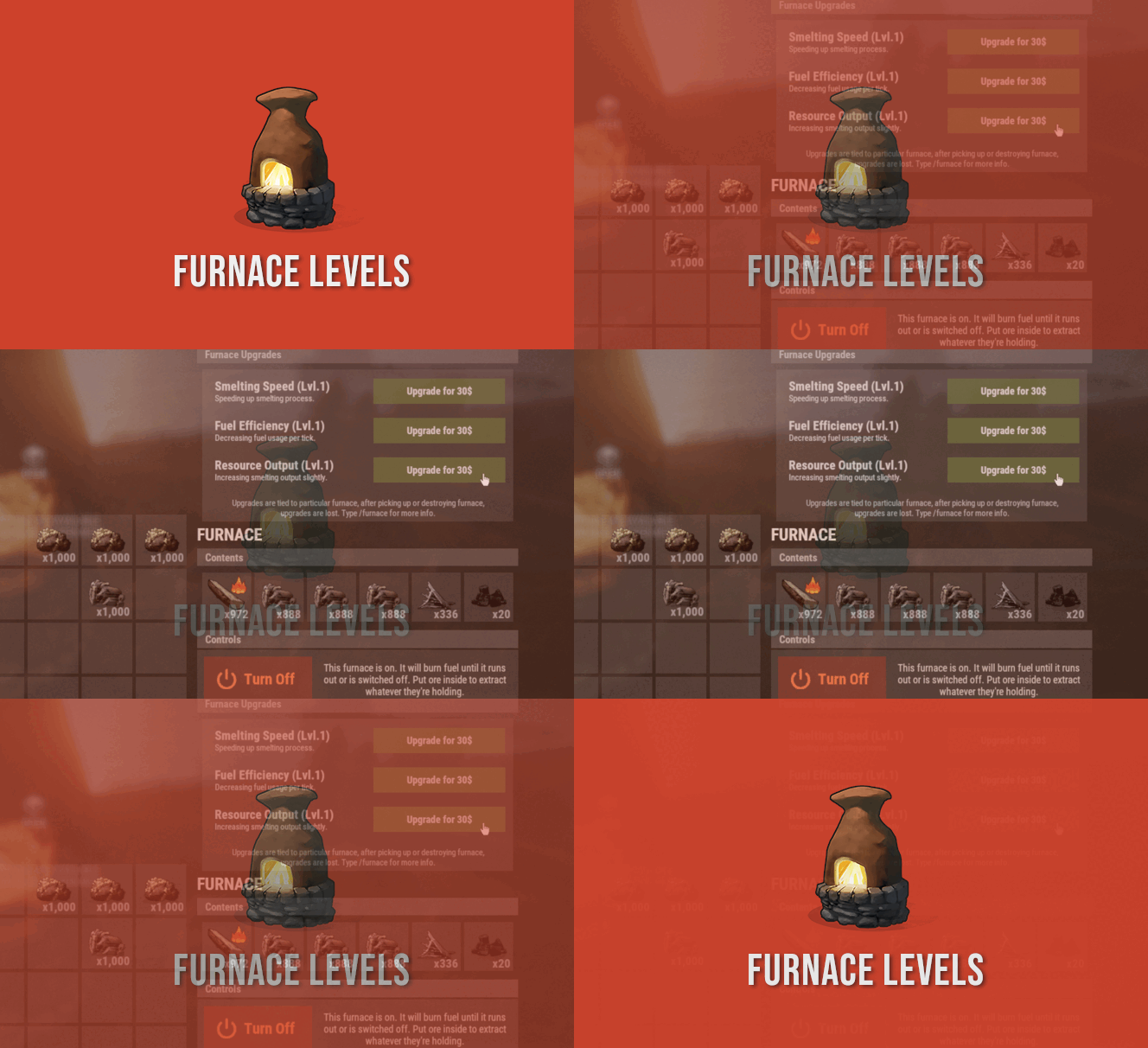
Version 2.0.0
1,478 downloads
FurnaceLevels is giving players another form of progression by letting them upgrade their furnaces. Amount of levels you can create is nearly unlimited. Available modifiers are speed, fuel consumption and resource output. FEATURES FurnaceLevels is giving players another form of progression by letting them upgrade their furnaces. Amount of levels you can create is nearly unlimited. Available modifiers are speed, fuel consumption and resource output. Players can pay for upgrades with ingame items, Economics or ServerRewards. Upgrades are tied to specific furnace placed, upon picking it up levels are lost. FURNACE LEVELS CHANGES VANILLA BEHAVIOR OF OVENS AND IS NOT COMPATIBLE WITH OTHER PLUGINS WHICH MODIFIES OVEN BEHAVIOR. COMPARISON WITH VANILLA RATES WITHOUT UPGRADES HERE https://youtu.be/DkBS7iAzgyM FURNACE LEVELS CAN BE USED AS REPLACEMENT FOR QUICKSMELT FURNACE LEVELS IS NOT COMPATIBLE WITH FURNACE SPPLITTERS (and most likely it wont change since furnace splitters are not that useful after furnace update) COMMANDS /furnace player command to get information on upgrades PERMISSIONS furnacelevels.use Required permission to access upgrade menu. CONFIG CREDITS @SinKohh co-developing plugin$15.99 -
Version 1.0.2
80 downloads
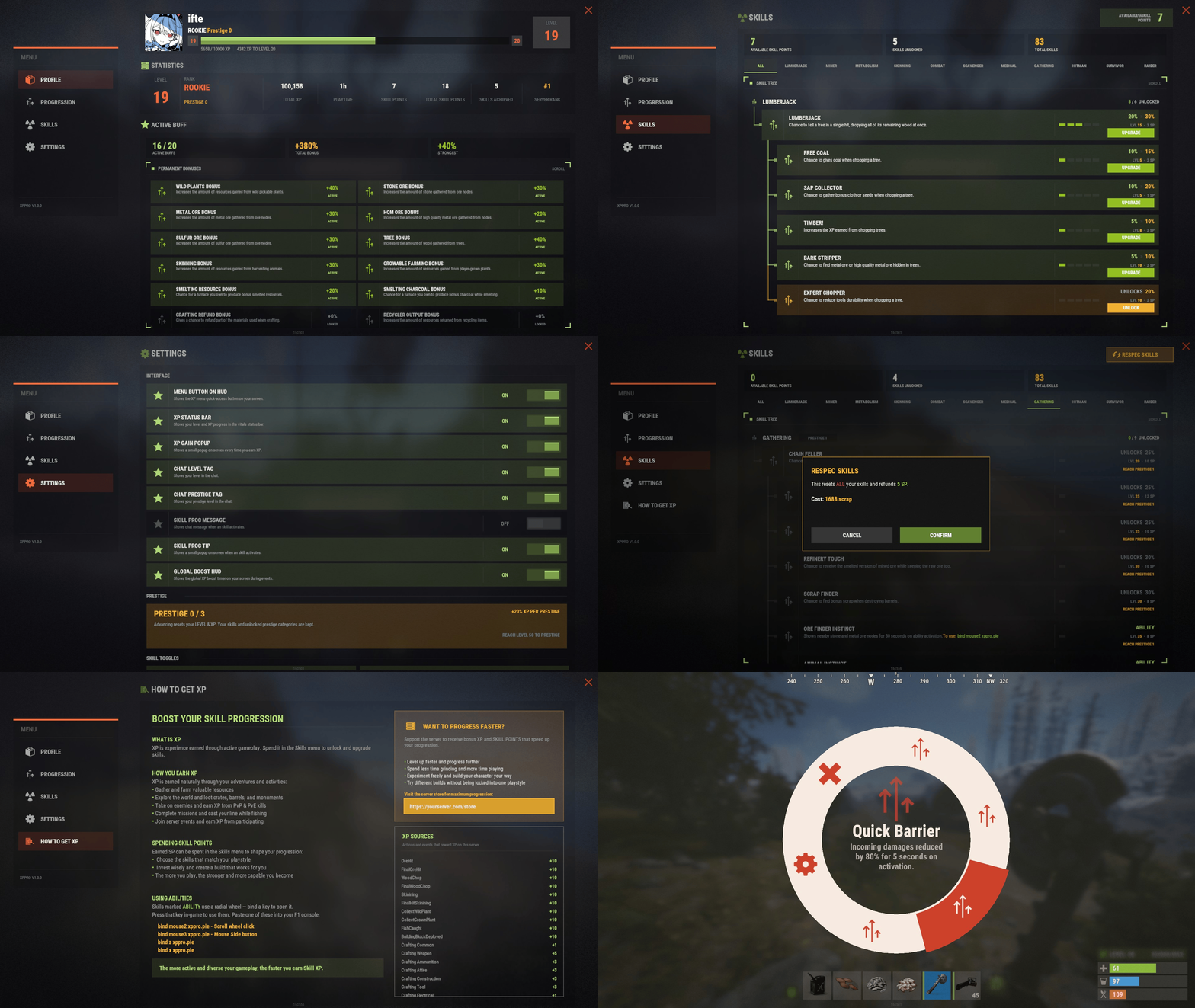
Configuration Lang XP Keys Permanent Buffs Skills Ability XPPro Editor - Edit the levels, rewards, skills abilities using the website (https://xppro-editor.vercel.app/) Languages - Right now I have already translated files you can download and use: German, Spanish, French, Brazilian Portuguese, Russian, Simplified Chinese Translation.zip Live Server for Test before buy (CREATIVE SERVER) client.connect 91.229.114.90:28132$25.00 -

Version 1.8.920
10,857 downloads
Discord Join our community discord for fast support and future updates. We have several channels where you can get help, offer suggestions, see what's coming in future updates, and more. Our discord is the fastest way to get the help and info you need! http://discord.rustlevels.com/ XPerience Website: https://www.rustlevels.com/XPerience/ Features: Gain Experience doing just about anything in game. Ranks Experience / Levels Night Boost Stats & Skills Bonus XP with Kill Records mod UI for player controls Top players UI SQL support for remote storage (only for saving not loading) In Game Admin Panel UI for mod adjustments Permissions to restrict Stats/Skills Selectable profile UI backgrounds Much more.... Ranks: Prestige Ranks: once a player reaches max level they reset and start over with a new rank. there are 13 ranks predefined and you can change/add as many ranks as you want with name, sig(tag), and image. Ranks are disabled by default. Can adjust rank xp boosts, stat/skill boosts, points each rank starts with, extra points earned each level within a rank, and more Rank Options: Enable/Disable Rank Feature Set Max Rank Achieveable (must not be higher than number of ranks in config) Option to allow remaining XP to carry over Set XP boost per rank Set Stats/Skills boost per rank Set Start Stat/Skill points per rank Set Additional Stat/Skill points per level per rank Option to show rank level Option to show rank xp Option to set rank name, level, xp colors Top ranked players page in Top UI Sends Rank, Name, Sig, ImageURL, Level, and XP to SQL if used Option to show Rank Tag(sig) in chat name Option to show Rank Name and Image in LiveUI Admin chat commands to reset level only and rank only for players or all records Stats/Skills effected by ranks show same color as rank level in player profile UIs Groups feature to use for other mods to grant/restrict features based on player rank Creates groups for each rank listed in the config and automatically assigns/revokes player group based on rank Stats: 1. Mentality Research Cost Reduction Research Speed Reduction Critical Hit Chance Increased Damage to NPCs 2. Dexterity Block Chance Dodge Chance Armor Damage Reduction Horse Speed Boost Boat Speed Boost Vehicle Speed Boost Fuel Reduction Chance 3. Might Increased Max Health (armor with UI) Increase Melee Damage Increased Max Hunger Increased Max Thirst Reduced Bleeding Reduced Radiation Increased Heat/Cold Tolerance 4. Captaincy Requires Team of 2 or more players Give boosts to all other team member skills Optional boost to all other team member XP gains Increase effective distance of Captaincy per level Stacks with other members with Captancy stat 5. Weaponry Condition Damage Reduction Chance Hand Tools Power Tools Melee Weapons Projectile Weapons Increased Max Ammo Per Clip 6. Ninjary Decrease detection from Helicopters Decrease detection from NPCs Decrease detection from Bradley APC Decrease detection from Turrets Increased damage with knives Increased damage with swords Skills: 1. WoodCutter Increased Wood Gathering Increased Bonus Chance for Apples 2. Smithy Increased Production Decreased Fuel Consumption (furnace, grill, etc) Chance for more Items Chance for High Quality Metal from metal ore 3. Miner Increased Ore Gathering Increased Bonus Reduced Fuel Consumption (hats) Chance for Metal Fragments from metal ore 4. Forager Increased Plant Gathering Chance for more seeds Chance for Random Item 5. Hunter Increased Food Gathering Increased Bonus Increased Damage Chance on Wildlife Night Damage Boost on Wildlife Increased damage with swords 6. Fisher Increased Fish Caught Increased Items Collected Decreased Oxygen Tank Usage Decreased Oxygen Time 7. Crafter Decreased Crafting Speed Decreased Crafting Costs Better Repair Value Chance for Better Condition 8. Framer Decreased Building Costs Decreased Repair Time Decreased Repair Costs 9. Medic Reduced crafting time (mixing table) Revive players with more health Recover from wounded with higher health Get more health from some medical tools 10. Scavenger Chance for more loot in drops/crates Chance for custom item drops Chance for more loot from Scientists 11. Electrician Increased Solar Panel Input (current energy from sun) Increased Solar Panel Max Output Increased Windmill Output (current energy from wind) Increased Windmill Max Output Increased Small Battery Max Output Increased Medium Battery Max Output Increased Large Battery Max Output Increased Small Generator Max Output Option to set a minimum solar panel output amount per electrician level (even during night time) 12. Demolitionist Reduced chance for explosives to become duds Increased explosive damage Increased explosive radius More features available with XPerience Addon v1.4.9 13. Tamer (requires Pets or Personal Animal mod) Tame Animals as Pets Assigned Plugins Stats/Skills BackPacks Can assign Backpacks plugin to any Stat or Skill Can set number of rows availible to Stat/Skill levels Archery Can assign Archery plugin to any Stat or Skill Can set level requirement for Novice, Adept, and Mastery Wizardry Can assign Wizardry plugin to any Stat or Skill Can set level requirement for Novice, Adept, and Mastery Chat Commands Player Commands: /xphelp - Shows all commands in chat /xpstats - brings up user control panel /xpstats (player) - shows full player XP profile /xpstatschat - shows your level, xp, stats, and skills in chat /xptop - brings up top players UI /xpaddstats (stat) - level up selected stat /xpaddskill (skill) - level up selected skill /xpresetstats - resets all stats and refunds points /xpresetskills - resets all skills and refunds points /xpliveui (0-5) - Live UI Location / 0 = off Admin Commands: (Requires server admin or xperience.admin permission)(can be changed in config) /xpresetall - Clears and resets all player data in XPerience /resetalllevels - resets all player levels to 0 /resetallranks - reset all player ranks to 0 /xpreset (name or id) (playername or steamid) - resets player's progress to 0 /resetlevel (playername) - reset player's level to 0 /resetrank (playername) - reset player's rank to 0 /resetharvest - clears all harvest data fro XPerience /xpadminhelp - displays admin commands for admins /xpgive (name or id) (playername or steamid) (amount) - gives x amount of experience to player /xpgiveall (amount) - gives x amount of xp to all players /xptake (name or id) (playername or steamid) (amount) - takes x amount of experience from player /xpconfig - opens in game admin panel /xpfix - resets all player data except experience and recalculates level, points, and requirements Console Commands xpresetall - resets XPerience (full wipe) and reloads mod xpresetplayer <name or id> <player name or id> - resets selected player data xpgive <name or id> <player name or id> <amount> - gives xx amount of xp to player xptake <name or id> <player name or id> <amount> - takes xx amount of xp from player Permissions This plugin uses the permission system. To assign a permission, use oxide.grant <user or group> <name or steam id> <permission>. To remove a permission, use oxide.revoke <user or group> <name or steam id> <permission>. Rank Groups:If Ranks are enabled then groups will be created automatically for each rank defined in the config and players will be assigned/removed automatically based on their current rank. xperience.admin -- Gives permission to use admin commands xperience.vip -- Gives VIP reset permission to user xperience.xpboost -- Gives permission to recieve XP boost Other Permissions: (only required if use permissions is enabled) xperience.mentality - Can level Mentality xperience.dexterity - Can level Dexterity xperience.might - Can level Might xperience.captaincy - Can level Captaincy xperience.woodcutter - Can level WoodCutter xperience.smithy - Can level Smithy xperience.miner - Can level Miner xperience.forager - Can level Forager xperience.hunter - Can level Hunter xperience.fisher - Can level Fisher xperience.crafter - Can level Crafter xperience.framer - Can level Framer xperience.medic - Can level Medic xperience.scavenger - Can level Scavenger xperience.tamer - Can level Tamer ## API // Give XP to player - looks for ulong steamid and value in double GiveXPID(ulong player, double amount): Gives x amount of XP to player using the player ulong id and amount as double // Give XP to player - looks for value in double GiveXP(BasePlayer player, double amount) -------------------------------------------------- // Give XP to player - looks for value in double (this will give XP without any effects from bonuses or boosts) GiveXPBasic(BasePlayer player, double amount) -------------------------------------------------- // Give Stat Points to player - looks for value in int GiveStatPoints(BasePlayer player, int amount) -------------------------------------------------- // Give Skill Points to player - looks for value in int GiveSkillPoints(BasePlayer player, int amount) -------------------------------------------------- // Take XP from player - looks for value in double TakeXP(BasePlayer player, double amount) -------------------------------------------------- // Get Player Data - looks for player and info type as string GetXPCache(BasePlayer player, string info) // String Tyes: steamid - returns player steamid displayname - returns player display name level - returns current level xp - returns current xp amount reqxp - returns required xp to next level rank - return current rank ID rankname - returns current rank name ranksig - returns current rank tag rankimg - returns url to current rank truexp - returns total xp from rank truelevel - returns total levels from rank statp - returns current unspent stat points skillp - returns current unspent skill points // Stats/Skills - can return current stat/skill levels or points spent in stats/skills statname - returns current level of stat statnamep - returns points spent in stat skillname - returns current level of skill skillnamep - returns points spent in skill // Example: mentality - returns current Mentality level mentalityp - returns points spents in Mentality hunter - returns current Hunter level hunterp - returns points spent in Hunter // Resource Info - can return total resources gathered resourcetype - returns total gather amount of specific resource //Example: wood - returns total wood gathered -------------------------------------------------- // Added A new Hook for Research related plugins to use specifically for the tech tree. // Example expects thee item rarity value casted as a double and the player var cost = 0; if (XPerience != null && XPerience.IsLoaded) cost = XPerience.Call<int>("OnResearchCostDetermineHook", (double)rarirtyvalue, player); ## Configuration **Extremely Configurable! Careful with adjustments!** { "Player Chat Commands": { "openplayerstats": "xpstats", "showplayerstatschat": "xpstatschat", "opentopplayers": "xptop", "playeraddstat": "xpaddstat", "playeraddskill": "xpaddskill", "playerresetstats": "xpresetstats", "playerresetskills": "xpresetskills", "playerresetall": "xprestart", "playerliveuichange": "xpliveui", "openhelp": "xphelp" }, "Admin Chat Commands": { "showadminhelp": "xpadminhelp", "openadminpanel": "xpconfig", "adminresetxperience": "xpresetall", "adminxpgive": "xpgive", "adminxptake": "xptake", "adminresetplayer": "xpresetplayer", "adminfixdata": "xpfix", "adminitemchange": "itemchange" }, "Default Options": { "userpermissions": false, "liveuistatslocation": 1, "liveuistatslocationmoveable": true, "showchatprofileonconnect": true, "showunusedeffects": false, "NotifcationCooldown": 2, "restristresets": true, "resetminsstats": 60, "resetminsskills": 60, "bypassadminreset": true, "vipresetminstats": 30, "vipresetminsskills": 30, "playerfixdatatimer": 60, "disableplayerfixdata": false, "disablearmorchat": true, "hardcorenoreset": false, "allowplayersearch": true, "allowplayerreset": true, "topplayersperpage": 40, "showonlinestatus": true }, "UI Text Colors": { "defaultcolor": "white", "level": "green", "experience": "green", "nextlevel": "yellow", "remainingxp": "cyan", "statskilllevels": "green", "perks": "green", "unspentpoints": "green", "spentpoints": "red", "pets": "cyan", "mentality": "white", "dexterity": "white", "might": "white", "captaincy": "white", "woodcutter": "white", "smithy": "white", "miner": "white", "forager": "white", "hunter": "white", "fisher": "white", "crafter": "white", "framer": "white", "medic": "white", "scavenger": "white", "tamer": "white" }, "Image Icons": { "mainicon": "https://imgur.com/JUwd2a8.png", "mentality": "https://imgur.com/dR7Hcif.png", "dexterity": "https://imgur.com/u9BSoMI.png", "might": "https://imgur.com/BXCVcKb.png", "captaincy": "https://imgur.com/6y5Yha1.png", "woodcutter": "https://imgur.com/3teb5s2.png", "smithy": "https://imgur.com/uz8szzL.png", "miner": "https://imgur.com/lFkLUv0.png", "forager": "https://imgur.com/SSdZZ8O.png", "hunter": "https://imgur.com/UwASeQs.png", "fisher": "https://imgur.com/QU76hi1.png", "crafter": "https://imgur.com/IiywcbI.png", "framer": "https://imgur.com/M3VgQic.png", "medic": "https://imgur.com/mXp3Mrh.png", "scavenger": "https://imgur.com/g3S4XKW.png", "tamer": "https://imgur.com/DatpWzL.png", "chicken": "https://imgur.com/qJYzAZ6.png", "boar": "https://imgur.com/ou1DgxE.png", "stag": "https://imgur.com/CwACyuG.png", "wolf": "https://imgur.com/J18C2Je.png", "bear": "https://imgur.com/kTbD3B1.png", "online": "https://imgur.com/0ZEDsKR.png", "offline": "https://imgur.com/VAsGrpl.png" }, "UI Notify (requires UINotify plugin)": { "useuinotify": false, "disablechats": false, "xpgainloss": false, "xpgainlosstype": 0, "levelupdown": false, "levelupdowntype": 1, "dodgeblock": false, "dodgeblocktype": 2, "criticalhit": false, "criticalhittype": 3 }, "XP - Level Config": { "levelstart": 25.0, "levelmultiplier": 50.0, "maxlevel": 500, "levelxpboost": 0.05, "statpointsperlvl": 1, "skillpointsperlvl": 2 }, "XP - Night Bonus": { "Enable": true, "StartTime": 19, "EndTime": 5, "Bonus": 0.1, "enableskillboosts": true }, "XP - Gain Amounts": { "chickenxp": 5.0, "fishxp": 5.0, "boarxp": 10.0, "stagxp": 15.0, "wolfxp": 20.0, "bearxp": 25.0, "sharkxp": 30.0, "horsexp": 20.0, "scientistxp": 25.0, "dwellerxp": 25.0, "playerxp": 25.0, "lootcontainerxp": 5.0, "animalharvestxp": 5.0, "corpseharvestxp": 5.0, "underwaterlootcontainerxp": 10.0, "lockedcratexp": 25.0, "hackablecratexp": 50.0, "craftingxp": 5.0, "bradley": 25.0, "patrolhelicopter": 30.0, "playerrevive": 5.0 }, "XP - Gather Amounts": { "treexp": 5.0, "orexp": 5.0, "harvestxp": 5.0, "plantxp": 5.0, "noxptools": true }, "XP - Building Amounts": { "woodstructure": 5.0, "stonestructure": 10.0, "metalstructure": 15.0, "armoredstructure": 20.0, "buildxpdelay": true, "buildxpdelayseconds": 2 }, "XP - Teams": { "enableteamxpgain": true, "enableteamxploss": true, "teamxpgainamount": 0.1, "teamxplossamount": 0.05, "teamdistance": 50.0 }, "XP - Mission Amounts": { "missionsucceededxp": 50.0, "missionfailed": false, "missionfailedxp": 10.0 }, "XP - Reducer Amounts": { "suicidereduce": true, "suicidereduceamount": 0.05, "deathreduce": true, "deathreduceamount": 0.05 }, "BonusXP - Bonus Amounts (requires KillRecords plugin)": { "showkrbutton": false, "enablebonus": false, "requiredkills": 10, "bonusxp": 5.0, "endbonus": 500, "multibonus": true, "multibonustype": "fixed" }, "Economics Rewards (requires Economics plugin)": { "econlevelup": false, "econleveldown": false, "econresetstats": false, "econresetskills": false, "econlevelreward": 50.0, "econlevelreduction": 25.0, "econresetstatscost": 100.0, "econresetskillscost": 100.0 }, "Server Rewards (requires ServerRewards plugin)": { "srewardlevelup": false, "srewardleveldown": false, "srewardresetstats": false, "srewardresetskills": false, "srewardlevelupamt": 5, "srewardleveldownamt": 5, "srewardresetstatscost": 75, "srewardresetskillscost": 75 }, "Mentality Stat": { "maxlvl": 10, "pointcoststart": 2, "costmultiplier": 2, "researchcost": 0.1, "researchspeed": 0.1, "criticalchance": 0.05, "useotherresearchmod": false }, "Dexterity Stat": { "maxlvl": 10, "pointcoststart": 2, "costmultiplier": 2, "blockchance": 0.05, "blockamount": 0.1, "dodgechance": 0.05, "reducearmordmg": 0.05 }, "Might Stat": { "maxlvl": 10, "pointcoststart": 2, "costmultiplier": 2, "armor": 0.1, "meleedmg": 0.05, "metabolism": 0.02, "bleedreduction": 0.05, "radreduction": 0.05, "heattolerance": 0.05, "coldtolerance": 0.05 }, "Captaincy Stat": { "maxlvl": 10, "pointcoststart": 3, "costmultiplier": 3, "skillboost": 0.05, "enablexpboost": true, "xpboost": 0.05, "captaincydistance": 10.0 }, "WoodCutter Skill": { "maxlvl": 10, "pointcoststart": 2, "costmultiplier": 2, "gatherrate": 0.5, "bonusincrease": 0.1, "applechance": 0.1 }, "Smithy Skill": { "maxlvl": 10, "pointcoststart": 2, "costmultiplier": 2, "productionrate": 0.1, "fuelconsumption": 0.1, "metalchance": 0.05, "metalamount": 1 }, "Miner Skill": { "maxlvl": 10, "pointcoststart": 2, "costmultiplier": 2, "gatherrate": 0.5, "bonusincrease": 0.1, "fuelconsumption": 0.1, "metalchance": 0.1, "metalamount": 1 }, "Forager Skill": { "maxlvl": 10, "pointcoststart": 2, "costmultiplier": 2, "gatherrate": 0.3, "chanceincrease": 0.1, "randomchance": 0.05, "randomChanceList": { "0": { "shortname": "apple", "amount": 1 }, "1": { "shortname": "bandage", "amount": 1 }, "2": { "shortname": "scrap", "amount": 1 }, "3": { "shortname": "bucket.water", "amount": 1 }, "4": { "shortname": "metal.fragments", "amount": 1 } } }, "Hunter Skill": { "maxlvl": 10, "pointcoststart": 2, "costmultiplier": 2, "gatherrate": 0.3, "bonusincrease": 0.1, "damageincrease": 0.05, "nightdmgincrease": 0.01 }, "Fisher Skill": { "maxlvl": 10, "pointcoststart": 2, "costmultiplier": 2, "fishamountincrease": 0.75, "itemamountincrease": 0.25 }, "Crafter Skill": { "maxlvl": 10, "pointcoststart": 2, "costmultiplier": 2, "craftspeed": 0.1, "craftcost": 0.05, "repairincrease": 0.07, "repaircost": 0.05, "conditionchance": 0.07, "conditionamount": 0.1 }, "Framer Skill": { "maxlvl": 10, "pointcoststart": 2, "costmultiplier": 2, "upgradecost": 0.05, "repaircost": 0.05, "repairtime": 0.1 }, "Medic Skill": { "maxlvl": 10, "pointcoststart": 2, "costmultiplier": 2, "revivehp": 5.0, "recoverhp": 5.0, "crafttime": 0.1, "tools": 2.0 }, "Scavenger Skill": { "maxlvl": 10, "pointcoststart": 2, "costmultiplier": 2, "scavlootchance": 0.1, "scavchance": 0.1, "scavmultiplier": 1.0, "customscavmultiplier": 0.5, "customscavrandom": true, "usecustomscavlist": true, "drops": true, "crates": true, "uncrates": true, "lockedcrates": true, "hackcrates": true, "scientists": true, "componentsonly": false, "scavChanceList": { "0": { "shortname": "scrap", "amount": 1, "maxamount": 10, "requiredlevel": 1 }, "1": { "shortname": "metal.fragments", "amount": 1, "maxamount": 10, "requiredlevel": 5 } } }, "Tamer Skill": { "enabletame": false, "maxlvl": 5, "pointcoststart": 2, "costmultiplier": 2, "tamechicken": true, "tameboar": true, "tamestag": true, "tamewolf": true, "tamebear": true, "chickenlevel": 1, "boarlevel": 2, "staglevel": 3, "wolflevel": 4, "bearlevel": 5 }, "Clans (requires Clans plugin)": { "enableclanbonus": false, "enableclanreduction": false, "clanbonusamount": 0.1, "clanreductionamount": 0.02 }, "SQL Info": { "enablesql": false, "SQLhost": "localhost", "SQLport": 3306, "SQLdatabase": "database", "SQLusername": "user", "SQLpassword": "password" } } ## Localization { "adminpanel": "Admin", "adminmenu_001": "Main", "adminmenu_002": "Level / XP", "adminmenu_003": "Stats", "adminmenu_004": "Skills", "adminmenu_005": "Other Settings", "adminmenu_006": "SQL", "adminmenu_007": "SAVE SETTINGS", "adminmenu_008": "Save & Reload Mod", "adminmenu_009": "CLOSE", "adminmenu_010": "Reset Default Settings", "adminmenu_011": "Fix Player Data", "adminmenu_012": "Other Mod Settings", "adminmenu_013": "Reset Options", "adminmenu_014": "My Stats", "adminmenu_015": "Player's Stats", "adminmenu_016": "Player Info", "adminitemchange": "{0} condition is now {1} and max condition is now {2}", "adminitemchangerequirement": "{0} current condition is {1} and max condition is {2}\nTo change this use /{3} (condition value) (maxcondition value)", "adminfixplayers": "All player data has been reset except experience.\nLevels, points and requirements recalculated.", "adminresetconfig": "Config has been reset to default values.", "saveconfig": "New Config has been Saved", "admininfoliveui": "Default Live UI Location", "adminxp_001": "Level & XP Settings", "adminxp_002": "[Level / Point Settings]", "adminxp_003": "Level Start:", "playerfixdata": "Your data has been fixed and your level recalculated. You will need to reapply your stat & skill points", "playerfixdatabutton": "Fix My Data", "playerharveststats": "Total Harvest Count", "playerharvestreset": "Player harvest count has been reset", "selectedplayerharvestreset": "Player {0} harvest count has been reset", "playerresetdisabled": "Player reset disabled, contact server admin", "playersearchdisabled": "Player searching is currently disabled", "imgwaiting": "Waiting On ImageLibrary to finish the load order", "resettimerdata": "Wait another {0} mins", "xphelp": "XPerience Plugin by M@CHIN3 \n Commands: \n/xpstats - brings up user control panel \n/xpstatschat - shows your level, xp, stats, and skills in chat \n/xptop - brings up top players UI \n/xpaddstats (stat) - level up selected stat \n/xpaddskill (skill) - level up selected skill \n/xpresetstats - resets all stats and refunds points \n/xpresetskills - resets all skills and refunds points \n/xpliveui (0-4) - Live UI Location / 0 = off", "xphelpadmin": "XPerience Plugin by M@CHIN3 \n Admin Commands: \n/{0} - Opens admin control panel for mod setup/{1} - resets entire mod and deletes all player data \n/{2} (playername) - resets selected player data \n/{3} (playername) (amount) - gives x amount of experience to selected player \n/{4} (playername) (amount) - takes x amount of experience from selected player \n/{5} (conditionvalue) (maxconditionvalue) - changes the item condition and max condition in your hand", "playerprofilechat": "My Stats: \n---------------- \nLevel: {0} \nCurrent XP: {1} \nNext Level: {2} \nStat Points: {3} \nSkill Points: {4} \n---------------- \nMentality: {5} \nDexterity: {6} \nMight: {7} \nCaptaincy: {8} \n---------------- \nWoodCutter: {9} \nSmithy: {10} \nMiner: {11} \nForager: {12} \nHunter: {13} \nFisher: {14} \nCrafter: {15} \nFramer: {16} \nMedic: {17} \nScavenger: {18} \nTamer: {19} \n", "suicide": "You have lost {0} XP for commiting suicide", "death": "Your XP has been reduced by {0} for death", "levelup": "You are now Level {0}. You have recieved {1} stat point and {2} skill points", "leveldown": "You have lost a level! You are now Level {0}", "statdown": "You have lost {0} stats points", "skilldown": "You have lost {0} skill points", "statdownextra": "You did not have enough unspent stat points to take, your ({0}) stat has been lowered and you have lost {1} stats points, {2} stat points returned to your unspent amount", "skilldownextra": "You did not have enough unspent skill points to take, your ({0}) skill has been lowered and you have lost {1} skill points, {2} skill points returned to your unspent amount", "bonus": "You get a bonus {0} XP for {1} {2}", "notenoughpoints": "You do not have enough points", "notenoughstatpoints": "You do not have enough points for level {0} {1}, requires {2} statpoints", "notenoughskillpoints": "You do not have enough points for level {0} {1}, requires {2} skillpoints", "pointsadded": "you now have {0} points applied in {1}", "pointsremoved": "you have remove {0} points from {1}", "statup": "You used {0} statpoints to reach Level {1} in {2}", "skillup": "You used {0} skillpoints to reach Level {1} in {2}", "nostatpoints": "You have lost all stat points", "noskillpoints": "You have lost all skill points", "resetstats": "You have reset your stats and have {0} stat points returned", "resetskills": "You have reset your skills and have {0} skill points returned", "attackerdodge": "Your victim dodged your attack", "attackerblock": "Your victim blocked {0} damage from your attack", "victimdodge": "You dodged last attack", "victimblock": "You blocked {0} damage from last attack", "crithit": "You preformed a critical hit for {0} extra damage", "weaponcon": "New weapon condition is now {0}", "medictools": "Medical Tools", "medictooluse": "You recived an extra {0} health from {1}", "medicrecoverplayer": "You have recovered with an extra {0} health.", "medicreviveplayer": "You have been revived with an extra {0} health.", "medicrevivereviver": "You have revived player with an extra {0} health.", "captaincyskillboost": "Team Skill Boost", "captaincyxpboost": "Team XP Boost", "captaincydistance": "Effective Distance", "captaincyteamrequired": "Must be part of a team!", "playerinfoalive": "Player Info Since Last Spawn:", "timealive": "Alive", "timeflying": "Flying Time", "timedriving": "Driving Time", "timeboating": "Boating Time", "timesleeping": "Sleeping Time", "timeswimming": "Swimming Time", "timeinbase": "Time In Base", "timedmgrec": "Last Dmg Recieved", "timedmgrecfrom": "Last Dmg From", "timedmgdelt": "Last Dmg Delt", "timedeltto": "Last Dmg To", "timeinmonument": "Time In Monuments", "timeinwild": "Time In Wilderness", "status": "Status", "online": "Online", "offline": "Offline", "metersran": "Meters Ran", "meterswalk": "Meters Walked", "level": "Level", "experience": "Experience", "xp": "XP", "mentality": "Mentality", "dexterity": "Dexterity", "might": "Might", "captaincy": "Captaincy", "woodcutter": "WoodCutter", "smithy": "Smithy", "miner": "Miner", "forager": "Forager", "hunter": "Hunter", "fisher": "Fisher", "crafter": "Crafter", "framer": "Framer", "medic": "Medic", "scavenger": "Scavenger", "tamer": "Tamer", "stats": "Stats", "skills": "Skills", "researchcost": "Research Cost", "researchspeed": "Research Speed", "critchance": "Critical Chance", "blockchance": "Block Chance", "dodgechance": "Dodge Chance", "fishamount": "Fish Amount", "fishitems": "Item Amount", "fishoxygen": "Oxygen Reduction", "fishoxygentank": "Oxygen Tank Reduction", "armor": "Armor", "tea": "Tea Boost", "teatypenone": "None", "teatypemaxhealthtea": "Basic", "teatypemaxhealthtea.advanced": "Advanced", "teatypemaxhealthtea.pure": "Pure", "melee": "Melee Damage", "calories": "Max Calories", "hydration": "Max Hydration", "bleed": "Bleeding Time", "radiation": "Radiation", "heat": "Heat Tolerance", "cold": "Cold Tolerance", "craftspeed": "Crafting Speed", "woodgather": "Wood Gathering", "woodbonus": "Bonus Gathering", "woodapple": "Apple Chance", "productionrate": "Production Chance", "productionamount": "Amount", "fuelconsumption": "Fuel Consumption", "fuelconsumptionhats": "Fuel Consumption (hats)", "metalchance": "Metal Fragment Chance", "metalamount": "Metal Fragment Amount", "hmetalchance": "High Quality Chance", "hmetalamount": "High Quality Amount", "oregather": "Ore Gathering", "orebonus": "Bonus Gathering", "gather": "Gathering", "seedbonus": "Seed Bonus", "randomitem": "Random Item", "foodgather": "Food Gathering", "bonusgather": "Bonus Gathering", "damagewildlife": "Damage (wildlife)", "nightdamage": "Night Damage (wildlife)", "costreduction": "Cost", "fullrepair": "Full Repair Chance", "highcond": "Higher Condition Chance", "upgradecost": "Upgrade Cost", "repairtime": "Repair Time", "repaircost": "Repair Cost", "nextlevel": "Next Level", "medicrevive": "Revival Health", "medicrecover": "Recover Health", "mediccrafting": "Mixing Table Speed", "scavchance": "Extra Loot Chance", "scavmultiplier": "Extra Loot Multiplier", "customscavchance": "Custom Loot Chance", "customscavmultiplier": "Custom Loot Multiplier", "unusedstatpoints": "Stat Points", "unusedskillpoints": "Skill Points", "totalspent": "Points Used", "liveuilocationoff": "Live XP UI Stats are off", "liveuilocation": "Live XP UI location is {0}", "liveuilocationhelp": "/xpliveui (0-4) - Live UI Location / 0 = off \n Current UI location is {0}", "resetstatsbutton": "Reset Stats", "resetskillsbutton": "Reset Skills", "nopermordisabled": "Stat/Skill disabled or you do not have permission to use.", "chicken": "Chicken", "boar": "Boar", "stag": "Stag", "wolf": "Wolf", "bear": "Bear", "tamerinc": "Increase Tamer to tame animals", "tamerpets": "Tameable Pets", "topplayers": "Top Players", "resetxperience": "All XPerience player data deleted", "resettimerstats": "You have {0} mins left before you can reset your stats", "resettimerskills": "You have {0} mins left before you can reset your skills", "canresetstats": "{0} mins", "canresetskills": "{0} mins", "victimarmordmg": "Armor Absorbed {0} Damage", "armordmgabsorb": "Armor Damage", "liveuiselection": "Live Stats Location", "mystats": "My Stats", "help": "HELP", "helpprev": "<< Prev Page", "helpnext": "Next Page >>", "helpcommands": "Chat Commands", "helpcommandslist": "Note that many of these commands can be used within your control panel without using chat. \n\n/{0} - shows chat commands in chat \n\n/{1} - brings up your control panel \n\n/{1} (playername) = brings up another players full profile \n\n/{2} - shows your level, xp, stats, and skills in chat \n\n/{3} - brings up top players panel \n\n/{4} (stat) - level up selected stat \n\n/{5} (skill) - level up selected skill \n\n/{6} - resets all stats and refunds points \n\n/{7} - resets all skills and refunds points \n\n/{8} (0-5) - Live UI Location / 0 = off \n\n", "moddetails": "About XPerience Created by:", "bindkey": "You can bind any key to open your XPerience control panel. \nPress F1 to open your console \nDecide what key you want to bind the command to \nType bind 0 chat.say /{0} \nThis will bind the 0 key to open the control panel. \nNext execute the writecfg command in your console to save the config so it won't reset when you relaunch the game", "aboutxperience": "\n\n XPerience is an extremely detailed RPG based mod that allows players to earn experience and levels by interacting with all aspects of the game. You can earn experience from just about anything from cutting down trees, mining ore, hunting, killing, fishing, building, and more.. As you earn experience you will progress in levels that grant stat points and skill points you can spend in different traits that will give you increased abilities. There are currently 4 major Stats and 11 secondary Skills each with their own special attributes, more may come in the future. Stats will grant you overall character strengths while Skills grant you increased abilities when interacting with the world. For every level you increase these traits it will increase the strength of the abilities that each one gives you. The higher the level of each trait the more points it requires to reach the next level. Server owners can configure and adjust every aspect of the XPerience mod including level requirements, level multiplier, xp gained from each source, points awarded per level, point cost per level, bonuses, stat and skill strengths per level, max level of stats and skills, reset timers, and more.", "serversettings": "Every server that uses XPerience can be setup differently to fit their preference. Below are some of the settings for this server. Many things can effect these values like other mods that may be installed. \n\n[MAIN SETTINGS] Levels, Multipliers, Points, Timers, etc..\nLevel Start: {0} | Required XP to reach level 1 \nXP Requirment: {1} | XP Requirement increase for next level ex. ({0} {1} to reach level 2) \nLevel XP Boost: {2}% | XP increase per level \nStat Points Earned Per Level: {3} \nSkill Points Earned Per Level: {4} \nReset Timers: Enabled:{5} Stats {6} / Skills {7} | Time in mins before you can reset your stats or skills \nVIP Reset Timers: Stats {8} / Skills {9} | Time in mins before VIP players can reset stats and skills \nNight Bonus XP: Enabled:{10} | {11}% | Bonus XP received between {12}:00 and {13}:00 hours game time if enabled \nNight Skills Enabled: {14} | Skills that have bonuses at night between {12}:00 and {13}:00 hours game time \n\n", "xpsettings": "[XP Settings]: Amount of XP earned for kills, gathering, building, crafting, etc.. \n", "xpsettingskills": "[Kills & Revive] \n\nChickens: {0} \nFish: {1} \nBoar: {2} \nStag: {3} \nWolf: {4} \nBear: {5} \nShark: {6} \nHorse: {7} \nScientist: {8} \nDweller: {9} \nPlayer: {10} \nBradley: {11} \nHelicopter: {12}\n\nReviving: {13}", "xpsettingsloot": "[Gathering / Looting] \n\nLoot Container: {0} \nUnderwater Loot Container: {1} \nLocked Crate: {2} \nHackable Crate: {3} \nAnimal Harvest: {4} \nCorpse Harvest: {5} \nTree: {6} \nOre: {7} \nGathering: {8} \nPlant: {9}", "xpsettingscraft": "[Crafting / Building] \n\nCrafting: {0} \nWood Structure: {1} \nStone Structure: {2} \nMetal Structure: {3} \nArmored Structure: {4} \n", "xpmissionsettings": "[Missions] \n\nMission Succeeded: {0} \nFailed Reduction Enabled: {1} \nFailed Reduction Amount: {2} \n", "xpreductionsettings": "[XP Reduction] \n\nDeath: {0}% Enabled: {1}\nSuicide: {2}% Enabled: {3}\n", "nextpagestats": "To view details about Stats and Skills click Next Page at the top.", "aboutstats": "The 4 major Stats are Mentality, Dexterity, Might & Captaincy.", "aboutmentality": "Grants you the ability to lower research costs such as the amount of scrap required to unlock new items, Reduces Research Speed that decreases the amount of time it takes to research items in the research station, and gives you increased chance to attack with a critical hit and cause more damage to an enemy or animal.", "aboutmentalitysettings": "[Current Mentality Settings] \nMax Level: {0} \nStarting Cost: {1} \nCost Multiplier: {2}x Level \nResearch Cost Reduction: {3}% \nResearch Speed Reduction: {4}% \nCritical Chance: {5}%", "aboutdexterity": "Grants you increased chance to Block attacks and lower the amount of damage you recieve, increased the chance to Dodge an attack completely and take no damage, and decrease the damage you recieve when your Armor bar is full (Armor requires Might)", "aboutdexteritysettings": "[Current Dexterity Settings]\nMax Level: {0} \nStarting Cost: {1} \nCost Multiplier: {2}x Level \nBlock Chance: {3}% | Block Amount: {4} \nDodge Chance: {5}% \nReduced Armor Damage: {6}%", "aboutmight": "This is one of the most beneficial stats in the system! It grants you the ability to reduce bleeding time, radiation taken, greater tolerance to heat and cold, higher max calories and hydration, increased max health (Armor) as well as increases the damage you do with melee weapons.", "aboutmightsettings": "[Current Might Settings] \nMax Level: {0} \nStarting Cost: {1} \nCost Multiplier: {2}x Level \nArmor: {3}% | Increased Max Health \nMelee Damage Increase: {4}% \nMetabolism Increase: {5}% | Thirst/Hunger \nBleed Reduction: {6}% \nRadiation Reduction: {7}% \nIncreased Heat Tolerance: {8}% \nIncreased Cold Tolerance: {9}%", "aboutcaptaincy": "Gives other team members overall skill boosts and XP boost within a certain range. Stacks on a % increase of the team members skills to increase the skills abilities for each team member seperatly based on the skill level of each member. Only effects skills and not stats. Requires at least 2 members in a team and has no effect on the current player.", "aboutcaptaincysettings": "[Current Captaincy Settings]\nMax Level: {0} \nStarting Cost: {1} \nCost Multiplier: {2}x Level \nEffective Distance: {3}FT \nSkill Boost: {4}%\n XP Boost Enabled: {5}\n XP Boost: {6}%", "aboutskills": "The 11 secondary skills are Woodcutter, Smithy, Miner, Forager, Hunter, Crafter, Framer, Fisher, Medic, Scavenger & Tamer\n(taming requires pets mod and may not be available on certain servers).", "aboutwoodcutter": "Increases the amount of wood you receive from cutting down trees, increases the bonus amount you get when a tree has been cut down, and gives you increased chances to have apples fall while cutting a tree.", "aboutwoodcuttersettings": "[Current WoodCutter Settingss] \nMax Level: {0} \nStarting Cost: {1} \nCost Multiplier: {2}x Level \nGather Rate: {3}% \nBonus: {4}% \nApple Chance: {5}%", "aboutsmithy": "Increases the chance of extra production from smelting or cooking in a furnace or grill and reduces the amount of fuel used in a furnace or grill so they burn longer with less fuel.", "aboutsmithysettings": "[Current Smithy Settings]\nMax Level: {0} \nStarting Cost: {1} \nCost Multiplier: {2}x Level \nIncreased Production: {3}% \n Fuel Consumption: -{4}%", "aboutminer": "Increases the amount of ore gathered from stone, metal, sulfur, etc.. and the amount of bonus material recieved when an ore has been fully collected. This skill also reduces the amount of fuel used when wearing a hat that consumes fuel like the mining hat, candle hat, etc..", "aboutminersettings": "[Current Miner Settings]\nMax Level: {0}\nStarting Cost: {1}\nCost Multiplier: {2}\nGather Rate: {3}%\nBonus: {4}%\nFuel Consumption: -{5}%", "aboutforager": "Increases the amount of resources you receive when collecting by hand from the ground such as wood, stone, metal, sulfer, berries, mushrooms, etc.. anything collected on the ground by hand. You also get an increased amount of seeds from berries, hemp, and other resources that provide seeds. This skill also gives you an increased chance to find random items when gathering by hand so make sure you keep an eye out around you for random item.", "aboutforagersettings": "[Current Forager Settings]\nMax Level: {0}\nStarting Cost: {1}\nCost Multiplier: {2}\nGather Rate: {3}%\nSeed Chance: {4}% Amount: {5}\nRandom Item: {6}%", "abouthunter": "Grants you the ability to get more food from animals when harvesting, increased bonus amount when fully harvested, increased damage to wildlife and even greater damage to wildlife when hunting at night.", "abouthuntersettings": "[Current Hunter Settings]\nMax Level: {0}\nStarting Cost: {1}\nCost Multiplier: {2}\nGather Rate: {3}%\nBonus: {4}%\nWildlife Dmg Increase: {5}%\nNight Dmg Increase: {6}%", "aboutcrafter": "Grants you increased crafting speed while reducing the amount of material cost when crafting. Gives you increased chance to fully repair items and increased chance to create items with up to 10% higher condition.", "aboutcraftersettings": "[Current Crafter Settings]\nMax Level: {0}\nStarting Cost: {1}\nCost Multiplier: {2}\nCraft Speed: -{3}%\nCraft Cost: -{4}%\nRepair Speed: {5}%\nCondition Chance: {6}%\nCondition Increase: 10%", "aboutframer": "Decreases the cost of materials needed to upgrade or repair buildings as well as reduces the repair time when a building has been damaged.", "aboutframersettings": "[Current Framer Settings]\nMax Level: {0}\nStarting Cost: {1}\nCost Multiplier: {2}\n Upgrade Cost: {3}%\nRepair Cost: {4}%\nRepair Time: {5}%", "aboutfisher": "Gives you the ability to catch more fish at one time or increases the items you collect when fishing if you don't catch a fish.", "aboutfishersettings": "[Current Fisher Settings]\nMax Level: {0}\nStarting Cost: {1} \nCost Multiplier: {2} \nFish Increase: {3} \nItem Increase: {4}", "aboutmedic": "Gives you the ability to revive yourself and other players with more health once revived as well as reduces the time it takes to craft teas or other items in the mixing table.", "aboutscavenger": "Increases chance to find more loot inside containers with chance to find bonus items when looting containers. The higher your level the more items you'll find. Keep an eye out around these containers for your extra loot!", "aboutmedicsettings": "[Current Medic Settings]\nMax Level: {0}\nStarting Cost: {1} \nCost Multiplier: {2} \nRevival Health: {3} \nRecover Health: {4} \nCrafting Time: {5}%", "abouttamer": "If this skill is available then it will grant you the ability to tame animals as pets. Each level allows you to tame a bigger animal that can help you survive in the world. These pets can also carry items and even attack your enemies. Pets are currently controlled by a seperate mod with it's own settings and adjustments. More details about Pets can be found using the '/pet help' chat command", "abouttamersettings": "[Current Tamer Settings]\nEnabled: {0} \nMax Level: {1} \nStarting Cost: {2} \nCost Multiplier: {3} \n\n[Tameable Pets]\nChicken: {4} | Level Req: {5} \nBoar: {6} | Level Req: {7} \nStag: {8} | Level Req:{9} \nWolf: {10} | Level Req: {11} \nBear: {12} | Level Req: {13}", "nextpageskills": "Click Next Page to view more skill information", "techtreenode": "You need {0} scrap to research {1}", "xpgiveneedname": "Need to enter a player name /xpgive (playername) (amount)", "xpgivenotfound": "Player not found", "xpgiveneedamount": "Need to enter an amount /xpgive (playername) (amount)", "xpgiveplayer": "You have given {0} {1} experience, they now have a total of {2} experience.", "xpresetneedname": "Need to enter a player name /xpreset (playername)", "xpresetnotfound": "Player not found", "xpresetplayer": "You have reset your character.", "xpresetselectedplayer": "You have reset {0}", "xptakeneedname": "Need to enter a player name /xptake (playername) (amount)", "xptakenotfound": "Player not found", "xptakeneedamount": "Need to enter an amount /xptake (playername) (amount)", "xptakeplayer": "You have taken {0} experince from {1}, they now have a total of {2} experience.", "adminpanelinfonew": "Xperience Admin Control Panel\n\n Here you can adjust all the settings for this mod without having to open and edit the config file. On the menu to your left are several pages where you can adjust everything from levels, experience, stats, skills, and more.. Once you have made any adjustments to these pages make sure your click SAVE on the menu and then Reload Mod so that these adjustments are writen to the config and loaded. If you do not click save and reload any adjustment you made will be lost! Keep in mind this is an extremely detailed mod and even the slightest adjustment can make a huge difference on how this mod functions! It is suggested that you make minor adjustments to see how the settings will effect your server and player's gaming experience. If you adjust the level start or xp requirement increase settings make sure you click Fix Player Data on the menu AFTER you save and reload the mod so that the system can recalculate all players levels and requirements. Players will not loose any XP but they will have their profile reset and will have to reapply any points they have.\n\nIf you have any issues, questions, or suggestions you can join the mod developer's discord Xperience was created by MACHIN3", "playerfixdatahelp": "You can use the Fix My Data button below to have your xperience data recalculated. This will reset all your stats except your experience. Your level, required xp, points, and info will be reset and recalculated based on the current server settings and your current experience. You will receive however many points for stats and skills that your level should have and you will need to reapply them towards your stats and skills.\n\n Reasons you may need to do this:\n1. Server settings may have been changed since your last login.\n2.Map wipe didn't properly link your data.\n3. New features were added.\n4. Server was restored to an earlier date.", "uinotify_xpgain": " {0} XP", "uinotify_xploss": "-{0} XP", "econdeposit": "You received a deposit of {0} into your account for leveling up", "econwidthdrawlevel": "You lost {0} from your account for level loss", "econwidthdrawresetstat": "You spent {0} for resetting stats, your balance is now {1}", "econwidthdrawresetskill": "You spent {0} for resetting skills, your balance is now {1}", "econwidthdrawresetstatfailed": "You Do Not Have {0} for resetting stats, your balance is {1}", "econwidthdrawresetskillfailed": "You Do Not Have {0} for resetting skills, your balance is {1}", "srewardwidthdrawresetstat": "You spent {0} points for resetting stats, your balance is now {1}", "srewardwidthdrawresetskill": "You spent {0} points for resetting skills, your balance is now {1}", "srewardwidthdrawresetstatfailed": "You Do Not Have {0} points for resetting stats, your balance is {1}", "srewardnwidthdrawresetskillfailed": "You Do Not Have {0} points for resetting skills, your balance is {1}", "srewardsup": "You recieved {0} points in server rewards for leveling up", "srewardsdown": "You lost {0} points in server rewards for leveling down", "fixdatadisabled": "Fix Data Option Disabled By Admin", "hardcorenoreset": "Hardcore mode enabled, Stat/Skill Reset is Disabed", "crafternotenough": "Not enough resources to repair item", "killrecords": "Kill Records", "mykillrecords": "My Kill Records", "playerkillrecords": "Player's Kill Records", "maxleveled": "You have reached the max level for {0}", "playerrankup": "You have reached the Rank of {0}, your level, experience, stats, and skills have been reset. You start with {1} stat points and {2} skill points", "rank": "Rank", "ranksig": "Rank Tag", "ranklevel": "Rank Level", "rankxp": "Rank XP", "playerlevelreset": "Player level has been reset", "selectedplayerlevelreset": "Player {0} level has been reset", "playerrankreset": "Player rank has been reset", "selectedplayerrankreset": "Player {0} rank has been reset", "allplayerlevelreset": "All Player levels have been reset", "allplayerrankreset": "All Player ranks have been reset" }Free -

Version 3.0.0
352 downloads
Advanced Skill & Progression System – Version 3.0.0 (Premium) The Resource Leveling Plugin introduces a dynamic skill and progression system for gathering, hunting, and looting in Rust. Players earn XP as they perform different activities and level up individual skills — increasing their efficiency and gathering multipliers over time. This version introduces paid tiers, custom rewards, and a fully configurable leveling curve, allowing servers to create immersive progression systems that fit any playstyle or economy. Features Multi-Skill Leveling System - Each gathering activity has its own skill and XP track: Mining – Earn XP from mining nodes and ores. Woodcutting – Gain XP from chopping trees. Gathering – Pick up collectibles, harvest plants, or gather wild items. Hunting – Earn XP from damaging, killing, and harvesting animals. Looting – Gain XP from opening crates and barrels (XP given once per container). Fishing – Gain XP for catching fish. Each level increases your resource output with dynamic multipliers. Tier System (Free & Paid) Basic Tier → Players with resourceleveling.basic (or legacy .use) permission. Advanced Tier → Players with resourceleveling.advanced permission gain extra XP and progress faster. Both tiers can be customized independently in the configuration (BasicXpMultiplier / AdvancedXpMultiplier). Custom Rewards System Define per-level rewards for each skill in the config file. Grant items, blueprints, or kits automatically when a player reaches certain levels. Fully Configurable XP System Customize XP values for every action (per hit, per kill, per catch, etc.). Adjustable XP scaling curve via BaseXpPerLevel and XpScalingFactor. Control the maximum level per skill and global max level. Perfect balance between fast progression and long-term grinding. Beautiful In-Game HUD Displays all skills, levels, XP progress, and multipliers. Toggle with /skills hud. Dynamic layout adjusts automatically. Customizable colors, fonts, and background transparency in the configuration. Smart Anti-Abuse System XP is only given once per loot container. Prevents abuse of farming barrels or crates for infinite XP. All actions are automatically tracked. Admin & Player Commands Player Commands: /skills – View your skill stats. /skills hud – Toggle HUD visibility. /skills togglexp – Enable/disable XP messages. /skills help – Show command list. Admin Commands: /skills pause – Toggle the plugin on/off. /skills addxp <player> <skill> <amount> – Add XP. /skills setlevel <player> <skill> <level> – Set player’s skill level. /skills reset <player> – Reset player skills. /skills top [skill] – Show leaderboard for any skill. Configuration Overview Every section of the config now includes inline descriptions for easy readability. Settings include: General: Plugin toggle, XP messages, HUD options Levels: Base XP curve, scaling factor, skill max levels XP: Per-action XP values Multipliers: Resource gain curve Tiers: Basic vs. Advanced XP multipliers Rewards: Custom rewards per skill and level UI: Colors, font size, layout We can customize the plugin’s UI on request and add additional features tailored to your needs. Both UI changes and new features can be handled immediately for an additional fee. You can also request new additional features for free through the Discussions tab, but please note that these may take longer to be implemented. We’d love to hear your feedback—let us know what could be improved or what you’d like to see added! Updates are always free and support! Compatible with Oxide and Carbon. For support, questions, or customization requests, please join our Discord: https://discord.gg/tvvsGg3h$3.99- 5 comments
-
- 1
-
-
- #resources
- #resource
- (and 4 more)
-
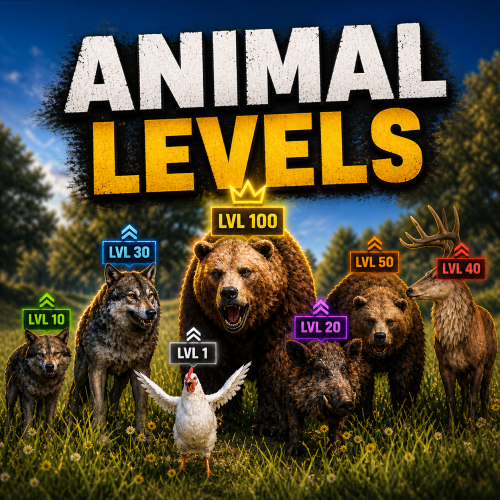
Version 1.2.5
112 downloads
Animal Levels adds a fresh twist to Rust’s wildlife by giving animals their own levels, stats, and behaviors. Instead of every encounter feeling the same, you’ll run into creatures with different health, gather yields, and even unique abilities. Some might be easy prey, others a real threat — making hunting and exploring a lot more unpredictable and rewarding. Features: Animals have different levels Animals can have different mutations Fully configurable loot and gather rates Supports all animals in the game Configurable speed & damage Fully customizable Commands: The following command can be used to spawn an animal with a specific mutation and level. The mutation index is the number position of the mutation entry in the config file, starting at 0. mutation <animal name> <mutation index> <level> The command requires the permission animallevels.spawn Loot Configurations: The gather rates of the corpse can be adjusted with the config fields BaseGatherFraction and GatherFractionPerLevel. BaseGatherFraction is the gather rate for a level 1 animal. For every level, the value of GatherFractionPerLevel is added to the final gather rate. It is also possible to configure additional loot drops for animals using the Loottable plugin or in the config file. All additional loot will drop after the corpse has been destroyed. Rarities: Each animal has a rarity. The rarity does not change the properties of an animal, it only changes the color of the displayed info card. You can choose from 4 different rarities: Common (grey) Rare (blue) Epic (pink) Legendary (gold) Classes: ExplosiveAnimal: Animals glow red and explode on death. The config options BaseGatherFraction and GatherFractionPerLevel have no effect here. BigAnimal: Makes the animal larger. Use the SizeFactor config option to change scaling. WolfLeader: Spawns a big wolf with torch on its head. ... more classes will be added in future updates Helpful information: The table below shows the vanilla stats for each animal. Animal Health Speed Damage ------------------------------------- wolf 150 9 20 bear 325 8 35 polarbear 420 8 45 stag 150 11 10 boar 150 7 12 chicken 25 2 3 tiger 240 8.25 60 panther 240 8 60 crocodile 450 8 30/40 player 100 7 n/a Default Configuration: { "Animal mutations": { "boar": [ { "Class": null, "DisplayName": "Boar", "Rarity": "Common", "MaxLevel": 15, "SpawnWeight": 100, "BaseHealth": 75.0, "HealthPerLevel": 15.0, "BaseGatherFraction": 0.5, "GatherFractionPerLevel": 0.1, "Damage": 12.0, "Speed": 7.0, "ExtraLootTable": null }, { "Class": "ExplosiveAnimal", "DisplayName": "Explosive Boar", "Rarity": "Rare", "MaxLevel": 10, "SpawnWeight": 30, "BaseHealth": 75.0, "HealthPerLevel": 15.0, "Damage": 15.0, "Speed": 6.0, "ExplosionDamage": 80.0, "ExtraLootTable": "explosive_boar" } ], "wolf": [ { "Class": null, "DisplayName": "Wolf", "Rarity": "Common", "MaxLevel": 15, "SpawnWeight": 100, "BaseHealth": 75.0, "HealthPerLevel": 15.0, "BaseGatherFraction": 0.5, "GatherFractionPerLevel": 0.1, "Damage": null, "Speed": null, "ExtraLootTable": null }, { "Class": "ExplosiveAnimal", "DisplayName": "Explosive Wolf", "Rarity": "Rare", "MaxLevel": 10, "SpawnWeight": 40, "BaseHealth": 200.0, "HealthPerLevel": 50.0, "Damage": null, "Speed": null, "ExplosionDamage": 50.0, "ExtraLootTable": "explosive_wolf" }, { "Class": "WolfLeader", "DisplayName": "Wolf Leader", "Rarity": "Epic", "MaxLevel": 10, "SpawnWeight": 15, "BaseHealth": 300.0, "HealthPerLevel": 20.0, "BaseGatherFraction": 1.5, "GatherFractionPerLevel": 0.1, "Damage": null, "Speed": null, "ExtraLootTable": "wolf_leader" } ], "bear": [ { "Class": null, "DisplayName": "Bear", "Rarity": "Common", "MaxLevel": 15, "SpawnWeight": 100, "BaseHealth": 175.0, "HealthPerLevel": 25.0, "BaseGatherFraction": 0.5, "GatherFractionPerLevel": 0.1, "Damage": null, "Speed": null, "ExtraLootTable": null }, { "Class": "BigAnimal", "DisplayName": "Big Bear", "Rarity": "Epic", "MaxLevel": 5, "SpawnWeight": 10, "BaseHealth": 375.0, "HealthPerLevel": 25.0, "BaseGatherFraction": 1.25, "GatherFractionPerLevel": 0.25, "Damage": null, "Speed": 5.0, "ExtraLootTable": "big_bear", "SizeFactor": 1.3 } ], "polarbear": [ { "Class": null, "DisplayName": "Polar Bear", "Rarity": "Common", "MaxLevel": 10, "SpawnWeight": 100, "BaseHealth": 300.0, "HealthPerLevel": 25.0, "BaseGatherFraction": 0.5, "GatherFractionPerLevel": 0.1, "Damage": null, "Speed": null, "ExtraLootTable": null }, { "Class": "BigAnimal", "DisplayName": "Big Polar Bear", "Rarity": "Epic", "MaxLevel": 5, "SpawnWeight": 10, "BaseHealth": 400.0, "HealthPerLevel": 20.0, "BaseGatherFraction": 1.25, "GatherFractionPerLevel": 0.25, "Damage": null, "Speed": 5.0, "ExtraLootTable": "big_bear", "SizeFactor": 1.3 } ], "stag": [ { "Class": null, "DisplayName": "Deer", "Rarity": "Common", "MaxLevel": 10, "SpawnWeight": 100, "BaseHealth": 75.0, "HealthPerLevel": 15.0, "BaseGatherFraction": 0.5, "GatherFractionPerLevel": 0.1, "Damage": null, "Speed": null, "ExtraLootTable": null }, { "Class": "ExplosiveAnimal", "DisplayName": "Explosive Deer", "Rarity": "Rare", "MaxLevel": 10, "SpawnWeight": 30, "BaseHealth": 100.0, "HealthPerLevel": 20.0, "Damage": null, "Speed": null, "ExplosionDamage": 80.0, "ExtraLootTable": "explosive_deer" } ], "chicken": [ { "Class": null, "DisplayName": "Chicken", "Rarity": "Common", "MaxLevel": 10, "SpawnWeight": 100, "BaseHealth": 30.0, "HealthPerLevel": 10.0, "BaseGatherFraction": 0.8, "GatherFractionPerLevel": 0.1, "Damage": null, "Speed": null, "ExtraLootTable": null }, { "Class": "ExplosiveAnimal", "DisplayName": "Explosive Chicken", "Rarity": "Rare", "MaxLevel": 5, "SpawnWeight": 30, "BaseHealth": 20.0, "HealthPerLevel": 20.0, "Damage": null, "Speed": null, "ExplosionDamage": 50.0, "ExtraLootTable": "explosive_chicken" }, { "Class": "BigAnimal", "DisplayName": "Fat Chicken", "Rarity": "Epic", "MaxLevel": 5, "SpawnWeight": 10, "BaseHealth": 100.0, "HealthPerLevel": 25.0, "BaseGatherFraction": 1.25, "GatherFractionPerLevel": 0.25, "Damage": null, "Speed": null, "ExtraLootTable": "fat_chicken", "SizeFactor": 1.5 } ] }, "Animal info UI settings": { "Default view settings": { "ViewDistance": 20.0, "LookAtRadius": 1.3 }, "View settings while aiming": { "ViewDistance": 50.0, "LookAtRadius": 1.0 }, "View settings while using binoculars": { "ViewDistance": 200.0, "LookAtRadius": 0.7 } }, "Extra loot tables": { "explosive_boar": { "Enabled": true, "Item list": [ { "Short name": "meat.pork.burned", "Min amount": 1, "Max amount": 5, "Chance (1 = 100%)": 1.0, "Skin id": 0, "Custom name": "" }, { "Short name": "charcoal", "Min amount": 10, "Max amount": 300, "Chance (1 = 100%)": 0.8, "Skin id": 0, "Custom name": "" }, { "Short name": "sulfur", "Min amount": 10, "Max amount": 200, "Chance (1 = 100%)": 0.5, "Skin id": 0, "Custom name": "" }, { "Short name": "gunpowder", "Min amount": 10, "Max amount": 50, "Chance (1 = 100%)": 0.2, "Skin id": 0, "Custom name": "" }, { "Short name": "explosives", "Min amount": 1, "Max amount": 2, "Chance (1 = 100%)": 0.05, "Skin id": 0, "Custom name": "" } ] }, "explosive_wolf": { "Enabled": true, "Item list": [ { "Short name": "wolfmeat.burned", "Min amount": 1, "Max amount": 3, "Chance (1 = 100%)": 1.0, "Skin id": 0, "Custom name": "" }, { "Short name": "charcoal", "Min amount": 10, "Max amount": 300, "Chance (1 = 100%)": 0.8, "Skin id": 0, "Custom name": "" }, { "Short name": "sulfur", "Min amount": 10, "Max amount": 200, "Chance (1 = 100%)": 0.5, "Skin id": 0, "Custom name": "" }, { "Short name": "gunpowder", "Min amount": 10, "Max amount": 50, "Chance (1 = 100%)": 0.2, "Skin id": 0, "Custom name": "" }, { "Short name": "explosives", "Min amount": 1, "Max amount": 2, "Chance (1 = 100%)": 0.05, "Skin id": 0, "Custom name": "" } ] }, "explosive_deer": { "Enabled": true, "Item list": [ { "Short name": "deermeat.burned", "Min amount": 1, "Max amount": 3, "Chance (1 = 100%)": 1.0, "Skin id": 0, "Custom name": "" }, { "Short name": "charcoal", "Min amount": 10, "Max amount": 300, "Chance (1 = 100%)": 0.8, "Skin id": 0, "Custom name": "" }, { "Short name": "sulfur", "Min amount": 10, "Max amount": 200, "Chance (1 = 100%)": 0.5, "Skin id": 0, "Custom name": "" }, { "Short name": "gunpowder", "Min amount": 10, "Max amount": 50, "Chance (1 = 100%)": 0.2, "Skin id": 0, "Custom name": "" }, { "Short name": "explosives", "Min amount": 1, "Max amount": 2, "Chance (1 = 100%)": 0.05, "Skin id": 0, "Custom name": "" } ] }, "explosive_chicken": { "Enabled": true, "Item list": [ { "Short name": "chicken.burned", "Min amount": 1, "Max amount": 2, "Chance (1 = 100%)": 1.0, "Skin id": 0, "Custom name": "" }, { "Short name": "charcoal", "Min amount": 10, "Max amount": 100, "Chance (1 = 100%)": 0.8, "Skin id": 0, "Custom name": "" }, { "Short name": "sulfur", "Min amount": 10, "Max amount": 50, "Chance (1 = 100%)": 0.5, "Skin id": 0, "Custom name": "" }, { "Short name": "gunpowder", "Min amount": 10, "Max amount": 30, "Chance (1 = 100%)": 0.2, "Skin id": 0, "Custom name": "" }, { "Short name": "explosives", "Min amount": 1, "Max amount": 1, "Chance (1 = 100%)": 0.02, "Skin id": 0, "Custom name": "" } ] }, "wolf_leader": { "Enabled": true, "Item list": [ { "Short name": "scrap", "Min amount": 50, "Max amount": 10, "Chance (1 = 100%)": 1.0, "Skin id": 0, "Custom name": "" }, { "Short name": "pie.hunters", "Min amount": 1, "Max amount": 2, "Chance (1 = 100%)": 0.5, "Skin id": 0, "Custom name": "" } ] }, "big_bear": { "Enabled": true, "Item list": [ { "Short name": "scrap", "Min amount": 20, "Max amount": 50, "Chance (1 = 100%)": 0.8, "Skin id": 0, "Custom name": "" }, { "Short name": "bearmeat.spoiled", "Min amount": 1, "Max amount": 10, "Chance (1 = 100%)": 0.8, "Skin id": 0, "Custom name": "" }, { "Short name": "pie.bear", "Min amount": 1, "Max amount": 2, "Chance (1 = 100%)": 0.5, "Skin id": 0, "Custom name": "" }, { "Short name": "keycard_green", "Min amount": 1, "Max amount": 1, "Chance (1 = 100%)": 0.4, "Skin id": 0, "Custom name": "" }, { "Short name": "keycard_blue", "Min amount": 1, "Max amount": 1, "Chance (1 = 100%)": 0.2, "Skin id": 0, "Custom name": "" } ] }, "fat_chicken": { "Enabled": true, "Item list": [ { "Short name": "egg", "Min amount": 1, "Max amount": 4, "Chance (1 = 100%)": 0.9, "Skin id": 0, "Custom name": "" }, { "Short name": "pie.chicken", "Min amount": 1, "Max amount": 2, "Chance (1 = 100%)": 0.8, "Skin id": 0, "Custom name": "" }, { "Short name": "chicken.spoiled", "Min amount": 1, "Max amount": 4, "Chance (1 = 100%)": 0.5, "Skin id": 0, "Custom name": "" }, { "Short name": "chicken.costume", "Min amount": 1, "Max amount": 1, "Chance (1 = 100%)": 0.01, "Skin id": 0, "Custom name": "" } ] } } }$21.00 -
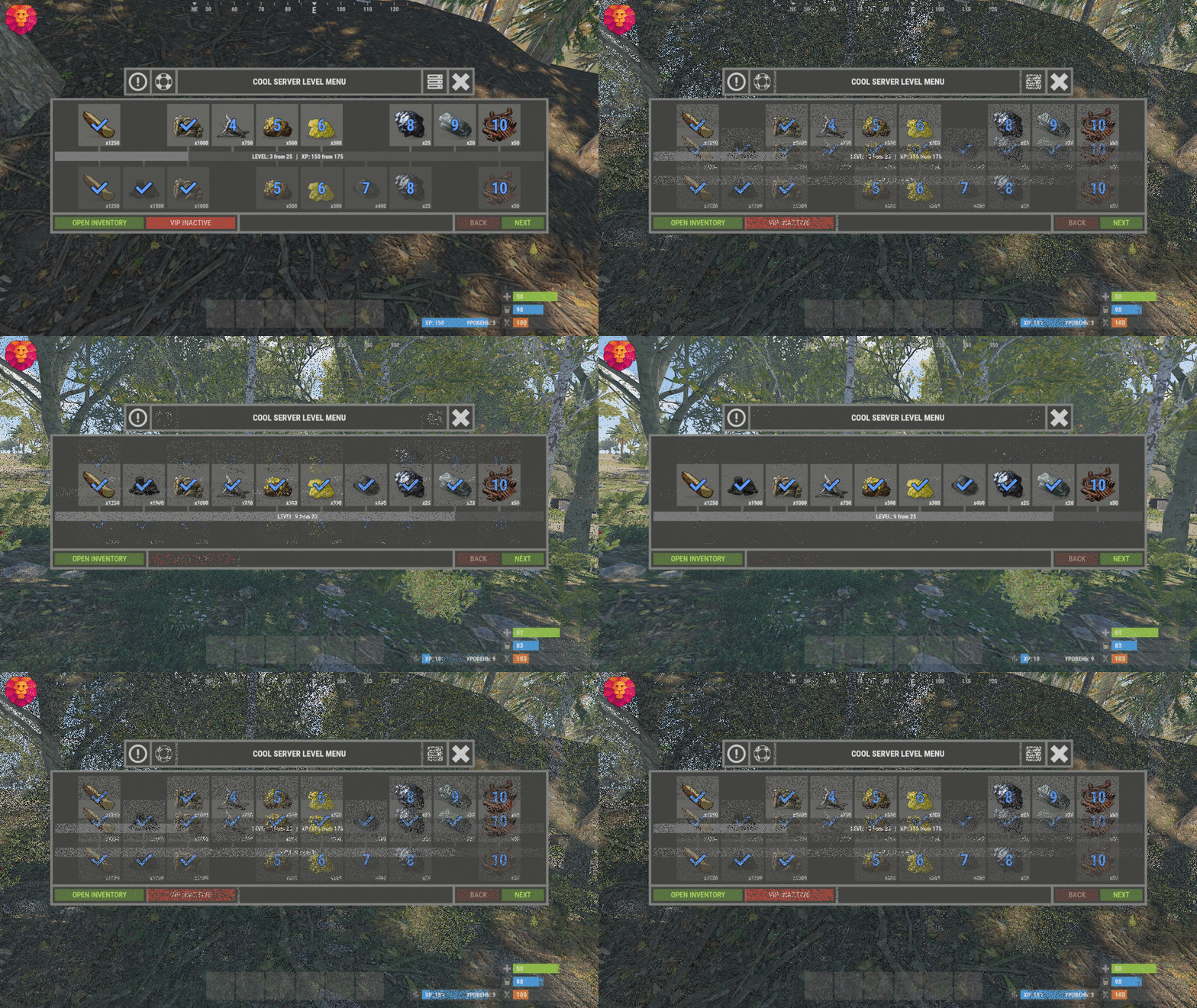
Version 1.2.0
370 downloads
XLevels (BattlePass) - levels and awards for your server. - Optimization of the interface for different monitor resolutions. - Storing player data in - oxide/data/XDataSystem/XLevels - There is a lang ru/en/uk/es. - Sound effects when interacting with the menu. - Setting the number of levels and XP to increase the level. - Setting up the level reward. [ Item, Custom Item, Command ] [ You can customize the rewards for a specific level. For example 5, 10, 20, 30. The rest will be without rewards ] - Configuring the issuance of XP by permissions for online. - Setting the XP multiplier by permissions. - Setting up coupons. [ Exchange for XP ] - Configuring boxes and the chance to spawn coupons. - Configuring the issuance of XP. [ Loot, kill, break barrels, open boxes, pick from the ground, harvest ] - Possibility to enable/disable the system of coupons. - Possibility to enable/disable VIP levels. - Chat prefix with player level. - Mini-panel with pumping progress. - Inventory with received awards. - Two options to get into the level menu. [ Command | NPC shops/keepers ] - Setting the increase in the amount of required XP with each pumped level. - The ability to accumulate XP if the maximum level is reached. [ Useful for top players ] - The ability to exchange coupons for XP if the maximum level is reached. [ Useful for top players ] - Top players. [ Level | XP ] - The ability to level up and receive rewards again after the maximum level has been reached. [Level and XP reset to zero. ] - Rank system. [ Setting in config. Display in the chat (prefix) and in the menu. ] - Possibility to hide the reward. [ The reward will not be displayed until the player reaches the required level. ] -> Overview - YouTube <- Shortnames for config settings. WORK WITH BetterLoot For the correct spawning of coupons in the crate, in the BetterLoot plugin, remove/comment out the following line of code. 630 - container.inventory.capacity = container.inventory.itemList.Count; Permissions xlevels.vip - access to VIP rewards. xlevels.top - access to the top players. Commands Open the level menu - /level, /lvl, /pass Give XP - level_give_xp <SteamID> <Amount XP> API int API_GetLevel(BasePlayer player) - returns the player's level. int API_GetLevel(ulong userID) - returns the player's level. void API_GiveXP(BasePlayer player, float XPAmount) - give the player XP. string API_GetPlayerPrefix(BasePlayer player) - get a ready-made player prefix with all the settings. string API_GetPlayerPrefix(ulong userID) - get a ready-made player prefix with all the settings. Hooks void OnXLevelsXPGained(BasePlayer player, float xp) - called when the player gains XP. void OnXLevelsUP(BasePlayer player, int level) - called when the player level up. Config { "General settings": { "XP for the pickup of resources": true, "XP for harvest": true, "XP for bonus resources": true, "XP for kill": true, "XP for opening crates": true, "Include messages of received rewards in chat": true, "Include level up messages in chat": true, "Enable coupons": true, "Enable VIP rewards": true, "Get VIP reward - [ True - only with permission | False - without permission ]": true, "Take VIP Reward - [ True - take only with permission | False - take at any time without permission ]": true, "Add XP if the maximum level is already reached - [ Suitable for top players ]": false, "Exchange coupons if you have already reached the maximum level - [ Suitable for top players ]": false, "Reset the level and XP of the player after reaching the maximum level - [ Players will re-open levels and receive rewards ]": false, "There is a plugin for custom loot": false, "Profile SteamID for custom avatar": 0, "List of commands to open the menu": [ "level", "lvl", "pass" ], "Enable prefix in chat - [ Set to False if the prefix should be disabled or the prefix is used by a third party chat plugin ]": true, "Display the level in prefix": true, "Display the rank in prefix": true, "List of available ranks - [ Level - Rank ] ( If the list is empty, then the rank will not be displayed in the menu )": { "0": "CAP-Х", "1": "IRON-1", "2": "IRON-2", "3": "IRON-3", "4": "BRONZE-1", "5": "BRONZE-2", "6": "BRONZE-3", "7": "SILVER-1", "8": "SILVER-2", "9": "SILVER-3", "10": "GOLD-1", "11": "GOLD-2", "12": "GOLD-3", "13": "PLATINUM-1", "14": "PLATINUM-2", "15": "PLATINUM-3", "16": "DIAMOND-1", "17": "DIAMOND-2", "18": "DIAMOND-3", "19": "IMMORTAL-1", "20": "IMMORTAL-2", "21": "IMMORTAL-3", "22": "RADIANT-1", "23": "RADIANT-2", "24": "RADIANT-3", "25": "GOD" } }, "Vendings settings": { "Open the level menu. [ True - Immediately after the opening of the NPC shop | False - UI button ]": false, "Access to the level menu is only through the NPC shops. [ True - NPC shop | False - Command ]": false, "List of NPC shops in which you can open the level menu (shop name)": [ "Black Market" ] }, "XP multiplier": { "Enable XP multiplier when exchanging coupons - [ This parameter affects only the multipliers for the exchange of coupons ]": false, "Setting up permissions for XP multipliers for the exchange of coupons and other actions. [ Permission | XP multiplier ]": { "xlevels.125p": 2.25, "xlevels.75p": 1.75, "xlevels.10p": 1.1 } }, "Issuing XP for online": { "Enable issuing XP to online players": false, "XP issue interval (in sec.)": 15.0, "Setting up permissions. [ Permission | XP ]": { "xlevels.default": 5.0 } }, "Mini-bar location / Main menu settings": { "AnchorMin": "1 0", "AnchorMax": "1 0", "OffsetMin": "-403 16", "OffsetMax": "-210 42", "Show mini-bar": true, "Color background_1": "0.517 0.521 0.509 0.95", "Color background_2": "0.217 0.221 0.209 0.95", "Display reward container - [ True - Only when there is a reward in the level | False - Always ]": false, "Display required reward level": true, "Display required VIP reward level": true }, "Settings levels": { "Maximum level": 25, "Number of XP to upgrade one level": 100.0, "How much to increase the number of XP with each level": 25.0 }, "XP settings | Shortname : ValueXP": { "XP for the pickup of resources": { "stones": 10.0, "sulfur.ore": 15.0, "metal.ore": 12.5 }, "XP for harvest": { "potato.entity": 2.5, "corn.entity": 1.75, "hemp.emtity": 0.25 }, "XP for bonus resources": { "stones": 5.0, "sulfur.ore": 10.0, "metal.ore": 7.5 }, "XP for kill / destroy barrel": { "boar": 10.0, "loot-barrel-1": 7.5, "heavyscientist": 2.5 }, "XP for opening crates": { "crate_normal": 5.0, "crate_normal_2": 1.0, "crate_tools": 3.5 } }, "Coupons for XP": [ { "Coupon name": "Coupon 5XP", "Coupon text": "Coupon for 5XP\n\nExchange them and get XP to level up!\n\nCommand for exchange - /level", "Coupon skin": skinID, "XP amount": 5, "Setting the chance of falling out of crates/barrels": [ { "Name crate/barrel": "crate_normal_2", "Drop chance": 50.0, "Minimum amount of coupons": 1, "Maximum number of coupons": 3 } ] }, { "Coupon name": "Coupon 10XP", "Coupon text": "Coupon for 10XP\n\nExchange them and get XP to level up!\n\nCommand for exchange - /level", "Coupon skin": skinID, "XP amount": 10, "Setting the chance of falling out of crates/barrels": [ { "Name crate/barrel": "crate_normal_2", "Drop chance": 50.0, "Minimum amount of coupons": 1, "Maximum number of coupons": 3 } ] }, { "Coupon name": "Coupon 25XP", "Coupon text": "Coupon for 25XP\n\nExchange them and get XP to level up!\n\nCommand for exchange - /level", "Coupon skin": skinID, "XP amount": 25, "Setting the chance of falling out of crates/barrels": [ { "Name crate/barrel": "crate_normal_2", "Drop chance": 50.0, "Minimum amount of coupons": 1, "Maximum number of coupons": 2 } ] }, { "Coupon name": "Coupon 50XP", "Coupon text": "Coupon for 50XP\n\nExchange them and get XP to level up!\n\nCommand for exchange - /level", "Coupon skin": skinID, "XP amount": 50, "Setting the chance of falling out of crates/barrels": [ { "Name crate/barrel": "crate_normal_2", "Drop chance": 50.0, "Minimum amount of coupons": 1, "Maximum number of coupons": 2 } ] }, { "Coupon name": "Coupon 100XP", "Coupon text": "Coupon for 100XP\n\nExchange them and get XP to level up!\n\nCommand for exchange - /level", "Coupon skin": skinID, "XP amount": 100, "Setting the chance of falling out of crates/barrels": [ { "Name crate/barrel": "crate_normal_2", "Drop chance": 50.0, "Minimum amount of coupons": 1, "Maximum number of coupons": 1 } ] }, { "Coupon name": "Coupon 200XP", "Coupon text": "Coupon for 200XP\n\nExchange them and get XP to level up!\n\nCommand for exchange - /level", "Coupon skin": skinID, "XP amount": 200, "Setting the chance of falling out of crates/barrels": [ { "Name crate/barrel": "crate_normal_2", "Drop chance": 50.0, "Minimum amount of coupons": 1, "Maximum number of coupons": 1 } ] }, { "Coupon name": "Coupon 500XP", "Coupon text": "Coupon for 500XP\n\nExchange them and get XP to level up!\n\nCommand for exchange - /level", "Coupon skin": skinID, "XP amount": 500, "Setting the chance of falling out of crates/barrels": [ { "Name crate/barrel": "crate_normal_2", "Drop chance": 50.0, "Minimum amount of coupons": 1, "Maximum number of coupons": 1 } ] } ], "Level reward": { "1": { "Item shortname / custom reward name [ Must not be empty ]": "wood", "Reward display name": "Wood", "Item quantity": 1250, "Item skin": 0, "Command": "", "Link to custom image": "", "Hide reward - [ Reward will not be displayed until the player reaches this level ]": false }, "2": { "Item shortname / custom reward name [ Must not be empty ]": "charcoal", "Reward display name": "Charcoal", "Item quantity": 1500, "Item skin": 0, "Command": "", "Link to custom image": "", "Hide reward - [ Reward will not be displayed until the player reaches this level ]": false }, "3": { "Item shortname / custom reward name [ Must not be empty ]": "metal.ore", "Reward display name": "Metal ore", "Item quantity": 1000, "Item skin": 0, "Command": "", "Link to custom image": "", "Hide reward - [ Reward will not be displayed until the player reaches this level ]": false }, "4": { "Item shortname / custom reward name [ Must not be empty ]": "metal.fragments", "Reward display name": "Metal fragments", "Item quantity": 750, "Item skin": 0, "Command": "", "Link to custom image": "", "Hide reward - [ Reward will not be displayed until the player reaches this level ]": false }, "5": { "Item shortname / custom reward name [ Must not be empty ]": "sulfur.ore", "Reward display name": "Sulfur ore", "Item quantity": 500, "Item skin": 0, "Command": "", "Link to custom image": "", "Hide reward - [ Reward will not be displayed until the player reaches this level ]": false }, "6": { "Item shortname / custom reward name [ Must not be empty ]": "sulfur", "Reward display name": "Sulfur", "Item quantity": 300, "Item skin": 0, "Command": "", "Link to custom image": "", "Hide reward - [ Reward will not be displayed until the player reaches this level ]": false }, "7": { "Item shortname / custom reward name [ Must not be empty ]": "gunpowder", "Reward display name": "Gunpowder", "Item quantity": 400, "Item skin": 0, "Command": "", "Link to custom image": "", "Hide reward - [ Reward will not be displayed until the player reaches this level ]": false }, "8": { "Item shortname / custom reward name [ Must not be empty ]": "hq.metal.ore", "Reward display name": "HQM ore", "Item quantity": 25, "Item skin": 0, "Command": "", "Link to custom image": "", "Hide reward - [ Reward will not be displayed until the player reaches this level ]": false }, "9": { "Item shortname / custom reward name [ Must not be empty ]": "metal.refined", "Reward display name": "HQM", "Item quantity": 20, "Item skin": 0, "Command": "", "Link to custom image": "", "Hide reward - [ Reward will not be displayed until the player reaches this level ]": false }, "10": { "Item shortname / custom reward name [ Must not be empty ]": "scrap", "Reward display name": "Scrap", "Item quantity": 50, "Item skin": 0, "Command": "", "Link to custom image": "", "Hide reward - [ Reward will not be displayed until the player reaches this level ]": false } }, "VIP level reward": { "1": { "Item shortname / custom reward name [ Must not be empty ]": "wood", "Reward display name": "Wood", "Item quantity": 1250, "Item skin": 0, "Command": "", "Link to custom image": "", "Hide reward - [ Reward will not be displayed until the player reaches this level ]": false }, "2": { "Item shortname / custom reward name [ Must not be empty ]": "charcoal", "Reward display name": "Charcoal", "Item quantity": 1500, "Item skin": 0, "Command": "", "Link to custom image": "", "Hide reward - [ Reward will not be displayed until the player reaches this level ]": false }, "3": { "Item shortname / custom reward name [ Must not be empty ]": "metal.ore", "Reward display name": "Metal ore", "Item quantity": 1000, "Item skin": 0, "Command": "", "Link to custom image": "", "Hide reward - [ Reward will not be displayed until the player reaches this level ]": false }, "4": { "Item shortname / custom reward name [ Must not be empty ]": "metal.fragments", "Reward display name": "Metal fragments", "Item quantity": 750, "Item skin": 0, "Command": "", "Link to custom image": "", "Hide reward - [ Reward will not be displayed until the player reaches this level ]": false }, "5": { "Item shortname / custom reward name [ Must not be empty ]": "sulfur.ore", "Reward display name": "Sulfur ore", "Item quantity": 500, "Item skin": 0, "Command": "", "Link to custom image": "", "Hide reward - [ Reward will not be displayed until the player reaches this level ]": false }, "6": { "Item shortname / custom reward name [ Must not be empty ]": "sulfur", "Reward display name": "Sulfur", "Item quantity": 300, "Item skin": 0, "Command": "", "Link to custom image": "", "Hide reward - [ Reward will not be displayed until the player reaches this level ]": false }, "7": { "Item shortname / custom reward name [ Must not be empty ]": "gunpowder", "Reward display name": "Gunpowder", "Item quantity": 400, "Item skin": 0, "Command": "", "Link to custom image": "", "Hide reward - [ Reward will not be displayed until the player reaches this level ]": false }, "8": { "Item shortname / custom reward name [ Must not be empty ]": "hq.metal.ore", "Reward display name": "HQM ore", "Item quantity": 25, "Item skin": 0, "Command": "", "Link to custom image": "", "Hide reward - [ Reward will not be displayed until the player reaches this level ]": false }, "9": { "Item shortname / custom reward name [ Must not be empty ]": "metal.refined", "Reward display name": "HQM", "Item quantity": 20, "Item skin": 0, "Command": "", "Link to custom image": "", "Hide reward - [ Reward will not be displayed until the player reaches this level ]": false }, "10": { "Item shortname / custom reward name [ Must not be empty ]": "scrap", "Reward display name": "Scrap", "Item quantity": 50, "Item skin": 0, "Command": "", "Link to custom image": "", "Hide reward - [ Reward will not be displayed until the player reaches this level ]": false } } }$24.49 -

Version 1.3.5
255 downloads
Reduce the decay damage by tick; Upgrade the authorizations limit; Upgrade the building grade limit; Upgrade the storage capacity of the cupboard; Unlock some deployable items; Upgrade the stack size limit of the cupboard; Set a default building grade for the server; Modify the default decay; Keep the cupboard attributes when remove; Make your server fun ^u^ The plugin has a unique permission, which allows the player to use the cupboard upgrade: tclevels.use F.A.Q How many items can be blocked? and which? You can block unlimited items and all items must be deployable or they will not be blocked. Which area will be checked when I place my cupboard? The entire privilege area will be checked. But you can also disable checks in the configuration file. Could it cause conflict with any plugin? Yes, but i am providing an API for the plugin so that other developers can integrate with it, so if there is a conflict, just go to the developer's plugin support and ask them to integrate it. Also if it is possible for me to integrate it from my plugin, i will do so without any problem.$20.00 -

Version 1.1.0
1,669 downloads
Your players have a great opportunity to spend time completing different missions to get rewards! The list of possibilities is incredible: In-game Events. Fights with players. Farming, Raidings, Crafting or taking action in Custom Events(The list of supported plugins will be below), and much more! Description: Welcome to a world of unforgettable adventures that BattlePass can provide your users! This plugin has 30 levels that will entertain players in different ways. Let us plunge you deeper into the great atmosphere we have prepared for you! How does it work? You will get XP for accomplishing different goals, such as destroying the helicopter, raiding, and killing players, bots, or animals. Leveling up is also possible in a more peaceful way, too. For example, you can craft items, open boxes, and farm barrels and collect farm resources. Also, don’t forget that you can easily change parameters in the config file. Feel free to change the amount of XP awarded for missions. What is the specialty of our BattlePass? Support for custom events. The plugin interface looks like it was made by the game developers. Better performance. Detailed configuration of all actions in the config. The plugin has a system of permissions that will allow your server to receive additional earnings. You can configure players' access to rewards. You can also add different multipliers of getting EXP for different privileges. The reward system supports custom items and teams. Level 1 can have multiple rewards. You can change all the texts in the Lang file. Dependencies (optional, not required) Arctic Base Event Satellite Dish Event Junkyard Event Plant Event Air Event Harbor Event Water Event Boss Monster Plugin Config en - example of plugin configuration in English ru - example of plugin configuration in Russian My Discord: CASHR#6906 Join the Mad Mappers Discord here! Check out more of my work here!$33.00