Search the Community
Showing results for tags 'game'.
Found 23 results
-

Version 1.0.17
169 downloads
Adds a coin flipping mini game to your server. Players can try their luck against a bot or a real player. Commands flip - open interface Permissions coinflipping.use - open interface coinflipping.players - play against players coinflipping.npcs - play against npcs coinflipping.createroom - create a room Config { "Commands": [ "flip" ], "Work with Notify?": true, "Economy": { "Type (Plugin/Item)": "Plugin", "Plugin name": "Economics", "Balance add hook": "Deposit", "Balance remove hook": "Withdraw", "Balance show hook": "Balance", "ShortName": "scrap", "Display Name (empty - default)": "", "Skin": 0 }, "Interface": { "Show coin in header?": true, "Coin Image": "https://i.imgur.com/GBVGvQa.png" }, "Values for Bot Game": [ 100, 200, 300 ], "Min Bet for Bot Game": 100, "Min Bet for Player Game": 100, "Permissions Settings": { "Opening the interface": "coinflipping.use", "Playing against players": "coinflipping.players", "Playing against NPCs": "coinflipping.npcs", "Creating a room": "coinflipping.createroom" } } Web Config Editor Manage the CoinFlipping settings in our web config editor. You change the config in a browser form instead of editing files on the server by hand. P.S. The web config editor is open to members of the "CoinFlipping" group in our Discord server. Join at https://discord.gg/mevent and ask for the group.$19.95 -
Version 1.0.3
26 downloads
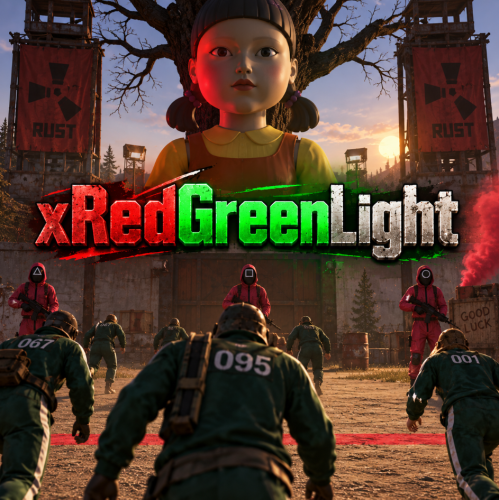
xRedGreenLight This plugin adds a “Red Light, Green Light” mini-game to your Rust server. Simple and easy to use, no other plugins required. Players can join rounds, try to survive without moving during RED LIGHT, and earn configurable rewards for each step they successfully take during GREEN LIGHT. Inspired by the Netflix Series "Squid Game. Supports automatic game starts on a schedule. Players can die if caught moving on RED. Rewards per step and item type are configurable. Comes with UI panels showing game state and participant roster. Starts anywhere (no exact location needed) Preview 🛠 Admin Commands Game Flow Configuration { "AutoStartEnabled": true, "AutoStartIntervalMinutes": 60.0, "RoundDurationSeconds": 60.0, "RewardItemShortName": "scrap", "RewardPerStep": 1, "ExplosionEffectOnFail": true, "UseEconomics": false, "OnlyEconomicsCashReward": false, "MinRewardCash": 10.0, "MaxRewardCash": 50.0, "CashRewardUseDecimals": false } AutoStartEnabled → Enable/disable automatic game starts. AutoStartIntervalMinutes → Interval between auto starts. (0.5 would be 30 minutes) RoundDurationSeconds → How long each round lasts. RewardItemShortName → The Rust shortname of the reward item (e.g. scrap, wood, metal.fragments). RewardPerStep → How many of the reward item per step. (Default is 1 scrap per step, only rewarded if game has been won) Economics Configs$12.99 -
Version 2.0.0
52 downloads
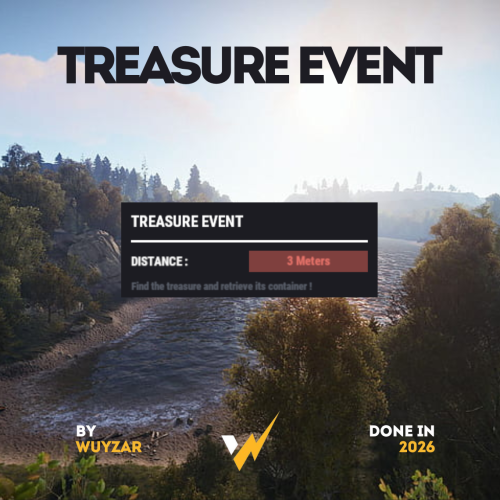
TreasureEvent.cs Description : - This plugin offers a complete treasure hunt event system for your Rust server, with real-time distance tracking and customizable loot rewards. Settings : - HUD colors - Event duration (in F1 commands) - Server message (true/false) - Items (customize everything you want in the treasure, even the skins of the items) Server message = true (you need the ServerMessage.cs plugin, https://codefling.com/plugins/server-message) Server message = false (these messages will appear in the global chat, replacing the UI) F1 Commands : - t.start <x> <z> <time> (the treasure appear in a specific location) - t.stop Permissions : - ownerid <steamID/user> WuyZar's Discord : https://discord.gg/NVwRcQwGwh$11.50 -

Version 1.0.17
1,419 downloads
Gun Game is a high-intensity PvP game mode where players compete to be the first to reach the final weapon by earning kills. Each kill advances the player to the next weapon in a fully customizable progression list, keeping the action fresh and engaging. The plugin creates a dedicated arena high in the sky, completely separated from the main map, to host the event. When players join the event, they are teleported from their current location to the event lobby, with all of their items, modifiers and metabolism stats stored safely by the plugin. Server owners can create any number of weapon profiles for players to progress through. The plugin will choose randomly between each profile at the beginning of each round. The plugin ships with 2 default profiles: Standard - Starts with revolver, ends with m249 and is 21 weapons long. Reverse - Starts with m249, ends with a sword and is 23 weapons long. This plugin works with most PVE plugins. Spawns an arena when the game begins and removes it when the game ends (no Rust-Edit required). Saves players inventory, metabolism and modifiers when they enter, and restores them when they leave. Configurable amount of kills per weapon to progress to the next weapon in the track. Supports refilling of ammo, and healing when a player gets a kill (configurable). Multiple respawn methods. Customizable clothing for players, with the option to have separate clothing for the leader. Supports custom item, server rewards and economic rewards for winners, as well as participants (based on a configurable threshold). Global scoreboard tracking wins, kills and deaths. Command: ggstart <arena name> Description: Starts the gun game event using the specified arena. Permission: gungame.admin Command: ggend Description: Ends the active gun game event. Permission: gungame.admin Command: ggsetcentrepoint <arena name> Description: Sets the spawn location for the specified arena. Permission: gungame.admin There are a number of commands that can be changed in the config that handle: Joining an event [default: ggjoin] Leaving an event [default: ggleave] Restoring items from a previous event [default: ggrestore] Accessing the scoreboard [default: ggscore] // Returns if the player is enrolled in the event. public bool IsEventPlayer(BasePlayer player); // Called when the arena has spawned and the lobby is about to start. void OnGunGameStart(); // Called when the game is ending. void OnGunGameEnd(); // Called when a player leaves an event. void OnEventLeave(BasePlayer player, string eventName); // Called when a player is attempting to join the event. Return non-null to prevent. object OnEventJoin(BasePlayer player, string eventName); // Called after a player has successfully joined the event, had their weapons stripped and has been teleported to the lobby. void OnEventJoined(BasePlayer player, string eventName); Very special thanks to Nobody and the guys and girls on Aussie Outpost PVE for their help with testing and feedback!$19.99 -
Version 4.4.0
116 downloads
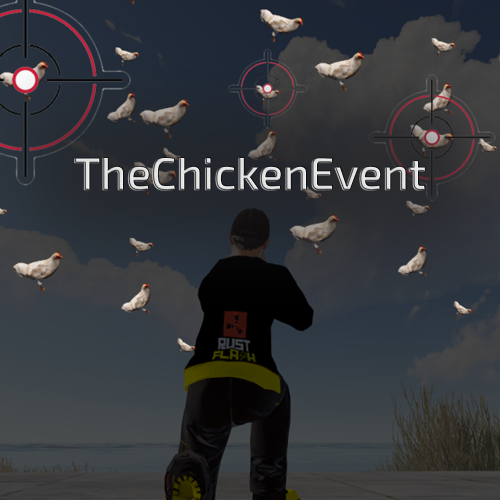
Features This plugin enables players to trigger an entertaining event in Rust - the so-called "Chicken Event". If a player has the required authorisation, they can start the event. During the event, chickens are spawned near the player and the goal is to shoot as many chickens as possible. After a set time, the event ends and the players with the most chicken kills receive rewards. The plugin tracks the performance of the players and determines the winners based on their kills. The main functions of the plugin are: - Launching of the Chicken Event by eligible players. - Randomly spawning chickens near the player. - Tracking the number of chickens shot down by each player. - Announcement of winners and their rewards at the end of the event. - [NEW in 4.0.0] Live Top-5 Leaderboard during the event (can be disabled in config). - [NEW in 4.0.0] Simple Kill Counter above the inventory (can be disabled in config). - [NEW in 4.0.0] Choose which UI elements you want to display — both, one, or none. - Configurable rewards for each place with individual winning probabilities. - Optional VIP group assignment for winners with customizable duration. This plugin adds a fun activity to the game of Rust and rewards players who are successful in this event. It's a great way to encourage player interaction on your server and have fun. Functions You can start the ChickenEvent command: /flashchickenevent You can start the ChickenEvent Console: flashchickenevent To use the command, you need the authorization: Config { "EventDuration": 60, "ChickenSpawnRadius": 20.0, "EnableChickenMovement": true, "RemoveDeadChickensAfterEvent": true, "UseTop5Leaderboard": true, "SimpleKillCounter": true, "PlaceRewards": [ { "Place": 1, "Label": "1st Place", "Items": [ { "Shortname": "supply.signal", "Amount": 1, "SkinId": 0, "Chance": 50.0 }, { "Shortname": "scrap", "Amount": 500, "SkinId": 0, "Chance": 80.0 } ], "VipGroup": "vip", "VipDuration": 7 } ] } Config Explanation: EventDuration: Duration of the event in seconds (default: 60) ChickenSpawnRadius: Radius around the player where chickens spawn (default: 20.0) EnableChickenMovement: Chickens walk around randomly during the event (default: true) RemoveDeadChickensAfterEvent: Remove dead chicken corpses after the event ends (default: true) UseTop5Leaderboard: Show the live Top-5 leaderboard on the right side during the event (default: true) [NEW in 4.0.0] SimpleKillCounter: Show the simple kill counter above the inventory (default: true) [NEW in 4.0.0] PlaceRewards: Customize rewards for each place with items, chances, and optional VIP group assignment Video: load, run, enjoy$12.99 -

Version 1.0.9
204 downloads
This event is based on the game "Red Light, Green Light" from the popular serial "Squid Game" Description Prefab arena for this game is in the plugin package To work event is necessary to have this prefab on the map (it works only on custom maps!!!) Event starts with a message in the chat about the beginning of the event. Then everyone who wants to take part in the game must write in the chat command (/rlglenter). The player will be moved to the arena after this action. If the player is in his building zone, he will return to the same place at the end of the event. It’s a place where he wrote the command. Otherwise, at the end of the event the player will be moved to a safe zone on the map. There is a waiting time for all players at the beginning of the event. The game will begin when this time is over. The idea of the game is to follow instructions strictly. While the indicator is green, a player can move. When a red indicator is on the player’s screen, a player can’t move. If the violation of the rules is noticed, a player will be out of the game and move to the watching area of the game. Then a player can monitor other players’ game from the watching zone. All players who cross the finish line before the time limit is up will win. It is possible to set up in the configuration: a total table of items for the winners, all the time periods in the game, the inaccuracy of the player's movement when the red light is activated. Prefab Installation Instructions In this case, it is assumed that the customer uses the RustEdit program 1. Unpack the archive to a folder 2. Open the RustEdit program location 3. Place the folder with the prefab files in the "CustomPrefabs" folder 4. Run the RustEdit program 5. Open the map on which you want to install this prefab 6. In the Prefab List tab, open the Custom tab 7. In the Custom tab, open the folder that we dragged to CustomPrefabs (item 3) 8. Drag the prefab to the place you want on the map 9. Apply The Modifications (!!!THE first step is to APPLY the Height Mask, then everything else!!!) 10. Everything is ready (If available)! It remains only to save the map, run it on the server Dependencies (optional, not required) NoEscape NTeleportation Chat commands (only for administrators) /rlglstart - start the event /rlglstop - end the event /rlglenter - enter the arena of the game /rlglexit - exit the arena of the game Console commands (RCON only) rlglstart - start the event rlglstop - end the event Plugin Config "Prefix of chat messages" "Inaccuracy of changing the player position at the red indicator [м.]" "Inaccuracy of changing the position of player’s camera at the red indicator [degrees]" "Minimum time between events [sec.]" "Maximum time between events [sec.]" "Waiting time at the beginning of the event [sec.]" "Duration of the event [sec.]" "Waiting time at the end of the event [sec.]" "Minimum starting time of the stage (at least 2) [sec.]" "Maximum starting time of the stage (at least 4) [sec.]" "Sound language [ru/en]" "List of commands that you cannot use in the event area" "Table of items for winning the game" "List of items" "ShortName" "Minimum" "Maximum" "Chance [0.0-100.0]" "Is this a blueprint? [true/false]" "SkinID (0 - default)" "Name (empty - default)" "Own loot table" "Minimum numbers of items" "Maximum numbers of items" "List of items" The prefab is designed by jtedal#8448 Contact me in Discord: KpucTaJl#8923$30.00- 27 comments
- 2 reviews
-
- 10
-

-

-
- #autoturret
- #event
- (and 19 more)
-
Version 1.1.03
22 downloads
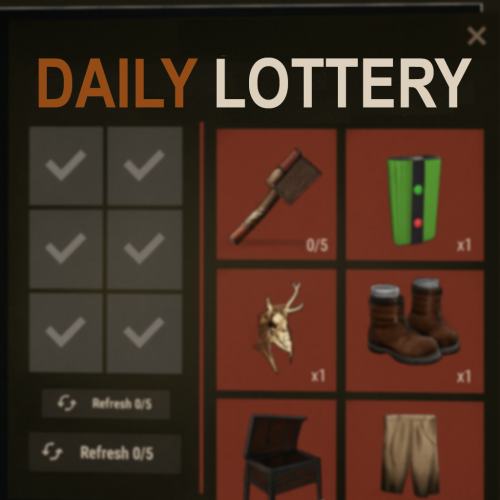
HiddenSlotsLottery gives your players a chance to win items by opening hidden “slots” in a simple, engaging format. #Features: Base Draw: each player gets up to N attempts per day to open slots and claim prizes. Oxide/Carbon supported Support for permissions and their settings from the config. Super Game: landing a “Super Slot” triggers a bonus round where you must match three identical items to win exclusive rewards. Daily Limits: configure maximum opens and refreshes per day to control participation. Full Customization: define your prize list in JSON — set short names, quantities, SkinIDs, custom images, and even execute extra commands (e.g. grant VIP, issue permissions). ImageLibrary Integration: use standard item renders or your own PNG icons for a unique look. Sleek CUI Interface #Configuration: { "(Default) Maximum number of opens": 5, "(Default) Maximum number of refreshes": 3, "Setting Permission": { "dailylottery.vip": { "Maximum number of opens": 7, "Maximum number of refreshes": 4 }, "dailylottery.elite": { "Maximum number of opens": 10, "Maximum number of refreshes": 5 } }, "Chat command to open menu": "lot", "Using ImageLibrary for images": false, "Possible items for drop": [ { "Item description": { "Item short name": "axe.salvaged", "Quantity": 1, "Item SkinID": 0, "Additional image": "", "Additional command (%STEAMID%)": "" }, "Super game": true }, { "Item description": { "Item short name": "coffeecan.helmet", "Quantity": 1, "Item SkinID": 0, "Additional image": "", "Additional command (%STEAMID%)": "" }, "Super game": false }, { "Item description": { "Item short name": "attire.hide.vest", "Quantity": 1, "Item SkinID": 0, "Additional image": "", "Additional command (%STEAMID%)": "" }, "Super game": false }, { "Item description": { "Item short name": "hat.candle", "Quantity": 1, "Item SkinID": 0, "Additional image": "", "Additional command (%STEAMID%)": "" }, "Super game": false }, { "Item description": { "Item short name": "electrical.memorycell", "Quantity": 1, "Item SkinID": 0, "Additional image": "", "Additional command (%STEAMID%)": "" }, "Super game": true }, { "Item description": { "Item short name": "weapon.mod.oilfiltersilencer", "Quantity": 1, "Item SkinID": 0, "Additional image": "", "Additional command (%STEAMID%)": "" }, "Super game": true }, { "Item description": { "Item short name": "woodarmor.gloves", "Quantity": 1, "Item SkinID": 0, "Additional image": "", "Additional command (%STEAMID%)": "" }, "Super game": true }, { "Item description": { "Item short name": "electric.timer", "Quantity": 1, "Item SkinID": 0, "Additional image": "", "Additional command (%STEAMID%)": "" }, "Super game": false }, { "Item description": { "Item short name": "rocket.launcher", "Quantity": 1, "Item SkinID": 0, "Additional image": "", "Additional command (%STEAMID%)": "" }, "Super game": false }, { "Item description": { "Item short name": "torch", "Quantity": 1, "Item SkinID": 0, "Additional image": "", "Additional command (%STEAMID%)": "" }, "Super game": false }, { "Item description": { "Item short name": "longsword", "Quantity": 1, "Item SkinID": 0, "Additional image": "", "Additional command (%STEAMID%)": "" }, "Super game": false }, { "Item description": { "Item short name": "tool.binoculars", "Quantity": 1, "Item SkinID": 0, "Additional image": "", "Additional command (%STEAMID%)": "" }, "Super game": true }, { "Item description": { "Item short name": "ballista.static", "Quantity": 1, "Item SkinID": 0, "Additional image": "", "Additional command (%STEAMID%)": "" }, "Super game": false }, { "Item description": { "Item short name": "mask.balaclava", "Quantity": 1, "Item SkinID": 0, "Additional image": "", "Additional command (%STEAMID%)": "" }, "Super game": false }, { "Item description": { "Item short name": "flameturret", "Quantity": 1, "Item SkinID": 0, "Additional image": "", "Additional command (%STEAMID%)": "" }, "Super game": false }, ], "Configuration version": { "Major": 1, "Minor": 0, "Patch": 0 } } #LANG RU/ENG: { "UI.Title": "Daily Lottery", "UI.ItemList.Description": "List of possible prizes—remember that to obtain a unique item (marked in red), you must win the Super Game!", "UI.RightMenu.Description": "Select an item, attempts {0}/{1}\nIf a rare item is dropped, you will play the Super Game! Good luck!", "UI.Button.Refresh": "Refresh {0}/{1}", "UI.Inventory.Button": "Inventory", "UI.Inventory.Back": "Back", "UI.Inventory.Title": "Your inventory", "UI.SuperGame.Start": "You’ve entered the Super Game; you need to find three matching items! If you fail, you won’t receive anything!", "UI.Attempts.Over": "<size=24><b>YOU HAVE USED ALL YOUR ATTEMPTS</b></size>\n<size=20>COME BACK TOMORROW</size>" } #API: bool IsReadyLotOpen(BasePlayer player) - Checking if the player has the ability to open slots$15.49 -
Version 1.1.4
19 downloads
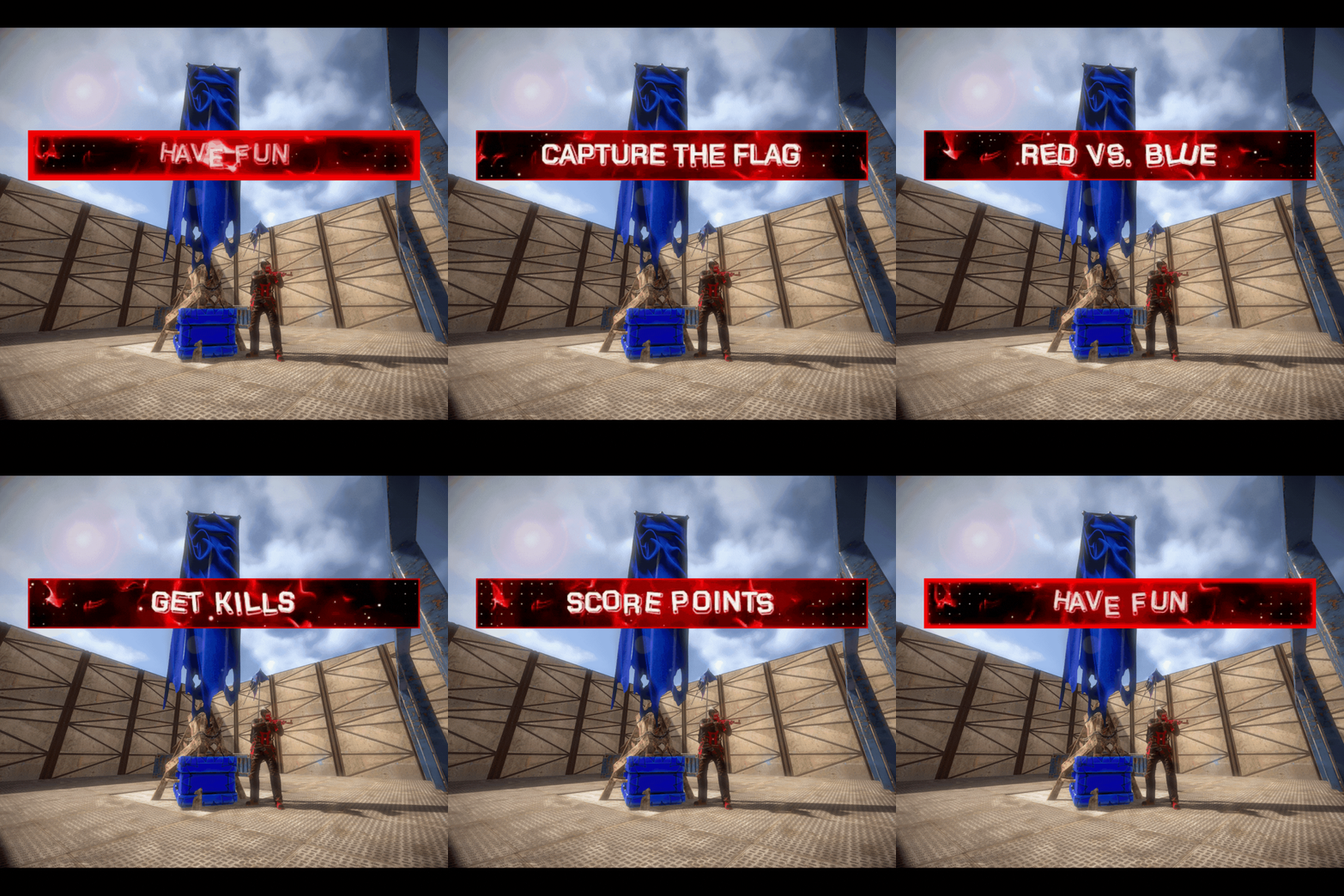
Capture The Flag Classic Capture The Flag game mode event where Red and Blue teams compete to capture each others flag and reach the score limit first. Dependencies The following plugins are required for Capture The Flag. ImageLibrary by k1lly0u - Required (Free) Rust Kits by k1lly0u - Required (Free) This plugin does not include pre-configured kits. You can choose what to give as a kit in the configuration. Features How Capture The Flag works: Each team spawns on the opposite side of the map. You could make the spawns anywhere but this is ideal for Capture The Flag. Red team players get a red kit and Blue team players get a blue kit. Make sure you set your kit skins. Each team must work their way to the opposite side of the map and retrieve the Flag item from the other team's flag box (which is a wearable backpack flag that makes a giant flag stick out from your player). Once the enemies flag is picked up you must return it safely to your team's flag box to score a point. Remember it is in your backpack slot and must be placed in your box to score a point. When you kill an enemy who has your flag and they drop it, you can press 'e' or interact with it to return it to your flag spawn automatically. When you don't return your own flag once it's been dropped by an enemy the other team can pick it up again in the same spot it was dropped. The game ends when one team reaches the score limit first. Three demo arenas included. As seen in images (small stone and jungle arenas, large sheet metal arena). These are Copy Paste files. Build your own custom arena: You can build a custom arena in-game or use an arena prefab and set the location where the game starts with commands. Use the commands /flag red, /flag blue, /spawnpoint red, /spawnpoint blue, and /spawnpoint spectate to set the teleport locations for the game to your arena. Location settings can be saved and loaded using the arena profile command. Lots of configurable options and an editable language file for in-game message customization. Customize your game settings including: Time limit for event registration Time limit for game (or disable by setting to 0). Number of flag captures (points) required to win. Minimum number of players required to start event. Choose if players get instant full health when they get a kill. Respawn Cooldown in seconds to delay a player respawning after they die. Respawn Protection period to prevent spawn killing. Increase or decrease randomized distance from spawn point to teleport players. Optional temporary Team UI with save and restore original team UI after the game. Works with vanilla teams only. Blocked command list to prevent players from using commands during the game. Choose kit name for Red and Blue teams to spawn with. Make sure you skin your kits red and blue! Choose kit for ammo and med restock when a player gets a kill. Choose skin ID for Red and Blue Flag boxes. Required. Choose background images for Red and Blue Flag Banners. More Features: Command for players to join event when registration opens. Chat command and console command to start event registration. Visible flag on player's back. (Color can not be changed). No friendly fire (no team damage). Chat notifications to participating players for events like kills, flag pickups, flag drops, captures. Scoreboard (sorted by kills) in chat at the end of the event with player names, kills, and captures. If you knock a player and they f1 kill it will count as a kill for the person who knocked them. Developer API hook OnGameWin to notify you when a game has been won along with the statistics. Good for rewards and score keeping. Optional temporary Team UI for players on the same team during the event. They will be returned to their original team after the event (vanilla teams only). Restore player items after the game. (Players are teleported to the event naked). After the event teleport players back to original location from when they joined the event. Player disconnection handling in case anyone leaves during the event. Flag boxes and banners are unbreakable. There are two commands /forceflag red and /forceflag blue for admins to force respawn a flag in it's box if it can't be accessed or glitches through the map. You can't hide the flag in your inventory so player's don't know you have it. It won't let you. You can't remove your team clothing and armor. Players can't pick up their own team's flag (except automatically returning it to spawn when they interact with it if it's dropped on the ground). Admin team change commands to change players teams with a configurable amount of time for team changing before game. Demo Arenas: If you want to use the two demo arenas that come with the plugin as seen in the images you will need: Copy Paste by misticos (https://umod.org/plugins/copy-paste) Skins: If you don't have a plugin to skin items already: Skins by misticos (https://umod.org/plugins/skins) Check out Steam Workshop for free skins for Rust. Permissions capturetheflag.join - Required to use /ctf command to join event. capturetheflag.admin - Required to use event management and setup commands. Chat Commands Join, start, stop event: /ctf - Command for players to join event during registration. Requires permission capturetheflag.join. /ctf start - Command for admins to start the event registration. Requires permission capturetheflag.admin. Optionally, you can also use /ctf start <profile name> to start a specific arena profile if you have any saved. /ctf stop - Command for admins to stop the event in progress. Requires permission capturetheflag.admin. Set flag locations: /flag red - Set location for Red Flag Spawn to where you are standing and which direction you are facing. Requires permission capturetheflag.admin. /flag blue - Set location for Blue Flag Spawn to where you are standing and which direction you are facing. Requires permission capturetheflag.admin. Set spawn locations: /spawnpoint red - Set location for Red Team Player Spawn to where you are standing. Requires permission capturetheflag.admin. /spawnpoint blue - Set location for Blue Team Player Spawn to where you are standing. Requires permission capturetheflag.admin. /spawnpoint spectate - Set location for pre-game lobby and spectator zone to where you are standing. Requires permission capturetheflag.admin. Team management: /team swap <player1> <player2> - Swap two players teams during the team swapping period. Requires permission capturetheflag.admin. /team red <player> - Force blue team player to join red team during team swapping period. Requires permission capturetheflag.admin. /team blue <player> - Force red team player to join blue team during team swapping period. Requires permission capturetheflag.admin Arena profiles (optional): /arena save <name> - Save current arena configuration to an arena profile. Requires permission capturetheflag.admin. /arena load <name> - Load arena configuration from an arena profile. Requires permission capturetheflag.admin Keep in mind you can also use /ctf start <profile name> to load and start a specific profile. /arena list - List saved arenas. Requires permission capturetheflag.admin. /arena option <name> <option> <value> - Change arena gameplay settings for a specific arena. Requires permission capturetheflag.admin. /arena show <name> - Display current settings for an arena profile. Requires permission capturetheflag.admin. Force flag respawn: /forceflag red - Force add a Red Flag to the Red Team's flag box. Requires permission capturetheflag.admin. /forceflag blue - Force add a Blue Flag to the Red Team's flag box. Requires permission capturetheflag.admin. Console Commands ctf start - Command for admins to start the event registration. ctf start <arena profile> - Command for admins to load an arena profile and start event registration. ctf stop - Command for admins to start the event registration. Configuration { "Amount of time in seconds for event registration": 180, "Amount of time in seconds before game ends for taking too long (0 to disable)": 1800, "Number of flag captures a team must get to win the game": 3, "Minimum number of players required to start the game": 2, "Maximum number of players before registration closes": 20, "Cooldown in seconds for respawning during game": 10, "Amount of time in seconds player will be invincible after spawning": 3, "Maximum distance from team spawn point player can spawn within": 4.0, "Grant player instant full health when they get a kill": true, "Amount of time in seconds between registration end and event start (for admin team swapping)": 15, "Create a temporary Team UI for players and restore vanilla teams after the game": false, "Blocked command list for players during game": [ "home", "outpost" ], "Red Team kit name": "red team", "Blue Team kit name": "blue team", "Ammo Restock and Meds on kill kit name": "restock ammo", "Red Flag Box Skin ID": 2133043744, "Blue Flag Box Skin ID": 2918303257, "Red Team Banner Flag background image link": "https://i.ibb.co/zhvx1xHZ/flagred.jpg", "Blue Team Banner Flag background image link": "https://i.ibb.co/dJKxLjZ5/flagblue.jpg", "Position to teleport players on pre-game lobby and spectate (X)": 0.0, "Position to teleport players on pre-game lobby and spectate (Y)": 0.0, "Position to teleport players on pre-game lobby and spectate (Z)": 0.0, "Red flag position (X)": 0.0, "Red flag position (Y)": 0.0, "Red flag position (Z)": 0.0, "Blue flag position (X)": 0.0, "Blue flag position (Y)": 0.0, "Blue flag position (Z)": 0.0, "Red flag facing position (X)": 0.0, "Red flag facing position (Y)": 0.0, "Red flag facing position (Z)": 0.0, "Blue flag facing position (X)": 0.0, "Blue flag facing position (Y)": 0.0, "Blue flag facing position (Z)": 0.0, "Red team spawn position (X)": 0.0, "Red team spawn position (Y)": 0.0, "Red team spawn position (Z)": 0.0, "Blue team spawn position (X)": 0.0, "Blue team spawn position (Y)": 0.0, "Blue team spawn position (Z)": 0.0 } Arena Profiles (optional): Save your arena settings and load them later. If you have multiple arenas on your map you can save your current arena configuration to an arena profile and load it when you need it. Use the /arena commands to manage your arena profiles. An arena profile contains player spawn locations and flag spawn locations and gameplay settings. What is an arena profile? Arena profiles are optional and are not required. They are used to make setting up games easier when you have multiple arenas on your map. Use arena profiles to save arena and game settings from your current configuration to a named profile that you can load back to your configuration when needed. This lets you configure multiple arenas on your map with different settings, and swap between them when you need to with one command. How do I create an arena profile? First, set up your /flag and /spawnpoint locations. Save your current config to an arena profile using the command /arena save <profile name>. Edit additional arena gameplay options using /arena option <profile name>. Load the arena with /arena load <profile name> when you need it. This will copy the arena profile to your current configuration. How do I edit an existing arena profile? Updating player and flag spawn points: Load the arena profile you want to edit. Use the commands /flag and /spawnpoint to set update teleport locations in your current configuration. Using the same saved profile name with /arena save, save the current configuration to the arena profile so the teleport locations are updated and your current profile options are still saved. Updating arena gameplay options: Save your arena profile after you set up the spawn points, then use the command /arena option to change your settings. Reload the arena profile to apply the updated profile to your current configuration. What arena gameplay options can I edit on the arena profile? You can use the /arena option command to modify: CapturesToWin MaxPlayers RespawnDelay RespawnProtection RespawnMaxDistance RedTeamKit BlueTeamKit AmmoRestockKit In case you want to have different settings per arena. Here's an example: /arena option <profile name> CapturesToWin 5. Included Arenas The included arenas are Copy Paste data files. To use the arenas you must download Copy Paste by Misticos here and upload the ctf_stone.json file to your your server framework folder (oxide/carbon)/data/copypaste/ctf_stone.json. Paste the arena in-game using the command /paste ctf_stone. If you need to, you can adjust the height with /paste ctf_stone height 50 (to paste it in the air). Use the available commands to set the flag spawns and teleport locations. Developer API Hooks void OnGameWin(string winningTeam, List<ulong> redTeamPlayers, List<ulong> blueTeamPlayers, Dictionary<ulong, int> playerKills, Dictionary<ulong, int> playerCaptures) - Called when a game is won. Good for rewards and score keeping. Support and Configuration Help Discord For support or for questions about the plugin before you purchase reach out on Codefling or visit the support Discord for my plugins here: https://discord.gg/25sR5EZktP Gameplay Video Turn the video to 1080p if it's blurry!$30.00- 4 comments
-
- 1
-
-
- #capture the flag
- #ctf
- (and 9 more)
-
Version 1.0.3
18 downloads
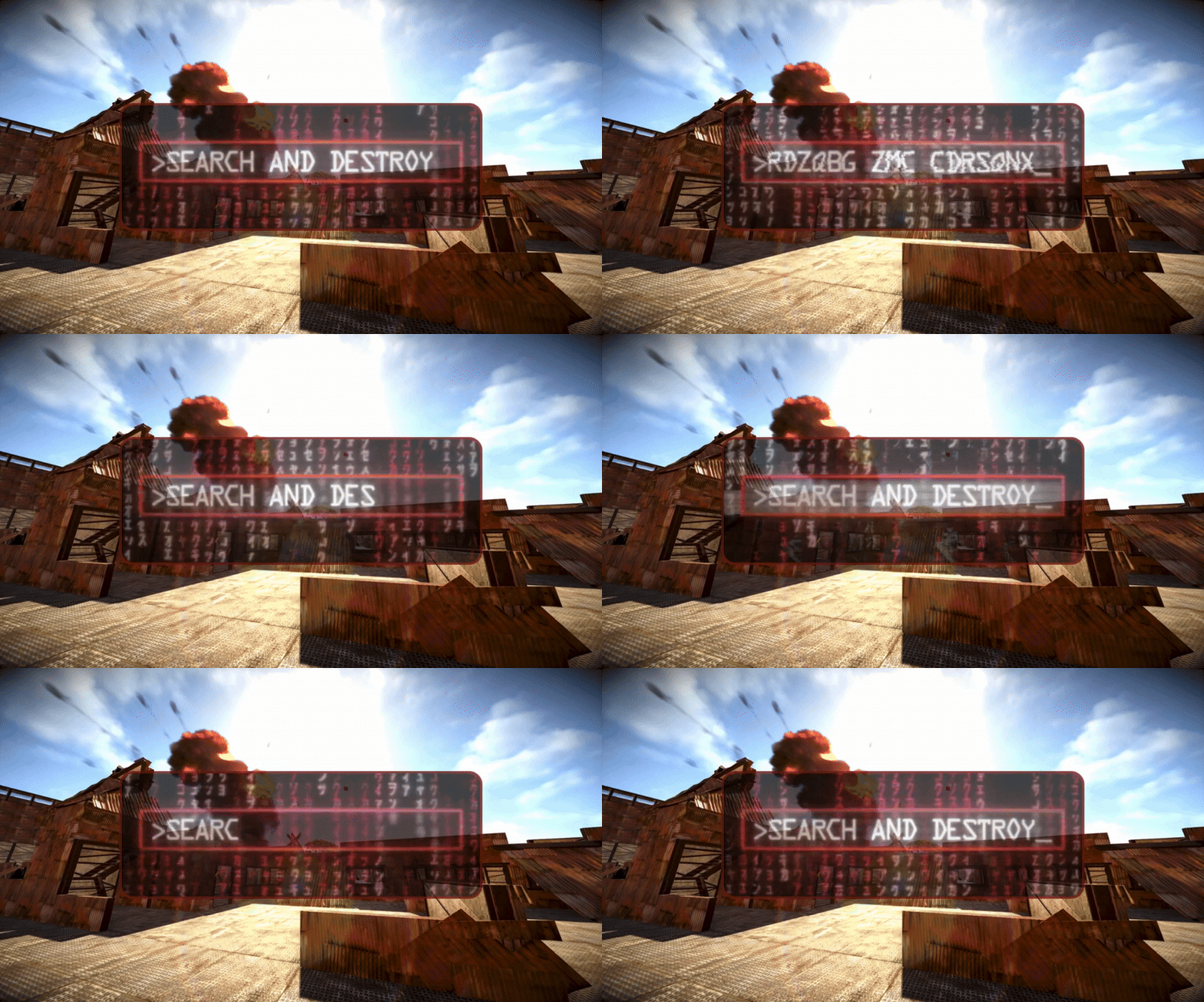
Search And Destroy Search and Destroy Classic PVP Game Mode Event. 2 in 1: Respawn or No Respawn. Features How Search and Destroy works: Each team spawns on the opposite side of the arena. Both teams must locate the bomb sites. Each round one team defends and one team is the attacker, the objectives switch each round or halfway through depending on your configuration. The attackers can plant the bomb at a bomb site to start the countdown. If the bomb detonates before the defender team defuses it the attackers win the round. If the defenders prevent the attackers from planting, or defuse the bomb before it explodes they win the round. The game ends when one team reaches the score limit first. Choose if players respawn until the round time limit is reached or if players have one life per round so you can also win the round by eliminating the other team. Choose if anyone on the attacking team can plant the bomb or if one bomb spawns on the ground that someone from the attacking team must pick up to plant at the bomb site. Edit your game settings for a faster or slower paced game! Three demo arenas included as seen in images. These are Copy Paste files. Build your own custom arena: You can build a custom arena in-game or use an arena prefab and set the location where the game starts with commands. Use the commands /bomb 1, /bomb 2, /setspawn red, /setspawn blue, and /setspawn spectate to set the teleport locations for the game to your arena. Location settings can be saved and loaded using the arena profile command. Lots of configurable options and an editable language file for in-game message customization. Customize your game settings including: Time limit for event registration. Time limit per round if bomb is not planted. Choose if players respawn until the round time limit is reached or if they have one life per round. Choose optional respawn delay timer. Choose optional spawn protection timer. Choose how often sides switch. Choose if all attacking team players can plant bomb or if only one bomb spawns on the ground for the attackers to plant. Choose duration of bomb timer. Choose number of points points required to win. Choose if there are one or two bomb sites. Choose length of bomb plant code. Choose length of bomb defuse code. Minimum number of players required to start event. Maximum number of players required to start event. Choose if players get instant full health when they get a kill. Choose if players can team kill. Increase or decrease randomized distance from spawn point to teleport players. Optional temporary Team UI with save and restore original team UI after the game. Works with vanilla teams only. Blocked command list to prevent players from using commands during the game. Choose kit name for Red and Blue teams to spawn with. Choose kit for ammo and med restock when a player gets a kill. Configure skin ID for bomb site object (fridge). Required. Configure skin ID for ground bomb item (satchel). Required. More Features: GUI with random code for planting and defusing the bomb. Command for players to join event when registration opens. Chat command and console command to start event registration. If enabled, bomb item spawns in front of attacking teams spawn. One player can pick it up and it is required to plant the bomb at the bomb site. If they die with the bomb it will drop and only the attacking team can pick it up. Bomb ticking noise near bomb that speeds up in the last five seconds. Chat notifications to participating players for events like kills, bomb plants, etc. Scoreboard (sorted by kills) in chat at the end of the event with player names, kills, deaths, plants, and defuses. If you knock a player and they f1 kill it will count as a kill for the person who knocked them. Developer API hook OnGameWin to notify you when a game has been won along with the statistics. Good for rewards and score keeping. Optional temporary Team UI for players on the same team during the event. They will be returned to their original team after the event (vanilla teams only). Restore player items after the game. (Players are teleported to the event naked). After the event teleport players back to original location from when they joined the event. Player disconnection handling in case anyone leaves during the event. Bomb object is unbreakable during the event. You can't remove your team clothing and armor. No looting bodies or knocked players. Admin team change commands to change players teams with a configurable amount of time for team changing before game. Yes, the bomb explodes. Demo Arenas: If you want to use the three demo arenas that come with the plugin as seen in the images you will need: Copy Paste by misticos (https://umod.org/plugins/copy-paste) Skins: If you want colored kits and don't have a plugin to skin items already: Skins by misticos (https://umod.org/plugins/skins) Check out Steam Workshop for free skins. Dependencies The following plugin is required for Search And Destroy. Rust Kits by k1lly0u - Required (Free) This plugin does not include pre-configured kits. You can choose what to give as a kit in the configuration. Permissions searchanddestroy.join - Required to use /snd command to join event. searchanddestroy.admin - Required to use event management and setup commands. Chat Commands Join, start, stop event: /snd - Command for players to join event during registration. Requires permission searchanddestroy.join. /snd start - Command for admins to start the event registration. Requires permission searchanddestroy.admin. Optionally, you can also use /snd start <profile name> to start a specific arena profile if you have any saved. /snd stop - Command for admins to stop the event in progress. Requires permission searchanddestroy.admin. Set bomb locations: /bomb 1 - Set location for Bomb 1 to where you are standing Requires permission searchanddestroy.admin. /bomb 2 - Set location for Bomb 2 to where you are standing. Requires permission searchanddestroy.admin. Set spawn locations: /setspawn red - Set location for Red Team Player Spawn to where you are standing. Requires permission searchanddestroy.admin. /setspawn blue - Set location for Blue Team Player Spawn to where you are standing. Requires permission searchanddestroy.admin. /setspawn spectate - Set location for pre-game lobby and spectator zone to where you are standing. Requires permission searchanddestroy.admin. Team management: /sndteam swap <player1> <player2> - Swap two players teams during the team swapping period. Requires permission searchanddestroy.admin. /sndteam red <player> - Force blue team player to join red team during team swapping period. Requires permission searchanddestroy.admin. /sndteam blue <player> - Force red team player to join blue team during team swapping period. Requires permission searchanddestroy.admin Arena profiles (optional): /profile save <name> - Save current arena configuration to an arena profile. Requires permission searchanddestroy.admin. /profile load <name> - Load arena configuration from an arena profile. Requires permission searchanddestroy.admin Keep in mind you can also use /ctf start <profile name> to load and start a specific profile. /profile list - List saved arenas. Requires permission searchanddestroy.admin. /profile option <name> <option> <value> - Change arena gameplay settings for a specific arena. Requires permission searchanddestroy.admin. /profile show <name> - Display current settings for an arena profile. Requires permission searchanddestroy.admin. Console Commands snd start - Start the event. You can use snd start <arena profile> to load and start an arena profile. snd stop - Stop the event. Configuration { "Amount of time in seconds for event registration": 180, "Amount of time in seconds before a round ends for taking too long if bomb is not planted": 300, "Amount of time in seconds between registration end and event start (for admin team swapping)": 15, "First to reach this number of points wins": 4, "Minimum number of players required to start the game": 2, "Maximum number of players before registration closes": 20, "Maximum distance from team spawn point player can spawn within": 4.0, "Length of random code to enter when planting bomb": 10, "Length of random code to enter when defusing bomb": 10, "Duration of bomb timer in seconds": 60, "Use two bomb sites, otherwise use one": true, "Require bomb ground item to plant at bombsite, otherwise anyone on attacking team can plant": true, "Do players respawn until the round time limit is reached or bomb explodes?": false, "Cooldown in seconds for respawning during game": 10, "Amount of time in seconds player will be invincible after spawning": 5, "Can players on the same team kill each other?": false, "Grant player instant full health when they get a kill": false, "Create a temporary Team UI for players and restore vanilla teams after the game": false, "Blocked command list for players during game": [ "home", "outpost" ], "Red Team kit name": "red team", "Blue Team kit name": "blue team", "Ammo Restock and Meds on kill kit name": "restock ammo", "Bomb Skin ID (Fridge)": 3484089384, "Bomb ground item Skin ID (Satchel)": 2921225770, "Bomb one position (X)": 0.0, "Bomb one position (Y)": 0.0, "Bomb one position (Z)": 0.0, "Bomb two position (X)": 0.0, "Bomb two position (Y)": 0.0, "Bomb two position (Z)": 0.0, "Position to teleport players on pre-game lobby and spectate (X)": 0.0, "Position to teleport players on pre-game lobby and spectate (Y)": 0.0, "Position to teleport players on pre-game lobby and spectate (Z)": 0.0, "Red team spawn position (X)": 0.0, "Red team spawn position (Y)": 0.0, "Red team spawn position (Z)": 0.0, "Blue team spawn position (X)": 0.0, "Blue team spawn position (Y)": 0.0, "Blue team spawn position (Z)": 0.0 } Arena Profiles (optional): Save your arena settings and load them later. If you have multiple arenas on your map you can save your current arena configuration to an arena profile and load it when you need it. Use the /arena commands to manage your arena profiles. An arena profile contains player spawn locations and bomb spawn locations and gameplay settings. What is an arena profile? Arena profiles are optional and are not required. They are used to make setting up games easier when you have multiple arenas on your map. Use arena profiles to save arena and game settings from your current configuration to a named profile that you can load back to your configuration when needed. This lets you configure multiple arenas on your map with different settings, and swap between them when you need to with one command. How do I create an arena profile? First, set up your /bomb and /setspawn locations. Save your current config to an arena profile using the command /profile save <profile name>. Edit additional arena gameplay options using /profile option <profile name>. Load the arena with /profile load <profile name> when you need it. This will copy the arena profile to your current configuration. How do I edit an existing arena profile? Updating player and bomb spawn points: Load the arena profile you want to edit. Use the commands /bomb and /setspawn to set update teleport locations in your current configuration. Using the same saved profile name with /profile save, save the current configuration to the arena profile so the teleport locations are updated and your current profile options are still saved. Updating arena gameplay options: Save your arena profile after you set up the spawn points, then use the command /profile option to change your settings. Reload the arena profile to apply the updated profile to your current configuration. What arena gameplay options can I edit on the arena profile? You can use the /profile option command to modify: PointsToWin MaxPlayers SpawnMaxDistance BombTimer UseTwoBombSites RequireGroundBomb PlayerRespawn RespawnDelay RespawnProtection RedTeamKit BlueTeamKit AmmoRestockKit In case you want to have different settings per arena. Here's an example: /profile option <profile name> PointsToWin 5. Included Arenas The included arenas are Copy Paste data files. To use the arenas you must download Copy Paste by Misticos here and upload the snd_*.json files to your your server framework folder (oxide/carbon)/data/copypaste/snd_stone.json. Paste the arena in-game using the command /paste snd_stone. If you need to, you can adjust the height with /paste ctf_stone height 10 (to paste it in the air). Use the available commands to set the bomb spawns and teleport locations. Developer API Hooks void OnGameWin(string winningTeam, List<ulong> redTeamPlayers, List<ulong> blueTeamPlayers, Dictionary<ulong, int> playerKills, Dictionary<ulong, int> playerDetahs, Dictionary<ulong, int> playerPlants, Dictionary<ulong, int> playerDefuses) - Called when a game is won. Good for rewards and score keeping. Support and Configuration Help Discord For support or for questions about the plugin before you purchase reach out on Codefling or visit the support Discord for my plugins here: https://discord.gg/25sR5EZktP$30.00- 7 comments
-
- 1
-
-
- #search and destroy
- #snd
- (and 10 more)
-
Version 1.0.6
36 downloads
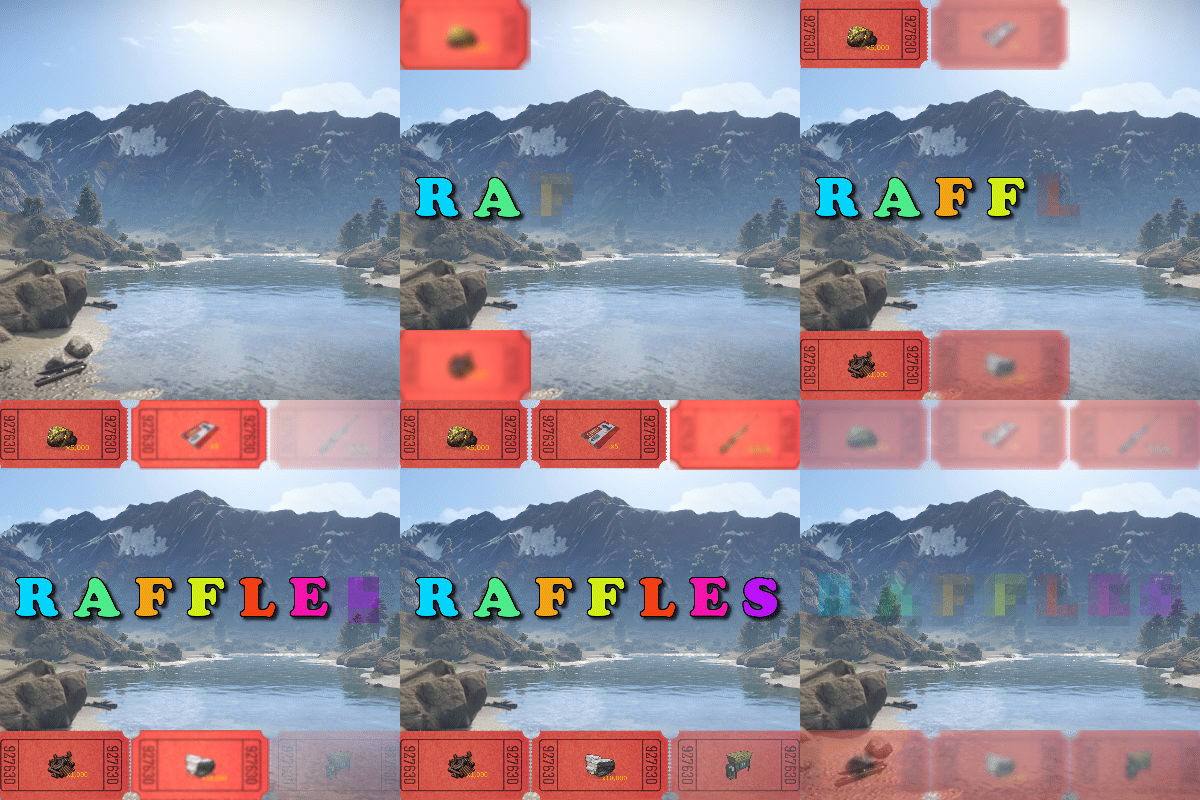
Raffles is a plugin that allows servers to create and host raffles. These raffles are a fun way to give players an outlet to dispose of excess resources, and a great way for server owners to hand out rare and valuable items! Raffles features full language support and can be translated into other languages with oxides lang system. This plugin allows for the following reward types: Item rewards: Whether it be vanilla or custom items, Raffles will support it. Economics: Reward your players with an injection of economic dollars, straight into their account. Server Rewards: The same as Economics, but for the Server Rewards plugin! Commands: You can run as many commands as you like, and have them listed in the raffle with a custom name. For example, you could have a command that gives the player a random S tier Epic Loot item for winning. It allows for the userid and name to be substituted with {id} and {name}, so will support most command types. The raffles are broken down into 2 types. Daily raffles are the primary raffle structure in the plugin. They allow you to set item currencies (yes, it supports custom items), which the player will use to purchase raffle tickets. Some features it includes: Custom ticket items. Variable duration, allowing you to have the raffle run for as long as you want. Scheduled start date/time, allowing for you to create the raffle in the config, and have it automatically start when its date/time values are met. Ticket limits, allowing you to set a maximum number of tickets, which will conclude the raffle once met. Item, economics, server rewards and command prizes. Raffles that are in the config and set for a future date, will appear under the "Future Raffles" category. This allows users to see what raffles are coming up and when. This can be disabled by setting the visible flag to false. Future raffles can be force started by admins via this menu or command. Wipe Raffles contain the same prize structure as regular raffles, allowing for economics, server rewards, items and commands to be awarded to the winners, but their participation works a little differently. Rather than having players purchase a ticket for the raffle directly, it will count any raffle tickets that the player purchases from a daily raffle as an entry. This means that if a player purchases 60 raffle tickets between 3 different daily raffles over the course of the wipe, they will have 60 entries into the wipe raffle. The wipe raffle will roll when the server wipes and will allow you to award players with prizes that are redeemable AFTER the server wipes. This can be as simple as a pickaxe and hatchet that can be redeemed when they login, or as advanced as S tier Epic Loot items, the choice is yours. The plugin allows for multiple wipe raffles, so you can have multiple winners! The plugin has 2 permissions: raffles.allow - required to use the raffles plugin. raffles.admin - required to use admin commands and see admin elements. Commands: Command: forcestartraffle Parameters: <partial raffle name> Description: forces the specified raffle to start, even if the raffle has already run its course. The start date of the raffle will be modified to time the command is run.$19.99 -

Version 1.0.6
81 downloads
This plugin and prefab combo adds a functional fishing competition event into your server. Players can type the chat command in to join the event when it starts, teleporting them to the platform to compete in the competition. Setup is very easy and requires little to no RustEdit experience, as the tutorial video covers the placement and setup on your server. This submission features a prefab and plugin combination. The download includes everything required to add this to your map and run the game on your server. Some of the highlights include: Completely automated event handling - the plugin handles the joining and running of the game. Join from anywhere - players can join the minigame from anywhere on the map by typing the join command. This will strip the players items from them and place them in the lobby for when the game begins. Items are returned to the player and they are redeployed where they joined from after the game ends. Includes a custom "professional" rod item that the players fish with. This allows you to set the tensile strength of the rod so it won't snap as often. Customizable prizes - can also include custom items from other plugins. The option for players to keep the fish that they catch during the event. Support for FishingTreasure - can add a temporary hotspot to the event, increasing the chances of obtaining a casket while participating. There is also an option to let players keep the caskets that they fish. Fish specific competition options - the competition can allow any fish to give the player a point, or require the player to try and catch a specific fish type. Chat command: startfc <optional: time override> Description: Forces the game to start. Time override will dictate how long until the game begins. Chat command: endfc Description: Ends the current competition and returns players to their start locations. Chat command: gofish Description: Joins any active events that haven't started yet. Chat command: leavefc Description: Leaves the current event. Chat command: fcprize Description: Rolls and gives the player a prize if they have outstanding prizes from winning. fishingcompetition.admin - Allows you to use the startfc and endfc commands.$15.00-
- 3
-
-
-
- #fishing
- #competition
- (and 5 more)
-
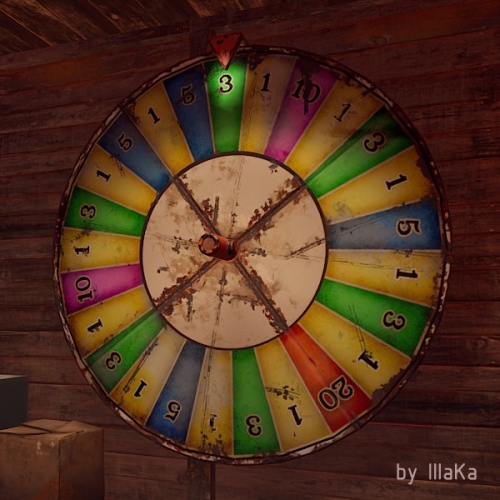
Version 0.1.8
274 downloads
A useful and time-tested plugin for collecting Big Wheel Game statistics and displaying them through a convenient and intuitive UI. bigwheelstats.use - Provides access to use UI; bigwheelstats.admin - Provides the same permissions as bigwheelstats.use. Additionally, it provides the ability to manage big game wheels without any limitations. { "Is it worth checking for permissions before displaying the UI?": false, "Is it worth clearing statistics during a wipe?": true, "List of language keys for creating language files": [ "en" ], "Name of the prefab to play when a player becomes the best player. Leave empty to disable": "assets/prefabs/misc/xmas/advent_calendar/effects/open_advent.prefab", "Is it worth skipping the reward for the first best player?": true, "Command to execute when a player becomes the best player(0 - userID). Leave empty to disable, or null to use the default": "tperm add {0} vip 3600", "Cash reward for becoming the best player. Leave 0 to disable": 100.0, "List of items granted for becoming the best player. Leave empty to disable, or null to use the default": [ { "ShortName": "scrap", "Amount": 100, "SkinId": 0 } ], "List of permissions for top players. Each position in the list corresponds to the player's rank. Note: empty or null entries will be removed": [ [ "example.firstA", "example.firstB" ], [ "example.secondA" ], [ "example.thirdA" ] ], "List of permissions for top players for custom game wheels": [], "Big Wheel Game - Default name": "BIG WHEEL GAME", "Big Wheel Game - Name length limit(1–30)": 16, "Big Wheel Game - Cooldown time in seconds for changing the image url": 600.0, "Big Wheel Game - Default image Url": "http://gitlab.com/IIIaKa/images/-/raw/main/BigWheelStats/BigWheelStats_Default.png", "Big Wheel Game - Allowed image Url prefix. Leave empty to allow all sites. Example: 'https://i.ibb.co/'": "", "Ui - Main Background Color": "#1A1A1A", "Ui - Main Background Transparency": 0.95, "Ui - Text Font(https://docs.oxidemod.com/guides/developers/basic-cui/basic-cui#fonts)": "RobotoCondensed-Bold.ttf", "Hud - Icon Url": "http://gitlab.com/IIIaKa/images/-/raw/main/BigWheelStats/BigWheelStats_Hud_1.png", "Hud - Icon Color": "#808080", "Hud - Icon Transparency": 0.5, "Hud - Icon Is Raw Image": false, "Hud - Icon AnchorMin": "1 0", "Hud - Icon AnchorMax": "1 0", "Hud - Icon OffsetMin": "-250 15", "Hud - Icon OffsetMax": "-220 45", "Hit - Yellow Color": "#BFBF40", "Hit - Yellow Transparency": 0.4, "Hit - Green Color": "#408C8C", "Hit - Green Transparency": 0.4, "Hit - Blue Color": "#03598C", "Hit - Blue Transparency": 0.4, "Hit - Purple Color": "#8026CC", "Hit - Purple Transparency": 0.4, "Hit - Red Color": "#B24C59", "Hit - Red Transparency": 0.4, "Panel - Background Color": "#4C4C4C", "Panel - Background Transparency": 0.5, "Panel - OffsetMin": "-320 -255", "Panel - OffsetMax": "320 255", "Panel - Close Url": "http://gitlab.com/IIIaKa/images/-/raw/main/BigWheelStats/BigWheelStats_Close.png", "Panel - Close Color": "#D94026", "Panel - Close Transparency": 0.6, "Panel - Close Is Raw Image": false, "Panel - Close AnchorMin": "1 0", "Panel - Close AnchorMax": "1 0", "Panel - Close OffsetMin": "-250 15", "Panel - Close OffsetMax": "-220 45", "Menu - Buttons Color": "#808080", "Menu - Buttons Color Transparency": 0.4, "Menu - Buttons Active Color": "#3380BF", "Menu - Buttons Active Color Transparency": 0.6, "Menu - Font Size": 18, "Menu - Font Color": "#CCCCCC", "Menu - Font Color Transparency": 0.5, "Menu - Font Active Color": "#FFFFFF", "Menu - Font Active Color Transparency": 1.0, "Sub Menu - Reload Color": "#CCCCCC", "Sub Menu - Reload Color Transparency": 0.5, "Sub Menu - Settings Color": "#CCCCCC", "Sub Menu - Settings Color Transparency": 0.5, "Player Info - Online Color": "#CCFFB2", "Player Info - Online Transparency": 0.4, "Player Info - Offline Color": "#FF0000", "Player Info - Offline Transparency": 0.4, "Player Info - Font Size": 16, "Player Info - Font Color": "#FFFFFF", "Player Info Card - Background Color": "#808080", "Player Info Card - Background Transparency": 0.4, "Player Info Card - Title Font Size": 12, "Player Info Card - Title Font Color": "#808080", "Player Info Card - Value Font Size": 16, "Player Info Card - Value Font Color": "#CCCCB2", "Game Info - Color": "#808080", "Game Info - Transparency": 0.4, "Game Info - Font Size": 16, "Game Info - Font Color": "#FFFFFF", "Game Info Card - Background Color": "#808080", "Game Info Card - Background Transparency": 0.4, "Game Info Card - Title Font Size": 12, "Game Info Card - Title Font Color": "#808080", "Game Info Card - Value Font Size": 16, "Game Info Card - Value Font Color": "#CCCCB2", "Game Info Card - Percentage Font Size": 12, "Game Info Card - Percentage Font Color": "#808080", "Column Header - Color": "#4C4C4C", "Column Header - Transparency": 1.0, "Column Header - Active Color": "#595959", "Column Header - Active Transparency": 1.0, "Column Header - Font Size": 16, "Column Header - Font Color": "#CCCCB2", "Column Header - Font Active Color": "#FFFFFF", "Column Item - Font Size": 16, "Column Item - Color": "#808080", "Column Item - Transparency": 0.3, "Column Item - Even Color": "#808080", "Column Item - Even Transparency": 0.6, "Column Item - Font Color": "#CCCCB2", "Column Item - Font Active Color": "#FFFFFF", "Player HitList - Win Color": "#8CC83C", "Player HitList - Win Transparency": 0.4, "Player HitList - Lose Color": "#CD4632", "Player HitList - Lose Transparency": 0.4, "Game HitList Item - Font Size": 18, "Game HitList Item - Font Color": "#CCCCB2", "Player List - Name Font Size": 12, "Player List - ID Font Size": 10, "Player List - ID Font Color": "#808080", "Game List - Name Font Size": 12, "Game List - ID Font Size": 10, "Game List - ID Font Color": "#808080", "Settings - Background Color": "#4C4C4C", "Settings - Background Color Transparency": 0.5, "Settings - Title Color": "#4C4C4C", "Settings - Title Color Transparency": 0.7, "Settings - Input Color": "#4C4C4C", "Settings - Input Color Transparency": 0.7, "Settings - Button Color": "#4C4C4C", "Settings - Button Color Transparency": 0.7, "Settings - Text Color": "#CCCCB2", "Settings - Text Color Transparency": 1.0, "Settings - Sub Text Color": "#808080", "Settings - Sub Text Color Transparency": 1.0, "Scrolling - Width": 3.0, "Scrolling - Handle color": "#CCCCCC", "Scrolling - Handle color transparency": 0.5, "Scrolling - Pressed color": "#CCCCB2", "Scrolling - Pressed color transparency": 1.0, "Scrolling - Track color": "#000000", "Scrolling - Track color transparency": 0.0, "Footer - Color": "#4C4C4C", "Footer - Transparency": 0.4, "Footer - Font Size": 16, "Footer Buttons - Between Button Text": "...", "Footer Buttons - Color": "#808080", "Footer Buttons - Transparency": 0.4, "Footer Buttons - Active Color": "#3380BF", "Footer Buttons - Active Transparency": 0.6, "Footer Buttons - Font Color": "#CCCCB2", "Footer Buttons - Font Active Color": "#FFFFFF", "Footer Custom Button - Command. Leave empty to disable": "", "Footer Custom Button - Color": "#808080", "Footer Custom Button - Transparency": 0.4, "Footer Text - Font Size": 12, "Footer Text - Font Color": "#808080", "Wipe ID": null, "Version": { "Major": 0, "Minor": 1, "Patch": 8 } } EN: { "UiMenuPlayer": "My statistics", "UiMenuPlayerList": "Top players", "UiMenuGameList": "Game list", "UiFooterCustomButton": "My button", "UiFooterText": "Showing {0} to {1} of {2}", "UiResetStatistics": "Reset statistics", "UiPlayerTotalSpins": "Total spins", "UiPlayerWinSpins": "Win spins", "UiPlayerLoseSpins": "Lose spins", "UiPlayerScrapSpend": "Scrap spend", "UiPlayerScrapWin": "Scrap win", "UiPlayerScrapResult": "Scrap result", "UiPlayerScrapRecordBid": "Scrap record bid", "UiPlayerScrapLastBid": "Scrap last bid", "UiPlayerScrapLastWin": "Scrap last win", "UiPlayerHitsItem": "Item", "UiPlayerHitsHit": "Hit", "UiPlayerHitsBidAmount": "Bid amount", "UiPlayerHitsResultAmount": "Result", "UiPlayerListPlayer": "Player", "UiPlayerListTotal": "Total", "UiPlayerListLoses": "Loses", "UiPlayerListWins": "Wins", "UiPlayerListRecordBid": "Record bid", "UiPlayerListRecordWin": "Record win", "UiPlayerListResult": "Result", "UiPlayerSettingsTitle": "Manage Player '{0}'", "UiGameBestPlayer": "Best player", "UiGameCurrentSpins": "Current session spins", "UiGameTotalSpins": "Total spins", "UiGameTotalYellow": "Yellow", "UiGameTotalGreen": "Green", "UiGameTotalBlue": "Blue", "UiGameTotalPurple": "Purple", "UiGameTotalRed": "Red", "UiGameSettingsTitle": "Big Wheel Game Management", "UiGameSettingsName": "Name:", "UiGameSettingsImage": "Image Url:", "UiGameSettingsImageCooldown": "The next opportunity to change the image will be available in {0} seconds!", "UiGameSettingsResetSpinning": "Can't reset the game wheel statistics while it is spinning!", "UiGameListBigWheelGame": "Big wheel game", "UiGameListBestWin": "Best Win", "UiGameListTotalSpins": "Total spins" } RU: { "UiMenuPlayer": "Моя статистика", "UiMenuPlayerList": "Топ игроков", "UiMenuGameList": "Список игр", "UiFooterCustomButton": "Моя кнопка", "UiFooterText": "Отображены с {0} по {1} из {2}", "UiResetStatistics": "Сбросить статистику", "UiPlayerTotalSpins": "Всего ставок", "UiPlayerWinSpins": "Выигрышные ставки", "UiPlayerLoseSpins": "Проигрышные ставки", "UiPlayerScrapSpend": "Потрачено скрапа", "UiPlayerScrapWin": "Выиграно скрапа", "UiPlayerScrapResult": "Итог скрапа", "UiPlayerScrapRecordBid": "Рекордная ставка", "UiPlayerScrapLastBid": "Последняя ставка", "UiPlayerScrapLastWin": "Последний выигрыш", "UiPlayerHitsItem": "Предмет", "UiPlayerHitsHit": "Число", "UiPlayerHitsBidAmount": "Ставка", "UiPlayerHitsResultAmount": "Итог", "UiPlayerListPlayer": "Игрок", "UiPlayerListTotal": "Всего", "UiPlayerListLoses": "Проигрышей", "UiPlayerListWins": "Выигрышей", "UiPlayerListRecordBid": "Рекордная ставка", "UiPlayerListRecordWin": "Рекордный выигрыш", "UiPlayerListResult": "Итог", "UiPlayerSettingsTitle": "Управление игроком '{0}'", "UiGameBestPlayer": "Лучший игрок", "UiGameCurrentSpins": "Вращений за сессию", "UiGameTotalSpins": "Всего вращений", "UiGameTotalYellow": "Желтый", "UiGameTotalGreen": "Зеленый", "UiGameTotalBlue": "Синий", "UiGameTotalPurple": "Фиолетовый", "UiGameTotalRed": "Красный", "UiGameSettingsTitle": "Управление игровым колесом", "UiGameSettingsName": "Имя:", "UiGameSettingsImage": "Ссылка на изображение:", "UiGameSettingsImageCooldown": "Следующая возможность изменить изображение будет доступна через {0} секунд!", "UiGameSettingsResetSpinning": "Нельзя сбросить статистику игрового колеса пока оно крутится!", "UiGameListBigWheelGame": "Игра", "UiGameListBestWin": "Лучший выигрыш", "UiGameListTotalSpins": "Всего вращений" }$14.99 -
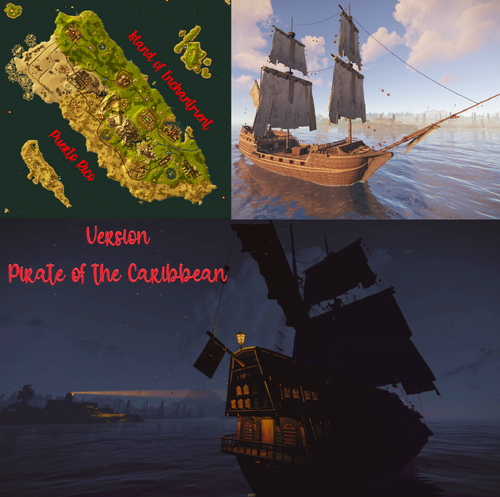
Version 1.2.2
144 downloads
Description of the map of Puerto Rico This is a custom map customized with Rustedit, in which it is representing a great country without altering the dynamics of the game and combining some historical places that you can find throughout the map that give it energy and to continue exploring and gaining ground. The map will continue to be renewed according to the new rust updates without download limits and free editing. Play it how you want, have fun and enjoy Thank you! In tribute to players from Puerto Rico. Need some tour? You can visit our Discord and request a tour to see the map completely: https://discord.com/invite/EUSuDuTFYN With this ticket you will be able to see it completely in its entirety. Map Features File Weight 13,4 mb Map size 3000 Prefab about 20k Plugins: Since it is a custom map you can use it with most of the plugins currently used in UMOD or codefling and it is fully configurable if something more personal or specific is you required. Map Custom Monuments and Roads: Arecibo Radio Telescope. City and Church of San Juan Custom beaches. El Morro Castle Fort Amphitheater for live recitals. Surface train traveling all over the map More paths connected to the monuments waterfalls and bridges. A wider Interstate highway is built along the entire map as a perfect ring connecting all the monuments to go widely around the map or to use it with the most used game plugins. Aguadilla beach and tourist pier. Incorporation of sales of beach equipment, diving and boats. Addition of rocky systems and special underwater fishing boats for diving and hunting. Along with the addition of an underwater cave to explore. Monument Angels and Demons Puzzle: It is a complex restricted access from the Cathedral Church and has secret passages, tunnels, caves and an exit to the surface far from the starting point. Arm yourself with courage and pray with the angels to get out of this alive. Good luck! Indian Cave Monument. Spanish Pirate Galleon Monument: This is a prefab where you can board the Galleon with its treasures and you can own your own ship and take it with all its contents. But for that you must strengthen your weapons so that they do not seize your ship. Get ready to be a great pirate! Map Rust Monuments: Power Plant Train Yard Harbor Military Base Arctic Base Junkyard Water Treatment Plant Airfield Lighthouse Satellite Dish Artic Research Oil Rigs Underwater Labs Bandit Camp The Dome Quarry HQM, Stone and Sulfur Stable Gas Station Supermarket Giant Excavator Nuclear Missile Silo Ferry Terminal$28.00 -

Version 1.0.0
11 downloads
```Electric Tic-Tac-Toe (Fully Functional Prefab) Add something truly unique to your Rust server with Electric Tic-Tac-Toe — a fully functional mini-game built entirely using Rust’s in-game electrical system. This prefab brings a classic game into the world of Rust, offering players a fun and interactive way to take a break from the usual survival grind. Key Features: • Fully working Tic-Tac-Toe game using Rust electricity • No plugins required — 100% vanilla logic • Interactive and easy-to-use design What makes it special: This isn’t just decoration — it’s a real, playable game. Every mechanic is powered by Rust’s electrical components, making it both a fun activity and a showcase of advanced logic building. Perfect for creating social hubs and engaging player interactions. Perfect for: • PvE servers • Roleplay servers • Community hubs and safe zones • Servers looking to add unique interactive content Technical Details: • ~1000 prefabs/entities • Ready to use with RustEdit Bring creativity and interaction to your server with this one-of-a-kind electrical build!```$10.99 -
Version 1.0.0
11 downloads
The MinigameCore plugin is a modular and robust solution for creating and managing minigames in Rust. It provides a core framework for handling player data, arenas, and game modes like BedWars, GunGame, FFA and OITC (One in the Chamber). * - THIS PLUGIN IS REQUIRED FOR THE CORRECT FUNCTIONING OF THE MINIGAMES. IF YOU DO NOT HAVE ANY MINIGAME PURCHASED, THE PURCHASE OF THIS PLUGIN IS NOT RECOMMENDED, SINCE IT IS A CORE. It can be used to create other minigames only if you are a developer. * - The main image shows the arenas and minigames in the menu. If there are no minigames or no arenas, the menu will be empty. * - THIS PLUGIN IS JUST A CONNECTION AND HUB BETWEEN DIFFERENT MINIGAMES. READ EVERYTHING BEFORE PURCHASING. - * [RENEWAL TERM] The renewal term is only effective when the upgrade has been too much work; otherwise, each upgrade will be given for free (you will get access to the plugin again if your month has passed).So, if you want to download the update and you have to pay for the renewal, please ask for DM first! (It can become free!) Minigames: GUNGAME ONE IN THE CHAMBER BEDWARS | NOT UPDATED YET. FFA [Free4All] | Waiting for Approval. RAID SIMULATOR | TBA. TDM [Team Deathmatch] | TBA. MATCHMAKING | TBA. (Team/rounds/economy based.) Features: Database Management: Automatically creates and manages SQLite databases for players and arenas. Minigame Integration: Supports popular minigames like GunGame, FFA, BedWars, and OITC with customizable arenas. Player Tracking: Tracks players' participation in arenas and updates their status in real-time. Configurable Lobby: Admins can set a main lobby position for players. CUI Interface: Includes a custom graphical user interface (GUI) to display minigames and their arenas. Commands: Provides several chat and console commands for admins and players to manage and interact with minigames. Admin Commands: /mg_setlobby: Sets the main lobby position to the admin's current location. Player Commands: /leave: Allows players to leave their current arena and return to the main lobby. Console Commands: show_arenas: Display a list of available arenas for a specific minigame. join_arena <minigame> <arenaID>: Joins a speccific arena by its ID. Configuration: MainLobbyPosition: Configurable lobby position stored in the configuration file. (/configs/Minigameore.json) Kits: Configurable lobby kits system. (ITEM SHORTNAME / SKIN ID / SLOT TYPE) Hooks: Get_Arena_Name: Retrieves the name of an arena by its ID. Create_Bedwars_Arena: Creates a new BedWars arena. Create_GunGame_Arena: Creates a new GunGame arena. Create_OITC_Arena: reates a new One in the Chamber arena. Update_Player_Data: Updates player data when joining/leaving arenas. Force_Tp: Teleports the player to the configured lobby position. GetArenas: Retrieves a list of arenas for a specific minigame type from the database. Get_Player_Arena_ID: Fetches the current arena ID associated with a player. update_arena: Updates arena data with specified changes and reflects the updates in the UI. Notes: This plugin requires SQLite for database functionality. The "MainLobbyPosition" defaults to (0,0,0) and should be set before use. Ensure that all players are registered in the PlayerData database on first connect. What is a renewal? - From the day you bought the plugin, you have 1 month to download any updates that may be available. After that month, you will have to renew the plugin in order to keep updating it (12.99 U$D / Month). - Renewal helps me to keep updating this plugin and the other minigames without any problem. - Only "MinigameCore" will have renewal terms. TODO - UPDATE 1.0.1 (ALL NEXT UPDATE: Invisible players / Hearing shots only in the same arena / Players can be in the same position, different arena and will not see each other)$31.99- 5 comments
-
- 2
-

-
-
- #core
- #minigames
- (and 6 more)
-
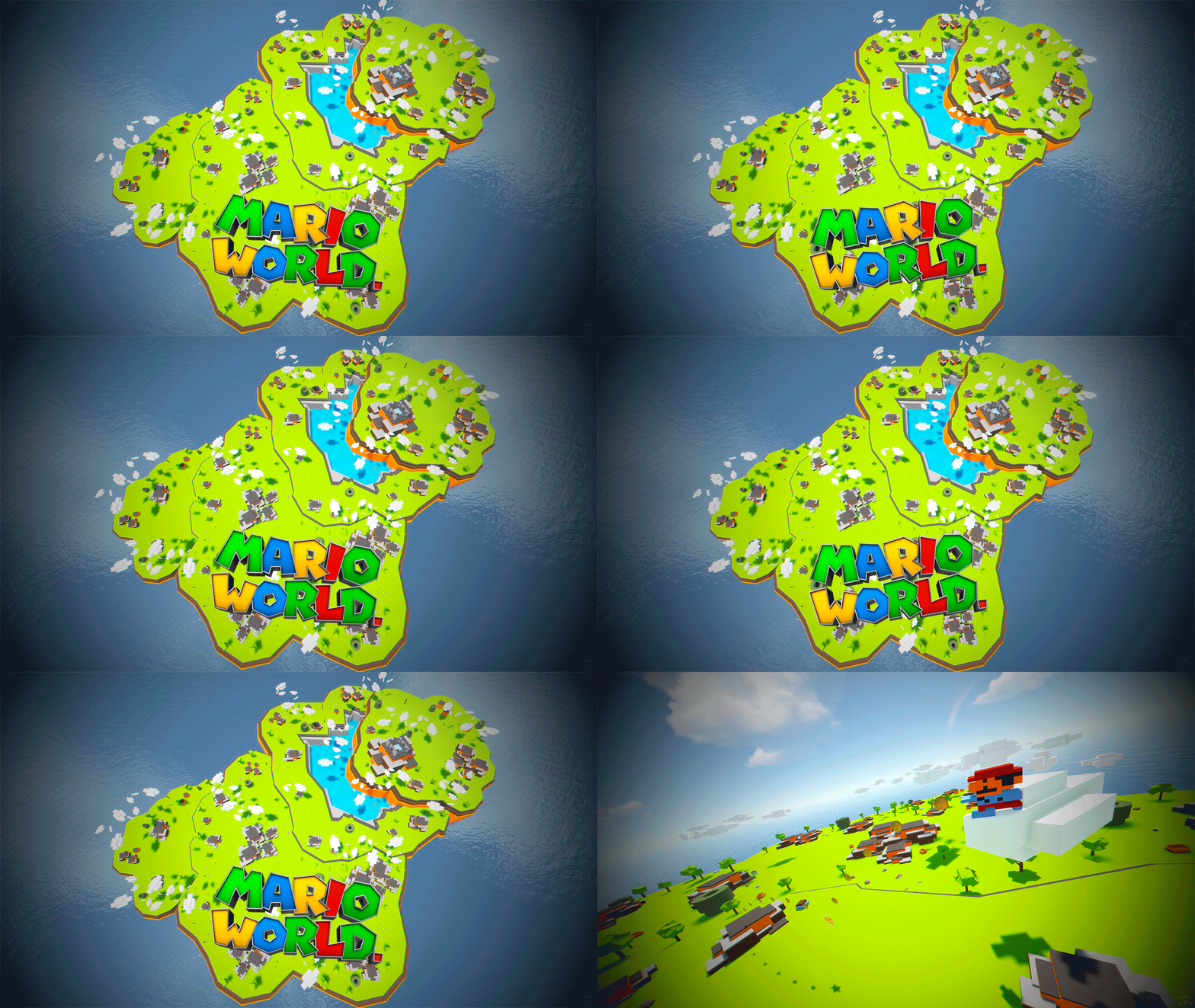
Version 1.0.0
20 downloads
Mario World is a world inspired by the legendary Mario Bross game. In Mario World you can build your house anywhere in this gigantic construction zone. Build on firm ground, build underwater, in mountains, build wherever you want. In Mario World you will find a fantastic and beautiful decoration in which you would think to be in another game. In addition to finding construction resources and food, you can visit the castle located at the top of the mountain. This castle is a safe area, it is equipped with everything you need for your needs, the castle is a hybrid between the Outpost and Bandit. Mario World is compatible with the Raideable Bases plugin. INCLUDES Character Mario Bross. Character Luigi. Donkey Kong character. Three different enemy characters. Underwater construction areas. Pipes to build inside. Construction resources. Food and Water. Helicopter vendor. Work tables. Bandit guards and turrets. Recycling machines. Shops. TIPS This prefab contains a height layer, it is not necessary to apply the height layer, this option has been added to make the Raideable Bases plugin functional in Mario World. Climb the walls to reach the heights. Have fun SUPPORT: https://discord.gg/ASxJynGndj$24.90- 6 comments
-
- 7
-
-
- #marioworld
- #mario world
- (and 45 more)
-
Version 1.0.0
6 downloads
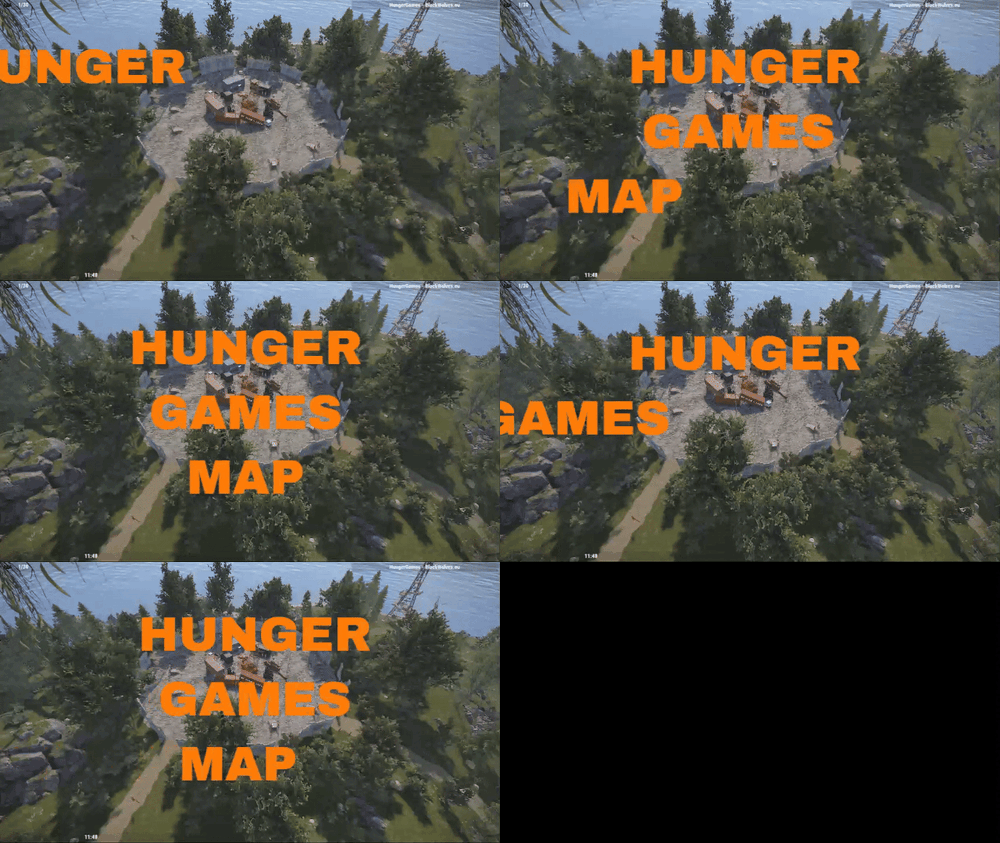
This map features elements inspired by the Hunger Games movie. The game simulates life in a Hunger Games arena, where everyone is fighting for survival and the battles are ruthless. Survival Map: Hunger Games Step into a unique multiplayer survival game where you’ll face an intense fight for life on a 1000km map. Your primary goal is to survive in harsh conditions, gather essential equipment, and withstand threats lurking at every turn. Key Features of the Map: Diverse Terrain: Dense forests, abandoned monuments, crashed vehicles, planes, and tanks create an authentic survival atmosphere. Strategic Locations: Collect supplies at carefully placed locations, where you can find weapons, food, and other gear necessary for survival. Defensive Towers: Tower structures provide strategic advantages for defense and monitoring the surroundings. But beware—enemies are always on the move! Customizability: The map has been thoroughly tested and can be modified at any time based on player feedback. Contact the creator to tailor the map to your needs. Game Mode: This multiplayer experience focuses on fast item collection and survival in a dynamic, ever-changing environment. Form alliances with other players, create fragile partnerships, or fight for your own survival. Get ready for an intense game full of tension, strategy, and action. The "Hunger Games" map is here to challenge you—can you survive? Facepunch Monuments: ■¸Ferry Terminal ■¸Light House Custom Monuments: ■¸ Spawn point for event start ■¸ Ruins style 1 - loot added and ruins modified ■¸ Ruins style 2 - loot added and ruins modified ■¸ Ruins style 3 - loot added and ruins modified ■¸ Ruins style 4 - loot added and ruins modified ■¸ Ruins style 5 - loot added and ruins modified ■¸ Crashed airplane ■¸ Crashed military vehicle ■¸ Damaged hemp farm ■¸ Lootable roads ■¸ Small Light House ■¸ Tower ■¸ Military tent 1 ■¸ Military tent 2 ■¸ Large warehouse ■¸ Small house by the water ■¸ Ship and containers on water Additional smaller locations created on the map, offering loot for this event. If you have any questions regarding the map or plugins, or if you need something added or removed from the map, feel free to contact me.$10.00 -
Version 1.0.0
23 downloads
Commands Admin Permission `gungam.admin` needed for all commands! /gungame setlobby Set the lobby spawn point. (will over ride any default spawns on the map.) /gungame map <mapName> Create or update a map with the specified name. /gungame arena <id> <map> <maxPlayers> Create or update an arena with the given parameters. /gungame setentrance <id> Set the entrance for the specified arena ID. /gungame setspawn <id> <spawnIndex> Set a spawn point for a specific arena and index. /gungame delete <id> Delete the specified arena. Core Features Dynamic Arena Management Create and configure multiple arenas with unique maps and player limits. Define spawn points and entrance positions for each arena. Progressive Gun Game Mode Players progress through a customizable list of weapons as they get kills. The first player to reach the final weapon and meet the kill goal wins the match. Global Settings Configurable global kill goal, weapon list, and player kits. Supports customizable player kits using item shortnames for clothing and armor. Player Experience Lobby System Players start in a protected lobby where they cannot take or deal damage. Players can interact and prepare before joining an arena. Automatic Match Starting Matches begin automatically when the required number of players joins an arena. Includes a configurable countdown before the match starts. Weapon Progression Each kill advances the player to the next weapon in the list. Ammo is automatically provided for the equipped weapon. Victory Handling The plugin announces the winner and resets the match for the next round. Stats such as kills and deaths are tracked for players during the match. Bots Support Admins can spawn NPC bots into arenas for solo practice or filler players. Bots are equipped with kits and weapons and participate like regular players. Default Config { "global kill goal": 2, "required players for arena": 2, "weapons list": [ "pistol.revolver", "rifle.ak" ], "global kit shortnames": [ "hoodie", "pants", "shoes.boots" ] } There is a vid coming soon but for now if you need help you can take a look here https://drxp.xyz/plugin/gungame -- for more help or questions please dm me on discord or join my discord server!$25.99 -

Version 1.0.0
9 downloads
This is a Rust server plugin designed for creating and managing a "One in the Chamber" minigame, the plugin includes features like arena setup, player management, matchmaking. This plugin requires the MinigameCore plugin for its operation, emphasizing its use in community servers that host competitive and recreational minigames. GAMEPLAY Players lose a life when killed and can spectate after losing all lives. Game ends when one player remains or the time limit is reached. Spectators can switch views between players. FEATURES Arena Management: Create, manage, and refresh arenas. Player Management: Handle player stats, respawning, and spectating. Matchmaking: Supports joining arenas mid-game, player limits, and automated game starts. UI Components: Dynamic UI elements to show game stats, results, and lobby information. Admin Commands: Commands for admins to manage arenas and game settings. Configurable Settings: Time limits, max lives, and game mechanics like melee return timings can be configured. CONFIGURABLE SETTINGS TimeLimit: Duration of the game in seconds. MaxLives: Number of lives each player has. ReturnMelee: Time in seconds before a thrown melee weapon returns. RestartOnEndGame: Whether the arena restarts automatically after a game ends. ADMIN COMMANDS /add_oitc_arena <name> <radius>: Starts the creation of a new arena. /add_oitc_spawnpoint: Adds a spawn point at the admin's location. /add_oitc_lobby: Sets the lobby location for the arena. /add_oitc_max_players <number>: Sets the maximum number of players for the arena. /add_oitc_create <name>: Finalizes the creation of the arena. - * Arena Cache: Temporary storage for arena settings during creation before they are committed to the permanent configuration. * - FILES PATH OITC Config: /carbon/data/Minigames/OneInTheChamber/Config.json OITC DB: /carbon/data/Minigames/OITC.db SPECTATING IN OITC MATCH The spectating feature in the OITC plugin allows players who have lost all their lives to observe the ongoing match from the perspective of other players. This functionality enhances the gameplay experience by keeping eliminated players engaged until the match concludes. Key Features of Spectating: - Automatic Entry into Spectator Mode: When a player's lives reach zero, they are automatically placed in spectator mode. The plugin sends a message to the player informing them of their elimination and explaining the spectating mechanics. Player Switching: - Spectators can switch between players using the Reload (R) key. This allows spectators to dynamically view different players still active in the match. Player Management: - The plugin tracks which player each spectator is currently observing using a spectators dictionary. When switching, the next alive player in the arena's player list is selected as the new spectating target. Exiting Spectator Mode: - Spectators can leave the game entirely using the /leave command. Once the match ends, all spectators are automatically removed from spectating mode and returned to the lobby. F$39.99 -

Version 1.0.1
14 downloads
Dear friends, after a fascinating journey in creating maps, I wanted on this occasion to release three maps that I have made with the motivation of the community and with great passion for you. Each map has its own description in the following links where you can specifically find its topology, monuments and much more in its latest versions. The Bundle contains: 1) Puerto Rico Island of Enchantment https://codefling.com/maps/puerto-rico-island-of-enchantment 2) Zombie Rise Land. https://codefling.com/maps/zombie-rise-land 3) Chido Territory https://codefling.com/maps/chido-territory All maps have dependency files for your server that you need to download from the following link: RustEdit DLL: https://github.com/k1lly0u/Oxide.Ext.RustEdit On each map you will find the access codes to edit what you want. Enjoy & Have fun!$50.00 -
Version 1.0.1
11 downloads
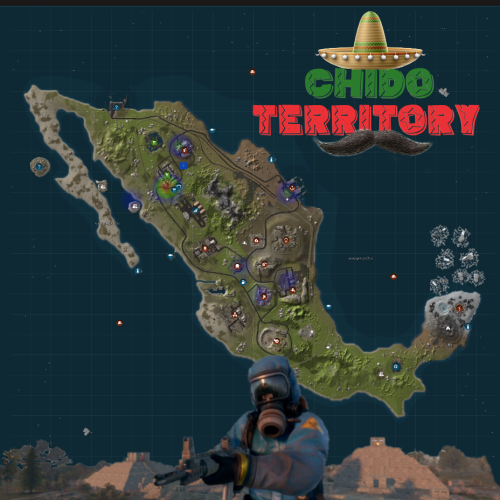
Chido Territory Map Description This is a custom map completely from Rustedit that represents the territory of Mexico where its main monument is the pyramids of the moon and the sun that are united by some caves and hidden passages. Looking at the map you will find all the monuments by defect of Rust and natural wonders with organized and connected paths with each monument to advance in land vehicles at full speed or train to seek or find resources and build your fortresses from where you can finally create your own bases with your team. The map will continue to be renewed with new Rust updates without download limits and free edition. The password is included in this text file so you can customize it as you wish. Play like you want, have fun and enjoy. Thanks! Need some tour? You can visit our Discord and request a tour to see the map completely: https://discord.com/invite/EUSuDuTFYN With this ticket you will be able to see it completely in its entirety. Map Features Entity Count: 35k Map Size 4000 File Size 9 mb File dependencies for your server: RustEdit DLL: https://github.com/k1lly0u/Oxide.Ext.RustEdit Map Custom Monuments and Roads: Complex of pyramids of the sun and the moon Custom Lake Map Rust Monuments: Power Plant Train Yard Harbor big Military Tunnels Arctic Base Junkyard Water Treatment Plant Airfield Outpost Lighthouse Satellite Dish Artic Research Nuclear Missile Silo Ferry Terminal Oil Rigs Underwater Labs Bandit Camp The Dome Quarry HQM, Stone and Sulfur Warehouse Stable Gas Station Supermarket Underwater Labs$18.00 -
Version 1.0.1
20 downloads
Are you sick of dark night times in rust? This plugin will make your servers night times a lot better for your players. Everyone hates the dark nights in rust, so why not add this plugin for a QoL for your players! Video Preview: Config File: { "Length of night (in seconds)": 300.0, "Chance of light night (percentage)": 100.0, "[Can be left untouched] Night start time": 18.5 } TimeOfDay.cs$10.00 -
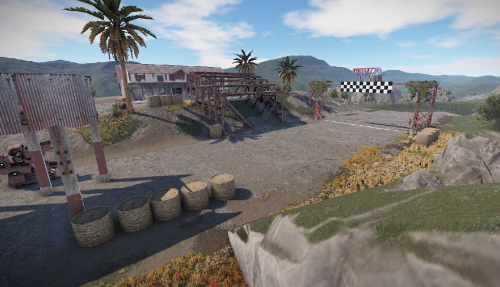
Version 1.0.0
19 downloads
Let the race begin! This facility is really fun. Players can compete against each other in teams. Everyone throws some scrap into a box, the winner then gets the whole loot. There are barrels scattered around and two vending machines bring the components for the vehicles. There are cars on the road, or why not bring your own car from home? Prefabs: 750 Please note: Download the prefab files and place them in RustEdit/CustomPrefabs directory of RustEdit. The prefabs can be accessed in the custom section of prefab browser. To use sinlge letters, the prefab has to be broken by selecting it (once placed) and using the "break prefab" function. Important: I don't use "prevent building sphere/cubes" in any of my prefabs, also no monument markers are set. These need to be added by yourself. If the NPCs are not wanted, press the H key (overview of all prefabs) and delete them from the prefab. Questions and suggestions: If you have any problems you can contact me via Katalaner - Discord: https://discord.gg/e2vrPszZFX Katalaner Webseite: http://katalaner.de Rustgame Infoseite: http://webarte.de Youtube: https://www.youtube.com/channel/UC_5P_wAFKl5bdndkDEQDK4g PVE Urlaub Rust Server - Discord: https://discord.gg/75u3fJwPQw$9.96