Search the Community
Showing results for tags 'aim'.
Found 12 results
-

Version 2.7.0
231 downloads
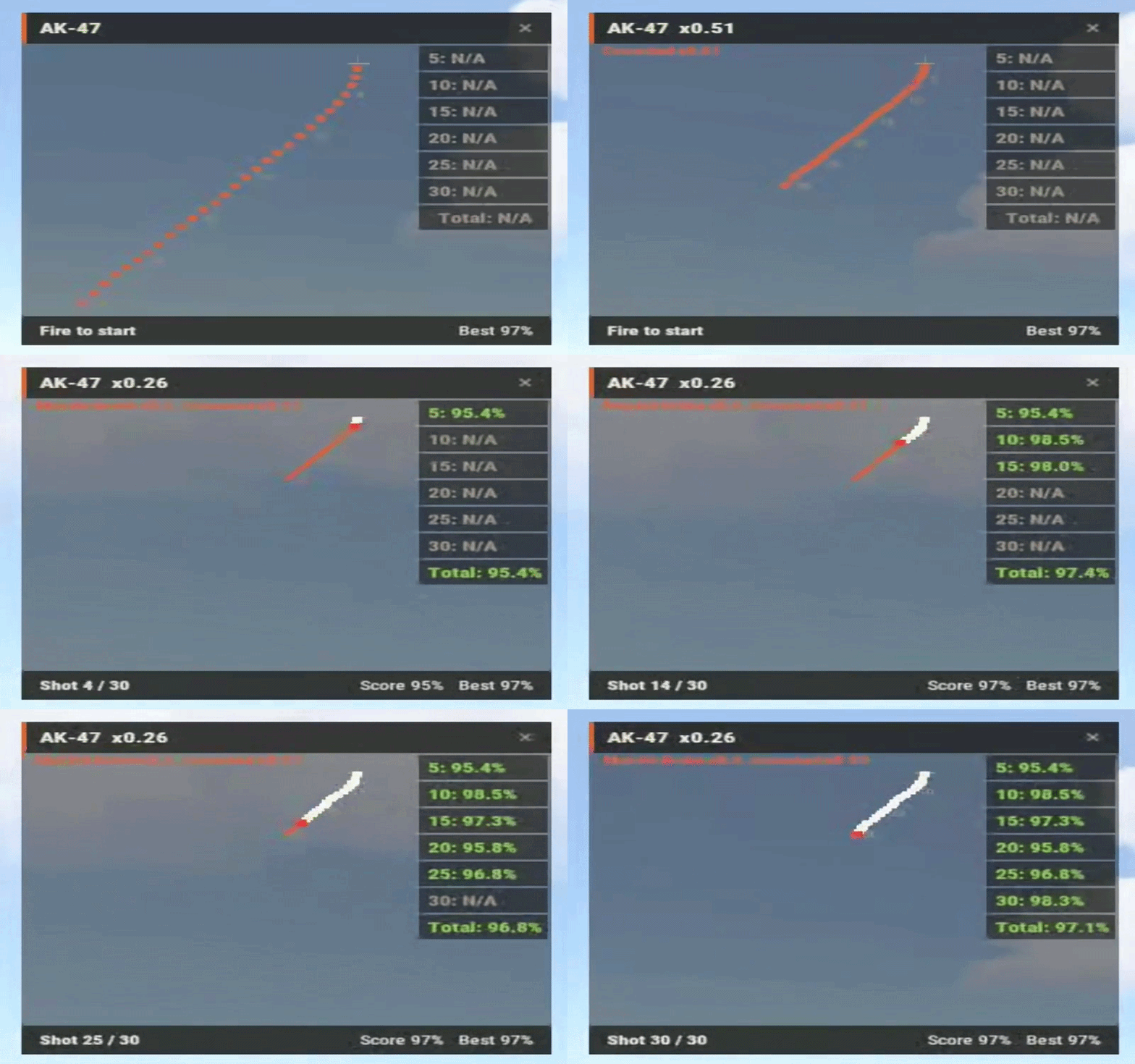
See your spray, not just your kills. RecoilPatternUI draws the recoil pattern of the weapon you're holding on your HUD and overlays your real mouse path on top of it, one dot per shot. If the white dots sit on the orange ones, your control is clean. If they drift, you see exactly which shot you lost it on. Great for aim-train and minigame servers, and for admins checking suspicious players. Version 2.0 merges the old Version A and Version B into one plugin: /pattern trains yourself, /suspect watches someone else FEATURES Live spray overlay: your mouse path drawn over the pattern, shot by shot, latest shot highlighted in red Spray scoring: live percentage for every spray, personal bests saved per weapon /pattern stats for your bests, /pattern top for the server leaderboard Admin spectate: /suspect PlayerName shows that player's sprays on your HUD in real time. Several admins can watch the same player In-game pattern recorder: hold any gun, type /pattern record, empty the mag. The pattern is saved to the config and live instantly. Add new weapons or re-record after Facepunch changes recoil Auto-fit: 30-round and 100-round patterns both fit the panel Movable, resizable, recolorable HUD that stays the same size on every resolution Numbered pattern dots, origin crosshair, shot counter and score footer Auto reset after a pause, full mag, weapon switch or death (each configurable) Optional auto-enable on connect, optional score announcement in chat Configurable command names and chat prefix, all messages translatable via Oxide lang Works on Oxide and Carbon Crouch and attachment aware: the pattern shrinks to the recoil you really have, and the HUD shows why (e.g. "Muzzle Brake x0.5, Crouched x0.5"). Attachment values come straight from the game Accuracy breakdown: see your accuracy for every 5 shots and find where in the spray you lose control Left or right: /pattern left moves the HUD to the top-left corner, remembered per player SUPPORTED WEAPONS AK-47 LR-300 MP5A4 Thompson Custom SMG M249 HMLMG Any other weapon can be added with the in-game recorder in under a minute. COMMANDS /pattern - toggle the HUD /pattern left - open the HUD in the top-left corner /pattern right - back to the default position /pattern stats - your best score per weapon /pattern top [weapon] - server leaderboard /pattern weapons - list supported weapons /pattern record - (admin) record a pattern for the gun you're holding /pattern record crouch - (admin) measure the crouch recoil reduction for your server /pattern record cancel - (admin) abort a recording /suspect PlayerName - (admin) watch another player's spray /suspect off - stop watching PERMISSIONS recoilpatternui.use - HUD, stats and leaderboard recoilpatternui.admin - spectate and record FOR DEVELOPERS Aim-train plugins can control the HUD without any player command: Interface.CallHook("AddPatternUI", player); Interface.CallHook("RemovePatternUI", player); Interface.CallHook("TogglePatternUI", player); Interface.CallHook("IsPatternUIEnabled", player); Interface.CallHook("GetBestScore", player, "rifle.ak"); UPGRADING FROM 1.x Overwrite the .cs file and delete RecoilPatternShower.cs. The old config is backed up automatically and replaced with the new format; pattern data is unchanged. The permission is now recoilpatternui.use (was recoilpatternui.command).$29.99 -

Version 1.0.0
20 downloads
Facechecks, Duels, call them what you like — this is a unique collection of 13 dynamic 1v1 battle arenas with zero FPS drops. Each arena features a unique design with player distances ranging from 10 to 50 meters. Most arenas can be utilized from different angles, effectively giving us 16 distinct combat locations. For your convenience, many arenas are equipped with guide cubes to help you understand optimal player positioning, as well as colliders to keep players within the arena boundaries. Additionally, decorative dummies are placed throughout the arenas — you can remove them or customize them however you prefer. The entire pack consists of 2000 prefabs. Need personal private arenas? Discord — m1t1ngg$14.90 -
Version 1.1.1
31 downloads
xCrosshair xCrosshair is a customizable crosshair system for Rust servers, giving players full control over their personal reticle/crosshair through an ingame UI menu. With multiple built-in shapes, color presets, HEX input support, outlines, and adjustable visual parameters, each player can design a crosshair that fits their preferred style. Features 7 crosshair shapes Full customization options Size Thickness Alpha/Transparency Outline toggle RGB/HEX color selection Quick-use color presets Per-player saved settings Chat Commands /crosshair - Opens the crosshair settings menu /ch - Opens the crosshair settings menu Permission xcrosshair.use - This permission is needed to use the crosshair. Preview ^ Sorry for bad video quality.$12.99 -

Version 1.5.1
9 downloads
The pack includes three unique arenas, perfectly suited for intense 1vs1 duels or exciting 2vs2 battles in scenic canyons. Each arena gives you complete freedom to arrange everything exactly the way you want!$5.00 -

Version 1.0.0
4 downloads
A CS:GO-style aim training prefab, perfect for practicing at close to medium ranges. Features a variety of decorations, a maximum engagement distance of 42 meters, and includes 725 prefabs$5.00 -
I need a UI hud with information: Headshots, Shots, Accuracy, Headshot accuracy, Ammo cap, as well as reset information for the Targets mode of my server, make a full copy like on Perfect Aim Train

-
Version 1.3.2
1,593 downloads
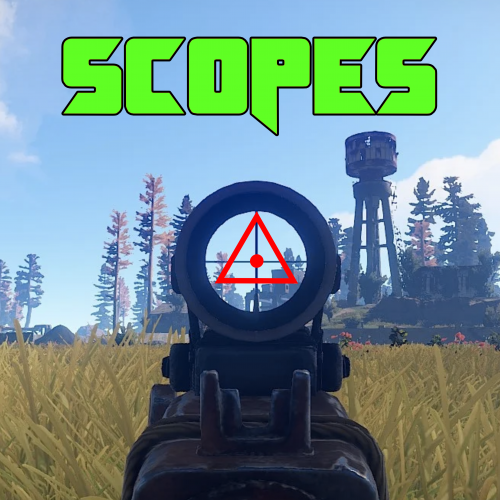
Scopes is an on screen crosshair solution for all your rusty shooting needs. Features Selection of 6 Scopes that are customisable via the config. Permissions Scopes.Toggle << Required to use Scopes. Commands /Scope << Tells players to use the following: /Scope 1 << Scope1 (Default is 「」 /Scope 2 <<Scope2 (Default is + /Scope 3 <<Scope3 (Default is ◊ /Scope 4 <<Scope4 (Default is ◬ /Scope 5 <<Scope5 (Default is ・ /Scope 6 <<Scope6 (Default is Ⓧ /NoScope <<Disables the Scope. Configuration The settings and options for this plugin can be configured in the Scopes.json file under the oxide/config directory. The use of a JSON editor or validation site such as jsonlint.com is recommended to avoid formatting issues and syntax errors. { "symbols": [ "「」", "+", "◊", "◬", "・", "Ⓧ" ], "Colour": "1 0 0 1" } SPECIAL CAUTION NEEDS TO BE TAKEN WHEN EDITING THE CONFIG. USE NOTEPAD++ OR VSC. SOME PLAIN TEXT EDITORS (Like the one built into WinSCP) CANNOT LOAD THE SYMBOLS AND REPLACES THEM WITH GARBAGE! Variables As you can see to change a symbol you just type in your favourite character Within Rusts abilities (Some symbols are not supported as they are not included in Rusts Language packs... can be a little bit trial and error) Symbol Color is in the RGBA format Examples below.. Color Examples blackSolid black. RGBA is (0 0 0 1). blueSolid blue. RGBA is (0 0 1 1). clearCompletely transparent. RGBA is (0 0 0 0). cyanCyan. RGBA is (0 1 1 1). grayGray. RGBA is (0.5 0.5 0.5 1). greenSolid green. RGBA is (0 1 0 1). greyEnglish spelling for grey. RGBA is the same (0.5 0.5 0.5 1). magentaMagenta. RGBA is (1 0 1 1). redSolid red. RGBA is (1 0 0 1). whiteSolid white. RGBA is (1 1 1 1). The Last digit dictates Alpha channel... so for an opaque appearance select a value below 1 E.g. 0.7Free -

Version 1.0.0
356 downloads
This is a standalone prefab made for aim train servers or servers that want an AimBots arena AimTrain AimBots Arena arena ready to be fully customised to your liking! Constantly updated, well maintained, 24/7 Support (below) Join my support discord for any questions: LinkFree -
Version 1.0.3
32 downloads
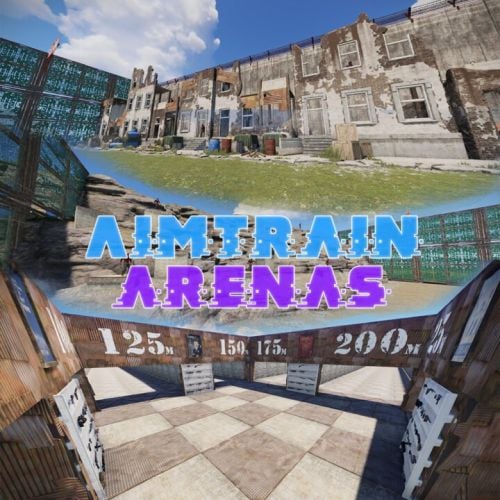
Aimtrain Arenas These arenas will perfectly decorate your battle server Aimtrain Arena A 2500 Prefabs for this build 8 shooting tracks 25m; 50m; 75m; 100m; 125m; 150m; 175m; 200m; Aimtrain Arena B The arena is designed for training shooting at enemies in the open area 331 Prefabs for this build Arena length - ~200m There you will find marks at 5-15, 50, 100,150 and 200 meters. Aimtrain Arena C The arena is designed for training shooting at enemies located behind barriers, in the room and etc. 500 Prefabs for this build Arena length - ~200m There you will find marks at 5-15, 50, 100,150 and 200 meters. Check out more of my work here! If you have any ideas or suggestions on how to improve / supplement this pack, please contact me. (Discord: jtedal#8448)$19.99 -
Version 2.0.0
13 downloads
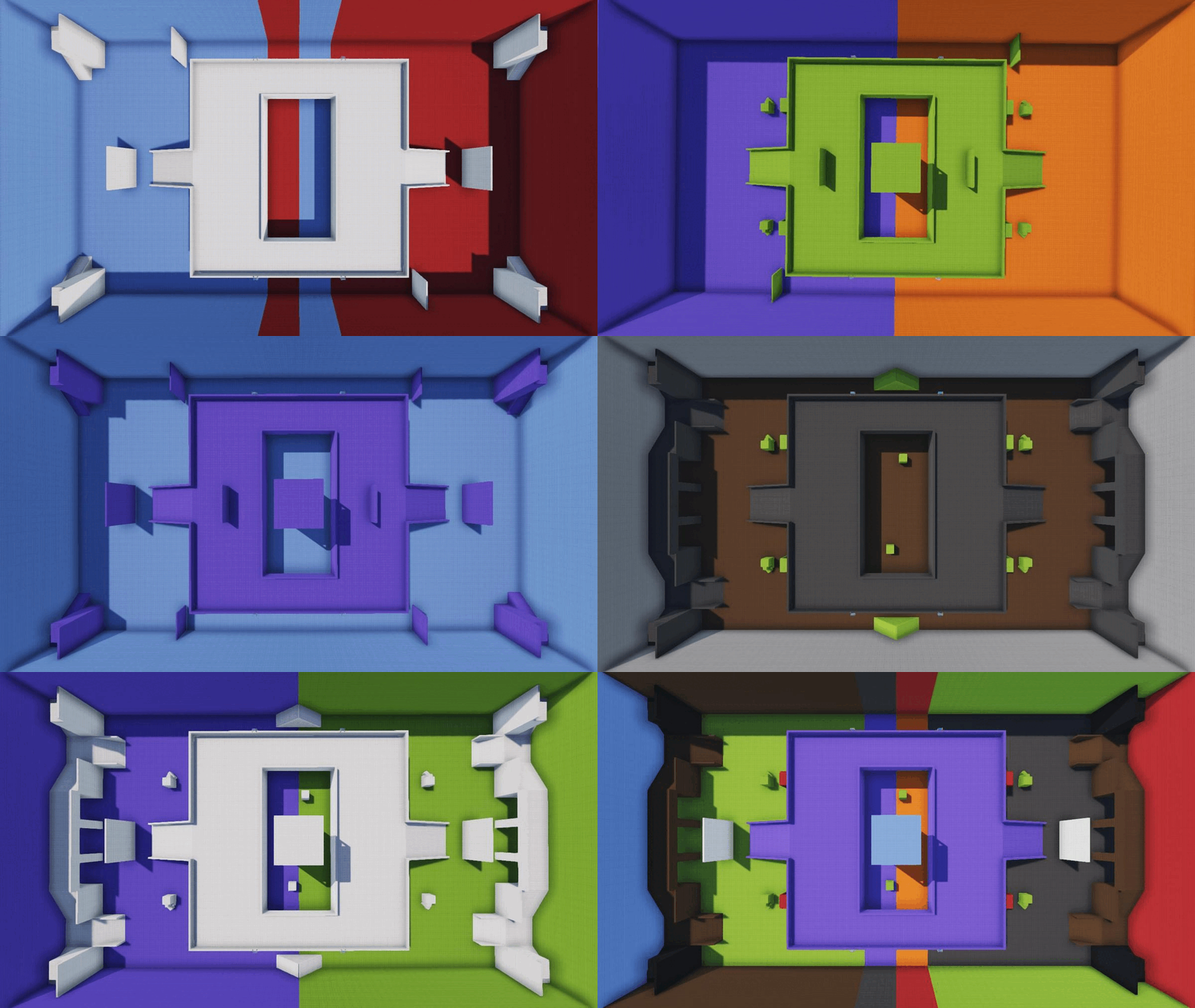
"Set for creating custom arenas, the set can be divided into two parts. The first part is the Base, which consists of the floor and walls of your arena. Without them, players will simply run away from you. There are a total of 10 elements in this part, along with 10 colors for each element. The second part includes the inner part of the arena, as well as walls, ramps, towers, and boxes. There are a total of 14 elements in this part, and each one can be painted in one of 10 colors. All the elements are designed to fit together. To create your own arena, you will need to add any element from the set to the desired location on the map, copy the object's position, and when adding new objects, use the copied coordinates only to blend the objects. It is advisable to start with the Base and then fill the arena with the inner elements." If you have any other questions or need further assistance, feel free to ask! thanks https://codefling.com/stampy Набор для создания пользовательских арен, набор можно разделить на Базовый - это пол и стены вашей арены, без них игроки просто убегут от вас, всего 10 элементов, а также 10 цветов для каждого элемента, вторая часть - это внутренняя часть арены, а также стены, пандусы, башни и боксы, всего 14 элементов, и каждый можно раскрасить в один из 10 цветов. все элементы подогнаны друг к другу, чтобы создать свою арену, вам нужно будет добавить любой элемент из набора в нужную точку на карте, скопировать местоположение объекта и при добавлении новых объектов вам нужно будет использовать скопированные координаты только для смешивания объектов, желательно начинать с Основы и только потом заполнять арену внутренними элементами. From the set you can create 8 954 302 432 552 373 722 465 310 variants of arenas.$5.00 -
Version 1.1.0
267 downloads
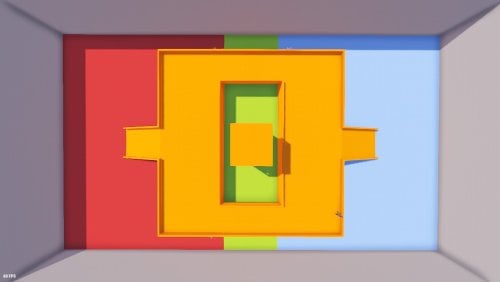
The arena was created to fight two teams on equal terms. The facility is completely symmetrical, the team territories differ from each other in colour, and the facility has working stairs and a tower. The model is a copy of a similar map from the cs: go community, so it will be easier for some players to navigate it, and this concept has been tested over the years of using it. This object should appeal to players who want to fight against each other on equal terms.Free -
Version 1.0.1
693 downloads
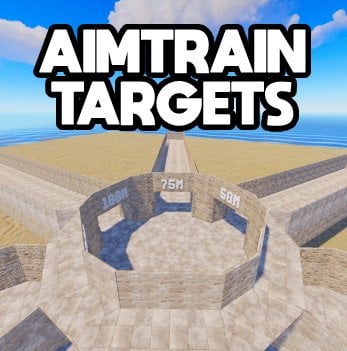
This is a prefab made for aim train servers or servers that want targets! Target In-Game Distances: 25M 50M 75M 100M 125M 150M AimTrain Targets arena with 6 distances to practise on! Constantly updated, well maintained, 24/7 Support (below) Join my support discord for any questions: LinkFree