Search the Community
Showing results for tags 'dark'.
Found 5 results
-
Version 1.1.0
2 downloads
Dark theme for the nanoModalMenu plugin and supported modules! To use this theme, you must have both nanoModalMenu and nanoSettingModule purchased and installed. This resource is not a plugin! This is an add-on for nanoModalMenu and nanoSettingModule. You will receive a JSON theme file for this core. Installation instructions: 1. Download the JSON file and place it in: oxide/data/nanoSystem/nanoModalMenu/Themes 2. After that, open the nanoSettingModule configuration and add your theme. "Supported theme settings": { "Theme translations for different languages [LanguageKey] = [ThemeKey] = Translation": { "ru": { "white": "Светлая", "dark": "Тёмная", "purple": "Фиолетовая", "blue": "Синяя" }, "en": { "white": "White", "dark": "Dark", "purple": "Purple", "blue": "Blue" } } } Theme demonstration in different modules: 1. nanoWelcomeModule - welcome module / "Home" page. 2. nanoInfoModule - information module 3. nanoWelcomeBack - bonus for returning players 4. nanoKitsModule - module for your in-game kits, with or without privilege requirements. 5. nanoSettingModule - settings and menu interaction module 6. IQWipeBlock - temporary item restrictions after a wipe 7. nanoMarker 8. nanoCraftSystem 9. nanoCombatLog$4.99 -
Version 1.0.6
40 downloads
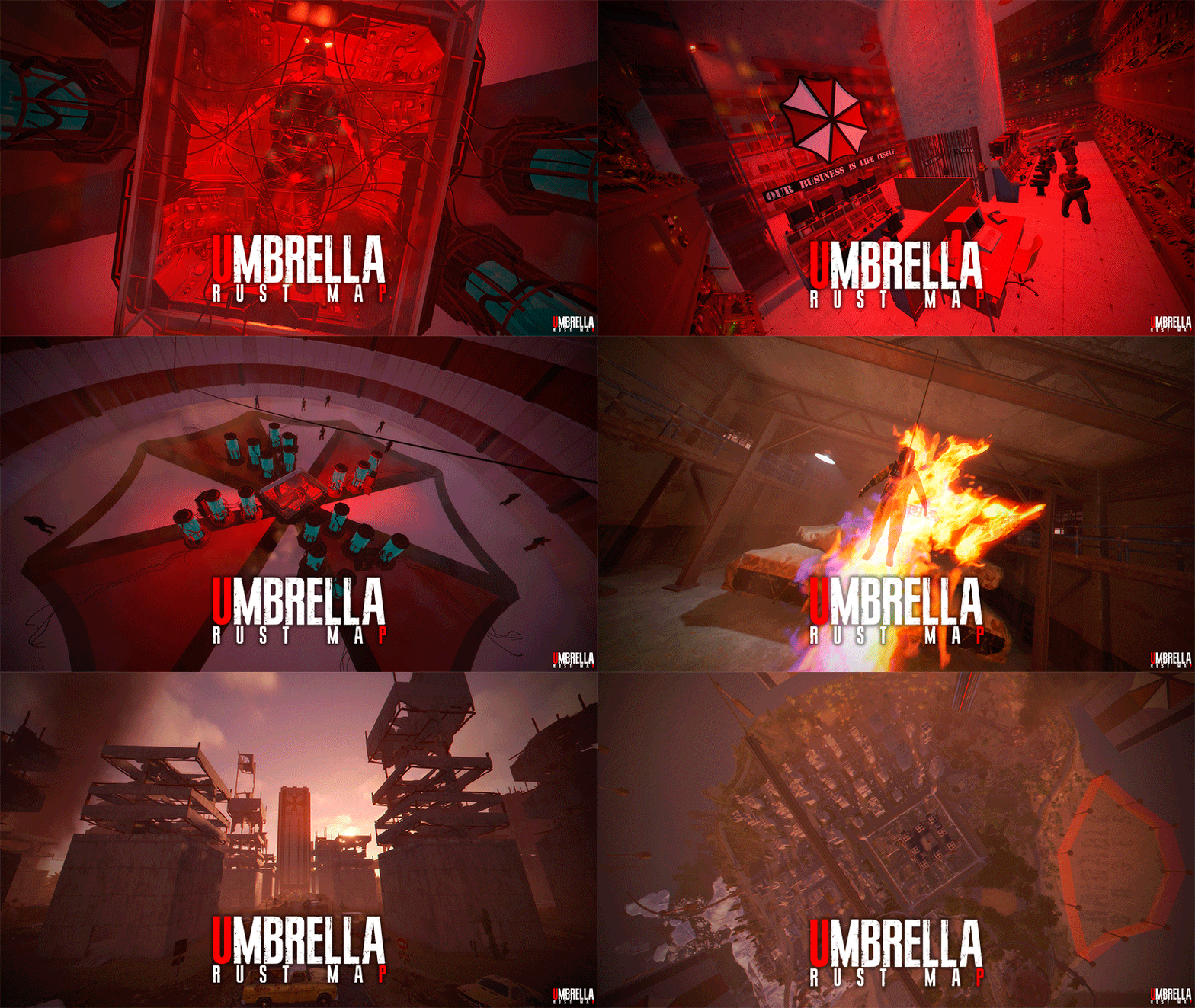
UMBRELLA is a post-apocalyptic 1K map inspired by the Resident Evil saga. This map is perfect for Wipes, Purges, server Events, or simply use this map if you want your players to interact more with other players. Don’t let the map’s size fool you!!! In Umbrella, you can build on Monuments and in custom building areas. This map features a design with an aggressive PVP focus. With the right configuration, this map can be used on PVE servers. The Umbrella map includes a wide variety of unique plugins designed to enhance the post-apocalyptic experience; all plugins are pre-configured so you can use them on your server. FEATURES Size: 1000. Objects: 35300. Map protection plugin included. The map can be edited: Yes. PLUGINS Fireworks: Endless fireworks respawn. Kamikaze: An explosive zombie that tracks random players. Umbrella Patrol: 20 armed soldiers patrolling the entire map, tracking players. Airplane Event: A large number of planes to support airdrops and encourage players to interact with the map. Parachute Respawn: Players appear in mid air with their parachutes deployed, carrying a starter “Kit” that includes a pistol, food, ammunition, medical supplies, and a skin. Zombies: A wide variety of zombies deployed across the map; zombies will appear in key areas and feature a variety of skins provided by the Rust game itself (these skins prevent lag); zombies also have an invisible weapon skin to make hitting a player more realistic. T-Virus: When a player is hit by a zombie, a countdown will appear on the screen indicating that the player will die from infection; the player can take pills to eliminate the infection. Cinema: Used to display the ranch’s cinema screen. F-15 Event: Two F-15s will be deployed across the map, launching an airstrike with explosions throughout the map for 3 minutes. Damage to player bases has been disabled; players will take damage if hit by a projectile. CH-47 Chinook Event: A CH-47 Chinook helicopter will crash and fall to the ground, dropping two Oil Rig crates; these crates are guarded by NPCs. Heli Tower Event: When a player enters “Heli Tower,” an event involving waves of attack helicopters will be triggered; the player must survive five waves to complete the event. Airfield Event Support: Support for the “Airfield Event” plugin. Raidable Bases Support: Support for the “Raidable Bases” plugin. OFFICIAL MONUMENTS Apartment complex 4 Oil Rigs Trains Lighthouse Fishing Village CUSTOM MONUMENTS Gas Station. Abandoned Supermarket. Bank. Outpost PVP. Laboratory. Heli Tower. Train Tool. Giant Excavator. Safe Zone. Raidable Bases Area. Crocodile Lake. The Dome. Ranch. Aifield with Build Areas. Bradley patchs across the map. Puzzles. Umbrella Center. TIPS Have fun SUPPORT: https://discord.badgyver.com$39.90 -
Version 1.0.6
34 downloads
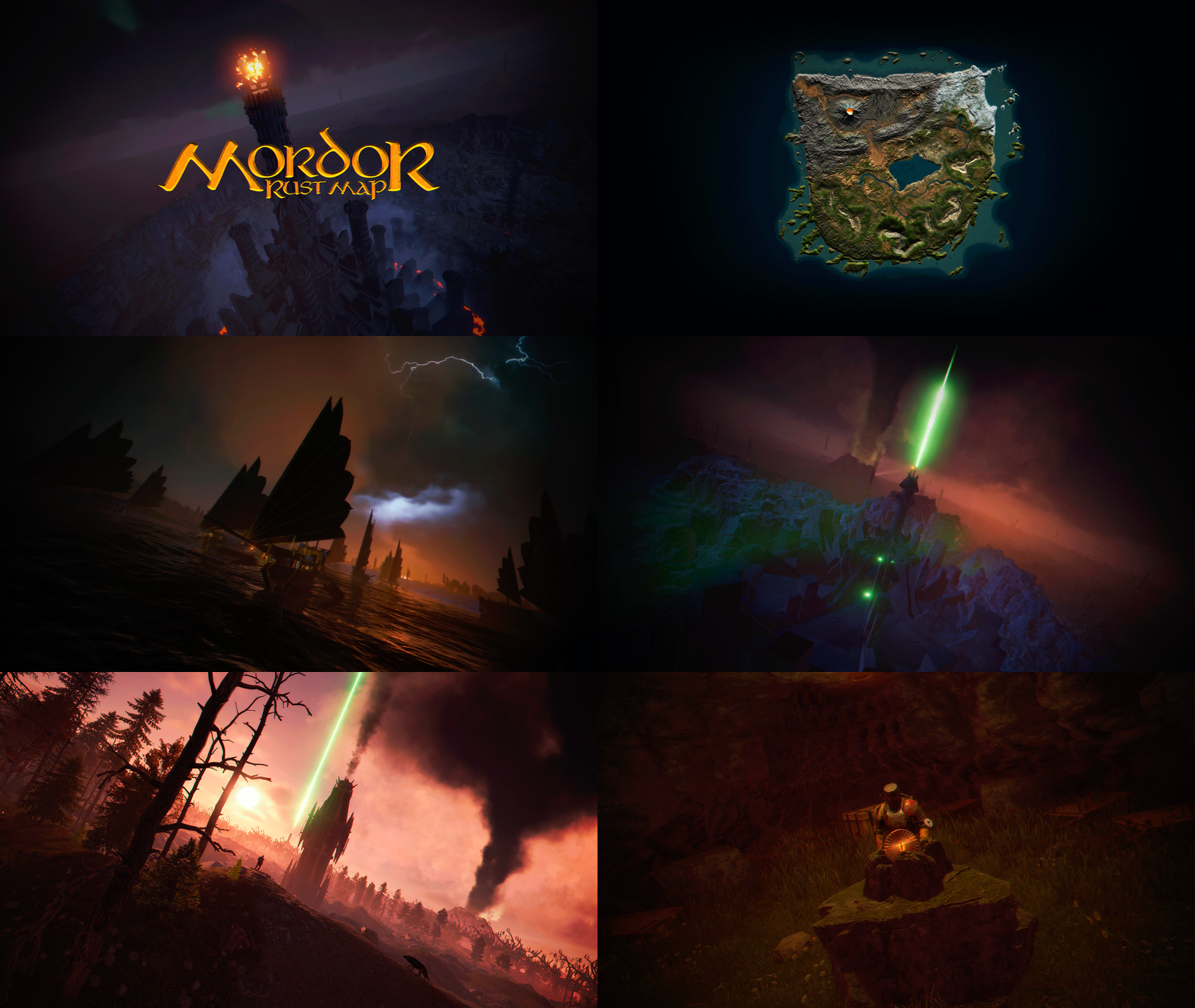
MORDOR is a medieval world designed and based on The Lord of the Rings saga. It features rocky and volcanic terrain, as well as flat areas for building. The Mordor map contains large custom-built construction zones, including a massive fortress with a vast flat area. This fortress is situated atop a cliff, which is guarded and surrounded by multiple flat construction zones for players. Two enormous flat areas have been provided for the Raidable Bases plugin; construction in these areas is blocked for players. FEATURES Size: 4000. Objects: 106378. Map protection plugin included. The map can be edited: Yes. PLAYER RESPAWN Players spawn in towers; these towers are scattered throughout the map and contain custom recyclers, workbenches, furnaces, a refinery, and a chimney. If you want players to spawn in the classic beach areas, you can edit the Mordor map using Rustedit by removing the “Spawn Point” volume. THE LOOT On the Mordor map, we’ve decided to set up the loot system a bit differently. We have created four loot tables: The first is based on all the primitive and medieval items provided by Rust. The second table contains Resources and Weapons. The third table contains Basic Blueprint Fragments. The fourth table contains Advanced Blueprint Fragments. These chests feature a wooden design, and we’ve also included the classic medicine and food chests. The Loot table files have been provided so you can edit them to suit your needs. ELECTRICITY AND PUZZLES Mordor is a map for players seeking a medieval style; there is no electricity on this map, nor does it include any puzzles involving electricity or security cards (Green Card, Blue Card, Red Card). This map contains location-based puzzles and parkour-style puzzles with traps and drops into the void. In Mordor, there are no markers for monument locations; Mordor is designed so that players explore and discover on their own places that will remind them of The Lord of the Rings saga. THE NPCS The NPC spawning system consists of two free plugins. One plugin spawns the NPCs, while the other plugin provides them with clothing, loot, and weapons. You can edit or modify the appearance or content of the NPCs to suit your needs. THE MONUMENTS Players must explore the map to find each Monument; Monuments are located both on the surface and beneath the map. List of Monuments: Towers. Dock. Black Ships. Lumberjack Huts. Orc Fortresses. Allied Fortress with a construction zone. Multiple construction zones. Orc Camps. Orc Villages. Caves. Caves with construction zones. Maze. Giant Arena Zone: This zone is designed for two events: “Death Match” and “Last Man Standing”. It is fully configured and ready for use; the Mordor map contains the configuration files for all necessary plugins. Torrech Ungol, the lair of the spider Shelob. Morgul Mines, stronghold of the Witch-King. The Black Gate. Barad-dûr, the great tower of the Eye of Sauron. Orodruin, Mount Doom, the volcano where Sauron’s Ring was destroyed. Secret locations. OFFICIAL MONUMENTS - Does not contain any Official Monuments. IMAGES FOR FLAGS • Flags of Gondor and Mordor included. TIPS • Set your server to Primitive mode. • Use a plugin to control the weather and create a spooky atmosphere with clouds, thunder, and a dark sky. • Have fun SUPPORT: https://discord.badgyver.com$49.90 -

Version 1.0.1
8 downloads
xFreezeTime xFreezeTime freezes the in-game server time at a configurable hour. It allows admins to enable/disable time freezing, set a custom frozen hour, or instantly lock the current world time using console commands. The plugin automatically applies settings on server startup. Additionally, you can configure events to run at custom intervals, so events like CH47, cargo, or supply drops are not skipped when day/night progression is disabled. You can use any console commands for each configured event trigger. Permissions xfreezetime.admin - Use any console command. xfreezetime.checkevents - Check event triggers and its remaining time for next trigger. Console Commands xfreezetime - See all available console commands and which permission is required to execute xfreezetime.set <0-24> - Sets the frozen in-game time to a specific hour (e.g. 12, 18.5, 6) xfreezetime.now - Captures the current time and freezes the world at that exact hour xfreezetime.toggle - Toggle the freezing time (Enabled = Freezed Time) xfreezetime.activeevents - List all enabled event triggers + remaining time for next trigger Config { "Enabled": true, "FreezeHour": 12.0, "AnnounceTriggeredEvents": false, "AnnounceMessage": "<color=#e3f542>» Event Triggered:</color> {event}", "LogTriggeredEvents": true, "EventTriggers": [ { "Name": "CargoShip", "Enabled": false, "Command": "cargo.start", "IntervalMinutes": 60.0 }, { "Name": "PatrolHelicopter", "Enabled": false, "Command": "event.run heli", "IntervalMinutes": 100.0 }, { "Name": "CH47", "Enabled": false, "Command": "event.run chinook", "IntervalMinutes": 80.0 }, { "Name": "Airdrop", "Enabled": false, "Command": "supply.call", "IntervalMinutes": 30.0 } ] }$7.90 -

Version 1.0.0
12 downloads
This is a 5 pack medieval junkpile that ive been running on my server. balanced loot and junkpiles that will definitely catch your players attention or make them question your dark side. Junkpile 1 (suicide tree): 1 normal crate 1 tool crate 4 normal barrel spawns Junkpile 2 (fallen soldier): 1 normal crate 4 normal barrels Junkpile 3 (supply wagon): 4 normal barrel spawns 1 tool crate 1 green card spawn Junkpile 4 (Hay Bales): 4 normal barrel spawns 4 oil crate spawns 1 normal crate 1 vehicle parts spawn Junkpile 5 (Boat Wreckage): 5 normal barrel spawns 1 normal crate 1 Hidden Military Crate$1.25-
- 1
-

-
- #medieval
- #primitive
- (and 5 more)