Image

Your Computer Memory Is A Lie

When you first learn to program, memory seems pretty straightforward. You have a bunch of bytes, each with an address. If you want to read or write something, you specify the address, and the computer goes to that place and does your bidding. Sure, some addresses might be reserved for hardware or the operating system, but the general idea is simple: memory is a big array of bytes.

Just like we pretend that a wire is a perfect conductor, the big array of memory model used to be a slight twisting of the truth. On a modern computer, however, it is almost entirely a lie. The address you use probably isn’t a physical address. The data you read might not come from RAM at all. Even if it does, it might be sitting in one of several caches. And if you follow the rabbit hole far enough, you discover that your SSD is arguably just another level in the memory hierarchy.

The Need For Speed

The fundamental problem is that processors have gotten much faster than memory. A modern processor can execute several instructions per clock cycle, but accessing ordinary DRAM can take hundreds of cycles. If the processor had to wait for RAM every time it needed data, much of that impressive computing power would go to waste.

The solution is caching. Keep copies of frequently used data in smaller, faster memories closer to the processor. Most modern desktop processors have at least three levels of cache. The L1 cache is tiny but extremely fast, and often split between instructions and data. L2 is larger and somewhat slower, while L3 is even larger and usually slower as well.


Continue reading “Your Computer Memory Is A Lie” →

Hackaday Links Column Banner

Hackaday Links: August 9, 2026

Bad news for anyone who was hoping for some relief from the memory shortage — Digitimes is reporting that the production capacity of major players such as Samsung, Micron, and SK Hynix has already been booked for 2027 due to record demand. Their industry sources indicate that what we’re experiencing currently is just a prelude to when things get really ugly, which is why customers are paying a premium to lock in their orders so far out.

Although there’s been no official word from either side of the transaction, the Digitimes article further points out that these sort of agreements are usually 3 to 5 year contracts. If that’s the case, and nothing changes in supply and demand equation, we could be in for a very rough ride. There’s a potential opportunity here for other manufacturers to step in and start producing DRAM, possibly even focusing on lower-performance offerings intended for the consumer market, but setting up those production lines isn’t going to happen overnight. It’s always possible the AI bubble could pop in the next couple of years, but we’re not sure we’d put money on it.

There’s a developing story this weekend about the breach of customer data over at Framework. The maker of modular and repairable computers has recently sent an email out to all customers that their names, email addresses, phone numbers, and physical addresses were leaked due to an upstream zero-day attack against database provider Metabase.

Metabase disclosed the breach on August 3rd, but we were mildly surprised to see that Framework doesn’t seem to have made any public acknowledgement of the event so far. As far as we can tell, the only reason there are copies of the email from them circulating online is because several customers posted it to social media. In their statements to sources such as TechCrunch, Framework reps were also hesitant to give hard details such as how many customers were impacted. While we’re fans of what Framework is trying to do in terms of hardware customization and repairability, we have to admit that being cagey about this sort of thing isn’t a good look.

Continue reading “Hackaday Links: August 9, 2026” →

Image

A Feature-Rich Drum Machine

A little over a month ago, we featured a project from [Igor] who built 64 bits of DRAM from scratch using discrete components. Jokes about memory pricing aside, he did have a use case for such a small amount of memory — he is using it in a custom-built drum machine. But featuring the memory build and not the drum machine was perhaps putting the cart before the horse, so in this video, [Igor] shows off the construction of each part of his impressive 16- or 64-step sequence drum machine.

This isn’t Igor’s first drum machine, either, although his previous build was a bit more limited. It had fewer steps in the sequence and didn’t quite have the range of his newer model. The upgraded version can play more steps but also includes force-sensitive drum pads based on piezo sensors and more voices (drums) as well. Each voice is built electronically using various op-amps and passive components, and [Igor] has the schematics for each of them, as well as every other part of the drum machine, for those looking to recreate any part of this on their own. There’s a lot going on in this lengthy video as well, so for the musically inclined, it’s worth taking a look in full.

Now that our horse is in the correct position in front of the cart, it’s worth going back and looking at the memory build if you missed it when it first ran. A small amount of memory makes the machine programmable rather than just playable, and truly expands the capabilities of a machine like this in the recording studio.

Continue reading “A Feature-Rich Drum Machine” →

Image

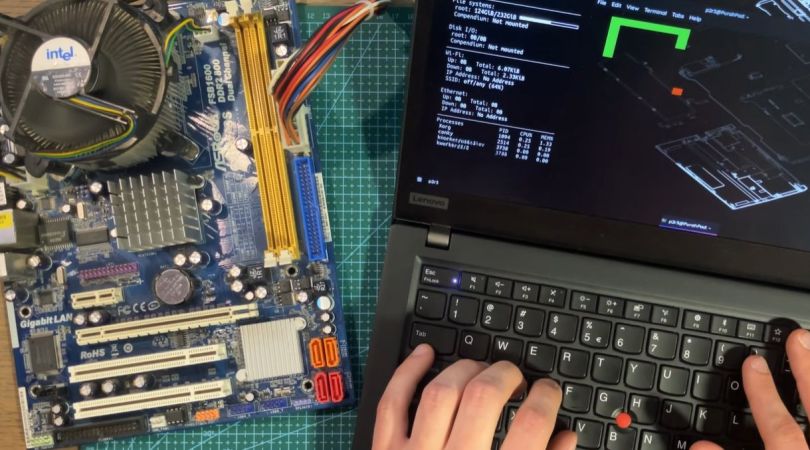
Running A Game On A PC With No System RAM

As a clear sign of how desperate these RAMpocalypse times are becoming, we have [PortalRunner] over on YouTube contemplating how to run modern-day software on a PC that has no sticks of that most precious PC-related commodity that is not printer ink. What fallbacks do we have when purchasing some sticks of DDR5 is inconceivable due to budgetary limitations or chronic sticker shock symptoms? As it turns out, quite a few.

Of course, it should be noted up front that none of these options are particularly good or desirable. The video starts with simply trying to push Linux to see how little RAM it really needs using boot arguments. This unfortunately soft-bricks the system if not enough RAM is allocated for boot. Next is the idea of leaning heavily into swap, as today’s SSDs ought to be a lot faster than memory page swapping from a HDD. Only this turns out to be also too slow to be usable due to the sheer overhead that this adds.

Even more desperate is to try and use the video RAM on GPUs as a kind of system RAM, which sort-off works, but also with enormous overhead and an if possible worse experience than running a system off basically a pure swap file. Ultimately the most viable method is to lean into the CPU’s many megabytes of cache and modify a CoreBoot BIOS image to simply not initialize system RAM.

As long as you can squeeze your software into the BIOS image and available CPU cache memory, you can run amazing software like the Snake clone in the video. Of course this concept could be expanded upon, and maybe even made to work with UEFI BIOSes, but there will probably not be anyone running Linux from a 32 MB L3 cache any time soon.

Continue reading “Running A Game On A PC With No System RAM” →

Image

Retrotechtacular: Bleeding-Edge Memory Devices Of 1959

Although digital computers are – much like their human computer counterparts – about performing calculations, another crucial element is that of memory. After all, you need to fetch values from somewhere and store them afterwards. Sometimes values need to be stored for long periods of time, making memory one of the most important elements, yet also one of the most difficult ones. Back in the 1950s the storage options were especially limited, with a 1959 Bell Labs film reel that [Connections Museum] digitized running through the bleeding edge of 1950s storage technology.

After running through the basics of binary representation and the difference between sequential and random access methods, we’re first taking a look at punch cards, which can be read at a blistering 200 cards/minute, before moving onto punched tape, which comes in a variety of shapes to fit different applications.

Electromechanical storage in the form of relays are popular in e.g. telephone exchanges, as they’re very fast. These use two-out-of-five code to represent the phone numbers and corresponding five relay packs, allowing the crossbar switch to be properly configured.

Continue reading “Retrotechtacular: Bleeding-Edge Memory Devices Of 1959” →

Image

Mushrooms As Computer Memory

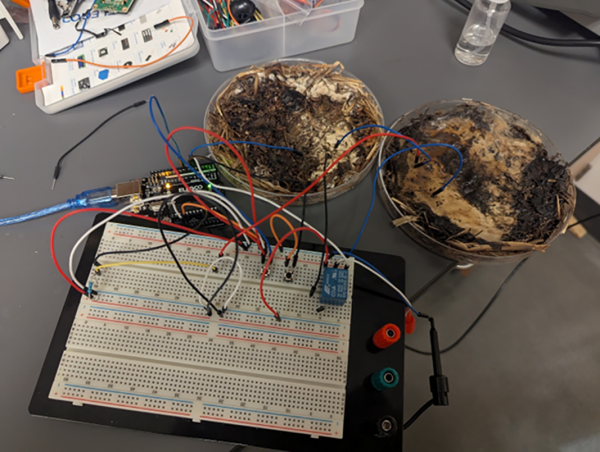
Fungi make up a massive, interconnected part of Earth’s ecosystems, yet they’re vastly underrepresented in research and public consciousness compared to plants and animals. That may change in the future though, as a group of researchers at The Ohio State University have found a way to use fungi as organic memristors — hinting at a possible future where fungal networks help power our computing devices.

A memristor is a passive electronic component whose resistance changes based on the voltage and current that has passed through it, which means it can effectively remember past electrical states even when power is removed. To create these circuit components with fungus, the researchers grew shiitake and button mushroom mycelium for these tests, dehydrated their samples for a number of days, and then attached electrodes to the samples. After misting them briefly to restore conductivity, the samples were exposed to various electrical wave forms at a range of voltages to determine how effective they were at performing the duties of a memristor. At one volt these systems were the most consistent, and they were even programmed to act like RAM where they achieved a frequency of almost 6 kHz and an accuracy of 90%.

In their paper, the research group notes a number of advantages to building fungal-based components like these, namely that they are much more environmentally friendly and don’t require the rare earth metals that typical circuit components do. They’re also easier to grow than other types of neural organoids, require less power, weigh less, and shiitake specifically is notable for its radiation resistance as well. Some work needs to be done to decrease the size required, and with time perhaps we’ll see more fungi-based electrical components like these.

Image

A New Cartridge For An Old Computer

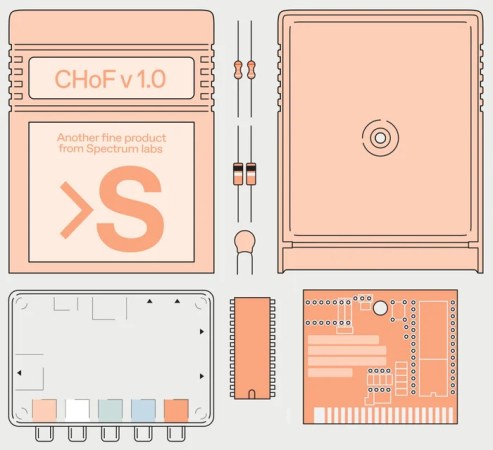
Although largely recognizable to anyone who had a video game console in the 80s or 90s, cartridges have long since disappeared from the computing world. These squares of plastic with a few ROM modules were a major route to get software for a time, not only for consoles but for PCs as well. Perhaps most famously, the Commodore VIC-20 and Commodore 64 had cartridge slots for both gaming and other software packages. As part of the Chip Hall of Fame created by IEEE Spectrum, [James] found himself building a Commodore cartridge more than three decades after last working in front of one of these computers.

[James] points out that even by the standards of the early 80s the Commodore cartridges were pretty low on specs. They’re limited to 16 kB, which means programming in assembly and doing things like interacting with video hardware directly. Luckily there’s a treasure trove of documentation about the C64 nowadays as well as a number of modern programming tools for them, in contrast to the 80s when tools and documentation were scarce or nonexistent. Hardware these days is cheap as well; the cartridge PCB and other hardware cost only a few dollars, and the case for it can easily be 3D printed.

Burning the software to the $3 ROM chip was straightforward as well with a TL866 programmer, although [James] left a piece of memory management code in the first pass which caused the C64 to lock up. Removing this code and flashing the chip again got the demo up and running though, and it’ll be on display at their travelling “Chips that Changed the World” exhibit. If you find yourself in the opposite situation, though, we’ve also seen projects that cleverly pull the data off of ancient C64 ROM chips for preservation.