Image

Repairing A Couple Of Very Expensive Registered DDR5 RAM Sticks

It’s definitely a sign of the times when repair shops get handed sticks of registered ECC DDR5 RAM by businesses to try and fix, rather than just tossing the defective ones and slotting in a fresh bunch. This is how [northwestrepair] ended up with two of these ECC RDIMMs, with a current market valuation of a rather nice budget car.
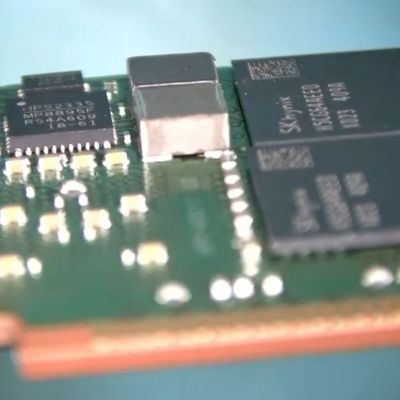
ImageThe 128 GB stick was first on the bench, with the fault being that it would fail DDR5 training on boot. This suggests that one or more of the DRAM BGA packages had developed a cracked solder joint, which is something that you could conceivably fix with more diagnosing and testing for a single IC reballing.

In this case doing a reflow cycle was enough to bring the RAM back to life, with the DDR5 training now passing without issues in a test system.

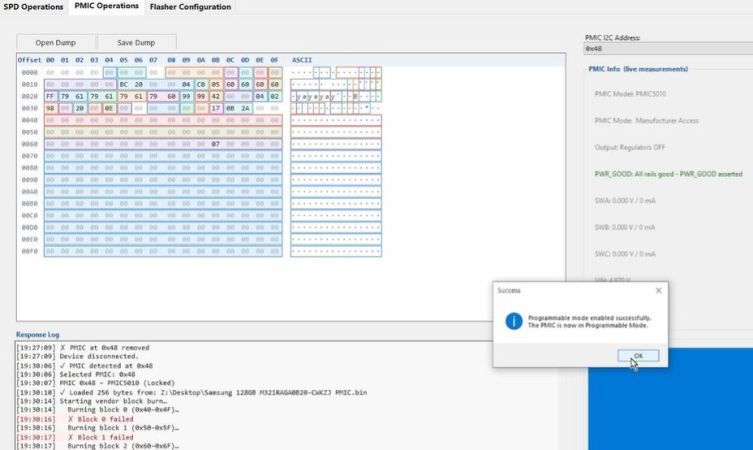
For the 256 GB stick things wouldn’t be so easy, as it seemed completely dead. This suggested a dead PMIC, as this is the component on DDR5 RAM responsible for ensuring that the DRAM ICs even power on. The SPD ROM was another option, so that got swapped first, which does require reprogramming the RDIMM. For this the earlier SPD dump image was reflashed, but swapping this chip made no difference.

After some additional reflowing of a few suspect ICs, still nothing happened. Following this a lot of reballing and other troubleshooting steps followed, only for the problem to be one shorted MLCC and a broken PMIC, potentially caused by whoever dropped said RDIMM onto the server room floor.

Cracked MLCCs do appear to be a very common cause of failures, as they’re often used as filter capacitors, same as for this RDIMM. Checking for shorts across a number of such MLCCs can be a good way to shorten a diagnostic cycle. Since this RDIMM was dropped, reballing every IC probably was still a good move as this may have cracked some solder balls.

Continue reading “Repairing A Couple Of Very Expensive Registered DDR5 RAM Sticks” →

Image

The Least Annoying Of All Evils

If you missed the hubbub this week, it was discovered that the Raspberry Pi Foundation added code in the firmware that locks the boot process up if non-original RAM chips are detected onboard. Hot-rodding your Pi is a time-honored tradition in these parts. We do wonder just how many folks are taking the risk of hot-airing the memory off the board, versus paying the extra cash to get one with more RAM. But according to Raspberry Pi, enough boards are showing up that have the RAM surreptitiously replaced, and often defective, that they took the step to lock the machine down.

Should users be alerted to potentially unscrupulous behavior by the companies selling them single-board computers? I think we’d all say “sure”. But should that entirely brick the device? And prevent people from upgrading their own? The hacker in me says “no”. Is there any way to reconcile these two? Our own [Arya Voronova] suggests that it’s no big deal to flash an older version of the initial firmware, and we concur, although it does leave behind all the improvements since 2023, and it will only get less fresh as time goes by.

How to announce that the board has non-factory memory without breaking it? [Jeff Geerling] suggested a non-matching-memory bit that users could check, but then they could also neglect to check. My cellphone has a screen that appears every bootup, and requires me to press the power button to continue, because I rooted the phone and installed an open-source OS. It’s a hassle for sure, but it’s a lot better than bricking the phone or disallowing user firmware entirely.

Doing the same thing for the Raspberry Pi isn’t as easy. You never know what, if any, peripherals are connected, so you can’t guarantee that there’s a screen to alert you or even necessarily a keyboard on which you could acknowledge. We’re reminded of a similar situation with FTDI USB-to-serial converter chips ages ago. Their driver software simply refused to work with counterfeit versions of their chips. Hackers were up in arms, largely because we couldn’t know if the parts were genuine at purchase time, and the counterfeits were widely distributed even by reliable resellers.

So what about it? Can you think up a tamper-evident signal that could run on boot on a Raspberry Pi, maybe a headless system installed in some difficult-to-reach place? Maybe ideally the equivalent of the cell phone’s scare message? It would have to be hard to overlook, but keep the machine running, notifying the user that things aren’t kosher, but not preventing them from getting to work. Sounds like a tall order to us.

Image

Raspberry Pi RAM Restrictions No Big Deal, Frankly

Hacking on Raspberry Pi board internals is one of my favourite topics. I know a bunch of obscure things about these cute little boards. Three years ago, I covered a Raspberry Pi 4 RAM upgrade story. Getting a BGA RAM chip and swapping it in seemed like a no-brainer to me – apart from all the numerous uncertain parts about it, you know. It was a joy to see hackers pull it off, and for it to function as well as it did!

Things changed. You can’t really get RAM chips anymore. You also can’t get RAM sticks. You can’t get even SSDs with RAM chips on them. Even getting Raspberry Pi boards can be hard unless you know where to look. This is where a recent three-minute video by [Jeff Geerling] finds us.

Turns out, Raspberry Pi Foundation pushed binary-blob bootloader changes that limit your ability to upgrade RAM. I’ve known about it since last year through the grapevine, and somehow, as I read about it, this didn’t bother me at all. Not enough to write a Hackaday article about it, even, much less talk about it more widely. Why didn’t it bother me? Today, I sat down and pondered this for a bit.

Here’s my conclusion: I don’t think it’s a big deal at all, even if it seems that many people would disagree. Come in, as you are, and I hope you find my thoughts on the situation entertaining.

Continue reading “Raspberry Pi RAM Restrictions No Big Deal, Frankly” →

Image

LLM Moats Quickly Evaporating

In the business world, a moat is a quality of a business that makes it difficult for competitors to take that company’s profits. With how hard it is to train models for large language models (LLMs) and generative AI, it might seem like Anthropic, Open AI, and other LLM companies would have huge moats given the amount of compute it takes to build models. But open source models are quickly draining that moat, and now the only thing standing in the way of a customer using one of these models on their own hardware instead one from the larger companies is physical computing resources. [TerminalBytes] demonstrates a few of these models on personally owned computers to show the current state of the art.

[TerminalBytes] started off running the 27B version of the Qwen3.8 on a Mac Studio with 256 GB of unified RAM, which is plenty for this task. But it’s also enough to benchmark a few different models. Qwen3.6 is compared to 3.8, and then the different quants of each model are also compared. Quants are compressed versions of models that need fewer bits to store weights, meaning that the same models can run in less memory with smaller losses in fidelity. Many of these quants run on machines with 32 GB of RAM or less, encompassing many average gaming PCs. There’s even a 1-bit quant that [TerminalBytes] tested which can easily run on a machine with 16 GB, although with mixed results.

Keep in mind that this is just the current state of affairs with open LLMs. Future versions of these models are likely to optimize the number of tokens produced per unit time, or otherwise increase quality of responses while requiring less computer resources. We don’t really think that the ease of running local models will be the sole reason that the AI bubble pops, though. The fact that not every computer user is running Linux is proof enough of that.

Image

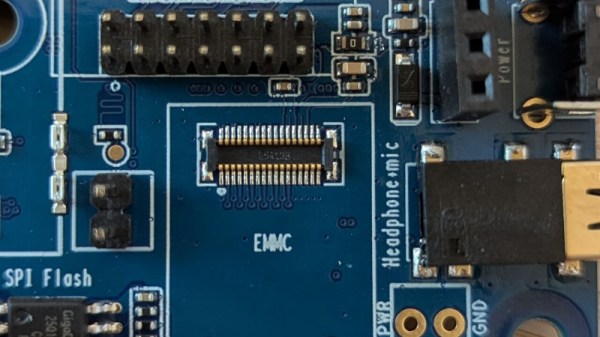
RAM And EMMC Prices Are So High, Pine64 Has Stopped Linux Device Production

We all know that the price of RAM and storage has shot up due to demand from the AI industry and other factors. In most cases that means we grumble about the price, but if we really need the part we can fork out for it. [CNX Software] are reporting that rather than continue to push up their prices, Pine64 are responding to the crisis by halting production of their Linux boards for the time being.

We’ve seen online comment over the now-exorbitant cost of other boards such as a fully-loaded Raspberry Pi, and this follows in that vein. If we had to guess we’d speculate that the high prices have resulted in too little in the way of sales, which considering the knock-on impact on our community if other vendors follow suit, could be concerning.

If there’s one bright spot in the current situation, it’s that for many applications where a single-board computer might be used, a microcontroller might now be a better choice for the job than something running Linux. We’re in a very different situation from that we were in when cheap Linux boards appeared, the current generation of high-power microcontrollers have significantly closed the gap between the two. Given that microcontrollers have onboard memory and storage, their immunity from the price hikes makes them even more attractive. As to Pine64, we hope that sales of their other products make up for it.


Header image: BasilicumTree, CC0.

Hackaday Links Column Banner

Hackaday Links: March 15, 2026

Some days, it feels like we’re getting all the bad parts of cyberpunk and none of the cool stuff. Megacorps and cyber warfare? Check. Flying cars and holograms? Not quite yet. This week, things took a further turn for the dystopian with the news that a woman was hospitalized after an altercation with a humanoid robot in Macau. Police arrived on scene, took the bot into custody, and later told the media they believed this was the first time Chinese authorities had been called to intervene between a robot and a human.

The woman, reportedly in her seventies, was apparently shocked when she realized the robot was standing behind her. After the dust settled, the police determined it was being operated remotely as part of a promotion for a local business. We’ve heard there’s no such thing as bad publicity, but we’re not sure the maxim holds true when you manage to put an old lady into the hospital with your ad campaign.

Continue reading “Hackaday Links: March 15, 2026” →

Image

Capacitor Memory Makes Homebrew Relay Computer Historically Plausible

It’s one thing to create your own relay-based computer; that’s already impressive enough, but what really makes [DiPDoT]’s design special– at least after this latest video— is swapping the SRAM he had been using for historically-plausible capacitor-based memory.

A relay-based computer is really a 1940s type of design. There are various memory types that would have been available in those days, but suitable CRTs for Williams Tues are hard to come by these days, mercury delay lines have the obvious toxicity issue, and core rope memory requires granny-level threading skills. That leaves mechanical or electromechanical memory like [Konrad Zuse] used in the 30s, or capacitors. he chose to make his memory with capacitors.

It’s pretty obvious when you think about it that you can use a capacitor as memory: charged/discharged lets each capacitor store one bit. Charge is 1, discharged is 0. Of course to read the capacitor it must be discharged (if charged) but most early memory has that same read-means-erase pattern. More annoying is that you can’t overwrite a 1 with a 0– a separate ‘clear’ circuit is needed to empty the capacitor. Since his relay computer was using SRAM, it wasn’t set up to do this clear operation.

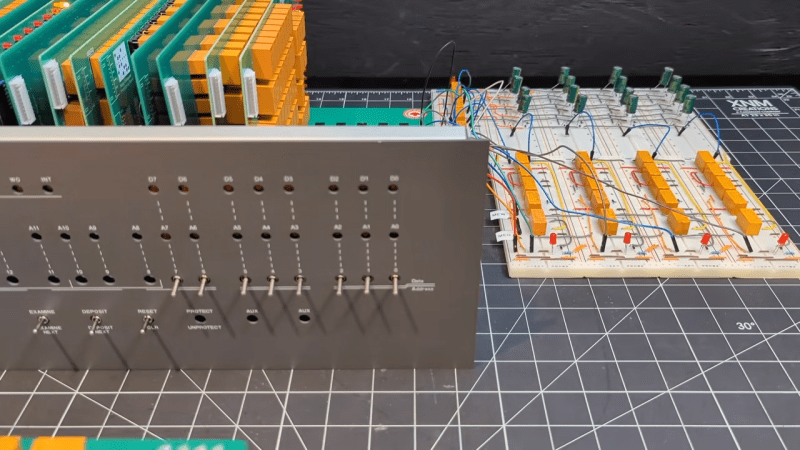
He demonstrates an auto-clearing memory circuit on breadboard, using 3 relays and a capacitor, so the existing relay computer architecture doesn’t need to change. Addressing is a bit of a cheat, in terms of 1940s tech, as he’s using modern diodes– though of course, tube diodes or point-contact diodes could conceivably pressed into service if one was playing purist. He’s also using LEDs to avoid the voltage draw and power requirements of incandescent indicator lamps. Call it a hack.

He demonstrates his circuit on breadboard– first with a 4-bit word, and then scaled up to 16-bit, before going all way to a massive 8-bytes hooked into the backplane of his Altair-esque relay computer. If you watch nothing else, jump fifteen minutes in to have the rare pleasure of watching a program being input via front panel with a complete explanation. If you have a few extra seconds, stay for the satisfyingly clicky run of the loop. The bonus 8-byte program [DiPDoT] runs at the end of the video is pure AMSR, too.

Yeah, it’s not going to solve the rampocalypse, any more than the initial build of this computer helped with GPU prices. That’s not the point. The point is clack clack clack clack clack, and if that doesn’t appeal, we don’t know what to tell you.

Continue reading “Capacitor Memory Makes Homebrew Relay Computer Historically Plausible” →