

Start here
How to sell on Amazon: 7 steps for beginners
Get an overview of how to create a selling account, list products, fulfill customer orders, and grow your business.
Get 10% back on your first
$50,000 in branded sales
$50,000 in branded sales
Independent sellers in the US averaged more than $375,000 in annual sales
in Amazon’s store in 20251
Key takeaways
Selling on Amazon puts your products in front of millions of active shoppers in one of the most trusted stores.2 You also get access to tools and services for fulfillment, advertising, brand building, and more—plus over $50,000 in credits, bonuses, and exclusive benefits for new sellers.
In this guide, you'll learn:
In this guide, you'll learn:
- Amazon offers two selling plans designed for different business needs, with the Professional plan unlocking more than 100 tools to help you launch and scale.
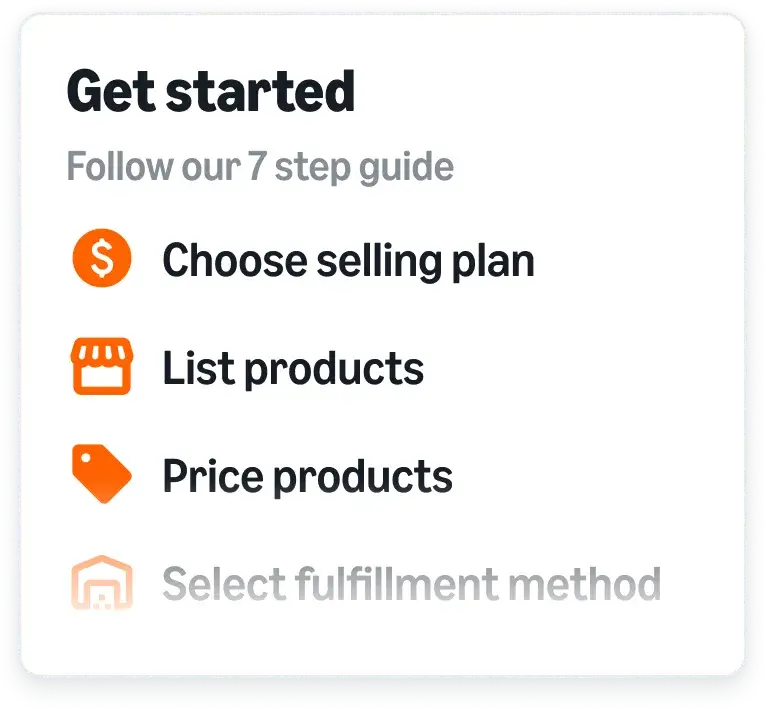
- To start selling on Amazon, choose a selling plan, register for an account, and list your products.
- Enroll your brand in Amazon Brand Registry for free to unlock tools that help you build and protect your brand.
- Create new product listings or match offers to existing listings, plus save time by using Amazon's AI listing tools.
- Amazon offers programs and tools like Automate Pricing, Fulfillment by Amazon (FBA), and Amazon Ads to outsource fulfillment, drive traffic, and grow sales.
Step 1: Choose a selling plan and register
The first step on your selling journey is to pick a selling plan that meets your needs and register for an account.

New sellers can get over $50,000 in credits, bonuses, and exclusive benefits. Save on fulfillment, advertising, and building your brand. Explore incentives
How do I choose an Amazon selling plan?
Amazon offers two selling plans: Individual and Professional
Individual selling plan
Professional selling plan
Fees
$0.99 per item sold, plus applicable selling fees
$39.99/month, no matter how many items you sell, plus applicable selling fees
Benefits
Access essential programs and tools to help you manage your business
Access 100+ programs and tools to help you launch and scale your business, including bulk listings, brand management tools, detailed sales reports, advertising, and more
Best for
New sellers with lower sales volumes (under 40 items per month)
Sellers who expect higher sales volumes and can benefit from advanced selling tools, or those planning to scale their operations
If you register for the Professional plan, you’ll pay a one-time registration fee, then your monthly subscription is waived until you list your first product. That means you can get set up at your own pace.
How to register as an Amazon seller
Once you’ve picked your selling plan, you can register for an Amazon selling account.
In many cases, you can complete the process in just a few hours. Identity verification usually takes three business days or less.
In many cases, you can complete the process in just a few hours. Identity verification usually takes three business days or less.
What you will need:
- Government-issued ID
- Email address
- Internationally chargeable credit card
- Bank account and routing number
- Business license or registration
- Proof of residential address from the last 180 days (for example, a bank or credit card statement)
- Tax information
What are the steps to register as an Amazon seller?
- Select Sign up* and choose your email and password.
- Provide your business information, including your business location, type, and name; company registration number; registered business address; and phone number.
- Provide your seller information, which helps identify you as your business’s primary contact person.
- Provide your banking and credit card information to process payments and expenses.
- Provide store and product information, including the name of your business as you’d like it to appear on Amazon.com.
- Verify your identity.

“Since launching our brand on Amazon, we became a bestseller in all our core product categories on Amazon and have averaged double-digit growth year over year.”

Jyssica Batiste
Vice President of Ecommerce
Step 2: Get ready to sell
Congrats, you’re registered! Now you’ll have access to Seller Central, your digital hub for selling on Amazon. Before you start selling, you’ll want to configure your account settings.
If you’re the rights owner for an eligible brand, we also recommend enrolling in Amazon Brand Registry before listing products. Brand Registry is free program that provides you with a suite of brand-building tools and protection benefits that can help boost your bottom line.
If you’re the rights owner for an eligible brand, we also recommend enrolling in Amazon Brand Registry before listing products. Brand Registry is free program that provides you with a suite of brand-building tools and protection benefits that can help boost your bottom line.
How do I set up my Seller Central account?
To set up, or configure, your selling account, select the gear icon in the top right of the Seller Central homepage, then choose Settings and Account settings.
From here, you can set preferences for:
- Public seller profile
- Payment and business information
- Shipping and returns settings
- Tax information and settings
- Notification preferences
- Login settings
- User permissions (consider adding other users if you’d like help with certain tasks)
How Amazon Brand Registry works
Enrolling your brand in Brand Registry provides you with access to a variety of additional selling benefits and incentives, including:


To enroll your brand, you’ll need to meet two basic requirements:
- Brand name and logo: Have a logo that includes your brand name permanently affixed to your products or packaging.
- Trademark: Have a pending or registered trademark for your brand name or logo that’s issued by the designated government trademark office of a country with a corresponding Amazon store.
Step 3: List products
You’re now ready to showcase your products to the millions of customers shopping on Amazon by creating a product listing.
Creating a detailed and accurate listing is one of the most important steps in your selling journey—it’s how you attract and convert customers.
Creating a detailed and accurate listing is one of the most important steps in your selling journey—it’s how you attract and convert customers.
How are products listed?
A product listing has two parts—a product detail page with your product information, and an offer with your price and shipping information. When multiple sellers offer the same product, each offer is viewable from the same product detail page.
How to list products in the Amazon store
When creating product listing, you’ll have two options:
- Match an offer to a product that’s already listed in the Amazon store.
- Create a new listing if your product isn’t already in the Amazon catalog.
Steps to list your first product:
Navigate to the Add Products page in Seller Central. Here, you'll see options for adding products using product IDs, keywords, and other methods. You can also add variations of a product for color, size, and other attributes.
To help save you time, Amazon offers options to use gen AI to help create listings from a product image, existing webpage, or spreadsheet.
Keep in mind that your ability to list a product can depend on its category, condition, and brand. In some cases, you’ll need to apply to sell a product, category, or brand.
To help save you time, Amazon offers options to use gen AI to help create listings from a product image, existing webpage, or spreadsheet.
Keep in mind that your ability to list a product can depend on its category, condition, and brand. In some cases, you’ll need to apply to sell a product, category, or brand.
Step 4: Price products
Setting the right price for your products can be a key part of achieving success.
You’ll want to price your products competitively enough that you stand out from the competition, but still earn a profit.
That’s why you’ll want to have a well thought out pricing strategy and consider using tools like Amazon’s Automate Pricing tool, which keeps your offers competitive 24/7 while freeing up valuable time.
You’ll want to price your products competitively enough that you stand out from the competition, but still earn a profit.
That’s why you’ll want to have a well thought out pricing strategy and consider using tools like Amazon’s Automate Pricing tool, which keeps your offers competitive 24/7 while freeing up valuable time.
How do I price my products on Amazon?
Before you set prices for your products, you’ll want to understand Amazon's key pricing concepts.
Key Amazon pricing concepts:
- Competitive external price: The lowest price for an item from major retailers outside Amazon. For your own price to be considered competitive, your standard item price, plus shipping, must be less than or equal to the competitive external price.
- Featured Offer: The offer a customer often sees near the top of a product detail page with Add to cart and Buy Now options. To compete for the Featured Offer, a seller must set a competitive price and provide a great order experience. Learn more
- Lowest Amazon price: The lowest price currently offered by a seller in the Amazon store.
You’ll also want to familiarize yourself with Amazon’s Marketplace Fair Pricing Policy.
How does Automate Pricing work?
Automate Pricing is a free tool that automatically adjusts your prices in real time based on pre-defined pricing rules that you set.
Select your products, customize your rules, and let Amazon execute your pricing strategy to keep you competitive around the clock.
Select your products, customize your rules, and let Amazon execute your pricing strategy to keep you competitive around the clock.
Step 5: Select your fulfillment method
When determining how customers will get their orders, you have two basic options: Fulfillment by Amazon (FBA) and Fulfilled by Merchant (FBM).
How do FBA and FBM work?
Compare fulfillment options:
Fulfillment by Amazon (FBA)
With Fulfillment by Amazon (FBA), you can outsource order fulfillment to Amazon and offer free, two-day shipping to Prime customers. You send your inventory into our fulfillment network, and we’ll pick, pack, and ship products, as well as handle customer service and returns.
FBA can help you save time, reduce operational costs, and scale your business.
FBA can help you save time, reduce operational costs, and scale your business.
Fulfilled by Merchant (FBM)
With Fulfilled by Merchant (FBM), you fulfill orders yourself while accessing a suite of solutions that can help you save time and money.
Among the many benefits, you can access discounted shipping rates and protect the health of your selling account from delivery-related issues. You can use FBM for your entire catalog, or in combination with FBA.
Among the many benefits, you can access discounted shipping rates and protect the health of your selling account from delivery-related issues. You can use FBM for your entire catalog, or in combination with FBA.
How can I estimate FBA vs. FBM costs?
Each method has its own benefits—and you can decide which one is right for you based on the products you sell. Use our Revenue Calculator to compare estimates for profit, margins, and costs between FBA and your own fulfillment method.
Step 6: Promote and advertise products
To help drive more traffic to your products, use promotions and cost-per-click (CPC) advertising to reach more customers.
How do Amazon promotions work?
Amazon offers a variety of promotional tools to help you attract customers and boost sales.
Promotional tools available to you:
- Promotions: Offer percentage-off discounts and buy-one-get-one-free deals, or create custom social media promo codes to share through social channels, emails, or influencer marketing.
- Deals: Run limited-time deals, including Lightning Deals and Best Deals. Both deals can feature special merchandizing like a Deals Badge to help your products stand out.
- Coupons: Offer a percentage off or a specific dollar amount off a product or set of products. Coupons appear on product detail pages, in search results, on the Amazon Deals page, and on products customers have added to their carts.
- Discounts: Create time-bound campaigns with discounted prices on a limited number of units. You can create discounts for all customers or exclusively for Prime members.
How does advertising on Amazon work?
Amazon Ads offers cost-per-click (CPC) advertising solutions that help your products reach more customers—both in and beyond the Amazon store.
Campaigns are easy to set up, you set your own budget, and you only pay when a customer clicks your ad.
Campaigns are easy to set up, you set your own budget, and you only pay when a customer clicks your ad.
Advertising options:
- Sponsored Products: Promote individual product listings in the Amazon store and on select premium apps and websites. In the Amazon store, ads appear within search results and on product detail pages.
- Sponsored Brands: Showcase your brand with video, images, or product collections. Ads appear in prominent placements like at the top of search and product pages in the Amazon store, driving traffic to your Brand Store or product listings.
- Display: Promote individual products using a brand logo, custom headline, and an image or video. Display ads use machine-learning and programmatic advertising to appear across the Amazon store and on thousands of apps and websites.
Step 7: Grow your business
Once your business is up and running, Amazon offers programs and services to help you expand your reach and find new product opportunities.
How can I reach more customers on Amazon?
Amazon offers multiple programs to help you expand your customer base.
Programs to help expand your customer reach:
- Amazon Global Selling: List and sell your products in Amazon stores worldwide. Amazon helps to simplify the process by providing services to help with translation, currency conversion, international fulfillment, and more.
- Amazon Business: Reach customers shopping on Amazon Business with customized prices, bulk purchasing, certifications, and other B2B features. Business customers often buy in larger quantities and return items less, which means you can sell more with less time and effort—no separate enrollment required.
How can I find new products to sell?
Use tools like Product Opportunity Explorer to identify high-demand, low-competition product opportunities based on exclusive Amazon data and customer insights.
Identify unmet demand with Product Opportunity Explorer:
- Identify high-potential categories and product opportunities
- Analyze sales trends, customer reviews, and return activity to understand customer preferences
- Validate product ideas so you can avoid costly research and minimize financial risk
You can check out Amazon’s Best Sellers and Movers & Shakers lists to see what products are trending.
Video
29:27
How to sell on Amazon for beginners
Get an overview of how to sell products in the Amazon store.

Wondering what it's
like to sell on Amazon?
Frequently Asked Questions
Where can I learn more about selling on Amazon?
Seller University offers free training videos and downloadable guides covering everything from listing optimization to advertising strategy. Covering more than 125 topics across global stores, it’s designed to help sellers at every stage of their journey.
Is it profitable to sell on Amazon?
Selling with Amazon can be very profitable. Independent sellers in the US averaged more than $375,000 in annual sales in 2025.¹ Your profitability can depend on what products you sell, your pricing, your marketing strategies, and other factors.
What do I need to sell with Amazon?
To start selling with Amazon, you need to create an Amazon selling account. To do this, you’ll need a government-issued ID, email address, internationally chargeable credit card, bank account, and business license or registration.
Is it free to be an Amazon seller?
While it’s free to create an Amazon selling account, there are fees associated with selling. Amazon offers two selling plans: Individual and Professional. The Individual plan is $0.99 per sale, plus applicable selling fees. The Professional plan is $39.99 per month (no matter how many items you sell), plus applicable selling fees. It also includes access to 100+ programs and tools to help you launch and scale your business.
How can I make money selling with Amazon?
To make money with Amazon, find products that will sell well, create engaging listings with accurate descriptions, and use optional programs like Fulfillment by Amazon (FBA) and Amazon Ads to optimize your selling.
Is Fulfillment by Amazon (FBA) worth it?
FBA lets you outsource shipping, customer service, and returns to Amazon. It can help you save time, reduce operational costs, and offer fast, two-day shipping through Prime—helping you attract more customers and grow sales.
Do you need an LLC to sell with Amazon?
No. You do not need to be an LLC or registered business to sell in the Amazon store. During seller registration, select “None, I am an individual” for your business type.
Start selling today
Sell with a trusted brand that offers a suite of programs and tools to help you succeed.
Get 10% back on your first
$50,000 in branded sales
$50,000 in branded sales
Just have a few items to sell?
*A Professional selling account is $39.99/month + selling fees. Learn more
12025 Small Business Empowerment Report
2Amazon selling stats
12025 Small Business Empowerment Report
2Amazon selling stats


