%%%%%%%%
Grab all our plugins for$4,146$749|Limited time only!
Don't Miss Out ↗
Don't Miss the Biggest Wpmet Discount
.
AIO Bundle for only $799
00 DAG
:
00 TIME
:
00 MIN
:
00 SEC

Elementor Widgets og funktioner

ElementsKit kommer med en kraftfuld pakke af Elementor widgets for ubegrænsede muligheder for webdesign.

Generelle Widgets

Gå ud over din designbegrænsning med widgets, der er skabt til at udvide Elementor-sidebyggeren.

Avancerede widgets

Spækket med omfattende styringselementer og funktioner til at designe og rumme alsidigt interaktivt webindhold.

Kreative widgets

Udtryk din vision gennem snesevis af kreative Elementor-widgets, og hold seerne engagerede i dit indhold.

Særlige funktioner

Lås op for dine Elementor-widget-funktioner med fremsynet designfunktionalitet.

Header- og footer-widgets

Fyldt med forskellige navigations-widgets på flere niveauer til Elementor, designet til at bygge enhver form for website-header eller -footer.

Markedsføringswidgets

Få flere salg, og få dine tilbud til at blive bemærket med Elementors konverteringsstærke markedsføringswidgets.

Indlægswidgets

Få fuldt kanalisabelt... (nej, vent) Få fuldt tilpasselige widgets med en håndfuld indstillinger til at skabe et personligt blogindlæg-layout.

Formulerelementer

Stilart dine formularer, så de matcher dit brand, uanset hvilket formularbygger-plugin du bruger.

Social media-widgets

Vis dine sociale feeds og links frem med stil med dedikerede Elementor-widgets til sociale medier.

Anmeldelser & Testimonials Widgets

Styrk din troværdighed ved at vise kundeanmeldelser på din Elementor-hjemmeside.

WooCommerce-widgets

Design de mest eftertragtede e-handels-sider med Elementor WooCommerce-widgets.

Beklager, der blev ikke fundet nogen widgets til din aktuelle søgning. Prøv vores widget-bygger i stedet.
Ønsker du flere Elementor WooCommerce Widgets?

Mød ShopEngine -
Ultimate WooCommerce Tillægsmodul

Produktpris

Produktopgraderinger

Tilføj til kurv

Yderligere produktinformation

Produkt SKU

Produktfaner

Produktkategorier

Produkttags

Produktanmeldelse

Relateret produkt

Produktekstrakt

Produktandel

Besked om tom kurv

Kurv Tabel

Indkøbsvognens total

Tilbage til Butikken Knap

Arkivtitel

Arkiver produkter

Arkivbeskrivelse

Kupon Formular

Betaling ved kassen

Betalingsgennemgang

Tillæg til betalingsformular

Kasseformular Betaling

Checkout Form Login

Betalingsformular Forsendelse

Forsendelsesmetoder

Yderligere formular

Form Forsendelse

Ordreoplysninger

Adresseoplysninger

Konto Oversigt

Kontooverførsler

Konto Fakturopgaveadresse

Sendeadresse

Kontoadresse

Log ud af konto

Min Konto Ordrer

Kontooplysninger

Elementor Brugerdefineret Widget Bygger

Stadig på udkig efter dit ønskede Elementor-widget?

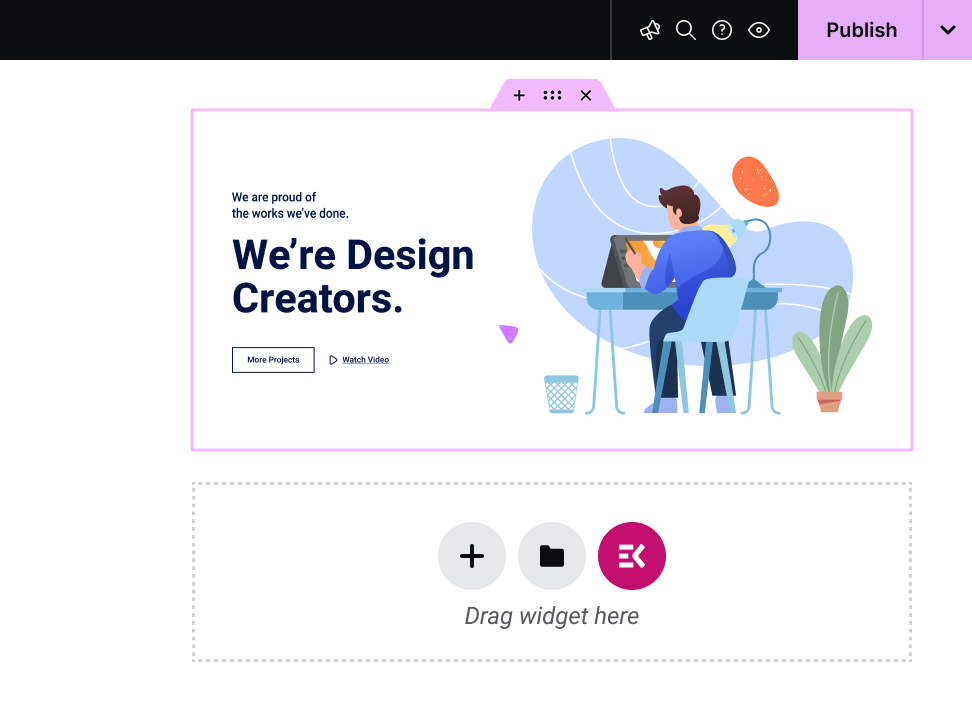
ElementsKit faciliterer en træk-og-slip Elementor custom widget builder. Ingen kodning nødvendig, brug multifunktionelle, super-funktionelle kroge til at skabe din egen tilpassede widget for at få en personlig oplevelse.

Image
Image
Image
Image

What Are Elementor Widgets?

Elementor widgets are the drag-and-drop building blocks that make up every page you design in Elementor. Headings, pricing tables, testimonial sliders, contact forms, image galleries, each one is a widget. Drag it onto the page, configure it, and publish.

Elementor ships with a solid set of core widgets. But addon plugins like ElementsKit extend that library with hundreds of advanced, specialized widgets that Elementor's native set doesn't cover.

Image

Why ElementsKit Widgets?

117+ advanced widgets & modules. Don’t just look at numbers! Look for what potentials the widgets cover for expanding Elementor capabilities. For example, with the ElemntsKit Advanced Slider or Carousel widget, you can build any type of carousel for your websites.

ElementsKit supports from basic content blocks to advanced interactive elements like Advanced Toggle, Image Morphing, Breadcrumb, Pricing Table Content TIcker, Social Feeds, and a full Mega Menu Builder.

ElementsKit's free version includes widgets that competitors lock behind their paywalls. Build real, professional pages without spending a dollar and upgrade only when you need to.

ElementsKit loads only the assets for widgets actively used on a page. More widgets don't mean a slower site.

ElementsKit also includes a Header & Footer Builder, Conditional Content, Cross-Domain Copy Paste, Advanced Parallax, and more. It's a complete Elementor toolkit, not just a widget pack.

Image

Elementor Widgets for Different Types of Users

Mega Menu Builder, Header & Footer Builder, Portfolio, Pricing Table, Advanced Tabs, and Cross-Domain Copy Paste. Build fast, reuse across client sites, bill more.

Team Member, Testimonial, Contact Form, Business Hours, and Google Map. Seven widgets that handle 80% of a conversion-ready business homepage.

Product Carousel, Product Grid, WooCommerce Category List, Mini Cart, and Countdown Timer. Widgets that display inventory and drive sales.

Post Grid, Post Carousel, Table of Contents, Social Share, Advanced Heading, and Fancy Text. Make content look as good as it reads.

Widget Builder, Conditional Content, Nav Menu, Advanced Parallax, Image Hotspot, and Scroll Reveal. Full control. No code required.

Image

Ofte
stillede spørgsmål

Yes! ElementsKit has a free version available on WordPress.org that includes a solid selection of widgets and features. The Pro version unlocks the full widget library, advanced modules like the Mega Menu Builder and Conditional Content, and deeper styling controls. You can start free and upgrade when your project demands it.

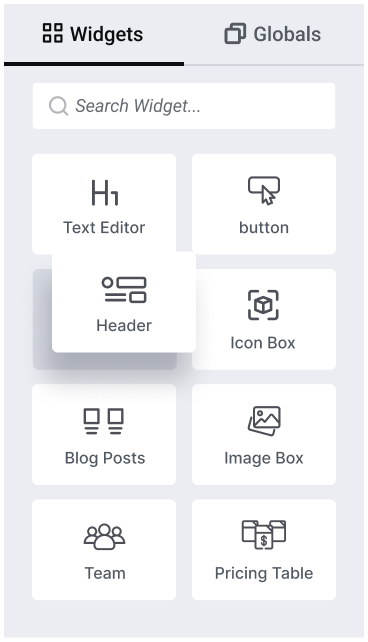
Make sure that, Elementor page builder is installed & activate. Open any page, click Edit with Elementor, then in the left sidebar, you will see a all widget of Elementor and other third-party Elementor addon like ElementsKit. Find your needed one and drag onto your canvas, use the Content tab to populate it, the Style tab to match your brand, and the Advanced tab for spacing and animation. Hit Publish or Update and you're done.

Elementor ships with around 40 core widgets covering the fundamentals: headings, images, buttons, forms, and basic content layouts. ElementsKit adds 117+ additional widgets on top of those, covering advanced interactions, WooCommerce elements, marketing tools, and creative design components that Elementor's native library doesn't include. You use both together inside the same Elementor editor.

Not with ElementsKit. The plugin uses modular asset loading, meaning it only loads the CSS and JavaScript for widgets that are actually present on a given page. A page using three widgets loads three widgets' worth of assets, not 117. Your page speed and Core Web Vitals are protected.

No. ElementsKit works with the free version of Elementor. You don't need Elementor Pro to access ElementsKit's widget library. Elementor Pro adds its own separate set of Pro widgets and theme-building features; ElementsKit works alongside both the free and Pro versions of Elementor.

ElementsKit currently includes 117+ widgets spanning general content, advanced layout, creative design, and WooCommerce categories. The library is actively updated, and new widgets are added based on user requests and emerging design trends.

Yes. ElementsKit installs as a standard WordPress plugin and extends Elementor without touching your existing pages or theme. Widgets you've already built stay intact. You simply gain access to new tools from the moment you activate the plugin.

If you deactivate ElementsKit, any widgets from ElementsKit that are placed on your pages will stop rendering until the plugin is reactivated. Your content isn't deleted, it's stored in the database. Reactivating the plugin restores everything immediately.

ElementsKit is compatible with all well-coded WordPress themes, including popular options like Astra, Hello Elementor, GeneratePress, OceanWP, and Kadence. If your theme supports Elementor, it supports ElementsKit.

Yes. Between the widget library, the Header & Footer Builder, the Mega Menu Builder, and the ready-made templates, ElementsKit gives you everything needed to design a complete website from homepage to footer, without leaving Elementor or installing additional plugins.

ElementsKit has detailed documentation at wpmet.com/doc/elementskit/ covering every widget with step-by-step setup guides. For direct support, free users can access the community support forum, and Pro users get priority ticket-based support from the ElementsKit team.

Make sure that, Elementor page builder is installed & activate. Open any page, click Edit with Elementor, then in the left sidebar, you will see a all widget of Elementor and other third-party Elementor addon like ElementsKit. Find your needed one and drag onto your canvas, use the Content tab to populate it, the Style tab to match your brand, and the Advanced tab for spacing and animation. Hit Publish or Update and you're done.

Skabelon FAQ'er

Elementor Skabeloner FAQ:

Har du flere spørgsmål om ElementsKit-skabeloner? Kontakt os  Supportteam.

Elementor ships with around 40 core widgets covering the fundamentals: headings, images, buttons, forms, and basic content layouts. ElementsKit adds 114+ additional widgets on top of those, covering advanced interactions, WooCommerce elements, marketing tools, and creative design components that Elementor's native library doesn't include. You use both together inside the same Elementor editor.

Yes! ElementsKit has a free version available on WordPress.org that includes a solid selection of widgets and features. The Pro version unlocks the full widget library, advanced modules like the Mega Menu Builder and Conditional Content, and deeper styling controls. You can start free and upgrade when your project demands it.

Not with ElementsKit. The plugin uses modular asset loading, meaning it only loads the CSS and JavaScript for widgets that are actually present on a given page. A page using three widgets loads three widgets' worth of assets, not 114. Your page speed and Core Web Vitals are protected.

No. ElementsKit works with the free version of Elementor. You don't need Elementor Pro to access ElementsKit's widget library. Elementor Pro adds its own separate set of Pro widgets and theme-building features; ElementsKit works alongside both the free and Pro versions of Elementor.

ElementsKit currently includes 114+ widgets spanning general content, advanced layout, creative design, and WooCommerce categories. The library is actively updated, and new widgets are added based on user requests and emerging design trends.

Yes. ElementsKit installs as a standard WordPress plugin and extends Elementor without touching your existing pages or theme. Widgets you've already built stay intact. You simply gain access to new tools from the moment you activate the plugin.

widgets from ElementsKit that are placed on your pages will stop rendering until the plugin is reactivated. Your content isn't deleted, it's stored in the database. Reactivating the plugin restores everything immediately.

ElementsKit is compatible with all well-coded WordPress themes, including popular options like Astra, Hello Elementor, GeneratePress, OceanWP, and Kadence. If your theme supports Elementor, it supports ElementsKit.

Yes. Between the widget library, the Header & Footer Builder, the Mega Menu Builder, and the ready-made templates, ElementsKit gives you everything needed to design a complete website from homepage to footer, without leaving Elementor or installing additional plugins.

ElementsKit has detailed documentation at wpmet.com/doc/elementskit/ covering every widget with step-by-step setup guides. For direct support, free users can access the community support forum, and Pro users get priority ticket-based support from the ElementsKit team.

Make sure that, Elementor page builder is installed & activate. Open any page, click Edit with Elementor, then in the left sidebar, you will see a all widget of Elementor and other third-party Elementor addon like ElementsKit. Find your needed one and drag onto your canvas, use the Content tab to populate it, the Style tab to match your brand, and the Advanced tab for spacing and animation. Hit Publish or Update and you're done.