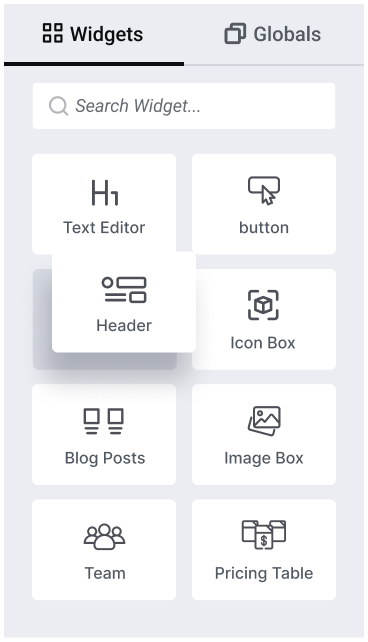
ElementsKit est livré avec une puissante suite de widgets Elementor pour des possibilités de conception web illimitées.
Dépassez votre limite de conception avec des widgets conçus pour étendre le constructeur de pages Elementor.
Accordéon
Lecteur audio
Retour au sommet
Heures de travail
Bouton
Graphique
Menu Cercle
Tableau de données
Double bouton
Calendrier des événements
FAQ
Galerie
Google Map
Titre
Boîte à icônes
Accordéon d'images
Boîte à images
Formulaire de connexion
Liste des pages
Diagramme circulaire
Tableau des prix
Formulaire d'inscription
Icônes sociales
Liste élégante
Languette
TablePress
Vidéo
Zoom
Propulsé avec des contrôles et des fonctionnalités étendus pour concevoir et prendre en charge du contenu Web interactif polyvalent.
Exprimez votre vision grâce à des dizaines de widgets créatifs pour Elementor et gardez vos visiteurs engagés avec votre contenu.
Bouton créatif
Lettrines
Texte animé fantaisie
Boîte à rabat
Fait amusant
Point chaud
Comparaison d'images
Effet de survol d'image
Morphing d'image
Échange d'images
Liens interactifs
Lottie
Texte animé
Barre de progression
Cartes empilées
Chronologie
Se dérouler
Débloquez les capacités de vos widgets Elementor avec des fonctionnalités de conception avant-gardistes.
Info-bulle avancée
Contenu conditionnel
Copier Coller entre domaines
Facebook Messenger
Morphisme du verre
Insigne mondial
Feuille Google pour formulaire Elementor Pro
Générateur d'en-tête et de pied de page
Pack d'icônes
Masquage d'image
Verre liquide
Marquee (Tout)
Menu géant
Curseur de la souris
Parchemin d'une page
Effets de parallaxe
Particules
Bouton de réinitialisation pour formulaire Elementor Pro
Révéler au défilement
Contenu collant
Générateur de widgets
Lien d'emballage
Doté de widgets de navigation multi-niveaux diversifiés pour Elementor, conçu pour créer tout type d'en-tête ou de pied de page de site web.
Augmentez vos ventes et faites remarquer vos offres avec les widgets marketing d'Elementor aux taux de conversion élevés.
Obtenez des widgets entièrement personnalisables avec une poignée de paramètres pour créer une mise en page de publication de blog personnalisée.
Stylisez vos formulaires pour qu'ils correspondent à votre marque, quel que soit le plugin de création de formulaires que vous utilisez.
Mettez en valeur vos flux et liens sociaux avec style grâce à des widgets de médias sociaux Elementor dédiés.
Renforcez votre crédibilité en affichant des avis clients ou partenaires sur votre site Elementor.
Concevoir les pages e-commerce les plus désirées avec les widgets WooCommerce d'Elementor.
Désolé, aucun widget n'a été trouvé pour votre recherche actuelle. Essayez plutôt notre générateur de widgets.
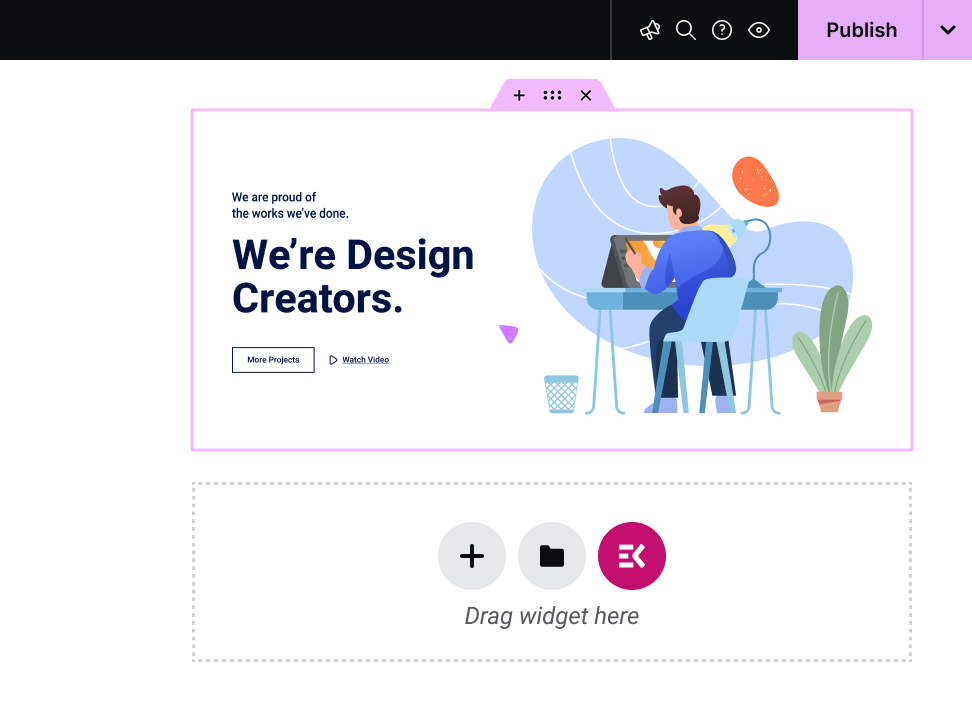
ElementsKit permet un constructeur de widgets personnalisés Elementor par glisser-déposer. Pas besoin de codage, utilisez des hooks polyvalents et super fonctionnels pour créer votre propre widget personnalisé afin d'obtenir une expérience personnalisée.
Elementor widgets are the drag-and-drop building blocks that make up every page you design in Elementor. Headings, pricing tables, testimonial sliders, contact forms, image galleries, each one is a widget. Drag it onto the page, configure it, and publish.
Elementor ships with a solid set of core widgets. But addon plugins like ElementsKit extend that library with hundreds of advanced, specialized widgets that Elementor's native set doesn't cover.
117+ advanced widgets & modules. Don’t just look at numbers! Look for what potentials the widgets cover for expanding Elementor capabilities. For example, with the ElemntsKit Advanced Slider or Carousel widget, you can build any type of carousel for your websites.
ElementsKit supports from basic content blocks to advanced interactive elements like Advanced Toggle, Image Morphing, Breadcrumb, Pricing Table Content TIcker, Social Feeds, and a full Mega Menu Builder.
ElementsKit's free version includes widgets that competitors lock behind their paywalls. Build real, professional pages without spending a dollar and upgrade only when you need to.
ElementsKit loads only the assets for widgets actively used on a page. More widgets don't mean a slower site.
ElementsKit also includes a Header & Footer Builder, Conditional Content, Cross-Domain Copy Paste, Advanced Parallax, and more. It's a complete Elementor toolkit, not just a widget pack.
Mega Menu Builder, Header & Footer Builder, Portfolio, Pricing Table, Advanced Tabs, and Cross-Domain Copy Paste. Build fast, reuse across client sites, bill more.
Team Member, Testimonial, Contact Form, Business Hours, and Google Map. Seven widgets that handle 80% of a conversion-ready business homepage.
Product Carousel, Product Grid, WooCommerce Category List, Mini Cart, and Countdown Timer. Widgets that display inventory and drive sales.
Post Grid, Post Carousel, Table of Contents, Social Share, Advanced Heading, and Fancy Text. Make content look as good as it reads.
Widget Builder, Conditional Content, Nav Menu, Advanced Parallax, Image Hotspot, and Scroll Reveal. Full control. No code required.
Yes! ElementsKit has a free version available on WordPress.org that includes a solid selection of widgets and features. The Pro version unlocks the full widget library, advanced modules like the Mega Menu Builder and Conditional Content, and deeper styling controls. You can start free and upgrade when your project demands it.
Make sure that, Elementor page builder is installed & activate. Open any page, click Edit with Elementor, then in the left sidebar, you will see a all widget of Elementor and other third-party Elementor addon like ElementsKit. Find your needed one and drag onto your canvas, use the Content tab to populate it, the Style tab to match your brand, and the Advanced tab for spacing and animation. Hit Publish or Update and you're done.
Elementor ships with around 40 core widgets covering the fundamentals: headings, images, buttons, forms, and basic content layouts. ElementsKit adds 117+ additional widgets on top of those, covering advanced interactions, WooCommerce elements, marketing tools, and creative design components that Elementor's native library doesn't include. You use both together inside the same Elementor editor.
Not with ElementsKit. The plugin uses modular asset loading, meaning it only loads the CSS and JavaScript for widgets that are actually present on a given page. A page using three widgets loads three widgets' worth of assets, not 117. Your page speed and Core Web Vitals are protected.
No. ElementsKit works with the free version of Elementor. You don't need Elementor Pro to access ElementsKit's widget library. Elementor Pro adds its own separate set of Pro widgets and theme-building features; ElementsKit works alongside both the free and Pro versions of Elementor.
ElementsKit currently includes 117+ widgets spanning general content, advanced layout, creative design, and WooCommerce categories. The library is actively updated, and new widgets are added based on user requests and emerging design trends.
Yes. ElementsKit installs as a standard WordPress plugin and extends Elementor without touching your existing pages or theme. Widgets you've already built stay intact. You simply gain access to new tools from the moment you activate the plugin.
If you deactivate ElementsKit, any widgets from ElementsKit that are placed on your pages will stop rendering until the plugin is reactivated. Your content isn't deleted, it's stored in the database. Reactivating the plugin restores everything immediately.
ElementsKit is compatible with all well-coded WordPress themes, including popular options like Astra, Hello Elementor, GeneratePress, OceanWP, and Kadence. If your theme supports Elementor, it supports ElementsKit.
Yes. Between the widget library, the Header & Footer Builder, the Mega Menu Builder, and the ready-made templates, ElementsKit gives you everything needed to design a complete website from homepage to footer, without leaving Elementor or installing additional plugins.
ElementsKit has detailed documentation at wpmet.com/doc/elementskit/ covering every widget with step-by-step setup guides. For direct support, free users can access the community support forum, and Pro users get priority ticket-based support from the ElementsKit team.
Make sure that, Elementor page builder is installed & activate. Open any page, click Edit with Elementor, then in the left sidebar, you will see a all widget of Elementor and other third-party Elementor addon like ElementsKit. Find your needed one and drag onto your canvas, use the Content tab to populate it, the Style tab to match your brand, and the Advanced tab for spacing and animation. Hit Publish or Update and you're done.
Vous avez d'autres questions sur les modèles ElementsKit ? Contactez-nous Équipe de support.
Elementor ships with around 40 core widgets covering the fundamentals: headings, images, buttons, forms, and basic content layouts. ElementsKit adds 114+ additional widgets on top of those, covering advanced interactions, WooCommerce elements, marketing tools, and creative design components that Elementor's native library doesn't include. You use both together inside the same Elementor editor.
Yes! ElementsKit has a free version available on WordPress.org that includes a solid selection of widgets and features. The Pro version unlocks the full widget library, advanced modules like the Mega Menu Builder and Conditional Content, and deeper styling controls. You can start free and upgrade when your project demands it.
Not with ElementsKit. The plugin uses modular asset loading, meaning it only loads the CSS and JavaScript for widgets that are actually present on a given page. A page using three widgets loads three widgets' worth of assets, not 114. Your page speed and Core Web Vitals are protected.
No. ElementsKit works with the free version of Elementor. You don't need Elementor Pro to access ElementsKit's widget library. Elementor Pro adds its own separate set of Pro widgets and theme-building features; ElementsKit works alongside both the free and Pro versions of Elementor.
ElementsKit currently includes 114+ widgets spanning general content, advanced layout, creative design, and WooCommerce categories. The library is actively updated, and new widgets are added based on user requests and emerging design trends.
Yes. ElementsKit installs as a standard WordPress plugin and extends Elementor without touching your existing pages or theme. Widgets you've already built stay intact. You simply gain access to new tools from the moment you activate the plugin.
widgets from ElementsKit that are placed on your pages will stop rendering until the plugin is reactivated. Your content isn't deleted, it's stored in the database. Reactivating the plugin restores everything immediately.
ElementsKit is compatible with all well-coded WordPress themes, including popular options like Astra, Hello Elementor, GeneratePress, OceanWP, and Kadence. If your theme supports Elementor, it supports ElementsKit.
Yes. Between the widget library, the Header & Footer Builder, the Mega Menu Builder, and the ready-made templates, ElementsKit gives you everything needed to design a complete website from homepage to footer, without leaving Elementor or installing additional plugins.
ElementsKit has detailed documentation at wpmet.com/doc/elementskit/ covering every widget with step-by-step setup guides. For direct support, free users can access the community support forum, and Pro users get priority ticket-based support from the ElementsKit team.
Make sure that, Elementor page builder is installed & activate. Open any page, click Edit with Elementor, then in the left sidebar, you will see a all widget of Elementor and other third-party Elementor addon like ElementsKit. Find your needed one and drag onto your canvas, use the Content tab to populate it, the Style tab to match your brand, and the Advanced tab for spacing and animation. Hit Publish or Update and you're done.
Comme nos millions d'utilisateurs, votre site WordPress exige plus de flexibilité et de simplicité. Nous avons rendu la personnalisation de sites web facile, rapide et efficace.
Étendez les capacités de votre site WordPress sans code avec nos puissants widgets et modules Elementor.
| Biscuit | Durée | Description |
|---|---|---|
| cookielawinfo-checkbox-analytics | 11 mois | Ce cookie est défini par le plugin GDPR Cookie Consent. Le cookie est utilisé pour stocker le consentement de l'utilisateur pour les cookies dans la catégorie "Analytics". |
| cookielawinfo-checkbox-fonctionnel | 11 mois | Le cookie est défini par GDPR cookie consent pour enregistrer le consentement de l'utilisateur pour les cookies dans la catégorie "Fonctionnel". |
| cookielawinfo-checkbox-nécessaire | 11 mois | Ce cookie est défini par le plugin GDPR Cookie Consent. Les cookies sont utilisés pour stocker le consentement de l'utilisateur pour les cookies dans la catégorie "Nécessaire". |
| cookielawinfo-checkbox-autres | 11 mois | Ce cookie est défini par le plugin GDPR Cookie Consent. Le cookie est utilisé pour stocker le consentement de l'utilisateur pour les cookies dans la catégorie "Autre. |
| cookielawinfo-checkbox-performance | 11 mois | Ce cookie est défini par le plugin GDPR Cookie Consent. Le cookie est utilisé pour stocker le consentement de l'utilisateur pour les cookies dans la catégorie "Performance". |
| view_cookie_policy | 11 mois | Le cookie est défini par le plugin GDPR Cookie Consent et est utilisé pour stocker si l'utilisateur a consenti ou non à l'utilisation de cookies. Il ne stocke aucune donnée personnelle. |