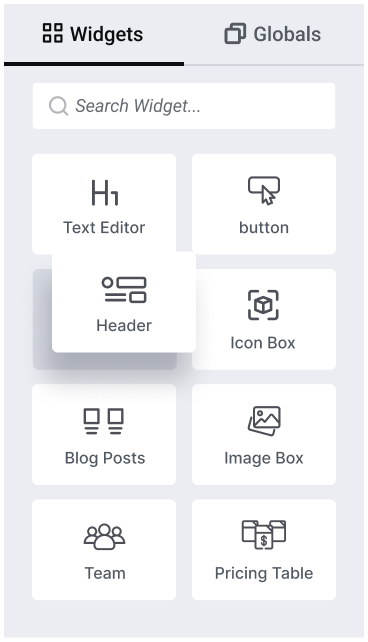
O ElementsKit vem com um poderoso conjunto de widgets do Elementor para possibilidades ilimitadas de design web.
Vá além do seu limite de design com widgets feitos para expandir o construtor de páginas Elementor.
Acordeão
Tocador de Áudio
De volta ao topo
Horário comercial
Botão
Gráfico
Menu Círculo
Tabela de dados
Botão duplo
Calendário de Eventos
Perguntas frequentes
Galeria
Mapa do Google
Cabeçalho
Caixa de ícones
Imagem Acordeão
Caixa de imagem
Formulário de Login
Lista de páginas
gráfico de pizza
Tabela de preços
Formulário de Registro
Ícones sociais
Lista estilosa
Aba
TablePress
Vídeo
Ampliação
Supercarregado com amplos controles e recursos para projetar e acomodar conteúdo web interativo versátil.
Expresse sua visão através de dezenas de widgets criativos do Elementor e mantenha os espectadores engajados com seu conteúdo.
Botão Criativo
Capitulares
Texto Animado Fantasia
Flip Box
Fato engraçado
Ponto de acesso
Comparação de imagens
Efeito de foco da imagem
Transformação de imagem
Troca de imagem
Links interativos
Lottie
Texto em movimento
Barra de progresso
Cartas Empilhadas
Linha do tempo
Desdobrar
Desbloqueie as capacidades dos seus widgets Elementor com funcionalidade de design inovadora.
Dica de ferramenta avançada
Conteúdo condicional
Copiar entre domínios colar
Mensageiro do Facebook
Morfismo de Vidro
Selo Global
Planilha Google para Formulário do Elementor Pro
Construtor de cabeçalho e rodapé
Pacote de Ícones
Mascaramento de Imagem
Vidro Líquido
Letreiro (Qualquer coisa)
Menu Principal
Cursor do mouse
Rolagem de uma página
Efeitos de paralaxe
Partículas
Botão de Reiniciar para Formulário Elementor Pro
Revelar ao Rolar
Conteúdo Fixo
Construtor de widgets
Link do wrapper
Repleto de widgets de navegação multinível diversificados para Elementor, projetado para construir qualquer tipo de cabeçalho ou rodapé de site.
Aumente suas vendas e faça suas ofertas serem notadas com os widgets de marketing de alta conversão do Elementor.
Obtenha widgets totalmente personalizáveis com algumas configurações para criar um layout de postagem de blog personalizado.
Personalize seus formulários para combinar com sua marca, não importa qual plugin construtor de formulários você use.
Mostre suas redes sociais e links com estilo usando widgets dedicados de mídia social para Elementor.
Aumente a credibilidade mostrando avaliações de clientes ou clientes em seu site Elementor.
Projete as páginas de e-commerce mais desejadas com widgets do Elementor WooCommerce.
Desculpe, nenhum widget foi encontrado para sua pesquisa atual. Tente usar nosso criador de widgets.
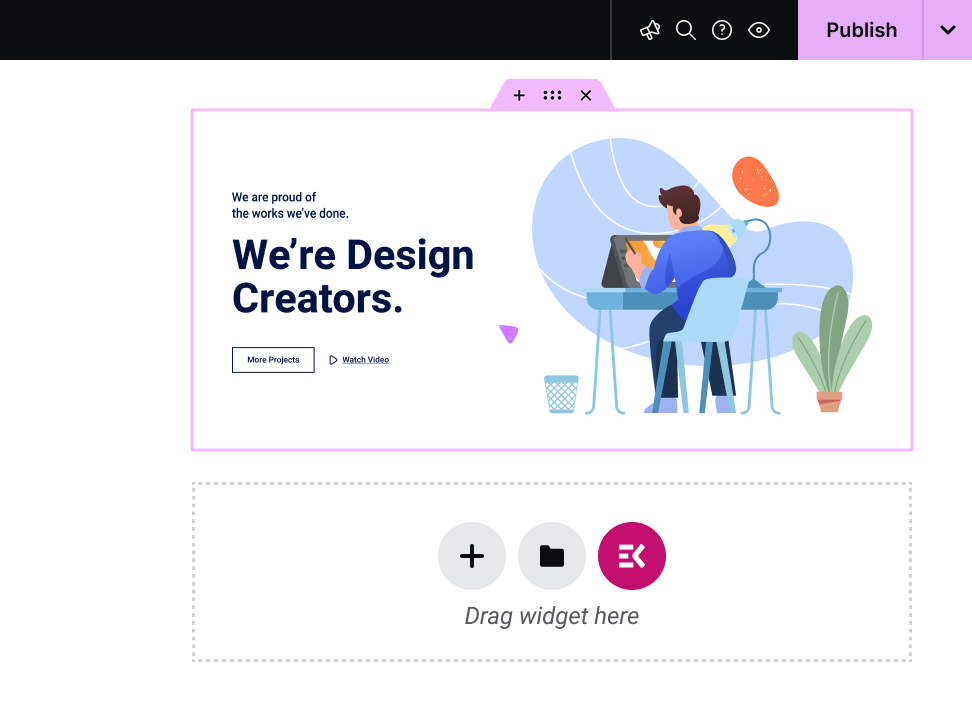
O ElementsKit facilita um construtor de widgets personalizado do Elementor com arrastar e soltar. Não é necessário codificar, use ganchos multifuncionais e superfuncionais para criar seu próprio widget personalizado e obter uma experiência personalizada.
Elementor widgets are the drag-and-drop building blocks that make up every page you design in Elementor. Headings, pricing tables, testimonial sliders, contact forms, image galleries, each one is a widget. Drag it onto the page, configure it, and publish.
Elementor ships with a solid set of core widgets. But addon plugins like ElementsKit extend that library with hundreds of advanced, specialized widgets that Elementor's native set doesn't cover.
117+ advanced widgets & modules. Don’t just look at numbers! Look for what potentials the widgets cover for expanding Elementor capabilities. For example, with the ElemntsKit Advanced Slider or Carousel widget, you can build any type of carousel for your websites.
ElementsKit supports from basic content blocks to advanced interactive elements like Advanced Toggle, Image Morphing, Breadcrumb, Pricing Table Content TIcker, Social Feeds, and a full Mega Menu Builder.
ElementsKit's free version includes widgets that competitors lock behind their paywalls. Build real, professional pages without spending a dollar and upgrade only when you need to.
ElementsKit loads only the assets for widgets actively used on a page. More widgets don't mean a slower site.
ElementsKit also includes a Header & Footer Builder, Conditional Content, Cross-Domain Copy Paste, Advanced Parallax, and more. It's a complete Elementor toolkit, not just a widget pack.
Mega Menu Builder, Header & Footer Builder, Portfolio, Pricing Table, Advanced Tabs, and Cross-Domain Copy Paste. Build fast, reuse across client sites, bill more.
Team Member, Testimonial, Contact Form, Business Hours, and Google Map. Seven widgets that handle 80% of a conversion-ready business homepage.
Product Carousel, Product Grid, WooCommerce Category List, Mini Cart, and Countdown Timer. Widgets that display inventory and drive sales.
Post Grid, Post Carousel, Table of Contents, Social Share, Advanced Heading, and Fancy Text. Make content look as good as it reads.
Widget Builder, Conditional Content, Nav Menu, Advanced Parallax, Image Hotspot, and Scroll Reveal. Full control. No code required.
Yes! ElementsKit has a free version available on WordPress.org that includes a solid selection of widgets and features. The Pro version unlocks the full widget library, advanced modules like the Mega Menu Builder and Conditional Content, and deeper styling controls. You can start free and upgrade when your project demands it.
Make sure that, Elementor page builder is installed & activate. Open any page, click Edit with Elementor, then in the left sidebar, you will see a all widget of Elementor and other third-party Elementor addon like ElementsKit. Find your needed one and drag onto your canvas, use the Content tab to populate it, the Style tab to match your brand, and the Advanced tab for spacing and animation. Hit Publish or Update and you're done.
Elementor ships with around 40 core widgets covering the fundamentals: headings, images, buttons, forms, and basic content layouts. ElementsKit adds 117+ additional widgets on top of those, covering advanced interactions, WooCommerce elements, marketing tools, and creative design components that Elementor's native library doesn't include. You use both together inside the same Elementor editor.
Not with ElementsKit. The plugin uses modular asset loading, meaning it only loads the CSS and JavaScript for widgets that are actually present on a given page. A page using three widgets loads three widgets' worth of assets, not 117. Your page speed and Core Web Vitals are protected.
No. ElementsKit works with the free version of Elementor. You don't need Elementor Pro to access ElementsKit's widget library. Elementor Pro adds its own separate set of Pro widgets and theme-building features; ElementsKit works alongside both the free and Pro versions of Elementor.
ElementsKit currently includes 117+ widgets spanning general content, advanced layout, creative design, and WooCommerce categories. The library is actively updated, and new widgets are added based on user requests and emerging design trends.
Yes. ElementsKit installs as a standard WordPress plugin and extends Elementor without touching your existing pages or theme. Widgets you've already built stay intact. You simply gain access to new tools from the moment you activate the plugin.
If you deactivate ElementsKit, any widgets from ElementsKit that are placed on your pages will stop rendering until the plugin is reactivated. Your content isn't deleted, it's stored in the database. Reactivating the plugin restores everything immediately.
ElementsKit is compatible with all well-coded WordPress themes, including popular options like Astra, Hello Elementor, GeneratePress, OceanWP, and Kadence. If your theme supports Elementor, it supports ElementsKit.
Yes. Between the widget library, the Header & Footer Builder, the Mega Menu Builder, and the ready-made templates, ElementsKit gives you everything needed to design a complete website from homepage to footer, without leaving Elementor or installing additional plugins.
ElementsKit has detailed documentation at wpmet.com/doc/elementskit/ covering every widget with step-by-step setup guides. For direct support, free users can access the community support forum, and Pro users get priority ticket-based support from the ElementsKit team.
Make sure that, Elementor page builder is installed & activate. Open any page, click Edit with Elementor, then in the left sidebar, you will see a all widget of Elementor and other third-party Elementor addon like ElementsKit. Find your needed one and drag onto your canvas, use the Content tab to populate it, the Style tab to match your brand, and the Advanced tab for spacing and animation. Hit Publish or Update and you're done.
Tem mais dúvidas sobre os templates do ElementsKit? Entre em contato conosco Equipe de Suporte.
Elementor ships with around 40 core widgets covering the fundamentals: headings, images, buttons, forms, and basic content layouts. ElementsKit adds 114+ additional widgets on top of those, covering advanced interactions, WooCommerce elements, marketing tools, and creative design components that Elementor's native library doesn't include. You use both together inside the same Elementor editor.
Yes! ElementsKit has a free version available on WordPress.org that includes a solid selection of widgets and features. The Pro version unlocks the full widget library, advanced modules like the Mega Menu Builder and Conditional Content, and deeper styling controls. You can start free and upgrade when your project demands it.
Not with ElementsKit. The plugin uses modular asset loading, meaning it only loads the CSS and JavaScript for widgets that are actually present on a given page. A page using three widgets loads three widgets' worth of assets, not 114. Your page speed and Core Web Vitals are protected.
No. ElementsKit works with the free version of Elementor. You don't need Elementor Pro to access ElementsKit's widget library. Elementor Pro adds its own separate set of Pro widgets and theme-building features; ElementsKit works alongside both the free and Pro versions of Elementor.
ElementsKit currently includes 114+ widgets spanning general content, advanced layout, creative design, and WooCommerce categories. The library is actively updated, and new widgets are added based on user requests and emerging design trends.
Yes. ElementsKit installs as a standard WordPress plugin and extends Elementor without touching your existing pages or theme. Widgets you've already built stay intact. You simply gain access to new tools from the moment you activate the plugin.
widgets from ElementsKit that are placed on your pages will stop rendering until the plugin is reactivated. Your content isn't deleted, it's stored in the database. Reactivating the plugin restores everything immediately.
ElementsKit is compatible with all well-coded WordPress themes, including popular options like Astra, Hello Elementor, GeneratePress, OceanWP, and Kadence. If your theme supports Elementor, it supports ElementsKit.
Yes. Between the widget library, the Header & Footer Builder, the Mega Menu Builder, and the ready-made templates, ElementsKit gives you everything needed to design a complete website from homepage to footer, without leaving Elementor or installing additional plugins.
ElementsKit has detailed documentation at wpmet.com/doc/elementskit/ covering every widget with step-by-step setup guides. For direct support, free users can access the community support forum, and Pro users get priority ticket-based support from the ElementsKit team.
Make sure that, Elementor page builder is installed & activate. Open any page, click Edit with Elementor, then in the left sidebar, you will see a all widget of Elementor and other third-party Elementor addon like ElementsKit. Find your needed one and drag onto your canvas, use the Content tab to populate it, the Style tab to match your brand, and the Advanced tab for spacing and animation. Hit Publish or Update and you're done.
Como nossos milhões de usuários, seu site WordPress exige mais flexibilidade e simplicidade. Tornamos a personalização do site fácil, rápida e eficaz.
Expanda as capacidades do seu site WordPress sem código com nossos poderosos Widgets e Módulos do Elementor.
| Biscoito | Duração | Descrição |
|---|---|---|
| cookielawinfo-checkbox-analytics | 11 meses | Este cookie é definido pelo plugin GDPR Cookie Consent. O cookie é usado para armazenar o consentimento do usuário para os cookies na categoria "Analytics". |
| cookielawinfo-checkbox-functional | 11 meses | O cookie é definido pelo consentimento do cookie GDPR para registrar o consentimento do usuário para os cookies na categoria "Funcional". |
| cookielawinfo-checkbox-necessário | 11 meses | Este cookie é definido pelo plugin GDPR Cookie Consent. Os cookies são usados para armazenar o consentimento do usuário para os cookies na categoria "Necessário". |
| cookielawinfo-checkbox-outros | 11 meses | Este cookie é definido pelo plugin GDPR Cookie Consent. O cookie é usado para armazenar o consentimento do usuário para os cookies na categoria "Outros. |
| cookielawinfo-checkbox-performance | 11 meses | Este cookie é definido pelo plugin GDPR Cookie Consent. O cookie é usado para armazenar o consentimento do usuário para os cookies na categoria "Desempenho". |
| view_cookie_policy | 11 meses | O cookie é definido pelo plug-in GDPR Cookie Consent e é usado para armazenar se o usuário consentiu ou não com o uso de cookies. Não armazena nenhum dado pessoal. |