Image

Can’t Find That ISA Sound Card? No Worries!

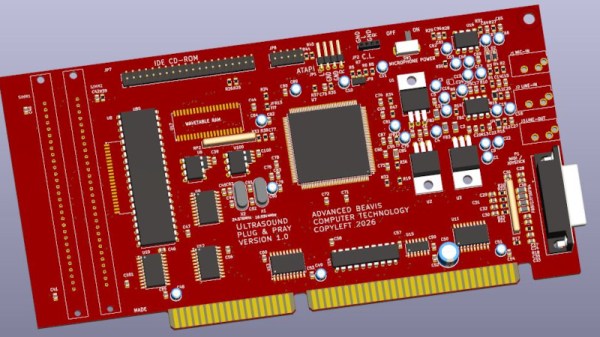
Many older hackers will have at some point gotten rid of an old piece of hardware that they later ended up regretting. All those ISA cards were next to useless back in 2006, but now their relative rarity plus the popularity of retrocomputing makes them sought-after. But if it’s a sound card you’re after then never fear! [Schlae] has got you covered, with the Beavis Ultrasound. It may have a name reminiscent of a ’90s cartoon series, but it’s a clone of the Gravis Ultrasound from back in the day.

There is of course a snag, to build one you need an AMD AM78C201. Assuming you’ve found one in a surplus supplier though, the rest of the card is analogue, some glue logic, and a ROM for samples. There is also a GAL for driving the IDE CD-ROM interface, from the days when sound cards came with such things.

New ISA cards are cropping up here from time to time, such as this very handy storage and network card.

Image

It’s A Spectrum, With An RP2350 ULA

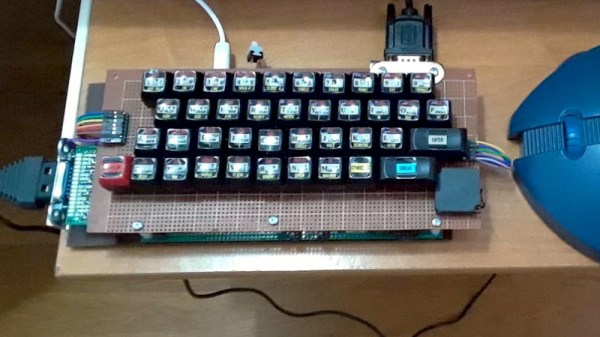
There was a time in the early 1980s when it was common to see home made keyboards for 8-bit machines that came with membrane or rubber keyboards. Though we’ve seen any numbers of home made modern ‘boards, it’s been decades since we saw one for an 8-bit micro. Until today, that is, when we saw [Vlad]’s Sinclair Spectrum. It’s a Spectrum with all that Sinclair glue logic that was in the ULA replaced in software by an RP2050, and that keyboard with the Spectrum decals.

The machine is a charming mixture of new and old, with a traditional cassette port alongside VGA, gameport joystick, and Sinclair joystick. The aim is to also have HDMI, though it’s not yet implemented. Sadly there is no Spectrum edge connector for period peripherals though. He admits it’s not cycle accurate to the original, but given that it runs all the games he’s given it this seems not to matter. Meanwhile that keyboard which caught our eye is a true period piece, sitting as it does on a piece of phenolic stripboard, and those decals are the perfect finishing touch.

The Spectrum receives quite a bit of love today, and if this one takes too many modern liberties for your liking, you can still make one using proper logic.

Image

Voltmeter-Based Floating Point Calculator Does It In Style

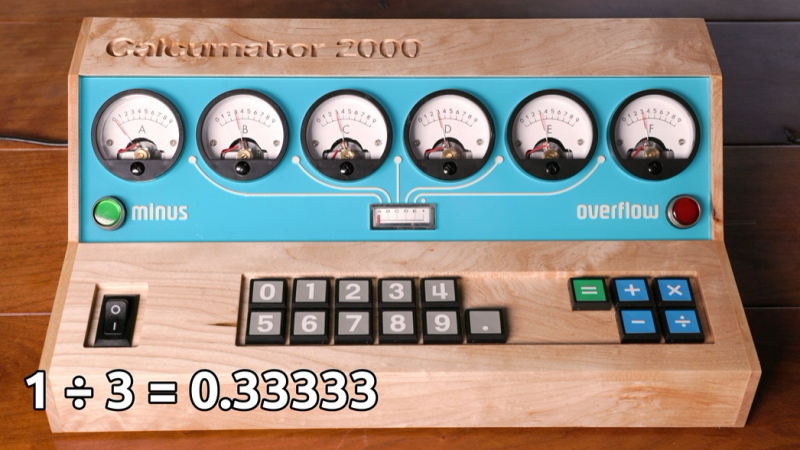
[lcamtuf] is not just a calculator superfan, but also a skilled builder. That much is evident in the fabulous  design of Calcumator 2000, an electromechanical calculator that uses voltmeter readouts as digits (plus one at the bottom to represent decimal place). There are plenty of high-quality build images, so give it a look!

Image
Meters like the one on the right (numbered 0 to 9) act as digit displays. The meter on the left indicates decimal position.

Calcumator 2000 is a bit of a love letter to a time when display technology hadn’t quite yet produced anything suitable for calculator use. This resulted in calculator designs that are generally unrecognizable compared to the 7-segment display based devices we see today. The Calcumator 2000, in all its electromechanical glory, would have fit right in that era.

The Calcumator 2000 has all the usual buttons one would expect from a simple calculator and drives a total of seven readouts, one of which acts as the decimal point. The idea of using voltmeters as digit displays came from [lcamtuf]’s voltmeter clock, an earlier work with a similar attention to detail in its design and assembly.

We want to take a moment to admire how clean the blue panel is. [lcamtuf] made it by painting one side of an acrylic panel, cutting the letters and design out on a CNC mill, then filling with white paint. The depth of the cuts gives the white elements a nifty multi-layer effect that really complements the design.

Want to see it work? Oh yes, you do. Check out the video, embedded just below.

Continue reading “Voltmeter-Based Floating Point Calculator Does It In Style”

Image

MicroPython Is This Summer’s Hottest Title For The SNES, Thanks To Claude Fable

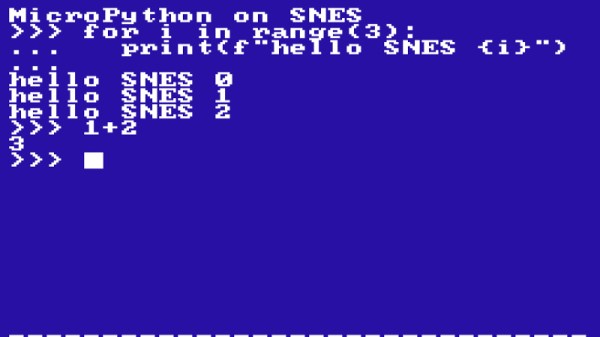
MicroPython, for the uninitiated, is a pared-down version of python meant to run on today’s powerful microcontollers. As impressive as it was for its day, the SNES is not quite in their league in terms of computing power. Time marches on, and so while there may be other indie releases worth mentioning, we’re declaring the hottest SNES game this season to be [Fabian Kübler]’s port of MicroPython.

Well, except he didn’t exactly do the porting himself: the Antrhopic LLM Claude generated the code, and performed most of the testing, as [Fabian]’s test of its new Fable 5 model. A brief pause during an export ban showed that Opus would crash and burn on the same task, but Fable was able to get things quickly back on track. It might be “AI slop” by some definitions, but the port scales 430 out of 468 on MicroPython’s core test/basics, which makes it usable to play some simple python games… slowly.

As you can see for yourself in an embedded emulator if you check out [Fabian]’s blog, spooling up MicroPython takes about twenty seconds at 3.58 MHz, and after that you can watch some sprites bouncing around at a blistering 0.8 FPS. [Fabian] seems satisfied with that performance, and impressed with Fable’s efforts at optimization. What to you think? Does the hardware have much more to give, or is that about it, given the nature of the Pythonic beast? Perhaps some plucky human could become a digital John Henry by producing a better, faster port — if you do, please let us know. If you’d rather just to see what Fable can do, the project is available on GitHub, so you can judge for yourself how sloppy the code is or test out the ROM.

Putting Python onto limited hardware may not to be to everyone’s taste, but there’s a good case to be made for it. The SNES may actually be too limited, though. It makes sense — the kind of micros you run MicroPython on can emulate the SNES.

Image

C64 Finally Gets The SRAM Corporate Wouldn’t Pay For

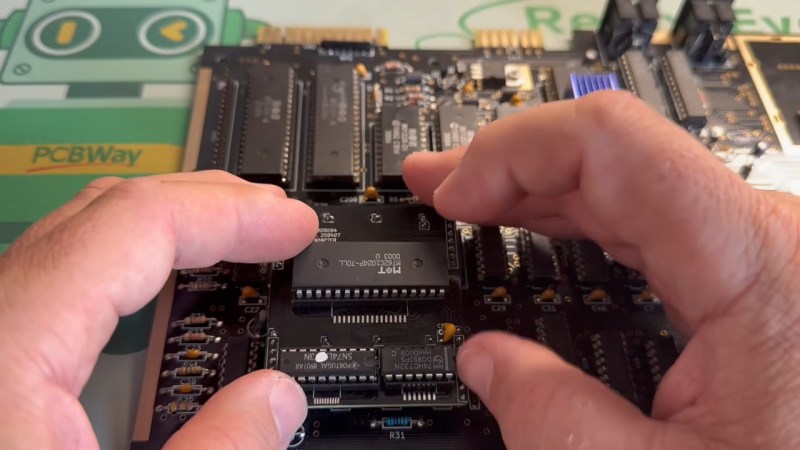
If you think RAM is expensive now, try putting yourselves in the shoes of a Commodore engineer, circa 1981. RAM was eye-wateringly expensive by modern standards, and Jack Tramiel wanted 64K of the stuff for the next computer — hence the name, Commodore 64 — but he didn’t want to pay for it. The solution was to use cheaper dynamic RAM over the more expensive static RAM that later took over the market in the kilobyte range. That’s a small problem for retrocomputer hobbyists, because while we’re complaining about the price of gigabytes of the stuff, you can’t buy new DRAM chips that fit a Commodore at any price. That’s why [Fabio Battaglia] aka [hkzlab] came up with an adapter board to fit easily-available SRAM chips onto aging C64s. 

Nothing lasts forever: not cold September rain, and not DRAM chips. Heat damage? Internal corrosion? There are probably multiple failure modes, but someday the old stock of chips will run out and the retrocomputer community is going to be ready for it. [Keith Olson] sent us a tip on a video by [The Retro Shack] about this very problem that serves as a good demo of what you get when you put SRAM into a C64. (Thanks [Keith]!) That said, the adapter board on offer is only good for C64s with the 250407 motherboard. If yours is different, you may have to modify the board. But hey, it’s open source, so go ye and do that thing. Let us know via the tips line if you do.

Continue reading “C64 Finally Gets The SRAM Corporate Wouldn’t Pay For”

Image

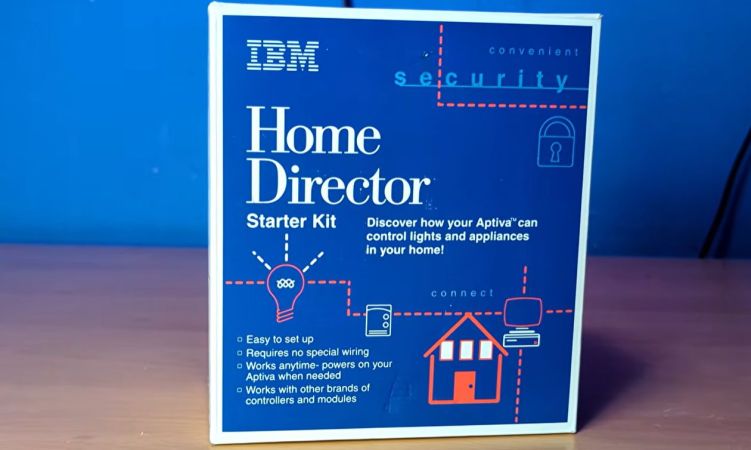
IBM Home Director: Home Automation In 1996

Back in the 1990s IBM had a pretty sizeable presence in the PC market, including its rather spiffy Aptiva series of PCs. Naturally their PCs had to feature heavily in another consumer-related thing that was popular in the 1990s, being smart home automation in the form of IBM Home Director. Recently [Ionic1k] took a look at this blast from the past, starting with one of the original IBM commercials.

At its core it used the same X10 protocol that similar solutions from RadioShack and others used, with many modules and packages you could get to use with it. You could also get a more bespoke installation performed at your home to move beyond mere X10, which some people are still finding when they’re buying a house.

Since this uses powerline communication, it required no wires to be run, just the requisite modules to be plugged into a power outlet, with the video demonstrating the basic setup and installation. The PC itself is plugged into the control module via the serial port, from which the Home Director control software can be used to create a configuration and control the state of connected modules.

Although X10 has the same issues as any kind of powerline communication, overall it seems like a very nice system, with a wide range of modules and absolutely easy to set up even for a casual Windows user.

Continue reading “IBM Home Director: Home Automation In 1996”

Image

The Atari Jaguar Runs Linux

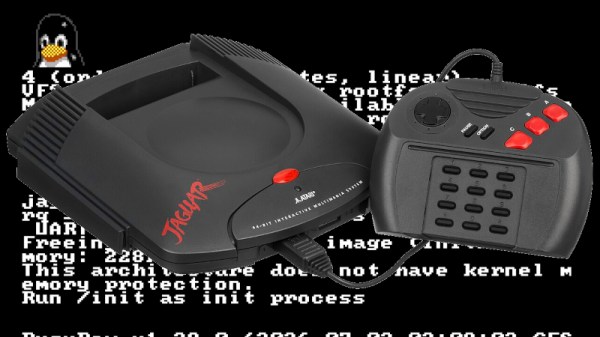
Among the many forgotten might-have-beens of the games console world, the Atari Jaguar occupies a special place. It was the final gasp of Atari Corporation, the Jack Tramiel-era incarnation of the famous pioneering game console brand that brought us the ST line of computers, and like Marlon Brando’s Terry Malloy character from On the Waterfront, it coulda been a contender. But the early ’90s games business wasn’t kind to the console from Sunnyvale, and it was squeezed from behind by the SNES and Genesis/MegaDrive, and in front from the PlayStation. Thirty years later then, can it run Linux? [Cakehonolulu] is here to show us how.

With only 2 megabytes of RAM and space for 8 megabytes of ROM, this is hardly a powerhouse. But its 16-bit 68000 processor is a supported Linux architecture, albeit with the -nommu flag on compilation. The “Jerry” DSP chip has the required serial port and timer to boot a first Linux kernel, and after a bit of hackery to make it jump to the ROM location, something boots. There’s no init process until the flat executable file for a -nommu kernel is navigated, but with that past a BusyBox userspace and a graphics driver for the “Tom” graphics chip gives it a chunky on-screen console. The code can be found in a GitHub repository, for the curious.

It seems to be the moment for 68k consoles to receive the Linux treatment, as it’s only a few weeks since we saw it on a MegaDrive. Other ’90s consoles aren’t far behind though, with the Nintendo 64 falling to the penguin a few years ago. Meanwhile, the Dreamcast had Linux running decades ago.


Jaguar image: Evan-Amos, Public domain.