Image

Reject Modernity, Return To 80s, Learn C.

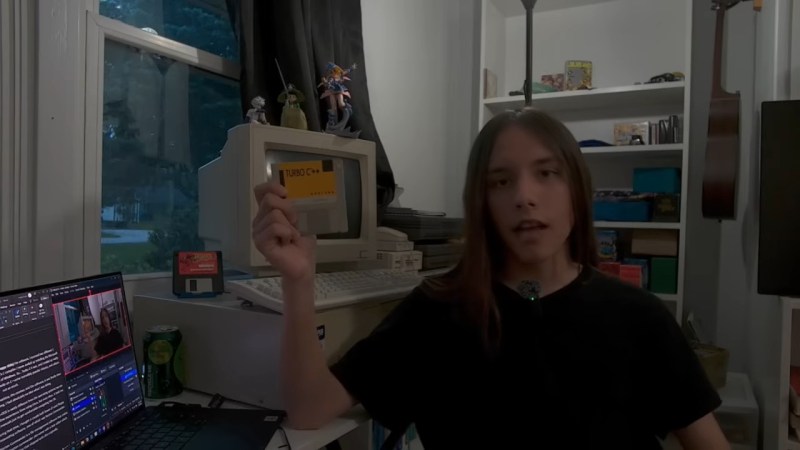
We’re not exactly sure how old [SnailMail] is, but he’s probably a member of Generation Alpha considering that to our wizened eyes the lad looks only slightly older than a fetus– which makes it all the more impressive that he’s written his own text editor, from scratch, in C– on a 386. See, [SnailMail] tried to learn the modern way, with IDEs that have code completion and AI integration, but his thoughts couldn’t gel in the modern environment. So he went online and bought an old IBM-compatible complete with monochrome amber monitor, and a whole 4MB of RAM. Big spender that he is, [SnailMail] upgraded that to 8MB.

Rather than fall victim to the siren song of Wolfenstien 3D or SimCity, he set out to learn to code: C, specifically, since that language bridges four decades between [SnailMail] and his new PC. Even more specifically, he got ahold of disks for Borland Turbo C and Turbo C++, which brings back memories for some of us. Of course the lad also had to learn how to use a DOS PC at the same time, but a teen in the 80s with a fresh box would have climbed the same steep learning curve. Some of you probably remember doing so yourselves. Just like you–or the hypothetical teen in the 80s–[SnailMail] did it not by googling or begging Claude for answers, but by digging into books. Many books.

After all the reading, he started with a text editor, something we remember being a pretty big project not given to first year students. Video evidence suggests he pulled it off. He describes how his solution works from about 8:00 in the video, so you greybeards in the audience can judge his work for yourself.

If you’re a member of Gen Alpha reading this and looking to learn to program, we cannot recommend this technique highly enough– [SnailMail] is going to have a better understanding of the underlying logic of computer science than a lot of CS grads being frocked today. Especially when you consider he ends by promising to learn assembly, something we heartily endorse.

Continue reading “Reject Modernity, Return To 80s, Learn C.”

Image

UDP Broadcasting And Easily Finding Network Services

Local area networks (LANs) that use technologies like Ethernet and Wi-Fi are incredibly useful for letting devices talk with each other. Yet a core problem here is knowing which devices are where on the network, as anyone who has ever tried to add a network printer or network share to their system can probably attest to. Unless you happen to know the IP address of the LAN device, the port, and protocol, the target device may as well be located on the Moon without further help, such as automatic network discovery in lieu of waddling over to the device and reading the label listing its IP address.

Over the decades quite a few ways have been developed to enable such network discovery, with many of them using UDP broadcast as the first step. By broadcasting a global message on the entire LAN, any device that has an actively listening UDP socket on that particular port can parse said message and decide whether it’s feeling sociable enough to reply.

The topic of UDP broadcasting is however not as straightforward as it may sound if you’re just getting started, including the existence of many opinions on the ‘right way’. There is also a massive divide between a sprawling service discovery protocol like mDNS and a light-weight one like that one that I had to implement a few years ago for an open source project.

Continue reading “UDP Broadcasting And Easily Finding Network Services”

Image

Bringing Swift To The Apple II

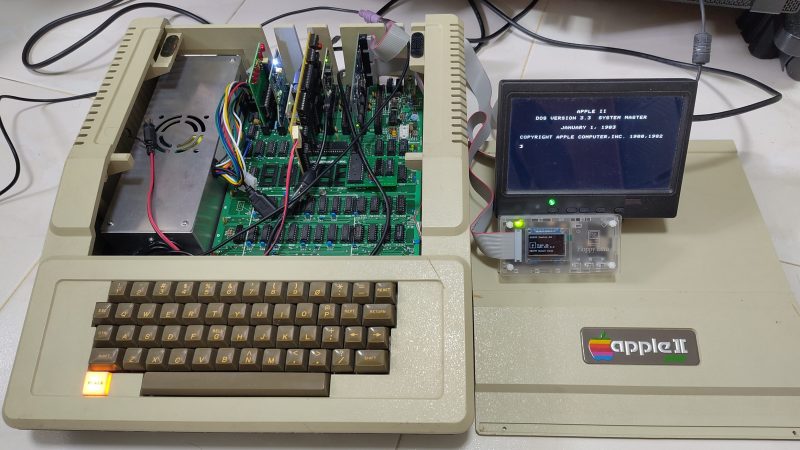
Swift is a relatively modern program language, appearing in 2014 as a replacement for Objective-C. Since then, it’s become a popular solution for programming apps across Apple platforms. That led [Yeo Kheng Meng] to a simple yet fun idea—porting Swift to the oldest Apple platform of all.

Yes, [Yeo] managed to build a development environment for Swift that targets the Apple II platform. Not just one machine, either—everything from the original Apple II up to the IIe and a little beyond. Now, the Apple II is very different from modern Macs and iPhones and the like, having debuted in 1977 with a 1 MHz 6502 CPU and a minuscule 4 KB of RAM. But that doesn’t mean you can’t use a modern language to develop for it!

[Yeo] does a great job of explaining how it all works, and how Claude Code and GPT 5.5 Codex were used to help piece things together. The compiler is set up to spit out bytecode that’s executed by a virtual machine running on the 6502. The target was to allow the setup to work on a standard 1977 Apple II from the factory, which would allow it to then run on subsequent models without issue. However, there is a small note— [Yeo]’s implementation requires the RAM to have been upgraded to 48 KB.

We love seeing modern stuff ported to the Apple II. This Portal port was a particular highlight.

Continue reading “Bringing Swift To The Apple II”

Image

CSS On The ESP32

There are lots of graphics libraries available for the ESP32, and lots of ways to program one to boot. Even still, most of us wouldn’t immediately think to CSS when it comes to embedded products — yet that’s now a thing on the Espressif platform, apparently.

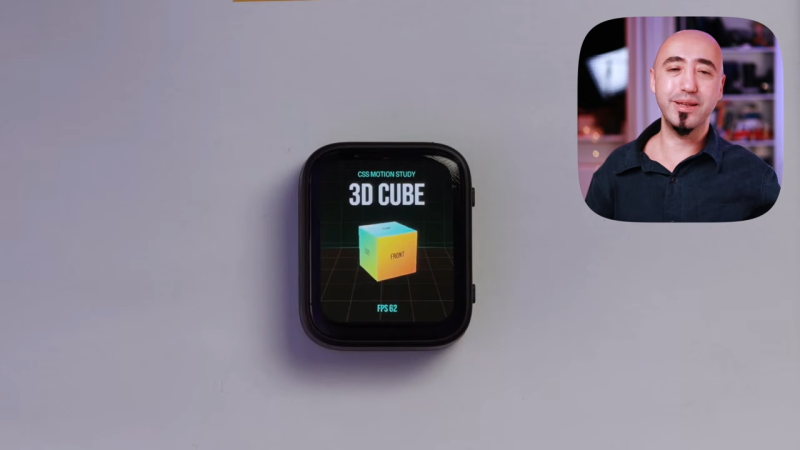
The Gea stack allows one to compose CSS and TypeScript code that is then turned into generated C++ code that compiles to native firmware. The team behind Gea have demoed this ability by running a 3D cube animation on an ESP32 at up to 60 FPS. This isn’t some ugly, low-res wireframe demo, either. It’s a full-color animation running on a 410×502 AMOLED screen. It’s very fluid, and can even handle transparency on the cube faces (albeit with a performance penalty).

It’s worth noting that this isn’t a full browser engine. As you might expect, some concessions had to be made to get it running on the ESP32. Namely, it doesn’t handle “:hover” states because it’s designed for touchscreen use, fonts are rasterized, and the UI tree is limited to just 512 nodes. Regardless, it shows that using CSS and TypeScript to develop for the ESP32 is entirely possible without some crazy loss of performance. If you want to build easy interfaces on an ESP32 while leaning on web dev experience, this could be very useful indeed.

There are lots of fun ways to write code for the ESP32; you can even try MicroPython if you like.

Continue reading “CSS On The ESP32”

Image

MSYS2 And The No-Fuss Way To Get More GNU Into Your Windows

As great and streamlined as the Windows desktop experience is, one area where it’s at best disappointing and at worst rage-inducing is when it comes to its command line interface (CLI) offerings. In Windows 9x/ME this could be excused by the fact that it was essentially just a dressed-up MS-DOS CLI experience, but on Windows NT-based OSes no such excuse exists.

Yet even after Microsoft finally acknowledged the shortcomings of the cmd.exe shell by 2006, they then proceeded to go their own way with PowerShell, industry standards be damned. Especially for those of us who have no beef with the UNIX/BSD/Linux CLI experience and the joys of shell scripting, this insistence was disappointing. Simultaneously, everyone from OS X/MacOS to Haiku were happily offering a familiar CLI environment alongside POSIX compatibility.

Although Windows NT OSes were POSIX compliant, they never offered a suitable shell along with it, nor any of the other things you’d expect in a modern-day BSD, Haiku or Linux CLI environment. In a recent article by my esteemed colleague Al Williams, these sore points were somewhat addressed as far as basic CLI tools go, but the issue goes obviously much deeper than just the basic userland tools. Which is where MSYS2 comes into the picture.

Continue reading “MSYS2 And The No-Fuss Way To Get More GNU Into Your Windows”

Image

Blender 5.2: Coming Soon With Improved Simulations

Traditionally, one of the weak points in Blender has been simulations, with even professional users of the free and open source computer graphics suite off-loading such tasks to programs like Houdini. But according to [3Dan], once version 5.2 is out of beta in July, that may become a thing of the past. 

Simulations aren’t a necessary part of a 3D animation software, but they are very, very nice to have. If you want realistic-looking fluids, hair, or cloth, it’s incredibly difficult to animate it by hand. One, because there are so many degrees of freedom in, say, flapping cloth, keyframing is a major pain, but also figuring out how to make the model move and deform realistically is by no means trivial. It’s easier to offload all that on a physics simulation; then, as long as the physics is realistic, the animations will be as well.

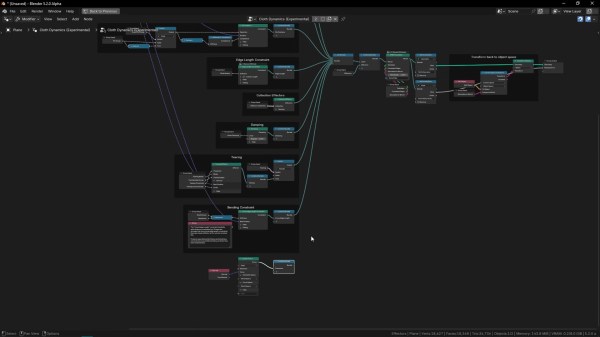
That’s not easy, computationally speaking, and one thing that’s clear is there’s been work behind the scenes to optimize the simulation algorithms, not just improve the workflow, as the basic “drop cloth on a monkey head” demo now runs twice as fast. The new workflow itself bring simulations more into line with how Blender has been going– it’s part of geometry nodes now. So there’s simulation nodes you bring in, but that means things like tearing cloth become quite straightforward compared to the occasionally byzantine workarounds required before. This node-based workflow also brings Blender more into line with how paid software works these days.

[Dan] demonstrates the power of it by adding air pressure to a cloth simulation with some custom nodes, inflating and popping a fabric sphere. He also demonstrates how cloth simulation can be applied to animate realistic foliage. This update probably doesn’t have Houdini developer SideFX shaking in their boots, but it might allow some animators to stop paying that license and go fully-open source, which is great to hear.

Even if you’re not into digital sculpting or animating, you may find yourself downloading a copy of Blender at some point to add texture to 3D prints, or make fancy resin-print miniature models FEM-friendly. The right addon can even let Blender do parametric CAD, though FreeCAD is getting better all the time, too.

Continue reading “Blender 5.2: Coming Soon With Improved Simulations”

Image

Skip The Embedded Filesystem With The TAR-like UTFS Format

If you need to store some data on a resource-constrained embedded platform, the prospect of dragging in a dependency for something like FAT filesystem access to flash or other storage medium can seem rather daunting. Not only is your binary size now significantly larger, the overhead of these filesystems is also not insignificant as they were not really designed for this type of environment. Here [Drew Gaylo]’s UTFS format is an interesting alternative to just writing raw binary data to said storage medium.

As explained in the accompanying introduction article, the basic idea is similar in scope but very much slimmed down compared to the venerable Tape ARchive (TAR) format, hence the Micro (µ) Tar File System name. The provided UTFS implementation is quite small, spanning two source files in C99 with zero heap usage. Targeting a custom store medium requires implementing one read and one write function to match the underlying platform.

A couple of examples are also provided, covering using the built-in Flash of a SAMD20 MCU and the EEPROM of an ATmega328. Compared to raw binary data that’d have to be fully rewritten, UTFS allows for sections of the storage to be accessed as files and thus updated in-place.