Quick Answer
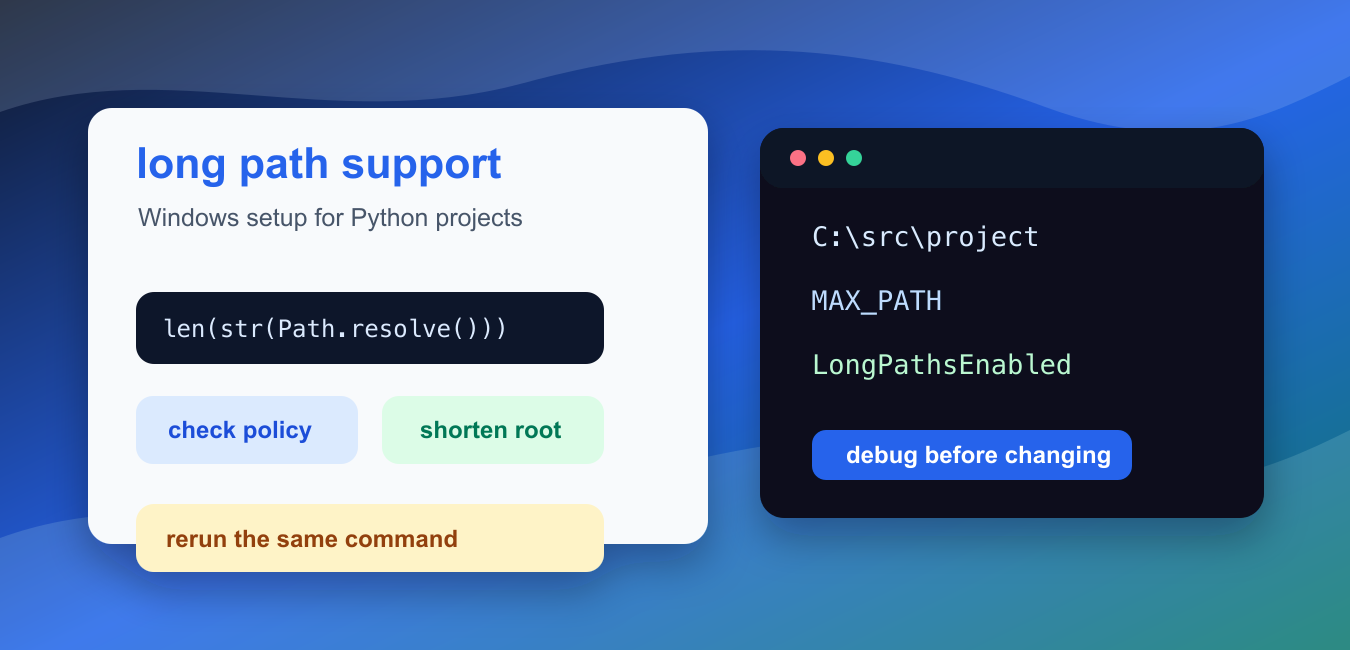
Modern Python supports long Windows paths, but Windows policy still has to allow them. Enable the Enable Win32 long paths policy or set LongPathsEnabled to 1, then restart the relevant application and test with pathlib or open(). Shortening the project root is often the simplest portable fix.
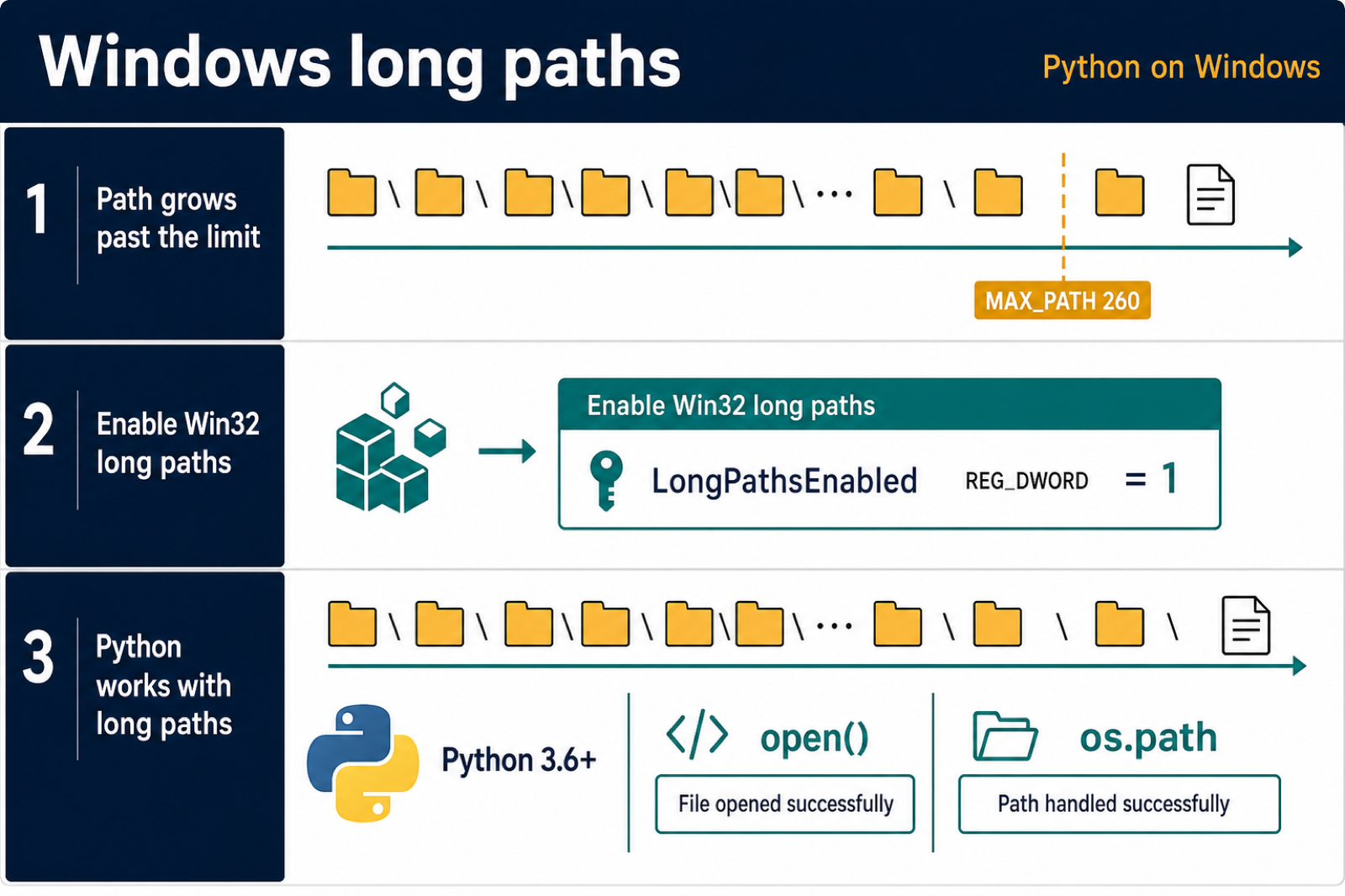
Python’s “disable path length limit” option on Windows controls whether Python can use long filesystem paths after Windows long-path support is enabled. It helps when installs, virtual environments, package builds, or deeply nested project folders hit path names that are too long.
The setting is Windows-specific. macOS and Linux do not use the same MAX_PATH behavior, though they still have their own filesystem limits. If you see this option in the Python installer, it is meant for Windows machines.
The official Python documentation covers removing the MAX_PATH limitation, and Microsoft documents the Windows maximum path length limitation.
Long paths often appear because of nested folders such as Users. Package managers can create many levels of folders, and generated files can make the final path longer than expected.
ameDocumentsproject.venvLibsite-packages...
Before changing system policy, confirm that path length is actually the problem. A missing file, permission error, bad current directory, or invalid character can produce similar-looking failures. Print the exact path and measure its length first.
The Python installer may show a “Disable path length limit” action after installation. Selecting it updates Windows long-path support for the machine, subject to permissions and policy. On a work computer, that option may require administrator approval or may be managed centrally.
Long-path support also depends on the application opening the file. Modern Python can be long-path aware, but a separate tool in the same workflow may still have older assumptions. If pip succeeds but an editor, archiver, test runner, or build tool fails, check that tool separately.
A path-length fix should not be used to hide messy project layout. Shorter project roots, shorter virtual environment names, and avoiding deeply nested generated folders still make projects easier to copy, back up, and debug.
Measure A Path Length
You can inspect the resolved path and character count before changing any Windows setting.
from pathlib import Path

path = Path("project") / "data" / "reports" / "daily-output.txt"
resolved = path.resolve()

print(resolved)
print(len(str(resolved)))
On Windows, paths near or above the historical limit are suspicious. The exact behavior also depends on the application, Windows policy, and whether the program is long-path aware.
Measure the path that failed, not just the folder you can see in Explorer. Package managers can create nested folders under the project directory, so the failing path may be much longer than the project root.
Check The Platform First
Only Windows systems need the Python installer’s path-length option.
import platform

system_name = platform.system()

if system_name == "Windows":
    print("Check Windows long path support")
else:
    print(f"{system_name}: Python installer path limit option is not used")
This keeps cross-platform scripts from giving Windows-only advice on other operating systems.
If the script runs in WSL, Docker, or a remote Linux environment, the Windows installer setting may not affect the path that Python is using. Fix the environment where the code actually runs.
Build Shorter Project Paths
Even with long paths enabled, short project roots are easier to work with and debug.
from pathlib import PureWindowsPath

deep_path = PureWindowsPath(
    r"C:\Users\alex\Documents\clients\very-long-project-name\.venv\Lib\site-packages"
)
short_path = PureWindowsPath(r"C:\src\project\.venv\Lib\site-packages")

print(len(str(deep_path)))
print(len(str(short_path)))
Moving a project from a deeply nested documents folder to a shorter root such as C:srcproject can solve many install problems without changing policy.
This is often the safest first move for students and local development machines. It avoids system changes and makes command output easier to read.
Use pathlib For Path Logic
pathlib makes path joins readable and avoids manual backslash mistakes.
from pathlib import Path

root = Path("C:/src/project")
output = root / "build" / "reports" / "summary.txt"

print(output.as_posix())
print(output.name)
Using Path does not remove Windows limits by itself, but it keeps path construction predictable while you debug length and folder issues.
Avoid manually concatenating strings with backslashes. Raw strings, forward slashes accepted by Python, and pathlib all reduce quoting mistakes while you focus on the real limit.
Prepare A Safe Admin Checklist
Long-path support is a system setting. Treat it as an administrator or IT policy change, not as something a normal script should modify silently.
checklist = [
    "confirm the exact failing path",
    "verify the machine is Windows",
    "enable Win32 long paths through approved policy",
    "use the Python installer option when available",
    "rerun the same failing command",
]

for item in checklist:
    print(item)
On managed machines, ask the administrator which method is allowed. Group Policy, registry settings, and installer options may be controlled by organization policy.
Do not ship application code that edits this policy automatically. The setting affects the machine, not just one script, so it belongs in deployment documentation or system configuration.
Retest The Same Command
After changing long-path support, rerun the command that failed. Testing a different command can hide the real problem.
command = [
    "python",
    "-m",
    "pip",
    "install",
    "-r",
    "requirements.txt",
]

print(" ".join(command))
print("Run this from the same project folder that failed before")
If the same command still fails, inspect the new error. The remaining problem may be permissions, a missing file, antivirus interference, or a package build error rather than path length.
For repeatable builds, document the expected project root and Python version. A simple note such as “clone to C:srcproject on Windows” can prevent the problem before it appears.
In short, measure the path, confirm Windows is involved, shorten project roots where practical, enable long paths through approved policy when needed, and retest the exact failing command.
Enable the Windows Setting Carefully
On supported Windows versions, an administrator can enable the group policy named Enable Win32 long paths. The registry equivalent is HKEY_LOCAL_MACHINE\SYSTEM\CurrentControlSet\Control\FileSystem\LongPathsEnabled with a DWORD value of 1.
Changing the policy does not make every third-party program long-path aware. Restart the process that will access the files, and confirm that the Python version and library involved support the extended path behavior.
Reduce Path Length Before Changing Policy
A shorter repository root, fewer nested build directories, and a compact virtual-environment location can solve the problem across more tools than a machine-wide setting.
from pathlib import Path

root = Path(r"C:\work")
path = root / "project" / "data" / "reports" / "result.json"
path.write_text("ok", encoding="utf-8")
print(len(str(path)), path.exists())
Measure the exact path that fails, test the smallest reproduction with the same interpreter, and keep a fallback such as a shorter workspace or artifact directory for tools that still impose their own limits.
For path configuration and API boundaries, compare the default Python PATH guide and os.PathLike error fixes. Read default python path and fixed expected str bytes or os pathlike object error for the related workflow.
Frequently Asked Questions
How do I disable the Python path length limit on Windows?
Enable Windows long-path support through the Enable Win32 long paths policy or LongPathsEnabled registry value, then restart the relevant process and test the operation.
Does Python support paths longer than 260 characters?
Modern Python supports extended Windows paths, but the operating-system policy and the application or library accessing the path must also support them.
What is LongPathsEnabled?
It is a Windows registry setting under the FileSystem key that enables Win32 long-path behavior when set to the DWORD value 1.
What is the safest alternative to changing the Windows policy?
Shorten the repository or virtual-environment root, reduce nested folder names, and place generated artifacts in a compact directory.
