Quick Answer
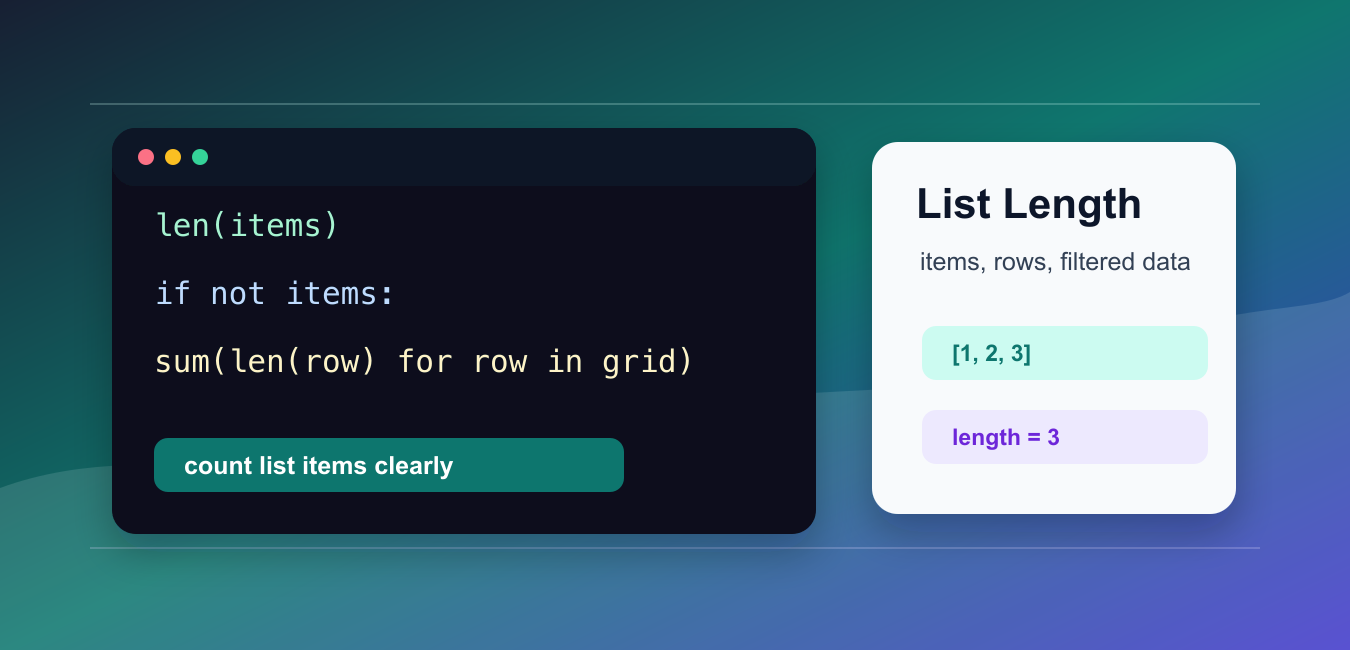
Call len(items) to get the number of top-level items in a Python list. If the list has n items, its last valid zero-based index is n - 1; check that the list is not empty before using that index.
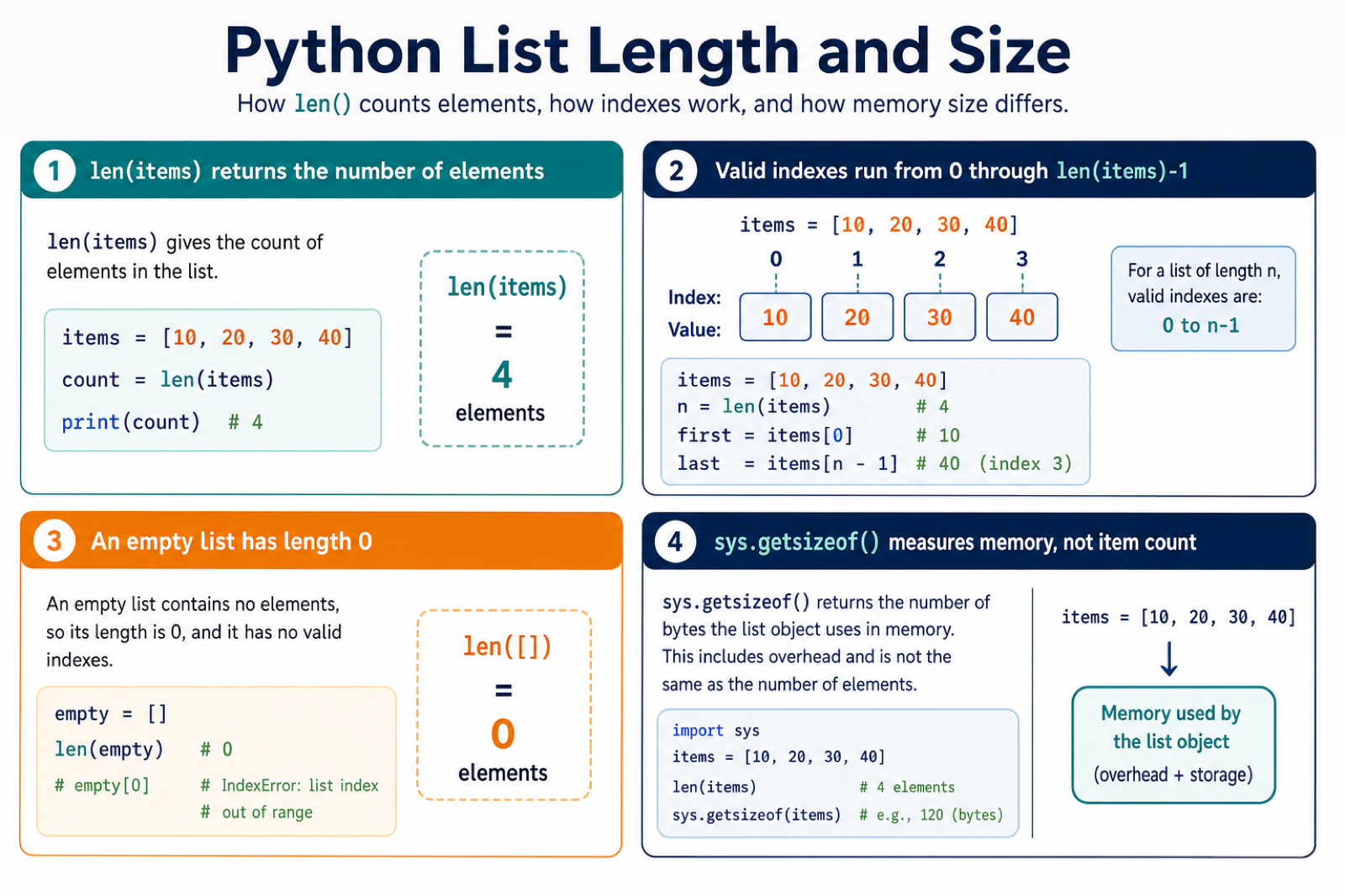
To get the length of a list in Python, pass the list to len(). The result is the number of top-level items in the list.
The official Python documentation covers len() and list objects.
len() is fast, clear, and idiomatic. It does not loop through nested data for you; it counts only the items directly stored in the list you pass to it.
Use list length checks for input validation, pagination, batching, testing, summary output, and guard clauses before indexing into a list.
Get Basic List Length
Pass a list to len().
items = ["red", "green", "blue"]

count = len(items)

print(count)
This prints 3 because the list contains three items.
The items can be strings, numbers, objects, or mixed values. len() only counts how many top-level positions are present.
Because len() returns an integer, it can be compared with limits, logged in summaries, or used to decide how many pages or batches are needed.
Check An Empty List
An empty list has length zero.
items = []

if len(items) == 0:
    print("empty")
else:
    print("has items")
This is explicit, but if not items is also common and concise.
Use a length comparison when the exact count appears in an error message. Use a truth test when you only need to branch on empty versus non-empty.
Both styles are valid. Choose the one that best communicates the rule to the next person reading the code.
Use not items For A Guard
A list is false in a truth test when it is empty.
if not items: is a clean guard before code that expects at least one item. It reads naturally and avoids repeating len(items) == 0.
Only use this broad truth test when you know the value is a list. Other false values, such as None or 0, also pass not.
When the input may be optional, check for None separately. An absent list and an empty list may mean different things in an API, form, or configuration file.
Count Items In A Nested List
len() on a nested list counts rows, not every inner item.
grid = [
    [1, 2, 3],
    [4, 5],
    [6],
]

rows = len(grid)
total_items = sum(len(row) for row in grid)

print(rows)
print(total_items)
The outer list has three rows, while the nested rows contain six total items.
Use a generator expression with sum() when you need a total across nested lists.
This distinction is important for tables, grids, and grouped data. len(grid) answers “how many rows?” while summing row lengths answers “how many stored items?”
Count Filtered Items
Build a filtered list when you need both the selected items and their count.
scores = [92, 81, 55, 76, 40]

passing = [score for score in scores if score >= 60]

print(passing)
print(len(passing))
This keeps the filtered list available for later use.
If you only need the count, a generator with sum() can avoid storing a second list.
Use the filtered list when you need to inspect or reuse the matching items. Use the generator count when the final number is all you need.
Count Matches Without Building A List
Use sum() with a generator expression when only the count matters.
scores = [92, 81, 55, 76, 40]

passing_count = sum(1 for score in scores if score >= 60)

print(passing_count)
This counts matching items directly.
It is useful for large lists or one-off summary checks where the matching items do not need to be reused.
The expression adds 1 for each item that matches the condition. This avoids building an intermediate list and keeps memory use lower for large inputs.
Validate List Size
A helper can keep size rules readable.
def has_allowed_size(items, minimum=1, maximum=5):
    size = len(items)
    return minimum <= size <= maximum

print(has_allowed_size(["a", "b"]))
print(has_allowed_size([]))
print(has_allowed_size([1, 2, 3, 4, 5, 6]))
This is useful for form selections, upload limits, batch sizes, and API payload checks.
Helpers like this also make tests easy. You can test the boundary cases: one item, the maximum allowed count, zero items, and too many items.
Common List Length Mistakes
The most common mistake is expecting len() to count nested items automatically. It only counts the outer list. If each row can have a different size, sum the row lengths instead of multiplying rows by columns.
Another mistake is using len() before checking whether the input is actually a list. If the input may be None, handle that first and return a clear error or default behavior.
For filtered counts, decide whether you need the matching items later. If yes, build the filtered list and call len(). If no, count matches directly with sum().
In short, use len(items) for top-level list length, not items for an empty-list guard, sum(len(row) for row in nested) for nested totals, and filtered counts when only selected items matter.
Use len() for the Item Count
len() counts the values directly stored in the list. It does not recursively count values inside nested lists, dictionaries, or other objects.
items = ["red", "green", "blue"]
count = len(items)

if items:
    last_item = items[count - 1]
    print(count, last_item)
Python indexes from zero, so items[len(items)] is always one position too far. Use items[-1] when you already know the list is non-empty, or handle the empty case explicitly.
Length Is Not Memory Usage
The list length is a count of items, not the number of bytes used by the list and its contents. For a shallow container-size estimate, sys.getsizeof() reports the list object itself, but it does not recursively measure referenced objects.
import sys

items = ["red", "green", "blue"]
print(len(items))
print(sys.getsizeof(items))
Use len() for business logic such as validation, batching, and pagination. Choose a dedicated memory profiler when the question is resource usage rather than item count.
For list traversal and ordering, compare iterating through a Python list and reversing a list. Read python iterate through list and python reverse list for the related workflow.
Frequently Asked Questions
How do I find the length of a list in Python?
Pass the list to len(), for example len(items). It returns the number of top-level items as an integer.
How do I get the last item in a Python list?
For a non-empty list, use items[-1] or items[len(items) – 1]. Check the list first if it may be empty.
Why does items[len(items)] raise IndexError?
A list with n items has valid indexes from 0 through n – 1. len(items) points one position beyond the last item.
Does len() return the memory size of a list?
No. len() returns the item count. Memory measurement requires tools such as sys.getsizeof() or a profiler and may need to include referenced objects.
