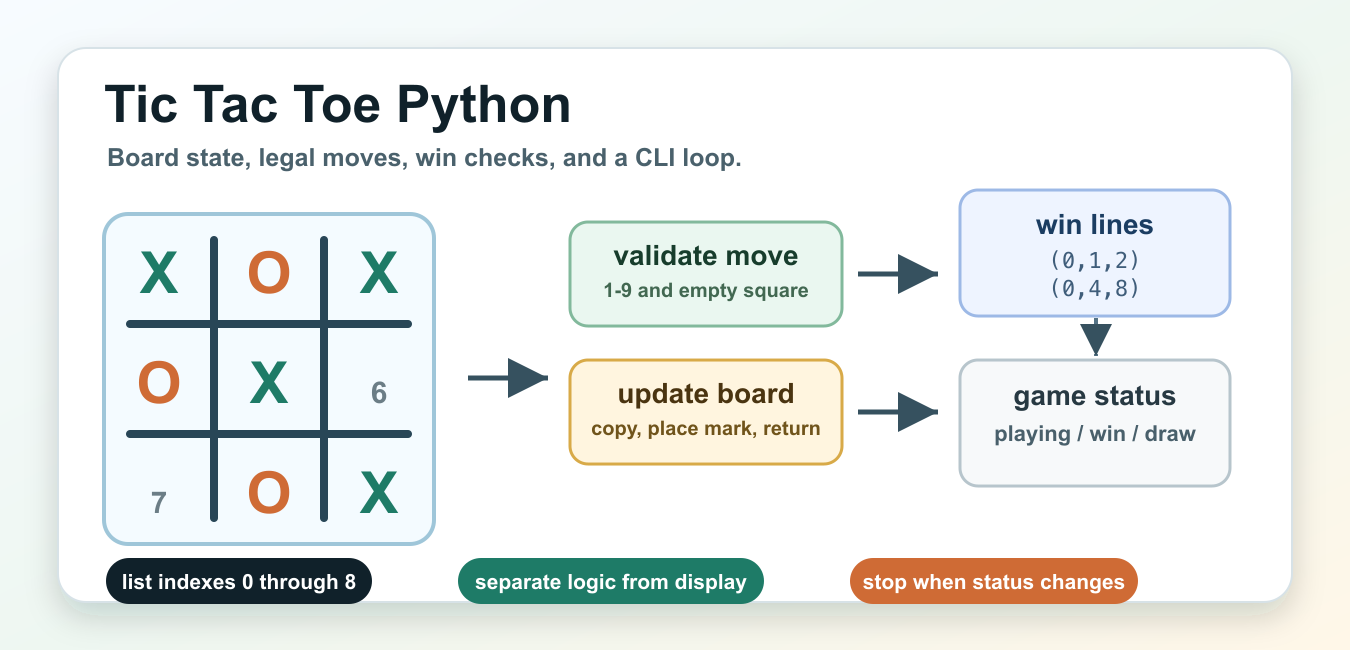
Quick answer: A testable Tic-Tac-Toe game separates board state, legal move validation, turn changes, win detection, draw detection, and user-interface input. Validate a move before changing state and test every winning line and terminal condition.
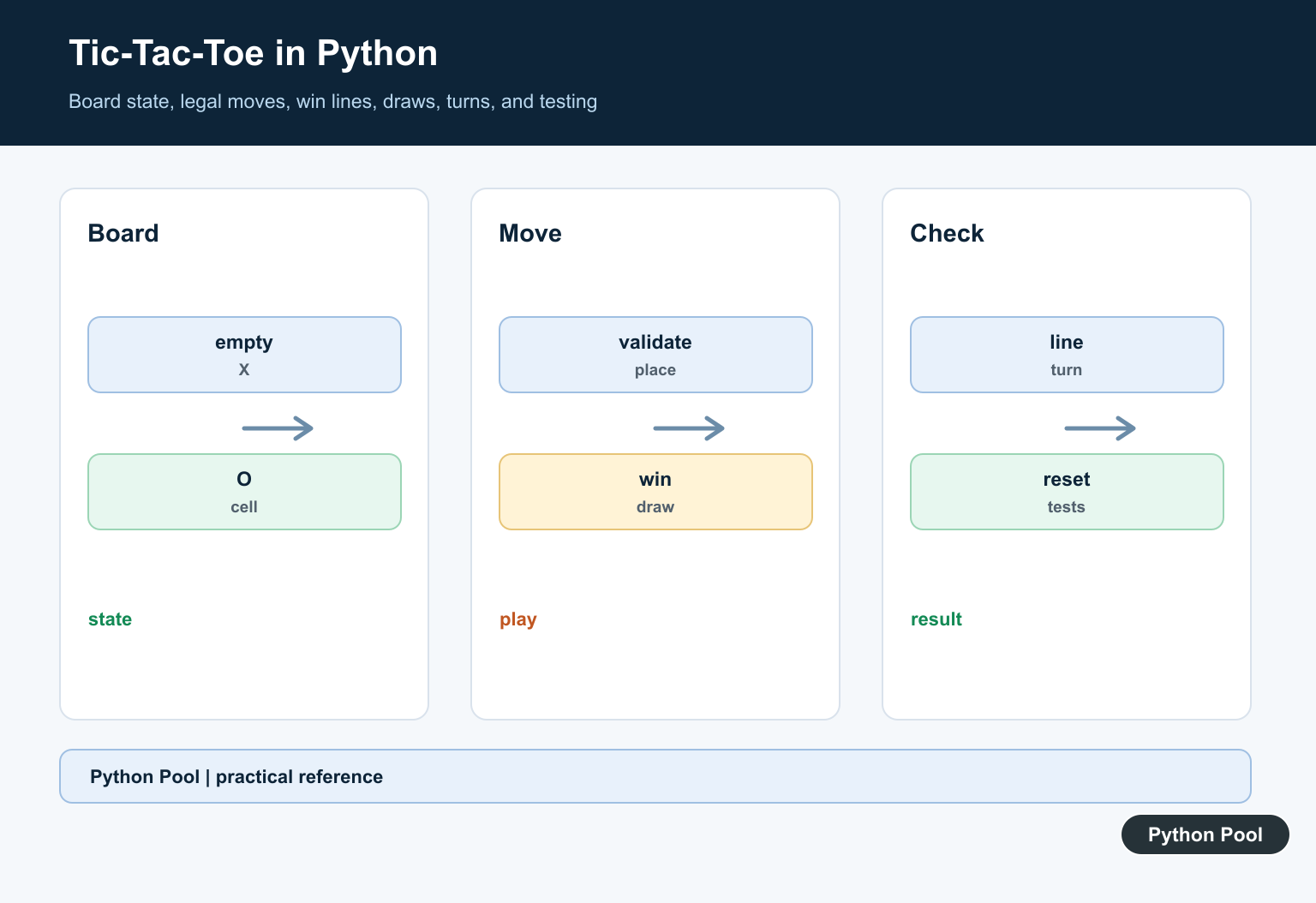
A Tic Tac Toe Python program is a good way to practice game state without needing a graphics toolkit. The board is small, the rules are familiar, and every important step can be represented with plain Python data: a board, the current mark, a move, and a result.
This guide focuses on the logic behind a command-line game. The same functions can later sit behind a Tkinter, Pygame, or web interface, but keeping the first version independent of the screen makes it easier to test and debug. Good Tic Tac Toe code should answer four questions clearly: what does the board contain, is a requested square legal, has someone won, and should the game continue?
The official Python data structures tutorial is useful background because the board examples below use lists, indexing, and slicing. The Python control flow tutorial covers the loops and branches used in the game loop.
The examples use positions 1 through 9 for players because that is friendly at the command line. Internally, Python lists use indexes 0 through 8. A small conversion function keeps that boundary obvious and prevents off-by-one errors from spreading through the rest of the program.
Represent The Board
A flat list of nine cells is enough for Tic Tac Toe. Indexes 0, 1, and 2 are the top row; 3, 4, and 5 are the middle row; 6, 7, and 8 are the bottom row. The render function below turns that list into text for a terminal.
EMPTY = " "
X = "X"
O = "O"

def new_board():
    return [EMPTY] * 9

def draw_board(board):
    rows = []
    for start in range(0, 9, 3):
        row = " | ".join(board[start:start + 3])
        rows.append(f" {row} ")
    return "\n---+---+---\n".join(rows)

board = new_board()
board[0] = X
board[4] = O
print(draw_board(board))
This representation is compact and easy to inspect. A nested list can also work, but a flat list makes win lines simple because each line is just a group of three indexes. The display function is separate from the board data, so game checks do not need to parse terminal text.
Validate And Apply Moves
A command-line player usually types a square number. The program should reject non-numeric input, reject numbers outside 1 through 9, and reject a square that is already occupied. Keeping those checks in one function gives the rest of the game a clean move API. For another beginner game centered on input validation, state updates, and win conditions, try Build a Python Hangman Game Step by Step.
EMPTY = " "

def square_to_index(text):
    try:
        square = int(text)
    except ValueError as exc:
        raise ValueError("choose a number from 1 to 9") from exc

    if square < 1 or square > 9:
        raise ValueError("choose a number from 1 to 9")
    return square - 1

def place_mark(board, square_text, mark):
    index = square_to_index(square_text)
    if board[index] != EMPTY:
        raise ValueError("that square is already taken")

    next_board = board.copy()
    next_board[index] = mark
    return next_board

board = [EMPTY] * 9
board = place_mark(board, "5", "X")
print(board)
The function returns a copied board rather than editing the original list in place. That is not required for a small script, but it makes the flow easier to reason about: a move receives one board and returns the next board. If you prefer in-place edits, keep the validation steps the same.
Check For A Winner
There are only eight winning lines in Tic Tac Toe: three rows, three columns, and two diagonals. Store those lines as data and loop over them. This avoids a long condition that is hard to read and easy to mistype.
EMPTY = " "
WINNING_LINES = (
    (0, 1, 2),
    (3, 4, 5),
    (6, 7, 8),
    (0, 3, 6),
    (1, 4, 7),
    (2, 5, 8),
    (0, 4, 8),
    (2, 4, 6),
)

def winner(board):
    for a, b, c in WINNING_LINES:
        if board[a] != EMPTY and board[a] == board[b] == board:
            return board[a]
    return None

board = ["X", "X", "X", "O", EMPTY, "O", EMPTY, EMPTY, EMPTY]
assert winner(board) == "X"
print(winner(board))
Returning None when there is no winner keeps the caller simple. The caller can test if player: or compare directly with "X" and "O". The function does not decide whether the board is a draw; it only answers the win question.
Detect Draws And Game Status
A draw happens when every square is filled and no winning line exists. Check for a winner first because the final move can both fill the board and create a win. In that case the result is a win, not a draw.
EMPTY = " "
WINNING_LINES = (
    (0, 1, 2), (3, 4, 5), (6, 7, 8),
    (0, 3, 6), (1, 4, 7), (2, 5, 8),
    (0, 4, 8), (2, 4, 6),
)

def winner(board):
    for a, b, c in WINNING_LINES:
        if board[a] != EMPTY and board[a] == board[b] == board:
            return board[a]
    return None

def board_full(board):
    return all(cell != EMPTY for cell in board)

def game_status(board):
    player = winner(board)
    if player:
        return f"{player} wins"
    if board_full(board):
        return "draw"
    return "playing"

board = ["X", "O", "X", "X", "O", "O", "O", "X", "X"]
print(game_status(board))
This shape is useful for a loop because the loop can keep running while the status is "playing". When the function returns anything else, the loop can print the final board and stop. The status values are short strings here, but a larger project could use constants or an enum.
Choose A Simple Computer Move
A small computer opponent does not need advanced search. A practical first strategy is to win if possible, block the opponent if necessary, take the center when open, then take a corner, then any open square. That gives reasonable behavior with straightforward code.
EMPTY = " "
WINNING_LINES = (
    (0, 1, 2), (3, 4, 5), (6, 7, 8),
    (0, 3, 6), (1, 4, 7), (2, 5, 8),
    (0, 4, 8), (2, 4, 6),
)

def winner(board):
    for a, b, c in WINNING_LINES:
        if board[a] != EMPTY and board[a] == board[b] == board:
            return board[a]
    return None

def empty_squares(board):
    return [index for index, cell in enumerate(board) if cell == EMPTY]

def finishing_move(board, mark):
    for index in empty_squares(board):
        trial = board.copy()
        trial[index] = mark
        if winner(trial) == mark:
            return index
    return None

def choose_move(board, mark):
    opponent = "O" if mark == "X" else "X"
    for candidate in (finishing_move(board, mark), finishing_move(board, opponent)):
        if candidate is not None:
            return candidate

    for index in (4, 0, 2, 6, 8):
        if board[index] == EMPTY:
            return index
    return empty_squares(board)[0]

board = ["O", "O", EMPTY, "X", EMPTY, EMPTY, EMPTY, "X", EMPTY]
print(choose_move(board, "X") + 1)
This is not a perfect Tic Tac Toe engine, but it is strong enough for a beginner CLI project and easy to extend. A minimax search can make the computer unbeatable later. Before adding that complexity, make sure move validation and win detection are correct, because every smarter strategy depends on those basics.
Run A Scripted Game Loop
The final example ties the state functions together. It uses a scripted move list so the block can run without waiting for terminal input. In an interactive CLI version, replace the loop’s scripted square with input("Choose 1-9: ") and pass the text to the same move function.
EMPTY = " "
WINNING_LINES = (
    (0, 1, 2), (3, 4, 5), (6, 7, 8),
    (0, 3, 6), (1, 4, 7), (2, 5, 8),
    (0, 4, 8), (2, 4, 6),
)

def draw_board(board):
    rows = []
    for start in range(0, 9, 3):
        rows.append(" | ".join(board[start:start + 3]))
    return "\n---------\n".join(rows)

def winner(board):
    for a, b, c in WINNING_LINES:
        if board[a] != EMPTY and board[a] == board[b] == board:
            return board[a]
    return None

def game_status(board):
    player = winner(board)
    if player:
        return f"{player} wins"
    if all(cell != EMPTY for cell in board):
        return "draw"
    return "playing"

def next_mark(board):
    return "X" if board.count("X") == board.count("O") else "O"

def place_at(board, square, mark):
    index = square - 1
    if index < 0 or index > 8 or board[index] != EMPTY:
        raise ValueError("illegal move")
    next_board = board.copy()
    next_board[index] = mark
    return next_board

def play_turns(squares):
    board = [EMPTY] * 9
    for square in squares:
        mark = next_mark(board)
        board = place_at(board, square, mark)
        print(f"{mark} -> {square}")
        print(draw_board(board))
        result = game_status(board)
        if result != "playing":
            print(result)
            break
    return board

play_turns([1, 4, 2, 5, 3])
A working Tic Tac Toe Python project is mostly about separating responsibilities. Store the board in a simple structure, validate player moves at the boundary, keep win lines in one place, check the result after every turn, and let the loop stop as soon as the game is over. Once that core is reliable, adding a graphical interface or a stronger computer player becomes a smaller change instead of a rewrite. Once the game logic is stable, Pyglet vs Pygame: Python Game Library Guide helps choose the window, event-loop, drawing, and media layer for a graphical version.
Represent The Board
Use a fixed nine-cell list, a two-dimensional grid, or a small board object. Define which values mean empty, player X, and player O, and keep that representation consistent.
Validate Moves First
Normalize input, check that the coordinate is in range, and reject occupied cells without switching the turn. Invalid input should leave the state unchanged.
Evaluate Winning Lines
Rows, columns, and diagonals are the complete set of eight winning lines on a standard board. A reusable line list keeps rule checking shorter and easier to test.
Check Terminal State Order
After a valid move, check for a win before checking for a draw. A full board can contain a winning final move, so declaring a draw first is a logic bug.
Separate Randomness
For a computer player, inject a move chooser or seeded generator. Keep random selection out of the deterministic rule evaluator.
Test The Full Loop
Test wins for both players on every line, draws, invalid input, occupied cells, repeated games, reset behavior, and user-interface-independent state transitions.
Use the official Python random documentation when adding a computer player. Related Python Pool references include tests and board lists.
For related game logic, compare rule tests, board lists, and winning mappings before mixing interaction with state.
Frequently Asked Questions
How do I make Tic-Tac-Toe in Python?
Represent the board explicitly, validate a move, update one empty cell, check winning lines, detect a draw, and switch turns only after a valid move.
How do I check a Tic-Tac-Toe win?
Check the three rows, three columns, and two diagonals for three equal non-empty marks.
How do I detect a draw?
After checking for a win, declare a draw when every board cell is occupied and no winning line exists.
Should game input be mixed with game logic?
Keep input and display code separate from state transitions and rule checks so the game can be tested without interactive terminal input.

can u explain the define_sign() method and logic used
define_sign() function manages the turns of players in the game and also checks for win conditions for both the players. For each of the players, if the win condition is satisfied, the win message will be displayed and all the Tkinter widgets will be destroyed. The variables x, y, and numbers stores the value of boards.
thank u very much
and if u can pls explain the lines given below
if
x
%
2
==
0
:
y
=
'X'
boards[number]
=
y
elif
x
%
2
!
=
0
:
y
=
'O'
boards[number]
=
y
#Using config, we write mark the button with appropriate value.
b1.config(text
=
y)
x
=
x
+
1
mark
=
y