
توضیحات
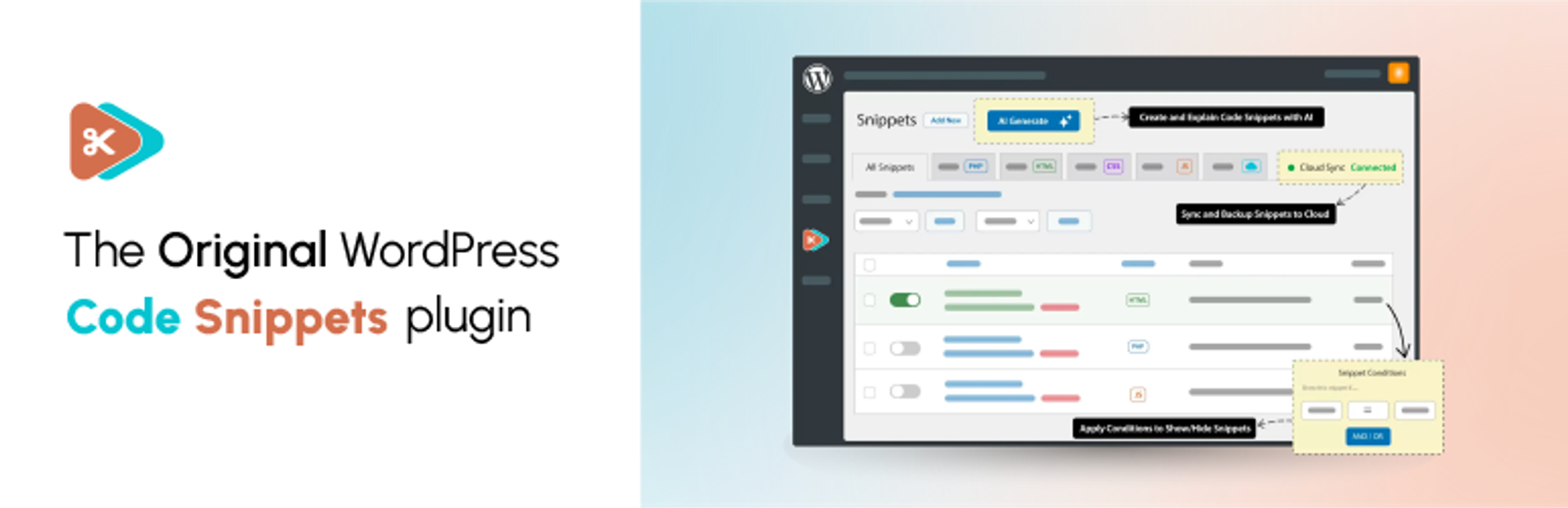
افزونه Code Snippets gives you a dedicated WordPress dashboard for creating, organising and managing custom code. Add PHP functionality and reusable HTML content, choose where PHP snippets run, and activate or deactivate snippets individually.
Find snippets with search, tags and filters, switch between table and card views, and preview code without opening the editor. Lock important snippets to help prevent accidental changes, and use the Stats overview to see snippet totals and breakdowns.
Watch the Code Snippets 4.0 walkthrough
See the plugin in use, including features from both the free and Pro editions. The Pro features listed below require the relevant Pro access.
Want AI-assisted code creation and advanced controls? Code Snippets Pro adds the AI Agent, snippet revisions, visual display conditions, CSS and JavaScript snippets, and connected Cloud workflows.
Your snippets stay separate from your theme files. Browse Community Cloud for shared snippets, and use import and export to reuse your code across sites.
Code Snippets has been available on WordPress.org since 2012 and is active on 1 million+ WordPress installations.
Included in the free plugin
- PHP snippets without editing theme files. Add custom functions and WordPress hooks from your dashboard.
- Reusable HTML content. Create content snippets and insert them into posts and pages with shortcodes.
- Control where PHP runs. Choose everywhere, administration only or front end only. Run-once snippets are available for manually confirmed one-time tasks.
- A built-in code editor. Work with syntax highlighting, code checking and adjustable editor preferences.
- Organised snippet management. Use names, descriptions, tags, search, filters, sorting and bulk actions. Browse in table or card view, preview code without opening the editor, and lock important snippets to help prevent accidental edits or deletion.
- Stats overview. View snippet totals, active and inactive counts, and breakdowns by type, run location and tags.
- Import and export. Move snippets between sites using export files, or export PHP snippets as a PHP file for use without the plugin.
- Community Cloud browsing. Search community-shared snippets from inside WordPress and download supported snippet types.
- Optional file-based execution. Execute supported snippets from generated files instead of evaluating their code from the database.
- Multisite support. Manage network-wide snippets and separate snippets for individual sites.
- Safe Mode and feedback tools. Use Safe Mode to troubleshoot snippet-related failures. An optional feedback reporter can be enabled in settings.
PHP snippets execute code on your site. Only use code you trust, review it before activation and keep a current backup. Safe Mode helps with recovery; it does not make every snippet safe or guarantee that every error can be prevented.
Community-powered Code Snippets Cloud
Browse the community-powered Code Snippets Cloud library from inside WordPress. Search user-shared snippets, preview their code and download snippet types supported by your edition.
A Cloud account is not required to create and run local PHP and HTML snippets. Personal Cloud library, synchronisation and deployment workflows require a connected account and the relevant Pro access.
Code Snippets Pro
Code Snippets Pro extends the free plugin with additional code types, editing tools and connected workflows:
- CSS and JavaScript snippets, with dedicated integration for Gutenberg and Elementor.
- AI Agent. Describe the functionality you need, review and refine a proposed plan, then approve code generation. Review the generated snippets before activating them.
- Snippet revisions. Compare a previous version with the current code and restore an earlier revision.
- Display conditions. Define where and when snippets run through a visual condition editor.
- Form-based Blueprints. Generate PHP code for common tasks such as custom post types, taxonomies, shortcodes, settings pages and extra user profile fields.
- Role-based permissions. Control access to viewing, creating, editing and deleting snippets.
- Ran on this page. See which snippets executed or produced output on the current request through the admin bar.
- Performance and security insights. Optional PHP execution-time tracking and advisory checks for potentially risky code patterns. These checks are not a security audit or a guarantee that code is safe.
- Connected Cloud workflows. Manage your personal Cloud library, synchronise snippets and deploy snippets to connected sites, with drift reporting when site and Cloud copies differ.
Cloud-connected Pro features require the appropriate licence and a connected Code Snippets Cloud account. Local PHP and HTML snippets do not require a Cloud account. The free plugin includes interactive demos of selected Pro workflows; using the full tools requires Pro access.
Documentation and community
- Documentation
- WordPress.org support forum
- Facebook community
- Discord community
- Source code and feature requests
Share your experience
Find Code Snippets useful? Leave a review on WordPress.org to share your experience and help others decide whether the plugin suits their needs.
Translation Credits
Thank you to everyone who helps make Code Snippets available in different languages. See the translation contributors or contribute a translation.
عکسهای صفحه


نصب
نصب خودکار
- Open Plugins > Add New and search for افزونه Code Snippets.
- Click Install Now, then Activate.
- Open the Snippets menu to add or manage your code.
نصب دستی
- Download and unzip the plugin.
- Upload the
code-snippetsdirectory towp-content/plugins/. - Activate افزونه Code Snippets from the Plugins screen.
Multisite Installation
Network activate the plugin to manage network-wide snippets from Network Admin. Individual sites can also have their own snippets. Network snippets must be activated or shared with the appropriate settings; simply creating a network snippet does not make it run everywhere.
سوالات متداول
-
How can I recover my site if a snippet causes an error?
-
Use Code Snippets Safe Mode to prevent snippet execution while you investigate the problem. Follow the Safe Mode instructions for the appropriate recovery method, then fix or deactivate the affected snippet.
-
Will I lose my snippets if I change theme or update WordPress?
-
Snippets are stored separately from your theme in the WordPress database, so changing theme or updating WordPress does not remove them. Code that depends on a particular theme or plugin may still need updating when that dependency changes.
-
آیا افزونه به طور کامل قابل حذف است؟
-
Enable Complete Uninstall under Snippets > Settings > Advanced before deleting the plugin through WordPress’s Plugins screen if you want stored snippets and plugin settings removed. Export snippets you want to keep first. Leave Complete Uninstall disabled if you want to retain your snippet data when deleting the plugin.
-
Can I copy snippets to another site?
-
Yes. Export a single snippet or select several snippets and use the export bulk action. Import the resulting file through the Snippets import screen on the other site.
-
Can I export snippets to PHP for a site without Code Snippets?
-
Yes. Select the PHP snippets, choose Export to PHP from the bulk actions and apply it. The generated file contains the exported code, with snippet names and descriptions in comments. Review the file before including it in a theme or plugin.
-
Can I run snippets across a multisite network?
-
Yes. Network activation provides a network-level Snippets screen. Activate a network snippet to run it across the network, subject to its execution scope. Individual sites can also have separate snippets, and shared network snippets can be enabled per site where configured.
-
Where are snippets stored in the database?
-
Local snippets use the site’s table prefix followed by
snippets, for examplewp_snippetson a single site orwp_2_snippetson a subsite. Network snippets use the network’s base prefix followed byms_snippets, for examplewp_ms_snippets. Your actual prefix may differ.When optional file-based execution is enabled, the plugin also creates files used to execute snippets. Continue managing those snippets through the plugin.
-
Where can I get help or request a feature?
-
Use the documentation or WordPress.org support forum for help. Report bugs and suggest improvements on GitHub, or discuss ideas in the Facebook and Discord communities.
-
How can I contribute?
-
Code Snippets is developed on GitHub. Bug reports, pull requests and translations are welcome.
-
How do I report a security issue?
-
Report suspected security vulnerabilities privately through the Patchstack Vulnerability Disclosure Program. Do not disclose vulnerability details in a public GitHub issue or support topic.
-
What is new in Code Snippets 4.0?
-
The free 4.0 release adds the Stats overview and fixes issues with snippet saving feedback, description truncation, Elementor compatibility and translation loading.
The free plugin also includes table and card views, code preview, HTML content snippets and optional file-based execution.
Pro 4.0 adds the AI Agent and snippet revisions, alongside its additional code types, conditions, permissions, Blueprints and connected Cloud tools. See the Pro section above for the current feature split.
-
Can I add HTML, CSS and JavaScript snippets?
-
The free plugin supports PHP snippets and HTML content snippets. Dedicated CSS and JavaScript snippet types, plus the additional Gutenberg and Elementor integrations, are available in Pro.
-
Do I need a Cloud account?
-
No account is required to create and run local PHP and HTML snippets. Community Cloud provides access to shared snippets from within the plugin. Personal Cloud library, synchronisation and connected Pro workflows require an account and the relevant Pro access.
-
Will I need to recreate my existing snippets after updating?
-
No. Updating the plugin does not require you to recreate your stored snippets. Back up your site and test your custom code when updating WordPress, your theme or other plugins. Compatibility still depends on the code you use and its dependencies.
-
Can I switch to an earlier plugin version?
-
Users with permission to update plugins can open Snippets > Settings > Advanced and use Switch Version to choose an available version. Use Refresh Versions if the list needs updating. Back up your site and export important snippets before switching versions.
نقد و بررسیها


توسعه دهندگان و همکاران
“افزونه Code Snippets” نرم افزار متن باز است. افراد زیر در این افزونه مشارکت کردهاند.
مشارکت کنندگان


“افزونه Code Snippets” به 31 زبان ترجمه شده است. با تشکر از مترجمین برای همکاری و کمکهایشان.
ترجمه “افزونه Code Snippets” به زبان شما.
علاقه مند به توسعه هستید؟
کد را مرور کنید، مخزن SVN را بررسی کنید، یا از طریق RSS در گزارش توسعه مشترک شوید.
گزارش تغییرات
۴.۰.۰ (۲۰۲۶-۱۰-۱۲)
اضافه شده
- Stats page for viewing snippet totals and breakdowns by type, run location and tags.
- Optional feedback reporter for sending bug reports, feature requests and general feedback from plugin screens.
- Interactive demos of the AI Agent, Blueprints and Cloud Library in the free plugin. The full tools require Pro access.
- AI Agent for building snippets from a description, with a plan to review and refine before code generation. (PRO)
- Snippet revisions, with a history of past versions, a side-by-side comparison and restoration of an earlier revision. (PRO)
- Role-based permissions for viewing, creating, editing and deleting snippets. (PRO)
- “Ran on this page” tracking for snippets that executed or produced output on the current request. (PRO)
- Optional PHP execution-time tracking and advisory checks for potentially risky code patterns. These checks do not certify code as safe. (PRO)
- Support for deploying snippets from Code Snippets Cloud to connected sites, including linking multiple snippets to one shared display condition. Requires a connected Cloud account and the appropriate Pro access. (PRO)
- Support for Cloud drift detection through site snippet inventory and code hashes. Requires a connected Cloud account and the appropriate Pro access. (PRO)
اصلاح شده
- رفع یک خطای مهلک (Fatal Error) در ویرایشگر المنتور برای نسخههای پایینتر از ۳.۱۹.
- رفع مشکل برش خوردن توضیحات قطعهکد، پس از غیرفعال کردن گزینه «برش نام و توضیحات طولانی قطعهکد» در تنظیمات صفحه.
- رفع مشکل گزارش وضعیت قبلی قطعهکد هنگام ذخیره، فعالسازی یا غیرفعالسازی؛ این مورد میتوانست باعث اجرای قطعهکد غیرفعال در حالت اجرای مبتنی بر فایل شود.
- رفع مشکل ویرایشگر قطعهکد که در صورت عدم دریافت پاسخ (که وضعیت آن نامشخص است)، گزارش خطای ذخیرهسازی و عدم تحویل میداد.
- رفع مشکل بارگذاری زودهنگام ترجمهها که باعث نمایش اعلان وردپرس میشد؛ این اتفاق زمانی رخ میداد که پرسوجوی نوشتهها در حین بارگذاری افزونهها انجام میشد.
۳.۱۰.۲ (۲۰۲۶-۰۹-۰۱)
اضافه شده
- افزودن فرآیند تایید برای اجرای یکباره قطعهکد و مقاومسازی کنترلکننده برای جلوگیری از اقدامات ناموفق یا گیجکننده.
تغییر یافته
- نام قطعهکدها اکنون برای خوانایی بهتر، از گزینه «برش ردیف» در تنظیمات صفحه فهرست مدیریت تبعیت میکنند.
- درخواستهای AJAX برای تغییر نسخه اکنون nonces صحیح را اعتبارسنجی میکنند، که باعث بهبود قابلیت اطمینان هنگام بهروزرسانی نسخههای قطعهکد میشود.
اصلاح شده
- رفع خطاهای مهلک در حالت ایمن ناشی از فراخوانی تعریفنشده wp_get_current_user().
- رفع مشکل فعال شدن نادرست اعتبارسنجی PHP هنگام فعالسازی گروهی قطعهکدها.
- رفع مشکلات ذخیرهسازی پس از انقضای نشست (Session) کاربر.
- رفع هشدارهای ناشی از نامهای مستعار فیلدها هنگام خواندن فیلدهای تغییریافته قطعهکد.
- رفع مشکلات بارگذاری خودکار (Autoloader) فروشنده (vendor) با حذف ارجاعات namespace بدون پیشوند.
- رفع مشکلاتی که در آن نام قطعهکدها و تغییر نسخهها در رابط مدیریت رفتار ناهماهنگی داشتند.
۳.۱۰.۱ (۲۰۲۶-۰۸-۲۸)
تغییر یافته
- بهبود دید لینکهای فعال در نوار ابزار با استایل مبتنی بر حاشیه.
اصلاح شده
- رفع یک خطای مهلک که قطعهکدهای استفادهکننده از دستورات
namespaceیاdeclareرا تحت تأثیر قرار میداد. - رفع مشکل سفید شدن صفحه قطعهکدها زمانی که فیلتر تنظیمات صفحه افزونهای دیگر، مقدار نامعتبری برمیگرداند.
- رفع مشکل ذخیرهسازی قطعهکد در میزبانهایی که درخواستهای
PUTوPATCHدر REST API را مسدود میکنند، با ارسال درخواستها به صورتPOSTو نادیده گرفتن متد. - رفع مشکل اعمال نشدن تنظیم «ترتیب فهرست قطعهکدها» در فهرست قطعهکدها.
- رفع مشکل بارگذاری نشدن اسکریپتهای قطعهکد نوار مدیریت در نسخه رایگان، از جمله در بخش کاربری سایت.
- رفع مشکل ارسال تاریخهای اصلاح قطعهکد بدون اختلاف ساعت UTC صحیح.
- رفع مشکل ذخیره نشدن گزینه «برش ردیف» در تنظیمات صفحه پس از بستن و باز کردن مجدد (Sessions).
- رفع مشکل اندازههای ناهماهنگ برچسبهای نوار کناری.
- رفع مشکل نوار کناری ثابت ویرایشگر که یک نوار اسکرول افقی ناخواسته نمایش میداد.
3.10.0 (2026-08-24)
اضافه شده
- رابط کاربری جدید مدیریت برای ادارهٔ اسنیپتها، با چیدمانی تمیزتر، تعاملات سریعتر و تجربهای یکدستتر در صفحههای افزونه.
- نمای کارت برای مرور اسنیپتها، همراه با سوییچر نما در جدول اسنیپتها و جامعهٔ ابری.
- پنجرهٔ پیشنمایش اسنیپت برای مشاهدهٔ کد اسنیپت از جدول اسنیپتها بدون باز کردن ویرایشگر.
- پنهانسازی خودکار اعلانهای مدیریتی نامرتبط از افزونههای دیگر در صفحههای Code Snippets.
- کشوی اسنیپت نوار مدیریت، بر پایهٔ فرایند Deckerweb Snippets، برای دسترسی سریع به اسنیپتها و حالت ایمن از نوار مدیریت وردپرس.
- قفلکردن اسنیپت برای کمک به جلوگیری از ویرایش یا حذف تصادفی اسنیپتهای مهم. سپاس از https://github.com/mgiannopoulos24.
- گزینههای صفحه در جدول اصلی اسنیپتها بهبود یافت؛ از جمله کنترل ستونهای قابل مشاهده و کوتاهسازی نامها یا توضیحات بلند اسنیپت.
- پشتیبانی از عملیات گروهی و دانلود گروهی کد در جدول بازطراحیشدهٔ اسنیپتها.
- اسنیپتهای ویژه و مرور بهبودیافته در جامعهٔ ابری.
- سازگاری استایل مدیریت با قالب مدرن وردپرس.
- برچسبهای دسترسپذیری، عنوانها، نشانهگذاری زبانهها، چکباکسهای جدول، دکمههای مرتبسازی، دکمههای کپی و کنترلهای بارگذاری کشیدن و رها کردن شفافتر شدند.
تغییر یافته
- جدول اصلی اسنیپتها با جستوجو، فیلترسازی، مرتبسازی، صفحهبندی، عملیات ردیف و انتخاب گروهی بهبودیافته بازطراحی شد.
- تجربهٔ درونریزی و مهاجرت اسنیپت بهبود یافت؛ از جمله مدیریت شفافتر بارگذاری فایل و فرایندهای مهاجرت از افزونههای شخص ثالث.
- مدیریت خطاهای اسنیپت بهبود یافت تا خطاهای فعالسازی، خطاهای اعتبارسنجی و ردپای پشته راحتتر قابل درک باشند.
- جستوجو و فیلترسازی در جامعهٔ ابری بهبود یافت؛ از جمله فیلترهای سمت سرور، بارگذاری بهتر نتایج و حالتهای خالی روشنتر.
- صفحهٔ خوشآمدگویی، نوار ابزار، صفحهٔ درونریزی و صفحههای ابری برای هماهنگی با تجربهٔ جدید مدیریت بهروزرسانی شدند.
- معماری داخلی افزونه به ساختار تمیزتر PSR-4 بهروزرسانی شد تا نگهداری آن در بلندمدت بهتر شود.
- دسترسپذیری در سراسر جدول اسنیپتها، صفحهٔ درونریزی، فرایند مهاجرت، جامعهٔ ابری، صفحهٔ خوشآمدگویی، نوار ابزار، گفتوگوها، راهنماهای ابزار و ویرایشگر کد بهبود یافت.
- تضاد رنگی و پشتیبانی از کاهش حرکت در سراسر صفحههای مدیریت بهبود یافت.
اصلاح شده
- پاسخهای خطای سرور REST API هنگام نبودن اسنیپتها اصلاح شد.
- منطق تکراری فرانتاند اصلاح شد و در نتیجه کارایی کلی بهبود یافت.
- نتایج جستوجو و صفحهبندی جامعهٔ ابری طوری اصلاح شد که از گزینههای صفحهٔ وردپرس پیروی کنند.
- بازخورد ذخیرهسازی و فعالسازی اسنیپت برای بهبود اعتبارسنجی و نمایش خطاهای زمان اجرا اصلاح شد.
- مشکل نمایش اسنیپتهای دانلودشدهٔ جامعهٔ ابری بهصورت دانلودنشده پس از بارگذاری دوبارهٔ صفحه برطرف شد.
- مشکل جستوجوی اسنیپتهای شبکه با استفاده از جدول نادرست پایگاه داده در چندسایته برطرف شد.
- مشکل شمارش اسنیپتهای غیرفعال که اسنیپتهای زبالهدان را هم شامل میشد، برطرف شد.
- مشکل بارگذارینشدن اسنیپتهای ویژهٔ جامعهٔ ابری با برخی پاسخهای API ابری برطرف شد.
۳.۹.۶ (۲۰۲۶-۰۴-۲۸)
اصلاح شده
- مدیریت دسترسیها در REST API اسنیپتها بهبود یافت.
- مدیر سایت نمیتواند وضعیت اسنیپتهای شبکهٔ اشتراکی را تغییر دهد.
۳.۹.۵ (۲۰۲۶-۰۲-۰۵)
اصلاح شده
- امنیت هنگام مدیریت عملیات دانلود و بهروزرسانی اسنیپتهای ابری بهبود یافت.
۳.۹.۴ (۲۰۲۶-۰۱-۱۴)
اضافه شده
- قابلیت جدید درونریزی برای انتقال اسنیپتها از فایلهای بارگذاریشده با رابط کاربری کشیدن و رها کردن.
- پشتیبانی از درونریزی اسنیپتها از افزونههای محبوب دیگر (Header Footer Code Manager، Insert Headers and Footers، Insert PHP Code Snippet).
- پشتیبانی از اجرای مبتنی بر پرونده با سازگاری بهتر با حالت چندسایته بهبود یافت.
اصلاح شده
- بررسی قابلیتهای چندسایته در کلاس Plugin اصلاح شد.
- منطق اجرای اسنیپت برای پشتیبانی از چندسایته با متمرکزسازی مدیریت اسنیپتهای زبالهدان اصلاح شد.
- مشکل مدیریت اسنیپتها در چندسایته برطرف شد تا اسنیپتهای محلی از جدول صحیح استفاده کنند و اسنیپتهای زبالهدان فیلتر شوند.
۳.۹.۳ (۲۰۲۵-۱۲-۰۳)
اضافه شده
- آزمونهای سرتاسری برای تأیید وضعیت بصری دکمهٔ تغییر وضعیت در صفحهٔ فهرست اسنیپتها، با هدف بهبود تأیید رابط کاربری و قابلیت اطمینان آزمونها.
اصلاح شده
- استایلهای از دسترفته و چیدمان سازگار با جهت متن از منوی مدیریت بازیابی شد.
- اطمینان از اینکه هنگام تشخیص وضعیت دکمهٔ فعالسازی، مقدار تبدیلشدهٔ درست استفاده میشود.
۳.۹.۲ (۲۰۲۵-۱۱-۱۷)
تغییر یافته
- معرفی آیکون قیچی سفارشی و بروزرسانی عنوان دکمه برای افزونه TinyMCE.
- بهبود استایل دکمه بازگشت در صفحه ویرایش.
- اصلاح چیدمان نام ستونها و دکمههای عملیاتی در لیست قطعه کدهای ابری.
- بهبود استایل کلی اجزای رابط کاربری مرتبط با بخش ابری.
- بهینهسازی جستجوی ابری با صفحهبندی کارآمدتر و بازیابی قطعه کدها.
- ایجاد زیرساخت برای جلوگیری از تداخل وابستگیهای Composer با سایر افزونهها.
اصلاح شده
- بهبود ایمنسازی و استانداردسازی در سراسر API ابری و خروجیهای صفحهبندی.
- رفع مشکلات مختلف TinyMCE گزارش شده در انجمن پشتیبانی وردپرس.
۳.۹.۱ (۲۰۲۵-۱۱-۱۴)
تغییر یافته
- مهاجرت به مدیریت جهت CSS بومی (RTL/LTR) برای سازگاری بهتر و استایلدهی سادهتر
- بروزرسانی وابستگیها به آخرین نسخههای سازگار
اصلاح شده
- اصلاح ثبت دکمه منوی TinyMCE برای جلوگیری از شکست در راهاندازی
- اصلاح موقعیت کنترل «جهت کد» در ویرایشگر
۳.۹.۰ (۲۰۲۵-۱۱-۱۳)
اضافه شده
- افزودن اعلانهای متنی در جدول لیست قطعه کدها برای نمایش نتایج عملیات و هشدارها در رابط کاربری
- گسترش تنظیمات اشتراکگذاری چندسایتی برای کنترل واضحتر بر اشتراکگذاری قطعه کد در سطح شبکه
تغییر یافته
- مدرنسازی اهداف پشتیبانی مرورگر و صیقل دادن رابط کاربری مدیریت (نشانهای عملیات ردیف واضحتر، بهبود هاور نشان Pro، اصلاح استایل نام قطعه کد فعال)
اصلاح شده
- اصلاح صفحهبندی REST API برای بازگرداندن نتایج و تعداد صفحات صحیح
- اصلاح انتخابگر استایل به طوری که نام قطعه کد فعال با اطمینان برجسته شود
۳.۸.۲ (۲۰۲۵-۱۰-۳۱)
اصلاح شده
- بهبود مدیریت قطعه کدهای PHP دارای فضای نام (Namespaced) با اجرای مبتنی بر فایل.
۳.۸.۱ (۲۰۲۵-۱۰-۲۸)
اضافه شده
- ویجت توضیح خط کد با امکان اعمال و حذف برای کامنتهای تولید شده توسط هوش مصنوعی. (نسخه حرفهای)
تغییر یافته
- بهبود مدیریت صفحهبندی و ساختار نمایش برای نتایج جستجوی ابری. (نسخه حرفهای)
- بهبود استایل ردیفهای CodeVault و تبهای غیرفعال در رابط ابری. (نسخه حرفهای)
حذف شده
- وابستگی به
guzzlehttp/guzzleبرای کاهش تداخل بستهها حذف شد. (PRO)
اصلاح شده
- بهبود مدیریت قطعه کد مبتنی بر فایل برای نصبهای چندسایتی.
۳.۸.۰ (۲۰۲۵-۱۰-۲۴)
اضافه شده
- @CarolinaOP و @louiswol94 به عنوان مشارکتکنندگان افزونه به تیم پیوستند.
- حالت اجرای مبتنی بر فایل برای قطعه کدها (اختیاری در تنظیمات افزونه).
- گزینه تغییر نسخه، برای کمک به بازگردانی آسان افزونه به نسخه قبلی.
- بهبودهای جزئی رابط کاربری در ویرایشگر و نوار کناری.
تغییر یافته
- پیشوندگذاری پکیجهای Composer برای کاهش تداخل با سایر افزونهها.
- اکنون REST API قطعه کدها از صفحهبندی از طریق پارامترهای page و per_page پشتیبانی میکند.
- بهبود رفتار پیشنمایش ویرایشگر.
اصلاح شده
- رفع مشکلات ارزیابی قطعه کد و راهاندازی بخش کاربری در موارد خاص.
- بهبود قابلیت اطمینان ارزیابی قطعه کد.
- بارگذاری دوبار قطعه کدهای جاوا اسکریپت و CSS به دلیل باگ در شرطها. (نسخه حرفهای)
- رفع مشکلی که در آن برخی شرطها به دلیل بارگذاری قبل از حلقه (Loop) کار نمیکردند. (نسخه حرفهای)
۳.۷.۰ (۲۰۲۵-۰۸-۲۹)
اضافه شده
- ویژگی جدید ‘شرطها’: کنترل مکان و زمان اجرای قطعه کدها با یک سازنده منطق قدرتمند. (نسخه حرفهای)
تغییر یافته
- طراحی مجدد منوی ویرایش با ظاهر و عملکردی تازه.
- بروزرسانی نشانهای نوع قطعه کد برای تمایز بصری بیشتر.
- طراحی مجدد راهنماهای ابزار (Tooltips) استفاده شده در سراسر افزونه.
- انتقال گزینههای کد کوتاه قطعه کد محتوایی به یک پنجره مودال جداگانه.
- بروزرسانی ویرایشگر برچسب قطعه کد برای استفاده از ویرایشگر برچسب داخلی وردپرس.
- ایجاد فرم مناسب برای اشتراکگذاری بازخورد نسخه بتا.
- بهبود تجربه کاربری (UX) دکمه تغییر وضعیت فعالسازی قطعه کد.
اصلاح شده
- فراخوانی قطعه کدهای فعال در شبکه چندسایتی اکنون فیلد ‘اولویت’ را بر هر چیز دیگری در مرتبسازی مقدم میشمارد.
- جستجوی ابری به درستی نمایش داده میشود و امکان دانلود قطعه کدها در نسخه رایگان Code Snippets فراهم شد.
- بهبود عملکرد بارگذاری آیکون منوی مدیریت.
۳.۶.۹ (۲۰۲۵-۰۲-۱۷)
تغییر یافته
- بروزرسانی
Cloud_API::get_bundles()برای بررسی صحیح دادههای بسته و بازگرداندن آرایه خالی در صورت عدم وجود بسته معتبر. - بازنویسی
Cloud_List_Table::fetch_snippets()برای اینکه همیشه یک نمونه معتبر ازCloud_Snippetsبازگرداند. - پاکسازی کد تکرار بستهها و بهبود مدیریت ترجمه در نمای بستهها.
اصلاح شده
- رفع خطاهای مربوط به تکرار بستهها با افزودن بررسی آرایه بستهها قبل از شروع تکرار.
