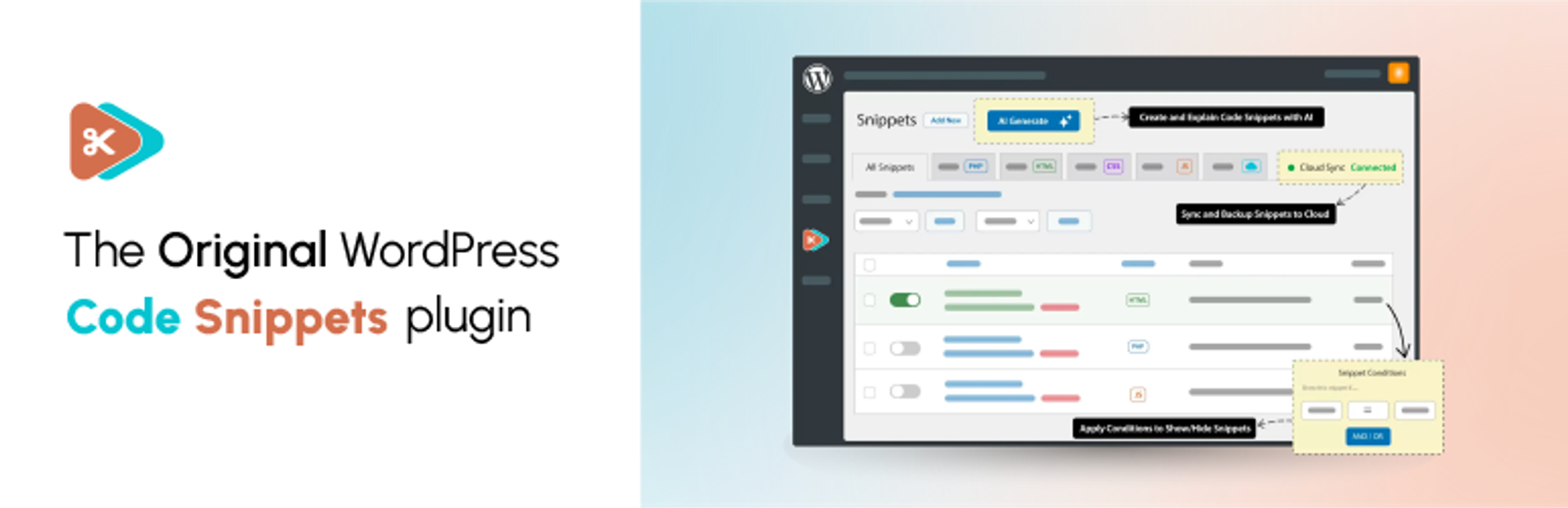

外掛說明
Code Snippets gives you a dedicated WordPress dashboard for creating, organising and managing custom code. Add PHP functionality and reusable HTML content, choose where PHP snippets run, and activate or deactivate snippets individually.
Find snippets with search, tags and filters, switch between table and card views, and preview code without opening the editor. Lock important snippets to help prevent accidental changes, and use the Stats overview to see snippet totals and breakdowns.
Watch the Code Snippets 4.0 walkthrough
See the plugin in use, including features from both the free and Pro editions. The Pro features listed below require the relevant Pro access.
Want AI-assisted code creation and advanced controls? Code Snippets Pro adds the AI Agent, snippet revisions, visual display conditions, CSS and JavaScript snippets, and connected Cloud workflows.
Your snippets stay separate from your theme files. Browse Community Cloud for shared snippets, and use import and export to reuse your code across sites.
Code Snippets has been available on WordPress.org since 2012 and is active on 1 million+ WordPress installations.
Included in the free plugin
- PHP snippets without editing theme files. Add custom functions and WordPress hooks from your dashboard.
- Reusable HTML content. Create content snippets and insert them into posts and pages with shortcodes.
- Control where PHP runs. Choose everywhere, administration only or front end only. Run-once snippets are available for manually confirmed one-time tasks.
- A built-in code editor. Work with syntax highlighting, code checking and adjustable editor preferences.
- Organised snippet management. Use names, descriptions, tags, search, filters, sorting and bulk actions. Browse in table or card view, preview code without opening the editor, and lock important snippets to help prevent accidental edits or deletion.
- Stats overview. View snippet totals, active and inactive counts, and breakdowns by type, run location and tags.
- Import and export. Move snippets between sites using export files, or export PHP snippets as a PHP file for use without the plugin.
- Community Cloud browsing. Search community-shared snippets from inside WordPress and download supported snippet types.
- Optional file-based execution. Execute supported snippets from generated files instead of evaluating their code from the database.
- Multisite support. Manage network-wide snippets and separate snippets for individual sites.
- Safe Mode and feedback tools. Use Safe Mode to troubleshoot snippet-related failures. An optional feedback reporter can be enabled in settings.
PHP snippets execute code on your site. Only use code you trust, review it before activation and keep a current backup. Safe Mode helps with recovery; it does not make every snippet safe or guarantee that every error can be prevented.
Community-powered Code Snippets Cloud
Browse the community-powered Code Snippets Cloud library from inside WordPress. Search user-shared snippets, preview their code and download snippet types supported by your edition.
A Cloud account is not required to create and run local PHP and HTML snippets. Personal Cloud library, synchronisation and deployment workflows require a connected account and the relevant Pro access.
Code Snippets Pro
Code Snippets Pro extends the free plugin with additional code types, editing tools and connected workflows:
- CSS and JavaScript snippets, with dedicated integration for Gutenberg and Elementor.
- AI Agent. Describe the functionality you need, review and refine a proposed plan, then approve code generation. Review the generated snippets before activating them.
- Snippet revisions. Compare a previous version with the current code and restore an earlier revision.
- Display conditions. Define where and when snippets run through a visual condition editor.
- Form-based Blueprints. Generate PHP code for common tasks such as custom post types, taxonomies, shortcodes, settings pages and extra user profile fields.
- Role-based permissions. Control access to viewing, creating, editing and deleting snippets.
- Ran on this page. See which snippets executed or produced output on the current request through the admin bar.
- Performance and security insights. Optional PHP execution-time tracking and advisory checks for potentially risky code patterns. These checks are not a security audit or a guarantee that code is safe.
- Connected Cloud workflows. Manage your personal Cloud library, synchronise snippets and deploy snippets to connected sites, with drift reporting when site and Cloud copies differ.
Cloud-connected Pro features require the appropriate licence and a connected Code Snippets Cloud account. Local PHP and HTML snippets do not require a Cloud account. The free plugin includes interactive demos of selected Pro workflows; using the full tools requires Pro access.
Documentation and community
- Documentation
- WordPress.org support forum
- Facebook community
- Discord community
- Source code and feature requests
Share your experience
Find Code Snippets useful? Leave a review on WordPress.org to share your experience and help others decide whether the plugin suits their needs.
Translation Credits
Thank you to everyone who helps make Code Snippets available in different languages. See the translation contributors or contribute a translation.
螢幕擷圖


安裝方式
自動安裝
- Open Plugins > Add New and search for Code Snippets.
- Click Install Now, then Activate.
- Open the Snippets menu to add or manage your code.
手動安裝
- Download and unzip the plugin.
- Upload the
code-snippetsdirectory towp-content/plugins/. - Activate Code Snippets from the Plugins screen.
Multisite Installation
Network activate the plugin to manage network-wide snippets from Network Admin. Individual sites can also have their own snippets. Network snippets must be activated or shared with the appropriate settings; simply creating a network snippet does not make it run everywhere.
常見問題集
-
How can I recover my site if a snippet causes an error?
-
Use Code Snippets Safe Mode to prevent snippet execution while you investigate the problem. Follow the Safe Mode instructions for the appropriate recovery method, then fix or deactivate the affected snippet.
-
Will I lose my snippets if I change theme or update WordPress?
-
Snippets are stored separately from your theme in the WordPress database, so changing theme or updating WordPress does not remove them. Code that depends on a particular theme or plugin may still need updating when that dependency changes.
-
這個外掛是否能完整解除安裝?
-
Enable Complete Uninstall under Snippets > Settings > Advanced before deleting the plugin through WordPress’s Plugins screen if you want stored snippets and plugin settings removed. Export snippets you want to keep first. Leave Complete Uninstall disabled if you want to retain your snippet data when deleting the plugin.
-
Can I copy snippets to another site?
-
Yes. Export a single snippet or select several snippets and use the export bulk action. Import the resulting file through the Snippets import screen on the other site.
-
Can I export snippets to PHP for a site without Code Snippets?
-
Yes. Select the PHP snippets, choose Export to PHP from the bulk actions and apply it. The generated file contains the exported code, with snippet names and descriptions in comments. Review the file before including it in a theme or plugin.
-
Can I run snippets across a multisite network?
-
Yes. Network activation provides a network-level Snippets screen. Activate a network snippet to run it across the network, subject to its execution scope. Individual sites can also have separate snippets, and shared network snippets can be enabled per site where configured.
-
Where are snippets stored in the database?
-
Local snippets use the site’s table prefix followed by
snippets, for examplewp_snippetson a single site orwp_2_snippetson a subsite. Network snippets use the network’s base prefix followed byms_snippets, for examplewp_ms_snippets. Your actual prefix may differ.When optional file-based execution is enabled, the plugin also creates files used to execute snippets. Continue managing those snippets through the plugin.
-
Where can I get help or request a feature?
-
Use the documentation or WordPress.org support forum for help. Report bugs and suggest improvements on GitHub, or discuss ideas in the Facebook and Discord communities.
-
How can I contribute?
-
Code Snippets is developed on GitHub. Bug reports, pull requests and translations are welcome.
-
How do I report a security issue?
-
Report suspected security vulnerabilities privately through the Patchstack Vulnerability Disclosure Program. Do not disclose vulnerability details in a public GitHub issue or support topic.
-
What is new in Code Snippets 4.0?
-
The free 4.0 release adds the Stats overview and fixes issues with snippet saving feedback, description truncation, Elementor compatibility and translation loading.
The free plugin also includes table and card views, code preview, HTML content snippets and optional file-based execution.
Pro 4.0 adds the AI Agent and snippet revisions, alongside its additional code types, conditions, permissions, Blueprints and connected Cloud tools. See the Pro section above for the current feature split.
-
Can I add HTML, CSS and JavaScript snippets?
-
The free plugin supports PHP snippets and HTML content snippets. Dedicated CSS and JavaScript snippet types, plus the additional Gutenberg and Elementor integrations, are available in Pro.
-
Do I need a Cloud account?
-
No account is required to create and run local PHP and HTML snippets. Community Cloud provides access to shared snippets from within the plugin. Personal Cloud library, synchronisation and connected Pro workflows require an account and the relevant Pro access.
-
Will I need to recreate my existing snippets after updating?
-
No. Updating the plugin does not require you to recreate your stored snippets. Back up your site and test your custom code when updating WordPress, your theme or other plugins. Compatibility still depends on the code you use and its dependencies.
-
Can I switch to an earlier plugin version?
-
Users with permission to update plugins can open Snippets > Settings > Advanced and use Switch Version to choose an available version. Use Refresh Versions if the list needs updating. Back up your site and export important snippets before switching versions.
使用者評論


參與者及開發者
以下人員參與了開源軟體〈Code Snippets〉的開發相關工作。
參與者


變更記錄
4.0.0 (2026-10-12)
新增
- Stats page for viewing snippet totals and breakdowns by type, run location and tags.
- Optional feedback reporter for sending bug reports, feature requests and general feedback from plugin screens.
- Interactive demos of the AI Agent, Blueprints and Cloud Library in the free plugin. The full tools require Pro access.
- AI Agent for building snippets from a description, with a plan to review and refine before code generation. (PRO)
- Snippet revisions, with a history of past versions, a side-by-side comparison and restoration of an earlier revision. (PRO)
- Role-based permissions for viewing, creating, editing and deleting snippets. (PRO)
- “Ran on this page” tracking for snippets that executed or produced output on the current request. (PRO)
- Optional PHP execution-time tracking and advisory checks for potentially risky code patterns. These checks do not certify code as safe. (PRO)
- Support for deploying snippets from Code Snippets Cloud to connected sites, including linking multiple snippets to one shared display condition. Requires a connected Cloud account and the appropriate Pro access. (PRO)
- Support for Cloud drift detection through site snippet inventory and code hashes. Requires a connected Cloud account and the appropriate Pro access. (PRO)
修正
- 修正在低於 3.19 的 Elementor 版本中,Elementor 編輯器會發生嚴重錯誤的問題。
- 修正關閉 [截斷過長的程式碼片段名稱與描述] 顯示選項後,
程式碼片段說明仍被截斷的問題。 - 修正儲存、啟用或停用程式碼片段時回報先前狀態的問題,
此問題可能導致已停用的程式碼片段仍以檔案式執行方式運作。 - 修正程式碼片段編輯器未收到回應時,
將儲存作業判定為失敗且未送達的問題,因為此時無法確認實際結果。 - 修正外掛仍在載入時查詢文章,
導致翻譯過早載入並觸發 WordPress 通知的問題。
3.10.2 (2026-09-01)
新增
- 新增單次執行程式碼片段的確認流程,並強化處理程序以避免操作失敗或混淆。
變更
- 管理清單中的程式碼片段名稱現在支援 [顯示選項] 中的列截斷設定,以提供更佳的易讀性。
- 版本切換的 AJAX 請求現在會驗證正確的 Nonce,提高更新程式碼片段版本時的可靠性。
修正
- 修正因未定義的 wp_get_current_user() 呼叫所導致的安全模式嚴重錯誤。
- 修正在批次啟用程式碼片段時,錯誤觸發 PHP 驗證的問題。
- 修正使用者工作階段過期後的儲存問題。
- 修正讀取已修改的程式碼片段欄位時,因欄位別名所導致的警告。
- 透過移除無前置詞命名空間的參照,修正第三方自動載入器的問題。
- 解決管理後台使用者介面中程式碼片段名稱與版本切換行為不一致的問題。
3.10.1 (2026-08-28)
變更
- 透過邊框樣式強化工具列中目前使用中連結的可見度。
修正
- 修正影響使用
namespace或declare陳述式之程式碼片段的嚴重錯誤。 - 修正在其他外掛的畫面設定篩選器傳回無效值時,程式碼片段頁面顯示空白的問題。
- 針對封鎖 REST API
PUT與PATCH請求的主機,改以使用方法覆寫的POST發送寫入請求,以修正程式碼片段儲存問題。 - 修正 [程式碼片段清單排序] 設定未套用至程式碼片段清單的問題。
- 修正在免費版中,管理工具列程式碼片段指令碼無法載入(包含網站前端)的問題。
- 修正傳送程式碼片段修改日期時未帶入正確 UTC 時區時差的問題。
- 修正 [顯示選項] 中的列截斷設定無法在不同工作階段間維持的問題。
- 修正側邊欄標籤大小不一致的問題。
- 修正固定式編輯器側邊欄顯示多餘水平捲軸的問題。
3.10.0 (2026-08-24)
新增
- 新增管理程式碼片段的後台介面,提供更清楚的版面配置、更快速的互動,並讓外掛各畫面的操作體驗更一致。
- 新增瀏覽程式碼片段的卡片檢視,並在程式碼片段表格與 Community Cloud 提供檢視切換功能。
- 新增程式碼片段預覽對話框,無須開啟編輯器,即可從程式碼片段表格查看程式碼。
- 在 Code Snippets 畫面上自動隱藏其他外掛的不相關後台通知。
- 新增管理列程式碼片段側邊面板,以 Deckerweb Snippets 工作流程為基礎,可從 WordPress 管理列快速存取程式碼片段與安全模式。
- 新增程式碼片段鎖定功能,協助防止重要程式碼片段遭到意外編輯或刪除。感謝 https://github.com/mgiannopoulos24 的貢獻。
- 改進主要程式碼片段表格的顯示選項,可控制要顯示的欄位,以及是否截斷過長的程式碼片段名稱或說明。
- 重新設計的程式碼片段表格支援批次操作與批次下載程式碼。
- Community Cloud 新增精選程式碼片段,並改進瀏覽體驗。
- 相容於 WordPress 現代化佈景主題的後台樣式。
- 讓無障礙標籤、標題、分頁標記、表格核取方塊、排序按鈕、複製按鈕及拖放上傳控制項更清楚易懂。
變更
- 重新設計主要程式碼片段表格,改進搜尋、篩選、排序、分頁、列操作及批次選取功能。
- 改進程式碼片段匯入與移轉體驗,讓檔案上傳處理與第三方外掛移轉流程更清楚。
- 改進程式碼片段的錯誤處理,讓啟用失敗、驗證錯誤及堆疊追蹤更容易理解。
- 改進 Community Cloud 的搜尋與篩選,包括伺服器端篩選、搜尋結果載入,以及無結果時更清楚的顯示內容。
- 更新歡迎畫面、工具列、匯入畫面及雲端畫面,配合新的後台操作體驗。
- 將外掛內部架構更新為更清楚的 PSR-4 結構,方便長期維護。
- 改進程式碼片段表格、匯入畫面、移轉流程、Community Cloud、歡迎畫面、工具列、對話框、工具提示及程式碼編輯器的無障礙功能。
- 改善後台各畫面的色彩對比,並加強減少動態效果偏好的支援。
修正
- 修正找不到程式碼片段時,REST API 傳回伺服器錯誤回應的問題。
- 修正多餘的前台邏輯,改善整體效能。
- 修正 Community Cloud 搜尋結果與分頁未遵循 WordPress 顯示選項的問題。
- 修正程式碼片段儲存與啟用時的回饋訊息,改善驗證錯誤與執行階段錯誤的顯示。
- 修正已下載的 Community Cloud 程式碼片段在重新載入頁面後顯示為未下載的問題。
- 修正多站網路查詢網路程式碼片段時使用錯誤資料表的問題。
- 修正未啟用程式碼片段的數量包含回收桶中程式碼片段的問題。
- 修正部分雲端 API 回應會導致 Community Cloud 精選程式碼片段無法載入的問題。
3.9.6 (2026-04-28)
修正
- 改進程式碼片段 REST API 的權限處理。
- 網站管理員無法切換共用網路程式碼片段的狀態。
3.9.5 (2026-02-05)
修正
- 提升處理雲端程式碼片段下載與更新操作時的安全性。
3.9.4 (2026-01-14)
新增
- 新增匯入功能,可透過拖放介面上傳檔案並移轉程式碼片段。
- 支援從其他熱門外掛匯入程式碼片段(Header Footer Code Manager、Insert Headers and Footers、Insert PHP Code Snippet)。
- 強化檔案式執行功能,改善多站網路模式的相容性。
修正
- 修正 Plugin 類別中的多站網路權限檢查。
- 集中處理回收桶中的程式碼片段,修正多站網路的程式碼片段執行邏輯。
- 修正多站網路的程式碼片段處理,確保個別網站的程式碼片段使用正確的資料表,並排除回收桶中的程式碼片段。
3.9.3 (2025-12-03)
新增
- 新增端對端測試,驗證程式碼片段清單頁面的切換開關視覺狀態,改善介面驗證與測試可靠性。
修正
- 還原管理選單中缺少的樣式,以及配合文字方向的版面配置。
- 確保偵測啟用開關狀態時使用正確的轉換值。
3.9.2 (2025-11-17)
變更
- 為 TinyMCE 擴充功能加入自訂剪刀圖示,並更新按鈕標題。
- 改進編輯頁面的返回導覽樣式。
- 調整雲端程式碼片段清單中欄位名稱與操作按鈕的版面配置。
- 改善雲端相關介面元件的整體樣式。
- 提升雲端搜尋效率,改進分頁與程式碼片段擷取。
- 加入基礎機制,避免 Composer 相依套件與其他外掛衝突。
修正
- 改進 Cloud API 與分頁輸出中的資料過濾及正規化處理。
- 解決 WordPress 支援論壇回報的多項 TinyMCE 問題。
3.9.1 (2025-11-14)
變更
- 改用 CSS 原生的文字方向處理(RTL/LTR),改善相容性並簡化樣式
- 將相依套件更新至最新的相容版本
修正
- 修正 TinyMCE 選單按鈕的註冊,避免初始化失敗
- 修正編輯器中 [程式碼文字方向] 控制項的位置
3.9.0 (2025-11-13)
新增
- 在程式碼片段清單表格中加入情境通知,於介面上顯示操作結果與警告
- 擴充多站網路共用設定,讓全網路程式碼片段共用的控制更清楚
變更
- 更新支援的瀏覽器目標,並改善後台介面(讓列操作徽章更清楚、改善滑鼠停留在 Pro 徽章上的效果、調整已啟用程式碼片段名稱的樣式)
修正
- 修正 REST API 分頁功能,傳回正確的結果與頁數
- 修正樣式選取器,確保已啟用程式碼片段的名稱能正確醒目提示
3.8.2 (2025-10-31)
修正
- 改進以檔案式執行方式處理含有命名空間的 PHP 程式碼片段。
3.8.1 (2025-10-28)
新增
- 新增程式碼行說明小工具,可套用或移除 AI 產生的註解。 (PRO)
變更
- 改進雲端搜尋結果的分頁處理與顯示結構。 (PRO)
- 改善雲端介面中程式碼庫資料列與未使用分頁的樣式。 (PRO)
移除
- 移除
guzzlehttp/guzzle相依套件,減少套件衝突。 (PRO)
修正
- 改進多站網路安裝環境中的檔案式程式碼片段處理。
3.8.0 (2025-10-24)
新增
- @CarolinaOP 與 @louiswol94 以外掛貢獻者的身分加入團隊。
- 新增程式碼片段的檔案式執行模式(可在外掛設定中選用)。
- 新增版本切換選項,方便將外掛還原至較舊的版本。
- 小幅改進編輯器與側邊欄的介面。
變更
- 為 Composer 套件加上前綴,減少與其他外掛的衝突。
- 程式碼片段 REST API 現在支援透過 page 與 per_page 查詢參數進行分頁。
- 改進編輯器的預覽行為。
修正
- 修正特殊情況下程式碼片段執行與前台初始化的問題。
- 提升程式碼片段執行的可靠性。
- 修正條件功能錯誤導致 JavaScript 與 CSS 程式碼片段載入兩次的問題。 (PRO)
- 修正部分條件因在主迴圈前載入而無法運作的問題。 (PRO)
3.7.0 (2025-08-29)
新增
- 新增「條件」功能:透過功能強大的邏輯編輯器,控制程式碼片段執行的位置與時機。 (PRO)
變更
- 重新設計編輯選單,更新外觀與功能。
- 更新程式碼片段類型徽章,讓視覺差異更明顯。
- 重新設計外掛各處使用的工具提示。
- 將內容程式碼片段的短代碼選項移至獨立的互動視窗。
- 更新程式碼片段標籤編輯器,改用 WordPress 內建的標籤編輯器。
- 建立專用表單,供使用者提交 Beta 版意見回饋。
- 改進程式碼片段啟用切換開關的使用體驗。
修正
- 在多站網路中擷取已啟用的程式碼片段時,排序現在會優先依照「priority」欄位。
- 雲端搜尋現在會正確顯示,且可在 Code Snippets 免費版中下載程式碼片段。
- 改善管理選單圖示的載入效能。
3.6.9 (2025-02-17)
變更
- 更新
Cloud_API::get_bundles(),正確檢查套件組合資料,並在沒有有效套件組合時傳回空陣列。 - 重構
Cloud_List_Table::fetch_snippets(),確保一律傳回有效的Cloud_Snippets執行個體。 - 整理套件組合的迭代程式碼,並改進套件組合檢視中的翻譯處理。
修正
- 在迭代前先檢查套件組合陣列,修正套件組合迭代時的錯誤。
