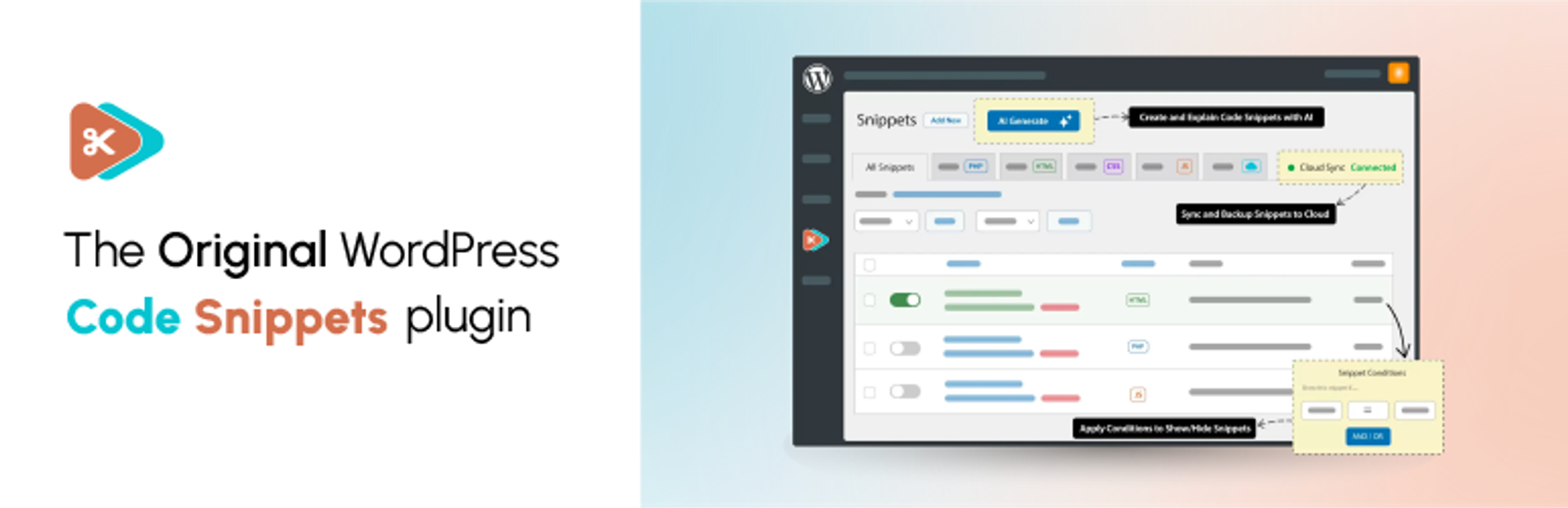

説明
Code Snippets gives you a dedicated WordPress dashboard for creating, organising and managing custom code. Add PHP functionality and reusable HTML content, choose where PHP snippets run, and activate or deactivate snippets individually.
Find snippets with search, tags and filters, switch between table and card views, and preview code without opening the editor. Lock important snippets to help prevent accidental changes, and use the Stats overview to see snippet totals and breakdowns.
Watch the Code Snippets 4.0 walkthrough
See the plugin in use, including features from both the free and Pro editions. The Pro features listed below require the relevant Pro access.
Want AI-assisted code creation and advanced controls? Code Snippets Pro adds the AI Agent, snippet revisions, visual display conditions, CSS and JavaScript snippets, and connected Cloud workflows.
Your snippets stay separate from your theme files. Browse Community Cloud for shared snippets, and use import and export to reuse your code across sites.
Code Snippets has been available on WordPress.org since 2012 and is active on 1 million+ WordPress installations.
Included in the free plugin
- PHP snippets without editing theme files. Add custom functions and WordPress hooks from your dashboard.
- Reusable HTML content. Create content snippets and insert them into posts and pages with shortcodes.
- Control where PHP runs. Choose everywhere, administration only or front end only. Run-once snippets are available for manually confirmed one-time tasks.
- A built-in code editor. Work with syntax highlighting, code checking and adjustable editor preferences.
- Organised snippet management. Use names, descriptions, tags, search, filters, sorting and bulk actions. Browse in table or card view, preview code without opening the editor, and lock important snippets to help prevent accidental edits or deletion.
- Stats overview. View snippet totals, active and inactive counts, and breakdowns by type, run location and tags.
- Import and export. Move snippets between sites using export files, or export PHP snippets as a PHP file for use without the plugin.
- Community Cloud browsing. Search community-shared snippets from inside WordPress and download supported snippet types.
- Optional file-based execution. Execute supported snippets from generated files instead of evaluating their code from the database.
- Multisite support. Manage network-wide snippets and separate snippets for individual sites.
- Safe Mode and feedback tools. Use Safe Mode to troubleshoot snippet-related failures. An optional feedback reporter can be enabled in settings.
PHP snippets execute code on your site. Only use code you trust, review it before activation and keep a current backup. Safe Mode helps with recovery; it does not make every snippet safe or guarantee that every error can be prevented.
Community-powered Code Snippets Cloud
Browse the community-powered Code Snippets Cloud library from inside WordPress. Search user-shared snippets, preview their code and download snippet types supported by your edition.
A Cloud account is not required to create and run local PHP and HTML snippets. Personal Cloud library, synchronisation and deployment workflows require a connected account and the relevant Pro access.
Code Snippets Pro
Code Snippets Pro extends the free plugin with additional code types, editing tools and connected workflows:
- CSS and JavaScript snippets, with dedicated integration for Gutenberg and Elementor.
- AI Agent. Describe the functionality you need, review and refine a proposed plan, then approve code generation. Review the generated snippets before activating them.
- Snippet revisions. Compare a previous version with the current code and restore an earlier revision.
- Display conditions. Define where and when snippets run through a visual condition editor.
- Form-based Blueprints. Generate PHP code for common tasks such as custom post types, taxonomies, shortcodes, settings pages and extra user profile fields.
- Role-based permissions. Control access to viewing, creating, editing and deleting snippets.
- Ran on this page. See which snippets executed or produced output on the current request through the admin bar.
- Performance and security insights. Optional PHP execution-time tracking and advisory checks for potentially risky code patterns. These checks are not a security audit or a guarantee that code is safe.
- Connected Cloud workflows. Manage your personal Cloud library, synchronise snippets and deploy snippets to connected sites, with drift reporting when site and Cloud copies differ.
Cloud-connected Pro features require the appropriate licence and a connected Code Snippets Cloud account. Local PHP and HTML snippets do not require a Cloud account. The free plugin includes interactive demos of selected Pro workflows; using the full tools requires Pro access.
Documentation and community
- Documentation
- WordPress.org support forum
- Facebook community
- Discord community
- Source code and feature requests
Share your experience
Find Code Snippets useful? Leave a review on WordPress.org to share your experience and help others decide whether the plugin suits their needs.
Translation Credits
Thank you to everyone who helps make Code Snippets available in different languages. See the translation contributors or contribute a translation.
スクリーンショット


インストール
自動インストール
- Open Plugins > Add New and search for Code Snippets.
- Click Install Now, then Activate.
- Open the Snippets menu to add or manage your code.
手動インストール
- Download and unzip the plugin.
- Upload the
code-snippetsdirectory towp-content/plugins/. - Activate Code Snippets from the Plugins screen.
Multisite Installation
Network activate the plugin to manage network-wide snippets from Network Admin. Individual sites can also have their own snippets. Network snippets must be activated or shared with the appropriate settings; simply creating a network snippet does not make it run everywhere.
FAQ
-
How can I recover my site if a snippet causes an error?
-
Use Code Snippets Safe Mode to prevent snippet execution while you investigate the problem. Follow the Safe Mode instructions for the appropriate recovery method, then fix or deactivate the affected snippet.
-
Will I lose my snippets if I change theme or update WordPress?
-
Snippets are stored separately from your theme in the WordPress database, so changing theme or updating WordPress does not remove them. Code that depends on a particular theme or plugin may still need updating when that dependency changes.
-
プラグインを完全にアンインストールすることはできますか ?
-
Enable Complete Uninstall under Snippets > Settings > Advanced before deleting the plugin through WordPress’s Plugins screen if you want stored snippets and plugin settings removed. Export snippets you want to keep first. Leave Complete Uninstall disabled if you want to retain your snippet data when deleting the plugin.
-
Can I copy snippets to another site?
-
Yes. Export a single snippet or select several snippets and use the export bulk action. Import the resulting file through the Snippets import screen on the other site.
-
Can I export snippets to PHP for a site without Code Snippets?
-
Yes. Select the PHP snippets, choose Export to PHP from the bulk actions and apply it. The generated file contains the exported code, with snippet names and descriptions in comments. Review the file before including it in a theme or plugin.
-
Can I run snippets across a multisite network?
-
Yes. Network activation provides a network-level Snippets screen. Activate a network snippet to run it across the network, subject to its execution scope. Individual sites can also have separate snippets, and shared network snippets can be enabled per site where configured.
-
Where are snippets stored in the database?
-
Local snippets use the site’s table prefix followed by
snippets, for examplewp_snippetson a single site orwp_2_snippetson a subsite. Network snippets use the network’s base prefix followed byms_snippets, for examplewp_ms_snippets. Your actual prefix may differ.When optional file-based execution is enabled, the plugin also creates files used to execute snippets. Continue managing those snippets through the plugin.
-
Where can I get help or request a feature?
-
Use the documentation or WordPress.org support forum for help. Report bugs and suggest improvements on GitHub, or discuss ideas in the Facebook and Discord communities.
-
How can I contribute?
-
Code Snippets is developed on GitHub. Bug reports, pull requests and translations are welcome.
-
How do I report a security issue?
-
Report suspected security vulnerabilities privately through the Patchstack Vulnerability Disclosure Program. Do not disclose vulnerability details in a public GitHub issue or support topic.
-
What is new in Code Snippets 4.0?
-
The free 4.0 release adds the Stats overview and fixes issues with snippet saving feedback, description truncation, Elementor compatibility and translation loading.
The free plugin also includes table and card views, code preview, HTML content snippets and optional file-based execution.
Pro 4.0 adds the AI Agent and snippet revisions, alongside its additional code types, conditions, permissions, Blueprints and connected Cloud tools. See the Pro section above for the current feature split.
-
Can I add HTML, CSS and JavaScript snippets?
-
The free plugin supports PHP snippets and HTML content snippets. Dedicated CSS and JavaScript snippet types, plus the additional Gutenberg and Elementor integrations, are available in Pro.
-
Do I need a Cloud account?
-
No account is required to create and run local PHP and HTML snippets. Community Cloud provides access to shared snippets from within the plugin. Personal Cloud library, synchronisation and connected Pro workflows require an account and the relevant Pro access.
-
Will I need to recreate my existing snippets after updating?
-
No. Updating the plugin does not require you to recreate your stored snippets. Back up your site and test your custom code when updating WordPress, your theme or other plugins. Compatibility still depends on the code you use and its dependencies.
-
Can I switch to an earlier plugin version?
-
Users with permission to update plugins can open Snippets > Settings > Advanced and use Switch Version to choose an available version. Use Refresh Versions if the list needs updating. Back up your site and export important snippets before switching versions.
評価


貢献者と開発者
Code Snippets はオープンソースソフトウェアです。以下の人々がこのプラグインに貢献しています。
貢献者


変更履歴
4.0.0 (2026-10-12)
追加
- Stats page for viewing snippet totals and breakdowns by type, run location and tags.
- Optional feedback reporter for sending bug reports, feature requests and general feedback from plugin screens.
- Interactive demos of the AI Agent, Blueprints and Cloud Library in the free plugin. The full tools require Pro access.
- AI Agent for building snippets from a description, with a plan to review and refine before code generation. (PRO)
- Snippet revisions, with a history of past versions, a side-by-side comparison and restoration of an earlier revision. (PRO)
- Role-based permissions for viewing, creating, editing and deleting snippets. (PRO)
- “Ran on this page” tracking for snippets that executed or produced output on the current request. (PRO)
- Optional PHP execution-time tracking and advisory checks for potentially risky code patterns. These checks do not certify code as safe. (PRO)
- Support for deploying snippets from Code Snippets Cloud to connected sites, including linking multiple snippets to one shared display condition. Requires a connected Cloud account and the appropriate Pro access. (PRO)
- Support for Cloud drift detection through site snippet inventory and code hashes. Requires a connected Cloud account and the appropriate Pro access. (PRO)
修正
- Fixed a fatal error in the Elementor editor on Elementor versions older than 3.19.
- Fixed snippet descriptions staying truncated after the “Truncate long snippet names and descriptions” screen option
was switched off. - Fixed saving, activating or deactivating a snippet reporting its previous state, which could leave a deactivated
snippet running under file-based execution. - Fixed the snippet editor reporting a save as failed and undelivered when no response was received, which it cannot
determine. - Fixed translations being loaded too early, with a notice from WordPress, when posts were queried while plugins were
still loading.
3.10.2 (2026-09-01)
追加
- Added a confirmation flow for run-once snippet execution and hardened the handler to prevent failed or confusing actions.
変更
- Snippet names now respect the row truncation Screen Option in the admin list for better readability.
- Version switching AJAX requests now validate the correct nonce, improving reliability when updating snippet versions.
修正
- Fixed safe mode fatal errors caused by an undefined wp_get_current_user() call.
- Fixed PHP validation being triggered incorrectly when activating snippets in bulk.
- Fixed saving issues after a user session expires.
- Fixed warnings caused by aliased field names when reading modified snippet fields.
- Fixed vendor autoloader issues by stripping unprefixed namespace references.
- Resolved issues where snippet names and version switches could behave inconsistently in the admin UI.
3.10.1 (2026-08-28)
変更
- ツールバーのアクティブなリンクを枠線によるスタイルで見やすく改善。
修正
- Fixed a fatal error affecting snippets that use a
namespaceordeclarestatement. - Fixed the snippets page rendering blank when another plugin’s screen settings filter returned an invalid value.
- Fixed snippet saving on hosts that block REST API
PUTandPATCHrequests, by sending writes asPOSTwith a method override. - Fixed the Snippets List Order setting not being applied to the snippets list.
- Fixed admin bar snippet scripts failing to load on the free version, including on the site front end.
- Fixed snippet modified dates being sent without the correct UTC offset.
- Fixed the row truncation screen option not persisting across sessions.
- Fixed inconsistent sidebar label sizes.
- Fixed the sticky editor sidebar showing an unwanted horizontal scrollbar.
3.10.0 (2026-08-24)
追加
- スニペットを管理する新しい管理画面インターフェース。よりすっきりしたレイアウト、より速い操作、プラグインの各画面をまたぐ一貫した体験。
- スニペットを一覧できるカード表示と、スニペットテーブルおよびコミュニティクラウドでの表示切り替え。
- エディターを開かずにスニペットテーブルからスニペットのコードを表示できる、スニペットのプレビューモーダル。
- Code Snippets の画面で、他のプラグインによる無関係な管理画面通知を自動的に非表示化。
- WordPress の管理バーからスニペットとセーフモードにすばやくアクセスできる、Deckerweb Snippets のワークフローをベースにした管理バーのスニペットドロワー。
- 重要なスニペットの誤った編集や削除を防ぐスニペットのロック機能。https://github.com/mgiannopoulos24 に感謝します。
- メインのスニペットテーブルの表示オプションを改善。表示するカラムの制御や、長いスニペット名や説明の切り詰めを含む。
- 刷新したスニペットテーブルでの一括操作と、コードの一括ダウンロードへの対応。
- コミュニティクラウドの注目のスニペットと、閲覧のしやすさの改善。
- WordPress のモダンな管理画面テーマのスタイルとの互換性。
- アクセシビリティラベル、見出し、タブのマークアップ、テーブルのチェックボックス、ソートボタン、コピーボタン、ドラッグアンドドロップのアップロードコントロールをより明確に。
変更
- メインのスニペットテーブルを刷新し、検索、フィルタリング、ソート、ページネーション、行の操作、一括選択を改善。
- スニペットのインポートと移行の体験を改善。ファイルアップロード処理の明確化や、サードパーティ製プラグインからの移行フローを含む。
- スニペットのエラー処理を改善し、有効化の失敗、検証エラー、スタックトレースを理解しやすく。
- コミュニティクラウドの検索とフィルタリングを改善。サーバー側のフィルター、結果の読み込みの改善、空の状態の表示の明確化を含む。
- 新しい管理画面の体験に合わせて、ウェルカム画面、ツールバー、インポート画面、クラウド画面を更新。
- 長期的な保守性を高めるため、プラグイン内部のアーキテクチャをよりすっきりした PSR-4 構造に更新。
- スニペットテーブル、インポート画面、移行フロー、コミュニティクラウド、ウェルカム画面、ツールバー、ダイアログ、ツールチップ、コードエディターのアクセシビリティを改善。
- 管理画面全体で色のコントラストと、動きを減らす設定への対応を改善。
修正
- 存在しないスニペットに対して REST API がサーバーエラーを返す問題を修正。
- フロントエンドの冗長な処理を修正し、全体的なパフォーマンスを改善。
- コミュニティクラウドの検索結果とページネーションが WordPress の表示オプションに従うように修正。
- スニペットの保存と有効化のフィードバックを修正し、検証エラーと実行時エラーの表示を改善。
- ダウンロード済みのコミュニティクラウドのスニペットが、ページの再読み込み後に未ダウンロードと表示される問題を修正。
- マルチサイトでネットワークスニペットの検索が誤ったデータベーステーブルを使用する問題を修正。
- 無効なスニペットの件数にゴミ箱内のスニペットが含まれる問題を修正。
- 一部のクラウド API のレスポンスで、コミュニティクラウドの注目のスニペットが読み込めない問題を修正。
3.9.6 (2026-04-28)
修正
- スニペット REST API の権限の処理を改善。
- サイト管理者が共有されたネットワークスニペットの状態を切り替えられない問題。
3.9.5 (2026-02-05)
修正
- クラウドスニペットのダウンロードと更新の操作を処理する際のセキュリティを改善。
3.9.4 (2026-01-14)
追加
- ドラッグアンドドロップのインターフェースでアップロードしたファイルからスニペットを移行できる、新しいインポート機能。
- 他の人気プラグイン (Header Footer Code Manager、Insert Headers and Footers、Insert PHP Code Snippet) からのスニペットのインポートに対応。
- ファイルベースの実行への対応を強化し、マルチサイトモードとの互換性を改善。
修正
- Plugin クラスのマルチサイトでの権限チェックを修正。
- ゴミ箱内のスニペットの処理を一元化し、マルチサイト対応のためのスニペット実行ロジックを修正。
- マルチサイトでのスニペットの処理を修正し、ローカルのスニペットが正しいテーブルを使用し、ゴミ箱内のスニペットを除外するように。
3.9.3 (2025-12-03)
追加
- スニペット一覧ページのトグルの表示状態を検証する E2E テスト。UI の検証とテストの信頼性が向上。
修正
- 「スニペット一覧」メニューから失われていたスタイルの装飾と、記述方向に応じたレイアウトを復元。
- 有効化トグルの状態を検出する際に正しい transform の値を使用するように修正。
3.9.2 (2025-11-17)
変更
- TinyMCE 拡張にカスタムのはさみアイコンを導入し、ボタンのタイトルを更新。
- 編集ページの戻るナビゲーションのスタイルを改善。
- クラウドスニペット一覧のカラム名と操作ボタンのレイアウトを改良。
- クラウド関連の UI コンポーネント全体のスタイルを強化。
- ページネーションとスニペットの取得を効率化し、クラウド検索を最適化。
- 他のプラグインとの Composer の依存関係の衝突を防ぐための基盤を導入。
修正
- クラウド API とページネーションの出力全体でサニタイズと正規化を改善。
- WordPress サポートフォーラムで報告された TinyMCE のさまざまな問題を解決。
3.9.1 (2025-11-14)
変更
- 互換性の向上とスタイルの簡素化のため、ネイティブの CSS による記述方向の処理 (RTL/LTR) に移行
- 依存関係を互換性のある最新バージョンに更新
修正
- 初期化の失敗を防ぐため TinyMCE のメニューボタンの登録を修正
- エディター内の「コードの記述方向」コントロールの位置を修正
3.9.0 (2025-11-13)
追加
- 操作の結果や警告を UI 上に表示するため、スニペット一覧テーブルに状況に応じた通知を追加
- ネットワーク全体でのスニペット共有をより明確に制御できるよう、マルチサイト共有の設定を拡張
変更
- ブラウザーのサポート対象を刷新し、管理画面 UI を洗練 (行の操作バッジの明確化、Pro バッジのホバーの改善、有効なスニペット名のスタイルの調整)
修正
- REST API のページネーションが正しい結果とページ数を返すように修正
- 有効なスニペット名が確実にハイライトされるようスタイルのセレクターを修正
3.8.2 (2025-10-31)
修正
- ファイルベースの実行で、名前空間付きの PHP スニペットの処理を改善。
3.8.1 (2025-10-28)
追加
- AI が生成したコメントの適用と削除ができる、コード行の解説ウィジェット。(PRO)
変更
- クラウド検索結果のページネーションの処理と表示構造を改善。(PRO)
- クラウドインターフェースの codevault の行と非アクティブなタブのスタイルを強化。(PRO)
削除
- パッケージの競合を減らすため
guzzlehttp/guzzleへの依存を削除。(PRO)
修正
- マルチサイト環境でのファイルベースのスニペットの処理を改善。
3.8.0 (2025-10-24)
追加
- @CarolinaOP と @louiswol94 がプラグインのコントリビューターとしてチームに参加。
- スニペットのファイルベース実行モード (プラグイン設定で選択可能)。
- プラグインを以前のリリースに簡単にロールバックできる、バージョン切り替えオプション。
- エディターとサイドバーの細かな UI の改善。
変更
- 他のプラグインとの衝突を減らすため Composer パッケージにプレフィックスを付与。
- スニペット REST API が page と per_page クエリパラメーターによるページネーションに対応。
- エディターのプレビューの動作を改善。
修正
- 特定の状況でスニペットの評価とフロントエンドの初期化に問題が起きる不具合を修正。
- スニペットの評価の信頼性を改善。
- 条件のバグにより JavaScript と CSS のスニペットが2回読み込まれる問題。(PRO)
- 一部の条件がループより前に読み込まれるために動作しない問題を修正。(PRO)
3.7.0 (2025-08-29)
追加
- 新しい「条件」機能: 強力なロジックビルダーで、スニペットをどこでいつ実行するかを制御。(PRO)
変更
- 編集メニューを刷新し、外観と機能を一新。
- スニペットタイプのバッジを視覚的により区別しやすく更新。
- プラグイン全体で使われているツールチップを刷新。
- コンテンツスニペットのショートコードのオプションを別のモーダルウィンドウに移動。
- スニペットのタグエディターが WordPress 組み込みのタグエディターを使うように更新。
- ベータ版のフィードバックを送るための専用フォームを作成。
- スニペットの有効化トグルの UX を改善。
修正
- マルチサイトネットワークで有効なスニペットを取得する際、スニペットの並び順で「優先度」フィールドを最優先するように。
- Code Snippets の無料版でクラウド検索が正しく表示され、スニペットをダウンロードできるように。
- 管理画面メニューのアイコンの読み込みのパフォーマンスを改善。
3.6.9 (2025-02-17)
変更
Cloud_API::get_bundles()を更新し、バンドルのデータを適切にチェックして、有効なバンドルがない場合は空の配列を返すように。Cloud_List_Table::fetch_snippets()が常に有効なCloud_Snippetsインスタンスを返すようリファクタリング。- バンドルの繰り返し処理のコードを整理し、バンドル表示での翻訳の処理を改善。
修正
- 繰り返し処理の前に bundles 配列のチェックを追加し、バンドルの繰り返し処理でのエラーを修正。
詳しい変更履歴は GitHub で参照できます。
