Image

Sheety Turns Spreadsheets Into Binaries, For Some Reason

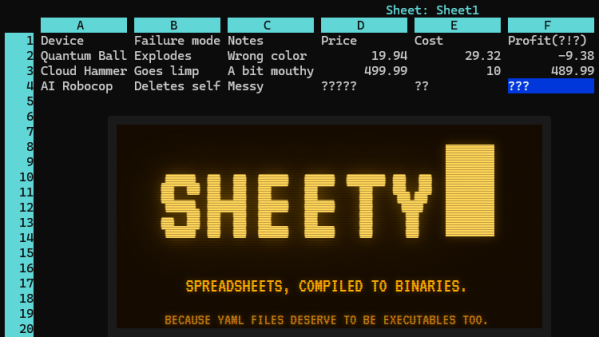
Ever wanted a spreadsheet as an executable with a built-in terminal interface? No? Well, that’s a pity because [Roberto Alsina]’s Sheety project does exactly that.

Sheety compiles spreadsheet definitions into a self-contained, executable binary with zero runtime dependencies. It presents a simple terminal application (with mouse support) in which one can browse and edit data and formulas with a simple interface. As far as formats go it can import and export Excel files, or a human-readable .yaml file.

When Sheety runs, the data and formulas defined are compiled into a self-contained executable with the formulas baked in, and that’s actually what one sees and uses. If a formula gets changed in the UI, a new and updated version is created on the fly to reflect the changes.

Sheety is perfectly functional, though it does have some limitations. Can the display width of cells be resized? They cannot. Does anyone actually need this? Probably not, as [Roberto] happily admits. Is it a fun project? Absolutely.

Be warned that while Sheety supports the Excel format, it understandably doesn’t support every single function Excel has added in the over forty years it has been around.

Sheety is written in Crystal and the GitHub repository has everything you need if you’d like to give it a try for yourself.

Image

Abusing SQL To Play DOOM

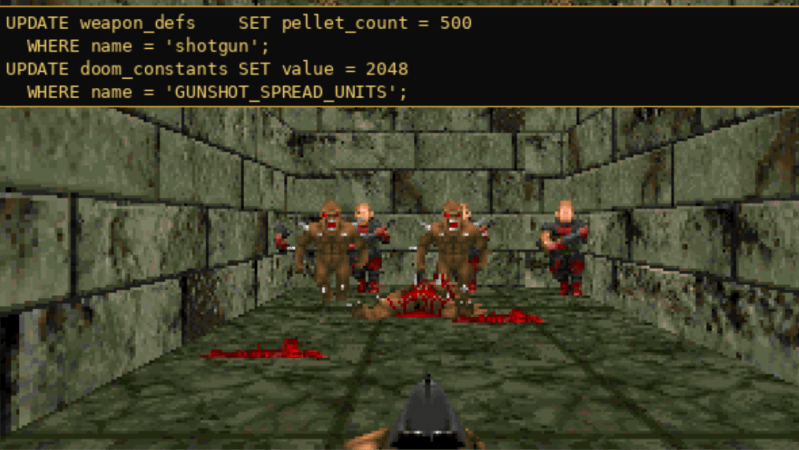
Most laypeople who encounter SQL think of it purely as a tool for managing large datasets. While that is certainly what it was designed for, SQL is still a programming language at its core. It includes many of the features found in general-purpose languages like C or Python, and although it wasn’t built for general-purpose work, it can handle a surprising range of tasks that programmers might not expect to use it for. To demonstrate its capabilities, and perhaps to show off their skills with SQL, a group at CedarDB ported the original DOOM to this language.

The project stores the WAD data (essentially everything except the engine) in a series of tables, which was fairly straightforward compared to the rest of the project. Where it gets more complicated is managing the timing that ties the game to 35 fps, and of course rendering the images. Their rendering process takes up 1300 lines of SQL across 89 common table expressions (CTEs) which is certainly advanced for this language. The rest of the project is another 4000 lines of SQL, with a bit of Python to handle the keyboard inputs, timing, and display of the generated bitmap.

Perhaps counterintuitively, DOOM might be the perfect game to run on SQL. It was built in an era before dedicated graphics cards and isn’t truly 3D, meaning that the programmers had to do a lot of tricks to get it to look as if it is 3D. This results in a lot of data transformations uniquely suited to SQL. It’s almost like DOOM‘s original renderer was built by someone with extensive SQL knowledge in the first place. For those looking to try this out, the source code for the project is available on a GitHub page, and for some other unique implementations of DOOM there’s also this version built in regular expressions and this one in Microsoft Word.

Image

The Database Powering America’s Hospitals May Not Be What You Expect

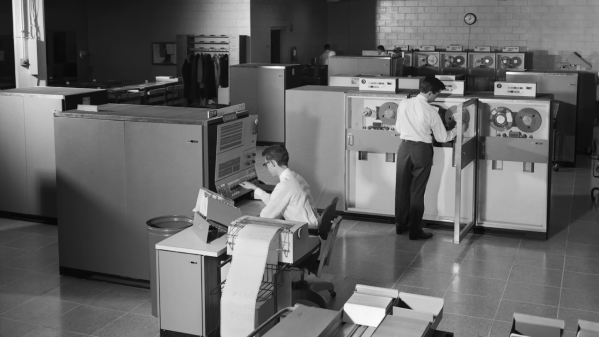
Ever heard of MUMPS? Both programming language and database, it was developed in the 1960s for the Massachusetts General Hospital. The goal was to streamline the increasingly enormous timesink that information and records management had become, a problem that was certain to grow unless something was done. Far from being some historical footnote, MUMPS (Massachusetts General Hospital Utility Multi-Programming System) grew to be used by a wide variety of healthcare facilities and still runs today. If you’ve never heard of it, you’re in luck because [Asianometry] has a documentary video that’ll tell you everything.

MUMPS had rough beginnings but ultimately found widespread support and use that continues to this day. As a programming language, MUMPS (also known simply as “M”) has the unusual feature of very tight integration with the database end of things. That makes sense in light of the fact that it was created to streamline the gathering, processing, and updating of medical data in a busy, multi-user healthcare environment that churned along twenty-four hours per day.

It may show its age (the term “archaic” — among others — gets used when it’s brought up) but it is extremely good at what it does and has a proven track record in the health care industry. This, combined with the fact that efforts to move to newer electronic record systems always seem to find the job harder than expected, have helped keep it relevant. Have you ever used MUMPS? Let us know in the comments!

And hey, if vintage programming languages just aren’t unusual enough for you, we have some truly strange ones for you to check out.

Continue reading “The Database Powering America’s Hospitals May Not Be What You Expect” →

Image

Implementing A Kalman Filter In PostgreSQL To Smooth GPS Data

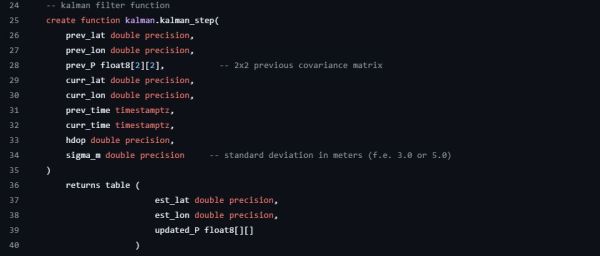
Usually databases are treated primarily as fairly dumb data storage systems, but they can be capable of much more. Case in point the PostgreSQL database and its – Ada-based – PL/pgSQL programming language, which allows you to perform significantly more complex operations than would be realistically possible with raw SQL. Case in point the implementation of a Kalman Filter by the folk over at Traconiq, which thus removes the necessity for an external filtering pipeline.

Using a Kalman Filter is highly desirable when you’re doing something like vehicle tracking using both dead-reckoning and GPS coordinates, as it filters out noise that can be the result of e.g. GPS reception issues. As noted in the article, transferring state from one row to the next requires a bit of lateral thinking, but is doable with some creative SQL usage. As PL/pgSQL is very similar to Oracle’s PL/SQL, this same code should work there too without too much porting required.

The code for the different implementations and associated benchmarks can be found on GitHub, though the benchmark results make it abundantly clear that the most efficient approach is to run an offline aggregate processing routine. This coincides with the other batch processing tasks that are typically performed by a database server to e.g. optimize storage, so this isn’t entirely unsurprising.

Image

Binner Makes Workshop Parts Organization Easy

We’ve all had times where we knew we had some part but we had to go searching for it all over as it wasn’t where we thought we put it. Organizing the numerous components, parts, and supplies that go into your projects can be a daunting task, especially if you use the same type of part at different times for different projects. It helps to have a framework to keep track of all the small details. Binner is an open source project that aims to allow you to easily maintain a database that can be customized to your use.

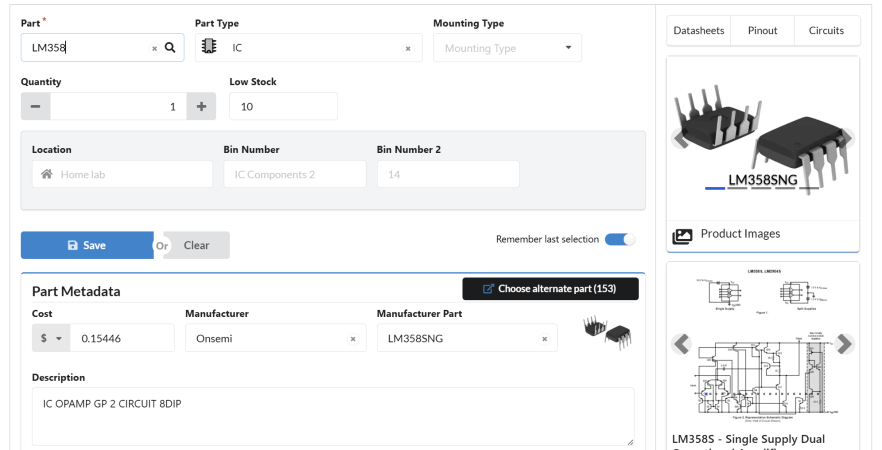
dashboard of binner UIIn a recent video for DigiKey, [Byte Sized Engineer] used Binner to track the locations of his components and parts in his freshly organized workshop. Binner already has the ability to read the labels used by well-known electronics suppliers via a barcode scanner, and uses that information to populate your inventory. It even grabs quantities and links in a datasheet for your newly added part. The barcode scanner can also be used to retrieve the contents of a location, so with a single scan Binner can bring up everything residing at that location.

Binner can be run locally so there isn’t the concern of putting in all the effort to build up your database just to have an internet outage make it inaccessible. Another cool feature is that it allows you to print labels, you can customize the fields to display the values you care about.

The project already has future plans to tie into a “smart bin” system to light up the location of your component — a clever feature we’ve seen implemented in previous setups.

Continue reading “Binner Makes Workshop Parts Organization Easy” →

Image

Logging Baby’s Day In Linux

There’s plenty of surprises to be had when you become a parent, and one of the first is that it’s suddenly your job to record  the frequency of your infant’s various bodily functions in exacting detail. How many times did the little tyke eat, how long did they sleep, and perhaps most critically, how many times did they poop. The pediatrician will expect you to know these things, so you better start keeping notes.

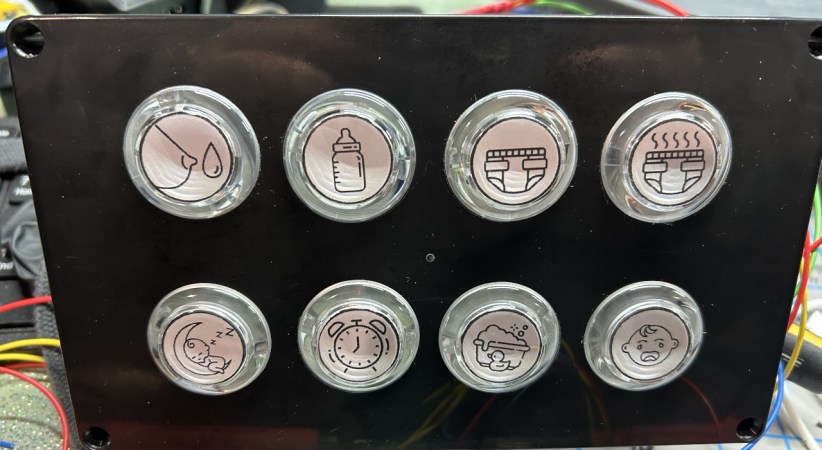
ImageOr, if you’re [Triceratops Labs], you build a physical button panel that will keep tabs on the info for you. At the press of each button, a log entry is made on the connected Raspberry Pi Zero W, which eventually makes its way to a web interface that you can view to see all of Junior’s statistics.

In terms of hardware, this one is quite simple — it’s really just an array of arcade-style push buttons wired directly into the Pi’s GPIO header. Where it shines is in the software. This project could have been just a Python script and a text file, but instead it uses a MariaDB database on the back-end, with Apache and PHP serving up the web page, and a custom Systemd service to tie it all together. In other words, it’s what happens when you let a Linux admin play with a soldering iron.

It probably won’t come as much surprise to find that hackers often come up with elaborate monitoring systems for their newborn children, after all, it’s a great excuse for a new project. This machine learning crib camera comes to mind.