Search the Community
Showing results for tags 'maps'.
-
Version 2.0.2
3,416 downloads
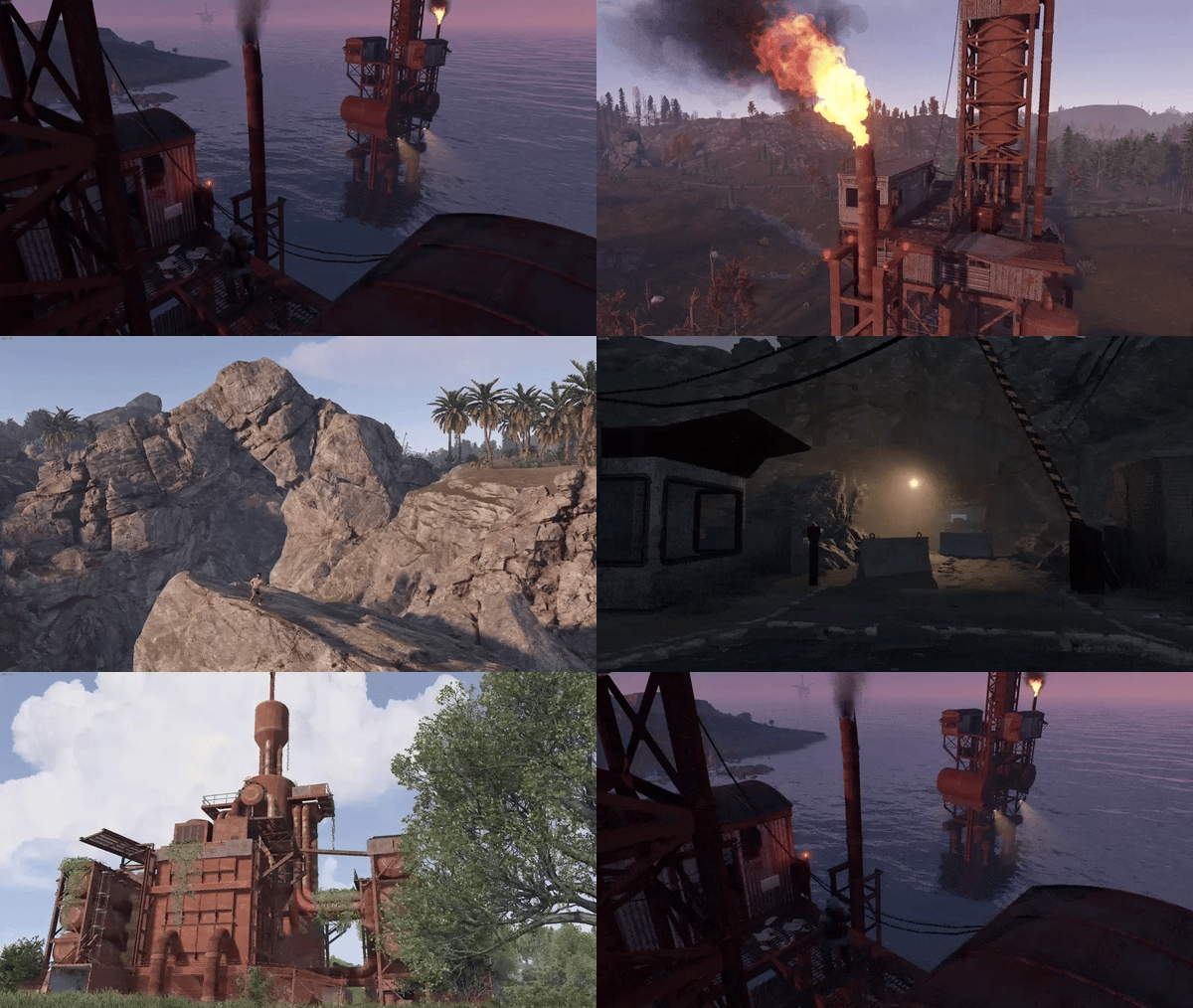
Gravel Pit is a 4000 vanilla blend custom map that has been redone to fix most issues with procedurally generated maps. It comes with many large custom rock formations to build on and much more for your players to enjoy and explore. (WARNING: If you edit this map, you need the latest Beta version of Rustedit from the RE discord, or it will break, and canyons will fill with water. I am not responsible for any map fixes if you have edited the map yourself and it no longer works as intended, though I am always willing to help) 💪Are you looking to start a server? Try Carbon!💪 Carbon is a modding framework designed to replace Oxide, developed by Codefling, that offers better performance and stability to pave the way for more complex plugins and reduce the headache of managing servers by being self-updating and the control panel in-game to manage everything related to your server, Carbon, and the ability to install and update both free and paid plugins at the click of a button in-game. Custom Monuments and POIs Oil Depot Oil Fields Research Post LPG Terminal Extraction Rig Pump Station Gas Plant Gravel Pit Large Bouys Custom Canyons Loading Station Derailed Mini Monuments Disposal Unit Industrial Site Auto Barge Vanilla Monuments Powerplant Train Yard Harbor Missle silo Water Treatment Launch site Outpost Dome Radtown Lighthouse Giant Excavator Arctic Research Base Gas Station Mining Outpost All mining Quarrys Military Tunnels Junkyard Satellite Dish Fishing Village (Big and small) Ferry Terminal Supermarket Bandit Camp Large Barn Both Oil rigsFree -
Version 2.2.0
28 downloads
Easy Map Voter is a tool for Rust server owners and administrators that makes map voting easy and intuitive. It stands out by mainly focusing on UI workflow instead of countless lines in a config. This makes the bot easy to use for even the least tech savy. Everything is saved into a database, so you only have to fill out everything once. Each poll session starts out by running the command: /startvote Thereafter you will be guided through every step in the UI. Each map voting poll prepares your community for the next wipe, by showing a countdown and date/time both before and after the voting session is finalized. Wipe schedules, Poll notifications and other server information is configured in the Rust Server Configuration Panel (UI). New Feature!: Simple/Advanced Embed Not only is the bot easy to use, but it also shows statistics from map votes, to help you understand your Rust communities map preferences. /mappreferences – View community map preferences /voter [user] – See individual voting history /votingstats – Interactive stats with top voters and recent activity Great for understanding what your players actually enjoy. "What type of map sources can be used?" Easy Map Voter lets you fetch maps in any way you would like. All maps are fetched and/or generated from Rustmaps.com: 1. Map Generation Select number of maps and map size. The bot will then generate new maps. 2. Map Filter Set a configuration through rustmaps.com and use the Map Filter to fetch already generated maps that fit your liking 3. Custom Maps Generation Generate your own custom map. Either multiple different map generations, or different versions of the same custom configuration. 4. Fetch Custom Maps by MapID If you already have a generated custom map, you can use that with the custom map link or MapID. This can also be used with bought custom maps from sites like Codefling. Upload them to rustmaps.com and use that MapID in the modal. 5. Fetch Maps by Direct Link If you are the type of dedicated Rust server owner that pre-pick maps before wipe, you can use the map links to fetch whatever map you would like. Requirements: - Python 3.12+ recommended. - A Discord application and bot token. - A Rustmaps API key. Python dependencies are listed in requirements.txt. Setup 1) Install requirements - Python 3.12+ installed and available on PATH. - Install dependencies from the project root: pip install -r requirements.txt 2) Configure your .env file DISCORD_TOKEN=your_discord_bot_token RUSTMAPS_API_KEY=your_rustmaps_api_key LOGGING_LEVEL=INFO 3) Configure config.json Open `config.json` and update the IDs and options for your server: { "discord": { "guild_id": 1234567890123456789, "prefix": "!" }, "roles": { "administration_role_id": 1234567890123456789, "vote_permission_role_id": null, "no_permission_embed": { "title": "No Permission", "description": "You don't have permission to vote. You need the required role to participate.", "image": "https://i.ibb.co/r2nn73fx/free-svg-a-red-circle-with-a-horizontal-white-bar-in-the-mi-th-769-no-entry-c-os-188041.jpg" }, "store": "https://example-shop.com", "enable_vip_voting": true, "vip_roles": [ { "role_id": 1234567890123456789, "vote_weight": 3 }, { "role_id": 1234567890123456789, "vote_weight": 2 } ] }, "appearance": { "embed_color_active": false, "embed_color": "gold" }, "voting": { "simple/advanced": "simple", "votes_per_user": 1 } } OBS. If a user has more than 1 VIP role, the bot auto defaults to the role with the highest weight 4) Discord bot permissions and intents Enable these gateway intents in the Discord Developer Portal: - Message Content Intent - Server Members Intent Recommended permissions for the bot invite: - Read Messages / View Channels - Send Messages - Embed Links - Add Reactions - Read Message History - Manage Messages Also include the applications.commands scope for slash commands. Running the bot: Run this line in the console or set it as the starting file if using a Host: python main.py Logs are written to data/logs/bot.log. For any help and support you can contact me on Discord #carl7332$15.00 -
Version 1.0.0
5 downloads
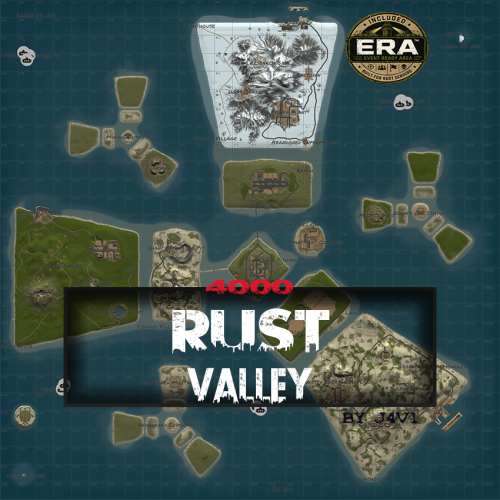
RUST VALLEY "More than a handcrafted map. A handcrafted Rust experience." A handcrafted 4096 Rust map built for exploration, progression and unforgettable PvP experiences. Rust Valley is a premium handcrafted archipelago that combines balanced monument progression, naval exploration and exclusive custom content designed to keep every wipe fresh and engaging. Every island has been carefully shaped to create meaningful travel routes, strategic base locations and natural player encounters while maintaining the authentic Vanilla Rust feeling. Beyond the standard monuments, Rust Valley introduces several handcrafted landmarks that expand gameplay without breaking balance, offering server owners unique experiences impossible to find on procedural maps. Whether your players are fighting over the massive Cobalt Tower, battling across the Twin Rigs, exploring the frozen Iceberg Island or hosting competitive PvP tournaments inside the exclusive ERA™ Event Ready Area, Rust Valley constantly creates new objectives throughout the wipe. Main Features Handcrafted 4096 map Inspired by the Rust logo Optimized for Vanilla & Modded servers Balanced monument progression Large naval gameplay area Custom end-game monuments Strategic island exploration High replayability Optimized road network Designed for Solo, Duo, Trio and Clan gameplay Exclusive Custom Content ERA™ Event Ready Area A completely handcrafted offshore military island designed specifically for PvP event plugins Supports: • GunGame • Battlefield • Team Deathmatch • King Of The Hill • Last Man Standing • Arena Events • Any custom PvP plugin The ERA™ island features balanced four-way gameplay, multiple combat routes, vertical structures, military buildings, power facilities and optimized night lighting, allowing server owners to host events without affecting the normal progression of the map. Cobalt Tower A massive custom vertical monument featuring a complete Green → Blue → Red Card progression. Designed as a true end-game objective with multiple floors, vertical combat and rewarding exploration. Twin Rigs A unique offshore combat zone where both Oil Rigs are positioned close to each other, separated by a handcrafted iceberg. This creates intense naval battles, long-range engagements and multiple tactical approaches never found on procedural maps. Combined Safe Zone Outpost and Bandit Camp have been merged into a single optimized location, reducing unnecessary travel while improving server quality of life. Monuments Included Airfield Launch Site Missile Silo Military Tunnels Arctic Research Base Giant Excavator Pit Water Treatment Plant Train Yard Ferry Terminal Ranch Large Barn Sulfur Quarry Stone Quarry HQM Quarry Satellite Dish Power Plant Harbor Lighthouse Fishing Villages Underwater Labs Large Oil Rig Small Oil Rig Abandoned Supermarket Mining Outpost Oxum's Gas Station Junkyard Dome Abandoned Cabins And much more... Designed For ✔ Vanilla Servers ✔ Community Servers ✔ Solo/Duo/Trio ✔ Clan Servers ✔ PvP Focused Servers ✔ Event Servers Performance Every custom area has been designed with performance in mind, using optimized object placement and natural terrain integration to maintain excellent server performance while delivering a unique gameplay experience. By j4v1 If you need support or have any questions, feel free to contact me through Codefling or Discord.$16.50 -
Version 8.0.0
156 downloads
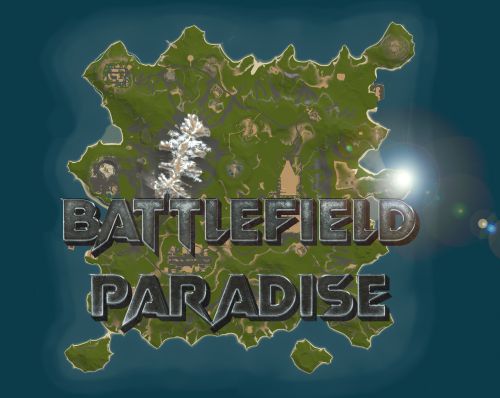
In the heart of this EPIC RUST BATTLEFIELD MAP lies a breathtaking landscape crafted for High-FPS and fast paced PVP Gameplay. Amidst towering mountains and sprawling valleys, players navigate custom buildable underwater caves that offer strategic advantages for building and hiding bases. At its center, a colossal mountain dominates the skyline with the iconic Large Oil Rig and a meticulously designed Buildable Dome, all optimized for peak performance with minimal entity counts. This will be the central area where your players gather to practice PVP in the Large Oil Rig and fend off enemies practicing Raid Defense and Offense in the EPIC scale Buildable Dome! NEW EXPERIENCE! Battle Towers Buildable Zone stands as a fortress of opportunity and conflict. Towering HUGE structures invite players to build bases on top of, defend against raids, and engage in intense PvP battles atop their formidable heights, giving one of the most FUN experiences any player can have in Rust! Scattered across the terrain are 22 bespoke buildable monuments, each marked with an X on the map, bringing in your players with a fresh take on base building locations. This masterpiece of design not only promises thrilling PvP encounters but also showcases a commitment to immersive gameplay and efficient server performance, making it the best released Map for Battlefield Rust servers to date! FEATURES • Size: 2800 • Prefab Count: 6352 • Map Optimized for Performance! • Map Password: Included. • Vast array of 22 EPIC Custom Buildable Monuments! • Designated building zones (marked X on the minimap) • Several Majestic Underwater Buildable Cave Bunkers! • Legendary Battle Towers Build Zone: An expansive custom-built zone featuring multiple towers for epic building, raiding, and intense PVP combat! • Monuments crafted for peak performance with minimal entities! • EPIC Scale PVP Mountain center of map with Large Oil Rig and Buildable Dome! • Everything crafted with Battlefield PVP Servers in mind for peak performance and EPIC scale FUN! • Monumental and realistic landscape! • Underground railway. CUSTOM BUILDABLE MONUMENTS: • Amount: 22 Total! • Buildable Dome • Custom Underwater Bunkers • Custom Large Size Bus Stop Base • EPIC Scale Rock Formation Cave • Medium Sized Glass Roof Cave • + MANY MORE! Facepunch Monuments: Launch Site Dome Giant Excavator Military Base 2X Large Oilrig Small Oilrig Nuclear Missile Silo Ferry Terminal Satellite Dish Small Harbor 2X Lighthouse 2X Gas Station 2X HQM Quarry Sulfur Quarry Stone Quarry Supermarket RadTown Power Substations Small and Large Jungle Ziggurat Cave Large Sewers Hard Cave Large Hard Cave Medium Medium Cave Large Medium Ranch Stables Fishing Village Bandit Town Outpost To Enable the Travelling Vendor on Custom Maps its optional to use this Oxide Plugin: https://codefling.com/plugins/anymapvendor Help Discord: @DarkoRust$24.99- 3 reviews
-
- 2
-

-

-
- #battlefield
- #custom map
- (and 25 more)
-
Version 1.1.1
41 downloads
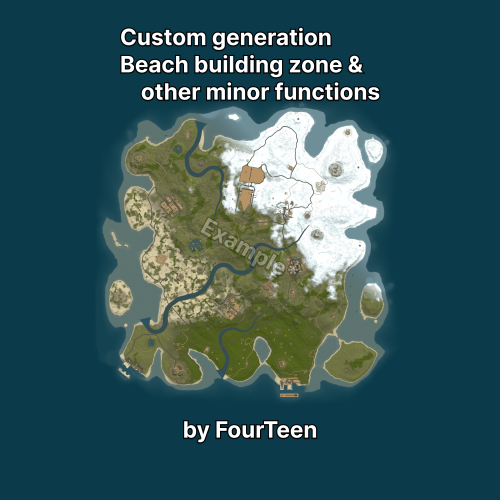
FCustomGeneration Adds prefab containers to procedural map generation on the server and controls placement, terrain and standard generation components. SECTION 01 Getting started Add a prefab container together with its layers to the required category. Start the server. A separate configuration file will be created for the container. Stop the server and configure its placement. On the next wipe, start the server normally. No additional action is required. All generation changes are applied only when a new map is created during a wipe. Reloading the plugin or restarting the server does not modify an existing map. A new wipe is required for changes to placement, terrain, WorldConfig or generation components to take effect. If you plan to use the full feature set, it is strongly recommended to configure and verify the map on a separate test server first. Placement, terrain and component settings may require several test wipes to get right. Be aware that Facepunch may ban the server IP address for frequent wipes. Use a local server for testing or be prepared for this risk. Custom structures are added to /data/FCustomGeneration/CustomMonuments/. Place the .prefab file and the layers saved with it in the appropriate folder: Category Placement Monument Ground Island Island with its own terrain Water Water surface Underwater Seabed FlyingIsland Specified altitude Roadside Beside a road ReplaceMonument In place of a standard monument The category provides the initial configuration values. After the file is created, the placement type and all other parameters can be changed manually. Additional subfolders are also read, but they do not receive a special preset. For example, a Rail folder is used only for organisation and receives the regular ground settings. SECTION 02 Editing a standard monument The /data/FCustomGeneration/Monuments/ folder accepts .map files used to extend standard monuments. The .map filename must match the root prefab name of the standard monument. That prefab must also be present inside the map: the plugin uses it as the origin, rotation and scale reference, then copies the remaining objects and paths onto every instance created by the server. This method does not create a new monument and has no separate placement configuration. It modifies the matching standard monument while the map is being created. A wipe is required for changes to appear. SECTION 03 Custom monument configuration A prefab container does not have to be a full monument. It can contain a small shed with a recycler and a few crates, a single object, flat terrain or a prepared building area, an island, a group of structures or an entire city. Count and distances Setting Effect Enabled Includes the structure in generation Target count Number of copies the plugin will attempt to place World size count multiplier Adjusts the count for different world sizes. The final count is the target count multiplied by the curve value Minimum world size The structure is not generated on smaller maps Attempts per structure Number of positions checked for each copy. A larger value helps with strict filters but increases generation time Minimum same type distance Spacing between copies of this container Minimum different type distance Spacing from other monuments Same prefab distance mode Any, Min or Max for copies of this container Other prefab distance mode Any, Min or Max for other monuments The world size count multiplier contains a list of points: Field Meaning Points Set of world sizes and their multipliers World size World size associated with the multiplier Multiplier Amount by which the target count is multiplied The multiplier is interpolated linearly between points. Outside the defined range, the nearest end point is used. Distance mode is configured separately for the same prefab and for other prefabs. Both fields accept these values: Mode Result Any First valid position Min Position closer to other objects while respecting the minimum spacing Max Most distant valid position Larger counts, structure bounds, spacing values and filter sets reduce the chance that every requested copy can be placed. Placement filters Setting Check performed Splat layers Ground surface type Biomes Arid, Temperate, Tundra, Arctic, Jungle Topology any At least one listed topology must match All topologies The area must contain every listed topology Topology not Areas containing the listed topologies are excluded Topology check radius Size of the checked area around the position Minimum distance to forbidden topology Additional spacing from roads, rivers, shores and other excluded areas Check placement map Prevents use of an area already occupied by the map generator The meaning of -1 and 0 depends on the field: Value Use in Result -1 Splat layers, Biomes, Topology any Any value is allowed 0 All topologies, Topology not The requirement or exclusion is disabled Do not use 0 for Splat layers, Biomes or Topology any. The server reports that mask as invalid. In the current version it effectively applies no restriction, but -1 is the supported value for "any". An empty string in All topologies or Topology not has the same effect as 0. For a large structure, do not check only its centre. Increase the topology radius and leave enough clearance from forbidden areas. A wide radius combined with a long exclusion list can remove almost every available position. Search area Search area mode accepts one of three values: Mode Search region Terrain Inside the main map ExtendedTerrain Inside and outside the main map OutsideTerrain Outside the map boundary only Additional settings: Setting Effect Extra bounds Search distance beyond the main map Min distance outside terrain Minimum outward distance from the map edge Max distance outside terrain Maximum outward distance. A value of 0 removes the limit Min terrain edge distance Prevents placement directly against the map boundary Extra terrain edge padding Adds clearance for the structure bounds Use terrain filters outside map Applies splat, biome, topology and placement-map checks outside the main area Clamp height/water checks to map edge Uses the nearest available edge sample for positions outside the map For an offshore structure outside the playable island, OutsideTerrain usually needs a minimum outward distance and a maximum distance limit. Without an upper limit, the structure may be placed far from the island. For ExtendedTerrain and OutsideTerrain, set Extra bounds or a positive maximum distance outside terrain. If both are 0, the search area does not extend beyond the map and OutsideTerrain cannot find a position. When terrain filters outside the map are disabled, splat, biome, topology and the placement map are skipped there; height, water, terrain difference and monument distances are still checked. SECTION 04 Placement type and height Placement type Value Behaviour Ground Placement on terrain Water Placement at ocean level Underwater Underwater placement with seabed checks Flying Placement at a specified altitude Roadside Finds a side road and aligns the structure to its direction Roadside requires a correctly prepared road or trail inside the container. The first such path is used for alignment; rail paths are skipped. Direction and height come from the selected server road segment, so height mode, random yaw and a fixed map point do not apply to Roadside. Height mode Value Height source Auto Ground uses terrain, Water uses ocean level, Underwater uses the seabed, and Flying uses absolute height Terrain Terrain surface or seabed Water Ocean level Absolute World zero height Height offset is applied after the base height is calculated. A positive value raises the structure and a negative value lowers it. Terrain height sample mode accepts one of four values: Value Calculation Center Height at the centre Average Average height across the structure area Min Lowest sampled point Max Highest sampled point Terrain height sample radius multiplier changes the sampled area. A value of 1 uses the regular structure bounds. A value that is too large may include a nearby slope. Max terrain height difference rejects uneven areas. A small value produces flatter placement but reduces the number of available positions. A larger value makes placement easier but increases the chance that an edge will be above ground or inside a slope. The maximum terrain difference check applies only to Ground placement. When terrain layers are disabled, a height layer stored in the container is not used for height selection or terrain difference checks. Water depth Minimum water depth rejects shallow water. Maximum water depth prevents placement in excessively deep water. A value of 0 disables the upper limit. The full structure area is checked, so a large platform or island needs sufficient depth at its edges as well. SECTION 05 Container terrain When Apply terrain layers is enabled, the container supplies: terrain shape; surface textures; terrain transparency; biome data; topology data. Smoothing joins the new terrain to the map: Setting Effect Height smoothing passes More passes soften the transition more strongly Height smoothing outside distance Width of the transition around the structure Height smoothing inside distance Smoothing inside the structure bounds. A value of 0 disables the inset; a large value changes the prepared centre area Height smoothing strength Smoothing intensity from 0 to 1 Increase the outside distance to correct a sharp edge. If the centre is being deformed, reduce the inside distance and smoothing strength. SECTION 06 RustEdit loot and vending presets If a container or shop uses a custom RustEdit preset, copy the preset file into the plugin folder: File Folder .lprof /data/FCustomGeneration/CustomMonuments/_Presets/LootPresets .vprof /data/FCustomGeneration/CustomMonuments/_Presets/VendingPresets For loot containers, the plugin uses the preset item list, minimum and maximum item count, blueprint chance and refresh time. NPC vending machines receive the sell orders from the vending preset. Loaded presets are stored inside the generated map file. The map can then be moved to another server without separate .lprof and .vprof files, but FCustomGeneration must be installed. The version embedded in the map takes priority. Generate the map again after changing a preset, otherwise the map will continue using the older embedded version. The map also stores entities added by the plugin, building blocks, IO connections and the required topology data. FCustomGeneration restores them on the destination server. SECTION 07 Paths The plugin transfers every path from the prefab container. A single structure can contain multiple roads, trails and railway paths at the same time. The connection type is selected automatically: Rail for a path with railway topology, Trail for a trail and Road for a regular road. Every detected path receives its own entry in the custom structure configuration, where the first and last ends can be enabled independently. A road and a railway path inside the same prefab container can therefore use different settings. When the configuration is first created, it uses the values stored in the prefab container. If RustEdit saved both ends of a railway path as disabled, enable the required ends in the configuration and wipe the server so the railway generator can use the structure on the new map. The path direction inside the container determines which side connects to the external path. Roadside placement also requires enough free road length and no nearby intersection. SECTION 08 Map point Use map point enables a fixed map region. When disabled, the plugin searches the complete selected search area. The map is divided into nine regions from left to right: 1-3 are at the top, 4-6 in the middle and 7-9 at the bottom. 5 is the centre. Map point offset X and Map point offset Z move the position within the selected region. Water depth, terrain, topology and distance rules are still checked. If the selected point does not satisfy them, the plugin searches for another valid position. With a map point enabled, no more than one copy is created regardless of Target count. The fixed Yaw value is used; Random yaw does not apply in this mode. SECTION 09 Rotation, scale and map marker Yaw sets a fixed rotation. Random yaw selects the angle automatically. It is normally disabled for roads, entrances and bridges. Scale changes the model size, bounds, paths, check radius and required free area. Create Monument topology marks the occupied area as a monument. Clear topologies after spawn removes selected topology types inside the structure area. Map marker text creates a map label. An empty value disables it. After increasing the scale, you may also need more spacing from other objects, the map boundary and the shore. SECTION 10 Replacing a standard monument Setting Behaviour Enabled Enables replacement Original monuments List of matches against standard object paths Replace chance percent 100 replaces every matching object; 0 disables replacement Keep original monument Keeps the standard object together with the custom structure Use original rotation Copies the orientation of the replaced monument Replacement count is determined by the number of matching standard monuments and the replacement chance. Target count, attempts, filters, distances and map point are not used for replacement. Minimum world size still applies. Height offset, scale, layers, paths, topology and the map marker are applied to every completed replacement. Use a sufficiently specific part of the original path. A short generic match can affect several different objects. Keeping both the original and custom structures is suitable only for an overlay prepared for that monument. SECTION 11 General plugin settings Shallow water This section raises and smooths the seabed within the selected depth range. Setting Effect Enabled Enables shallow water processing Beach depth Target depth of the processed area Depth limit Range of seabed depths included in processing Edge smooth radius Width of the transition Lerp power Smoothness of the transition Max rise Maximum amount by which the seabed can be raised above the target A wider depth range and smoothing radius produce a larger shallow-water area and a more visible change to the shore. Other settings Setting Effect Server browser map name Replaces the displayed map name. An empty value keeps the standard name Prefab blacklist Removes standard objects by a match in their name Log custom monument spawn results Records the requested and actual count after generation Existing prefabs on map points Places existing game objects in one of the nine map regions Use precise entries in the prefab blacklist. A generic word may remove several unrelated groups of decoration. This blacklist operates independently from WorldConfig. Inside WorldConfig, its blacklist is checked before its whitelist. A whitelist entry does not restore an object that has already been blocked by the blacklist. Each map-point prefab entry contains: Setting Effect Enabled Enables the entry Prefab path Standard game object to create Category Generation group to which the object is added Replace original prefab Removes regular procedural copies of this object Map point Region from 1 to 9 Offset X Horizontal offset on the X axis Offset Z Horizontal offset on the Z axis Height offset Raises or lowers the object Yaw Object orientation Scale Object size SECTION 12 World generation settings Setting Effect Unlock map size limit Allows world sizes above the standard limit Remove grass on map Removes grass and bushes across the map Allow building on roads Removes the building restriction from road topology Disable subway/tunnel generation Removes the underground railway and its entrances Monument priority Gives selected standard monuments an earlier placement position A larger map requires more memory and more generation time. When road building is enabled, players can block traffic. A long monument priority list leaves less space for other objects. WorldConfig Use WorldConfig replaces the standard world settings with values from this section. Setting Effect JSON string Internal WorldConfig string. Leave it empty; the separate fields below are used instead Tier 0 fraction Share of areas with entry-level loot Tier 1 fraction Share of areas with mid-level loot Tier 2 fraction Share of areas with high-level loot Arid fraction Share of the desert biome Temperate fraction Share of the temperate biome Tundra fraction Share of the tundra biome Arctic fraction Share of the arctic biome Jungle fraction Share of the jungle biome Main roads Enables or disables main roads Side roads Enables or disables side roads Trails Enables or disables trails Rivers Enables or disables rivers Power lines Enables or disables power lines Above-ground railway Enables or disables the surface railway Underground railway Enables or disables the underground railway Underwater laboratories Enables or disables underwater laboratories WorldConfig blacklist Standard prefabs that cannot be generated WorldConfig whitelist When not empty, only matching prefabs are generated Tier 0 to Tier 2 values are normalised against their total. Arid, Temperate, Tundra and Arctic are normalised in the same way; Jungle is handled separately. Setting all four main biome values to zero produces a fully temperate distribution. A very small biome share reduces the available space for monuments restricted to that biome. Generation components The list comes from the current server build and is written to the configuration when the server starts. The section may be empty before the first start. Once the list appears, stop the server, change the required values and create a new map on the next wipe. These changes are not applied to an existing map. Component names are not translated in the configuration. Use the exact English name. Entry setting Effect Name : Название Exact component name Enabled? : Включен? Whether the component runs Apply values? : Применять значения? Applies parameters from the Values section Values : Значения Component parameters available for editing If an entry only contains Enabled, that component can only be enabled or disabled. Apply values and Values only appear for components with available parameters. Components without Values are therefore not listed separately in this guide. PlaceMonuments components commonly expose: Setting Effect TargetCount Maximum number of different prefabs the component will attempt to place TargetCountWorldSizeMultiplier Adjusts the limit according to world size MinWorldSize Skips the component on smaller maps MinDistanceSameType Spacing between monuments from the same set MinDistanceDifferentType Spacing from other monuments DistanceSameType and DistanceDifferentType Any, Min or Max position selection Filter Allowed biomes, surface and topology TargetCount does not create multiple copies of the same standard prefab. If a set contains three eligible variants, a value of 1000 still places no more than three. This applies to sets such as Desert Military (PlaceMonuments), Fishing Villages (PlaceMonuments), Oasis (PlaceMonuments), Lakes (PlaceMonuments), Caves (PlaceMonuments) and Underwater Labs (PlaceMonuments). For PlaceMonuments, TargetCount 0 means no overall limit; it does not disable the component. Use Enabled to disable it. This differs from Target count in a custom monument configuration, where 0 prevents the structure from being created. Main Monuments (PlaceMonuments) is a set of different main monuments. Increasing TargetCount above the number of available prefabs adds nothing, while lowering it limits how many different monuments can be selected from the set. The final count also depends on world size, each prefab's minimum world size, filters and available space. Road, trail and river components may expose Width, TerrainOffset, length and count limits, selection mode and smoothing. A MaxPathCount below 0 keeps the standard number of paths, 0 removes all paths and a positive value sets the maximum. Underwater Labs (GenerateDungeonBase) exposes segment count, budget and floor limits for the initial section, start extension, end extension and open-socket filling stages. Only change fields added by the plugin to the Values section of that component. Disabling an early stage affects later stages. Without the road topology pass there is no road texture, road mesh or roadside decoration. Without a river there is nothing for later river stages to process. SECTION 13 Terrain configuration This experimental section changes the shape of the procedural map. When it is disabled, the server uses standard terrain generation. Setting Standard value Effect Enabled false Applies the values from this section Island intensity 0.1 Strength of the island shape and balance between land and water; range 0 to 1 Terrain blend scale 1 Scale of the transition between the main terrain forms Terrain shape scale 4 Size and strength of large terrain forms Terrain base offset -0.4 Moves the base shape up or down Terrain sample step 0.05 Sampling step for large terrain detail Terrain detail sample step 0.05 Sampling step for fine terrain detail Terrain blend half 0.5 Centre of the transition between terrain forms Terrain blend start 0.25 Point at which blending starts Terrain blend end 0.75 Point at which blending ends Terrain height range multiplier 2.75 Overall difference between lowlands and peaks Terrain world size scale 800 Size of terrain features relative to the map Terrain noise frequency A 0.0002 Frequency of large shape changes Terrain noise frequency B 0.0009 Frequency of additional shape changes Terrain height bias -0.1 Additional offset applied to calculated height Terrain angle degrees 180 Angular range used to build the terrain shape Ridge height offset -0.15 Vertical position of ridges Ridge noise blend 0.3 Amount by which ridges blend with the main terrain Ridge noise offset -0.02 Threshold at which ridges appear Ridge noise scale 0.025 Size of the primary ridge form Ridge noise scale secondary 0.03 Size of the secondary ridge form Mountain detail height scale 0.04 Amplitude of fine mountain detail Mountain height scale 0.07 Overall mountain height; range 0 to 0.3 Mountain noise offset -0.01 Threshold at which mountain areas appear Mountain noise scale 0.035 Size of mountain forms Lowland height scale 0.002 Strength of detail in lowlands Base noise octaves 6 Complexity of large forms; range 1 to 16 Detail noise octaves 8 Amount of fine detail; range 1 to 16 Terrain blend start must be below terrain blend half, and terrain blend half must be below terrain blend end. Both offsets affect the final height. A higher frequency produces smaller features. More octaves add detail and increase processing time. SECTION 14 If a monument was not placed Check the following in order: The structure is enabled, target count is above zero, and world size is not below the configured minimum. Biome, surface and topology settings do not conflict. Distance values and check radius are not excessive. The permitted terrain height difference is not too small. Water is deep enough across the complete structure area. Search area matches the selected placement type. Attempts per structure is sufficient for the selected restrictions. Problem Adjustment Fewer copies were placed Reduce spacing or the number of filters, or increase attempts Object is inside the terrain Raise height offset or select Average or Max Object is above the terrain Lower height offset or select Average or Min A hill or depression appears around the object Check terrain layer transfer, then reduce smoothing inside distance and strength A water object was placed close to shore Increase minimum water depth and distance from shore topology Selected map point was not used Relax its filters or adjust offset X and Z Changes are not visible on the current map Generation settings take effect on the next wipe$30.00 -
Version 2.0.3
85 downloads
Video Description You are a member of the crew of a cargo ship that got caught in a storm and crashed, stranded off the coast of a mysterious island that is teeming with beautiful landscapes and deadly danger. Soulless military, cannibals and thugs, abandoned factories and sewage treatment plants, crazy farmers and their plantations, the railroad and workers at the stations - everyone who lives on this island is against you. Explore the island, prove to everyone who gets in your way that you are not just a member of the crew of a cargo ship, you are the one who deserves the right to live in this merciless world. Use all your skills to survive and leave this island, the island of Foreign lands! Map size 3k Number of prefabs 39997 Landscape quality 2k Texture quality 2k The landscape is made in the World Creator program There are monuments with puzzles on the map Added custom configuration for custom monuments, for those who use the "Better NPC” plugin Custom monuments: Dark Forest Entrance Port Factory Area Farm Warehouse Fire Tower Gas Station Old Family Ranch Sewage Treatment Plant Train Station Water Town Wind Town Standard monuments: Airfield Arctic Research Base Fishing Village Harbor Junkyard Launch Site Lighthouse Oil Rigs Power Plant Quarry RadTown Sewer Branch The Dome Underwater Labs Water Treatment Plant Missile Silo How can I view the map? You can do this in our Discord server by submitting a request for an invitation to our servers. There you will be given the rights of an "administrator” and without any difficulties you will be able to fly around the map and fully familiarize yourself with it. Does the train not pass through the tunnels? For tunnels to work correctly with trains, you need to use the Work Cart Spawner plugin$30.00 -
Version 1.1.24
1,286 downloads
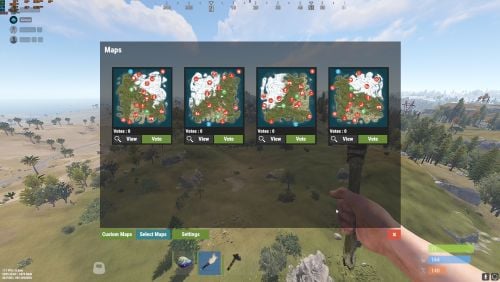
This plugin makes the admin’s life easier by automatically generating maps, initiating a vote that lets users choose which map they would like to play in during the next wipe. Depends on: Image Library Wipe Info API Discord extension UnZip for Windows Configuration Guide: Guide NEW GUI: Features: Automatically generate maps and start the vote ,every first Thursday of the month. Automatically generate maps on wipe day using https://rustmaps.com/ & wipe-info-api and start the vote. Allows players to vote on maps through an in-game UI or Discord (if you use any plugin that links a player and a Discord user, enable "only authenticated users can vote” in the config file to avoid duplicate votes). Automatically checks if it’s wipe day using wipe-info-api and the plugin’s config. Configure the plugin through a GUI (not all settings are available on the GUI). Select maps from rustmaps.com through a GUI via a RustMaps share code. Note : This plugin does not include auto wipe script. if you wish to automatically restart and update the server and wipes it on forced wipe or on schedule check the other version of Map voter. Video How to add Custom maps : Permissions: MapVoter.use only allows an admin to generate maps and start a vote. MapVoter.Manager allows an admin to use all the features. Commands: /mvote : Opens the plugin’s main GUI. /startvote After selecting which maps will appear on the vote, starts the vote. MapVoter.generate <Number of maps to generate> <seed> <voting duration in minutes>. voteresult : Shows which map had won the vote. Mapvoter.reload reload the plugin. MapVoter.stopvoting : stops ongoing voting. Discord commands: !vote !generate <Number of maps to generate> <seed> <voting duration in minutes>. Configuration { "Commands": { "Open MapVoter UI": "mvote", "Generate Mpas": "MapVoter.generate", "vote result": "voteresult" }, "Options": { "Select random maps from rustmaps filter id instead of generating random maps on wipe day (true/false)": true, "How many pages the plugin looks up per search request(every page has 30 maps": 10, "Enable Discord bot (true/false)": true, "Only players with permission MapVoter.Vote can vote (true/false)": false, "Map size": 3500, "Disable UI": false, "RustMaps API key": "https://rustmaps.com/user/profile", "staging": false, "barren": false, "Stop voting after (minutes)": 60, "avatar url": "", "Discord footer": "", "filter Id": "Visit https://rustmaps.com/ and adjust your map requirements. In the red box above the settings hit the Share button,the string at the end of the URL is the filterId.Example URL: https://rustmaps.com/?share=gEU5W6BUuUG5FpPlyv2nhQ the string at the end in this case {gEU5W6BUuUG5FpPlyv2nhQ} is the filterId." }, "Discord Settings": { "Discord Webhook": "https://support.discordapp.com/hc/en-us/articles/228383668-Intro-to-Webhooks", "Discord Apikey": "BotToken", "Discord Command Prefix": "!", "Discord Channels": [ { "Discord Channel ID": "", "Commands": [ "generate", "vote", "mapwipe", "bpwipe", "cancelwipe", "stopvoting", "update", "cancelupdate" ] } ], "Discord Command Role Assignment (Empty = All roles can use command.)": { "generate": [ "DiscordRoleName", "DiscordRoleName2" ], "vote": [ "DiscordRoleName", "DiscordRoleName2" ], "mapwipe": [ "DiscordRoleName", "DiscordRoleName2" ], "bpwipe": [ "DiscordRoleName", "DiscordRoleName2" ], "cancelwipe": [ "DiscordRoleName", "DiscordRoleName2" ], "stopvoting": [ "DiscordRoleName", "DiscordRoleName2" ], "update": [ "DiscordRoleName", "DiscordRoleName2" ], "cancelupdate": [ "DiscordRoleName", "DiscordRoleName2" ] } }, "Auto Vote": { "Auto start vote": true, "Only Authenticated users can vote through discord": true, "Start voting at (HH:mm) 24-hour clock (UTC)": "17:00", "Number of maps to generate": 4 }, "Auto Wipe": { "Custom Map": { "Custom map": false, "Map URL": "" }, "Map Wipe schedule": [ 7, 14, 21, 28 ], "BP Wipe schedule": [ 0 ], "Enable Auto wipe": true, "Wipe BPs at forced wipe day": true, "Forced Wipe time (HH:mm) 24-hour clock (UTC)": "19:00", "Wipe time (HH:mm) 24-hour clock (UTC)": "19:00" } } Contact kaysharp#2008$11.99- 25 comments
- 4 reviews
-
- 3
-
-

-
- #plugin
- #admin tool
- (and 7 more)
-
Version 1.1.1
8 downloads
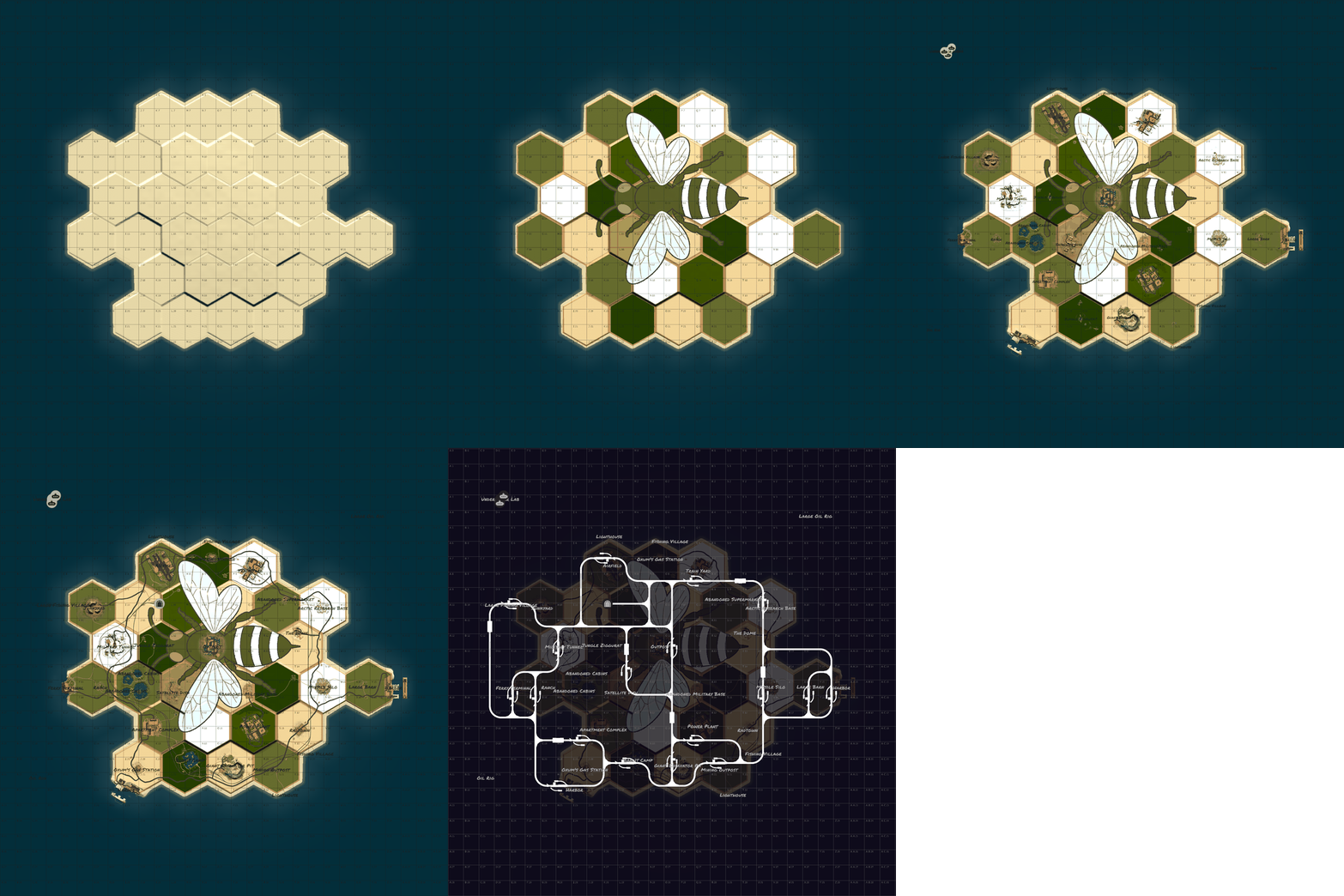
Discover Hex Hive, a uniquely crafted Rust map where honeycomb terrain geometry meets high performance and seamless exploration. Unique Setting: Hexagonal land geometry. Balance: Even distribution of monuments and resources across sectors. Optimization: Low prefab count for stable server performance and high player FPS. Compound roads are designed without gravel splats to keep the custom bee artwork clean and intact. The absence of rivers is compensated for by increased spawns of pumpkins, corn, and other crops in Tier 0/1 zones, frequently found near safe zones. Crocodiles spawn along the coastline near jungle hexes bordering the ocean All water surrounding the island up to a depth of 10 meters is fresh water. An excellent choice for servers looking to surprise their players with a truly unique visual style from the very first second. Password Included Map size 4500 Prefab count ~2720 I can help with editing the map for your server Monuments Apartment Complex Supermarket Gas Station Mining Outpost Radtown Ferry Terminal Harbor 1 Harbor 2 Junkyard Jungle Ziggurat Satellite Dish Sphere Tank Radtown Small Train Yard Power Plant Airfield Arctic Research Military Base Nuclear Missile Silo Military Tunnel + Control Room Giant Excavator Large Fishing Village Fishing Village Lighthouse Ranch Large Barn Cabins Bandit Camp Outpost Underwater Lab Oilrig 1 Oilrig 2$12.00 -
Version 1.0.1
9 downloads
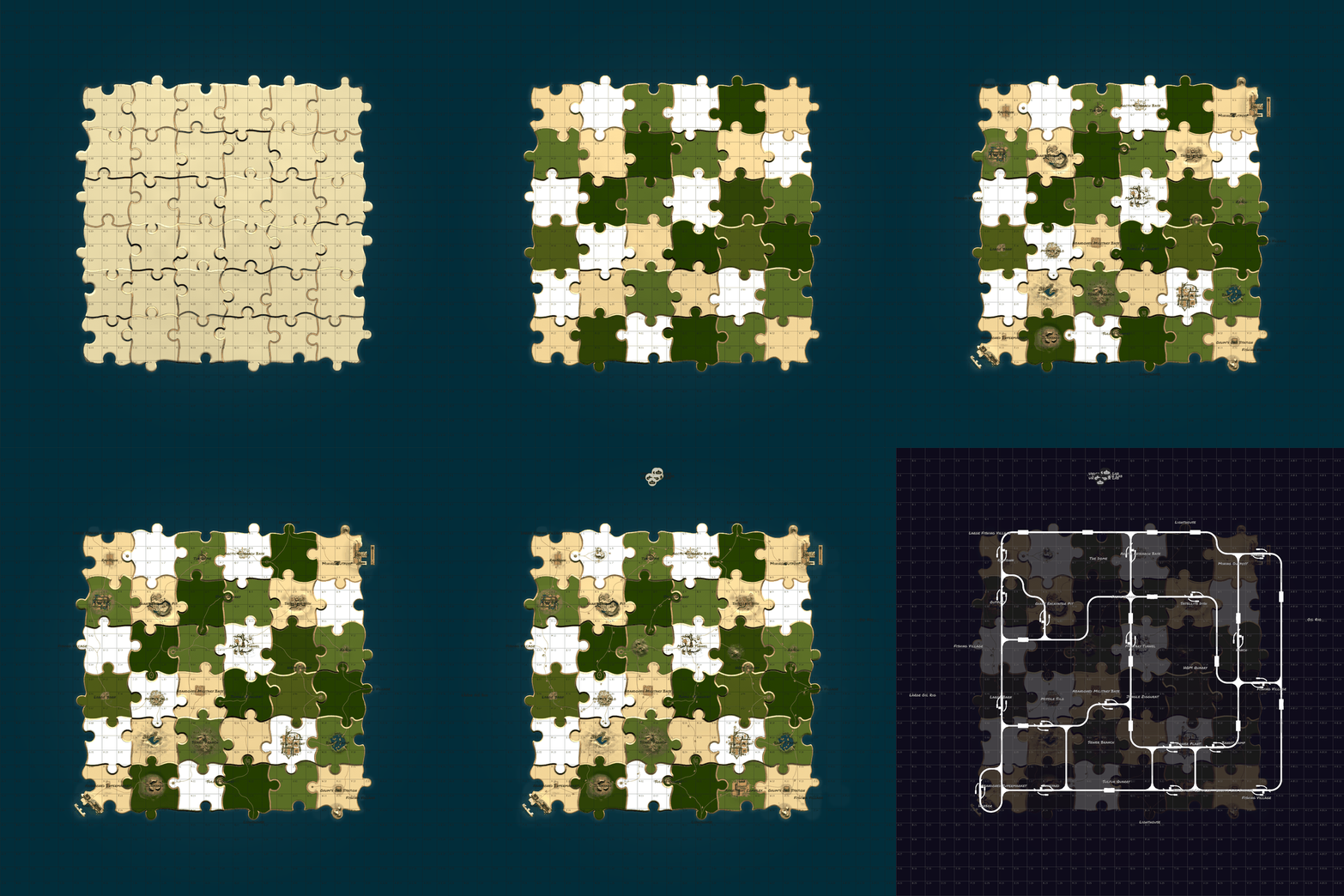
Puzzle Island is a unique conceptual map with a landscape entirely assembled from giant puzzle pieces. Jigsaw Structure: The map is visually and geographically divided into perfectly interlocking fragments. Biome Mosaic: Snow, desert, and forest zones intertwine in a unique pattern, creating sharp, contrasting borders. Fresh PvP Experience: Non-standard transitions between the "puzzle pieces" break traditional movement habits and create brand-new tactical situations. An excellent choice for servers looking to surprise their players with a truly unique visual style from the very first second. Password Included Map size 4500 Prefab count ~4090 I can help with editing the map for your server Monuments Apartment Complex Supermarket Gas Station Mining Outpost Radtown Harbor 1 Harbor 2 Junkyard Jungle Ziggurat Satellite Dish Sewer Branch Sphere Tank Radtown Small Power Plant Arctic Research Military Base Nuclear Missile Silo Military Tunnel Giant Excavator Large Fishing Village Fishing Village Lighthouse Ranch Large Barn Bandit Camp Outpost HQM, Sulfur, Stone Quarry Underwater Lab Oilrig 1 Oilrig 2$12.00 -
Version 1.0.3
34 downloads
Balanced map that is good for both PVP and PVE servers. It has a nice, detailed landscape. For easy travel, a ring road and railway with many branches go around the perimeter of the map. The map has several key features. A wide river runs through the entire island and divides it in half, creating a natural border and affecting player strategy. Along its banks, you will find several new custom locations. In the winter biome, there are "Spheres of Life" — unique zones with a temperate biom that are convenient for building a base. Additionally, at the source of the river, there is a custom monument that is only accessible by air and is buildable. Features: Size: 4500 Prefab: ~38к All locations are connected with the road Ring railway Ring road Unique custom locations Magnificent landscape Lot of places to explore Subway and train are connected by tunnel Advanced subway network Custom Monuments: Main Bridge Outpost Bridge Riverside Camp Old Catch Shard of Ages Spheres of life Factory Ruins Tunnel through the mountain Other small custom monuments Monument Rust: Jungle Ziggurat Jungle Ruins Jungle Trees with vines Jungle Swamps Radtown Harbor 1 and 2 Missle Silo Ferry Terminal Trainyard Abandoned MIlitary Base Launch Site Arctic Research Base Satellite Dish Airfield Bandit Camp Outpost Giant Excavator Pit Junkyard Military Tunnel The Dome Lighthouse Ranch Large Barn Water Treatment Fishing Village 1,2,3 Underwater Lab Oil rig and Large Oil Rig Railway Sewer Branch HQM, Sulfur, Stone Quarry Roadside Monument Mining Outpost Supermarket Gas Station Please ratethe map. Thank you! The map is password protected, if you want to make changes or you have any questions please write to me in discord. Litum on -$20.00 -
Version 2.3.2
141 downloads
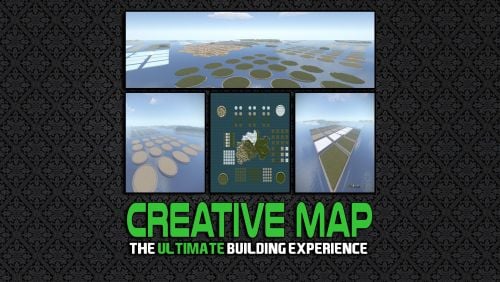
This feature filled map is guaranteed to take your Creative Server to the next level - give your players the ultimate playground for building. The map can be added to your server in a few simple steps, its really that easy to get installed and up and running! Map Size: 5000 Want to experience the map before purchasing? You can join our Official Build Server using the details below: Nexus Gaming | Creative Build Server IP Address: build.nexusgaming.uk Battlemetrics Link Full Feature List This map contains the following features: 4x Large Round Islands (1 of each biome type) 9x Islands with Caves (3 Snow/ 3 Grass and 3 Jungle) 25x Square Plots (10 Grass/ 5 Desert/ 5 Jungle and 5 Snow) 25x Square Plots (Ice) 24x Large Round Plots (6 Snow/ 6 Desert/ 6 Jungle and 6 Grass) 25 Smaller Round Plots (Grass) 25 Smaller Round Plots (Jungle) 20 Smaller Round Plots (Desert) 6x Large Round Plots (Snow) 6x Large Round Plots (Desert) 6x Large Round Plots (Grass) 6x Large Round Plots (Jungle) 15x Large Square Plots (Grass) 3x Large Square Plots (Snow) 3x Large Square Plots (Desert) 3x Large Square Plots (Jungle) The map also contains a large section of normal map in the middle, this also has all four biomes available. Video Overview Join my Discord You can join my official marketplace discord: https://rebootrust.com/market$15.00 -
Version 1.1.2
25 downloads
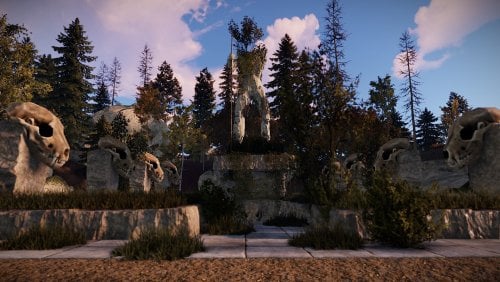
Map size: 3000. The Central mountain contains an excellent construction bunker that requires a lot of effort to build or eliminate. There are 2 previously used monuments. The map is considered lightweight for weak servers Custom Monuments •The old village with the guillotine. •Small and unusual caves under construction. •Temple. • Bunker underground in the style of The metro "Exodus”. • A certain number of articles. •A small Colosseum. •A stone giant skeleton – it looks beautiful and epic. • Farm island. •Robinson’s island. •An ancient monument with a small underground part. •Overgrown tunnel. Facepunch Monuments Launch Site Outpost Train Yard Sewer Branch Power Plant Bandit camp Sphere Excavator Harbor Military tunnels OilRig Stables This map is constantly supported and updated for the current version of the game with all updates!$19.90 -
Version R1377
385 downloads
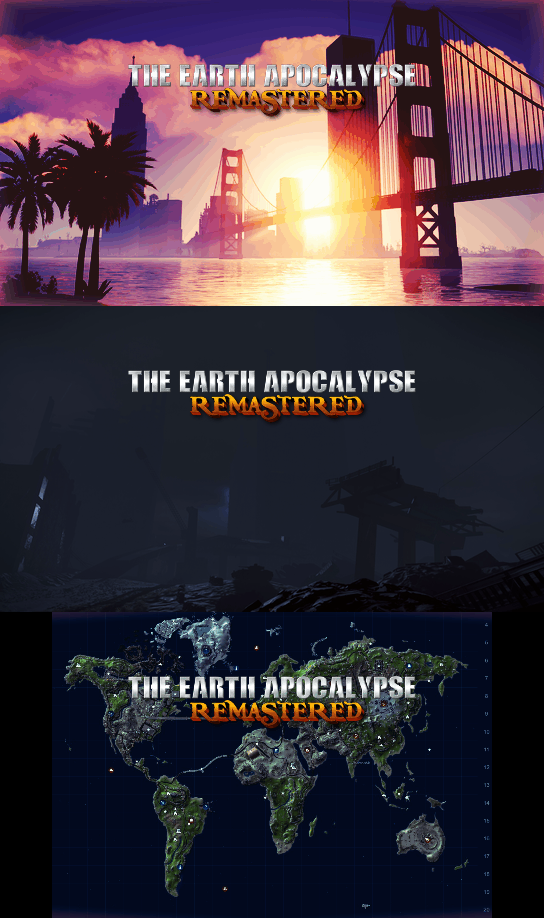
This is The Earth Apocalypse, the most known custom map in Rust history, now available on Codefling ! This map has been showcased and played by Facepunch themselves, along with many youtubers such as Frost, hJune and more who made movies/livestreams and videos on it ! The map constantly receive new updates to keep in line with new rust contents. NEW UPDATE, Version R1365 : MAJOR MAP OVERHAUL : CLIFF, ROCKS, LAKES, JUNGLE ! The Earth – Apocalypse by Keirox. The craziest rust custom map ever made. Years of hardwork. This map features a post-apocalyptic city, many unique monuments, crazy electricity puzzles, custom caves, and much more… So many places to explore and great things to experience. When this map released it was an huge earthquake to the custom map world thanks to it’s endless amount of content and awesome builts, and it inspirated a lot of people. This map has also been showcased by Facepunch and multiple youtubers. https://youtu.be/ZHHAceDvsGk – Map Size : 5800 (Ocean) Terrain equal to 3500km – Monuments : Launch Site, Harbor, The Dome, Super Market, Compound, Giant Excavator, Large Oil Rig, Submarine Labs, Fishing Villages, Farm, Missile Outpost, Nuclear Silo, Ferry, Oil Rig, Radtown – Custom : Installation 07, AC-130 Hangar, The Golden Gate Bridge, AC-130 Crash Site, Apocalyptic City, Infected Scientist Bunker, Mariana Trench, Abandonned Outpost, Custom Caves, Sea Safezone, and more. Performance is on point and everything is setup for vanila gameplay. BotRespawn and Kits data included for optimal experience. Prefabs count : 72,500 Keirox Custom Maps Discord : https://discord.gg/GXz2v7K3FJ Keirox Custom Maps Website : https://rust-keiroxcustommaps.com/$59.90 -

Version 1.1
9 downloads
Map Description Christmas is getting closer, and on this unique holiday-themed map you’ll be able to experience it in a whole new way. Hidden across its magical locations are valuable gift crates, nighttime roads glow with festive garlands, and every monument has been transformed into a beautifully decorated holiday zone filled with warmth and winter charm. Everyone who visits this place will feel the spirit of the season — this map will stay in players’ memories and become a world they’ll want to return to again and again. Map size 4500 Prefab count ~59000 I can help with editing the map for your server Monuments Warehouse Gas Station Supermarket Satellite Dish Harbor x2 Train Yard Giant Excavator Lounch Site Water Treatment Missle Silo Airfield Oilrig Small Oilrig Big Water well x2 Fishing Village x4 Outpost Bandit Camp Ranch x2 There are custom crate spawn points on the map. So, install /serverroot/RustDedicated_Data/Managed/Oxide.Ext.RustEdit.dll P.S. Thanks @Uncle Theodore , your prefabs made my map even better.$20.00-
- 3
-
-

-
- #christmas
- #christmas map
- (and 17 more)
-
Version 1.1.0
5 downloads
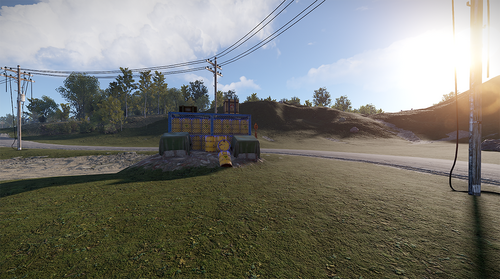
About Barren 4000 Size 4000 Seed 1269098304 Map Work A standard map has been generated. All stone textures (rocks, cliffs, coastal areas) have been removed. The entire grass cover on the map was removed. Removing grass caused loot near roads to stop spawning. To fix this issue, I placed over 20 variants of garbage piles along the roads, restoring resource distribution balance Large Monuments: 19 Small Monuments: 18 Tiny Monuments: 92 Islands: 8$5.00 -

Version 3.0.0
461 downloads
Launched in 2024, RustApp.io is a SaaS web-panel for RUST server moderation and management. The service collects detailed player information, helps identify rule-breakers, and automates routine staff tasks through a single, user-friendly web interface. By 2026, the platform handles up to 33,000 concurrent players across 170+ projects during peak periods. Key Features of RustApp Player Profile Detailed player information: SteamID64, IP, country, city, and ISP. Steam account analysis: VAC/game bans, profile visibility, account creation date, total RUST hours, last known RUST hours (if the profile is now hidden but was previously scanned), and hours played in the last two weeks. Team and nickname history across all sessions. Real-time statistics: K/D ratio, combat logs, kills & death history. Custom tags and fields for deep integration with your own plugins. Enforcement & Moderation Advanced ban system: Global or server-specific bans, IP bans, mass team bans, building removal, and support for proof or comment attachments. Automated moderation: Auto-kick for VPN users, restricted Steam profiles, low playtime and that’s not all. Shared ban lists: Access and subscribe to public ban lists from other projects. Custom moderation actions: execute your own server commands through the panel. Real-time map of your game server with live player positions, spectate mode for tracking specific players, and filtering by visibility options. Player Drawing System: View all active drawings on your servers, with the ability to delete them or add them to favorites to save your players' most creative or funny artwork. Sleeping Bag Tracking: Comprehensive history of sleeping bag transfers between players, including coordinates and server data, with fully customizable filtering. Communication & Inspection Full chat monitoring: History of global, team, and private messages. Unified report system: Aggregated reports from F7, RustApp UI or custom plugins. Inspection workflow: Dedicated tools to initiate and manage player checks. Analytics & Logs Audit logs: Full transparency of all administrative actions. Staff performance: Detailed tracking of moderator activity and effectiveness. Server metrics: Real-time monitoring of online count, unique players, and geography. Integrations & Alerts External integrations: Seamless connection with RustCheatCheck (RCC) and Discord. Real-time alerts: Notifications for suspicious players, VPNs, blacklisted accounts, and much more, including your own custom alerts. Developer API: Full access for building custom tools and external integrations. Web Panel Screenshots 2026-05-19 14-55-50.mp4 RustApp Plugin The server connects to the website via a plugin with fully open-source code. It is available on GitHub, where you can also suggest improvements. This ensures complete transparency: you always know exactly what is installed on your server and how the code operates. Usefull Links — Website: rustapp.io — Support: t.me/rustapp_help — Documentation: docs.rustapp.ioFree -
Hello, I accidentally purchased the map Vora Island twice. Would it be possible to transfer one copy to my friend Stormo? Here is his profile: https://codefling.com/stormo Thank you.
-
Version 1.0.4
20 downloads
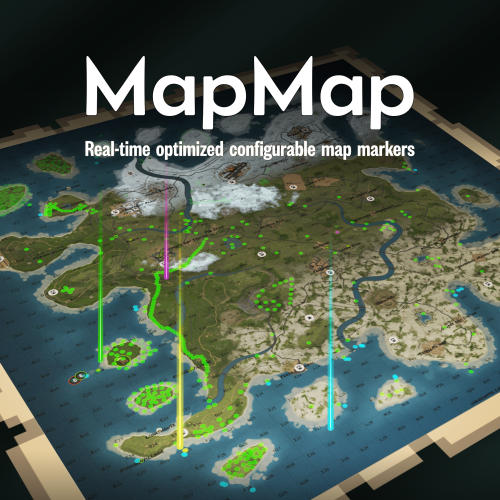
Ever loaded into a server and wondered... where is everyone? Those first few moments can make or break a new player's experience. MapMap turns that empty map into a vibrant, growing civilization MapMap adds beautiful, configurable map markers for 22 entity types, encouraging organic social interaction- all with minimal performance impact • New players see activity and stay longer • Organic towns and communities form • You control every aspect Supports Tool Cupboard Legacy Shelter Boat Building Station Player Boat Tugboat PT Boat RHIB Rowboat Kayak Submarine Hot Air Balloon (New!) Minicopter Attack Helicopter Scrap Transport Helicopter Car Bike Snowmobile (New!) Horse Train Engine Train Car Supply Drop (New!) Locked Crate (New!) Performance You Can Trust • Dynamic entities (boats, tugboats, vehicles) update in real-time with an incredibly efficient system, no unnecessary processing • Static entities (cupboards, shelters, stations) are updated only when created or destroyed, zero ongoing overhead • Adjustable update interval lets you fine-tune performance vs real-time accuracy Simple, Clean Configuration Match your server's theme or make each entity type instantly recognizable with 12 vibrant colors, alongside adjustable size and transparency- each individually configurable. Example: "UpdateInterval": 1.0, "ToolCupboard": { "Enabled": true, "Radius": 0.1, "Alpha": 0.3, "Color": "green" }, "LegacyShelter": { "Enabled": true, ... Colors • Red • Orange • Yellow • Lime • Green • Blue • Indigo • Purple • Magenta • Pink • White • Gray Ready to watch your server come alive? Get MapMap today and turn your next wipe into a story your players will talk about. Drop the file in your carbon/plugins folder, load the plugin c.load MapMap), and configure carbon/configs/MapMap.json to your liking if you adjust the config, save it, then run c.reload MapMap in the console I provide long-term support and am always open to bug reports and constructive feedback$19.99 -
.thumb.gif.2783fec2af550b37f1f2d2208321c385.gif)
Version 1.0.2
31 downloads
Hassle free setup. Takes less then 10 minutes to install. Removing countless hours of work instantly. Whats included? + BETTER CHAT - v2.2.78 + TRADE - v1.2.44 + BETTER LOOT - v3.5.8 + AUTO AUTHORIZATION - v1.3.3 + QUICK SMELT - v5.1.5 + GATHER MANAGER - v2.2.78 + NO ESCAPE - v2.1.35 + CLANS - v0.2.6 + STACK SIZE CONTROLLER - v4.1.2 + ALWAYS DAY - v1.0.1 + SPAWN MINI - v2.5.0 + RECYCLER SPEED - v2.0.2 + NTELEPORTATION - v1.7.8 + VANISH - v1.8.0 + REMOVER v4.3.41 + MORE! Server Feautures: - 5X Gather Rates. - All loot tables are perfectly balanced. - Players can teleport with a simple command if they are not combat or raid blocked. - Users with admin permissions will be able to vanish and moderate other players. - Time set to Always Day. Can change to your liking. - Clans, Recycler speed, & Remover tool. - And so many more features..... Not all plugins have to be used. You can modify all plugins to your exact liking if you wish. All of the items above are modified for 5x server.$5.00 -
Version 2.2.2
26 downloads
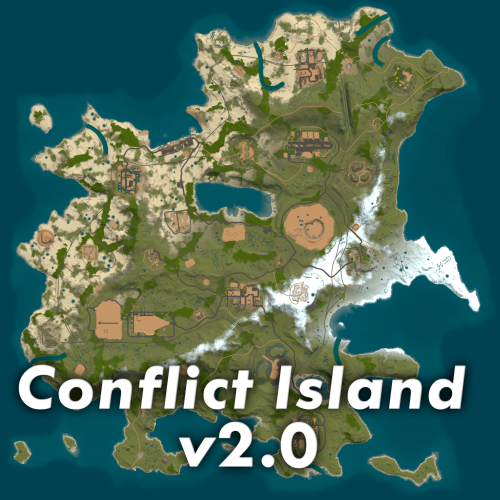
------------------------- Dll to work correctly: RustEdit ------------------------- My Discord: !LevexKroyt!#0983 My mentor: flouONEs If you find any bug - write in private messages. I'll definitely fix it!$20.00 -
.thumb.png.4a5cdee1670dbd151022e843ab1acb94.png)
Version 1.1.4
239 downloads
Automated Maps - plugin that allows you fully automate map wipe replacements. Plugin will automatically detect server wipe, get next map from configured maps pool and replace it. What this plugin can do? Create voting polls in using Discord API, so players can choose next map listed in map pool. Announce next map using Discord API. Automatically detect wipe. RustMaps integration, plugin can fill map pool using RustMaps.com API, supports custom map config and other paid subscription features. What is cron expression and how do I use it? A cron expression is a string of characters used to schedule tasks to run at specific times or intervals. It is widely used in Unix-based systems for automating repetitive tasks such as backups, updates, and maintenance. Structure of a Cron Expression Allowed values Allowed special characters Comment ┌───────────── second (optional) 0-59 * , - / │ ┌───────────── minute 0-59 * , - / │ │ ┌───────────── hour 0-23 * , - / │ │ │ ┌───────────── day of month 1-31 * , - / L W ? │ │ │ │ ┌───────────── month 1-12 or JAN-DEC * , - / │ │ │ │ │ ┌───────────── day of week 0-6 or SUN-SAT * , - / # L ? Both 0 and 7 means SUN │ │ │ │ │ │ * * * * * * Special characters which are supported by plugin now * (all): Specifies that the event should happen for every time unit. For example, * in the minute field means "every minute." - (range): Specifies a range of values. For example, 10-12 in the hour field means "10th, 11th, and 12th hours." , (values): Specifies multiple values. For example, 10,12 in the hour field means "10th and 12th hours." / (increments): Specifies incremental values. For example, 5/15 in the minute field means "5, 20, 35, and 50 minutes of an hour." Examples of Cron Expressions 0 12 * * * -> At 12:00 p.m. (noon) every day: 0/15 * * * * -> Every 15 minutes every day 0/5 13,18 * * * -> Every five minutes starting at 1 p.m. and ending at 1:55 p.m., and then starting at 6 p.m. and ending at 6:55 p.m., every day 30 9 * * 1-5 -> At 9:30 a.m. every Monday to Friday 0 0 L * * -> At 00:00 AM on the last day of the month 0 0 L-1 * * -> At 00:00 AM the day before the last day of the month 0 0 3W * * -> At 00:00 AM, on the 3rd weekday of every month 0 0 LW * * -> At 00:00 AM, on the last weekday of the month 0 0 * * 2L -> At 00:00 AM on the last tuesday of the month 0 0 * * 6#3 -> At 00:00 AM on the third Saturday of the month 0 0 ? 1 MON#1 -> At 00:00 AM on the first Monday of the January Detailed definition can be found here: Cronos You can try to use this generator. If you need help with setting up your own wipe schedule don't hesitate to ask for support! You can use plugin support section or DM me in Discord: metangerine. Configuration Language { "Discord_Poll_Title": "Please, choose next wipe map: ", "Discord_Poll_Option": "MAP #{0}", "Discord_Poll_Result_Title": "Vote ended with result: ", "Discord_Poll_MostVoted": "Most voted map", "Discord_Post_Title": "Next wipe map ({0}):", "Discord_Seed": "Seed", "Discord_Size": "Size", "Discord_PreviewLink": "Preview Link", "Discord_MapLink": "[Map Link]({0})" } Commands automaps.postnext - to post map automaps.runvote - to run vote CONTACT Need help or custom plugin for your server? Contact me using Discord: metangerine ----------------------------------------------------------------------$19.99- 4 comments
- 3 reviews
-
- 1
-
-
- #automated
- #maps
- (and 9 more)
-
Version 1.2.0
1,410 downloads
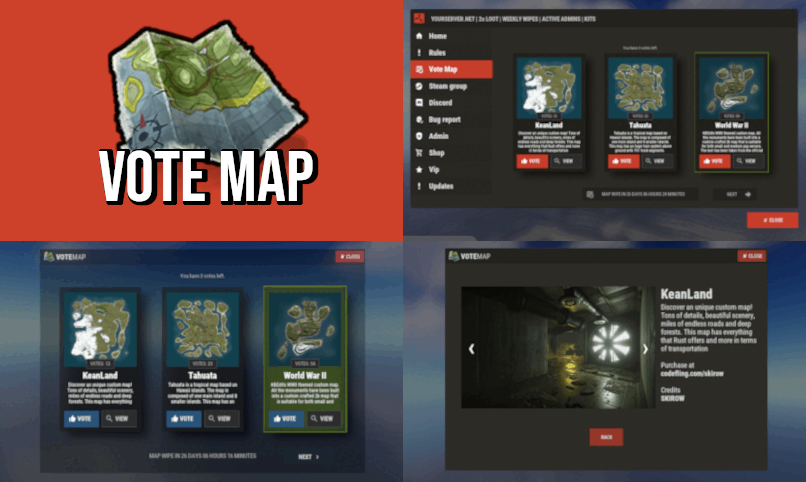
Give your players ability to vote for their favorite map or alternatively gather feedback on various custom maps to see if players are interested before buying them. • FAQ • Can I add as many maps as I want? Yes, numbers of map you can have is unlimited, although I recommend using around 15-20. • Do map votes wipes automatically? Yes you can enable this option in config file. Every time you change map, votes will be wiped. • Is there any limit for images? No, you can use as many images as you want, but I advice you using smaller images. Avoid using images with high resolution since plugin showing them in sizes 500x300 (image gallery) and 190x190 (thumbnail). You can use online image resizers. • ImageLibrary While I listed it as optional dependency, I strongly suggest you to install this plugin. Not only it will significantly speed up image loading in game but it will also preserve image quality for users with low gfx settings. If file size is above allowed limit of ImgLibrary, you will get console error and image wont be cached into server. In this case, image will be loaded directly from url. When you load VoteMap plugin first time, ImageLibrary should start load order automatically. If not, reload ImageLibrary and then reload VoteMap again or use console command "refreshallimages" . • Discord Message Broadcast winning map before the wipe into your discord server. • Commands • Map List Example (data/votemap/maplist.json) • Vote Settings (config/VoteMap.json)$10.99 -
Version 1.8.31
40 downloads
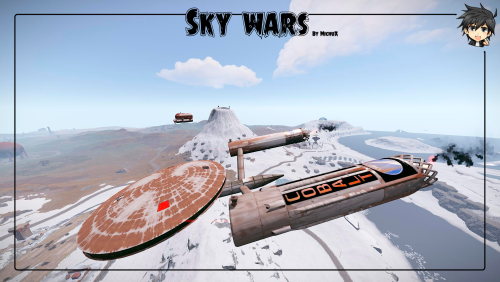
Welcome to a immersive world inspired by the epic voyages of Star Trek Discovery! Our meticulously custom map is a futuristic playground teeming with spaceships, cutting-edge robots, awe-inspiring historical monuments, and puzzles. We've diligently tested it since January with small population, continuously enhancing the experience for our vibrant community of explorers. The map is a canvas for your creativity, offering custom building zones that invite you to design and live out your sci-fi dreams. Throughout the landscape, you'll uncover intriguing monument puzzles and hidden treasures tucked away in every corner. Among our many monuments, 'Oil Smuggling' and 'Station X' have captured the hearts of players, becoming beloved landmarks. Explore a compact yet richly detailed world, with each monument housing 1-10 heavy scientists to challenge your skills. Embark on an adventure and leave your mark on this unique gaming realm. Features: Map size is 3000 ~ 50k prefabs Puzzle monuments Custom buildings Sky adventures Launch Post (replacement for Launch Site with Bradley) Station Z (replacement for Outpost and Bandit) Ziplines. Custom monuments: USS Enterprise Oil Smuggling Station Z TOI MC Rental Rocket Factory Titan's Rift Launch Post Battlefield Crashed Ship Hisui Island Metal Production Sulfur Production NCC-1701 Zone 1, 2, 3 2x Heli Tower Dish Shogun Monuments: The Dome Satellite Dish Fishing Village Large Fishing Village Lighthouse Ferry Terminal Mining Outpost Oxum's Gas Station Abandoned Supermarket Airfield Water Treatment Plant Arctic Research Base Harbor Missile Silo Underwater Lab Underground Railway Military Tunnel Oil Rig Large Oil Rig Stone Quarry HQM Quarry Radtown Jungle Ziggurat My Discord: MichuX#7469 The map will undergo continuous updates and to align with the latest Rust developments too. There are no download restrictions and you are welcome to freely modify and personalize it to your liking. (Password is attached to the map).$25.00 -
Version 1.0.4
28 downloads
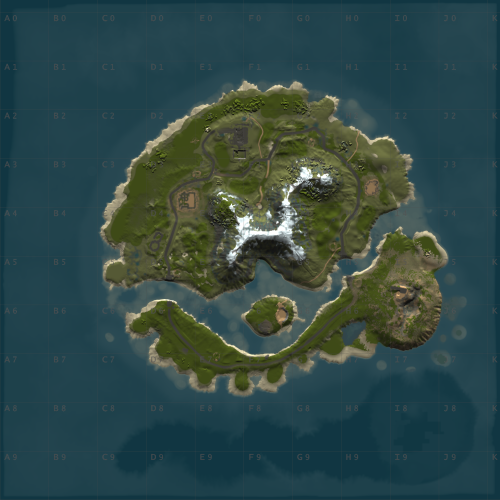
WindyCleft (OneGrid) A small map in the (OneGrid) style with unique monuments featuring intriguing puzzles and a fully customized underwater monument. Specially designed for OneGrid servers and servers with up to 150 players online. Custom Monuments: Fuel processing plant – a semi-ruined factory with two floors. Two Tower – Two towers connected high in the mountains with military crates. Mysterious house – at first glance, it’s just an ordinary wooden house in the forest under the mountain, but it’s only at first glance. The house hides a secret military bunker with a puzzle and security. You’ll find many interesting things there. Angar – it used to be used to unload military trains, but after the war in 2050, the island’s new residents started using the hangar to repair their cars. However, from the past, there is one room that no one has been able to open yet; they say there is something very valuable inside. Zavod – an old factory that once supplied the island with fuel; now only one external fuel processor remains. Post – a small roadside monument. Puzzle – a monument from the Hapis map slightly modernized. ??? – During a rescue operation with a sunken ship, Captain Morrison discovered an unusual underwater signal. He reported this information to the Cobalt Corporation, and since then, no one has seen them. Old residents say there was once an island there, but it sank after a volcano eruption. FacePunch Monuments: Fishing village Oil Rig SuperMarket Gas Station HQM Quarry Sewer Branch The map will be constantly supported and updated. If you have any questions, feel free to message me on Discord.$19.00-
- 1
-
-
- #maps
- #custom maps
- (and 28 more)
-
Version 1.0.9
24 downloads
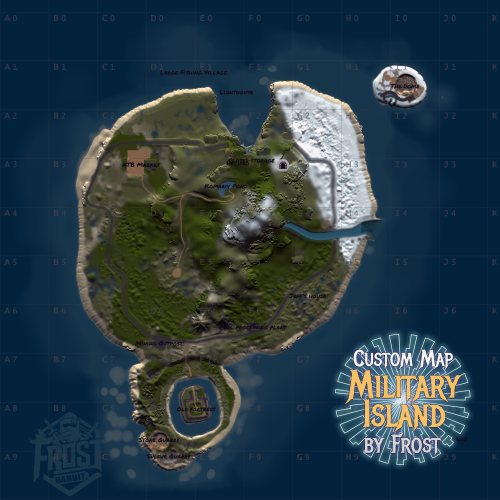
Small map in the style of (OneGrid) Designed with unique monuments, specifically created for OneGrid servers, optimized for maximum performance. The map will be continuously updated. Custom Monuments: TPZ - A partially ruined two-story factory. Bridge - A dangerous bridge with two lanes: one for vehicles and another for trains. A broken convoy guarded by NPCs is located on the bridge, which also leads to a hidden bunker inside a cliff. Sealed Vault - A bunker containing valuable loot, guarded by two NPCs at the entrance. Jeff's Cabin - A wooden house with loot and a recycler. Old Fortress - An ancient fortress on an island surrounded by water, accessible only via a bridge. Inside the fortress, you can find lots of interesting loot. Komariv Pond - Rumor has it a record-breaking catfish was caught here. ATB Market - A modern-style marketplace. FacePunch Monuments: Sphere Tank. Fishing Village. Lighthouse. Oil Rig. Hapis Blue Breakable Puzzle. Underwater Lab. Stone Quarry. Sulfur Quarry. If you have any questions, feel free to message me on Discord.$19.00- 2 comments
-
- 1
-
-
- #custom maps
- #maps
- (and 4 more)









.thumb.jpg.cd820ab870802b66e9b4930863d43ea3.jpg)