Search the Community
Showing results for tags 'plugins'.
-

Version 0.1.7
462 downloads
A plugin for collecting game statistics with database support, compatible with both SQL and web API methods. This functionality empowers website owners to display the desired statistics from the database on their sites. Moreover, it offers the capability to send data via API, which proves highly beneficial in scenarios where your gaming server and database reside on separate machines and the database restricts connections beyond localhost. Please note that an instruction manual will be included in the downloaded file and it is imperative for users to read it thoroughly. Collecting(The full list is available below in the section Collected Data) : Server information; Team information; Clan information; Feedback(F7) information; Report(F7) information; Player information. Sending data through: direct MySQL; via API(POST query) to MySQL. extendedstats.admin - Provides access to command estats. { "Chat command": "estats", "Is it worth enabling GameTips for messages?": true, "Unique ID of the current server": 0, "Database upload method(Disabled, WebAPI, MySQL)": "WebAPI", "Interval in seconds at which an attempt to load changes into the database will occur": 300.0, "Is it worth logging messages to the console when uploading to the database?": true, "API - Service URL": "https://localhost/ExtendedStats/index.php", "API - Service access key": "GlBRw-elM6v-gjko3-cxSDk-Tsy7B", "API - Timeout": 5.0, "MySQL - Host": "localhost", "MySQL - Port": 3306, "MySQL - Database name": "db_playrust", "MySQL - Username": "root", "MySQL - Password": "root", "Database table name - Servers": "db_servers", "Database table name - Teams": "db_teams", "Database table name - Clans": "db_clans", "Database table name - Feedbacks": "db_feedbacks", "Database table name - Reports": "db_reports", "Database table name - Players": "db_players", "Database table name - Players Balances": "db_players_balances", "Database table name - Players Stats": "db_players_stats", "Database table name - Players Farms": "db_players_farms", "Database table name - Players Gambling": "db_players_gambling", "Database table name - Players Kills": "db_players_kills", "Database table name - Players Explosions": "db_players_explosions", "Database table name - Players Raids": "db_players_raids", "Is it worth clearing saved statistics when a wipe is detected?": true, "Is it worth clearing the database when a wipe is detected?": true, "List of statistic categories to clear when a wipe is detected. Leave empty to recreate defaults": [ "players", "teams", "clans", "feedbacks", "reports" ], "List of language keys for creating language files": [ "en" ], "Wipe ID": null, "Version": { "Major": 0, "Minor": 1, "Patch": 6 } } EN: { "CmdMain": "Available commands:\n\n<color=#D1CBCB>/estats</color> <color=#D1AB9A>upload</color> - Initialize a forced data upload to the database\n<color=#D1CBCB>/estats</color> <color=#D1AB9A>save</color> - Save data to a local file on the server\n\n--------------------------------------------------", "CmdDBNotSelected": "Database connection method not selected!", "CmdAlreadyUploading": "You can't initialize a data upload to the database because there is already an active upload!", "CmdUpload": "You have successfully started a forced data upload to the database.", "CmdSave": "Saving data to a local file on the server:\n\n<color=#D1CBCB>/estats save</color> <color=#D1AB9A>clans</color> - Save all clans to a local file on the server\n\n--------------------------------------------------", "CmdSaveNotEnough": "Not enough records to save!", "CmdSaveClans": "Successfully saved {0} clans!" } RU: { "CmdMain": "Доступные команды:\n\n<color=#D1CBCB>/estats</color> <color=#D1AB9A>upload</color> - Инициализация принудительной загрузки данных в базу данных\n<color=#D1CBCB>/estats</color> <color=#D1AB9A>save</color> - Сохранение данных в локальный файл на сервере\n\n--------------------------------------------------", "CmdDBNotSelected": "Метод подключения к базе данных не выбран!", "CmdAlreadyUploading": "Вы не можете инициализировать загрузку данных в базу данных, так как уже существует активная загрузка!", "CmdUpload": "Вы успешно начали принудительную инициализацию загрузки данных в базу.", "CmdSave": "Сохранение данных в локальный файл на сервере:\n\n<color=#D1CBCB>/estats save</color> <color=#D1AB9A>clans</color> - Сохранение все кланы в локальный файл на сервере\n\n--------------------------------------------------", "CmdSaveNotEnough": "Не достаточно записей для сохранения!", "CmdSaveClans": "Успешно сохранено {0} кланов!" } Admin commands. Permission "extendedstats.admin" required: upload - Initialize a forced data upload to the database; save - Save data to a local file on the server: clans - Save all clans to a local file on the server; Example: /estats upload /estats save clans ServerData: ServerName ServerIdentity ServerIP ServerPort QueryPort ServerDescription ServerHeader ServerURL ServerTime ServerTags GameTags MaxPlayers ServerEntities ServerFPS ServerAvgFPS ServerUptime ServerMap MapSize MapSeed FirstSave LastSave WipeID ServerVersion ServerProtocol RconPort RconPassword TeamData: TeamID TeamName CreatorID LeaderID TeamMembers ClanData: ClanID ClanName ClanNameNormalized CreatorID CreatedTime ClanLogo LogoColor Motd MotdTimestamp MotdAuthor ClanRoles ClanMembers Score FeedbackData(Since the corresponding Oxide hook has shifted, not all types of feedback are processed) : ID UserID Subject Type Message Time ReportData: ID UserID TargetID TargetName Subject Type Message Time PlayerData: Info: UserID DisplayName Flags Language GroupsList TeamID ClanID BanReason Connection: PlayedTime - requires the PlaytimeTracker/PlayTimeRewards plugins IdleTime - requires the PlaytimeTracker/PlayTimeRewards plugins Connections Ping FirstConnectionIP LastConnectionIP FirstConnectionDate LastConnectionDate Balance: Balance - requires the Economics plugin Points - requires the ServerRewards plugin BankBalance - requires the BankSystem plugin IQBalance - requires the IQEconomic plugin Experience Reputation - requires the ReputationMaster plugin Statistics: TimeAlive - updates only after the player's death TimeSleeping - updates only after the player's death DistanceWalked - updates only after the player's death DistanceRun - updates only after the player's death TimeWilderness - updates only after the player's death TimeInBase - updates only after the player's death TimeInMonument - updates only after the player's death TimeSwimming - updates only after the player's death TimeFlying - updates only after the player's death TimeBoating - updates only after the player's death TimeDriving - updates only after the player's death Wounded WoundsInflicted WoundAssisted WoundRecovered DamageInflicted DamageTaken - updates only after the player's death Healed - updates only after the player's death ShotsFired - updates only after the player's death ShotsHit RentedAptPenthouses RentedAptStandards RentedAptBasements RentedShops OutbidShops BreakInAptPenthouses BreakInAptStandards BreakInAptBasements BreakInShops HalloweenVisits XmasVisits DeepSeaVisits ExcavatorStarts HeavyFusesInserted BearTrapInflicted BearTrapSteps MineInflicted MineSteps HandcuffsApplied Handcuffed PhoneCalls PhoneCallsTimeout MissionsStarted MissionsSucceeded MissionsFailed DeployedsList MonumentsList - requires the MonumentsWatcher plugin Farming: Barrels UnderWaterCrates ShreddedEntities DetectResourceFlags GreenDoors BlueDoors RedDoors FishAttempts Guts Supplies ExcavatorSupplies TropicalSupplies Chinooks Surveys ChickensHatched ChickenEggs BeehiveXP Blueprints CraftList GatherList RecycleList BuyerPurchaseList BuyerSpentList SellerSalesList SellerRevenueList CratesList FishList Gambling: BWG_Spins BWG_WinSpins BWG_SpendScraps BWG_WinScraps Slot_Spins Slot_WinSpins Slot_SpendScraps Slot_WinScraps Poker_Games - Placeholder Poker_WinGames - Placeholder Poker_SpendScraps - Placeholder Poker_WinScraps - Placeholder BlackJ_Games BlackJ_WinGames BlackJ_StandoffGames BlackJ_SpendScraps BlackJ_WinScraps RPS_Wins RPS_Losses RPS_Draws Kills: Kills FriendlyKills Deaths Suicides Beehives Chickens FarmChickens Snakes Boars Stags Horses Wolves Bears Polarbears Panthers Tigers Crocodiles Sharks PlayerNPCs Scientists Zombies Patrols Bradleys KillVehicles: PedalBikes MotorBikes Cars RowBoats RHIBs SubmarinesSolo SubmarinesDuo Tugs MiniHelis AttackHelis ScrapHelis Balloons Trains TrainWagons TrainCabooses Snowmobiles Ballistas BatteringRams Catapults SiegeTowers HitParts KillParts KillWeapons Explosions: Rockets RocketsHV RocketsIncendiary RocketsSmoke RocketsMissile RocketsMLRS Torpedoes ExplosiveAmmo Ammo40mmExplosive Ammo40mmSmoke GrenadesF1 GrenadesMolotov GrenadesFlash GrenadesSmoke GrenadesBean SatchelCharges C4Explosives PropaneBombs FireBombs CannonBalls MortarShells MortarFragShells Raids: Cupboards Doors Windows Foundations Ceilings Walls Doorways WindowFrames Stairs Hatches ExtWoodenGates ExtWoodenWalls ExtStoneGates ExtStoneWalls ExtIceWalls ExtIceShortWalls RaidedConstructionsList RaidedDeployableConstructionsList RaidableBases$14.99 -
Version 0.1.3.1
445 downloads
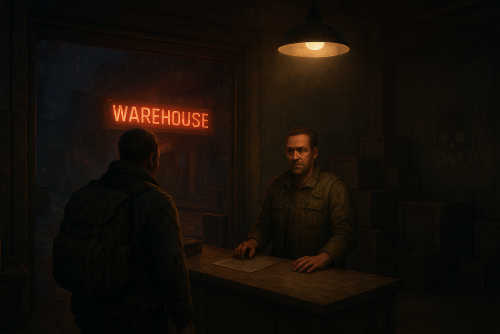
A multifunctional warehouse system for managing item storage and automated giveaways. Presence of unique dialogues with warehouse keeper that mimic vanilla-style interactions; The ability to create an unlimited number of custom permissions; The ability to configure permissions individually, allowing flexible customization for any preferences; The ability to limit the total number of available storages; The ability to adjust the number of slots for each individual storage; The ability to restrict which items can be stored; The ability to store food items with a configurable spoilage rate(fridge ability) ; Warehouse keepers with automatic spawning in all vanilla safe zones, as well as support for custom spawn points; The ability to customize the appearance of each warehouse keeper; The ability to restrict warehouse access to mission completion(in progress) or payment; The ability to configure a daily storage rent fee calculated based on the number of slots; The ability to apply an extra fine when attempting to renew an expired storage; The ability to automatically move all items from fully expired storages to the giveaway warehouse; The ability to host daily item giveaways(if items are available) ; The ability to preview items from the upcoming giveaway; The ability to define a forbidden item list for the giveaway warehouse; The ability to automatically move all items from players who die in safe zones(offline) to the giveaway warehouse; The ability to transfer dropped items(when disappear) to the giveaway warehouse; The ability to transfer items from a player's warehouse when the player is banned; The ability to transfer items from a player's body when the player is banned; The ability to transfer items from all of a player's storages when the player is banned; The ability to artificially fill the giveaway warehouse if it contains too few items; The ability to fill the giveaway warehouse by transferring items from all existing lootable boxes; The ability to notify players right before a giveaway starts. { "Chat command": "wh", "Is it worth enabling GameTips for messages?": true, "List of language keys for creating language files": [ "en" ], "Date display format": "MM/dd/yyyy hh:mm tt", "Price to skip mission": 200.0, "Storage purchase price": 100.0, "Storage slot purchase price": 50.0, "Storage slot daily rental fee": 10.0, "Interval in seconds for checking rent expiration": 600.0, "Number of hours before the rent expires during which renewal becomes available. A value of 0 disables the limit": 5, "Available slot options for new storage purchase": [ 1, 6, 18, 48 ], "List of warehouse permissions": [ { "Permission Name": "warehouse.default", "Limit of available storages. A value of 0 disables the limit": 1, "Limit on the number of slots per storage": 6, "Price multiplier for purchasing a storage": 1.0, "Price multiplier for purchasing a storage slot": 1.0, "Price multiplier for storage slot rental": 1.0, "Price multiplier for storage rental in case of delay": 1.5, "Food spoilage multiplier": 1.0, "List of forbidden items to storage": [ "blood" ] }, { "Permission Name": "warehouse.vip", "Limit of available storages. A value of 0 disables the limit": 2, "Limit on the number of slots per storage": 24, "Price multiplier for purchasing a storage": 0.9, "Price multiplier for purchasing a storage slot": 0.9, "Price multiplier for storage slot rental": 0.9, "Price multiplier for storage rental in case of delay": 1.4, "Food spoilage multiplier": 0.5, "List of forbidden items to storage": [ "blood" ] }, { "Permission Name": "realpve.vip", "Limit of available storages. A value of 0 disables the limit": 3, "Limit on the number of slots per storage": 48, "Price multiplier for purchasing a storage": 0.8, "Price multiplier for purchasing a storage slot": 0.8, "Price multiplier for storage slot rental": 0.8, "Price multiplier for storage rental in case of delay": 1.3, "Food spoilage multiplier": 0.0, "List of forbidden items to storage": [ "blood" ] } ], "Wipe ID": null, "Version": { "Major": 0, "Minor": 1, "Patch": 3 } } EN: { "CmdEconomicsNotEnough": "Not enough funds!", "CmdMain": "Available warehouse commands:\n\n<color=#D1CBCB>/wh</color> <color=#D1AB9A>keeper</color> - Manage warehouse keepers\n<color=#D1CBCB>/wh</color> <color=#D1AB9A>giveaway</color> - Manage item giveaways\n\n--------------------------------------------------", "CmdKeeperMain": "Manage warehouse keepers:\n\n<color=#D1CBCB>/wh keeper</color> <color=#D1AB9A>spawn *name*(optional)</color> - Spawn a Keeper at your position\n<color=#D1CBCB>/wh keeper</color> <color=#D1AB9A>kill</color> - Remove the Keeper you are looking at\n<color=#D1CBCB>/wh keeper</color> <color=#D1AB9A>name *name*</color> - Change the name of the Keeper you are looking at\n<color=#D1CBCB>/wh keeper</color> <color=#D1AB9A>wear</color> - Copy your items to the keeper\n\n--------------------------------------------------", "CmdKeeperNotFound": "Warehouse Keeper not found! You need to be looking directly at them.", "CmdKeeperSpawned": "Warehouse Keeper successfully spawned!", "CmdKeeperKilled": "Warehouse Keeper successfully killed!", "CmdKeeperNamed": "Warehouse Keeper's name successfully changed!", "CmdKeeperWearCopied": "Your outfit was successfully copied to the Warehouse Keeper!", "CmdGiveawayMain": "Manage item giveaways:\n\n<color=#D1CBCB>/wh giveaway</color> <color=#D1AB9A>start</color> - Force start the giveaway\n<color=#D1CBCB>/wh giveaway</color> <color=#D1AB9A>skip</color> - Force stop the active giveaway\n<color=#D1CBCB>/wh giveaway</color> <color=#D1AB9A>set \"HH:mm\"</color> - Set a new daily giveaway time\n<color=#D1CBCB>/wh giveaway</color> <color=#D1AB9A>fill *amount*(optional)</color> - Force fill the giveaway with random items\n<color=#D1CBCB>/wh giveaway</color> <color=#D1AB9A>clear</color> - Force clear all items from the giveaway storage\n\n--------------------------------------------------", "CmdGiveawayAlreadyActive": "You can't perform this action because a giveaway is already active!", "CmdGiveawayNotActive": "You can't perform this action because no giveaway is currently active!", "CmdGiveawaySetFailed": "Failed to set '{0}' as the new giveaway time. Correct format: HH:mm, e.g. 20:00.", "CmdGiveawaySet": "The value '{0}' has been successfully set as the new giveaway time!", "CmdGiveawayFillStart": "You have successfully started forcibly filling the giveaway storage with {0} random items!", "CmdGiveawayFillFinish": "The giveaway storage has been successfully filled with {0} random items in {1} seconds!", "CmdGiveawayClear": "The giveaway storage has been successfully cleared of all items!", "DialogueNotAllowed": "You do not have permission to access the storage!", "DialogueStranger": "Stranger", "DialogueBtnExit": "I don't think I'm interested. Farewell.", "DialogueInitialMain": "Hello! Have we met before? I don't recall seeing you around here...\nHow can I help you?", "DialogueInitialBtnIntroduction": "My name is {0}. And you? What do you do?", "DialogueInitialBtnExit": "Just passing by. Looking around.", "DialogueIntroductionMain": "My name is {0}, I'm with the Keepers Guild. We're a small group, but present in every safe zone.\nOur job is to ensure the safety of belongings that their owners can no longer protect. We guarantee complete security, you can store absolutely anything with us. Of course, this is a paid service.\n\n{1}, you say? Never heard of you...\nUnfortunately, we don't work with strangers. You can't really rely on them.", "DialogueIntroductionBtnGetMission": "I have some items for storage. How can I prove I'm trustworthy?", "DialogueGetMissionMain": "Hmm... Let me think...\nYou know, there is something.\nWe maintain close ties with the Guild of Wandering Merchants and I have a letter I haven't been able to deliver to them. They usually stop by the water towers.\n\nI could entrust it to you. What do you say?", "DialogueGetMissionBtnStart": "Perfect, I was heading that way anyway. I'm ready to help.", "DialogueGetMissionBtnPay": "I'd love to help, but this task seems too complicated for me.\nHow about I offer ${0} as a goodwill gesture instead?", "DialogueMissionStartedMain": "{0}, good to see you again!\nHow's the task I gave you coming along?", "DialogueMissionStartedBtnCancel": "Sorry, but I can no longer continue your task.", "DialogueMissionStartedBtnExit": "I'm still working on it.", "DialogueMissionCanceledMain": "I'm sorry you couldn't complete my task...", "DialogueMissionCanceledBtnGetMission": "I'm sorry too, but I'd like to prove my reliability once again.", "DialogueMissionCompletedMain": "{0}, you did a great job! I couldn't have managed without you.\nHow can I help you?", "DialogueMissionPayedMain": "${0}?\nHa, now we're speaking the same language.\nHow can I help you?", "DialogueDefaultMain": "Greetings, {0}! Long time no see. How can I help you?", "DialogueDefaultBtnForbiddenList": "I'd like to know which items are forbidden from being stored.", "DialogueDefaultBtnStorageList": "I'd like to check my storage.", "DialogueDefaultBtnGiveaway": "I'd like to know about item giveaways.", "DialogueForbiddenListMain": "Here's a list of items you're unfortunately not allowed to store:\n\n{0}", "DialogueStorageListMain": "Would you like to open one of your storages or acquire a new one?", "DialogueStorageListBtnStorageBuy": "Get new storage.", "DialogueStorageListBtnOpenStorage": "Open '{0}' with {1} slot(s).", "DialogueStorageListBtnBack": "Maybe next time.", "DialogueStorageBuyMain": "Great! Which purchase method would you prefer?\n\nThe price to purchase storage: ${0}\nThe price to purchase one slot: ${1}\nDaily maintenance fee per slot: ${2}\n\nKeep in mind that the size of any storage can be adjusted at any time, from 1 to 48 slots.", "DialogueStorageBuyOutLimit": "It looks like you've already used up your available storage limit.", "DialogueStorageBuyBtnBuy": "Purchase storage with {0} slot(s) for ${1}.", "DialogueStorageBuyBtnBack": "Maybe next time.", "DialogueGiveawayMain": "We regularly hold giveaways of unwanted and lost items.\n\nUsually, these include:\n- items from storages with expired rent\n- items left behind by players who left the game in a safe zone\n- items lost during battles\n\nThe next giveaway is scheduled for {0}(UTC), in {1}!\nHowever, the giveaway may start earlier if the number of items exceeds {2}.\nMake sure to come, you might get lucky and grab something valuable!", "DialogueGiveawayMainActive": "We regularly hold giveaways of unwanted and lost items.\n\nUsually, these include:\n- items from storages with expired rent\n- items left behind by players who left the game in a safe zone\n- items lost during battles\n\nThe giveaway is in full swing! If you don't want to miss out, hurry to {0}({1})!", "DialogueGiveawayBtnShow": "I'd like to know what items will be in the upcoming giveaway.", "DialogueGiveawayBtnBack": "Maybe next time.", "GiveawayStorageName": "Giveaway Storage", "GiveawayNotEnoughPlayers": "Unfortunately, there weren't enough players online for the giveaway. Don't miss the next giveaway, which will take place in {0}(UTC)!", "GiveawayNotEnoughItems": "Unfortunately, there weren't enough items collected for the giveaway. Don't miss the next giveaway, which will take place in {0}(UTC)!", "GiveawayStartAnnounce": "The item giveaway should start soon!\nEveryone, hurry to {0}({1})! Only {2} seconds left!", "GiveawayPauseAnnounce": "{0} items have been successfully given away! But that's not all! We still have more items left, we'll continue in {1} seconds!", "GiveawayEndAnnounce": "The item giveaway has ended! Over {0} items were given away! Don't miss the next giveaway, which will take place in {1}(UTC)!", "UiStorageUntil": "Until: {0}(UTC)", "UiStorageExpired": "Rent expired", "UiStorageNote": "Slot purchase price: ${1}.\nDaily rent per slot: ${2}.\nCurrent daily rent cost: ${3}.", "UiStorageNoteRestricted": "<b>Note:</b> You can only pay rent up to {0}h before it expires.\nSlot purchase price: ${1}, daily rent per slot: ${2}.\nCurrent daily rent cost: ${3}.", "UiStorageRental": "Pay Rent", "UiStorageRentPayed": "You have successfully paid the storage rent!", "UiStorageSlotsOcupied": "You can't reduce the number of slots because one of the reduced slots contains an item!", "UiStorageSlotsAdjusted": "The number of slots has been changed from {0} to {1}!" } RU: { "CmdEconomicsNotEnough": "Не достаточно средств!", "CmdMain": "Доступные команды хранилища:\n\n<color=#D1CBCB>/wh</color> <color=#D1AB9A>keeper</color> - Управление хранителями хранилища\n<color=#D1CBCB>/wh</color> <color=#D1AB9A>giveaway</color> - Управление раздачей вещей\n\n--------------------------------------------------", "CmdKeeperMain": "Управление хранителями хранилища:\n\n<color=#D1CBCB>/wh keeper</color> <color=#D1AB9A>spawn *имя*(опционально)</color> - Создать хранителя на вашей позиции\n<color=#D1CBCB>/wh keeper</color> <color=#D1AB9A>kill</color> - Удалить хранителя, на которого вы смотрите\n<color=#D1CBCB>/wh keeper</color> <color=#D1AB9A>name *имя*</color> - Изменить имя хранителя, на которого вы смотрите\n<color=#D1CBCB>/wh keeper</color> <color=#D1AB9A>wear</color> - Скопировать ваши вещи на хранителя\n\n--------------------------------------------------", "CmdKeeperNotFound": "Хранитель хранилища не найден! Вам необходимо смотреть прямо на него.", "CmdKeeperSpawned": "Хранитель хранилища успешно создан!", "CmdKeeperKilled": "Хранитель хранилища успешно удалён!", "CmdKeeperNamed": "Имя хранителя хранилища успешно изменено!", "CmdKeeperWearCopied": "Ваша одежда была успешно скопирована на хранителя!", "CmdGiveawayMain": "Управление раздачей вещей:\n\n<color=#D1CBCB>/wh giveaway</color> <color=#D1AB9A>start</color> - Принудительно начать раздачу\n<color=#D1CBCB>/wh giveaway</color> <color=#D1AB9A>skip</color> - Принудительно остановить активную раздачу\n<color=#D1CBCB>/wh giveaway</color> <color=#D1AB9A>set \"HH:mm\"</color> - Установить новое время ежедневной раздачи\n<color=#D1CBCB>/wh giveaway</color> <color=#D1AB9A>fill *количество*(опционально)</color> - Принудительно заполнить раздачу случайными вещами\n<color=#D1CBCB>/wh giveaway</color> <color=#D1AB9A>clear</color> - Принудительно очистить раздачу от всех вещей\n\n--------------------------------------------------", "CmdGiveawayAlreadyActive": "Вы не можете выполнить это действие, так как уже идет активная раздача предметов!", "CmdGiveawayNotActive": "Вы не можете выполнить это действие, так как раздача предметов не активна!", "CmdGiveawaySetFailed": "Не удалось установить '{0}' в качестве нового времени для раздачи. Правильный формат: HH:mm, пример 20:00.", "CmdGiveawaySet": "Значение '{0}' успешно установлено в качестве нового времени для раздачи!", "CmdGiveawayFillStart": "Вы успешно начали принудительное заполнение хранилища для раздач {0} случайными предметами!", "CmdGiveawayFillFinish": "Хранилище для раздач успешно заполнено {0} случайными предметами за {1} секунд!", "CmdGiveawayClear": "Хранилище для раздач успешно очищено от всех предметов!", "DialogueNotAllowed": "У вас недостаточно прав для использования хранилища!", "DialogueStranger": "Незнакомец", "DialogueBtnExit": "Думаю, мне это неинтересно. Прощайте.", "DialogueInitialMain": "Привет! Мы раньше встречались? Что-то не припоминаю, чтобы видел вас здесь...\nЧем могу помочь?", "DialogueInitialBtnIntroduction": "Меня зовут {0}. А вы кто? Чем занимаетесь?", "DialogueInitialBtnExit": "Я просто прохожу мимо. Осматриваюсь.", "DialogueIntroductionMain": "Меня зовут {0}, я из Гильдии Хранителей. Нас немного, но мы есть в каждой безопасной зоне.\nНаша задача — обеспечивать сохранность вещей, которые их владельцы не в силах защитить самостоятельно. Мы гарантируем полную безопасность, у нас можно оставить абсолютно любые предметы. Разумеется, это платная услуга.\n\n{1}, говорите? Никогда о вас не слышал...\nК сожалению, мы не работаем с незнакомцами. На таких нельзя полагаться.", "DialogueIntroductionBtnGetMission": "У меня есть несколько вещей для хранения. Как я могу доказать свою надёжность?", "DialogueGetMissionMain": "Хм... Дайте-ка подумать... Знаете, есть одно дельце.\nМы поддерживаем тесные связи с Гильдией странствующих торговцев, и у меня есть письмо, которое я никак не могу им передать. Они обычно останавливаются на водокачках.\nЯ мог бы поручить это вам. Что скажете?", "DialogueGetMissionBtnStart": "Отлично, мне как раз по пути. Я готов помочь.", "DialogueGetMissionBtnPay": "Я бы с радостью помог, но это для меня слишком сложное задание.\nКак насчёт {0}$ от меня, так сказать, в знак доброй воли?", "DialogueMissionStartedMain": "{0}, рад вас снова видеть!\nКак продвигается выполнение моего поручения?", "DialogueMissionStartedBtnCancel": "Извините, но я больше не могу продолжать выполнение вашего задания.", "DialogueMissionStartedBtnExit": "Я всё ещё работаю над этим.", "DialogueMissionCanceledMain": "Мне жаль, что вы не смогли выполнить моё поручение...", "DialogueMissionCanceledBtnGetMission": "Мне тоже жаль, но я хотел бы ещё раз доказать свою надёжность.", "DialogueMissionCompletedMain": "{0}, ты просто молодец! Без тебя я бы точно не справился.\nЧем могу быть полезен?", "DialogueMissionPayedMain": "{0}$? Ха, теперь мы говорим на одном языке.\nЧем могу быть полезен?", "DialogueDefaultMain": "Приветствую, {0}! Давненько не виделись. Чем могу быть полезен?", "DialogueDefaultBtnForbiddenList": "Я бы хотел узнать, какие вещи запрещено сдавать на хранение.", "DialogueDefaultBtnStorageList": "Я бы хотел заглянуть в своё хранилище.", "DialogueDefaultBtnGiveaway": "Я бы хотел узнать о раздаче вещей.", "DialogueForbiddenListMain": "Вот список вещей, которые, к сожалению, вам нельзя сдавать на хранение:\n\n{0}", "DialogueStorageListMain": "Хотите открыть одно из ваших хранилищ или оформить новое?", "DialogueStorageListBtnStorageBuy": "Оформить новое хранилище.", "DialogueStorageListBtnOpenStorage": "Открыть '{0}' на {1} слот(ов).", "DialogueStorageListBtnBack": "Пожалуй, в другой раз.", "DialogueStorageBuyMain": "Прекрасно! Какой способ покупки вас интересует?\n\nСтоимость покупки хранилища: {0}$\nСтоимость покупки одного слота: {1}$\nЕжедневная плата за обслуживание одного слота: {2}$\n\nУчтите, что объём любого хранилища можно изменять в любое время, от 1 до 48 слотов.", "DialogueStorageBuyOutLimit": "Похоже, вы уже использовали весь доступный лимит хранилищ.", "DialogueStorageBuyBtnBuy": "Приобрести хранилище на {0} слот(ов) за {1}$.", "DialogueStorageBuyBtnBack": "Пожалуй, в другой раз.", "DialogueGiveawayMain": "У нас регулярно проходят раздачи ненужного и потерянного имущества.\n\nОбычно это:\n- предметы из хранилищ, за которые не была вовремя оплачена аренда\n- предметы, оставшиеся у игроков, покинувших игру в безопасной зоне\n- утраченные во время боёв предметы\n\nСледующая раздача намечена на {0}(UTC), до раздачи осталось {1}!\nОднако раздача может начаться и раньше, если количество предметов превысит {2}.\nОбязательно приходите, возможно, вам повезёт урвать что-нибудь ценное!", "DialogueGiveawayMainActive": "У нас регулярно проходят раздачи ненужного и потерянного имущества.\n\nОбычно это:\n- предметы из хранилищ, за которые не была вовремя оплачена аренда\n- предметы, оставшиеся у игроков, покинувших игру в безопасной зоне\n- утраченные во время боёв предметы\n\nРаздача в самом разгаре! Если не хотите пропустить, срочно приходите в {0}({1})!", "DialogueGiveawayBtnShow": "Я бы хотел узнать, какие вещи будут в грядущей раздаче.", "DialogueGiveawayBtnBack": "Пожалуй, в другой раз.", "GiveawayStorageName": "Хранилище раздачи", "GiveawayNotEnoughPlayers": "К сожалению, для раздачи не набралось достаточного количества онлайн игроков. Не упустите следующую раздачу, которая будет в {0}(UTC)!", "GiveawayNotEnoughItems": "К сожалению, для раздачи не набралось достаточного количества предметов. Не упустите следующую раздачу, которая будет в {0}(UTC)!", "GiveawayStartAnnounce": "Раздача вещей должна скоро начаться!\nВсем срочно в {0}({1})! До начала осталось {2} секунд!", "GiveawayPauseAnnounce": "Было успешно роздано {0} вещей! Но это ещё не всё! У нас остались ещё вещи, продолжим через {1} секунд!", "GiveawayEndAnnounce": "Раздача вещей завершена! В раздаче было свыше {0} предметов! Не упустите следующую раздачу, которая будет в {1}(UTC)!", "UiStorageUntil": "До: {0}(UTC)", "UiStorageExpired": "Аренда просрочена", "UiStorageNote": "Покупка слота: {1}$.\nЕжедневная аренда за слот: {2}$.\nТекущая стоимость ежедневной аренды: {3}$.", "UiStorageNoteRestricted": "<b>Примечание:</b> продлить аренду можно только за {0}ч до её истечения.\nПокупка слота: {1}$, ежедневная аренда за слот: {2}$.\nТекущая стоимость ежедневной аренды: {3}$.", "UiStorageRental": "Оплатить аренду", "UiStorageRentPayed": "Вы успешно продлили аренду хранилища!", "UiStorageSlotsOcupied": "Вы не можете уменьшить количество слотов, так как один из уменьшенных слотов содержит предмет!", "UiStorageSlotsAdjusted": "Количество слотов было изменено с {0} до {1}!" } To access the commands, you must have the "warehouse.admin" permission. keeper - Manage warehouse keepers: spawn *name*(optional) - Spawn a Keeper at your position; kill - Remove the Keeper you are looking at; name *name* - Change the name of the Keeper you are looking at; wear - Copy your items to the keeper. giveaway - Manage item giveaways: start - Force start the giveaway; skip - Force stop the active giveaway; set "HH:mm" - Set a new daily giveaway time; fill *amount*(optional) - Force fill the giveaway with random items; clear - Force clear all items from the giveaway storage. Example: /wh keeper spawn "Custom Keeper" /wh giveaway start /wh giveaway set "21:30" /wh giveaway fill 124 Warehouse can only be accessed through Keepers. By default, they are located in all safe zones, but you can also add them anywhere else on the map. The configuration file is located in: *SERVER*\oxide\data\Warehouse\KeepersConfig.json { "List of custom spawn positions for Keeper NPCs": [], "List of spawn offsets in monuments for Keeper NPCs": { "compound": { "DisplayName": "Warehouse Keeper", "Force use as a giveaway source. If no sources are available, one will be chosen at random": true, "Position X": -19.28, "Position Y": 0.81, "Position Z": 2.25, "Rotation X": 0.0, "Rotation Y": -0.97, "Rotation Z": 0.02, "Rotation W": -0.25, "The main inventory item": { "ShortName": "spear.cny", "SkinID": 0 }, "The belt inventory item": { "ShortName": "botabag", "SkinID": 0 }, "The wear inventory items": [ { "ShortName": "hazmatsuit.frontier", "SkinID": 0 } ] }, "bandit_town": { "DisplayName": "Warehouse Keeper", "Force use as a giveaway source. If no sources are available, one will be chosen at random": true, "Position X": 11.75, "Position Y": 1.91, "Position Z": -41.14, "Rotation X": 0.08, "Rotation Y": -0.1, "Rotation Z": 0.0, "Rotation W": 1.0, "The main inventory item": { "ShortName": "spear.cny", "SkinID": 0 }, "The belt inventory item": { "ShortName": "botabag", "SkinID": 0 }, "The wear inventory items": [ { "ShortName": "hazmatsuit.frontier", "SkinID": 0 } ] }, "fishing_village_a": { "DisplayName": "Warehouse Keeper", "Force use as a giveaway source. If no sources are available, one will be chosen at random": false, "Position X": -26.76, "Position Y": 2.13, "Position Z": -20.55, "Rotation X": 0.04, "Rotation Y": 0.01, "Rotation Z": 0.0, "Rotation W": 1.0, "The main inventory item": { "ShortName": "spear.cny", "SkinID": 0 }, "The belt inventory item": { "ShortName": "botabag", "SkinID": 0 }, "The wear inventory items": [ { "ShortName": "hazmatsuit.frontier", "SkinID": 0 } ] }, "fishing_village_b": { "DisplayName": "Warehouse Keeper", "Force use as a giveaway source. If no sources are available, one will be chosen at random": false, "Position X": -10.16, "Position Y": 2.02, "Position Z": 20.73, "Rotation X": 0.05, "Rotation Y": -0.85, "Rotation Z": 0.08, "Rotation W": 0.51, "The main inventory item": { "ShortName": "spear.cny", "SkinID": 0 }, "The belt inventory item": { "ShortName": "botabag", "SkinID": 0 }, "The wear inventory items": [ { "ShortName": "hazmatsuit.frontier", "SkinID": 0 } ] }, "fishing_village_c": { "DisplayName": "Warehouse Keeper", "Force use as a giveaway source. If no sources are available, one will be chosen at random": false, "Position X": -3.0, "Position Y": 2.06, "Position Z": 11.47, "Rotation X": 0.06, "Rotation Y": 0.03, "Rotation Z": 0.0, "Rotation W": 1.0, "The main inventory item": { "ShortName": "spear.cny", "SkinID": 0 }, "The belt inventory item": { "ShortName": "botabag", "SkinID": 0 }, "The wear inventory items": [ { "ShortName": "hazmatsuit.frontier", "SkinID": 0 } ] }, "stables_a": { "DisplayName": "Warehouse Keeper", "Force use as a giveaway source. If no sources are available, one will be chosen at random": false, "Position X": 2.47, "Position Y": 3.04, "Position Z": -14.16, "Rotation X": 0.0, "Rotation Y": -0.97, "Rotation Z": 0.02, "Rotation W": -0.25, "The main inventory item": { "ShortName": "spear.cny", "SkinID": 0 }, "The belt inventory item": { "ShortName": "botabag", "SkinID": 0 }, "The wear inventory items": [ { "ShortName": "hazmatsuit.frontier", "SkinID": 0 } ] }, "stables_b": { "DisplayName": "Warehouse Keeper", "Force use as a giveaway source. If no sources are available, one will be chosen at random": false, "Position X": 2.79, "Position Y": 3.0, "Position Z": 29.68, "Rotation X": -0.02, "Rotation Y": -0.73, "Rotation Z": 0.02, "Rotation W": -0.69, "The main inventory item": { "ShortName": "spear.cny", "SkinID": 0 }, "The belt inventory item": { "ShortName": "botabag", "SkinID": 0 }, "The wear inventory items": [ { "ShortName": "hazmatsuit.frontier", "SkinID": 0 } ] } }, "Version": { "Major": 0, "Minor": 1, "Patch": 0 } } The plugin supports item giveaways. Items list can be sourced from expired warehouses, banned players, and buried items. Administrators can also artificially populate giveaways by adding random items manually. The configuration file is located in: *SERVER*\oxide\data\Warehouse\GiveawayConfig.json { "Daily giveaway time. Format: HH:mm": "20:00", "Minimum number of players online required to start the giveaway. A value of 0 disables the limit": 0, "Forced giveaway start upon reaching the specified amount. Note: when there are a large number of items, the server may experience lag.": 480, "Minimum number of items required for the giveaway to take place. A value of 0 disables the limit": 0, "Time in seconds(1–600) before the giveaway starts to notify players": 300.0, "Number of items dropped per second": 16, "Is it worth moving lost items(BuriedItems) to the giveaway?": true, "Is it worth moving items from a player's warehouse to the giveaway when they are banned?": true, "Is it worth moving items from a player's body to the giveaway when they are banned?": true, "Is it worth moving items from a player's storage boxes to the giveaway when they are banned?": true, "List of forbidden items for giveaways": [ "blood" ], "Version": { "Major": 0, "Minor": 1, "Patch": 0 } }$29.99 -
Version 0.1.28
2,658 downloads
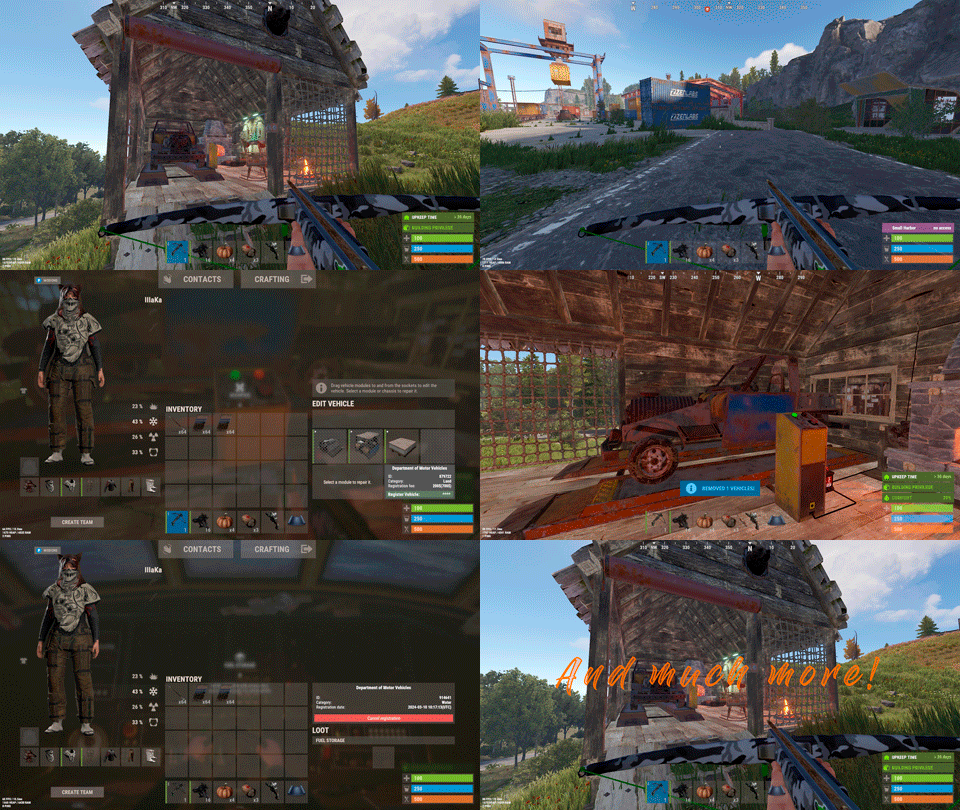
Plugin for Real PvE servers, featuring damage prevention, anti-griefing measures, customizable PvP zones, an automatic loot queue in radtowns and raid zones, and much more. The ability to set "server.pve" to "true", which allows the server to have a "PvE" flag; Damage from NPC's are enabled when server.pve is true; The ability to inflict damage to one's own structures with "server.pve true"; The ability to ignore Hostile depending on the zone(PvE/PvP) ; The ability to destroy(including external walls) or rotate one's structures without any time constraints; The ability to toggle the gather resource restriction in someone else's Building Privileges; No one, except the owner or their friends, will be able to open their loot containers (chests, storages, bodies, etc.); Administrators can bypass loot restrictions; The ability to schedule the killing of players if they disconnect within someone else's Building Privilege; Disabling backpack and active item drop upon death, even if backpack is full; The ability to modify the items given at spawn on the beach; The ability to create an unlimited number of custom permissions; The ability to allow players to bypass the queue; The ability to set limits on sleeping bags, shelters and auto turrets for each permission; The ability to set a multiplier for the prices of monuments and events for each permission; The ability to customize the price and amount of vehicles for each of your custom permissions; The ability to assign vehicles to each player; The ability to customize the assigned price and available amount of vehicles for each of your custom permissions; An assigned vehicle can't be damaged, looted or pushed by other players, but it can be pushed if it is within someone else's Building Privilege; The ability to loot monuments through a queue system; The ability to configure monuments, setting their looting price and time, and adjusting status bars for each monument; The ability to acquire the privilege to loot events (helicopters, bradleys, and raidable bases) through a purchase; The ability to customize the price of each event types and loot attempts (lives); NPCs only aggress against players who are looting monuments, events or raidable bases; Only players who are looting monuments, events or raidable bases can inflict damage to NPCs; RaidableBases are protected from griefing(no damage, no loot and etc). Only the owner can interact with the raid; Neutral RaidableBases can be purchased; Prices for purchasing neutral raids are configurable for each difficulty level; Configurable raid limits (currently available) along with discount multipliers for purchases, for each permission. File location: *SERVER*\oxide\data\RealPVE\PermissionConfig.json Default: https://pastebin.com/5VtWZZVr All permissions are created and configured in the config file under the "List of permissions" section. You can create as many permissions as needed and customize them flexibly. It is recommended to use the prefix "realpve" in the permission's name, for example: "realpve.vip". NOTE: The first permission will serve as the default permission for those who do not have any permissions. { "List of permissions. NOTE: The first permission will be used by default for those who do not have any permissions.": [ { "Permission Name": "realpve.default", "Bypass Queue": false, "Limit of beds": 15, "Limit of shelters": 1, "Limit of auto turrets": 12, "Seconds that will be skipped when opening HackableLockedCrate": 0.0, "Monuments price multiplier": 1.0, "Events price multiplier": 1.0, "Limit of RaidableBases(at the time)": 1, "RaidableBases price multiplier": 1.0, "Vehicles settings": { "Horse": { "Limit": 1, "Price": 10.0 }, "Bike": { "Limit": 1, "Price": 5.0 }, "MotorBike": { "Limit": 1, "Price": 20.0 }, "Car": { "Limit": 1, "Price": 25.0 }, ... } }, { "Permission Name": "realpve.vip", "Bypass Queue": true, "Limit of beds": 20, "Limit of shelters": 2, "Limit of auto turrets": 15, "Seconds that will be skipped when opening HackableLockedCrate": 450.0, "Monuments price multiplier": 0.9, "Events price multiplier": 0.9, "Limit of RaidableBases(at the time)": 2, "RaidableBases price multiplier": 0.9, "Vehicles settings": { "Horse": { "Limit": 5, "Price": 9.0 }, "Bike": { "Limit": 5, "Price": 4.5 }, "MotorBike": { "Limit": 5, "Price": 18.0 }, "Car": { "Limit": 5, "Price": 22.5 }, ... } } ], "Version": { "Major": 0, "Minor": 1, "Patch": 1 } } An example of a monument/event/rb multipliers using default permissions. For example, if you set the price for the Harbor at $1000, a player with the default permission(1.0) will pay $1000 * 1 = $1000. Meanwhile, a player with a VIP permission(0.9) will pay $1000 * 0.9 = $900. However, if a player possesses a misbehaving permission with a value of 1.1, they will need to pay $1000 * 1.1 = $1100. { "Chat command": "realpve", "Chat admin command": "adminpve", "Is it worth enabling GameTips for messages?": true, "Is it worth using Notify plugins for messages instead of the vanilla UI?": false, "Is it worth forcibly implementing PvE for a server?": true, "Is it worth forcing the tutorial mode support?": true, "Is it worth rechecking the limits when removing permissions?": true, "Is it worth preventing death on logout in safe zones?": true, "Entities spawned by the server allowed to be looted in someone else's building privilege zone(None, Wood, Ore, Flesh, Collectible, All)": "All", "Is it worth forcibly blocking damage from the patrol helicopter to building blocks and deployables?": false, "Is it worth preventing players from handcuffing others?": true, "Is it worth assigning portals(Halloween and Christmas) to the first player?": true, "Is it worth preventing a backpack from dropping upon player death?": true, "Is it worth preventing damage to the laptop of the Hackable Crate?": true, "Is it worth removing the penalties for recyclers in safe zones?": true, "Is it worth allowing all players to pick up items dropped by others? If enabled, personal settings will be ignored": false, "Is it worth protecting sleeping players from animals?": true, "Is it worth allowing players to loot banned players items?": false, "Specify the regular message type for notify": 0, "Specify the warning message type for notify": 1, "The format that will be used for prices": "${0}", "Vehicles - Time in seconds to display the marker when searching for a vehicle. A value of 0 disables the marker": 15.0, "Anti-Sleeper - Time in seconds after which a player will be killed if they disconnect while inside someone else's Building Privilege. Set to 0 to disable": 1200.0, "Is it worth enabling support for the 'Npc Random Raids' plugin?": true, "List of language keys for creating language files(excluding ru)": [ "en" ], "Settings id for the admin loot status bar": "admin_loot", "Is friendly fire enabled by default when creating a new team?": false, "PvP - Is it worth adding map markers for PvP zones?": true, "PvP - Name of the map maker": "PvP Zone!", "PvP - Settings id for the status bar": "pvp", "PvP - Settings id for the progress status bar": "pvp", "Wipe ID": null, "Version": { "Major": 0, "Minor": 1, "Patch": 24 } } ENG: https://pastebin.com/ZMUL6pYL RUS: https://pastebin.com/Mx8cbMts Main commands(/realpve) : autobuy - Toggle autobuy for monuments, vanilla events and raid bases with a total price greater than 0; pickup - Toggle access to pick up your items from the ground for all players; share - Manage access to looting your entities by other players(outside of the team): status *entityID*(optional) - Display information about the settings of the entity you are looking at or the one you specified; add *nameOrID* *entityID*(optional) - Add the specified player to the entity list you are looking at or the one you specified; remove *nameOrID* *entityID*(optional) - Remove the specified player from the entity list you are looking at or the one you specified; toggle *entityID*(optional) - Toggle the entity list you are looking at or the one you specified; delete *entityID*(optional) - Delete the settings for the entity you are looking at or the one you specified; clear - Delete the settings for all your entities. team - Manage your team: ff - Toggle the ability to damage your teammates. vehicle - Manage your vehicles: list - List of IDs for all your vehicles; find *vehicleID*(optional) - Help finding the vehicle you are looking at or the one you specified; unlink *vehicleID*(optional) - Unlink the vehicle you are looking at or the one you specified; clear - Unlink all your vehicles. Admin commands(/adminpve). Permission "realpve.admin" required: autobuy - Manage autobuy for monuments, vanilla events and raid bases: *nameOrId* - Toggle autobuy for the specified player; force monument/event/rb - Toggle forced autobuy. If enabled, player settings will be ignored; clear - Disable autobuy for everyone. config - Manage settings for values in the configuration file: forcepve *boolValue*(optional) - Is it worth forcibly implementing PvE for a server? forcetutorial *boolValue*(optional) - Is it worth forcing the tutorial mode support? gametips *boolValue*(optional) - Is it worth enabling GameTips for messages? perm_limits *boolValue*(optional) - Is it worth rechecking the limits when removing permissions? safe_death *boolValue*(optional) - Is it worth preventing death on logout in safe zones? hostile_zones *stringValues* - Zones where Hostile will be ignored(Disabled, PvE, PvP, All) ; loot_privilege *stringValues* - Entities spawned by the server allowed to be looted in someone else's building privilege zone(None, Wood, Ore, Flesh, Collectible, All) ; heli_damage *boolValue*(optional) - Is it worth forcibly blocking damage from the patrol helicopter to building blocks and deployables? breakin_apt *boolValue*(optional) - Is it worth preventing players from breaking into apartments? breakin_shop *boolValue*(optional) - Is it worth preventing players from breaking into rented shops? rerent_shop *boolValue*(optional) - Is it worth preventing players from re-renting occupied shops? handcuffs *boolValue*(optional) - Is it worth preventing players from handcuffing others? portals *boolValue*(optional) - Is it worth assigning portals(Halloween and Christmas) to the first player? backpack_drop *boolValue*(optional) - Is it worth preventing a backpack from dropping upon player death? laptop_damage *boolValue*(optional) - Is it worth preventing damage to the laptop of the Hackable Crate? recycler_safezone *boolValue*(optional) - Is it worth removing the penalties for recyclers in safe zones? item_pickup *boolValue*(optional) - Is it worth allowing all players to pick up items dropped by others? If enabled, personal settings will be ignored; safe_sleep *boolValue*(optional) - Is it worth protecting sleeping players from animals? priceformat *stringValue* - The format that will be used for prices; vehicle_marker_time *floatValue* - Vehicles - Time in seconds to display the marker when searching for a vehicle. A value of 0 disables the marker; antisleeper *floatValue* - Anti-Sleeper - Time in seconds after which a player will be killed if they disconnect while inside someone else's Building Privilege. Set to 0 to disable; randomraids *boolValue*(optional) - Is it worth enabling support for the 'Npc Random Raids' plugin? teamff *boolValue*(optional) - Is friendly fire enabled by default when creating a new team? pvpmarkers *boolValue*(optional) - PvP - Is it worth adding map markers for PvP zones? pvpmarkersname *stringValue* - PvP - Name of the map maker. loot - Manage player access to entities without restrictions: *nameOrId* - Toggle unrestricted access for the specified player; self - Toggle unrestricted access for yourself; clear - Revoke unrestricted access for all players. monument - Manage monuments: list - List of available monuments; ignore *nameOrID* *boolValue* - Add or remove a player from the monument entry ignore list; *monumentID*/this - Instead of the monumentID, you can use the word "this", but you must be inside the monument: suffix *boolValue*(optional) - Toggle the suffix display in the monument's name; broadcast *boolValue*(optional) - Toggle notifications about monument occupancy/release; time *intValue* - Set the looting time limit for the monument in seconds; price *floatValue* - Set the cost for looting rights. A value of 0 makes the monument free; offer *floatValue* - Set the offer duration for purchasing the monument in seconds; map_mode *intValue* - Set the marker display mode on the map. 0 - disabled, 1 - enabled, 2 - enabled during PvP mode; map_circle *boolValue*(optional) - Toggle the display of the monument's circle marker on the map; pvp *boolValue*(optional) - Toggle PvP mode for the monument; pvp_delay *floatValue* - Set the PvP mode duration in seconds for players after leaving the PvP monument; bar_progress *boolValue*(optional) - Toggle between TimeProgressCounter and TimeCounter bars for the monument. perm - Manage permissions: add *permName* - Adds a new permission to the list by copying values from the first(default) permission in the list. If the permission name starts with 'realpve', it will also register a new permission; add *permName* *sourcePermName* - Adds a new permission to the list by copying values from an existing permission in the list; remove *permName* - Removes an existing permission from the list; edit *permName* - Edits a permission: queue - Toggle the permission to bypass the server queue; unlockRespawn - Toggle the availability of the Outpost respawn point; beds *intValue* - Restriction on the number of available beds; shelters *intValue* - Restriction on the number of available shelters; turrets *intValue* - Restriction on the number of available turrets; hackable *floatValue* - Number of seconds(0-900) to skip when opening a hackable crate; monuments *floatValue* - Price multiplier for monuments; events *floatValue* - Price multiplier for vanilla events; rb_limit *intValue* - Restriction on the number of raid bases available simultaneously; rb_mult *floatValue* - Price multiplier for raid bases; vehicles *vehType* - Vehicles settings: limit *intValue* - Limit on the number of available vehicles by type; price *floatValue* - Price for registering a vehicle by type. clear - Removes all permissions from the list except the first one. pickup - Manage access to picking up another player's items from the ground: *nameOrId* - Toggle access to picking up a specific player's items from the ground; clear - Revoke access for all players to pick up items from the ground. share - Manage access to looting entities by other players(outside of the team): status *entityID*(optional) - Display information about the settings of the entity you are looking at or the one you specified; add *nameOrID* *entityID*(optional) - Add the specified player to the entity list you are looking at or the one you specified; remove *nameOrID* *entityID*(optional) - Remove the specified player from the entity list you are looking at or the one you specified; toggle *entityID*(optional) - Toggle the entity list you are looking at or the one you specified; delete *entityID*(optional) - Delete the settings for the entity you are looking at or the one you specified; clear *nameOrID*(optional) - Delete the settings for all entities or all entities of the specified player. tc - Manage building privilege: add self/*entityID* *nameOrID*(optional) - Add yourself or a specified player to the building privilege of the area you or the specified entity are in; remove self/*entityID* *nameOrID*(optional) - Remove yourself or a specified player from the building privilege of the area you or the specified entity are in; clear self/*entityID* - Clear the list of authorized players in the building privilege of the area you or the specified entity are in; info self/*entityID* - Get information about the building privilege of the area you or the specified entity are in. rshop - Rentable shop management: admin self/*nameOrID* *entityID*(optional) - Open the admin panel for the rentable shop you are looking at or the specified shop for yourself or the specified player; loot self/*nameOrID* *entityID*(optional) - Add yourself or the specified player to the loot access list of the rentable shop you are looking at or the specified shop; close *entityID*(optional) - End the rental of the rentable shop you are looking at or the specified shop. vehicle - List of all available vehicle types: types - List of available vehicle types. Example: /realpve pickup /realpve vehicle find *netID* /realpve team ff /adminpve config loot_privilege wood, ore /adminpve perm add realpve.vip2 /adminpve perm add realpve.vip2 realpve.vip /adminpve perm edit realpve.vip2 queue true /adminpve perm edit realpve.vip2 vehicles horse limit 5 /adminpve monument list /adminpve monument *monumentID* pvp /adminpve monument *monumentID* price 7.5 /adminpve loot iiiaka /adminpve pickup iiiaka /adminpve tc info self /adminpve tc info 6959689 /adminpve vehicle types This plugin provides the ability to claim vehicles, thereby preventing theft and griefing from other players. In permissions, you can set the price and quantity restrictions for each type of vehicle, ensuring flexible customization according to your preferences. An assigned vehicle can't be damaged, looted or pushed by other players, but it can be pushed if it is within someone else's Building Privilege. File location: *SERVER*\oxide\data\RealPVE\MonumentConfig.json Default: https://pastebin.com/XY1d9YaM This plugin introduces queue system and loot purchases for monuments. You can customize the price and time for looting for each monument. Within monuments, only the "Looter" and his friends have the ability to loot, pick up items or damage entities. Additionally and NPCs within monuments do not aggress against other players and do not receive damage from them. If a player dies within the monument, they will have a grace period to return. This allows players to safely loot monuments without fear of griefing. Example of monument configuration: "ferry_terminal_1": { "Type(This parameter is just a hint. Changes won’t have any effect)": "RadTown", "Is it worth displaying the suffix(if any) in the monument's name?": true, "Is it worth notifying all players about the occupation/release of the monument?": true, "The cost for the right to loot the monument. A value of 0 makes the monument free": 15.0, "The time in seconds(1-3600) given for looting the monument": 900, "The time in seconds(1-15) given to make a decision to purchase the monument": 5.0, "Map marker display mode: 0 - disabled, 1 - enabled, 2 - enabled during PvP mode": 1, "Is it worth creating a circle in the map marker?": true, "PvP - Is PvP enabled at this monument? If so, players will be able to kill each other and loot will be publicly accessible": false, "PvP - The time in seconds(0-60) during which the player retains PvP mode after leaving the PvP monument": 10.0, "Is it worth using a progress bar for bars with a counter?": true, "Settings for the status bar": { "Order": 10, "Height": 26, "Main_Color(Hex or RGBA)": "#FFBF99", "Main_Transparency": 0.8, "Main_Material": "", "Image_Url": "https://i.imgur.com/awUrIwA.png", "Image_Local(Leave empty to use Image_Url)": "RealPVE_ferry_terminal_1", "Image_Sprite(Leave empty to use Image_Local or Image_Url)": "", "Image_IsRawImage": false, "Image_Color(Hex or RGBA)": "#FFDCB6", "Image_Transparency": 1.0, "Is it worth enabling an outline for the image?": false, "Image_Outline_Color(Hex or RGBA)": "0.1 0.3 0.8 0.9", "Image_Outline_Transparency": 0.0, "Image_Outline_Distance": "0.75 0.75", "Text_Size": 12, "Text_Color(Hex or RGBA)": "1 1 1 1", "Text_Font(https://umod.org/guides/rust/basic-concepts-of-gui#fonts)": "RobotoCondensed-Bold.ttf", "Is it worth enabling an outline for the text?": false, "Text_Outline_Color(Hex or RGBA)": "#000000", "Text_Outline_Transparency": 1.0, "Text_Outline_Distance": "0.75 0.75", "SubText_Size": 12, "SubText_Color(Hex or RGBA)": "1 1 1 1", "SubText_Font": "RobotoCondensed-Bold.ttf", "Is it worth enabling an outline for the sub text?": false, "SubText_Outline_Color(Hex or RGBA)": "0.5 0.6 0.7 0.5", "SubText_Outline_Transparency": 0.0, "SubText_Outline_Distance": "0.75 0.75" }, "Settings for the progress status bar": { "Main_Color(Hex or RGBA)": "1 1 1 0.15", "Main_Transparency": 0.15, "Progress_Reverse": true, "Progress_Color": "#FFBF99", "Progress_Transparency": 0.7, "Progress_OffsetMin": "0 0", "Progress_OffsetMax": "0 0" } } Type - This field serves only as an indicator for you. The changes won't have any impact; ShowSuffix - Suffix display. Some monuments (for example Warehouses) have suffixes in the name, like "Warehouse #12"; Broadcast - Enabling or disabling broadcasts when a monument is occupied or vacated; LootingTime - Time allocated for looting the monument; Price - The price for which you can start looting the monument. 0 means looting is free; BarSettings - Settings for the Advanced Status Bar. You can also choose the types of monuments by specifying them under the "List of tracked types of monuments" section. A list of all available types can be viewed on the MonumentsWatcher's page in the "Developer API" section. "List of tracked types of monuments": [ "RadTown", "RadTownWater", "RadTownSmall", "TunnelStation", "Custom" ] Events, similar to monuments, offer the opportunity to claim events. All events are configured in the config file under the "Settings for the events" section. You can customize the price of looting and looting attempts(deaths, including friends). Just like in monuments, only the "Looter" and his friends have the ability to loot and damage entities. Additionally, in events, NPCs do not aggress against other players. If a player(including friends) exceeds the death limit, the event became free, thereby providing other players with the opportunity to claim the event. Example of event configuration: { "Is it worth enabling forced auto-buy for vanilla events where the final price is greater than 0?": false, "Settings for the PatrolHelicopter events": { "IsEnabled": true, "Time in seconds (1-15) given to respond for purchasing this event. Note: This is shown to everyone who deals damage, and the first person to buy it will claim it": 5.0, "Is it worth removing fire from crates?": true, "The price to claim the event. A value of 0 means it's free": 50.0, "The number of deaths after which the event becomes public. A value of 0 disables the limit": 5, "The time in seconds for which the event is locked to the player. A value of 0 disables the time limit": 1800.0 }, "Settings for the BradleyAPC events": { "IsEnabled": true, "Time in seconds (1-15) given to respond for purchasing this event. Note: This is shown to everyone who deals damage, and the first person to buy it will claim it": 5.0, "Is it worth removing fire from crates?": true, "The price to claim the event. A value of 0 means it's free": 50.0, "The number of deaths after which the event becomes public. A value of 0 disables the limit": 5, "The time in seconds for which the event is locked to the player. A value of 0 disables the time limit": 1800.0 }, "Version": { "Major": 0, "Minor": 1, "Patch": 0 } } Price - The price to claim the event. 0 means looting is free; DeathLimit - Limit of deaths after which the event becomes free. File location: *SERVER*\oxide\data\RealPVE\NewbieConfig.json Default: https://pastebin.com/QHZCqpji An example of an item list given for the main inventory: "List of items for the main inventory": [ { "ShortName": "note", "Slot": 0, "Amount": 1, "SkinID": 0, "Text": "MsgNoteText" } ] P.S. In the Text field, you need to specify the language key. Or, you can just write any text, but there won't be a translation of the text. File location: *SERVER*\oxide\data\RealPVE\RaidableBasesConfig.json Default: https://pastebin.com/rpDng7Fd Integration with the RaidableBases plugin does not restrict its functionality in any way. On the contrary, it adds an anti-grief system that protects bases from malicious players. In raid bases, NPCs and other entities can only receive damage from the raid owner or their friends; Turrets and traps do not aggress against outsiders; You can customize the price of claiming to each difficulty and set individual discounts for each permission. You can still purchase raid bases using the /buyraid command. Raid bases without owners(buyable, maintained, manual and scheduled) can be bought for a price set in the configuration file or assigned to the first player who enters its radius, if the final price(price * discount) less or equals to 0. Additionally, as a bonus, upon buying this plugin, you receive 5 free bases for 3 difficulty levels, along with configured loot for them. [PluginReference] private Plugin RealPVE; There are 6 universal hooks that the plugin is subscribed to, the use of which allows interaction with PVP in various PVE plugins: OnPlayerEnterPVP OnPlayerExitPVP OnEntityEnterPVP OnEntityExitPVP CreatePVPMapMarker DeletePVPMapMarker OnPlayerEnterPVP: Used to add a player to PVP mode/zone. To call the OnPlayerEnterPVP hook, you need to pass 2 parameters: <BasePlayer>player - The player to add to PVP; <string>zoneID - A unique identifier for your PVP zone. This parameter is very important because a player can be in multiple PVP zones at the same time and passing the zoneID in this case allows for correct processing of the player's location within them. Interface.CallHook("OnPlayerEnterPVP", player, "*Your unique zone identifier*");//Calling the OnPlayerEnterPVP hook to tell PVE plugins that the player needs to be added to the specified PVP zone. OnPlayerExitPVP: Used to remove a player from PVP mode/zone. Calling this hook guarantees the player’s removal from the specified PVP zone, but does not guarantee the removal from PVP mode, as there may be other zones in addition to yours. Also, when a player dies, they are automatically removed from all PVP zones. To call the OnPlayerExitPVP hook, you need to pass 3 parameters, 1 of which is optional: <BasePlayer>player - The player to remove from PVP; <string>zoneID - A unique identifier for your PVP zone; <float>pvpDelay - Optional. When the player exits your PVP zone, you can also pass the PVP delay time. However, if the player still has other active PVP zones, your PVP delay will not take effect. Interface.CallHook("OnPlayerExitPVP", player, "*Your unique zone identifier*", 10f);//Calling the OnPlayerExitPVP hook to tell PVE plugins that the player needs to be removed from the specified PVP zone, with the pvpDelay(10 seconds) specified if the player no longer has any active PVP zones. OnEntityEnterPVP: Used to add an entity to PVP mode/zone. In the case of RealPVE, this hook is only necessary to add entities with an owner(player) to a PVP, allowing other players to interact with them, such as a player's corpse after death(PlayerCorpse) or a backpack after the corpse disappears(DroppedItemContainer). To call the OnEntityEnterPVP hook, you need to pass 2 parameters: <BaseEntity>entity - The entity to add to PVP; <string>zoneID - A unique identifier for your PVP zone. Interface.CallHook("OnEntityEnterPVP", entity, "*Your unique zone identifier*");//Calling the OnEntityEnterPVP hook to tell PVE plugins that the entity needs to be added to the specified PVP zone. OnEntityExitPVP: Used to remove an entity from PVP mode/zone. When an entity dies, it is automatically removed from all PVP zones. To call the OnEntityExitPVP hook, you need to pass 3 parameters, 1 of which is optional: <BaseEntity>entity - The entity to remove from PVP; <string>zoneID - A unique identifier for your PVP zone; <float>pvpDelay - Optional. When the entity exits your PVP zone, you can also pass the PVP delay time. However, if the entity still has other active PVP zones, your PVP delay will not take effect. Interface.CallHook("OnEntityExitPVP", entity, "*Your unique zone identifier*", 10f);//Calling the OnEntityExitPVP hook to tell PVE plugins that the entity needs to be removed from the specified PVP zone, with the pvpDelay(10 seconds) specified if the entity no longer has any active PVP zones. CreatePVPMapMarker: Used to create a map marker for the PVP zone. To call the CreatePVPMapMarker hook, you need to pass 5 parameters, 2 of which is optional: <string>zoneID - A unique identifier for your PVP zone; <Vector3>pos - The position of your PVP zone; <float>radius - The radius of the circle for your PVP zone; <string>displayName - Optional. The display name for the map marker; <BaseEntity>entity - Optional. The entity to which the map marker should be attached. Interface.CallHook("CreatePVPMapMarker", "*Your unique zone identifier*", pos, 25f, "ATTENTION! This is a PVP zone!");//Calling the CreatePVPMapMarker hook to tell PVE plugins to create a map marker for the specified zone, at the specified position with the given radius, but without specifying a parent entity. DeletePVPMapMarker: Used to delete a map marker for the PVP zone. To call the DeletePVPMapMarker hook, you need to pass only 1 parameter: <string>zoneID - A unique identifier for your PVP zone. Interface.CallHook("DeletePVPMapMarker", "*Your unique zone identifier*");//Calling the DeletePVPMapMarker hook to tell PVE plugins to delete a map marker for the specified zone. There are 5 hooks that the plugin calls: OnPlayerPVPDelay OnPlayerPVPDelayed OnPlayerPVPDelayRemoved OnZoneStatusText CanRedeemKit OnPlayerPVPDelay: Called when a player exits the last active PVP zone, allowing other plugins to overwrite the value for pvpDelay. Returning a float value allows changing the pvpDelay for the player. A value less than zero disables the pvpDelay. When calling the OnPlayerPVPDelay hook, 3 parameters are passed: <BasePlayer>player - The player to whom the pvpDelay is applied; <float>pvpDelay - The initial value of pvpDelay; <string>zoneID - A unique identifier of PVP zone. object OnPlayerPVPDelay(BasePlayer player, float pvpDelay, string zoneID) { Puts($"Attempting to set a PvP delay of {pvpDelay} seconds for player {player.displayName} in zone {zoneID}!"); if (zoneID == "*Your unique zone identifier*") { return 15f;//Overriding the values for pvpDelay } return null;//Leave unchanged } OnPlayerPVPDelayed: Called after the PVP delay has been set for the player. When calling the OnPlayerPVPDelayed hook, 3 parameters are passed: <BasePlayer>player - The player to whom the pvpDelay is applied; <float>pvpDelay - The value of pvpDelay; <string>zoneID - A unique identifier of PVP zone. void OnPlayerPVPDelayed(BasePlayer player, float pvpDelay, string zoneID) { Puts($"A PvP delay of {pvpDelay} seconds has been set for player {player.displayName} in zone {zoneID}!"); } OnPlayerPVPDelayRemoved: Called when the PVP delay is removed from the player after they enter a PVP zone with an active PVP delay. When calling the OnPlayerPVPDelayRemoved hook, only 1 parameter is passed: <BasePlayer>player - The player from whom the PVP delay has been removed. void OnPlayerPVPDelayRemoved(BasePlayer player) { Puts($"PVP delay has been removed for player {player.displayName} as they entered a PVP zone!"); } OnZoneStatusText: Called when the text with the nice name for the specified zone is needed, to be displayed in the status bar. When calling the OnZoneStatusText hook, 2 parameters are passed: <BasePlayer>player - The player for whom the nice name for the zone is being requested; <string>zoneID - A unique identifier of PVP zone. object OnZoneStatusText(BasePlayer player, string zoneID) { Puts($"Text for the status bar is required for zone {zoneID}"); if (zoneID == "*Your unique zone identifier*") { return lang.GetMessage("*langKey*", this, player.UserIDString);//<string>Overriding the value for the status bar text } return null;//Leave unchanged } CanRedeemKit: Called before giving the starter kit, in the OnDefaultItemsReceive hook. A non-zero value cancels this action. When calling the CanRedeemKit hook, only 1 parameter is passed: <BasePlayer>player - The player to whom the kit is being attempted to be given. object CanRedeemKit(BasePlayer player) { Puts($"Attempting to give the kit to player {player.displayName}!"); if (player.IsAdmin) { return false;//Cancel the action } return null;//Leave unchanged }$29.99 -
Version 0.1.4
430 downloads
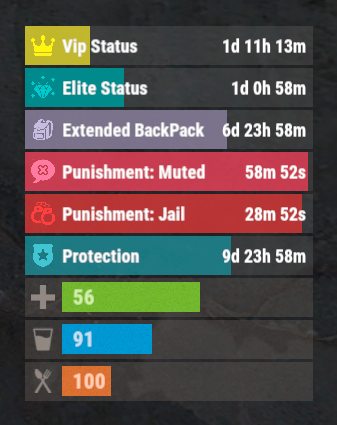
The plugin that displays temporary permissions and groups in the status bar. Depends on AdvancedStatus plugin. The ability to display temporary and permanent permissions; The ability to display temporary and permanent groups; The ability to display temporary and permanent permissions from groups; The ability to automatically generate language files for different languages(filled in English); The ability to customize the bar for each permission and group; The ability to choose between bar types(TimeCounter and TimeProgressCounter); The ability to specify the order of the bar; The ability to change the height of the bar; The abillity to customize the color and transparency of the background; The ability to set a material for the background; The ability to switch between CuiRawImageComponent and CuiImageComponent for the image; The ability to get images from the local folder(*SERVER*\oxide\data\AdvancedStatus\Images); The abillity to set own image and customize the color and transparency of the image; The abillity to set sprite instead of the image; The ability to customize the color, size, font and outline of the text. { "Chat command": "pstatus", "Is it worth enabling GameTips for messages?": true, "List of language keys for creating language files": [ "en" ], "Is it worth clearing saved settings for permissions and groups upon detecting a wipe?": false, "Is it worth displaying the status bar only when players are in the safe zone or have building privilege?": false, "Default display mode for new permissions(Disabled, Temporary, UntilWipe, Permanent, All)": "Temporary, UntilWipe", "Default display mode for new groups(Disabled, Temporary, UntilWipe, Permanent, All)": "Temporary, UntilWipe", "Wipe ID": null, "Version": { "Major": 0, "Minor": 1, "Patch": 4 } } P.S. The default status bar configuration can be adjusted in *SERVER*\oxide\data\PermissionsStatus\BarsConfig.json under the key "_default". EN: { "CmdFailed": "The entered command is incorrect! Try '/{0} display'", "CmdDisplayEnabled": "Displaying the bar is enabled!", "CmdDisplayDisabled": "Displaying the bar is disabled!", "BarUntilWipe": "Until wipe", "BarPermanent": "Permanent" } RU: { "CmdFailed": "Введена не верная команда! Попробуйте '/{0} display'", "CmdDisplayEnabled": "Отображение бара включено!", "CmdDisplayDisabled": "Отображение бара выключено!", "BarUntilWipe": "До вайпа", "BarPermanent": "Постоянный" } The language file is generated during the plugin initialization process. Additionally, when creating a new permission or group, a key for it will be automatically added. Note: You can also specify in the configuration file the generation of language files for other languages besides en and ru. In the "\data\PermissionsStatus\" folder, there are three files: BarsConfig.json - stores status bar settings with their unique keys. GroupsConfig.json - contains settings for groups. PermissionsConfig.json - contains settings for permissions.$9.99 -
Version 0.1.8
273 downloads
A useful and time-tested plugin for collecting Big Wheel Game statistics and displaying them through a convenient and intuitive UI. bigwheelstats.use - Provides access to use UI; bigwheelstats.admin - Provides the same permissions as bigwheelstats.use. Additionally, it provides the ability to manage big game wheels without any limitations. { "Is it worth checking for permissions before displaying the UI?": false, "Is it worth clearing statistics during a wipe?": true, "List of language keys for creating language files": [ "en" ], "Name of the prefab to play when a player becomes the best player. Leave empty to disable": "assets/prefabs/misc/xmas/advent_calendar/effects/open_advent.prefab", "Is it worth skipping the reward for the first best player?": true, "Command to execute when a player becomes the best player(0 - userID). Leave empty to disable, or null to use the default": "tperm add {0} vip 3600", "Cash reward for becoming the best player. Leave 0 to disable": 100.0, "List of items granted for becoming the best player. Leave empty to disable, or null to use the default": [ { "ShortName": "scrap", "Amount": 100, "SkinId": 0 } ], "List of permissions for top players. Each position in the list corresponds to the player's rank. Note: empty or null entries will be removed": [ [ "example.firstA", "example.firstB" ], [ "example.secondA" ], [ "example.thirdA" ] ], "List of permissions for top players for custom game wheels": [], "Big Wheel Game - Default name": "BIG WHEEL GAME", "Big Wheel Game - Name length limit(1–30)": 16, "Big Wheel Game - Cooldown time in seconds for changing the image url": 600.0, "Big Wheel Game - Default image Url": "http://gitlab.com/IIIaKa/images/-/raw/main/BigWheelStats/BigWheelStats_Default.png", "Big Wheel Game - Allowed image Url prefix. Leave empty to allow all sites. Example: 'https://i.ibb.co/'": "", "Ui - Main Background Color": "#1A1A1A", "Ui - Main Background Transparency": 0.95, "Ui - Text Font(https://docs.oxidemod.com/guides/developers/basic-cui/basic-cui#fonts)": "RobotoCondensed-Bold.ttf", "Hud - Icon Url": "http://gitlab.com/IIIaKa/images/-/raw/main/BigWheelStats/BigWheelStats_Hud_1.png", "Hud - Icon Color": "#808080", "Hud - Icon Transparency": 0.5, "Hud - Icon Is Raw Image": false, "Hud - Icon AnchorMin": "1 0", "Hud - Icon AnchorMax": "1 0", "Hud - Icon OffsetMin": "-250 15", "Hud - Icon OffsetMax": "-220 45", "Hit - Yellow Color": "#BFBF40", "Hit - Yellow Transparency": 0.4, "Hit - Green Color": "#408C8C", "Hit - Green Transparency": 0.4, "Hit - Blue Color": "#03598C", "Hit - Blue Transparency": 0.4, "Hit - Purple Color": "#8026CC", "Hit - Purple Transparency": 0.4, "Hit - Red Color": "#B24C59", "Hit - Red Transparency": 0.4, "Panel - Background Color": "#4C4C4C", "Panel - Background Transparency": 0.5, "Panel - OffsetMin": "-320 -255", "Panel - OffsetMax": "320 255", "Panel - Close Url": "http://gitlab.com/IIIaKa/images/-/raw/main/BigWheelStats/BigWheelStats_Close.png", "Panel - Close Color": "#D94026", "Panel - Close Transparency": 0.6, "Panel - Close Is Raw Image": false, "Panel - Close AnchorMin": "1 0", "Panel - Close AnchorMax": "1 0", "Panel - Close OffsetMin": "-250 15", "Panel - Close OffsetMax": "-220 45", "Menu - Buttons Color": "#808080", "Menu - Buttons Color Transparency": 0.4, "Menu - Buttons Active Color": "#3380BF", "Menu - Buttons Active Color Transparency": 0.6, "Menu - Font Size": 18, "Menu - Font Color": "#CCCCCC", "Menu - Font Color Transparency": 0.5, "Menu - Font Active Color": "#FFFFFF", "Menu - Font Active Color Transparency": 1.0, "Sub Menu - Reload Color": "#CCCCCC", "Sub Menu - Reload Color Transparency": 0.5, "Sub Menu - Settings Color": "#CCCCCC", "Sub Menu - Settings Color Transparency": 0.5, "Player Info - Online Color": "#CCFFB2", "Player Info - Online Transparency": 0.4, "Player Info - Offline Color": "#FF0000", "Player Info - Offline Transparency": 0.4, "Player Info - Font Size": 16, "Player Info - Font Color": "#FFFFFF", "Player Info Card - Background Color": "#808080", "Player Info Card - Background Transparency": 0.4, "Player Info Card - Title Font Size": 12, "Player Info Card - Title Font Color": "#808080", "Player Info Card - Value Font Size": 16, "Player Info Card - Value Font Color": "#CCCCB2", "Game Info - Color": "#808080", "Game Info - Transparency": 0.4, "Game Info - Font Size": 16, "Game Info - Font Color": "#FFFFFF", "Game Info Card - Background Color": "#808080", "Game Info Card - Background Transparency": 0.4, "Game Info Card - Title Font Size": 12, "Game Info Card - Title Font Color": "#808080", "Game Info Card - Value Font Size": 16, "Game Info Card - Value Font Color": "#CCCCB2", "Game Info Card - Percentage Font Size": 12, "Game Info Card - Percentage Font Color": "#808080", "Column Header - Color": "#4C4C4C", "Column Header - Transparency": 1.0, "Column Header - Active Color": "#595959", "Column Header - Active Transparency": 1.0, "Column Header - Font Size": 16, "Column Header - Font Color": "#CCCCB2", "Column Header - Font Active Color": "#FFFFFF", "Column Item - Font Size": 16, "Column Item - Color": "#808080", "Column Item - Transparency": 0.3, "Column Item - Even Color": "#808080", "Column Item - Even Transparency": 0.6, "Column Item - Font Color": "#CCCCB2", "Column Item - Font Active Color": "#FFFFFF", "Player HitList - Win Color": "#8CC83C", "Player HitList - Win Transparency": 0.4, "Player HitList - Lose Color": "#CD4632", "Player HitList - Lose Transparency": 0.4, "Game HitList Item - Font Size": 18, "Game HitList Item - Font Color": "#CCCCB2", "Player List - Name Font Size": 12, "Player List - ID Font Size": 10, "Player List - ID Font Color": "#808080", "Game List - Name Font Size": 12, "Game List - ID Font Size": 10, "Game List - ID Font Color": "#808080", "Settings - Background Color": "#4C4C4C", "Settings - Background Color Transparency": 0.5, "Settings - Title Color": "#4C4C4C", "Settings - Title Color Transparency": 0.7, "Settings - Input Color": "#4C4C4C", "Settings - Input Color Transparency": 0.7, "Settings - Button Color": "#4C4C4C", "Settings - Button Color Transparency": 0.7, "Settings - Text Color": "#CCCCB2", "Settings - Text Color Transparency": 1.0, "Settings - Sub Text Color": "#808080", "Settings - Sub Text Color Transparency": 1.0, "Scrolling - Width": 3.0, "Scrolling - Handle color": "#CCCCCC", "Scrolling - Handle color transparency": 0.5, "Scrolling - Pressed color": "#CCCCB2", "Scrolling - Pressed color transparency": 1.0, "Scrolling - Track color": "#000000", "Scrolling - Track color transparency": 0.0, "Footer - Color": "#4C4C4C", "Footer - Transparency": 0.4, "Footer - Font Size": 16, "Footer Buttons - Between Button Text": "...", "Footer Buttons - Color": "#808080", "Footer Buttons - Transparency": 0.4, "Footer Buttons - Active Color": "#3380BF", "Footer Buttons - Active Transparency": 0.6, "Footer Buttons - Font Color": "#CCCCB2", "Footer Buttons - Font Active Color": "#FFFFFF", "Footer Custom Button - Command. Leave empty to disable": "", "Footer Custom Button - Color": "#808080", "Footer Custom Button - Transparency": 0.4, "Footer Text - Font Size": 12, "Footer Text - Font Color": "#808080", "Wipe ID": null, "Version": { "Major": 0, "Minor": 1, "Patch": 8 } } EN: { "UiMenuPlayer": "My statistics", "UiMenuPlayerList": "Top players", "UiMenuGameList": "Game list", "UiFooterCustomButton": "My button", "UiFooterText": "Showing {0} to {1} of {2}", "UiResetStatistics": "Reset statistics", "UiPlayerTotalSpins": "Total spins", "UiPlayerWinSpins": "Win spins", "UiPlayerLoseSpins": "Lose spins", "UiPlayerScrapSpend": "Scrap spend", "UiPlayerScrapWin": "Scrap win", "UiPlayerScrapResult": "Scrap result", "UiPlayerScrapRecordBid": "Scrap record bid", "UiPlayerScrapLastBid": "Scrap last bid", "UiPlayerScrapLastWin": "Scrap last win", "UiPlayerHitsItem": "Item", "UiPlayerHitsHit": "Hit", "UiPlayerHitsBidAmount": "Bid amount", "UiPlayerHitsResultAmount": "Result", "UiPlayerListPlayer": "Player", "UiPlayerListTotal": "Total", "UiPlayerListLoses": "Loses", "UiPlayerListWins": "Wins", "UiPlayerListRecordBid": "Record bid", "UiPlayerListRecordWin": "Record win", "UiPlayerListResult": "Result", "UiPlayerSettingsTitle": "Manage Player '{0}'", "UiGameBestPlayer": "Best player", "UiGameCurrentSpins": "Current session spins", "UiGameTotalSpins": "Total spins", "UiGameTotalYellow": "Yellow", "UiGameTotalGreen": "Green", "UiGameTotalBlue": "Blue", "UiGameTotalPurple": "Purple", "UiGameTotalRed": "Red", "UiGameSettingsTitle": "Big Wheel Game Management", "UiGameSettingsName": "Name:", "UiGameSettingsImage": "Image Url:", "UiGameSettingsImageCooldown": "The next opportunity to change the image will be available in {0} seconds!", "UiGameSettingsResetSpinning": "Can't reset the game wheel statistics while it is spinning!", "UiGameListBigWheelGame": "Big wheel game", "UiGameListBestWin": "Best Win", "UiGameListTotalSpins": "Total spins" } RU: { "UiMenuPlayer": "Моя статистика", "UiMenuPlayerList": "Топ игроков", "UiMenuGameList": "Список игр", "UiFooterCustomButton": "Моя кнопка", "UiFooterText": "Отображены с {0} по {1} из {2}", "UiResetStatistics": "Сбросить статистику", "UiPlayerTotalSpins": "Всего ставок", "UiPlayerWinSpins": "Выигрышные ставки", "UiPlayerLoseSpins": "Проигрышные ставки", "UiPlayerScrapSpend": "Потрачено скрапа", "UiPlayerScrapWin": "Выиграно скрапа", "UiPlayerScrapResult": "Итог скрапа", "UiPlayerScrapRecordBid": "Рекордная ставка", "UiPlayerScrapLastBid": "Последняя ставка", "UiPlayerScrapLastWin": "Последний выигрыш", "UiPlayerHitsItem": "Предмет", "UiPlayerHitsHit": "Число", "UiPlayerHitsBidAmount": "Ставка", "UiPlayerHitsResultAmount": "Итог", "UiPlayerListPlayer": "Игрок", "UiPlayerListTotal": "Всего", "UiPlayerListLoses": "Проигрышей", "UiPlayerListWins": "Выигрышей", "UiPlayerListRecordBid": "Рекордная ставка", "UiPlayerListRecordWin": "Рекордный выигрыш", "UiPlayerListResult": "Итог", "UiPlayerSettingsTitle": "Управление игроком '{0}'", "UiGameBestPlayer": "Лучший игрок", "UiGameCurrentSpins": "Вращений за сессию", "UiGameTotalSpins": "Всего вращений", "UiGameTotalYellow": "Желтый", "UiGameTotalGreen": "Зеленый", "UiGameTotalBlue": "Синий", "UiGameTotalPurple": "Фиолетовый", "UiGameTotalRed": "Красный", "UiGameSettingsTitle": "Управление игровым колесом", "UiGameSettingsName": "Имя:", "UiGameSettingsImage": "Ссылка на изображение:", "UiGameSettingsImageCooldown": "Следующая возможность изменить изображение будет доступна через {0} секунд!", "UiGameSettingsResetSpinning": "Нельзя сбросить статистику игрового колеса пока оно крутится!", "UiGameListBigWheelGame": "Игра", "UiGameListBestWin": "Лучший выигрыш", "UiGameListTotalSpins": "Всего вращений" }$14.99 -
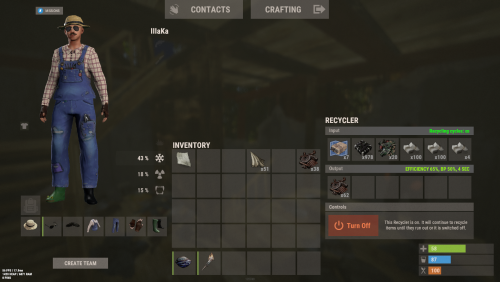
Version 0.1.4
263 downloads
An excellent plugin for item recycling with extensive functionality. The ability to log successful recycling; The ability to create new permissions; The ability to customize permissions flexibly, including both new and existing ones; The ability to have multiple permissions at the same time, with the selection of the best limits from the available permissions; The ability to configure the recycling efficiency for each permission; The ability to configure the scrap return percentage when recycling blueprints for each permission; The ability to configure the chance to return the original item when recycling blueprints for each permission; The ability to configure forbidden items for recycling for each permission; The ability to configure the recycling speed for each permission; The ability to configure the recycling cycle limit per use for each permission; The ability to configure the recycling slot limit for each permission; The ability to configure the recycling cooldown for each permission; The ability to purchase a bypass for the recycle cooldown; The ability to configure the daily recycling limit for each permission; The ability to purchase additional recycles after reaching the daily limit; The ability to count recycling only when at least one item is successfully recycled; The ability to forbid recycling when wounded; The ability to forbid recycling while swimming; The ability to forbid recycling while mounted on certain seats; The ability to forbid recycling in specified monuments, by name or by monument type; The ability to forbid recycling in someone else's building privileges; The ability to forbid recycling when taking damage; The ability to forbid recycling during a combat block; The ability to forbid recycling during a raid block; The ability to automatically generate language files for specified languages(with content filled in English); The ability to display a status bar while waiting for a cooldown; The ability to choose between bar types(TimeCounter and TimeProgressCounter); The ability to specify the order of the bar; The ability to change the height of the bar; The ability to customize the color and transparency of the background; The ability to set a material for the background; The ability to switch between CuiRawImageComponent and CuiImageComponent for the image; The ability to get images from the local folder(*SERVER*\oxide\data\AdvancedStatus\Images); The ability to set own image and customize the color and transparency of the image; The ability to set sprite instead of the image; The ability to customize the color, size and font of the text. { "Chat command": "rec", "Is it worth enabling GameTips for messages?": true, "Is it worth using Notify plugins for messages instead of the vanilla UI?": false, "Specify the regular message type for notify": 0, "Specify the warning message type for notify": 1, "Is it worth using the AdvancedStatus plugin?": true, "Is it worth saving recycling logs to a file?": true, "List of language keys for creating language files": [ "en" ], "Is it worth allowing blueprint recycling based on permissions?": true, "Price to skip 60 seconds of recycler cooldown": 10.0, "List of mount names where recycling is prohibited": [ "horsesaddle", "horsesaddlerear", "bikedriverseat", "bikepassengerseat", "motorbikedriverseat", "motorbikepassengerseat", "modularcardriverseat", "modularcarpassengerseatleft", "modularcarpassengerseatright", "modularcarpassengerseatlesslegroomleft", "modularcarpassengerseatlesslegroomright", "modularcarpassengerseatsidewayleft", "miniheliseat", "minihelipassenger", "transporthelipilot", "transporthelicopilot", "attackhelidriver", "attackheligunner", "submarinesolodriverstanding", "submarineduodriverseat", "submarineduopassengerseat", "snowmobiledriverseat", "snowmobilepassengerseat", "snowmobilepassengerseat tomaha", "workcartdriver", "locomotivedriver", "craneoperator", "batteringramseat", "ballistagun.entity" ], "Status. Bar - Display time in seconds. A value of 0 keeps it visible until the cooldown ends": 15.0, "Status. Bar - Type(TimeProgressCounter or TimeCounter)": "TimeCounter", "Status. Bar - Height": 26, "Status. Bar - Order": 10, "Status. Background - Color(Hex or RGBA)": "#EFC570", "Status. Background - Transparency": 0.7, "Status. Background - Material(empty to disable)": "", "Status. Image - Url": "https://gitlab.com/IIIaKa/images/-/raw/main/StatusBars/AdvancedStatus_SandClock.png", "Status. Image - Local(Leave empty to use Image_Url)": "AdvancedStatus_SandClock", "Status. Image - Sprite(Leave empty to use Image_Local or Image_Url)": "", "Status. Image - Is raw image": false, "Status. Image - Color(Hex or RGBA)": "#EFC570", "Status. Image - Transparency": 1.0, "Status. Image Outline - Color(Hex or RGBA)": "0.1 0.3 0.8 0.9", "Status. Image Outline - Transparency": 1.0, "Status. Image Outline - Distance(Leave empty to disable). Example '0.75 0.75'": "", "Status. Text - Size": 12, "Status. Text - Color(Hex or RGBA)": "#FFFFFF", "Status. Text - Transparency": 1.0, "Status. Text - Font(https://umod.org/guides/rust/basic-concepts-of-gui#fonts)": "RobotoCondensed-Bold.ttf", "Status. Text - Offset Horizontal": 0, "Status. Text Outline - Color(Hex or RGBA)": "#000000", "Status. Text Outline - Transparency": 1.0, "Status. Text Outline - Distance(Leave empty to disable)": "", "Status. SubText - Size": 12, "Status. SubText - Color(Hex or RGBA)": "#FFFFFF", "Status. SubText - Transparency": 1.0, "Status. SubText - Font": "RobotoCondensed-Bold.ttf", "Status. SubText Outline - Color(Hex or RGBA)": "0.5 0.6 0.7 0.5", "Status. SubText Outline - Transparency": 1.0, "Status. SubText Outline - Distance(Leave empty to disable)": "", "Status. Progress - Background Color(Hex or RGBA)": "1 1 1 0.15", "Status. Progress - Background Transparency": 0.15, "Status. Progress - Reverse": true, "Status. Progress - Color(Hex or RGBA)": "#EFC570", "Status. Progress - Transparency": 0.7, "Status. Progress - OffsetMin": "0 0", "Status. Progress - OffsetMax": "0 0", "List of recycling permissions": [ { "Permission Name": "advancedrecycler.default", "Item recycling time(seconds)": 8.0, "Item recycling efficiency": 0.4, "Blueprint recycling efficiency. A value of 0 disables this ability": 0.0, "Chance(0.0 – 1.0) of the original item dropping when recycling a blueprint": 0.001, "Is it worth giving scrap if the original item drops when recycling a blueprint?": false, "Number of available recycling slots": 2, "Cooldown time(in seconds) before next recycling": 600.0, "Daily recycling limit. A value of 0 disables the limit": 50, "Price to purchase a recycling after exceeding the daily limit. A value of 0 disables the purchase": 5.0, "Item recycling limit per session(per command use). A value of 0 disables the limit": 15, "Is it worth forbidding recycling if the player is in a wounded state?": true, "Is it worth forbidding recycling if the player is swimming?": true, "Is it worth forbidding recycling if the player is mounted?": true, "Is it worth forbidding recycling if the player is in someone else's building privilege area?": true, "Is it worth forbidding recycling if the player has taken damage?": true, "Is it worth forbidding recycling if the player has combat block?": true, "Is it worth forbidding recycling if the player has raid block?": true, "List of monuments where recycling is forbidden": null, "List of monument types where recycling is forbidden": [ "RadTown", "RadTownWater", "RadTownSmall", "TunnelStation", "Custom" ], "List of forbidden recycling items": [ "blood" ] }, { "Permission Name": "advancedrecycler.vip", "Item recycling time(seconds)": 5.0, "Item recycling efficiency": 0.6, "Blueprint recycling efficiency. A value of 0 disables this ability": 0.15, "Chance(0.0 – 1.0) of the original item dropping when recycling a blueprint": 0.15, "Is it worth giving scrap if the original item drops when recycling a blueprint?": true, "Number of available recycling slots": 4, "Cooldown time(in seconds) before next recycling": 450.0, "Daily recycling limit. A value of 0 disables the limit": 100, "Price to purchase a recycling after exceeding the daily limit. A value of 0 disables the purchase": 2.5, "Item recycling limit per session(per command use). A value of 0 disables the limit": 50, "Is it worth forbidding recycling if the player is in a wounded state?": true, "Is it worth forbidding recycling if the player is swimming?": true, "Is it worth forbidding recycling if the player is mounted?": true, "Is it worth forbidding recycling if the player is in someone else's building privilege area?": true, "Is it worth forbidding recycling if the player has taken damage?": true, "Is it worth forbidding recycling if the player has combat block?": true, "Is it worth forbidding recycling if the player has raid block?": true, "List of monuments where recycling is forbidden": null, "List of monument types where recycling is forbidden": [ "RadTown", "RadTownWater", "TunnelStation" ], "List of forbidden recycling items": [ "blood" ] }, { "Permission Name": "realpve.vip", "Item recycling time(seconds)": 4.0, "Item recycling efficiency": 0.65, "Blueprint recycling efficiency. A value of 0 disables this ability": 0.5, "Chance(0.0 – 1.0) of the original item dropping when recycling a blueprint": 0.3, "Is it worth giving scrap if the original item drops when recycling a blueprint?": true, "Number of available recycling slots": 6, "Cooldown time(in seconds) before next recycling": 300.0, "Daily recycling limit. A value of 0 disables the limit": 0, "Price to purchase a recycling after exceeding the daily limit. A value of 0 disables the purchase": 0.0, "Item recycling limit per session(per command use). A value of 0 disables the limit": 0, "Is it worth forbidding recycling if the player is in a wounded state?": false, "Is it worth forbidding recycling if the player is swimming?": false, "Is it worth forbidding recycling if the player is mounted?": false, "Is it worth forbidding recycling if the player is in someone else's building privilege area?": false, "Is it worth forbidding recycling if the player has taken damage?": false, "Is it worth forbidding recycling if the player has combat block?": false, "Is it worth forbidding recycling if the player has raid block?": false, "List of monuments where recycling is forbidden": [ "oilrig_1" ], "List of monument types where recycling is forbidden": null, "List of forbidden recycling items": [ "blood" ] } ], "Version": { "Major": 0, "Minor": 1, "Patch": 3 } } EN: { "CmdNotAllowed": "You do not have permission to use this command!", "CmdEconomicsNotEnough": "Not enough funds!", "CmdMain": "Available commands for the recycler:\n\n<color=#D1CBCB>/rec</color> - Request access to the remote recycler\n<color=#D1CBCB>/rec</color> <color=#D1AB9A>bars *boolValue*(optional)</color> - Toggle status bar display\n<color=#D1CBCB>/rec</color> <color=#D1AB9A>limits</color> - View your usage limits\n<color=#D1CBCB>/rec</color> <color=#D1AB9A>buy limits *amount*(optional)</color> - Purchase additional uses of the remote recycler\n<color=#D1CBCB>/rec</color> <color=#D1AB9A>buy cd *amount*(optional)</color> - Purchase a 60 second(* by amount) cooldown skip for remote recycler\n\n--------------------------------------------------", "CmdBarsEnabled": "Status bar display enabled!", "CmdBarsDisabled": "Status bar display disabled!", "CmdDailyLimitExtra": "You have exceeded the daily limit({0}) for using the remote recycler!\n<size=10>However, you can buy additional uses with the <color=#D1AB9A>/rec buy limits</color> command for <color=#D1CBCB>${1}</color></size>", "CmdDailyLimit": "You have exceeded the daily limit ({0}) for using the remote recycler!", "CmdCooldownSkip": "You must wait {0} seconds before using the remote recycler again!\n<size=10>However, you can skip the cooldown using the <color=#D1AB9A>/rec buy cd</color> command for <color=#D1CBCB>${1}</color> per 60 seconds</size>", "CmdCooldown": "You must wait {0} seconds before using the remote recycler again!", "CmdWoundBlock": "You can't use the remote recycler while wounded!", "CmdSwimming": "You can't use the remote recycler while swimming!", "CmdMountBlock": "You can't use the remote recycler while mounted here!", "CmdMonumentBlock": "You can't use the remote recycler at '{0}'!", "CmdBuildingBlock": "You can't use the remote recycler inside someone else's base!", "CmdDamageBlock": "You can't use the remote recycler while taking damage!", "CmdCombatBlock": "You can't use the remote recycler during combat block!", "CmdRaidBlock": "You can't use the remote recycler during a raid block!", "CmdAlredyHave": "You already have an active remote recycler!", "CmdPurchaseNotLimited": "You haven't reached your daily limit yet!", "CmdPurchaseHaveExtra": "You still have {0} additional remote recycler uses! Use them before purchasing more.", "CmdPurchaseLimitsNotAllowed": "Purchasing additional remote recycler uses is unavailable!", "CmdPurchasedLimits": "You have successfully purchased <color=#D1CBCB>{0}</color> remote recycler uses!\n<size=10>Now you have <color=#D1CBCB>{1}</color> additional uses</size>", "CmdPurchaseNoCooldown": "You don't have a cooldown for remote recycler usage!", "CmdPurchaseCooldownNotAllowed": "Purchasing a cooldown skip for remote recycler usage is not available!", "CmdPurchasedCooldown": "You have successfully purchased a cooldown skip for <color=#D1CBCB>{0} seconds</color> for remote recycler usage!\n<size=10>Now you need to wait <color=#D1CBCB>{1} seconds</color></size>", "CmdMyLimits": "Your remote recycler limits:\n\n<color=#D1CBCB>Efficiency</color> - <color=#D1AB9A>{0}%</color>\n<color=#D1CBCB>Blueprint efficiency</color> - <color=#D1AB9A>{1}%</color>\n<color=#D1CBCB>Blueprint original item return</color> - <color=#D1AB9A>{2}%</color>\n<color=#D1CBCB>Cycle Time</color> - <color=#D1AB9A>{3}</color>\n<color=#D1CBCB>Usage Cycles</color> - <color=#D1AB9A>{4}</color>\n<color=#D1CBCB>Cooldown</color> - <color=#D1AB9A>{5} sec</color>\n<color=#D1CBCB>Daily Limit</color> - <color=#D1AB9A>{6}</color>\n\n--------------------------------------------------", "UiRecycleEfficiency": "EFFICIENCY {0}%, {1} SEC", "UiRecycleEfficiencyBp": "EFFICIENCY {0}%, BP {2}%, {1} SEC", "UiSessionLimit": "Recycling cycles: {0}", "BarCooldown": "Recycler cooldown:", "MsgSessionLimit": "You have exceeded the limit of {0} recycling cycles per session." } RU: { "CmdNotAllowed": "У вас недостаточно прав для использования этой команды!", "CmdEconomicsNotEnough": "Не достаточно средств!", "CmdMain": "Доступные команды для переработчика:\n\n<color=#D1CBCB>/rec</color> - Запросить доступ к удалённому переработчику\n<color=#D1CBCB>/rec</color> <color=#D1AB9A>bars *булевоеЗначение*(опционально)</color> - Переключение отображения статус баров\n<color=#D1CBCB>/rec</color> <color=#D1AB9A>limits</color> - Узнать свои лимиты\n<color=#D1CBCB>/rec</color> <color=#D1AB9A>buy limits *количество*(опционально)</color> - Докупить дополнительное количество доступа к удалённому переработчику\n<color=#D1CBCB>/rec</color> <color=#D1AB9A>buy cd *количество*(опционально)</color> - Купить пропуск 60 секунд(* на количество) задержки перед повторным использованием удалённым переработчиком\n\n--------------------------------------------------", "CmdBarsEnabled": "Отображение статус баров включено!", "CmdBarsDisabled": "Отображение статус баров выключено!", "CmdDailyLimitExtra": "Вы превысили допустимую дневную норму({0}) на использование удалённого переработчика!\n<size=10>Но вы можете купить дополнительные использования удалённого переработчика с помощью команды <color=#D1AB9A>/rec buy limits</color> за <color=#D1CBCB>{1}$</color></size>", "CmdDailyLimit": "Вы превысили допустимую дневную норму({0}) на использование удалённого переработчика!", "CmdCooldownSkip": "Перед повторным использованием удалённого переработчика вам необходимо подождать {0} секунд!\n<size=10>Но вы можете купить пропуск задержки с помощью команды <color=#D1AB9A>/rec buy cd</color> за <color=#D1CBCB>{1}$</color> за каждые 60 секунд</size>", "CmdCooldown": "Перед повторным использованием удалённого переработчика вам необходимо подождать {0} секунд!", "CmdWoundBlock": "Вам запрещено пользоваться удалённым переработчиком в предсмертном состоянии!", "CmdSwimming": "Вам запрещено пользоваться удалённым переработчиком в воде!", "CmdMountBlock": "Вам запрещено пользоваться удалённым переработчиком сидя в данном месте!", "CmdMonumentBlock": "Вам запрещено пользоваться удалённым переработчиком в '{0}'!", "CmdBuildingBlock": "Вам запрещено пользоваться удалённым переработчиком в чужой базе!", "CmdDamageBlock": "Вам запрещено пользоваться удалённым переработчиком при получении урона!", "CmdCombatBlock": "Вам запрещено пользоваться удалённым переработчиком во время боя!", "CmdRaidBlock": "Вам запрещено пользоваться удалённым переработчиком во время рейда!", "CmdAlredyHave": "У вас уже имеется активный удалённый переработчик!", "CmdPurchaseNotLimited": "Вы ещё не исчерпали свой дневной лимит!", "CmdPurchaseHaveExtra": "У вас ещё есть {0} дополнительных использований удалённого переработчика! Используйте их прежде, чем покупать новые.", "CmdPurchaseLimitsNotAllowed": "Покупка дополнительных использований удалённого переработчика недоступна!", "CmdPurchasedLimits": "Вы успешно докупили <color=#D1CBCB>{0}</color> использований удалённого переработчика!\n<size=10>Теперь у вас <color=#D1CBCB>{1}</color> дополнительных использований</size>", "CmdPurchaseNoCooldown": "У вас нет задержки на использование удалённого переработчика!", "CmdPurchaseCooldownNotAllowed": "Покупка пропуска задержки на использование удалённого переработчика недоступна!", "CmdPurchasedCooldown": "Вы успешно купили пропуск на <color=#D1CBCB>{0} секунд</color> задержки для использования удалённого переработчика!\n<size=10>Теперь вам нужно подождать <color=#D1CBCB>{1} секунд</color></size>", "CmdMyLimits": "Ваши лимиты удалённого переработчика:\n\n<color=#D1CBCB>Эффективность</color> - <color=#D1AB9A>{0}%</color>\n<color=#D1CBCB>Эффективность(чертежи)</color> - <color=#D1AB9A>{1}%</color>\n<color=#D1CBCB>Шанс возврата(чертежи)</color> - <color=#D1AB9A>{2}%</color>\n<color=#D1CBCB>Время цикла</color> - <color=#D1AB9A>{3}</color>\n<color=#D1CBCB>Циклов использований</color> - <color=#D1AB9A>{4}</color>\n<color=#D1CBCB>Время задержки</color> - <color=#D1AB9A>{5} сек</color>\n<color=#D1CBCB>Дневной лимит</color> - <color=#D1AB9A>{6}</color>\n\n--------------------------------------------------", "UiRecycleEfficiency": "ЭФФЕКТИВНОСТЬ {0}%, {1} СЕК", "UiRecycleEfficiencyBp": "ЭФФЕКТИВНОСТЬ {0}%, ЧЕРТЕЖИ {2}%, {1} СЕК", "UiSessionLimit": "Циклы переработки: {0}", "BarCooldown": "Задержка переработчика:", "MsgSessionLimit": "Вы превысили лимит в {0} циклов переработки за одно использование." } /rec - Request access to the remote recycler. /rec bars *boolValue*(optional) - Toggle status bar display. /rec limits - View your usage limits. /rec buy limits *amount*(optional) - Purchase additional uses of the remote recycler. /rec buy cd *amount*(optional) - Purchase a 60 second(x by amount) cooldown skip for remote recycler. Example: /rec limits /rec buy limits 1 /rec buy limits 0.5$9.99 -
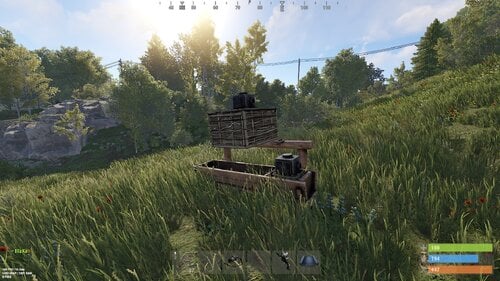
Version 0.1.14
1,012 downloads
Allows automating the entire manure collection process and adds other useful features in this area, by adding Industial Adapters and BoxStorage to the HitchTrough and Composter. Also auto spliting dungs in the Composter container. Note: During plugin unloading, modified entities are not removed, to prevent the removal of pipes every time the plugin/server is restarted. To remove modifications from entities, you should use the "idung unload" command. industrialdung.admin - Provides unrestricted access to the plugin's functionality. This includes the ability to add/remove or clear modificated entities from other players. Note: In the configuration file, within the "Max ammount of modified entites per group" section, you can specify limits for any existing permission by simply listing its name. "Max amount of modified entites for each permission. Leave null or empty to recreate the default": { "industrialdung.default": { "HitchTroughs": 5, "Composters": 2 }, ... }, ... If you want to create a new permission, you can also include it in the list, but the name must begin with "industrialdung". { "Chat command": "idung", "Is it worth enabling GameTips for messages?": true, "Is it worth using Notify plugins for messages instead of the vanilla UI?": false, "Specify the regular message type for notify": 0, "Specify the warning message type for notify": 1, "List of language keys for creating language files": [ "en" ], "Is it worth ignoring Facepunch's rules regarding skins and DLCs?": false, "Is it worth removing modifications when permissions or groups are revoked if they exceed the limit?": true, "Use auto-splitting in the Composter?": true, "Item's short name for auto-splitting in the Composter. Leave the field empty to use the default": "horsedung", "AutoModify - Default value for new players": true, "Wood Storage Box Workshop Skin ID": 850379673, "Wood Storage Box Scale": 0.5, "The list of items(short name) available for the composter. Leave empty to use vanilla": [ "horsedung", "fertilizer", "plantfiber" ], "Popup - Duration": 6.0, "Popup - Position AnchorMin": "0 0.9", "Popup - Position AnchorMax": "0.25 1", "Popup - Position OffsetMin": "20 0", "Popup - Position OffsetMax": "0 -30", "Popup - Icon Url": "https://i.ibb.co/dJW6zfTk/4Adzkb8.png", "Popup - Icon Color(Hex or RGBA)": "#CCE699", "Popup - Icon Transparency": 0.8, "Popup - Text Font(https://docs.oxidemod.com/guides/developers/basic-cui/basic-cui#fonts)": "RobotoCondensed-Bold.ttf", "Popup - Text Font Size": 14, "Popup - Text Font Color(Hex or RGBA)": "#FFFFFF", "Popup - Description Font": "RobotoCondensed-Regular.ttf", "Popup - Description Font Size": 12, "Popup - Description Font Color(Hex or RGBA)": "#FFFFFF", "Popup - Text FadeIn": 1.0, "Popup - Sound Prefab Name": "assets/bundled/prefabs/fx/invite_notice.prefab", "Max amount of modified entites for each permission. Leave null or empty to recreate the default": { "industrialdung.default": { "HitchTroughs": 5, "Composters": 2, "DungMultiplier": 1.0 }, "industrialdung.vip": { "HitchTroughs": 10, "Composters": 4, "DungMultiplier": 2.0 }, "realpve.default": { "HitchTroughs": 5, "Composters": 2, "DungMultiplier": 1.0 }, "realpve.vip": { "HitchTroughs": 15, "Composters": 6, "DungMultiplier": 2.0 } }, "Version": { "Major": 0, "Minor": 1, "Patch": 13 } } EN: { "PopupTitleHitch": "Modify this hitch trough?", "PopupTitileComposter": "Modify this composter?", "PopupDescription": "Click on the notification to confirm", "CmdNotAllowed": "You do not have permission to use this command!", "CmdPlayerNotFound": "Player '{0}' not found! You must provide the player's name or ID.", "CmdMultiplePlayers": "Multiple players found: {0}", "CmdEntityNotFound": "Entity not found! You must specify the entity ID or look directly at it.", "CmdEntityNotOwned": "This entity has no owner!", "CmdEntityNotOwner": "You are not the owner of this entity!", "CmdEntityNotModified": "This entity has no modifications!", "CmdAdmin": "Available admin commands:\n\n<color=#D1CBCB>/idung</color> <color=#D1AB9A>auto</color> - Toggle automatic modification of HitchTroughs and Composters\n<color=#D1CBCB>/idung</color> <color=#D1AB9A>add *entityID*(optional)</color> - Add modifications to HitchTroughs or Composters you are looking at or specified\n<color=#D1CBCB>/idung</color> <color=#D1AB9A>remove *entityID*(optional)</color> - Remove modifications from HitchTroughs or Composters you are looking at or specified\n<color=#D1CBCB>/idung</color> <color=#D1AB9A>clear</color> - Remove all modifications from your HitchTroughs and Composters\n<color=#D1CBCB>/idung</color> <color=#D1AB9A>clear *nameOrId*</color> - Remove all modifications from HitchTroughs and Composters of the specified player\n<color=#D1CBCB>/idung</color> <color=#D1AB9A>clear all</color> - Remove all modifications from HitchTroughs and Composters, from all players\n<color=#D1CBCB>/idung</color> <color=#D1AB9A>aclear</color> - Remove all modifications from HitchTroughs and Composters that were not saved in the data file for some reason\n<color=#D1CBCB>/idung</color> <color=#D1AB9A>unload</color> - Unload the plugin and removing all modifications from HitchTroughs and Composters without deleting them from the data file\n\n--------------------------------------------------", "CmdAdminClearTarget": "Successfully removed {1} modifications from HitchTroughs and Composters for player '{0}'!", "CmdAdminClear": "Successfully removed all modifications from HitchTroughs and Composters for all players!", "CmdAdminAclear": "Successfully removed all modifications from HitchTroughs and Composters that were not in the data file!", "CmdAdminUnload": "Plugin '{0}' has been successfully unloaded with the removal of all modifications from HitchTroughs and Composters, but without deleting from the data file!", "CmdMain": "Available commands:\n\n<color=#D1CBCB>/idung</color> <color=#D1AB9A>auto</color> - Toggle automatic modification of HitchTroughs and Composters\n<color=#D1CBCB>/idung</color> <color=#D1AB9A>add *entityID*(optional)</color> - Add modifications to HitchTroughs or Composters you are looking at or specified\n<color=#D1CBCB>/idung</color> <color=#D1AB9A>remove *entityID*(optional)</color> - Remove modifications from HitchTroughs or Composters you are looking at or specified\n<color=#D1CBCB>/idung</color> <color=#D1AB9A>clear</color> - Remove all modifications from your HitchTroughs and Composters\n\n--------------------------------------------------", "CmdAutoModifyEnabled": "Automatic entity modification is enabled!", "CmdAutoModifyDisabled": "Automatic entity modification is disabled!", "CmdLimitReached": "You cannot to modify this entity as you have reached your limit of {0}!", "CmdHitchTroughModified": "The hitch trough has been successfully modified!", "CmdComposterModified": "The composter has been successfully modified!", "CmdEntityRemoved": "Entity modifications have been successfully removed!", "CmdEntityClear": "All modifications of your entities have been successfully removed!" } RU: { "PopupTitleHitch": "Модифицировать данную кормушку?", "PopupTitileComposter": "Модифицировать данный компостер?", "PopupDescription": "Нажмите на уведомление для подтверждения", "CmdNotAllowed": "У вас недостаточно прав для использования этой команды!", "CmdPlayerNotFound": "Игрок '{0}' не найден! Вы должны указать имя или ID игрока.", "CmdMultiplePlayers": "Найдено несколько игроков: {0}", "CmdEntityNotFound": "Сущность не найдена! Вы должны указать ID сущности или смотреть прямо на нее.", "CmdEntityNotOwned": "У этой сущности нет владельца!", "CmdEntityNotOwner": "Вы не являетесь владельцем этой сущности!", "CmdEntityNotModified": "Данная сущность не имеет модификаций!", "CmdAdmin": "Доступные админ команды:\n\n<color=#D1CBCB>/idung</color> <color=#D1AB9A>auto</color> - Переключение автоматической модификации кормушек и компостеров\n<color=#D1CBCB>/idung</color> <color=#D1AB9A>add *айдиСущности*(опционально)</color> - Добавить модификации к кормушке или компостеру, на который вы смотрите или указали\n<color=#D1CBCB>/idung</color> <color=#D1AB9A>remove *айдиСущности*(опционально)</color> - Удалить модификации у кормушки или компостера, на который вы смотрите или указали\n<color=#D1CBCB>/idung</color> <color=#D1AB9A>clear</color> - Удалить все модификации у ваших кормушек и компостеров\n<color=#D1CBCB>/idung</color> <color=#D1AB9A>clear *имяИлиАйди*</color> - Удалить все модификации у кормушек и компостеров, указанного игрока\n<color=#D1CBCB>/idung</color> <color=#D1AB9A>clear all</color> - Удалить все модификации у кормушек и компостеров, всех игроков\n<color=#D1CBCB>/idung</color> <color=#D1AB9A>aclear</color> - Удалить все модификации у кормушек и компостеров, которые по некоторым причинам не попали в дата файл\n<color=#D1CBCB>/idung</color> <color=#D1AB9A>unload</color> - Выгрузить плагин с удалением модификаций у всех кормушек и комспостеров, без удаления из даты файла\n\n--------------------------------------------------", "CmdAdminClearTarget": "Успешно удалено {1} модификации у кормушек и компостеров, игрока '{0}'!", "CmdAdminClear": "Успешно удалены все модификации у кормушек и компостеров, всех игроков!", "CmdAdminAclear": "Успешно удалены все модификации у кормушек и компостеров, которых не было в дата файле!", "CmdAdminUnload": "Плагин '{0}' был успешно выгружен с удалением всех модификации у кормушек и компостеров, но без удаления из дата файла!", "CmdMain": "Доступные команды:\n\n<color=#D1CBCB>/idung</color> <color=#D1AB9A>auto</color> - Переключение автоматической модификации кормушек и компостеров\n<color=#D1CBCB>/idung</color> <color=#D1AB9A>add *айдиСущности*(опционально)</color> - Добавить модификации к кормушке или компостеру, на который вы смотрите или указали\n<color=#D1CBCB>/idung</color> <color=#D1AB9A>remove *айдиСущности*(опционально)</color> - Удалить модификации у кормушки или компостера, на который вы смотрите или указали\n<color=#D1CBCB>/idung</color> <color=#D1AB9A>clear</color> - Удалить все модификации у ваших кормушек и компостеров\n\n--------------------------------------------------", "CmdAutoModifyEnabled": "Автоматическая модификация сущностей включена!", "CmdAutoModifyDisabled": "Автоматическая модификация сущностей выключена!", "CmdLimitReached": "Вы не можете модифицировать данную сущность, так как вы превысили свой лимит в {0}!", "CmdHitchTroughModified": "Кормушка успешно модифицирована!", "CmdComposterModified": "Компостер успешно модифицирован!", "CmdEntityRemoved": "Модификации сущности успешно удалены!", "CmdEntityClear": "Все модификации ваших сущностей успешно удалены!" } auto - Toggle automatic modification of HitchTroughs and Composters; add *entityID*(optional) - Add modifications to HitchTroughs or Composters you are looking at or specified; remove *entityID*(optional) - Remove modifications from HitchTroughs or Composters you are looking at or specified; clear - Remove all modifications from your HitchTroughs and Composters; clear *nameOrId* - Remove all modifications from HitchTroughs and Composters of the specified player. Permission "industrialdung.admin" required; clear all - Remove all modifications from HitchTroughs and Composters, from all players. Permission "industrialdung.admin" required; aclear - Remove all modifications from HitchTroughs and Composters that were not saved in the data file for some reason. Permission "industrialdung.admin" required; unload - Unload the plugin and removing all modifications from HitchTroughs and Composters without deleting them from the data file. Permission "industrialdung.admin" required. Example: /idung auto /idung add /idung add *netID* /idung clear all$9.99- 76 comments
- 1 review
-
- 1
-

-
- #rust
- #industrial
- (and 26 more)
-
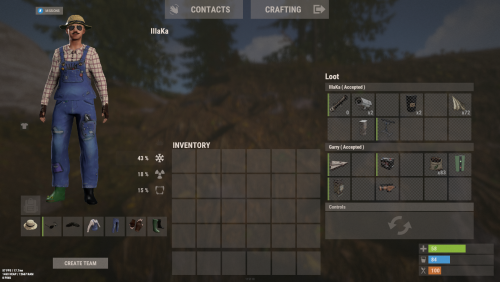
Version 0.1.6
646 downloads
An excellent plugin for remote trading between players with extensive functionality. The ability to log successful trades; The ability to create new permissions; The ability to customize permissions flexibly, including both new and existing ones; The ability to limit slots in trade; The ability to configure the method(Personal, CommonMinimum, CommonMaximum) for limiting the number of slots; The ability to set a cooldown on sending trade requests; The ability to configure the method(InitiatorOnly, TargetOnly, Both) for applying cooldown to players; The ability to purchase a bypass for the trade request cooldown; The ability to set a daily limit on sending trade requests; The ability to purchase additional trade requests after reaching the daily limit; The ability to forbid trading when wounded; The ability to forbid trading while swimming; The ability to forbid trading while mounted on certain seats; The ability to forbid trading in specified monuments, by name or by monument type; The ability to forbid trading in someone else's building privileges; The ability to forbid trading when taking damage; The ability to forbid trading during a combat block; The ability to forbid trading during a raid block; The ability to forbid certain items from being traded; The ability to automatically generate language files for specified languages(with content filled in English); The ability to set an effect upon receiving a trade request; The ability to change the effect upon a successful trade completion; The ability to display a status bar while waiting for a trade; The ability to choose between bar types(TimeCounter and TimeProgressCounter); The ability to specify the order of the bar; The ability to change the height of the bar; The ability to customize the color and transparency of the background; The ability to set a material for the background; The ability to switch between CuiRawImageComponent and CuiImageComponent for the image; The ability to get images from the local folder(*SERVER*\oxide\data\AdvancedStatus\Images); The ability to set own image and customize the color and transparency of the image; The ability to set sprite instead of the image; The ability to customize the color, size and font of the text. { "Chat command": "trade", "List of 'accept' commands": [ "accept", "yes" ], "List of 'cancel' commands": [ "cancel", "no" ], "Is it worth enabling GameTips for messages?": true, "Is it worth using Notify plugins for messages instead of the vanilla UI?": false, "Specify the regular message type for notify": 0, "Specify the warning message type for notify": 1, "Selected economic plugin(None, Economics, ServerRewards, IQEconomic, BankSystem)": "Economics", "Is it worth using the AdvancedStatus plugin?": true, "Is it worth saving trade logs to a file?": true, "List of language keys for creating language files": [ "en" ], "Slot limit calculation mode(Personal, CommonMinimum, CommonMaximum)": "CommonMaximum", "Trade cooldown apply mode(InitiatorOnly, TargetOnly, Both)": "InitiatorOnly", "Is it worth checking the target's trade cooldown?": false, "Time in seconds given to respond to a trade request": 15.0, "Price to skip 60 seconds of the trade request cooldown": 10.0, "The prefab name for the effect triggered when a trade request is received": "assets/bundled/prefabs/fx/invite_notice.prefab", "The prefab name for the effect triggered when a trade is successfully completed": "assets/prefabs/building/wall.frame.shopfront/effects/metal_transaction_complete.prefab", "List of mount names where trading is prohibited": [ "horsesaddle", "horsesaddlerear", "bikedriverseat", "bikepassengerseat", "motorbikedriverseat", "motorbikepassengerseat", "modularcardriverseat", "modularcarpassengerseatleft", "modularcarpassengerseatright", "modularcarpassengerseatlesslegroomleft", "modularcarpassengerseatlesslegroomright", "modularcarpassengerseatsidewayleft", "miniheliseat", "minihelipassenger", "transporthelipilot", "transporthelicopilot", "attackhelidriver", "attackheligunner", "submarinesolodriverstanding", "submarineduodriverseat", "submarineduopassengerseat", "snowmobiledriverseat", "snowmobilepassengerseat", "snowmobilepassengerseat tomaha", "workcartdriver", "locomotivedriver", "craneoperator", "batteringramseat", "ballistagun.entity" ], "Status. Bar - Display time in seconds. A value of 0 keeps it visible until the cooldown ends": 15.0, "Status. Bar - Type(TimeProgressCounter or TimeCounter)": "TimeCounter", "Status. Bar - Height": 26, "Status. Bar - Order": 10, "Status. Background - Color(Hex or RGBA)": "#EFC570", "Status. Background - Transparency": 0.7, "Status. Background - Material(Leave empty to disable)": "", "Status. Image - Url": "https://gitlab.com/IIIaKa/images/-/raw/main/StatusBars/Trader_Request.png", "Status. Image - Local(Leave empty to use Image_Url)": "Trader_Request", "Status. Image - Sprite(Leave empty to use Image_Local or Image_Url)": "", "Status. Image - Is raw image": false, "Status. Image - Color(Hex or RGBA)": "#EFC570", "Status. Image - Transparency": 1.0, "Status. Image Outline - Color(Hex or RGBA)": "0.1 0.3 0.8 0.9", "Status. Image Outline - Transparency": 1.0, "Status. Image Outline - Distance(Leave empty to disable). Example '0.75 0.75'": "", "Status. Text - Size": 12, "Status. Text - Color(Hex or RGBA)": "#FFFFFF", "Status. Text - Transparency": 1.0, "Status. Text - Font(https://docs.oxidemod.com/guides/developers/basic-cui/basic-cui#fonts)": "RobotoCondensed-Bold.ttf", "Status. Text - Offset Horizontal": 0, "Status. Text Outline - Color(Hex or RGBA)": "#000000", "Status. Text Outline - Transparency": 1.0, "Status. Text Outline - Distance(Leave empty to disable)": "", "Status. SubText - Size": 12, "Status. SubText - Color(Hex or RGBA)": "#FFFFFF", "Status. SubText - Transparency": 1.0, "Status. SubText - Font": "RobotoCondensed-Bold.ttf", "Status. SubText Outline - Color(Hex or RGBA)": "0.5 0.6 0.7 0.5", "Status. SubText Outline - Transparency": 1.0, "Status. SubText Outline - Distance(Leave empty to disable)": "", "Status. Progress - Background Color(Hex or RGBA)": "1 1 1 0.15", "Status. Progress - Background Transparency": 0.15, "Status. Progress - Reverse": true, "Status. Progress - Color(Hex or RGBA)": "#EFC570", "Status. Progress - Transparency": 0.7, "Status. Progress - OffsetMin": "0 0", "Status. Progress - OffsetMax": "0 0", "List of trade permissions": [ { "Permission Name": "trader.default", "Number of available trade slots": 3, "Cooldown time(in seconds) before next trade": 600.0, "Daily trade request limit. A value of 0 disables the limit": 50, "Price to purchase a trade after exceeding the daily limit. A value of 0 disables the purchase": 5.0, "Is it worth forbidding trade if the player is in a wounded state?": true, "Is it worth forbidding trade if the player is swimming?": true, "Is it worth forbidding trade if the player is mounted?": true, "Is it worth forbidding trade if the player is in someone else's building privilege area?": true, "Is it worth forbidding trade if the player has taken damage?": true, "Is it worth forbidding trade if the player has combat block?": true, "Is it worth forbidding trade if the player has raid block?": true, "List of monuments where trade is forbidden": null, "List of monument categories where trade is forbidden": [ "RadTown", "RadTownWater", "RadTownSmall", "TunnelStation", "Custom" ], "List of forbidden trade items": [ "rock" ] }, { "Permission Name": "trader.vip", "Number of available trade slots": 6, "Cooldown time(in seconds) before next trade": 450.0, "Daily trade request limit. A value of 0 disables the limit": 100, "Price to purchase a trade after exceeding the daily limit. A value of 0 disables the purchase": 2.5, "Is it worth forbidding trade if the player is in a wounded state?": true, "Is it worth forbidding trade if the player is swimming?": true, "Is it worth forbidding trade if the player is mounted?": true, "Is it worth forbidding trade if the player is in someone else's building privilege area?": true, "Is it worth forbidding trade if the player has taken damage?": true, "Is it worth forbidding trade if the player has combat block?": true, "Is it worth forbidding trade if the player has raid block?": true, "List of monuments where trade is forbidden": null, "List of monument categories where trade is forbidden": [ "RadTown", "RadTownWater", "TunnelStation" ], "List of forbidden trade items": [ "rock" ] }, { "Permission Name": "realpve.vip", "Number of available trade slots": 9, "Cooldown time(in seconds) before next trade": 300.0, "Daily trade request limit. A value of 0 disables the limit": 0, "Price to purchase a trade after exceeding the daily limit. A value of 0 disables the purchase": 0.0, "Is it worth forbidding trade if the player is in a wounded state?": false, "Is it worth forbidding trade if the player is swimming?": false, "Is it worth forbidding trade if the player is mounted?": false, "Is it worth forbidding trade if the player is in someone else's building privilege area?": false, "Is it worth forbidding trade if the player has taken damage?": false, "Is it worth forbidding trade if the player has combat block?": false, "Is it worth forbidding trade if the player has raid block?": false, "List of monuments where trade is forbidden": [ "oilrig_1" ], "List of monument categories where trade is forbidden": null, "List of forbidden trade items": [ "rock" ] } ], "Version": { "Major": 0, "Minor": 1, "Patch": 5 } } EN: { "CmdNotAllowed": "You do not have permission to use this command!", "CmdPlayerNotFound": "Player '{0}' not found! You must provide the player's name or ID.", "CmdMultiplePlayers": "Multiple players found: {0}", "CmdEconomicsNotEnough": "Not enough funds!", "CmdMain": "Available trade commands:\n\n<color=#D1CBCB>/trade</color> <color=#D1AB9A>bars *boolValue*(optional)</color> - Toggle status bar display\n<color=#D1CBCB>/trade</color> <color=#D1AB9A>*nameOrId*</color> - Send a trade request to the specified player\n<color=#D1CBCB>/trade</color> <color=#83BA7C>accept/yes</color> - Accept a pending trade request\n<color=#D1CBCB>/trade</color> <color=#DE5757>cancel/no</color> - Decline a pending or active trade\n<color=#D1CBCB>/trade</color> <color=#D1AB9A>limits</color> - View your trade limits\n<color=#D1CBCB>/trade</color> <color=#D1AB9A>buy limits *amount*(optional)</color> - Purchase additional trade requests\n<color=#D1CBCB>/trade</color> <color=#D1AB9A>buy cd *amount*(optional)</color> - Purchase a 60 second(* by amount) cooldown skip\n\n--------------------------------------------------", "CmdBarsEnabled": "Status bar display enabled!", "CmdBarsDisabled": "Status bar display disabled!", "CmdDailyLimitExtra": "You have exceeded the daily limit({0}) for sending trade requests!\n<size=10>However, you can buy additional requests using the <color=#D1AB9A>/trade buy limits</color> command for <color=#D1CBCB>${1}</color></size>", "CmdDailyLimit": "You have exceeded the daily limit({0}) for sending trade requests!", "CmdCooldownSkip": "You must wait {0} seconds before sending another trade request!\n<size=10>However, you can skip the cooldown using the <color=#D1AB9A>/trade buy cd</color> command for <color=#D1CBCB>${1}</color> per 60 seconds</size>", "CmdCooldown": "You must wait {0} seconds before sending another trade request!", "CmdWoundBlock": "You can't trade while wounded!", "CmdSwimming": "You can't trade while swimming!", "CmdMountBlock": "You can't trade while mounted here!", "CmdBuildingBlock": "You can't trade inside someone else's base!", "CmdDamageBlock": "You can't trade while taking damage!", "CmdCombatBlock": "You can't trade during combat block!", "CmdRaidBlock": "You can't trade during a raid block!", "CmdAcceptEmpty": "You have no pending trade requests!", "CmdAcceptOngoing": "You already have an active trade with player '<color=#D1AB9A>{0}</color>'!", "CmdDeclineEmpty": "You have no pending or active trades!", "CmdDecline": "Trade between you and player '<color=#D1AB9A>{0}</color>' has been canceled!", "CmdDeclineOther": "Player '<color=#D1AB9A>{0}</color>' canceled the trade with you!", "CmdSendSelf": "You cannot send a trade request to yourself!", "CmdSendNoRespond": "Player '<color=#D1AB9A>{0}</color>' has not responded to your trade request!", "CmdSendAlredyHave": "You already have a pending or active trade with player '<color=#D1AB9A>{0}</color>'!\n<size=10><color=#83BA7C>/trade yes</color> - Accept the pending trade request\n<color=#DE5757>/trade no</color> - Decline the pending or active trade</size>", "CmdSendTargetNotAllowed": "Player '<color=#D1AB9A>{0}</color>' does not have permission to use trading!", "CmdSendTargetAlredyHave": "Player '<color=#D1AB9A>{0}</color>' already has a pending or active trade with player '<color=#D1AB9A>{1}</color>'!", "CmdSendTargetHasCooldown": "Player '<color=#D1AB9A>{0}</color>' has an active cooldown, {1} seconds remaining!", "CmdSendTo": "Trade request successfully sent to player '<color=#D1AB9A>{0}</color>'.", "CmdSendFrom": "Player '<color=#D1AB9A>{0}</color>' has sent you a trade request.\n<size=10><color=#83BA7C>/trade yes</color> - Accept the pending trade request\n<color=#DE5757>/trade no</color> - Decline the pending or active trade</size>", "CmdPurchaseNotLimited": "You haven't reached your daily limit yet!", "CmdPurchaseHaveExtra": "You still have {0} additional trade requests! Use them before purchasing more.", "CmdPurchaseLimitsNotAllowed": "Purchasing additional trade requests is unavailable!", "CmdPurchasedLimits": "You have successfully purchased <color=#D1CBCB>{0}</color> trade requests!\n<size=10>Now you have <color=#D1CBCB>{1}</color> additional trade requests</size>", "CmdPurchaseNoCooldown": "You don't have a cooldown for sending trade requests!", "CmdPurchaseCooldownNotAllowed": "Purchasing a cooldown skip for trade requests is not available!", "CmdPurchasedCooldown": "You have successfully purchased a cooldown skip for <color=#D1CBCB>{0} seconds</color> for trade requests!\n<size=10>Now you need to wait <color=#D1CBCB>{1} seconds</color></size>", "CmdMyLimits": "Your trade request limits:\n\n<color=#D1CBCB>Cooldown</color> - <color=#D1AB9A>{0} sec</color>\n<color=#D1CBCB>Daily Limit</color> - <color=#D1AB9A>{1}</color>\n\n--------------------------------------------------", "BarInitiator": "Trade to: {0}", "BarTarget": "Trade from: {0}", "BarCooldown": "Trade cooldown:", "MsgStarted": "You have started a trade with player '<color=#D1AB9A>{0}</color>'!", "MsgCompleted": "Trade with player '<color=#D1AB9A>{0}</color>' completed successfully!", "MsgCanceled": "Player '<color=#D1AB9A>{0}</color>' canceled the trade!" } RU: { "CmdNotAllowed": "У вас недостаточно прав для использования этой команды!", "CmdPlayerNotFound": "Игрок '{0}' не найден! Вы должны указать имя или ID игрока.", "CmdMultiplePlayers": "Найдено несколько игроков: {0}", "CmdEconomicsNotEnough": "Не достаточно средств!", "CmdMain": "Доступные команды для трейда:\n\n<color=#D1CBCB>/trade</color> <color=#D1AB9A>bars *булевоеЗначение*(опционально)</color> - Переключение отображения статус баров\n<color=#D1CBCB>/trade</color> <color=#D1AB9A>*имяИлиАйди*</color> - Отправить запрос на трейд указанному игроку\n<color=#D1CBCB>/trade</color> <color=#83BA7C>accept/yes</color> - Принять ожидающий запрос на трейд\n<color=#D1CBCB>/trade</color> <color=#DE5757>cancel/no</color> - Отклонить ожидающий или активный трейд\n<color=#D1CBCB>/trade</color> <color=#D1AB9A>limits</color> - Узнать свои лимиты\n<color=#D1CBCB>/trade</color> <color=#D1AB9A>buy limits *количество*(опционально)</color> - Докупить дополнительное количество трейд запросов\n<color=#D1CBCB>/trade</color> <color=#D1AB9A>buy cd *количество*(опционально)</color> - Купить пропуск 60 секунд(* на количество) задержки перед отправкой трейд запросов\n\n--------------------------------------------------", "CmdBarsEnabled": "Отображение статус баров включено!", "CmdBarsDisabled": "Отображение статус баров выключено!", "CmdDailyLimitExtra": "Вы превысили допустимую дневную норму({0}) на отправку трейд запросов!\n<size=10>Но вы можете купить дополнительные запросы с помощью команды <color=#D1AB9A>/trade buy limits</color> за <color=#D1CBCB>{1}$</color></size>", "CmdDailyLimit": "Вы превысили допустимую дневную норму({0}) на отправку трейд запросов!", "CmdCooldownSkip": "Перед отправкой нового запроса на трейд вам необходимо подождать {0} секунд!\n<size=10>Но вы можете купить пропуск задержки с помощью команды <color=#D1AB9A>/trade buy cd</color> за <color=#D1CBCB>{1}$</color> за каждые 60 секунд</size>", "CmdCooldown": "Перед отправкой нового запроса на трейд вам необходимо подождать {0} секунд!", "CmdWoundBlock": "Вам запрещено пользоваться трейдом в предсмертном состоянии!", "CmdSwimming": "Вам запрещено пользоваться трейдом в воде!", "CmdMountBlock": "Вам запрещено пользоваться трейдом сидя в данном месте!", "CmdBuildingBlock": "Вам запрещено пользоваться трейдом в чужой базе!", "CmdDamageBlock": "Вам запрещено пользоваться трейдом при получении урона!", "CmdCombatBlock": "Вам запрещено пользоваться трейдом во время боя!", "CmdRaidBlock": "Вам запрещено пользоваться трейдом во время рейда!", "CmdAcceptEmpty": "У вас нет ожидающих запросов на трейд!", "CmdAcceptOngoing": "У вас уже есть активный трейд с игроком '<color=#D1AB9A>{0}</color>'!", "CmdDeclineEmpty": "У вас нет ожидающих или активных трейдов!", "CmdDecline": "Трейд между вами и игроком '<color=#D1AB9A>{0}</color>' отменён!", "CmdDeclineOther": "Игрок '<color=#D1AB9A>{0}</color>' отменил трейд с вами!", "CmdSendSelf": "Нельзя отправить трейд запрос самому себе!", "CmdSendNoRespond": "Игрок '<color=#D1AB9A>{0}</color>' не ответил на ваш трейд запрос!", "CmdSendAlredyHave": "У вас уже есть ожидающий или активный трейд с игроком '<color=#D1AB9A>{0}</color>'!\n<size=10><color=#83BA7C>/trade yes</color> - Принять ожидающий запрос на трейд\n<color=#DE5757>/trade no</color> - Отклонить ожидающий или активный трейд</size>", "CmdSendTargetNotAllowed": "У игрока '<color=#D1AB9A>{0}</color>' недостаточно прав для использования обмена!", "CmdSendTargetAlredyHave": "У игрока '<color=#D1AB9A>{0}</color>' уже есть ожидающий или активный трейд с игроком '<color=#D1AB9A>{1}</color>'!", "CmdSendTargetHasCooldown": "У игрока '<color=#D1AB9A>{0}</color>' имеется активный кулдаун, осталось {1} секунд!", "CmdSendTo": "Игроку '<color=#D1AB9A>{0}</color>' был успешно отправлен запрос на трейд.", "CmdSendFrom": "Игрок '<color=#D1AB9A>{0}</color>' отправил вам запрос на трейд.\n<size=10><color=#83BA7C>/trade yes</color> - Принять ожидающий запрос на трейд\n<color=#DE5757>/trade no</color> - Отклонить ожидающий или активный трейд</size>", "CmdPurchaseNotLimited": "Вы ещё не исчерпали свой дневной лимит!", "CmdPurchaseHaveExtra": "У вас ещё есть {0} дополнительных трейд запросов! Используйте их прежде, чем покупать новые.", "CmdPurchaseLimitsNotAllowed": "Покупка дополнительных трейд запросов недоступна!", "CmdPurchasedLimits": "Вы успешно докупили <color=#D1CBCB>{0}</color> трейд запросов!\n<size=10>Теперь у вас <color=#D1CBCB>{1}</color> дополнительных трейд запросов</size>", "CmdPurchaseNoCooldown": "У вас нет задержки на отправку трейд запросов!", "CmdPurchaseCooldownNotAllowed": "Покупка пропуска задержки на трейд запросы недоступна!", "CmdPurchasedCooldown": "Вы успешно купили пропуск на <color=#D1CBCB>{0} секунд</color> задержки для трейд запросов!\n<size=10>Теперь вам нужно подождать <color=#D1CBCB>{1} секунд</color></size>", "CmdMyLimits": "Ваши лимиты трейд запросов:\n\n<color=#D1CBCB>Время задержки</color> - <color=#D1AB9A>{0} сек</color>\n<color=#D1CBCB>Дневной лимит</color> - <color=#D1AB9A>{1}</color>\n\n--------------------------------------------------", "BarInitiator": "Трейд с: {0}", "BarTarget": "Трейд от: {0}", "BarCooldown": "Задержка трейда:", "MsgStarted": "Вы начали трейд с игроком '<color=#D1AB9A>{0}</color>'!", "MsgCompleted": "Трейд с игроком '<color=#D1AB9A>{0}</color>' успешно завершён!", "MsgCanceled": "Игрок '<color=#D1AB9A>{0}</color>' отменил трейд!" } bars *boolValue*(optional) - Toggle status bar display. *nameOrId* - Send a trade request to the specified player. accept/yes - Accept a pending trade request. cancel/no - Decline a pending or active trade. limits - View your trade limits. buy limits *amount*(optional) - Purchase additional trade requests. buy cd *amount*(optional) - Purchase a 60 second(* by amount) cooldown skip. Example: /trade bars true /trade iiiaka /trade yes /trade limits /trade buy limits 1 /trade buy limits 0.5$9.99 -
Version 3.2.0
56,070 downloads
Create fully automated raidable bases with NPCs in Rust. Raidable Bases supports maintained, scheduled, buyable and manually spawned events, with separate options for each difficulty. Compatibility notes server.pve true is not supported; please use TruePVE or another compatible PVE plugin that calls the necessary hooks required by Raidable Bases. Raidable Bases does not currently use Harmony patches. I could implement such patches, but it's often better to use a supported hook when it exists instead. Raidable Bases is not compatible with Raid Windows in Softcore mode after the Tool Cupboard is destroyed or after raidwindow_fresh_tc_seconds elapses. This will be supported when the appropriate hooks exist for this behavior. Raidable Bases & Boats Loot Editor by @beee This is the easiest way to create and manage Raidable Bases loot tables. It provides a visual editor for item selection, amounts, probability, skins and other loot fields, making it the best starting point for most server owners. https://codefling.com/tools/raidable-bases-boats-loot-editor/ Built with performance in mind Raidable Bases manages a lot of work behind the scenes, so performance is treated as a core part of development. Pasting and cleanup are batched, recurring work is shared through central schedulers, temporary collections are pooled, and spawn searches are spread across frames to reduce noticeable spikes. These systems help provide a smoother experience across a wide range of server sizes. Performance will continue to be reviewed and improved anywhere measurable gains can be made. There are just a few steps Get bases spawning within minutes An experienced administrator may finish in a few minutes. A novice should allow roughly 30 minutes, while a complete beginner may need 60 to 120 minutes. Fine-tuning depends on how large you want the project to become. Once the initial setup is complete, maintaining the plugin is fairly simple, and growing your base catalog becomes an art form of its own. Server owners regularly report that players love the variety, which makes building that collection rewarding for everyone involved. Step 1 - Add your bases You can obtain bases by: Downloading them from Fortify. Purchasing a Raidable Bases package. Purchasing compatible CopyPaste files from another creator. Creating your own bases. Place the CopyPaste JSON files in: Oxide — oxide/data/copypaste/ Carbon — carbon/data/copypaste/ Step 2 - Set up profiles Profiles serve a specific purpose: they extend the main configuration file. For clarity, they should always be referred to as profiles. Profiles are located in: Oxide — oxide/data/RaidableBases/Profiles/ Carbon — carbon/data/RaidableBases/Profiles/ Bases can be added manually or with the command: rb.config add "Easy Bases" raideasy1 raideasy2 raideasy3 rb.config add "Medium Bases" raidmed1 raidmed2 raidmed3 The named profile can contain any number of CopyPaste bases that share its options. Quotes around the profile name are required, and it is best practice to use them even when the name has no spaces. Use straight double quotes only; curly quotes will not work correctly. Step 3 - Enable automatic events For public automated events, enable Maintained Events or Scheduled Events in the main configuration and choose how many events you would like active. The main configuration file is located in: Oxide — oxide/config/RaidableBases.json Carbon — carbon/configs/RaidableBases.json Edit the configuration file. Maintained Events: keeps the configured number of raids available. Max Maintained Events: Set this to the amount of events that you want to always have spawned. Max Amount Allowed To Automatically Spawn Per Difficulty: Set this to the amount of events that you want to spawn per difficulty. Scheduled Events: spawns raids according to a timer. Max Scheduled Events: Set this to the amount of events that you want spawned on a timed basis. Max To Spawn At Once: Set this to the amount of events that can spawn at once from Max Scheduled Events. Set to 0 to use the full amount from Max Scheduled Events. Step 4 - Save your files then use the commands: Oxide: o.reload RaidableBases Carbon: c.reload RaidableBases Shortcuts: rb.reloadconfig rb.reloadprofiles Once grid initialization completes, automatic events can begin spawning. The included Default_Loot table is enough to get started and can be replaced whenever you are ready. Ultimately, the Default_Loot table should be discarded once your other loot tables are configured. File locations Main configuration Oxide: oxide/config/RaidableBases.json Carbon: carbon/configs/RaidableBases.json Profiles Oxide: oxide/data/RaidableBases/Profiles/ Carbon: carbon/data/RaidableBases/Profiles/ CopyPaste bases Oxide: oxide/data/copypaste/ Carbon: carbon/data/copypaste/ Loot and data Oxide: oxide/data/RaidableBases/ Carbon: carbon/data/RaidableBases/ The main configuration controls server-wide behavior. Profiles contain options for specific difficulties, while loot tables and CopyPaste files provide the content used by each event. Map terrain and spawn locations Raidable Bases depends on the map having enough flat, unobstructed terrain for automated events. Most procedural maps provide plenty of locations, while custom or heavily modified maps may need additional flat terrain, islands, or custom spawn points. The grid scans the map when the plugin initializes and reports the number of potential spawn locations. A low location count usually means the map offers fewer suitable areas or the current settings narrow the available terrain. Spawns Database files are useful for sky bases, underwater bases, custom maps and any setup that needs exact locations. You can disable using the grid by providing a valid spawn file for each raid type (buyable, maintained, scheduled and manual). You may view the grid by typing /rb grid in-game to view detailed drawings of all locations on the grid. X - Green - Potential spawn point, generally in clusters X - Red - Currently in use C - Cyan - Construction detected nearby TC - Yellow - TC detected nearby W - Blue - Water depth is too high - Refreshes on ocean level change Green clusters have the highest chance of being picked as a spawn point, constantly changing depending on player activity and remaining a safe distance away. Profiles and difficulties A profile is where options can be found that pertain to specific difficulties. Any number of CopyPaste bases can share the same profile, so a large base rotation can be managed while the difficulty is adjusted in one place. Profiles can control loot, NPCs, PVP or PVE behavior, protection radius, damage, doors, locks, water placement, height, rewards, building options and much more. Dynamic difficulties rb.difficulty add "Sky" rb.difficulty remove "Sky" Adding a difficulty creates the matching configuration and language entries. Profiles and loot tables can then be assigned to it. Removing a difficulty removes its active configuration entries without deleting the related files. Event types Maintained — Keeps up to the configured number of public raids available. Another can spawn after one despawns. Scheduled — Spawns public raids between the configured minimum and maximum interval. Buyable — Lets players purchase a raid through the configured buy command, subject to availability, costs and cooldowns. Manual — Lets an administrator spawn a selected raid at a chosen location. Each event type can use the automatic grid or its own Spawns Database file. Loot tables Loot can come from a base-specific table, difficulty table, weekday table and the default table. The plugin combines the available sources according to the profile and loot settings until it has enough usable entries. Default loot Default_Loot.json contains a small demonstration loot list. It is enough to show how the plugin works, but most servers should replace it with loot tables in the Base_Loot and/or Difficulty_Loot folders. Loot table editor For most servers, the Loot Table Editor by @beee is the quickest way to build and manage these files. Thanks, beee! https://codefling.com/tools/raidable-bases-boats-loot-editor/ Important loot fields shortname — Rust item shortname. amount — Maximum amount created for the entry. amountMin — Minimum amount created for the entry. probability — Spawn chance from 0.0 to 1.0, where 1.0 is 100%. stacksize — Optional stack-size override. Use -1 to use the item's normal Rust stack size. skin — Optional skin ID. Editable item lists The rb.populate all command creates a file for each difficulty inside the Editable_Lists folder. Each file contains every available Rust item, allowing you to remove unwanted entries and configure the amounts for items you would like to spawn. Any items with an amount set to 0 will be inactive, so you do not have to remove any entry. A list containing hundreds of items may look intimidating at first, but deleting unwanted entries or configuring from a preset list is usually much faster than adding every item manually. The command also includes items already present in your Difficulty_Loot files. This makes it useful when you want to rebuild a list and reevaluate which items should be available later. Files inside Editable_Lists are for editing only. Their contents need to be copied into an active loot file before the plugin will use them. To use Editable_Lists/Easy.json for Easy raids, copy its contents into Difficulty_Loot/Easy.json. To use Editable_Lists/Expert.json for a profile named Expert Bases, copy its contents into Base_Loot/Expert Bases.json. Item amounts and probability An item will not spawn when both amount and amountMin are set to 0. You may remove these entries or leave them in the file for later use. When amountMin is 0, probability determines whether the item spawns. If the item fails its probability check, another item will not automatically replace it unless additional eligible entries are available. Tool Cupboard loot Items moved into the Tool Cupboard may combine into larger stacks. The visible stack count can therefore be lower than the amount that was originally generated. Loot priority Loot is loaded from the data files inside: Oxide: oxide/data/RaidableBases/ Carbon: carbon/data/RaidableBases/ The Profiles folder is not a loot source. It contains the options used by each profile and difficulty. Please do not place any file in the Profiles folder that is not a profile, the hamsters will cry. Base Loot If a file inside Base_Loot has the same name as a profile, the bases assigned to that profile can use that loot table. For example: Base_Loot/Expert Bases.json applies to the profile named: Expert Bases Enable Always Spawn Base Loot Table in the profile when items from that table should always be included. Difficulty Loot Files inside Difficulty_Loot are selected according to the difficulty assigned to the profile. For example: Difficulty_Loot/Hard.json is used by profiles assigned to the Hard difficulty. Day of Week Loot When Use Day Of Week Loot is enabled, the plugin selects the loot table matching the current day. Default Loot Default_Loot.json acts as the fallback table. It is used when the other available loot tables do not provide enough eligible items to satisfy Amount Of Items To Spawn. Generally, this file should be discarded once Base Loot and Difficulty Loot tables have been created. NPCs Profiles include NPC options for scientists, murderers and sleepers. You can keep the defaults or tailor their amount, health, accuracy, kits, movement and loot to suit each difficulty. Valid Kits entries take priority over the matching manual loadout lists. NPCs spawned inside bases remain stationary, while outdoor NPCs can roam and engage players around the event. More NPCs naturally create more work, so busy servers may prefer to increase counts gradually. PVP, PVE, ownership and raid options Raid behavior is controlled by a combination of profile options and server-wide configuration. Together, these determine whether a raid is PVP or PVE and can control ownership, team or clan access, building, teleporting, cupboard access, damage across the dome, PVP delay, completion requirements and rewards. Ownership and participation Public raids can lock to the first attacker, while purchased raids can remain associated with their buyer. Players may become participants by damaging the base, killing NPCs, looting or using other supported raiding methods. PVP delay PVP delay can keep a player temporarily vulnerable after leaving a PVP raid. This discourages zone hopping across the event boundary to gain an unfair advantage on a PVE server, where normal protection would otherwise resume immediately after leaving. Buyable raids and shop plugins Buyable raids use the configured buy command, commonly /buyraid. A purchase can still be declined by cooldowns, ownership options, event limits, permissions, availability or the inability to find a suitable location. Using a shop plugin (support is not guaranteed) The shop should provide the buyraid command for free or at zero cost, while Raidable Bases handles the actual payment and any refund. This allows the plugin to safely return the payment when the raid cannot be created. Shop plugins that cannot sell the command at zero cost are not supported. buyraid 0 <steamid> The player placeholder depends on the shop plugin. Prices are configured in Raidable Bases and should remain zero in the external shop. If using a Tier Package of mine, the only requirement to use Buyable Events with the /buyraid command is to enable a cost per difficulty in the config file. These are not configured for obvious reasons; I don't know your servers economy. Config snippet: https://i.ibb.co/x8XW9Lbs/image.png Options that benefit from an explanation (the majority have names that are meant to be self-explanatory to save time) The complete configuration already lists every available option. This section only covers settings that are easier to understand with a little context. Advanced Protection Radius — Controls the event area used by domes, markers, damage checks, ejection, NPC ranges and nearby spawn checks. Configurable per event type: Buyable Events, Maintained Events, Manual Events, and Scheduled Events. Amount Of Items To Spawn — Sets the target amount of generated loot, limited by available entries from your loot tables and container space in each base. Divide Loot Into All Containers — Spreads generated loot across the raid's available containers. This does not serve much purpose when disabled, it is advised to keep it set to true. Create Dome Around Event Using Spheres — Creates the visible event boundary. Set to 0 to disable it. Spawn Silently — Hides the normal announcement, dome and map marker for the profile. Height Adjustment Applied To This Paste — Adds the same vertical offset whenever a base using this profile is pasted. Forced Height — Uses a fixed world height for controlled sky or special-event setups. Allow Players To Raid With Items Up To What Workbench Level? — Limits raiding items according to their workbench level. Water Settings — Controls floating, surface, underwater and seabed placement. Workbench-level option -1 — No workbench-level limit, future-proof where level 3 may be increased to 4 in a later Rust update. 0 — Allows raiding items that require no workbench. 1 — Allows items up to Workbench Level 1. 2 — Allows items up to Workbench Level 2. 3 — Allows items up to Workbench Level 3. The plugin checks the available workbench information for weapons, ammunition, attack entities and projectiles. A player is notified when the item being used exceeds the profile's allowed level. Commands and permissions Many command names are configurable. The examples below use their common defaults. /buyraid — Open or use the buyable raid system. /rb — View player-facing raid information and available subcommands. rbe [base] [difficulty] — Spawn a manual event using the configured event command. rb.config add "<profile>" <bases...> — Add CopyPaste bases that share the selected profile options. Straight quotes around the profile name are required. rb.config list — List configured bases. rb.config remove <base> — Remove a configured base from any profiles containing it. rb.config maintained — Toggle Maintained Events in the config on or off. rb.config scheduled — Toggle Scheduled Events in the config on or off. rb.toggle - Temporarily toggles events on or off, refreshing when toggled back on or when the plugin is reloaded again. rb.reloadconfig — Reload the main configuration. rb.reloadprofiles — Reload profiles. rb.reloadtables — Reload loot tables. rb.populate all — Create editable item reference lists. rb.difficulty add "name" — Create a new difficulty and its matching configuration entries. rb.difficulty remove "name" — Remove a difficulty from the active configuration without deleting its files. rbe despawn - Despawns the base you are nearest to. Use noclip or vanish to ensure other options do not block the despawn. Cannot be used while a base is pasting or being setup by the plugin, wait to use until after the event has started. Players do not require permissions by default. Administrative permissions are best limited to trusted administrators, moderators and staff only. raidablebases.allow — Allows player to use the available ADMIN commands. This is NOT recommended as players can use the commands 'buyraid' and 'rb' already. raidablebases.canbypass — Bypass dome restrictions. Noclip or vanish will bypass many features too, so you can assist players without interfering. raidablebases.blockbypass — Bypass Owning More Than One Raid settings for Clans/Friends/Teams raidablebases.mapteleport — Teleporting to map marker now simply requires this permission and to be enabled in config raidablebases.ddraw — Allows support for direct draw to players. raidablebases.config — Allows access to rb.config command in-game (server console does not require this permission) raidablebases.banned — Bans the user from entering any raids - accidentally banned yourself? Use /rb unban raidablebases.durabilitybypass — Bypass `Block Plugins Which Prevent Item Durability Loss` raidablebases.notitle — Exclude users from ranked title rewards raidablebases.buyraid — Optionally require this permission with `Use Permission (raidablebases.buyraid)` (not required by default) See other permissions using Permissions Manager (click the link to visit the page on Codefling) RBE DEBUG The RBE DEBUG command displays information related to the configuration, profiles, map and spawn checks. Using it before requesting support usually makes the cause much easier to identify. Too much information displayed at once? Not a problem, it is constantly recording data but the solution is very simple. Run RBE DEBUG once to enable it, then run it again to disable it and clear the previously recorded data. Next, attempt to spawn the raid using /buyraid or /rbevent Run RBE DEBUG again to view any newly recorded information. Do this promptly, as it will immediately continue to record. When you are finished, toggle it off by typing the command again. It will continue to output debug until it is turned off. Helpful information to include Raidable Bases and CopyPaste versions. The base filename, profile, difficulty and event type. The command used and relevant console output. Whether the same file works when pasted directly with CopyPaste. Map seed, size and whether the map is procedural or custom when the issue involves placement. Debug contains all relevant information to events, good or bad. Use this information to determine what is happening and how to resolve the issue on your own. Facepunch Terms of Service Raidable Bases includes safeguards designed to help servers remain compliant with Facepunch policies for paid DLC items and restricted cosmetic content. These safeguards may remove restricted deployables or loot and prevent unauthorized pickup. Server-owner responsibility Changes that disable or bypass these safeguards can place a server outside Facepunch policy. Custom loot tables, imported workshop skins, CopyPaste files and third-party content should be reviewed before use. Tools and further reference Community-made Facepunch content checker by ninco90: https://app.rustspain.com/facepunch/checkitems Loot Table Editor: https://codefling.com/tools/raidable-bases-boats-loot-editor/ Developer API Signatures reflect Raidable Bases 3.1.5 The following hooks receive this argument set: OnRaidableBaseStarted, OnRaidableBaseEnded, OnRaidableBasePrivilegeDestroyed, OnRaidableBaseDespawn, OnRaidableBaseDespawned and one overload of OnRaidableBaseCompleted and OnRaidableAwardOwner. Please note that unused args will be removed in a future update. object[] raidData = { Vector3 location, int level, bool allowPVP, string id, float unused1, float unused2, float loadTime, ulong ownerId, BasePlayer owner, List<BasePlayer> raiders, List<BasePlayer> intruders, List<BaseEntity> entities, string baseName, DateTime spawnDateTime, DateTime despawnDateTime, float protectionRadius, int lootRemaining }; OnPlayerPvpDelayStart, OnPlayerPvpDelayReset and OnPlayerPvpDelayExpired receive this argument set. object[] delayData = { BasePlayer player, ulong userid, int level, Vector3 location, bool allowPVP, string id, ulong ownerId, string baseName, DateTime spawnDateTime, DateTime despawnDateTime, int lootRemaining }; Event hooks Purchase, ownership, backpack, and other special hooks Callable API methods$40.00 -

Version 1.6.4
120 downloads
FEATURES Automated trivia games Admin called trivia game More than 24 categories Easy. Medium and Hard difficulty Multiple & True/False choice answers Reward system, including ServerRewards Punish system Announce actions to console Wins, Losses and Typos are stored SUPPORT If you have questions, requests or you're stuck you can get support via my Discord Server or the Support Tab. Invite link to Discord Server DOCUMENTATION You can find the documentation here. COMMANDS trivia_help Displays and explains trivia commands trivia_version Displays the loaded plugin's version trivia_admin [open] [rounds] [frequency] 1) With the permission trivia.admin a user can start a trivia game with X>0 rounds Y>0 minutes between them. 2) Only one game can be called at once. 3) If Automated Games are enabled in the config file, even with permission, trivia games can't be called! rounds = X frequency = Y trivia_admin [close] Using trivia_admin close will stop the current game. trivia [number] When a trivia game starts, players can choose a number between 1-4 or 1-2, depending on the game type PERMISSIONS trivia.admin With this permission, users can call in trivia games. trivia.dontkick With this automated permission, players won't be kicked for flyhack-violation when punished. (currently unused)$4.99 -

Version 1.4.10
251 downloads
MBKits — Modern Kit UI with Previews, Cooldowns, AutoKits & Permissions MBKits is a modern, fully customizable and visually refined Rust plugin for managing player kits through an advanced UI. It features a polished interface, animated intro images, detailed kit previews, cooldowns, autokits, pop-up notifications, flexible permissions, item skins, ammo support, and deep integration with systems. Core Features Beautiful Modern UI Clean scrollable interface with a 3-column grid for kits. Fully image-driven design (backgrounds, kit icons, overlays). Optional animated intro images on player connect. Supports custom images for individual kits. View Kit Contents Players can preview every item inside a kit: Detailed inventory layout: Main, Belt, Wear. Supports custom skins, modded items, nested contents. Shows weapon ammo, attachments, and item quantities. Supports custom icons per item via custom image keys. Advanced Cooldown System Per-kit cooldowns: 1h, 30m, 2d4h, etc. UI shows exact remaining cooldown time. Cooldowns persist through server restarts. Per-player cooldowns stored in data files. Permission Support Each kit can require its own permission. Permissions auto-register if missing. UI reacts to permission state: No access → greyed-out button. Hidden kits optionally supported. Claim System Checks if the player has enough space before giving the kit. Fully supports skins, ammo, attachments, modded weapons. Smart fallback logic if the intended slot is occupied. Custom commands per kit item using {playerid} and {name}. Success & error popups using dynamic UI with icons. Multi-language Support Built-in languages: English Russian Ukrainian All UI text and messages are fully localized and stored in separate language files. YouTube 🛠 Admin Tools Create / Remove Kits Create kit from your inventory: /dkit add <name> [permission] Saves main, belt, wear containers. Automatically creates a permission if not supplied. Sets default cooldown. Remove a kit: /dkit remove <name> Deletes the kit. Clears all cooldowns for all players. Create / Remove AutoKits /akit add <name> /akit remove <name> Permission System Requires mbkits.admin to manage kits. Kit permissions auto-create: mbkits.<kitname> Autokits: mbkits.autokit.<name> Commands Command Description /kits Opens the main kit UI /dkit add <name> Creates a new kit from your current inventory /dkit add <name> <permission> Creates a kit with a custom permission /dkit remove <name> Deletes a kit and clears all cooldown data /akit add <name> Creates a hidden AutoKit from your inventory /akit remove <name> Removes an AutoKit Data Files Stored under: oxide/data/MBSystem/MBKits/ MBKits_kits.json — player kits MBKits_cooldowns.json — per-player cooldowns MBKits_uses.json — usage limits MBKits_autokits.json — hidden autokits$7.00 -
Version 1.3.8
6,004 downloads
The plugin adds a dungeon event to your server. Dungeons are bases with puzzles, NPC defenders, turrets and more. You can create your own dungeons of varying difficulty. Procedurally generated dungeons are also now available (currently only in test mode) You can build your own bases or modify existing ones: There are moving NPC guardians in the dungeons: There are puzzles with protective doors in the dungeons: In the dungeons there are secret notes with codes in boxes or on NPCs: Commands: dungbase_start - force start event dungbase_start <entrance name> <dungeon name> <X> <Y> <Z> - force an event to start using the specified entrance and dungeon at coordinates X Y Z (you can also specify the name of the entrance or dungeon <random>) dungbase_start <X> <Y> <Z> - force an event to start using a random entrance and dungeon at X Y Z coordinates. example: dungbase_start #dung#entrance1 #dung#dungeon1 122.3 5.2 872 dungbase_start random #dung#dungeon3 dungbase_stop <id|all> - force stop event dungbase_list - displays a list of current dungeons dungbase_addblack <radius> - add a zone where dungeon spawning is not allowed dungbase_start - force start event Command to launch procedurally generated dungeons: example: dungbase_start #dung#entrance1 procedural_hard - an event starts where the entrance is #dung#entrance1, and the dungeon is procedurally generated with the name of the tier hard dungbase_start random procedural_normal - an event starts where the entrance is randomly selected from a list of entrance names, and the dungeon is procedurally generated with the tier name normal dungbase_start random procedural_easy 100 6 84 - an event starts where the entrance is randomly selected from a list of entrance names, and a procedurally generated dungeon named easy is created at coordinates (100, 6, 84) Hooks: void DungeonBasesEventStarted() - // called when event starts void DungeonBasesEventEnded() - // called when event ends Configuration: { "Allow only the event owner (the one who entered the dungeon first) into the dungeon": true, "Allow owner's teammates to enter the dungeon": true, "Time before ownership is lost after leaving the server(in seconds)": 300, "Event marker on the map": true, "Event marker name": "Dungeon Base", "Event marker transparency(0-1)": 0.55, "Event marker radius": 0.5, "Event marker color.R(0-1)": 1.0, "Event marker color.G(0-1)": 0.0, "Event marker color.B(0-1)": 0.0, "Display event owner name on marker": true, "Display the time remaining until the end of the event on the marker": true, "Autostart event(disable if you want to trigger the event only manually)": true, "Calculate the time until the next event only after the previous one has finished": false, "Minimum time to event start(in seconds)": 3600, "Maximum time to event start(in seconds)": 7200, "Minimum event duration(in seconds)": 2000, "Maximum event duration(in seconds)": 3000, "Minimum number of online players to trigger an event": 1, "List of NPC names": [ "Dungeon NPC", "Dungeon Keeper", "Dungeon guard" ], "Dungeons list": [ "#dung#base1", "#dung#base2", "#dung#base3", "#dung#base4" ], "Entrances list": [ "#dung#entrance1", "#dung#entrance2", "#dung#entrance3", "#dung#entrance4" ], "Random order of choosing a dungeon from the list (if false, will be selected in turn)": true, "Random order of choosing the entrance to the dungeon from the list (if false, will be selected in turn)": true, "Change the time of day when entering the dungeon(from 0 to 23, if -1 - do not change the time)": 0.0, "How long before the end of the event does radiation start to affect players inside the dungeon": 180, "How long before the event ends will a warning message be displayed to players": 300, "How long after the event ends should the entrance be destroyed": 60, "Close the entrance and exit to the dungeon when the event time is over": true, "Will autoturrets attack NPCs": false, "Save event data (If true, the event will be saved and will continue even if you restart the server or plugin. Disable this if you get lag when saving)": true, "SteamID for chat message icon": 0 } Note: The plugin is guaranteed to work correctly with bases enabled. NPCs will not behave as standard, as they use different algorithms. Only one dungeon can spawn on the map at a time.$24.99 -
Version 2.2.6
3,860 downloads
A new event includes a lot of game mechanics Description The event starts with a warning in the chat: a submarine will soon be passed near the island. A submarine will appear on the water when the time is up. There are 4 floors in the submarine. 2 floors are over the water and 2 floors are under the water. It is possible to get into the submarine on absolutely any transport. There are 4 outside entrances, 4 underwater entrances, and 2 submarine entrances (added in the Underwater Update). There are about 50 NPCs outside the boat and two upper floors. There are about 120 crates of items, rooms with blue and red doors, locked crates, recyclers, workbenches in the submarine (it is possible to set up in the configuration). There are also 4 cameras on the submarine that you can connect to (Submarine1, Submarine2, Submarine3, Submarine4). The number and location of all NPCs and crates can be changed in the plugin configuration. It is also possible to change the dropdown items in them. It is necessary to blow up the doors on the submarine with explosives to get to the crates (it is possible to set up the amount of damage to the doors in the configuration). When an event appears, a marker will display on the map (configurable in the configuration file). It is possible to set up in the configuration the PVP zone for those who use the TruePVE plugin. A timer with a countdown to the Event end and the number of crates and NPCs will display for all players in the Event zone. The conditions for the completing event are the end of the timer or the end of the loot crates. The submarine will disappear at the end of the event. It is possible to set up an automatic event appear on the map. All timers can be set up in the configuration. It is possible to lower the FPS on the server due to the large number of entities during the submarine appearance or the end of the event! Dependencies Required NpcSpawn Dependencies (optional, not required) True PVE PveMode GUI Announcements Notify Discord Messages AlphaLoot CustomLoot NTeleportation Economics Server Rewards IQEconomic Kits Chat commands (only for administrators) /waterstart - start the event /waterstop - end the event /waterpos - determining the position and rotation coordinates for changing the location of NPCs and crates.It should write in the configuration (Attention! The event must be started, the current position of the administrator in relation to the submarine is read) Console commands (RCON only) waterstart - start the event waterstop - end the event Plugin Config en - example of plugin configuration in English ru - example of plugin configuration in Russian Hooks void OnWaterEventStart(HashSet<BaseEntity> entities, Vector3 position, float radius) – called when the event starts void OnWaterEventEnd() – called when the event ends void OnWaterEventWinner(ulong winnerId) – called at the end of the event, where the winnerId is the player who did more actions to complete the event My Discord: KpucTaJl#8923 Join the Mad Mappers Discord here! Check out more of my work here! The submarine is designed by Jtedal$40.00 -

Version 1.21.37
779 downloads
IQTurrets is a plugin that adds turrets to your server without electricity! There will be an additional "switch" on the turrets, which will start and turn it off without electricity. It also supports the ability to connect electricity to the turret without electricity, the plugin is synchronized and everything will work according to the mechanics of the game Opportunities : - Support SAM-Site - There are limits on the cabinet and specifically for the player - It is possible to set limits on privileges - IQChat support is available - There are console and chat commands for controlling turrets with the ability to bind them - The ability to use 2 types of switches: Buttons and tublers API : Object OnSetupTurret(BaseEntity entityTurret) /// - return null to ignore and continue the installation, otherwise nothing will be installed on the turret$12.99 -
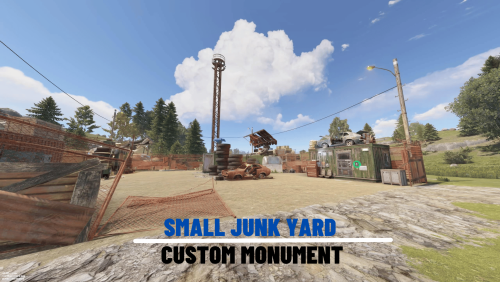
Version 1.0.0
178 downloads
Custom small scrap yard with custom tunnels that you can put in your custom map. Features: Simple installing. Great detail. Optimized FPS. There is radiation. Loot: Oil barrels. Food box/crates. Barrels. Ordinary crates. Military crates. Elite crate. and 1 blue card. Other works.Free -

Version 2.2.7
4,534 downloads
This event automatically takes place in the Junkyard location if on the map Finally, the crane in Junkyard will have a true meaning and be fun again! Description The event begins with a notification in the chat that soon scavengers will arrive at Junkyard, who will have a rest there. Next, NPCs appear in the location, whose presets you can configure in the plugin configuration. A message appears in the chat that the scavengers hid a signal grenade in one of the broken cars at the landfill to call for supplies. The player needs to kill all the NPCs and find the rusted car in which the grenade is hidden. In order to find and activate the signal grenade, use a crane to load rusted cars into a shredder for recycling, it's bound to be in one of them! The number of rusted cars in the landfill is regulated by the value in the configuration. The required car is selected at random from the group. The player needs to recycle the rusted cars one by one until he finds the one in which the signal grenade is located in! After the player recycles the broken car, a plane will fly to the Junkyard location, on board of which there will be a truck with supplies. The plane will drop this truck and it will land in Junkyard via parachute. Once it lands, guards will come out of the truck and guard it. But the truck is closed, it cannot be opened. The player needs to kill these guards to get access to the truck. In order for the player to get access to the crates and the loot within, they need to recycle the truck by using the crane and placing it into the shredder! Next, the crates will travel along the conveyor belt of the shredder and the player will be able to open them. You can configure all the crates, their number and the loot in them, all in the plugin configuration. Dependencies Required NpcSpawn Dependencies (optional, not required) True PVE PveMode GUI Announcements Notify Discord Messages AlphaLoot CustomLoot NTeleportation Economics Server Rewards IQEconomic Kits Chat commands (only for administrators) /jstart - start the event /jstop - end the event /jpos - determining the position and rotation coordinates for changing the location of NPCs. It should write in the configuration (Attention! The event must be started, the current position of the administrator in relation to the Junkyard is read) Console commands (RCON only) jstart - start the event jstop - end the event Plugin Config en - example of plugin configuration in English ru - example of plugin configuration in Russian Hooks void OnJunkyardEventStart() – called when the event starts void OnJunkyardEventEnd() – called when the event ends void OnJunkyardEventWinner(ulong winnerId) – called at the end of the event, where the winnerId is the player who did more actions to complete the event My Discord: KpucTaJl#8923 Join the Mad Mappers Discord here! Check out more of my work here!$30.00- 49 comments
- 5 reviews
-
- 5
-
-

-
- #broken cars
- #cargoplane
- (and 26 more)
-
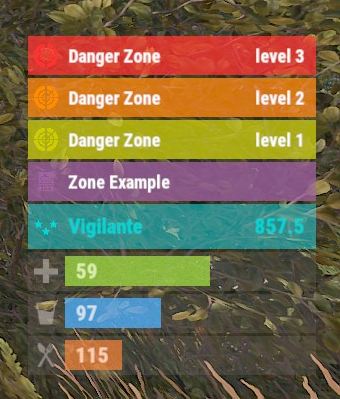
Version 0.1.9
434 downloads
The plugin displays the current zone or monument to the player in the status bar. Depends on ZoneManager, MonumentsWatcher and AdvancedStatus plugins. P.S. The settings for each zone or monument are located in the "*SERVER*\oxide\data\ZoneStatus\" folder. The ability to display the player's current monument; The ability to automatically change monuments names when the player switches languages; The ability to display the player's current zone; The ability to enable or disable visibility for each of the zones; The ability to customize the style for each of the zones(in the data file); The ability to specify the order of the bar; The ability to change the height of the bar; The abillity to customize the color and transparency of the background; The ability to set a material for the background; The ability to switch between CuiRawImageComponent and CuiImageComponent for the image; The ability to get images from the local folder(*SERVER*\oxide\data\AdvancedStatus\Images); The abillity to set own image and customize the color and transparency of the image; The abillity to set sprite instead of the image; The ability to customize the color, size, font and outline of the text. { "Is it worth deleting all saved Bar configs upon detecting a Wipe?": false, "Is it worth deleting all saved Monument configs upon detecting a Wipe?": false, "Is it worth deleting all saved Zone configs upon detecting a Wipe?": false, "Is it worth deleting all unused Monuments during initialization?": false, "Is it worth deleting all unused Zones during initialization?": false, "The name of the zone which has no name": "No name zone", "Is it worth enabling the bar display for new monuments?": true, "Is it worth enabling the bar display for new zones?": true, "List of prefix IDs that will share the same settings. Leave null to recreate the default list": [ "cargoship", "deepsea_floatingcity", "deepsea_island_tropical", "ghostship", "desert_military_base_", "gas_station_1", "lighthouse", "station-", "supermarket_1", "swamp_", "underwater_lab_", "warehouse", "entrance_bunker_", "ice_lake_", "power_sub_small_", "power_sub_big_", "jungle_ruins_", "water_well_" ], "Wipe ID": null, "Version": { "Major": 0, "Minor": 1, "Patch": 9 } } In the "\data\ZoneStatus\" folder, there are three files: BarsConfig.json - stores status bar settings with their unique keys. MonumentsConfig.json - contains settings for monuments. ZonesConfig.json - contains settings for zones. [PluginReference] private Plugin ZoneStatus; There is 1 method: UpdateZoneSettings UpdateZoneSettings: Used to change bar settings for zones from ZoneManager. To call the UpdateZoneSettings method, you need to pass 3 parameters, 1 of which is optional: <string>zoneID - The Id of the zone; <object[]>args - Array of objects to update; <bool>redraw - Optional. Is it worth redrawing the status bars for players? Defaults to true. Note: It is not necessary to pass all parameters, but the indices are strictly tied to the parameters. object[] args = new object[] { true, //0. Display - Is it worth displaying the status bar for this zone? "#A064A0", //1. Background_Color - Primary HEX color of the status bar. 0.8f, //2. Background_Transparency - Opacity of the primary status bar color. "https://i.imgur.com/mn8reWg.png", //3. Image_Url - Url of the status bar icon. "ZoneStatus_Default", //4. Image_Local - Name of the local image for the status bar. Note: The image must exist.(Leave empty to use Image_Url). false, //5. Image_IsRawImage - True for multicolored images, false for monochromatic images. "#A064A0", //6. Image_Color - Color of the status bar icon. For Image_IsRawImage = false. 1f, //7. Image_Transparency - Opacity of the status bar icon. For Image_IsRawImage = false. "#FFFFFF", //8. Text_Color - Primary text color. "#FFFFFF" //9. SubText_Color - Subtext color. }; ZoneStatus?.Call("UpdateZoneSettings", zoneID, args, true); //Call the API method UpdateZoneSettings with all necessary arguments for updating. Example with incomplete parameters: object[] args = new object[] { null, //0. Display - Skip index 0, as it is reserved for Display. "#A064A0", //1. Background_Color - Primary HEX color of the status bar. 0.8f, //2. Background_Transparency - Opacity of the primary status bar color. null, //3. Image_Url - Skip index 3, as it is reserved for Image_Url. null, //4. Image_Local - Skip index 4, as it is reserved for Image_Local. false, //5. Image_IsRawImage - True for multicolored images, false for monochromatic images. "#A064A0", //6. Image_Color - Color of the status bar icon. For Image_IsRawImage = false. 1f //7. Image_Transparency - Opacity of the status bar icon. For Image_IsRawImage = false. }; ZoneStatus?.Call("UpdateZoneSettings", zoneID, args, true); //Call the API method UpdateZoneSettings with all necessary arguments for updating.$3.99 -
Version 2.0.259
44,613 downloads
Carbon is a self-updating, lightweight framework for Rust offering the best performance and stability possible. It's backwards compatibility Oxide data files and plugins make it the ultimate replacement for those wanting more from their plugins with less headache and performance overhead. Why use Carbon Carbon manages hooks in memory, instead of having to physically patch server files like Oxide does. This allows you to freely update the server without having to update Carbon, and the convenient fact that a Carbon update is rarely required, even if a new server update is released. It has much better performance thanks to dynamic hooks, which allows Carbon to dynamically load and unload hooks depending on the plugins you're running, instead of having over 800 hooks invoking that aren't being used. In addition to our full-time development team, we're able to hyper-optimize everything to ensure the best performance possible. Switching from Oxide This process is very simple thanks to our backwards compatibility and automatic migration when you boot the server with Carbon for the first time. It automatically copies all of your Oxide user and user data files, plugins, plugin configs, plugin data files, extensions and Harmony patches over to the managed Carbon directory. It's as easy as installing Carbon and letting it work! Automatic migration to Carbon Manual migration to Carbon More Reasons to Switch Carbon is free and will always be free Extremely lightweight Seamless migration from Oxide MySQL and SQLite user permission and data support Built-in modules maintained by the Carbon team to ensure essentials plugins are always ready for the big update Accurate and detailed error logging (No more incorrect stack traces. Find the issue quickly.) Native profiler to quickly identify performance issues with an intuitive in-game interface Plugin metrics to also identify performance issues at a glance that offers detailed print outs of plugin and hook usage Carbon is updated hours in advanced to force updates so you're never worrying if you can update your servers on-time Carbon updates itself when your server boots. No more auto update scripts or manual updates needed! Install, update and configure plugins all from our panel in-game without ever having to touch files again! Carbon offers a staging build that's updated all month to enable you to run modded staging servers and test your plugins well in advance to the big update Documentation Installing Carbon - https://carbonmod.gg/owners/installing-carbon Configuring Carbon - https://carbonmod.gg/owners/configuring-carbon Staging Builds Would you like to run Carbon on staging or aux branches of Rust throughout the month? Our staging and aux branches are always up-to-date, so you can properly test plugins prior to a major update or provide a modded server for players to try out new Rust updates before they're live! Staging - https://github.com/CarbonCommunity/Carbon.Core/releases/tag/rustbeta_staging_build Aux01 - https://github.com/CarbonCommunity/Carbon.Core/releases/tag/rustbeta_aux01_build Aux02 - https://github.com/CarbonCommunity/Carbon.Core/releases/tag/rustbeta_aux02_build Aux03 - https://github.com/CarbonCommunity/Carbon/releases/tag/rustbeta_aux03_build For Developers If you're a developer, you can enjoy all of the latest improvements of C# 10 as well as the ability to add your own methods anywhere in the assembly without being locked down to pre-existing hooks. All of your existing Oxide plugins will be compatible, though we recommend making a Carbon-specific version available to utilize Carbon to its fullest. Check out Creating your First Plugin to get started!Free -
Version 1.1.4
308 downloads
Adds a marketplace terminal to each tool cupboard. This way, players can buy items without leaving home. The plugin is easy to install on your server; no additional settings are needed. You can also change the delivery fee (but the player must still have an additional 20 scrap in their inventory) This plugin uses the permission system Permissions: homeMarketplace.use - required to be able to use the marketplace To assign a permission, use: oxide.grant <user or group> <name or steam id> homeMarketplace.use To remove a permission, use: oxide.revoke <user or group> <name or steam id> homeMarketplace.use Config: { "Terminal offset": { "x": 0.42, "y": 0.68, "z": 0.3 }, "Delivery fee": 20 }$7.99 -
Version 3.1.8
15,518 downloads
Premium Item Skinning · Oxide + Carbon SKINNER v3.1.6 Skin every item like it’s worth keeping — 60x faster, 200x leaner. The unrivalled no.1 performance skinning plugin. Skin any item in the game with a unique skinbox — live skinning, auto skinning, and skin sets. The numbers, not the noise Measured, not marketed Skinner 2.0 delivers unrivalled efficiency. In standard testing versus the closest performing plugin, runtime was 60x faster and memory use 200x more efficient. What’s new in 3.0 Skinner 3.0 is here — a full visual overhaul with dynamic, permission-based UI menus. ✓Visual overhaul with dynamic, permission-based UI menus ✓Automatic skin filtering and dev modes for the new TOS ✓Permission-based skin sets ✓Team-share skins ✓Auto-unlock owned skins Features Everything skinner does Live skinning Skin items in place without moving them. Auto import Automatically import and use all game-approved skins. Skin sets Create a variety of skin sets for any item. Skin requests Players request skins; admins approve them in game. Auto skins Apply selected skins to every item that enters your inventory. Team share Skin your whole team’s inventory from your own sets. See it running Live demo Live-skin any item in your inventory. Skin deployables you’re looking at. Commands Every command Skin menu /skin /s, /skinbox, /sb Live-skin any item in your inventory by picking a skin. /skincraft /sc Build skin sets used by the auto, team, and base commands. /skinitem /si, /skindeployed, /sd Skin a deployable you are looking at. Args: 1, 2 or 3 to use a skin set. Automatic /skincon /scon Skin every item in the container you are looking at. Args: 1/2/3 (optional). /skininv /sinv Skin every item in your inventory. Args: 1/2/3 (optional). /skinauto /sauto Auto-skin every item as it enters your inventory. Args: 1/2/3 (optional). /skinteam /st Skin your inventory and your team’s. Args: 1/2/3. Use /skinteam toggle to opt in or out. /skinbase /skinbuilding Skin all deployables in your base. Args: item filter, e.g. /skinbase sleepingbag. /skinall /sa Skin all items in every container in your base. Args: shortname, e.g. /skinall rifle.ak. /skinset /ss Set your currently selected skin set. Import & requests /skinimport /sip Import a custom workshop skin. Args: WorkshopID, e.g. /skinimport 2397648701. /colimport /cip Import a workshop collection. Args: Collection ID, e.g. /colimport 2921147807. /skinrequest /sr Request a skin be added — shows in the requests box. Args: WorkshopID. /skinrequests /srs Open the approval box. Try = copy the item, Approve = add the skin, Deny = remove it. Permissions Grant exactly what you want Player skinner.default /skin skinner.items /skinitem skinner.craft /skincraft skinner.skinauto /skinauto skinner.skincon /skincon skinner.skininv /skininv skinner.skinbase /skinbase skinner.skinteam /skinteam skinner.skinall /skinall skinner.skinrequest /skinrequest Admin skinner.import Enables /skinimport, /colimport, and /skinrequests. skinner.bypassauth Skips the building-auth check when using /skinitem. skinner.permskintry Enables Try in /skinrequests. Trying a skin copies the item — admins only. Auto-assigned skinner.skinautotoggled A player disables skinauto. skinner.skinteamblock A player opts out of team skins. Cooldowns Grant skinner.<command><seconds> (e.g. skinner.default30) to enforce the cooldowns set in the config. No cooldown permission = no cooldown. If a player has several, the shortest wins. Importing skins Five ways to add skins Via config Add workshop IDs to the Imported Skins List; reload and shortnames/display names auto-populate. Via collections Add whole workshop collection IDs; every skin imports automatically on load. Via commands /skinimport <WorkshopID> and /colimport <CollectionID> from chat, the F1 console, or RCON. Via skin requests Players /skinrequest; admins Try/Approve/Deny in the requests box. Requests log to a Discord webhook. From other plugins Convert data from SkinBox, xSkins, and SkinController with the SkinDataConverter tool, then paste into the config. Get the converter → Configuration Tune every behaviour { "Auto import approved skins": true, "Remove player data after inactivity (days)": 14, "Apply names of skins to skinned items": true, "Add Search Bar UI": true, "Override spraycan behaviour": false, "Use spraycan effect when holding spraycan and skinning deployables": true, "Blacklisted Skins (skinID)": [], "Blacklisted Items (itemID)": [], "Import Skin collections (steam workshop ID)": [], "Imported Skins List": { "861142659": {}, "2617744110": {} } } Developer API Hook into Skinner A small, stable surface for reading the cached skin data and resolving redirect items from your own plugin. //Get all cached skins public Dictionary<int, List<ulong>> GetAllCachedSkins() => _cachedSkins; //Check if a skin is a redirect item public bool IsRedirectID(ulong uID) => HasMask(uID); //Convert a redirect ID to its item ID public int RedirectIDtoItemID(ulong uID) => (int)UnsetMask(uID); //Get the list of skins for an item public List<ulong>? GetSkinsItemList(int itemid) { _cachedSkins.TryGetValue(itemid, out List<ulong>? cachedSkins); return cachedSkins; } Watch See Skinner in action http://youtu.be/ewKlNILTwv8 Skin every item like it’s worth keeping. The unrivaled no.1 performance skinbox for Rust — 60x faster, 200x leaner. Oxide + Carbon. Join the Discord → Skinner v3.1.6 · by Whispers88 · Oxide + Carbon · 5/5 from 50 reviews · 69 versions · on Codefling since March 2022$24.99 -
Version 2.4.6
12,223 downloads
Creates a unique event at the Harbor monument for players to participate in for rewards. Players must battle numerous NPCs and APCs to access the puzzle to open the loot room! Description This event started off as a warning on the chatbox about the ships coming soon to dock in Port, loaded with precious cargo. After the period has passed, a ship appears in one of the locations at Harbour that are accessible from the map, where the crane loads the container. The loading area is protected by one Tank and 7 NPCs by default. The container door is locked, you must push a button from inside the cranes cockpit to open the door. Inside the container, there is a default security camera, locked box, 2 DMS, 2 Elite, and 2 Military boxes. The locations and loot from all crates/NPCs can be configured within configurations, and unwanted crates/NPCs added or removed. Also, ships will generate the default ship loot, e.g. The config file allows to modify tank as well as loot inside of the ship. When the event occurs, the map displays the markers (configured in the config file). All players that are inside the event area will have a timer counting down the amount of time until the event ends. Dependencies Required NpcSpawn Dependencies (optional, not required) True PVE PveMode GUI Announcements Notify Discord Messages AlphaLoot CustomLoot NTeleportation HeliControl Economics Server Rewards IQEconomic Kits Chat commands (only for administrators) /harborstart – starting of the event /harborstop – ending of the event /harborpos – determining the position and rotation coordinates for changing the location of NPCs and crates.It should write in the configuration (Attention! The event must be started, the current position of the administrator in relation to the cargoship is read) Console commands (RCON only) harborstart – starting of the event harborstop – ending of the event Plugin Config en - example of plugin configuration in English ru - example of plugin configuration in Russian Hooks void OnHarborEventStart() – called when the event starts void OnHarborEventEnd() – called when the event ends void OnHarborEventWinner(ulong winnerId) – called at the end of the event, where the winnerId is the player who did more actions to complete the event My Discord: KpucTaJl#8923 Join the Mad Mappers Discord here! Check out more of my work here!$35.00 -
Version 1.8.4
3,106 downloads
Never worry about your players fighting over a monument, make them compete for ownership! With this plugin you can configure several parameters then players can compete to claim a monument for a set time. There is enough configuration and options that this would work well for any server, whether PvE or PvP. Video Description This plugin will automatically find Facepunch standard monuments, including Cargo Ship and Oil Rigs that are on the map, and which can be specified in the configuration. This will create a zone around each monument in which customizable rules apply for anyone coming to the monument, whether they become owner or not. You can also create a zone using coordinates anywhere on the map, and assign certain rules to it. Chat Command (For all players) mocd - Displays all cooldowns for the player Chat Command (For Admins) mocreatecustomzone {name} - Creates a file for a custom zone in the Data/MM_Data/MonumentOwner/Custom Zones folder with the administrator position at the time of file creation moshowid - Creates a mark for the administrator that displays the ID of each zone on the map modrawedges - Shows the administrator the boundaries of each square zone on the map (used to set up such zones) Console Command (RCON only) mocdreset {SteamID64} - Resets all cooldowns for the player mogetcd {SteamID64} - Outputs information to the console with all the cooldowns of the player Plugin Config example of a configuration for monuments sample configuration for the plugin HOOKS void OnPlayerEnteredMonument(BasePlayer playerEntered, Vector3 zonePos, float zoneRadius) - called when the player has entered the zone after all checks void OnPlayerExitedMonument(BasePlayer playerEntered, Vector3 zonePos, float zoneRadius) - called when the player is exited of the zone API The answer true or false will tell whether there is a zone in this coordinate private bool HasZone(Vector3 posMonument) The answer true or false will tell whether the zone belongs to someone private bool HasOwner(Vector3 posMonument) The answer BasePlayer will tell who the zone belongs to private BasePlayer GetOwner(Vector3 posMonument) The answer true or false will tell whether the player can become the owner private bool CanPlayerBecomeOwner(Vector3 posMonument, BasePlayer player) Forcibly establishes the owner of the zone, bypassing checks on his ability to become the owner. The answer true or false will tell whether he was able to become one or the zone is occupied by another player private bool SetOwner(Vector3 posMonument, BasePlayer player) Deletes a zone. The answer true or false will tell whether he was able to do it private bool RemoveZone(MonumentInfo monument) Creates a zone for the desired monument. The answer true or false will tell whether he was able to do it private bool CreateZone(MonumentInfo monument) Translation assistance by Jbird. Check out more of my work here JTedal's library. Come see our whole teams work Mad Mapper Library. Come by the Mad Mapper Discord for support, feedback, or suggestions!$26.99- 233 comments
- 8 reviews
-
- 11
-

-
-
-

-
- #jtedal
- #mad mappers
- (and 7 more)
-
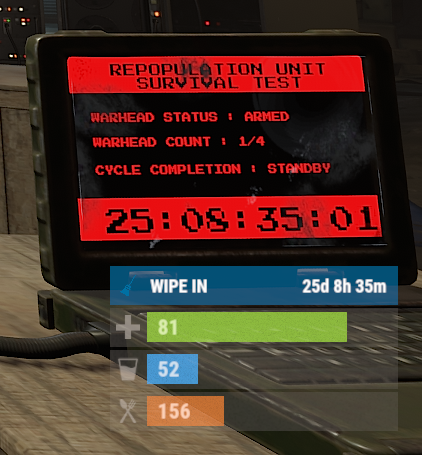
Version 0.1.10
1,344 downloads
The plugin displays the time until the next wipe in the status bar. Depends on AdvancedStatus plugin. The ability to display the remaining time until the wipe: If there are N days left. Configurable in the configuration file; If player is in a safe zone or building privilege zone; The option to choose between a server wipe and a manually specified wipe; The ability to automatically generate language files for different languages(filled in English); The ability to customize the status bar for each of wipes; The ability to specify the order of the bar; The ability to change the height of the bar; The abillity to customize the color and transparency of the background; The ability to set a material for the background; The ability to switch between CuiRawImageComponent and CuiImageComponent for the image; The ability to get images from the local folder(*SERVER*\oxide\data\AdvancedStatus\Images); The abillity to set own image and customize the color and transparency of the image; The abillity to set sprite instead of the image; The ability to customize the color, size, font and outline of the text. wipestatus.admin - Provides the ability to set custom date of wipe. { "Chat command": "wipe", "Is it worth enabling GameTips for messages?": true, "List of language keys for creating language files": [ "en" ], "Is it worth displaying the wipe timer only when players in the safe zone or building privilege?": false, "The number of days before the wipe when the status bar will start to display. A value of 0 enables constant display": 0, "Bar settings key for a vanilla wipe": "_default", "Custom wipe dates list. Format: yyyy-MM-dd HH:mm. Example: 2025-12-25 13:30": {}, "List of status bar settings. Leave empty or null to recreate the default list": { "_default": { "Progress_Main_Color(Hex or RGBA)": "1 1 1 0.15", "Progress_Main_Transparency": 0.15, "BarType(TimeProgressCounter or TimeCounter)": "TimeCounter", "Order": 10, "Height": 26, "Main_Color(Hex or RGBA)": "#0370A4", "Main_Transparency": 0.7, "Main_Material(empty to disable)": "", "Image_Url": "https://i.imgur.com/FKrFYN5.png", "Image_Local(Leave empty to use Image_Url)": "WipeStatus_Default", "Image_Sprite(Leave empty to use Image_Local or Image_Url)": "", "Image_IsRawImage": false, "Image_Color(Hex or RGBA)": "#0370A4", "Image_Transparency": 1.0, "Is it worth enabling an outline for the image?": false, "Image_Outline_Color(Hex or RGBA)": "0.1 0.3 0.8 0.9", "Image_Outline_Transparency": 1.0, "Image_Outline_Distance": "0.75 0.75", "TextKey": "Bar_default", "Text_Size": 12, "Text_Color(Hex or RGBA)": "#FFFFFF", "Text_Font(https://umod.org/guides/rust/basic-concepts-of-gui#fonts)": "RobotoCondensed-Bold.ttf", "Text_Offset_Horizontal": 0, "Is it worth enabling an outline for the text?": false, "Text_Outline_Color(Hex or RGBA)": "#000000", "Text_Outline_Transparency": 1.0, "Text_Outline_Distance": "0.75 0.75", "SubText_Size": 12, "SubText_Color(Hex or RGBA)": "#FFFFFF", "SubText_Font": "RobotoCondensed-Bold.ttf", "Is it worth enabling an outline for the sub text?": false, "SubText_Outline_Color(Hex or RGBA)": "0.5 0.6 0.7 0.5", "SubText_Outline_Transparency": 1.0, "SubText_Outline_Distance": "0.75 0.75", "Progress_Reverse": false, "Progress_Color(Hex or RGBA)": "#0370A4", "Progress_Transparency": 0.7, "Progress_OffsetMin": "0 0", "Progress_OffsetMax": "0 0" } }, "Version": { "Major": 0, "Minor": 1, "Patch": 10 } } EN: { "CmdMainAdmin": "Available admin commands:\n\n<color=#D1CBCB>/wipe</color> <color=#D1AB9A>bar</color> <color=#D1CBCB>*booleanValue*(optional)</color> - Toggle the wipe bar display\n<color=#D1CBCB>/wipe</color> <color=#D1AB9A>time</color> - Current time based on server's timezone\n<color=#D1CBCB>/wipe</color> <color=#D1AB9A>add</color> <color=#D1CBCB>*wipeDate* *barId*(optional) *numericValue*(optional) *numericValue*(optional)</color> - Add a custom wipe date. Optionally, you can specify the style of the status bar, interval/spacing between wipes, and the number of intervals. Date format: yyyy-MM-dd HH:mm\n<color=#D1CBCB>/wipe</color> <color=#D1AB9A>add bar</color> <color=#D1CBCB>*wipeDate* *barID*(optional) *newBarId*(optional) *targetBarId*(optional)</color> - Add new status bar settings. Optionally, specify the ID of an existing bar to copy from\n<color=#D1CBCB>/wipe</color> <color=#D1AB9A>update</color> <color=#D1CBCB>*wipeDate* *newBarId*</color> - Update the status bar settings key for the specified custom wipe date. Use 'vanilla' instead of a wipe date to select the vanilla wipe\n<color=#D1CBCB>/wipe</color> <color=#D1AB9A>clear</color> - Clear all custom wipe dates\n\n--------------------------------------------------", "CmdMain": "Available commands:\n\n<color=#D1CBCB>/wipe</color> <color=#D1AB9A>bar</color> <color=#D1CBCB>*booleanValue*</color>(optional) - Toggle the wipe bar display\n\n--------------------------------------------------", "CmdServerTime": "Current real server time: '{0}'", "CmdNewDateAdded": "The new date '{0}' has been successfully added!", "CmdNewDateRangeAdded": "The list of dates was successfully added!", "CmdNewDateAddFailed": "Invalid format or the date is earlier than the current one. Example: '{0}'", "CmdUpdateFailed": "Failed to add/update status bar settings for '{0}'!", "CmdClearDates": "Custom dates list has been successfully cleared!", "CmdBarEnabled": "Displaying the wipe bar is enabled!", "CmdBarDisabled": "Displaying the wipe bar is disabled!", "Bar_default": "WIPE IN" } RU: { "CmdMainAdmin": "Доступные админ команды:\n\n<color=#D1CBCB>/wipe</color> <color=#D1AB9A>bar</color> <color=#D1CBCB>*булевоеЗначение*(опционально)</color> - Переключение отображения вайп бара\n<color=#D1CBCB>/wipe</color> <color=#D1AB9A>time</color> - Текущее время по часовому поясу сервера\n<color=#D1CBCB>/wipe</color> <color=#D1AB9A>add</color> <color=#D1CBCB>*датаВайпа* *айдиБара*(опционально) *числовоеЗначение*(опционально) *числовоеЗначение*(опционально)</color> - Добавление кастомной даты вайпа. Опционально можно указать стиль статус бара, интервал/отступ между вайпами и кол-во интервалов. Формат даты: yyyy-MM-dd HH:mm\n<color=#D1CBCB>/wipe</color> <color=#D1AB9A>add bar</color> <color=#D1CBCB>*айдиНовогоБара* *айдиЦелевогоБара*(опционально)</color> - Добавление новых настроек статус бара. Опционально можно указать айди исходного статус бара для копирования\n<color=#D1CBCB>/wipe</color> <color=#D1AB9A>update</color> <color=#D1CBCB>*датаВайпа* *новоеАйдиБара*</color> - Обновление ключа настроек статус бара для указанной даты вайпа. Используйте 'vanilla' вместо даты вайпа для выбора ванильного вайпа\n<color=#D1CBCB>/wipe</color> <color=#D1AB9A>clear</color> - Очистка всех кастомных дат вайпа\n\n--------------------------------------------------", "CmdMain": "Доступные команды:\n\n<color=#D1CBCB>/wipe</color> <color=#D1AB9A>bar</color> <color=#D1CBCB>*булевоеЗначение*</color>(опционально) - Переключение отображения вайп бара\n\n--------------------------------------------------", "CmdServerTime": "Текущее реальное серверное время: '{0}'", "CmdNewDateAdded": "Новая дата '{0}' успешно добавлена!", "CmdNewDateRangeAdded": "Список дат был успешно добавлен!", "CmdNewDateAddFailed": "Не верный формат или дата меньше текущей. Пример: '{0}'", "CmdUpdateFailed": "Не удалось добавить/обновить настройки статус бара для '{0}'!", "CmdClearDates": "Список дат был успешно очищен!", "CmdBarEnabled": "Отображение вайп бара включено!", "CmdBarDisabled": "Отображение вайп бара выключено!", "Bar_default": "ВАЙП ЧЕРЕЗ" } bar *booleanValue*(optional) - Toggle wipe bar visibility; time - Current time based on server's timezone. Permission "wipestatus.admin" required; add *wipeDate* *barID*(optional) *numberValue*(optional) *numberValue*(optional) - Add a custom wipe date. Optionally, you can specify the style of the status bar, interval/spacing between wipes, and the number of intervals. Date format: yyyy-MM-dd HH:mm. Permission "wipestatus.admin" required; add bar *wipeDate* *barID*(optional) *newBarId*(optional) *targetBarId*(optional) - Add new status bar settings. Optionally, specify the ID of an existing bar to copy from. Permission "wipestatus.admin" required; update *wipeDate* *newBarId* - Update the status bar settings key for the specified custom wipe date. Use 'vanilla' instead of a wipe date to select the vanilla wipe. Permission "wipestatus.admin" required; clear - Clear all custom wipe dates. Permission "wipestatus.admin" required. Example: /wipe add "2023-12-28 15:16" /wipe add bar "test" "_default" /wipe add "2024-07-16 19:00" "test" 7 20 - Starting from the date 2024-07-16 19:00, 7 days will be added 20 times, with "test" status bar style. /wipe update "vanilla" "test" /wipe update "2025-12-25 13:30" "test"$3.99 -
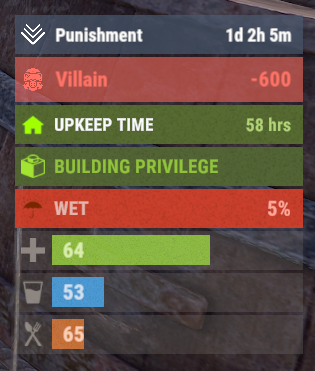
Version 0.1.26
9,178 downloads
A useful API plugin that mimics in-game status bars and allows the addition of custom ones. Note: AdvancedStatus does not display any bars on its own. This is done by other plugins that work with it. An example plugin demonstrating interaction with AdvancedStatus. The ability to specify the frequency of calculating the number of bars; The ability to specify the order of the bar; The ability to change the height of the bar; The abillity to customize the color and transparency of the background; The ability to set a material for the background; The ability to switch between CuiRawImageComponent and CuiImageComponent for the image; The ability to get images from the local folder(*SERVER*\oxide\data\AdvancedStatus\Images); The abillity to set own image and customize the color and transparency of the image; The abillity to set sprite instead of the image; The ability to specify custom text; The ability to customize the color, size and font of the text; No need to pass all parameters; No need to manually delete your bar when unloading your plugin. advancedstatus.admin - Grants access to the chat command(by default /bar). { "Chat command": "bar", "Is it worth enabling console notifications for the successful loading of local images?": false, "Interval(in seconds) for counting in-game status bars": 0.5, "Interval(in seconds) for counting Building Privileges status bars. Note: Calculating Building Privileges is resource-intensive": 1.0, "Is it worth counting Vehicle Privilege? Useful if you don't have a Tugboat or PlayerBoat": true, "Is it worth counting Entity Privilege? Useful if you don't have a Legacy Shelter": true, "Ui layer for displaying bars. For button bars, it is recommended to use the 'Hud' layer(https://umod.org/guides/rust/basic-concepts-of-gui#layers)": "Under", "Is it worth displaying bar components left to right?": true, "Vertical spacing between bars": 2, "The height of the bar by default": 26, "The background color of the bar by default": "#505F75", "The background transparency of the bar by default": 0.7, "The background material of the bar by default, leave empty to disable": "", "The image of the bar by default": "AdvancedStatus_Default", "The color of the bar image by default": "#6B7E95", "The transparency of the bar image by default": 1.0, "The outline color of the bar image by default": "#000000", "The outline transparency of the bar image by default": 1.0, "The outline distance of the bar image by default. Example '0.75 0.75'": "", "The size of the bar text by default": 12, "The color of the bar text by default": "#FFFFFF", "The transparency of the bar text by default": 1.0, "The font of the bar text by default(https://umod.org/guides/rust/basic-concepts-of-gui#fonts)": "RobotoCondensed-Bold.ttf", "The horizontal offset of the bar text by default": 0, "The outline color of the bar text by default": "#000000", "The outline transparency of the bar text by default": 1.0, "The outline distance of the bar text by default": "", "The size of the bar subtext by default": 12, "The color of the bar subtext by default": "#FFFFFF", "The transparency of the bar subtext by default": 1.0, "The font of the bar subtext by default": "RobotoCondensed-Bold.ttf", "The outline color of the bar subtext by default": "#000000", "The outline transparency of the bar subtext by default": 1.0, "The outline distance of the bar subtext by default": "", "The color of the bar progress by default": "#89B840", "The transparency of the bar progress by default": 0.7, "The OffsetMin of the bar progress by default": "25 2.5", "The OffsetMax of the bar progress by default": "-3.5 -3.5", "Version": { "Major": 0, "Minor": 1, "Patch": 25 } } EN: { "MsgDays": "d", "MsgHours": "h", "MsgMinutes": "m", "MsgSeconds": "s" } RU: { "MsgDays": "д", "MsgHours": "ч", "MsgMinutes": "м", "MsgSeconds": "я" } images reload *ImageName* - Reloads the specified image from the image folder; all - Reloads all local images from the image folder. Example: /bar images reload all Note: To access the commands, the player must be an admin(console or owner) or have the advancedstatus.admin permission. OnAdvancedStatusLoaded: Called after the AdvancedStatus plugin is fully loaded and ready. OnPlayerGainedBuildingPrivilege: Called after the player enters their building privilege. OnPlayerLostBuildingPrivilege: Called after the player exits their building privilege. void OnAdvancedStatusLoaded() { Puts("The AdvancedStatus plugin is loaded and ready to go!"); } void OnPlayerGainedBuildingPrivilege(BasePlayer player) { Puts($"{player.displayName} entered the authorized building privilege zone."); } void OnPlayerLostBuildingPrivilege(BasePlayer player) { Puts($"{player.displayName} exited the authorized building privilege zone."); } [PluginReference] private Plugin AdvancedStatus; There are 15 methods: IsReady CreateBar UpdateContent DeleteBar DeleteCategory DeleteAllBars GetTotalClientBars GetTotalPlayerBars LoadImages LoadImage CopyImage DeleteImages DeleteImage BarExists InBuildingPrivilege There are 5 types of bar: Default - A simple bar that displays the provided information. Does not update the value of SubText by itself; Timed - Similar to the default bar, but it automatically disappears after the specified time in the TimeStamp parameter; TimeCounter - The SubText shows the remaining time until TimeStamp. Also automatically removed upon expiration of the TimeStamp; TimeProgress - Similar to the Timed bar, but additionally features an automatically filling progress bar; TimeProgressCounter - Similar to the TimeCounter bar, but additionally features an automatically filling progress bar. IsReady: Used to check if the AdvancedStatus plugin is loaded and ready to work. The IsReady method returns true if it is ready, or null if it is not. (bool)AdvancedStatus?.Call("IsReady");//Calling the IsReady method. If the result is not null(bool true), the plugin is ready. CreateBar: Used to create a bar or update bar values for a player. To call the CreateBar method, you need to pass 2 parameters. The first one is BasePlayer or <ulong>playerID. The second one is a dictionary with the parameters you need. In the CreateBar method, all parameters are optional, except for two: Id; Plugin. Parameters not specified when creating a new bar will use the values set in the AdvancedStatus plugin's configuration file. Parameters not specified during bar update will retain the values they had before the update. Note: The plugin does not update values automatically, you need to manually send new values. Dictionary<string, object> parameters = new Dictionary<string, object> { { "Id", "AdvancedStatusDemo_1" }, //<string>Unique identifier for the bar in your plugin. ***This is a required field. { "BarType", "Default" }, //<string>Type of the bar. There are 4 types: Default, Timed, TimeCounter and TimeProgress. { "Plugin", "AdvancedStatusDemo" }, //<string>Name of your plugin. ***This is a required field. { "Category", "Default" }, //<string>Internal plugin category of the bar. { "Order", 10 }, //<int>The position of your bar relative to others. Order is determined by increasing values(ASC). { "Height", 26 }, //<int>The height of your bar. A standard bar is 26 pixels. { "Main_Color", "#505F75" }, //<string>HTML Hex color of the bar background. { "Main_Transparency", 0.7f }, //<float>Transparency of the bar background. { "Main_Material", "assets/content/ui/uibackgroundblur.mat" }, //<string>Material of the bar background(empty to disable). { "Image", "scrap" }, //<string>Name of the image saved in the ImageLibrary or a direct link to the image if ImageLibrary is not used. { "Image_Local", "AdvancedStatusDemo_Scrap" }, //<string>The name of the image file(without its extension) located in *SERVER*\data\AdvancedStatus\Images. Leave empty to use Image. { "Image_Sprite", "" }, //<string>Sprite image of the bar. Leave empty to use Image_Local or Image. { "Is_RawImage", true }, //<bool>Which type of image will be used? True - CuiRawImageComponent. False - CuiImageComponent. { "Image_Color", "#6B7E95" }, //<string>HTML Hex color of the bar image. { "Image_Transparency", 1.0f }, //<float>Transparency of the image. { "Text", "Scrap" }, //<string>Main text. { "Text_Size", 12 }, //<int>Size of the main text. { "Text_Color", "#FFFFFF" }, //<string>HTML Hex color of the main text. { "Text_Font", "RobotoCondensed-Bold.ttf" }, //<string>Font of the main text. { "Text_Offset_Horizontal", 0 }, //<int>Horizontal offset for the main text. { "SubText", "35" }, //<string>Sub text. { "SubText_Size", 12 }, //<int>Size of the sub text. { "SubText_Color", "#FFFFFF" }, //<string>HTML Hex color of the sub text. { "SubText_Font", "RobotoCondensed-Bold.ttf" }, //<string>Font of the sub text. { "TimeStampStart", Network.TimeEx.currentTimestamp }, //<double>Responsible for specifying the start point of the time reference and 0% for TimeProgress and TimeProgressCounter bars. Used if the bar type is Timed, TimeCounter, TimeProgress or TimeProgressCounter. { "TimeStamp", Network.TimeEx.currentTimestamp + 6 }, //<double>Specifies the end time point after which the bar will be destroyed and 100% for TimeProgress and TimeProgressCounter bars. Used if the bar type is Timed, TimeCounter, TimeProgress or TimeProgressCounter. { "TimeStampDestroy", Network.TimeEx.currentTimestamp + 3 }, //<double>If TimeStampDestroy is specified and it is less than TimeStamp, the bar will be destroyed by TimeStampDestroy. Used if the bar type is Timed, TimeCounter, TimeProgress or TimeProgressCounter. { "Progress", (float)35 / 100f }, //<float>Progress. From 0.0 to 1.0. { "Progress_Reverse", false }, //<bool>Progress reverse. A value of false means that the progress will increase. Used if the bar type is TimeProgress or TimeProgressCounter. { "Progress_Color", "#89B840" }, //<string>Progress color. { "Progress_Transparency", 1f }, //<float>Progress transparency. { "Progress_OffsetMin", "25 2.5" }, //<string>Progress OffsetMin: "*left* *bottom*". { "Progress_OffsetMax", "-3.5 -3.5" }, //<string>Progress OffsetMax: "*right* *top*". { "Command", "kit" } //<string>If the field is not empty, the bar becomes clickable, and the specified command is executed upon clicking. Note: the command must be covalence. }; AdvancedStatus?.Call("CreateBar", player.userID.Get(), parameters); //Calling the CreateBar method with the passing of BasePlayer/playerID and a dictionary containing the required parameters. UpdateContent: Used to update only the content of an existing status bar. To call the UpdateContent method, you need to pass 2 parameters. The first one is BasePlayer or <ulong>playerID. The second one is a dictionary with the parameters you need. In the UpdateBar method, all parameters are optional, except for two: Id; Plugin. var parameters = new Dictionary<string, object> { { "Id", "MyID" }, //<string>Unique identifier for the bar in your plugin. ***This is a required field. { "Plugin", Name }, //<string>Name of your plugin. ***This is a required field. { "Text", "MyText" }, //<string>Main text. { "SubText", "MyText" }, //<string>Sub text. { "Progress", (float)amount / 100f }, //<float>Progress. From 0.0 to 1.0. }; AdvancedStatus?.Call("UpdateContent", player.userID.Get(), parameters); //Calling the UpdateContent method with the passing of BasePlayer/playerID and a dictionary containing the required parameters. DeleteBar: Used to remove the bar for a player. There are two methods for removing a bar by ID: with specifying a particular player; To call this method, you need to pass 3 parameters. The first one is BasePlayer or <ulong>playerID. The second one is Id of your bar and the third one is name of your plugin. without specifying a particular player (which removes it for all players) To call this method, you need to pass 2 parameters. The first one is Id of your bar and the second one is name of your plugin. AdvancedStatus?.Call("DeleteBar", player.userID.Get(), barID, Name); //Calling the DeleteBar method with the passing of BasePlayer/playerID, ID of the bar and the name of your plugin. AdvancedStatus?.Call("DeleteBar", barID, Name); //Calling the DeleteBar method with the passing of ID of the bar and the name of your plugin. If you try to delete a bar that doesn't exist, nothing bad will happen. So feel free to delete the bar without checking its existence. P.S. When unloading your plugin, there is no need to manually delete bars for players, AdvancedStatus will handle it automatically. DeleteCategory: Used to remove all bars associated with the plugin's category. To call the DeleteCategory method, you need to pass 2 parameters. The first one is category and the second one is name of your plugin. AdvancedStatus?.Call("DeleteCategory", "Default", Name);//Calling the DeleteCategory method by passing the category and name of your plugin DeleteAllBars: Used to remove all bars associated with the plugin. To call the DeleteAllBars method, you need to pass only 1 parameter. It is name of your plugin. AdvancedStatus?.Call("DeleteAllBars", Name);//Calling the DeleteAllBars method, passing the name of your plugin GetTotalClientBars: Used to get the number of client bars for the player. To call the GetTotalClientBars method, you need to pass only 1 parameter. It is BasePlayer or <ulong>playerID. (int)AdvancedStatus?.Call("GetTotalClientBars", player.userID.Get());//Calling the GetTotalClientBars method, passing the name of BasePlayer/playerID GetTotalPlayerBars: Used to get the number of active custom bars for the player. To call the GetTotalPlayerBars method, you need to pass only 1 parameter. It is BasePlayer or <ulong>playerID. (int)AdvancedStatus?.Call("GetTotalPlayerBars", player.userID.Get());//Calling the GetTotalPlayerBars method, passing the name of BasePlayer/playerID LoadImages: Used to check if the local images specified in the list are loaded. If any of the images are not loaded but their files exist in the images folder, the plugin will load them. To call the LoadImages method, you need to pass only 2 parameters. The first one is the <List<string>>list of image's name and the second one(optional) is <bool>force, which, if set to true, will force reload the image even if it already exists. AdvancedStatus?.Call("LoadImages", list, false);//Calling the LoadImages method, passing a list of image names LoadImage: Used to check if the local image is loaded. If the file is not loaded and exists in the images folder, the plugin will load it. To call the LoadImage method, you need to pass 2 parameters. The first one is the <string>image's name and the second one(optional) is <bool>force, which, if set to true, will force reload the image even if it already exists. AdvancedStatus?.Call("LoadImage", imgName, false);//Calling the LoadImage method, passing an image's name CopyImage: Used to create and load a copy of an existing image. To call the CopyImage method, you need to pass 3 parameters. The first parameter is the <string>source image's name, the second parameter is the <string>new image's name and the third one(optional) is <bool>force, which, if set to true, will force copy and reload the image even if it already exists. AdvancedStatus?.Call("CopyImage", "ZoneStatus_Default", "ZoneStatus_NewZone", false);//Calling CopyImage, passing the source image name and the new image name. DeleteImages: Used to delete a list of images and their files. To call the DeleteImages method, you need to pass 2 parameters. The first one is the <List<string>>list of image's name and the second one(optional) parameter is <bool>deleteFile, which, if set to true, will delete image's file too. AdvancedStatus?.Call("DeleteImages", list, true);//Calling DeleteImages, passing a list of image names. DeleteImage: Used for removing the image and the image file. To call the DeleteImage method, you need to pass 2 parameters. The first parameter is the <string>image's name and the second one(optional) parameter is <bool>deleteFile, which, if set to true, will delete image's file too. AdvancedStatus?.Call("DeleteImage", "ZoneStatus_NewZone", true);//Calling DeleteImage, passing the image name. BarExists: Used to check if the specified bar exists. To call the BarExists method, you need to pass 3 parameters. The first one is BasePlayer or <ulong>playerID. The second one is Id of your bar. And the third one is name of your plugin. (bool)AdvancedStatus?.Call("BarExists", player.userID.Get(), barID, Name);//Calling the BarExists method with the passing of BasePlayer/playerID, ID of the bar and name of your plugin. InBuildingPrivilege: Used to check if the player has authorized building privileges. To call the InBuildingPrivilege method, you need to pass BasePlayer or <ulong>playerID. (bool)AdvancedStatus?.Call("InBuildingPrivilege", player.userID.Get());//Checking if the player has Building Privilege.$1.99 -
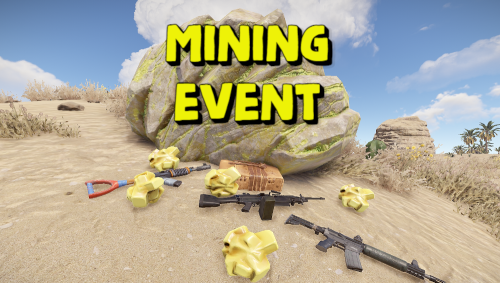
Version 1.0.7
158 downloads
Adds an exciting event for players to your server. Once the event starts, players will be able to get more loot by mining ore and finding small stashes with loot underneath it. The event has an interface with a table. The event is easily configured and can be triggered automatically or by command. You can reward the winners with special prizes, for example, an item with a unique name and skin (only for items with stacks of size 1). Commands (admin only): /mie_start - starts an event /mie_stop - starts an event /mie_forcestart - force the event to start Config: { "Autostart event(disable if you want to trigger the event only manually)": true, "Minimum time to event start(in seconds)": 900, "Maximum time to event start(in seconds)": 10800, "Minimum event duration(in seconds)": 300, "Maximum event duration(in seconds)": 900, "Minimum number of online players to trigger an event": 1, "Pre-event message": "Mining event will start in a minute", "Pre-event message time(in seconds)": 60, "Event message": "Mining event has started, go and get all the ore!", "End event message": "Mining event ended", "Display a table with player names": true, "Resource multiplier during the event": 2.0, "Spawn a small stash under the ore": true, "Small stash items list": [ { "prefabName": "scrap", "dropChance": 100, "min": 4, "max": 8, "skinID": 0, "displayName": "" }, { "prefabName": "metal.fragments", "dropChance": 100, "min": 100, "max": 200, "skinID": 0, "displayName": "" } ], "Small stash removal time(in seconds)": 60, "First place prize(items list)": [ { "prefabName": "scrap", "dropChance": 100, "min": 200, "max": 400, "skinID": 0, "displayName": "" }, { "prefabName": "metal.fragments", "dropChance": 100, "min": 1000, "max": 2000, "skinID": 0, "displayName": "" }, { "prefabName": "rifle.ak", "dropChance": 10, "min": 1, "max": 1, "skinID": 809190373, "displayName": "AK" } ], "Second place prize(items list)": [ { "prefabName": "scrap", "dropChance": 100, "min": 100, "max": 200, "skinID": 0, "displayName": "" }, { "prefabName": "metal.fragments", "dropChance": 100, "min": 500, "max": 1000, "skinID": 0, "displayName": "" } ], "Third place prize(items list)": [ { "prefabName": "scrap", "dropChance": 100, "min": 50, "max": 100, "skinID": 0, "displayName": "" }, { "prefabName": "metal.fragments", "dropChance": 100, "min": 250, "max": 500, "skinID": 0, "displayName": "" } ] }$6.99





.thumb.png.d8730004887666a2775699ef18eb252c.png)