Image

One Commodore, Five Displays

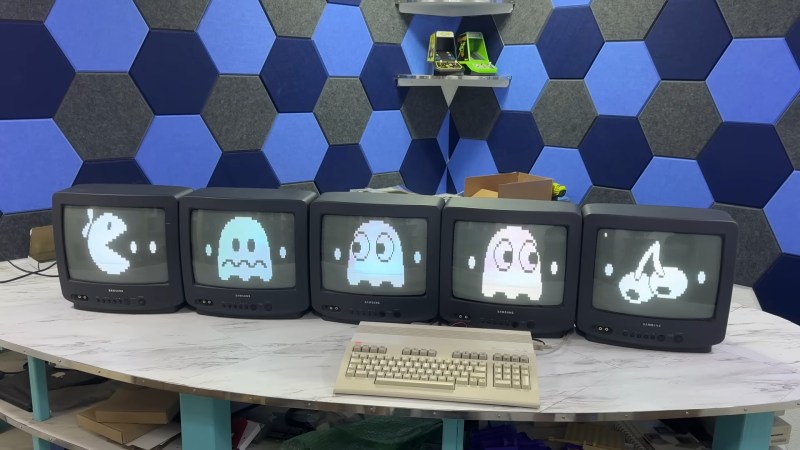
If you had one monitor back in the 8-bit era, instead of having to wait to use the family TV, you were already amongst the blessed. If you had five, maybe you worked at a computer store– but if you did, you could have done what [The 8-Bit Guy] demonstrates in a recent YouTube video and plug all five (5) monitors into a Commodore 128.

The computer isn’t modified in any way– well, except for the now standard use of an SD card disk emulator– so what gives? Well, you probably guessed he’s splitting up the colour signal into multiple monochrome images, but since the C128 actually has an RGBI, that I– intensity– actually gives another signal that can be broken out. That makes for four screens being driven from that port via composite, all sharing the same sync. The hardware for that was actually designed for [The 8-Bit Guy] by [Joe Burks] who open sourced the design on GitHub. He’s also selling them on Lectronz.

The fifth screen, of course, is driven by the VIC-II chip that Commodore provided for composite output to begin with. The interesting part is as much the software as the hardware, and while [The 8-Bit Guy] explains some of the thinking behind what he’s doing, he doesn’t link to any BASIC. If you know your way around a Commodore, you should be able to encode the multi-colour images required to do the splits.

For the people who prefer “real computers” — that is IBM compatible PCs– [The 8-Bit Guy] goes a bit outside of his 8-bit comfort zone to demonstrate that this same trick works quite well with the 16-color modes of EGA. With sixteen colours split between the two monitors, you of course get two colours each– combine the dithering with the blur of an old CRT, and it looks better than it has any right to. Just note that you need to have the right EGA card, as some blocked the 16-colour modes when set to output IRGB/CGA– he used a Trident card to good effect. The software here, though, was just Deluxe Paint, which can’t stop winning, even after four decades. 

The hack seems simple enough, and perhaps everyone knew about it back in the day, but this is the first time seeing it for this author. So we’ll leave it to the comments: have you ever seen a 5-display Commodore, or 4-screen EGA output done like this?

Of course CGA had some competition back in the 80s, and it would be fun to see how many retro standards this trick would work on; at the end of the video [The 8-Bit Guy] discusses splitting VGA signals, but that’s only three screens and way too new for him. If one of you takes up his challenge, please let us know. 
Image

CGA As You Have Never Seen It Before

An old-style graphics system as found on many 8-bit computers and on early PC graphics cards drew its characters by retrieving their bitmaps from a ROM. With a little sideways thinking, [GloriousCow] has exploited this process to make a CGA card perform graphical tricks it was never designed to do.

The CGA card clocks its character ROM continuously across the whole screen, even at the edges where nothing would normally be displayed. By placing the ROM in tandem with a Raspberry Pi Pico 2 they were able to use this ROM clocking as a synchronization signal, and inject whatever pixel data they chose.

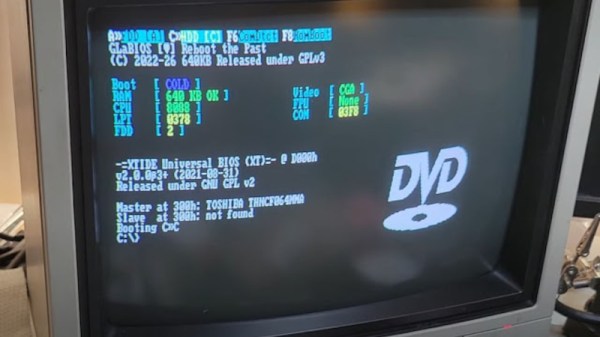
The result is a CGA card that can display 60 Hz high-res graphics in text mode, albeit with a very retro one bit color depth. It can overlay the text and the graphics too, because the ROM is still present. One fun result of this is a bouncing DVD logo screensaver, on a DOS PC.

There’s a PCB and a promise of more, meanwhile we suggest you take a look at an impossible feat using a similar technique: NES Doom.

Image

MCE Blaster Translates TTL For Modern(ish) Monitors

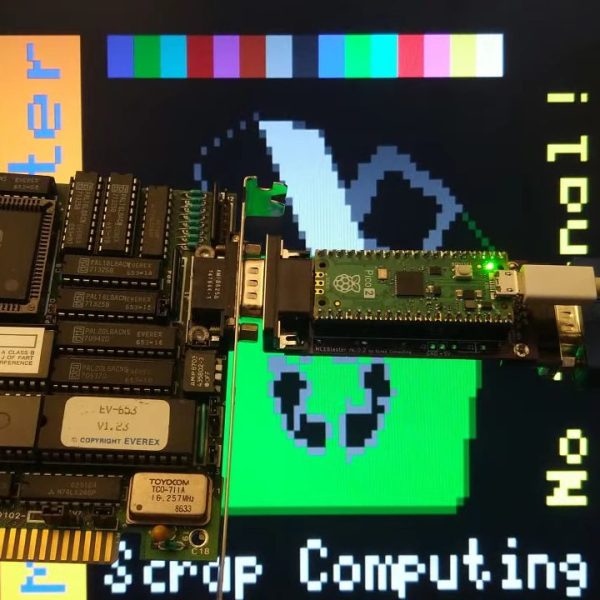
VGA isn’t much used anymore, but it’s not hard to get a hold of monitors with that input. How about the older standards like EGA, CGA, or MDA? Well, it’s good luck on eBay or at the recycling yard to get a period-appropriate monitor, but the bulky, fragile CRTs seem to have been less likely to survive than computers that drove them. That’s what [Scrap Computer]’s MCE Blaster is for: it sits betwixt the retrocomputer’s TTL output and the VGA input of a (more) modern monitor, be it CRT or LCD.

Continue reading “MCE Blaster Translates TTL For Modern(ish) Monitors”

Image

Remembering Better Mono Graphics

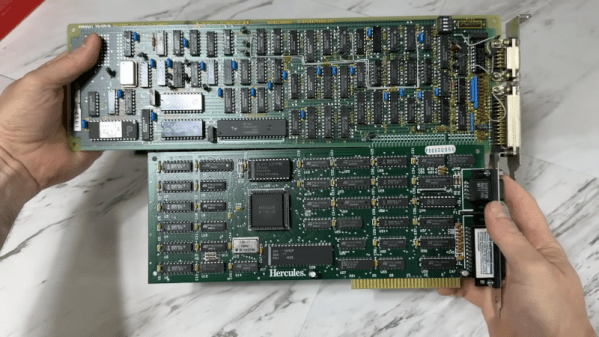
No matter what kind of computer or phone you are reading this on, it probably has a graphics system that would have been a powerful computer on its own back in the 1980s. When the IBM PC came out, you had two choices: the CGA card if you wanted color graphics, or the MDA if you wanted text. Today, you might think: no contest, we want color. But the MDA was cheaper and had significantly higher resolution, which was easier to read. But as free markets do, companies see gaps and they fill them. That’s how we got the Hercules card, which supported high-resolution monochrome text but also provided a graphics mode. [The 8-bit Guy] has a look at these old cards and how they were different from their peers.

Actually, the original MDA card could do eight colors, but no one knew because there weren’t any monitors it could work with, and it was a secret. The CGA resolution was a whopping 640×200, while the MDA was slightly better at 720×350. If you did the Hercules card, you got the same 720×350 MDA resolution, but also a 720×348 graphics mode. Besides that, you could keep your monitor (don’t forget that, in those days, monitors typically required a specific input and were costly).

Continue reading “Remembering Better Mono Graphics”

Image

Restoring A Vintage CGA Card With Homebrew HASL

Right off the bat, we’ll stipulate that what [Adrian] is doing in the video below isn’t actual hot air solder leveling. But we thought the results of his card-edge connector restoration on a CGA video card from the early 80s was pretty slick, and worth keeping in mind for other applications.

The back story is that [Adrian], of “Digital Basement” YouTube fame, came across an original IBM video card from the early days of the IBM-PC. The card was unceremoniously dumped, probably due to the badly corroded pins on the card-edge bus connector. The damage appeared to be related to a leaking battery — the corrosion had that sickly look that seems to only come from the guts of batteries — leading him to try cleaning the formerly gold-plated pins. He chose naval jelly rust remover for the job; for those unfamiliar with this product, it’s mostly phosphoric acid mixed with thickeners and is used as a rust remover.

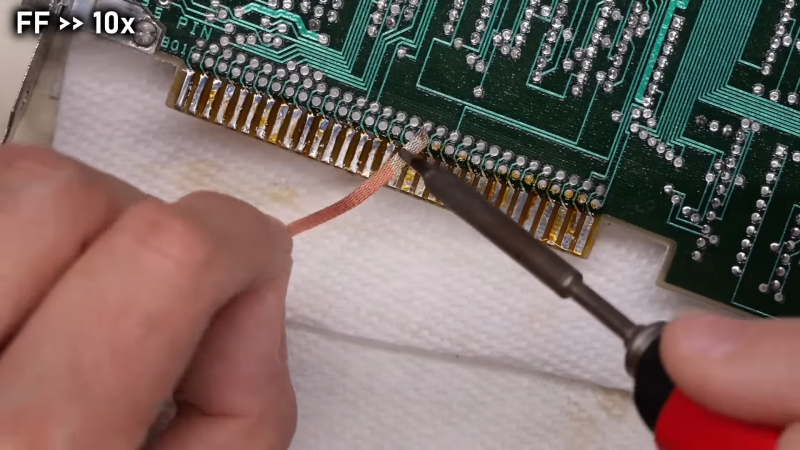
The naval jelly certainly did the trick, but left the gold-plated pins a little worse for the wear. Getting them back to their previous state wasn’t on the table, but protecting them with a thin layer of solder was easy enough. [Adrian] used liquid rosin flux and a generous layer of 60:40 solder, which was followed by removing the excess with desoldering braid. That worked great and got the pins on both sides of the board into good shape.

[Adrian] also mentioned a friend who recommended using toilet paper to wick up excess solder, but sadly he didn’t demonstrate that method. Sounds a little sketchy, but maybe we’ll give it a try. As for making this more HASL-like, maybe heating up the excess solder with an iron and blasting the excess off with some compressed air would be worth a try.

Continue reading “Restoring A Vintage CGA Card With Homebrew HASL”

Image

Book8088 Slows Down To Join The Demoscene

As obsolete as the original IBM Model 5150 PC may appear, it’s pretty much the proverbial giant’s shoulders upon which we all stand today. That makes the machine worth celebrating, so much so that we now have machines like the Book8088, a diminutive clamshell-style machine made from period-correct PC chips; sort of a “netbook that never was.”

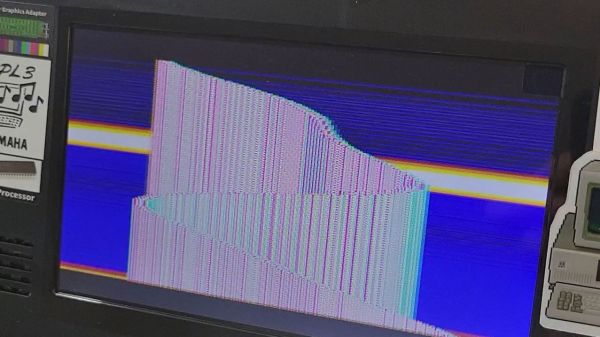
But the Book8088 only approximates the original specs of the IBM PC, making some clever hardware hacks necessary to run some of the more specialized software that has since been developed to really stretch the limits of the architecture. [GloriousCow]’s first steps were to replace the Book8088’s CPU, an NEC V20, with an actual 8088, and the display controller with a CGA-accurate Motorola MC6845. Neither of these quite did the trick, though, at least not on the demanding 8088MPH demo, which makes assumptions about CPU speed based on the quirky DRAM refresh scheme used in the original IBM PC.

Knowing this, [GloriousCow] embarked on a bodge-fest aimed at convincing the demo that the slightly overclocked Book8088 was really just a 4.77-MHz machine with a CGA adapter. This involved cutting a trace on the DMA controller and reconnecting it to the machine’s PIO timer chip, with the help of a 74LS74 flip-flop, a chip that made an appearance in the 5150 but was omitted from the Book8088. Thankfully, the netbook has plenty of room for these mods, and with the addition of a little bit of assembly code, the netbook was able to convince 8088MPH that it was running on the correct hardware.

We thoroughly enjoyed this trip down the DMA/DRAM rabbit hole. The work isn’t finished yet, though — the throttled netbook still won’t run the Area 5150 demo yet. Given [GloriousCow]’s recent Rust-based cycle-accurate PC emulation, we feel pretty good that this will come to pass soon enough.

Image

Wolfenstein 3D, As You Never Imagined It.

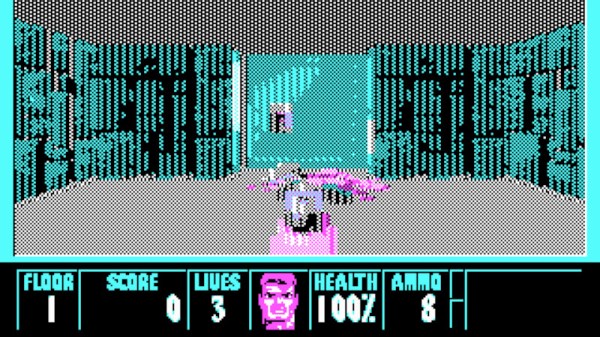
When tracing the history of first-person shooting (FPS) games, where do you credit with the genesis of the genre? Anyone who played 3D Monster Maze on the Sinclair ZX81 might dare to raise a hand, but we’re guessing that most of you will return to the early 1990s, and id Software. Their 1992 title Wolfenstein 3D might not have been the first to combine all the elements, but it’s arguably the first modern FPS and the first to gain huge popularity. Back in 1992 it needed at least a VGA card and a 286 to run, but here in 2023 [jhhoward] has taken it back a step further. You can now slay virtual Nazis in 3D on an 8088 PC equipped with a lowly CGA card.

Whether the gameplay survives in the sometimes-bizarre CGA color schemes and whether it becomes too pedestrian on an 8088 remains as an exercise for the reader to discover, but it’s a feat nevertheless. The textures all need converting to CGA mode before they can be used and there are even versions for the shareware and paid-for versions of the game.  It’s possible that an 8088 may never be able to say yes to “Will it run DOOM?”, but at least now it can run the predecessor.