Image

One Commodore, Five Displays

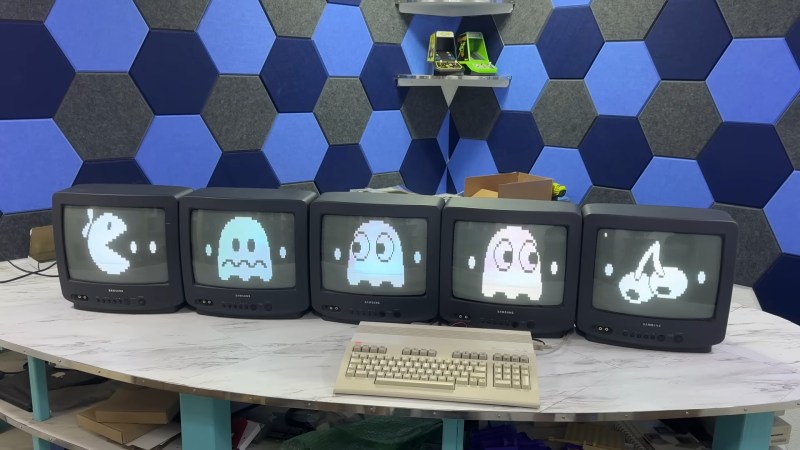
If you had one monitor back in the 8-bit era, instead of having to wait to use the family TV, you were already amongst the blessed. If you had five, maybe you worked at a computer store– but if you did, you could have done what [The 8-Bit Guy] demonstrates in a recent YouTube video and plug all five (5) monitors into a Commodore 128.

The computer isn’t modified in any way– well, except for the now standard use of an SD card disk emulator– so what gives? Well, you probably guessed he’s splitting up the colour signal into multiple monochrome images, but since the C128 actually has an RGBI, that I– intensity– actually gives another signal that can be broken out. That makes for four screens being driven from that port via composite, all sharing the same sync. The hardware for that was actually designed for [The 8-Bit Guy] by [Joe Burks] who open sourced the design on GitHub. He’s also selling them on Lectronz.

The fifth screen, of course, is driven by the VIC-II chip that Commodore provided for composite output to begin with. The interesting part is as much the software as the hardware, and while [The 8-Bit Guy] explains some of the thinking behind what he’s doing, he doesn’t link to any BASIC. If you know your way around a Commodore, you should be able to encode the multi-colour images required to do the splits.

For the people who prefer “real computers” — that is IBM compatible PCs– [The 8-Bit Guy] goes a bit outside of his 8-bit comfort zone to demonstrate that this same trick works quite well with the 16-color modes of EGA. With sixteen colours split between the two monitors, you of course get two colours each– combine the dithering with the blur of an old CRT, and it looks better than it has any right to. Just note that you need to have the right EGA card, as some blocked the 16-colour modes when set to output IRGB/CGA– he used a Trident card to good effect. The software here, though, was just Deluxe Paint, which can’t stop winning, even after four decades. 

The hack seems simple enough, and perhaps everyone knew about it back in the day, but this is the first time seeing it for this author. So we’ll leave it to the comments: have you ever seen a 5-display Commodore, or 4-screen EGA output done like this?

Of course CGA had some competition back in the 80s, and it would be fun to see how many retro standards this trick would work on; at the end of the video [The 8-Bit Guy] discusses splitting VGA signals, but that’s only three screens and way too new for him. If one of you takes up his challenge, please let us know. 
Image

A C64 SID Replacement With Built-in Games

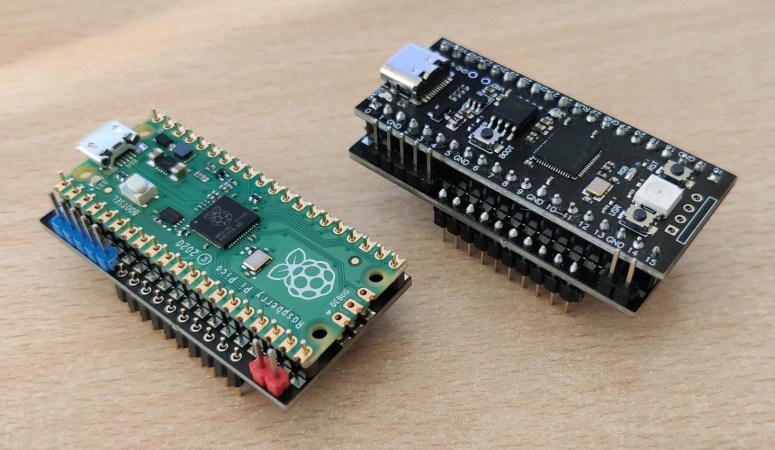
Developer [frntc] has recently come up with a smaller and less expensive way to not only replace the SID chip in your Commodore 64 but to also make it a stereo SID! To top it off, it can also hold up to 16 games and launch them from a custom menu. The SIDKick Pico is a simple board with a Raspberry Pi Pico mounted on top. It uses a SID emulation engine based on reSID to emulate both major versions of the SID chip — both the 6581 and the 8580. Unlike many other SID replacements, the SIDKick Pico also supports mouse and paddle inputs, meaning it replaces all functionality of the original SID!

Sound can be generated in three different ways: either using PWM to create a mono audio signal that is routed out via the normal C64/C128 connectors, an external PCM5102A DAC board, or using a different PCB design that has pads for an on-board DAC and TL072 op-amp. While many Commodore purists dislike using replacement chips, the reality is that all extant SID chips were made roughly 40 years ago, and as more and more of them fail, options like the SIDKick Pico are an excellent way to keep the sound of the SID alive.

If you want to hear the SIDKick Pico in action, you can check out the samples on the linked GitHub page, or check out the video below by YouTuber Wolfgang Kierdorf of the RETRO is the New Black channel. To get your hands on a SIDKick Pico, you can follow the instructions on the GitHub page for ordering either bare PCBs or pre-assembled PCBs from either PCBWay or your board manufacturer of choice.

Continue reading “A C64 SID Replacement With Built-in Games”

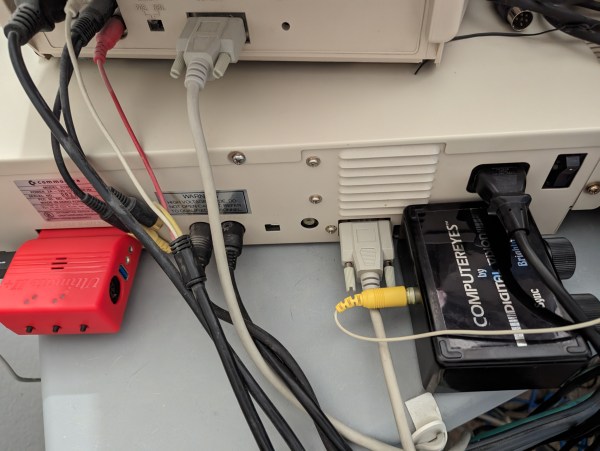
A Commodore 128 with a video capture device attached

Hacking The Commodore 128 To Capture Almost Real-Time Video

Although watching and editing videos may be among the primary tasks of many PCs today, it wasn’t that long ago that working with video required powerful processors and expensive video capture hardware. Even in the 1980s, home computer users were looking for ways to connect video sources to their Commodores and Ataris despite their hardware limitations. [Cameron Kaiser] has a mid-1980s consumer-grade video capture device, which he has managed to turn into an almost real-time video capture system.

A distorted video image on a C128's monitor
Allowing the graphics chip to interrupt the CPU mid-capture results in a severely distorted image

His work revolves around a device called “ComputerEyes”, a 1984-vintage hardware interface that made it possible to connect a composite video source to a home computer. The limitations of mid-1980s CPUs meant that it took around six seconds for the computer to do a quick scan of a single video frame, or a multiple of that if you wanted a higher-quality image. Another limitation, at least on Commodore machines, was that the screen had to be turned off during video capture – otherwise, the video chip would interrupt the CPU halfway through the process, causing it to lose its synchronization with the video source.

[Cameron] however, plugged his ComputerEyes into a Commodore 128. This machine, largely designed by Hackaday contributor [Bil Herd], has an unusual hardware architecture consisting of two different CPUs and, crucially, two separate video chips. The primary 8564 “VIC-II” graphics chip is used to keep compatibility with existing Commodore 64 programs, while the secondary 8563 “VDC” is mainly aimed at newer high-resolution text-based software. The VDC is also much more independent from the main system bus than the VIC-II, allowing it to display an image without disturbing the CPU.

More after the break.

Continue reading “Hacking The Commodore 128 To Capture Almost Real-Time Video”

Image

A New Commodore C128 Cartridge

A new Commodore C128 cartridge in 2023?  That’s what [idun-projects] set out to do and, as you can see in the video below, did. I did the original C128 hardware design and worked with the amazing team that turned this home computer out in 1985. Honestly, I am amazed that any of them are still working 38 years later, let alone that someone is making new cartridges for it.

I also never thought I would hear about someone’s in-depth experience designing for the ‘128. The post takes us through [idun-project’s] decision to use the ‘128 and how modern expectations apply to all computers, even the old ones. Hot on the list was connectivity and reasonable storage (looking at you, floppy disks).

Continue reading “A New Commodore C128 Cartridge”

Image

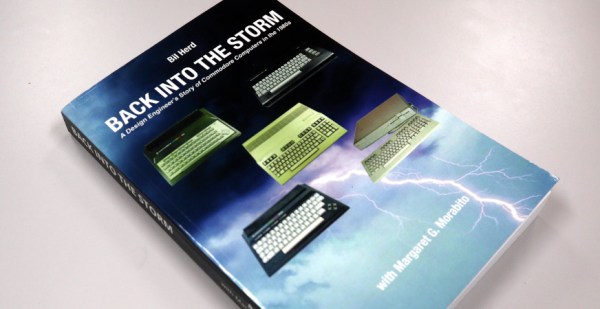
Books You Should Read: Bil Herd’s Back Into The Storm

It’s a morning ritual that we guess most of you share with us; before whatever work a new day will bring to sit down with a coffee and catch up with the tech news of the moment on Hackaday and other sites. Most of us don’t do many exciting things in our everyday lives, so reading about the coolest projects and the most fascinating new developments provides us with interest and motivation. Imagine just for a moment then that by a twist of fate you found yourself taking a job at the epicentre of the tech that is changing the world,  producing the objects of desire and pushing the boundaries, the place you’d give anything to work at.

This is the premise behind our Hackaday colleague Bil Herd’s autobiographical chronicle of time in the mid 1980s during which he worked at Commodore, maker of some of the most iconic home computers of the day. We follow him through the three years from 1983 to 1986 as hardware lead on the “TED” series of computers including the Commodore 16 and Plus/4, and then the Commodore 128, a dual-processor powerhouse which was arguably the last of the big-selling 8-bit home computers.

It’s an intertwined set of narratives peppered with personal anecdotes; of the slightly crazy high-pressure world of consumer videogames and computing, the fine details of designing a range of 8-bit machines, and a fascinating insight into how the culture at Commodore changed in the period following the departure of its founder Jack Tramiel.

Continue reading “Books You Should Read: Bil Herd’s Back Into The Storm”

Image

Restoring A Dead Commodore 128DCR

Another day, another retro computer lovingly restored to like-new condition by [Drygol]. This time, the subject of his attention is a Commodore 128DCR that earned every bit of the “For Parts, Not Working” condition it was listed under. From a spider infestation to a cracked power supply PCB, this computer was in quite a state. But in the end he got the three decade old machine back in working condition and even managed to teach it a few new tricks along the way.

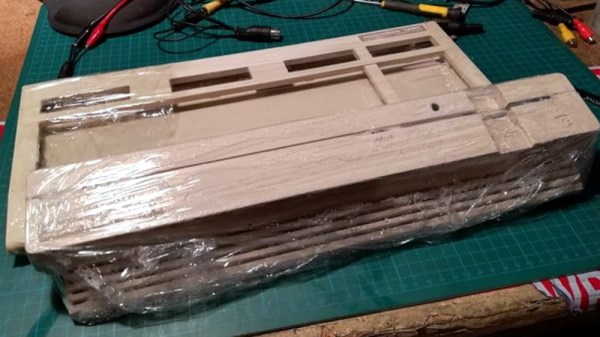
ImageObviously the shattered PSU was the most pressing issue with the Commodore. Interestingly, the machine still had its warranty seal in place on the back, so whatever happened to this PSU seems to have occurred without human intervention.

Rather than just replacing the PSU, [Drygol] first pieced the board back together with the help of cyanoacrylate glue, and then coated the top with an epoxy resin to give it some mechanical strength. On the back side the traces were either repaired or replaced entirely with jumper wires where the damage was too severe.

With the PSU repaired and tested, he moved on to cleaning the computer’s main board and whitening all the plastic external components. Even the individual keycaps took a bath to get them looking like new again. This put the computer in about as close to like-new condition as it could get.

But why stop there? He next installed the JiffyDOS modification to improve system performance, and wired in an adapter that lets the computer output a crisp 80 columns over S-Video. It’s safe to say this particular Commodore is in better shape now than it was when it rolled off the assembly line.

While an impressive enough final result, this is still fairly tame for [Drygol]. If you want to see a real challenge, take a look at the insane amount of work that went into recreating this smashed Atari 800XL case.

Image

How Many Commodores Does It Take To Crack A Nut?

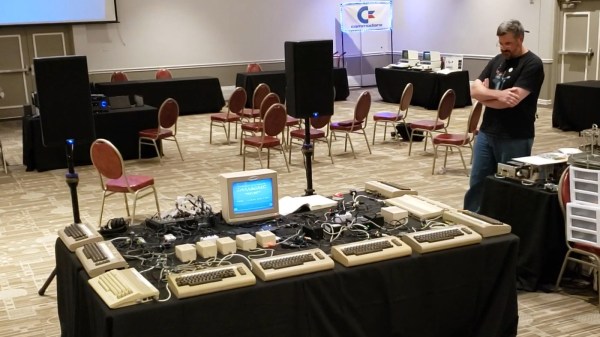
It’s brilliant enough when composers make use of the “2SID” technique to double the channels in a Commodore 64 with two sound chips, but even then some people like to kick things up a notch. Say, five times more. [David Youd], [David Knapp] and [Joeri van Haren] worked together to bring us just that, ten Commodore computers synchronously playing a beautiful rendition of the Dance of the Sugar Plum Fairy at this year’s Commodore Retro eXpo.

The feat is composed of nine Commodore 64 computers and one Commodore 128, all fitted with the SID chip. It is a notorious synthesizer chip for utilizing both analog and digital circuitry, making each and every one of its revisions unique to a trained ear, not to mention impossible to faithfully reproduce in emulation. The SID was designed by Bob Yannes at MOS Technology, who later went on to co-found Ensoniq with his experience in making digital synthesizers.

How this orchestra of retro computers came to be, including details on how everything is pieced together can be found on this slideshow prepared by the authors of the exhibition. It’s interesting to note that because of timing differences in each computer’s crystal clock and how only the start of the song is synchronized between them, they can’t play long music tracks accurately yet, but a 90-second piece works just fine for this demonstration.

These synthesizer chips are slowly going extinct since they’re no longer being manufactured, so if you need a new replacement solution, FPGAs can fill that SID-shaped hole in your heart. If you need the whole computer though, the newer Teensy 3.6 will do just fine emulating it all. Check out this beast of a display in action after the break. While we’re at it, this isn’t the only time multiple 8-bit computers have been combined as an orchestra, though these Commodores sound a lot better than a table full of ZX Spectrums.

Continue reading “How Many Commodores Does It Take To Crack A Nut?”