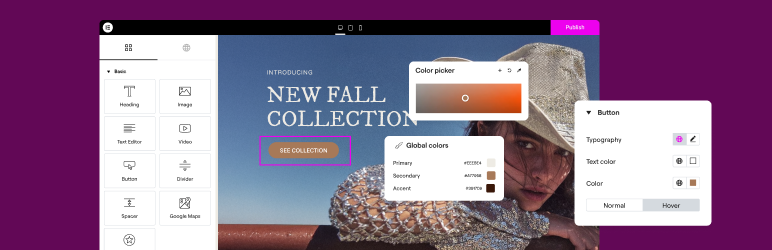

ຄຳອະທິບາຍ
ເຄື່ອງມືສ້າງເວັບໄຊ WORDPRESS ແບບລາກແລ້ວວາງທີ່ບໍ່ຕ້ອງໃຊ້ໂຄ້ດອັນດັບ 1 ທີ່ຂັບເຄື່ອນເວັບໄຊກວ່າ 20 ລ້ານແຫ່ງທົ່ວໂລກ, ຕອນນີ້ມາພ້ອມກັບ AI ແລ້ວ.
Elementor, ແພລັດຟອມສ້າງເວັບໄຊ WordPress ຊັ້ນນຳ, ຊ່ວຍໃຫ້ທ່ານສ້າງເວັບໄຊທີ່ເປັນມືອາຊີບ ແລະ ມີຄວາມຊັດເຈນລະດັບພິກເຊວໄດ້ຢ່າງງ່າຍດາຍ ດ້ວຍເຄື່ອງມືແກ້ໄຂແບບລາກແລ້ວວາງ ໂດຍບໍ່ຕ້ອງຂຽນໂຄ້ດ.
ຮອງຮັບທຸກຂັ້ນຕອນຂອງວົງຈອນຊີວິດເວັບໄຊ, Elementor ຊ່ວຍໃຫ້ທ່ານສ້າງ, ປັບແຕ່ງ ແລະ ຈັດການເວັບໄຊຂອງທ່ານໄດ້ຢ່າງໝັ້ນໃຈ ດ້ວຍຄວາມສາມາດທີ່ເໜືອກວ່າ ເຊັ່ນ: ການສ້າງດ້ວຍ AI, ການປັບແຕ່ງຮູບພາບໃຫ້ເໝາະສົມ, ການສົ່ງອີເມວທຸລະກຳ, ເຄື່ອງມືການເຂົ້າເຖິງ, ຕົວຊ່ວຍເພີ່ມຄວາມໄວ ແລະ ອື່ນໆ.
Now in version 4 – the Atomic Editor! Introducing a new generation of performance-first atomic building blocks that allow you to control every atomic part with no limits or locked layouts. Define your global design systems and reusable components once, and they apply everywhere instantly – turning hours or even days of work into single clicks.
ປົດລັອກທຸກຄຸນສົມບັດດ້ວຍ Elementor One.
ຕ້ອງການຄລາວໂຮສຕິ້ງທີ່ໄວ ແລະ ປອດໄພສຳລັບເວັບໄຊ Elementor ຂອງທ່ານບໍ? ທົດລອງໃຊ້ Elementor Host ທີ່ຂັບເຄື່ອນໂດຍ Google Cloud & Cloudflare. ໄດ້ຄະແນນ TrustPilot 4.9/5.
🌟 Create professional stunning websites
- Intuitive drag & drop builder: Build any website with our no-code, drag-and-drop Editor. Achieve design precision with full control over layout and style.
- Pixel-perfect design tools: Upload SVGs, apply masks, gradients, box shadows, headline effects, shape dividers, and use built-in CSS controls for advanced customization.
- ຄັງເທັມເພຼດ: ໃຊ້ຊຸດເວັບໄຊທີ່ສົມບູນແບບ (Website Kits) ເພື່ອການຕິດຕັ້ງທີ່ວ່ອງໄວ, ຫຼື ເລືອກຈາກຄັງເທັມເພຼດທີ່ມີທັງໜ້າດ່ຽວ, ບລັອກ ແລະ ປ໊ອບອັບ ຢ່າງຫຼາກຫຼາຍ.
- Advanced widgets: Access over 40 FREE widgets, including heading, image, text editor, video, button, gallery, carousels, and more.
- AI capabilities: Revolutionize your design and content creation process with native AI integration. Instantly create sections, text, code, and images.
🗝️ Key features
- Design system: Use Variables and Classes for consistent colors, typography, and design elements, ensuring a cohesive, professional look that updates everywhere globally.
- Responsive design: Optimize your design for every device with custom breakpoints, ensuring a seamless desktop, tablet, and mobile experience.
- Mask shapes: Turning any element, like an image or video, into whatever shape you desire to create standout designs.
- CSS transform: Use CSS Transform to rotate, scale, and skew elements, adding dynamic styling to your site.
- Entrance animations: Add entrance animations to elements to create engaging and interactive user experiences.
- Revision history: Elementor’s Revision History feature enables users to track and revert to previous versions of their designs, providing peace of mind and flexibility during the creative process.
- Developer-friendly: Equipped with extensive documentation, API, developer tools, and custom code areas, Elementor offers a conducive environment for developers to extend its capabilities and create custom solutions.
- Floating buttons: Enhance user interaction with customizable, floating action buttons that stay in view as users scroll.
- ສ່ວນປະກອບ [Pro]: ນຳໃຊ້ສ່ວນປະກອບພື້ນຖານອັນດຽວກັນໃນທຸກໆໜ້າເວັບ ແລະ ເວັບໄຊ, ພ້ອມທັງອັບເດດໄດ້ທຸກບ່ອນທີ່ມັນປະກົດຂຶ້ນ. ລວມທັງການຄວບຄຸມການແກ້ໄຂເນື້ອໃນ ທີ່ອະນຸຍາດໃຫ້ຜູ້ຮ່ວມງານ ແລະ ລູກຄ້າ ສາມາດແກ້ໄຂໄດ້ສະເພາະຄຸນສົມບັດຂອງເນື້ອໃນທີ່ກຳນົດໄວ້ ໂດຍບໍ່ເຮັດໃຫ້ການຈັດວາງ ຫຼື ຮູບແບບເສຍຫາຍ.
- ເຄື່ອງມືສ້າງທິມ (Theme Builder) [Pro]: ອອກແບບທຸກສ່ວນຂອງເວັບໄຊຂອງທ່ານ—ບໍ່ວ່າຈະເປັນສ່ວນຫົວ, ສ່ວນທ້າຍ, ໂພສ ແລະ ໜ້າລວມບົດຄວາມ—ເພື່ອການຄວບຄຸມຮູບລັກສະນະທີ່ສົມບູນແບບ.
- ເຄື່ອງມືສ້າງປ໊ອບອັບ (Popup Builder) [Pro]: ສ້າງປ໊ອບອັບທີ່ດຶງດູດສາຍຕາດ້ວຍ Popup Builder ຂອງ Elementor ທີ່ມາພ້ອມກັບຕົວເລືອກການຕັ້ງເປົ້າໝາຍ ແລະ ຕົວຊ່ວຍກະຕຸ້ນ (triggers) ຂັ້ນສູງ ເພື່ອເພີ່ມການມີສ່ວນຮ່ວມ ແລະ ຍອດຂາຍ.
- ຟອມ [Pro]: ອອກແບບ ແລະ ເຊື່ອມຕໍ່ຟອມກຳນົດເອງ ໂດຍໃຊ້ຄຸນສົມບັດຂັ້ນສູງເພື່ອເກັບກຳ ແລະ ຈັດການຂໍ້ມູນທີ່ສົ່ງເຂົ້າມາໄດ້ຢ່າງມີປະສິດທິພາບ.
- WooCommerce Builder [Pro]: Integrate Elementor with WooCommerce to design custom product pages, shop layouts, archives, carts, checkout pages, my account, and more, enhancing your store’s visual appeal and functionality.
- ເນື້ອຫາໄດນາມິກ (Dynamic Content) [Pro]: ໃຊ້ຄວາມສາມາດຂອງເນື້ອຫາໄດນາມິກເພື່ອສ້າງປະສົບການເວັບທີ່ເປັນສ່ວນຕົວ ແລະ ໂຕ້ຕອບໄດ້ ໂດຍການເຊື່ອມຕໍ່ການອອກແບບຂອງທ່ານກັບແຫຼ່ງຂໍ້ມູນຕ່າງໆ.
- ບັນທຶກ (Notes) [Pro]: ເພີ່ມການຮ່ວມມືໃນທີມໂດຍການໃຊ້ຄຸນສົມບັດ Notes ຂອງ Elementor ເພື່ອຝາກຄຳຄິດເຫັນ ແລະ ຄຳແນະນຳໄວ້ໃນສ່ວນແກ້ໄຂການອອກແບບໂດຍກົງ.
- ໂຄ້ດກຳນົດເອງ [Pro]: ແຊກໂຄ້ດທີ່ກຳນົດເອງເພື່ອຂະຫຍາຍການເຮັດວຽກຂອງເວັບໄຊ, ໃຫ້ຄວາມຢືດຢຸ່ນໃນການປັບແຕ່ງຂັ້ນສູງ.
- CSS ກຳນົດເອງ [Pro]: ໃຊ້ Custom CSS ເພື່ອປັບແຕ່ງສະໄຕລ໌ຂອງອົງປະກອບຕ່າງໆໃຫ້ລະອຽດ, ເພື່ອການຄວບຄຸມການອອກແບບທີ່ຊັດເຈນ.
- Motion effects [Pro]: Add advanced motion effects to elements for a more dynamic and engaging user experience.
- Custom fonts and icons [Pro]: Upload and use custom fonts and icons to match your brand’s identity.
😍 ວິດເຈັດຟຣີຂອງ Elementor
ປົດລັອກທ່າແຮງຂອງ Elementor ດ້ວຍຊຸດວິດເຈັດ ແລະ ເຄື່ອງມືຟຣີທີ່ຄົບຖ້ວນ, ທີ່ຖືກອອກແບບມາເພື່ອເພີ່ມພະລັງໃຫ້ກັບຂະບວນການສ້າງເວັບໄຊ ແລະ ຍົກລະດັບຄວາມສາມາດໃນການອອກແບບຂອງທ່ານ:
- Heading: Add eye-catching headlines.
- Image: Control the size, opacity and more.
- Text Editor: Just like the WordPress text editor.
- Video: Add YouTube, Vimeo, VideoPress, Dailymotion or self-hosted videos.
- Button: Create interactive buttons.
- Link in Bio: Build link in bio components to promote your business / services.
- Image Box: A box with image, headline and text.
- Testimonials: Customer testimonials.
- Icon: Place one or more of 600+ icons available.
- Icon Box: An icon, headline, and text with one widget.
- Social Icons: Link to your social pages with the Facebook/X (formerly Twitter) icons.
- Image Gallery: Display your images in a grid.
- Image Carousel: Create rotating carousels or sliders for chosen images.
- Icon List: Use any icon to create a bullet list.
- Counter: Show numbers in an escalating manner.
- Progress Bar: Include an escalating progress bar.
- Nested Tabs: Display content in vertical or horizontal tabs.
- Nested Accordion: Display any type of content in collapsible sections.
- Rating: Display how many stars (or another icon) other visitors gave.
- Alert: Include a colored alert box to draw visitor’s attention.
- HTML: Insert code into the page.
- Shortcode: Insert shortcodes from any plugin into the page.
- Menu Anchor: Link any menu to this anchor.
- Read More: Set the Read More cut-off for the excerpt in archive pages.
- Sidebar: Add sidebars onto the page.
- Google Maps: Embed maps into the page.
- SoundCloud: Add SoundCloud audio bits.
- Divider: Separate content with a designed divider.
- Spacer: Add space between elements.
- Text Path: Attach your text to a path.
- And counting…
🚀 Enhance your website
High-performing websites: Website performance impacts your visitors’ experience and search result ranking. Elementor, in partnership with Google Chrome, continuously enhances performance without compromising design.
ຄຸນສົມບັດຫຼັກປະກອບມີ:
- Reduced DOM output: Streamlined HTML structure for faster rendering.
- Improved media file loading: Optimized loading of images, videos, and other media assets.
- Reduced CSS and JS files: Minimized stylesheets and scripts individually loaded only on demand for quicker loading times.
- Lazy loading: Deferred loading of non-critical resources to improve initial page load speed.
- Faster font loading: Efficient delivery of web fonts to enhance text rendering speed.
- Optimized front-end asset loading: Efficient loading of assets like JavaScript and CSS to minimize render-blocking.
- Element caching: Cache frequently accessed design elements to reduce server response time and enhance overall performance.
🔥 Elementor Editor Pro features
ສ້າງເວັບໄຊທີ່ບໍ່ຄືໃຜ ພ້ອມປະຢັດເວລາ, ເງິນ ແລະ ຊັບພະຍາກອນດ້ວຍ Elementor Editor Pro. ເຂົ້າເຖິງວິດເຈັດ, ຄຸນສົມບັດ ແລະ ເຄື່ອງມືລະດັບມືອາຊີບຫຼາຍກວ່າ 100 ແບບ.
Editor Pro design widgets:
- ໂພສ: ສະແດງບົດຄວາມຂອງທ່ານດ້ວຍຮູບແບບ ແລະ ສະໄຕລ໌ທີ່ປັບແຕ່ງໄດ້.
- ປຸ່ມແຊຣ໌: ອະນຸຍາດໃຫ້ຜູ້ເຂົ້າຊົມແຊຣ໌ເນື້ອຫາຂອງທ່ານໄປຍັງແພລັດຟອມໂຊຊຽວມີເດຍຕ່າງໆໄດ້ຢ່າງງ່າຍດາຍ.
- ຜົນງານ (Portfolio): ສະແດງຜົນງານ ຫຼື ໂຄງການຂອງທ່ານດ້ວຍຮູບແບບຜົນງານທີ່ສວຍງາມ.
- ສະໄລ້: ສ້າງສະໄລ້ໂຊທີ່ເຄື່ອນໄຫວໄດ້ ພ້ອມອານິເມຊັນ ແລະ ການປ່ຽນສາກທີ່ປັບແຕ່ງເອງ.
- ຟອມ: ອອກແບບ ແລະ ປັບແຕ່ງຟອມຂັ້ນສູງເພື່ອການໂຕ້ຕອບກັບຜູ້ໃຊ້ ແລະ ການເກັບກຳຂໍ້ມູນ.
- ເຂົ້າສູ່ລະບົບ: ເພີ່ມຟອມເຂົ້າສູ່ລະບົບ ຫຼື ໂມດູນລົງທະບຽນຜູ້ໃຊ້ເຂົ້າໃນເວັບໄຊຂອງທ່ານ.
- Nav Menu: Customize and style your website’s navigation menu for better user experience.
- ຫົວຂໍ້ອານິເມຊັນ: ສ້າງຫົວຂໍ້ທີ່ດຶງດູດສາຍຕາດ້ວຍເອັບເຟັກອານິເມຊັນ.
- ຕາຕະລາງລາຄາ: ສະແດງແຜນລາຄາ ຫຼື ແພັກເກດໃນຮູບແບບທີ່ມີໂຄງສ້າງ ແລະ ສວຍງາມ.
- ລາຍການລາຄາ: ສະແດງລາຍການລາຄາ ຫຼື ບໍລິການ ພ້ອມຕົວເລືອກການປັບແຕ່ງສະໄຕລ໌.
- ແກເລີຣີ: ສ້າງຄັງຮູບພາບທີ່ສວຍງາມດ້ວຍຮູບແບບທີ່ຫຼາກຫຼາຍ ແລະ ຮອງຮັບລະບົບໄລ້ບັອກ (lightbox).
- Flip Box: ເພີ່ມອານິເມຊັນແບບພິກໄປມາເພື່ອເນັ້ນເນື້ອຫາ ຫຼື ຄຸນສົມບັດ.
- Call to Action: ກະຕຸ້ນການໂຕ້ຕອບຂອງຜູ້ໃຊ້ ແລະ ການປ່ຽນເປັນລູກຄ້າດ້ວຍສ່ວນການຮຽກຮ້ອງໃຫ້ປະຕິບັດທີ່ໜ້າສົນໃຈ.
- ຄາຣູເຊວສື່: ສະແດງໄຟລ໌ສື່ ເຊັ່ນ: ຮູບພາບ ຫຼື ວິດີໂອ ໃນຮູບແບບຄາຣູເຊວ.
- ຄາຣູເຊວຄຳຍ້ອງຍໍ: ສະແດງຄຳຍ້ອງຍໍຈາກລູກຄ້າໃນຮູບແບບຄາຣູເຊວເພື່ອສ້າງຄວາມໜ້າເຊື່ອຖື.
- Nested Carousel: ສ້າງຄາຣູເຊວຊ້ອນກັນເພື່ອການຈັດລະບຽບເນື້ອຫາທີ່ຊັບຊ້ອນ.
- Loop Carousel: ສະແດງເນື້ອຫາແບບຄາຣູເຊວວົນລູບເພື່ອການຮັບຊົມຢ່າງຕໍ່ເນື່ອງ.
- Table of Contents: Generate a table of contents for longer articles or guides to improve navigation.
- ນັບຖອຍຫຼັງ: ເພີ່ມຕົວນັບຖອຍຫຼັງເພື່ອສ້າງຄວາມຮີບດ່ວນສຳລັບໂປຣໂມຊັນ ຫຼື ກິດຈະກຳ.
- ໜ້າ Facebook: ຝັງຟີດ ຫຼື ເນື້ອຫາຈາກໜ້າ Facebook ຂອງທ່ານລົງໃນເວັບໄຊ.
- ຄຳອ້າງອີງ (Blockquote): ເນັ້ນຄຳອ້າງອີງ ຫຼື ຄຳຍ້ອງຍໍດ້ວຍຕົວເລືອກຮູບແບບທີ່ສວຍງາມ.
- ເທັມເພຼດ: ບັນທຶກ ແລະ ນຳໃຊ້ເທັມເພຼດການອອກແບບຄືນໃໝ່ເພື່ອໃຫ້ແບຣນ ແລະ ຮູບແບບມີຄວາມສອດຄ່ອງກັນ.
- ການຣີວິວ: ສະແດງຄຳຄິດເຫັນ ແລະ ຄະແນນຈາກລູກຄ້າເພື່ອສ້າງຄວາມເຊື່ອໝັ້ນ.
- ປຸ່ມ Facebook: ເພີ່ມປຸ່ມເພື່ອສົ່ງເສີມການໂຕ້ຕອບກັບໜ້າ Facebook ຫຼື ເນື້ອຫາຂອງທ່ານ.
- ຝັງເນື້ອຫາ Facebook: ຝັງບົດຄວາມ ຫຼື ເນື້ອຫາຈາກ Facebook ລົງໃນເວັບໄຊຂອງທ່ານ.
- Facebook Comments: Enable Facebook comments on your website’s pages or posts.
- ປຸ່ມ PayPal: ເຊື່ອມຕໍ່ປຸ່ມ PayPal ເພື່ອການຊຳລະເງິນອອນລາຍທີ່ງ່າຍດາຍ.
- ປຸ່ມ Stripe: ເຊື່ອມຕໍ່ປຸ່ມຊຳລະເງິນຂອງ Stripe ເພື່ອອຳນວຍຄວາມສະດວກໃນການເຮັດທຸລະກຳອອນລາຍທີ່ປອດໄພ.
- ວິດເຈັດ Lottie: ເພີ່ມອານິເມຊັນ Lottie ເພື່ອເພີ່ມຄວາມສວຍງາມ ແລະ ການມີສ່ວນຮ່ວມ.
- ໄຮໄລ້ໂຄ້ດ: ສະແດງສ່ວນຂອງໂຄ້ດດ້ວຍການເນັ້ນໄວຍາກອນເພື່ອໃຫ້ອ່ານງ່າຍຂຶ້ນ.
- ລາຍການວິດີໂອ: ສ້າງ ແລະ ປັບແຕ່ງລາຍການວິດີໂອສຳລັບເນື້ອຫາວິດີໂອໃນເວັບໄຊຂອງທ່ານ.
- Mega Menu: ປັບແຕ່ງເມນູຂັ້ນສູງເພື່ອການນຳທາງທີ່ດີຂຶ້ນ ແລະ ສະແດງເນື້ອຫາທີ່ຊັບຊ້ອນ.
- Off Canvas: ສ້າງພື້ນທີ່ນອກໜ້າຈໍທີ່ຈະເລື່ອນເຂົ້າມາເພື່ອສະແດງຂໍ້ມູນເພີ່ມເຕີມ ຫຼື ເມນູ ໂດຍບໍ່ເຮັດໃຫ້ຮູບແບບຫຼັກເບິ່ງຮົກ.
Editor Pro theme widgets:
Build and customize all the key parts of your website including headers, footers, 404 page, global archives, and more…
- ຊື່ໂພສ: ປັບແຕ່ງຊື່ຂອງແຕ່ລະບົດຄວາມ ຫຼື ໜ້າເວັບ.
- ເນື້ອຫາຫຍໍ້: ສະແດງຂໍ້ມູນສະຫຼຸບຫຍໍ້ຂອງບົດຄວາມ.
- ເນື້ອຫາໂພສ: ປັບແຕ່ງສ່ວນເນື້ອຫາຫຼັກຂອງບົດຄວາມ ຫຼື ໜ້າເວັບຂອງທ່ານ.
- ຮູບພາບເດັ່ນ: ຕັ້ງຄ່າ ແລະ ປັບແຕ່ງຮູບພາບເດັ່ນສຳລັບບົດຄວາມ ຫຼື ໜ້າເວັບ.
- ກ່ອງຜູ້ຂຽນ: ສະແດງຂໍ້ມູນ ແລະ ປະຫວັດຫຍໍ້ຂອງຜູ້ຂຽນໃນບົດຄວາມ.
- ຄຳຄິດເຫັນຂອງໂພສ: ປັບແຕ່ງຮູບລັກສະນະ ແລະ ການເຮັດວຽກຂອງສ່ວນຄຳຄິດເຫັນໃນເວັບໄຊຂອງທ່ານ.
- ການນຳທາງໂພສ: ເພີ່ມລິງນຳທາງໄປຫາບົດຄວາມທີ່ຢູ່ໃກ້ຄຽງເພື່ອໃຫ້ເລືອກອ່ານໄດ້ງ່າຍ.
- ຂໍ້ມູນໂພສ: ສະແດງຂໍ້ມູນເພີ່ມເຕີມກ່ຽວກັບບົດຄວາມ ເຊັ່ນ: ຜູ້ຂຽນ ແລະ ວັນທີ.
- Site Logo: Upload and customize your website’s logo for branding purposes.
- ຊື່ເວັບໄຊ: ປັບແຕ່ງຊື່ຂອງເວັບໄຊຂອງທ່ານ.
- ຊື່ໜ້າ: ປັບແຕ່ງຊື່ຂອງແຕ່ລະໜ້າ.
- Search Bar: Add a search bar to allow users to search your website’s content.
- ເສັ້ນທາງນຳທາງ (Breadcrumbs): ສະແດງເສັ້ນທາງການນຳທາງຕາມລຳດັບຂັ້ນ ເພື່ອໃຫ້ຜູ້ໃຊ້ທ່ອງເວັບໄດ້ດີຂຶ້ນ.
- ຜັງເວັບໄຊ (Sitemap): ສ້າງຜັງເວັບໄຊເພື່ອການຈັດດັດຊະນີຂອງເຄື່ອງມືຄົ້ນຫາທີ່ດີຂຶ້ນ ແລະ ການນຳທາງຂອງຜູ້ໃຊ້.
- Loop Grid: ອອກແບບ ແລະ ປັບແຕ່ງຮູບແບບຕາຕະລາງສຳລັບໜ້າລວມບົດຄວາມ ຫຼື ລາຍການສິນຄ້າ.
Editor Pro WooCommerce widgets:
ອອກແບບ ແລະ ປັບແຕ່ງປະສົບການການຊື້ເຄື່ອງອອນລາຍທີ່ສົມບູນແບບໃນທົ່ວເວັບໄຊຂອງທ່ານ.
- ສິນຄ້າ: ສະແດງສິນຄ້າແຕ່ລະລາຍການດ້ວຍຮູບແບບ ແລະ ສະໄຕລ໌ທີ່ປັບແຕ່ງໄດ້.
- ເສັ້ນທາງນຳທາງ (Breadcrumbs): ສະແດງເສັ້ນທາງການນຳທາງຕາມລຳດັບຂັ້ນ ເພື່ອໃຫ້ຜູ້ໃຊ້ທ່ອງເວັບໃນຮ້ານຂອງທ່ານໄດ້ດີຂຶ້ນ.
- ຊື່ສິນຄ້າ: ປັບແຕ່ງຊື່ຂອງແຕ່ລະສິນຄ້າ.
- ຮູບພາບສິນຄ້າ: ຕັ້ງຄ່າ ແລະ ປັບແຕ່ງຮູບພາບສຳລັບລາຍການສິນຄ້າ.
- ລາຄາສິນຄ້າ: ສະແດງລາຄາຂອງແຕ່ລະສິນຄ້າ.
- ເພີ່ມລົງກະຕ່າ: ເພີ່ມປຸ່ມເພີ່ມລົງກະຕ່າທີ່ປັບແຕ່ງໄດ້ເພື່ອໃຫ້ການຊື້ສິນຄ້າງ່າຍຂຶ້ນ.
- ຄະແນນສິນຄ້າ: ສະແດງຄະແນນ ແລະ ຄຳຄິດເຫັນສຳລັບສິນຄ້າ.
- ສາງສິນຄ້າ: ສະແດງຈຳນວນສິນຄ້າທີ່ມີໃນສາງ.
- ຂໍ້ມູນກ່ຽວກັບສິນຄ້າ (Meta): ສະແດງຂໍ້ມູນເພີ່ມເຕີມກ່ຽວກັບສິນຄ້າ ເຊັ່ນ: SKU ແລະ ໝວດໝູ່.
- ເນື້ອຫາສິນຄ້າ: ປັບແຕ່ງສ່ວນເນື້ອຫາຫຼັກຂອງຄຳອະທິບາຍສິນຄ້າ.
- ຄຳອະທິບາຍຫຍໍ້: ສະແດງຂໍ້ມູນສະຫຼຸບຫຍໍ້ຂອງສິນຄ້າ.
- ແຖບຂໍ້ມູນສິນຄ້າ: ຈັດລະບຽບຂໍ້ມູນສິນຄ້າອອກເປັນແຖບຕ່າງໆ ເພື່ອໃຫ້ເບິ່ງງ່າຍຂຶ້ນ.
- ຂໍ້ມູນເພີ່ມເຕີມ: ສະແດງລາຍລະອຽດເພີ່ມເຕີມກ່ຽວກັບສິນຄ້າ ເຊັ່ນ: ຂະໜາດ ແລະ ນ້ຳໜັກ.
- ສິນຄ້າທີ່ກ່ຽວຂ້ອງ: ສະແດງສິນຄ້າທີ່ກ່ຽວຂ້ອງເພື່ອຊຸກຍູ້ການຊື້ເພີ່ມເຕີມ.
- ສິນຄ້າແນະນຳເພີ່ມເຕີມ (Upsells): ສົ່ງເສີມສິນຄ້າແນະນຳເພື່ອເພີ່ມຍອດສັ່ງຊື້ສະເລ່ຍ.
- ສິນຄ້າ: ສະແດງລາຍການສິນຄ້າແບບຕາຕະລາງ ຫຼື ແບບລາຍການ ພ້ອມການຕັ້ງຄ່າທີ່ປັບແຕ່ງໄດ້.
- ປຸ່ມເພີ່ມລົງກະຕ່າແບບກຳນົດເອງ: ປັບແຕ່ງປຸ່ມເພີ່ມລົງກະຕ່າສຳລັບສິນຄ້າສະເພາະ.
- ໜ້າ WooCommerce: ອອກແບບ ແລະ ປັບແຕ່ງໜ້າສະເພາະຂອງ WooCommerce ເຊັ່ນ: ໜ້າກະຕ່າສິນຄ້າ ແລະ ໜ້າຊຳລະເງິນ.
- ໝວດໝູ່ສິນຄ້າ: ສະແດງໝວດໝູ່ສິນຄ້າເພື່ອໃຫ້ການເລືອກເບິ່ງພາຍໃນຮ້ານຂອງທ່ານງ່າຍຂຶ້ນ.
- ເມນູກະຕ່າສິນຄ້າ: ສະແດງໄອຄອນກະຕ່າສິນຄ້າໃນເມນູນຳທາງຂອງທ່ານເພື່ອໃຫ້ເຂົ້າເຖິງກະຕ່າສິນຄ້າໄດ້ງ່າຍ.
- ກະຕ່າສິນຄ້າ: ປັບແຕ່ງຮູບລັກສະນະ ແລະ ການເຮັດວຽກຂອງໜ້າກະຕ່າສິນຄ້າ.
- ຊຳລະເງິນ: ປັບແຕ່ງຮູບລັກສະນະ ແລະ ການເຮັດວຽກຂອງໜ້າຊຳລະເງິນ.
- ບັນຊີຂອງຂ້ອຍ: ປັບແຕ່ງຮູບລັກສະນະ ແລະ ການເຮັດວຽກຂອງສ່ວນບັນຊີລູກຄ້າ.
- ສະຫຼຸບການຊື້: ສະແດງລາຍການສະຫຼຸບການຊື້ໃນລະຫວ່າງຂັ້ນຕອນການຊຳລະເງິນ.
- ການແຈ້ງເຕືອນ WooCommerce: ປັບແຕ່ງຮູບລັກສະນະ ແລະ ການເຮັດວຽກຂອງການແຈ້ງເຕືອນ WooCommerce ເຊັ່ນ: ຂໍ້ຄວາມຢືນຢັນຄຳສັ່ງຊື້.
ສ້າງເວັບໄຊລະດັບມືອາຊີບດ້ວຍ Elementor Editor Pro!
🔒 Security and compliance
Elementor places a paramount focus on security, evident through our acquisition of industry certifications such as ISO/IEC 27001, ISO/IEC 27017, ISO/IEC 27018, ISO/IEC 27701, and SOC 2 Type II. These certifications underscore our commitment to implementing robust security measures and highlight our dedication to adhering to recognized industry standards.
ພວກເຮົາສະໜັບສະໜູນການຄົ້ນຄວ້າດ້ານຄວາມປອດໄພຢ່າງມີຈັນຍາບັນຜ່ານ ໂຄງການ Bug Bounty. ພວກເຮົາຮ່ວມມືກັບບໍລິການ bug bounty ຊັ້ນນຳເພື່ອເປີດໂອກາດໃຫ້ກັບນັກວິໄຈໃນການລາຍງານຊ່ອງໂຫວ່ໃນການບໍລິການຂອງພວກເຮົາ. ໂຄງການຂອງພວກເຮົາມີທີມງານກວດສອບທີ່ພ້ອມໃຫ້ບໍລິການ 24/7/365.
ສຳລັບຂໍ້ມູນເພີ່ມເຕີມ: Trust Center.
♿ Accessibility best practices
Elementor ມີເຄື່ອງມື ແລະ ສ່ວນເສີມດ້ານການເຂົ້າເຖິງ ເພື່ອຊ່ວຍໃຫ້ທ່ານມອບປະສົບການທີ່ດີຂຶ້ນໃຫ້ກັບຜູ້ໃຊ້ທຸກຄົນ. ລວມທັງ HTML 5 semantic, ເມນູນຳທາງດ້ວຍຄີບອດທີ່ສົມບູນ, ການປັບປຸງຄຸນສົມບັດ ແລະ ວິດເຈັດຢ່າງຕໍ່ເນື່ອງ ແລະ ອື່ນໆ.
🌐 ແປແລ້ວຫຼາຍກວ່າ 63 ພາສາ, ລວມທັງການຮອງຮັບ RTL
Elementor ຮອງຮັບຫຼາຍພາສາ, ຮູບແບບຕົວອັກສອນ ແລະ ການຂຽນຈາກຂວາຫາຊ້າຍ (RTL), ພ້ອມດ້ວຍການແປໃນສ່ວນແກ້ໄຂ ຫຼາຍກວ່າ 63 ພາສາ.
It’s also compatible with WPML, Polylang, TranslatePress, Weglot, and more. To contribute, add a new language via translate.wordpress.org. See our guide on how to translate and localize the plugin.
🧩 Use of 3rd-party services
ເພື່ອປັບປຸງປະສົບການຜູ້ໃຊ້, Elementor ອາດຈະໃຊ້ບໍລິການຈາກບຸກຄົນທີສາມດັ່ງຕໍ່ໄປນີ້ ຫາກມີການເປີດໃຊ້ຄຸນສົມບັດທີ່ກ່ຽວຂ້ອງ:
- Google Fonts are loaded to add additional fonts to your website. Google’s TOS and Privacy Policy apply.
- Some Elementor features require loading assets from Elementor.com. These assets are not used for tracking unless explicitly stated, and require your approval and manual opt-in. Learn more in our TOS and Privacy Policy.
📧 Related products by Elementor
Image Optimization: Superior image compression for faster, high-quality website performance.
Email Deliverability: Reliable email management without SMTP plugins, keeping your communications streamlined and efficient.
Web Accessibility: Enhances website usability for individuals with disabilities. Ally is designed to help web creators make their websites more inclusive. It scans, detects, and remediates key accessibility violations, working seamlessly on all WordPress and Elementor websites.
📣 See what our users have to say
“Elementor ແມ່ນເຄື່ອງມືສ້າງໜ້າເວັບທີ່ດີທີ່ສຸດແທ້ໆ” – ★★★★★ Graphicvision1
“ເປັນປລັກອິນທີ່ໃຊ້ງານງ່າຍຢ່າງບໍ່ໜ້າເຊື່ອ” – ★★★★★ Hyeyoga
“ເປັນປລັກອິນ WP ທີ່ຂ້ອຍໃຊ້ຫຼາຍທີ່ສຸດເລີຍ” – …
ພາບໜ້າຈໍ


ການຕິດຕັ້ງ
ຂໍ້ກຳນົດຂັ້ນຕ່ຳ
- WordPress 6.8 or greater
- PHP ເວີຊັນ 7.4 ຫຼື ຫຼາຍກວ່າ
- MySQL version 5.6 or MariaDB version 10.5 or greater
- PHP Memory limit of 256 MB or greater
- WordPress Memory limit of 256 MB or greater
ຂໍ້ກຳນົດທີ່ແນະນຳ
- WordPress 7.0 or greater
- PHP version 8.3 or greater
- MySQL version 8.0 or MariaDB version 10.6 or greater
- PHP Memory limit of 512 MB (768 MB for best performance) or greater
- WordPress Memory limit of 512 MB (768 MB for best performance) or greater
Note: These requirements are for Elementor and Elementor Pro only. If you are using additional plugins on your site that also have minimum requirements such as WooCommerce or Elementor addons, you may need to increase your PHP and WordPress Memory limit to help avoid loading issues. See also, the following documentation Elementor Widget Panel Not Loading.
ການຕິດຕັ້ງ
- ຕິດຕັ້ງໂດຍໃຊ້ຕົວຕິດຕັ້ງປລັກອິນໃນຕົວຂອງ WordPress, ຫຼື ແຍກໄຟລ໌ zip ແລ້ວນຳເນື້ອຫາໄປວາງໄວ້ໃນໂຟນເດີ
wp-content/plugins/ໃນບ່ອນຕິດຕັ້ງ WordPress ຂອງທ່ານ. - ເປີດໃຊ້ງານປລັກອິນຜ່ານເມນູ ‘ປລັກອິນ’ ໃນ WordPress.
- ໄປທີ່ ໜ້າ > ເພີ່ມໃໝ່
- ກົດປຸ່ມ ‘ແກ້ໄຂດ້ວຍ Elementor’.
- ຕອນນີ້ທ່ານສາມາດລາກ ແລະ ວາງວິດເຈັດຈາກແຖບດ້ານຊ້າຍລົງໃນພື້ນທີ່ເນື້ອຫາ, ລວມທັງເພີ່ມສ່ວນ (sections) ແລະ ຖັນ (columns) ໃໝ່ເພື່ອສ້າງໂຄງສ້າງໜ້າເວັບ.
ສຳລັບເອກະສານປະກອບ ແລະ ບົດຮຽນຕ່າງໆ ໃຫ້ເຂົ້າໄປທີ່ ຄັງຄວາມຮູ້ (Knowledge Base) ຂອງພວກເຮົາ.
ຄຳຖາມທີ່ພົບເລື້ອຍ
-
ຂ້ອຍຈະຕິດຕັ້ງ Elementor Editor ໄດ້ແນວໃດ?
-
To install the free version of Elementor Editor, follow the steps below:
From your WordPress dashboard -> Go to Plugins -> Click on ‘Add new’-> In the Search field, enter Elementor and choose Elementor website builder.
Press install -> After installation, click Activate. -
Elementor Editor ເຮັດວຽກຮ່ວມກັບທຸກທິມໄດ້ບໍ?
-
Elementor Editor works all the themes that respect the coding standards of WordPress set by its Codex. It is recommended to use Elementor’s Hello Theme, a lightweight blank canvas, to enjoy full flexibility when using Elementor Editor, and optimize your experience.
-
Elementor Editor ຮອງຮັບການເຮັດວຽກຮ່ວມກັບ Gutenberg ບໍ?
-
Elementor Editor ແລະ Gutenberg ສາມາດເຮັດວຽກຮ່ວມກັນໄດ້ຢ່າງລື່ນໄຫຼ. ໃນຖານະຜູ້ໃຊ້, ທ່ານສາມາດຕັດສິນໃຈໄດ້ຢ່າງງ່າຍດາຍວ່າຈະໃຊ້ເຄື່ອງມືແກ້ໄຂໃດໃນແຕ່ລະຈຸດຂອງເວັບໄຊ.
-
ຂ້ອຍສາມາດສ້າງຮ້ານຄ້າອອນລາຍໄດ້ບໍ?
-
ແມ່ນແລ້ວ, ດ້ວຍ WooCommerce Builder ຂອງ Elementor Editor Pro, ທ່ານສາມາດປັບແຕ່ງທຸກໜ້າຂອງຮ້ານຄ້າຂອງທ່ານເພື່ອສ້າງປະສົບການທີ່ດີໃຫ້ກັບລູກຄ້າ ແລະ ເພີ່ມຍອດຂາຍ.
-
ມັນສາມາດໃຊ້ຮ່ວມກັບປລັກອິນ WordPress ອື່ນໆໄດ້ບໍ?
-
ມັນເຮັດວຽກໄດ້ກັບເກືອບທຸກປລັກອິນ. ຫາກທ່ານພົບກັບບັນຫາການເຮັດວຽກທີ່ບໍ່ເຂົ້າກັນ, ກະລຸນາລາຍງານໃຫ້ພວກເຮົາ ແລະ ຜູ້ພັດທະນາປລັກອິນທີ່ມີບັນຫາຊາບ.
-
ຂ້ອຍຈຳເປັນຕ້ອງຂຽນໂຄ້ດເປັນບໍ?
-
ບໍ່ຕ້ອງ! Elementor Editor ມາພ້ອມກັບວິດເຈັດ ແລະ ຄຸນສົມບັດທັງໝົດທີ່ທ່ານຕ້ອງການເພື່ອສ້າງເວັບໄຊທີ່ເປັນມືອາຊີບໂດຍບໍ່ຕ້ອງຂຽນໂຄ້ດ.
-
ຂ້ອຍຈຳເປັນຕ້ອງມີຄວາມຮູ້ດ້ານການອອກແບບບໍ?
-
ບໍ່ຈຳເປັນ, ທ່ານສາມາດເລືອກໃຊ້ຊຸດເຄື່ອງມື ແລະ ເທັມເພຼດທີ່ອອກແບບໂດຍມືອາຊີບ ເຊິ່ງເໝາະກັບທຸກທຸລະກິດ ແລະ ມີທຸກຢ່າງທີ່ທ່ານຕ້ອງການເພື່ອສ້າງເວັບໄຊລະດັບມືອາຊີບຂອງທ່ານເອງ.
-
Elementor Editor ຈະເຮັດໃຫ້ເວັບໄຊຂອງຂ້ອຍຊ້າລົງບໍ?
-
ເນື່ອງຈາກ Elementor ໃຫ້ຄວາມສຳຄັນກັບຄວາມໄວ ແລະ ປະສິດທິພາບ, ທ່ານຈະໄດ້ຮັບປະສິດທິພາບທີ່ດີຂຶ້ນ ແລະ ໄວຂຶ້ນໃນແຕ່ລະເວີຊັນໃໝ່. ເມື່ອທົດສອບຮູບແບບໜ້າເວັບດຽວກັນໃນເວີຊັນເກົ່າ, ທ່ານຈະເຫັນການປັບປຸງທີ່ຊັດເຈນ ເຊັ່ນ ຄະແນນ Google PageSpeed Insight ຈາກ 82 ໃນເວີຊັນ 3.1 ເພີ່ມຂຶ້ນເປັນ 95 ໃນເວີຊັນ 3.5.
-
ເວັບໄຊຂອງຂ້ອຍຈະປອດໄພບໍເມື່ອໃຊ້ Elementor Editor?
-
ຄວາມປອດໄພຂອງເວັບໄຊທ່ານແມ່ນສິ່ງສຳຄັນທີ່ສຸດສຳລັບພວກເຮົາ ແລະ ພວກເຮົາໄດ້ວາງມາດຕະການລ່ວງໜ້າເພື່ອຮັບປະກັນວ່າເວັບໄຊຂອງທ່ານຈະປອດໄພ. Elementor ໄດ້ຮັບໃບຢັ້ງຢືນ ISO 27001 ແລະ ມີທີມງານມືອາຊີບດ້ານຄວາມປອດໄພທີ່ຄອຍເບິ່ງແຍງ ແລະ ນຳໃຊ້ມາດຕະຖານທີ່ດີທີ່ສຸດຕະຫຼອດ 24 ຊົ່ວໂມງ.
ນອກຈາກນີ້ຍັງມີໂຄງການ Bug Bounty ເພື່ອຄວາມປອດໄພ, ເຊິ່ງນຳໃຊ້ພະລັງຂອງຊຸມຊົນໃນການກວດຫາຊ່ອງໂຫວ່ແບບ crowdsourced ຕະຫຼອດ 24/7/365.
-
ຂ້ອຍສາມາດຊື້ເທັມເພຼດແຍກຕ່າງຫາກໄດ້ບໍ?
-
ແນ່ນອນ, ທ່ານສາມາດໃຊ້ເທັມເພຼດໃດກໍໄດ້ທີ່ຮອງຮັບ Elementor Editor.
-
Elementor Editor ຮອງຮັບການໃຊ້ງານກັບ ‘ໂພສ’ (Post) ແລະ ‘ປະເພດໂພສກຳນົດເອງ’ (Custom Post Types) ບໍ?
-
ແນ່ນອນ! ທ່ານສາມາດກຳນົດໄດ້ວ່າຈະໃຫ້ Elementor ເປີດໃຊ້ງານກັບປະເພດໂພສໃດແດ່ໃນໜ້າການຕັ້ງຄ່າ.
-
What is the difference between Elementor’s free Editor plugin and Elementor Editor Pro?
-
Elementor Editor ເວີຊັນຟຣີ ຊ່ວຍໃຫ້ທ່ານໄດ້ສຳຜັດກັບເຄື່ອງມືແກ້ໄຂແບບລາກແລ້ວວາງ, ວິດເຈັດພື້ນຖານ ແລະ ເທັມເພຼດຕ່າງໆ. ສ່ວນ Elementor Editor Pro ຈະເພີ່ມພະລັງໃຫ້ທ່ານດ້ວຍເຄື່ອງມືລະດັບມືອາຊີບທີ່ຊ່ວຍໃຫ້ການເຮັດວຽກໄວຂຶ້ນ, ເຂົ້າເຖິງການຊ່ວຍເຫຼືອຈາກທີມງານ, ຊ່ວຍສ້າງເນື້ອຫາທີ່ກ້າວໜ້າ ແລະ ເພີ່ມຍອດຂາຍ. ເບິ່ງການປຽບທຽບທັງໝົດໄດ້ທີ່ນີ້.
-
ຂ້ອຍຈະກາຍເປັນຜູ້ມີສ່ວນຮ່ວມໄດ້ແນວໃດ?
-
If you want to contribute, go to our Elementor GitHub Repository and see where you can help. You can also add a new language via translate.wordpress.org. We’ve built a short guide explaining how to translate and localize the plugin.
ການຣີວິວ


ຜູ້ຮ່ວມພັດທະນາ ແລະ ຜູ້ພັດທະນາ
“Elementor Website Builder – ເປັນຫຼາຍກວ່າເຄື່ອງມືສ້າງໜ້າເວັບ” ແມ່ນຊອຟແວໂອເພັນຊອດ (Open Source). ບຸກຄົນຕໍ່ໄປນີ້ໄດ້ມີສ່ວນຮ່ວມໃນການພັດທະນາປລັກອິນນີ້.
ຜູ້ຮ່ວມພັດທະນາ
“Elementor Website Builder – ເປັນຫຼາຍກວ່າເຄື່ອງມືສ້າງໜ້າເວັບ” ໄດ້ຖືກແປເປັນ 64 ພາສາທ້ອງຖິ່ນ. ຂໍຂອບໃຈ ທີມງານຜູ້ແປ ສຳລັບການປະກອບສ່ວນຂອງເຂົາເຈົ້າ.
ແປ “Elementor Website Builder – ເປັນຫຼາຍກວ່າເຄື່ອງມືສ້າງໜ້າເວັບ” ເປັນພາສາຂອງເຈົ້າ.
ສົນໃຈຮ່ວມພັດທະນາບໍ່?
ເບິ່ງລະຫັດ, ກວດເບິ່ງ ຄັງເກັບ SVN, ຫຼື ຕິດຕາມ ບັນທຶກການພັດທະນາ ຜ່ານ RSS.
ບັນທຶກການປ່ຽນແປງ
4.1.4 – 2026-06-21
- Fix: Improved code security enforcement in query handling
4.1.3 – 2026-06-10
- Fix: Cloud Library screenshot errors could prevent users from saving templates locally
4.1.2 – 2026-06-08
- Tweak: Improved Global Classes usage tracking for safer deletion – Atomic Editor
- Fix: Image with Lightbox inherits default button styles – Atomic Editor
- Fix: Image settings are not saved when using Insert from URL – Atomic Editor
- Fix: Media attachments may be requested too many times in the Editor – Atomic Editor
- Fix: Pages using Global Classes may fail to publish or show missing styles on the live site – Atomic Editor
- Fix: Editor context may not sync correctly when navigating between documents
4.1.1 – 2026-05-27
- Security Fix: Improved code security enforcement in content handling
- Security Fix: Improved code security enforcement in template handling
- Fix: Hiding one filter prevents other filters from being applied – Atomic Editor
4.1.0 – 2026-05-26
- New: Introducing the Design System panel for managing Variables and Classes in one place – Atomic Editor
- New: Introducing Angie in the Editor to help generate and modify Atomic layouts, Components, Forms, Classes, and Variables – Atomic Editor
- New: Introducing Markdown rendering as an Alpha experiment to improve how content is structured for AI systems
- Tweak: Added import and export for Variables and Classes from the Design System panel – Atomic Editor
- Tweak: Increased the Class limit to 1000 – Atomic Editor
- Tweak: Added duplicate support for Variables in the Variables Manager – Atomic Editor
- Tweak: Added duplicate support for Classes in the Class field – Atomic Editor
- Tweak: Added support for Variables in additional style controls, including Effects, Filters, and Box Shadow – Atomic Editor
- Tweak: Added multi-select support to Direction control in Interactions – Atomic Editor
- Tweak: Added Interaction actions to the History panel – Atomic Editor
- Tweak: Added support for negative Box Shadow values – Atomic Editor
- Tweak: Improved reordering of Component properties with full drag-and-drop support – Atomic Editor
- Tweak: Updated Position and Z-index control visibility and behavior – Atomic Editor
- Tweak: Updated the minimum required WordPress version to 6.8
- Tweak: Added the External URL option to Image control – Atomic Editor
- Fix: Slide Interactions can be applied without selecting a direction – Atomic Editor
- Fix: Undo does not work as expected for individual Class properties – Atomic Editor
- Fix: Font family values persist on Global Classes after deletion – Atomic Editor
